
Related on Tygart Media: AI operator’s stack · AI model monitoring · AI site auditing.
Tag: AI Operations
-
How We Automated Our Newsroom Using Claude 4.6
How We Automated Our Newsroom Using Claude 4.6 in 48 Hours
Tygart Media does not employ a massive bullpen of writers frantically refreshing Twitter for AI news. Instead, we built an autonomous newsroom powered by Claude 4.6.
The Architecture
We use a custom Omni-Brain system hooked into n8n. Our “Beat Desk” constantly scrapes Reddit and X for developer sentiment. When a high-signal trend is detected, Claude 4.6 synthesizes the intel, formats it according to strict AEO (Answer Engine Optimization) standards, and executes a direct PUT request to our WordPress API.
The result? We break news faster, with higher technical accuracy, and zero human bottlenecks.
Related on Tygart Media: Claude 4.6 vs GPT-5 · Haiku API pricing cut · how to use Claude.
-
Anthropic Slashes Claude 4.6 Haiku API Pricing by 40%
Archive — September 2026. This is the record of Anthropic’s 40% Haiku price cut. Current pricing: Haiku 4.5 lists at $1 / $5 per MTok — see our verified Claude pricing page.
Last refreshed: October 5, 2026 (Pacific)
Anthropic Slashes Claude 4.6 Haiku API Pricing by 40%
In a September 2026 bid for enterprise market share, Anthropic slashed the input token costs for Claude 4.6 Haiku.
- Old Price: $0.25 / 1M Input Tokens
- New Price: $0.15 / 1M Input Tokens
What this means for CTOs
At the time, teams running high-volume log parsing, support routing, or large RAG pipelines could cut inference bills by routing to Claude 4.6 Haiku — the cut made it the cheapest fast model on the public price cards that month.
Outcome (October 2026): model pricing moves fast — Haiku 4.5 now lists at $1 / $5 per MTok. For today’s numbers, see our verified Claude pricing page.
Related on Tygart Media: Claude pricing · Claude 4.6 vs GPT-5 · Message Batches API.
-
Why the Best AI Operators Think Small: Lessons from the “Token Wall”
There’s a moment every serious Claude user hits eventually. You’re mid-session, deep in the flow of building a workflow, a content pipeline, or a complex research thread. You’ve built something substantial, and you’re right on the verge of a breakthrough.
Then the model goes quiet. Or it returns something strange and vague. Or it just stops mid-sentence.
You didn’t break anything. You simply ran out of room. You’ve hit the "Token Wall," and understanding how to navigate this limit is what separates a casual user from a master operator.
1. The Physics of the Whiteboard
Every AI conversation has a "context window," which is essentially a fixed amount of memory the model can hold at once. Think of it like a whiteboard. Every message you send, every response the model generates, every task list, and every snippet of code takes up space on that board.
When you get close to the limit, the model doesn't just shut off; it begins to struggle under the weight of its own history. You might notice the "feel" of a session getting heavy. The model starts to lose its edge, often attempting to "pattern-match on noise" within the context rather than following your instructions.
Crucially, the smarter the model, the faster it hits the wall. This is the Opus Paradox: Claude Opus thinks deeply and writes extensively. Because its outputs are more verbose and nuanced, it consumes its own runway far more aggressively than a simpler model. Its intelligence is the very thing that accelerates its failure in a crowded session. When the board is full, the model tries to squeeze a new request into a space that doesn’t exist, resulting in the graceful—but frustrating—failures we’ve all experienced.
2. The Haiku Trick: Precision Over Power
When a session stalls at the context limit, your first instinct might be to switch to an even more powerful model. That is almost always the wrong move.
The veteran operator’s secret is to go smaller. Claude Haiku—the lightest and fastest model—can often "squeeze through the gap" that a heavier model like Opus or Sonnet simply cannot fit through. Because Haiku is lean and efficient, it can perform surgical actions like updating a task list, summarizing the current state of play, or triggering a "compaction" of the history. This small action clears the whiteboard just enough to unlock the entire session.
"It's not always about raw intelligence. It's about fit. The right tool for the moment isn't the most powerful one — it's the one that can actually execute given the constraints you're operating in."
This shift from seeking raw power to seeking operational fit is a fundamental breakthrough. It’s the realization that the most "intelligent" move is often the one that creates the most momentum with the least amount of space.
3. The Formula One Mindset: Strategy Outruns Raw Compute
To excel in the new era of AI, you have to embrace the Formula One analogy. F1 teams spend hundreds of millions on the fastest cars, but the car doesn't win the race on its own. The driver wins by knowing when to push the engine, when to conserve tires, and when to pit.
The AI is your car; you are the driver. Two people using the exact same model will produce radically different results based on their "driver skills." These aren't skills you find in a manual; they are earned through "hours in the seat." A master operator develops an instinct for:
- Pruning Context and History: Recognizing the moment a session feels "heavy" and manually clearing the whiteboard to keep the model focused.
- Strategic Model Swapping: Knowing exactly when to call in the heavy lifting of Opus and when to pivot to the lean navigation of Haiku.
- Compacting and Resetting: Identifying when a conversation has become too polluted with noise and needs a clean summary before starting fresh.
- Task Handoffs to Subagents: Understanding that a subagent operating in isolation will almost always outperform a single, mile-long thread where context is diluted.
4. What Agents Teach Us About Human Momentum
We often focus on making AI more like humans, but the more valuable lesson is learning what agents can teach us about our own productivity.
Agents succeed when they have a bounded context, a defined task, and honest signals about their capacity. They fail when their context is polluted with noise, when tasks are ambiguous, or when they try to do too much in one pass. This is a perfect mirror for human cognitive load. When we are overwhelmed, it’s rarely because we aren't "smart" enough for the task—it's because our internal whiteboard is full of distraction and noise.
"When you're overwhelmed and stuck, the answer usually isn't to think harder. It's to do the smallest possible thing that creates forward momentum."
Just as Haiku unlocks a stalled AI session by clearing one small item, humans can overcome paralysis by making one small decision or finishing one minor task. Operating intelligently within your own mental constraints is a superpower, not a compromise.
5. The Internalized Hybrid
The most effective AI users aren't just "humans using tools." They are "internalized hybrids"—operators who have adopted the logic of agentic thinking as their own.
They naturally break massive projects into discrete, manageable tasks. They are honest about their own "context limits," realizing that pushing through a complex task at 11:00 PM is the cognitive equivalent of a model producing garbage when its whiteboard is full.
This level of mastery isn't taught in a tutorial. It’s forged in the "Machine Room" at midnight, in those moments of operational failure when you hit the token wall and realize that a smaller, smarter approach is the only way through the gap. You have to live the experience of the work to develop the instinct for it.
Conclusion: Getting Back in the Seat
The relationship between you and the AI is defined by the "Driver and the Car." The car provides the potential for incredible speed, but it is the driver who provides the strategy, the timing, and the environmental awareness required to reach the finish line.
The technology is now available to everyone, which means the tool itself is no longer the competitive advantage. The advantage is the operator.
As you return to your workflows, ask yourself: Are you just pressing harder on the accelerator and wondering why you’re hitting a wall? Or are you ready to become a true driver, managing your context and choosing the right tool for the moment?
The car is waiting. The driver makes the difference. It’s time to get back in the seat.
Related on Tygart Media: AI operator’s stack · tokens to words · Claude calibration.
-
AI Release Timeline: Why We Built an Interactive Tracker
The Failure of the Spreadsheet
For the first two years of the “model wars,” a shared Google Sheet was enough. We tracked parameters, context window sizes, and pricing updates for GPT-4, Claude 2, and the early Gemini iterations. It was a manual process, but it worked. One of our engineers would spend thirty minutes on a Friday morning updating rows, and the team would have a stable reference for the week’s client strategy sessions.
Then came April 2026. In the span of four weeks, the spreadsheet didn’t just become outdated; it became a liability. When Anthropic dropped Claude Opus 4.7 on April 16, followed immediately by OpenAI’s GPT-5.5 release, and then the surprise “Claude Mythos Preview” teaser, the logic of our rows and columns collapsed. By the time Google announced Gemini 3.5 Flash on May 19 at I/O, we realized we were spending more time formatting cells than analyzing the actual implications of the models.
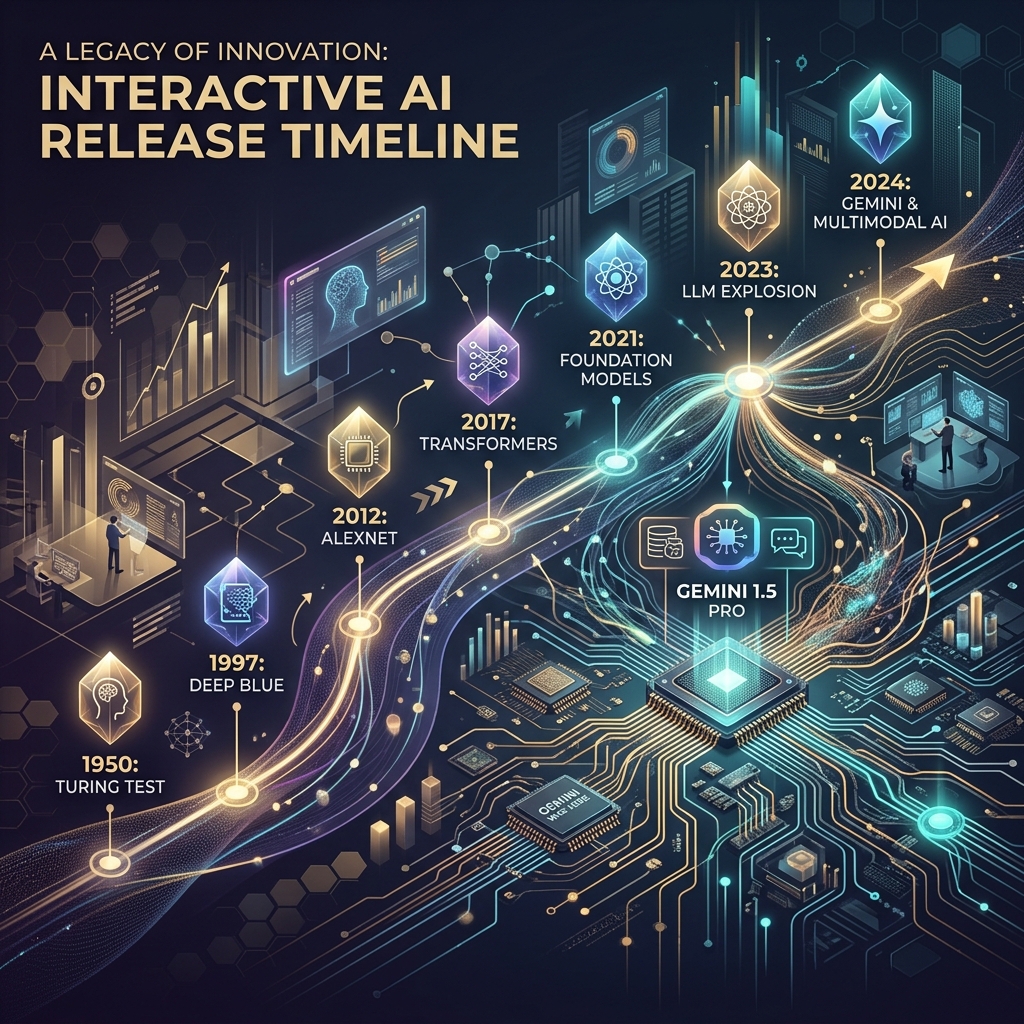
The pace of the ai release timeline has moved beyond manual curation. We didn’t need a prettier document; we needed a functional piece of infrastructure. This is why we stopped updating the sheet and started building a custom, interactive AI release timeline directly into the Tygart Media site using Antigravity and React.
The April/May 2026 Compression
To understand why a static tracker fails, you have to look at the density of releases in the second quarter of 2026. We are no longer in a “once every six months” cycle. We are in a “twice a week” cycle. The technical debt of staying current is mounting for every digital agency and AI operator.
- April 16, 2026: Anthropic releases Claude Opus 4.7. This wasn’t just a performance bump; it introduced a native “Artifacts 2.0” layer that changed how we architected frontend deployments.
- April 2026 (Late): OpenAI responds with GPT-5.5. The reasoning capabilities jumped, but the latency made it unusable for real-time agentic workflows.
- May 5, 2026: OpenAI follows up with GPT-5.5 Instant. This corrected the latency issues of the previous month, effectively deprecating the “standard” 5.5 for most of our production use cases within 15 days.
- May 19, 2026: Google releases Gemini 3.5 Flash. This model optimized the “long context” utility that we rely on for codebase analysis, offering a 2M token window at a fraction of the previous cost.
When you have tracking ai models as a core part of your operations, you can’t rely on a tool that requires a human to “decide” where a release fits. You need a system that visualizes the overlap, the deprecation cycles, and the specific utility of each branch.
Why a Custom Tool?
We looked at off-the-shelf timeline plugins and SaaS “roadmap” tools. Most of them are built for marketing—they prioritize “clean” visuals over data density. For an AI strategy firm, “clean” is often the enemy of “useful.” We needed to see the tygart media ai timeline as a heat map of capability jumps, not just a list of dates.
We chose to build a custom tool for three reasons:
- Component Integration: We wanted the timeline to pull directly from our internal Antigravity component library, ensuring that the UI matched our existing dashboard architecture.
- Programmatic Ingestion: We needed a way to feed the timeline via CLI tools rather than a CMS backend.
- State Management: In the heat of May 2026, we needed to filter by “multimodal,” “latency-optimized,” and “reasoning-heavy” models. Most third-party tools don’t support that level of granular state.
The Stack: React, Framer Motion, and Antigravity
The technical core of the timeline is a React application wrapped in Framer Motion for the layout transitions. We chose Framer Motion not for flashy animations, but for its layout projection capabilities. When a user filters the timeline from “All Models” to just “Claude 4.7 release” and its related iterations, the remaining nodes need to reorganize themselves without losing the user’s temporal context.
The design system is powered by Antigravity, our internal framework for building high-density utility tools. Antigravity allows us to define “tokens” for different model families (Anthropic, OpenAI, Google, Meta). This ensures that as the ai release timeline grows, the visual language remains consistent. A “Preview” release like Claude Mythos has a specific dashed-border treatment defined in the system, while a “Stable” release like Gemini 3.5 Flash uses a solid high-contrast fill.
// A simplified look at the release node structure
const ReleaseNode = ({ model, date, type }) => {
  return (
    <motion.div
      layout
      className={`node-${type}`}
      initial={{ opacity: 0 }}
      animate={{ opacity: 1 }}
    >
      <Tag color={getBrandColor(model.brand)}>{model.name}</Tag>
      <h4>{model.version}</h4>
      <p>{model.summary}</p>
    </motion.div>
  );
};
Data Ingestion: From Scraping to Structured JSON
One of the biggest failures of our initial spreadsheet was the “copy-paste” error rate. Reading a 4,000-word release note from Google I/O and trying to summarize it into a cell is a recipe for hallucination or omission. To solve this, we moved to an automated ingestion pipeline using Claude Code and the Gemini CLI.
When a new model drops, we pipe the official announcement text through a Gemini CLI script. The script is prompted to identify specific keys: Release Date, Model Name, Context Window, Pricing per 1M tokens, and “Primary Capability Change.” The output is a structured JSON object that we commit directly to the repository. The React frontend then consumes this JSON to render the timeline.
This “Operator Mindset” approach means that the person “updating” the timeline isn’t writing marketing copy. They are validating data that has been extracted directly from the source. It removes the “hype” and leaves us with the specs.
Technical Challenges: Performance and Overlap
Building an interactive timeline sounds straightforward until you hit a “Hot Week.” The week of May 4, 2026, was a nightmare for our layout engine. We had GPT-5.5 Instant, a mid-cycle update from Mistral, and the first leaks of the Mythos preview all hitting within 72 hours.
In a standard vertical timeline, these nodes stack on top of each other, creating a “scroll-hole.” We had to implement a collision detection algorithm in the React component. If two releases occur within the same 48-hour window, the timeline branches horizontally. This allows the user to see the “clash” of models visually. It reflects the reality of the market: these models are competing for the same headspace at the same time.
We also struggled with SVG performance. We initially tried to draw connecting lines between “parent” and “child” models (e.g., GPT-5.5 to GPT-5.5 Instant). As the timeline grew to over 50 nodes, the browser’s paint time started to lag. We eventually moved to a canvas-based background for the connecting lines, keeping the nodes as interactive DOM elements. It’s a bit more complex to maintain, but it keeps the interaction at 60fps.
Design Decisions: Usefulness Over Aesthetics
In the Pacific Northwest, we tend to favor restraint. We applied this to the UI. We stripped out the brand logos and replaced them with high-contrast color codes. We removed the “hero images” that usually accompany these releases. If you are an architect looking at our timeline, you don’t need to see a picture of a glowing brain; you need to see the context window and the date.
One of the most debated features was the “Impact Score.” We originally wanted to rank models on a scale of 1-10. We killed that idea in the second week of development. “Impact” is subjective. Instead, we added a “Primary Use Case” filter. If you’re building a coding agent, the “Impact” of Gemini 3.5 Flash’s 2M context window is much higher than a reasoning-heavy model with a 128k window. Our design allows the user to define what matters to them.
Failures in Automation
We aren’t afraid to show where we tripped. Our first attempt at the timeline was 100% automated. We had a CRON job that searched for “new model release” and tried to update the JSON automatically. It was a disaster.
On May 5, the bot picked up a parody post on X (formerly Twitter) about a “GPT-6 Super-Intelligence” and added it to the timeline. It took us six hours to notice and remove it. We learned that while extraction should be automated, verification must remain human. We now use a “Human-in-the-loop” (HITL) system. The Gemini CLI generates the draft JSON, but it requires a git commit by an engineer to actually go live. This balance is what keeps the tool reliable.
The Result: An Operator’s View
The interactive timeline has changed how we talk to clients. Instead of saying, “Things are moving fast,” we can show them the exact density of the claude 4.7 release cycle compared to the previous version. We can show them why we shifted their infrastructure from GPT-5.5 to GPT-5.5 Instant in a matter of days. It provides a visual justification for the agility we build into our systems.
It’s no longer a “project.” It’s a living part of the Tygart Media stack. It serves as a reminder that in the AI era, your documentation tools must be as scalable and automated as the models themselves.
What You Should Do Tomorrow
If you are still tracking AI updates in a spreadsheet or a Notion gallery, you are already behind. You don’t necessarily need to build a custom React app, but you do need to change your process.
- Step 1: Stop writing manual summaries. Use a CLI tool (Gemini or Claude) to extract the technical specifications from release notes. Create a structured format (JSON or CSV) that remains consistent.
- Step 2: Define your “Production Stack.” Don’t track every model; track the ones that actually affect your operations. If you aren’t using Llama 3 on-prem, don’t let it clutter your primary view.
- Step 3: Visualize the overlap. Whether you use a simple Mermaid.js chart in your internal wiki or a custom tool, you need to see when models are released in parallel. It helps you understand which “generation” of technology you are currently building on.
The chaos isn’t going away. The only variable is how much of it you choose to automate.
Related on Tygart Media: Claude 4.6 vs GPT-5 · Anthropic agent layer · AI operator’s stack.
-
AI Orchestration Tools: Claude Code vs Antigravity
The Shift from Solitary Agents to Orchestrated Systems

From solitary agents to orchestrated systems. By May 2026, the novelty of “chatting” with an AI has vanished. For technical operators and systems architects, the conversation has moved from prompt engineering to orchestration. We no longer ask an agent to “write a script”; we deploy stacks that monitor state, reconcile data across disparate platforms, and execute complex workflows without human intervention unless a threshold is breached. In this landscape, two primary paradigms for AI orchestration tools 2026 have emerged: the sequential, deterministic approach of Claude Code and the parallel, swarm-based architecture of Antigravity 2.0.
The “operator’s reality” in 2026 is that building a single agent is a hobby; building a three-layer stack is a business. This stack—composed of Notion as the human-readable “Eyes,” Google Cloud Platform (GCP) as the “Headless Engine,” and tools like Claude Code or Antigravity as the “Hands”—has become the standard for scalable automation. The challenge isn’t getting the AI to do the work; it’s the reconciliation. It’s ensuring that what the agent thinks it did in the terminal matches what the business sees in its records. This is the breakdown of how these tools operate in the field.
Claude Code: The Sequential Conductor

Claude Code — the sequential conductor. Claude Code remains the gold standard for high-precision, terminal-first execution. It operates as a “Senior Engineer” archetype. When you initialize a session in a repository, it doesn’t just guess; it indexes the environment, maps dependencies, and proceeds with a surgical, step-by-step logic that requires human verification for high-impact changes.
In our tests, Claude Code’s primary strength is its determinism. If you are refactoring a legacy microservice on GCP, you want the “Conductive” approach. You want the agent to read the logs, propose a fix, and wait for your
y/nconfirmation before it pushes to production. It is a tool of restraint. Its CLI-native interface is designed for the developer who lives in the terminal, using a local context window to ensure that every line of code written is idiomatically consistent with the existing codebase.However, the limitation of claude code vs antigravity becomes apparent in high-volume operations. Claude Code is sequential. It is one agent, one terminal, one task. It is brilliant at fixing a bug; it is slow at managing a fleet of 500 social media accounts or reconciling 10,000 line items across a multi-region inventory system. For that, you need a different architecture.
Antigravity 2.0: The Parallel Swarm
Antigravity 2.0, released earlier this year, takes the opposite approach. It is built on “Swarm Intelligence.” Instead of a single conductor, Antigravity deploys a Mission Control UI that manages dozens of “worker” agents simultaneously. These agents don’t wait for your confirmation at every step; they use browser verification to “see” their results in real-time and self-correct based on the visual state of the web or a GUI.
If Claude Code is the surgeon, Antigravity is the construction crew. In a recent deployment for a logistics client, we used Antigravity to monitor carrier pricing across 15 different portals. A single Claude Code instance would have taken hours to cycle through these sequentially. Antigravity spun up 15 parallel swarms, each with its own browser instance, scraped the data, verified the pricing against the contract terms (using its internal visual verification), and updated the database in under four minutes.
The Mission Control UI is the differentiator. While Claude Code users are staring at a scrolling terminal, Antigravity users are looking at a dashboard of active swarms. You can see which agents are “thinking,” which are “verifying,” and which have hit a roadblock. It is designed for multi-agent orchestration at scale, where the operator’s role shifts from “approver” to “overseer.”
The Three-Layer Stack: Eyes, Brain, and Hands

Three-layer stack — eyes, brain, hands. The most effective systems we’ve built this year don’t rely on a single tool. They use what we call the “Rare Three-Layer Stack.” Most people pick one layer and wonder why their automation is brittle. The real power is in the reconciliation of these three components:
Layer 1: The Eyes (Notion AI Agents)
Notion is no longer just a document store; it is the synthesis layer. We use notion ai agents to serve as the “Eyes” of the operation. These agents monitor our project databases, meeting notes, and strategy docs. They synthesize the human intent. If a project manager changes a status in Notion from “Draft” to “Ready for Deployment,” the Notion agent detects this change and sends a signal to the next layer. It provides the human-readable visibility that a terminal lacks.
Layer 2: The Headless Engine (GCP)
The “Brain” or “Engine” lives in GCP. We use Cloud Functions and Firestore to maintain the “Source of Truth.” This is where the business logic resides. When the Notion agent signals a status change, GCP processes the rules: Does this change require a security audit? Does it fit the budget? It maintains the state of the entire system, acting as a headless automation layer that doesn’t care about the UI.
Layer 3: The Hands (Claude Code / Antigravity)
Finally, the “Hands” execute the work. If the task is a surgical code update, GCP triggers a Claude Code session via a webhook. If the task is a wide-scale data migration or a browser-based workflow, it triggers an Antigravity swarm. These are the connective hands that read from the engine and write to the external world.
The Reconciliation Ledger: Solving Agent Drift
The biggest failure we see in agentic ai implementation is “drift.” Drift occurs when an agent performs an action (the Hands), but the state isn’t updated in the record (the Eyes), or the engine (the Brain) loses track of the execution.
To solve this, we implemented a “Reconciliation Ledger.” Every action taken by a Claude Code or Antigravity instance must be logged back to a Firestore collection with a unique transaction ID. The Notion agent then periodically “audits” the ledger. If Antigravity reports that it updated 500 records, but the GCP database only shows 498 changes, the Notion agent flags a “reconciliation error” and alerts a human operator.
Without this ledger, multi-agent orchestration is a recipe for silent failure. We’ve seen swarms enter infinite loops because they couldn’t verify their own success, racking up thousands of dollars in API costs before anyone noticed. The ledger is the guardrail.
Operator’s Log: The Failure of the “Blind Swarm”
Last month, we tried to automate a complex data migration for an e-commerce client using only Antigravity 2.0 swarms, bypassing the GCP engine layer. We thought the agents were smart enough to handle the state locally. We were wrong.
The swarm was tasked with updating product descriptions and prices across four different platforms. Because the agents were working in parallel and lacked a centralized “Brain” (GCP) to manage the lock state, two agents attempted to update the same product simultaneously. Agent A updated the price to $49.99 based on the original data, while Agent B updated the description. Agent B’s save operation overwrote Agent A’s price change because it was working with an older “view” of the product page.
The result was a $12,000 discrepancy in sales over a weekend. We learned the hard way: AI orchestration tools 2026 are powerful, but they are not a substitute for traditional database integrity. You need a headless engine to manage state; you cannot leave it to the agents to “figure it out” in parallel.
Choosing Your Paradigm: Claude vs. Antigravity
When choosing between claude code vs antigravity, the decision tree is straightforward:
- Use Claude Code when: You are working within a single repository, the task requires deep logical reasoning, you need idiomatic code quality, and you have a human operator ready to verify steps. It is for “Building.”
- Use Antigravity 2.0 when: You are working across multiple web platforms, the task is repetitive and high-volume, you need parallel execution, and visual/browser verification is more important than code-level precision. It is for “Operating.”
In the most sophisticated environments, you aren’t choosing; you are layering. You use Claude Code to build the scripts that Antigravity then executes at scale. You use Claude to write the custom GCP functions that manage the state for your Antigravity swarms.
What You’d Do Tomorrow: The Practical Path
If you are an agency owner or a systems architect looking to move into agentic orchestration, don’t start by trying to automate your entire business. Start with the ledger.
- Map your “Eyes”: Identify where your human intent lives. Is it Notion? Jira? Slack? Set up a basic webhook to watch for state changes.
- Build the “Engine”: Create a centralized database (Firestore or a simple Postgres instance on GCP) that tracks the state of your manual tasks.
- Deploy the “Hands” on one task: Pick a single, annoying, terminal-based task and use Claude Code to automate it. Or pick a browser-based task and use Antigravity.
- Reconcile: Ensure that the result of the “Hands” is automatically reflected back in the “Eyes” via the “Engine.”
The future of work in 2026 isn’t about agents replacing people. It’s about operators managing stacks. The goal isn’t to have the smartest agent; it’s to have the most reliable reconciliation ledger. When the “Eyes,” “Brain,” and “Hands” are in sync, the system scales. When they aren’t, you just have a very expensive way to generate errors.
Related on Tygart Media: Claude Code orchestration · Claude Code vs Cursor · Cursor command center.
-
Gemini Enterprise Agent Platform Replaces Vertex AI
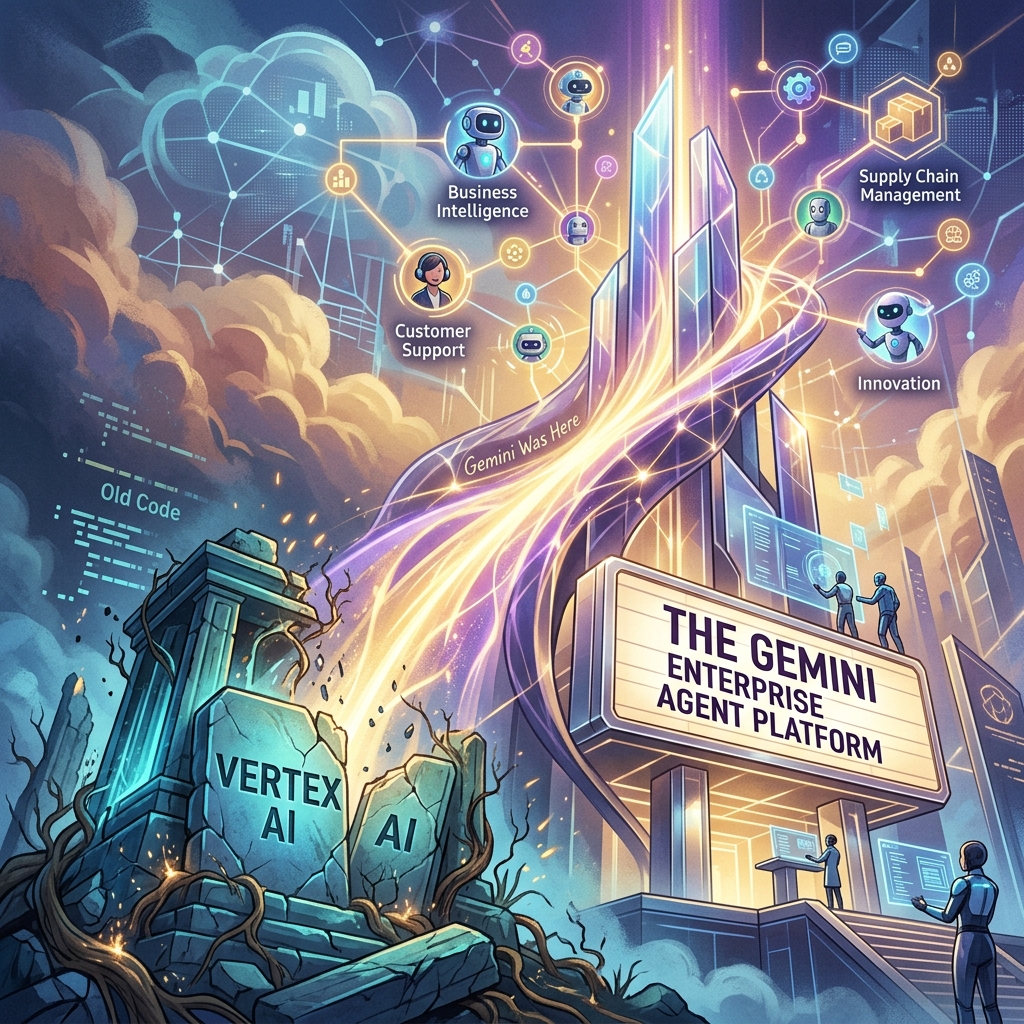
The Death of ‘Vertex AI’ and the Rise of the Gemini Enterprise Agent Platform
For four years, Vertex AI was the “everything store” for Google Cloud’s machine learning stack. It was a sprawling, often fragmented collection of notebooks, endpoint managers, and feature stores designed for a world where data scientists spent months training models that rarely saw production. But at Google Cloud Next 2026, that era ended. In its April 22, 2026 release notes, Google says Vertex AI is now part of the Gemini Enterprise Agent Platform, and its official name-change table maps the old services to new ones: Vertex AI Studio became Agent Studio, Vertex AI Agent Engine became Agent Runtime, and Model Garden carries over as Gemini Enterprise Agent Platform Model Garden.
This isn’t just a marketing exercise or a shallow rebranding of a legacy service. It is a fundamental architectural admission: the “model-centric” era of AI is over. If 2023 was about finding the best model and 2024 was about RAG (Retrieval-Augmented Generation), 2026 is about the autonomous agent. Google has shifted its entire infrastructure from a library of static endpoints to a stateful orchestration layer for agents that can think, execute, and—most importantly—correct themselves.
The Architecture Shift: Model-Centric vs. Agent-First
In the old Vertex AI framework, you deployed a model. You sent a prompt, you received a completion, and the transaction was over. Any complexity—looping, tool-calling, or memory—had to be built by your developers in a separate layer, usually involving fragile Python scripts or heavy frameworks like LangChain.
The Gemini Enterprise Agent Platform flips this. With the rollout of ADK 2.0 (Agent Development Kit), the “model” is now just a component of an “agent.” In this new architecture, the platform handles the state. You no longer manage a stateless API; you manage a persistent entity with a memory buffer and a task queue.
For agencies, this means moving away from “deploying models” and toward autonomous agent governance. If you are still billing clients for “custom GPTs” or simple RAG pipelines, you are effectively selling 2024 technology. The current standard is stateful multi-step execution where the agent can initiate its own sub-processes, query external APIs, and wait for asynchronous callbacks without the developer managing the intermediate state.
ADK 2.0 and the Developer Workflow
The core of this transition is ADK 2.0. Google’s ADK documentation describes the Agent Development Kit as an open-source framework for building, debugging, and deploying AI agents, and lists structured, graph-based architectures with explicit execution paths as new in ADK 2.0.
The runtime changed too. According to Google’s Agent Platform release notes, Agent Runtime (formerly Vertex AI Agent Engine) now supports long-running operations of up to seven days, with sub-second cold starts. An agent can stay on the job instead of answering a single request and exiting.
Agent Studio: Low-Code Orchestration That Actually Works
Google also renamed Vertex AI Studio as Agent Studio, which its Agent Platform documentation describes as a low-code canvas for designing complex multi-agent reasoning loops. Model Garden is still the catalog; Agent Studio is a visual IDE for agentic loops. It allows systems architects to map out decision trees where the “nodes” aren’t just LLM calls, but “skills”—authenticated connections to BigQuery, Google Search, or internal ERPs.
The key feature here is stateful multi-step logic. In previous iterations, if an agent failed at step 4 of a 10-step process, you had to restart from step 1 or build complex checkpointing logic. Agent Studio handles the checkpointing natively. For an operator, this reduces the “failure surface area.” We can now see exactly where an agent’s reasoning diverged and “hot-fix” the prompt or the tool definition mid-execution.
The Hard Truth About Autonomous Agent Governance
As Vertex AI is rebranded and replaced, the biggest hurdle for agencies isn’t the code—it’s the governance. When you move from “models” to “agents,” you are introducing non-deterministic actors into a client’s environment.
That makes guardrails, scoped permissions, and human review checkpoints part of the build, not an afterthought.
Pricing Shift: From Tokens to Outcomes
The pricing change we’re watching most closely is a move toward outcome-based pricing for specific task completions. As of October 2026, Google’s published Agent Platform pricing still bills on usage, such as compute hours and requests, so treat outcome-based billing as a direction to plan for rather than a launched feature.
The old model penalized efficiency. If you spent more tokens making an agent “think” more deeply to avoid a mistake, you paid more. An outcome-based model would let you pay per “Successful Task Completion.” That would align Google’s incentives with the agency’s. We would no longer care about the context window length as a cost factor; we care about the “Agentic Success Rate” (ASR).
For a mid-sized agency, that would simplify the math significantly. If a client wants a support agent that handles 1,000 tickets, you could project a flat cost per resolved ticket rather than guessing how many tokens a “difficult” customer might consume.
What You Should Do Tomorrow
If you are managing an AI stack, the “Vertex AI” name disappearing from your console is your signal to stop building “wrappers” and start building “systems.” Here is the tactical path forward:
- Audit your current ‘Models’: Identify which of your current deployments are actually just stateless prompts. These are your biggest liabilities. Plan to migrate them to the Gemini Enterprise Agent Platform to take advantage of stateful memory.
- Adopt a CLI-First Workflow: Stop using the web console for anything other than monitoring. Use the Gemini CLI and integrate it with Claude Code or your local IDE. The speed of iteration in ADK 2.0 is only visible when you are working in a terminal environment.
- Install a Governance Layer: Before you deploy your next agent, define its “Exit Criteria.” Add a review step so that no agent can execute an external API call (like
send_emailorupdate_database) without a secondary “Reasoning Audit.” - Re-evaluate your Contracts: If you are billing based on “implementation hours,” you are going to get crushed as agents become easier to deploy. Move toward “Performance-Based Retainers” that mirror outcome-based pricing. If the agent solves the problem, you get paid.
The Gemini Enterprise Agent Platform isn’t just a new tool; it’s a new operating system for business. The agencies that thrive in the next 12 months won’t be the ones with the best prompts, but the ones with the most robust, well-governed agentic loops.
Related on Tygart Media: Claude + Gemini architecture · orchestration tools · Copilot vs Gemini.
-

AI-Native Operations: When The Order Becomes the Asset
Related on Tygart Media: AI operator’s stack · conversations as code · owner freedom kit.
-

Verify llms.txt: How to Check Server Logs for AI Crawlers
You shipped an
llms.txtfile. You curated the links, you paired it withrobots.txt, you validated the format. Now answer the only question that matters: is anything actually requesting it? Most site owners never check — and the data from 2026 suggests the honest answer, for most domains, is “almost nothing.” This is the verification step that turnsllms.txtfrom an act of faith into a measurable signal. Here is how to read your own server logs and find out exactly what is fetching the file you published.Why verification matters more than the file itself
Why verification matters more than the file itself. The uncomfortable finding of the last year is that publishing
llms.txtand benefiting fromllms.txtare two different things. In OtterlyAI’s 90-day crawler study, only 0.1% of AI crawler requests touched/llms.txtat all — 84 requests out of 62,100 total AI bot visits — and the file received far fewer visits than the average content page (OtterlyAI GEO study). As of Q1 2026, no major AI company — OpenAI, Google, Anthropic, Meta, or Mistral — has publicly committed to reading or acting onllms.txtin production systems, though GPTBot does fetch the file occasionally (AEO Engine).That does not make the file worthless. It makes measurement the whole game. If you cannot tell whether a crawler ever requested the file, you cannot tell whether your time was wasted, whether a platform quietly started honoring it, or whether your file is returning a silent 404. Verification is the difference between strategy and superstition.
The five-minute server-log check
Five-minute server-log check. Every fetch of your
llms.txtfile leaves a row in your access log. The job is to isolate requests to that path, then filter by the user-agents that belong to AI systems. On any server with standard combined-format Apache or Nginx logs, this one-liner does the first pass:grep -E "/llms(-full)?\.txt" /var/log/nginx/access.log | \ grep -E -i "GPTBot|OAI-SearchBot|ChatGPT-User|ClaudeBot|Claude-User|Claude-SearchBot|PerplexityBot|Perplexity-User|Google-Extended|Google-CloudVertexBot|Amazonbot|CCBot|Applebot|meta-externalagent|MistralAI-User|bingbot"The first
grepnarrows to requests forllms.txtorllms-full.txt. The second filters to the known AI crawler user-agent strings documented across 2026 reference work (No Hacks AI User-Agent Landscape 2026; Momentic crawler list). Each surviving line tells you three things: which bot, what time, and the HTTP status code it received.That status code is the part people skip. A
200means the bot got your file. A404means you have been congratulating yourself over a file the crawler never actually reached — a misconfigured path, a redirect loop, or a build step that drops the file on deploy. A301or302means it is being redirected, and not every crawler follows redirects for this path. Read the status column before you read anything else.Turn the raw hits into a monthly cadence table
One grep tells you whether the file is reachable. To know whether anything is changing, you need the same query run on a schedule and counted by bot. Extend the pipeline to a count:
grep -E "/llms(-full)?\.txt" /var/log/nginx/access.log* | \
  grep -E -i -o "GPTBot|ClaudeBot|PerplexityBot|Google-Extended|bingbot|Amazonbot|CCBot|Applebot" | \
  sort | uniq -c | sort -rn
This produces a leaderboard of which AI user-agents requested your
llms.txtacross all retained logs. Capture that number on the first of each month and you have a cadence series. The signal you are watching for is not the absolute count — it will be small — but the direction: a bot that appears for the first time, a bot whose hit count jumps, or a bot that goes silent. Those inflection points are the leading indicators that a platform has changed how it treats the file.What you see in the log What it means Action No requests to /llms.txtat allFile may be unreachable, or simply not yet fetched — both are common Request the URL yourself; confirm a clean 200 before assuming neglect 200from GPTBot, low frequencyConsistent with reported behavior — GPTBot fetches occasionally Log the cadence; treat as baseline, not a ranking signal 404or301on the pathCrawler is not getting the file you think you published Fix the path/redirect today — this is a silent failure A new bot appears month-over-month A platform may have started fetching the file Note the date; correlate with any citation or referral changes Cross-check against your content fetches
The
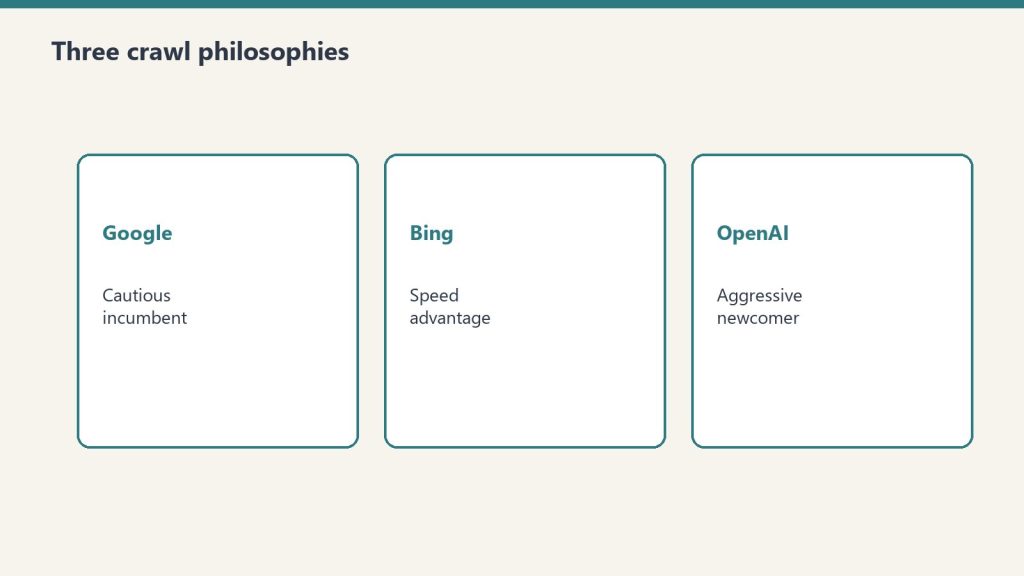
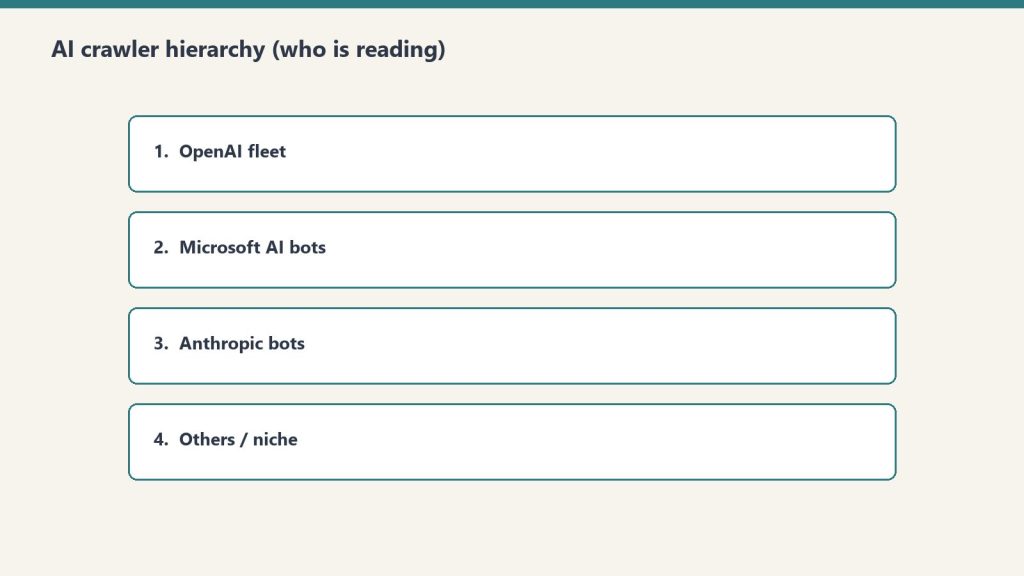
llms.txthit count means little in isolation. Compare it against how often the same bots fetch your actual content pages. If GPTBot pulls forty content URLs a day and never touchesllms.txt, the file is not part of how that crawler discovers you — your content’s own structure and internal linking are doing the work. The practical monitoring approach documented for 2026 is exactly this: a server-log dashboard built against the major user-agents, watching cadence and path-preference shifts month over month (Digital Applied 30-day log study). The same study notes distinct personalities worth knowing — GPTBot crawls more aggressively than most assume, ClaudeBot is more patient than its volume suggests, and PerplexityBot is quieter than its share-of-voice would predict.What to do with the answer
What to do with the answer. If your logs show the file is reachable and occasionally fetched, you are in the normal range for 2026 — keep the file current and keep measuring. If they show a
404, you found a real bug that no amount of curation would have fixed. And if they show a brand-new bot starting to request the path, you have spotted a platform behavior change before the blog posts catch up to it. That last case is the entire payoff: the practitioners who read their own logs will know the standard started mattering weeks before the ones who only read about it. Verification is not the boring final step of anllms.txtrollout. On a standard that nobody has formally committed to honoring yet, it is the only step that produces evidence instead of hope.Related on Tygart Media: AI crawler experiment · GEO tactics · Bing Webmaster AI tab.
-

AI-Native Operations: Why Artifact Counting Is Obsolete
From outside, the day looks empty. No new product. No new feature. No new shipment counted in the unit the field has agreed to count.
From inside, the day was the most informative one of the week. The operator has a sharper model of the toolchain than they had at breakfast. The decisions sitting one level downstream will be made faster and will land closer to right. The thing that compounded was not visible to anyone outside the room.
This is a class of working day that the outside has no clean way to read. And the absence of a clean read is becoming a problem the outside has to learn to solve, because the class of day is multiplying.
The grammar gap
Pre-AI work had a clean grammar for the inside of a day. A meeting, a draft, a ticket, a deploy, a review. Each had a visible artifact. Each artifact mapped to a known unit of progress. An observer counting artifacts could form a roughly correct picture of what had happened.
The grammar held because the cost of an attempt was high enough that operators only attempted the thing they intended to ship. The artifact and the intent were the same object. Counting one counted the other.
Inside an AI-native operation, the cost of an attempt has dropped far enough that the artifact and the intent have come apart. An operator can attempt many things they do not intend to ship, in an afternoon, because the cheapest output of the toolchain is now a probe of the toolchain itself. The artifacts that remain after such a session are not artifacts of the work — they are residue of the inquiry.
The outside is still counting artifacts. The grammar is still pre-AI. The class of day that produces no shippable artifact and a large diagnostic surface is unreadable to it.
What the outside is actually trying to read
It is worth being careful about what the outside reader is trying to do, because the failure to read this kind of day is sometimes confused with the failure to evaluate someone fairly. Those are different problems.
An investor is trying to read whether the operation will compound. A partner is trying to read whether the operator is moving toward the thing they said they would build. A colleague is trying to read whether the work shared between them is progressing or stalled. A reader of the trade press is trying to read whether the category as a whole is producing real value or producing motion.
All four of those readers will, by default, count artifacts. All four will, by default, miscount when the operation has moved into the new mode. And the miscount is asymmetric: it overrates the operators who still produce artifacts on the old cadence, regardless of whether the artifacts have anything underneath them. It underrates the operators whose afternoon was spent driving the cost of future attempts further toward zero.
This is the same shape of misreading that financial markets used to apply to research-heavy companies before there was a category for them. The artifact was a paper, a patent, a prototype that did not ship. The grammar took a generation to catch up.
The inverse failure, which is real
It would be too clean to argue that the outside is simply wrong and the inside is simply doing better work that the outside cannot see. That is not the case.
The same cost curve that makes a productive probing session rational also makes an unproductive probing session almost free. An operator who has discovered that a session full of failed attempts can be honestly described as a sharpening of their model is one step away from discovering that almost any session can be honestly described that way. The grammar of the new mode is not yet sharp enough to refuse the bad use of it.
So the outside reader is not paranoid to ask the question. The question is the right one. It is just being asked with the wrong tools.
The tells that might be load-bearing
If counting artifacts has stopped working, what has replaced it? The honest answer is that no shared replacement has emerged. The field has not converged on a unit. But a few tells are starting to look like they might be doing some of the work, for an outside reader who is willing to set down the artifact count and pick up something coarser.
The first is the speed and confidence of downstream decisions. A productive probing session leaves the operator able to make the next several calls faster and more cheaply than they would have made them otherwise. An unproductive session leaves them no further along. The tell is not in the session itself. It is in the next few days, and specifically in the fact that the next few days look less like deliberation and more like execution. If an operation’s recent stretch is heavy on probing and the deliberation cost is not falling, the probing is producing motion rather than learning.
The second is the diversity of capability shapes the operator can now describe. A probing session that worked has changed what the operator can articulate about what is possible. That articulation will leak into conversation whether the operator means it to or not. A session that did not work leaves the description identical to what it was before. The vocabulary stays where it was. There is no new texture in the way the operator talks about their own toolchain.
The third — and this one is the most awkward to operationalize, because it is the one most easily faked — is whether the operation’s published outputs, when they do appear, are starting to look like they understood something that earlier outputs did not. The output cadence may have slowed. The output content has gotten more specific to constraints that only become visible from inside a probing session. A reader cannot inspect the inside; they can read the outputs.
None of these are clean signals. All of them require the outside reader to be paying attention over weeks, not days. They are coarser than artifact counting. They are also more durable, because they survive the moment the operator figures out how to fake an artifact.
The cost of reading the wrong layer
An outside reader who keeps counting artifacts will end up funding, partnering with, and writing about the operations whose toolchain is least developed — because those are the ones still producing the volume of visible output that legacy grammar rewards. The operations whose toolchain has moved into the probing regime will look quieter and will be quieter in the units everyone agreed to count.
This is not a moral problem. It is a measurement problem. But measurement problems compound. Capital flows toward what is legible. If the legible signal is the wrong signal for two years, two years of capital is mispriced. The category does not have two years of patient capital available for that.
The catch is that the operations whose toolchains are most developed are the ones least incentivized to translate. Translation is its own cost, and the operator who has just bought themselves an afternoon of cheap probing did not buy it in order to spend the saved hours producing legibility for the outside. They bought it to compound.
What the outside has to do
If the producer is not going to translate, the reader has to learn to read at a different altitude. The work of the outside reader has gotten harder, not easier, because the field got more powerful tooling. The signals the reader needs are now further from the artifact and closer to the operator’s evolving description of their own constraints.
That is an uncomfortable shift, because it pushes the reader’s job toward something that looks more like editorial judgment and less like counting. The reader who is uncomfortable with editorial judgment will keep counting and will keep being wrong. The reader who can hold the discomfort will be looking at the operation a year from now and noticing that the right calls were being made on days that the artifact ledger marked as empty.
The grammar will catch up. It always does. But the operations being read in the gap are real, and the readings being made in the gap are real, and the gap itself is the place where the next category of judgment is being figured out — by the few readers willing to admit they are reading without the old tools, and to start building the new ones in public, one observation at a time.
Related on Tygart Media: AI-native sessions · AI operator’s stack · conversations as code.