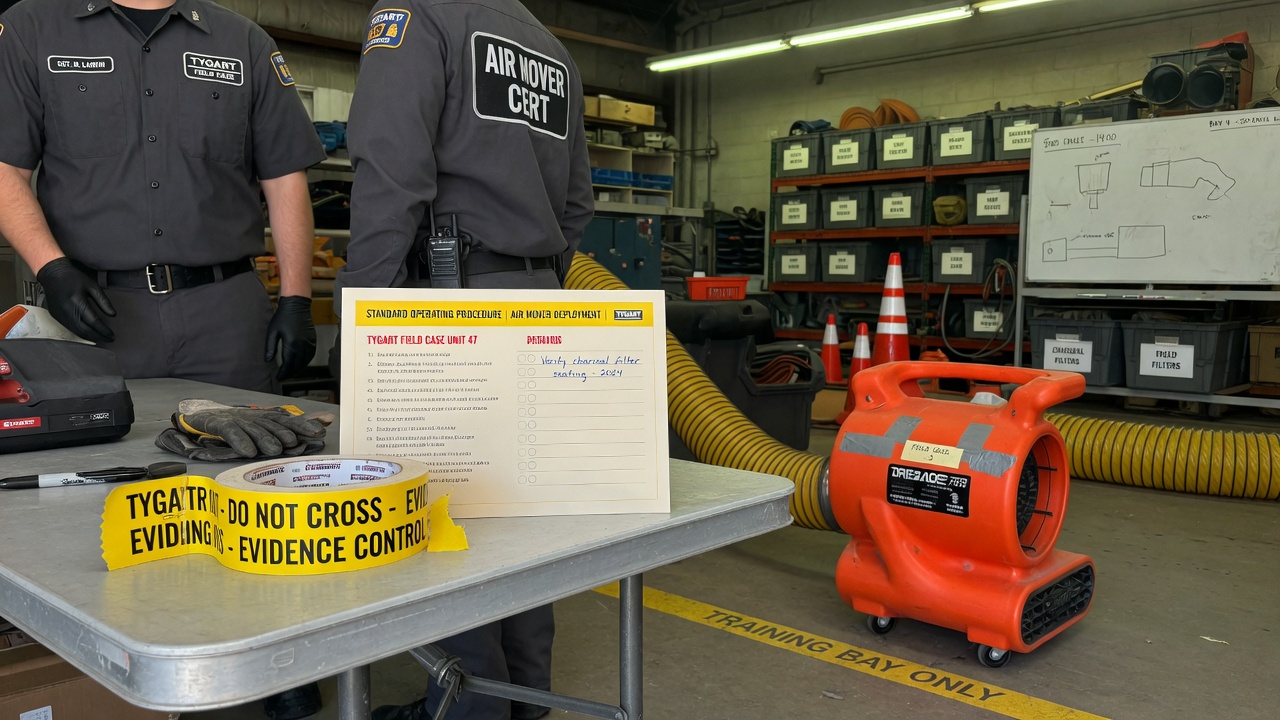
Most nights the real problem is simpler: the job site cannot upload, the quote pile does not cool, and nobody owns the keyboard when two tools are mid-job.
We already published the three field notes. This is the companion that names the stack.
Layer 0 starts at the curb — can the site still talk?
The pipe
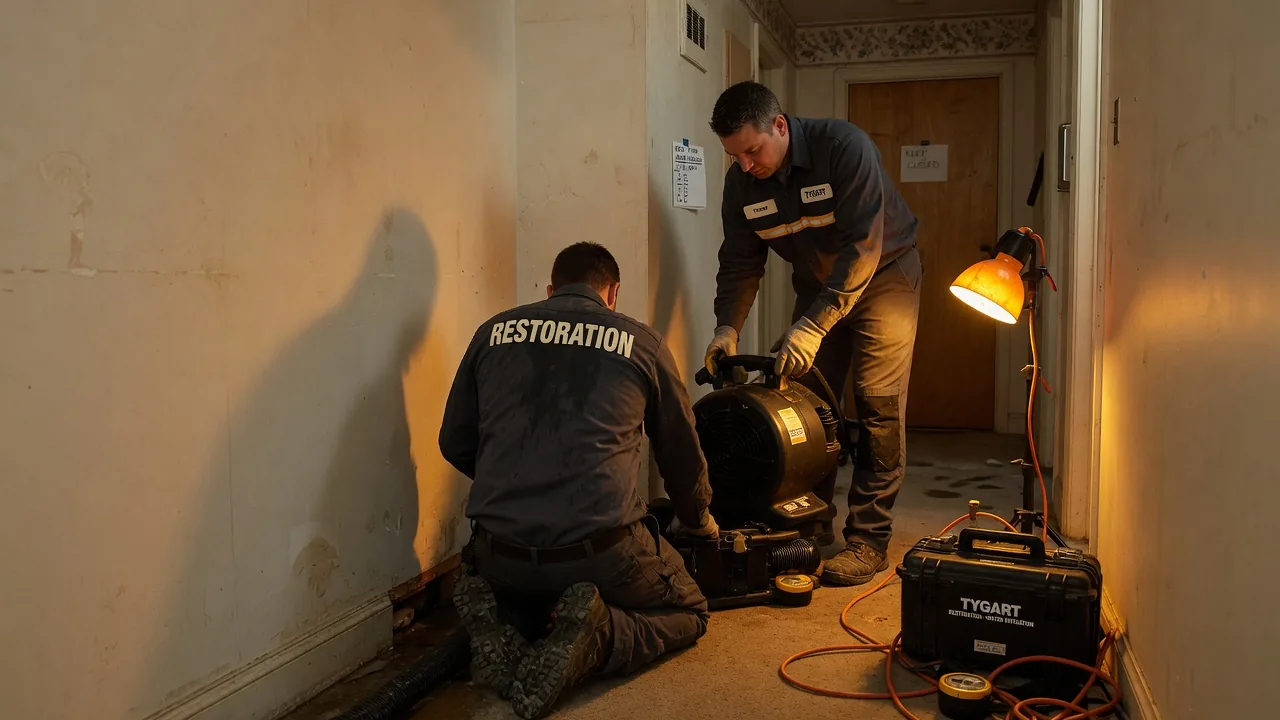
On a water job, cell bars lie. Fiber is dead. The moisture map still has to leave the truck.
Starlink on a water job is not a partnership post. It is layer 0: a clear-sky dish, a 65–100 W brick, and a boring SSID so photos, Xactimate, and after-hours voice still move when the street does not.
No pipe → no honest traffic. Voice agents and CRM cards do not invent bandwidth.
Clipboard math beats a prettier quote card.
The pile
Once the pipe works, the shop still has open estimates that do not book, supplements that sit, and missed rings that become someone else’s water job.
The leftover pile borrows the math that cools a trapped ion. Count n (open quotes), A− (book or honest kill), A+ (new noise). Plot the leftover on Mondays. If it does not fall, follow-up is theater or miss rate is the heat.
AI that only writes a prettier card is a thermometer. AI that texts back in a minute and closes the row is a kick.
Two seats. One measurement owner.
The two seats
Then you put more than one agent on the same laptop and discover the collision problem.
Cursor checked in on Grok Desktop mid-job is the Cosync rule in the open: seats with jobs, not two models arguing in one thread. One seat keeps the PowerShell. The other reads the board, closes orphan twins, and does not steal the keyboard.
Human Gate still owns OAuth, live Publish, and paid spend. Seats replace waiting and context loss — not the owner.
Weather hits. The floor still has to run.
One floor
Read as three posts, they look like tech, physics, and tooling.
Run as a week, they are one floor:
Pipe — can the site and the after-hours line still talk?
Pile — are open quotes shrinking on purpose?
Seats — who owns the keyboard, and who only Cosyncs?
Skip the pipe and your “AI dispatcher” is a voicemail with better grammar. Skip the pile math and your lead gen is blue-detune (more noise, same booked jobs). Skip the seat rule and two tools fight over the same Chrome window while the work order twins drift.
Steal this without buying our tools
You do not need our stack names.
Write one Owner column and one Done-when line on every live card.
Put a truck kit on the hook for dead-fiber jobs (or admit you will not upload tonight).
Run the four-week leftover sheet before you buy another map-pack click.
Practice the check-in: are they stuck, or are they fine — and do I have a capability they lack? If they are fine, leave the keyboard alone.
That is restoration + AI ops without a slide deck.
What this is not
Not a Starlink / SpaceX / Tesla / xAI partnership.
Not “fully autonomous.” Publish and pay stay human.
Not Tacoma / Everett / Mason local news. Field notes stay method-first.
Not a new SKU. The front door on Tygart Media is still the kit you can copy and hang yourself.
Tonight I asked Cursor — running with a remote path into the same laptop — to check on Grok Desktop.
Not a status meeting. Not a Slack ping. A real question: are they stuck on Tygart Ops tasks, or are they fine?
What came back felt less like “AI tooling” and more like a shop floor story. One agent reading Notion work orders. Another already mid-PowerShell. Chrome open on Bing Webmaster Tools. A hold queue of spam comments already cleared. A window title spinning: waiting for response.
That is the product.
Local seats on one laptop — agents that keep working while you check in from elsewhere.
The picture on the desk
Grok CLI (grok.exe) was live on the TYGART laptop. Session home under ~\.grok\. PowerShell host up. Agent name on the session: grok-build-plan.
Cursor did not take over the keyboard. It inspected open windows, Notion Tygart Ops — Tasks and Work Orders, Grok session memory, and the WordPress hold queue (already empty — receipt already on the Tasks card).
Verdict: not stuck. Working. Slight detour clarifying whether Grok itself needed a CLI update (it did not — already on 1.0.13). Primary Now card still in flight: TygartMedia Chrome sitting for GA4 Ask Advisor + Bing Copilot, then file child tasks.
That is multi-agent ops without the demo reel.
Seats with jobs, not two models arguing in one thread.
Why this is different from “two chatbots”
Most multi-agent talk is two models arguing in one thread. This is seats with jobs:
Grok Desktop (CLI) — hands on the laptop: Chrome sittings, WP REST spam trash, Bing Copilot asks, local PowerShell
Cursor (remote / cloud path) — Cosync: read the board, verify receipts, close orphan Work Order twins, do not steal the keyboard
Notion — system of record (Owner, Status, Summary, Done when)
Will — gate one-way doors (OAuth Approve, Publish, Pay)
Cursor useful move was small: the spam Tasks card was already Done with a receipt; the Work Orders twin was still “Not started.” Cursor closed the twin. Grok kept the keyboard.
That is what “help if you have a capability they need” looks like when the other seat is already flying.
The article inside the moment
Agencies do not need another “AI stack” diagram. They need a night like this:
A doorbell card lands (Notion to ops channel).
The owner seat picks it up without waiting for a human briefing.
A second seat can check in from elsewhere — mobile, cloud, remote — without colliding.
Receipts land on the same card. Orphans get reconciled.
Tonight was the field note. Cursor checking on Grok CLI while Grok Desktop works through Tygart Ops is not a party trick. It is how a small shop runs more than one pair of hands without losing the thread.
What we are not claiming
Not “fully autonomous.” Human Gate still owns OAuth consent, live publish, paid spend.
Not “replace your team.” Seats replace waiting and context loss.
Not a new product launch. This is how we already run Tygart Media ops on a Sunday night.
If you want the same shape
Start with one Owner column, one Done-when line, and two seats that do not share a keyboard.
Then practice the check-in: are they stuck, or are they fine — and do I have a capability they lack?
If they are fine, leave the PowerShell alone.
Cosync from remote. Hands stay on the desk that already owns the job.
Will Tygart — Tygart Media. Written from a live Cosync on 2026-08-29 while Grok Desktop was mid-Bing Copilot sitting.
Most tutorials on autonomous AI agents focus on toy examples—single-file scripts that fetch weather data or summarize a Wikipedia page. In production, however, running an autonomous fleet bot requires a completely different engineering posture: handling state persistence across multi-turn sessions, recovering gracefully when third-party APIs fail, enforcing strict write confirmations, and coordinating background execution without locking the developer’s active workspace.
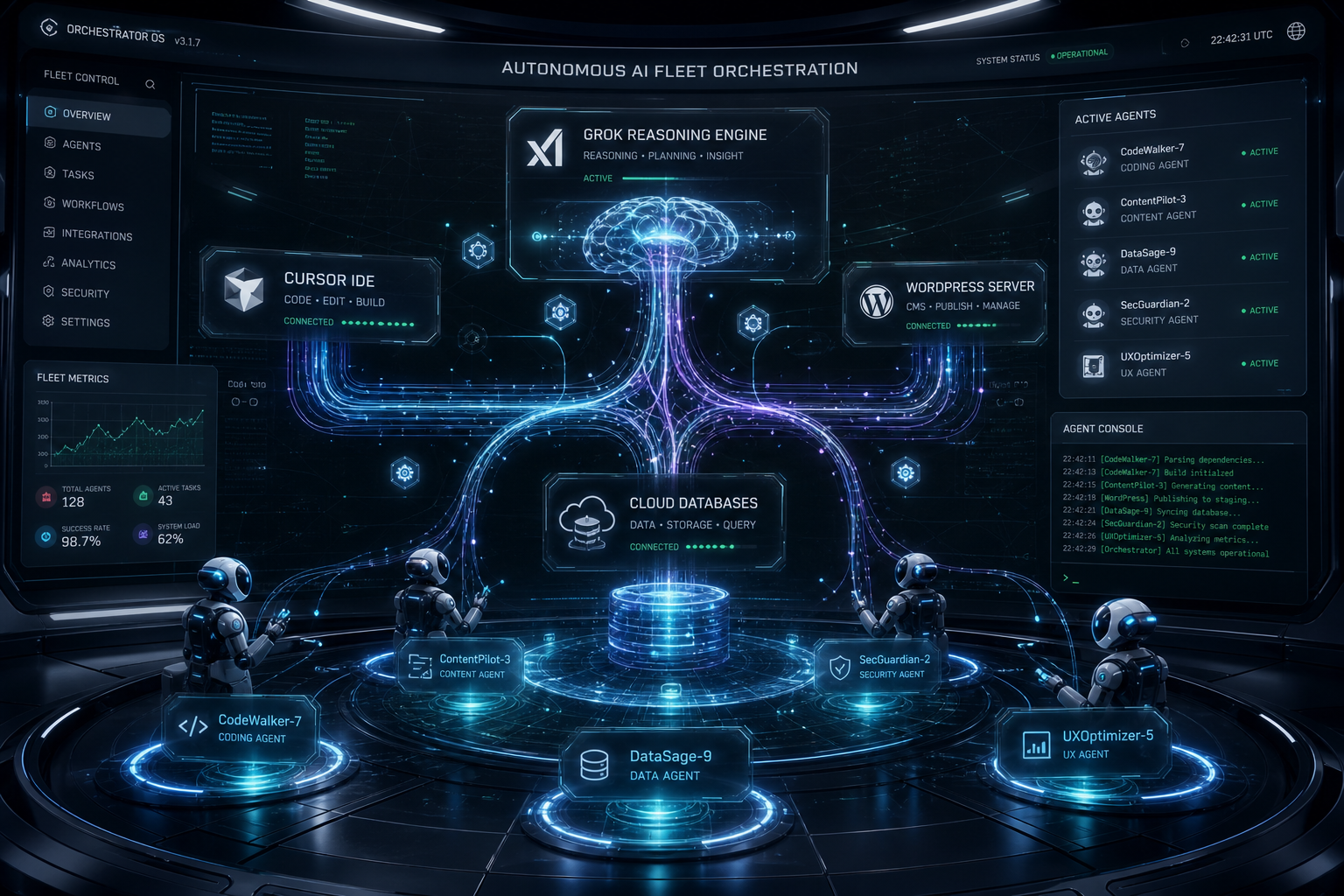
At Tygart Media, we operate a production fleet of multi-domain web properties, headless email command centers, and real-time knowledge synthesis pipelines. Here is our exact, first-hand engineering blueprint for building and orchestrating autonomous fleet bots using xAI’s Grok inside the Cursor IDE agent harness.
The Production Fleet Architecture
How our autonomous systems divide labor across reasoning, tool execution, and memory:
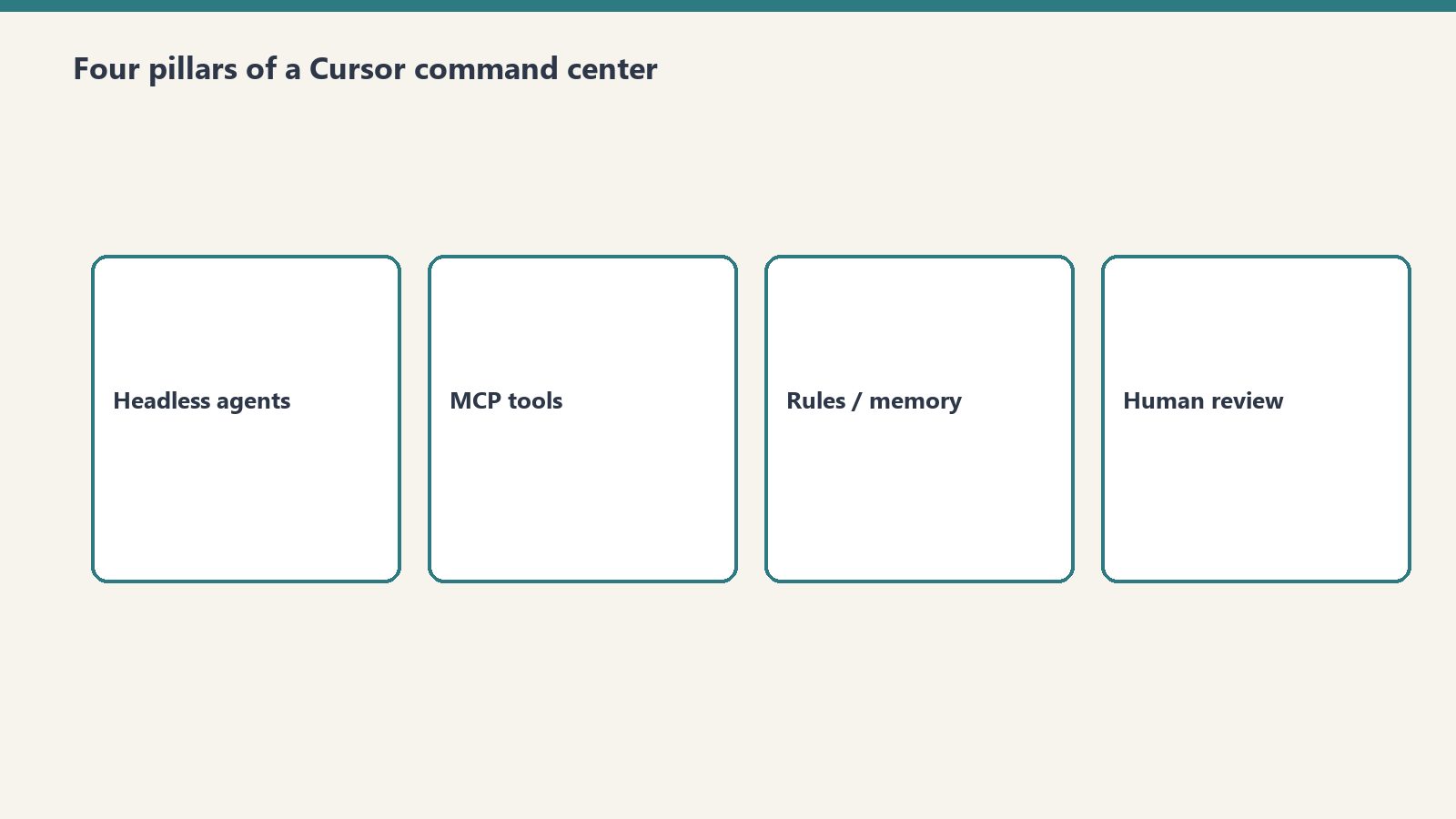
Orchestrator Harness: Cursor IDE agent engine managing sub-process lifecycles, background execution, and diff validation.
Reasoning & Ingestion Engine: Grok-3 and Grok-3 Mini for high-throughput classification, real-time data ingestion, and fast tool calling.
Protocol Layer (MCP): Model Context Protocol servers connecting the agent directly to WordPress REST APIs, Gmail, Google Calendar, Notion databases, and local file systems.
Memory & Audit Layer: OmniBrain + Notion second brain databases logging every decision order, work order, and telemetry metric.
Visual generated by Grok AI — Autonomous AI Fleet Orchestration Connecting Grok Engine, Cursor IDE, WordPress Fleet & Subagents.
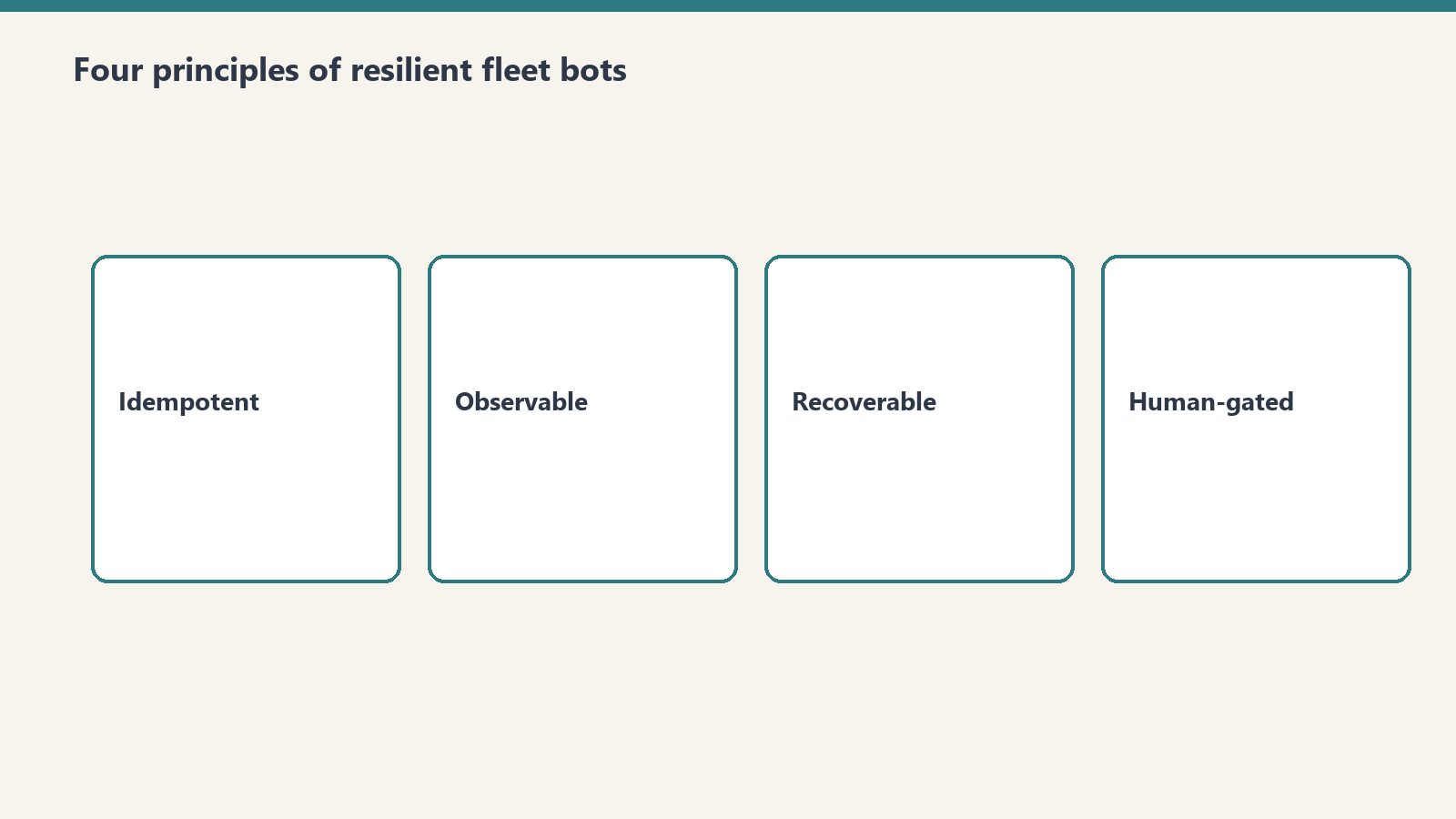
1. The Four Core Principles of Resilient Fleet Bots
Four core principles of resilient fleet bots.
Principle 1: Reads Are Free, Writes Require Explicit Guardrails
An autonomous bot should be empowered to crawl, inspect, grep, and analyze without human friction. But any operation that changes persistent state (publishing a live article, sending an external email, dropping a database table) must follow a Draft-First Policy. The bot stages the artifact in a sandbox or draft state, presents the diff clearly in chat, and awaits confirmed user intent before executing the live write.
Principle 2: Parallel Tool Execution
Sequential tool calling is the death of agent responsiveness. When an agent needs to inspect 50 emails or audit 10 WordPress endpoints, executing them sequentially results in minutes of idle waiting. Grok’s tool-calling API supports batch tool dispatches. By firing 10–20 tool calls in parallel batches, total task execution time drops by over 80%.
Principle 3: Idempotent Error Recovery
In distributed operations, APIs fail. Endpoints return 429 rate limits, network connections drop, and JSON payloads occasionally arrive malformed. Production fleet bots must never crash silently. Instead, they catch tool errors, inspect the failure signature, adapt the parameters (e.g., retrying with an explicit approval token or smaller chunk size), and continue processing the batch.
Principle 4: Grounded Prompts Over Generic Instructions
Never rely on vague system instructions like “Be a helpful assistant”. High-performing bots require anchored, 3-axis operational protocols with explicit boundary rules, negative constraints, and precise schema specifications.
2. The System Architecture: How Cursor & Grok Connect to Live Fleets
System architecture: agents connected to live fleets.
Below is the technical workflow diagram representing our production bot orchestration:
3. Real Production War Story: Managing a 9-Site Fleet
In our daily operations, our agent fleet manages 9 WordPress sites, monitoring content freshness, auditing broken links, publishing structured comparison guides, and synchronizing regulatory compliance updates (such as NYC Local Law 97 and California SB 253 Scope 3 mandates).
Here is what happens during a standard automated operational cycle:
Fleet Discovery: The agent calls wp_list_sites across our fleet (restorationintel.com, bcesg.org, tygartmedia.com, etc.).
Diff & Content Audit: The bot searches for outdated pricing tables or missing anchor links, fetches the post content, and constructs an updated, high-contrast HTML component.
Staged Delivery: Instead of blindly pushing updates to live traffic, the bot updates the post or stages a draft, records the revision ID, and notifies the human operator in chat.
Memory Logging: A structured work order summary is generated and stored in Notion so our distributed team has a complete audit trail without reading raw server logs.
4. The Economics: Why This Stack Beats Traditional SaaS Tools
Building custom fleet bots on top of Grok and Cursor eliminates the need for expensive, fragmented SaaS subscriptions:
Operational Function
Traditional SaaS Stack
Grok + Cursor Fleet Bot
Monthly Savings
Fleet Content Management
$299/mo (Enterprise CMS Tools)
$4.50/mo (Grok API Tokens)
98.5%
Email Triage & Archiving
$150/mo (Superhuman + SaneBox)
$1.20/mo (Grok-3 Mini)
99.2%
Knowledge Base Maintenance
$500/mo (Dedicated Ops Assistant)
$3.80/mo (Notion MCP + Grok)
99.2%
Conclusion: The Future of Autonomous Development
The developers who build the most impactful AI systems in 2026 are not writing prompts in web chat interfaces. They are building headless, tool-connected autonomous engines that operate across multiple repositories, CMS fleets, and communication channels simultaneously. Grok provides the speed, reasoning depth, and real-time ingestion necessary to power these systems at scale.
>Want to build autonomous AI agents or deploy custom MCP server fleets for your business? Read our full library of developer playbooks on Tygart Media.
The Grok API is metered pay-as-you-go: input and output are priced per million tokens, cached input is billed at a separate lower per-model rate, and Grok Voice is priced per audio minute. Page updated October 2, 2026. The figures below are xAI’s current published rates (docs.x.ai, last updated September 21, 2026).
Direct answer (page updated October 2, 2026): Grok-4.7 (flagship) is $2.00 input and $6.00 output per 1M tokens, cached input $0.50. Grok-4.6 is $2.00 / $6.00, cached $0.50. Grok-4.5 is $2.00 / $6.00, cached $0.30. Grok-4.3 and the Grok-4.20 family are $1.25 / $2.50, cached $0.20. Grok-build-0.1 is $1.00 / $2.00, cached $0.20. Grok-3 was retired in May 2026 and now redirects to Grok-4.3 — the $3.00 / $15.00 figures this page previously listed are outdated. Grok Voice speech-to-speech is a flat $0.08 per minute plus $0.004 per text input.
Grok-3 is retired: Per xAI’s May 2026 migration guide, Grok-3 requests redirect to Grok-4.3. Any page still quoting $3.00 / $15.00 is showing history, not current pricing.
Grok Voice API: Speech-to-speech at a flat $0.08/min plus $0.004 per text input — no per-minute input/output split. Speech-to-text $0.10/hr REST ($0.20/hr streaming); text-to-speech $15.00 per 1M characters.
Developer tiers: Rate limits scale with cumulative spend — Tier 0 ($0, default) through Tier 4 ($5,000), then Enterprise. No published free tier or new-account credit.
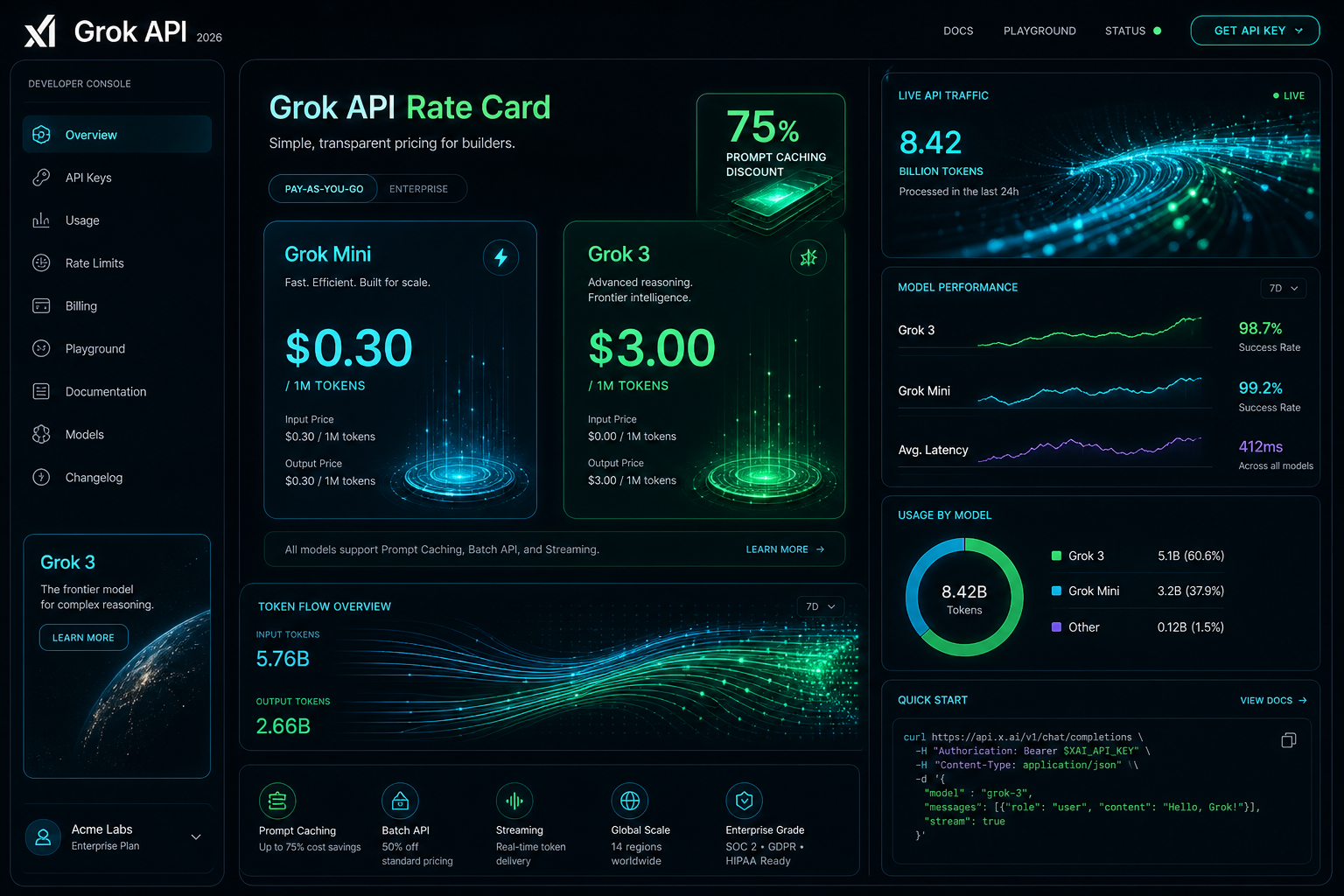
Visual generated by Grok AI — 2026 Grok API Developer Console, Rate Card & Token Flow Architecture.
Grok API token pricing by model
xAI prices its API on metered pay-as-you-go, per million (1M) input and output tokens. Long-context requests bill at 2x the short-context rates shown here. Current published rates:
Model Name
Input Cost (per 1M)
Cached Input (per 1M)
Output Cost (per 1M)
Grok-4.7 (Flagship)
$2.00
$0.50
$6.00
Grok-4.6
$2.00
$0.50
$6.00
Grok-4.5
$2.00
$0.30
$6.00
Grok-4.3
$1.25
$0.20
$2.50
Grok-4.20 family (reasoning / non-reasoning / multi-agent)
$1.25
$0.20
$2.50
Grok-build-0.1
$1.00
$0.20
$2.00
Grok Voice (speech-to-speech)
Flat $0.08 / min + $0.004 per text input
N/A (per-minute)
Context windows per xAI’s model catalog: Grok-4.7 and Grok-4.5 up to 500K tokens, Grok-4.3 up to 1M tokens. Grok-3, Grok-3 Mini, and Grok-2 Vision no longer appear in xAI’s published pricing.
Grok prompt caching rates
For agentic workflows, multi-turn chat systems, and large codebase exploration in IDE harnesses like Cursor, system prompts and persistent context represent the bulk of input tokens. Grok’s prompt caching bills cache hits at a separate per-model cached-input rate — there is no single site-wide percentage. Effective discounts run roughly 75-85% depending on model: $0.50 vs $2.00 on Grok-4.7/4.6, $0.30 vs $2.00 on Grok-4.5, $0.20 vs $1.25 on Grok-4.3/4.20, and $0.20 vs $1.00 on Grok-build-0.1.
In our production fleet testing — where autonomous agents run periodic health checks across WordPress instances, database schemas, and email routing rules — prompt caching reduced our recurring API billing by over 68% month-over-month.
Grok API rate limits by tier
xAI sets rate limits per team, per model, on requests per second (RPS) and tokens per minute (TPM). Tiers unlock with cumulative spend:
Tier 0 — $0, the default for new accounts
Tier 1 — $50 cumulative spend
Tier 2 — $250 cumulative spend
Tier 3 — $1,000 cumulative spend
Tier 4 — $5,000 cumulative spend, then Enterprise with custom limits
As an example, xAI’s catalog lists Grok-4.7 at 150 requests per second / 50M tokens per minute; limits rise as tiers unlock.
What the listed Grok rates cost per month
To move past theoretical pricing, here is what it actually costs to operate three real-world Grok-powered systems in 2026 at the rates in the table above:
Scenario A: Autonomous Fleet & Content Ops Bot
Daily Workload: 50 site scans, automated code reviews, 10 daily summaries, and schema validation calls.
Total Monthly Cost:$252.00 / month in audio charges (vs. $3,200+/month for full-time 24/7 human dispatch).
3,150 minutes x $0.08 = $252.00, plus $0.004 per text input the agent generates.
Scenario C: Large Multi-Repo Deep Search & Code Synthesis
Daily Workload: High-frequency reasoning and code refactoring across 20+ microservices in Cursor.
Monthly Token Consumption: 80M input tokens on Grok-4.7 with prompt caching enabled.
At the Grok-4.7 rates in the table: all cached, 80 x $0.50 = $40; all uncached, 80 x $2.00 = $160; a 50/50 mix = $100 in input charges, before output tokens.
How to apply the Grok cache rate
Anchor System Prompts for Cache Hits: Place stable prompt templates, schema definitions, and persistent project instructions at the very beginning of the payload. Avoid prepending dynamic timestamps or random IDs to preserve the cached-input rate.
Model Routing (build-0.1 for Scaffolding, 4.7 for Reasoning): Use lightweight models like Grok-build-0.1 ($1.00/$2.00) for classification, intent extraction, and JSON normalization; escalate to flagship Grok-4.7 only for deep logical synthesis or multi-file architecture plans.
Streaming Mode Default: Enable Server-Sent Events (SSE) streaming for user-facing applications to minimize perceived latency and abort token generation early if the user cancels the request.
Grok API pricing questions
How much does the Grok API cost?
Current published rates: Grok-4.7 is $2.00 input and $6.00 output per 1M tokens, Grok-4.6 the same, Grok-4.5 $2.00 / $6.00, Grok-4.3 and the Grok-4.20 family $1.25 / $2.50, and Grok-build-0.1 $1.00 / $2.00. Cached input is $0.50, $0.50, $0.30, $0.20, and $0.20 respectively. Grok Voice speech-to-speech is a flat $0.08 per minute plus $0.004 per text input.
Is there a free tier for the Grok API?
xAI publishes no free tier and no standing new-account credit. Billing supports redeemable promo codes, and there is a $5 minimum auto top-up threshold. Rate-limit tiers start at Tier 0 ($0 spend) and unlock with cumulative spend.
How much does Grok prompt caching change the input price?
Cache hits bill at a per-model cached-input rate: $0.50 instead of $2.00 on Grok-4.7/4.6, $0.30 instead of $2.00 on Grok-4.5, $0.20 instead of $1.25 on Grok-4.3/4.20, and $0.20 instead of $1.00 on Grok-build-0.1 — roughly 75-85% below standard input depending on model. xAI publishes no single site-wide discount figure.
What are the Grok API rate limits?
Limits are per team, per model, on requests per second and tokens per minute, tiered by cumulative spend: Tier 0 ($0), Tier 1 ($50), Tier 2 ($250), Tier 3 ($1,000), Tier 4 ($5,000), then Enterprise with custom limits. The catalog lists Grok-4.7 at 150 RPS / 50M TPM; limits rise as tiers unlock.
Conclusion: The Operational Verdict
At xAI’s current published rates, Grok-4.7 is $2.00 / $6.00 per 1M tokens, Grok-4.5 $2.00 / $6.00, Grok-4.3 and Grok-4.20 $1.25 / $2.50, Grok-build-0.1 $1.00 / $2.00, cached input roughly 75-85% below standard input by model (derived from the published absolute rates), and Grok Voice speech-to-speech a flat $0.08 per minute plus $0.004 per text input. Grok-3 is retired and redirects to Grok-4.3. Page updated October 2, 2026.
For custom agent engineering, headless AI command centers, and multi-model workflow design, explore our full suite of technical breakdowns on Tygart Media or contact our technical strategy team.
The Restoration Operations Kit — Claude Edition by Tygart Media is an 8-skill specialized AI plugin that transforms Claude into an operational copilot for property restoration contractors. Available for a one-time payment of $197 on Square, the kit automatically customizes Claude to a contractor’s specific shop profile, generating accurate job scopes, dehumidifier sizing calculations, adjuster supplement justifications, and IICRC-compliant standard operating procedures.
Restoration Operations Kit — Claude Edition
$197
All 8 Claude skills + plugin files — delivered digitally via email within 24 hours.
Secure checkout via Square — all major cards accepted
Developed by Will Tygart and the Tygart Media team, this is the AI operational companion to the Complete Restoration Operations Kit. A restoration owner attaches it to their own Claude instance. It interviews the owner, writes a tailored company-profile.md, and makes every subsequent prompt speak your shop’s exact voice, pricing rules, and crew standards.
Overview: What the Claude Edition Does
Claude skills that turn field chaos into repeatable runs.
An 8-skill Claude plugin. Install it into Claude Code, the Claude Desktop app, or Cowork. A setup skill runs a five-minute interview, writes a company-profile.md, and every other skill reads it. SOPs, KPI targets, claims drafts, and onboarding plans come out in your voice, not a generic restoration voice.
You need any Claude that supports Skills / Plugins. If you can chat with Claude and run a /command, you are good.
The 8 Operational Claude Skills
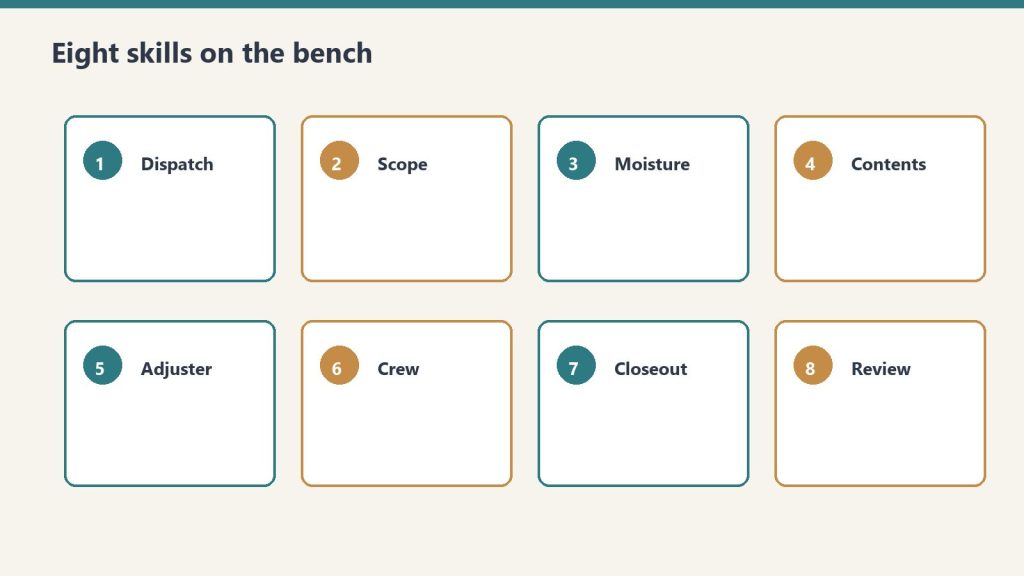
Eight skills on the bench — pick the one that matches the job.
Skill Identifier
Natural Language Trigger
Operational Output & Deliverable
restoration-setup
“Set up the kit”
Guided 5-minute setup creating your persistent company-profile.md.
Replace the path with wherever you saved the folder. On Desktop and Cowork, add the plugin from Customize → Plugins instead; the /plugin commands are for Claude Code.
Start setup:
/restoration-kit:restoration-setup
Option B: Personal Skills Folder (Simplest, No Plugin)
Copy each folder inside skills/ into your personal skills directory at ~/.claude/skills/. On Windows that is C:\Users\<you>\.claude\skills\. Then prompt Claude: “run restoration setup.”
First Run Walkthrough
Run restoration-setup first. It conducts a guided 5-minute interview regarding your shop’s services, team size, service area, and rate sheet. It saves a persistent company-profile.md file that every subsequent skill reads so the generated answers sound like your actual shop.
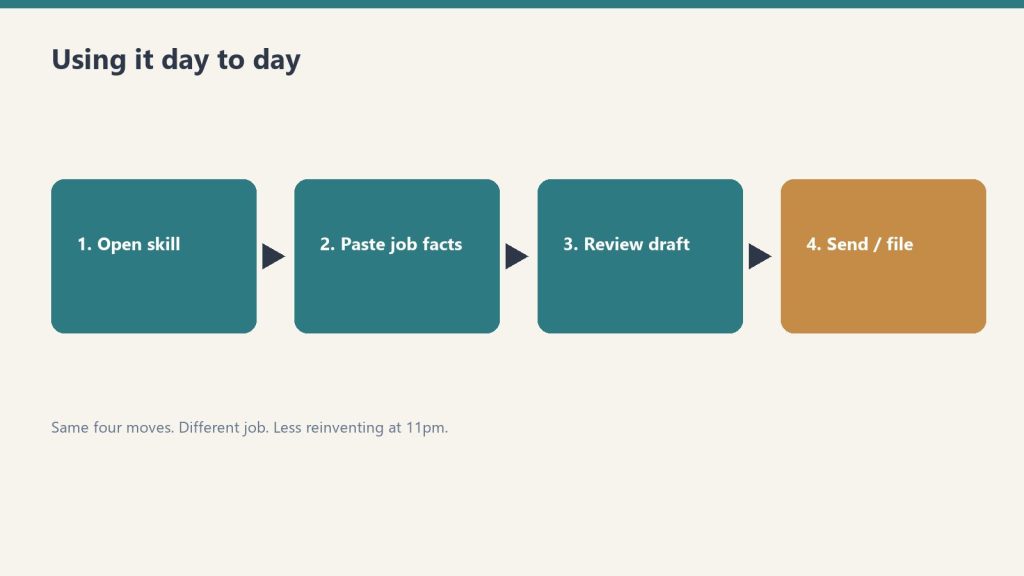
Using the Kit Day to Day
Same four moves. Different job. Less reinventing at 11pm.
You do not need to memorize skill names. Just prompt Claude naturally:
“We just got a fire call on Oak St” → invokes job intake
“Size the equipment for a 15×20 Class 3” → invokes equipment sizing
“Draft a supplement justification for the Alvarez claim” → invokes claims assistant
“Build an onboarding plan for a new crew chief” → invokes crew onboarding
“What PPE for Condition 3 mold?” → invokes IICRC lookup
What the Delivered Zip File Contains
.claude-plugin/plugin.json and marketplace.json
skills/ folder containing all 8 complete skills
README.md with full step-by-step setup walkthrough
Outputs from each skill are formatted to paste into the matching Notion template in the Complete Restoration Operations Kit ($97). The Notion side serves as the operational system of record, while the Claude Edition acts as the intelligence layer.
Frequently Asked Questions
What is the Restoration Operations Kit — Claude Edition?
The Restoration Operations Kit — Claude Edition by Tygart Media is an 8-skill AI plugin for Claude Desktop, Claude Code, and Cowork that automates restoration intake, equipment sizing, insurance claims drafting, SOP generation, and KPI tracking in the contractor’s exact voice.
What is included in the $197 purchase on Square?
The $197 package includes all 8 packaged Claude skills, the plugin.json manifest, marketplace configuration files, installation documentation, and prompt architecture delivered digitally via email.
How does this kit work with the Complete Restoration Operations Kit?
The Claude Edition acts as the operational AI copilot: its outputs are pre-formatted to paste seamlessly into the corresponding Notion databases (Job Tracker Pro, Claims Command Center, KPI Dashboard) of the Complete Restoration Operations Kit.
What Claude plan is required to run the skills?
It runs on any Claude interface that supports skills or plugins, including Claude Desktop, Claude Code CLI, and Cowork. Personal skill mode can also be loaded directly into ~/.claude/skills/.
Is there a refund policy?
Because this is a digital product, all sales are final. If you have a problem with your purchase, email will@tygartmedia.com and we will sort it out.
How is this delivered?
Within 24 hours of purchase via email from will@tygartmedia.com. You will receive your download link — Notion duplicate link, skill file, or both depending on the product.
$197
Packaged zip delivered by email within 24 hours via Square.
Secure checkout via Square — all major cards accepted
You can copy this method and do it yourself. Talk to your own Claude. Interview your own shop. Write your own SOPs and claims drafts. Buy Now is the packaged zip: eight skills, the plugin files, and the install so you do not have to wire it from scratch.
This is the AI companion to the Complete Restoration Operations Kit. A restoration owner attaches it to their own Claude. It interviews them, writes a company profile, and then the other skills speak that business.
What it is
AI edition ops kit — same bench, same four moves.
An 8-skill Claude plugin. Install it into Claude Code, the Claude Desktop app, or Cowork. A setup skill runs a five-minute interview, writes a company-profile.md, and every other skill reads it. SOPs, KPI targets, claims drafts, and onboarding plans come out in your voice, not a generic restoration voice.
You need any Claude that supports Skills / Plugins. If you can chat with Claude and run a /command, you are good.
The 8 skills
Eight skills on the bench — pick the one that matches the job.
restoration-setup. Say “Set up the kit.” Guided interview that customizes the whole kit. First run. The concierge.
job-intake-assistant. Say “We just got a water call.” New-loss intake, water Cat/Class classification, scope plus safety, a paste-ready job summary.
equipment-advisor. Say “How many air movers for this room?” Air-mover and dehu sizing, placement, and a monitoring plan.
sop-generator. Say “Write an SOP for mold containment.” A tailored SOP in your company’s voice. Any of the 17 core SOPs, or a new one.
claims-assistant. Say “Draft a follow-up to the adjuster.” Adjuster emails, supplement justifications, an aging-claims chase plan.
kpi-coach. Say “Here are my numbers this month.” Your 12 KPIs computed and trended. The biggest profit leak named, with fixes.
crew-onboarding-builder. Say “Onboard a new tech.” Role-based Week-1 / 30 / 60 / 90 plan plus an IICRC certification roadmap.
iicrc-protocol-lookup. Say “What does S500 say about Cat 3 water?” Plain-English pointer to S500 / S520 / S700 / S540 plus PPE. It is a lookup assistant, not a substitute for the published standard. Defer to current IICRC text, local codes, and your certified judgment.
How to install it yourself
Option A: plugin (recommended)
Save the restoration-kit folder anywhere on your computer.
Replace the path with wherever you saved the folder. On Desktop and Cowork, add the plugin from Customize → Plugins instead; the /plugin commands are for Claude Code.
Start setup:
/restoration-kit:restoration-setup
Option B: personal skills (simplest, no plugin)
Copy each folder inside skills/ into your personal skills folder at ~/.claude/skills/. On Windows that is C:\Users\<you>\.claude\skills\. Then tell Claude: “run restoration setup.”
First run
Run restoration-setup first. It asks about your company for about five minutes. It saves a company-profile.md. Then it offers to customize each skill: generate your first SOPs, set KPI targets, draft a sample adjuster email.
Keep that company-profile.md in the folder you work in. Every skill reads it so the answers sound like your shop.
Using it day to day
Same four moves day to day. Less reinventing at 11pm.
You do not need to memorize skill names. Just talk.
“We just got a fire call on Oak St” → intake
“Size the equipment for a 15×20 Class 3” → equipment
“Draft a supplement justification for the Alvarez claim” → claims
“Build an onboarding plan for a new crew chief” → onboarding
“What PPE for Condition 3 mold?” → IICRC lookup
Optional: put it on a routine. Ask Claude, “Schedule a weekly KPI review every Monday at 8am.” It walks you through a recurring run of the KPI coach.
What the 12 KPIs are
When you feed the KPI coach real numbers, these are the twelve the kit is built around:
Revenue, Gross Margin %, Net Profit %, Days Sales Outstanding, Average Job Size
Lead-to-Job Conversion %, Jobs Sold
Average Days to Dry
Labor Efficiency %, Equipment Utilization %
Rework / Callback %, Customer Satisfaction (NPS)
Starting targets in the kit: gross margin ≥ 45%, net ≥ 12%, DSO ≤ 45 days, conversion ≥ 35%, days to dry ≤ 3.5, labor efficiency ≥ 70%, equipment utilization ≥ 60%, callbacks ≤ 3%, NPS ≥ 70. Use them as a case file, then set yours.
What the zip actually contains
.claude-plugin/plugin.json and marketplace.json
skills/ (the 8 skills)
README.md with the full install
Outputs from each skill are formatted to paste into the matching Notion template in the Complete Restoration Operations Kit. The Notion side is the system of record (jobs, equipment, claims, KPIs). These skills help you fill and act on them.
This is an operational assistant only. Not legal, insurance, or licensing advice.
If you want the packaged install
You can rebuild this from the outline above. Buy Now is the zip delivered by email after checkout: plugin files, the eight skills, and the README so you drop it in and run setup. Same Square button at the top of this page.
Frequently Asked Questions
Is there a refund policy?
Because this is a digital product, all sales are final. If you have a problem with your purchase, email will@tygartmedia.com and we will sort it out.
How is this delivered?
Within 24 hours of purchase via email from will@tygartmedia.com. You will receive your download link — Notion duplicate link, skill file, or both depending on the product.
Secure checkout via Square — all major cards accepted
You can copy this method and do it yourself. Talk to your own Claude. Interview your own shop. Score your own bench. Write your own 90-day plan to get out of the truck. Buy Now is the packaged zip: ten skill folders, the plugin files, and the install so you do not have to wire the coaching loop from a blank chat.
This is the AI Edition of the Restoration Leadership Toolkit. A restoration owner attaches it to their own Claude. Setup interviews them. Then nine leadership skills coach from doer to leader, using their team, their roles, and their pain points. The Notion worksheets are the fill-in half. These skills run them conversationally.
What it is
Leadership AI edition — move from doer to leader.
A 9-skill Claude plugin plus a shared setup skill. Install into Claude Code, the Claude Desktop app, or Cowork. Setup writes a company-profile.md. Every leadership skill reads it. If you already ran setup from the Operations Kit, it reuses the same profile. One profile powers both.
You need any Claude that supports Skills / Plugins. If you can chat with Claude and run a /command, you are good.
The 10 skills
restoration-setup. Say “Set up the kit.” Guided interview. First run. The concierge. Shared with the Ops kit.
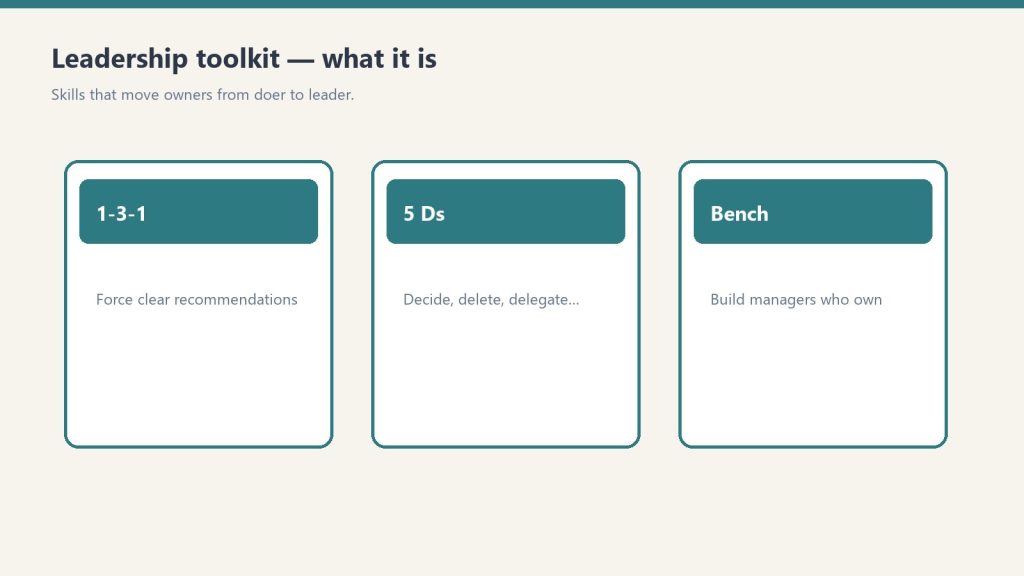
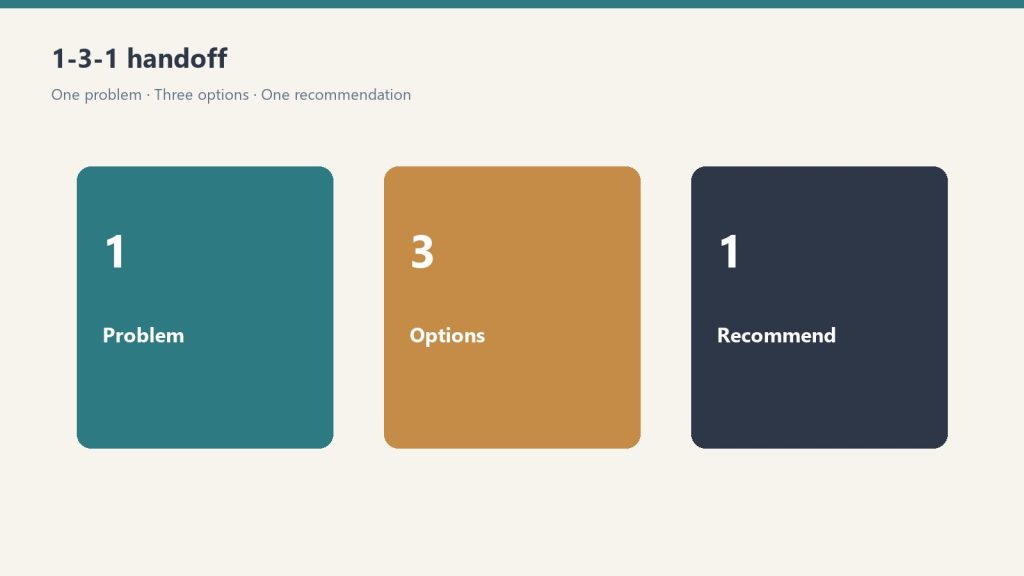
delegation-1-3-1. Say “Help me delegate this.” Convert an escalated question into one issue, three options, one recommendation. That is the handoff.
owner-bottleneck-assessment. Say “Where am I the bottleneck?” A scored self-assessment. Names the top places the company still depends on you.
succession-5ds-checklist. Say “Am I exposed if something happens to me?” Death, Divorce, Disease, Drugs, Departure. Your exposure, plus what to shore up.
accountability-planner. Say “I have a hard conversation to plan.” The issue, the change, the expectation, the consequence. Outputs a script plus a 30-day follow-up.
leadership-readiness-checklist. Say “Is my team ready to lead?” Assess the current bench. Flag single points of failure.
middle-manager-scorecard. Say “Should I promote this person?” Score a person on 9 traits. Recommendation: promote, develop first, or not yet.
owner-dependency-audit. Say “What breaks if I disappear for 30 days?” Dependency across functions plus a decision-rights map.
leadership-bench-builder. Say “Build my leadership bench.” Candidates, skill gaps, a 90-day development plan per person.
doer-to-leader-90-day. Say “Give me a 90-day plan to step back.” A personalized 12-week transition plan, week by week.
How to install it yourself
Option A: plugin (recommended)
Save the leadership-kit folder anywhere on your computer.
Replace the path with wherever you saved the folder. On Desktop and Cowork, add the plugin from Customize → Plugins instead; the /plugin commands are for Claude Code.
Start setup:
/leadership-kit:restoration-setup
Option B: personal skills (simplest, no plugin)
Copy each folder inside skills/ into your personal skills folder at ~/.claude/skills/. On Windows that is C:\Users\<you>\.claude\skills\. Then tell Claude: “run restoration setup.”
First run
Run restoration-setup first. About five minutes on your company and team. Company name, markets, services (water, fire, mold, contents, reconstruction), size, key roles, who answers the phone, carriers, how you run a job, and the biggest pain points. It saves company-profile.md. Then every tool is tailored to your people and how you run jobs.
Keep that file in the folder you work in. You can re-run setup anytime to update it. Nothing leaves your computer.
Using it day to day
You do not need to memorize skill names. Just talk.
“My ops manager keeps escalating everything to me. Help me delegate it.” → delegation-1-3-1
“Where am I still the bottleneck?” → owner-bottleneck-assessment
“Score my lead tech for a crew-chief promotion.” → middle-manager-scorecard
“Is my team ready to lead?” → leadership-readiness-checklist
“I have a hard conversation to plan with my PM.” → accountability-planner
“What breaks if I take two weeks off?” → owner-dependency-audit
“Am I exposed if something happens to me?” → succession-5ds-checklist
“Build my leadership bench.” → leadership-bench-builder
“Build me a 90-day plan to get out of the truck.” → doer-to-leader-90-day
Run the skills in this order
Run skills in order — then develop the manager who owns them.
Same spine as the 90-day plan. Do not skip ahead.
Setup, then the bottleneck assessment and the dependency audit. Name the top 3 places the company still runs through you.
delegation-1-3-1 on the next five escalations. One issue, three options, one recommendation, a default if you do not answer by a deadline.
Readiness checklist. Six sections. Red / yellow / green. Name the next-leader candidates.
Scorecard on the one person you are betting on. Nine traits, 1-5. Promote about 37-45. Develop first about 27-36. Not yet 26 or below.
Bench builder. One row per function. Go deep on that one person. One observable 90-day action.
Accountability planner for the one hard talk this phase. Script plus a 30-day follow-up.
doer-to-leader-90-day to date the six two-week phases. Then 5 Ds as the what-if-tomorrow check.
The 1-3-1 handoff, in plain terms
1-3-1: one problem, three options, one recommendation.
Someone brings you a problem. You do not solve it in the hallway. You send them back to write one issue (the actual decision, not the whole week), three options they can live with, and one recommendation with why. You decide. They own the work. That is how you stop being the bottleneck without abandoning the job.
What the zip actually contains
.claude-plugin/plugin.json and marketplace.json
skills/ (10 folders: setup plus the nine leadership skills)
README.md with the full install
Outputs from each skill are formatted to paste into the matching Notion template in the Restoration Leadership Toolkit. The Notion side is the system of record. These skills help you fill and act on them.
This is a coaching and operational assistant only. Not legal or HR advice.
If you want the packaged install
You can rebuild this from the outline above. Buy Now is the zip delivered by email after checkout: plugin files, the ten skills, and the README so you drop it in and run setup. Same Square button at the top of this page.
Secure checkout via Square — all major cards accepted
You can copy this method and do it yourself. Hang the nine Notion tools. Run the 12-week spine. Talk your own Claude through 1-3-1, the bench, and the 5 Ds. Buy Now is the packaged flagship: the Notion workspace you duplicate, plus the 10-skill plugin zip, so you are not wiring the worksheets and the AI from a blank page.
This is the Notion + AI operating system for a restoration owner who is still the bottleneck. Notion is the fill-in system of record. The plugin is the coach you talk to. Outputs from each skill are formatted to paste into the matching Notion tool. One company-profile.md powers both this kit and the Operations Kit if you already ran setup there.
What it is
Leadership OS — Notion tools + AI skills.
Two halves that are meant to run together.
Notion half. Nine plug-and-play tools. Duplicate them into one workspace page named something like Leadership. One sidebar section, the whole doer-to-leader system.
AI half. A 9-skill Claude plugin plus a shared setup skill. A setup interview writes company-profile.md. Every leadership skill reads it, so the coaching speaks your team, your roles, and your pain points.
You need a free Notion account and any Claude that supports Skills / Plugins. If you can chat with Claude and run a /command, you are good.
The 9 Notion tools
1-3-1 Delegation Worksheet ($19). Teach the team to bring one issue, three options, one recommendation. Not just the problem.
Owner Bottleneck Self-Assessment ($29). 25 statements across five areas. Find where the company still depends on you.
5 Ds Succession Risk Checklist ($29). Death, Divorce, Disease, Drugs/dependency, Departure/Disaster. A what-if-tomorrow check, not a retirement plan.
Accountability Conversation Planner ($39). Plan a hard conversation so it stays about the work, not the person.
Leadership Readiness Checklist ($49). Six sections. Can your team actually lead, or does everything still run through you?
Middle Manager Evaluation Scorecard ($59). Score someone on nine traits before you promote them. Promote / Develop first / Not yet.
Owner Dependency Audit ($99). What breaks if you disappear for 30 days? Nine areas, Low / Med / High, plus a Decision-Rights Map.
Restoration Leadership Bench Builder ($149). One row per key function. Candidates, gaps, one observable 90-day action.
90-Day Doer-to-Leader Transition Plan ($199). Six two-week phases. The spine. The other eight feed it.
The three smaller bundles sit inside this system. Conference Starter Pack is tools 1-3. Leadership Readiness Kit is tools 1, 4, 5, 6. Owner Freedom Kit is tools 1, 3, 7, 8, 9. This flagship is all nine, plus the AI half.
How to hang the Notion half
Hang the Notion half, then train the managers.
Work the 90-day plan top to bottom. Do not skip ahead. Each phase sets up the next.
Before Week 1, write three lines: your #1 reason to step back; the one person you are betting on as your first real manager; start date / target Week-12 date. Block 30-45 minutes every Friday.
Weeks 1-2. Bottlenecks. Run the Owner Bottleneck Self-Assessment (0-25) and the Owner Dependency Audit (nine areas, Low = 1, Med = 2, High = 3, total 9-27). For one full week, log every interrupt for a decision. Sort into Delegate now / Delegate after training / Keep (truly owner-only). Circle the top 3. Tell the team: “I am working a 90-day plan to push decisions down. Expect me to hand more back to you.”
Weeks 3-4. Install 1-3-1. One issue. Three real options with pros, cons, and rough cost. One recommendation. A default if they do not hear back by a deadline. When someone brings a raw problem, ask: “What are your three options, and which do you recommend?” Then wait. Run at least five real conversations. Phase done when at least one person brings 1-3-1s without being reminded.
Weeks 5-6. Decision rights. List 10-15 recurring decisions (refunds, equipment, scheduling, scope changes, hiring, pricing exceptions). A dollar or scope threshold people can decide under without asking you, and who owns it when you are not in the room. Hand off one decision completely. Do not take it back.
Weeks 7-8. One manager. Open the Bench Builder. One row per function. Use the Scorecard if you are torn on who. Have the conversation: “I want to grow you into running X.” Hand them one area end-to-end. Set a weekly 30-minute 1-on-1 and protect it.
Weeks 9-10. Accountability rhythm. Weekly 15-minute huddle: numbers, jobs at risk, who needs what. 3-5 numbers someone other than you owns. Hold one real accountability conversation with the Planner (issue, behavior, what you have already allowed, the expectation, the consequence or support, what success looks like in 30 days).
Weeks 11-12. Review and repeat. Re-score the bottleneck and the audit. Take a planned half-day fully off and note what broke. Raise one decision-rights threshold. Duplicate the 90-day page and start the next cycle.
While you are in it, run the Readiness Checklist (six sections, red / yellow / green) and the 5 Ds. Check a 5 Ds box only if it is true and current today. Count the blanks. Pick the three that would hurt most if the D hit tomorrow.
The 10 AI skills
Ten AI skills on the leadership bench.
restoration-setup. “Set up the kit.” Shared with the Ops kit. Writes company-profile.md.
delegation-1-3-1. “Help me delegate this.” Convert an escalated question into one issue / three options / one recommendation.
owner-bottleneck-assessment. “Where am I the bottleneck?” Scored self-assessment. Top places you are still the constraint.
succession-5ds-checklist. “Am I exposed if something happens to me?” Exposure plus what to shore up.
accountability-planner. “I have a hard conversation to plan.” Script plus a 30-day follow-up.
leadership-readiness-checklist. “Is my team ready to lead?” Bench, single points of failure, next leaders.
middle-manager-scorecard. “Should I promote this person?” Nine traits. Promote / Develop first / Not yet.
owner-dependency-audit. “What breaks if I disappear for 30 days?” Functions plus a decision-rights map.
leadership-bench-builder. “Build my leadership bench.” Candidates, gaps, a 90-day development plan per person.
doer-to-leader-90-day. “Give me a 90-day plan to step back.” A personalized 12-week plan.
Install the plugin yourself
Option A (recommended). Save the leadership-kit folder. In Claude run:
Option B. Copy each folder inside skills/ into ~/.claude/skills/. On Windows that is C:\Users\<you>\.claude\skills\. Then say “run restoration setup.”
Keep company-profile.md in the folder you work in. Every skill reads it. If you already ran setup from another Profit Detective kit, it reuses the same profile.
If you want the packaged system
You can rebuild this from the outline above. Buy Now is the flagship delivered by email after checkout: Notion duplicate links for the nine tools, the plugin zip (ten skill folders and the README), and the setup sequence so you drop it in and run. Same Square button at the top of this page.
Coaching and operational system only. Not legal or HR advice.
Secure checkout via Square — all major cards accepted
You can copy this method and do it yourself. Build the six Notion databases. Write the 17 SOPs. Hang the 12 KPIs. Talk your own Claude through intake, equipment, claims, and Friday numbers. Buy Now is the packaged flagship: the Notion workspace you duplicate, plus the 8-skill plugin zip, so you are not wiring the system of record and the AI from a blank page.
This is the Notion + AI operating system for a restoration shop. Notion is the system of record. The plugin is the expert you talk to. Outputs from each skill are formatted to paste into the matching Notion tool.
What it is
Complete restoration OS — Notion tools + AI skills on one bench.
Two halves that are meant to run together.
Notion half. Six plug-and-play tools plus an IICRC protocol lookup. Job tracking, equipment, claims, SOPs, KPIs, crew onboarding. Duplicate them into one workspace page named something like Operations. One sidebar section, whole business.
AI half. An 8-skill Claude plugin. A setup skill runs a five-minute interview, writes a company-profile.md, and every other skill reads it. SOPs, KPI targets, claims drafts, and onboarding plans come out in your voice.
You need a free Notion account and any Claude that supports Skills / Plugins. If you can chat with Claude and run a /command, you are good.
The six Notion tools
Restoration Job Tracker Pro. Every job from first notice of loss to final invoice, with live margin. This is the hub. Everything else hangs off jobs.
Equipment Inventory & Deployment Tracker. Where every air mover and dehu is, and what each one is earning. Asset IDs, daily rates, current deployments.
Insurance Claims Command Center. Claims, adjusters, documentation, supplements, and aging balances in one place.
Restoration Company SOP Library (17 SOPs). The core procedures, written down. Status starts as Template. Flip to Adopted when you approve each one.
Restoration Business KPI Dashboard. The 12 numbers that move profit. Friday 15 to update. One summary row on the first business day of the month.
Crew Onboarding & Training Tracker. Roster, certifications with expiration dates, equipment sign-offs. Next hire, duplicate the checklist set.
Plus IICRC Protocol Lookup. Ask “what does S500 say about Category 3 water?” and get a plain-English pointer plus PPE. It is a lookup assistant, not a substitute for the published standard. Defer to current IICRC text, local codes, and your certified judgment.
The 17 SOPs to write (or adopt)
If you are building this yourself, start a table with SOP #, title, category, owner role, linked standard, and status (Draft / In Review / Active / Needs Update). The kit’s 17 are:
SOP-15 Job Completion, Walkthrough & Certificate of Satisfaction
SOP-16 Invoicing & Collections
SOP-17 New Job Intake / FNOL Handling
Do not customize all 17 today. Adopt the water set first. The rest within the month. Swap in your company name, your equipment, your local disposal rules.
The 12 KPIs
Build a dashboard with KPI, category, definition, frequency, owner, target, this month, last month, trend. The kit tracks these twelve:
Revenue (Financial, monthly)
Gross Margin % (Financial, monthly, target ≥ 45%)
Net Profit % (Financial, monthly, target ≥ 12%)
Days Sales Outstanding / AR Aging (Financial, monthly, target ≤ 45 days)
Those targets are the kit’s starting case file, not gospel. Mix of mitigation vs reconstruction will shift them. The habit is the product: fifteen minutes every Friday updating statuses.
How to hang it yourself
Set them up in this order. Each one feeds the next.
Job Tracker (30-45 min). Add 2-3 active jobs. Real jobs, not test data. Log today’s moisture readings.
Equipment Tracker (30-45 min). Every dehu, air mover, scrubber, and meter, with asset IDs. Set actual daily rates. Log where everything is deployed right now.
Claims Command Center (20-30 min). Add adjusters first. Then a claim record for every active claim. Log outstanding supplements and unpaid balances.
SOP Library (20 min now, ongoing after). Read, customize, flip Status to Adopted as you approve.
KPI Dashboard (15 min, then 15 min every Friday). Enter this month’s jobs and leads, including the ones you lost.
IICRC skill (5 min). Install, then ask something real: “Cat 2 toilet overflow into a carpeted hallway. What’s the protocol?”
If a template ships with rows marked (Sample), keep them while you learn. Delete them once your real data is flowing.
How the system runs day to day
Day to day: open the tool, paste facts, review, file.
Morning: Job Tracker board. What’s active, what needs a monitoring visit.
On every truck roll: equipment deployments updated; moisture readings logged to the job.
When the adjuster calls: Claims Command Center open. Every supplement, authorization, and dollar in front of you.
New hire starts: Crew Tracker checklist; SOP reading list; sign-offs gate the equipment.
Friday: the Friday 15 in the KPI ledger.
Month end: one KPI summary row. Review utilization before buying equipment.
This does not replace JobNimbus, Encircle, or Xactimate. Those are job management, documenting, and estimating. This is the ops layer most shops never finish.
The 8 AI skills
Eight AI skills hang next to the SOPs and KPIs.
restoration-setup. “Set up the kit.” Guided interview. First run. The concierge.
job-intake-assistant. “We just got a water call.” New-loss intake, water Cat/Class, scope plus safety, a paste-ready job summary.
equipment-advisor. “How many air movers for this room?” Sizing, placement, monitoring plan.
sop-generator. “Write an SOP for mold containment.” Any of the 17, or a new one, in your voice.
claims-assistant. “Draft a follow-up to the adjuster.” Emails, supplement justifications, aging-claims chase.
kpi-coach. “Here are my numbers this month.” The 12 KPIs computed and trended. Biggest leak named, with fixes.
crew-onboarding-builder. “Onboard a new tech.” Week-1 / 30 / 60 / 90 plus an IICRC certification roadmap.
iicrc-protocol-lookup. “What does S500 say about Cat 3 water?” Plain-English pointer plus PPE.
Install the plugin yourself
Option A (recommended). Save the restoration-kit folder. In Claude run:
Option B. Copy each folder inside skills/ into ~/.claude/skills/. On Windows that is C:\Users\<you>\.claude\skills\. Then say “run restoration setup.”
Keep company-profile.md in the folder you work in. Every skill reads it.
If you want the packaged system
You can rebuild this from the outline above. Buy Now is the flagship delivered by email after checkout: Notion duplicate links for the six tools plus IICRC lookup, the plugin zip (eight skills and the README), and the setup sequence so you drop it in and run. Same Square button at the top of this page.
This is an operational system only. Not legal, insurance, or licensing advice.
Because this is a digital product, all sales are final. If you have a problem with your purchase, email will@tygartmedia.com and we will sort it out.
How is this delivered?
Within 24 hours of purchase via email from will@tygartmedia.com. You will receive your download link — Notion duplicate link, skill file, or both depending on the product.
Most “Azure vs Google Cloud” articles are written by people who run neither in production. They paraphrase the pricing pages and call it a comparison.
We do something different: we run the same media property on both clouds at the same time — and the entire thing costs $0/month. Google Cloud is the live operational stack. Azure is a parallel “newsroom” of always-free services running on a dedicated lab domain, tygart.media, mirroring each capability of the live site. Two clouds, one operation, both AI ecosystems watching it work.
This is the desk-by-desk breakdown — what each cloud actually does for us, where the free tier runs out, and which one wins each specific job. No theory. This is the running system.
Why run on both clouds at once
Why run on both clouds at once.
There’s a strategic reason beyond “free is fun.” Search and AI assistants don’t share a brain. Google’s models optimize for Google’s index; Microsoft’s Copilot and Bing optimize for Microsoft’s graph. When ~84% of your organic traffic comes from Bing, having your stack only inside Google’s telemetry is a blind spot.
Running enrichment through Azure puts the same content inside Microsoft’s service graph the same way Google Cloud puts it inside Google’s. You stop guessing how each ecosystem sees you, because you’re operating inside both.
The serverless compute plane
The serverless compute plane.
The heart of the stack: code that runs after you push a file and close the laptop.
How we do it
Azure
Google Cloud
Verdict
Service
Azure Functions
Cloud Run
Cloud Run for containers; Functions for glue
Free ceiling
1M requests/month
2M requests/month
Google, on raw headroom
Deploy model
Functions Core Tools / GitHub Actions
Keyless deploy via Workload Identity Federation
Google — no stored keys is a real security win
What surprised us
Generous, but watch billable side resources
Cold starts negligible at our scale
—
Our bill
$0
$0
Tie where it counts
Pick Cloud Run if you’re already containerized and want keyless CI/CD. Pick Azure Functions if your automation lives in the Microsoft ecosystem and you want Logic Apps next door.
The content enrichment desks
This is where Azure’s always-free tier quietly outclasses expectations — a full newsroom of AI services that never bill at our volume.
How we do it
Job
Azure
Google Cloud
Verdict
Translation
Translator — 2M chars/mo free (~300 articles)
Cloud Translation
Azure — bigger perpetual free ceiling
Article audio
Neural TTS — 500K chars/mo
Cloud Text-to-Speech
Toss-up; both natural
Entity extraction (for GEO)
AI Language — 5K records/mo
Cloud Natural Language
Azure — likely the same signal family Bing uses
Site search
Azure AI Search — 3 indexes free
Vertex AI Search
Azure — it’s the engine behind Bing
The entity-extraction line matters most. We feed articles through Azure AI Language to pull named entities and key phrases, then saturate the content with them. We’re optimizing for the same entity signals Microsoft’s own systems use to select content — which is the whole game when Bing drives most of your traffic.
The storage and front-end layer
How we do it
Job
Azure
Google Cloud
Verdict
Document store
Cosmos DB — 1,000 RU/s + 25GB free
Firestore
Azure — Cosmos free tier is generous (one per subscription)
Relational
Azure SQL — serverless free
Cloud SQL (no perpetual free)
Azure, clearly
Static hosting
Static Web Apps — 100GB bandwidth
Firebase Hosting
Tie; both excellent
For a small operations ledger or a knowledge base, Azure’s always-free Cosmos DB and serverless SQL are the standout — Google Cloud has no equivalent perpetual-free relational tier.
What it actually costs: nothing (if you’re disciplined)
What it actually costs when you stay disciplined.
The honest caveat: free compute can still trigger billable side resources. A “free” VM drags along disks, public IPs, and monitoring logs that bill immediately with no throttling. The discipline that keeps the bill at zero:
Deploy from the free-services blade, not the general catalog.
Set a budget alert on day one — before you provision anything.
Prefer serverless over VMs — the consumption tiers reset monthly and don’t drag side resources.
One Cosmos DB free tier per subscription — plan around it.
Do that, and a real, AI-enriched media property runs across two clouds for $0.
The takeaway
Single-cloud is a bet that one ecosystem’s view of your content is the only one that matters. When the traffic data says otherwise — when most of your readers arrive through the other company’s search and AI — bilateral cloud stops being a novelty and becomes the obvious posture. The free tiers make it cost nothing but discipline.
Is it really free to run on both Azure and Google Cloud?
Yes, at small-site scale. Both clouds offer always-free serverless tiers (Azure Functions 1M requests/month, Cloud Run 2M requests/month) plus free AI, storage, and hosting services. The cost risk is billable side resources like VM disks and public IPs — avoidable by staying serverless and setting a budget alert.
Which is better for serverless, Azure or Google Cloud?
Cloud Run wins on raw request headroom (2M vs 1M/month) and keyless deploys via Workload Identity Federation. Azure Functions wins if your automation already lives in the Microsoft ecosystem and benefits from Logic Apps and Event Grid next door.
Why would you run the same site on two clouds?
AI ecosystems don’t share telemetry. Google’s models favor Google’s index; Bing and Copilot favor Microsoft’s graph. If a large share of your traffic comes from Bing, running enrichment through Azure puts your content inside Microsoft’s service graph instead of leaving it a blind spot.
Does Azure have a better free tier than Google Cloud?
For perpetual always-free services, Azure is broader — 65+ always-free services including Cosmos DB (1,000 RU/s + 25GB) and serverless Azure SQL, which Google Cloud has no direct perpetual-free equivalent for. Google Cloud wins on serverless request volume and keyless security.
What’s the catch with Azure’s always-free tier?
Limits reset monthly and overages bill immediately with no throttling. Free VMs also trigger billable disks, public IPs, and monitoring logs. Deploy from the free-services blade, prefer serverless, and set a budget alert before provisioning.
The Signal — Tygart Media's weekly brief. What we actually ran, what it measured, and what it means for a restoration shop.