Tygart Media Editorial - Tygart Media

Category: Tygart Media Editorial

Tygart Media’s core editorial publication — AI implementation, content strategy, SEO, agency operations, and case studies.

  • Claude Desktop App: Features, Setup, Tips, and What Makes It Different From Claude.ai

    Claude Desktop App: Features, Setup, Tips, and What Makes It Different From Claude.ai

    The Claude desktop app is a native application for macOS and Windows that goes beyond what the web interface at claude.ai offers. While claude.ai gives you chat, the desktop app unlocks Claude Code (a terminal-based coding agent), Claude Cowork (desktop automation), local file access, MCP server connections, and deeper system integration. Here’s everything you need to know to get started and get the most out of it.

    How to Download and Install

    Five-step path: account, API keys, billing, usage, workspaces
    How to download and install the desktop app.

    Download the Claude desktop app from claude.com/download. It’s available for macOS (Apple Silicon and Intel) and Windows. Installation is straightforward — run the installer and sign in with your Claude account. The app requires a Free, Pro, Max, Team, or Enterprise account. On macOS, the app supports both the standard installation and Homebrew. On Windows, the installer handles everything including system tray integration.

    What the Desktop App Adds Over Claude.ai

    Three stacked layers: chat UI, tools, agent runtime
    What the desktop app adds over Claude.ai.

    Claude Code: The terminal-based coding agent that can read your local codebase, make changes, run tests, and handle complex multi-file development tasks. Claude Code operates from your terminal with full access to your development environment — git, npm, pip, docker, and any other tools you have installed. It’s available to Pro, Max, Team, and Enterprise users.

    Claude Cowork: Desktop automation mode where Claude can control your computer to accomplish tasks. Cowork can interact with applications on your screen, manage files, run scripts, and automate workflows that span multiple programs. It works within a secure sandbox with explicit permission controls.

    Local file access: The desktop app can read and write files on your computer, which the web interface cannot do. This enables direct document editing, local data analysis, and file management tasks.

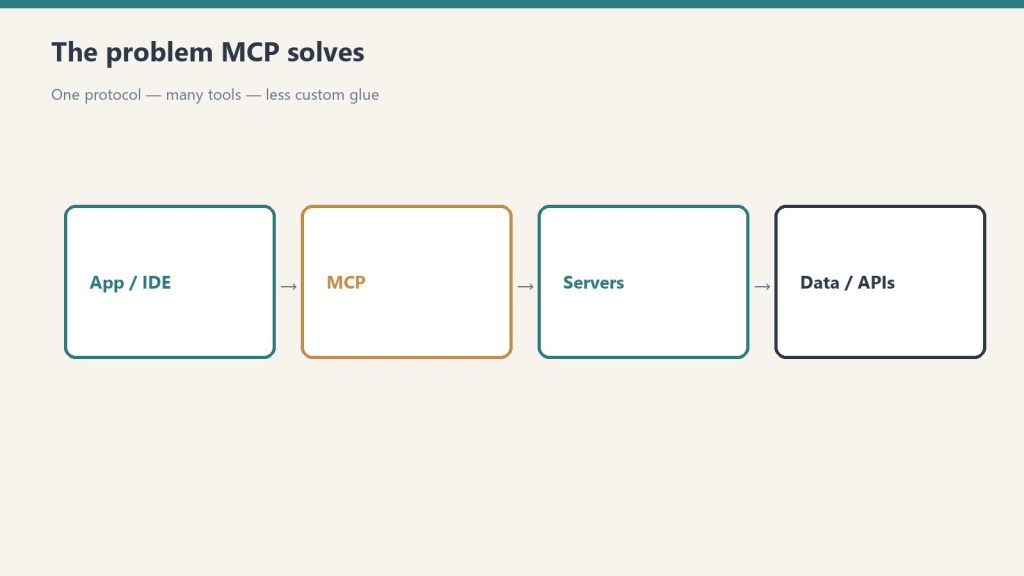
    MCP server connections: The Model Context Protocol lets Claude connect to external tools and data sources — databases, APIs, project management tools, and more. The desktop app can run MCP servers locally, giving Claude access to your development stack.

    Desktop extensions: Additional capabilities that extend Claude’s ability to interact with your local environment, available across all tiers including Free.

    Key Features Available on All Plans

    Even on the Free plan, the desktop app provides a native experience that’s faster and more responsive than the browser. You get keyboard shortcuts for common actions, system tray/menu bar access for quick invocation, offline access to your conversation history, and native notifications. The app syncs with your claude.ai account — conversations, Projects, and memory are shared between web and desktop.

    Tips for Power Users

    Use keyboard shortcuts to invoke Claude quickly without switching contexts. Set up MCP servers for your most-used tools to give Claude direct access instead of copy-pasting. Organize work into Projects — each Project maintains its own context, documents, and conversation history. Use Cowork mode for repetitive desktop tasks that span multiple applications. When using Claude Code, commit your work frequently — Claude Code operates in your real file system, not a sandbox.

    Desktop App vs Claude.ai: When to Use Each

    Three cards for fast volume, daily workhorse, and deep flagship Claude seats
    When to use desktop vs Claude.ai.

    Use the desktop app when you need file system access, Claude Code, Cowork, or MCP connections. Use claude.ai when you’re on a device where the app isn’t installed, when you want quick access from a browser, or when you’re using a shared/public computer. Both interfaces access the same underlying Claude models and share your account data. Many users keep both available — the desktop app for deep work and the web interface for quick tasks.

    Related on Tygart Media: Claude Cowork · how to use Claude.

    Frequently Asked Questions

    Is the Claude desktop app free?

    The app itself is free to download and use. It works with all Claude plans including the Free tier. Claude Code and Cowork features require a Pro subscription or higher.

    Does Claude desktop work on Linux?

    As of June 2026, the Claude desktop app is available for macOS and Windows. Linux users can access Claude through the web interface at claude.ai or use Claude Code via the command-line installer.

    Can the desktop app access my files?

    Yes, with your permission. The desktop app can read and write local files, which is one of its key advantages over the web interface. File access is controlled through explicit permissions.

    Do my conversations sync between desktop and web?

    Yes. Conversations, Projects, and memory sync across the desktop app and claude.ai automatically.

  • Claude Pricing Tiers: Free vs Pro vs Team vs Enterprise

    Claude Pricing Tiers: Free vs Pro vs Team vs Enterprise

    Official links: Buy or compare plans (claude.com) · Sign up (claude.ai) · Billing help center

    Direct Answer (September 24, 2026): Free is for casual exploration. Pro ($20/mo, or $17 billed annually) offers more usage plus Claude Code. Max 5x/20x ($100–$200/mo) is 5x or 20x Pro usage. Team Standard is $20 annual / $25 monthly per seat; Team Premium is $100 annual / $125 monthly. Enterprise is $20/seat plus usage at API rates. Sonnet 5 API list is $2 / $10. Opus 5.5 is $4 / $20 with cache reads at $0.20. Opus 5 stays $5 / $25. Fable 5.1 cache reads are $0.25/MTok.

    Claude has five pricing tiers as of September 2026. The differences between them aren’t always obvious from Anthropic’s own pricing page. This guide breaks down every tier side-by-side — what each costs, what changes as you move up, and exactly where the value breaks are. Last refreshed: September 24, 2026 against claude.com/pricing and platform.claude.com pricing.

    Claude Pricing at a Glance (September 2026)

    At-a-glance board comparing Free, Pro, Max, and Team Claude tiers by chat, limits, priority, and admin controls
    Same ladder, shorter page. Confirm live limits before you upgrade.
    Plan Monthly Price Annual Price Best For
    Free $0 $0 Trying Claude, light use
    Pro $20/month $17/month ($200/yr) Daily professional use
    Max 5x $100/month $100/month Power users hitting Pro limits
    Max 20x $200/month $200/month Developers, heavy Claude Code users
    Team Standard $25/seat $20/seat Teams of 2+ (SSO, admin)
    Team Premium $125/seat $100/seat Teams with heavy usage needs
    Enterprise $20/seat + usage Annual only Scale, HIPAA, compliance

    Feature Comparison: What Changes at Each Tier

    Feature Free Pro Max Team Enterprise
    Chat (web, mobile, desktop) ✓ ✓ ✓ ✓ ✓
    Web search ✓ ✓ ✓ ✓ ✓
    Memory ✓ ✓ ✓ ✓ ✓
    Code execution & file creation ✓ ✓ ✓ ✓ ✓
    Claude Code — ✓ ✓ ✓ ✓
    Claude Cowork / Design, Slides, Docs — ✓ ✓ ✓ ✓
    Unlimited Projects — ✓ ✓ ✓ ✓
    Research mode — ✓ ✓ ✓ ✓
    Claude for Microsoft 365 — ✓ ✓ ✓ ✓
    5x or 20x usage vs Pro — — ✓ — —
    Higher output limits — — ✓ — —
    Early feature access — — ✓ — —
    Priority access — — ✓ Premium only ✓
    SSO & domain capture — — — ✓ ✓
    Central billing & admin — — — ✓ ✓
    No training on your data Opt-out Opt-out Opt-out Default off Default off
    SCIM provisioning — — — — ✓
    Audit logs — — — — ✓
    HIPAA-ready — — — — ✓
    Compliance API — — — — ✓
    Custom data retention — — — — ✓

    The Real Decision Points

    Decision diagram: hitting Free limits, needing a shared workspace, or shipping on the API
    Upgrade when a constraint is real — not when a plan page is pretty.

    Free → Pro ($20/month)

    If you hit Claude’s usage limits more than once a week, Pro pays for itself. The clearest signals you need Pro: you’re getting rate-limited mid-conversation, you want Claude Code in the terminal, or you use Projects to organize your work. At $20/month ($17 annual), it’s also the most common upgrade path. If you don’t hit limits regularly, stay on Free.

    See the full breakdown: Is the Claude Pro upgrade worth it?

    Pro → Max ($100–$200/month)

    Max 5x ($100/month) gives you 5x Pro’s usage capacity plus higher output limits and early feature access. Max 20x ($200/month) gives you 20x. The honest answer: most daily Pro users never need Max. If you finish most days without hitting Pro limits, Max is not the right upgrade. If you’re a developer running Claude Code for hours or a content professional producing high-volume output, the 5x multiplier removes the friction that slows you down.

    Individual → Team ($20–$125/seat)

    Team Standard at $20/seat/month (annual) costs the same as Pro per person — you’re getting Pro capabilities plus SSO, admin controls, central billing, and no-training-by-default for the same price per seat. Team Premium at $100/seat/month (annual) / $125 monthly includes 5x Standard usage. Official claude.com copy: Standard seats give more than Pro; Premium seats give 5x more than Standard.

    Team → Enterprise ($20/seat + usage)

    Enterprise makes sense when you need SCIM, audit logs, HIPAA, or a custom MSA. Official claude.com copy: $20 per seat per month plus usage billed at API rates, billed annually. For a full breakdown see Claude Enterprise pricing for large organizations.

    Annual vs Monthly Billing

    Annual billing saves 15–20% across Pro and Team:

    Plan Monthly Annual (per month) Savings
    Pro $20 $17 15%
    Team Standard $25/seat $20/seat 20%
    Team Premium $125/seat $100/seat 20%

    Anthropic’s Max help article says Max is currently monthly-only on the web checkout. No annual discount is listed for Max 5x or Max 20x.

    Claude API Pricing (Developers)

    The API is separate from subscription plans. You pay per million tokens (MTok) processed — input and output priced independently. No monthly minimum; add credits and they deplete as you use the API. Source: platform.claude.com pricing and Opus 5.5, checked September 24, 2026.

    Model Input Output 5m Cache Write Cache Read
    Claude Fable 5.1 / Mythos 5.1 $10/MTok $50/MTok $12.50/MTok $0.25/MTok
    Claude Fable 5 $10/MTok $50/MTok $12.50/MTok $1/MTok
    Claude Opus 5.5 $4/MTok $20/MTok $5/MTok $0.20/MTok
    Claude Opus 5 / 4.8 $5/MTok $25/MTok $6.25/MTok $0.50/MTok
    Claude Sonnet 5 $2/MTok $10/MTok $2.50/MTok $0.20/MTok
    Claude Sonnet 4.6 / 4.5 $3/MTok $15/MTok $3.75/MTok $0.30/MTok
    Claude Haiku 4.5 $1/MTok $5/MTok $1.25/MTok $0.10/MTok

    Do not average Sonnet 5 and Sonnet 4.6. Official table: Sonnet 5 is $2 / $10. Sonnet 4.6 is $3 / $15. Opus 5.5 is $4 / $20 — 20% below Opus 5. Fable 5.1 cache hits are 0.025x input ($0.25), not the 0.1x used on Fable 5. Opus 5.5 cache hits are 0.05x ($0.20).

    Batch API: 50% off all models for non-time-sensitive workloads. For a full developer cost breakdown, see Claude API token rates.

    How Claude Pricing Compares to ChatGPT Plus

    Two subscription cards on a desk labeled Claude seat and ChatGPT seat for side-by-side comparison
    Chat seats compete. API meters are a different product.

    At the individual level, Claude Pro and ChatGPT Plus are both $20/month — the same monthly price. Claude Pro includes an annual option at $17/month ($200 billed up front).

    Who Should NOT Upgrade

    Stay on Free if you rarely hit limits. Stay on Pro instead of Max if you finish most days without a rate-limit message. Stay on Team instead of Enterprise if you do not need SCIM, audit logs, HIPAA, or custom retention.

    Frequently Asked Questions

    Is Claude free to use?
    Yes. The Free plan is $0. It does not include Claude Code.

    How much does Claude Pro cost?
    $20/month billed monthly, or $17/month ($200/year) billed annually.

    What is Claude Max?
    Max 5x is $100/month. Max 20x is $200/month. Both are billed monthly on the web checkout.

    Which Claude plan is best for a solo professional?
    Pro at $20/month ($17 annual) for most people. Max only if you hit Pro limits on a daily basis.

    >Part of the complete guide: Claude Pricing, Plans & Limits

  • Claude Enterprise Pricing & Procurement Guide (2026)

    Claude Enterprise Pricing & Procurement Guide (2026)

    Claude Enterprise pricing works differently from the individual and Team plans. Instead of a fixed per-seat fee that includes unlimited usage, Enterprise charges a base seat cost of $20/seat with additional usage billed at API rates. This model gives large organizations more flexibility but requires understanding how usage translates to cost. Here’s the complete breakdown for decision-makers evaluating Claude Enterprise in 2026.

    Direct Answer (September 2026): Claude Enterprise pricing starts at ~$20/user/month for identity access (SSO/SCIM/Audit Logs) with token consumption billed at standard API rates — now spanning Sonnet 5 and Opus 5.5 as the current models, alongside legacy Opus 4.8 and Sonnet 4.6. Total monthly spend averages $60–$250/active user based on model selection and prompt caching adoption.

    How Enterprise Pricing Works

    Decision map from daily chat, shipping products, or buying for a company to Free/Pro, API, or Team/Enterprise
    How Claude Enterprise pricing works — recheck this breakdown whenever Anthropic changes seat fees or API rates (last verified September 2026).

    The pricing structure has two components. First, a per-seat fee of $20/month per user. This covers access to the Claude interface and all Enterprise features. Second, usage-based charges at API rates that scale with which model each user interacts with and how much they use it. When an Enterprise user chats with Claude, token costs follow current API rates. Sonnet 5 (Anthropic’s current mid-tier model) is priced at $2/MTok input and $10/MTok output, and Opus 5.5 (the current flagship) at $4/$20. Legacy models remain available at their existing rates: Opus 4.8 at $5/$25 and Sonnet 4.6 at $3/$15. Haiku 4.5 stays at $1/$5.

    This means actual costs per user vary significantly. A light user who sends a few messages per day might cost $20-30/month total. A power user running Claude Code and extended research sessions could cost $150-500+/month. Administrators can set per-user and organizational spending limits to maintain budget predictability.

    Two Paths to Enterprise

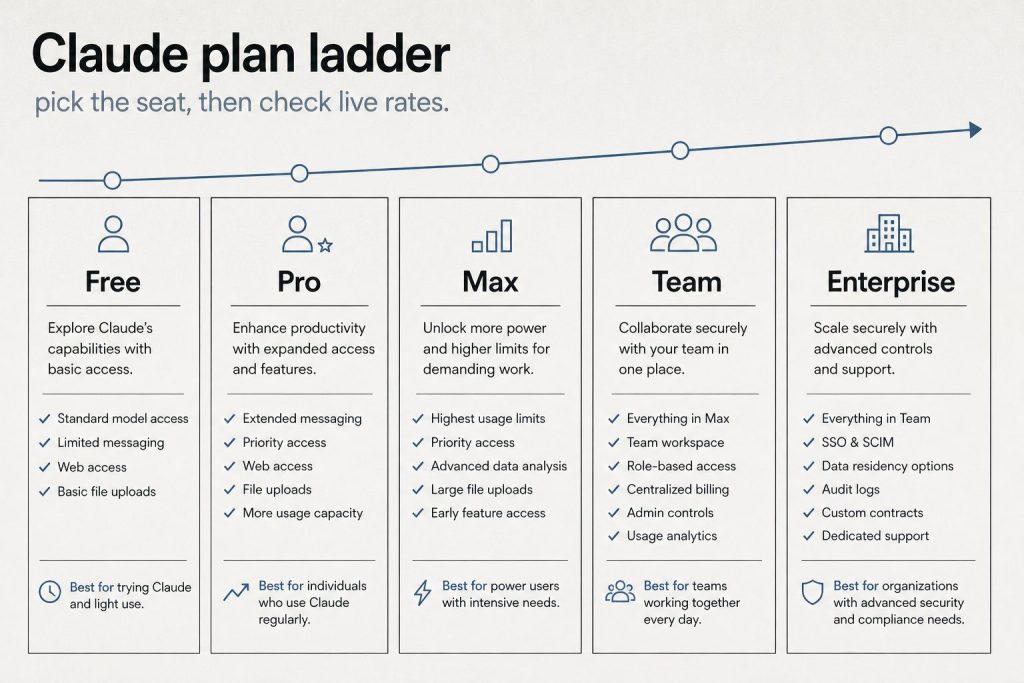
    Infographic ladder of Claude plans: Free, Pro, Max, Team, and Enterprise
    Two paths to Enterprise.

    Anthropic now offers two ways to get on the Enterprise plan. The self-serve path lets organizations sign up directly at claude.ai/create/enterprise without contacting sales. This is designed for teams that want enterprise security features but want to move fast. You get SSO, domain verification, central billing, admin controls, usage analytics, and the ability to add seats on demand. The sales-assisted path is for organizations that need custom contracts, MSAs, purchase orders, usage commitments, tiered incentives on committed spend, non-standard terms, trials, or consultation. Contact sales through claude.com/contact-sales.

    Enterprise-Only Features

    Enterprise includes everything in the Team plan plus several capabilities only available at this tier. Admin-set spend limits let administrators control costs at both user and organization levels. Role-based access with fine-grained permissioning controls who can access what. SCIM (System for Cross-domain Identity Management) automates user provisioning and deprovisioning. Audit logs provide detailed records of user activity. Compliance API enables observability and monitoring. Custom data retention controls let you set how long data is stored. Network-level access control and IP allowlisting restrict where Claude can be accessed from. HIPAA-ready offering is available for healthcare and regulated industries. Claude Security (currently in beta) provides AI-powered vulnerability scanning.

    Enterprise vs Team: When to Upgrade

    Three cards for fast volume, daily workhorse, and deep flagship Claude seats
    Enterprise vs Team — when to upgrade.

    The Team plan caps at 150 users and uses fixed per-seat pricing ($20-125/seat depending on seat type). Enterprise has no user cap and uses the seat-plus-usage model. Upgrade to Enterprise when you need more than 150 seats, when you require SCIM for automated provisioning, when compliance requirements demand audit logs and a compliance API, when you need custom data retention or HIPAA readiness, or when the usage-based model would actually cost less than Team Premium seats for your usage patterns.

    Current Enterprise Promotion

    As of June 2026, Anthropic ran a promotion offering $1,000 in Claude Code and Claude Cowork credits for every Enterprise seat activated by July 2, 2026 — that window has since closed.

    Evaluating Enterprise ROI

    To evaluate whether Claude Enterprise justifies the cost, consider time savings per employee (if each user saves 5 hours/week at $50/hour effective cost, that’s $1,000/month in productivity per person), reduction in tool sprawl (replacing multiple SaaS subscriptions), code velocity improvements (engineering teams using Claude Code report 20-40% productivity gains in published case studies), and compliance cost avoidance (audit logs, SCIM, and HIPAA readiness may replace other compliance tools).

    Frequently Asked Questions

    How much does Claude Enterprise cost per user?

    $20/seat/month base plus usage at API rates. Actual per-user costs depend on usage — light users might total $25-30/month, while heavy users could reach $200+/month.

    Can I start Claude Enterprise without talking to sales?

    Yes. Anthropic offers a self-serve Enterprise option at claude.ai/create/enterprise. You can sign up, add seats, and start using Enterprise features immediately.

    Is Claude Enterprise HIPAA compliant?

    Anthropic offers a HIPAA-ready Enterprise option. Organizations in healthcare and regulated industries should contact sales to discuss specific compliance requirements and BAA arrangements.

    What is the minimum number of seats for Enterprise?

    There is no publicly stated minimum seat count for the self-serve Enterprise option. The sales-assisted path may have minimum commitments depending on the contract terms.


    Related: Claude AI Pricing (2026) — every plan, API rate, and the cost calculator

    💼 Deploying Claude or AI Infrastructure in Your Business?

    At Tygart Media, we engineer custom Model Context Protocol (MCP) servers, multi-model content pipelines, and AI operational systems. Explore our Claude AI Team Implementation Services or check out our complete Restoration Operations & AI Kit.

  • Who Owns Claude AI? Anthropic’s Founders, Funding, Structure, and Mission Explained

    Who Owns Claude AI? Anthropic’s Founders, Funding, Structure, and Mission Explained

    Claude AI is owned and developed by Anthropic, an artificial intelligence safety company headquartered in San Francisco. Anthropic was founded in 2021 by Dario Amodei (CEO) and Daniela Amodei (President), along with several other former members of OpenAI. The company is structured as a public benefit corporation — a legal structure that allows it to balance profit with its stated mission of AI safety.

    Direct Answer (September 2026): Claude is developed and owned by Anthropic PBC, a public benefit corporation founded in 2021 by former OpenAI executives Dario Amodei (CEO) and Daniela Amodei (President). Anthropic is privately held, was valued at $965 billion in its May 2026 Series H ($65 billion raised), and is reportedly targeting a November 2026 IPO at around a $2 trillion valuation. Major strategic investors include Amazon and Google.

    The Founders: Dario and Daniela Amodei

    Abstract milestone timeline from early Claude eras through today without version numbers
    Founders and the Anthropic origin story.

    Dario Amodei served as VP of Research at OpenAI before co-founding Anthropic. His sister Daniela Amodei was VP of Operations at OpenAI. They left in 2021 along with a group of researchers who shared concerns about the direction of AI development and the importance of safety-first research. Several founding team members had published influential work on AI alignment, interpretability, and the scaling properties of large language models.

    Funding and Investors

    Anthropic has raised more private capital than any AI lab in history. In February 2026 it closed a $30 billion Series G at a $380 billion post-money valuation; three months later it raised $65 billion in Series H funding at a $965 billion post-money valuation — surpassing OpenAI’s $852 billion mark and making Anthropic the most valuable private AI company in the world. Amazon remains the largest strategic investor: beyond its earlier commitments, Amazon invested a further $5 billion ahead of the Series H with the door open to another $20 billion tied to commercial milestones, while Anthropic pledged more than $100 billion of AWS spend over ten years. Alphabet’s filings imply its Anthropic stake is now carried at roughly $124 billion. Earlier investors include Google, Spark Capital, and Salesforce Ventures. The company’s annualized revenue run rate topped $100 billion by mid-September 2026, per New York Times reporting — up from $65 billion at the end of July and $9 billion at the end of 2025 — driven largely by enterprise adoption of Claude Code and the Cowork workplace product.

    The IPO: what we know

    Anthropic filed a confidential S-1 on June 1, 2026 and selected Nasdaq for its listing. The company is reportedly targeting a November 2026 IPO at a valuation around $2 trillion, seeking to raise up to $100 billion — which would rank among the largest public offerings on record. Reuters reported on September 11 that Nvidia is in talks to invest up to $10 billion as an anchor investor. The November timing, per Wall Street Journal reporting, lets Anthropic show public investors a completed third quarter before pricing. Treat the figures in this section as reported, not confirmed: they come from press coverage citing investor materials and people familiar with the company’s finances, not from Anthropic itself.

    Corporate Structure: Public Benefit Corporation

    Five-step path: account, API keys, billing, usage, workspaces
    Corporate structure: public benefit corporation.

    Anthropic is incorporated as a public benefit corporation (PBC) in Delaware. This corporate structure legally requires the company to consider the impact of its decisions on all stakeholders — not just shareholders. The PBC structure is central to Anthropic’s identity: it creates a legal framework that supports the company’s commitment to AI safety even when that commitment might conflict with short-term profit maximization.

    Anthropic also has a Long-Term Benefit Trust (LTBT) — a governance mechanism designed to ensure that the company’s safety commitments are maintained over time, even as leadership changes. The LTBT has the authority to intervene if the company’s actions deviate from its stated safety mission.

    The Safety Mission

    Five security domains: identity, data, code governance, audit, agents
    The safety mission shapes product decisions.

    Anthropic’s stated mission is “the responsible development and maintenance of advanced AI for the long-term benefit of humanity.” This mission is embedded in the company’s corporate structure, not just its marketing. Key safety initiatives include the Responsible Scaling Policy (RSP), which sets thresholds for when more rigorous safety evaluations are required as models become more capable. Constitutional AI, the training methodology that gives Claude a set of principles to follow. Extensive red-teaming and safety testing before model releases. Published research on AI interpretability — understanding what happens inside neural networks. Transparency reports on model capabilities and limitations.

    Anthropic’s Global Presence

    While headquartered in San Francisco, Anthropic has expanded globally. The company has offices in multiple countries and has established a significant presence in the Asia-Pacific region, including offices in Tokyo, Bengaluru (India), Sydney, and Seoul. India has become Anthropic’s second-largest market globally, with partnerships including a major deal with Infosys for regulated AI deployment.

    Key Partnerships

    Anthropic’s major partnerships include Amazon Web Services (compute infrastructure and investment), Google Cloud (Vertex AI distribution and investment), Snowflake ($200M partnership for enterprise data integration), and Microsoft (Claude available through Azure and Microsoft Foundry). Claude is also available through third-party platforms like OpenRouter and various enterprise integrations.

    Frequently Asked Questions

    Who owns Claude AI?

    Claude AI is owned by Anthropic, a public benefit corporation founded by Dario and Daniela Amodei. Anthropic’s major investors include Amazon and Google.

    Is Anthropic owned by Amazon or Google?

    No. Amazon and Google are major investors in Anthropic, but Anthropic operates independently. It is a public benefit corporation with its own leadership, board, and decision-making authority.

    Who is the CEO of Anthropic?

    Dario Amodei is the CEO of Anthropic. He co-founded the company in 2021 after serving as VP of Research at OpenAI.

    Is Anthropic a nonprofit?

    No. Anthropic is a for-profit public benefit corporation (PBC). The PBC structure means it legally balances profit with its stated mission of AI safety, but it is not a nonprofit organization.

    Did the founders of Anthropic come from OpenAI?

    Yes. Dario Amodei (VP of Research) and Daniela Amodei (VP of Operations) both left OpenAI in 2021 to found Anthropic, along with several other former OpenAI researchers.

    Is Anthropic publicly traded?

    Not yet. Anthropic is still a private company, but it filed a confidential S-1 on June 1, 2026 and is reportedly targeting a November 2026 IPO on Nasdaq at a valuation around $2 trillion. Until shares list publicly, there is no ticker to buy — exposure comes through private-market funds or ETFs that hold private AI company stakes.

    What is Anthropic worth?

    Anthropic’s last priced round — the $65 billion Series H in May 2026 — set a $965 billion post-money valuation, ahead of OpenAI’s $852 billion. Press reports discussing the planned IPO float valuations as high as $2 trillion, but that figure is not finalized and none of these numbers are audited.


    💼 Deploying Claude or AI Infrastructure in Your Business?

    At Tygart Media, we engineer custom Model Context Protocol (MCP) servers, multi-model content pipelines, and AI operational systems. Explore our Claude AI Team Implementation Services or check out our complete Restoration Operations & AI Kit.

  • Is Claude AI Free? Everything You Get Without Paying and When Upgrading Makes Sense

    Is Claude AI Free? Everything You Get Without Paying and When Upgrading Makes Sense

    Yes, Claude AI is free. Not “free trial” free or “free for 7 days” free — genuinely, permanently free with no credit card required. But “free” comes with boundaries. This guide covers exactly what you get on Claude’s free tier, where the limits hit, and at what point upgrading to a paid plan actually saves you time or money.

    What the Free Tier Includes

    At-a-glance board comparing Free, Pro, Max, and Team Claude tiers by chat, limits, priority, and admin controls
    What the Free tier includes.

    Claude’s free tier is more capable than most people realize. You get full access to chat on web (claude.ai), iOS, Android, and the desktop app. You can search the web directly within conversations — Claude will find current information and cite sources. Memory works across conversations, so Claude remembers context you’ve shared previously. You can create files and execute code — Claude will write Python, JavaScript, or other code and run it in a sandbox. Desktop extensions let you connect Claude to your local environment. You can connect Slack and Google Workspace services through connectors. Remote MCP (Model Context Protocol) integrations let Claude access external tools and data sources. Extended thinking allows Claude to reason through complex multi-step problems.

    That’s a substantial feature set for $0. The free tier in June 2026 includes features that were Pro-only just a year ago.

    Where the Free Tier Limits Hit

    Decision diagram: hitting Free limits, needing a shared workspace, or shipping on the API
    Where Free-tier limits hit — and when to stay.

    The primary limitation is usage volume. Free users get a limited number of messages per time period — when you hit the limit, you’ll see a message telling you to wait or upgrade. During high-traffic periods, free users may experience slower response times or temporary unavailability while paid users get priority access. You also don’t get access to Claude Code (the terminal-based coding agent), Claude Cowork (the desktop automation tool), Research mode, unlimited Projects, or Claude for Microsoft 365/Outlook. You can’t access all model variants — some premium models are reserved for paid subscribers.

    When to Stay on Free

    The free tier works well if you use Claude a few times per day for quick questions, writing assistance, or light coding. If you’re a student, casual user, or someone evaluating Claude before committing, the free tier gives you a genuine experience of what Claude can do. You won’t hit limits if your usage is moderate and spread throughout the day rather than concentrated in heavy sessions.

    When to Upgrade to Pro ($20/month)

    Upgrade when you hit rate limits regularly — when you find yourself waiting to continue conversations during your workday. Upgrade when you need Claude Code for programming projects. Upgrade when you want Research mode for deep investigation tasks. Upgrade when you use Claude for professional work and the interruptions from usage limits cost you more than $20/month in lost productivity.

    When to Upgrade to Max ($100-200/month)

    Max is for users who spend multiple hours per day working with Claude — running extended Claude Code sessions, producing large volumes of content, or conducting marathon research sessions. If you consistently hit Pro limits, Max removes that friction. The $100/month tier gives 5x Pro usage, and the $200/month tier gives 20x. Max also provides early access to new features and priority during peak demand.

    Claude Free vs ChatGPT Free vs Gemini Free

    Two subscription cards on a desk labeled Claude seat and ChatGPT seat for side-by-side comparison
    Claude Free vs ChatGPT Free vs Gemini Free.

    All three major AI platforms offer free tiers, but the feature sets differ. Claude’s free tier includes web search, code execution, memory, desktop extensions, and extended thinking. ChatGPT’s free tier offers GPT-4o access with usage limits and web browsing. Gemini’s free tier provides access to Gemini models with Google Workspace integration. Claude’s free tier is arguably the most feature-complete of the three, particularly with its inclusion of desktop extensions and remote MCP integrations at the free level.

    Related on Tygart Media: Claude pricing · Pro vs Max · how to use Claude.

    Frequently Asked Questions

    Is Claude AI completely free?

    Claude has a permanently free tier with no credit card required and no trial expiration. You get chat, web search, code execution, memory, and more — with usage limits. Paid plans ($20-200/month) remove usage limits and add features like Claude Code.

    Do I need a credit card to use Claude for free?

    No. You can sign up and use Claude’s free tier without providing any payment information.

    What happens when I hit the free tier limit?

    You’ll see a message indicating you’ve reached your usage limit. You can wait for the limit to reset (typically within hours) or upgrade to a paid plan for immediate access and higher limits.

    Can I use Claude Code on the free plan?

    No. Claude Code requires at least a Pro subscription ($20/month). The free tier includes the chat interface with code execution but not the terminal-based Claude Code agent.

  • Claude API Pricing & Token Rates Schedule (2026)

    Claude API Pricing & Token Rates Schedule (2026)

    Claude’s API pricing is token-based: you pay for the tokens you send (input) and the tokens Claude generates (output). Rate limits, service tiers, prompt caching, batch processing, and feature-specific charges all affect your actual bill. Last refreshed: September 26, 2026 against platform.claude.com pricing and Anthropic Opus 5.5.

    Direct Answer (September 26, 2026): Official first-party list: Haiku 4.5 $1 / $5 per MTok; Sonnet 5 $2 / $10; Sonnet 4.6 and Sonnet 4.5 $3 / $15; Opus 5.5 $4 / $20 with cache reads at $0.20; Opus 5 / Opus 4.8 / 4.7 / 4.6 / 4.5 $5 / $25; Fable 5 and Mythos 5 $10 / $50 with cache reads at $1; Fable 5.1 and Mythos 5.1 $10 / $50 with cache reads at $0.25. Retired Opus 4 / 4.1 remain $15 / $75 where still hosted. Batch API is 50% off. Do not average Sonnet 5 with Sonnet 4.6.

    Per-Token Pricing by Model

    Workshop fuel gauge and metal tokens pouring into an API hopper, metaphor for pay-per-token pricing
    Per-token pricing by model — no sticky dollars.

    All prices are per million tokens (MTok), verified September 24, 2026. Claude Opus 5.5 launched September 22, 2026 at $4 input / $20 output — 20% below Opus 5 ($5 / $25). Cache reads on Opus 5.5 are $0.20 (0.05x input), versus $0.50 on Opus 5. Fast mode for Opus 5.5 is $8 / $40. Sonnet 5 remains $2 / $10. Sonnet 4.6 remains $3 / $15. Fable 5.1 keeps $10 / $50 with cache reads at $0.25.

    Prompt Caching Pricing

    5-minute cache write is 1.25x input. 1-hour cache write is 2x input. Cache read is 0.1x input on most models. Fable 5.1 and Mythos 5.1 use 0.025x ($0.25/MTok). Opus 5.5 cache writes $5 / 1-hour $8 / reads $0.20. Opus 5 cache writes $6.25 / reads $0.50. Sonnet 5 cache writes $2.50 / reads $0.20. Sonnet 4.6 cache writes $3.75 / reads $0.30. Haiku 4.5 cache writes $1.25 / reads $0.10.

    Batch Processing: 50% Off

    The Batch API processes requests asynchronously at half the standard rate. Sonnet 5 batch list is $1 / $5. Sonnet 4.6 batch list is $1.50 / $7.50. Opus 5.5 batch is $2 / $10. Opus 5 batch is $2.50 / $12.50. Fable 5.1 batch is $5 / $25.

    How to Calculate Your Monthly Bill

    Example at Sonnet 5 list ($2 / $10): 2,000 input tokens and 500 output tokens × 10,000 requests/day = 20 MTok input ($40) + 5 MTok output ($50) = $90/day, about $2,700/month before cache or batch. Same volume on Opus 5.5 at $4 / $20 is $180/day before cache. Same volume on Opus 5 at $5 / $25 is $225/day.

    Same volume with caching: at a 90% cache-hit rate, 18 of those 20 MTok re-read from cache at $0.20/MTok ($3.60) instead of $2/MTok ($36) — input drops from $40 to $7.60/day, total roughly $57/day or ~$1,700/month. The cache line, not the input line, is usually what separates the sticker price from the real bill.

    Service Tiers and Rate Limits

    Priority, Standard, and Batch tiers still apply. US-only inference (inference_geo: "us") on Claude 4.6 and later is 1.1x. Fast mode on Opus 5.5 is $8 / $40. Fast mode on Opus 5 / Opus 4.8 is $10 / $50. Check live limits in the Claude Console; published RPM/ITPM figures move by spend tier. Anthropic also said five-hour usage limits on Pro, Max, Team, and seat-based Enterprise increased with the Opus 5.5 launch — confirm in Settings > Usage, not from a screenshot.

    Frequently Asked Questions

    How much does Claude API cost for a small project?

    A small project making 100–500 API calls per day with Haiku 4.5 might cost $5–30/month. Sonnet 5 at the same volume is cheaper than Sonnet 4.6 because the list is $2 / $10, not $3 / $15.

    Is there a free tier for the Claude API?

    Anthropic does not offer a permanent free API tier. You need to add a payment method and load credits.

    What’s the cheapest way to use the Claude API?

    Use Haiku 4.5 ($1/MTok input), enable prompt caching, and batch non-real-time work (50% off). For mid-tier quality, prefer Sonnet 5 at $2 / $10 over Sonnet 4.6 at $3 / $15 unless you need the 4.6 SKU specifically. For Opus-class work, prefer Opus 5.5 at $4 / $20 over Opus 5 at $5 / $25 unless you are pinned to the older SKU.

    How do Claude API costs compare to OpenAI?

    OpenAI’s current GPT-6 lineup (launched September 22, 2026, permanent rates): Astra $10 / $50, Sol $2 / $10, Luna $0.10 / $0.50 per MTok. That re-drew the map: Sonnet 5 at $2 / $10 now sits exactly level with GPT-6 Sol, Opus 5.5 at $4 / $20 costs twice Sol, and Fable 5.1 at $10 / $50 matches Astra. GPT-5 standard list remains $1.25 / $10. Compare the exact SKU pair, not the family name.

    What happens when I hit a Claude API rate limit?

    The API returns HTTP 429. Back off and retry with exponential backoff; if you hit limits regularly, request a higher spend tier in the Claude Console. Our Claude rate limits guide covers the RPM/TPM tiers and the full 429 playbook.

    Do cached tokens cost the same as fresh input?

    No. Cache reads run 0.025×–0.10× the input price depending on model — $0.20/MTok on Sonnet 5 and Opus 5.5, $0.25 on Fable 5.1, $0.10 on Haiku 4.5. On cache-heavy workloads the read line sets your bill, not the input line.

    Related: Claude AI pricing guide · Fable 5 pricing, cache rates & plan access · Claude rate limits & tiers · How to get an Anthropic API key · How much does Claude AI cost

  • Claude in Chrome: Setup, Use Cases & Limits (2026)

    Claude in Chrome: Setup, Use Cases & Limits (2026)

    Direct Answer (23 September 2026): The Claude in Chrome extension lets Claude read the page you have open and work in a side panel — it reads the live DOM, clicks, fills forms, and downloads files, all inside the browser. It is not Cowork and it is not Claude Code. On the claude.com/pricing comparison read 23 September 2026, Claude in Chrome is No on Free and Yes on Pro, Max 5x, Max 20x, Team, and Enterprise. Permission claims (passwords, history, autofill) were not re-checked against the Chrome Web Store on this date.

    Claude in Chrome is a browser extension that brings Claude into the tab you already have open. Rather than copying the page into a chat, the extension lets Claude see the page and answer next to it. This guide is built from documented operational use across eight previously separate guides — setup, use cases, profiles, web-app automation, the API decision, the Cowork comparison, LinkedIn workflows, and a production video pipeline — merged into one canonical reference.

    What Claude in Chrome actually is

    Claude in Chrome is a browser extension — separate from claude.ai, separate from Cowork — that connects Claude to your active Chrome tab. Once installed and connected, Claude gains browser-native tools it doesn’t have in a standard chat session:

    • Reading page content — text, links, form fields, and interactive elements on the current tab
    • Clicking — buttons, links, checkboxes, and UI controls (with your permission per action)
    • Filling forms — with explicit approval per action
    • Scrolling and navigating between your open tabs
    • Downloading files through the browser

    The key technical distinction: Claude in Chrome works through DOM access, not screenshots. That makes it faster and more precise for web tasks than screenshot-based computer use — it reads the page structure directly rather than looking at pixels. It has no awareness of your desktop, no filesystem access, and cannot open applications outside the browser. If you close Chrome, Claude in Chrome stops.

    How to install Claude in Chrome

    1. Search the Chrome Web Store for the official Anthropic Claude extension.
    2. Click Add to Chrome, then sign in.
    3. Click the toolbar icon to open the side panel.
    4. Click Connect to link the extension to your chat session.

    Plan availability verified 23 September 2026 against claude.com/pricing: No on Free; Yes on Pro, Max 5x, Max 20x, Team, and Enterprise. Usage draws from the same seat pool as claude.ai — a rolling five-hour window, plus weekly limits on paid plans. The install steps and permission claims above were not re-checked against the Chrome Web Store on this date.

    What it can do — and what it can’t

    It can: summarize articles and long docs, extract HTML tables, draft replies against a visible thread, walk a pricing or docs page, research a LinkedIn profile (read-only), fill forms with your approval, and operate web apps that have no API.

    It cannot: see a page you aren’t authenticated to. Heavy iframe / SPA pages can fail. It does not get your history, passwords, or autofill data. It does not submit purchases without you confirming. It is not a bulk scraper — it works one page at a time, in your session. And it cannot run on a schedule or while you’re away: every session needs you present and a manual click to connect.

    Claude in Chrome vs Cowork vs Chat vs API

    Four tools, four jobs. The decision rule that holds up in practice:

    • Use Chat when the work is text in a conversation.
    • Use Chrome when the source is a live web page and you’re present.
    • Use Cowork when the work is files on the desktop or needs to run on a schedule while you’re asleep.
    • Use the API first whenever one exists for what you need — Chrome is the fallback, not the default.

    The API-first rule. An API call is deterministic — same endpoint, same payload, same result. A Chrome UI interaction depends on the current state of a live webpage, and web pages change. Chrome automation runs at human browsing speed, needs a running logged-in browser, and typically needs maintenance when sites redesign. Expect roughly 80-90% reliability per run versus 99%+ for a good API integration. So: API first; Claude in Chrome when the API doesn’t exist, doesn’t expose what you need, or the task is genuinely one-off. The cleanest architectures use both — API for everything it can reach, Chrome for the UI-only edges.

    One question resolves most cases: do you need it to run while you’re asleep? If yes, that’s Cowork territory. If no, Chrome with you present.

    Practical use cases

    Research and summarization

    Long docs, papers, vendor pages, competitive pricing pages — open the URL and ask for a comparison against your offer, or a summary with the numbers pulled out. Tables come out clean because Claude reads the DOM, not a screenshot.

    Email in the browser

    Draft against the thread you can still see. Claude reads the email context in Gmail and drafts the reply next to it.

    LinkedIn: assist, don’t automate

    The genuinely useful LinkedIn jobs are read-and-prepare: summarizing a prospect’s profile before a call, researching a company page, scanning a feed for the day’s relevant threads, drafting a DM or comment for your approval. The standout use case is paste-assist for long-form Articles — schedulers can only push short feed posts through the official API, so native Articles stay a manual copy-paste, and a guided in-browser assist turns that tedium into minutes.

    What to never do: automated feed posting, bulk connection requests, or bulk messaging. Networks detect automation, it violates terms of service, and accounts get throttled or suspended. The browser is an assistant, not a posting robot. Keep a human on the trigger for anything that publishes or sends.

    Automating web apps without an API

    The pattern that works: Claude Chat writes the work order; Claude in Chrome executes it. You describe the task to Chat; Chat writes precise step-by-step instructions (what page, what to click, what to fill, what to confirm); you paste that into the Chrome session; it executes. Documented uses include cloud console navigation, DNS updates through a registrar UI, posting through scheduling tools whose API tier lacked the endpoint, and operating browser-based AI tools that have no API at all.

    A good work order is sequential, specific about UI elements, anticipates surprises (login screens, MFA prompts, CAPTCHAs — which Chrome cannot solve), and ends with a confirmation step. Pre-login matters: Claude can only touch services you’re already logged into in that profile. And never leave it running on high-stakes actions — payments, publishing, deletions — without reviewing first. There is no undo button.

    Multiple Chrome profiles

    Each Chrome profile is its own island — separate logins, extensions, sessions. Claude in Chrome connects to one profile at a time via your manual click. The extension must be installed separately on each profile. When Claude needs a different profile mid-session it calls switch_browser; you click Connect in the right window. Practical ceiling: two to three profiles per session before the manual clicks get tedious. Keep personal tabs in a profile you never connect.

    The production pattern: scheduled pipelines

    One documented production pipeline shows how far the pattern goes: two staggered Cowork scheduled tasks use Claude in Chrome to operate a browser-based notebook tool with no API — creating notebooks from article URLs, triggering video generation, harvesting finished videos, and drafting WordPress watch pages. The architecture (trigger, wait, harvest, log) generalizes to any browser-only tool. The real failure modes, documented from production: generation timeouts (most common), Chrome tab closures killing a run, and daily per-account generation limits handled by rotating accounts across profiles. Posts go up as drafts — a human spot-check before publishing is intentional.

    Privacy

    The extension only sends page content when you invoke it. It sees visible page content you share — not passwords, history, or autofill. Team and Enterprise default to no training on that content. Review permissions at install, and use judgment with regulated or confidential data: page content is processed by Anthropic’s systems under your plan’s privacy settings.

    Frequently asked questions

    Is Claude in Chrome free?

    No. Not on the Free plan per the 23 September 2026 pricing table. Pro, Max, Team, and Enterprise are Yes.

    Does it work on Edge or Brave?

    Official support is Chrome. Chromium forks sometimes work; don’t count on it for production.

    Can it see my passwords?

    No. Visible page content you share only.

    Can Claude in Chrome run overnight or on a schedule?

    No. It needs an active session and a manual connection per session. Scheduled, unattended runs are Cowork’s job.

    Can it switch Chrome profiles by itself?

    No. Every profile switch needs your click on Connect. Deliberate design, not a limitation to work around.

    Is it safe to use while logged in to sensitive accounts?

    Use a dedicated work profile for Claude sessions and keep personal or sensitive tabs in a profile that’s never connected. Claude can see and interact with any tab open in the connected profile.

    What happens when a site redesigns and breaks my workflow?

    Claude reports it couldn’t find the expected element and stops — it won’t guess or click something random. Update the work order to match the new UI. Writing instructions in terms of intent (“find the button that saves the record”) is more resilient than describing exact pixels, but no wording survives every redesign.

    How is this different from Claude for Microsoft 365?

    Chrome is any website in the browser. Microsoft 365 is Word, Outlook, and Teams.

    Sources: Anthropic pricing page (plan availability verified 23 September 2026); documented operational use across eight Tygart Media guides (May–September 2026). Install-step and permission claims were not re-checked against the Chrome Web Store on the verification date. Desktop-behavior claims about Cowork were not re-tested against Anthropic on that date.

  • How Much Does Claude AI Cost? The Plain-English Pricing Breakdown for 2026

    How Much Does Claude AI Cost? The Plain-English Pricing Breakdown for 2026

    Last verified: September 25, 2026 against claude.com/pricing and platform.claude.com pricing.

    Direct Answer: Claude costs $0 on Free; Pro is $20/month ($17 annual); Max is $100 (5x) or $200 (20x) per month; Team Standard is $20–$25/seat; Team Premium is $100–$125/seat; Enterprise is $20/seat plus usage. API list rates: Haiku 4.5 $1/$5, Sonnet 5 $2/$10, Opus 5.5 $4/$20, Opus 5 $5/$25 per million tokens.

    If you searched “how much is Claude AI” or “Claude AI cost,” here is the straight list — seat plans first, then API token rates. Numbers below are verified September 25, 2026. Where a figure could not be re-confirmed today, it is marked FLAG.

    The Free Tier: $0

    Infographic ladder of Claude plans: Free, Pro, Max, Team, and Enterprise
    Plan ladder — Free through Enterprise (no sticky dollars on graphic).

    Claude’s free tier is $0 — no credit card required. Chat on web, mobile, and desktop, web search, memory, file creation, and code execution are included. Claude Code is not. Usage limits are tighter than paid seats.

    Claude Pro: $20/Month

    Pro costs $20/month billed monthly or $17/month if you pay annually ($200 upfront). Official claude.com copy includes Claude Code, Design/Slides/Docs, projects, more models, and Claude for Microsoft 365. Help-center copy still lists $20 monthly for US web checkout. Opus 5.5 is available on Pro, Max, Team, and Enterprise.

    Claude Max: $100 or $200/Month

    Max 5x is $100/month (5× Pro usage). Max 20x is $200/month (20×). Anthropic’s Max help article lists these as monthly-only on the web checkout. Mobile store prices may differ.

    Claude Team: From $20/Seat/Month

    Official claude.com Team seats (USD): Standard $20/seat annual or $25 monthly; Premium $100/seat annual or $125 monthly. Premium is 5× Standard usage. Enterprise on the same page is $20/seat plus usage at API rates, billed annually.

    Claude API: Pay Per Token

    API access is separate from seats. You pay per million tokens (MTok) for input and output. Current first-party list (September 25, 2026):

    Model Input / MTok Output / MTok Notes
    Haiku 4.5 $1 $5 Fast / cheap volume
    Sonnet 5 $2 $10 Now standard (Sept 1 bump cancelled)
    Sonnet 4.6 $3 $15 Legacy SKU still listed
    Opus 5.5 $4 $20 Cache reads $0.20; launched Sep 22, 2026
    Opus 5 / 4.8 $5 $25 Cache reads $0.50
    Fable 5.1 $10 $50 Cache reads $0.25

    Batch API is 50% off input and output. Prompt caching: 5-minute write 1.25× input, 1-hour write 2×, cache reads typically 0.1× (model exceptions above). Full schedule: Claude API pricing & token rates.

    Quick Cost Comparison Table

    Product Price Best for
    Free $0 Light chat, no Claude Code
    Pro $20/mo ($17 annual) Daily chat + Claude Code
    Max 5x $100/mo Heavy interactive use
    Max 20x $200/mo Very heavy interactive use
    Team Standard $20–$25/seat Shared workspace, light seats
    Team Premium $100–$125/seat Power seats (5× Standard)
    Enterprise $20/seat + usage Admin, SSO, usage billing
    API (Haiku → Fable) $1–$10 input / MTok Apps, automation, CI

    Seat vs API: which bill are you on?

    If you… You pay… Read next
    Chat in Claude.ai / use interactive Claude Code Seat plan usage limits Claude Code billing & credit pools
    Run claude -p, Agent SDK, or GitHub Actions on a subscription Separate Agent SDK monthly credit (from June 15, 2026) Dual-bucket billing
    Build on an API key Pay-per-token API rates API token rates
    Reuse the same long prompt Cache write once, then ~10% reads Prompt caching costs
    Wire many MCP servers into Claude Code Schema overhead every turn MCP token cost

    Frequently Asked Questions

    How much does Claude AI cost per month?

    Free is $0. Pro is $20 monthly or $17 annual. Max starts at $100/month. Team starts at $20/seat annual. Enterprise is $20/seat plus API-rate usage. API bills separately per token.

    Is Claude cheaper than ChatGPT or Microsoft Copilot?

    It depends on seat vs suite math. Claude Pro at $20 is comparable to ChatGPT Plus; Microsoft 365 Copilot at $30 requires an M365 base license, so true TCO is higher — see Copilot pricing TCO.

    Does a Pro seat include API credits?

    No. Seats cover Claude.ai / interactive Claude Code. API keys are pay-as-you-go. Programmatic Agent SDK use on a subscription draws a separate monthly Agent SDK credit, not your chat pool.

    How much does Claude cost for a team of 10?

    On Team Standard at $20/seat billed annually, 10 seats run $200/month ($2,400/year). Team Premium at $100/seat annual runs $1,000/month for 10. Enterprise starts at $20/seat plus API-rate usage. If your team builds on the API instead of seats, you bill per token — see the API rates table above.

    Related on Tygart Media: API rates · Claude Code billing · dual-bucket billing · prompt caching · Copilot TCO.

    >Part of the complete guide: Claude Pricing, Plans & Limits

    💼 Deploying Claude or AI Infrastructure in Your Business?

    At Tygart Media, we engineer custom Model Context Protocol (MCP) servers, multi-model content pipelines, and AI operational systems. Explore our Claude AI Team Implementation Services or check out our complete Restoration Operations & AI Kit.

  • Claude Team Pricing: Standard vs Premium Seats (2026)

    Claude Team Pricing: Standard vs Premium Seats (2026)

    Claude’s Team plan is built for groups of 2 to 150 people who need collaborative AI access with centralized administration. As of September 2026, Anthropic offers two seat types within the Team plan — Standard and Premium — with meaningfully different usage allowances and price points. This guide breaks down exactly what each seat type includes, what the real costs look like, and how to decide which mix works for your organization.

    Direct Answer (September 2026): Claude Team pricing offers two options (2-seat minimum): Standard Team ($25/seat/mo or $20 annual) with bundled usage and shared workspaces, and Premium Team ($125/seat/mo or $100 annual) which unlocks full Claude Code CLI access, GitHub/GitLab integration, and automated developer tooling.

    Team Plan Pricing Overview

    Infographic ladder of Claude plans: Free, Pro, Max, Team, and Enterprise
    Team plan seat overview.

    The Team plan uses per-seat pricing with two tiers. Standard seats cost $25 per seat per month on monthly billing, or $20 per seat per month on annual billing. Premium seats cost $125 per seat per month on monthly billing, or $100 per seat per month on annual billing. You can mix and match seat types within the same organization — not everyone needs the same usage level.

    For a 10-person team on annual billing with 7 Standard and 3 Premium seats, the monthly cost would be (7 × $20) + (3 × $100) = $440/month, or $5,280/year. Compare that to putting all 10 on Standard ($200/month) or all 10 on Premium ($1,000/month) to see why the mix-and-match model matters.

    What Standard Seats Include

    Three cards for fast volume, daily workhorse, and deep flagship Claude seats
    What Standard seats include.

    Standard seats include all Claude features — chat across web, iOS, Android, and desktop — plus more usage than what individual Pro subscribers get. Standard seat holders can access Claude Code and Claude Cowork, connect Microsoft 365, Slack, and other integrations, and use Enterprise search across the organization. They get SSO, admin controls, and the enterprise desktop app deployment. The key differentiator from Pro is the organizational layer: centralized billing, admin controls, and content that isn’t used for model training by default.

    What Premium Seats Add

    Premium seats provide approximately 5x the usage of Standard seats. This is designed for power users — engineers running Claude Code all day, researchers doing deep analysis sessions, content teams producing high volumes of output. Premium seats are the Team-plan equivalent of individual Max plans, but with all the organizational infrastructure (SSO, admin controls, no training on content) included.

    Team Plan vs Individual Pro/Max Plans

    The question many organizations face: should each person just buy their own Pro or Max subscription? The Team plan adds several capabilities that individual plans lack. Central billing means one invoice instead of individual expense reports. SSO and domain capture ensure that everyone in your organization uses the managed account. Admin controls let you manage connectors and desktop app deployment centrally. Content is not used for model training by default — individual free and Pro accounts have an opt-out option, but Team accounts are opted out by default. Enterprise search lets team members search across organizational knowledge.

    Team Plan vs Enterprise Plan

    The Team plan caps at 150 users. If you need more, or if you need features like SCIM provisioning, audit logs, compliance API, custom data retention, HIPAA readiness, IP allowlisting, or role-based access with fine-grained permissions, you need Enterprise. Enterprise is published at $20/seat/month plus API usage, billed annually — contact Anthropic sales for volume terms.

    How to Choose Between Standard and Premium Seats

    Decision map from daily chat, shipping products, or buying for a company to Free/Pro, API, or Team/Enterprise
    How to choose between Standard and Premium seats.

    Start with Standard seats for everyone and monitor usage. If specific team members consistently hit rate limits — especially developers using Claude Code heavily or analysts running extended research sessions — upgrade those individuals to Premium seats. The mix-and-match model means you don’t need to over-provision. A typical pattern for a 20-person team might be 4-5 Premium seats for heavy users and 15-16 Standard seats for everyone else.

    Frequently Asked Questions

    What is the minimum team size for Claude Team?

    The Claude Team plan requires a minimum of 2 seats. You can mix Standard and Premium seats within that minimum.

    Can I switch between Standard and Premium seats?

    Yes. Administrators can upgrade individual seats from Standard to Premium or downgrade from Premium to Standard. Changes take effect on the next billing cycle.

    Does Claude Team include Claude Code?

    Yes. Both Standard and Premium Team seats include access to Claude Code and Claude Cowork.

    Is my team’s data used for training on the Team plan?

    No. Content is not used for model training by default on the Claude Team plan.


    Related: Claude AI Pricing (2026) — every plan, API rate, and the cost calculator

    💼 Deploying Claude or AI Infrastructure in Your Business?

    At Tygart Media, we engineer custom Model Context Protocol (MCP) servers, multi-model content pipelines, and AI operational systems. Explore our Claude AI Team Implementation Services or check out our complete Restoration Operations & AI Kit.

    Frequently asked questions

    What is the minimum team size for the Claude Team plan?

    The Claude Team plan requires a minimum of 2 seats.

    How much does Claude Team cost per seat?

    Standard seats are $25 per seat per month, or $20 per seat per month on annual billing, with bundled usage and shared workspaces.

    Can I switch between Standard and Premium seats?

    Yes. Administrators can upgrade or change seat types as the team grows.

    >Part of the complete guide: Claude Pricing, Plans & Limits

  • Anthropic Console: Developer Quickstart Guide (2026)

    Anthropic Console: Developer Quickstart Guide (2026)

    The Anthropic Console at platform.claude.com is where developers manage everything related to the Claude API. Whether you’re generating your first API key, tracking token usage, setting spend limits, or managing team workspaces, the console is your control center. This guide walks through every section of the console as it exists in June 2026.

    What Is the Anthropic Console?

    The Anthropic Console — also called the Anthropic Developer Console — is the web-based dashboard at platform.claude.com where you manage your Claude API access. It is separate from claude.ai, which is the consumer chat interface. The console handles API key generation, billing and payment, usage monitoring, workspace and team management, rate limit visibility, and access to developer documentation. Think of claude.ai as where you use Claude, and platform.claude.com as where you build with Claude.

    Getting Started: Creating an Account

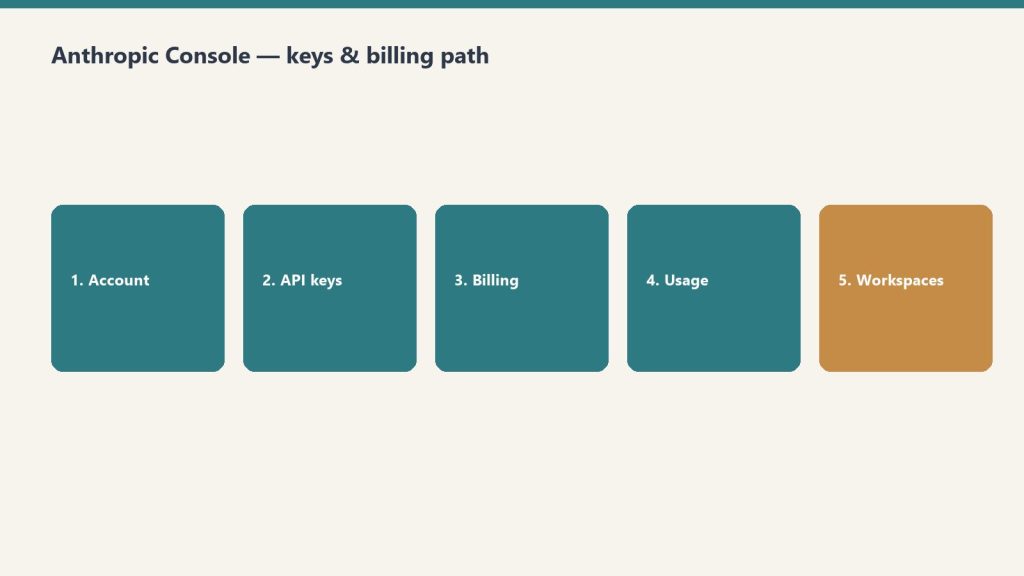
    Five-step path: account, API keys, billing, usage, workspaces
    Console path: account → keys → billing → usage → workspaces.

    Navigate to platform.claude.com and sign up with your email or Google account. You’ll need to add a payment method before you can make API calls. Anthropic uses a prepaid credit system — you load credits onto your account and API calls draw from that balance. New accounts start with a default spending limit that increases as you build usage history.

    API Keys: Creating and Managing

    Desk with laptop, checklist notebook, and billing card ready before creating an Anthropic API key
    API keys: create, name, store once — never paste into chat logs.

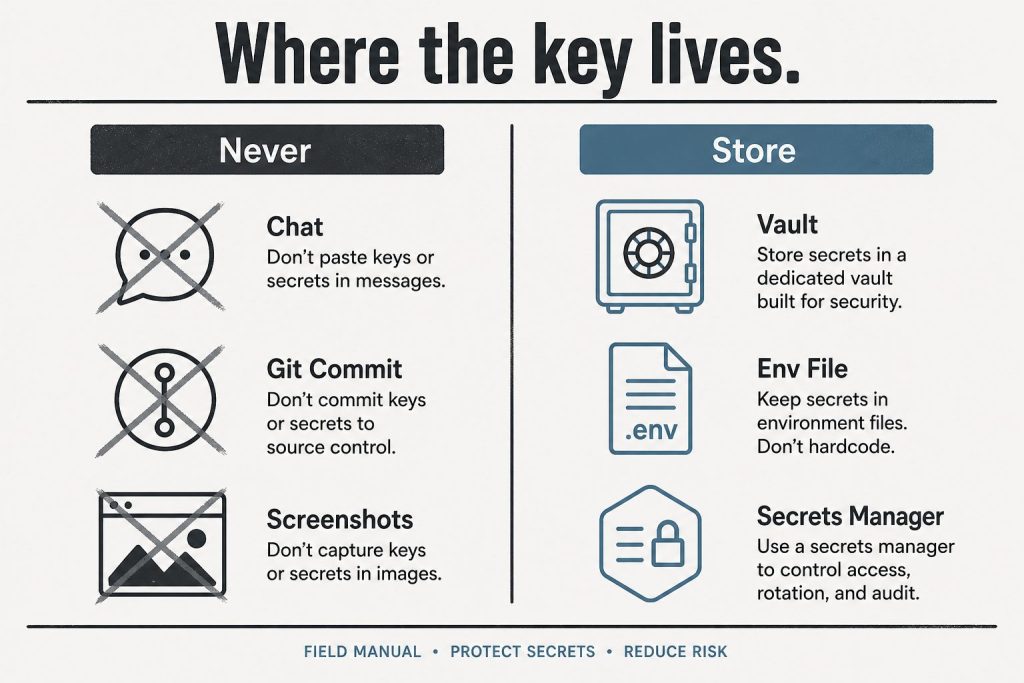
    API keys are generated in the console under the API Keys section. Each key begins with “sk-ant-” and should be treated as a secret credential. Best practices include creating separate keys for different applications or environments (development, staging, production), naming keys descriptively so you can identify which application uses which key, rotating keys periodically, and never committing keys to source control. If a key is compromised, you can revoke it immediately from the console without affecting your other keys.

    Billing and Usage Monitoring

    The billing section shows your current credit balance, spending history, and usage breakdown by model. You can view costs broken down by Opus, Sonnet, and Haiku usage, see daily and monthly spending trends, set up automatic credit top-ups, and configure spending alerts. Usage is reported in tokens — both input tokens (what you send to Claude) and output tokens (what Claude generates). The console shows real-time and historical usage data with charts that break down costs by model, feature, and time period.

    Workspaces and Team Management

    For organizations, the console supports workspace-level management. You can invite team members with specific roles, set per-user or per-workspace spending limits, view aggregated usage across your organization, and manage API keys at the workspace level rather than individually. This is particularly useful for agencies or development teams where multiple people need API access but you want centralized billing and usage controls.

    Rate Limits and Service Tiers

    Infographic with three panels: protect the service, fair share, and cost control explaining rate limits
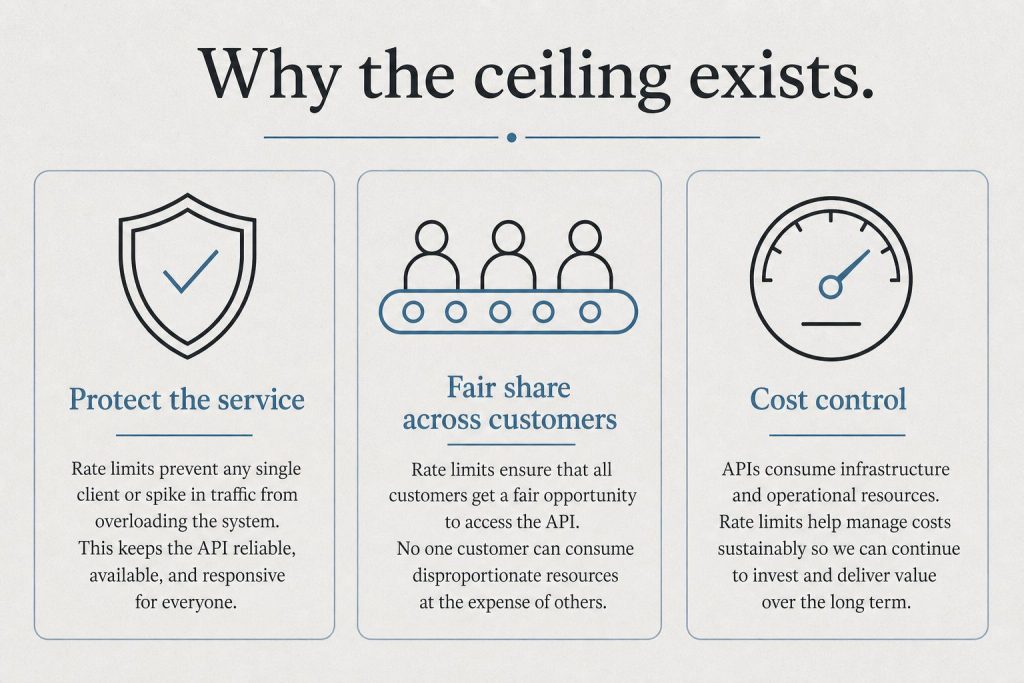
    Rate limits and tiers live next to billing — watch both.

    The console displays your current rate limits, which depend on your service tier. Anthropic offers three service tiers: Priority for when time, availability, and predictable pricing matter most; Standard as the default tier for both piloting and scaling everyday use cases; and Batch for asynchronous workloads processed together at 50% off. Rate limits increase as your account matures and your spending history grows. The console shows your current limits for requests per minute and tokens per minute across each model.

    Developer Documentation Access

    The console links directly to Anthropic’s developer documentation at platform.claude.com/docs, which includes API reference with endpoint specifications, SDK guides for Python and TypeScript, prompt engineering best practices, tool use and function calling documentation, vision and multimodal capabilities, and integration guides for AWS Bedrock, Google Cloud Vertex AI, and Microsoft Foundry.

    Console vs Claude.ai: Key Differences

    A common point of confusion: the Anthropic Console (platform.claude.com) is not the same as Claude.ai. Claude.ai is the consumer-facing chat interface where individuals and teams interact with Claude through conversation. The console is the developer-facing dashboard for API management, billing, and infrastructure. You can have accounts on both — your Claude.ai subscription (Free, Pro, Max, Team, Enterprise) is separate from your API credits on the console.

    Related on Tygart Media: API quickstart · Message Batches · how to use Claude.

    Frequently Asked Questions

    How do I access the Anthropic Console?

    Go to platform.claude.com and sign in with your Anthropic account. If you don’t have one, you can create a free account and add billing information to start making API calls.

    Is the Anthropic Console free to use?

    The console itself is free. You only pay for API usage based on the tokens consumed. There is no monthly fee for console access — you pay per token as you use the API.

    What is the difference between the Anthropic Console and the Anthropic Developer Console?

    They are the same thing. “Anthropic Console” and “Anthropic Developer Console” both refer to the dashboard at platform.claude.com where developers manage API keys, billing, and usage.

    Can I set spending limits on the Anthropic Console?

    Yes. The console allows you to set both per-workspace and per-user spending limits. You can also configure automatic credit top-ups and spending alerts to stay within budget.


    >Part of the complete guide: Working with the Anthropic API