Direct Answer (9 September 2026): Claude Cowork is the desktop workspace in the Claude app. It works on local files and apps you approve. It is not Chat and it is not the Chrome extension. Use Chat when the job is a conversation. Use Cowork when the job is a folder, a document, or a multi-step desktop workflow. It ships on Pro, Max, Team, and Enterprise — not Free.
Claude Cowork lets Claude work on the machine, not just talk about the work. Last verified 9 September 2026.
Chat vs Cowork vs Chrome
Chat — conversation, no local workspace.
Cowork — local files, Skills, desktop workflows in the Claude app.
Chrome extension — the page in the browser. Separate install. See Claude in Chrome.
Claude Cowork missing HCS services — the local helper stack did not start. Quit the Claude app, confirm disk space, relaunch. If it persists, reinstall the desktop app. Do not treat this as a chat usage-limit.
Failed to start Claude’s workspace / not enough disk space — free space on the volume that holds the workspace, then retry. Cowork and Code spin their own copy of the server.
Couldn’t start this server for Cowork and Code sessions — same class. The session runner failed to boot. Restart the app; do not keep retrying from Chat.
Cowork not working — confirm you are in the desktop app on a paid seat, not claude.ai Chat and not the Chrome side panel.
How Cowork works
How Cowork mode works.
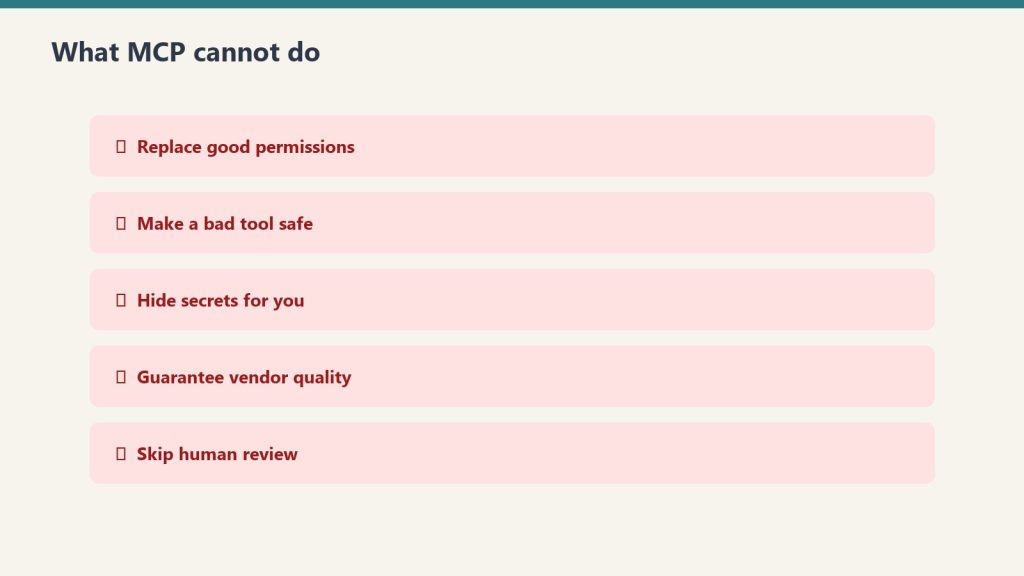
In the desktop app Claude can read folders you grant, write documents, run Skills, and call MCP tools. Actions ask for approval. It is not a silent screen-scraper.
What it can automate
File management, document creation (DOCX, XLSX, PPTX, PDF), data cleanup, and cross-app handoffs you approve. It is not a replacement for Claude Code on a repo.
Cowork vs Claude Code
Code is the terminal path for developers. Cowork is the visual path for operators. Both sit on Pro / Max / Team / Enterprise. Matrix: Cowork vs Code vs Agent SDK.
Getting started
Install the Claude desktop app. Open a Cowork session. Grant the folder. Describe the job. Approve the first file write before you let it run a batch.
Frequently Asked Questions
What is Claude Cowork?
Desktop workspace in the Claude app for files and local workflows.
Claude Pro costs $20/month. Claude Max costs $100 or $200/month. The question everyone asks: is 5x or 20x the price actually worth it? The answer depends entirely on how you use Claude. This comparison breaks down the real differences — not the marketing bullet points — so you can make an informed decision.
What Pro Gives You
What Pro gives you — stale-proof.
Pro at $20/month ($17/month annual) includes Claude Code, Claude Cowork, unlimited Projects, Research mode, access to additional models, and Claude for Microsoft 365 and Outlook. The usage allowance is described as “more usage” compared to Free — in practice, this means you can have sustained conversations throughout a workday without hitting limits under normal use. Most professionals who use Claude as a daily tool — a few hours of active conversation per day — find Pro sufficient.
What Max Adds
What Max adds.
Max comes in two tiers. The $100/month tier gives approximately 5x the usage of Pro. The $200/month tier gives approximately 20x. Beyond the usage multiplier, Max adds three concrete features: higher output limits for all tasks (longer responses, more complex code generation), early access to advanced Claude features before they reach Pro users, and priority access during high-traffic periods (you skip the queue).
The Fable factor: Max’s real exclusive
Direct answer: Max is now the only individual plan that includes Anthropic’s Fable models. On Pro, every Fable token runs on usage credits; on Max 5x and 20x, Fable is included up to half the weekly usage pool. If your work benefits from Fable — long-horizon agent loops with heavy cache reuse — this alone can decide the plan. Our Fable 5 pricing guide breaks down the $10/$50 headline rates and the 75% cache-read cut that Fable 5.1 brought on September 1.
Who Actually Needs Max
Who actually needs Max.
Heavy Claude Code users: If you spend 4+ hours per day actively using Claude Code for development — not just coding, but running extended agent sessions, multi-file refactoring, and complex debugging — you’ll likely hit Pro limits. Max 5x removes this friction. Content production teams: If you’re producing 10+ pieces of content per day through Claude, the usage adds up fast. Researchers and analysts: Extended research sessions with multiple deep-dive conversations consume significant tokens. Anyone who hits Pro limits regularly: If you see the “usage limit reached” message more than once or twice per week, Max pays for itself in recovered productivity.
Who Should Stay on Pro
Most individual professionals: If you use Claude for 1-3 hours per day with normal conversation patterns, Pro is plenty. Occasional users: If Claude is one of many tools in your workflow rather than the central one, Pro is more than enough. Budget-conscious users: At $20/month, Pro delivers extraordinary value. The jump to $100/month should be justified by measurable productivity gains. Users who haven’t hit Pro limits: If you’ve never seen the usage limit message, you don’t need Max.
When you hit the wall: usage credits
One newer mechanic worth knowing before you upgrade: when a paid plan hits its usage limit, usage credits keep Claude working at standard API rates instead of making you wait for the 5-hour reset window. Credits are pay-as-you-go on top of the subscription — the middle path for spiky weeks where one heavy project doesn’t justify a whole tier upgrade. If you hit Pro limits twice a month rather than twice a week, credits are usually cheaper than Max.
The Math on Max
Max 5x costs $80/month more than Pro. If that additional usage saves you 2+ hours per week of productivity (waiting for limits to reset, or time spent on tasks you could have delegated to Claude), and your time is worth $40+/hour, Max pays for itself. Max 20x at $200/month ($180 more than Pro) needs to save roughly 4.5 hours/week to break even at $40/hour. The early access and priority features are hard to quantify financially — they matter most for users who need Claude reliably during peak demand.
A Better Strategy Than Max
Before upgrading to Max, consider whether your usage patterns can be optimized on Pro. Use Projects to maintain context instead of repeating background in every conversation. Be concise in prompts — verbose prompts consume more tokens. Use the appropriate model (Haiku for simple tasks, Sonnet for standard work, Opus for complex reasoning). Close conversations you’re done with rather than continuing indefinitely. If you’re hitting limits despite these optimizations, Max is the right move.
How Claude usage limits actually work
Claude usage limits reset on a rolling five-hour window, and paid plans add weekly limits on top of that. There is no fixed number of messages.
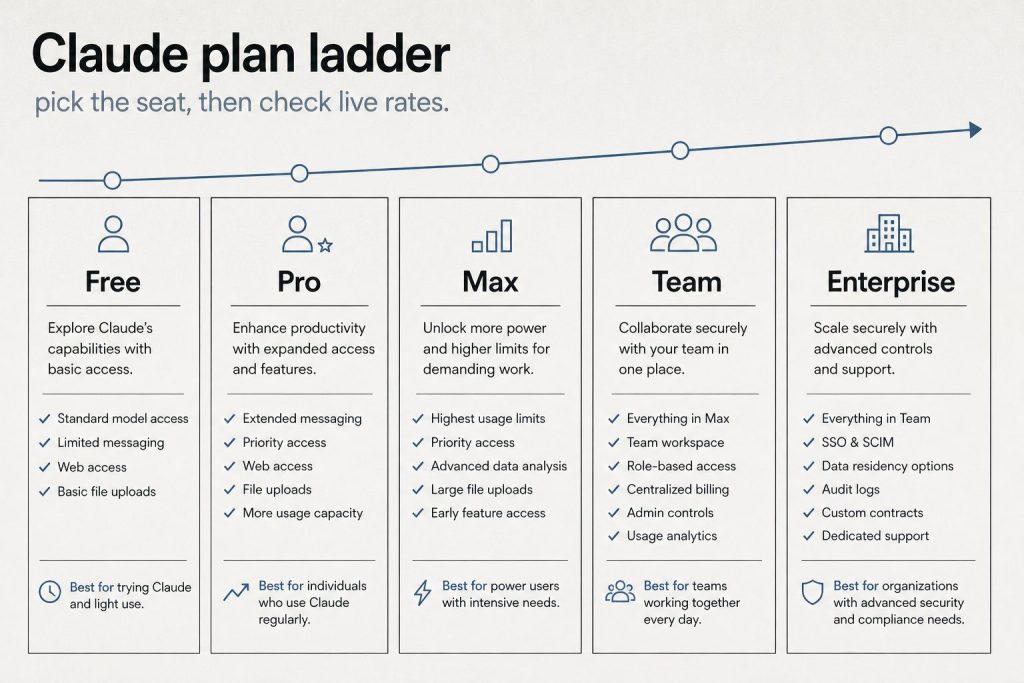
On claude.com/pricing, checked October 2, 2026, Free covers everyday questions. Pro includes at least 5x more usage per five-hour session than Free. Max includes 5x or 20x more usage per five-hour session than Pro. The Max card lists the plan from $100 per month and lets you choose the 5x or 20x option. Chat on the web, the desktop app, mobile, and Claude Code all draw from the same pool.
What spends the allowance is the work itself. A longer conversation, a heavier model, file creation, or research uses more of the window than a short question. Anthropic also says it may apply weekly or monthly caps, or limits on a specific model or feature, so one account does not crowd out everyone else. On the plan table, Fable is unavailable on Free, listed as usage credits on Pro, and listed as 50% of weekly limits on both Max options.
When a limit hits, the same page gives three moves: wait for the reset, move to a higher plan, or, on a paid plan, turn on usage credits and keep working at standard API rates. Settings, then Usage, shows the current status. Team seats use a different meter. A standard seat includes more usage than Pro, at $20 per seat per month billed annually or $25 billed monthly. A premium seat includes 5x the usage of a standard seat, at $100 per seat per month billed annually or $125 billed monthly.
A Claude API bill is input tokens plus output tokens, and output costs more than input on every current model. Prices below are US dollars per million tokens. Pricing checked October 2, 2026.
Fable 5.1: $10 input, $50 output
Opus 5.5: $4 input, $20 output
Sonnet 5.5: $2 input, $10 output
Haiku 4.5: $1 input, $5 output
The official table also lists older and retired models. Those rows are omitted here. Sonnet 5 is the same $2 input and $10 output as Sonnet 5.5, and Anthropic says the increase to $3 and $15 that had been scheduled for September 1, 2026 will not happen.
The model and the length of the reply do most of the damage. Output is five times the input price on each model above, so an agent that writes a long diff costs more than one that only reads. Three other switches change the same rates. The Batch API takes 50% off input and output when the job can wait: Fable 5.1 batch is $5 and $25, Opus 5.5 is $2 and $10, Sonnet 5.5 is $1 and $5, and Haiku 4.5 is $0.50 and $2.50. US-only inference on Claude 4.6 and later multiplies input, output, cache writes, and cache reads by 1.1. Fast mode, still a research preview, prices Opus 5.5 at $8 input and $40 output, and Opus 5 or Opus 4.8 at $10 and $50. Fast mode does not run on the Batch API.
Claude 4.6 and later include the full 1 million token context window at that same per-token rate. A 900,000-token request is billed at the same rate per token as a 9,000-token request. Claude 4.7 and later, and Mythos Preview, use a newer tokenizer that produces about 30% more tokens for the same text, so an unchanged document can cost more after a model move. Sonnet 4.6 and earlier use the previous tokenizer.
Tools add their own lines. The pricing page lists web search at $10 per 1,000 searches, separate from the tokens used to process the request. Code execution includes 50 free hours a day per organization, then $0.05 per hour per container.
Prompt caching saves money when the same long prefix is sent again inside a short window. You pay extra to store that prefix, then a fraction of the normal input price each time a later request reads it.
Anthropic’s docs, checked October 2, 2026, price a 5-minute cache write at 1.25 times the base input price and a 1-hour cache write at 2 times. A cache hit on most models costs 10% of the standard input price. The docs say 5-minute caching pays for itself after one cache read, and 1-hour caching pays for itself after two cache reads. Two current models are cheaper on the read: Fable 5.1 and Mythos 5.1 hits are $0.25 per million tokens, which is 2.5% of base input, and Opus 5.5 hits are $0.20 per million tokens, which is 5% of base input. On the standard table, a 5-minute write is $12.50 for Fable 5.1, $5 for Opus 5.5, $2.50 for Sonnet 5.5, and $1.25 for Haiku 4.5. A 1-hour write on those models is $20, $8, $4, and $2.
The buyers who come out ahead repeat a prefix: a long system prompt, a tool list, a standing document, or an agent loop that reloads the same context every turn. A one-off short chat has nothing to reuse. Cache writes are charged when the prefix is first stored. Cache reads are charged when a later request retrieves it, and a read also refreshes the entry. Those multipliers stack with the Batch API discount and with the 1.1x US-inference multiplier.
At the everyday paid chat tier, Claude Pro and ChatGPT Plus are both $20 a month. Above that, compare the usage multiple on the plan, and price the API separately from the subscription.
Checked October 2, 2026. Claude lists Free at $0, Pro at $20 a month or $17 a month when $200 is billed up front for the year, and Max from $100 a month with a choice of 5x or 20x more usage than Pro per five-hour session. OpenAI’s Help Center lists ChatGPT Plus at $20 a month, billed monthly, and two Pro tiers: $100 for 5x the usage of Plus, and $200 for 20x the usage of Plus. The Plus article says API usage is billed separately. ChatGPT Go appears as a lower plan; a current Go dollar price was not on the pages read for this check.
The meters differ even when the monthly price lines up. Claude draws web, desktop, mobile, and Claude Code from one pool, on a rolling five-hour window, with weekly limits added on paid plans. OpenAI’s Pro article says models can have separate allowances, and reaching one model’s allowance does not by itself end the plan. Pick the product whose limit matches the work.
API rates below are the standard paid tier, in US dollars per million tokens, from the same October 2, 2026 check. Where a vendor publishes a short-context rate and a long-context rate, both are included.
Claude Haiku 4.5 is $1 input and $5 output. Sonnet 5.5 is $2 and $10. Opus 5.5 is $4 and $20. Fable 5.1 is $10 and $50. Claude 4.6 and later keep that per-token rate through a 1 million token context window.
On OpenAI’s standard tab, gpt-6-luna is $0.10 input and $0.50 output for short context, and $0.20 and $0.75 for long context. gpt-6.1-sol is $2 and $10 short, and $4 and $15 long. gpt-6-astra is $10 and $50 short, and $20 and $75 long. The same page also publishes Batch, Flex, Fast, and Ultrafast rates.
On Google’s Gemini API, standard paid, Gemini 3.8 Flash is $0.75 input and $3.75 output through December 31, 2026, then $1.50 and $7.50. Gemini 3.1 Pro Preview is $2 input and $12 output on prompts up to 200,000 tokens, and $4 and $18 above that. Gemini’s output price includes thinking tokens.
The useful comparison is the shape of the bill. On all three, output tokens cost more than input tokens. OpenAI’s flagship models and Gemini 3.1 Pro Preview raise the per-token rate once a prompt crosses their long-context line. Claude’s current models keep one rate inside the 1 million token window. A repeated prefix is discounted on each platform under that platform’s own cache rules.
If you regularly hit Pro usage limits — especially heavy Claude Code users, content producers, or researchers — Max pays for itself in recovered productivity. If you’ve never hit Pro limits, stay on Pro.
What is the difference between Max 5x and Max 20x?
Max 5x ($100/month) gives 5x the usage of Pro. Max 20x ($200/month) gives 20x. Both include higher output limits, early feature access, and priority. Most users who need Max find 5x sufficient.
Can I switch between Pro and Max?
Yes. You can upgrade from Pro to Max or downgrade from Max to Pro at any time. Changes take effect on the next billing cycle.
Does Max include Claude Code?
Yes. Both Pro and Max include Claude Code. Max gives you more usage capacity for Claude Code sessions.
Does Claude Max include Fable?
Yes — Max is the only individual plan that includes Fable models, up to 50% of the weekly usage pool. On Pro, Fable usage runs on usage credits from the first token.
What are Claude usage credits?
Pay-as-you-go tokens billed at standard API rates that keep you working when a paid plan hits its limit, instead of waiting for the reset window. Ideal for occasional spike weeks.
Can I pay for Max annually?
No. Max 5x and Max 20x are monthly billing only. Pro is the plan with an annual option — $17/month billed yearly ($200 up front).
Manage it all from the Anthropic Console — API keys, billing, and a token-to-dollar cost estimator for your actual usage.
Claude has become a core tool for content teams — not as a replacement for human writers, but as a force multiplier that changes what’s possible with limited resources. This guide covers the practical workflows that professional content creators, SEO specialists, and marketing teams use with Claude in 2026, including where it excels, where it falls short, and how to integrate it into a production content operation.
Blog Posts and Long-Form Content
Blog posts and long-form with Claude.
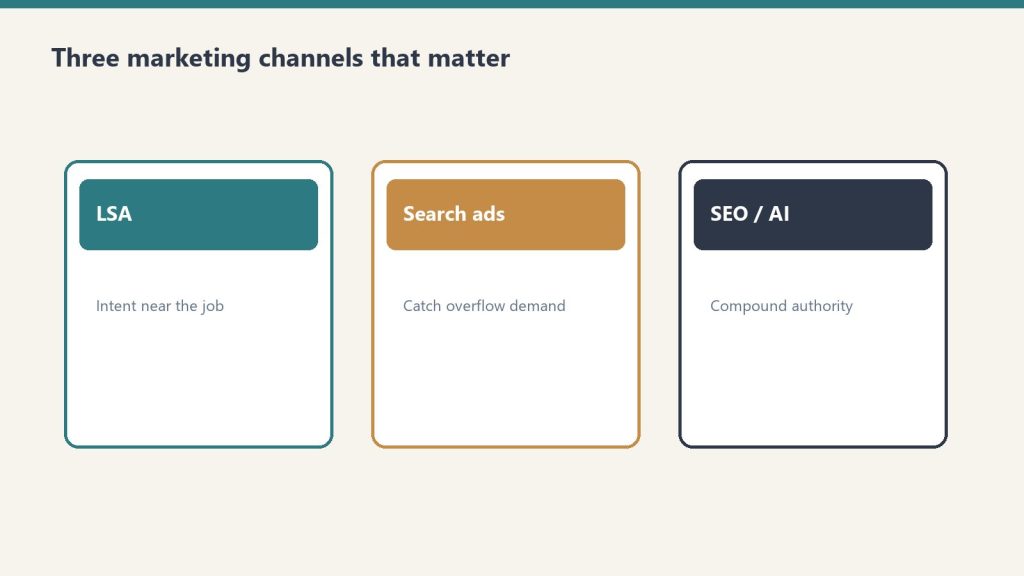
Claude excels at drafting long-form content when given proper direction. The key is providing a detailed brief — not just a topic, but the target keyword, the audience, the desired structure, the tone, competing content to differentiate from, and any specific data or examples to include. A well-briefed Claude request produces a first draft that’s 70-80% of the way to publishable, versus a vague request that produces generic filler.
Best practices for blog production: write a content brief first (or use Claude to help write one), include your brand voice guidelines in a Project, specify the exact structure you want (H2s and H3s), request specific word counts, and always edit the output for accuracy, originality, and brand alignment. Never publish AI-generated content without human review — this is especially important for factual claims, statistics, and technical accuracy.
SEO Content Optimization
SEO content optimization workflows.
Claude can analyze existing content for SEO improvements — identifying missing keywords, suggesting heading structure changes, improving meta descriptions, and recommending internal linking opportunities. Feed Claude your target keyword, your current content, and competitor content, and ask for specific optimization recommendations. Claude can also generate FAQ sections with structured data markup, which directly targets featured snippets and People Also Ask placements.
For new content, Claude can research keyword clusters, identify search intent, and draft content structured for both traditional SEO and emerging AI search optimization (AEO/GEO). The combination of web search capability and content generation means Claude can research a topic and draft optimized content in a single session.
Email Marketing
Claude handles email marketing content effectively — subject line variations, body copy, CTAs, and nurture sequences. The workflow that works best: share your product/service details and audience information in a Project, then request specific email types (welcome sequence, promotional, re-engagement, newsletter). Claude can generate multiple variations for A/B testing and adapt tone for different segments.
Social Media Content
Claude can repurpose long-form content into social media posts tailored for different platforms — LinkedIn articles and thought leadership posts, Twitter/X threads, Instagram captions, and Facebook updates. Provide the source content and specify the platform, tone, and any hashtag or formatting requirements. Claude adapts naturally between professional (LinkedIn), conversational (Twitter), and visual-caption (Instagram) styles.
Content Strategy and Planning
Content strategy and planning.
Beyond individual pieces, Claude can help with content strategy — editorial calendar planning, content gap analysis, persona development, and competitive content auditing. Upload your existing content inventory, share your business goals and target audience, and ask Claude to identify gaps, suggest topics, and prioritize based on potential impact. This is especially powerful with web search enabled, allowing Claude to analyze competitor content in real-time.
Quality Control and Accuracy
AI-generated content requires human quality control. Every piece should be checked for factual accuracy (especially statistics, dates, and specific claims), brand voice consistency, originality (run through plagiarism detection), legal compliance (disclaimers, disclosures), and genuine value to the reader. The biggest risk with AI content is not that it’s bad — it’s that it’s competent but generic. Human editors should push for the specific insights, examples, and perspectives that make content genuinely useful rather than just technically correct.
Yes. Claude can draft keyword-optimized content, generate meta descriptions, create FAQ sections with schema markup, and analyze content for SEO improvements. Human review for accuracy and originality is essential.
Should I use Claude to write my entire blog?
Use Claude as a drafting and optimization tool, not a hands-off content factory. The best results come from human-directed Claude drafts that are then edited for accuracy, brand voice, and genuine insight.
Can Google detect AI-written content?
Google has stated it focuses on content quality regardless of how it’s produced. The key is creating content that’s helpful, accurate, and provides genuine value — whether written by humans, AI, or both.
How much content can Claude produce per day?
On a Pro plan, a content professional can realistically produce 5-10 well-researched, edited articles per day with Claude assistance — compared to 1-2 without it. The bottleneck shifts from writing to editing and quality control.
Model Context Protocol (MCP) is an open standard created by Anthropic that lets Claude connect to external tools, data sources, and services. Instead of copying data into Claude manually, MCP gives Claude structured access to the tools you already use — databases, APIs, project management platforms, file systems, and more. MCP has become one of the most important developments in the AI ecosystem in 2026, and understanding it is increasingly essential for developers and technical teams.
What MCP Actually Does
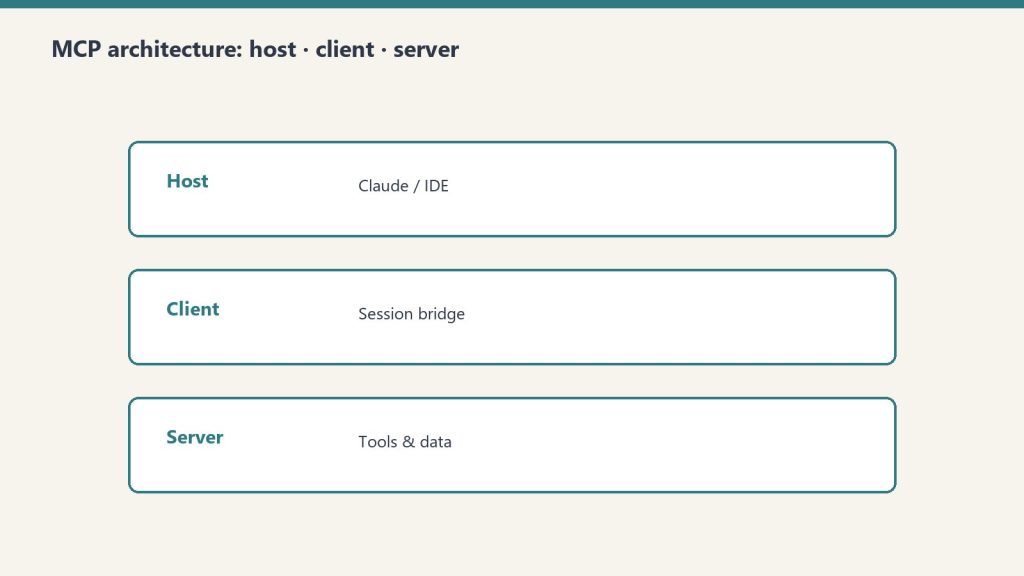
What MCP actually does — hosts, clients, servers.
At its core, MCP is a protocol — a standardized way for AI models to communicate with external services. Think of it like how HTTP standardized web communication or how SQL standardized database queries. MCP standardizes how AI assistants request and receive data from external tools. Before MCP, connecting Claude to a database required custom integration code. With MCP, you configure an MCP server that speaks the protocol, and Claude can query the database through that server using a standardized interface.
The Architecture: Hosts, Clients, and Servers
Architecture: hosts, clients, and servers.
MCP has three components. The host is the application where Claude runs (the desktop app, Claude Code, or a custom application). The client is the MCP client built into Claude that manages connections to MCP servers. The server is the service that provides tools, data, or capabilities to Claude. MCP servers expose three types of primitives: tools (actions Claude can take, like querying a database or creating a Jira ticket), resources (data Claude can read, like file contents or documentation), and prompts (pre-built interaction patterns).
Practical Examples
A Notion MCP server lets Claude read and write Notion pages and databases directly. A PostgreSQL MCP server lets Claude query your database. A Slack MCP server lets Claude read channels and send messages. A GitHub MCP server lets Claude interact with repositories, issues, and pull requests. A Sentry MCP server lets Claude access error tracking and debugging data. These aren’t hypothetical — they’re production tools that teams use daily.
Local vs Remote MCP Servers
MCP servers can run locally on your machine or remotely as hosted services. Local MCP servers run alongside the Claude desktop app and have access to your local environment — file system, local databases, development tools. They use the stdio transport (standard input/output) and require no network configuration. Remote MCP servers run as web services and are accessed over the network using Streamable HTTP or Server-Sent Events (SSE) transports. Remote servers can be shared across teams and don’t require local installation.
Token Cost Considerations
An important practical consideration: MCP tools add tokens to every conversation turn. Each configured MCP server’s tool descriptions are included in Claude’s context, consuming input tokens. If you have 10 MCP servers with 5 tools each, that’s 50 tool descriptions included in every request — potentially thousands of tokens per turn. Best practices include only connecting the MCP servers you actively need, using scoped configurations to limit which tools are available in which contexts, and monitoring your token usage to identify MCP-related costs.
Why Developers Care
Why developers care — less custom glue.
MCP matters because it transforms Claude from a standalone chatbot into a connected agent. Without MCP, Claude can only work with information you paste into the conversation. With MCP, Claude can pull real-time data, take actions in external systems, and operate as part of your existing toolchain. For development teams, MCP means Claude Code can interact with your entire development stack — version control, CI/CD, error tracking, documentation, project management — through a single standardized interface.
Getting Started with MCP
The fastest path is to install a pre-built MCP server for a tool you already use. The Claude desktop app’s settings include MCP server configuration. Add a server definition (the server command and its arguments), restart Claude, and the tools become available in your conversations. For custom integrations, Anthropic provides SDKs for building MCP servers in Python and TypeScript. The MCP specification is open — anyone can build a server for any tool.
MCP (Model Context Protocol) is an open standard that lets Claude connect to external tools and data sources — databases, APIs, file systems, and more — through a standardized interface.
Is MCP free to use?
MCP itself is free and open. MCP servers may be free (open source) or paid (commercial). The token costs from MCP tool descriptions are included in your regular Claude usage or API billing.
Do I need to be a developer to use MCP?
Basic MCP server setup requires some technical comfort — editing configuration files and running commands. Pre-built connectors in the Claude interface are simpler. Building custom MCP servers requires programming knowledge.
Can MCP be used with other AI models?
MCP is an open protocol. While Anthropic created it for Claude, other AI platforms and tools have begun adopting MCP as a standard for tool integration.
Anthropic is an AI safety company that happens to build a product, not a product company that happens to care about safety. That distinction matters. Every design decision in Claude — from how it handles sensitive topics to how it processes your data — traces back to Anthropic’s safety-first philosophy. This guide explains what that philosophy is, how it works in practice, and what it means for you as a user.
Constitutional AI: How Claude Learns to Behave
Constitutional AI — how Claude learns to behave.
Claude is trained using a methodology called Constitutional AI (CAI). Instead of relying solely on human feedback to determine what’s helpful and harmless, Claude is given a set of principles — a “constitution” — that guides its behavior. These principles cover helpfulness, harmlessness, and honesty. During training, Claude evaluates its own outputs against these principles and self-corrects. This produces more consistent behavior than pure human feedback, which can be noisy and contradictory.
In practice, this means Claude tends to be thoughtful about edge cases, transparent about uncertainty, and willing to push back when a request might lead to harmful outcomes — while still being maximally helpful within safe boundaries.
The Responsible Scaling Policy
Responsible Scaling Policy.
Anthropic’s Responsible Scaling Policy (RSP) is a framework that ties safety testing to capability levels. As models become more capable, the RSP requires more rigorous safety evaluations before deployment. The policy defines specific capability thresholds and the safety measures required at each level. This means Anthropic won’t release a model that’s significantly more capable without also implementing significantly more safety infrastructure. The RSP has been publicly documented and updated as the company has learned from deployments.
Interpretability Research
Anthropic invests heavily in interpretability — the science of understanding what happens inside neural networks. While most AI companies treat their models as black boxes, Anthropic’s research team publishes work on identifying how models store and process information, what individual neurons and circuits represent, and how to detect when a model might be reasoning in unexpected ways. This research directly informs safety work: if you can see inside the model, you can better identify and prevent harmful behavior.
Data Handling and Privacy
Data handling and privacy.
Anthropic’s data handling practices reflect its safety orientation. On Free and Pro plans, users can opt out of having their data used for model training. On Team and Enterprise plans, content is not used for training by default — this is an opt-out-by-default approach, not opt-in. Enterprise plans add custom data retention controls, so organizations can specify exactly how long their data is stored. The HIPAA-ready Enterprise option provides additional safeguards for healthcare data.
Corporate Structure as Safety Mechanism
Anthropic’s public benefit corporation (PBC) structure and Long-Term Benefit Trust (LTBT) are designed as institutional safeguards. The PBC structure legally requires balancing profit with public benefit. The LTBT can intervene if the company’s actions deviate from its safety mission. These aren’t just statements of intent — they’re legal mechanisms with real enforcement power.
What This Means for Users
For individual users, Anthropic’s safety approach means Claude is less likely to produce harmful, misleading, or biased content. It’s more transparent about what it doesn’t know. It handles sensitive topics with care rather than either refusing entirely or engaging recklessly. For business users, it means enterprise-grade security features, data handling that meets regulatory requirements, and a vendor whose incentive structure is aligned with long-term reliability rather than short-term growth at any cost.
Constitutional AI is Anthropic’s training methodology where Claude is given a set of principles (a “constitution”) and learns to evaluate and correct its own outputs against those principles, producing more consistent helpful and safe behavior.
Does Claude use my data for training?
On Free/Pro plans, you can opt out. On Team and Enterprise plans, your data is not used for training by default.
Why does Claude sometimes refuse requests?
Claude’s safety training teaches it to decline requests that could lead to harmful outcomes. It aims to be maximally helpful within safe boundaries. If Claude refuses something you think is reasonable, you can rephrase or provide more context.
Is Anthropic more safety-focused than OpenAI?
Anthropic was founded specifically as an AI safety company and has embedded safety into its corporate structure through PBC status and the LTBT. Both companies invest in safety, but Anthropic’s organizational design makes safety central rather than supplementary.
If you’re evaluating Claude AI, you’re probably also looking at the alternatives. The AI assistant market in 2026 has matured — each major platform has developed distinct strengths rather than trying to be identical. This guide compares Claude against ChatGPT, Gemini, Perplexity, Grok, Microsoft Copilot, and other options on the metrics that actually matter: pricing, capability, reliability, and fit for specific use cases.
Claude vs ChatGPT
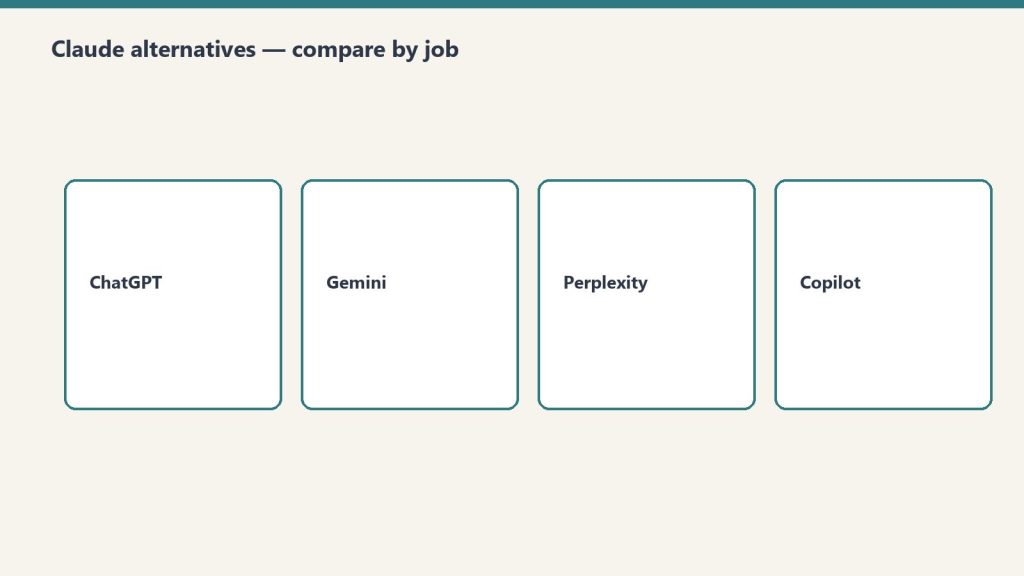
Compare alternatives by job — start with Claude vs ChatGPT.
The most common comparison. Both offer free tiers and $20/month Pro/Plus plans. Claude’s strengths are long-form writing quality, instruction following, code generation with Claude Code, and the 1M token context window. ChatGPT’s strengths are its ecosystem (plugins, GPT store, DALL-E integration), broader brand recognition, and strong general-purpose capabilities. For developers, the choice often comes down to Claude Code vs ChatGPT’s code interpreter and canvas features. For writers, Claude generally produces more nuanced, less formulaic output. API pricing is competitive between the two platforms at comparable model tiers.
Claude vs Google Gemini
Claude vs Gemini — different strengths, different seats.
Gemini’s key advantage is integration with the Google ecosystem — Gmail, Docs, Drive, Search, and Google Workspace. If your organization runs on Google, Gemini fits naturally into existing workflows. Claude’s advantages are stronger reasoning on complex tasks, better code generation, and more robust enterprise features (SCIM, audit logs, HIPAA). Gemini offers a generous free tier and is deeply integrated into Android. Claude is available on Google Cloud through Vertex AI, so organizations can use both within the Google ecosystem.
Claude vs Perplexity
Claude vs Perplexity — research seat vs general assistant.
Perplexity occupies a different niche — it’s primarily a search and research tool, not a general-purpose assistant. Perplexity excels at answering factual questions with cited sources, making it excellent for research and fact-checking. Claude is better for creative work, coding, analysis, and extended projects. Many professionals use both: Perplexity for research and fact-finding, Claude for drafting, analysis, and execution.
Claude vs Microsoft Copilot
Microsoft Copilot (powered by OpenAI) is embedded throughout Microsoft 365 — Word, Excel, PowerPoint, Teams, Outlook. If your organization is Microsoft-centric, Copilot has the integration advantage. However, Claude now offers Claude for Microsoft 365 and Outlook, giving it a presence in the Microsoft ecosystem as well. For standalone AI capabilities, Claude generally outperforms Copilot in reasoning, writing quality, and code generation.
Claude vs Grok
Grok, built by xAI, is integrated with the X (formerly Twitter) platform and has access to real-time social media data. Grok’s strength is current events and social sentiment analysis. Claude’s strengths are safety, reliability, enterprise features, and broader use case coverage. Grok appeals to users who want an AI with a less restricted personality and real-time social context.
Pricing Comparison
Free tiers: Claude, ChatGPT, Gemini, Perplexity, and Copilot all offer free access. Individual paid plans: Claude Pro $20/month, ChatGPT Plus $20/month, Gemini Advanced $19.99/month (often bundled with Google One), Perplexity Pro $20/month. Claude’s Max plan ($100-200/month) has equivalents in ChatGPT Pro ($200/month). At the API level, pricing varies by model class but is broadly competitive across major providers.
How to Choose
Choose Claude if you prioritize writing quality, code generation, enterprise security, and long-context processing. Choose ChatGPT if you want the broadest ecosystem of plugins and integrations. Choose Gemini if you’re deep in the Google ecosystem. Choose Perplexity if your primary need is research with cited sources. Choose Copilot if Microsoft 365 integration is your top priority. Many organizations use multiple AI tools — they’re not mutually exclusive.
Claude excels at long-form writing, instruction following, and code generation. ChatGPT has a larger ecosystem of plugins and integrations. Neither is universally “better” — the right choice depends on your use case.
What is the best free AI chatbot in 2026?
Claude, ChatGPT, and Gemini all offer strong free tiers. Claude’s free tier is notable for including web search, code execution, memory, and extended thinking at no cost.
Can I use Claude and ChatGPT together?
Yes. Many professionals use multiple AI tools for different tasks. At the API level, platforms like OpenRouter let you route requests to different models based on the task.
Which AI has the largest context window?
As of June 2026, both Claude (Opus and Sonnet) and Gemini support 1M+ token context windows. Claude’s 1M context is available at flat-rate pricing with no surcharge.
Claude AI is powerful, but getting the most out of it requires more than typing a question and hoping for the best. This guide covers the fundamentals — from signing up to writing prompts that produce genuinely useful output — so you can start getting value from Claude immediately, whether you’re using the free tier or a paid plan.
Getting Started
Getting started with Claude.
Go to claude.ai and sign up with your email or Google account. No credit card required for the free tier. Once you’re in, you’ll see a chat interface where you can start a conversation immediately. Claude is available on web, iOS, Android, and a desktop app for macOS and Windows. Your conversations sync across all platforms.
The Basics of Good Prompting
The basics of good prompting.
Be specific about what you want. Instead of “write me something about marketing,” try “write a 500-word blog post about email marketing best practices for small e-commerce businesses, focusing on subject line optimization and send timing.” The more specific your request, the more useful the output.
Provide context. Claude doesn’t know your situation unless you tell it. Share relevant background: your role, your audience, your constraints, your goals. “I’m a freelance graphic designer preparing a proposal for a client who sells organic skincare” gives Claude much more to work with than “help me write a proposal.”
Specify the format. Tell Claude how you want the output structured: bullet points, numbered steps, a table, a narrative paragraph, a code snippet. If you want a specific length, say so. If you want a specific tone (formal, casual, technical), specify that too.
Iterate. Your first prompt rarely produces the perfect result. Treat Claude like a collaborative colleague — give feedback, ask for revisions, and refine. “Make the tone more conversational” or “expand the section about pricing” or “now format this as an email instead of a document.”
Key Features to Know About
Projects: Organize related conversations and documents together. Create a Project for each client, each project, or each area of your work. Projects maintain context across conversations, so Claude remembers the background you’ve established.
Web search: Claude can search the internet in real-time to find current information. When you need up-to-date data, Claude will search, cite sources, and incorporate findings into its response.
Memory: Claude remembers things you tell it across conversations. If you share your preferences, your role, or your communication style, Claude applies that context in future conversations automatically.
Code execution: Claude can write and run code in a sandbox. Ask it to analyze data, create charts, process files, or test code snippets. The results are displayed directly in the conversation.
Extended thinking: For complex problems, Claude can engage in step-by-step reasoning before responding. This produces better results on math problems, logic puzzles, strategic planning, and multi-variable analysis.
File uploads: You can upload documents, images, spreadsheets, and other files for Claude to analyze. Upload a PDF contract for review, a CSV dataset for analysis, or an image for description.
Common Use Cases for Beginners
Writing assistance: Draft emails, blog posts, reports, proposals, social media content. Claude excels at adapting to different tones and formats. Research: Ask Claude to explain complex topics, summarize long documents, or investigate questions across multiple angles. Data analysis: Upload spreadsheets and ask Claude to find patterns, create visualizations, or generate summaries. Learning: Use Claude as a tutor — ask it to explain concepts, quiz you, or create study guides. Coding: Even non-developers can use Claude to write scripts, automate tasks, or build simple tools.
Mistakes to Avoid
Mistakes to avoid as a beginner.
Don’t assume Claude’s output is always correct — verify important facts, especially numbers, dates, and claims about specific companies or people. Don’t share sensitive personal information unnecessarily. Don’t treat Claude’s first response as final — iterate and refine. Don’t write vague prompts and expect specific results. Don’t ignore Claude’s caveats and limitations when it flags uncertainty.
Go to claude.ai, sign up for free, and start chatting. No credit card or technical setup required. Download the desktop app from claude.com/download for additional features.
What should I ask Claude AI?
Anything you’d ask a knowledgeable assistant: writing help, research, analysis, coding, brainstorming, summarization, explanation of complex topics, or task planning. Be specific about what you need.
How do I write a good prompt for Claude?
Be specific about your request, provide relevant context, specify the format and length you want, and iterate on the results. The more detail you give, the better the output.
Is Claude AI better than ChatGPT for beginners?
Both are capable tools with similar pricing ($0 free, $20/month paid). Claude is often praised for longer, more nuanced responses and better instruction-following. The best approach is to try both and see which fits your workflow.
Claude AI has moved from experimental tool to operational infrastructure for businesses of all sizes. But the question most decision-makers ask isn’t “what can it do?” — it’s “what’s the return?” This guide covers the concrete use cases where businesses are deploying Claude in 2026, a framework for calculating ROI, and real data from published case studies.
Engineering and Development
Engineering and development use cases.
Claude Code has become the primary productivity lever for engineering teams. Published case studies show 20-40% improvements in code velocity when teams adopt Claude Code systematically. The tool handles code review, test generation, debugging, documentation, and multi-file refactoring. Companies like Rakuten, TELUS, and Harvard have publicly shared their Claude Code adoption data. The key insight from rollout data: teams that establish clear workflows (plan mode, hooks, managed settings) see sustained adoption, while ad hoc usage tends to fade after the initial novelty.
Content and Marketing
Content and marketing workflows.
Marketing teams use Claude for content production at scale — blog posts, product descriptions, email campaigns, social media content, and SEO optimization. The ROI here is straightforward: if a content writer produces 3 articles per day without Claude and 8 with Claude, the per-article cost drops significantly. Claude for Microsoft 365 integration means teams can use Claude directly within Word and Outlook without switching contexts.
Sales and Customer Support
Sales teams use Claude for prospect research, call preparation, proposal drafting, and competitive analysis. Customer support teams deploy Claude through the API to handle first-line inquiries, draft responses for human review, and summarize long ticket histories. The combination of Claude’s natural language understanding and tool use (via MCP) means it can pull CRM data, check order status, and draft personalized responses in a single flow.
Legal and Compliance
Legal teams use Claude for contract review, regulatory research, and compliance documentation. Claude’s 1M token context window allows it to process entire contracts or regulatory documents in a single request. Enterprise features like audit logs, HIPAA readiness, and custom data retention make it viable for regulated industries. Law firms and legal departments report significant time savings on document review and research tasks.
Operations and Internal Productivity
Operations and internal productivity.
Beyond specialized functions, Claude serves as a general productivity multiplier. Teams use it for meeting preparation, report drafting, data analysis, process documentation, and internal communication. Cowork mode in the desktop app can automate cross-application workflows — moving data between tools, generating reports from multiple sources, and handling repetitive administrative tasks.
ROI Calculation Framework
Calculate Claude’s ROI for your organization with this framework. Time savings: estimate hours saved per employee per week. Multiply by the employee’s fully-loaded hourly cost. Quality improvements: reduced error rates in code, content, or customer communications. Speed to market: faster project completion times. Tool consolidation: Claude may replace or reduce spending on multiple SaaS tools (writing assistants, code review tools, research platforms). Total cost: subscription cost ($20-200/seat/month) plus any API usage. The break-even point for most teams is 2-3 hours of productivity gained per seat per month.
Choosing the Right Plan for Business
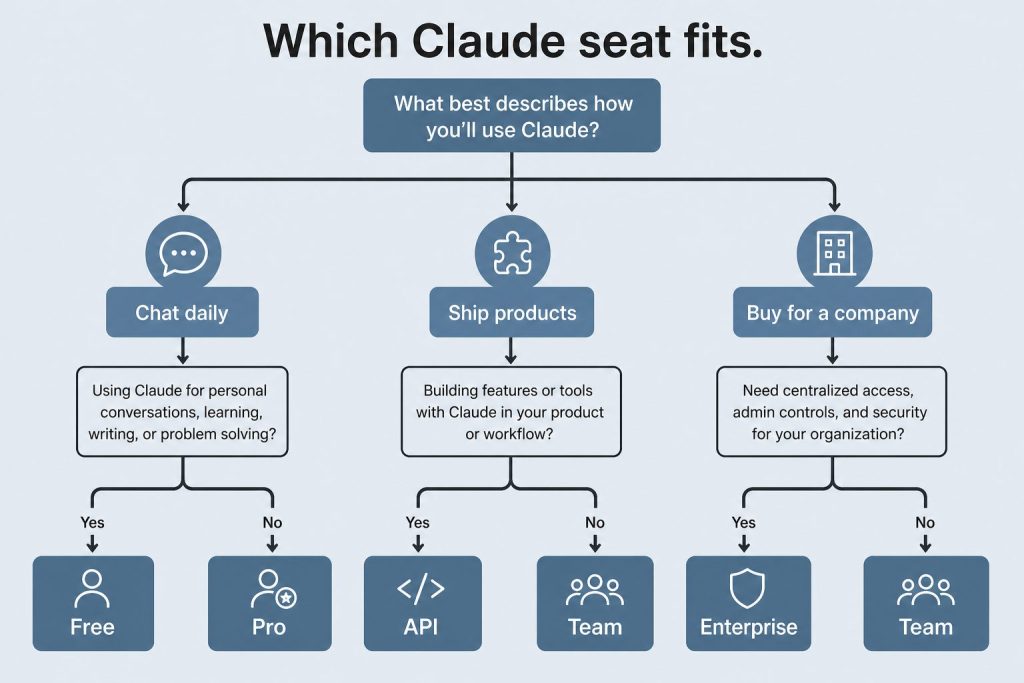
Small teams (5-20 people): Team Standard at $20/seat/month (annual). Growing companies (20-150): Team with a mix of Standard and Premium seats. Large organizations (150+): Enterprise with seat-plus-usage pricing. The decision matrix comes down to three factors: team size, security/compliance requirements, and power-user density.
Team plans start at $20/seat/month (annual billing) for Standard seats. Enterprise starts at $20/seat plus usage. A 20-person team on Team Standard costs $400/month or $4,800/year.
What is the ROI of Claude AI for businesses?
Most teams break even with 2-3 hours of productivity gain per seat per month. Published engineering case studies show 20-40% code velocity improvements. Content teams report 2-3x output increases.
Is Claude AI secure enough for enterprise use?
Yes. Enterprise includes SSO, SCIM, audit logs, compliance API, HIPAA readiness, custom data retention, and IP allowlisting. Content is not used for model training.
Can Claude replace our existing AI tools?
Claude can consolidate multiple point solutions — writing assistants, code review tools, research platforms, and customer support drafting tools — into a single platform, potentially reducing overall tool costs.
The Anthropic API gives developers programmatic access to Claude — the same models that power claude.ai, but accessible through HTTP requests or official SDKs. Whether you’re building a chatbot, automating document processing, or integrating AI into an existing application, this guide gets you from zero to your first API call in under 10 minutes.
Step 1: Create an Anthropic Account
Step 1: create the Anthropic account before you chase SDKs.
Go to platform.claude.com and sign up. This is the developer console — separate from claude.ai. You’ll need a valid email address. After email verification, you’ll land on the console dashboard where you can generate API keys and manage billing.
Step 2: Add Billing and Get Your API Key
Step 2: billing and API key path.
Navigate to the billing section and add a payment method. Anthropic uses a prepaid credit system — load funds and API calls draw from your balance. Once billing is set up, go to the API Keys section and click “Create Key.” Name the key descriptively (e.g., “my-first-project-dev”) and copy the key immediately — it starts with “sk-ant-” and won’t be shown again. Store it securely: in an environment variable, a secrets manager, or a .env file that’s in your .gitignore.
Step 3: Install an SDK
Anthropic provides official SDKs for Python and TypeScript. For Python: pip install anthropic. For TypeScript/JavaScript: npm install @anthropic-ai/sdk. Both SDKs handle authentication, request formatting, streaming, error handling, and retries. You can also use the raw HTTP API directly with any language that supports HTTP requests.
Step 4: Make Your First API Call
First API call — then watch rate limits and usage.
In Python, set your API key as an environment variable: export ANTHROPIC_API_KEY="sk-ant-your-key-here". Then write a simple script. Import the Anthropic client, create a message with the model name (e.g., “claude-sonnet-4-6”), specify the max tokens for the response, and pass your prompt. The response includes the generated text, token usage counts, and metadata about the request.
The API endpoint is Messages — you send a list of messages (with roles “user” and “assistant”) and Claude responds. System prompts are set separately to establish Claude’s behavior for the conversation. Each request is stateless — you manage conversation history by including previous messages in each request.
Available Models
The current production models and their API identifiers: claude-opus-4-6 (Opus 4.8 is the latest, but check the docs for exact model strings), claude-sonnet-4-6, and claude-haiku-4-5-20251001. Each model has different strengths. Opus is the most capable for complex reasoning and coding. Sonnet balances capability and cost. Haiku is the fastest and cheapest for high-volume, simpler tasks.
Key API Features
Streaming: Get responses token-by-token as they’re generated, reducing perceived latency. Tool use (function calling): Define functions that Claude can invoke to interact with external systems — databases, APIs, calculators. Vision: Send images along with text for multimodal analysis. Extended thinking: Enable Claude’s step-by-step reasoning for complex problems. Prompt caching: Cache system prompts and frequently-used context to reduce costs by up to 90%. Batch API: Submit multiple requests for asynchronous processing at 50% off.
Alternative Access Points
Beyond the direct Anthropic API, you can access Claude through Amazon Bedrock (AWS), Google Cloud Vertex AI, Microsoft Azure through Foundry, and third-party routers like OpenRouter. Each platform has its own authentication, pricing adjustments, and additional features. The direct API gives you the most control and typically the lowest latency.
The Claude desktop app is a native application for macOS and Windows that goes beyond what the web interface at claude.ai offers. While claude.ai gives you chat, the desktop app unlocks Claude Code (a terminal-based coding agent), Claude Cowork (desktop automation), local file access, MCP server connections, and deeper system integration. Here’s everything you need to know to get started and get the most out of it.
How to Download and Install
How to download and install the desktop app.
Download the Claude desktop app from claude.com/download. It’s available for macOS (Apple Silicon and Intel) and Windows. Installation is straightforward — run the installer and sign in with your Claude account. The app requires a Free, Pro, Max, Team, or Enterprise account. On macOS, the app supports both the standard installation and Homebrew. On Windows, the installer handles everything including system tray integration.
What the Desktop App Adds Over Claude.ai
What the desktop app adds over Claude.ai.
Claude Code: The terminal-based coding agent that can read your local codebase, make changes, run tests, and handle complex multi-file development tasks. Claude Code operates from your terminal with full access to your development environment — git, npm, pip, docker, and any other tools you have installed. It’s available to Pro, Max, Team, and Enterprise users.
Claude Cowork: Desktop automation mode where Claude can control your computer to accomplish tasks. Cowork can interact with applications on your screen, manage files, run scripts, and automate workflows that span multiple programs. It works within a secure sandbox with explicit permission controls.
Local file access: The desktop app can read and write files on your computer, which the web interface cannot do. This enables direct document editing, local data analysis, and file management tasks.
MCP server connections: The Model Context Protocol lets Claude connect to external tools and data sources — databases, APIs, project management tools, and more. The desktop app can run MCP servers locally, giving Claude access to your development stack.
Desktop extensions: Additional capabilities that extend Claude’s ability to interact with your local environment, available across all tiers including Free.
Key Features Available on All Plans
Even on the Free plan, the desktop app provides a native experience that’s faster and more responsive than the browser. You get keyboard shortcuts for common actions, system tray/menu bar access for quick invocation, offline access to your conversation history, and native notifications. The app syncs with your claude.ai account — conversations, Projects, and memory are shared between web and desktop.
Tips for Power Users
Use keyboard shortcuts to invoke Claude quickly without switching contexts. Set up MCP servers for your most-used tools to give Claude direct access instead of copy-pasting. Organize work into Projects — each Project maintains its own context, documents, and conversation history. Use Cowork mode for repetitive desktop tasks that span multiple applications. When using Claude Code, commit your work frequently — Claude Code operates in your real file system, not a sandbox.
Desktop App vs Claude.ai: When to Use Each
When to use desktop vs Claude.ai.
Use the desktop app when you need file system access, Claude Code, Cowork, or MCP connections. Use claude.ai when you’re on a device where the app isn’t installed, when you want quick access from a browser, or when you’re using a shared/public computer. Both interfaces access the same underlying Claude models and share your account data. Many users keep both available — the desktop app for deep work and the web interface for quick tasks.
The app itself is free to download and use. It works with all Claude plans including the Free tier. Claude Code and Cowork features require a Pro subscription or higher.
Does Claude desktop work on Linux?
As of June 2026, the Claude desktop app is available for macOS and Windows. Linux users can access Claude through the web interface at claude.ai or use Claude Code via the command-line installer.
Can the desktop app access my files?
Yes, with your permission. The desktop app can read and write local files, which is one of its key advantages over the web interface. File access is controlled through explicit permissions.
Do my conversations sync between desktop and web?
Yes. Conversations, Projects, and memory sync across the desktop app and claude.ai automatically.