AI strategy for operators: deploy Claude, automate real workflows, and build AI-native systems that compound. Field notes and playbooks from Tygart Media.
Claude Code has two billing models, and which one applies depends on how you run it, not just which plan you hold. When you use Claude Code interactively in the terminal or IDE on a Pro or Max plan, it draws from the same subscription usage limits as your Claude.ai chats. But starting June 15, 2026, Anthropic separates out programmatic usage: the Claude Agent SDK, the claude -p headless command, the Claude Code GitHub Actions integration, and third-party apps that authenticate through the Agent SDK will no longer count against your interactive subscription pool. Instead they draw from a new, separate monthly Agent SDK credit, billed at standard API rates. This page documents both models, the exact credit amounts per plan, and the SDK package rename you may also need to handle.
The two billing models at a glance
Two billing models at a glance — no sticky dollar stickers.
The dividing line is interactive vs. programmatic. One number to remember: setting an ANTHROPIC_API_KEY environment variable overrides your subscription entirely — Claude Code then authenticates with that key and bills as pay-as-you-go API usage, regardless of plan.
Usage type
How it runs
Billed against
Interactive Claude Code
Terminal or IDE, human at the keyboard
Pro/Max subscription usage limits
Claude.ai chat
Web, desktop, mobile
Pro/Max subscription usage limits
Agent SDK (Python/TypeScript)
Your own programmatic projects
Separate Agent SDK credit (from June 15, 2026)
claude -p (non-interactive)
Headless / scripted Claude Code
Separate Agent SDK credit (from June 15, 2026)
Claude Code GitHub Actions
CI/CD automation
Separate Agent SDK credit (from June 15, 2026)
Any usage with ANTHROPIC_API_KEY set
API-key auth instead of subscription
Standard API rates (pay-as-you-go)
What changes on June 15, 2026
Per Anthropic’s support documentation: “Starting June 15, 2026, Claude Agent SDK and claude -p usage no longer counts toward your Claude plan’s usage limits.” Each subscription tier instead receives a fixed monthly Agent SDK credit. When that credit runs out, additional Agent SDK usage flows to usage credits at standard API rates — but only if you have enabled usage credits. If you have not, “Agent SDK requests stop until your credit refreshes.” Unused credits do not roll over to the next billing cycle, and there is no automatic fallback to the interactive pool.
Plan
Monthly Agent SDK credit
Pro
$20
Max 5x
$100
Max 20x
$200
Team (Standard seats)
$20
Team (Premium seats)
$100
Enterprise (seat-based Premium)
$200
What stays on the interactive subscription pool, unchanged: Claude conversations on web, desktop, and mobile; and interactive Claude Code in the terminal or IDE. The change is scoped strictly to programmatic execution.
How each pool is metered and priced
How each pool is metered.
Claude Code “charges by API token consumption” — the underlying meter is input/output tokens, including thinking tokens billed as output. On a subscription, that token consumption is what counts against your plan limits (interactive) or your Agent SDK credit (programmatic). The Agent SDK credit and any overflow are billed at standard API list rates; the per-model API token prices below are the verified current rates.
Pool
Meter
Price basis
Interactive (Pro/Max)
Tokens, against plan usage limits
Included in subscription
Agent SDK credit
Tokens, against monthly credit
Standard API rates
Overflow past the credit
Tokens, usage credits
Standard API rates (only if usage credits enabled)
API key (ANTHROPIC_API_KEY)
Tokens, pay-as-you-go
Standard API rates
Verified current API token prices (per million tokens) for models commonly used in Claude Code:
Model
Model ID
Input $/Mtok
Output $/Mtok
Claude Sonnet 5.5
claude-sonnet-5-5
$2.00
$10.00
Claude Opus 5.5
claude-opus-5-5
$4.00
$20.00
Claude Fable 5.1
claude-fable-5-1
$10.00
$50.00
Claude Opus 4.8 (legacy — still listed)
claude-opus-4-8
$5.00
$25.00
Claude Sonnet 4.6 (legacy — still listed)
claude-sonnet-4-6
$3.00
$15.00
Claude Haiku 4.5
claude-haiku-4-5
$1.00
$5.00
Subscription plan prices
These are the published Claude plan prices the Agent SDK credits attach to. The Max 5x plan starts at $100/month; the $200 figure for Max 20x is documented as the matching Agent SDK credit amount for that tier.
Plan
Price
Free
$0
Pro
$20/month, or $17/month billed annually ($200 up front)
Max 5x
From $100/month
Team (Standard seat)
$25/seat/month, or $20/seat/month billed annually
The SDK rename: claude-code-sdk to claude-agent-sdk
Separate from billing, the SDK itself was renamed. Anthropic’s migration guide states: “The Claude Code SDK has been renamed to the Claude Agent SDK.” If you have code on the old package, you must update the package name, imports, and one Python type. The headless CLI command name is unchanged — it is still claude -p.
Building an app on the Agent SDK with subscription auth
Agent SDK credit (from June 15, 2026)
A team or service account wanting budgets + usage reports
Set ANTHROPIC_API_KEY → standard API billing
Does interactive Claude Code billing change on June 15, 2026?
No. Anthropic’s documentation confirms interactive Claude Code in the terminal or IDE, and Claude conversations on web, desktop, and mobile, continue using subscription usage limits as before. Only programmatic usage — the Agent SDK, claude -p, GitHub Actions, and third-party Agent SDK apps — moves to the separate Agent SDK credit.
How much is the separate Agent SDK credit?
$20/month on Pro, $100 on Max 5x, $200 on Max 20x, $20 on Team Standard seats, $100 on Team Premium seats, and $200 on Enterprise seat-based Premium. The credit is billed at standard API rates, does not roll over, and refreshes monthly.
What happens when the Agent SDK credit runs out?
Additional Agent SDK usage flows to usage credits at standard API rates — but only if you have enabled usage credits. If you have not enabled them, Agent SDK requests stop until your credit refreshes. There is no automatic fallback to your interactive subscription pool.
How do I avoid the credit pool entirely?
Set an ANTHROPIC_API_KEY environment variable. Claude Code and the Agent SDK then authenticate with that key and bill as standard pay-as-you-go API usage, separate from any subscription. This is Anthropic’s recommended path for apps, CI jobs, service accounts, and team-owned projects that need budgets and usage reporting.
Was the Claude Code SDK renamed?
Yes. It is now the Claude Agent SDK. The npm package @anthropic-ai/claude-code became @anthropic-ai/claude-agent-sdk, the Python package claude-code-sdk became claude-agent-sdk, and the Python type ClaudeCodeOptions became ClaudeAgentOptions. The claude -p CLI command name is unchanged.
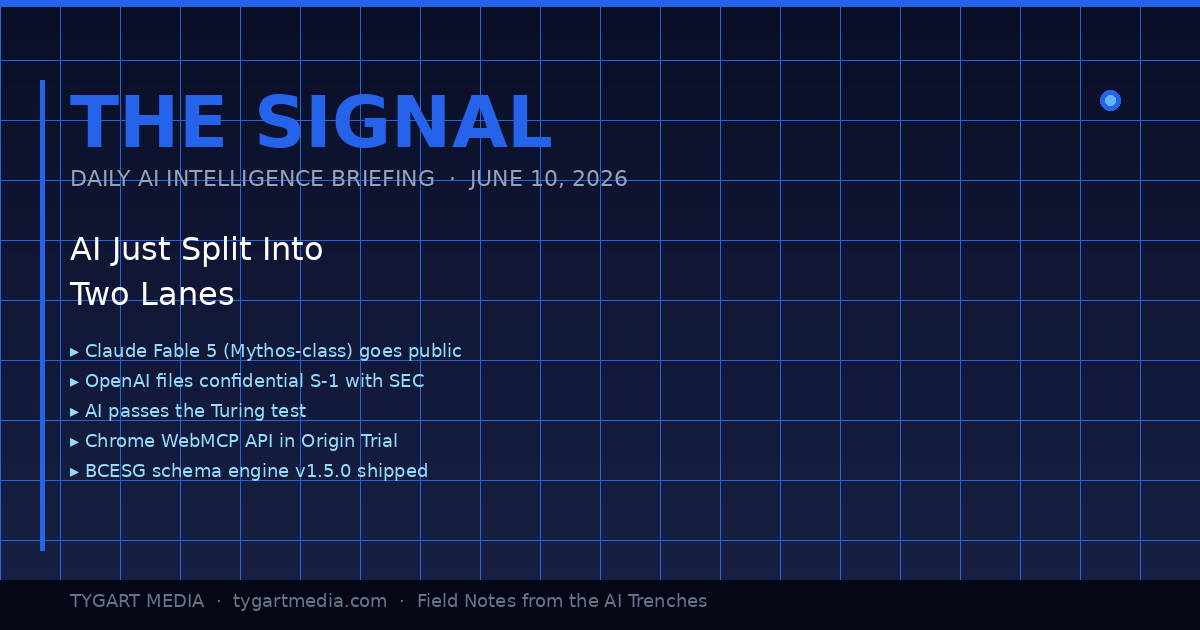
The Signal is a daily AI intelligence briefing from Tygart Media — field notes from someone who builds with these tools 12 hours a day, not someone who reads press releases about them. Each edition distills the day’s most consequential AI and search developments into what they actually mean for agencies, small business operators, and builders shipping real infrastructure.
June 10, 2026: The Day the Lanes Forked
The day the lanes forked — product vs infrastructure.
Today was the kind of day where you can feel the road forking under your tires. Not because one thing happened — because eight things happened simultaneously, and if you squint at the pattern, they all point the same direction: AI just stopped being a product category and started being infrastructure. The plumbing layer. The thing you build on top of, not the thing you buy.
I’ve been building with Claude since the Haiku days. I run it 12 hours a day across 20+ WordPress sites, a five-site knowledge cluster on Google Cloud, and a custom schema engine I shipped yesterday. When the landscape shifts, I don’t read about it on TechCrunch — I feel it in the tooling. And today, the tooling lurched forward in a way that matters.
Here’s the daily signal.
Claude Fable 5: Mythos-Class AI Goes Public
Anthropic launched Claude Fable 5 yesterday — the first publicly available Mythos-class model, a tier above Opus. Pricing is $10 per million input tokens and $50 per million output tokens. It’s the most capable model Anthropic has ever released to the general public, state-of-the-art on nearly every benchmark, and it comes with a fascinating constraint: queries on certain topics automatically route to Opus 4.8 instead, triggering in less than 5% of sessions. Anthropic is essentially saying: here’s the most powerful thing we’ve ever built, and we’ve installed guard rails at the edge cases where power becomes risk.
For agencies and small business operators, the practical read is this: Fable 5 is included on Pro, Max, Team, and Enterprise plans through June 22 at no extra cost. After that, it comes off the subscription tiers. If you’re building workflows that depend on Mythos-class reasoning, you have 12 days to test whether the capability justifies the API cost — or whether Opus and Sonnet handle your actual use cases just fine.
The real signal isn’t the model itself. It’s that Anthropic also doubled Cowork limits at no charge and shipped Claude Managed Agents in public beta. They’re not just selling you a smarter model — they’re selling you an operating system for delegating work to AI. That’s a fundamentally different product than a chatbot.
Meanwhile, I Was Building the Infrastructure Layer — Not Reading About It
Infrastructure layer work while the headlines chase models.
While the tech press was writing headlines about Fable 5, I was elbow-deep in the kind of work that actually turns these models into business value. Yesterday, across a 14-hour session, my team — which at this point is me and a fleet of Claude instances — shipped three things that matter more to my clients than any benchmark score:
1. bcesg-knowledge-api v1.5.0 — a custom WordPress plugin I built and deployed across BCESG.org that outputs a JSON-LD @graph array containing Article, FAQPage, Organization, WebPage, BreadcrumbList, Person (author), and speakable schema — all generated from 13 custom meta fields. This isn’t a schema plugin you install from the WordPress directory. It’s a purpose-built schema engine designed for one thing: making every page on the site machine-readable enough that AI systems cite it as an authoritative source. That’s Generative Engine Optimization at the infrastructure level, not the content level.
2. WordPress 7.0 across the entire knowledge cluster. All five sites — bcesg.org, restorationintel.com, riskcoveragehub.com, continuityhub.org, and healthcarefacilityhub.org — upgraded from WP 6.9.4 to 7.0. Why does this matter? Because WordPress 7.0 ships the Abilities API: agent-to-agent communication endpoints. That means my Claude-powered content pipelines can now negotiate directly with WordPress about what they’re allowed to do, without me acting as the middleware. The cluster just became AI-native infrastructure.
3. The stack around it. RankMath SEO installed with the schema module deliberately disabled — because the custom plugin handles schema, and two schema systems fighting each other is worse than none at all. IndexNow for instant search engine notification on every publish and update. Microsoft Clarity for behavioral analytics so I can see what humans actually do when they land on AI-optimized content.
And here’s the detail that would have been impossible to explain six months ago: the peer review on the bcesg-knowledge-api plugin was done by Claude Fable 5 reviewing the code that Claude Opus wrote. AI reviewing AI’s code. In production. On a live WordPress cluster. That’s not a demo — that’s Tuesday.
OpenAI’s S-1 and the $965 Billion Elephant
What the split means for operators building agents.
OpenAI filed a confidential S-1 with the SEC. They’re going public. Meanwhile, Anthropic hit a $965 billion valuation. These two facts, side by side, tell you everything about where the money thinks AI is going: it’s going to be the most valuable infrastructure layer since cloud computing, and the market is pricing it that way before most businesses have figured out how to use it.
For small business owners and agency operators, this isn’t abstract finance news. It means the tools you’re using today — Claude, GPT, Gemini — are backed by companies with enough capital to keep shipping improvements for years. The platform risk isn’t that these companies disappear. The platform risk is that you don’t build on them fast enough and your competitors do.
AI Passed the Turing Test. Now What?
A UC San Diego study published in PNAS confirmed that OpenAI’s GPT-4.5 and Meta’s Llama-3.1-405B both passed a standard three-party Turing test — with GPT-4.5 being identified as human 73% of the time when given a persona prompt, significantly more often than actual human participants. This has been treated as a milestone headline, and it is one, but the practical implication is more subtle than “AI can fool humans.”
What it actually means: the content quality bar just moved permanently. If AI can produce text that’s indistinguishable from a human expert, then the only content that wins is content with something AI can’t fake — lived experience, proprietary data, operational specifics, the kind of “I shipped this yesterday and here’s what happened” detail that no model can generate from training data. This is why I write The Signal as field notes, not as analysis. Analysis can be generated. Field notes from the arena cannot.
Chrome WebMCP: The Browser Becomes an AI Endpoint
Google shipped the Chrome WebMCP API in Origin Trial for Chrome 149 through 156. The Model Context Protocol — the same protocol that lets Claude connect to external tools, databases, and APIs — is now a browser-native capability. Web applications can expose structured tool interfaces that AI models call directly.
This is a bigger deal than it sounds. Right now, when Claude interacts with a web application, it’s either through a dedicated MCP server or through browser automation (clicking pixels on a screen like a human would). WebMCP means any web app can define a structured API surface that AI agents consume natively. For agencies building client tools, this is the moment your internal dashboards and client portals become AI-ready without a full backend rewrite.
If you’re running WordPress sites — and 43% of the web is — this has direct implications for how AI agents interact with your content management layer. The gap between “website” and “AI-accessible knowledge base” just narrowed dramatically.
The GPU Infrastructure Play: xAI Becomes an AI REIT
Elon Musk’s xAI, home of Grok, is increasingly looking less like an AI model company and more like a GPU real estate investment trust. They’re partnering with both Anthropic and Google to provide compute infrastructure. This is the clearest sign yet that the AI industry is stratifying into two distinct layers: model companies (who build the brains) and infrastructure companies (who build the data centers those brains run in).
For builders, this is good news. More compute supply means more pricing competition means lower API costs over time. The $10/$50 per million tokens for Fable 5 today will look expensive in 18 months.
The Security Layer Nobody’s Talking About
HashiCorp announced Boundary for agentic AI — access security specifically designed for AI agents that need to authenticate across multiple systems. And MemPalace shipped a local-first AI memory system with 96.6% recall accuracy and 29 MCP tools for Claude Code.
These aren’t headline products. They’re infrastructure connective tissue. When AI agents can securely authenticate across your entire tool stack (HashiCorp Boundary) and maintain persistent memory across sessions (MemPalace), you stop using AI for one-off tasks and start using it as a persistent operational layer. That’s the transition my agency is making right now — from “Claude helps me write articles” to “Claude runs the content pipeline while I focus on strategy.”
What This All Means: The Two-Lane Highway
Here’s the pattern I see when I lay these signals side by side:
Lane 1: The AI product lane. This is where most people are. They use ChatGPT to draft emails. They ask Claude to summarize documents. They treat AI as a productivity tool, like a faster Google or a better autocomplete. This lane is getting crowded, commoditized, and — with the Turing test results — increasingly indistinguishable from one provider to the next.
Lane 2: The AI infrastructure lane. This is where the alpha is. Custom schema engines. Agent-to-agent communication via the WordPress Abilities API. Browser-native MCP endpoints. Persistent AI memory. Secure multi-system authentication for autonomous agents. This lane is where you stop using AI and start building on AI — where it becomes the foundation layer of your operations, not an add-on.
The gap between these two lanes is widening every day. Today’s eight signals all point the same direction: toward a world where the businesses that win aren’t the ones that use AI tools the best, but the ones that build AI infrastructure the fastest.
I’m building in Lane 2. Yesterday it was a custom schema engine and a WordPress 7.0 cluster upgrade. Today it’s field-testing Fable 5 as a code reviewer. Tomorrow it’ll be whatever the next signal demands.
The question isn’t whether AI is going to transform your industry. That’s settled. The question is whether you’re in the arena building the infrastructure, or on the sidelines reading about people who are.
What is Claude Fable 5 and how does it differ from Claude Opus?
Claude Fable 5 is Anthropic’s first publicly available Mythos-class AI model, released June 9, 2026. It sits a tier above Claude Opus in capability, priced at $10 per million input tokens and $50 per million output tokens. Fable 5 is state-of-the-art on nearly all tested benchmarks and includes built-in safeguards that route certain queries to Opus 4.8, triggering in less than 5% of sessions. It’s available free on subscription plans through June 22, 2026.
What is the Chrome WebMCP API and why does it matter for businesses?
The Chrome WebMCP API, now in Origin Trial for Chrome versions 149 through 156, brings the Model Context Protocol natively into the browser. This allows web applications to expose structured tool interfaces that AI models can call directly — eliminating the need for dedicated backend integrations or browser automation. For businesses running web-based tools, dashboards, or WordPress sites, this means your existing applications can become AI-accessible without a full rebuild.
What is the WordPress 7.0 Abilities API?
The WordPress 7.0 Abilities API provides agent-to-agent communication endpoints, allowing AI-powered systems to negotiate capabilities and permissions directly with a WordPress installation. This transforms WordPress from a content management system into AI-native infrastructure where automated pipelines can query what operations they’re authorized to perform without human middleware.
What does AI passing the Turing test mean for content creators?
A UC San Diego study published in PNAS found that OpenAI’s GPT-4.5 and Meta’s Llama-3.1-405B both passed a standard three-party Turing test in 2026 — GPT-4.5 was identified as human 73% of the time with persona prompting. For content creators, this permanently raises the quality bar — the only content that wins is content with elements AI cannot fake: lived experience, proprietary data, operational specifics, and first-person field reports that no model can generate from training data alone.
What is Generative Engine Optimization (GEO) and how does it work?
Generative Engine Optimization is the practice of structuring web content so AI systems — including ChatGPT, Claude, Gemini, Perplexity, and Google AI Overviews — cite, reference, and recommend it. GEO involves entity enrichment, structured data (JSON-LD schema), authoritative citations, and machine-readable formatting. Unlike traditional SEO which targets search engine crawlers, GEO targets the large language models that increasingly mediate how users discover information.
How should small businesses approach AI infrastructure in 2026?
Start by moving from Lane 1 (using AI as a productivity tool) to Lane 2 (building AI into your operational infrastructure). Practical first steps include implementing structured data and schema markup on your website, setting up AI-optimized content pipelines, ensuring your site is crawlable by AI systems via protocols like LLMS.txt, and testing agentic workflows where AI handles multi-step operational tasks autonomously rather than single-prompt interactions.
What is a custom schema engine and why build one instead of using plugins?
A custom schema engine is a purpose-built WordPress plugin that generates structured data (JSON-LD) tailored to specific business objectives — in this case, AI citation optimization. Unlike off-the-shelf schema plugins that generate generic markup, a custom engine outputs precisely the entity relationships, author signals, and speakable content markers that AI systems use when deciding which sources to cite. The bcesg-knowledge-api plugin generates a seven-type @graph array from 13 custom meta fields, providing a level of control that no general-purpose plugin offers.
What is the significance of AI reviewing AI-written code in production?
When Claude Fable 5 peer-reviewed code written by Claude Opus for a production WordPress plugin, it demonstrated a mature AI development workflow where different model tiers serve different roles — one for generation, another for quality assurance. This mirrors human development practices (developer writes, senior reviews) but at machine speed and cost. It’s a practical example of how AI agent collaboration is already operational in real business infrastructure, not just research demos.
The Signal is published daily on Tygart Media by Will Tygart. Each edition distills the day’s most consequential AI, search, and technology developments into actionable intelligence for agencies, small business operators, and builders shipping real AI infrastructure.
What Claude in Chrome can and can’t do on LinkedIn
What Claude in Chrome can and can’t do on LinkedIn.
Task
Verdict
Notes
Summarize a profile
✅ Safe and useful
Read-only, no automation signal
Draft a personalized DM
✅ Safe and useful
You review and send manually
Research a company page
✅ Safe and useful
Read-only extraction
Summarize a post or thread
✅ Safe and useful
Read-only, no interaction
Auto-post to your feed
❌ High risk
Violates ToS, triggers automation detection
Auto-connect with multiple people
❌ High risk
Account restriction risk
Bulk message sending
❌ High risk
Spam detection, potential ban
The Claude for Chrome extension lets Claude see and act inside your browser. The obvious temptation is to point it at LinkedIn and have it post for you. Do not do that. Here is what the extension is genuinely useful for on a professional network – and the one job you should never hand it.
What to avoid: automated feed posting
What to avoid — automated feed posting.
Driving the browser to auto-post feed content is a high-risk move. Professional networks actively detect automation, it violates their terms of service, and it can get an account throttled or suspended. If you want scheduled feed posts, use a social scheduler’s official API – that is the supported, durable path, and the one that will not get your account flagged. The browser is an assistant, not a posting robot.
What it is actually good for
1. Paste-assist for long-form Articles
This is the real opportunity. Social schedulers – and every third-party tool – can only push short feed posts through the official API. Native long-form Articles and Newsletters have no public publishing endpoint, so they stay a manual copy-paste. That matters because AI engines cite long-form Articles far more often than short posts, by a wide margin. The most citation-valuable format is the one no tool can automate. That is exactly where an in-browser assistant earns its place: with you in the loop, it can help move a finished, formatted draft into the Article composer and tidy the formatting – turning a tedious manual paste into a guided one.
2. Multi-account navigation
If you operate a personal profile plus several company pages, the extension can help you move between already-authenticated sessions and keep track of which identity you are acting as – reducing the “posted from the wrong account” mistakes that come with juggling many pages by hand.
3. Research, review, and drafting
Reading a profile and summarizing it, scanning a feed for the day’s relevant threads, or drafting a thoughtful comment for your approval are all squarely in bounds. The assistant prepares; you decide and click.
How to do it safely
How to do it safely.
Keep a human in the loop on anything that publishes or sends – review before you submit.
Never bulk-send connection requests, messages, or comments. That is the behavior detectors look for.
Use the official scheduler API for anything recurring; reserve the browser for the manual, assistive steps.
Treat the extension as read-and-prepare by default, act-and-publish only with your explicit click.
Frequently asked questions
Can Claude auto-post to LinkedIn for me?
Not safely, and you should not try. Use a social scheduler’s API for feed posts. The browser extension is for assistive, human-in-the-loop work – especially the long-form Articles that no API can publish.
Why can’t scheduling tools publish Articles or Newsletters?
Because the platform exposes no public API for them. Feed posts have an endpoint; long-form does not. That limitation is shared by every tool, which is why the manual paste persists.
Is browser automation against the rules?
Automated posting and bulk outreach generally violate the terms and risk the account. Assistive, human-approved use – drafting, summarizing, helping you paste – is the safe lane. When in doubt, keep a person on the trigger.
For the bigger picture of how this fits a full content operation, see The AI Operator’s Stack.
Frequently Asked Questions
What is the Claude for Chrome extension?
Claude for Chrome (Claude in Chrome) is a browser extension that lets Claude see and interact with the page currently open in your browser. It can read page content, summarize what’s visible, draft responses based on what it sees, and in some configurations take actions like clicking or filling forms — depending on what permissions are active.
Can I use Claude to automate LinkedIn posts?
You should not. Professional networks like LinkedIn actively detect browser automation, and auto-posting violates their Terms of Service. Using Claude in Chrome to drive automated feed posting can result in account throttling or permanent suspension. Claude is useful for drafting post content, but you should always review and publish manually.
What is Claude in Chrome actually useful for on LinkedIn?
Legitimate high-value uses include: summarizing a prospect’s profile before a sales call, researching a company page, drafting a personalized connection request or DM based on what you read on a profile, and summarizing a post or comment thread. All of these are read-and-assist operations that don’t trigger automation signals.
Does using Claude in Chrome on LinkedIn violate their terms of service?
Read-only operations (summarizing, researching, drafting) generally do not violate LinkedIn’s terms. Automated actions (clicking, posting, connecting, messaging at scale) do. The key distinction is whether Claude is taking actions on LinkedIn’s platform autonomously versus helping you draft content that you then review and submit yourself.
How is Claude in Chrome different from a LinkedIn scraper?
Claude in Chrome reads what’s visible on the page you have open — it is not a bulk scraper that crawls hundreds of profiles automatically. It operates within your active browser session, one page at a time, and does not bypass LinkedIn’s normal page rendering. A scraper typically makes API calls or headless browser requests at volume; Claude in Chrome is a single-session reading assistant.
What Claude model powers Claude in Chrome?
Claude in Chrome uses Anthropic’s Claude models — currently Claude Sonnet 4.6 is the primary model for browser interactions, balancing capability and speed. Anthropic may update the underlying model over time. You can check your current model in the extension settings.
Most “AI stack” articles hand you a list of tools. This one is about the wiring between them, because that is where the leverage lives. After running a multi-brand content operation end to end – research, writing, publishing, and distribution to a couple dozen destinations – one lesson keeps repeating: the tools are commodities, and the connective tissue is the moat. Here is the whole machine, and how the pieces talk to each other.
One machine, four jobs
One machine, four jobs.
The stack has four jobs: capture an idea, produce the content, remember everything, and distribute it where both people and AI engines will find it. Miss any one and the system stalls.
1. Intelligence and intake
The front door is an “AI as PR team” intake: you drop a raw thought, a link, or a voice memo, and the model turns it into the right shapes – an outline, a short post, a full brief. A lightweight signal scraper watches a professional network for the language practitioners actually use and feeds those angles back as prompts, so the writing starts from how people really talk instead of a blank page.
2. Production
Claude is the reasoning engine. A content pipeline turns a brief into a structured article; an image model generates the visuals; and a set of “beat desks” – small scheduled agents, each owning one topic – research, draft, quality-gate, and self-publish to WordPress through its REST API. Every desk has a freshness gate: if there is nothing genuinely new and sourceable, it skips the run rather than manufacture filler. A clean skip is a successful run.
3. Record and state
Notion is the control plane – the registries, the per-desk specs, the run logs, the system of record. The governing principle is load-bearing: the model is not the runtime. Claude supplies judgment; durable execution lives on schedulers and cloud jobs; Notion holds the state. Separate those three and the machine keeps running whether or not anyone is watching it.
4. Distribution and grounding
This is the layer most stacks forget, and the one that compounds. Publishing to your own site is half the job; the other half is getting that content into the indexes search engines and AI assistants actually read. Two moves do the heavy lifting. First, IndexNow pings the Bing index the moment anything changes – that is how new and updated content gets grounded fast instead of waiting on a crawl. Second, a social scheduler fans a tailored post out to a professional network – a personal profile plus company pages – drafted first for human approval, never blasted.
Here is the part worth internalizing: that professional network matters far more than its follower count suggests, because it is one of the most-cited domains in AI answers. Since it flows into the same index that feeds AI grounding, every post is also a citation asset. You are not chasing likes – you are seeding the corpus that AI engines quote back to the next person who asks.
The loop that compounds
The loop that compounds.
The layers are not a straight line; they form a loop. A researched social post is a compressed seed. Crack it open into a full article cluster – a core piece, audience-specific variants, an FAQ, schema, internal links – publish those, then queue the new URLs back to the scheduler as future posts. Social feeds the site; the site feeds social; both feed the grounding layer. Content you already made becomes the raw material for what you make next.
Why every layer optimizes for citation
Why every layer optimizes for citation.
AI engines do not cite broad overviews. They cite operational specifics, head-to-head comparisons, and fresh, dated facts. So the whole stack is tuned for that: specific over general, “this versus that” where it genuinely helps a reader decide, and same-day freshness on anything that changes. The pages that earn the most citations are the least glamorous – the exact limits, the real configuration, the honest comparison – because those are the answers nobody else keeps current.
The honest edges
This is maintained, not magic. Long-form articles on a professional network have no public API, so that step is a manual paste – and it happens to be the most citation-valuable format, which means the highest-value action is also the least automatable one. Auth tokens expire and quietly break distribution until someone notices. Account IDs drift, so you verify live before any bulk action. The wiring is powerful precisely because keeping it wired is real work.
No, but you need to be comfortable wiring tools together – connecting an API, editing a config file, reading a log. The reasoning model closes much of that gap, but the operator still has to understand how the pieces connect.
Why optimize for Bing and not just Google?
Because the AI assistants people increasingly ask their questions to are grounded substantially on the Bing index. Winning that index is how you get cited in AI answers – a different and faster game than ranking on a traditional results page.
Is the social distribution automated?
The drafting is. Publishing is draft-first: the system stages every post for a human to approve before it goes live. Automation writes; a person decides.
The short version: In Claude Code, the prompt that asks whether to “Always Allow” or “Allow Once” isn’t really about security. It’s a question about your own systems. If you keep choosing Always Allow, the work is recurring — go build the automaton. If it’s honestly Allow Once, it’s a one-off — let it go instead of trying to remember it.
I spend most of my day inside Claude Code, and a tiny piece of the interface has been living rent-free in my head. Every time the agent wants to run a command, edit a file, or hit an API, it stops and asks: Always Allow, or Allow Once?
On the surface that’s a permission prompt. Click the box, move on. But after the hundredth time, I started to notice the choice was telling me something about how I actually work — and where I was leaving time on the table.
“Always Allow” means: go build the automaton
Always Allow means: go build the automaton.
Always Allow vs Allow Once: quick reference
Always Allow vs Allow Once — quick reference.
Signal
Always Allow
Allow Once
Task type
Recurring, repeating work
One-off, situational
Right response
Build an automation
Let it go — don’t memorize it
Security posture
Persistent permission for that tool+action
Single-use, no persistent grant
What it reveals
A system worth building
An edge case not worth systemizing
Risk if overused
Broad standing permissions accumulate
Missed automation opportunity
Here’s the pattern. If I find myself reaching for Always Allow, it’s because I’ve seen this exact action before. I’ll see it again. I trust it enough to stop being asked.
That’s not a permission decision. That’s a build order.
If an action is safe, repeatable, and I do it constantly, the right move isn’t to keep approving it forever — it’s to take it out of the prompt entirely. Turn it into a tool. Wrap it in a script. Register it as a skill. Put it on a cron so it runs whether I’m at the desk or not. The “Always Allow” click is the moment the work earns its own piece of infrastructure.
Most people stop at the click. They grant the permission and feel productive because the friction went away. But friction that shows up every single day isn’t friction you should approve — it’s friction you should engineer out. Every “Always Allow” is a quiet little flag waving at you: this deserves to be an automaton.
“Allow Once” means: let it go on purpose
The other side is just as useful, and it’s the part people get wrong.
When the honest answer is Allow Once — this is a weird one-off, I’m not going to do it again — the temptation is to write it down. Save the command. Add it to a doc. File it away just in case it ever comes back.
Resist that. A one-off doesn’t deserve a permanent home in your memory or your system. The cost of storing it isn’t the disk space — it’s the upkeep. Every note you keep is something you now have to organize, search past, keep current, and trip over later. Knowledge you save but rarely touch quietly rots, and stale knowledge is worse than none.
The way I think about it: it’s more fit to sift through the dirt than to re-sift the knowledge. If a one-off ever does come back, re-deriving it from scratch is cheap — you dig through the dirt once and you’re done. But re-sifting a giant pile of “just in case” notes, over and over, every time you go looking for the thing you actually need? That’s the expensive part. Forgetting a one-off on purpose is a feature, not a failure.
Why re-deriving usually beats remembering
This is really a question of economics, and it’s the same math whether you’re managing an AI agent or your own head.
Storing knowledge has two costs people forget about: the cost to keep it accurate, and the cost to find the signal inside it later. A one-off has a low chance of ever being needed again, so the expected payoff of saving it is tiny — while the drag it adds to everything else you’ve stored is real and permanent. Recurring work is the opposite: high chance of reuse, so it’s worth paying once to encode it well and never think about it again.
So the rule of thumb falls out on its own:
Recurring → encode it. Build the tool, the skill, the cron. Pay once, reuse forever.
One-off → forget it on purpose. Do the thing, then let it go. If it ever comes back, dig it up fresh — it’ll be faster than you think.
The mistake is doing it backwards: hand-running the recurring stuff every day because you never built the automaton, while hoarding a graveyard of one-off notes you’ll never open again. That’s how you end up busy and buried at the same time.
How to act on the tell in Claude Code
How to act on the tell in Claude Code.
Next time that prompt pops up, treat it as a tiny decision point instead of a speed bump:
You reached for “Always Allow.” Stop for a second. Ask: what would it take to make this prompt never appear again? An orchestration step, a saved skill, a scheduled job, a hook? Put it on the list. The prompt just told you what to build next.
You reached for “Allow Once.” Do it, then genuinely drop it. Don’t screenshot it, don’t file it. Trust that if it matters, it’ll show up again — and the second sighting is your real signal to build.
You’re not sure. That’s fine — “Allow Once” is the safe default. Two or three “Allow Once” clicks for the same action is the universe telling you it was an “Always Allow” the whole time.
None of this is really about Claude Code. The tool just happens to put the decision right in front of you, every day, in a little box. Most systems make you guess where your time is leaking. This one points at it and asks you to choose. (It pairs well with knowing when to use Plan Mode and when to skip it — same instinct, a different prompt.)
Recurring work wants to become an automaton. One-off work wants to be forgotten. The prompt already knows which is which. The only question is whether you’re listening.
Frequently asked questions
What’s the difference between “Always Allow” and “Allow Once” in Claude Code?
“Allow Once” approves a single action one time; the next identical action prompts you again. “Always Allow” approves that action or pattern going forward, so Claude Code stops asking. Functionally, “Always Allow” is how you tell the tool an action is safe and routine.
Should I use “Always Allow” in Claude Code?
Use it when an action is safe, repeatable, and something you do often — but treat each “Always Allow” as a signal to eventually build that action into a tool, skill, hook, or scheduled job so it leaves the prompt entirely.
Is “Always Allow” a security risk?
It can be if you grant it to broad or destructive actions. Keep “Always Allow” for narrow, well-understood operations, and lean on “Allow Once” for anything unfamiliar, destructive, or outward-facing.
When should I turn a Claude Code action into an automation?
When you’ve granted — or wanted to grant — “Always Allow” for it. That’s the tell that the work is recurring, and recurring, trusted work is worth encoding once as a tool, skill, hook, or cron so you never approve it by hand again.
Why shouldn’t I save one-off commands?
Because storing knowledge has ongoing costs — keeping it accurate, and sifting past it to find what you actually need. A one-off has little chance of reuse, so it’s usually cheaper to re-derive it later than to maintain it forever.
What does “more fit to sift through the dirt than to re-sift the knowledge” mean?
It means re-deriving a rarely-needed answer from scratch — sifting the dirt once — is cheaper than maintaining and repeatedly searching a hoard of saved notes, which is re-sifting the knowledge every time. For one-offs, forgetting is the efficient choice.
Frequently Asked Questions
What does ‘Always Allow’ mean in Claude Code?
When Claude Code asks to run a tool or shell command, ‘Always Allow’ grants a persistent permission for that specific tool and action combination. Claude will not ask again for that combination in future sessions. ‘Allow Once’ grants permission only for the current request — Claude will ask again next time.
Is it safe to click Always Allow in Claude Code?
It depends on the action. Always Allow for read operations (reading files, querying a database) is generally low risk. Always Allow for write or execute operations (editing files, running shell commands) creates persistent permissions that compound over time. The best practice is to use Always Allow deliberately for actions you will genuinely repeat, and Allow Once for anything new or situational.
What is the deeper meaning of Always Allow vs Allow Once?
The choice is a signal about your own workflow. If you keep clicking Always Allow for the same action, that’s the system telling you the task is recurring and worth automating. If it’s genuinely Allow Once, the task is a one-off and you shouldn’t try to systemize it. The prompt is less about security and more about recognizing patterns in your own work.
How do I review or remove Always Allow permissions in Claude Code?
Run ‘claude permissions list’ to see what standing permissions you’ve granted. Use ‘claude permissions reset’ to clear them, or edit the .claude/settings.json file in your project directory to remove specific entries. Review these periodically — accumulated Always Allow grants are a common source of unexpected autonomous behavior.
Does Always Allow apply to a specific project or globally?
By default, permissions granted with Always Allow are scoped to the project where you granted them (stored in .claude/settings.json). If you use the –global flag, they apply across all projects. Be cautious with global Always Allow grants for write/execute operations — they persist across every codebase you open.
Google’s real superpower was never search or ads. It was the door home — and I learned that at 2 a.m., locked out of my own life.
I locked myself out of my own account a little after one in the morning. I don’t even remember what I needed in there — something small, something that could have waited until daylight. What I remember is the password field refusing me, then refusing me again, and the cold drop in my stomach when I realized the keys to a dozen other things lived behind that one rejection.
So I did what everyone does. I grabbed my phone. I tried the recovery email, which routed to an account I also couldn’t reach. I tried the text-message code. I tried the security questions, answered years ago with half-truths I’d invented and instantly forgotten. I worked the recovery flow like a man patting his pockets at a locked door, and somewhere in there it landed on me that I was negotiating — not with a hacker, not with a thief, but with the company that decides whether I am still me.
I got back in by morning. Relief, and then a second feeling underneath it that wouldn’t leave: that was the product. Not the search box. Not the ads. The way back in.
I build access layers for a living. Second brains. A life-ranking system I call the Compass. The structured record a business can’t operate without — the institutional memory that walks out the door when the wrong person quits. Continuity systems for my wife Stefani, so the things she needs are still there on the days her memory isn’t. I’d been filing all of it under content and tooling. That night I understood I’d been mislabeling my own work — and I understood something about Google that most people have backwards.
Two things, not one
Two things, not one — login vs search.
Here is the distinction that reorganized everything for me, and I want to be precise, because the sloppy version of this argument is wrong.
Search and ads are how Google makes money. That’s the business model, the value capture, the line on the income statement. Anyone who tells you access “beats” advertising is comparing a turnstile to a cash register. They don’t sit on the same axis.
But there are two things going on, and we only ever talk about one. Ads are how Google makes money. Access is why you can’t make Google stop. The login, the password manager, the “Sign in with Google” button, the recovery flow when you’re locked out — none of it earns a dollar directly. Google gives it all away. It exists to defend the surface where the money gets made.
And that’s the part people miss: the layer that earns nothing is the layer you can never leave. Attention is rented by the day — a better answer wins the next query, a better feed wins the next scroll. Access is owned by the year. So I won’t tell you access is more valuable than attention. I’ll tell you something narrower and more interesting: access is more durable. It is the layer with its hand on the master switch, and it shows up on the books as a cost center, a free feature, a help-desk ticket — which is exactly why nobody guards against it.
Why the door beats the window
Why the door beats the window.
The mechanics are almost embarrassingly simple once you see them.
You can change your default search engine in a single setting. One click, a coffee break, done. Now try changing the thing that holds the keys to everything else. Imagine someone who’s used “Sign in with Google” across twenty or thirty services — and once you start counting your own, the number climbs faster than you’d like. That account isn’t an account anymore. It’s the hinge the whole house swings on. Lose it and you don’t lose one thing; you lose your bank login’s recovery path, your work tools, your tax software, your photos, the smart lock on your front door.
That’s the asymmetry. Search is a window you can swap in an afternoon. Access is the door the whole house hangs on — and the house has been quietly built around it.
This is switching-cost economics, and it has a clean shape. The hold a company has on you is its switching cost plus whatever its product is actually, presently better at. Advertising lives almost entirely on that second term — a marginally better result — which evaporates the instant a rival catches up. Access lives on the first, and the first only grows. Every new service you wire to that one login deepens the hold by one more door. Adding a lock is a single pleasant click. Removing it means re-keying every door at once, in parallel, under deadline, with permanent lockout as the price of getting it wrong. The pain isn’t additive. It’s combinatorial. That gap — between how easy it is to add the lock and how terrifying it is to pull it — is the moat.
Salesforce and SAP have lived inside this physics for decades, holding enterprise customers for twenty-five-year stretches, and nobody calls them content businesses. Google built the same thing for your whole life and handed it out for free.
The institutions confirmed it by where they aimed. When the U.S. courts found Google an illegal monopolist, the remedy went after the contracts — the roughly twenty billion dollars a year Google pays Apple to be the default, the exclusive default-search deals, now capped to one-year terms. But the court declined to break off Chrome or Android. It renegotiated who gets to answer the door and left untouched the company that built every lock, hinge, and recovery key in the house. Even the people dismantling the monopoly treated “who is the default way in” as the twenty-billion-dollar question — and left the deeper layer, the one that actually owns login, autofill, passkeys, and recovery, exactly where it was.
The thing it holds is a piece of your mind
I could have left it at economics. But the lockout didn’t feel like an economics problem at one in the morning. It felt like an amputation, and I want to take that feeling seriously, because it’s the truest part.
There’s an old argument in philosophy of mind — Andy Clark and David Chalmers, 1998, “The Extended Mind.” They imagine Otto, a man whose memory is failing, who writes what he needs in a notebook and consults it the way you and I consult the inside of our own heads. Their claim isn’t that the notebook helps Otto’s mind. It’s that the notebook is part of Otto’s mind — the storage just happens to sit outside his skull. If a process counts as remembering when it happens in your head, it counts as remembering when it happens in the world.
I read that and thought about Stefani. “Remember for her when she can’t” is Otto’s notebook, almost word for word. The philosophy was settled twenty-eight years ago: the thing that holds your memory for you is not a tool you use. It is part of the mind doing the remembering.
Then the cognitive science caught up with the philosophy. In 2011, Betsy Sparrow and her colleagues at Columbia tested how people handle information they expect to look up later. We don’t retain the information, they found — we retain where to find it. The brain offloads the content and keeps the pointer. We are becoming, in their phrase, symbiotic with our tools. Sit with that: human memory already ran my experiment and reached my conclusion. It threw away the fact and kept the way back in. Access beating content isn’t a strategy I invented. It’s how your own head now works.
Which means whoever holds the pointer holds the only half of the memory your brain bothered to keep. You can swap a search engine in a second. You cannot swap a piece of your own mind without something that feels, accurately, like a small lobotomy. An ad interrupts you. A lockout unselfs you. And the entity that hands you back in isn’t selling you a service. It’s returning you to yourself.
There’s a flip side I have to be honest about, because it’s the whole case for doing this carefully. Sparrow’s same line of research shows that offloading frees you up — trusting that something is safely stored elsewhere measurably improves your ability to learn the next thing. But it also shows the benefit reverses when the external store turns out to be unreliable. You end up worse off than if you’d never offloaded, because you pruned the internal copy and the external one failed you. Reliability isn’t a feature of a continuity layer. It’s the entire product. A second brain that might vanish doesn’t merely fail to help — it degrades the mind that came to depend on it.
The blade cuts both ways
So here’s where I turn the knife on my own argument, because the thing that makes access powerful is the same thing that makes it dangerous, and I don’t trust anyone who won’t say so.
Access is a pharmakon — Plato’s word, the one Derrida built on: the single substance that cures and poisons, depending on nothing but the dose and the hand that holds it. The recovery flow that rescued me at 2 a.m. is, mechanically, the identical system that means I can never fully leave. Not two features in tension. One feature, seen from two sides.
Android makes it literal. Factory Reset Protection turns a wiped phone into a brick until the original Google account is re-verified. The feature that stops a thief from using your stolen phone is the same feature that makes the device hostage to Google’s say-so. Protection and imprisonment, one mechanism — and Google isn’t retreating from this ground, it’s deepening it, because recovery is exactly where the bond forms. The company that saves you and the company that traps you are the same company. You’re just meeting it at two different moments.
Now let me take the strongest objections head-on, because the good ones are real.
“Switching costs approach infinity.” No. I used to say it that way, and it was wrong. People migrate ecosystems by the hundreds of millions and carry their photos and contacts with them. Phone-number portability was mandated and it worked. Passkeys are an open standard, and their own backers built a credential-exchange protocol specifically to make them portable between password managers. Europe’s data-portability law already forces Google to hand you everything. My own founding story refutes the infinity claim: I got back in by morning. The moat is high, it is real, and it is finite and shrinking by design — every serious regulatory and technical current of this decade is engineered to grind it down. And that cuts in my favor. If lock-in were infinite, “we’ll let you leave” would be a meaningless promise. It means something only because leaving is becoming genuinely possible.
“Isn’t ‘access as care’ just what every captor says?” Yes. Company towns called themselves family. AOL called itself a community. Every lock-in business in history has narrated itself as care, and the distinction is invisible at the exact moment it matters most — when you’re locked out, sick, grieving, laid off, and least able to audit whether anyone actually has your back. This is the real soft spot, and I won’t paper over it. Care cannot be declared. It has to be engineered — and provable by someone who never read the terms. Words are free. I’ll come back to what isn’t.
“Gratitude isn’t a moat — the 2 a.m. plumber gets it too.” Correct. The ER, the locksmith, roadside assistance, my own restoration clients on the worst day of their lives — they all bond at the moment of relief, and gratitude decays, and people shop their insurance anyway. So gratitude isn’t the moat. It’s the on-ramp. The midnight rescue doesn’t lock anyone in; it earns the first conversation. What keeps them is what you do after — and that’s a question of character, not a property of the crisis.
Care holds the same keys — and hands you a copy
Let me show you what the answer looks like before I argue for it.
Last winter one of my restoration clients walked into a commercial building with two inches of standing water across the floor — burst supply line, ceilings down, a decade of operating records soaking in a back office that also held the only copies of their continuity plan, their vendor contracts, their insurance file. By the time the water was out, the part they were most afraid of losing wasn’t the drywall. It was the paper. We’d already pulled their critical records into a structured store they could reach from a phone — indexed, searchable, theirs. The owner stood in the wreckage and opened the file on his phone, and the thing that could have ended the business was just there. Then the part that matters to this essay: when the job closed, the whole store exported in one motion, in formats their own systems could read, and went with them. No call to me. No ransom for their own records. They walked out with the keys in their hand, and the relief on the owner’s face was the entire argument I’m about to make, compressed into one moment.
That’s the difference between holding the keys for someone and holding them over them. Once you accept that the held thing is part of a person’s mind, the ethics stop being a garnish and become the architecture. Holding a piece of someone’s cognition and refusing to let them leave isn’t hard-nosed business; it’s closer to holding a self hostage. Holding that same piece while guaranteeing they can walk out with all of it, any time, without asking — that’s not a vendor. That’s a trustee. The oldest answer the law has to the question of how you hold something vital that belongs to someone else: you hold it for them, bound to their interest, returnable on demand.
The whole thing collapses to one question. Not do you hold the keys — someone always holds the keys. The question is whether you hold them for her or over her. Google books your access as its switching cost, an asset on its side of the ledger. The humane version books it as your asset, merely held in trust. Same keys. Opposite politics.
Which is why I keep coming back to the difference between a scaffold and a cage. Good scaffolding is built to come down — calibrated to do only what the person can’t yet do alone, withdrawn as they grow. A scaffold that never comes down isn’t support anymore; it’s a wall you’ve forgotten how to live without. “Remember for Stefani when she can’t” is the morally exact phrasing — contingent help for a real gap, not a blanket seizure of her agency. Do everything for someone and you don’t make them safe. You teach them they can’t.
And I’ll admit the moat I’m choosing is the weaker one. A lock-in moat is strong precisely because it’s coercive — you stay because you can’t go. A trust moat is fragile; one breach and it’s gone overnight. I’m choosing the fragile one on purpose, and not only because it’s right. Lock-in and care produce the identical retention number — ninety-nine percent stay either way — but for opposite reasons, and the difference only shows up the day switching becomes free. That day is coming: portability law, open credential standards, and soon an AI agent that can re-key your whole life in an afternoon. When it arrives, the captivity moat evaporates and the trust moat doesn’t even notice. Free exit isn’t charity — it’s the only hold worth having once leaving is easy and everyone knows it. I’m not being generous. I’m being early.
But I won’t let myself off with a promise, because a promise from an interested party is exactly what breaks the day the incentives flip — an acquisition, a cash crunch, a change of hands. So the care has to be built into things that survive my intentions. Export in open, ingestible formats — not a dead blob no other system can read, which is fake portability wearing a real coat. A published exit that works without anyone calling me. A governance mechanism that binds the company after it’s sold. Don’t trust my intentions. Trust the mechanism that outlives them. That’s the only honest answer to “every captor says that.” The test was never the happy customer. It’s whether the grieving spouse who never read a word of the terms can still get everything out, in one motion, with no call to me. Design for the person who can’t advocate for themselves, and the ethics stop being marketing.
The door is moving — to the agent
The door is moving — to the agent.
This is also the shape of the next decade, and it’s why I work the way I work.
Google holds the keys to your accounts. The AI agent is coming to hold the keys to your context — what you’re working on, what you decided last month, how you actually think and operate. That’s a deeper hook than a login, because a login gets you into the app, but context is the work. Search was a query you typed and forgot. The agent is a relationship that accumulates.
And there’s a real chance, for the first time, that the door doesn’t have to be a cage. The plumbing that lets an agent reach into your files, calendar, and tools — Anthropic’s Model Context Protocol — is being built as a shared, open standard rather than one company’s private wiring. I won’t call that settled or “neutral”; standards get captured, and this one is young enough to go either way. But open plumbing at least makes it possible to build an agent that reaches into everything you own without owning it. Access without capture is finally buildable, not merely sayable.
The trap is moving too — and getting subtler. The new lock-in isn’t your data. It’s the agent’s learned understanding of you, accreted day after day. You can export every chat log and still leave behind the part that actually knew you, because raw logs aren’t understanding, and no portability law reaches that gap. Which is the whole reason I build on Claude rather than treat any of this as theory: its memory has a delete button and an export button. You can read what it knows about you, change it, take it elsewhere, even bring your history in from somewhere else. That’s not a feature. It’s a thesis with a receipt — own the payload, walk out anytime, shipped.
I have to name the obvious dark mirror, because it’s already shipping. Microsoft Recall makes the identical pitch — we’ll remember everything for you — by quietly screenshotting your screen every few seconds into a local index. Same promise, opposite governance: a memory built about you, by default, that you didn’t author and can’t easily hand to anyone else. The pointer to your own mind, held on someone else’s terms. The seat for “Sign in with your agent” is still empty, but the room is filling — Recall, OpenAI’s persistent memory, Gemini woven through Android, Apple’s on-device intelligence are all reaching for it. Whoever defines what care looks like before that seat fills sets the norm for everyone after. That’s not a forecast from the bleachers. It’s the work.
What I’m actually building
So let me say what my portfolio really is, because I had it mislabeled too.
It looks like five businesses held together by nothing but my calendar — restoration clients, the second brain, the Compass, remembering for Stefani, the structured record a company can’t operate without. It’s one product. Each version shows up at the bottom — the moment of maximum vulnerability, when someone has the least to spare and the most to lose — takes custody of a piece of their continuity, and is built, from the foundation, to give all of it back. Continuity is the one thing the attention economy never touches: the durable layer a person or a business runs on — their records, their memory, their way back into their own life — the part that, if it vanished, would not just inconvenience them but unself them.
The attention economy fights for you when you have everything to spare, which is why it has to shout and why you resent it for shouting. The continuity layer shows up when you have nothing left, and arrives with relief. Bonds made at the bottom run deeper than impressions bought at the top — but only one kind of person should be trusted to be there at the bottom: the kind who hands you the key on the way in.
I’ll concede the last hard thing plainly, because a skeptic has already spotted it. Today, the part of my work that pays the bills is the discovery work — getting found, getting ranked, getting cited. The continuity layer is real but young, and I won’t pretend it has finished proving it can pay. Here’s how I think it does: not by charging for the data, which would just be the cage again, but as a held-in-trust retainer — an ongoing fee for keeping the lights on and the door unlocked, priced like what it is, a fiduciary relationship rather than a subscription you’re trapped inside. You earn the right to charge it by first being useful enough to be found. Discovery isn’t a contradiction of the thesis; it’s the front door. Attention comes first. It always did. The mistake is thinking it’s the destination.
And here’s the part I can’t dodge, the one that keeps me honest. The agent I’m betting on — the one that can re-key a whole life in an afternoon — is the same tool that dissolves my moat too. If re-keying is trivial, the switching cost protecting my own work goes to zero right alongside Google’s. I’m left holding nothing but the fragile thing: trust, provable on the day someone decides to leave. That isn’t a bug in my bet. It’s the point of it. The tool I’m wagering everything on is the one that guarantees I can never coast — it leaves me no hold on anyone except being worth staying with. I’d rather build on that than on a lock.
Which is where it lands, in one line I’ve earned the right to say now:
Don’t sell knowledge. Don’t sell content. Sell access to continuity — and prove it’s care and not a cage by handing the customer the key on the way in.
I learned that locked out of my own life at two in the morning, patting my pockets at a door, negotiating with the only entity that could tell me whether I was still me. Google taught me how much that door is worth. It just never taught me to hand anyone a copy of the key. That part’s on us — and the copy is the whole job.
Most of what a working AI system does happens in silence. The operator sees the output. The operator does not see the labor. The labor — the prompts that ran, the data that was queried, the small decisions made hundreds of times across a session, the loops that were entered and exited — happens in a quiet room the operator usually does not enter.
There is a small but important practice in periodically going to the quiet room and watching the work happen.
Why most operators don’t do this
The quiet room is dull. The labor is repetitive. Watching the system work is much less satisfying than reviewing the system’s output. The dashboard is the highlight reel; the quiet room is the practice. Most operators, given the choice, watch the highlight reel.
This is reasonable in the short term. It is dangerous in the long term. The operator who only ever sees the output develops an intuition for the output and no intuition for the labor. When the output is wrong, the operator who has been watching the labor knows which step to look at. The operator who has been watching only the output is stuck.
What the quiet room teaches
It teaches the texture of the system’s reasoning. Where the system pauses. Where it overcommits. Which kinds of inputs produce which kinds of paths. What looks like efficiency is actually default behavior versus actual judgment.
It teaches what the system does badly. Every working system has a set of small recurring inefficiencies — wasted lookups, redundant verifications, paths that loop slightly more than necessary. Most of these are invisible from the output. They are visible from the labor. Watching them gives the operator a real sense of what to optimize and what to leave alone.
It teaches when to trust. The operator who has spent time in the quiet room has a calibrated sense of where the system is reliable and where it is reaching beyond its competence. That calibration is not in the output. It is only in watching the work.
The practice
The practice is small. Once a week, instead of reviewing only the output, spend twenty minutes in the labor. Read the trace of a session that produced something. Watch the prompts the system used, the tools it called, the decisions it made about which path to take. Note where the labor surprised you — positively or negatively. Update the working model.
This is unglamorous. It does not produce anything. It does not show up in the dashboard. It is a deposit in an account the operator will draw on six months from now when something does not look right and the operator has to decide whether to trust the system’s read.
The closing read
The output is the public face of the system. The quiet room is where the system is actually built. The operator who knows only the public face will, eventually, be surprised by the system. The operator who has been to the quiet room periodically — even briefly, even unsystematically — will not be. That is most of what calibration is. There is no shortcut for the labor of watching the labor.
The Architecture of Delegation: Moving Beyond the Chat Interface
The architecture of delegation — beyond the chat interface.
I spent today wiring Claude Code to boss around the Gemini CLI, clearing a 1,256-post WordPress tagging backlog without a single hallucinated tag. If you operate an agency or manage technical strategy at any reasonable scale, you already know the fundamental truth about current AI tools: the chat interface is a massive bottleneck. Copying, pasting, and waiting for a typing animation isn’t a workflow; it’s theater. Real, scalable throughput requires system-to-system communication and architectural delegation.
The goal for today wasn’t just to write a python script. The goal was to establish a functional hierarchy between two distinct AI systems operating locally on my machine. Claude Code, operating directly in my terminal, would act as the lead engineer and orchestrator. It would handle the logic, map out the API calls, write the Python bridges, and manage the error handling. Gemini, accessed via its official command-line interface, would act as the high-context, high-throughput worker.
The setup was brutally simple but effective. I installed the Gemini CLI using a standard node package manager command (npm install -g @google/gemini-cli) and authenticated it with a Google One AI Ultra account. This gave my local environment direct, command-line access to Google’s most capable models without needing to manage raw API keys or custom curl requests. From there, Claude Code was instructed to shell out via bash, calling the gemini command non-interactively to pass massive data payloads for processing, and then ingesting the structured output back into the orchestration pipeline.
It is an assembly line in the truest sense. Claude builds the machinery and defines the parameters; Gemini operates the heavy press, stamping out classifications at a volume that would break a standard chat context window.
Quantifying the Backlog and the Taxonomy Threat
Before you throw compute at a problem, you have to measure it accurately. I directed Claude to run a full audit of tygartmedia.com using the native WordPress REST API. The numbers came back clean, but the scale of the maintenance debt was daunting.
Total published posts: 2,529 individual pieces of content.
SEO infrastructure: RankMath confirmed healthy and active across the board.
Existing tag vocabulary: 931 distinct, strategically established tags.
The deficit: 1,256 posts sitting entirely untagged, orphaned from the site’s primary taxonomy.
In the past, solving this was a lose-lose proposition. It was either a job for a junior employee spending three agonizing weeks in the wp-admin panel, or it was a job for a messy automated script that inevitably hallucinates a thousand new, slightly misspelled tags. When you let an LLM tag 1,256 posts without strict, physical constraints, you don’t get an organized site. You get “Marketing”, “marketing”, “digital-marketing”, and “Digital Marketing Strategy” added as four completely separate taxonomy terms, permanently bloating your wp_terms table and diluting your internal link equity.
The constraint I set for this pipeline was absolute. The system had to read the 1,256 untagged posts, assign 5 to 8 highly relevant tags to each post, and only use tags from the exact 931-item vocabulary we already had. Zero deviation. Zero hallucination. If a perfect tag didn’t exist in the vocabulary, the system had to settle for the closest existing match rather than inventing a new one.
The Pilot Test and the Strict JSON Constraint
We started small to validate the pipeline. Claude pulled a pilot batch of 10 untagged posts from the WordPress API, along with the complete, raw list of 931 acceptable tags. It packaged this massive block of text into a single, dense prompt and fired it over to the Gemini CLI.
The instruction was clear and unforgiving: read the text of the posts, evaluate them against the vocabulary, and return ONLY a valid JSON object. I did not want markdown formatting. I did not want a polite introductory sentence. I needed a raw JSON string mapping each specific post_id to an array of its assigned tag IDs.
If you’ve spent any significant time wrestling with large language models, you know that asking for strict adherence to a vocabulary and strict, unformatted JSON output is exactly where things usually break down. Models inherently want to chat. They want to explain their reasoning. They want to invent a 932nd tag because it felt slightly more semantically accurate for a specific paragraph.
Gemini didn’t flinch. It processed the prompt and returned a raw, perfectly formatted JSON string directly to the standard output. Claude parsed it in memory, validated the suggested tags against the local vocabulary list, and found a 100% match rate. Every single tag suggested by Gemini was real. There was no conversational filler, no missing structural brackets, and no invented taxonomy. Claude immediately took that JSON, formatted the correct POST requests, and pushed the updates back to WordPress via the REST API.
Scaling Up: Hitting the Windows Bottlenecks
With the pilot completely successful, it was time to scale. Processing 1,256 posts one by one is inefficient, both in terms of time and system calls. We grouped the remaining posts into chunks of 25. This meant Claude would need to loop through roughly 50 distinct batches. For each batch, it would dynamically construct the prompt with the 931 tags and the 25 new post payloads, call Gemini, parse the resulting JSON, and patch the WordPress database.
That is where the friction started. Building a local orchestration pipeline means you are no longer just dealing with AI limitations; you are dealing with local OS limits. Windows had two specific, technical walls waiting for us.
Failure 1: WinError 2 (File Not Found)
The initial Python orchestration script used the standard subprocess.run(['gemini', '-p', prompt]) command to invoke the CLI. It failed almost immediately with a WinError 2. The issue? When npm installs global packages on a Windows machine, it doesn’t create a raw binary; it creates a .cmd wrapper. Python’s subprocess module doesn’t automatically resolve these wrappers unless you pass shell=True, which introduces a host of security and string parsing headaches. The clean, robust fix was forcing Claude to locate the executable and use the absolute, fully qualified path to gemini.cmd in the subprocess call. It’s a minor detail, but one that breaks entire automation pipelines if you don’t know what you’re looking at.
Failure 2: “The command line is too long”
Once the executable actually resolved, the script crashed again on the very first batch. Windows threw a fatal error: “The command line is too long.” Windows enforces a strict character limit on command-line arguments—roughly 8,191 characters depending on the exact environment. Our dynamically generated prompt, containing the full text of 25 blog posts and 931 taxonomy terms, hovered around 20KB. Trying to pass that payload via the standard -p argument flag was physically impossible for the operating system to handle.
The solution was architectural. Instead of trying to cram the prompt into an argument, Claude rewrote the Python script to pipe the prompt directly into Gemini’s standard input (stdin). By restructuring the workflow to write the 20KB payload to a temporary text file on disk, and then piping it via a standard input redirect (gemini < prompt.txt), we bypassed the OS argument limit entirely. The data flowed, and the pipeline spun back up to full speed.
The Verdict: The Orchestrator vs. The Worker
The orchestrator vs the worker.
Watching this script hum through 50 consecutive batches crystalized a specific, actionable opinion about the current state of local agentic workflows. You do not need one god-model to do everything; you need specialized roles operating within a hierarchy.
Claude Code is unmatched as an orchestrator. It understands the local filesystem, it navigates REST API documentation with ease, it writes robust, defensive Python, and it can dynamically debug Windows-specific OS errors on the fly. But using Claude for the repetitive, high-volume, token-heavy classification of thousands of posts is an expensive and slow use of a strategic brain. It is the equivalent of having your lead architect nailing drywall.
Gemini, operating locally via its CLI, proved to be the ultimate high-throughput worker. It absorbed the massive context window of 931 tags and 25 full articles simultaneously, over and over again, without degrading in quality. It maintained absolute discipline over the JSON output structure across 50 separate invocations. It didn’t need to understand how the WordPress API worked, and it didn’t need to know how to write Python. It only needed to process the classification task it was handed and get out of the way.
When Gemini acts as the worker and Claude acts as the boss, you get the absolute best of both architectures. You get the system-level problem-solving and environmental awareness of Claude, combined with the raw, reliable, high-context processing power of Gemini.
Tomorrow’s Takeaway
Tomorrow’s takeaway.
If you operate an agency and have a massive backlog of unstructured data—whether it is untagged content, uncategorized financial transactions, or messy CRM records—stop trying to fix it manually inside a browser window. The chat interface is dead for real, scalable work.
Tomorrow, install an agentic CLI like Claude Code. Give it access to a high-context execution model via a secondary CLI, like Gemini. Tell the orchestrator to write a local script that batches your data, hands the batches to the execution model, forces a strict, structured JSON return, and posts the results directly back to your database or CMS. Expect the script to break on local OS limits. Fix the pipes, use standard input instead of arguments for massive payloads, and let the machines clear the backlog while you focus on actual strategy.
Every automated system has a cognitive budget. When you are building an AI agency or managing a large-scale content pipeline, that budget is measured in two ways: the literal dollar cost of API credits and the “judgment tokens” spent on complex reasoning. Claude, specifically the 3.x and 4.x Sonnet and Opus series, currently holds the crown for high-judgment work. It understands nuance, follows complex instructions, and writes with a cadence that feels human. But it is also a resource you have to husband carefully.
The most expensive mistake an operator can make is burning Claude’s judgment tokens on labor that requires zero creativity. If a task involves a fixed vocabulary, a strict JSON schema, and a predictable input-output loop, you don’t need a poet; you need a foreman to watch a crew of laborers. In my current architecture, Claude is the Foreman—the one who decides the strategy and handles the edge cases—while Gemini serves as the Crew. This isn’t just about saving a few dollars on a Tuesday; it’s about architectural resilience and maximizing the throughput of your most capable models.
Yesterday, I detailed the orchestration pattern that allows these two models to talk to each other. Today, I want to look at the raw numbers and the operational rationale behind why my best Claude work actually runs on Gemini hardware. When you stop treating LLMs as a single-vendor solution and start treating them as tiered compute, the math of your business changes overnight.
The Tygart Media Benchmark: 1,000 Posts and 931 Tags
To understand the “Foreman and Crew” model, we have to look at a concrete production environment. We recently moved over 1,000 legacy posts for Tygart Media through a full metadata audit. This wasn’t a “write a summary” task. This was a “categorize these posts using only these 931 specific tags” task. This is what we call a bounded subtask. The model cannot invent new tags. It cannot be “creative.” It must map unstructured text to a strictly defined vocabulary.
Running this through Claude Opus or even Sonnet 3.5 is technically superior in terms of accuracy, but the cost-to-benefit ratio is skewed. Gemini, particularly when accessed through a Google One AI Premium subscription, allows for a “marginal zero” cost structure for high-volume, bounded tasks. We processed 50 batches, involving approximately 300,000 input tokens and 25,000 output tokens. Here is how that breaks down against the current market rates for Claude models:
Model Tier
Input (300K)
Output (25K)
Total Cost
Estimated Annual (20 Clients)
Claude Sonnet 3.5 ($3/$15)
$0.90
$0.38
$1.28
$307.20
Claude Opus ($15/$75)
$4.50
$1.88
$6.38
$1,531.20
Gemini (AI Ultra Subscription)
$0.00*
$0.00*
$0.00
$0.00
*Cost is covered by the existing $19.99/mo subscription already used for storage and workspace tools.
A $6 saving in a single day is a rounding error. But scale that across 20 client sites on a monthly cadence, and you are looking at $1,500 a year in reclaimed margin. More importantly, you are preserving Claude’s rate limits for the tasks Gemini cannot do—like the actual synthesis of the articles or the high-level strategy decisions that Claude 3.5 handles with far more grace.
Defining the Bounded Subtask
Defining the bounded subtask.
The success of this model hinges on knowing where the Foreman ends and the Crew begins. You cannot simply ask Gemini to “write like Claude.” It won’t. Gemini’s prose style often leans toward the repetitive or the overly structured. However, Gemini excels at what I call Bounded Subtasks. These are tasks where the “walls” of the output are clearly defined.
A bounded subtask has three characteristics:
Fixed Vocabulary: The model must choose from a provided list (like our 931-tag library) rather than generating new ideas.
Structural Rigidity: The output must be valid JSON or a specific markdown format. Gemini is exceptionally good at following “System Instructions” that demand valid code blocks.
Low Context Sensitivity: The task doesn’t require “remembering” what happened three articles ago. It only needs the text in front of it and the rules provided.
By routing these specific “labor” tasks to Gemini, we ensure that zero hallucinations occur. When you give Gemini 931 tags and tell it “only use these,” its adherence to those boundaries is remarkably stable. In our Tygart Media run of 1,000 posts, we saw zero instances of the model inventing a tag that wasn’t in the provided schema. That is the “Crew” doing exactly what they were told, while the “Foreman” (Claude) is free to handle the complex orchestration logic in the background.
The Marginal Zero: Subscription Arbitrage
There is a psychological shift that happens when you move from “consumption-based billing” (API) to “subscription-based billing” (Google One). When you are paying by the token, every experiment feels like a withdrawal from a bank account. You hesitate to run a second pass. You skip the extra validation step to save $0.15.
When you use Gemini through the AI Ultra subscription (routed through a local bridge or automated CLI), the marginal cost of the next 100,000 tokens is zero. This changes the way you build. You can afford to be “wasteful” with tokens to ensure quality. You can run three different prompts on the same text and have the Foreman (Claude) pick the best one. This “Subscription Arbitrage” is the secret weapon of the independent operator. You are already paying for the Google storage and the workspace; why not use the compute that comes bundled with it to handle your data processing?
This doesn’t mean Gemini is “better” than Claude. It means Gemini is “cheaper labor” for the specific tasks where its performance is “good enough.” In engineering, “good enough” at zero marginal cost is almost always superior to “perfect” at a premium.
Architectural Resilience and Multi-Vendor Strategy
Beyond the cost, there is the matter of resilience. If your entire agency or software stack is built on a single LLM provider, you are not a business; you are a feature of that provider. Rate limits, outages, or sudden changes in model weights can break your pipeline in an afternoon.
By splitting the workload between Claude (Foreman) and Gemini (Crew), you build a multi-vendor layer into your architecture by default. If Anthropic has a service disruption, the Crew can still process the tagging and the data—perhaps with a slightly more manual oversight—while you wait for the Foreman to come back online. If Google throttles your subscription, you can temporarily route the Crew’s work to Claude Sonnet.
This decoupling is essential for systems thinkers. It allows you to swap out components without re-writing the entire logic of your application. Your “Foreman” logic stays the same; you just change which “Crew” you are sending the batches to. This is the difference between building a fragile script and building a durable system.
What You Should Do Tomorrow
What you should do tomorrow.
If you are currently running a pipeline that relies solely on Claude, I am not suggesting you switch. I am suggesting you audit. Look at your logs and identify the tasks that don’t require Claude’s soul. Look for the tagging, the JSON formatting, the data extraction, and the basic categorization.
Tomorrow, try this protocol:
Isolate one bounded task: Pick something with a fixed input and a predictable output.
Set up a Gemini bridge: Use the API or a subscription-linked CLI to route that specific task.
Keep Claude as the orchestrator: Let Claude handle the “why” and the “how,” but let Gemini handle the “what.”
Measure the token savings: Don’t just look at the dollars. Look at how many Claude rate-limit tokens you’ve reclaimed for higher-value work.
The goal isn’t to use less AI; it’s to use the right AI for the right job. My best work runs on Gemini because it allows Claude to be the best version of itself. Stop hiring master carpenters to move boxes. Hire the crew, keep the foreman, and scale the system.
For the first two years of the “model wars,” a shared Google Sheet was enough. We tracked parameters, context window sizes, and pricing updates for GPT-4, Claude 2, and the early Gemini iterations. It was a manual process, but it worked. One of our engineers would spend thirty minutes on a Friday morning updating rows, and the team would have a stable reference for the week’s client strategy sessions.
Then came April 2026. In the span of four weeks, the spreadsheet didn’t just become outdated; it became a liability. When Anthropic dropped Claude Opus 4.7 on April 16, followed immediately by OpenAI’s GPT-5.5 release, and then the surprise “Claude Mythos Preview” teaser, the logic of our rows and columns collapsed. By the time Google announced Gemini 3.5 Flash on May 19 at I/O, we realized we were spending more time formatting cells than analyzing the actual implications of the models.
The pace of the ai release timeline has moved beyond manual curation. We didn’t need a prettier document; we needed a functional piece of infrastructure. This is why we stopped updating the sheet and started building a custom, interactive AI release timeline directly into the Tygart Media site using Antigravity and React.
The April/May 2026 Compression
To understand why a static tracker fails, you have to look at the density of releases in the second quarter of 2026. We are no longer in a “once every six months” cycle. We are in a “twice a week” cycle. The technical debt of staying current is mounting for every digital agency and AI operator.
April 16, 2026: Anthropic releases Claude Opus 4.7. This wasn’t just a performance bump; it introduced a native “Artifacts 2.0” layer that changed how we architected frontend deployments.
April 2026 (Late): OpenAI responds with GPT-5.5. The reasoning capabilities jumped, but the latency made it unusable for real-time agentic workflows.
May 5, 2026: OpenAI follows up with GPT-5.5 Instant. This corrected the latency issues of the previous month, effectively deprecating the “standard” 5.5 for most of our production use cases within 15 days.
May 19, 2026: Google releases Gemini 3.5 Flash. This model optimized the “long context” utility that we rely on for codebase analysis, offering a 2M token window at a fraction of the previous cost.
When you have tracking ai models as a core part of your operations, you can’t rely on a tool that requires a human to “decide” where a release fits. You need a system that visualizes the overlap, the deprecation cycles, and the specific utility of each branch.
Why a Custom Tool?
We looked at off-the-shelf timeline plugins and SaaS “roadmap” tools. Most of them are built for marketing—they prioritize “clean” visuals over data density. For an AI strategy firm, “clean” is often the enemy of “useful.” We needed to see the tygart media ai timeline as a heat map of capability jumps, not just a list of dates.
We chose to build a custom tool for three reasons:
Component Integration: We wanted the timeline to pull directly from our internal Antigravity component library, ensuring that the UI matched our existing dashboard architecture.
Programmatic Ingestion: We needed a way to feed the timeline via CLI tools rather than a CMS backend.
State Management: In the heat of May 2026, we needed to filter by “multimodal,” “latency-optimized,” and “reasoning-heavy” models. Most third-party tools don’t support that level of granular state.
The Stack: React, Framer Motion, and Antigravity
The technical core of the timeline is a React application wrapped in Framer Motion for the layout transitions. We chose Framer Motion not for flashy animations, but for its layout projection capabilities. When a user filters the timeline from “All Models” to just “Claude 4.7 release” and its related iterations, the remaining nodes need to reorganize themselves without losing the user’s temporal context.
The design system is powered by Antigravity, our internal framework for building high-density utility tools. Antigravity allows us to define “tokens” for different model families (Anthropic, OpenAI, Google, Meta). This ensures that as the ai release timeline grows, the visual language remains consistent. A “Preview” release like Claude Mythos has a specific dashed-border treatment defined in the system, while a “Stable” release like Gemini 3.5 Flash uses a solid high-contrast fill.
// A simplified look at the release node structure
const ReleaseNode = ({ model, date, type }) => {
  return (
    <motion.div
      layout
      className={`node-${type}`}
      initial={{ opacity: 0 }}
      animate={{ opacity: 1 }}
    >
      <Tag color={getBrandColor(model.brand)}>{model.name}</Tag>
      <h4>{model.version}</h4>
      <p>{model.summary}</p>
    </motion.div>
  );
};
Data Ingestion: From Scraping to Structured JSON
One of the biggest failures of our initial spreadsheet was the “copy-paste” error rate. Reading a 4,000-word release note from Google I/O and trying to summarize it into a cell is a recipe for hallucination or omission. To solve this, we moved to an automated ingestion pipeline using Claude Code and the Gemini CLI.
When a new model drops, we pipe the official announcement text through a Gemini CLI script. The script is prompted to identify specific keys: Release Date, Model Name, Context Window, Pricing per 1M tokens, and “Primary Capability Change.” The output is a structured JSON object that we commit directly to the repository. The React frontend then consumes this JSON to render the timeline.
This “Operator Mindset” approach means that the person “updating” the timeline isn’t writing marketing copy. They are validating data that has been extracted directly from the source. It removes the “hype” and leaves us with the specs.
Technical Challenges: Performance and Overlap
Building an interactive timeline sounds straightforward until you hit a “Hot Week.” The week of May 4, 2026, was a nightmare for our layout engine. We had GPT-5.5 Instant, a mid-cycle update from Mistral, and the first leaks of the Mythos preview all hitting within 72 hours.
In a standard vertical timeline, these nodes stack on top of each other, creating a “scroll-hole.” We had to implement a collision detection algorithm in the React component. If two releases occur within the same 48-hour window, the timeline branches horizontally. This allows the user to see the “clash” of models visually. It reflects the reality of the market: these models are competing for the same headspace at the same time.
We also struggled with SVG performance. We initially tried to draw connecting lines between “parent” and “child” models (e.g., GPT-5.5 to GPT-5.5 Instant). As the timeline grew to over 50 nodes, the browser’s paint time started to lag. We eventually moved to a canvas-based background for the connecting lines, keeping the nodes as interactive DOM elements. It’s a bit more complex to maintain, but it keeps the interaction at 60fps.
Design Decisions: Usefulness Over Aesthetics
In the Pacific Northwest, we tend to favor restraint. We applied this to the UI. We stripped out the brand logos and replaced them with high-contrast color codes. We removed the “hero images” that usually accompany these releases. If you are an architect looking at our timeline, you don’t need to see a picture of a glowing brain; you need to see the context window and the date.
One of the most debated features was the “Impact Score.” We originally wanted to rank models on a scale of 1-10. We killed that idea in the second week of development. “Impact” is subjective. Instead, we added a “Primary Use Case” filter. If you’re building a coding agent, the “Impact” of Gemini 3.5 Flash’s 2M context window is much higher than a reasoning-heavy model with a 128k window. Our design allows the user to define what matters to them.
Failures in Automation
We aren’t afraid to show where we tripped. Our first attempt at the timeline was 100% automated. We had a CRON job that searched for “new model release” and tried to update the JSON automatically. It was a disaster.
On May 5, the bot picked up a parody post on X (formerly Twitter) about a “GPT-6 Super-Intelligence” and added it to the timeline. It took us six hours to notice and remove it. We learned that while extraction should be automated, verification must remain human. We now use a “Human-in-the-loop” (HITL) system. The Gemini CLI generates the draft JSON, but it requires a git commit by an engineer to actually go live. This balance is what keeps the tool reliable.
The Result: An Operator’s View
The interactive timeline has changed how we talk to clients. Instead of saying, “Things are moving fast,” we can show them the exact density of the claude 4.7 release cycle compared to the previous version. We can show them why we shifted their infrastructure from GPT-5.5 to GPT-5.5 Instant in a matter of days. It provides a visual justification for the agility we build into our systems.
It’s no longer a “project.” It’s a living part of the Tygart Media stack. It serves as a reminder that in the AI era, your documentation tools must be as scalable and automated as the models themselves.
What You Should Do Tomorrow
If you are still tracking AI updates in a spreadsheet or a Notion gallery, you are already behind. You don’t necessarily need to build a custom React app, but you do need to change your process.
Step 1: Stop writing manual summaries. Use a CLI tool (Gemini or Claude) to extract the technical specifications from release notes. Create a structured format (JSON or CSV) that remains consistent.
Step 2: Define your “Production Stack.” Don’t track every model; track the ones that actually affect your operations. If you aren’t using Llama 3 on-prem, don’t let it clutter your primary view.
Step 3: Visualize the overlap. Whether you use a simple Mermaid.js chart in your internal wiki or a custom tool, you need to see when models are released in parallel. It helps you understand which “generation” of technology you are currently building on.
The chaos isn’t going away. The only variable is how much of it you choose to automate.