Comparing Claude to Perplexity is a category error — they’re not trying to do the same thing. Perplexity is a real-time research engine. Claude is a reasoning partner. Understanding the distinction helps you build the most effective research workflow.
What Perplexity Does Best
What Perplexity does best.
Real-time information: Searches the live web, summarizes current events with source links
Source citation: Every claim has source links for verification
Quick research: Fast sourced answers for “what is X” and “what happened with Y”
Use Perplexity for finding current information with sources. Use Claude for analyzing, synthesizing, and writing. Ideally, use both — Perplexity first, Claude second.
Does Claude have real-time web access?
Not by default. Claude has a knowledge cutoff and doesn’t browse the web in real time unless connected via MCP or specific integrations.
Lineup currency (Oct 2026, verified): Sonnet 5.5 ($2/$10), Opus 5.5 ($4/$20), Haiku 4.5 ($1/$5), Fable 5.1 ($10/$50). Legacy (still listed): Opus 4.8 ($5/$25), Sonnet 4.6 ($3/$15). Prior note (superseded): Prior flagship claim: Claude Opus 4.7 (claude-opus-4-7). Prior models claim: Opus 4.7 · Sonnet 4.6 · Haiku 4.5. Claude Opus 4.7 (claude-opus-4-7) was claimed current as of April 16, 2026. Where this article references Opus 4.6 or earlier models, those references are historical. See current model tracker →.
Claude AI · Fitted Claude
DeepSeek emerged as the most disruptive AI development since GPT-4 — a Chinese lab producing frontier-quality models at dramatically lower cost. In 2026, it’s a genuine competitor to Claude in several categories. But the comparison isn’t only about performance. Privacy and data sovereignty matter. This guide covers all three dimensions.
Performance Comparison
Performance comparison.
Benchmark
Claude Opus 4.6 (historical)
DeepSeek
SWE-bench (coding)
80.8%
~49% (V3), higher for R1
GPQA Diamond
91.3%
Competitive
Math reasoning
Top tier
R1 leads on pure math
Context window
200K tokens
1M tokens
Claude leads on real-world software engineering and long-document reasoning. DeepSeek R1 is competitive or superior on pure math. For most professional use cases, Claude holds the performance edge.
Pricing Comparison
Pricing comparison.
DeepSeek’s API is still several times cheaper per token than Claude’s: as of October 2026, DeepSeek V4.1-Flash lists $0.15–$0.30 per million input tokens (cache miss, off-peak/peak) and V4-Pro $0.66–$1.32, vs Claude’s current $1 (Haiku 4.5) to $10 (Fable 5.1). For high-volume API applications where cost is the primary constraint, DeepSeek is a serious consideration. The consumer interface is free vs Claude’s $20-200/month paid tiers.
The Privacy Question
The privacy question.
DeepSeek is a Chinese company. Its data handling is subject to Chinese law, which includes requirements to provide user data to Chinese government authorities under certain circumstances. Multiple national governments have restricted DeepSeek on government systems. For professionals handling confidential client data or sensitive business information, the data sovereignty difference between Anthropic (US-incorporated) and DeepSeek (Chinese-incorporated) is material.
Choose Claude If You…
Handle confidential professional, legal, or medical data
Need highest performance on software engineering tasks
Require long-document analysis (both now offer 1M context)
Need US-based data handling
Frequently Asked Questions
Is DeepSeek as good as Claude?
Competitive on math and logic. Claude leads on SWE-bench software engineering, long documents, and writing quality.
Is DeepSeek safe to use?
For general consumer use, immediate risk is low. Professionals handling sensitive data should consider DeepSeek’s Chinese data jurisdiction carefully.
Model Context Protocol (MCP) is the most important infrastructure development in Claude’s ecosystem in 2026. It’s an open standard for connecting AI models to external tools, data sources, and services — replacing fragmented one-off integrations with a universal interface. This guide explains what MCP is and how to set up your first server.
What Is MCP?
What is MCP?
MCP defines a universal interface: any tool that implements the MCP server specification can connect to any AI application implementing the MCP client specification. Build once, connect anywhere. Before MCP, connecting Claude to external systems required custom integration code for every integration — and none of it worked across different AI tools.
MCP Architecture
MCP Host: The AI application (Claude desktop, Claude Code, your custom app)
MCP Client: Built into the host; manages connections to servers
MCP Server: Lightweight program exposing tools, resources, or prompts
Setting Up MCP in Claude Desktop
Setting up MCP in Claude Desktop.
Go to Settings → Developer → Edit Config. Add your server configuration:
Lineup currency (Sept 2026, verified): Sonnet 5 ($2/$10), Opus 5.5 ($4/$20), Haiku 4.5 ($1/$5), Fable 5.1 ($10/$50). Legacy (still listed): Opus 4.8 ($5/$25), Sonnet 4.6 ($3/$15). Prior note (superseded): Prior flagship claim: Claude Opus 4.7 (claude-opus-4-7). Prior models claim: Opus 4.7 · Sonnet 4.6 · Haiku 4.5. Claude Opus 4.7 (claude-opus-4-7) was claimed current as of April 16, 2026. Where this article references Opus 4.6 or earlier models, those references are historical. See current model tracker →. See current model tracker →
Claude AI · Fitted Claude
The Claude API gives you programmatic access to Claude in your own applications and scripts. This guide gets you from zero to a working integration in Python or JavaScript.
message = client.messages.create(
    model="claude-sonnet-4-6",
    max_tokens=1024,
    system="You are a helpful customer support agent for Acme Corp.",
    messages=[{"role": "user", "content": "How do I reset my password?"}]
)
Streaming Responses
Streaming responses.
with client.messages.stream(
    model="claude-sonnet-4-6",
    max_tokens=1024,
    messages=[{"role": "user", "content": "Write a 500-word blog post about AI."}]
) as stream:
    for text in stream.text_stream:
        print(text, end="", flush=True)
Model Selection
Model
String
Best For
Claude Opus 4.6
claude-opus-4-7
Complex reasoning, coding
Claude Sonnet 4.6
claude-sonnet-4-6
Balanced everyday tasks
Claude Haiku 4.5
claude-haiku-4-5-20251001
Fast lightweight tasks
Frequently Asked Questions
How much does the Claude API cost?
Pricing is per token (input and output separately). Check anthropic.com/pricing. Haiku is cheapest, Sonnet offers the best cost/quality balance for most applications.
Do I need a Claude subscription to use the API?
No. API access is separate. Create an Anthropic Console account and pay per token used.
Installing a crawl space vapor barrier is the most DIY-accessible component of a full encapsulation system — and the one that saves the most money if done correctly. Material cost for a 1,200 sq ft crawl space is $480–$2,400 depending on barrier quality; professional labor for barrier installation alone is $1,000–$2,500. The $1,000–$2,500 in potential savings is real, but only if the installation is done correctly. Improperly installed barriers — unsealed seams, missed penetrations, inadequate wall coverage — provide significantly less protection than a properly installed system. This guide covers the complete installation process step by step.
Materials and Tools Needed
Inspection is a sequence, not a vibe.
Materials
Vapor barrier: Minimum 12-mil reinforced polyethylene (for a full encapsulation; 6-mil is insufficient for most real-world crawl spaces). Calculate quantity: crawl space square footage × 1.35 to account for wall coverage and seam overlaps. For a 1,200 sq ft crawl space: 1,200 × 1.35 = 1,620 sq ft of barrier material needed.
Seam tape: Compatible reinforced polyethylene tape designed for vapor barrier seaming — not duct tape, not standard packing tape. Must be labeled as compatible with the barrier material. Budget: 4–6 rolls of 3″ × 180′ tape for a 1,200 sq ft crawl space.
Mechanical fasteners: Hammer-drive concrete anchors or Hilti pins (powder-actuated) for fastening the barrier to the foundation wall at the top edge. Alternatively, a construction adhesive compatible with polyethylene.
Wall termination strip: A plastic or aluminum channel that holds the top edge of the barrier against the wall and provides a clean termination line. Optional but provides a more professional finished appearance.
Pipe penetration seals or tape: Pre-cut penetration seals or compatible tape for sealing around pipes, conduit, and columns.
Backer rod: For sealing large gaps at the floor-wall joint before applying the barrier.
Tools
Utility knife with extra blades (barrier material dulls blades quickly)
Tape measure and chalk line
Hammer drill with concrete bit (for mechanical fasteners)
Seam roller or J-roller (a wallpaper seam roller) for pressing seam tape firmly
Knee pads
Bright LED work light
N95 respirator, Tyvek coveralls, gloves, and eye protection
Phase 1: Preparation (Day 1, 2–4 hours)
Measure before you argue about mold.
Clear the Crawl Space
Remove everything from the crawl space floor that would create a puncture hazard or prevent full barrier coverage: old vapor barrier material, rocks and concrete rubble, construction debris, and any stored items. Knock down or smooth sharp concrete protrusions from footings and foundation walls. This preparation step is often skipped by quick-service installers but is essential — sharp debris beneath the barrier causes punctures that undermine the entire installation.
Remove Old Insulation (If Present)
Deteriorated fiberglass batt insulation between floor joists must be removed before installing a new vapor barrier. Old insulation harbors mold, pest material, and moisture — leaving it above the vapor barrier creates a micro-environment that defeats the moisture control the barrier is intended to achieve. Use heavy-duty contractor bags for removal; expect 4–8 bags for a 1,200 sq ft crawl space. This is unpleasant work but non-negotiable for a quality installation.
Identify and Plan for All Penetrations
Walk the crawl space and identify every penetration through the barrier that will be needed: foundation piers, support columns, plumbing pipes, and electrical conduit. Plan the barrier strips to minimize the number of cuts required around each penetration — in many cases, placing the barrier strip to approach a column from one direction allows a simpler cut than if the column is in the middle of a strip.
Begin at the wall farthest from the access point. This allows the installation to progress toward the exit — you will not be crawling over freshly installed, untaped barrier material as you work. Unroll the first strip from the back wall across the crawl space toward the front.
Wall Coverage
The barrier must extend up the foundation wall — not just cover the floor. The minimum wall coverage is 6 inches above the visible soil or moisture line; 12 inches is better practice; the full height of the foundation wall is best practice for a complete encapsulation. At the back wall:
Unroll the barrier strip to extend up the back wall to your target height
Secure the top edge to the wall using hammer-drive anchors or construction adhesive, spaced every 12–18 inches
The barrier lies flat on the ground from the base of the wall toward the access end
Seam Overlapping and Taping
Each subsequent strip overlaps the previous strip by a minimum of 12 inches — 18–24 inches is better practice. The overlap seam is the most critical quality point in the installation. Apply seam tape as follows:
Ensure both surfaces at the seam are clean and dry before taping — dust and moisture prevent adhesion
Apply the tape centered on the overlap, pressing it firmly down the entire length of the seam
Use a seam roller or J-roller to apply firm pressure along the entire tape length — hand pressure alone is insufficient for long-term adhesion
Check every seam after taping by attempting to lift the tape at multiple points — it should be firmly adhered with no lifting edges
Sealing Around Penetrations
Every penetration through the barrier is a potential moisture pathway. For each penetration:
Round pipes and conduit: Cut an X or cross in the barrier, pull the flap up around the pipe, and seal with compatible tape wrapped around the pipe and adhered to the barrier surface. Pre-cut penetration seals (rubber pipe collars with adhesive flanges) provide cleaner results for round penetrations.
Square columns and piers: Cut the barrier to the perimeter of the pier base. Apply tape along all four sides where the barrier meets the pier surface — press firmly with the seam roller.
Odd-shaped penetrations: Use a combination of cuts, patches, and tape to achieve a continuous sealed barrier around the penetration. Take extra time on these — they are the most common point of future moisture intrusion.
Completing the Side and Front Wall Coverage
As each strip is laid, the side walls must also be covered. Cut barrier strips to run up the side walls and tape them to the edge of the floor strips. The barrier should cover all ground-contact surfaces — walls included — to create a true continuous envelope. The front wall (nearest the access) is done last, with the barrier running up and being secured at the top edge near the access opening.
Phase 3: Quality Check Before Closing
Containment first — then removal.
Before the access door is closed, conduct a final walkthrough:
Inspect every seam — no lifting tape edges, no gaps in the overlap
Inspect every penetration — tape fully adhered on all sides
Inspect wall attachment — barrier secured at top, no gaps at floor-wall junction
Photograph the completed installation from multiple angles and distances — this creates your baseline documentation for future inspections and any warranty claims
How long does it take to install a crawl space vapor barrier yourself?
For a solo homeowner in a standard-height (36″+) crawl space: 2–3 full days for a 1,200 sq ft crawl space, including preparation and cleanup. Low-clearance crawl spaces (under 24″) are significantly slower — add 50–100% to time estimates. Working with one other person reduces time by approximately 30% and significantly reduces the difficulty of handling full barrier rolls in a confined space.
How do I calculate how much vapor barrier I need?
Measure the crawl space floor area. Multiply by 1.35 to account for seam overlaps and wall coverage (assuming 12″ of wall coverage on all sides). For a 1,200 sq ft crawl space: 1,200 × 1.35 = 1,620 sq ft of barrier material. Add 10% for waste from cuts around penetrations in complex crawl spaces. Most barrier products are sold in standard roll sizes (e.g., 10′ × 100′ = 1,000 sq ft per roll) — purchase in the next roll increment above your calculated need.
What is the best tape for sealing crawl space vapor barrier seams?
Use tape specifically designed and labeled for vapor barrier seaming — typically a reinforced polyethylene tape or a butyl rubber tape compatible with the barrier material. Do not use standard duct tape (it fails in temperature and humidity extremes), packing tape, or general-purpose seam tape. Products from companies like Nashua, Poly-America, and the barrier manufacturers themselves typically offer compatible seam tape. Confirm compatibility on the packaging — some premium barriers require manufacturer-specific tape to maintain the product warranty.
Extended thinking is Claude’s most powerful reasoning mode — and the one most people never use correctly. This guide explains what extended thinking does, when it genuinely improves outputs, how to enable it, and when you’re better off with a standard prompt.
What Is Extended Thinking?
What is extended thinking?
Extended thinking gives Claude a dedicated reasoning phase before generating its final response. Claude works through a problem on “scratch paper” before writing its answer — exploring multiple approaches, identifying errors in its own reasoning, and building a more deliberate chain of thought. On current Claude models (Fable 5, Opus 4.8, Sonnet 4.6), this works through adaptive thinking — Claude dynamically decides when and how much to think based on problem complexity, instead of you setting a fixed token budget.
When Extended Thinking Genuinely Helps
When extended thinking genuinely helps.
Complex math and logic problems requiring step-by-step reasoning
Multi-step coding tasks with many interdependent components
Strategic analysis requiring weighing many variables
Difficult research synthesis where accuracy matters most
Any task where “think step by step” would help — extended thinking does this automatically
When Extended Thinking Is Overkill
Simple factual questions with clear answers
Routine writing tasks (emails, summaries, short copy)
Format conversion or data transformation
Tasks where speed matters more than depth
How to Enable Extended Thinking
How to enable extended thinking.
In Claude.ai: Look for the thinking toggle before sending your message.
Via API (current models — Fable 5, Opus 4.8, Sonnet 4.6): Use adaptive thinking and let Claude decide the depth:
The effort parameter — low, medium, high, xhigh, or max — controls how much Claude thinks and how many tokens it spends. Default is high. Use xhigh for coding and agentic work; low for fast, simple tasks. (xhigh is available on Fable 5 and Opus 4.7+; max on Opus-tier 4.6+ and Sonnet 4.6.)
⚠ budget_tokens is deprecated. The old "thinking": {"type": "enabled", "budget_tokens": N} form returns a 400 error on Fable 5, Opus 4.7, and Opus 4.8. It is deprecated but still functional on Opus 4.6 and Sonnet 4.6. Only legacy models (e.g. Sonnet 4.5) still require it, where budget_tokens must be less than max_tokens. For all new code, use adaptive thinking plus effort instead.
What You See During Extended Thinking
In claude.ai, Claude shows a collapsed “thinking” section before its response. Expand it to see the reasoning chain — useful for verifying logic or understanding how Claude approached a problem. The thinking section is exploratory and may contain dead ends; this is normal.
Via API, on Fable 5, Opus 4.7, and Opus 4.8 the thinking text is omitted by default (the blocks stream but their text is empty). To see summarized reasoning, request "thinking": {"type": "adaptive", "display": "summarized"}.
Claude’s memory feature changes the product from a stateless chatbot into something that actually knows you. Without memory, Claude starts from zero every conversation. With memory configured, Claude builds a growing knowledge base about you that it draws on automatically. This guide explains how it works and how to get the most from it.
How Claude Memory Works
How Claude memory works.
Claude’s memory is an auto-synthesized knowledge base. Approximately every 24 hours, the system reviews recent conversations and extracts facts, preferences, and patterns worth remembering — then stores those as structured memory entries. Memory is separate for Projects vs. standalone conversations — each Project has its own memory space.
What Claude Can Remember
Your name, role, and professional context
Preferred communication style and tone
Ongoing projects and their context
Tools, frameworks, and workflows you use
Output format preferences
Things you’ve asked Claude not to do
How to Configure Memory
How to configure memory.
In Claude.ai, go to Settings → Memory. You’ll see auto-generated memory entries. You can review, edit, delete, or manually add memories. You can also instruct Claude directly: “Remember that I prefer bullet points” or “Don’t forget my target audience is non-technical executives.”
Memory vs. Project Instructions
Memory vs project instructions.
Project instructions are static — written once, apply to every conversation. Memory is dynamic — evolves as Claude learns. Use Project instructions for consistent role context. Use memory for personal preferences and evolving project context.
CLAUDE.md for Claude Code
For Claude Code, place a CLAUDE.md file in your project root. Claude Code reads it at the start of every coding session. Use it for: project architecture, coding standards, common patterns, known issues. This is the most powerful memory tool for developers.
Frequently Asked Questions
Does Claude remember everything I say?
No. Memory synthesizes and stores key facts and preferences, not verbatim conversation logs. It’s selective — designed to capture what’s useful.
Can I delete Claude’s memories about me?
Yes. Go to Settings → Memory in Claude.ai to view and delete any memory entries.
Direct answer: Claude does not generate photos or illustrations the way Midjourney, DALL·E, or Gemini Imagen do. It can analyze images you upload, build diagrams and interactive visuals with HTML and SVG in chat (beta on web and desktop), and—through MCP connectors—call external image models when you wire them up. For operators tracking how AI answers cite your brand, that split matters when you document tools in content and monitor AI citations.
What Claude still cannot do: native image generation
Claude is a reasoning and vision model—not a diffusion image generator.
Anthropic’s help center states plainly that Claude doesn’t generate photos or illustrations like dedicated image tools (Can Claude produce images?, updated March 2026). That has not changed across current Claude model releases in 2026. If you need marketing hero shots, photorealistic scenes, or meme-style art, use a purpose-built generator:
Google Gemini — Imagen-family output in the Gemini app
Stable Diffusion — open weights; self-host or use a hosted wrapper
Claude’s value is elsewhere: reading job-site photos, summarizing damage docs, and drafting the copy that goes beside those assets—work that shows up when you measure whether AI surfaces your pages in LLM visibility programs.
What Claude can do with images and visuals
Upload, analyze, extract, and pair Claude with external image tools.
Vision: analyze and describe uploads
Upload photos, screenshots, PDF scans, or charts. Claude describes content, spots damage or equipment, reads labels, and answers targeted questions. That includes handwriting and cramped table screenshots—common on restoration estimates and insurer portals.
Text extraction (OCR-style)
Point Claude at a whiteboard photo, moisture log, or phone picture of a printed scope. It transcribes text and can reformat it into a checklist, email, or SOP draft.
Charts, diagrams, and custom visuals in chat
Since early 2026, Claude can build diagrams, charts, and interactive visuals directly in the conversation using HTML and SVG—beta on Claude web and desktop. You can iterate in plain language instead of exporting static AI art. This is code-based output, not pixel generation from a diffusion model.
SVG and artifact-style graphics
Ask for flowcharts, simple icons, or labeled diagrams as SVG. Claude writes vector code you can paste into docs or slide decks. Quality depends on prompt clarity; complex brand illustrations still belong in Figma or a generator.
Claude Design (layouts and slides, not AI photos)
Anthropic Labs shipped Claude Design in April 2026 as a research preview for Pro, Max, Team, and Enterprise subscribers. It helps you produce slides, one-pagers, and prototypes from prompts or uploads, with optional design-system import. It composes visual work—it does not replace Midjourney for photorealistic images.
Image generation prompts and MCP connectors
Claude writes strong prompts for Midjourney, Firefly, and similar tools when you ask for tool-specific syntax. To generate pixels inside Claude, connect an image model through an MCP server (remote connectors are supported on paid tiers; the free tier allows limited remote MCP). Claude calls the tool; the external model renders the image.
Prompt engineering for your content stack
Teams publishing GEO-focused guides often pair Claude’s analysis with separate generators, then track which pages earn mentions in AI answers—patterns we summarize in GEO case studies for 2026.
Quick comparison: Claude vs image generators
Task
Claude
Dedicated image AI
Photorealistic marketing image
No (use MCP + external model)
Yes
Read a job-site photo
Yes
Varies / not core
Interactive chart in chat
Yes (HTML/SVG beta)
No
Slide or layout draft
Claude Design (paid preview)
Not primary use
Brand-safe commercial stills
Via Firefly etc.
Firefly, stock, or custom
Frequently Asked Questions
Vision input and visual output are different limits.
Can Claude make images?
No. Claude does not generate photos or illustrations on its own. Use Midjourney, ChatGPT with GPT Image, Adobe Firefly, Gemini Imagen, or Stable Diffusion—or connect one of those through MCP.
Can Claude read or analyze images I upload?
Yes. Claude analyzes photos, screenshots, documents, and charts on Free, Pro, Max, Team, and Enterprise plans, subject to your plan’s usage limits.
Can Claude create diagrams and charts in chat?
Yes. Claude can build diagrams, charts, and interactive visuals with HTML and SVG in conversation. Anthropic lists this as beta on Claude web and desktop as of March 2026.
What is Claude Design?
Claude Design is an Anthropic Labs product for slides, layouts, and prototypes from prompts or uploads. It is a research preview for paid Claude plans—not a replacement for a diffusion image generator.
Can Claude generate images if I add an MCP connector?
Yes. When you attach an MCP server that exposes image generation, Claude can call that tool and return rendered images in the thread. Rendering still happens on the connected service, not inside Claude’s core model.
Should I use Claude or ChatGPT for visuals?
Use ChatGPT when you want native image generation in one chat. Use Claude when you need stronger document reasoning, code-based diagrams, or a workflow that combines vision analysis with external tools via MCP.
Direct Answer (November 13, 2026):Claude Projects lets you create dedicated workspaces with custom instructions and persistent knowledge-base files up to the model’s 1M-token context window (claude.com/pricing). Free ($0/month) includes up to 5 Projects; upgrading to Pro ($20/month or $17/month billed annually), Max ($100/month), Ultra ($200/month), Team, or Enterprise unlocks unlimited Projects (with shared Team/Enterprise workspaces).
Claude Projects are one of the highest-leverage features across all Claude plans. Without Projects, every new conversation starts from scratch. With Projects, you create persistent knowledge bases that Claude draws on automatically. This guide shows you how to set up Projects that actually improve your work.
Claude Projects Features by Plan (November 2026)
Feature
Free ($0)
Pro ($20/mo · $17 annual)
Max ($100) / Ultra ($200)
Team ($20/$25 Std · $100/$125 Prem)
Enterprise
Projects available
Yes
Yes
Yes
Yes
Yes
Number of Projects
Up to 5
Unlimited
Unlimited
Unlimited
Unlimited
Context window per Project
Standard / up to 1M (current models)
Up to 1M tokens
Up to 1M tokens
Up to 1M tokens
Up to 1M tokens
Custom instructions
Yes
Yes
Yes
Yes
Yes
Shared Projects (team)
No
No
No
Yes
Yes
Persistent context
Yes (within Project)
Yes
Yes
Yes
Yes
What Claude Projects Do
What Claude Projects do.
Persistent system prompts: Instructions Claude follows in every Project conversation
Knowledge base files: Documents, PDFs, and data Claude references without re-uploading
Conversation history: All Project conversations are grouped and accessible
Separate memory spaces: Each Project has isolated memory
Setting Up a Project
Setting up a project.
In Claude.ai, click “New Project” in the left sidebar
Name your Project specifically (“Content Writing” not “Work”)
Write your system prompt in Project Instructions
Upload knowledge base files
Start a conversation within the Project
Writing an Effective System Prompt
Writing an effective system prompt.
A strong system prompt tells Claude: who you are and what you do, primary tasks for this Project, tone and style preferences, output format requirements, domain-specific knowledge to assume, and anything Claude should never do in this Project. A weak system prompt (“You are a helpful assistant”) gives Claude nothing useful.
Project Ideas by Role
Writers: Upload brand voice guide, audience personas, and style examples
Developers: Upload architecture docs, API documentation, and coding standards
Legal: Upload relevant statutes, prior contracts, and compliance frameworks
Researchers: Upload literature review, key papers, and research notes
Frequently Asked Questions
Are Claude Projects available on the free plan?
Yes. The Free plan ($0/month) includes up to 5 Projects (claude.com/pricing). Pro ($20/month or $17/month billed annually), Max ($100/month), Ultra ($200/month), Team, and Enterprise plans include unlimited Projects.
Does Claude remember everything across Project conversations?
Claude has access to Project knowledge base files and system prompt in every conversation. Specific conversation memory depends on whether Claude’s memory feature is enabled.
Claude Projects is a feature in claude.ai (Free includes up to 5 Projects; unlimited on Pro, Max, Ultra, Team, and Enterprise plans — see claude.com/pricing) that lets you create persistent workspaces. Each Project has its own custom instructions, uploaded knowledge files, and conversation history that carries across sessions. Claude remembers everything in the Project — unlike regular conversations that start fresh each time.
How do I create a Claude Project?
In claude.ai, click ‘New Project’ in the left sidebar. Give it a name, write custom instructions (what Claude should know about you and the work), and upload any relevant files — PDFs, text documents, code files, CSVs. Then start a conversation. Everything in the Project persists — new conversations in the same Project share the same context.
What files can I upload to a Claude Project?
Claude Projects support text files (.txt, .md), PDFs, code files (.py, .js, .ts, etc.), CSV files, and images. Maximum file size is 30MB per file, up to 20 files per Project on Pro/Max/Team plans. For best results, upload reference documents, style guides, company knowledge, and anything Claude should know consistently across conversations.
Can my team share a Claude Project?
Yes, on Claude Team and Enterprise plans, Projects can be shared across team members. Shared Projects give everyone the same custom instructions and knowledge base, so the whole team benefits from the same context setup. Individual conversations within a shared Project remain private unless explicitly shared.
Updated November 2, 2026 — added direct answers on Claude Pro usage limits and reset windows, sourced from Anthropic’s published pricing.
Updated October 28, 2026: Made infographic diagrams clickable to open full-size images.
Last verified: November 13, 2026 (Pacific Time). November 2026 update: Anthropic has replaced the deposit-based API tier system — the corrections are noted in the sections below, and two older tables are marked as the retired system’s record.
November 2026 note: Anthropic replaced its legacy deposit-based Tier 1–4 API limits with spend-based usage tiers (Evaluation, Start, Build, Scale, Custom), and Claude Fable 5.2 ($8/$40 MTok) now leads the model lineup. The tables below reflect current published API rate limits.
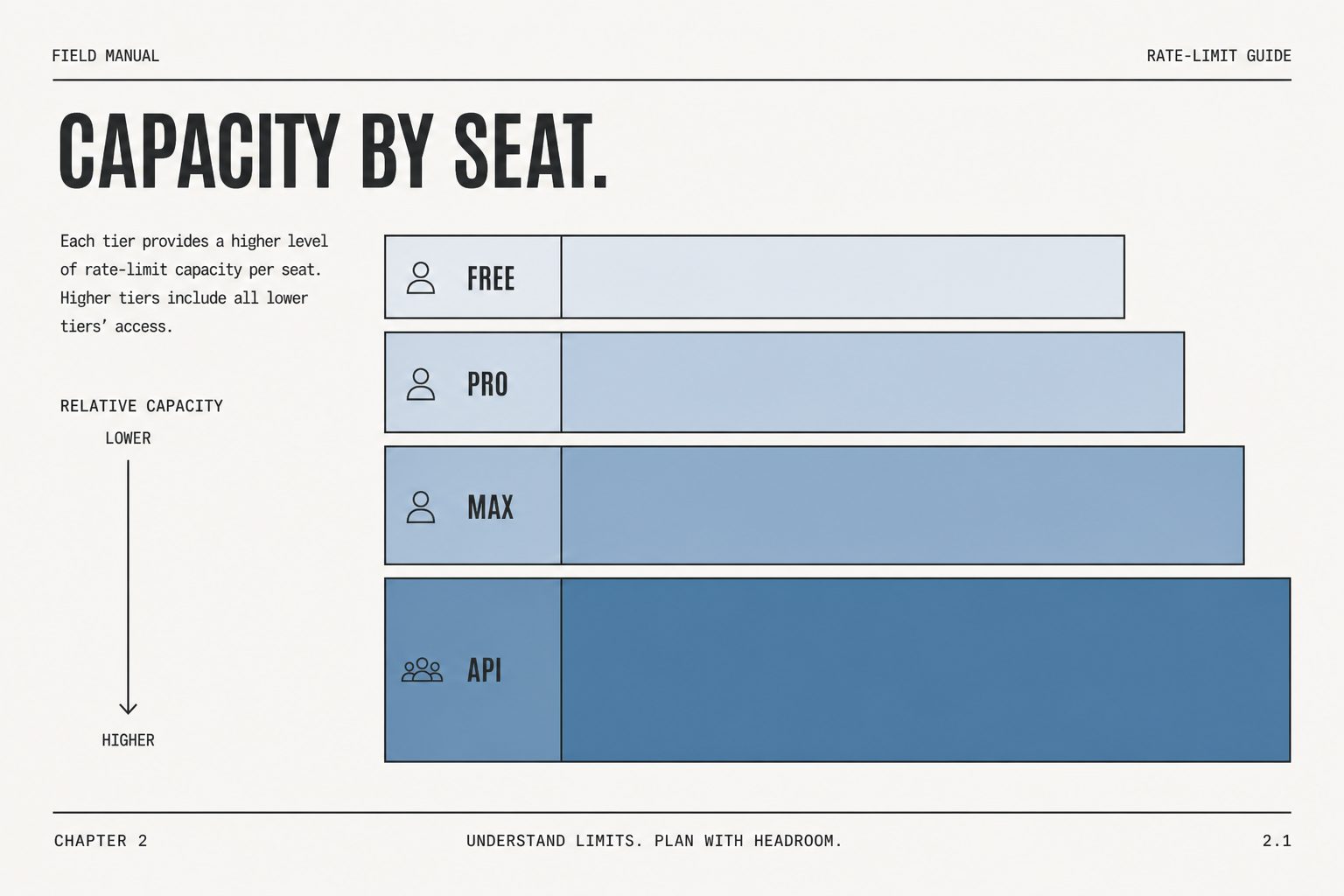
Direct Answer (November 13, 2026): Claude rate limits scale by plan: Free accounts get dynamic session limits; Pro ($20/mo) provides at least 5x the Free plan’s capacity per 5-hour session (Anthropic publishes no fixed message counts; usage varies with message length, attachments, conversation length, and model); Max ($100/mo) and Ultra ($200/mo) offer extended quotas for Claude Code. API rate limits operate on rolling token buckets under the current spend-based usage tiers (Evaluation, Start, Build, Scale, and Custom), with cached tokens exempt from input rate caps.
Claude rate limits are the single most complained-about aspect of the product. A viral Reddit post on the topic received over 1,060 upvotes. This guide explains what the limits are at every plan tier, why they exist, and every community-tested strategy for getting more out of your plan before hitting the wall.
1. Anthropic API Usage Tier Qualifications & Thresholds
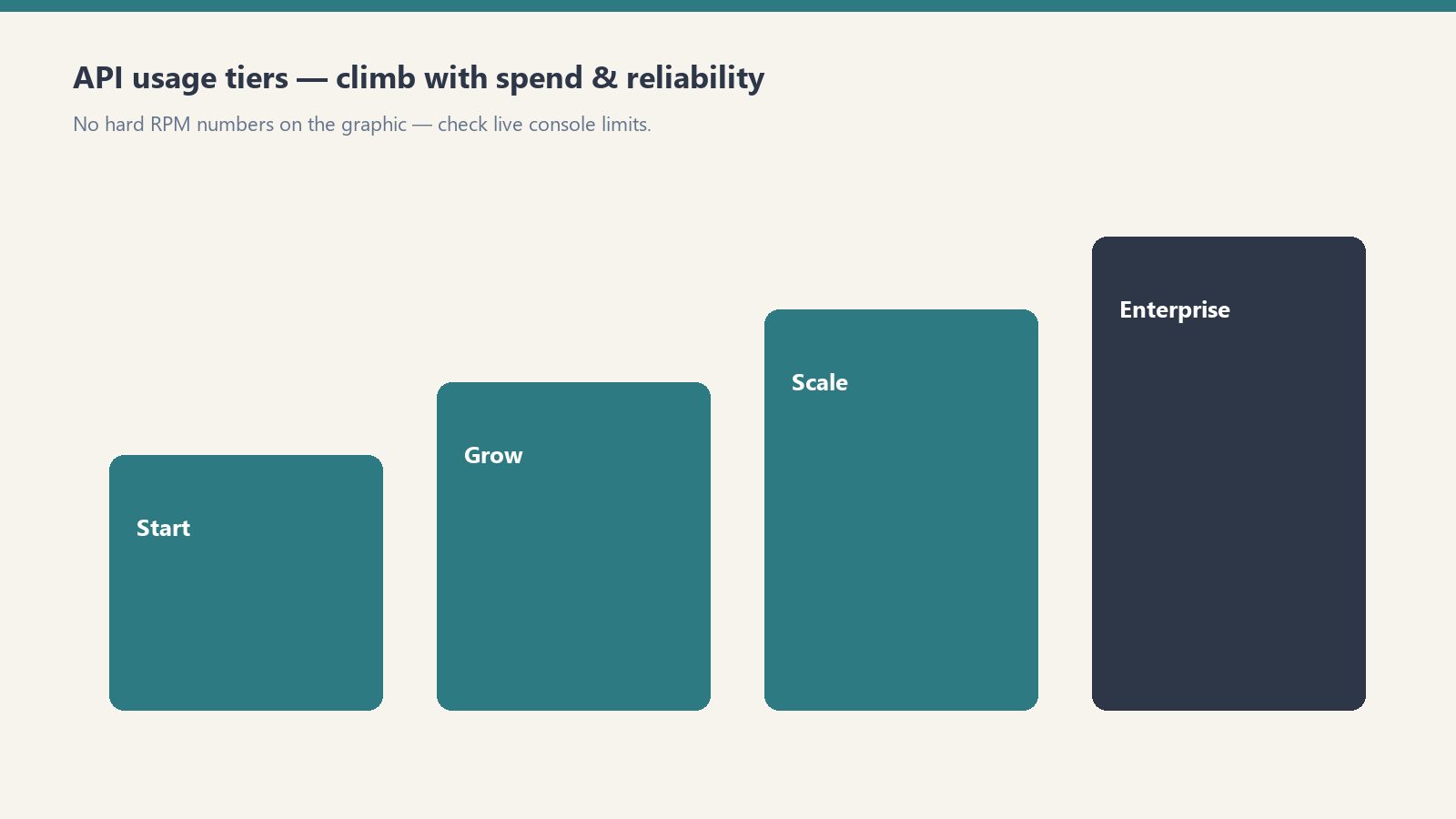
Tiers climb with spend and reliability — confirm live console limits.
Your API account’s rate limits are spend-based. The current system has five tiers — Evaluation, Start, Build, Scale, and Custom — and your tier follows your monthly spend level rather than a deposit balance:
Usage Tier
Monthly Spend Cap
Notes
Evaluation
May start as low as $5 or $500
Starting tier; the initial cap depends on risk checks
Start
$500
Build
$1,000
Scale
$200,000
Custom
No predefined cap
Arranged with Anthropic
Per-model RPM and TPM limits for each tier are published in the Console and in Anthropic’s rate-limits documentation. This table replaces the retired deposit-based Tier 1–4 table ($5 deposit, cumulative-spend thresholds) in November 2026.
2. Requests Per Minute (RPM) and Tokens Per Minute (TPM) by Model
RPM/TPM differ by model — shapes matter more than memorized tables.
Rate limits apply independently across model families. High-intelligence models (Opus) have tighter token concurrency caps than lightweight models (Haiku):
Anthropic publishes standard per-minute limits for the current usage tiers, read from Anthropic’s rate-limits documentation in October 2026. Limits are requests per minute (RPM), input tokens per minute (ITPM), and output tokens per minute (OTPM), enforced per model class at the organization level:
Model
Start
Build
Scale
Claude Opus 5.5
1,000 / 2,000,000 / 400,000
5,000 / 5,000,000 / 1,000,000
10,000 / 10,000,000 / 2,000,000
Claude Sonnet 5.5
1,000 / 2,000,000 / 400,000
5,000 / 5,000,000 / 1,000,000
10,000 / 10,000,000 / 2,000,000
Claude Haiku 5.5
1,000 / 2,000,000 / 400,000
5,000 / 5,000,000 / 1,000,000
10,000 / 10,000,000 / 2,000,000
Claude Fable 5.2 (and prior Fable 5.1 / 5 combined)
1,000 / 500,000 / 100,000
2,000 / 1,500,000 / 300,000
4,000 / 4,000,000 / 800,000
Models still available from the prior generation (Sonnet 5, Opus 5, Haiku 4.5) carry the same standard Start limits. New organizations may begin in an Evaluation tier with lower limits that Anthropic does not publish in the standard table, and the Custom tier’s limits are arranged with Anthropic. Your Console Rate limits page shows your account’s actual tier and limits.
3. Diagnosing and Handling HTTP 429 Rate Limit Errors
429 is a pause — backoff, then retry with smaller batches.
When your application exceeds either its Requests-Per-Minute or Tokens-Per-Minute cap, the Anthropic API responds with an HTTP 429 Too Many Requests error containing response headers detailing when capacity will reset:
retry-after: Number of seconds to wait before retrying.
anthropic-ratelimit-requests-remaining: Remaining requests available in the current 60-second window.
anthropic-ratelimit-tokens-remaining: Remaining token budget available in the current window.
anthropic-ratelimit-tokens-reset: ISO timestamp indicating when the token pool will fully refresh.
Production Rate Limit Mitigation Playbook
Exponential Backoff with Full Jitter: Never retry immediately in a tight loop. Implement an exponential backoff formula with randomized jitter to prevent thundering herd spikes on your backend.
Utilize Prompt Caching: Cached prefix tokens read from memory bypass standard token generation latency and dramatically streamline token processing windows. Read our full Claude AI Pricing and Token Rates Guide for complete caching cost structures.
Route Heavy Jobs to the Batch API: For bulk processing, offline report generation, and data extraction, use the Anthropic Messages Batch endpoint. Batch jobs run against separate capacity pools, avoiding live interactive rate caps while cutting token costs by 50%.
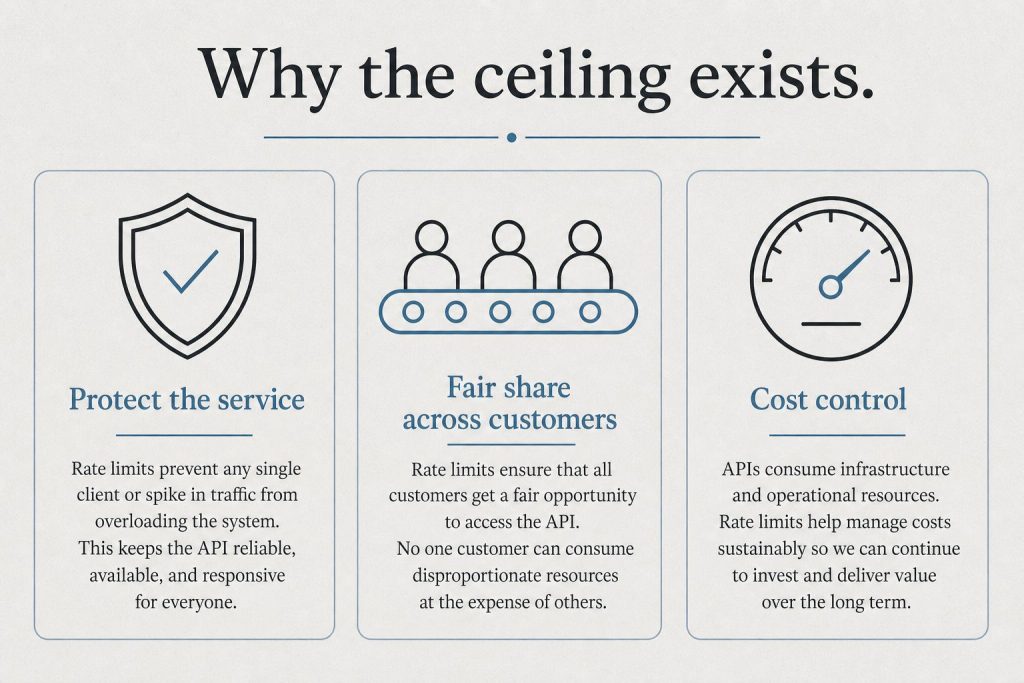
Why Rate Limits Exist
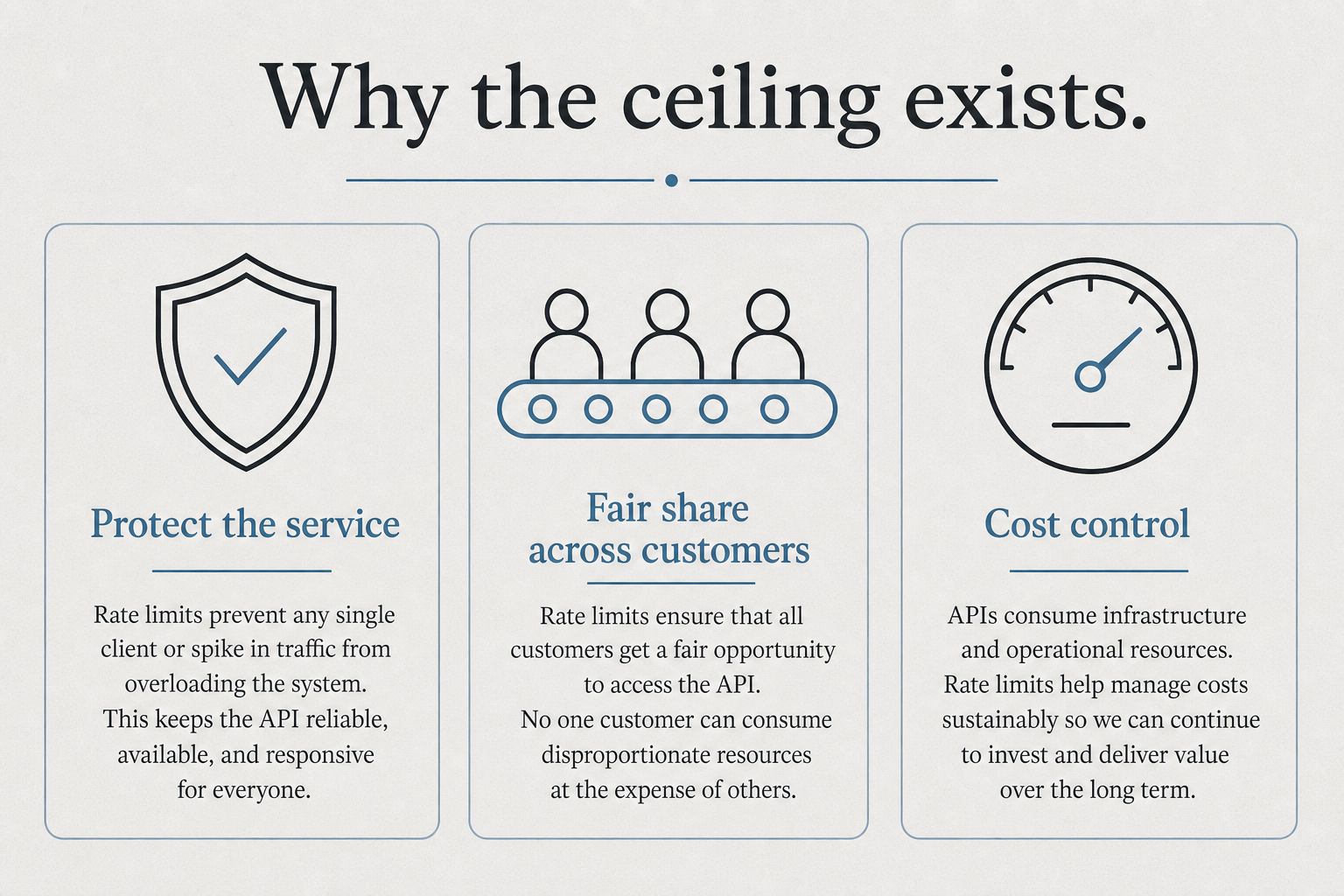
Claude’s rate limits are primarily about compute capacity, not money. Running frontier reasoning models like Claude Fable 5.2 and Opus 5.5 on complex tasks requires heavy GPU compute. Anthropic limits usage to ensure consistent performance for all users. The limits are enforced per rolling time window, not per calendar day.
Rate Limits by Plan
Free Plan
Dynamic session limits subject to platform load (upgrade to paid plans for guaranteed capacity and Claude Code). Heavy users hit limits after 5-10 substantive prompts. Anthropic adjusts dynamically based on system load.
Claude Pro ($20/month)
Roughly 5x the usage of free. Community consensus: approximately 12 heavy prompts per session before throttling. Light prompts run much longer before hitting limits.
Claude Max 5x ($100/month)
Approximately 5x Pro limit. Anthropic publishes no per-window token figures; paid plans carry a five-hour session limit and a weekly usage limit across all models.
Claude Ultra ($200/month)
10x the Pro weekly limit, with no 5-hour limit for verified accounts. The top tier for developers running Claude Code for extended sessions and professionals processing large document volumes daily.
API Rate Limits (Current Usage Tiers)
API limits are measured in requests per minute (RPM), input tokens per minute (ITPM), and output tokens per minute (OTPM), enforced per model class at the organization level. The current usage tiers and their monthly spend caps are in section 1 above; the standard per-minute limits are in section 2. Your tier advances automatically with usage history and account standing — not by deposit or cumulative credit purchases; the deposit-based Tier 1–4 system is retired. Earlier versions of this page reproduced the retired system’s tables in this section; they were removed in the November 5, 2026 rebuild because the system they describe no longer exists, and the retired figures remain available in this page’s revision history.
Cache-aware ITPM: for current models, only uncached input tokens count toward your ITPM limit — cache_read_input_tokens do not. With an 80% cache-hit rate against a 2,000,000 ITPM limit you can effectively process ~10,000,000 total input tokens per minute, so prompt caching is the single best lever for raising effective throughput.
When you hit a limit, the API returns a 429 with a retry-after header (seconds to wait), plus anthropic-ratelimit-* headers showing remaining requests/tokens and reset times. Limits use a token-bucket algorithm — capacity replenishes continuously rather than resetting at a fixed clock time. The Message Batches API and Managed Agents endpoints have their own separate limits.
When are Claude’s usage limits on the Pro plan?
Claude Pro usage limits operate under a two-tiered allowance structure: a short-term rolling session window that resets every 5 hours, and an overarching weekly cap that resets once per week at a fixed schedule specific to your account:
5-Hour Rolling Session Window: Pro plan users receive at least 5 times the usage capacity of the free tier per session. Your 5-hour limit timer begins when you send your first message in an active session block, and full session capacity replenishes continuously 5 hours later.
Weekly Account Cap: In addition to the 5-hour session allowance, Pro accounts are subject to a weekly usage limit that governs total consumption across all models, Projects, and tools (including Claude Code and integrated desktop workflows — Cowork is now part of Claude). This limit resets at a fixed, recurring day and time assigned to your account, which you can monitor under Settings > Usage.
Factors That Consume Limits Fastest: Anthropic’s documentation highlights three primary drivers of rapid usage consumption:
Model choice: Flagship reasoning models like Claude Opus consume your session budget substantially faster than everyday models like Sonnet or Haiku.
Conversation length: Because Claude re-processes the entire conversation history with every new message, long extended threads consume progressively larger token volumes on each subsequent turn.
File attachments: Attaching large codebases, PDFs, or data files significantly increases the prompt token size sent on every turn within that chat.
Where Anthropic does not publish fixed message counts, capacity scales dynamically based on real-time platform traffic. When limits are reached, users can either wait for the rolling reset or upgrade to Claude Max for 5x expanded session and weekly headroom.
Community-Tested Workarounds
Use Projects with persistent system prompts — reduces token overhead per conversation
Use Sonnet 5.5 for routine tasks, Opus 5.5 for complex architecture, and Fable 5.2 for the most demanding flagship work — don’t burn your limit budget on tasks Sonnet handles equally well
Batch related work into single long sessions — starting five conversations uses more overhead than one long one
Compress your inputs — extract only relevant sections from long documents before pasting
Use the API for high-volume predictable workflows — more limit-efficient than the consumer interface for automated tasks
Frequently Asked Questions
How many messages can I send on Claude Pro?
No published exact number — depends on message complexity. Community estimates suggest roughly 12 heavy messages per session before throttling begins on Pro.
Do Claude rate limits reset daily?
Rate limits use a rolling time window, not a fixed midnight reset.