Blog

  • Crawl Space Floor Joist Repair: Costs & Sistering Guide

    Crawl Space Floor Joist Repair: Costs & Sistering Guide

    The Distillery
    — Brew № 2 · Crawl Space

    Floor joist damage in a crawl space — from moisture, pest activity, or structural overloading — is one of the most consequential findings a crawl space inspection can reveal. Unlike cosmetic issues, a compromised floor joist affects the structural integrity of the floor above and, if deterioration progresses, the safety of the occupants. Understanding when a joist needs sistering versus full replacement, what the work actually involves, and what it costs allows homeowners to evaluate contractor proposals from an informed position and prioritize repairs appropriately.

    When Joists Need Repair: The Assessment Framework

    The threshold for joist repair is determined by the extent of structural fiber loss, not by appearance alone. A joist that appears dark or discolored but passes the probe test (awl resistance is normal — the joist resists penetration) is structurally sound. A joist that allows easy awl penetration has lost structural fibers and requires repair regardless of surface appearance.

    • No probe failure, wood MC below 19%: Sound joist. Clean surface mold with appropriate treatment; address moisture source. No structural repair needed.
    • No probe failure, wood MC 19–25%: Elevated moisture creating conditions for future decay. Address moisture source immediately; treat with borate; monitor. No structural repair yet, but urgent moisture remediation.
    • Probe failure affecting less than 25% of joist depth at any cross-section: Partial structural loss. Sistering a full-length new joist alongside the damaged member is appropriate.
    • Probe failure affecting more than 25% of joist depth, or spanning more than 24″ along the joist length: Significant structural loss. Full replacement or sistering with upgraded member size may be needed. Structural engineer assessment recommended for severe cases.

    Sistering: How It Works

    Sistering is the process of attaching a full-length new structural member alongside a damaged or undersized existing joist. The new member is the same depth as the original and spans the full distance between bearing points (typically wall to wall or wall to beam). It is attached to the existing joist with structural nails or structural screws (16d ring shank nails at 12″ spacing, or equivalent structural screws) over the full length.

    The sister joist:

    • Must be the same nominal depth as the existing joist (a 2×10 sister alongside a 2×10 original)
    • Must span between the same bearing points as the original — a sister that does not reach the full span provides no structural benefit
    • Must be pressure-treated lumber (PT) if it will be in contact with concrete at either bearing end, or in a high-moisture environment
    • Should be pre-treated with borate (Tim-bor) before installation in crawl spaces with a history of moisture or pest activity

    Full Joist Replacement vs. Sistering

    Sistering is preferable to full replacement in most situations because it:

    • Can be accomplished without removing the subfloor above
    • Adds structural capacity rather than simply restoring it (the combined section is stronger than either member alone)
    • Is faster and less expensive than full replacement

    Full replacement is required when:

    • The existing joist has lost so much structural fiber that it cannot safely carry its load during the sistering process (collapse risk during construction)
    • The joist is in a location where access prevents installing a full-length sister (a plumbing stack or HVAC trunk running through the joist bay)
    • The damage pattern is so extensive that sistering would not provide adequate repair (complete hollow gallery from termite activity, for example)

    Cost Per Joist: What to Expect

    • Material cost per sister joist (2×10, 14′): $25–$45 for pressure-treated lumber
    • Labor to install one sister joist in a standard-height crawl space: $150–$350 per joist, including temporary shoring if needed, nailing/screwing, and cleanup
    • Total per-joist cost installed: $175–$400
    • Discount for volume: Contractors typically discount per-joist cost when multiple joists in the same section are being sistered — 8–10 joists in one area may run $100–$180 each rather than $175–$400 for single-joist work
    • Low-clearance premium: Crawl spaces under 24″ of clearance add 30–50% to labor cost per joist

    How to Evaluate a Joist Repair Proposal

    • Does the proposal specify the lumber grade and species? Structural joists must meet minimum bending strength — #2 Southern Yellow Pine or Douglas Fir are the standard; premium-grade lumber is not required but the grade should be specified
    • Is pressure-treated lumber specified for bearing ends or high-moisture applications? Standard framing lumber in contact with concrete or in a previously wet crawl space is inadequate
    • Does the sister span full length between bearing points? A sister that spans only 6 feet of a 12-foot joist provides no meaningful structural benefit — ask for the proposed sister length
    • What fastening method is specified? Hand-nailing 16d ring shank nails or structural screws at 12″ spacing is appropriate; pneumatic nails at wide spacing or staples are not
    • Is temporary shoring included? If the existing joist is significantly compromised, the floor above must be supported during sistering to prevent movement

    Frequently Asked Questions

    How do I know if my crawl space floor joists need repair?

    The most reliable test: push a sharp awl firmly into the bottom face of the joist. Sound wood resists penetration — you cannot push more than 1/16″–1/8″ with significant force. Wood with structural loss from decay allows easy penetration of 1/4″ or more. Also look for: floors that bounce or deflect noticeably when walked on, visible sagging in the floor structure when viewed from the crawl space, and wood moisture content above 19% (measured with a pin-type moisture meter).

    How much does it cost to sister a floor joist in a crawl space?

    Typically $175–$400 per joist installed, depending on crawl space clearance, joist length, and local labor rates. Volume discounts apply when multiple joists in the same area are being sistered. Low-clearance crawl spaces (under 24″) carry a 30–50% labor premium. A section of 8–10 joists all requiring sistering may cost $1,200–$3,500 as a packaged scope.

    Can sistered joists fix a bouncy floor?

    Yes, in most cases — sistering adds structural capacity that reduces mid-span deflection and eliminates the bouncy sensation. A floor that bounces because the joists are undersized for the span (common in older homes) can be significantly improved by sistering with same-size or larger lumber. A floor that bounces because the mid-span support beam has settled or the joists have lost structural integrity to decay responds well to sistering after the moisture source is addressed.


  • Crawl Space Humidity Monitor: Top Devices & Placement

    Crawl Space Humidity Monitor: Top Devices & Placement

    The Distillery
    — Brew № 2 · Crawl Space

    Updated September 30, 2026.

    Place a data-logging hygrometer at center-span height (12–24 inches above the floor) in your crawl space, target below 60% RH (below 50% for sealed encapsulation), and read trends over weeks—not a single visit—to verify whether vapor control, dehumidification, or bulk water is driving moisture.

    Logged RH over time separates summer condensation from rain-driven bulk water—the verification step after crawl space vapor barrier installation and dehumidifier commissioning. This guide covers device choice, placement, and how to read the curve.

    What to Look for in a Crawl Space Humidity Monitor

    Data logging capability

    Spot readings show conditions when you are standing there; logging shows what happens overnight and after weather events. Aim for at least 30 days of history for encapsulated performance checks. On vented crawls, logging separates condensation (summer RH tracks outdoor humidity) from liquid entry (RH jumps within a day or two of rain).

    Temperature range

    Cold crawls can sit below freezing. Many consumer units are rated to 32°F; the Onset HOBO MX1101 operates to -4°F per Onset specs. SensorPush HT.w and similar models claim -40°F—useful when LCDs go blank but logging continues.

    Wireless display and alerts

    Bluetooth sensors store data until a phone syncs—fine if someone passes within range regularly. Add a WiFi gateway (Govee gateway, SensorPush G1) for remote alerts. After a crawl space inspection checklist, a logger you download once may be enough.

    Recommended Device Types

    • Govee H5075 ($20–$35): ~20 days onboard storage; CSV export in Govee Home. Bluetooth only unless you add Govee’s WiFi gateway.
    • SensorPush HT.w ($55–$65 + optional G1): Water-resistant; ~45 days onboard per manufacturer; -40°F to 140°F rated.
    • Inkbird IBS-TH Plus ($18–$30): Compact Bluetooth loggers for tight crawls—confirm storage duration in the manual for your model.
    • Onset HOBO MX1101 ($95–$130): Research-grade accuracy; large memory; -4°F operating range per Onset.
    • ThermoPro TP49 / AcuRite ($10–$20): Spot display, little history—OK for peeks through the access door, not trend proof.

    Where to Place the Monitor

    • Primary sensor: Center of the crawl at 12–24 inches above the floor, suspended from a joist—ambient air, not floor surface or rim joist microclimate.
    • Wall diagnostic (optional): Within 6 inches of the foundation wall. Higher RH at the wall than center span flags wall moisture—review vapor barrier thickness and drainage if encapsulating.
    • Near HVAC: Confirms whether equipment zones see corrosion-driving RH when center span looks fine.
    • Away from: Supply air discharges, bare soil contact, condensate drips, sump splash, and open vents that create localized drafts or sun-heated pockets.

    Interpreting Readings

    • Below 50% RH: Strong performance for a sealed, dehumidified crawl. Document the log for your file and recheck seasonally.
    • 50–60% RH: Acceptable for many targets. Sustained time above 65% may mean dehumidifier setpoint, sizing, or leakage—tight sealing changes load (crawl space encapsulation energy savings).
    • 60–70% RH: Elevated—check dehumidifier, liner breaches, plumbing, sump before calling it normal summer.
    • Above 70% RH: Mold and decay risk. Encapsulated systems should not sit here; vented crawls need assessment (crawl space repair cost follows the mechanism, not the number on a chart).
    • RH spikes after rain: Bulk water—grading, gutters, drains, liner penetrations.
    • Summer peaks without rain: Vented-crawl condensation pattern in humid climates.

    Frequently Asked Questions

    What is a good humidity level for a crawl space?

    Below 60% relative humidity is the usual target for crawl spaces — it limits mold risk and keeps wood moisture content below decay thresholds. Below 50% is a common setpoint for a sealed, dehumidified crawl space after encapsulation. Above 70% means conditions can support mold growth and wood deterioration; treat that as a problem to investigate, not normal seasonal drift.

    How do I check the humidity in my crawl space?

    Hang a digital hygrometer in the center of the crawl space, 12–24 inches above the floor (breathing-zone height, not on dirt). Leave a data-logging sensor in place for at least two to four weeks so you capture daily cycles and weather swings. Bluetooth or WiFi models let you pull readings from the living space without crawling under the house every time.

    How often should I check my crawl space humidity?

    For an encapsulated crawl space with a dehumidifier on a setpoint, review a 30-day data log twice a year — once near peak summer humidity and once in winter. For a vented or unsealed crawl space you are watching for trouble, check logs monthly in humid months and less often in winter. If the sensor sends alerts when RH crosses a setpoint, you can rely on notifications instead of manual checks.

    Do I need a WiFi hygrometer or is Bluetooth enough?

    Bluetooth is enough if someone in the home passes within range of the sensor every few days so the app syncs stored readings. Choose WiFi or a Bluetooth gateway when you want alerts while traveling or when the crawl space is out of phone range from daily life — for example Govee sensors with a WiFi gateway, or SensorPush HT.w sensors with a G1 gateway.

    Where should I not place a crawl space humidity sensor?

    Keep the sensor out of the discharge path of supply ducts, off bare soil, and away from dripping plumbing or sump lines. Do not tuck it against foundation walls for your primary reading — use center-span height for baseline RH and a second sensor near the wall only when you are diagnosing wall moisture.


  • Crawl Space Condensation: Why It Happens and How to Stop It

    Crawl Space Condensation: Why It Happens and How to Stop It

    The Distillery
    — Brew № 2 · Crawl Space

    Condensation in a crawl space — liquid water that forms on structural wood, pipes, ductwork, and other surfaces without any rain or plumbing leak — is one of the most misunderstood moisture mechanisms in residential construction. Homeowners who find wet joists and assume they have a roof leak or plumbing problem spend money investigating phantom leaks while the actual cause — physics — continues unaddressed. Understanding why condensation happens in crawl spaces, how to confirm that condensation (rather than bulk water) is the problem, and what actually stops it is the foundation for effective moisture management.

    The Physics of Crawl Space Condensation

    Every cubic foot of air holds a specific maximum amount of water vapor — the maximum is called the saturation point, and it increases with temperature. When air is cooled below its saturation point, the excess moisture it can no longer hold is released as liquid water — condensation. The temperature at which a given air mass reaches its saturation point is the dewpoint temperature.

    In a vented crawl space in summer, the mechanism is straightforward:

    • Outdoor air in a humid climate (Southeast, Mid-Atlantic, Midwest in summer) has a high absolute humidity — the air contains large amounts of water vapor. A typical July afternoon in Charlotte, NC or Columbus, OH might have outdoor air at 90°F and 65% relative humidity, with a dewpoint of 76°F.
    • This warm, humid outdoor air enters the crawl space through foundation vents.
    • Inside the crawl space, the underside of the subfloor is cooled by the air-conditioned living space above — typically 10–20°F below outdoor temperature.
    • The crawl space surfaces (subfloor underside, floor joists, pipes, ductwork) may be at 65–75°F — below the outdoor dewpoint of 76°F.
    • When the 90°F outdoor air carrying its 76°F dewpoint contacts surfaces at 70°F, the air is cooled below its dewpoint. The excess moisture it can no longer hold condenses as liquid water on those surfaces.

    This is not a construction defect, a drainage problem, or a materials failure. It is thermodynamics operating on a vented crawl space in the wrong climate. The vented crawl space design assumes outdoor air is drier than the crawl space interior — which is true in cold, dry climates but completely backwards in humid summer climates.

    Diagnosing Condensation vs. Bulk Water

    The key diagnostic distinction is timing relative to weather events:

    • Condensation signature: Moisture on wood surfaces increases during warm, humid weather — particularly during sustained humidity events, summer months, and periods without rain. Moisture decreases in cool, dry weather or in winter. No correlation to rain events specifically.
    • Bulk water signature: Moisture or standing water appears within 24–72 hours of significant rain events. Watermarks on the foundation wall at consistent heights. Efflorescence (white mineral deposits) on foundation walls indicating past water contact.
    • Soil vapor diffusion signature: Moisture present year-round at moderate, consistent levels regardless of weather. Highest in low-lying areas where the water table is closest. No strong correlation to outdoor humidity or rain.

    The definitive diagnostic test: place a 12″ × 12″ piece of plastic sheeting on the bare soil in the crawl space and tape its edges with duct tape. Wait 24 hours. Condensation on the top of the plastic (facing the crawl space air) indicates atmospheric condensation. Moisture on the underside of the plastic (between plastic and soil) indicates soil vapor diffusion through the soil surface. Both can occur simultaneously.

    Why “More Ventilation” Makes Condensation Worse

    The intuitive response to a damp crawl space is often to add more ventilation — more foundation vents, a powered exhaust fan. In a humid climate in summer, this makes condensation significantly worse, not better. More ventilation means more humid outdoor air entering the crawl space, more air being cooled below the dewpoint, and more condensation on surfaces. The Advanced Energy Corporation’s field research in North Carolina found that homes with more foundation vents had higher wood moisture content in summer than homes with fewer vents — the opposite of the expected outcome from the traditional ventilation philosophy.

    The Only Proven Solution for Condensation

    For humid-climate crawl space condensation, the only proven solution is sealing the crawl space from outdoor air entry and adding active humidity control. This is precisely what encapsulation accomplishes:

    • Sealing foundation vents eliminates the pathway through which outdoor humid air enters the crawl space
    • The vapor barrier prevents soil vapor diffusion from adding to the crawl space air humidity
    • The dehumidifier or HVAC supply connection maintains relative humidity below the dewpoint threshold at which condensation occurs on the cooler surfaces in the space

    After encapsulation of a condensation-problem crawl space, wood surfaces that previously showed 22–25% moisture content in summer stabilize at 10–14% — below the threshold for mold growth and far below the threshold for wood decay fungi. The transformation is measurable and typically occurs within 60–90 days of encapsulation.

    Frequently Asked Questions

    Why is there condensation in my crawl space?

    In a vented crawl space in a humid climate: summer outdoor air enters through foundation vents with a dewpoint temperature that exceeds the temperature of the crawl space’s cooler surfaces (subfloor, joists, pipes cooled by the air-conditioned space above). When warm, humid air contacts these cooler surfaces, the air is chilled below its dewpoint and releases liquid water as condensation. This is thermodynamics, not a construction defect or drainage problem.

    Will adding more foundation vents stop crawl space condensation?

    No — in humid climates, adding foundation vents makes condensation worse, not better. More vents mean more humid outdoor air entering the crawl space and more condensation on cool surfaces. Building science research has documented that homes with more foundation vents have higher wood moisture content in summer than homes with fewer vents in humid climates. The correct solution is sealing the crawl space from outdoor air entry, not increasing ventilation.

    How do I stop condensation in my crawl space?

    Crawl space encapsulation — sealing foundation vents, installing a vapor barrier, and adding a dehumidifier or HVAC supply duct — is the only proven solution for condensation-problem crawl spaces in humid climates. This eliminates the pathway for humid outdoor air to enter (eliminating the condensation source), controls residual humidity from soil vapor diffusion, and maintains the sealed space below the dewpoint threshold at which condensation occurs on cooler surfaces.


  • Claude Code Tutorial: Complete Beginner’s Guide (2026)

    Claude Code Tutorial: Complete Beginner’s Guide (2026)

    Last refreshed: August 30, 2026

    Claude AI · Fitted Claude

    Claude Code is the fastest-growing AI coding tool in the developer community. The r/ClaudeCode subreddit has 4,200+ weekly contributors — roughly 3x larger than r/Codex. Anthropic reports $2.5B+ in annualized revenue attributable to Claude Code adoption. This complete guide takes you from installation to your first productive agentic coding session.

    What Is Claude Code?

    Long paper tape measure unrolling across a desk beside a laptop, metaphor for context window length
    What is Claude Code?

    Claude Code is a terminal-native AI coding tool from Anthropic. Unlike IDE plugins that assist line-by-line, Claude Code operates at the project level — it reads your entire codebase, understands the architecture, writes and edits multiple files in a single session, runs tests, and works through complex engineering tasks autonomously. It uses Claude models with a 1-million-token context window — large enough to hold an entire codebase in memory.

    Installation

    Requirements: Node.js 18+, a Claude Max subscription ($100+/month) or Anthropic API key.

    # Install globally
    npm install -g @anthropic-ai/claude-code
    
    # Navigate to your project
    cd your-project
    
    # Authenticate
    claude login
    
    # Start a session
    claude

    Setting Up CLAUDE.md (The Most Important Step)

    Three stacked layers: chat UI, tools, agent runtime
    Setting up CLAUDE.md — the most important step.

    CLAUDE.md is a file you create in your project root that Claude Code reads at the start of every session. It’s the most important setup step — it gives Claude the context it needs to work effectively in your specific codebase without you re-explaining everything every time.

    A good CLAUDE.md includes:

    # Project: [Your Project Name]
    
    ## Architecture
    [Brief description of how the codebase is organized]
    
    ## Tech Stack
    - Language: [Python 3.11 / Node.js 20 / etc.]
    - Framework: [Django / Next.js / etc.]
    - Database: [PostgreSQL / MongoDB / etc.]
    - Testing: [pytest / Jest / etc.]
    
    ## Coding Standards
    - [Style guide, naming conventions, etc.]
    - [Preferred patterns for this codebase]
    
    ## Common Tasks
    - Run tests: `[command]`
    - Start dev server: `[command]`
    - Lint: `[command]`
    
    ## Known Issues / Context
    - [Anything Claude should know before working]

    Key Slash Commands

    CommandWhat It Does
    /initScans your codebase and generates an initial CLAUDE.md
    /memoryView and edit Claude’s memory for this project
    /compactCompact the conversation to free up context space
    /batchRun multiple commands or edits in one operation
    /clearClear conversation history (start fresh)

    Your First Agentic Session

    Desk with laptop, checklist notebook, and billing card ready before creating an Anthropic API key
    Your first agentic session.

    Start Claude Code in your project directory and try:

    • “Explain the overall architecture of this codebase” — Claude reads and summarizes
    • “Add input validation to the user registration endpoint” — Claude finds the right file, writes the validation, updates tests
    • “There’s a bug where [describe issue] — find it and fix it” — Claude searches the codebase, identifies the cause, fixes it
    • “Write tests for [module or function]” — Claude reads the code and writes comprehensive tests

    Rate Limits and Token Management

    Claude Code on Max 5x gets approximately 44,000-220,000 tokens per 5-hour window. Long sessions with large codebases consume tokens quickly. Best practices:

    • Use /compact when sessions get long to free up context
    • Be specific in your requests — “fix the authentication bug in auth.py” uses fewer tokens than “look through all my files for problems”
    • Auto-compaction (beta) handles this automatically when enabled

    Related on Tygart Media: how to use Claude · extended thinking · Claude + Zapier.

    Frequently Asked Questions

    What subscription do I need for Claude Code?

    Claude Max at $100/month minimum. Claude Code can also be accessed via API billing — often more cost-effective for lower-volume use.

    Can Claude Code edit multiple files at once?

    Yes. Claude Code can read, edit, and create multiple files in a single session — and runs the edits atomically, so you can review and accept or reject changes.

    How do I install Claude Code on Windows?

    Claude Code requires Node.js 18+ and runs via WSL (Windows Subsystem for Linux) on Windows. Install WSL, then follow the standard npm installation steps within your WSL terminal.

    Need this set up for your team? Talk to Will →
  • Claude vs Amazon Q: Best AI Assistant for AWS Developers

    Claude vs Amazon Q: Best AI Assistant for AWS Developers

    Last refreshed: August 30, 2026

    Model Accuracy Note — Updated May 2026

    Current flagship: Claude Opus 4.7 (claude-opus-4-7). Current models: Opus 4.7 · Sonnet 4.6 · Haiku 4.5. Claude Opus 4.7 (claude-opus-4-7) is the current flagship as of April 16, 2026. Where this article references Opus 4.6 or earlier models, those references are historical. See current model tracker →. See current model tracker →

    Claude AI · Fitted Claude

    For AWS developers, Claude and Amazon Q represent two distinct approaches to AI-assisted development. Amazon Q is deeply integrated into the AWS ecosystem — built to understand your AWS environment, your IAM policies, your CloudFormation stacks, and your AWS-specific workflows. Claude is a more capable general-purpose AI that can handle complex reasoning and code but requires you to provide AWS context manually. This comparison helps you choose — and explains why many AWS developers use both.

    What Amazon Q Does Well

    Diagram comparing a long context window bar with a shorter output limit bar
    What Amazon Q does well.
    • AWS-native context: Q can read your actual AWS account state — running resources, IAM permissions, CloudWatch logs — without you describing them
    • AWS documentation: Q is trained specifically on AWS documentation and gives more accurate, up-to-date answers for AWS-specific questions
    • Console integration: Q is embedded in the AWS Console, CloudShell, and VS Code via the AWS Toolkit — zero additional setup for AWS users
    • Troubleshooting: Q can analyze your actual CloudWatch errors and IAM policy conflicts directly
    • Cost optimization: Q analyzes your actual usage data for cost recommendations

    What Claude Does Better

    Three stacked layers: chat UI, tools, agent runtime
    What Claude does better.
    • Code quality: Claude Opus 4.6 scores 80.8% on SWE-bench vs Amazon Q’s lower published benchmarks — for complex, multi-file code generation, Claude produces better results
    • General reasoning: Architecture decisions, trade-off analysis, and complex problem-solving — Claude reasons more deeply
    • Non-AWS work: If you’re building multi-cloud or have significant non-AWS code, Claude handles everything equally; Q is heavily AWS-optimized
    • Document analysis: Claude’s 200K context window for reading technical specs, RFCs, or lengthy docs far exceeds Q’s capabilities
    • Writing: Technical blog posts, documentation, runbooks — Claude writes better

    Pricing Comparison

    Claude Amazon Q
    Individual $20-200/month $19/month (Q Developer Pro)
    Free tier Yes (limited) Yes (Q Developer Free)
    Business Custom $19/user/month

    Amazon Q Developer Pro at $19/month is competitive with Claude Pro at $20/month. For AWS-heavy developers, Q Pro includes features with no Claude equivalent (direct AWS account analysis). For general development, Claude holds the performance edge per dollar.

    The Combined Workflow

    Desk with laptop, checklist notebook, and billing card ready before creating an Anthropic API key
    The combined workflow.

    Many AWS developers use Amazon Q for AWS-specific questions (CloudFormation troubleshooting, IAM policy analysis, service limits) and Claude Code for complex coding tasks (architecture, large refactors, code review). The tools are complementary rather than competing.

    Frequently Asked Questions

    Is Amazon Q better than Claude for AWS development?

    For AWS-native questions with real account context: Amazon Q wins. For complex code generation, architecture decisions, and general programming: Claude is stronger. Many AWS developers use both.

    Can Claude access my AWS account?

    Not directly. You can paste CloudFormation templates, error logs, or resource configurations into Claude for analysis. Amazon Q connects directly to your AWS account with appropriate permissions.


    Need this set up for your team?
    Talk to Will →

  • Is Claude AI Safe? Data Security, Privacy & Scam Risks

    Is Claude AI Safe? Data Security, Privacy & Scam Risks

    Last refreshed: September 26, 2026

    Claude AI · Fitted Claude

    Safety means different things depending on who’s asking. For a parent wondering if Claude is appropriate for their teenager: yes, with caveats. For an enterprise considering Claude for sensitive workflows: that requires a more detailed answer. For a researcher wondering about AI existential risk: that’s a different conversation entirely. This guide covers all three dimensions of Claude safety in 2026.

    Is Claude Safe to Use? By Use Case

    Three stacked layers: chat UI, tools, agent runtime
    Is Claude safe to use — by use case.
    Concern Safety Level Notes
    General professional use ✅ Safe Standard writing, research, analysis
    Children and minors ⚠️ Use with awareness Claude declines adult content but isn’t a parental control tool
    Sensitive personal information ⚠️ Read privacy policy Conversations may be used to improve models on free/Pro tiers
    Confidential business data ⚠️ Enterprise tier recommended Enterprise has stronger data handling commitments
    HIPAA-regulated data ❌ Not on standard plans Requires Enterprise with a BAA from Anthropic
    Harmful content generation ✅ Declines Claude refuses instructions for weapons, self-harm, etc.

    Is Claude Psychologically Safe?

    Claude is designed not to manipulate users, not to foster unhealthy dependency, and not to tell people what they want to hear at the expense of accuracy. It will disagree with you, push back on flawed premises, and decline to validate bad decisions. Whether that’s “safe” depends on your frame — but it’s a deliberate design choice that makes Claude more honest and less likely to be weaponized as a validation machine.

    Content Safety: What Claude Will and Won’t Do

    Three stacked layers: chat UI, tools, agent runtime
    Content safety — what Claude will and won’t do.

    Claude’s content policies are enforced through Constitutional AI training, not just a filter layer bolted on afterward. This makes them more robust than keyword blocklists. Claude will decline to:

    • Generate content facilitating violence or illegal activities
    • Produce sexual content involving minors (zero tolerance, no exceptions)
    • Provide detailed instructions for creating weapons capable of mass casualties
    • Generate content designed to facilitate harassment or stalking of specific individuals

    Claude’s refusals are imperfect — it occasionally refuses legitimate requests and occasionally allows borderline ones. But the overall calibration has improved substantially with each model generation.

    Data Security

    Diagram comparing a long context window bar with a shorter output limit bar
    Data security.

    Anthropic is a US-incorporated company subject to US law. Conversation data is stored on Anthropic’s infrastructure. Consumer accounts may be used for model training (opt-out available). Enterprise and API accounts have zero-data-retention options. Anthropic has published a privacy policy at privacy.claude.com and does not sell conversation data to third parties or advertisers.

    Anthropic’s Responsible Scaling Policy

    Anthropic has published a Responsible Scaling Policy (RSP) — a commitment to evaluate Claude models against specific safety thresholds before deployment. The RSP creates public accountability: if future Claude models show dangerous capability thresholds in evaluation, Anthropic has committed to not deploying them until additional safety measures are in place. This is a meaningful governance commitment uncommon among AI companies.

    Fake Claude Scams: What Every User Should Know

    Desk with laptop, checklist notebook, and billing card ready before creating an Anthropic API key
    Fake Claude scams — what every user should know.

    Malwarebytes and other security researchers have documented phishing campaigns using fake “Claude AI” websites to steal credentials and install malware. Key indicators of legitimate Claude access:

    • The official Claude interface is at claude.ai — any other domain claiming to be Claude is not
    • Anthropic does not offer Claude through third-party websites requiring separate account creation
    • Claude’s API is accessed at api.anthropic.com
    • If you’re ever unsure, go directly to anthropic.com and navigate from there

    Related on Tygart Media: is Claude worth it · how to use Claude · training data cutoff.

    Frequently Asked Questions

    Is Claude safe for kids?

    Claude has content filters that prevent most inappropriate content, but it’s not specifically designed as a children’s product. Parental supervision is recommended for younger users. Claude doesn’t have age verification on the free tier.

    Can Claude be jailbroken?

    Attempts to manipulate Claude into ignoring its safety training exist. Anthropic actively works to patch these. Claude is more robust against jailbreaking than most models, but no AI system is perfectly immune to sophisticated manipulation attempts.


    Need this set up for your team?
    Talk to Will →

  • Claude Zapier Automation: 10 Time-Saving Workflows

    Claude Zapier Automation: 10 Time-Saving Workflows

    Last refreshed: August 30, 2026

    Claude AI · Fitted Claude

    Claude and Zapier together create one of the most flexible automation combinations available in 2026. Through Zapier’s MCP server (mcp.zapier.com), Claude can connect to over 8,000 apps — sending emails, updating CRMs, creating tasks, posting to Slack, and more. This guide covers 10 practical workflows and how to set them up.

    Setting Up Claude + Zapier MCP

    Long paper tape measure unrolling across a desk beside a laptop, metaphor for context window length
    Setting up Claude + Zapier MCP.

    Add Zapier’s MCP server to Claude Desktop by editing your configuration file:

    {
      "mcpServers": {
        "zapier": {
          "url": "https://mcp.zapier.com/api/mcp/a/YOUR_ACCOUNT_ID/mcp",
          "type": "url"
        }
      }
    }

    Find your Zapier MCP URL in your Zapier account under Settings → MCP. Once connected, Claude can trigger any Zap you’ve built in Zapier, ask it to take actions across your connected apps.

    10 High-Value Automation Workflows

    Desk with laptop, checklist notebook, and billing card ready before creating an Anthropic API key
    10 high-value automation workflows.

    1. Email Triage and Draft Generation

    New email arrives → Zapier sends to Claude → Claude categorizes (urgent/action needed/FYI/spam) and drafts a reply → Draft saved to Gmail or sent to you via Slack for approval.

    2. CRM Note Generation from Calls

    Call recording transcript arrives (from Otter.ai or Fireflies) → Claude generates structured CRM notes (summary, pain points, next steps, deal stage) → Notes automatically posted to Salesforce or HubSpot record.

    3. Social Media Content from Blog Posts

    New WordPress post published → Claude generates LinkedIn post, Twitter/X thread, and Instagram caption → Drafts sent to Buffer or Hootsuite for scheduled publishing.

    4. Meeting Summary and Action Item Distribution

    Meeting transcript uploaded → Claude extracts summary, decisions made, and action items with owners → Summary sent to meeting participants via email, action items created in Asana or Notion.

    5. Customer Support Ticket Drafts

    New support ticket received (Zendesk, Freshdesk) → Claude categorizes the issue and drafts a response → Draft queued for agent review before sending.

    6. Lead Research and Enrichment

    New lead added to CRM → Claude researches company context from provided information → Enriched notes (industry, company size, likely pain points) added to CRM record automatically.

    7. Contract Summary on Receipt

    PDF contract received via email → Claude generates key terms summary (parties, obligations, deadlines, payment terms) → Summary posted to Slack or added to Notion database.

    8. Weekly Report Generation

    Every Friday → Zapier pulls data from your project management tool → Claude generates weekly progress narrative → Report emailed to stakeholders automatically.

    9. Review Response Drafting

    New Google or Yelp review received → Claude drafts a personalized response matching your brand voice → Draft sent to you for approval via email or Slack.

    10. Job Application Screening Summaries

    New application received → Claude summarizes candidate background, flags matches to job requirements, notes potential concerns → Summary added to your ATS or hiring Notion board.

    Related on Tygart Media: Claude for Excel · Claude Code tutorial · how to use Claude.

    Frequently Asked Questions

    Three stacked layers: chat UI, tools, agent runtime
    Frequently asked questions.

    Do I need Zapier paid plan to use Claude MCP?

    Zapier MCP access requires a paid Zapier plan. Check Zapier’s current pricing for MCP feature availability.

    Can Claude take actions in Zapier automatically without human approval?

    Yes — but for actions like sending emails or creating CRM records, building in a human-approval step (Slack notification with approve/reject) is recommended until you trust the automation’s output quality.

    Need this set up for your team? Talk to Will →
  • Claude AI for Excel: Formulas, Analysis & Automation

    Claude AI for Excel: Formulas, Analysis & Automation

    Last refreshed: August 30, 2026

    Claude AI · Fitted Claude

    Spreadsheet work is one of the highest-leverage applications for Claude AI — and one where the time savings are immediately measurable. Claude writes complex formulas, explains your data, debugs broken functions, and helps design spreadsheet structures for any use case. This guide covers the specific workflows where Claude saves the most time.

    1. Formula Writing

    Three stacked layers: chat UI, tools, agent runtime
    Formula writing with Claude.

    Describe what you want in plain English and Claude writes the formula:

    “Write an Excel formula that looks up a value in column A, finds the matching row in a separate table on Sheet2, and returns the value from column C of that row. Handle the case where no match is found by returning ‘Not Found’.”

    Claude returns the exact formula with an explanation of how it works — and will modify it if your structure is different from what it assumed.

    2. Formula Debugging

    Paste a broken formula and describe what it should do:

    “This formula is returning #VALUE! instead of the expected sum: =SUMIF(A:A,”Q1″,B:B). My date column (A) has dates in MM/DD/YYYY format. What’s wrong and how do I fix it?”

    3. Data Analysis and Interpretation

    Diagram comparing a long context window bar with a shorter output limit bar
    Data analysis and interpretation.

    Paste CSV data directly into Claude (up to tens of thousands of rows depending on token limits) and ask:

    • “What are the top 5 trends in this sales data?”
    • “Identify any outliers in this dataset and explain what might be causing them”
    • “Calculate month-over-month growth rates from these monthly totals”
    • “What’s the correlation between [column A] and [column B]?”

    4. Spreadsheet Design

    Before building a complex spreadsheet, describe your use case to Claude:

    “I need a spreadsheet to track client projects. Each project has: client name, project type, start date, deadline, status, hours budgeted, hours logged, and assigned team member. I want a dashboard tab that shows overdue projects and hours variance. Design the sheet structure and formulas I’ll need.”

    5. Claude’s Excel Add-In

    Desk with laptop, checklist notebook, and billing card ready before creating an Anthropic API key
    Claude’s Excel add-in.

    Anthropic launched a Claude Excel add-in that embeds Claude directly in Microsoft Excel. This allows you to interact with Claude in a side panel while working in your spreadsheet — selecting data ranges, asking questions about your data, and getting formula suggestions without switching applications.

    Related on Tygart Media: Claude for students · Claude + Zapier · how to use Claude.

    Frequently Asked Questions

    Can Claude write Google Sheets formulas as well as Excel?

    Yes. Claude writes formulas for both Excel and Google Sheets. Most formulas are identical or very similar between the two — just specify which you’re using if there might be syntax differences.

    Can Claude analyze data I paste into the conversation?

    Yes. Paste CSV data directly and Claude will analyze it. For very large datasets, paste a representative sample or aggregate summary.

    Need this set up for your team? Talk to Will →
  • Claude AI for Startups: Pitch Decks, Product & Hiring

    Claude AI for Startups: Pitch Decks, Product & Hiring

    Updated November 13, 2026 — facts, pricing tiers, models, and field-sheet PDF verified against live Anthropic documentation.

    Claude AI · Updated November 13, 2026

    Direct Answer · Verified November 13, 2026

    Early-stage startups can combine Claude Team/Pro workspaces for founder speed with Anthropic’s startup credit program at claude.com/programs/startups. On the API side, current models carry a 1M-token context window and 50% Batch discounts across Haiku 5.5 ($0.10/$0.50 per MTok ≤100K), Sonnet 5.5 ($2/$10), Opus 5.5 ($4/$20), and flagship Fable 5.2 ($8/$40); on seat plans, founders start on Free (5 Projects) or Pro ($20/$17), moving multi-person teams to Team Standard ($20/seat annual / $25 monthly) or Team Premium ($100/$125, 5× Standard) with zero default training. See the full cost model on our Claude AI pricing guide.

    STARTUP FIELD SHEET
    Claude for Startups — Tygart Media Field Sheet (PDF)
    Claude for Startups eligibility, verified API token rates (Fable 5.2 through Haiku 5.5 at 1M context + 50% Batch discount), PRDs, pitch narratives, and hiring workflows. Verified 2026-11-13.

    Startups operate at a pace that makes every AI productivity gain multiply. Claude AI has become one of the most useful tools for founders who need to write, think, research, and build simultaneously — often without the headcount to specialize any of it. This guide covers the highest-leverage startup use cases.

    1. Pitch Deck Writing and Refinement

    Three stacked layers: chat UI, tools, agent runtime
    Pitch deck writing and refinement.

    Claude can’t design slides, but it can write the content that makes them work:

    • Problem slide narrative (crisp, investor-compelling)
    • Solution positioning and differentiation language
    • Market size calculation narrative (TAM/SAM/SOM explanations)
    • Business model clarity
    • Traction slide copy from your metrics
    • Team bios that emphasize relevant experience
    • Ask and use of funds language

    Prompt: “I’m raising a [stage] round for [company]. We [what you do] for [who]. Our differentiation is [X]. Write the problem and solution slides in [Y] words each — investor audience, direct and specific, no jargon.”

    2. Product Requirements and Spec Writing

    Desk with laptop, checklist notebook, and billing card ready before creating an Anthropic API key
    Product requirements and spec writing.

    Early-stage founders often write PRDs themselves. Claude drafts them faster:

    • User story generation from feature descriptions
    • MVP scope definition and prioritization
    • Technical spec outlines for engineering handoffs
    • API documentation first drafts

    3. Competitive Analysis

    Seven cards naming common AI chatbot failure modes
    Competitive analysis.

    Paste competitor landing pages, pricing pages, or product releases into Claude and ask: “Analyze this competitor’s positioning. What are their claimed strengths, their apparent weaknesses, and the gap my product could own?” Run that prompt across competitor materials in one 1M-context session (Fable 5.2, Opus 5.5, or Sonnet 5.5) and organize positioning gaps before manual founder verification.

    4. Hiring: JDs, Outreach, and Interviews

    • Job description writing that attracts the right candidate profile
    • LinkedIn outreach messages for sourcing
    • Interview question sets by role
    • Offer letter language (review with legal counsel)
    • Culture doc and values articulation

    5. Investor Research

    Paste an investor’s portfolio page, blog posts, or thesis into Claude: “Based on this investor’s portfolio and stated thesis, how should I position my company for a conversation with them? What aspects of our business align with their focus?”

    Verified Startup Plans, API Rates & Startup Perks (November 2026)

    Check partner eligibility on Anthropic’s official startup program at claude.com/programs/startups. For seat workspaces, founders graduate from Free (up to 5 Projects) or Pro ($20/mo; $17 annual) to Team Standard ($20/seat/mo annual or $25 monthly; up to $500/mo pooled API credits, zero default training) or Team Premium ($100/$125, 5× Standard). Production API calls run across 1M-context models with 50% Batch discounts — Haiku 5.5 ($0.10/$0.50 ≤100K), Sonnet 5.5 ($2/$10), Opus 5.5 ($4/$20), and flagship Fable 5.2 ($8/$40) (full sheet on tygartmedia.com/claude-ai-pricing/).

    Frequently Asked Questions

    Can Claude help write a pitch deck?

    Yes — the narrative content. Claude writes compelling problem/solution/market/traction/team copy. Slide design requires dedicated tools (Canva, Pitch, PowerPoint).

    The Next Step · Verified Research Verdict (November 13, 2026)

    Next Step: Check Claude for Startups Credits Before Scaling API Traffic

    Check current cohort criteria and partner perks on claude.com/programs/startups, model your token burn across Haiku 5.5 / Sonnet 5.5 / Opus 5.5 / Fable 5.2 using our Claude AI pricing guide, and enable prompt caching (up to 95% read discount on Haiku/Fable tiers) before production launch.

    STARTUP FIELD SHEET
    Claude for Startups — Tygart Media Field Sheet (PDF)
    Keep this 2-page founder brief: Startup program link, verified API & Team seat matrix, and founder prompt checklists. Verified 2026-11-13.


    Want this for your workflow?

    We set Claude up for teams in your industry — end-to-end, fully configured, documented, and ready to use.

    Tygart Media has run Claude across 27+ client sites. We know what works and what wastes your time.

    See the implementation service →

    Need this set up for your team? Talk to Will →
  • Claude AI for Small Business: Best Workflows & Use Cases

    Claude AI for Small Business: Best Workflows & Use Cases

    Updated November 13, 2026 — facts, pricing tiers, models, and field-sheet PDF verified against live Anthropic documentation.

    Claude AI · Updated November 13, 2026

    Direct Answer · Verified November 13, 2026

    Even Claude Free ($0) gives small business owners up to 5 Projects (running Sonnet 5.5 and Haiku 5.5 at 1M context) to store brand voice, pricing sheets, and SOP context. Daily solo operators upgrade to Pro ($20/mo, or $17/mo annual / $200 upfront) for 5× capacity, Opus 5.5, Fable 5.2, and unified Claude Desktop with integrated Cowork; multi-person shops move to Team Standard ($20/seat/mo annual or $25 monthly; 2–150 seats) or Premium ($100/$125, 5× Standard) for shared Projects and zero default model training (claude.com/solutions/small-business). Compare tiers in our Claude AI pricing guide.

    SMALL BUSINESS FIELD SHEET
    Claude for Small Business — Tygart Media Field Sheet (PDF)
    Marketing copy, SOP templates, review replies, invoice narratives, exact Free/Pro/Team rates, and Claude Desktop + integrated Cowork workflows. Verified 2026-11-13.

    Small business owners are among the professionals getting the most value from Claude AI — because they wear every hat and the time savings compound across every function. This guide covers the highest-leverage use cases: marketing, operations, customer service, and financial communication.

    Why Claude Works Well for Small Business

    Three stacked layers: chat UI, tools, agent runtime
    Why Claude works well for small business.

    Small businesses typically can’t afford specialists for every function. The owner writes the marketing copy, drafts the employee handbook, responds to reviews, and handles client emails — all in the same day. Claude handles the first draft of almost all of these, at a quality level that previously required hiring freelancers or agencies.

    1. Marketing Content

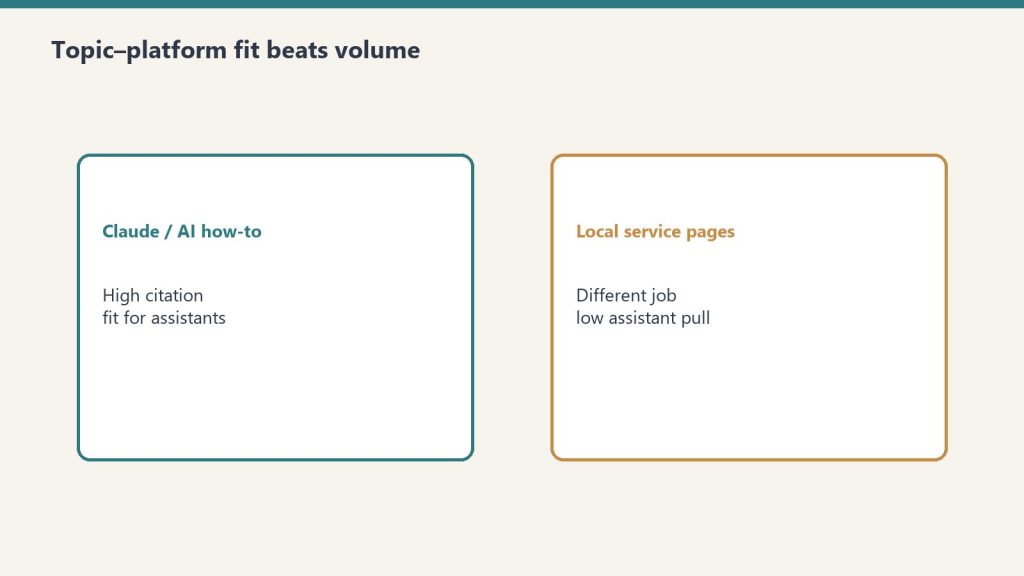
    Comparison of Claude how-to fit versus local service page fit for assistants
    Marketing content.
    • Website copy (homepage, about page, service descriptions)
    • Google Business Profile posts and updates
    • Email newsletter content
    • Social media captions (Instagram, Facebook, LinkedIn)
    • Local SEO blog posts
    • Seasonal promotions and campaign copy

    Prompt template: “Write a [content type] for my [business type] in [city]. My unique selling point is [differentiator]. Target customer: [describe]. Tone: [conversational/professional/enthusiastic]. Length: [X words].”

    2. Operations Documents

    • Standard operating procedures (SOPs) for any business process
    • Employee onboarding guides and training materials
    • Job descriptions for hiring
    • Vendor agreements and simple contracts (always review with attorney)
    • Process documentation and checklists

    3. Customer Service

    • Response templates for common questions
    • Difficult customer situation scripts
    • Online review responses (positive and negative)
    • FAQ page content
    • Refund and complaint handling language

    4. Financial Communication

    • Invoice and payment reminder language
    • Proposal and estimate narratives
    • Client update letters for project status
    • Grant application narratives (for eligible businesses)

    Recommended Starting Setup

    Desk with laptop, checklist notebook, and billing card ready before creating an Anthropic API key
    Recommended starting setup.

    Create a Claude Project with a system prompt containing: your business name and type, your city and target market, your brand voice (3 adjectives), and 2-3 things that differentiate you. Once set up, every Claude conversation is pre-loaded with your business context — no re-explaining needed.

    Free ($0) already includes up to 5 Projects (with Sonnet 5.5 and Haiku 5.5 at 1M context) so owners can test templates immediately. Daily solo operators move to Claude Pro ($20/mo, or $17/mo annual / $200 upfront) for 5× Free capacity, Opus 5.5, Fable 5.2, and unified Claude Desktop with integrated Cowork; heavy solo users choose Max ($100/mo) or Ultra ($200/mo, no verified 5-hr cap); and 2+ person companies choose Team Standard ($20/seat annual / $25 monthly; 2–150 seats) or Premium ($100/$125, 5× Standard) for shared Projects and zero default training (claude.com/solutions/small-business).

    Frequently Asked Questions

    What is the best Claude plan for small business owners?

    Free ($0) includes up to 5 Projects for light testing. Solo daily owners run Claude Pro ($20/mo; $17 annual), high-volume owners use Max ($100) or Ultra ($200), and teams of 2–150 share Projects cleanly with zero default training on Team Standard ($20/seat annual / $25 monthly) or Premium ($100/$125) (pricing hub; claude.com/solutions/small-business).

    The Next Step · Verified Research Verdict (November 13, 2026)

    Next Step: Launch Your Core Business Project Before Buying Extra Seats

    Create one Claude Project holding your brand voice, service catalog, and local policies (included free up to 5 Projects), then benchmark team workflows against claude.com/solutions/small-business and our Claude AI pricing hub before scaling onto Team Standard ($20 annual / $25 monthly).

    SMALL BUSINESS FIELD SHEET
    Claude for Small Business — Tygart Media Field Sheet (PDF)
    Keep this 2-page Small Business playbook: Free 5-Project starter checklist, Team vs Pro decision rules, and reusable prompts. Verified 2026-11-13.


    Want this for your workflow?

    We set Claude up for teams in your industry — end-to-end, fully configured, documented, and ready to use.

    Tygart Media has run Claude across 27+ client sites. We know what works and what wastes your time.

    See the implementation service →

    Need this set up for your team? Talk to Will →