Tag: Water Damage Restoration

  • Flash Flood Warning: Idaho Falls Area Until 2 AM MDT

    Flash Flood Warning: Idaho Falls Area Until 2 AM MDT

    A Flash Flood Warning is active right now for the Idaho Falls area. The National Weather Service in Pocatello issued it at 10:00 PM MDT on Thursday, September 17, and it runs until 2:00 AM MDT on Friday, September 18. Doppler radar is showing thunderstorms producing heavy rain across north central Bonneville County and south central Jefferson County, and flash flooding is ongoing or expected to begin shortly. These are exactly the storms that produce the interior water-intrusion jobs restoration teams see most — water finding its way into living spaces in the middle of the night. This is a live snapshot as of 12:06 AM MDT on Friday, September 18. Conditions change fast — always verify with the National Weather Service for your specific county or ZIP code.

    Idaho Falls area — Flash Flood Warning

    Issued by: National Weather Service, Pocatello, Idaho — 10:00 PM MDT Thursday, September 17.
    Expires: 2:00 AM MDT Friday, September 18.
    Covers: North central Bonneville County and south central Jefferson County in southeastern Idaho.

    At 10:00 PM MDT, Doppler radar indicated thunderstorms producing heavy rain across the warned area. The National Weather Service says flash flooding is ongoing or expected to begin shortly.

    Hazard: Flash flooding caused by thunderstorms.
    Source: Radar indicated.

    Expected impacts: Flash flooding of small creeks and streams, urban areas, highways, streets and underpasses, as well as other poor-drainage and low-lying areas. In practical terms: the underpasses and low dips around Idaho Falls, ponding on streets in Rigby and the smaller towns, and any creek or drainage running high after this rain.

    Locations in the warning path: Idaho Falls, Rigby, Lorenzo, Ucon, Menan and Lewisville.

    Also active nearby — Big Rock burn scar warning: At 10:25 PM MDT, NWS Pocatello issued a separate Flash Flood Warning for the Big Rock burn scar in southeastern Jefferson County and south central Madison County, running until 2:30 AM MDT. Thunderstorms are producing heavy rain over the burn scar, and the Weather Service warns of life-threatening flash flooding with debris flow — rock, mud, vegetation and other loose materials — moving through the scar. Some locations affected include Heise. Roads and driveways may be washed away in places. If you are anywhere near the burn scar area and encounter flood waters, climb to safety immediately. This one is the more dangerous of the two warnings tonight.

    Stay safe tonight

    Turn around, don’t drown. Most flood deaths occur in vehicles — never drive through flooded roadways, and never try to guess the depth of water over a road at night. The National Weather Service’s rule of thumb: six inches of moving water can knock an adult off their feet, and twelve inches can carry a car.

    If water gets into your home: stay out of standing water anywhere electricity may be present, and stay out of the basement until the water recedes and the power is confirmed off. Photograph everything before you touch anything — documentation matters for insurance. Then call a local restoration contractor. Water left sitting starts a second wave of damage within a day, and the clock on that starts the moment the rain stops, not the moment you discover it.

    What this means for restoration teams

    This is the signature southeastern Idaho night for water work: radar-indicated storms, urban and small-stream flooding, and a warning window that runs past 2:00 AM. Expect the calls to start as water recedes and keep coming for days as people discover what happened overnight. The damage categories to plan for: interior water intrusion through foundations, window wells and door thresholds; saturated drywall and insulation in finished basements; mold risk inside 24 to 48 hours on anything that stays wet; and sewage backup in low-lying areas where storm drains surcharge.

    The play tonight: stage equipment now rather than at first call. Pre-position drying assets — air movers, dehumidifiers, extraction — so the first truck rolls complete. Keep an on-call rotation through the morning, because the discovery curve on overnight flooding peaks after sunrise. On the first call, capture the address, the water source, and every affected area before you quote anything.

    Field discipline, same as always: photo-document before mitigation begins, moisture-map every affected room (not just the visibly wet one — water travels inside wall cavities), and keep the homeowner’s payment responsibility clear in writing before work starts. Night jobs with stressed homeowners are where scope misunderstandings are born.

    Local emergency contacts

    Bonneville County Emergency Management: (208) 529-1220 — bonnevillecountyidaho.gov/county-departments/emergency-management
    Life-threatening emergency: 911
    Bonneville County non-emergency dispatch: (208) 529-1200
    Idaho Office of Emergency Management: ioem.idaho.gov

    FEMA and federal assistance

    If the flooding damages your home and you need help beyond what insurance covers, the FEMA Helpline is 1-800-621-3362, open 7 a.m. to 10 p.m. local time, seven days a week. You can also apply at DisasterAssistance.gov, through the FEMA app, or find a recovery center at fema.gov/drc.

    Basic eligibility: U.S. citizenship or qualified status, identity verification, proof of occupancy or ownership, and unmet needs not covered by insurance. Don’t wait — apply as soon as it’s safe.

    Looking ahead

    The Idaho Falls warning expires at 2:00 AM MDT, and the neighboring burn scar warning at 2:30 AM MDT. When a warning expires, that doesn’t mean the water is gone — small creeks and streams often crest after the rain ends, and saturated ground means any additional round of storms overnight floods faster than the first. Storms can arrive in multiple rounds overnight, so watch the NWS Pocatello page for extensions or new warnings.

    For contractors: the demand window on this kind of event opens within hours of water receding and stays open for days. Homeowners discover basement water in the morning, call around midday, and the serious mitigation decisions land over the weekend. Be reachable, be first with the moisture map, and be the contractor who documented everything.

    Sources and how to verify

    NWS Pocatello office page — warnings, updates and extensions post here first.
    weather.gov — enter your ZIP code for the warnings covering exactly where you are.
    Alert data via the National Weather Service API (api.weather.gov), warnings active as of 12:06 AM MDT Friday, September 18.

    To verify for your own county or ZIP: open weather.gov, enter your ZIP, and read the active alerts banner at the top of the page. If Bonneville or Jefferson County is listed, this warning covers you.

    This post is for informational purposes and is not an official weather warning. Always follow instructions from local authorities and the National Weather Service. Stay weather-aware around flash flooding — turn around, don’t drown.
  • Storm Updates: Arizona + Southeastern Utah Flash Flood Outbreak — Tuesday, September 16, 2026

    This is a live storm update and search-demand pulse for Tuesday, September 16, 2026. A monsoon outbreak produced two flash-flood clusters: eight NWS Flash Flood Warnings across Arizona (issued 10:27–11:51 AM MST) covering Maricopa County (Phoenix metro), Pinal County, Pima County (Tucson area), Gila County, and Coconino County (Labyrinth/Face Canyon watersheds), plus two warnings for southeastern Utah’s San Juan County drainages south of Lake Powell (issued 12:01 and 12:34 PM MDT). Several Arizona warnings were tagged life-threatening, with 0.5–1.5 inches already fallen and rates up to 2 inches per hour.

    Flash flooding in desert washes and slot-canyon country moves fast. Verify local conditions with the National Weather Service before travel. Turn around, don’t drown.

    Cluster 1 — Arizona

    Warnings spanned Phoenix metro through Tucson and north into Coconino watersheds. Heavy monsoon cells dumped short-duration, high-rate rain onto urban pavement and desert soils that shed runoff into washes and underpasses.

    Arizona Search Demand (measured live)

    Google Trends pulls (live browser, no CAPTCHA) show East Valley hire-intent leading the state:

    SignalWindowReading
    water damage restoration mesa az7d+850%
    water damage restoration mesa7d+450%
    Mesa (city topic)7d+400%
    Glendale (city topic)7d+250%
    Cost (topic, seed: flood damage repair)7d+250%
    flood damage restoration30d+170%
    water damage restoration phoenix az7d / 30dBreakout
    flood damage restoration near me / flood restoration near me / flood restoration companies30dBreakout

    Trending Now (Arizona, past 7d): “flood watch” 20K+ searches / +1,000% (active); “flash flood warning” 500+ / +1,000% and 200+ / +800%. Hottest metros: Phoenix AZ 100 · Yuma AZ–El Centro CA 81 · Tucson (Sierra Vista) AZ 67. City-level breakout query language also hit Tempe, Scottsdale, Tucson, and Phoenix AZ.

    Cluster 2 — Southeastern Utah

    Two warnings covered San Juan County drainages south of Lake Powell, including Labyrinth Canyon — life-threatening flash flooding of slot canyons and dry washes.

    Utah Search Demand (measured live)

    SignalWindowReading
    emergency water damage restoration30d+4,350%
    water damage restoration services30d+1,400%
    water damage restoration services near me30d+1,100%
    water damage restoration near me30d+750%
    water damage restoration service near me30dBreakout
    flood damage restoration near me / flood damage restoration7dBreakout
    flood restoration salt lake city30dBreakout
    water mitigation company30dBreakout

    What Homeowners Should Do in the First Hours

    • Stop the source if safe: Do not enter flowing washes or standing water near electrical panels.
    • Document high-water marks before cleanup for insurance.
    • Extract before you dry: Mud and silt first; air movers over wet sediment spread contamination.
    • Vet “near me” companies: Ask for IICRC certification, Category 3 blackwater protocol, and written moisture maps — East Valley and Utah “near me” breakouts show hire-intent, not DIY research.
    • Ask the cost question early: Arizona Cost topic +250% on flood damage repair means carriers and deductibles will dominate the next conversation.

    Sources and Verification

    Official data verified against National Weather Service Flash Flood Warnings for Arizona and southeastern Utah (10 warnings, new to the day’s watermark); Google Trends Arizona and Utah regional datasets (7-day and 30-day windows), measured live via browser with no CAPTCHA blocks.

    Informational brief only — not an official warning broadcast. Monitor NOAA Weather Radio and local county emergency management for evacuation and shelter orders.

  • Storm Updates: Rio Blanco County Colorado Flash Flood Warning — Sunday, September 13, 2026

    This is a live storm update and search demand pulse for Sunday night, September 13, 2026. The National Weather Service in Grand Junction, Colorado, issued a severe Flash Flood Warning for Rio Blanco County at 8:25 PM MDT, valid through 11:30 PM MDT. While localized runoff, wash flooding, and steep-terrain drainage pose immediate hazards across northwest Colorado’s Grand Junction–Montrose designated market area (DMA), search behavior across the wider state indicates a tightening baseline for water mitigation and flood repair demand.

    Flash flooding in high-desert and mountainous terrain moves fast and creates sudden structural washouts. Property owners and municipal managers must verify local conditions with the National Weather Service before traveling. Turn around, don’t drown.

    The Warning: Rio Blanco County, CO

    The Grand Junction weather forecast office issued the severe Flash Flood Warning following heavy rainfall over saturated soils and drainage basins in Rio Blanco County. Flash flooding in this geography typically impacts low-water crossings, county access roads, oil and gas pad infrastructure, and residential basements situated along creekbeds and alluvial fans.

    Official NWS Alert identifier: urn:oid:2.49.0.1.840.0.8acebba0f7c98d0a6a7482a49c065131956af988.001.1. The active warning contour spans uninhabited ranch land as well as municipal corridors, requiring local operators to track specific drainage axes rather than treating the county as a single uniform polygon.

    Colorado Search Demand & Trend Signal

    Search trend monitoring captured live query volume across Colorado within 40 minutes of warning issuance. Because hyper-local search volume for sudden events requires a 24- to 72-hour window to register on 7-day rising metrics, demand analysis looks at the broader 30-day baseline across Colorado to measure the demand basin pulling into regional contractor rosters.

    Breakout search terms across the state show intense user focus on contractor vetting and direct proximity queries:

    Breakout Search Query (Past 30d)Seed TopicDemand Context
    flood restoration companiesflood restorationHigh commercial & residential intent
    flood restoration company near meflood restorationImmediate emergency lookup
    flood damage restoration serviceflood restorationFull-scope service inquiry
    water damage restoration aurorawater damage restorationFront Range demand corridor
    water damage restoration aurora cowater damage restorationGeo-specific contractor intent
    water damage restoration company near mewater damage restorationMobile emergency conversion query
    water mitigation companieswater mitigationEarly-stage carrier / extraction focus

    By growth percentage, high-velocity queries across Colorado include water damage restoration service near me (+70%), restoration water damage company (+70%), and water damage restoration denver (+60%). Subregional activity highlights Denver, Colorado Springs–Pueblo, and Grand Junction–Montrose as the three most active DMAs in the state.

    What This Means for Restoration Teams

    Flash flood events in western Colorado create rapid silt, sediment, and Category 3 blackwater contamination when surface runoff penetrates crawlspaces, basements, and foundation slabs. Even if localized rainfall totals appear moderate, runoff volume through desert washes can breach grade rapidly.

    Key operational takeaways:

    • Immediate Containment: Mud and silt must be extracted before drying equipment is placed; running air movers over sediment aerosolizes particulate and bio-contaminants.
    • Moisture Mapping: Test perimeter subflooring and framing immediately. In dry climates like western Colorado, rapid surface evaporation frequently hides deep structural saturation behind baseboards and insulation.
    • Proximity Positioning: The breakout surge in “near me” search terms demonstrates that consumers call the first local verified provider they can reach. Verified phone lines and dispatch triage are critical.

    Sources and Verification

    Official data verified against: National Weather Service Grand Junction (weather.gov/gjt); NOAA National Weather Service Alerts API; Google Trends Colorado Regional Dataset (Past 7d and Past 30d windows).

    Informational brief only — not an official warning broadcast. Monitor NOAA Weather Radio and local county emergency management for evacuation and shelter orders.

  • Storm Updates: 2.00″ Hail in Michigan, 83 MPH Gusts in Montana, Enhanced Risk — Wednesday, September 2, 2026

    Current Hotspots & Active Risk Zones

    For Wednesday, September 2, 2026, the NOAA Storm Prediction Center (SPC) indicates a peak convective risk level of Enhanced Risk (ENH). Primary convective threats include localized damaging straight-line winds, isolated severe hail cores, and convective storm clusters across active sectors.

    There are currently 35 active severe weather watches and warnings tracked nationwide across the National Weather Service network.

    Recent Impact & Local Storm Reports (Past 12–24 Hours)

    Preliminary Local Storm Reports (LSR) compiled by NOAA/SPC indicate 227 notable severe hail, wind, or tornado events over the preceding 24-hour cycle:

    • Tornado (3 ENE Serenada, TX): UNK — [Landspout] Pictures and videos of a landspout with a weak shower in the vicinity between SH 195 and I-35 to the north of Georgetown. Estimated time based on reports a (EWX)
    • Severe Wind (3 WNW Warren, PA): Damaging Gusts — Corrects previous tstm wnd dmg report from 3 WNW Warren. Multiple trees down around the 1900 block of Follett Run Road. (CTP)
    • Severe Wind (Oakfield, NY): Damaging Gusts — Trees down in Elba. (BUF)
    • Severe Wind (8 NNE Tionesta, PA): Damaging Gusts — Trees and wires down. (PBZ)
    • Severe Wind (Harmonsburg, PA): Damaging Gusts — Tree down on a residence on Kendra Lane. (CLE)
    • Severe Wind (3 SSW Grand Valley, PA): Damaging Gusts — Multiple trees down along Selkirk Road. (CTP)
    • Severe Wind (Ceresco, NE): Damaging Gusts — Multiple tree branches down and on houses in Ceresco. Also some windows blown out of a business. Time estimated from radar. (OAX)
    • Severe Wind (3 WNW Warren, PA): Damaging Gusts — Multiple trees down around the 1900 block of Follett Run Road. (CTP)
    • Severe Wind (Batavia, NY): Damaging Gusts — Several hundred power outages in and around Batavia caused by tree limbs and/or damage to electrical lines. (BUF)
    • Severe Wind (Leicester, NY): Damaging Gusts — Trees down. (BUF)
    • Severe Wind (6 WNW Brockway, PA): Damaging Gusts — Trees down. (PBZ)
    • Severe Wind (Livonia, NY): Damaging Gusts — Trees down. (BUF)
    • Severe Wind (5 E Brandy Camp, PA): Damaging Gusts — Tree down over road at the block of 6100. (CTP)
    • Severe Wind (2 NNE Rockton, PA): Damaging Gusts — Corrects previous tstm wnd dmg report from 2 NNE Rockton. Tree and wires down across roadway at intersection of Winterburn Road and Anderson Creek Road. (CTP)
    • Severe Wind (2 NNW Falls Creek, PA): Damaging Gusts — Trees down. (PBZ)

    24–48 Hour Near-Term Outlook

    The Day 2 convective outlook highlights a peak risk level of Slight Risk (SLGT). Mitigation contractors and commercial property maintenance directors should maintain situational awareness as frontal boundaries advance across central and eastern sectors.

    Restoration Operator Notes & Tactical Recommendations

    • Mitigation Fleet Staging: Ensure industrial LGR dehumidifiers, HEPA air scrubbers, and high-velocity axial air movers are tested and loaded for rapid deployment in active convective sectors.
    • Commercial Moisture Audits: Proactively reach out to commercial property accounts, facility managers, and healthcare operators in zip codes impacted by ≥1.25″ hail or ≥60 mph gusts to evaluate roof membrane integrity and rooftop HVAC condenser coils.
    • Emergency Board-Up & Tarping: Prepare roll stock poly, 2×4 lumber, and sandbags for immediate emergency envelope stabilization following severe wind gusts.
    • Field Safety Protocol: Remind field mitigation crews that flash flood waters are classified as Category 3 (black water) bio-hazard contamination requiring full PPE and specialized containment.

    Official Sources & Attribution

    Data compiled from official public datasets provided by the NOAA Storm Prediction Center (SPC) Convective Outlooks, National Weather Service (NWS) Active Alerts API, and preliminary Local Forecast Office Storm Reports.

    Operational Disclaimer: This is a public-data summary for restoration professionals’ situational awareness only. It is not an official weather forecast. Always verify with the National Weather Service, local NWS forecast offices, and official watches/warnings. Preliminary storm reports are unfiltered and subject to change. Do not make critical life-safety or structural dispatch decisions solely based on this brief.

  • The trucks leave. The record doesn’t.

    The trucks leave. The record doesn’t.

    The trucks leave. The record doesn’t.

    The magazine piece tells the facility manager why the gap exists. This is the shop version. Same week. Different door.

    A water job ends when the last air mover comes off the truck, not when the invoice hits QuickBooks. After that, the only carbon record most shops have is a line item and a memory. The facility manager who hired you will get asked for numbers tied to greenhouse gas reporting—specifically Scope 3 under the GHG Protocol. Two buckets show up again and again in those conversations.

    Category 1 (purchased goods and services) covers what the organization bought and had performed on its behalf: labor, equipment run on site, materials installed, subcontractor work. Your job is part of that spend chain. Category 5 (waste generated in operations) covers waste the organization’s activities create when it operates the building—demolition debris, wet carpet, contents sent to landfill, hauls off the loading dock. Restoration generates both in a compressed window.

    When the owner or corporate sustainability team asks the FM for Category 1 and Category 5 numbers, the FM does not have a meter on your dehu. They call you. If you cannot produce a job-level record with a timestamp from the week of the loss, you are not the vendor who gets the next call. Not because anyone hates paper. Because “we’ll get back to you” reads as “we don’t know what we did on your floor.”

    What has to change is not your craft. It is what leaves with the crew.

    The dozen fields: what to write while the floor is still wet

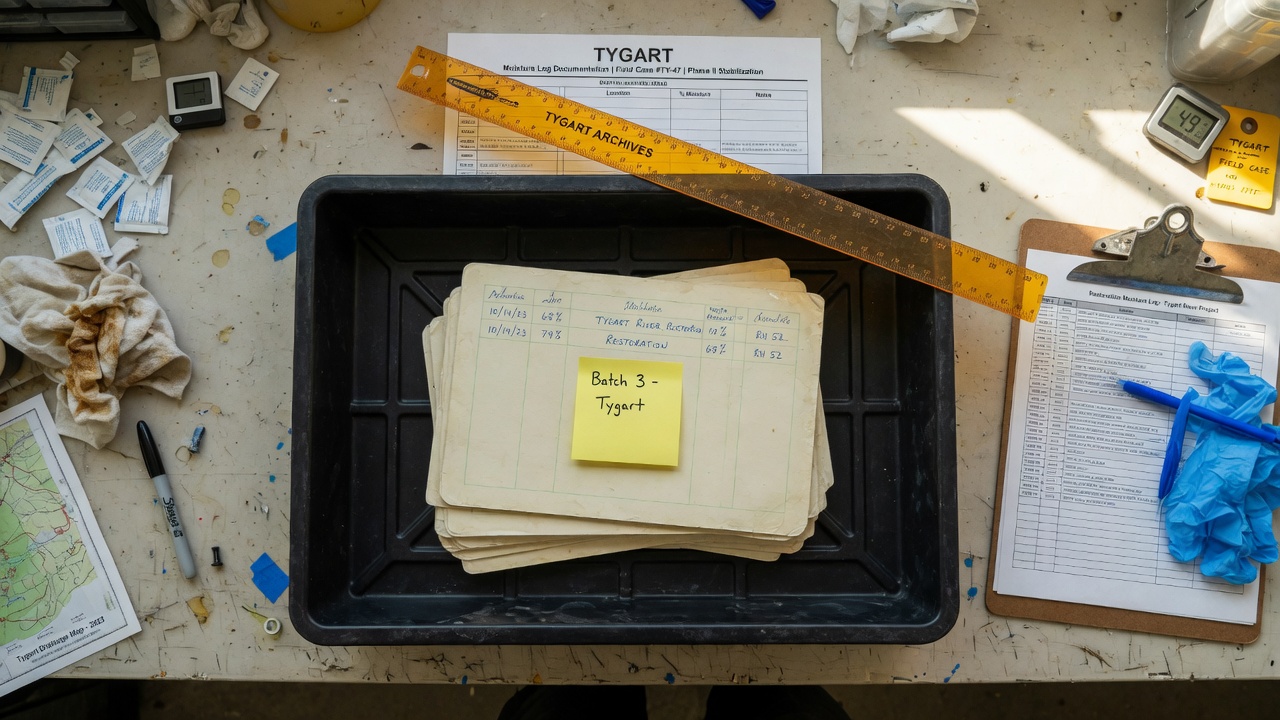
    Not a sustainability essay. A dozen fields, filled before the truck rolls. If a tech cannot complete it in five minutes, the form is wrong. If it waits for the office on Monday, it will be invented.

    The Restoration Carbon Protocol knowledge base is the open mapping if you do not want to invent the buckets. Use it, rename it, or steal the twelve fields. The standard is not the point. The timestamp is.

    Field Why it matters (carbon math) Capture in under a minute
    1. Equipment runtime (hours) — dehus, air movers, scrubbers, etc.; mark primary or estimated Electric or fuel burned on site drives emissions attributed to purchased services (Category 1). Photo hour meters or write run hours from the panel; note if rounded from crew shift length.
    2. Generator runtime (hours) + fuel type — diesel, gasoline, propane, or grid tie-in; primary or estimated Generator fuel is a direct combustion source; grid power still needs kWh or hours for conversion factors. Generator hour meter or fuel fill log; one line for fuel type; photo of meter.
    3. Crew trips — count and approximate miles (shop to site and return, or per day); primary or estimated Vehicle miles stack into purchased services when your crew travels to perform the work. Crew lead odometer at departure and return, or map estimate; one number per trip day.
    4. Haul trips — count, approximate miles, truck type if mixed; primary or estimated Hauling moves mass; miles and trips feed transport emissions tied to the job. Dump run tally on the clipboard; odometer photo or dispatcher mileage note.
    5. Debris — wet drywall (volume) — bags, yards, or tons as your shop measures; primary or estimated Material mass and disposal path drive Category 5 waste reporting. Count bags or roll-off fraction; photo of loaded trailer or ticket weight if scaled.
    6. Debris — carpet / pad (volume); primary or estimated Same stream: landfill vs recycle changes the waste factor. Square feet removed × layers, or roll-off estimate; note wet vs dry.
    7. Debris — contents (volume or weight); primary or estimated Contents off-site as waste or salvage still count in what left the building. Box count, pod fraction, or invoice from pack-out vendor.
    8. Debris — mixed C&D (volume); primary or estimated Mixed loads need a declared split or honest “mixed” with disposal site. Roll-off size × fill level, or scale ticket photo.
    9. Disposal method + receiving facility / transfer station — landfill, recycle, waste-to-energy, donation, etc. Category 5 is not “garbage” in the abstract; method and location determine factors. Photograph dump ticket; copy facility name and address from ticket.
    10. Materials removed (summary) — what came out; primary or estimated Mass balance: what left the building anchors waste and demo attribution. One line from demo scope: “~800 sf carpet, 200 lf baseboard, 12 sheets drywall.”
    11. Materials installed (summary) — what went back in; primary or estimated Installed goods are purchased goods/services (Category 1) the owner will allocate. Pull from pick ticket or invoice stub; photo of delivery slip.
    12. Job class + duration — water / fire / mold / mechanical (or your codes); start and close dates; primary or estimated Duration scales equipment and trip totals; class tells the FM which protocol line to use. Dates from work auth; class from loss type already on the folder.

    Every number gets a flag: primary (measured — meter, ticket, scale, invoice) or estimated (judgment — “~half a 20-yard,” “assume 40-mile round trip”). Never fake precision. An honest estimate with a date beats a fabricated decimal from accounting six months later.

    Building the capture habit

    Nobody fills a questionnaire after the trucks have gone. They fill what stands between them and getting paid.

    Tie it to the invoice trigger

    Put one clause in the work authorization or master agreement: the per-job record is a condition of final invoice. Same shape as a moisture log. Same habit as photos. Final invoice does not go out until the record is attached to the job file—PDF photo of the clipboard, form in your CRM, whatever your shop already uses for documentation that must exist to get paid.

    That single gate does more than a training deck. The crew lead knows the rule: no record, no release. Office staff stop chasing “sustainability forms” and start enforcing the same checklist they enforce for signed auth and dry standard.

    Who owns it, and when

    Owner: crew lead on site—not the office on Monday. The lead has the hour meters, the dump runs, and the conversation with the FM at the door.

    When: before the truck rolls, while the floor is still wet and the debris stream is visible. Last hour on site, not first hour back at the shop.

    What it looks like: one page. Checkbox for job class. Table for the twelve fields. Two columns for primary vs estimated initials. Signature and date. Lives on the clipboard that already holds the moisture log.

    The discipline matches what you already run on the first day of a water loss: document early, while evidence is in front of you. The first-24-hours water loss operators checklist is the same muscle—capture before memory replaces the floor.

    Pushback you will hear

    “We don’t have time.” Five minutes. Hour-meter photos and a dump ticket fit in the same walk-through where you pick up the last cord.

    “We’ll do it Monday.” Monday produces fiction. Miles blend across jobs. Fuel type becomes “diesel probably.” The FM’s deadline will not wait for fiction.

    “The office can estimate.” The office was not on the roll-off. Estimates are fine when labeled estimated—not when invented without a witness.

    Estimates vs primary data: Mark every field. Primary data comes from meters, tickets, invoices, or counted units on site. Estimates are allowed when measurement was impossible—note the reason in one word (“no scale,” “combined load”). Reporting downstream can treat estimates differently; lying about precision cannot be untangled later.

    Feeding Scope 3 reporting from the job file

    Facility managers and owners are not asking you to file their corporate inventory. They need defensible inputs they can map into Scope 3 workbooks.

    Your twelve fields supply the bridge. Category 1: equipment and generator runtime (especially fuel type and grid vs diesel), materials installed, crew and subcontractor effort represented by trips and job duration, and the job class that tells them this was restoration services—not janitorial, not capital project. Category 5: debris by stream, volumes, disposal method, and receiving facility name—so their waste factor matches what actually left the dock, not a generic “construction waste” line.

    When you hand the FM a completed record dated the week of closeout, you give them primary or honestly labeled estimated data with a chain of custody: ticket photos, meter photos, material slips. Their sustainability consultant can plug factors without calling you twelve times. When you hand them silence, they spread one invoice total across a quarter and hope nobody audits.

    The Restoration Carbon Protocol (RCP) documents how restoration-specific activity maps to those reporting needs—field names, streams, and guidance so shops and FMs speak one language. You do not have to adopt every label. You do have to leave a record that can be mapped.

    Who this is for

    Commercial water, fire, mold, and the one-off mechanical swap. The FM inside the building is the only person who can demand the data at the door. You are the only person who can produce it on the job.

    The sentence that pays: “We capture the job record before we leave. You can hand it to whoever asks.” Only say it if the clipboard is on the truck.

    Frequently asked questions

    What if the job is already done and we captured nothing?

    Document what you can reconstruct from tickets, invoices, and photos—with every number marked estimated and the reconstruction date noted. Send it anyway. Partial honest data beats silence. Change the process for the next job; do not rewrite history as primary.

    Who owns the record — the crew or the office?

    The crew lead captures it on site before departure. The office verifies it is attached before final invoice release. Capture is field work; gatekeeping is office work.

    How precise do the numbers need to be?

    Precise enough to be honest. Primary when you have meters and tickets; estimated when you do not—never unlabeled guesses. Facility reporting uses ranges and factors; they cannot use numbers you pretended were weighed when they were guessed.

    Does this replace our moisture log or invoice documentation?

    No. It sits beside them. Same invoice gate, same job file. Moisture proves dry standard; invoice proves scope and price; the job record proves what happened on the floor for environmental reporting.

    What does the FM actually do with these numbers?

    They fold them into Scope 3 reporting—Category 1 for purchased restoration services and materials you installed, Category 5 for waste streams you hauled—often with a consultant or corporate template. Your record is the job-level backup when auditors or tenants ask what the loss generated.

    Do we have to use the Restoration Carbon Protocol name?

    No. Use the twelve fields, your own form, or RCP’s mapping. The FM needs consistent fields and a date from closeout week, not a brand.

  • Starlink on a water job — open field playbook

    Starlink on a water job — open field playbook

    Open field playbook. No patent. Copy it, rename it, change the nouns to fire / mold / rebuild. If it makes you money, good. If it puts another dish on a wet roof, also good.

    License: do what you want. Attribution nice, not required. Tygart Media is not a Starlink, SpaceX, Tesla, or xAI partner. Links below go straight to them. No tracking parameters. No referral codes.

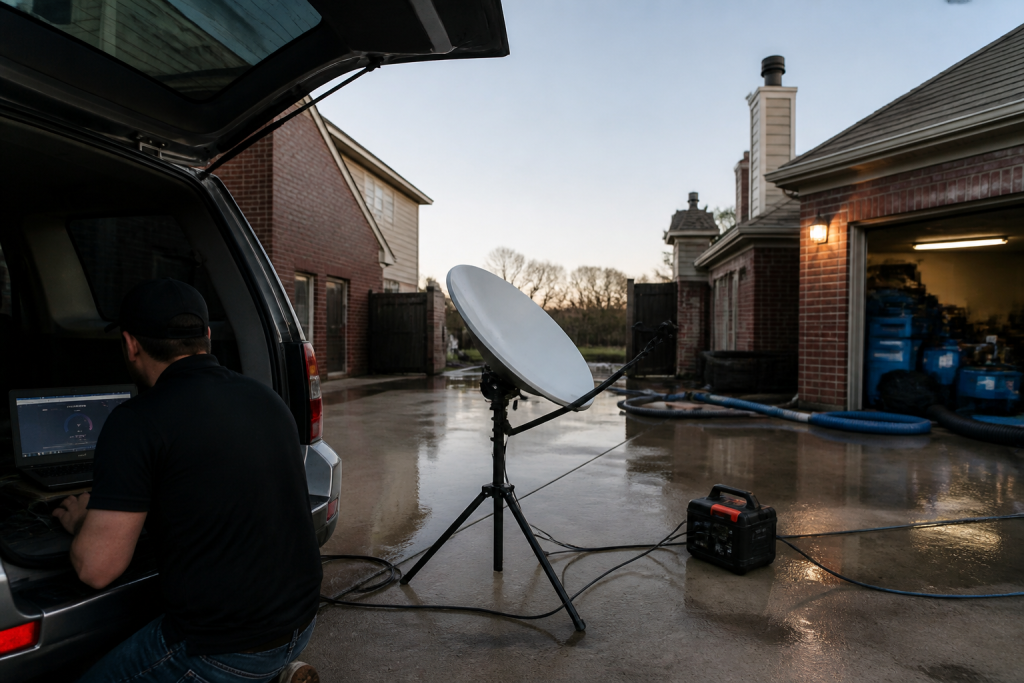
    Why this exists: restoration work happens where fiber is dead, the house is a Faraday cage of wet drywall, and the phone that “has bars” cannot upload a moisture map. Starlink is a sky-view pipe. More honest job-site pipes → more honest traffic on the constellation → more reason to fly birds. The selfish clause is allowed: a 4G phone in the sticks should still talk to a voice agent when the street is dark.

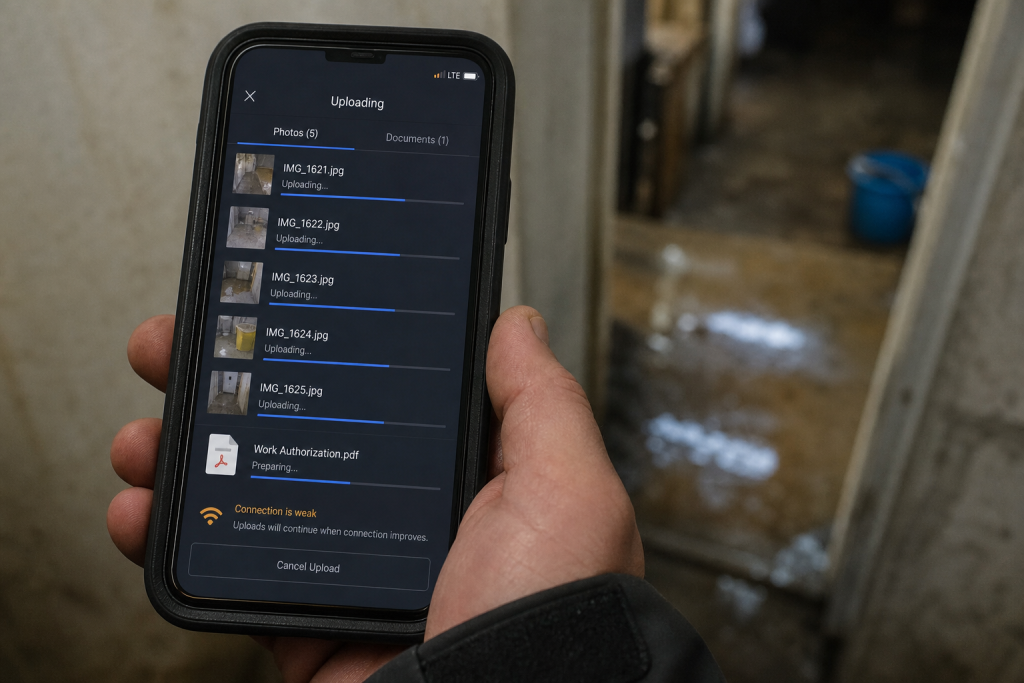
    Field phone showing bars while a moisture map upload fails on a dead-fiber water loss
    Bars on the phone. Upload still dead. That is the job the dish is for.

    Buy and read from the source. Prices move. The impedance rule does not.

    Official doors (clean)

    Starlink (buy / plans / help)

    SpaceX

    Tesla / xAI (voice rides the pipe; they are not the dish)

    1. Impedance — when this kit matches the job

    Use Starlink when two of these are true:

    • The structure or the street has no working cable/fiber (storm, rural, construction, “the pole is in the river”).
    • You need to upload, not just talk: photos, video walkthrough, Xactimate sketch, moisture log, signed work auth.
    • You will be on site more than an hour and cell is congested or roaming into a dead pocket.
    • The office needs a second path so after-hours voice and dispatch do not die with the cable modem.

    Do not use it as:

    • A replacement for a good office fiber drop.
    • A phone. Voice agents still ride the pipe; the dish is not Jarvis.
    • A “we have Starlink” line on the website. Homeowners hire the truck that showed up.

    Cell first if it works. Starlink is the sink when cell is the bottleneck.

    2. Two kits (steal one)

    Kit A — truck / first-on-site (most shops)

    • Starlink Mini on a Roam plan or, if this is actually a business WAN, start at Business and read the current hardware list. Mini is the backpack dish. In-motion rules live here. The home V5 kit is not the roam toy.
    • Power: Mini wants a USB-PD source rated 65–100 W even though it only drinks ~25–40 W. A 45 W phone brick will lie to you. Truck: 12 V → 30 V / Anderson, or a 500 Wh class station.
    • Plan: numbers on starlink.com move. Roam is written for travel. If the kit is production, read Business vs Enterprise. Mini often does not sit on the Priority SLA. Do not tell a carrier you have enterprise uptime because you paid a business invoice for a Mini.
    • One cheap travel router if Mini Wi-Fi dies inside a metal trailer.
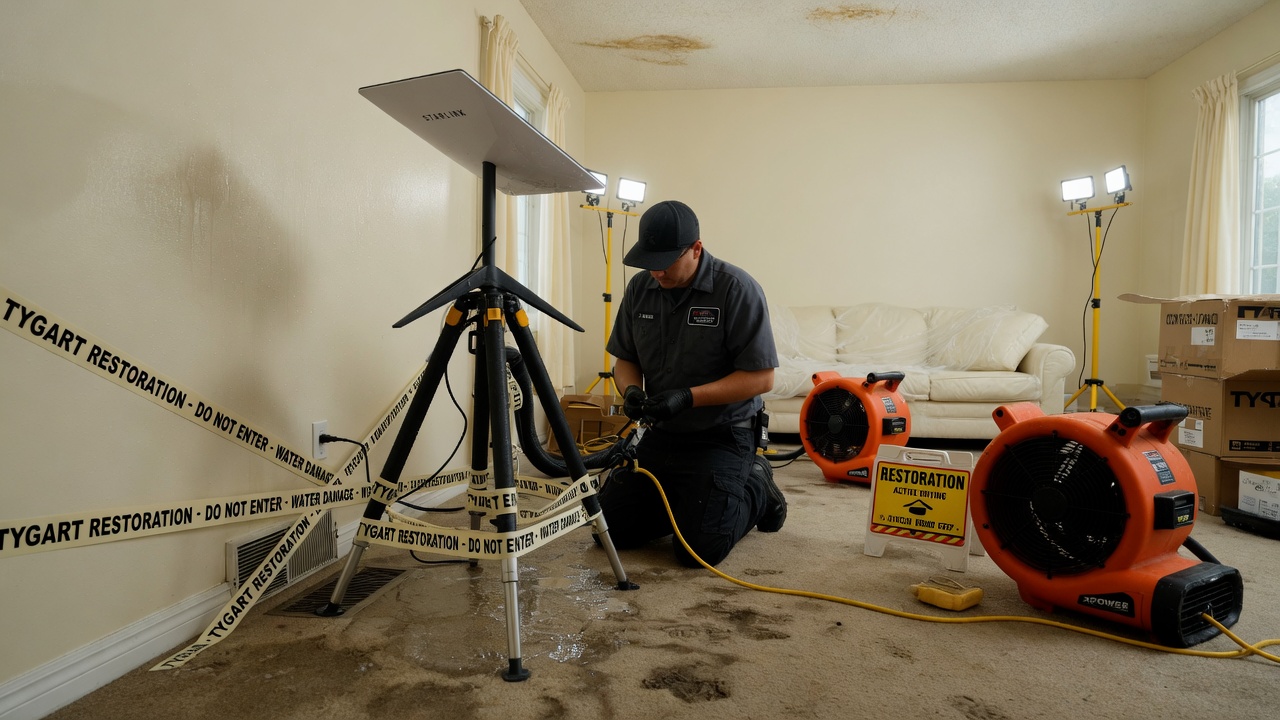
    Starlink Mini powered from a truck USB-PD brick rated 65 to 100 watts before entering a wet house
    Power before the meter. 65–100 W brick. Phone chargers lie.

    Kit B — shop / yard / long dry-down

    • Performance / Priority on Business if you need an SLA and a fixed roof.
    • Permanent mount, open sky, snow-melt if you live where it snows.
    • This is backup for the office phone and the photo server. Not the hero kit on day one of a flood.

    3. First 30 minutes on a wet house

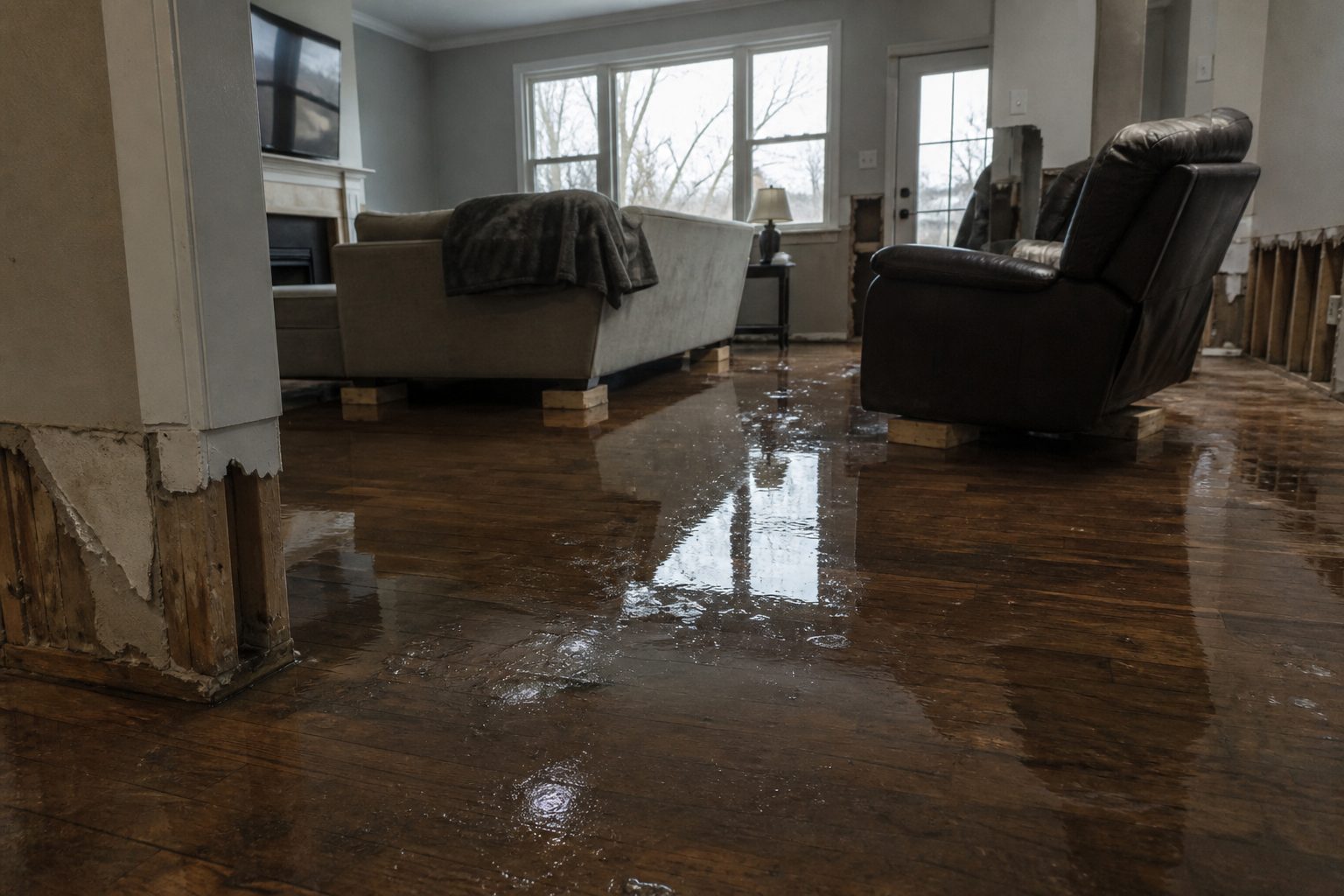
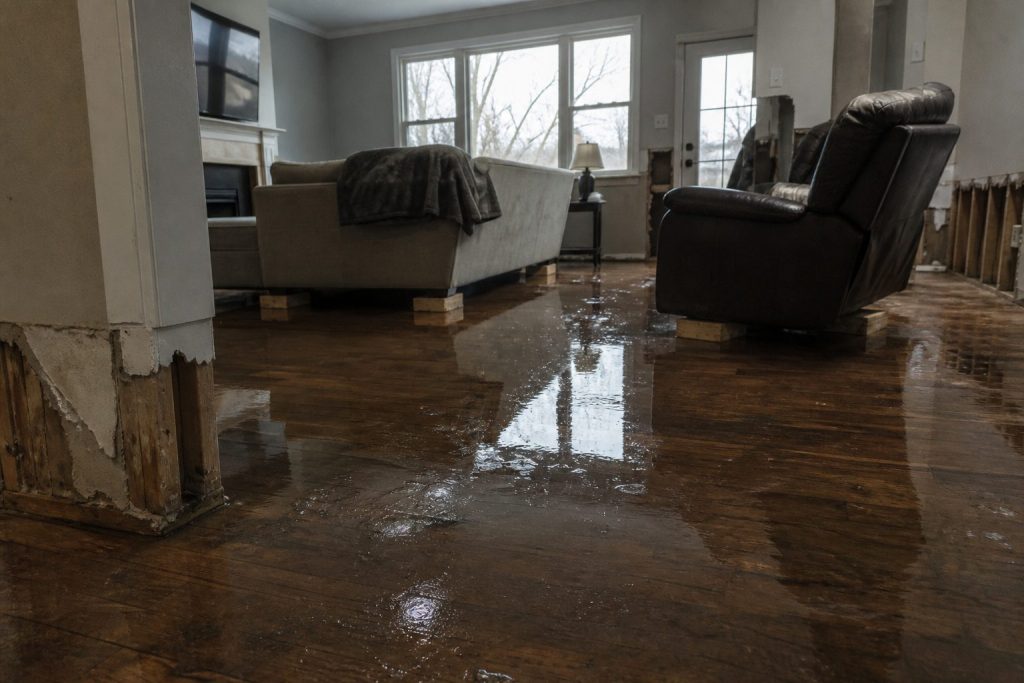
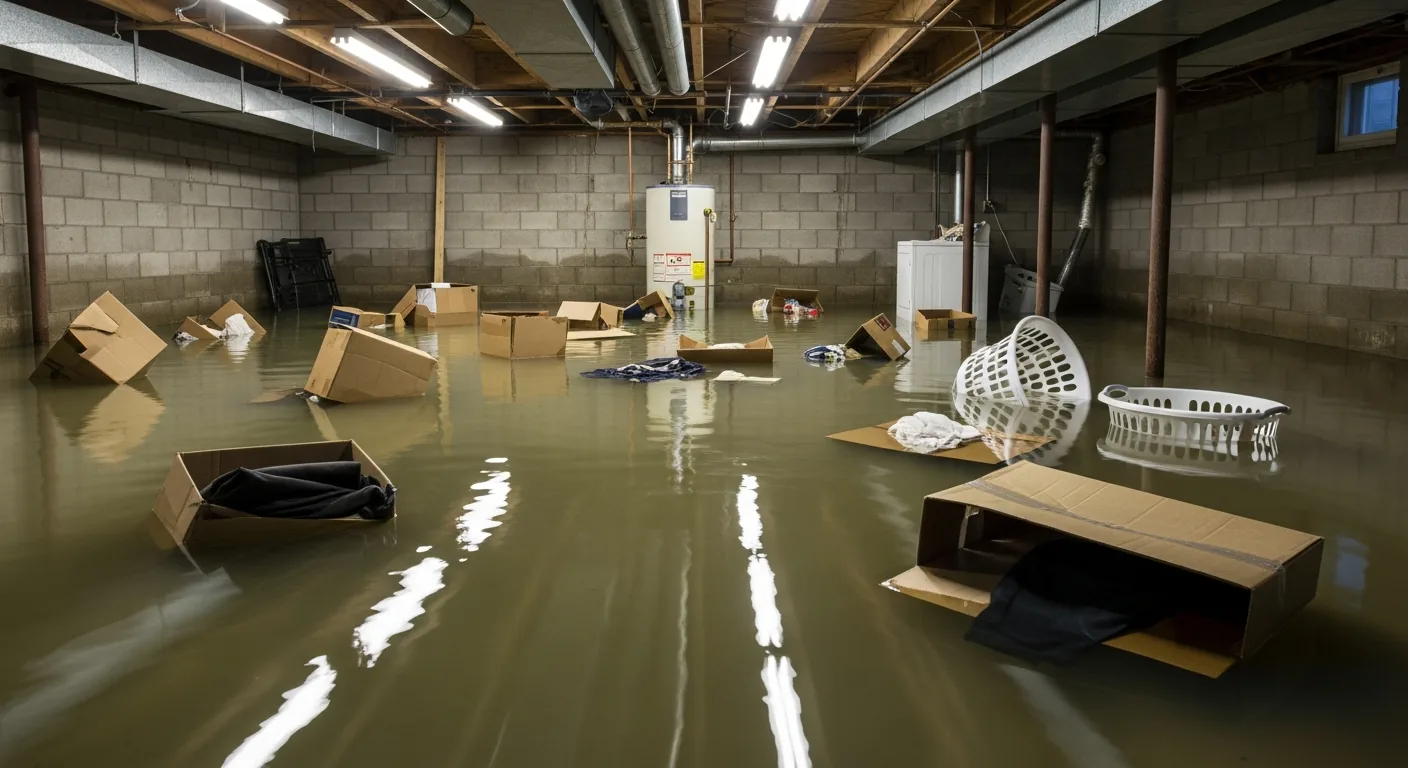
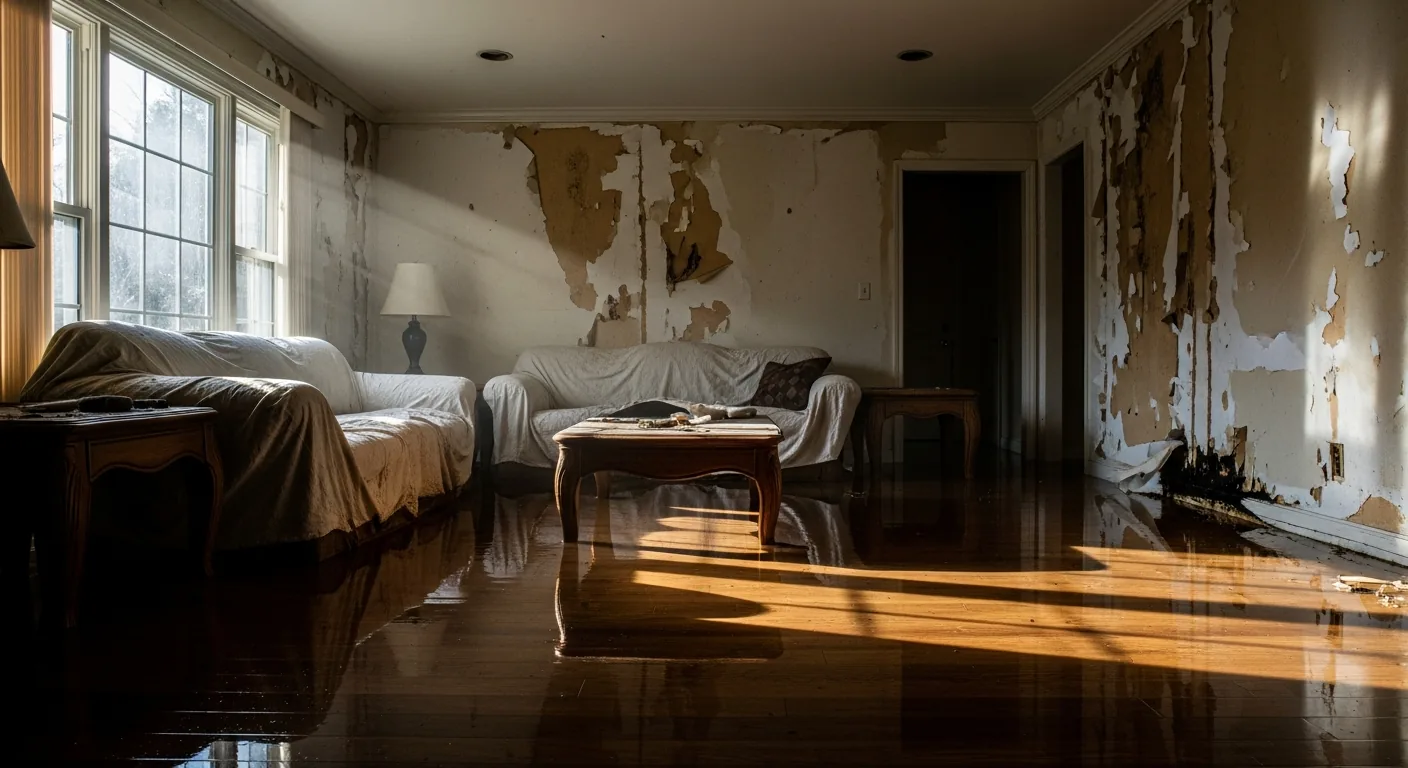
    Flooded residential living room with standing water on hardwood after a water loss
    First 30 minutes on a wet house with Starlink up.
    1. Park where the sky is a rectangle, not a slot between two alders. Confirm in the Starlink app.
    2. Dish on the hood, a pole, or the unshaded side of the trailer — not the basement, not under the soffit.
    3. Power before you walk in with the meter. Boot is a couple of minutes.
    4. One speed check. If download is fine and upload is garbage, you will feel it on Xactimate. Rain cuts throughput; talk first, fat files later.
    5. Name the network something boring (SHOP-JOB).

    If the app says obstructed, move the dish. Do not “optimize” for twenty minutes.

    4. What actually eats the pipe

    Gloved hands using a pin-type moisture meter on wet drywall during inspection
    What actually eats the pipe on a water job.
    ThingRough appetiteRule
    Moisture photos, 50–150 shotssmallFine on a small Roam month
    Adjuster video walk, 10 minmediumOnce, compressed
    Xactimate / cloud estimatesmall–mediumSite needs the upload
    Voice agentsmall per minuteCheap; retries are not
    Netflix in the trailerthe villainAfter the job or not at all
    Group video, four peopleburns a small capOne camera

    Voice is why the pipe matters at 11 p.m. Keep the agent short. Book or kill.

    5. Who pays

    Pick one. Write it in the SOP.

    • Job cost — storm / rural / no street internet. Line it like a generator.
    • Shop overhead — office backup + after-hours voice.
    • Never the tech’s personal weekend.

    Standby the truck kit when it is not a weather week. Idle is cheaper than a second hardware buy because someone borrowed it.

    6. Dispatch and voice

    White restoration work van with ladder rack parked at a suburban jobsite curb
    Dispatch and voice when the site is remote.

    The dish is layer 0. The voice agent is layer 1.

    On a dead-fiber job: photos go up the pipe; the after-hours line stays reachable; the agent writes a new row (address, standing water y/n, next action). It does not edit your website.

    If you already have a process, add one rule: when cell upload fails, kit A comes off the hook.

    7. Failure modes

    Trees and eaves. Rain. 45 W bricks. Consumer Roam sold as production WAN. Twelve intake fields before anyone asks “can we come now?”

    8. The sentence that pays the shop

    “If the street internet is out we still upload your photos and get the adjuster pack off the truck tonight.”

    Only say it if the kit is in the truck.

    This document stays free. Charge for the hour you spend teaching another shop the first 30 minutes if you want. Do not charge Starlink. They already sold you the dish.

    9. What this is not asking

    No meeting. No partnership badge. No official anything.

    Redmond already knows how to stamp birds. The ground should not be a graveyard of unused kits. Order here. Then put the dish where the sky is.

    Related field notes: The leftover pile · Cursor checks on Grok Desktop mid-job

    Related on Tygart Media: The leftover pile · Cursor checks on Grok Desktop mid-job.

  • IICRC Van Pocket Card

    IICRC Van Pocket Card

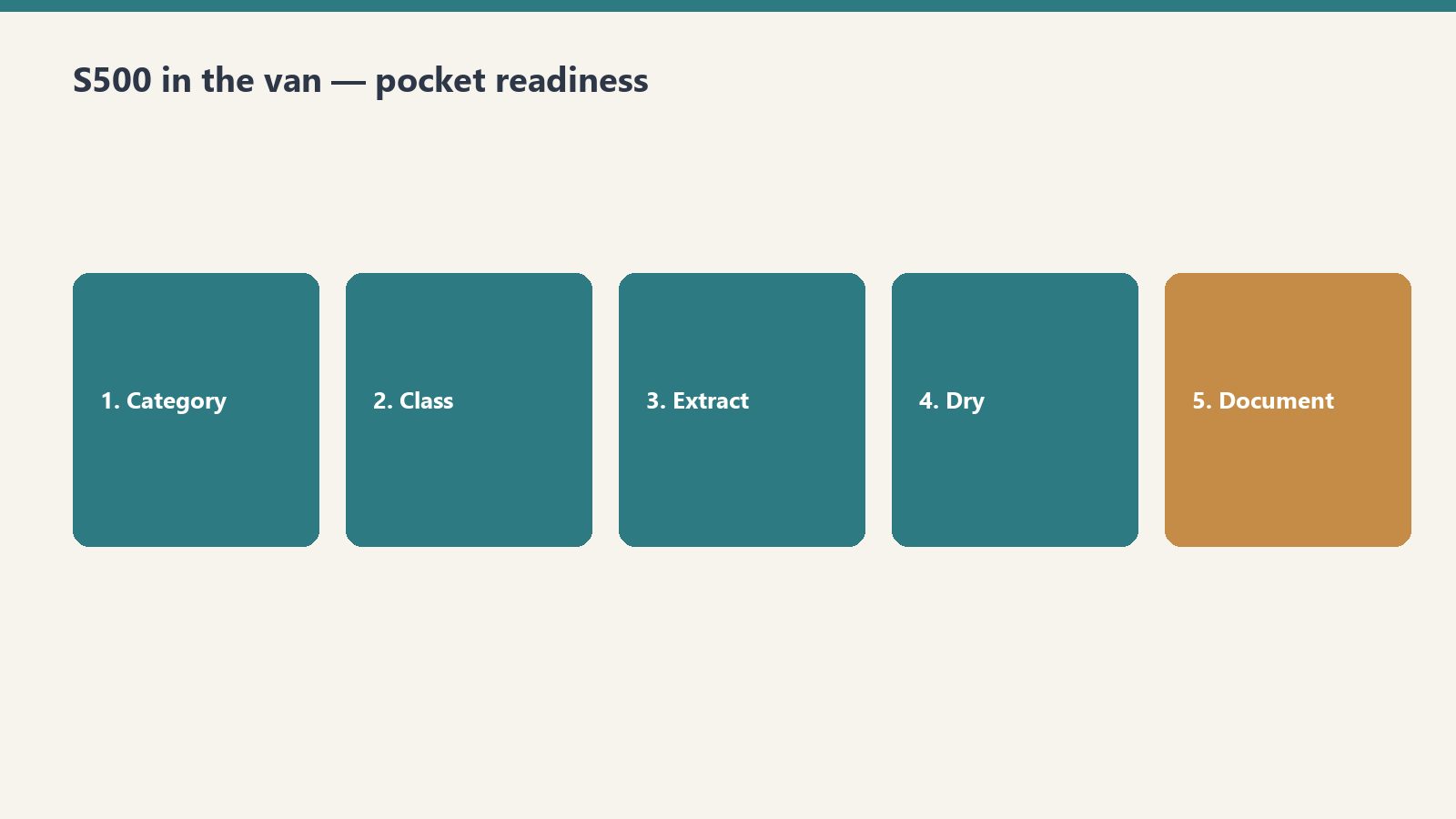
    Tape this in the van. Category, Class, PPE floor, one photo. Twenty seconds. Then go to work.

    This is a free pocket card, not a certification, and not official IICRC. It does not replace S500/S520.

    What you get

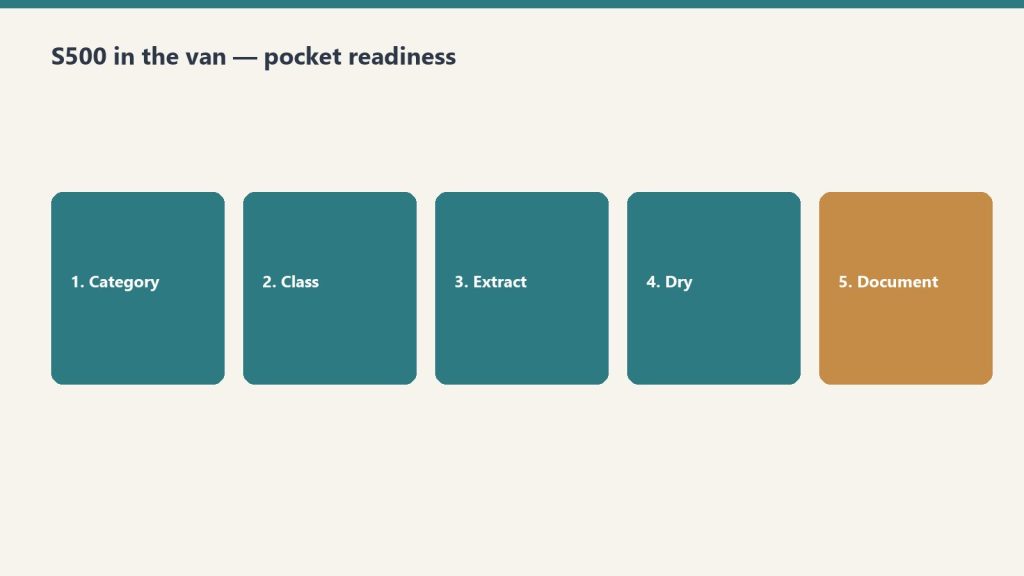
    Five-step van pocket flow: category, class, extract, dry, document
    Protocol answers belong in the van — not back at the office.
    • A Notion page you can duplicate and print
    • A tiny Claude skill with the same tables (upload the zip, or paste SKILL.md into a Project)

    How to get it

    Restoration SOP clipboard with checklist, moisture meter, and gloves on a jobsite table
    How to get it: keep the checklist where the carpet is wet.

    Duplicate the card here: IICRC Van Pocket Card (free Notion account, Duplicate in the top right).

    Want the Claude skill zip too? Join The Signal and reply that you want the van card.

    What this is not

    White restoration work van with ladder rack parked at a suburban jobsite curb
    What this is not: another binder collecting dust.
    • Equipment sizing
    • A drying plan
    • Adjuster language

    Need that? The paid IICRC Protocol Lookup ($19) or the Complete Restoration Operations Kit ($97).

    Related on Tygart Media: Starlink on a water job · S500 in the van · local SEO for restoration.

  • Restoration CRM Prompt Library — Claude Skill

    Restoration CRM Prompt Library — Claude Skill

    Restoration CRM Prompt Library — Claude Skill

    $19

    Delivered by email after checkout.

    Buy Now →

    Secure checkout via Square — all major cards accepted

    You can copy this library and do it yourself. The full article is already live. Paste a prompt into claude.ai, fill the brackets, edit the draft, send it. Buy Now is the packaged Claude Skill so the library lives in the project instead of a browser tab.

    The live article (do not treat this page as a replacement): AI-Assisted Email Drafting for Restoration Companies: A Claude Prompt Library.

    Who it is for: anyone at the company who writes emails. Owner, office manager, whoever runs the CRM touch calendar. No technical background. A free Claude account at claude.ai is enough. No API key. No code.

    The workflow

    Four skill cards: scope narrative, insurance write, homeowner write, referral write
    CRM prompt workflow: paste facts → draft → human send.
    1. Go to claude.ai. Create a free account if you need one.
    2. Open a new conversation.
    3. Paste a prompt. Fill the bracketed fields with real information.
    4. Claude drafts the email.
    5. Review it. Edit anything that does not sound like you. Copy it into your email platform.

    That is the entire workflow. Specific beats generic. “Write a hiring email for a restoration company” is weak. “Write a hiring email for a 12-person water and fire restoration company in Tacoma, WA that’s been in business for eight years and is known for fast response times and honest communication with insurance adjusters” is usable.

    Strategy lives in Your CRM Is Not a Lead Database. Timing lives in The 12-Month Outreach Calendar. This library is the words.

    Prompt 1: Hiring email, homeowner version

    I run [company name], a [type] restoration company in [city, state]. We’ve been in business [X] years and are known for [one or two specific things your company does well]. We currently have [number] employees and serve the [geographic area] area.
    
    I need to write a short, plain-text email to past homeowner clients who we’ve done [water damage / fire damage / mold / storm] work for. We’re currently hiring for [job title]. The goal of the email is to ask if they know anyone — family, friends, people in the trades — who might be a great fit for a company like ours. We want to reach out to trusted contacts before posting the job publicly.
    
    Tone: Personal and warm, like a note from a real person. Not corporate, not salesy. The recipient should feel like we remembered them and value their opinion specifically.
    
    Requirements: Under 150 words. Plain text (no HTML). Sign it from [owner first name] at [company name]. Include a phone number as the only contact info. No subject line needed — just the body.

    Prompt 2: Hiring email, insurance adjuster version

    Clipboard and tablet on a kitchen counter during an insurance adjuster walkthrough after water loss
    Hiring email for adjusters — clear, dated, professional.
    I run [company name], a restoration company in [city, state]. I need to write a short email to insurance adjusters I’ve worked with on claims. We’re hiring a [job title].
    
    The tone should be collegial — peer to peer, professional but not formal. We want to reach out to trusted colleagues before posting publicly, and we’d appreciate any recommendations they might have. Keep it under 120 words. Plain text. From [owner name]. Include phone number.
    
    Do not use any of these phrases: “I hope this email finds you well,” “I wanted to reach out,” “touch base,” “circle back,” or “leverage.” Write it how a real contractor would talk to an adjuster they’ve worked with for years.

    Prompt 3: Vendor ask (specialty sub search)

    Write a short email from a restoration company owner to their contact database asking if anyone knows a reliable [trade type — e.g., drywall sub, flooring contractor, HVAC tech] in [city/region]. We have a larger project coming up and want to find a quality sub through our network before going the cold-search route.
    
    Context about our company: [2–3 sentences about your company — size, how long you’ve been in business, your service area]. The recipients are a mix of past homeowner clients, insurance industry contacts, and trade partners.
    
    Tone: Casual and direct. Like asking a trusted colleague. Under 100 words. Plain text. From [owner name]. Phone number only.
    
    Optional addition: Add one sentence at the end that invites the recipient to reach out directly if the description matches their own business.

    Prompt 4: Seasonal safety email (winter freeze)

    I run a water damage restoration company in [city, state]. I want to send a helpful, non-promotional email to past homeowner clients before freeze season. The goal is to give them genuinely useful information about preventing the kind of water damage we see most commonly in [our region] in winter.
    
    Specific things to cover: [list 3–4 real things relevant to your region]. These should be specific to [region] winters, not generic national advice.
    
    Tone: Knowledgeable and helpful, like a trusted expert checking in on a neighbor. No sales pitch, no CTA other than “if you have questions, we’re here.” Under 200 words. Include a link placeholder for [blog post URL] if they want to read more. From [owner name].

    The rest of the library (on the live article)

    Prompts 5–9 are on the live page. Use that URL. Do not treat this SKU page as a rewrite of that article.

    • Prompt 5: Post-storm check-in to past homeowners. Warm, community-focused, not a pitch. Under 120 words.
    • Prompt 6: Company anniversary or milestone. Thank the people who have been part of the journey. No CTA. No offer. Under 175 words.
    • Prompt 7: Brand-voice rewrite. Paste two real emails you have sent, then the draft, and ask Claude to make it sound like you.
    • Prompt 8: Eight subject-line options. Personal, no click-bait, no exclamation points, no “Quick question for you!”
    • Prompt 9: Batch personalization. CSV of past clients. One opening sentence per row that references job type and, if the job is older than 18 months, that it has been a while. Up to 20 rows at a time.

    Full text: tygartmedia.com/restoration-crm-claude-prompt-library.

    How to get better drafts

    Restoration SOP clipboard with checklist, moisture meter, and gloves on a jobsite table
    Better drafts still need a human check before send.
    • Name the phrases you do not want: “I hope this finds you well,” “reaching out,” “touch base,” “leverage.”
    • Give two sentences of real company context. History, reputation, service area, typical client.
    • Iterate in the same conversation. “Good, but make it shorter.” Do not start a new chat for every revision.
    • Ask for three versions: shorter, more formal, more casual.
    • Review everything before it sends. Claude will sometimes assume details you did not provide.

    A free claude.ai account is enough for a full annual campaign calendar. Claude Pro is not required for this use case. Store the filled-in prompts in Notion so you are not hunting them before each send. Using AI to draft is fine if you review and approve every email. The relationship still has to be yours.

    If you want the packaged skill

    The method and the live article are free to use. Buy Now is the Claude Skill package, delivered by email after checkout, so the library is installed instead of copy-pasted from the article each time. Same Square button at the top of this page.

    Related: Front door: Complete Restoration Operations Kit ($97). Stack: The Restoration.

    Related on Tygart Media: Starlink on a water job · S500 in the van · local SEO for restoration.

  • AI for Water Damage Restoration — 4 Claude Skills

    AI for Water Damage Restoration — 4 Claude Skills

    Direct Answer / Product Definition

    AI for Water Damage Restoration — 4 Claude Skills by Tygart Media is a $29 Square digital product that packages four Claude Project skills for emergency water losses: first-hour homeowner texts, IICRC S500-aware adjuster summaries, contents and rebuild letters, and plumber or property-manager outreach. Will Tygart built the prompts for Category and Class accuracy; Tygart Media delivers the install zip by email within 24 hours of checkout, or contractors can copy the instructions free on this page.

    AI for Water Damage Restoration — 4 Claude Skills

    $29

    Packaged zip delivered by email within 24 hours after Square checkout.

    Buy on Square — $29 →

    Secure checkout via Square — all major cards accepted

    Tygart Media publishes the full skill text below so water-damage contractors can copy each block into Claude Project Instructions before the next 2 a.m. call. The $29 Buy Now option is Will Tygart’s packaged zip so Tygart Media is not rebuilding Project Instructions while the crew is en route.

    Water damage restoration is a 24/7 business. The company that communicates fastest and clearest wins the job. Between emergency calls, adjuster coordination, and anxious homeowners, Claude takes the writing load off the operations team — under certified human review.

    DIY Copy vs $29 Packaged Zip

    Option Price Water-Loss Focus Best For
    Copy from this page $0 Four skills in HTML; manual paste Testing one emergency template tonight
    Water 4 Claude Skills (this product) $29 Emergency, adjuster, contents, referral 24/7 dispatch and PM teams
    General 4 Claude Skills $29 Scope narratives + broad insurance letters Multi-loss shops (fire, mold, water)
    Operations Kit — Claude Edition $197 8 skills + equipment sizing + KPI coach Full operational AI copilot

    How to use this

    Four skill cards covering emergency, adjuster, contents, and referral communication
    Four water-job skills. Paste facts. Review. Send.
    • Claude Skills go into Claude Project Instructions.
    • Prompts work in any Claude conversation.
    • Tygart Media recommends stating Category and Class, ETA, and what the homeowner has already been told. Vague input makes vague output.

    Create a Claude Project. Paste the skill. Answer what it asks. Review every text and letter before it sends. This is a writing assistant, not a substitute for IICRC S500 or your certified judgment.

    Skill 1: Emergency Response and Homeowner Communication Writer

    Flooded residential living room with standing water on hardwood after a water loss
    Emergency response copy should match the room you walked into.

    Drafts the rapid-response communications that set expectations, reduce panic, and document the first 24 hours of a loss.

    Paste into Claude Project Instructions:

    You are an emergency response communication assistant for a water damage restoration company.
    
    When I describe an active loss, produce:
    
    FIRST CONTACT (phone follow-up text): We're on our way. ETA, who's coming, what to do right now. Under 100 words. Fast and reassuring.
    
    ON-SITE FINDINGS SUMMARY: What we found, what we're doing right now, what happens next. Plain English. Under 150 words. Send within the first hour.
    
    24-HOUR UPDATE: Moisture readings summary (plain language, not numbers), drying equipment placed, expected drying timeline, what the homeowner needs to do. Under 175 words.
    
    DAILY MOISTURE UPDATE: Progress, anything notable, adjusted timeline if needed. Under 100 words.
    
    EQUIPMENT REMOVAL NOTICE: Drying is complete. What was achieved. What happens next (demo, rebuild, clearance). Under 100 words.
    
    Tone: fast, expert, calm. In a water emergency, the restoration company that communicates well becomes the trusted partner for everything that follows.

    Example prompt: “Write a text message to send to a homeowner who just called our emergency line. We’re dispatching a crew. ETA is [X] hours. What they should do right now to minimize damage. Under 120 characters if possible.”

    Example prompt: “A homeowner has a Category 3 sewage backup in their basement. Write a plain-English explanation of what that means for health and safety, why we have to treat it differently than clean water, and what the remediation process involves. Honest without being terrifying. Under 175 words.”

    Skill 2: Insurance Adjuster Communication Writer

    Clipboard and tablet on a kitchen counter during an insurance adjuster walkthrough after water loss
    Adjuster notes: dated, specific, easy to forward.

    Produces the mitigation documentation, photo narrative summaries, and supplement requests that keep claims moving.

    Paste into Claude Project Instructions:

    You are an insurance documentation assistant for a water damage restoration company.
    
    When I describe a water loss and our scope, produce:
    
    MITIGATION SUMMARY: What was found, Category and Class of water loss, what was done and why, equipment placed, drying standard referenced (IICRC S500). Technical but clear. Under 300 words.
    
    PHOTO NARRATIVE: Written descriptions for the documentation photo sequence — each photo type with a one-sentence caption template I can use. Organized by area.
    
    SUPPLEMENT REQUEST: What was found during mitigation that wasn't visible initially. Itemized, with rationale. Professional and factual.
    
    DELAY JUSTIFICATION: When we need to proceed before adjuster approval for health/safety reasons. Documented, professional, covers our position.
    
    ADJUSTER FOLLOW-UP: Professional check-in when we haven't heard back. States what we're waiting on and impact on the homeowner.
    
    Always: factual, documented, professional. Supplement disputes are resolved through evidence.

    Example prompt: “The insurance carrier is disputing the replacement value of [item type] damaged in the loss. Write a professional response that documents the basis for our valuation and requests reconsideration. Factual, not emotional. Under 150 words.”

    Skill 3: Contents and Rebuild Communication Writer

    Handles pack-out, demo scope, rebuild timeline, and walkthrough communications after the drying phase.

    Paste into Claude Project Instructions:

    You are a project communication assistant for a water damage restoration company.
    
    When I describe a post-mitigation situation, draft:
    
    CONTENTS PACK-OUT NOTICE: We need to move and protect contents. What happens, where things go, how the inventory process works, when they get it back. Reassuring and specific. Under 150 words.
    
    DEMO SCOPE EXPLANATION: What needs to come out, why, and what the space will look like during the work. Plain English. Under 150 words.
    
    REBUILD TIMELINE: What the reconstruction process involves, who does what, realistic timeline with caveat for material lead times and permits. Under 200 words.
    
    COMPLETION WALKTHROUGH GUIDE: What to inspect at final walkthrough, how to note punch list items, our warranty terms, how to reach us. Professional close.
    
    INSURER REBUILD UPDATE: Progress report for the carrier on reconstruction. Factual, organized by trade, with current completion percentage.
    
    Ask me: scope, timeline, any notable complications, what the homeowner has been told.

    Give it the real scope and what the homeowner has already heard. Do not let it invent a timeline Tygart Media cannot keep on the job.

    Skill 4: Referral Network and Emergency Preparedness Content

    Drafts plumber, roofer, and property manager outreach, plus the educational notes that put you first in the phone when water hits.

    Paste into Claude Project Instructions:

    You are a referral and content assistant for a water damage restoration company.
    
    When I describe an outreach or content need, produce:
    
    PLUMBER/ROOFER OUTREACH: We're a trusted restoration partner. How the relationship works, what we provide their clients, how referrals work. Peer-to-peer. Under 100 words.
    
    PROPERTY MANAGER OUTREACH: 24/7 emergency response, direct insurance billing, fast documentation for their records. What makes us the right call at 2am. Under 100 words.
    
    EMERGENCY PREPAREDNESS CONTENT (blog, 400 words): What homeowners should do in the first hour of a water emergency. Step by step. Practical. Ends with when to call a professional.
    
    STORM RESPONSE POST: After a weather event. What to watch for. When to call. Urgent but not alarmist. Under 100 words. Timely.
    
    Ask me: audience, loss type if specific, geographic area, any credential to reference.

    Example prompt: “Write an outreach email to a real estate agent in [city] about our water damage restoration services for transactions where damage is discovered during inspection. Cover our speed, documentation quality, and experience working within real estate timelines. Under 120 words.”

    Optional: Books for Bots

    Upload to a Claude Project if Tygart Media’s recommended references are written:

    • Company Context Sheet: name, service area, certifications (IICRC WRT, ASD, FSRT), equipment inventory, communication approach.
    • Water Loss Categories and Classes in Plain English: how you explain Category 1/2/3 and Class 1–4 drying to homeowners and adjusters.
    • Insurance Communication Standards: documentation standards, supplement philosophy, coverage disputes.

    If you want the packaged files

    The four skills are on this page. Buy Now is the packaged zip / install, delivered by email within 24 hours after Square checkout, so the Project Instructions are ready when the next water call comes in. Same Square button at the top of this page.

    Frequently Asked Questions

    What is AI for Water Damage Restoration — 4 Claude Skills?

    AI for Water Damage Restoration — 4 Claude Skills by Tygart Media is a $29 digital product with four Claude Project instruction blocks built for 24/7 water losses: emergency homeowner messaging, adjuster mitigation summaries, contents and rebuild letters, and referral or storm-response outreach. Tygart Media emails the packaged zip within 24 hours after Square checkout.

    Does this replace IICRC S500 judgment?

    No. Tygart Media positions these skills as a writing assistant only. Every draft must be reviewed by a certified restorer before it is sent. Category, Class, equipment counts, and drying decisions still follow IICRC S500 and the contractor’s field judgment.

    How is this different from the general restoration 4-skill pack?

    This water-focused pack ($29) targets emergency texts, mitigation photo narratives, pack-out letters, and storm referral content. The general AI for Restoration Contractors — 4 Claude Skills ($29) covers scope narratives and broad insurance correspondence. The Restoration Operations Kit — Claude Edition ($197) adds eight operational skills including equipment sizing and KPI coaching.

    What is included in the $29 Square purchase?

    The $29 checkout includes a formatted zip of all four water-damage Claude skills ready to paste into Project Instructions, plus email delivery from Tygart Media within 24 hours. The full skill text also remains free to copy from this page.

    Is there a refund policy?

    Because this is a digital product, all sales are final. If you have a problem with your purchase, email will@tygartmedia.com and we will sort it out.

    How is this delivered?

    Within 24 hours of purchase via email from will@tygartmedia.com. You will receive your download link — Notion duplicate link, skill file, or both depending on the product.

    $29

    Packaged zip delivered by email within 24 hours via Square.

    Buy on Square — $29 →

    Related Operations & Systems

    Companion Systems: Complete Restoration Operations Kit ($97) · General 4 Claude Skills ($29) · Operations Kit — Claude Edition ($197) · Tygart Media Shop.

    Related on Tygart Media: Starlink on a water job · S500 in the van · local SEO for restoration.

    Author: Will Tygart, Founder of Tygart Media — AI operating systems designed specifically for property restoration contractors.

    END_FULL_RAW
    CHANGES
    – Top Square button (`https://square.link/u/p8QpZjZf`): `color:#fff` → `color:#0B0B0B` on unchanged `background:#00c853`. White on that green was about 2.2:1; near-black is about 8.8:1. Plain styled link, so no hover rule was added.
    – Bottom Square button (same URL): `color:#fff` → `color:#0B0B0B` on unchanged `background:#00c853`, for the same contrast fix.
    – Comparison header cells: each `

    ` style gained `color:#fff` (before: no color on the `

    `, only inherited from the `#0f172a` row). Dark header text is now explicit on the cell.
    – Comparison row `background:#f8fafc`: added `color:#1a1a1a` on the `

    ` and on each of its four `

    ` elements. Before, that light row had no text color and relied on inheritance.
    – Comparison row `background:#f0fdf4`: added `color:#1a1a1a` on the `

    ` and on each of its four `

    ` elements, for the same reason.
    – Body link in the comparison table, General 4 Claude Skills: added `style=”color:#A34A1F;”`. Before: no link color.
    – Body link in the comparison table, Operations Kit — Claude Edition (light green row): added `style=”color:#A34A1F;”`. Before: no link color.
    – Companion Systems links (Complete Restoration Operations Kit, General 4 Claude Skills, Operations Kit — Claude Edition, Tygart Media Shop): each `` gained `style=”color:#A34A1F;”`. Before: no link color.
    – Related links (Starlink on a water job, S500 in the van, local SEO for restoration): each `
    ` gained `style=”color:#A34A1F;”`. Before: no link color.
    – Answer-packet opening tag: removed the stray `>` after the style attribute (`;”>>` → `;”>`) so the div is valid and does not render an extra greater-than.
    END_CHANGES

  • Job-Costing Gap-Finder

    Job-Costing Gap-Finder

    Job-Costing Gap-Finder

    $39

    Delivered by email after checkout.

    Buy Now →

    Secure checkout via Square — all major cards accepted

    You can copy this method and do it yourself. Pull last 10 closed jobs. Enter estimate vs actual. Tag the leak bucket. Sort the losers. Buy Now is the packaged Notion table with the columns and formulas already built, so you are not making the spreadsheet from a blank grid.

    This is the $39 utility on the profit-leak spine. Compare estimate (or Xactimate) vs actual cost on a sample of recent jobs. Surface margin leak by line category. Natural next step when the Profit Leak Scorecard says Zone 2 (job costing & margin) is your worst zone.

    Why the lag kills you

    Four-step flow: estimate, actuals, gap, fix
    Catch the loser at 50% — not at month-end.

    By the time most owners know a job lost money, they have already done six more like it. Cash in the bank is timing. Gross margin per job is the only number that tells the truth, and most $1M-$15M shops cannot name it until the bookkeeper closes the month three or four weeks later.

    You do not lose money on one weird job. You lose it on a type of job you keep taking. The playbook’s example: a 30% water-mit job that needed 45%, run forty of them on $600K of revenue, and you gave away $90,000 of gross profit. A bad pattern, not a bad month. Fast costing exposes the pattern.

    The table to build

    One row per job. These columns:

    • Job (name or file number)
    • Loss Type: Water, Fire/Smoke, Mold, Storm, Contents, Reconstruction, Other
    • Invoiced $
    • Estimated Cost $
    • Actual Cost $
    • Labor Over/Under $
    • Equipment Over/Under $
    • Materials Over/Under $
    • Subs Over/Under $
    • Cost Variance $: estimated cost minus actual cost (formula)
    • Gross Margin %: (Invoiced – Actual Cost) ÷ Invoiced (formula)
    • Biggest Leak: Labor, Equipment, Materials, Subs, Scope/Estimate, or None
    • Notes: who estimated, which crew, anything that explains the gap

    Do not clean the numbers up. Enter what actually happened.

    The four cost buckets

    Six cards covering job margin, cycle time, AR days, utilization, CAC, close rate
    Four cost buckets — same unit-economics lens.

    Labor is the #1 leak, three ways. Hours running over estimate. Unbilled drive and idle time (truck leaves at 7, tarp goes down at 9:15). Crews stretching a “full day” on T&M. None of it shows unless you cost labor against the estimate, job by job.

    Equipment is the silent under-track. Units sitting on a job that closed days ago, still not picked up, never billed for the extra dry days. You own 40 air movers; on any given week some are “lost” on completed jobs, off-rent, earning nothing.

    Materials is smaller but real. Over-ordering, the partial pallet that walks off, the antimicrobial you used and forgot to line-item. A 5-8% materials slippage on a materials-heavy reconstruction job adds up across a year.

    Subs is margin compression you agreed to. Sub invoice higher than what you billed the carrier. Verbal scopes. Change orders not documented. A 10% markup when the job needed 20%.

    How to run ten jobs

    1. Pull invoices, labor hours, equipment logs, and sub invoices for your last 10 closed jobs.
    2. Enter one row each. Invoiced, estimated cost, actual cost, and the four over/under columns.
    3. Let Gross Margin % and Cost Variance $ calculate. Sort low margin to high. The jobs at the top are the money-losers. Name them.
    4. Cross-check labor. Flag every job where actual hours beat estimate by more than 10%. Look for the pattern: same job type, same crew, same estimator.
    5. Tag Biggest Leak on each row. Be honest. If the work was performed and never priced, that is Scope/Estimate, not Labor.
    6. Pick the one money-loser with the biggest gap. Write a single sentence: what leaked, and in which bucket. That sentence is your first plug.

    Catch the loser at 50%, not at month-end

    On every significant job, run a mid-job margin check at the halfway point. Pull actual labor hours and equipment days to date. Compare them against where they should be for percent complete. If a $40K job is 50% done and you have already spent 70% of the labor budget, you have a right-now problem: tighten the crew, escalate the scope with the adjuster, or stop the bleed.

    Close-out cost within 3-5 days of the final visit. Every job. No exceptions. While the crew remembers, while the equipment log is fresh, while you can still bill the carrier for that supplement. That turns job costing from a rear-view report into a steering wheel.

    If Scope/Estimate keeps winning

    Filter Biggest Leak = Scope/Estimate. Sort by Cost Variance. Group by Loss Type and by estimator (use Notes). You are hunting the repeating miss: detach & reset, PPE, monitoring labor, containment, equipment days, after-hours, content manipulation. Name the estimator-plus-job-type combination with the biggest consistent negative variance. That is this week’s coaching conversation.

    What good looks like

    Five zone panels: estimating, job costing, cash/AR, sales, leadership
    What good looks like: gaps found mid-job, not in autopsy.
    • Gross margin ≥ 45% on a blended basis, and you know it by number, not by feel.
    • Job margin known within days of close, not weeks.
    • No surprise losers. Every significant job gets a mid-job check.
    • Labor costed against estimate on every job. Equipment never sits off-rent on a closed file.

    Log this batch’s blended margin as your baseline. Update it monthly so margin is a trend line you watch.

    If you want the packaged table

    You can build the columns in any spreadsheet. Buy Now is the Notion database delivered by email after checkout: the fields, the Loss Type and Biggest Leak selects, and the Gross Margin % and Cost Variance formulas already in. Duplicate it and enter the ten jobs. Same Square button at the top of this page.

    Related on Tygart Media: profit leak scorecard · profit detective · restoration cash flow.