For the week of November 4–10, my analytics dashboard told me the Universal Commerce Protocol site had a good week: roughly a thousand active users. Mostly direct traffic. There was even a noticeable bump referred from aocr.org, which looked, at a glance, like somebody had linked to us and sent readers over.
Then I reconciled that same week against the origin server logs.
The logs counted 64,561 page requests from 10,345 distinct IP addresses. And over 80% of that traffic was headless — browsers with no human being driving them. The aocr.org “referral bump” was in there too. It wasn’t readers arriving from another site. It was headless Chrome, running assistant-style workloads, wearing a referrer header the way a person wears a coat.
One site. One week. Two instruments, disagreeing by a factor of ten. This article is about why they disagree, and which one I’d believe.
The dashboard wasn’t broken. It was doing its job.
I want to be precise about this, because the easy version of this story — “analytics lies” — is wrong.
A session analytics tool counts what it is designed to count: a browser loads a page, executes the tracking script, behaves within session rules, and gets recorded as a user doing a session. That design made sense when the set of things that could execute JavaScript on your site and the set of human beings were almost the same set.
They aren’t anymore.
A headless browser is a real browser. It runs the script. It holds cookies. It maintains a session. It scrolls, it waits, it clicks if it’s told to click. To a session counter, a well-built headless browser doesn’t look almost like a person. It looks exactly like a person, because the counter’s definition of a person is “a browser that ran my script and behaved within my session rules” — and the headless browser satisfies that definition completely.
The tool didn’t fail. The unit failed. “User” quietly stopped meaning a human and started meaning a client that executes JavaScript politely.
Full Report · Free PDF
Download this article as a PDF
Keep the UCP week reconciliation, tygartmedia.com scraper census, and unit comparison formatted cleanly as a PDF.
Origin server logs don’t have a definition of a person. They have something better: a record of requests. Every request that arrived, when it arrived, what it asked for, what it claimed to be, and what it did next. Facts, not interpretations.
Read that way, the UCP week stops looking like a thousand readers and starts looking like what it was: a small human audience plus a large, busy machine population. And the machines give themselves away — not in their headers, which are dressed up as ordinary Chrome on ordinary Windows — but in their behavior:
Volume no human population produces. Ten thousand distinct IPs generating sixty-four thousand page requests on a niche protocol site in seven days is not a readership. It’s a workload.
Systematic path coverage. Humans wander. They land, they read one thing, they leave. These clients worked the site like a checklist — spec pages, taxonomies, endpoint after endpoint, in patterns that map the site instead of using it.
Machine cadence. Requests arriving at intervals no hand produces, in volumes no attention span sustains, at hours no single audience keeps.
Behavior is the tell. Headers are a claim; behavior is evidence. The logs hold the evidence.
Even the noise is itemized, if you read the logs. Across UCP’s wider 21.7-day log window, 31,233 requests — 13.9% of all traffic — were GoogleStackdriverMonitoring uptime checks. The site’s own monitoring, knocking on the door every few minutes to make sure the site was still there. That’s not fraud, it’s not a botnet, it’s infrastructure. But it’s a five-figure line item in the site’s real traffic, and the only record that itemizes it is the log. A dashboard rounds the world into users. The log shows you the world.
This is not a small site’s quirk
If this were one odd week on one odd site, it would be a curiosity. It isn’t.
On tygartmedia.com, across 55 days and 2,838,206 total requests, the single biggest fleet I recorded was masked browser scrapers — roughly 1.2 million requests wearing ordinary human browser user agents. Not the named crawlers. Not the honest bots that identify themselves and take their chances. The largest single presence on my main site is clients dressed as people, doing machine work at machine scale.
That’s the census a session counter cannot take, because taking it is not its job. It counts script executions and calls them users. The scrapers execute scripts beautifully.
The units problem
Here’s the conclusion I keep arriving at, and I think it’s the honest one:
A “user” in analytics is a browser that ran a script and behaved within session rules. A “request” in a log is a fact. Those are different units measuring different things, and we’ve spent a decade treating the first one as a census of people.
When the two disagree by 10×, believe the fact — and then re-ask what the metric was ever measuring. Because every downstream decision inherits the error. A conversion rate computed against a denominator that’s 80% machines isn’t a conversion rate. A “traffic increase” that’s actually a scraper fleet discovering you isn’t growth. A referral “win” that’s headless Chrome in a referrer costume isn’t a relationship with another site. The number on the dashboard can be internally consistent, correctly collected, exactly what the tool promised — and still describe a world that doesn’t exist.
None of this makes session analytics useless. It still answers its own questions well: of the sessions that behaved like human sessions, what did they do, where did they stall, what did they click? That’s real and I use it. What it cannot be is the census. It cannot tell you how much of your traffic is people, because its definition of people includes anything polite enough to run JavaScript. For the census — who and what actually showed up — there is one record, and the server has been keeping it the whole time.
So when my dashboard says a thousand visitors and my logs say ten thousand IPs, four-fifths of them headless, I don’t have a discrepancy. I have a measurement of two different things. One of them is the truth about what’s hitting my server. The other is a story about sessions. I run my sites on the first one, and I read the second one the way it deserves to be read: as a chapter, not the book.
We do AI citation restoration. When the AI can’t find you, can’t read you, or keeps citing somebody else — send us the worst one you have. Your RFPs, your disasters, the problem everyone else already failed to fix. We come from the restoration industry. We know what’s on the floor, and cleaning it up is the job. And if you’re a developer who just needs a hand on the hard part, get a hold of us.
— William Tygart, Tygart Media. Data: origin server logs and analytics reconciliation, theuniversalcommerceprotocol.com (Nov 4–10, 2026) and tygartmedia.com (55 days, Sep 18–Nov 12, 2026).
Printable Desk Reference
Download this article as a PDF
The complete reconciliation between JavaScript session analytics and origin server logs formatted for offline reading.
One IP address came to my insurance site wearing four different name tags.
In 55 days of origin server logs from Risk Coverage Hub, the address 185.213.175.37 showed up identifying itself as GoogleOther. Then as bingbot. Then as PerplexityBot. Then as Applebot. Four trusted identities — crawlers that sites like mine deliberately make room for — all claimed by a single hostile scanner address, rotating costumes between requests.
None of those claims cost it anything. That’s the point of this article: a user-agent string is not an identity. It’s a line of text the visitor types about itself. Anyone can write “PerplexityBot” into a header in about four seconds, and a meaningful share of the traffic wearing the good bots’ names is doing exactly that.
Why the costume works
Most sites meet crawlers at the door with a list. The robots file says who may crawl. The firewall and the CDN rules say whose requests get the fast lane, the higher rate limits, the exemption from bot challenges. And in a lot of stacks — more than anyone in this industry likes to admit — those decisions get made on the user-agent string, because it’s the easiest field to match.
String matching is trust by assertion. If your allowlist says “let PerplexityBot through,” what it actually says is “let through anyone willing to type PerplexityBot.” The scanner at 185.213.175.37 understood that perfectly. It wasn’t trying to defeat serious verification. It was betting there wasn’t any — that the name tag alone would get it treated like a welcome guest while it did whatever it came to do.
This matters more every quarter, because the gap between the costumes is widening. A real search crawler is a guest you want: it indexes, it retrieves, it sends back buyers. A scanner wearing that crawler’s name is probing for the soft parts of your stack. Treat them the same and you have not made a neutral error. You have handed your trust, wholesale, to whoever bothers to lie politely.
Full Report · Free PDF
Download this article as a PDF
Keep the three-step bot verification checklist and 55-day wp-login attack counts formatted cleanly as a PDF.
Real verification is unglamorous and it has three parts. None of them is the user-agent string.
One: the address. The major crawler operators publish the IP ranges their bots crawl from. A request claiming to be from one of those operators either originates inside the published ranges or it doesn’t. There is no third state. 185.213.175.37 is not a Google address, a Microsoft address, an Anthropic address, or an Apple address, no matter what its header said that hour.
Two: the name resolves. Reverse DNS on the requesting IP should land on a domain the operator controls — the crawler’s own hostname pattern — and a forward lookup on that hostname should return the same IP you started with. Operators document this because they want to be verified. A costume can’t pass it; the scanner doesn’t control the real operator’s DNS.
Three: the behavior matches the job. A real indexer walks systematically and predictably. A retrieval fetcher arrives prompt-driven, aimed at specific pages. A scanner rotates identities, hammers the login door, and probes for config files. Even before you run the first two checks, the behavior of that address — four identities, one IP — had already confessed.
Do those three checks and the costume falls off. Skip them and you’re not running bot management. You’re running a guest list written by the guests.
The door they actually want
Here’s why the lying isn’t just an analytics problem. While costume traffic walks the public halls, a second, dumber, more patient assault runs against the one door that matters: the login page.
tygartmedia.com: /wp-login.php took 48,164 hits, including 16,805 POSTs — those POSTs are not visits, they’re login attempts, credentials being tried. Separately, /.env was probed 798 times by things hoping a configuration file full of secrets was sitting in the webroot.
Continuity Hub: 11,798 hits on wp-login, 9,120 of them POSTs.
Add it up and you’re looking at tens of thousands of automated attempts in under two months, across four ordinary publications — not a bank, not a hospital system, just content sites. This is not a targeted campaign. It’s weather. It runs all day, every day, against every WordPress login on the public internet, and the only question your logs answer is whether it’s getting anywhere.
Mine say it isn’t. Successful attacker logins on tygartmedia: zero. Secrets leaked from those 798 /.env probes: zero. Continuity Hub breaches: zero — the only successful logins in the entire window were 16 redirects from my own IP addresses. Risk Coverage’s 10 successful logins: all operator IPs. Healthcare Facilities Hub: zero breaches. Four sites, 55 days, zero doors opened.
What zero actually means
I want to be precise about that zero, because it’s easy to read wrong. Zero breaches is not evidence that the assault is harmless, and it’s not evidence that my sites are hardened masterpieces. It’s evidence that the boring work functions: rate limits on the login endpoint, current software, strong authentication, secrets kept out of the webroot. The unglamorous layer did its job 48,164 times without anyone watching.
It is also exactly why the costume problem deserves more respect than it gets. The defenses that held my login door are verification-based — they check things an attacker can’t fake cheaply. The moment a stack substitutes name-tag trust anywhere else — an allowlist here, a rate-limit exemption there, a “verified bot” dashboard label taken at face value — it has built a second door and left it on the latch for anyone who can spell PerplexityBot.
Your logs already know which bots are lying to you. The IP is in there. The rotating headers are in there. The login attempts are in there, counted to the unit. You just have to read them as an identity problem instead of a traffic report.
We do AI citation restoration. When the AI can’t find you, can’t read you, or keeps citing somebody else — send us the worst one you have. Your RFPs, your disasters, the problem everyone else already failed to fix. We come from the restoration industry. We know what’s on the floor, and cleaning it up is the job. And if you’re a developer who just needs help on the hard part, get a hold of us.
— William Tygart, Tygart Media. Data: origin server logs, six-site lab, Sep 18–Nov 12, 2026.
Printable Desk Reference
Download this article as a PDF
The complete article on user-agent spoofing, DNS/IP checks, and login probing logs formatted for desk reference.
In 55 days of origin server logs from tygartmedia.com — September 18 through November 12, 2026 — I count 142,615 IP addresses that appear exactly once.
One request. Sometimes one short burst. Then gone, and they never come back.
On a single day in that window, November 11, the same site logged 7,842 single-hit IPs. Not 7,842 visits in the way the word is usually meant. Seven thousand eight hundred and forty-two separate machines that showed up, took something, and left — most of them inside a second.
This is the piece of the internet I started this lab to see. Before anything else — before the fleet dossiers, before the discovery clocks — I needed an answer to a plainer question: who are the visitors who stay half a second to a second, where do they go, and what do they take? Everything I had was built to watch people browse. The logs said most of my readership doesn’t browse at all.
A bounce is a human yardstick
Session language has a word for a one-page, sub-second arrival: bounce. The word carries a verdict. The visitor came, found nothing worth staying for, and left. Failure, recorded politely.
That verdict assumes the visitor was trying to do what a person does — arrive, orient, read at reading speed, decide where to click next. By that yardstick, half a second is nothing. Nobody reads in half a second.
A machine fetch is not a visit that failed. It is a read that succeeded fast.
Request, download, parse, extract, gone. The entire job — the job the fetch was sent to do — completes inside the window a human would still be spending on the headline. There is no leftover task the short duration cut short. When a retrieval system or an agent pulls a page in 0.7 seconds, the duration isn’t evidence the content went unconsumed. The duration is the consumption, running at machine speed.
So the 142,615 are not 142,615 failures. They’re 142,615 completed reads that the bounce frame teaches you to throw away.
Full Report · Free PDF
Download this article as a PDF
Keep the 55-day single-hit IP figures, cross-site percentages, and single-pass page audit criteria as a clean PDF.
If this were a tygartmedia quirk, it would be a curiosity. It repeats across the lab, at different scales, on sites with nothing in common but the server they sit on.
Healthcare Facilities Hub logged 33,391 unique IPs in the same 55 days — and 78.9% of them were single-hit. Nearly four out of every five addresses that touched a clinical-publication site about hospital compliance came exactly once.
Continuity Hub, a business-continuity publication with a fraction of the traffic, logged 12,695 single-hit IPs — 55.6% of every IP it saw. The majority pattern holds even where the audience is small and specialized.
Different subjects, different audiences, different volumes. Same shape: the most common visitor arrives once, briefly, and does not return. Whatever these sites are for, most of the entities reading them read exactly one thing.
The hit is the signal
Strip the duration away and ask what a single hit actually records. It records a choice.
Somewhere upstream, a system had a question, a crawl queue, a user’s request, a model’s need for a source — and out of everything it could have fetched, it fetched that page. One page, chosen, taken. The IP never comes back because the errand is done, not because the errand failed.
Aggregate those choices and you get something no session report gives you: a demand map drawn by the machines themselves. Which page gets taken, once each, by thousands of unrelated systems is a popularity contest voted in fetches. The one-hit IPs collectively are not noise around the audience. On the numbers above, they are the audience — the majority of it, on every site I run.
It also changes how you audit. When I review a page now, I don’t start by asking how it reads to someone settling in. I ask what it surrenders in a single pass: if a system takes this page once, in under a second, and never returns, what does it leave with? If the direct answer sits below three screens of framing, the honest answer is: less than the page contains, and possibly nothing the asker can use. The one-hit majority doesn’t experience your buildup. It experiences whatever was extractable at the moment the fetch closed. Structure a page for the reader who stays and you’ve optimized for the minority; the majority already voted, once each, and left.
That reframes what a page is for. A page that will mostly be read once, in under a second, by something that will never click anything, has one job: contain, in extractable form, the complete answer it exists to give. Not the teaser for the answer. Not the journey to the answer. The answer, liftable in a single pass, because a single pass is all it will ever get.
What I measure now
I still look at sessions. People matter, and the people who linger are disproportionately the ones who hire, subscribe, and cite. But I stopped letting session counts describe the size of the readership. They describe one species of it — the slowest, rarest one.
The count I trust starts in the origin log: every request, from every address, including the ones that stayed half a second and never ran a single script. Count the single-hit IPs and the picture inverts. The site isn’t a room a few hundred people browse. It’s a document thousands of systems stop at, briefly and on purpose, each taking the one page it came for.
Most of the internet’s reading now happens at that speed, by readers who will never appear in a room-count. Half a second isn’t the absence of a visit. It’s what a visit looks like when the reader finishes the job faster than the yardstick was built to notice.
We do AI citation restoration. When the AI can’t find you, can’t read you, or keeps citing somebody else — send us the worst one you have. Your RFPs, your disasters, the problem everyone else already failed to fix. We come from the restoration industry. We know what’s on the floor, and cleaning it up is the job. And if you’re a developer who just needs help on the hard part, get a hold of us.
— William Tygart, Tygart Media. Data: origin server logs, six-site lab, Sep 18–Nov 12, 2026.
Printable Desk Reference
Download this article as a PDF
The complete study on sub-second machine reads and single-hit demand mapping formatted for offline reference.
On one of my sites — Healthcare Facilities Hub, a publication for people who run clinical facilities — a third of everything the server did for fifty-five days was pagination.
Not articles. Not the ICRA matrix or the ventilation tables that people and their AI agents actually come for. Pagination. 115,998 page requests, 34.0 percent of the site’s entire output of 341,172 page requests, spent serving numbered archive pages: page 2, page 7, page 14 of an index that exists because the CMS generates it, linked because the template links it, and walked because bots walk whatever is in front of them.
That is the loop. And once you see it in one site’s logs, you start seeing it everywhere.
What a loop actually is
An archive page is a hallway. Tag pages, category pages, author pages, date indexes, paginated lists — none of them is the destination. They exist to lead somewhere: to an article, an answer, a thing a reader or an answer engine can use.
A loop is a hallway that leads to another hallway.
I measure it in transitions. Take every request for an archive page, look at where the same visitor went next, and count how often “next” was another archive page instead of an article. On tygartmedia.com, over the same fifty-five days, taxonomy pages took 336,574 hits — 15.73 percent of all page hits on the site. 92.9 percent of that traffic was bots. And 53.7 percent of the transitions out of those archive pages landed on another archive page.
Read that again. More than half the time a bot entered my archive system, the archive system handed it to another part of the archive system. The fleet wasn’t reading. It was circulating.
Every one of those hits is real cost wearing a fake costume. It is server capacity. It is crawl attention — the finite amount of time an indexing fleet will spend on your domain in a pass. And it produces a page that no human will ever need and no answer engine will ever cite, because there is nothing on it to cite. It is a list of links to a list of links.
Full Report · Free PDF
Download this article as a PDF
Keep the 55-day pagination counts, transition rates, and thin-archive noindex rules formatted cleanly as a PDF.
The pattern repeats across the six sites I run, at different severities, and the severity is diagnostic.
Healthcare Facilities Hub is the worst: 34.0 percent of all page requests on pagination alone. Not taxonomy in general — the numbered tail by itself. HFH publishes for a professional audience with genuinely deep topical archives, and somewhere along the way the pagination tail grew longer than the content it indexes is worth. The archive system began eating the site it was supposed to organize.
Continuity Hub is the control case. Its taxonomy is only 3.62 percent of traffic — a comparatively tidy site, and proof the loop is a choice, not a law of nature. But even there, the author archives paginate out to /page/8/ and beyond, and 578 hits walked that author index across the fifty-five days. Five hundred seventy-eight requests to read a byline listing, in order, eight pages deep. Nobody reads that. Nothing human has ever read that. It exists because WordPress builds it, and it gets traffic because it exists.
Risk Coverage Hub spent 12,618 requests on author pagination plus single-post tag archives. Sit with that second one. A tag archive containing exactly one article is a hallway built to serve a single door. The bot follows the tag link, loads a page whose entire content is a link to the one article, and then loads the article — two requests where the architecture owed it one, repeated thousands of times, forever, because nothing in the system ever asks whether the hallway should exist.
The distinction the smart reader is already reaching for
I can hear the objection, because it’s a good one: aren’t archives how crawlers discover and re-crawl content? Aren’t tag pages a signal?
Some of them are. I know, because I measured it. In this same lab, on this same site, we cleaned up the tagging on hundreds of articles — substantive tags, topics a reader would recognize — and AI re-crawls of those articles rose 23 to 28 percent. Substantive archives earn their keep. A tag page over fifty real articles on a real topic is a piece of topical architecture, and the fleets treat it that way.
So the enemy is not the archive. The enemy is the empty archive system: the tag with one post under it, the author index paginated to page 8, the category with three posts from 2021, the pagination tail that runs to page 40 because nobody ever told it to stop. A substantive archive is a map. An empty archive system is a maze. From the log file they look identical until you measure the transitions — which is why this stays invisible until somebody reads the logs instead of the dashboard.
That’s also why the crude fix is wrong. “Noindex all tags” throws away the 23-to-28-percent re-crawl effect along with the waste. “Leave it, crawl budget isn’t real” ignores a third of a site’s serving capacity going to numbered hallways. The honest fix is per-archive judgment, which is slower and less tweetable: keep the archives that carry topical weight, noindex the thin ones, de-link what shouldn’t be walked, and cap the pagination tail where the content stops earning it.
What we’re doing about it
In the lab the rules are now simple. Author archives get noindexed outright — no byline page has ever earned a citation. Thin tags — two posts or fewer — get noindexed; substantive tags stay, because we have the re-crawl numbers to defend them. And when a new archive type appears in the transition data with a loop share like tygartmedia’s 53.7 percent, that’s treated as an architecture bug, not a traffic source.
Because that is what a loop is, in the end: your own site, confessing in its logs that it generates pages nobody needs and sends its most important visitors — the fleets that decide whether you get cited — walking in circles inside them.
Fleets have limited patience and limited passes. I’d rather mine spend theirs on the articles.
We do AI citation restoration. When the AI can’t find you, can’t read you, or keeps citing somebody else — send us the worst one you have. Your RFPs. Your disasters. The site whose archive system ate itself, the problem everyone else already failed to fix. We come from the restoration industry. We know what’s on the floor, and cleaning it up is the job. And if you’re a developer who just needs help on the hard part, get a hold of us.
— William Tygart, Tygart Media. Data: origin server logs, six-site lab, Sep 18–Nov 12, 2026.
Printable Desk Reference
Download this article as a PDF
The complete article and cross-site archive transition findings formatted for print and offline reference.
Over 55 days, the origin server behind BC ESG — my ESG and sustainability site — logged 2,008,202 requests. Of those, 1,280,233 came from a single crawler.
That’s 63.75% of everything. One bot, outweighing all other traffic to the site combined — every human, every search engine, every other crawler, all of it.
And it was asking for pages that don’t exist.
What it was asking for
The requests were for legacy dictionary.phtml paths — URLs from an old dictionary-style URL scheme, the kind of pattern an earlier generation of web publishing used to serve definition and reference entries. The site doesn’t serve that scheme. It hasn’t for a long time. There is no version of those pages to fetch, no content behind those URLs, nothing.
ExaSearchBot requested them 1,280,233 times anyway.
I want to be precise about what kind of traffic this is, because it doesn’t fit the categories most people argue about. This wasn’t an indexation crawl of live content. It wasn’t a live agent fetching a page to answer somebody’s question. It was a crawl queue working through a memory — a corpus of URLs assembled at some point in the past, replayed against a server that no longer speaks that language.
Full Report · Free PDF
Download this article as a PDF
Keep the 55-day BC ESG origin log counts, HTTP 410 findings, and operator playbook as a clean PDF.
My nginx configuration already answers those paths with HTTP 410 Gone, via a rule (block-phtml.conf) that was in place before I measured any of this. That rule stays. Permanently.
410 is the correct answer, and it’s worth understanding why it’s different from the default. A 404 says “not found” — which every crawler correctly interprets as “not found right now,” possibly temporary, worth another try later. A 410 says “gone.” Deliberately, permanently removed. It’s the most definitive statement HTTP gives you: stop asking.
The storm continues anyway.
That’s not a failure of the 410. That’s a lesson about timescales. Crawl corpora and queues are built to be exhaustive and conservative — dropping a URL pattern on the say-so of a status code is exactly the kind of thing large-scale crawlers are slow to do, because a wrong drop loses coverage forever. So the requests keep coming, get their 410 in a few bytes, and cost the server almost nothing per hit. Almost nothing, times 1.28 million, across 55 days, is still the majority of your traffic. The queue will forget eventually. “Eventually” is measured in their time, not yours.
Anyone who tells you a status code fixes bot behavior on a human timescale hasn’t watched their own origin logs long enough.
This is the background radiation of a public website
The .phtml storm is the headline because of its size, but it isn’t an anomaly. It’s the largest example of a category that fills every origin log I’ve ever read: requests for things that aren’t there, from machines that will never load a page.
The same 55 days of BC ESG logs contain 20,156 probes for /.env files — the configuration files careless deployments leave exposed, full of credentials. All of them were blocked. Zero breaches. But the probes don’t stop because any individual one failed; they’re automated sweeps across the whole addressable web, and my server is one stop on the route.
Same logs: more than 3,020 requests for favicons that returned 404. Harmless, trivial — and completely invisible anywhere except here.
That’s the mechanical point I keep coming back to. None of this traffic loads a page. None of it executes JavaScript, accepts a consent banner, starts a session, or becomes a “visit” in any ordinary sense of the word. It exists only in the origin server logs, because the origin server is the only thing that ever saw it. When people argue about what their traffic “is,” they’re usually arguing about the minority of requests that behaved politely enough to be counted by a script on a page. The majority can be something else entirely — in this case, it was one crawler’s memory of a dead URL scheme.
The operator’s job
So what do you do with a log that says most of your traffic is ghosts? You make decisions — deliberately, per pattern, from the evidence:
Wall off what’s dead and dangerous to keep answering. The .phtml scheme is gone and stays gone. The 410 is cheap, definitive, and correct. Probes for /.env and its cousins get blocked, not answered. This category is most of the volume and none of the value, and the correct response is a rule, not a worry.
Redirect what carries real demand. Not every ghost is junk. Old paths sometimes hold genuine intent — people and agents following dated links to content that still exists somewhere else on the site. The test is in the logs: what’s being asked for, how often, and whether what it maps to still deserves to exist. A redirect is a promise that the destination answers the question the old URL asked. Make that promise only where it’s true.
Rebuild what the demand justifies. Occasionally the ghosts are telling you something a keyword tool won’t: a topic your site used to cover, or never covered, that machines keep expecting to find. Persistent requests for absent pages are a demand signal with the politeness stripped off. Most of it is noise. Some of it is a content brief.
Count honestly. If you report your traffic without the log-level picture, you are reporting the residue — the requests that survived being real pages loaded by real browsers. Build your expectations, your capacity planning, and your sense of what your site is for on the whole record.
Legacy URL schemes never die. Anything your domain ever exposed — under you, or under whoever ran it before you — will be requested for years, by machines working from old maps. The only question is whether you’ve looked at the map they’re using.
We do AI citation restoration. When the AI can’t find you, can’t read you, or keeps citing somebody else, send us the worst one you have. Your RFPs, your disasters, the problem everyone else already failed to fix — that’s the work we want. We come from the restoration industry. We know what’s on the floor, and cleaning it up is the job.
And if you’re a developer who just needs help on the hard part — the log file nobody can read, the crawl behavior nobody can explain — get a hold of us. That’s the part we’re best at.
Printable Desk Reference
Download this article as a PDF
The complete server-log breakdown and four-part operator response formatted for print and desk reference.
On one of my sites, an AI system found a new post in under twenty minutes. On the same site, in the same fifty-five days, another AI system took a median of 92.85 hours to show up.
Same content. Same server. Same everything except the visitor.
That gap is why I don’t trust any single answer to the question people keep asking me: how long until AI finds my new page? There isn’t one clock. There are fleets, and each fleet is running a different job. Discovery speed is a property of the job, not of your page.
How I measured it
For every post published across five of my sites over fifty-five days — September 18 through November 12, 2026 — I took the publish timestamp and matched it against the first AI hit in the origin server logs. Not an analytics tool. Not a dashboard. The log line the server wrote when the request actually arrived.
Origin logs are the only record that sees all of this. Anything that depends on the visitor politely executing your JavaScript misses the fleets that show up, take what they came for, and leave in half a second. Those are most of the visits that matter here.
Here is what the clocks actually looked like, site by site:
Site
Median publish → first AI hit
Notes
tygartmedia.com
~4.2 hours
—
BC ESG
7.2 hours
Across 35 articles
Healthcare Facilities Hub
7–8 hours
bingbot was the fastest discoverer — and the biggest crawler, at 11,016 hits
Continuity Hub
10.8 hours
28 of 28 posts AI-discovered; PerplexityBot was first on 27 of the 28
Risk Coverage Hub
14.07 hours
PerplexityBot median — but some posts were found in under 20 minutes
Read that table carelessly and you’ll conclude some of my sites are “faster” than others. Read it again and a different pattern shows up: the medians are mostly a record of which bot happened to be first, and the bots are not doing the same work.
Full Report · Free PDF
Download this article as a PDF
Keep the five-site discovery table, PerplexityBot vs. ClaudeBot timing gap, and log findings as a PDF.
Risk Coverage Hub makes it impossible to miss. PerplexityBot’s median time to find a new post there was 14.07 hours, with some posts picked up in under twenty minutes. ClaudeBot, on the same site, over the same period, showed a median lag of 92.85 hours.
That’s roughly 6.6 times slower. Same site. Same content. If discovery speed were a property of the page — its structure, its tags, its internal links — that gap shouldn’t exist. It exists because the two systems wanted different things.
PerplexityBot behaves like retrieval. Somebody asks a question, the answer needs sources, and the system goes looking. That job runs constantly, it is driven by live demand, and when your new page matches something people are asking about, it can arrive in minutes. The under-twenty-minutes cases weren’t flukes in the data; they were what retrieval looks like when the timing lines up.
ClaudeBot, in these logs, behaves like a batch indexer. It arrives in sweeps. It works through what it knows about, picks up what’s new, and leaves. A median of 92.85 hours isn’t slowness — it’s a cycle. The page didn’t fail to be found for four days. It was waiting for the next pass, and the next pass came on schedule.
Continuity Hub sharpened the same point from the other side: twenty-eight posts published, twenty-eight discovered, and PerplexityBot was first on twenty-seven of them. When one retrieval fleet decides you’re in its territory, your discovery time stops being about your site at all. It’s about their sweep pattern against your publish times.
And Healthcare Facilities Hub is a useful reminder not to turn any of this into religion. There, the fastest discoverer wasn’t an AI-native bot at all. It was bingbot — 7 to 8 hours, and the biggest crawler on the site by volume. The old search infrastructure is still feeding the new answer layer, and on some sites it gets there first.
So the honest answer to “how fast will AI find my page” is a question back: which AI, doing which job? A retrieval-driven visitor can be there before you’ve finished sharing the link. An indexing fleet might take four days, and it won’t be because you did anything wrong.
The part you’ll argue with
Tags didn’t speed any of this up.
In a separate set of experiments in the lab, I changed the tagging on hundreds of already-published articles — properly, with substantive tags a reader would recognize as topics, not keyword stuffing. The effect was real and measurable: AI re-crawls of those known articles went up roughly 23 to 28 percent.
First discovery did not move.
I’ve sat with that for a while, because it cuts against a lot of advice, including some I would have given a year ago. The resolution is that discovery and re-crawl are separate systems. A tag, apparently, is a signal the fleets use when deciding whether something they’ve already catalogued is worth another visit. It is not a flare that brings them to a page they’ve never seen. By the time a tag can help you, discovery has already happened — or hasn’t — for reasons that have nothing to do with it.
Which means two popular instincts are both wasted effort. Tagging a new post more heavily will not get it found faster. And panicking at the four-day silence from an indexing fleet is misreading a batch cycle as a penalty. If you want to know which situation you’re in, you can’t guess it from a dashboard. You have to watch the log line land.
What I’d actually check
If I publish something and want to know where I stand, I look for three things. Who arrived first, and is it the same fleet that usually arrives first on that site? How long until the second fleet shows up — because being found by retrieval and being indexed are different assets, and I want both. And then, over the following weeks, whether the page earns re-crawls, which is the part tagging and structure actually influence.
Discovery is weather. Re-crawl is climate. I can measure both. I can only work on one of them.
We do AI citation restoration. When the AI can’t find you, can’t read you, or keeps citing somebody else, that’s the work — send us the worst one you have. Your RFPs. Your disasters. The problem everyone else already took a pass at. We come from the restoration industry; we know what’s on the floor, and cleaning it up is the job. And if you’re a developer who just needs help on the hard part, get a hold of us. We’ll jump in on that piece with you.
Printable Desk Reference
Download this article as a PDF
The complete discovery-lag study, comparison table, and re-crawl tagging findings formatted for offline reading.
In 55 days of server logs from one of my own sites — Risk Coverage Hub, an insurance and risk publication — a user agent called ChatGPT-User made 2,065 requests from 1,063 distinct IP addresses.
That is not a crawler. That is not indexing. Every one of those requests happened because a person, somewhere, asked ChatGPT to go read a page right now, in the middle of a live conversation, to help them decide something. ChatGPT sent a fetch. The fetch hit my server, identified itself with the -User suffix, and pulled the page.
Its single most-requested target: an article on climate-risk pricing and catastrophe-model updates. 179 fetches. One page, pulled 179 times in 55 days by agents working for people who were evaluating risk — the kind of evaluation that happens shortly before money moves.
Nobody “visited” that page 179 times. No human session started. No analytics tool built on JavaScript will show you a visit that never rendered in a browser. The buyer showed up. They just sent a machine to do the looking.
Three jobs, one log file
Most bot reporting collapses everything into a single bar chart labeled “AI traffic,” as if a visit is a visit. It isn’t. In the logs, the AI presence on a site splits into at least three distinct jobs, and only origin server logs separate them:
The indexer. ClaudeBot, GPTBot, and their peers, walking the site systematically to build an index. Scheduled, comprehensive, indifferent to any individual human.
Search retrieval. A bot fetching pages because a search product needs material to answer from — prompt-driven, but still one step removed from a person.
The live agent fetch. The -User agents: ChatGPT-User, Claude-User, Perplexity-User. These fire in real time, from a specific person’s session, carrying a specific question. When one of these hits your page, a human being effectively walked into your store and sent their assistant to the shelf.
Job three is the buying-stage visit. It deserves to be counted, read, and designed for separately — because it behaves nothing like the other two, and because a blended “bot traffic” number hides the only signal in the pile that represents a person mid-decision.
Full Report · Free PDF
Download this article as a PDF
Keep the full server-log figures, three-job breakdown, and cluster findings formatted cleanly as a PDF.
BC ESG: ChatGPT-User’s live fetches returned successfully 87.2% of the time — meaning when an agent came looking for an answer there, it usually got one. That number is a property of the site, not the agent. It can be made better or worse.
Risk Coverage Hub: the 2,065 fetches and 1,063 IPs above.
Add the four sites up and it’s more than 7,600 live-agent fetches in 55 days. Seven thousand six hundred occasions where a person delegated their research to an AI, the AI chose these pages, and the person read whatever the agent brought back — or read the competitor’s page instead, because ours didn’t parse, didn’t load, or didn’t contain an extractable answer.
My own site shows the same behavior from the other side of the counter. On tygartmedia.com, demand — human and bot alike — concentrates on the Claude plan and pricing comparison pages. People are comparison-shopping AI subscriptions, and their agents are doing the comparison fetching. Buying-stage behavior, on a site about buying-stage behavior. The logs don’t care about the irony; they just record it.
The fetch is the visit
Here is the reframe I can’t get away from, and I don’t think the industry has priced it in yet:
The fetch is the visit. Not a precursor to the visit, not a bot to be filtered out of the “real” numbers. When ChatGPT-User requests your pricing page, a sales conversation is happening. Your page is being read by the most literal-minded researcher your prospect has ever employed — one that will quote you exactly, summarize you faithfully or not at all, and never, ever click your CTA, fill out your form, or call the number.
That changes what “good” means for a page. Your layout, your brand film, your carefully art-directed hero — the agent receives none of it. The agent receives structure and text. What it can extract is what your prospect hears. Answer-extractability is the new shelf placement: if the answer to the buyer’s question isn’t sitting in the page in a form a fetch can lift cleanly, you didn’t lose the click. You lost the deal before a human ever knew you were in it.
Three implications I keep coming back to:
Count the -User agents separately, or you’re flying blind on your highest-intent traffic. They are small in volume next to the indexer fleets and enormous in meaning per hit.
Your success rate is a design variable. An 87.2% fetch success rate means 12.8% of delegated buyers got nothing. Every failed, blocked, or unparsable fetch is a prospect handed to whoever the agent could read.
The comparison fetch is the new comparison page. On Risk Coverage, agents didn’t pull the homepage 179 times. They pulled the pricing-relevant analysis. Whatever page in your vertical answers “what does this cost and how is it priced” is the page your buyer’s agent will live on. It should be built like it.
I’m not arguing the human visit is dead. I’m arguing it is no longer the only visit that matters, and that the other kind is invisible to every tool that waits for a browser to show up. The logs saw it the whole time. We just had to read them as what they are: a record of people, arriving by proxy, ready to buy.
We do AI citation restoration. When the AI can’t find you, can’t read you, or keeps citing somebody else, send us the worst one you have — your RFPs, your disasters, the problem everyone else already failed to fix. We come from the restoration industry. We know what’s on the floor, and cleaning it up is the job. And if you’re a developer who just needs a hand on the hard part, get a hold of us. That’s what we’re here for.
— William Tygart, Tygart Media. Data: origin server logs, six-site lab, Sep 18–Nov 12, 2026.
Printable Desk Reference
Download this article as a PDF
The complete article and cross-site live-agent fetch data formatted for print and offline reference.
Definition: The crawl war is the emerging three-way competition between Google, Microsoft (Bing), and OpenAI to discover, index, and serve web content through their respective AI-powered search and answer systems — Google AI Overviews, Microsoft Copilot, and ChatGPT Search. Each ecosystem crawls the web with fundamentally different strategies, speeds, and philosophies, and those differences determine which content gets cited by which AI system first.
For two decades, the search engine crawl was a two-player game: Googlebot dominated, Bingbot trailed, and publishers optimized exclusively for Google. That era is over. When we published 40 Microsoft Copilot articles on tygartmedia.com and monitored server logs for 48 hours, we recorded 6,805 AI crawler hits from three distinct ecosystems — each crawling with different speeds, different intensities, and different objectives (Tygart Media server log analysis, June 2026). What we observed was not just traffic. It was a competitive intelligence blueprint showing exactly how each ecosystem discovers, evaluates, and serves content. The differences are dramatic, and they fundamentally change how publishers should think about content distribution.
The Three Ecosystems: Radically Different Crawl Philosophies
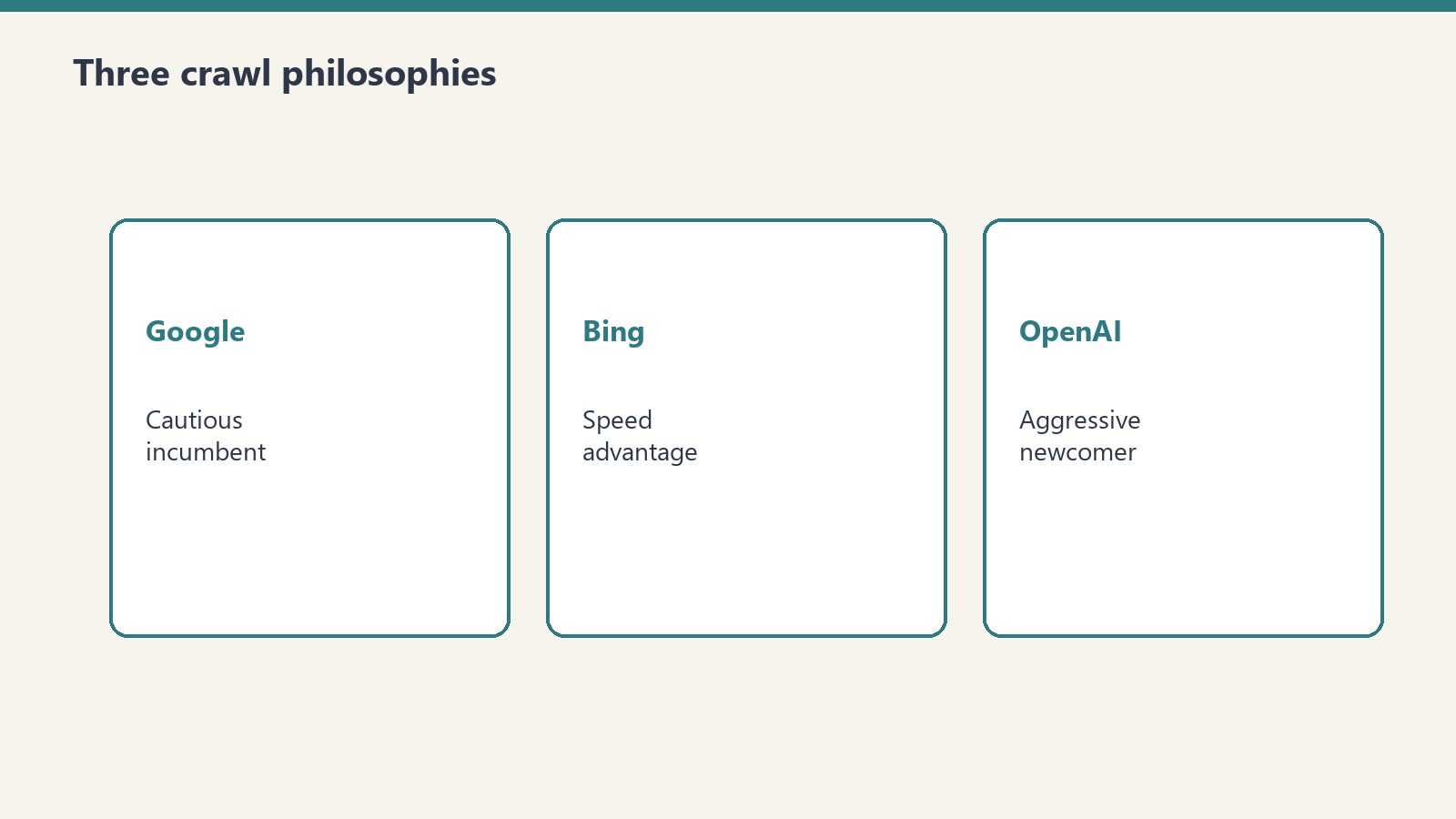
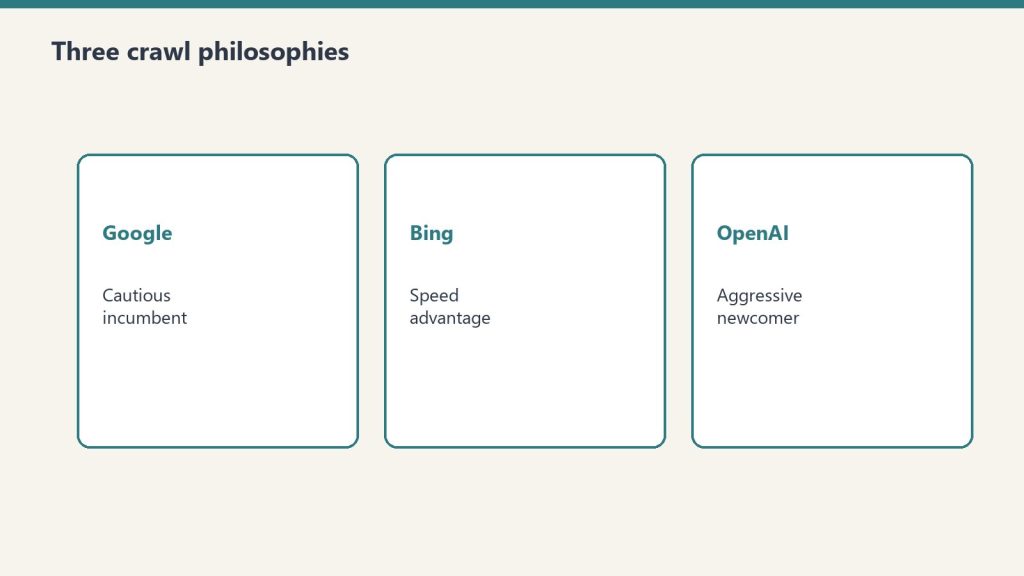
Three ecosystems: radically different crawl philosophies.
The crawl war is not just about who crawls more. It is about how each ecosystem approaches the fundamental challenge of web content discovery and evaluation. Our server log data revealed three starkly different approaches operating simultaneously on the same content:
Google: Slow and conservative. Googlebot approached our content at its own pace, significantly slower than both Bing and OpenAI. Despite being the world’s largest search crawler, Google’s response to our 40-article publication was measured and deliberate — no urgency, no burst crawling, no IndexNow acceleration.
Bing: Fast and protocol-responsive. Bingbot was the first crawler to reach every single one of our 40 articles, arriving within a consistent 4-hour post-publish window triggered by our IndexNow implementation. Bingbot’s behavior was predictable, fast, and directly responsive to publisher signals.
OpenAI: Aggressive and structural. OpenAI’s crawler fleet — GPTBot, ChatGPT-User, and OAI-SearchBot — generated the largest volume of activity, including a 1,123-request structural crawl in a single hour. OpenAI’s approach is the most intensive of the three, treating content discovery as an active, aggressive process rather than a passive one.
Google’s Crawl Strategy: The Cautious Incumbent
Google has been crawling the web longer than any other company, and its crawl strategy reflects two decades of optimization for thoroughness over speed. Googlebot is the most comprehensive crawler on the web — according to Cloudflare data from January 2026, Googlebot reaches 1.70 times more unique URLs than ClaudeBot, 1.76 times more than GPTBot, 2.99 times more than Meta-ExternalAgent, and 3.26 times more than Bingbot. No other crawler comes close in terms of coverage breadth.
But coverage is not speed. In our experiment, Googlebot was dramatically slower to discover and index our content than Bingbot. While Bingbot reached every article within 4 hours via IndexNow, Google’s crawlers took significantly longer (Tygart Media server log analysis, June 2026). This speed gap is structural, not accidental — and it reveals a fundamental strategic choice Google has made.
Why Google Is Slow: The IndexNow Abstention
The single biggest reason for Google’s slower crawl response is its refusal to adopt IndexNow. IndexNow is the protocol that allows publishers to push notifications directly to search engines when content is published or updated. Bing, Yandex, and other participating search engines receive these notifications and can respond within minutes. Google does not participate in IndexNow. Instead, Google relies on its own crawl scheduling, sitemap processing, and link-following algorithms to discover new content — a process that is thorough but inherently slower.
Google’s stated position is that it already discovers content efficiently through its existing infrastructure. But our data tells a different story for time-sensitive content. When speed of discovery directly impacts whether content gets cited in AI-generated answers, Google’s conservative approach creates a tangible disadvantage compared to Bing’s IndexNow-responsive pipeline.
Google’s AI Layer: AI Overviews and Google-Extended
Google’s approach to AI crawling is to layer AI capabilities on top of existing Googlebot infrastructure rather than deploying separate AI-specific crawlers. Content indexed by Googlebot feeds both traditional search results and Google AI Overviews. The only AI-specific crawler is Google-Extended, which handles the opt-out mechanism for AI training — blocking Google-Extended prevents content from being used for Gemini model training while keeping it available for search and AI Overviews.
This integrated approach means Google does not need to crawl content twice — once for search, once for AI. But it also means Google’s AI Overviews are limited by Googlebot’s crawl schedule. If Googlebot has not indexed a page, Google AI Overviews cannot reference it. And since Googlebot is slower to discover new content than Bingbot (which uses IndexNow), Google AI Overviews are systematically slower to surface newly published content compared to Microsoft Copilot.
Bing’s Crawl Strategy: The Speed Advantage
Bing’s speed advantage in the crawl war.
Microsoft’s Bing has historically been the underdog in search — smaller index, lower market share, less publisher attention. But in the AI era, Bing has a structural advantage that Google lacks: IndexNow responsiveness and deep integration with Microsoft Copilot.
In our experiment, Bingbot’s behavior was the most predictable and publisher-friendly of all three ecosystems. Every single one of our 40 articles was discovered by Bingbot within a consistent 4-hour window after publication, triggered by our IndexNow implementation (Tygart Media server log analysis, June 2026). This consistency is remarkable — it means publishers who implement IndexNow can predict, with near-certainty, when their content will enter Bing’s index and become available for Copilot citation.
The IndexNow Pipeline: Publisher to Copilot in Hours
The Bing-to-Copilot pipeline works like this: you publish content, IndexNow notifies Bing, Bingbot crawls and indexes your page within approximately 4 hours, and that indexed content immediately becomes available to Copilot’s retrieval system. This is the fastest path from publication to AI citation available today.
Our server logs confirmed this pipeline operating exactly as designed. Within 24 hours of publishing our 40 articles, we recorded 3 confirmed referral visits from copilot.microsoft.com, with 2 carrying the utm_source=copilot.com parameter (Tygart Media server log analysis, June 2026). That is less than one business day from publication to confirmed Copilot citation — a timeline that would be impossible without IndexNow’s speed advantage.
The YandexBot Shadow Effect
An unexpected finding in our data: YandexBot consistently shadowed Bingbot, hitting each article approximately 30 seconds after Bingbot’s initial visit (Tygart Media server log analysis, June 2026). This confirms that IndexNow notifications propagate across all participating search engines simultaneously. When you ping IndexNow, you are not just notifying Bing — you are notifying every participating engine, including Yandex and any future participants. This multiplier effect makes IndexNow even more valuable than its Bing integration alone would suggest.
Bing Webmaster Tools AI Performance Dashboard
Microsoft has further cemented its position in the crawl war by launching the AI Performance dashboard in Bing Webmaster Tools (public preview, February 2026). This dashboard surfaces citation metrics specifically for AI-generated answers across Microsoft Copilot, AI-generated summaries in Bing, and select partner integrations. Publishers can see total citations, grounding queries (the exact queries that triggered each citation), page-level citation activity, and visibility trends over time. No other search engine offers comparable AI citation analytics — Google has no equivalent dashboard for AI Overviews citation tracking.
OpenAI’s Crawl Strategy: The Aggressive Newcomer
OpenAI’s aggressive newcomer crawl strategy.
OpenAI entered the web crawling game later than both Google and Microsoft, but its approach is by far the most aggressive. While Google crawls conservatively and Bing crawls responsively, OpenAI crawls intensively — deploying three separate crawlers (GPTBot, ChatGPT-User, OAI-SearchBot), each serving a distinct purpose, and generating enormous volumes of requests.
In our 48-hour monitoring window, OpenAI’s crawler fleet was the single largest source of AI crawler activity. ChatGPT-User alone generated 3,404 hits — each representing a real user’s query being answered using our content. GPTBot added a concentrated 1,123-request structural crawl in a single hour. Combined, OpenAI’s crawlers generated more traffic to our Copilot content cluster than any other AI company’s crawler fleet (Tygart Media server log analysis, June 2026).
The Structural Crawl Pattern: GPTBot’s Burst Behavior
The most distinctive behavior we observed from OpenAI was GPTBot’s burst crawling pattern. At 11:00 UTC on June 22, GPTBot executed 1,123 requests in a single hour, systematically visiting every article in our Copilot content cluster (Tygart Media server log analysis, June 2026). This is not the steady, distributed crawling you see from Googlebot or Bingbot. This is an aggressive, concentrated evaluation — OpenAI’s systems identifying a domain as a potential authority source and performing a comprehensive assessment in a compressed timeframe.
This burst pattern has significant implications for publishers. It suggests that OpenAI’s crawl system operates on a trigger model: when the system identifies a relevant domain (through user queries, link signals, or other discovery mechanisms), it dispatches GPTBot for a thorough, rapid evaluation rather than gradually crawling over days or weeks. For publishers, this means the first impression matters — when GPTBot arrives for a burst crawl, the quality and structure of your content at that moment determines whether your domain is classified as an authority source.
ChatGPT-User: The Real-Time Citation Engine
ChatGPT-User operates fundamentally differently from both Googlebot and Bingbot. Traditional search crawlers index content proactively — they crawl now so results are available later. ChatGPT-User fetches reactively — it visits your page only when a real user asks a question and ChatGPT needs your content to generate an answer. This makes ChatGPT-User the most direct connection between publisher content and user value in the entire AI search ecosystem.
The 3,404 ChatGPT-User hits we recorded represent 3,404 real moments where a real person received an answer that drew from our content (Tygart Media server log analysis, June 2026). Unlike traditional search traffic where you see a click and a pageview, ChatGPT-User traffic represents content consumption without a traditional visit — the user received value from your content through the AI intermediary. This is a paradigm shift in how content creates value, and publishers who do not track ChatGPT-User activity in their server logs are blind to an entire channel of content utilization.
The Crawl War Scoreboard: Head-to-Head Comparison
Based on our server log data and industry reporting, here is how the three ecosystems compare across the dimensions that matter most to publishers:
Speed of discovery: Bing wins decisively. IndexNow gives Bing a structural speed advantage that neither Google nor OpenAI can match for new content discovery. Our data showed a consistent 4-hour discovery window for Bingbot versus significantly longer for Googlebot (Tygart Media server log analysis, June 2026). OpenAI’s discovery speed varies — ChatGPT-User is demand-driven and can be near-instant for trending topics, while GPTBot’s burst crawling happens on OpenAI’s schedule, not the publisher’s.
Crawl intensity: OpenAI wins. The combined volume from GPTBot, ChatGPT-User, and OAI-SearchBot exceeds what any single crawler from Google or Microsoft generates. GPTBot’s 1,123-request burst alone would be an unusually intense day for most sites from any single traditional crawler.
Coverage breadth: Google wins. Googlebot reaches more unique URLs than any other crawler on the web — 1.76 times more than GPTBot and 3.26 times more than Bingbot according to Cloudflare data from January 2026. For comprehensive coverage, nothing beats Google’s crawl infrastructure.
Publisher transparency: Bing wins. The AI Performance dashboard in Bing Webmaster Tools provides citation-specific analytics that neither Google nor OpenAI offer. Publishers can see exactly which queries triggered citations and which pages were cited — actionable data that drives content optimization.
Publisher control: Anthropic leads (among AI companies) with independently controllable training and retrieval crawlers. Among the three ecosystems, OpenAI offers the most granular control with three separately configurable crawlers. Google’s Google-Extended provides training opt-out but no granular retrieval controls.
What This Means for Content Strategy: The End of Google-Centric SEO
The crawl war’s most important implication is strategic: optimizing exclusively for Google is no longer sufficient. The data from our experiment shows that AI systems from three different companies are actively crawling, evaluating, and citing web content — and each one uses different signals, different speeds, and different criteria for what it selects.
A content strategy that ignores Bing’s IndexNow advantage is leaving Copilot citations on the table. A strategy that ignores OpenAI’s aggressive crawling patterns is invisible to ChatGPT’s 3,404 query-driven fetches. A strategy that focuses only on Google’s organic crawl schedule is optimizing for the slowest discovery pipeline of the three.
The new paradigm is multi-engine optimization — designing content for discovery, evaluation, and citation across all three ecosystems simultaneously. This means implementing IndexNow for Bing speed, structuring content with schema markup for AI extraction across all platforms, building entity-rich content that satisfies all three ecosystems’ relevance criteria, and monitoring server logs for crawler activity from all major AI systems.
The Multi-Engine Optimization Framework
Based on our experiment data, here is the practical framework for optimizing across all three ecosystems:
For Bing and Copilot citation: Implement IndexNow for immediate content discovery. Target a 4-hour indexing window. Use Bing Webmaster Tools AI Performance dashboard to track citation metrics. Optimize for structured data that Copilot’s retrieval system can extract — Article schema, FAQPage schema, and BreadcrumbList schema.
For Google and AI Overviews: Submit sitemaps through Google Search Console. Ensure content is Google-Extended friendly (do not block Google-Extended unless you specifically want to opt out of Gemini training). Focus on E-E-A-T signals — author expertise, authoritative citations, and content depth — which Google’s AI Overviews weigh heavily in source selection.
For OpenAI and ChatGPT Search: Do not block OAI-SearchBot or ChatGPT-User in robots.txt (you can block GPTBot to prevent training use while keeping search access). Structure content with clear, extractable answers — question-formatted headings, definition boxes, and concise opening paragraphs that give ChatGPT clean extraction targets. Build topical authority through content clusters, which GPTBot’s burst crawling pattern appears to evaluate as a holistic signal.
For all three simultaneously: Server log monitoring is the universal requirement. It is the only way to see how each ecosystem’s crawlers are interacting with your content. Traditional analytics tools are blind to crawler traffic, making server logs the single most important data source for multi-engine optimization.
The Crawl War’s Impact on Publishing Economics
The crawl war has a direct impact on publishing economics that most publishers have not yet reckoned with. When AI crawlers generate 39% more traffic than traditional search crawlers — as our data showed (Tygart Media server log analysis, June 2026) — that traffic carries real server costs without corresponding ad revenue. AI crawlers do not see ads, do not generate pageviews in analytics, and do not contribute to the metrics that publishers use to sell advertising.
At the same time, the content that AI crawlers fetch is being used to generate answers that may reduce traditional search traffic — the phenomenon known as zero-click search. Publishers face a paradox: the more valuable your content is to AI systems, the more they crawl it, the more server resources they consume, and the more they potentially reduce your direct traffic by answering user queries without a click-through.
However, the 3 confirmed Copilot referrals we recorded suggest that AI citation does drive some click-through traffic — users who see a source cited in an AI answer do click through to read the full content. The question for publishers is whether citation-driven traffic will scale to replace or supplement the traditional search traffic that AI systems are cannibalizing. Our data suggests the click-through rate from AI citations is positive but modest, making content quality and authority optimization — rather than raw traffic volume — the new economic foundation for publishing in the AI era.
What Comes Next in the Crawl War
The crawl war is intensifying, not settling. Several developments are reshaping the competitive landscape. Bing Webmaster Tools’ AI Performance dashboard, launched in February 2026, gives publishers the first actionable data about AI citation performance — a competitive moat that Google has not yet matched. OpenAI’s continued expansion of ChatGPT Search is driving ChatGPT-User volumes higher, making it an increasingly important content discovery channel. And Google’s integration of AI Overviews into mainstream search results means that Google’s slower crawl speed may matter less over time as AI Overviews draw from Google’s already-comprehensive index.
For publishers, the strategic imperative is clear: the era of Google-only optimization is over. The crawl war has created a multi-engine landscape where content must be optimized for discovery, evaluation, and citation across three fundamentally different ecosystems. The publishers who adapt fastest — implementing IndexNow, monitoring server logs, and structuring content for AI extraction — will capture the citation advantage that defines the next era of content distribution.
Our 40-article experiment captured this war in real time: 6,805 AI crawler hits from three competing ecosystems, each approaching the same content with radically different strategies. The data does not lie. The crawl war is here, it is reshaping how content gets discovered and cited, and the publishers who understand it will win.
Frequently Asked Questions
Why is Bing faster than Google at discovering new content?
Bing participates in the IndexNow protocol, which allows publishers to push instant notifications when content is published or updated. Google does not participate in IndexNow and relies instead on its own crawl scheduling and sitemap processing. In our experiment, Bingbot reached every new article within a consistent 4-hour window after publication via IndexNow, while Googlebot was dramatically slower to discover the same content (Tygart Media server log analysis, June 2026). For publishers seeking fast AI citation through Microsoft Copilot, this speed advantage is decisive.
Does OpenAI crawl more aggressively than Google or Bing?
Yes. OpenAI deploys three separate crawlers — GPTBot, ChatGPT-User, and OAI-SearchBot — and their combined activity in our experiment exceeded any single crawler from Google or Microsoft. GPTBot alone executed a 1,123-request burst crawl in a single hour, and ChatGPT-User generated 3,404 hits representing real user queries (Tygart Media server log analysis, June 2026). OpenAI’s crawl philosophy is intensive and structural, designed to rapidly evaluate and index content domains rather than gradually discovering them over time.
What is multi-engine optimization and why does it matter?
Multi-engine optimization is the practice of designing content for discovery, evaluation, and citation across multiple AI ecosystems — Google AI Overviews, Microsoft Copilot, and ChatGPT Search — rather than optimizing exclusively for Google. It matters because each ecosystem uses different crawlers, different speeds, and different criteria for selecting content to cite. Our data showed AI crawlers from all three ecosystems actively evaluating the same content with different strategies (Tygart Media server log analysis, June 2026). Publishers who optimize only for Google are invisible to Copilot and ChatGPT citations.
How do I know which AI crawlers are visiting my website?
Check your server logs (access.log or combined.log files on Apache or Nginx) and search for AI crawler user agent strings: GPTBot, ChatGPT-User, OAI-SearchBot, ClaudeBot, Claude-SearchBot, PerplexityBot, AzureAI-SearchBot, meta-externalagent, and Google-Extended. Traditional analytics tools like Google Analytics do not capture crawler traffic because they rely on JavaScript execution, which crawlers do not perform. Server logs are the only way to see AI crawler activity on your site.
Should I implement IndexNow if I primarily care about Google rankings?
Yes. While IndexNow does not directly benefit Google (which does not participate in the protocol), implementing IndexNow gives you immediate access to Bing’s indexing pipeline and Microsoft Copilot citation — an AI citation channel you would otherwise miss entirely. In our experiment, Bingbot discovered all 40 articles within 4 hours via IndexNow, and we received 3 confirmed Copilot citations within 24 hours (Tygart Media server log analysis, June 2026). The implementation cost is minimal (a WordPress plugin), and the citation upside is significant.
Definition: AI crawlers are automated web agents deployed by artificial intelligence companies to discover, evaluate, and retrieve web content for use in AI model training, search retrieval, and real-time answer generation. Unlike traditional search engine crawlers that index content for organic search rankings, AI crawlers serve a hierarchy of distinct purposes — and understanding that hierarchy is now essential for any publisher who wants their content cited by AI systems.
When we published 40 Microsoft Copilot articles on tygartmedia.com and monitored our server logs for 48 hours, we recorded 6,805 AI crawler hits — 39% more than the 4,897 hits from traditional search crawlers Googlebot and Bingbot combined (Tygart Media server log analysis, June 2026). These are first-party figures from our own server logs for a single site over one 48-hour window, not an industry benchmark. But the raw number only tells part of the story. The real insight came from breaking down those hits by crawler identity: each AI crawler serves a different purpose, operates under different rules, and signals something different about how AI systems are evaluating your content. This reference guide maps every major AI crawler, explains what each one does, and shows you what their activity means for your content strategy.
Why AI Crawlers Are Now More Active Than Traditional Search Crawlers
Why AI crawlers are now more active than traditional search crawlers.
The shift happened faster than most publishers realize. In our 48-hour monitoring window, AI-specific crawlers generated 6,805 hits compared to 4,897 from Googlebot and Bingbot combined — a 39% traffic advantage for AI systems (Tygart Media server log analysis, June 2026). This aligns with broader industry data: Cloudflare reported in 2025 that AI crawlers were generating more than 50 billion requests per day to the Cloudflare network.
This is not a temporary spike. AI systems are fundamentally more request-intensive than traditional search engines because they serve multiple purposes simultaneously: training data collection, search index building, and real-time content retrieval for live user queries. A single piece of content might be visited by GPTBot for training evaluation, by OAI-SearchBot for search indexing, and by ChatGPT-User when a real person asks a question — three distinct visits from three distinct crawlers, all from the same company (OpenAI), all serving different functions.
The OpenAI Crawler Fleet: GPTBot, ChatGPT-User, and OAI-SearchBot
OpenAI crawler fleet — GPTBot and friends.
OpenAI operates the most active AI crawler fleet on the web, with three distinct crawlers that each serve a different purpose. Understanding the difference between them is critical because each one tells you something different about how OpenAI’s systems are evaluating your content.
GPTBot — The Training and Evaluation Crawler
Operator: OpenAI Purpose: Gathers content which may be used to train OpenAI’s generative AI foundation models User Agent String:Mozilla/5.0 AppleWebKit/537.36 (KHTML, like Gecko); compatible; GPTBot/1.4; +https://openai.com/gptbot (version number may change; see OpenAI’s crawler documentation) IP Range Source: https://openai.com/gptbot.json Robots.txt Control:User-agent: GPTBot — can be allowed or disallowed independently
GPTBot is OpenAI’s primary training data crawler. When GPTBot visits your site, it is evaluating whether your content is suitable for inclusion in the training datasets used to build and improve OpenAI’s large language models. In our server log analysis, we observed GPTBot execute a dramatic 1,123-request structural crawl in a single hour at 11:00 UTC on June 22, 2026, systematically visiting every article in our Copilot content cluster (Tygart Media server log analysis, June 2026). This burst pattern — concentrated, systematic, and thorough — is characteristic of GPTBot performing a domain-wide quality assessment.
The critical distinction: blocking GPTBot via robots.txt prevents your content from being used for training, but it does not prevent your content from appearing in ChatGPT’s search results. GPTBot and the search crawlers operate independently.
ChatGPT-User — The Live Query Crawler
Operator: OpenAI Purpose: Fetches a web page on demand when a user inside ChatGPT asks a question — not a training crawler User Agent String:Mozilla/5.0 AppleWebKit/537.36 (KHTML, like Gecko); compatible; ChatGPT-User/1.0; +https://openai.com/bot IP Range Source: https://openai.com/chatgpt-user.json Robots.txt Control:User-agent: ChatGPT-User
ChatGPT-User is arguably the most important AI crawler for publishers to understand. Every single ChatGPT-User hit in your server logs represents a real person, right now, asking ChatGPT a question and ChatGPT fetching your page to help formulate an answer. This is not background crawling. This is not training data collection. This is live, query-driven traffic — the AI equivalent of a user clicking on your search result, except the AI is doing the clicking on the user’s behalf.
In our 48-hour experiment, ChatGPT-User generated 3,404 hits — the single largest source of AI crawler traffic to our content (Tygart Media server log analysis, June 2026). Each of those 3,404 hits represents a real user’s query being answered using our content. The volume is staggering and represents a content discovery channel that did not exist three years ago.
User agent versions 1.0, 2.0, and 3.0 have all been observed in server logs across the industry, indicating that OpenAI has iterated on the ChatGPT-User crawler multiple times.
OAI-SearchBot — The Search Index Crawler
Operator: OpenAI Purpose: Powers ChatGPT Search by indexing pages for retrieval and citation — a completely separate system from training data collection User Agent String:Mozilla/5.0 (Macintosh; Intel Mac OS X 10_15_7) AppleWebKit/537.36 (KHTML, like Gecko) Chrome/131.0.0.0 Safari/537.36; compatible; OAI-SearchBot/1.4; +https://openai.com/searchbot IP Range Source: https://openai.com/searchbot.json Robots.txt Control:User-agent: OAI-SearchBot
OAI-SearchBot is OpenAI’s dedicated search indexing crawler, building the index that powers ChatGPT’s search features. Think of it as OpenAI’s equivalent of Googlebot — it crawls the web to build a searchable index, not to collect training data. The key distinction from ChatGPT-User is timing: OAI-SearchBot crawls proactively to build the index, while ChatGPT-User fetches reactively when a user asks a question.
For publishers, OAI-SearchBot activity is a leading indicator. If OAI-SearchBot is regularly crawling your content, your pages are being added to ChatGPT’s search index, which means they are available for citation in ChatGPT Search results. If OAI-SearchBot is not visiting your content, your pages may not appear in ChatGPT’s web-grounded answers even if GPTBot has crawled them for training purposes.
Microsoft’s AI Crawlers: Bingbot and AzureAI-SearchBot
Microsoft’s AI crawler strategy is tightly integrated with its existing Bing search infrastructure. Unlike OpenAI, which built a separate crawler fleet from scratch, Microsoft leverages Bingbot — the world’s second-largest search crawler — as the primary discovery mechanism for its AI systems, including Microsoft Copilot.
Bingbot — The Dual-Purpose Search and AI Crawler
Operator: Microsoft Purpose: Powers both Bing search results and Microsoft Copilot’s web-grounded answers User Agent String:Mozilla/5.0 AppleWebKit/537.36 (KHTML, like Gecko); compatible; bingbot/2.0; +http://www.bing.com/bingbot.htm Robots.txt Control:User-agent: bingbot
Bingbot occupies a unique position in the AI crawler hierarchy because it serves a dual purpose: it powers both traditional Bing search results and Microsoft Copilot’s web-grounded answers. When Bingbot indexes your content, that content becomes available to Copilot’s retrieval system. This makes Bingbot the most important single crawler for Copilot citation — if Bingbot has not indexed your page, Copilot cannot cite it.
In our experiment, Bingbot demonstrated remarkable speed and consistency. It was the first crawler to reach every single one of our 40 articles, with a predictable 4-hour post-publish gap triggered by our IndexNow implementation (Tygart Media server log analysis, June 2026). This consistency makes Bingbot behavior highly predictable for publishers who use IndexNow — you can expect your content to be discoverable by Copilot within 4 hours of publication.
AzureAI-SearchBot — Microsoft’s Specialized AI Crawler
Operator: Microsoft Purpose: Specialized content retrieval for Azure AI services, including enterprise Copilot integrations User Agent String: Contains AzureAI-SearchBot identifier Robots.txt Control:User-agent: AzureAI-SearchBot
AzureAI-SearchBot is Microsoft’s newer, more specialized AI crawler that operates alongside Bingbot. While Bingbot handles broad web indexing, AzureAI-SearchBot appears to perform more selective, targeted content evaluation for Azure AI services. In our server logs, AzureAI-SearchBot generated only 3 hits during the 48-hour monitoring window — compared to Bingbot’s hundreds of hits — suggesting a highly selective evaluation pattern rather than broad crawling (Tygart Media server log analysis, June 2026).
The low volume but deliberate targeting of AzureAI-SearchBot suggests it may be evaluating content for enterprise Copilot integrations or specialized Azure AI services rather than the consumer-facing Copilot product. Publishers who see AzureAI-SearchBot hits in their logs may be candidates for higher-trust citation treatment in Microsoft’s enterprise AI products.
Anthropic’s Crawlers: ClaudeBot and Claude-SearchBot
Anthropic crawlers — ClaudeBot and search bots.
ClaudeBot — Anthropic’s Training Crawler
Operator: Anthropic Purpose: Collects content for training Anthropic’s Claude models User Agent String: contains ClaudeBot (Anthropic’s crawler help page documents its bots by name) Robots.txt Control:User-agent: ClaudeBot
ClaudeBot is Anthropic’s crawler for collecting training data for the Claude family of AI models. Like GPTBot, ClaudeBot crawls the web to evaluate and potentially collect content for model training. According to Cloudflare data published in January 2026, Googlebot reached 1.70 times more unique URLs than ClaudeBot, placing ClaudeBot as one of the most active AI crawlers on the web in terms of coverage breadth.
Claude-SearchBot — Anthropic’s Retrieval Crawler
Operator: Anthropic Purpose: Retrieves web content for Claude’s search and citation features Robots.txt Control:User-agent: Claude-SearchBot — independently controllable from ClaudeBot
Claude-SearchBot is Anthropic’s dedicated search retrieval crawler, separate from ClaudeBot. The critical detail for publishers: Claude-SearchBot and ClaudeBot can be controlled independently via robots.txt. This means publishers can allow Claude-SearchBot (enabling their content to appear in Claude’s retrieval and citation features) while disallowing ClaudeBot (keeping content out of training data). This granular control model is unique among major AI companies and represents a publisher-friendly approach to the training-versus-retrieval distinction.
Other Major AI Crawlers You Should Know
PerplexityBot
Operator: Perplexity AI Purpose: Indexes content for Perplexity’s answer engine, which provides sourced answers with inline citations User Agent String: Contains PerplexityBot identifier Robots.txt Control:User-agent: PerplexityBot
Perplexity operates as an AI-native answer engine that explicitly cites its sources with inline footnotes. PerplexityBot crawls the web to build Perplexity’s index. While smaller in scale than OpenAI’s or Anthropic’s crawlers — Cloudflare data shows Googlebot reaches 167 times more unique URLs than PerplexityBot — Perplexity’s citation-heavy model makes it particularly valuable for publishers who want visible attribution in AI-generated answers.
Meta-ExternalAgent (Bytespider)
Operator: Meta Platforms Purpose: Collects content for Meta’s AI products including Meta AI (powered by Llama models) User Agent String: Contains meta-externalagent identifier Robots.txt Control:User-agent: meta-externalagent
Meta-ExternalAgent is Meta’s web crawler for AI content collection, supporting Meta’s Llama model family and Meta AI assistant products integrated across Facebook, Instagram, WhatsApp, and Messenger. According to Cloudflare data from January 2026, Googlebot reached 2.99 times more unique URLs than Meta-ExternalAgent, placing it as a significant but secondary crawler compared to OpenAI and Anthropic’s agents. The Bytespider crawler, associated with ByteDance (TikTok’s parent company), serves a similar training data collection function for ByteDance’s AI models.
Google’s AI Crawlers
Operator: Google Key User Agents:Google-Extended, Googlebot, Google-CloudVertexBot Robots.txt Control:User-agent: Google-Extended (for AI training opt-out)
Google’s approach to AI crawling is unique because it leverages the existing Googlebot infrastructure rather than deploying entirely separate AI-specific crawlers. Googlebot serves double duty — indexing content for Google Search and providing the foundation for Google AI Overviews. Google-Extended is the opt-out mechanism: blocking Google-Extended prevents your content from being used for Gemini model training while still allowing Googlebot to index your content for search. Google-CloudVertexBot handles content retrieval for Google’s Vertex AI enterprise products.
Notably, Google also operates specialized agents including Google-NotebookLM (for the NotebookLM product) and Google-Read-Aloud (for text-to-speech features), each controllable independently via robots.txt.
Other Notable AI Crawlers
Amazonbot: Amazon’s web crawler supporting Alexa and other Amazon AI products. User agent contains Amazonbot. Applebot: Apple’s crawler for Siri, Spotlight, and Apple Intelligence features. User agent contains Applebot. DuckAssistBot: DuckDuckGo’s AI assistant crawler for DuckAssist answers. User agent contains DuckAssistBot. CCBot: Common Crawl’s crawler, which produces the open dataset used by many AI companies for model training. Cloudflare data shows Googlebot reaches 714 times more unique URLs than CCBot.
The AI Crawler Hierarchy: A Functional Classification
Understanding the AI crawler landscape requires organizing these crawlers into functional tiers based on what their activity means for publishers:
Tier 1: Real-Time Query Crawlers. ChatGPT-User and similar user-triggered crawlers. Every hit represents a real user’s question being answered right now. These are the highest-value signals because they indicate your content is actively being used to generate AI answers. In our experiment, ChatGPT-User was the dominant Tier 1 crawler with 3,404 hits (Tygart Media server log analysis, June 2026).
Tier 2: Search Index Crawlers. OAI-SearchBot, Bingbot (for Copilot), Claude-SearchBot, PerplexityBot. These crawlers build the search indexes that AI systems query when answering questions. Activity from Tier 2 crawlers indicates your content is being indexed for potential citation. Bingbot’s consistent 4-hour IndexNow response made it our most reliable Tier 2 crawler.
Tier 3: Training and Evaluation Crawlers. GPTBot, ClaudeBot, Meta-ExternalAgent, Google-Extended. These crawlers collect content for model training and evaluation. High activity from Tier 3 crawlers means your content is being considered for inclusion in training datasets. GPTBot’s 1,123-request burst crawl at 11:00 UTC exemplified Tier 3 behavior — systematic, comprehensive, evaluative (Tygart Media server log analysis, June 2026).
Tier 4: Specialized and Emerging Crawlers. AzureAI-SearchBot, Google-NotebookLM, DuckAssistBot, Amazonbot. Lower volume, more targeted, often serving specific product use cases. Our observation of only 3 AzureAI-SearchBot hits suggests Tier 4 crawlers are highly selective (Tygart Media server log analysis, June 2026).
How to Identify AI Crawlers in Your Server Logs
Most publishers have never looked at their server logs for AI crawler activity because traditional analytics tools (Google Analytics, Adobe Analytics) do not capture bot traffic. To see AI crawlers, you need access to raw server logs — typically access.log or combined.log files on Apache or Nginx servers.
The simplest approach is to grep your logs for known AI user agent strings. Here are the key strings to search for, based on our verified server log data and official documentation from each operator (for example, OpenAI, Anthropic, and Google):
GPTBot — OpenAI training crawler ChatGPT-User — OpenAI live query crawler OAI-SearchBot — OpenAI search index crawler bingbot — Microsoft search and Copilot crawler AzureAI-SearchBot — Microsoft specialized AI crawler ClaudeBot — Anthropic training crawler Claude-SearchBot — Anthropic retrieval crawler PerplexityBot — Perplexity answer engine crawler meta-externalagent — Meta AI crawler Google-Extended — Google AI training crawler Amazonbot — Amazon AI crawler Applebot — Apple AI crawler Bytespider — ByteDance AI crawler DuckAssistBot — DuckDuckGo AI assistant crawler CCBot — Common Crawl open dataset crawler
What AI Crawler Activity Tells You About Your Content
Different patterns of AI crawler activity reveal different things about how AI systems perceive your content:
High ChatGPT-User volume: Your content is actively being used to answer real user queries. This is the strongest signal that your content is being cited by AI systems. Our 3,404 ChatGPT-User hits across the Copilot cluster confirmed that our content was being pulled into live answers (Tygart Media server log analysis, June 2026).
GPTBot burst crawling: OpenAI’s systems have identified your domain as a potential authority source and are performing a deep evaluation. The 1,123-request burst we observed is characteristic of GPTBot’s domain evaluation pattern — it does not crawl this aggressively unless it has identified the domain as potentially high-value content (Tygart Media server log analysis, June 2026).
Consistent Bingbot visits via IndexNow: Your IndexNow implementation is working, and your content is being indexed for Copilot citation. The 4-hour gap pattern we observed is your feedback loop — if Bingbot is arriving within hours of publication, your indexing pipeline is healthy.
Low or zero AI crawler activity: Your content may be blocked by robots.txt, your server may be rejecting crawler requests, or your content may not be reaching the quality or topical relevance threshold for AI system evaluation. Check your robots.txt and server response codes for AI user agents.
Managing AI Crawlers: Allow, Block, or Selective Access
Publishers face a three-way decision for each AI crawler: allow full access (content can be used for training and retrieval), allow selective access (retrieval only, no training), or block entirely. The most nuanced approach — and the one we recommend — is selective access that allows retrieval crawlers while blocking training crawlers.
Anthropic’s model is the most publisher-friendly in this regard: ClaudeBot (training) and Claude-SearchBot (retrieval) are independently controllable. OpenAI offers similar granularity: you can block GPTBot (training) while allowing ChatGPT-User (retrieval) and OAI-SearchBot (search indexing). Google allows blocking Google-Extended (training) while keeping Googlebot active for search.
The practical implication: a robots.txt configuration that blocks training crawlers while allowing retrieval crawlers ensures your content is available for AI citation without contributing to model training datasets. This is the optimal configuration for most publishers who want to be cited by AI systems while maintaining control over their content’s use in training.
Frequently Asked Questions
What is the difference between GPTBot and ChatGPT-User?
GPTBot is OpenAI’s training data crawler — it collects content that may be used to train and improve OpenAI’s foundation models. ChatGPT-User is a live query crawler that fetches web pages on demand when a real user asks ChatGPT a question. Every ChatGPT-User hit represents an actual user query being answered. They serve completely different purposes and can be controlled independently via robots.txt. In our server logs, ChatGPT-User generated 3,404 hits representing real user queries, while GPTBot performed a 1,123-request structural evaluation crawl (Tygart Media server log analysis, June 2026).
How many AI crawlers are actively crawling the web in 2026?
There are at least 15 major AI crawlers actively operating as of mid-2026, operated by OpenAI (GPTBot, ChatGPT-User, OAI-SearchBot), Microsoft (Bingbot, AzureAI-SearchBot), Anthropic (ClaudeBot, Claude-SearchBot), Google (Google-Extended, Google-CloudVertexBot, Google-NotebookLM), Meta (meta-externalagent), Perplexity (PerplexityBot), Amazon (Amazonbot), Apple (Applebot), ByteDance (Bytespider), DuckDuckGo (DuckAssistBot), and Common Crawl (CCBot). Cloudflare reported AI crawlers generating more than 50 billion requests per day to its network in 2025.
Can I allow AI citation while blocking AI training on my content?
Yes. Most major AI companies now separate their training crawlers from their retrieval crawlers, allowing publishers to control each independently via robots.txt. Block GPTBot and ClaudeBot (training) while allowing ChatGPT-User, OAI-SearchBot, and Claude-SearchBot (retrieval and citation). For Google, block Google-Extended while keeping Googlebot active. This configuration ensures your content can be cited in AI answers without being used to train models.
Why don’t Google Analytics or similar tools show AI crawler traffic?
Google Analytics and similar web analytics tools rely on JavaScript execution in a browser to record visits. AI crawlers do not execute JavaScript — they fetch the raw HTML of your page and process it server-side. This means AI crawler visits are completely invisible to any JavaScript-based analytics tool. The only way to see AI crawler activity is through server logs (access.log or combined.log files on Apache or Nginx), which record every HTTP request including those from bots and crawlers.
What does a ChatGPT-User hit mean for my content strategy?
A ChatGPT-User hit means a real person asked ChatGPT a question, and ChatGPT fetched your page to help generate the answer. This is the direct AI equivalent of a user clicking on your search result — except the AI is doing the retrieval. High ChatGPT-User volume on specific pages indicates those pages are being actively used as citation sources for live user queries. This is the strongest signal that your content is performing well in the AI search ecosystem and should be prioritized for updates, expansion, and optimization.
GPTBot is crawling the web harder than Google. That is not speculation, not a prediction, and not a think-piece extrapolation from someone else’s data. It is what our server logs show. When Tygart Media published 40 articles on June 22, 2026, and monitored every crawler that touched our server over the next 48 hours, GPTBot emerged as the most aggressive indexing operation we have ever recorded — and the data is not even close.
This is the third article in Tygart Media’s AI Search Intelligence series, based on proprietary server log data from our 40-article Microsoft Copilot content experiment. For the full methodology and complete dataset, see the anchor article. For the crawl speed comparison, see our IndexNow Speed Test.
The Numbers: GPTBot vs. Everything Else
The numbers: GPTBot vs everything else.
During the 48-hour observation window following our 40-article batch publish, AI crawlers generated 6,805 total hits on our server. Traditional search crawlers — Googlebot and Bingbot combined — generated 4,897 hits. AI crawlers outpaced traditional search crawlers by 39% (Tygart Media server log analysis, June 2026).
But the aggregate numbers undersell what GPTBot did. Look at the individual crawler breakdown:
ChatGPT-User: 3,404 hits (real-time user query fetches)
GPTBot: 1,123 requests in a single hour (structural indexing crawl)
Bingbot: The bulk of traditional crawler hits, arriving 3-6 hours post-IndexNow
Googlebot: 1 hit on Copilot content in the initial window
OAI-SearchBot: 3 hits
AzureAI-SearchBot: 3 hits
GPTBot executed 1,123 requests in 60 minutes. Not over a day. Not over a crawl cycle. In one hour. To put that in perspective, that is roughly 18.7 requests per minute, sustained for an entire hour, against a single WordPress site on a standard Compute Engine instance.
What GPTBot Actually Crawled
What GPTBot actually crawled.
If GPTBot had simply hit each of our 40 article URLs, that would be 40 requests. We recorded 1,123 in a single hour. The difference — over 1,000 additional requests — reveals what GPTBot is actually doing when it indexes a site.
Our server logs show GPTBot systematically accessed (Tygart Media server log analysis, June 2026):
Every tag page generated by the new articles — each tag aggregation page was crawled individually
RSS feed endpoints — both the main site feed and category-specific feeds
WordPress REST API endpoints — including /wp-json/wp/v2/posts and related API routes that return structured JSON data about content
Category and archive pages — every category listing page that included the new content
Author archive pages — the author page for the publishing account
This is not content reading. This is site architecture mapping. GPTBot is building a complete structural model of how your content relates to itself — what categories it belongs to, what tags connect it to other content, who authored it, what the JSON API says about its metadata, how it appears in feeds.
Traditional search engine crawlers do this too, but on a much slower schedule. Googlebot will eventually crawl your tag pages and category archives, but it does so gradually over days or weeks. GPTBot mapped the entire structure in 60 minutes.
Why This Matters: GPTBot Is Not Just Reading — It Is Understanding
The distinction between content crawling and structural crawling is critical for understanding what AI systems do with your site. A content crawler reads your articles and indexes the text. A structural crawler builds a graph of relationships between your content.
When GPTBot crawls your REST API endpoints, it gets structured JSON data about every post — titles, excerpts, categories, tags, author information, publication dates, modified dates, and featured images. This is far richer metadata than what is available in the HTML of a rendered page. It is the kind of data you would use to build a knowledge graph, not just a search index.
When GPTBot crawls your tag pages, it learns which topics co-occur. Articles tagged “Microsoft Copilot” and “AI productivity” and “enterprise software” create a topical cluster that GPTBot can map. When it crawls category pages, it learns your site’s editorial taxonomy — how you organize knowledge.
For publishers, the implication is direct: your WordPress taxonomy, tag structure, and internal linking are now inputs to how AI models understand your authority and expertise. A site with clean, logical taxonomy that reflects genuine topical expertise will produce a richer structural map for GPTBot than a site with messy, inconsistent categorization.
The ChatGPT-User Signal: 3,404 Proof Points
While GPTBot is the most aggressive structural crawler, ChatGPT-User is the most important from a business perspective. Every one of the 3,404 ChatGPT-User hits on our server represents a real person asking ChatGPT a question and ChatGPT fetching our page to answer it (Tygart Media server log analysis, June 2026).
ChatGPT-User is not a training crawler. It does not run automatic, large-scale crawls. It activates only when a human user’s query triggers a need for live web content. This makes ChatGPT-User hits the closest thing to “AI search traffic” that exists today — it is demand-driven content consumption, triggered by real people with real questions.
The 3,404 hits over 48 hours on 40 articles about Microsoft Copilot tell us several things:
Copilot is a hot topic: People are actively asking ChatGPT questions about Microsoft Copilot, and ChatGPT is reaching for live web content to answer them
New content gets fetched quickly: Our articles were less than 48 hours old and already being served to ChatGPT users
The volume is substantial: 3,404 fetches in 48 hours rivals what many sites see from organic search traffic for a 40-article batch
This traffic is invisible in Google Analytics. It does not show up as organic search. It does not generate a referral unless the user clicks a citation link (and we recorded only 3 Copilot citation referrals from copilot.microsoft.com in this window). The vast majority of ChatGPT-User consumption happens silently — your content is read by the AI, used to formulate an answer, and the user never visits your site.
AI Crawlers vs. Traditional Crawlers: The 39% Gap
The headline number — AI crawlers generating 39% more traffic than traditional search crawlers — deserves unpacking because it represents a structural shift in how the web is consumed.
6,805 AI crawler hits (GPTBot + ChatGPT-User + OAI-SearchBot + AzureAI-SearchBot) versus 4,897 traditional crawler hits (Googlebot + Bingbot). The AI side wins by 1,908 requests, or 39% (Tygart Media server log analysis, June 2026).
This is a single 48-hour snapshot of a single site. Extrapolating to the entire web requires caution. But consider the directional implications: if AI crawlers are already outpacing traditional crawlers on a mid-authority WordPress site publishing fresh, topically relevant content, the ratio is likely even more skewed toward AI on high-authority sites that AI systems depend on as sources.
The 39% gap also understates the difference in crawl intensity. Googlebot’s crawl was gentle — 1 hit on Copilot content initially. Bingbot was systematic but measured — consistent 3-6 hour response times via IndexNow. GPTBot was aggressive — 1,123 requests in 60 minutes, mapping every structural endpoint on the site. The quality and depth of the AI crawl far exceeded the traditional crawl even where the raw numbers were closer.
What GPTBot’s Aggression Means for Your Server
What GPTBot aggression means for your server.
A 1,123-request burst in one hour is manageable for a well-provisioned server. Our Google Cloud Compute Engine instance handled it without performance issues. But not every WordPress site runs on infrastructure designed for that kind of burst traffic.
Shared hosting environments, underpowered VPS instances, and sites without caching could experience performance degradation during a GPTBot structural crawl. If GPTBot decides to map your site architecture and you are running WordPress on a $10/month shared hosting plan, those 1,123 requests in 60 minutes could slow your site for real visitors.
The practical recommendations:
Monitor your server logs for GPTBot activity. Know how aggressively it is crawling your site and when.
Ensure your hosting can handle burst traffic. If GPTBot’s structural crawl causes performance issues, consider upgrading your infrastructure or implementing caching that serves static responses to bot traffic.
Use robots.txt crawl-delay directives if GPTBot is causing problems. OpenAI’s documentation states that GPTBot respects robots.txt, including crawl-delay directives.
Do not block GPTBot unless you have a specific reason. Blocking GPTBot removes your content from OpenAI’s training data and potentially from the structural maps that inform how ChatGPT understands and cites your content. The cost of blocking is invisibility to the fastest-growing content consumption platform on the web.
The Bigger Picture: We Are in the AI Crawler Era
For two decades, “web crawling” meant Googlebot. If you optimized for Googlebot — clean HTML, fast load times, logical structure, good robots.txt — you were optimized for search. Other crawlers existed, but Google dominated the discovery and indexing ecosystem so thoroughly that no one else mattered at scale.
Our server log data from June 2026 suggests that era is ending. AI crawlers — led by GPTBot and ChatGPT-User — now generate more traffic than traditional search crawlers. They crawl faster, deeper, and more aggressively. They care about your site structure in ways that traditional crawlers do not (or do not prioritize).
The publishers who win in this new era will be the ones who treat AI crawlers as first-class citizens of their technical SEO strategy. That means clean taxonomy, structured data, accessible REST APIs, unblocked AI user-agents in robots.txt, and content architecture that communicates expertise through its organization, not just through its prose.
GPTBot is the internet’s most aggressive crawler. Our server logs prove it. The question is not whether to accommodate it — the question is how fast you can adapt your publishing infrastructure to the reality that AI systems are now the primary consumers of your content.
Frequently Asked Questions
How many requests did GPTBot make in one hour during the experiment?
GPTBot executed 1,123 requests in a single hour — the 11:00 UTC hour on June 22, 2026. That is approximately 18.7 requests per minute sustained for 60 minutes. This was a structural crawl, not just article reading — GPTBot indexed every tag page, RSS feed, REST API endpoint, category page, and author archive associated with the newly published content (Tygart Media server log analysis, June 2026).
Do AI crawlers now generate more traffic than Google and Bing combined?
In our 48-hour observation window, yes. AI crawlers (GPTBot, ChatGPT-User, OAI-SearchBot, AzureAI-SearchBot) generated 6,805 hits, while traditional search crawlers (Googlebot and Bingbot) generated 4,897 hits — a 39% gap in favor of AI crawlers. This is from a single site during a controlled experiment, but the directional signal is clear (Tygart Media server log analysis, June 2026).
What is the difference between GPTBot and ChatGPT-User?
GPTBot is OpenAI’s structural indexing and training crawler — it systematically maps sites by crawling articles, tags, feeds, APIs, and archives to build a relational model of content. ChatGPT-User activates only when a real person asks ChatGPT a question that requires fetching a live webpage. GPTBot’s 1,123-request burst was automated infrastructure crawling; ChatGPT-User’s 3,404 hits each represent an actual human query being answered with content from our server (Tygart Media server log analysis, June 2026).
Should I block GPTBot to protect my server from aggressive crawling?
Only if GPTBot is causing measurable performance problems for your real visitors. Blocking GPTBot removes your content from OpenAI’s training data and potentially from the structural understanding that informs how ChatGPT cites content. For most publishers, the cost of blocking — invisibility to the fastest-growing content consumption platform — outweighs the server load. If burst traffic is an issue, use robots.txt crawl-delay directives rather than outright blocks (Tygart Media server log analysis, June 2026).
Why did Googlebot only record 1 hit while GPTBot recorded over 1,123?
Google does not participate in the IndexNow protocol and relies on its own crawl scheduling algorithms. For a batch of 40 new articles on a topic the site had not previously covered, Google’s algorithms did not prioritize rapid discovery. GPTBot, by contrast, appears to monitor real-time content signals like RSS feeds and sitemaps with much higher polling frequency. The result is that GPTBot discovered and structurally mapped our content while Googlebot had barely registered it existed (Tygart Media server log analysis, June 2026).
The Signal — Tygart Media's weekly brief. What we actually ran, what it measured, and what it means for a restoration shop.