Comparing Claude to Perplexity is a category error — they’re not trying to do the same thing. Perplexity is a real-time research engine. Claude is a reasoning partner. Understanding the distinction helps you build the most effective research workflow.
What Perplexity Does Best
What Perplexity does best.
Real-time information: Searches the live web, summarizes current events with source links
Source citation: Every claim has source links for verification
Quick research: Fast sourced answers for “what is X” and “what happened with Y”
Use Perplexity for finding current information with sources. Use Claude for analyzing, synthesizing, and writing. Ideally, use both — Perplexity first, Claude second.
Does Claude have real-time web access?
Not by default. Claude has a knowledge cutoff and doesn’t browse the web in real time unless connected via MCP or specific integrations.
Lineup currency (Oct 2026, verified): Sonnet 5.5 ($2/$10), Opus 5.5 ($4/$20), Haiku 4.5 ($1/$5), Fable 5.1 ($10/$50). Legacy (still listed): Opus 4.8 ($5/$25), Sonnet 4.6 ($3/$15). Prior note (superseded): Prior flagship claim: Claude Opus 4.7 (claude-opus-4-7). Prior models claim: Opus 4.7 · Sonnet 4.6 · Haiku 4.5. Claude Opus 4.7 (claude-opus-4-7) was claimed current as of April 16, 2026. Where this article references Opus 4.6 or earlier models, those references are historical. See current model tracker →.
Claude AI · Fitted Claude
DeepSeek emerged as the most disruptive AI development since GPT-4 — a Chinese lab producing frontier-quality models at dramatically lower cost. In 2026, it’s a genuine competitor to Claude in several categories. But the comparison isn’t only about performance. Privacy and data sovereignty matter. This guide covers all three dimensions.
Performance Comparison
Performance comparison.
Benchmark
Claude Opus 4.6 (historical)
DeepSeek
SWE-bench (coding)
80.8%
~49% (V3), higher for R1
GPQA Diamond
91.3%
Competitive
Math reasoning
Top tier
R1 leads on pure math
Context window
200K tokens
1M tokens
Claude leads on real-world software engineering and long-document reasoning. DeepSeek R1 is competitive or superior on pure math. For most professional use cases, Claude holds the performance edge.
Pricing Comparison
Pricing comparison.
DeepSeek’s API is still several times cheaper per token than Claude’s: as of October 2026, DeepSeek V4.1-Flash lists $0.15–$0.30 per million input tokens (cache miss, off-peak/peak) and V4-Pro $0.66–$1.32, vs Claude’s current $1 (Haiku 4.5) to $10 (Fable 5.1). For high-volume API applications where cost is the primary constraint, DeepSeek is a serious consideration. The consumer interface is free vs Claude’s $20-200/month paid tiers.
The Privacy Question
The privacy question.
DeepSeek is a Chinese company. Its data handling is subject to Chinese law, which includes requirements to provide user data to Chinese government authorities under certain circumstances. Multiple national governments have restricted DeepSeek on government systems. For professionals handling confidential client data or sensitive business information, the data sovereignty difference between Anthropic (US-incorporated) and DeepSeek (Chinese-incorporated) is material.
Choose Claude If You…
Handle confidential professional, legal, or medical data
Need highest performance on software engineering tasks
Require long-document analysis (both now offer 1M context)
Need US-based data handling
Frequently Asked Questions
Is DeepSeek as good as Claude?
Competitive on math and logic. Claude leads on SWE-bench software engineering, long documents, and writing quality.
Is DeepSeek safe to use?
For general consumer use, immediate risk is low. Professionals handling sensitive data should consider DeepSeek’s Chinese data jurisdiction carefully.
Model Context Protocol (MCP) is the most important infrastructure development in Claude’s ecosystem in 2026. It’s an open standard for connecting AI models to external tools, data sources, and services — replacing fragmented one-off integrations with a universal interface. This guide explains what MCP is and how to set up your first server.
What Is MCP?
What is MCP?
MCP defines a universal interface: any tool that implements the MCP server specification can connect to any AI application implementing the MCP client specification. Build once, connect anywhere. Before MCP, connecting Claude to external systems required custom integration code for every integration — and none of it worked across different AI tools.
MCP Architecture
MCP Host: The AI application (Claude desktop, Claude Code, your custom app)
MCP Client: Built into the host; manages connections to servers
MCP Server: Lightweight program exposing tools, resources, or prompts
Setting Up MCP in Claude Desktop
Setting up MCP in Claude Desktop.
Go to Settings → Developer → Edit Config. Add your server configuration:
Lineup currency (Sept 2026, verified): Sonnet 5 ($2/$10), Opus 5.5 ($4/$20), Haiku 4.5 ($1/$5), Fable 5.1 ($10/$50). Legacy (still listed): Opus 4.8 ($5/$25), Sonnet 4.6 ($3/$15). Prior note (superseded): Prior flagship claim: Claude Opus 4.7 (claude-opus-4-7). Prior models claim: Opus 4.7 · Sonnet 4.6 · Haiku 4.5. Claude Opus 4.7 (claude-opus-4-7) was claimed current as of April 16, 2026. Where this article references Opus 4.6 or earlier models, those references are historical. See current model tracker →. See current model tracker →
Claude AI · Fitted Claude
The Claude API gives you programmatic access to Claude in your own applications and scripts. This guide gets you from zero to a working integration in Python or JavaScript.
message = client.messages.create(
    model="claude-sonnet-4-6",
    max_tokens=1024,
    system="You are a helpful customer support agent for Acme Corp.",
    messages=[{"role": "user", "content": "How do I reset my password?"}]
)
Streaming Responses
Streaming responses.
with client.messages.stream(
    model="claude-sonnet-4-6",
    max_tokens=1024,
    messages=[{"role": "user", "content": "Write a 500-word blog post about AI."}]
) as stream:
    for text in stream.text_stream:
        print(text, end="", flush=True)
Model Selection
Model
String
Best For
Claude Opus 4.6
claude-opus-4-7
Complex reasoning, coding
Claude Sonnet 4.6
claude-sonnet-4-6
Balanced everyday tasks
Claude Haiku 4.5
claude-haiku-4-5-20251001
Fast lightweight tasks
Frequently Asked Questions
How much does the Claude API cost?
Pricing is per token (input and output separately). Check anthropic.com/pricing. Haiku is cheapest, Sonnet offers the best cost/quality balance for most applications.
Do I need a Claude subscription to use the API?
No. API access is separate. Create an Anthropic Console account and pay per token used.
Extended thinking is Claude’s most powerful reasoning mode — and the one most people never use correctly. This guide explains what extended thinking does, when it genuinely improves outputs, how to enable it, and when you’re better off with a standard prompt.
What Is Extended Thinking?
What is extended thinking?
Extended thinking gives Claude a dedicated reasoning phase before generating its final response. Claude works through a problem on “scratch paper” before writing its answer — exploring multiple approaches, identifying errors in its own reasoning, and building a more deliberate chain of thought. On current Claude models (Fable 5, Opus 4.8, Sonnet 4.6), this works through adaptive thinking — Claude dynamically decides when and how much to think based on problem complexity, instead of you setting a fixed token budget.
When Extended Thinking Genuinely Helps
When extended thinking genuinely helps.
Complex math and logic problems requiring step-by-step reasoning
Multi-step coding tasks with many interdependent components
Strategic analysis requiring weighing many variables
Difficult research synthesis where accuracy matters most
Any task where “think step by step” would help — extended thinking does this automatically
When Extended Thinking Is Overkill
Simple factual questions with clear answers
Routine writing tasks (emails, summaries, short copy)
Format conversion or data transformation
Tasks where speed matters more than depth
How to Enable Extended Thinking
How to enable extended thinking.
In Claude.ai: Look for the thinking toggle before sending your message.
Via API (current models — Fable 5, Opus 4.8, Sonnet 4.6): Use adaptive thinking and let Claude decide the depth:
The effort parameter — low, medium, high, xhigh, or max — controls how much Claude thinks and how many tokens it spends. Default is high. Use xhigh for coding and agentic work; low for fast, simple tasks. (xhigh is available on Fable 5 and Opus 4.7+; max on Opus-tier 4.6+ and Sonnet 4.6.)
⚠ budget_tokens is deprecated. The old "thinking": {"type": "enabled", "budget_tokens": N} form returns a 400 error on Fable 5, Opus 4.7, and Opus 4.8. It is deprecated but still functional on Opus 4.6 and Sonnet 4.6. Only legacy models (e.g. Sonnet 4.5) still require it, where budget_tokens must be less than max_tokens. For all new code, use adaptive thinking plus effort instead.
What You See During Extended Thinking
In claude.ai, Claude shows a collapsed “thinking” section before its response. Expand it to see the reasoning chain — useful for verifying logic or understanding how Claude approached a problem. The thinking section is exploratory and may contain dead ends; this is normal.
Via API, on Fable 5, Opus 4.7, and Opus 4.8 the thinking text is omitted by default (the blocks stream but their text is empty). To see summarized reasoning, request "thinking": {"type": "adaptive", "display": "summarized"}.
Claude’s memory feature changes the product from a stateless chatbot into something that actually knows you. Without memory, Claude starts from zero every conversation. With memory configured, Claude builds a growing knowledge base about you that it draws on automatically. This guide explains how it works and how to get the most from it.
How Claude Memory Works
How Claude memory works.
Claude’s memory is an auto-synthesized knowledge base. Approximately every 24 hours, the system reviews recent conversations and extracts facts, preferences, and patterns worth remembering — then stores those as structured memory entries. Memory is separate for Projects vs. standalone conversations — each Project has its own memory space.
What Claude Can Remember
Your name, role, and professional context
Preferred communication style and tone
Ongoing projects and their context
Tools, frameworks, and workflows you use
Output format preferences
Things you’ve asked Claude not to do
How to Configure Memory
How to configure memory.
In Claude.ai, go to Settings → Memory. You’ll see auto-generated memory entries. You can review, edit, delete, or manually add memories. You can also instruct Claude directly: “Remember that I prefer bullet points” or “Don’t forget my target audience is non-technical executives.”
Memory vs. Project Instructions
Memory vs project instructions.
Project instructions are static — written once, apply to every conversation. Memory is dynamic — evolves as Claude learns. Use Project instructions for consistent role context. Use memory for personal preferences and evolving project context.
CLAUDE.md for Claude Code
For Claude Code, place a CLAUDE.md file in your project root. Claude Code reads it at the start of every coding session. Use it for: project architecture, coding standards, common patterns, known issues. This is the most powerful memory tool for developers.
Frequently Asked Questions
Does Claude remember everything I say?
No. Memory synthesizes and stores key facts and preferences, not verbatim conversation logs. It’s selective — designed to capture what’s useful.
Can I delete Claude’s memories about me?
Yes. Go to Settings → Memory in Claude.ai to view and delete any memory entries.
Direct answer: Claude does not generate photos or illustrations the way Midjourney, DALL·E, or Gemini Imagen do. It can analyze images you upload, build diagrams and interactive visuals with HTML and SVG in chat (beta on web and desktop), and—through MCP connectors—call external image models when you wire them up. For operators tracking how AI answers cite your brand, that split matters when you document tools in content and monitor AI citations.
What Claude still cannot do: native image generation
Claude is a reasoning and vision model—not a diffusion image generator.
Anthropic’s help center states plainly that Claude doesn’t generate photos or illustrations like dedicated image tools (Can Claude produce images?, updated March 2026). That has not changed across current Claude model releases in 2026. If you need marketing hero shots, photorealistic scenes, or meme-style art, use a purpose-built generator:
Google Gemini — Imagen-family output in the Gemini app
Stable Diffusion — open weights; self-host or use a hosted wrapper
Claude’s value is elsewhere: reading job-site photos, summarizing damage docs, and drafting the copy that goes beside those assets—work that shows up when you measure whether AI surfaces your pages in LLM visibility programs.
What Claude can do with images and visuals
Upload, analyze, extract, and pair Claude with external image tools.
Vision: analyze and describe uploads
Upload photos, screenshots, PDF scans, or charts. Claude describes content, spots damage or equipment, reads labels, and answers targeted questions. That includes handwriting and cramped table screenshots—common on restoration estimates and insurer portals.
Text extraction (OCR-style)
Point Claude at a whiteboard photo, moisture log, or phone picture of a printed scope. It transcribes text and can reformat it into a checklist, email, or SOP draft.
Charts, diagrams, and custom visuals in chat
Since early 2026, Claude can build diagrams, charts, and interactive visuals directly in the conversation using HTML and SVG—beta on Claude web and desktop. You can iterate in plain language instead of exporting static AI art. This is code-based output, not pixel generation from a diffusion model.
SVG and artifact-style graphics
Ask for flowcharts, simple icons, or labeled diagrams as SVG. Claude writes vector code you can paste into docs or slide decks. Quality depends on prompt clarity; complex brand illustrations still belong in Figma or a generator.
Claude Design (layouts and slides, not AI photos)
Anthropic Labs shipped Claude Design in April 2026 as a research preview for Pro, Max, Team, and Enterprise subscribers. It helps you produce slides, one-pagers, and prototypes from prompts or uploads, with optional design-system import. It composes visual work—it does not replace Midjourney for photorealistic images.
Image generation prompts and MCP connectors
Claude writes strong prompts for Midjourney, Firefly, and similar tools when you ask for tool-specific syntax. To generate pixels inside Claude, connect an image model through an MCP server (remote connectors are supported on paid tiers; the free tier allows limited remote MCP). Claude calls the tool; the external model renders the image.
Prompt engineering for your content stack
Teams publishing GEO-focused guides often pair Claude’s analysis with separate generators, then track which pages earn mentions in AI answers—patterns we summarize in GEO case studies for 2026.
Quick comparison: Claude vs image generators
Task
Claude
Dedicated image AI
Photorealistic marketing image
No (use MCP + external model)
Yes
Read a job-site photo
Yes
Varies / not core
Interactive chart in chat
Yes (HTML/SVG beta)
No
Slide or layout draft
Claude Design (paid preview)
Not primary use
Brand-safe commercial stills
Via Firefly etc.
Firefly, stock, or custom
Frequently Asked Questions
Vision input and visual output are different limits.
Can Claude make images?
No. Claude does not generate photos or illustrations on its own. Use Midjourney, ChatGPT with GPT Image, Adobe Firefly, Gemini Imagen, or Stable Diffusion—or connect one of those through MCP.
Can Claude read or analyze images I upload?
Yes. Claude analyzes photos, screenshots, documents, and charts on Free, Pro, Max, Team, and Enterprise plans, subject to your plan’s usage limits.
Can Claude create diagrams and charts in chat?
Yes. Claude can build diagrams, charts, and interactive visuals with HTML and SVG in conversation. Anthropic lists this as beta on Claude web and desktop as of March 2026.
What is Claude Design?
Claude Design is an Anthropic Labs product for slides, layouts, and prototypes from prompts or uploads. It is a research preview for paid Claude plans—not a replacement for a diffusion image generator.
Can Claude generate images if I add an MCP connector?
Yes. When you attach an MCP server that exposes image generation, Claude can call that tool and return rendered images in the thread. Rendering still happens on the connected service, not inside Claude’s core model.
Should I use Claude or ChatGPT for visuals?
Use ChatGPT when you want native image generation in one chat. Use Claude when you need stronger document reasoning, code-based diagrams, or a workflow that combines vision analysis with external tools via MCP.
Claude Projects are the most underutilized feature on paid Claude plans. Without Projects, every new conversation starts from scratch. With Projects, you create persistent knowledge bases that Claude draws on automatically. This guide shows you how to set up Projects that actually improve your work.
Claude Projects Features by Plan (June 2026)
Feature
Free
Pro ($20/mo)
Team ($25/seat)
Enterprise
Projects available
No
Yes
Yes
Yes
Number of Projects
—
Unlimited
Unlimited
Unlimited
Files per Project
—
Up to 20 files
Up to 20 files
Custom
Custom instructions
No
Yes
Yes
Yes
Shared Projects (team)
No
No
Yes
Yes
Persistent context
No
Yes
Yes
Yes
What Claude Projects Do
What Claude Projects do.
Persistent system prompts: Instructions Claude follows in every Project conversation
Knowledge base files: Documents, PDFs, and data Claude references without re-uploading
Conversation history: All Project conversations are grouped and accessible
Separate memory spaces: Each Project has isolated memory
Setting Up a Project
Setting up a project.
In Claude.ai, click “New Project” in the left sidebar
Name your Project specifically (“Content Writing” not “Work”)
Write your system prompt in Project Instructions
Upload knowledge base files
Start a conversation within the Project
Writing an Effective System Prompt
Writing an effective system prompt.
A strong system prompt tells Claude: who you are and what you do, primary tasks for this Project, tone and style preferences, output format requirements, domain-specific knowledge to assume, and anything Claude should never do in this Project. A weak system prompt (“You are a helpful assistant”) gives Claude nothing useful.
Project Ideas by Role
Writers: Upload brand voice guide, audience personas, and style examples
Developers: Upload architecture docs, API documentation, and coding standards
Legal: Upload relevant statutes, prior contracts, and compliance frameworks
Researchers: Upload literature review, key papers, and research notes
Frequently Asked Questions
Are Claude Projects available on the free plan?
No. Projects require a Claude Pro subscription or higher.
Does Claude remember everything across Project conversations?
Claude has access to Project knowledge base files and system prompt in every conversation. Specific conversation memory depends on whether Claude’s memory feature is enabled.
Claude Projects is a feature in claude.ai (Pro, Max, Team, Enterprise plans) that lets you create persistent workspaces. Each Project has its own custom instructions, uploaded knowledge files, and conversation history that carries across sessions. Claude remembers everything in the Project — unlike regular conversations that start fresh each time.
How do I create a Claude Project?
In claude.ai, click ‘New Project’ in the left sidebar. Give it a name, write custom instructions (what Claude should know about you and the work), and upload any relevant files — PDFs, text documents, code files, CSVs. Then start a conversation. Everything in the Project persists — new conversations in the same Project share the same context.
What files can I upload to a Claude Project?
Claude Projects support text files (.txt, .md), PDFs, code files (.py, .js, .ts, etc.), CSV files, and images. Maximum file size is 30MB per file, up to 20 files per Project on Pro/Max/Team plans. For best results, upload reference documents, style guides, company knowledge, and anything Claude should know consistently across conversations.
Can my team share a Claude Project?
Yes, on Claude Team and Enterprise plans, Projects can be shared across team members. Shared Projects give everyone the same custom instructions and knowledge base, so the whole team benefits from the same context setup. Individual conversations within a shared Project remain private unless explicitly shared.
June 2026 note: Anthropic’s compute expansion in May 2026 roughly doubled rate limits across paid tiers (covered in our May 2026 updates), and the lineup grew again with Claude Fable 5 in June. The API tier tables below reflect current published limits.
Direct Answer (August 2026): Claude rate limits scale by plan: Free users get dynamic session limits (~5-10 messages); Pro ($20/mo) provides roughly 5x capacity (~45 messages per 5-hour rolling window); Max ($100–$200/mo) offers extended quotas for Claude Code. API rate limits operate on rolling token buckets from Tier 1 (50 RPM) to Tier 4 (4,000 RPM), with cached tokens exempt from input rate caps.
Claude AI · Fitted Claude
Claude rate limits are the single most complained-about aspect of the product. A viral Reddit post on the topic received over 1,060 upvotes. This guide explains what the limits are at every plan tier, why they exist, and every community-tested strategy for getting more out of your plan before hitting the wall.
1. Anthropic API Usage Tier Qualifications & Thresholds
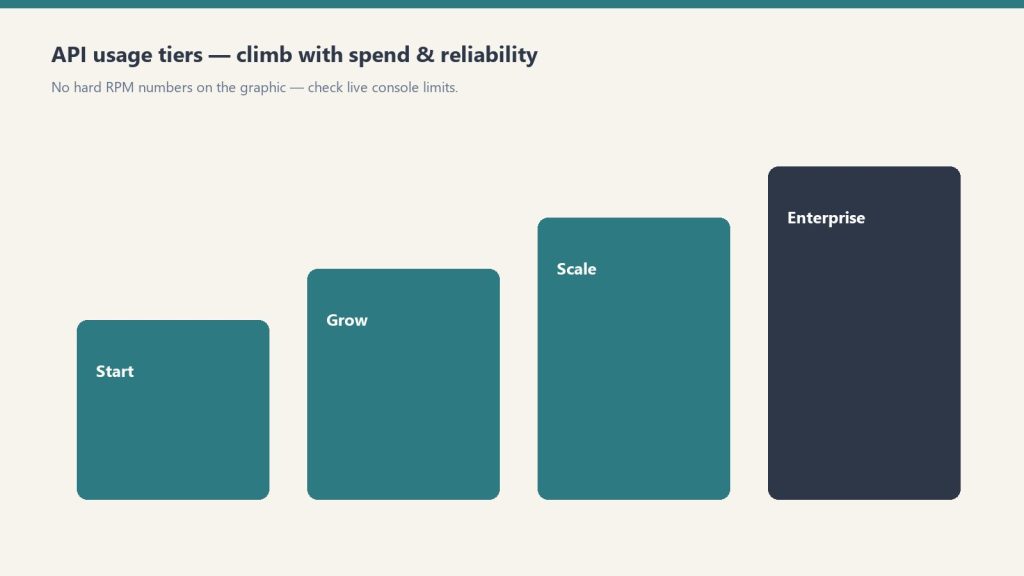
Tiers climb with spend and reliability — confirm live console limits.
Your API account’s rate limits are determined automatically based on your cumulative payment deposit and account standing in the Anthropic Console:
Usage Tier
Deposit Requirement
Credit Expiration / Waiting Period
Primary Purpose
Tier 1
$5 initial deposit
Instant activation upon card verification
Prototyping, local CLI tools, script development
Tier 2
$40 cumulative spend + 7 days standing
Automatic upgrade upon threshold
Small internal team tools, staging environments
Tier 3
$200 cumulative spend + 7 days standing
Automatic upgrade upon threshold
Production web applications, customer-facing agents
2. Requests Per Minute (RPM) and Tokens Per Minute (TPM) by Model
RPM/TPM differ by model — shapes matter more than memorized tables.
Rate limits apply independently across model families. High-intelligence models (Opus) have tighter token concurrency caps than lightweight models (Haiku):
Lineup currency (Sept 2026): Current API list (Sept 2026, verified): Sonnet 5 $2/$10, Opus 5.5 $4/$20, Haiku 4.5 $1/$5, Fable 5.1 $10/$50. Legacy (still listed on Anthropic’s card): Opus 4.8 $5/$25, Sonnet 4.6 $3/$15. Rows below that still name Opus 4.8 / Sonnet 4.6 / Fable 5 are legacy-or-prior availability figures — confirm live Anthropic limits before quoting TPM/RPM/context.
Model Name
Tier 1 (RPM / TPM)
Tier 2 (RPM / TPM)
Tier 3 (RPM / TPM)
Tier 4 (RPM / TPM)
Claude Haiku 4.5
50 RPM / 50,000 TPM
1,000 RPM / 100,000 TPM
2,000 RPM / 200,000 TPM
4,000 RPM / 400,000 TPM
Claude Sonnet 4.6
50 RPM / 40,000 TPM
1,000 RPM / 80,000 TPM
2,000 RPM / 160,000 TPM
4,000 RPM / 400,000 TPM
Claude Opus 4.8
50 RPM / 20,000 TPM
1,000 RPM / 40,000 TPM
2,000 RPM / 80,000 TPM
4,000 RPM / 200,000 TPM
3. Diagnosing and Handling HTTP 429 Rate Limit Errors
429 is a pause — backoff, then retry with smaller batches.
When your application exceeds either its Requests-Per-Minute or Tokens-Per-Minute cap, the Anthropic API responds with an HTTP 429 Too Many Requests error containing response headers detailing when capacity will reset:
retry-after: Number of seconds to wait before retrying.
anthropic-ratelimit-requests-remaining: Remaining requests available in the current 60-second window.
anthropic-ratelimit-tokens-remaining: Remaining token budget available in the current window.
anthropic-ratelimit-tokens-reset: ISO timestamp indicating when the token pool will fully refresh.
Production Rate Limit Mitigation Playbook
Exponential Backoff with Full Jitter: Never retry immediately in a tight loop. Implement an exponential backoff formula with randomized jitter to prevent thundering herd spikes on your backend.
Utilize Prompt Caching: Cached prefix tokens read from memory bypass standard token generation latency and dramatically streamline token processing windows. Read our full Claude AI Pricing and Token Rates Guide for complete caching cost structures.
Route Heavy Jobs to the Batch API: For bulk processing, offline report generation, and data extraction, use the Anthropic Messages Batch endpoint. Batch jobs run against separate capacity pools, avoiding live interactive rate caps while cutting token costs by 50%.
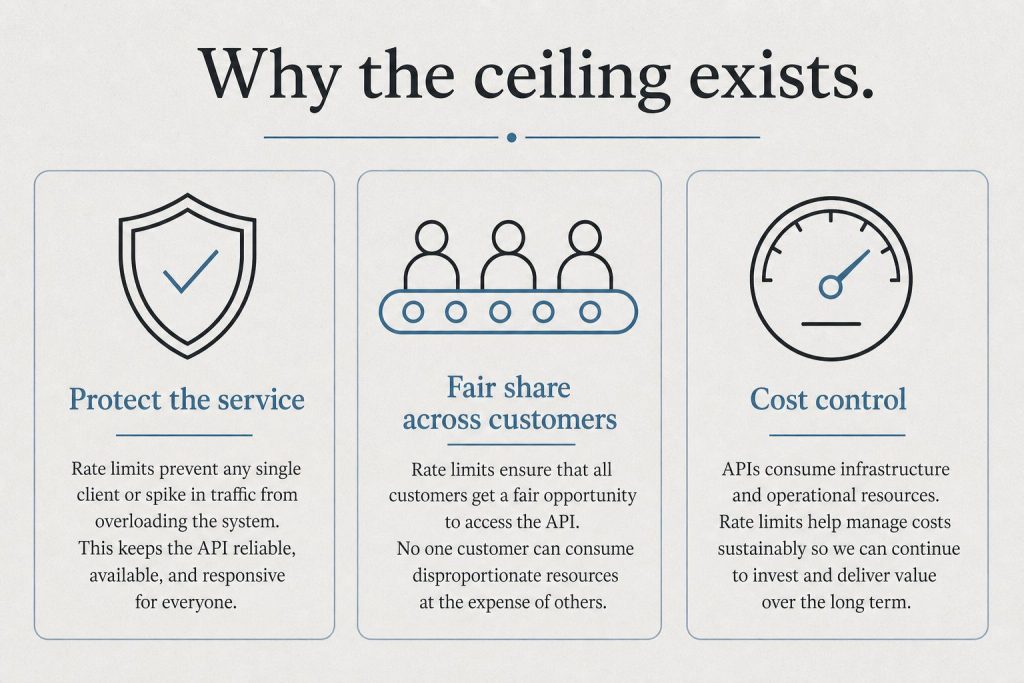
Why Rate Limits Exist
Claude’s rate limits are primarily about compute capacity, not money. Running Claude Opus 4.8 on complex tasks requires enormous GPU resources. Anthropic limits usage to ensure consistent performance for all users. The limits are enforced per rolling time window, not per calendar day.
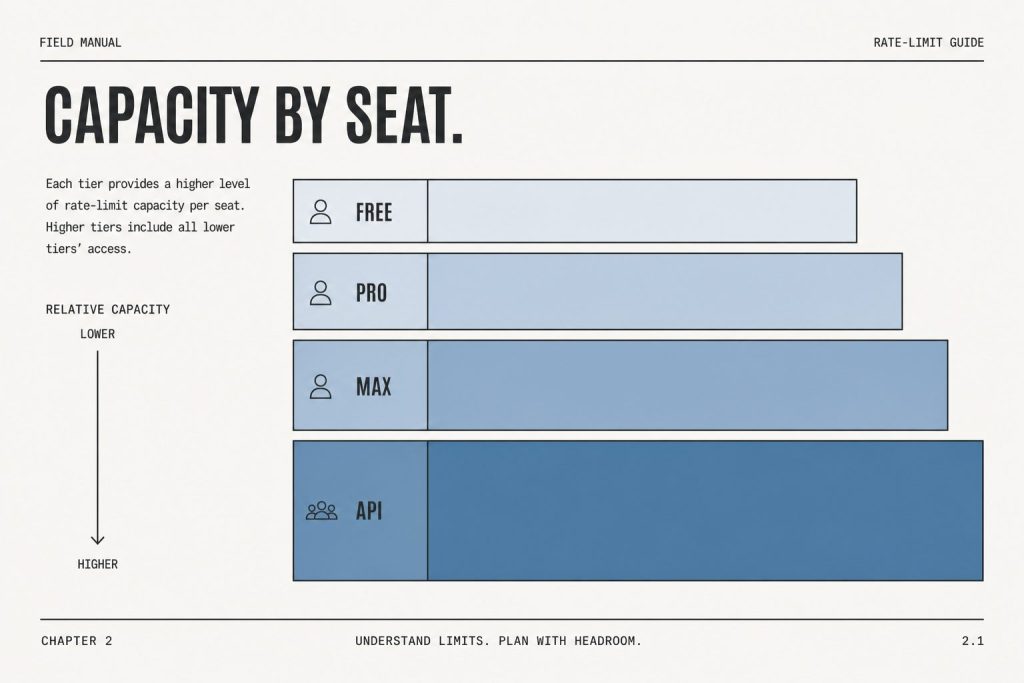
Rate Limits by Plan
Free Plan
Access to Claude Sonnet 5 with limited daily usage. Heavy users hit limits after 5-10 substantive prompts. Anthropic adjusts dynamically based on system load.
Claude Pro ($20/month)
Roughly 5x the usage of free. Community consensus: approximately 12 heavy prompts per session before throttling. Light prompts run much longer before hitting limits.
Claude Max 5x ($100/month)
Approximately 5x Pro limit. Claude Code users get roughly 44,000-220,000 tokens per 5-hour window depending on model and task.
Claude Max 20x ($200/month)
20x the Pro limit. Introduced for developers running Claude Code for extended sessions and professionals processing large document volumes daily.
API Rate Limits (Tier 1–4)
API limits are measured in requests per minute (RPM), input tokens per minute (ITPM), and output tokens per minute (OTPM), enforced per model class at the organization level. Your usage tier advances automatically as your cumulative API credit purchases cross each threshold:
Usage tier
Credit purchase to advance
Monthly spend limit
Tier 1
$5
$500
Tier 2
$40
$500
Tier 3
$200
$1,000
Tier 4
$400
$200,000
Monthly Invoicing
—
No limit
Rate limits apply separately per model, so you can run different models up to their respective limits simultaneously. The Opus limit is a single combined pool across all Opus 4.x versions; the Sonnet limit is combined across all Sonnet 4.x versions.
Tier 1
Model
RPM
ITPM
OTPM
Claude Fable 5
50
100,000
20,000
Claude Opus 4.x
50
500,000
80,000
Claude Sonnet 4.x
50
30,000
8,000
Claude Haiku 4.5
50
50,000
10,000
Tier 2
Model
RPM
ITPM
OTPM
Claude Fable 5
1,000
500,000
100,000
Claude Opus 4.x
1,000
2,000,000
200,000
Claude Sonnet 4.x
1,000
450,000
90,000
Claude Haiku 4.5
1,000
450,000
90,000
Tier 3
Model
RPM
ITPM
OTPM
Claude Fable 5
2,000
1,500,000
300,000
Claude Opus 4.x
2,000
5,000,000
400,000
Claude Sonnet 4.x
2,000
800,000
160,000
Claude Haiku 4.5
2,000
1,000,000
200,000
Tier 4
Model
RPM
ITPM
OTPM
Claude Fable 5
4,000
4,000,000
800,000
Claude Opus 4.x
4,000
10,000,000
800,000
Claude Sonnet 4.x
4,000
2,000,000
400,000
Claude Haiku 4.5
4,000
4,000,000
800,000
Cache-aware ITPM: for current models, only uncached input tokens count toward your ITPM limit — cache_read_input_tokens do not. With an 80% cache-hit rate against a 2,000,000 ITPM limit you can effectively process ~10,000,000 total input tokens per minute, so prompt caching is the single best lever for raising effective throughput.
When you hit a limit, the API returns a 429 with a retry-after header (seconds to wait), plus anthropic-ratelimit-* headers showing remaining requests/tokens and reset times. Limits use a token-bucket algorithm — capacity replenishes continuously rather than resetting at a fixed clock time. The Message Batches API and Managed Agents endpoints have their own separate limits.
Community-Tested Workarounds
Use Projects with persistent system prompts — reduces token overhead per conversation
Use Sonnet for routine tasks, Opus 4.8 for complex ones, and Fable 5 for the most demanding work — don’t burn your limit budget on tasks Sonnet handles equally well
Batch related work into single long sessions — starting five conversations uses more overhead than one long one
Compress your inputs — extract only relevant sections from long documents before pasting
Use the API for high-volume predictable workflows — more limit-efficient than the consumer interface for automated tasks
Frequently Asked Questions
How many messages can I send on Claude Pro?
No published exact number — depends on message complexity. Community estimates suggest roughly 12 heavy messages per session before throttling begins on Pro.
Do Claude rate limits reset daily?
Rate limits use a rolling time window, not a fixed midnight reset.
Current flagship: Claude Opus 4.7 (claude-opus-4-7). Current models: Opus 4.7 · Sonnet 4.6 · Haiku 4.5. Claude Opus 4.7 (claude-opus-4-7) is the current flagship as of April 16, 2026. Where this article references Opus 4.6 or earlier models, those references are historical. See current model tracker →. See current model tracker →
Claude AI · Fitted Claude
Claude Code and Windsurf represent two different visions of AI-assisted development — one terminal-native and model-focused, the other IDE-native and workflow-focused. Both are serious tools for professional developers in 2026. This comparison covers what actually matters: coding quality, context management, workflow fit, and cost.
What They Are
What they are.
Claude Code is Anthropic’s terminal-native AI coding tool. You install it as an npm package, authenticate with your Claude account, and work directly in your shell. It uses Claude models exclusively and has a 1-million-token context window for large codebases. It’s designed for developers who think in the command line.
Windsurf (formerly Codeium) is an AI-native IDE — a full development environment built around AI assistance. It includes a traditional code editor with AI deeply embedded throughout: autocomplete, multi-file editing, natural language commands, and a chat interface. It supports multiple models including Claude, GPT-4o, and its own models.
Feature Comparison
Feature comparison.
Feature
Claude Code
Windsurf
Interface
Terminal
Full IDE (VS Code-based)
Model
Claude only
Multi-model (Claude, GPT-4o, own models)
Context window
1M tokens
Varies by model
Autocomplete
No
Yes (supercomplete)
Multi-file editing
Yes
Yes (Cascade)
Git integration
Yes
Yes
Codebase indexing
Yes (via context)
Yes (semantic search)
Natural language commands
Yes
Yes (Cascade)
Price
Max sub ($100+/mo) or API
Free tier + $15/mo Pro
Model Performance
Claude Code’s underlying model — Opus 4.6 — scores 80.8% on SWE-bench Verified, one of the highest published scores for any model on real-world engineering tasks. Windsurf can access Claude models via its multi-model architecture, but its proprietary models score lower on the same benchmark.
If raw model performance on complex tasks is the priority, Claude Code’s direct access to Claude Opus 4.7 gives it an edge.
Developer Experience
Claude Code has a steeper initial learning curve — there’s no GUI, and effective use requires understanding how to structure prompts for agentic coding sessions. Once mastered, many developers find the terminal interface faster and less distracting than a full IDE.
Windsurf has a gentler onboarding curve. Developers already comfortable in VS Code will feel at home immediately. The autocomplete, Cascade multi-file editing, and inline AI chat create a lower-friction introduction to AI-assisted coding.
Pricing Reality
Pricing reality.
This is where Windsurf has a clear advantage for cost-conscious developers. Windsurf’s Pro plan runs $15/month with a generous free tier. Claude Code requires Claude Max at $100/month minimum, or API usage (which can be cheaper for low-volume use but expensive at scale).
For developers just starting with AI coding tools, Windsurf’s entry point is meaningfully more accessible.
Choose Claude Code If You…
Prefer terminal-native workflows and spend most of your time in the shell
Work with very large codebases that benefit from the 1M token context window
Need the highest possible model performance on complex engineering tasks
Are already on a Claude Max subscription
Choose Windsurf If You…
Want an IDE experience with AI deeply integrated throughout
Are new to AI coding tools and want a gentle learning curve
Need persistent autocomplete alongside agentic coding capabilities
Want model flexibility or lower entry cost
Frequently Asked Questions
Is Claude Code better than Windsurf?
For terminal-native developers prioritizing model performance: Claude Code has the edge. For IDE-native developers wanting lower cost and full-featured editor integration: Windsurf is the better fit.
Can Windsurf use Claude models?
Yes. Windsurf supports multiple models including Claude. You can access Claude’s capabilities within the Windsurf environment, though Claude Code provides more direct and optimized access to Claude’s full context window.
How much does Claude Code cost?
Claude Code requires Claude Max ($100/month) or API billing. Windsurf starts at $15/month Pro with a free tier.