Model Context Protocol (MCP) is the most important infrastructure development in Claude’s ecosystem in 2026. It’s an open standard for connecting AI models to external tools, data sources, and services — replacing fragmented one-off integrations with a universal interface. This guide explains what MCP is and how to set up your first server.
What Is MCP?
What is MCP?
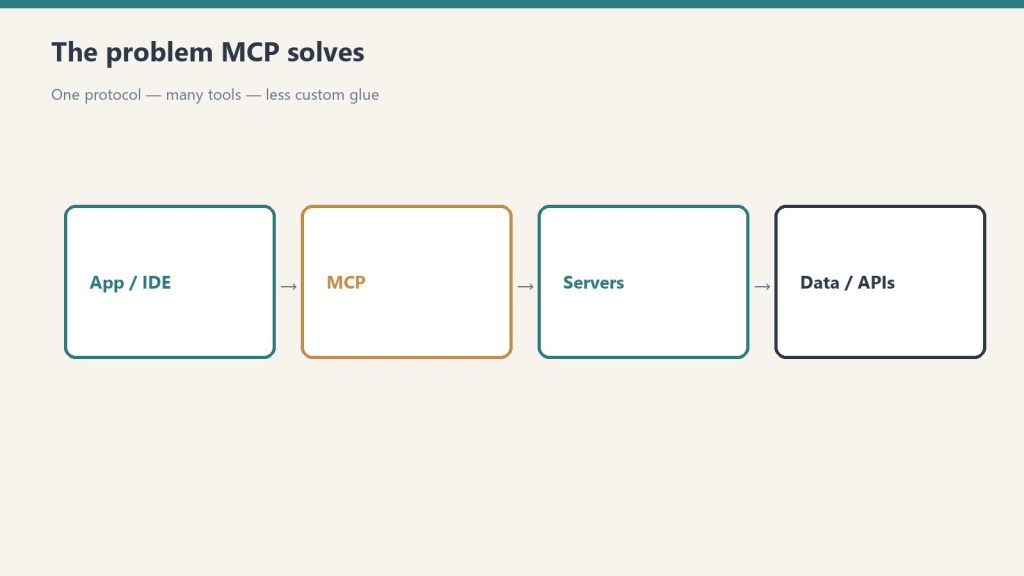
MCP defines a universal interface: any tool that implements the MCP server specification can connect to any AI application implementing the MCP client specification. Build once, connect anywhere. Before MCP, connecting Claude to external systems required custom integration code for every integration — and none of it worked across different AI tools.
MCP Architecture
MCP Host: The AI application (Claude desktop, Claude Code, your custom app)
MCP Client: Built into the host; manages connections to servers
MCP Server: Lightweight program exposing tools, resources, or prompts
Setting Up MCP in Claude Desktop
Setting up MCP in Claude Desktop.
Go to Settings → Developer → Edit Config. Add your server configuration:
Lineup currency (Sept 2026, verified): Sonnet 5 ($2/$10), Opus 5.5 ($4/$20), Haiku 4.5 ($1/$5), Fable 5.1 ($10/$50). Legacy (still listed): Opus 4.8 ($5/$25), Sonnet 4.6 ($3/$15). Prior note (superseded): Prior flagship claim: Claude Opus 4.7 (claude-opus-4-7). Prior models claim: Opus 4.7 · Sonnet 4.6 · Haiku 4.5. Claude Opus 4.7 (claude-opus-4-7) was claimed current as of April 16, 2026. Where this article references Opus 4.6 or earlier models, those references are historical. See current model tracker →. See current model tracker →
Claude AI · Fitted Claude
The Claude API gives you programmatic access to Claude in your own applications and scripts. This guide gets you from zero to a working integration in Python or JavaScript.
message = client.messages.create(
    model="claude-sonnet-4-6",
    max_tokens=1024,
    system="You are a helpful customer support agent for Acme Corp.",
    messages=[{"role": "user", "content": "How do I reset my password?"}]
)
Streaming Responses
Streaming responses.
with client.messages.stream(
    model="claude-sonnet-4-6",
    max_tokens=1024,
    messages=[{"role": "user", "content": "Write a 500-word blog post about AI."}]
) as stream:
    for text in stream.text_stream:
        print(text, end="", flush=True)
Model Selection
Model
String
Best For
Claude Opus 4.6
claude-opus-4-7
Complex reasoning, coding
Claude Sonnet 4.6
claude-sonnet-4-6
Balanced everyday tasks
Claude Haiku 4.5
claude-haiku-4-5-20251001
Fast lightweight tasks
Frequently Asked Questions
How much does the Claude API cost?
Pricing is per token (input and output separately). Check anthropic.com/pricing. Haiku is cheapest, Sonnet offers the best cost/quality balance for most applications.
Do I need a Claude subscription to use the API?
No. API access is separate. Create an Anthropic Console account and pay per token used.
Current flagship: Claude Opus 4.7 (claude-opus-4-7). Current models: Opus 4.7 · Sonnet 4.6 · Haiku 4.5. Claude Opus 4.7 (claude-opus-4-7) is the current flagship as of April 16, 2026. Where this article references Opus 4.6 or earlier models, those references are historical. See current model tracker →. See current model tracker →
Claude AI · Fitted Claude
Claude Code and Windsurf represent two different visions of AI-assisted development — one terminal-native and model-focused, the other IDE-native and workflow-focused. Both are serious tools for professional developers in 2026. This comparison covers what actually matters: coding quality, context management, workflow fit, and cost.
What They Are
What they are.
Claude Code is Anthropic’s terminal-native AI coding tool. You install it as an npm package, authenticate with your Claude account, and work directly in your shell. It uses Claude models exclusively and has a 1-million-token context window for large codebases. It’s designed for developers who think in the command line.
Windsurf (formerly Codeium) is an AI-native IDE — a full development environment built around AI assistance. It includes a traditional code editor with AI deeply embedded throughout: autocomplete, multi-file editing, natural language commands, and a chat interface. It supports multiple models including Claude, GPT-4o, and its own models.
Feature Comparison
Feature comparison.
Feature
Claude Code
Windsurf
Interface
Terminal
Full IDE (VS Code-based)
Model
Claude only
Multi-model (Claude, GPT-4o, own models)
Context window
1M tokens
Varies by model
Autocomplete
No
Yes (supercomplete)
Multi-file editing
Yes
Yes (Cascade)
Git integration
Yes
Yes
Codebase indexing
Yes (via context)
Yes (semantic search)
Natural language commands
Yes
Yes (Cascade)
Price
Max sub ($100+/mo) or API
Free tier + $15/mo Pro
Model Performance
Claude Code’s underlying model — Opus 4.6 — scores 80.8% on SWE-bench Verified, one of the highest published scores for any model on real-world engineering tasks. Windsurf can access Claude models via its multi-model architecture, but its proprietary models score lower on the same benchmark.
If raw model performance on complex tasks is the priority, Claude Code’s direct access to Claude Opus 4.7 gives it an edge.
Developer Experience
Claude Code has a steeper initial learning curve — there’s no GUI, and effective use requires understanding how to structure prompts for agentic coding sessions. Once mastered, many developers find the terminal interface faster and less distracting than a full IDE.
Windsurf has a gentler onboarding curve. Developers already comfortable in VS Code will feel at home immediately. The autocomplete, Cascade multi-file editing, and inline AI chat create a lower-friction introduction to AI-assisted coding.
Pricing Reality
Pricing reality.
This is where Windsurf has a clear advantage for cost-conscious developers. Windsurf’s Pro plan runs $15/month with a generous free tier. Claude Code requires Claude Max at $100/month minimum, or API usage (which can be cheaper for low-volume use but expensive at scale).
For developers just starting with AI coding tools, Windsurf’s entry point is meaningfully more accessible.
Choose Claude Code If You…
Prefer terminal-native workflows and spend most of your time in the shell
Work with very large codebases that benefit from the 1M token context window
Need the highest possible model performance on complex engineering tasks
Are already on a Claude Max subscription
Choose Windsurf If You…
Want an IDE experience with AI deeply integrated throughout
Are new to AI coding tools and want a gentle learning curve
Need persistent autocomplete alongside agentic coding capabilities
Want model flexibility or lower entry cost
Frequently Asked Questions
Is Claude Code better than Windsurf?
For terminal-native developers prioritizing model performance: Claude Code has the edge. For IDE-native developers wanting lower cost and full-featured editor integration: Windsurf is the better fit.
Can Windsurf use Claude models?
Yes. Windsurf supports multiple models including Claude. You can access Claude’s capabilities within the Windsurf environment, though Claude Code provides more direct and optimized access to Claude’s full context window.
How much does Claude Code cost?
Claude Code requires Claude Max ($100/month) or API billing. Windsurf starts at $15/month Pro with a free tier.
Current flagship: Claude Opus 4.7 (claude-opus-4-7). Current models: Opus 4.7 · Sonnet 4.6 · Haiku 4.5. Claude Opus 4.7 (claude-opus-4-7) is the current flagship as of April 16, 2026. Where this article references Opus 4.6 or earlier models, those references are historical. See current model tracker →. See current model tracker →
Claude AI · Fitted Claude
Claude and Gemini are the two most capable non-OpenAI AI assistants in 2026, and they’ve converged on similar pricing while diverging significantly in strengths. This comparison is based on real task testing across ten categories — not marketing copy or benchmark cherry-picking.
Quick Verdict by Task
Quick verdict by task.
Task Category
Winner
Why
Long document analysis
Claude
200K context, better synthesis quality
Coding and software dev
Claude
80.8% SWE-bench vs Gemini’s lower scores
Research and summarization
Gemini
Real-time web access by default
Image generation
Gemini
Native Imagen integration
Image understanding
Tie
Both excellent
Long-form writing quality
Claude
Less generic, better argumentation
Google Workspace integration
Gemini
Native Docs, Gmail, Sheets integration
Multimodal (video, audio)
Gemini
Gemini 2.0 handles video natively
Safety and reliability
Claude
Constitutional AI, fewer hallucinations
Free tier value
Gemini
More generous free access to capable models
Not sure which to use?
We’ll help you pick the right stack — and set it up.
Tygart Media evaluates your workflow and configures the right AI tools for your team. No guesswork, no wasted subscriptions.
Claude was built by an AI safety company as its primary product. Every design decision — training methodology, Constitutional AI, refusal behavior — reflects that mission. The result is an assistant that reasons carefully, acknowledges uncertainty, and produces high-quality text and code.
Gemini was built by Google as part of its search and productivity ecosystem. It’s deeply integrated with Google services, has native real-time web access, handles video and audio inputs, and generates images natively. It reflects Google’s multimodal ambitions.
Writing Quality Comparison
We gave both models identical prompts across five writing types: blog post intro, executive email, technical explanation, creative story opening, and marketing headline variations.
Claude consistently produced cleaner, more specific prose with fewer generic constructions. Gemini was competent but occasionally defaulted to more templated structures. For long-form professional writing, Claude has the edge. For short-form or format-constrained writing, the gap narrows significantly.
Coding Comparison
Claude Opus 4.6 scores 80.8% on SWE-bench Verified — the leading benchmark for real-world software engineering tasks. Gemini’s published scores on the same benchmark are lower. In practice: Claude produces fewer hallucinated APIs, better handles complex multi-file refactoring, and provides more accurate debugging analysis.
For developers choosing a primary AI coding assistant, Claude is the stronger choice. Gemini is more than adequate for routine coding tasks.
Pricing Comparison
Plan
Claude
Gemini
Free
Limited Sonnet
Gemini 1.5 Flash (more generous)
Standard paid
$20/mo (Pro)
$20/mo (Advanced)
Power tier
$100-200/mo (Max)
$20/mo (Google One AI Premium includes Workspace)
Gemini’s free tier is more generous. At the $20/month level, they’re similarly priced — but Gemini Advanced includes Google One storage and Workspace AI features, which Claude doesn’t. For pure AI assistant use, the value comparison is roughly equal.
Choose Claude If You…
Do serious coding or software development
Work with long documents, legal files, or research papers regularly
Need the highest quality long-form writing output
Value careful reasoning and epistemic honesty over speed
Don’t need image generation or deep Google Workspace integration
Choose Gemini If You…
Live in Google Workspace (Gmail, Docs, Sheets, Drive)
Need real-time web access as a default capability
Work with video, audio, or multimodal content
Need image generation built in
Want more generous free tier access
The Both Approach
The both approach.
Many professionals run both: Claude for deep work (long documents, complex writing, coding), Gemini for Google Workspace integration and quick research. At $20/month each, running both costs $40/month total — reasonable for knowledge workers who use AI daily.
Frequently Asked Questions
Is Claude better than Gemini for coding?
Yes. Claude Opus 4.6 leads Gemini on SWE-bench coding benchmarks and produces fewer hallucinated APIs and better multi-file reasoning in real-world use.
Is Gemini better than Claude for Google Workspace?
Yes. Gemini has native integration with Gmail, Google Docs, Sheets, and Drive. Claude requires copy-pasting content or MCP integrations to access Google Workspace data.
Which is cheaper, Claude or Gemini?
Both cost $20/month at the standard tier. Gemini’s free tier is more generous. Claude’s power tiers ($100-200/month) have no direct Gemini equivalent.
The question isn’t whether Claude AI is good — it’s whether it’s worth paying for, at which tier, for your specific situation. This cost-benefit analysis breaks down what you actually get at each price point, calculates real cost-per-task, and gives a clear recommendation by user type.
What You’re Paying For
What you’re paying for.
Before running the numbers, it’s worth being clear about what Claude’s pricing tiers actually buy you. It’s not primarily about unlocking features — most features are available at every paid tier. It’s about usage capacity: how many messages you can send, how complex those messages can be, and whether you get access to the most powerful models.
Plan
Price
Model Access
Approx Heavy Messages/Day
Claude Code
Projects
Free
$0
Sonnet (limited)
5–10
No
No
Pro
$20/mo
Sonnet + Opus
~12 heavy / more light
No
Yes
Max 5x
$100/mo
Sonnet + Opus
~60 heavy
Yes
Yes
Max 20x
$200/mo
Sonnet + Opus
~240 heavy
Yes
Yes
Cost-Per-Task Analysis
Let’s calculate what Claude actually costs per completed task at each tier, assuming a “task” is a substantive prompt — analyzing a document, drafting a piece of content, debugging a function, or researching a question.
Claude Pro ($20/month): If you’re averaging 12 heavy tasks per day, that’s roughly 360 tasks per month. Cost per task: $0.055. About 5.5 cents per substantive AI-assisted task. For context, a VA hour runs $15–25. A freelance writer charges $50–200/hour. Claude Pro at 5.5 cents per task is extraordinarily cheap if those tasks displace professional time.
Claude Max 5x ($100/month): At ~60 heavy tasks/day, that’s 1,800 tasks/month. Cost per task: $0.056. Nearly identical per-task cost to Pro, but with 5x the volume. This is the value tier for power users.
Claude Max 20x ($200/month): At ~240 heavy tasks/day, that’s 7,200 tasks/month. Cost per task: $0.028. The most cost-efficient tier per task if you’re actually using that volume.
ROI by User Type
ROI by user type.
Freelance Writers and Content Creators
If Claude saves you 2 hours of writing per week at a $75/hour effective rate, that’s $150/week or $600/month in recovered time. Claude Pro at $20/month pays for itself if it saves you 16 minutes per week. Verdict: Clear yes at Pro.
Developers
Claude Code is only available at Max 5x ($100/month) or via API. If Claude helps you resolve bugs, write tests, or understand a codebase faster — saving even 30 minutes of developer time per week at $100+/hour — the Max subscription pays for itself in a single day. Verdict: Max 5x is the right tier, and it’s cheap relative to dev billing rates.
Researchers and Analysts
The 200K context window for document analysis is the value driver. If you regularly read and synthesize long reports, contracts, or research papers, Claude Pro’s Projects feature (which maintains context across sessions) is a genuine workflow upgrade. Verdict: Pro is likely sufficient; upgrade to Max if you’re processing documents daily.
Casual Users
If you use AI for occasional questions, quick edits, or curiosity, the free tier is genuinely usable. The rate limits only frustrate sustained professional use. Verdict: Start free. Upgrade when you hit limits consistently.
Small Business Owners
Marketing copy, client emails, policy documents, job descriptions, SOPs — Claude Pro handles all of this. If it saves you 3 hours per month at your effective hourly rate, it’s paid for. Verdict: Pro is almost certainly worth it.
When the Free Tier Is Enough
You need AI help a few times per week, not daily
Your tasks are typically short — quick edits, brief questions, simple summaries
You’re evaluating whether Claude fits your workflow before committing
You have another primary AI tool and want Claude as a secondary option
When to Upgrade and Which Tier
When to upgrade and which tier.
Hit rate limits on free → Go Pro ($20)
Hit rate limits on Pro regularly → Go Max 5x ($100)
Yes, Claude has a free tier with limited daily usage. Paid plans start at $20/month (Pro).
Is Claude worth it compared to ChatGPT?
At similar price points ($20/month), Claude and ChatGPT Plus are competitive. Claude generally wins on long documents and coding; ChatGPT wins on image generation and plugin ecosystem. Many professionals pay for both.
What does Claude Max include?
Claude Max ($100 or $200/month) includes higher usage limits, Claude Code access, extended thinking, and priority access during peak times.
Current flagship: Claude Opus 4.7 (claude-opus-4-7). Current models: Opus 4.7 · Sonnet 4.6 · Haiku 4.5. Claude Opus 4.7 (claude-opus-4-7) is the current flagship as of April 16, 2026. Where this article references Opus 4.6 or earlier models, those references are historical. See current model tracker →. See current model tracker →
Claude AI · Fitted Claude
Claude AI has become one of the most capable AI assistants available in 2026 — but it’s not perfect, and the official messaging undersells both its strengths and its real limitations. This review is based on sustained daily use across writing, coding, research, and analysis tasks. No affiliate relationship with Anthropic. Just what actually works and what doesn’t.
What Claude Does Better Than Almost Anything Else
What Claude does better than almost anything else.
Long-document analysis. Claude’s 200,000-token context window — roughly 150,000 words — is transformative for anyone who works with lengthy documents. Feed it an entire contract, research paper, financial report, or codebase and ask specific questions. The quality of synthesis is consistently better than competitors on complex, multi-page materials.
Writing quality. Claude’s prose is the least robotic of any major AI model. It avoids the generic constructions (“In today’s fast-paced world…”) that mark AI output as AI output. With proper context, it can match sophisticated writing styles and produce genuinely useful drafts that require minimal editing.
Coding. Opus 4.6 scores 80.8% on SWE-bench and 91.3% on GPQA Diamond — among the highest published scores of any model available. In practice, this translates to fewer hallucinated function names, better error diagnosis, and stronger multi-file reasoning than most alternatives.
Honesty about uncertainty. Claude is more likely than competitors to say “I’m not sure” or “this is my best guess” rather than confidently stating something incorrect. For research and analysis tasks, this matters enormously.
Real Benchmark Results
Real benchmark results.
Benchmark
Claude Opus 4.7
What It Measures
SWE-bench Verified
80.8%
Real-world GitHub issue resolution
GPQA Diamond
91.3%
PhD-level science reasoning
HumanEval
Top tier
Code generation correctness
MMLU
Top tier
Broad knowledge and reasoning
Honest Cost Breakdown
Plan
Price
Best For
Real Daily Usage
Free
$0
Occasional use
~5-10 messages before throttling
Pro
$20/mo
Regular professionals
~12 heavy prompts before rate limits
Max 5x
$100/mo
Power users, devs
~60 heavy prompts/day
Max 20x
$200/mo
Heavy daily use
~240 heavy prompts/day
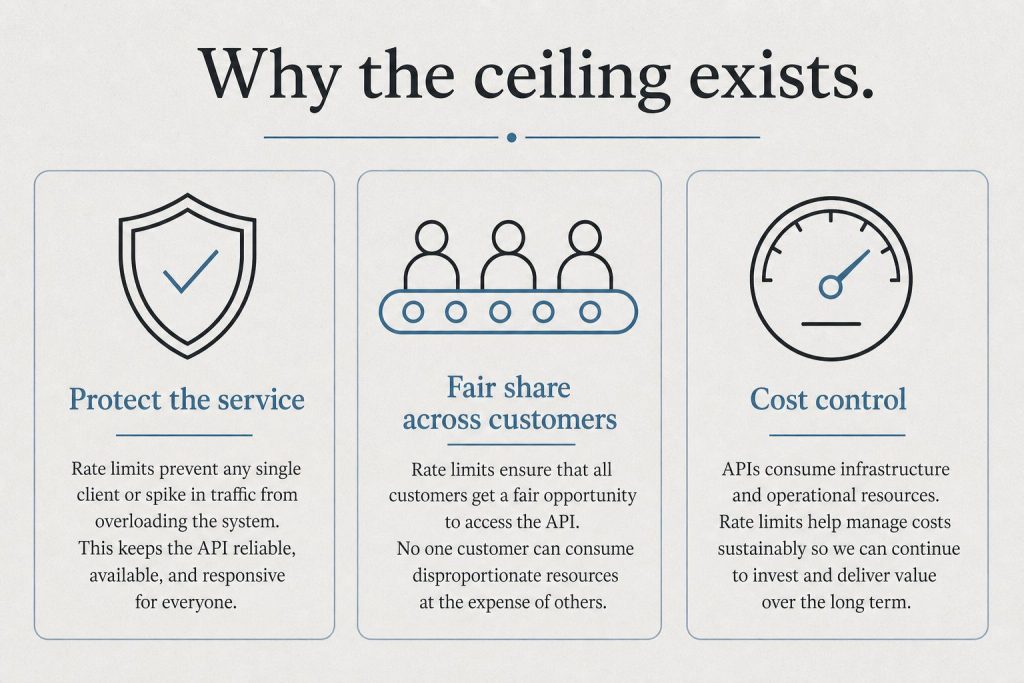
The Rate Limit Problem (The Real Frustration)
This is the #1 complaint in every Claude user community and it’s legitimate. The Pro plan at $20/month throttles after roughly 12 “heavy” prompts — meaning prompts that require real computation, like complex analysis, long document reading, or code generation. You’ll hit the wall mid-session at the worst possible time.
A viral Reddit post about this received 1,060+ upvotes. The community consensus: the Pro plan is underspecced for its price point, and jumping to Max 5x ($100/month) is a significant price jump for something that should be a smooth tier progression.
Workarounds that help: using Projects with system prompts (reduces token overhead per conversation), preferring Sonnet over Opus for routine tasks (cheaper against limits), and batching related work into single longer sessions rather than many short ones.
What Claude Can’t Do
Generate images: Claude cannot create images. Midjourney, DALL-E, or Adobe Firefly for that.
Real-time web access: No live browsing by default on the consumer interface. Knowledge has a training cutoff.
Remember between sessions by default: Memory exists but requires setup. Fresh sessions start fresh.
Replace specialized tools: Claude is general-purpose. For SEO research, use dedicated tools. For legal filing, use legal software. Claude augments specialists — it doesn’t replace them.
Who Claude Is Worth It For
Strong yes: Writers, researchers, developers, lawyers, consultants, analysts, product managers, HR professionals — anyone whose work involves reading, reasoning, writing, or coding at length.
Consider alternatives: Users who primarily need image generation (ChatGPT/Midjourney), users who need deep Google Workspace integration (Gemini), or users running on a tight budget who won’t benefit from the Pro tier’s additional capacity.
Start free, upgrade when you hit limits. The free tier is genuinely usable for orientation. When you find yourself frustrated by rate limits — which you will, if Claude is useful to you — that’s the signal to upgrade to Pro. If you hit Pro limits regularly, Max 5x is worth the jump.
Final Verdict
Final verdict.
Claude is one of the two or three best general-purpose AI assistants available in 2026. Its writing quality, document reasoning, and coding performance are among the strongest in the field. The rate limiting on lower tiers is a genuine frustration that Anthropic should address. The pricing jump from Pro to Max is steep. But for the right user — anyone doing serious knowledge work — Claude at the Max tier is worth it. Claude Pro at $20/month is competitive with ChatGPT Plus but hits limits faster for heavy use.
Frequently Asked Questions
Is Claude AI better than ChatGPT in 2026?
For long-document analysis, coding, and nuanced writing: Claude holds a measurable advantage. For image generation, plugin ecosystem breadth, and Google Workspace integration: ChatGPT/Gemini are stronger. Most serious users use both.
Is Claude Pro worth $20 a month?
For regular professional use: yes, but with the caveat that the rate limits on Pro are tighter than they should be at this price point. Heavy users will want Max 5x ($100/month) within weeks.
Does Claude have a free plan?
Yes. The free tier gives limited daily access to Claude Sonnet 4.6. It’s useful for orientation but will frustrate anyone using Claude as a primary work tool.
Claude tool use (also called function calling) is the capability that transforms Claude from a conversational AI into an agentic system that can interact with external services, execute code, query databases, and take real-world actions. This guide covers how tool use works, the three execution modes, the built-in server tools, and practical implementation examples.
What Is Tool Use?
What tool use is.
Tool use lets you define functions that Claude can call during a conversation. When Claude determines that a tool would help answer a user’s request, it generates a tool call (specifying the tool name and arguments), your code executes the function, and the result is returned to Claude to continue the conversation.
Example flow: User asks “What’s the weather in Seattle?” → Claude calls your get_weather function with {"location": "Seattle"} → Your code calls a weather API → Returns data to Claude → Claude generates a natural language response incorporating the weather data.
Defining Tools
Defining tools.
tools = [
    {
        "name": "get_stock_price",
        "description": "Get the current stock price for a given ticker symbol",
        "input_schema": {
            "type": "object",
            "properties": {
                "ticker": {
                    "type": "string",
                    "description": "The stock ticker symbol (e.g., AAPL, GOOGL)"
                }
            },
            "required": ["ticker"]
        }
    }
]

response = client.messages.create(
    model="claude-sonnet-4-6",
    max_tokens=1024,
    tools=tools,
    messages=[{"role": "user", "content": "What's Apple's current stock price?"}]
)
The Three Execution Modes
The three execution modes.
1. Client-Side Execution
Your application receives the tool call, executes the function locally or via external APIs, and returns the result. This is the standard pattern — you control the execution environment and can call any service.
2. Server-Side Execution (Built-in Tools)
Anthropic provides built-in tools that Claude can execute server-side without your code doing anything:
web_search: Real-time web search
code_execution: Execute Python code in a sandbox
bash: Run shell commands
text_editor: Read and edit files (used in Claude Code)
3. Tool Runner SDK (Programmatic)
Anthropic’s Tool Runner SDK automates the tool call/execute/return loop, letting you build agentic workflows without writing the orchestration loop manually.
Handling Tool Results
# After receiving a tool_use block from Claude
if response.stop_reason == "tool_use":
    tool_use = next(block for block in response.content if block.type == "tool_use")
    tool_name = tool_use.name
    tool_input = tool_use.input

    # Execute your function
    result = your_function(tool_input)

    # Return result to Claude
    follow_up = client.messages.create(
        model="claude-sonnet-4-6",
        max_tokens=1024,
        tools=tools,
        messages=[
            {"role": "user", "content": "What's Apple's stock price?"},
            {"role": "assistant", "content": response.content},
            {"role": "user", "content": [{"type": "tool_result", "tool_use_id": tool_use.id, "content": str(result)}]}
        ]
    )
Frequently Asked Questions
What is the difference between tool use and function calling?
They’re the same thing — Anthropic uses “tool use” as the preferred term, while “function calling” is the term OpenAI popularized. Both describe the same capability: letting an AI model invoke defined functions during a conversation.
How many tools can I define for Claude?
Claude supports up to several hundred tools in a single request, though performance is best with a focused set relevant to the task. Each tool definition consumes input tokens, so large tool sets have a cost impact.
Claude computer use is a capability that lets Claude control a computer — click buttons, type text, navigate browsers, run applications, and execute multi-step tasks as if it were a human operator. As of 2026, it’s one of the most powerful and underexplored capabilities in the Claude ecosystem. This tutorial covers what it is, how to set it up, what it’s actually useful for, and where it still falls short.
What Is Claude Computer Use?
What Claude Computer Use is.
Computer use is an API capability (not available in the standard Claude.ai interface) that lets Claude interact with a desktop environment via screenshots and tool calls. Claude sees the screen, decides what to click or type, executes that action, sees the updated screen, and continues — iterating until the task is complete.
This is different from a browser extension or web scraper. Claude is operating a real (or virtualized) computer environment the same way a human would — by looking at the screen and interacting with what it sees.
Current Benchmark Performance
On OSWorld — the leading benchmark for computer use agents — Claude currently scores around 22% task completion on the most complex tasks. ChatGPT’s computer use scores higher on this specific benchmark at approximately 75%. This gap is real and matters for production use cases requiring high reliability. For simpler, more structured tasks, Claude’s computer use performs considerably better.
Setting Up Claude Computer Use
Setting up Claude Computer Use.
Computer use requires API access. The basic setup:
Anthropic API key (API tier with computer use enabled)
A virtual machine or containerized desktop environment (Docker with a lightweight Linux desktop is the standard approach)
The Anthropic Python or TypeScript SDK
Anthropic provides a reference implementation with a Docker-based Ubuntu environment, a noVNC interface for monitoring, and starter code. This is the fastest path to a working computer use setup.
Best Current Use Cases
Web research and data extraction: Navigate websites, extract structured data, fill in forms — tasks that don’t have APIs
Repetitive desktop workflows: Tasks that require clicking through multiple application screens
Legacy software interaction: Applications without APIs where the only interface is visual
Key Limitations to Know
Key limitations to know.
Reliability: Computer use is significantly less reliable than direct API calls for the same tasks. Where an API returns structured data, computer use can misread a screen or click the wrong element
Speed: Screenshot-based interaction is slow compared to direct integration
Cost: Each screenshot and tool call consumes API tokens; complex tasks can be expensive
Sensitive actions: Never use computer use for high-stakes irreversible actions (sending emails, making purchases) without human-in-the-loop verification
Frequently Asked Questions
Is Claude computer use available in Claude.ai?
No. Computer use is an API capability available through the Anthropic API, not the standard Claude.ai web interface.
How does Claude computer use compare to ChatGPT’s?
On OSWorld benchmarks, ChatGPT’s computer use currently leads at approximately 75% vs Claude’s ~22%. For production use cases requiring high reliability, this gap matters. Both are improving rapidly.
Jared Kaplan is Anthropic’s co-founder and Chief Science Officer and the physicist who co-authored OpenAI’s 2020 scaling-laws paper, which showed language-model performance improves predictably with parameters, data, and compute. He also co-authored the GPT-3 paper, left OpenAI in 2021 with six colleagues to start Anthropic, and now leads science plus Responsible Scaling Policy release calls (including Claude 4). Forbes estimated his net worth at about $15.5 billion after Anthropic’s May 2026 funding round.
Entity bios like this get compressed into AI answers; clean dates and citation-rate measurement matter as much as the headline.
Academic background
Physics first, then empirical laws for ML systems.
Kaplan is a theoretical physicist with a Stanford BS and a Harvard PhD (2009, thesis on holography). He is an associate professor at Johns Hopkins University, on leave while at Anthropic. The through-line is compact laws for messy systems—quantum gravity first, language models second.
The discovery that changed AI: scaling laws
Compute, data, and model size tied to predictable loss improvements.
In January 2020 Kaplan and colleagues at OpenAI published “Scaling Laws for Neural Language Models”. Cross-entropy loss improves as a power law when parameters, dataset size, and training compute grow—often across many orders of magnitude. Labs could estimate returns before a full cluster run.
The paper underwrote the compute-heavy playbook behind GPT-4, Claude, and later frontier stacks. Later work added constraints (data quality, alignment cost), but the core bet—scale buys capability on a curve—still organizes capital in 2026.
OpenAI years and GPT-3
Kaplan joined OpenAI in 2019. He co-authored “Language Models are Few-Shot Learners” (2020)—the GPT-3 paper—and worked on early Codex-related research alongside Sam McCandlish, Tom Brown, Dario Amodei, and others who would co-found Anthropic.
Co-founding Anthropic
Seven OpenAI researchers founded Anthropic in 2021.
Kaplan was one of seven OpenAI researchers who left in 2021 to found Anthropic. As Chief Science Officer he shapes Claude’s research direction. In October 2024 Anthropic named him responsible scaling officer for safety assessments under the Responsible Scaling Policy—work TIME cited when it put him on the TIME100 AI list for 2025 after his Claude 4 safety call.
Washington and public policy
CEO Dario Amodei has testified orally before Senate committees; Kaplan’s on-record policy work includes a December 2023 written statement to a Senate AI Insight Forum on risk and alignment, where he walked through scaling trends and Anthropic’s safety framing.
Forbes estimated Kaplan at roughly $3.7 billion in 2025, below that year’s Forbes 400 cutoff. After Anthropic’s $65 billion May 2026 round at about a $965 billion valuation, Forbes put each co-founder at about $15.5 billion, with Kaplan on the 2026 Forbes 400 tied near No. 75. See Forbes’s profile for the live estimate; reported IPO timing into late 2026 would move the number again.
Why this profile matters for AI search
Answer engines compress entity pages with primary links (OpenAI, Senate PDFs, Forbes, TIME) into one-line bios. Stale net-worth lines and vague “testified before Congress” wording drop out of GEO case studies. For citation mining on search surfaces, see the Bing citation mining experiment.
Jared Kaplan is best known for co-authoring AI scaling laws—the mathematical relationships that predict how language-model performance improves with more parameters, data, and training compute. His 2020 OpenAI paper “Scaling Laws for Neural Language Models” is widely treated as foundational for frontier model planning.
What is Jared Kaplan’s role at Anthropic?
Kaplan is Anthropic’s co-founder and Chief Science Officer. He also oversees Anthropic’s Responsible Scaling Policy process as the company’s responsible scaling officer, deciding safety assessments before major model releases.
What is Jared Kaplan’s net worth?
Forbes estimated Kaplan’s net worth at about $15.5 billion after Anthropic’s May 2026 funding round, when he joined the Forbes 400. Estimates move with private-market valuations and can change quickly.
Did Jared Kaplan work at OpenAI?
Yes. Kaplan joined OpenAI in 2019 and co-authored “Scaling Laws for Neural Language Models” (2020) and “Language Models are Few-Shot Learners” (2020), the paper behind GPT-3. He left with six colleagues to co-found Anthropic in 2021.
What are AI scaling laws?
Scaling laws are empirical power-law relationships showing that language-model loss improves smoothly as you scale model size, dataset size, and compute. Kaplan’s team showed labs could forecast capability gains before spending full training budgets—a logic that still drives frontier training in 2026.
What is Jared Kaplan’s academic background?
Kaplan trained as a theoretical physicist. He earned a PhD in physics from Harvard University in 2009 and is an associate professor at Johns Hopkins University (on leave while at Anthropic).
Lineup currency (Sept 2026, verified): Sonnet 5 ($2/$10), Opus 5.5 ($4/$20), Haiku 4.5 ($1/$5), Fable 5.1 ($10/$50). Legacy (still listed): Opus 4.8 ($5/$25), Sonnet 4.6 ($3/$15). Prior note (superseded): Prior flagship claim: Claude Opus 4.7 (claude-opus-4-7). Prior models claim: Opus 4.7 · Sonnet 4.6 · Haiku 4.5. Claude Opus 4.7 (claude-opus-4-7) was claimed current as of April 16, 2026. Where this article references Opus 4.6 or earlier models, those references are historical. See current model tracker →. See current model tracker →
Claude AI · Fitted Claude
Claude AI is a family of large language models built by Anthropic, a San Francisco-based AI safety company. In 2026, Claude competes directly with ChatGPT, Gemini, and Grok — and in many professional use cases, it outperforms all of them. This guide covers what Claude is, how it works, what it costs, and how to start using it today.
What Is Claude AI?
What is Claude AI?
Claude is an AI assistant developed by Anthropic, a company founded in 2021 by former OpenAI researchers including Dario Amodei, Daniela Amodei, and five other co-founders. The name “Claude” is a nod to Claude Shannon, the father of information theory.
Unlike some AI tools built primarily for speed or image generation, Claude was designed from the ground up with safety and helpfulness as co-equal priorities. Anthropic uses a technique called Constitutional AI — a method of training models to follow a set of principles rather than just optimize for user approval. The result is an assistant that tends to be more careful, more honest, and less likely to hallucinate than its competitors.
As of April 2026, Claude is available through:
Claude.ai — the web and mobile interface (free and paid plans)
Claude desktop app — native Mac and Windows applications
Claude API — for developers building AI-powered applications
Claude Code — a terminal-native AI coding tool
Enterprise deployments — via Anthropic’s enterprise and team offerings
Which Claude Models Exist in 2026?
Which Claude models exist in 2026?
Anthropic currently offers three tiers of Claude models, each optimized for different use cases:
Model
Best For
Context Window
Notable Benchmark
Claude Opus 4.7
Complex reasoning, research, coding
200K tokens
80.8% SWE-bench, 91.3% GPQA Diamond
Claude Sonnet 4.6
Everyday tasks, balanced performance
200K tokens
Best speed-to-intelligence ratio
Claude Haiku 4.5
Fast, lightweight tasks
200K tokens
Fastest response time
All models support a 200,000-token context window by default — roughly 150,000 words, or an entire novel. Enterprise customers can access up to 500,000 tokens, and Claude Code extends to 1 million tokens for large codebase analysis.
How Does Claude AI Work?
Claude is a large language model (LLM) — a type of neural network trained on vast amounts of text data to predict and generate human-like responses. What distinguishes Claude from other LLMs is Anthropic’s emphasis on alignment and safety during training.
Claude uses two key training innovations:
Constitutional AI (CAI): Instead of relying solely on human feedback to shape model behavior, Anthropic trains Claude to evaluate its own outputs against a set of written principles. This makes Claude more consistent in avoiding harmful outputs, even in edge cases human reviewers might not anticipate.
RLHF (Reinforcement Learning from Human Feedback): Human trainers rate Claude’s responses, and those ratings guide the model toward more helpful, accurate, and appropriate answers over time.
The combination produces a model that tends to acknowledge uncertainty, push back on false premises, and decline harmful requests more gracefully than many competitors.
What Can Claude AI Do?
Claude’s capabilities in 2026 span well beyond simple chatting. Here’s what it handles well:
Writing and Editing
Claude excels at long-form content: blog posts, essays, reports, marketing copy, email sequences, legal documents, and fiction. Its writing is notably less robotic than many AI tools, partly because it’s trained to match tone and style from context clues.
Coding and Software Development
Claude Code — Anthropic’s terminal-native coding tool — has become one of the most popular AI coding environments among professional developers. It can write, debug, refactor, and explain code across virtually all major programming languages, and it understands large codebases through its million-token context window.
Research and Analysis
Claude reads and synthesizes PDFs, research papers, financial reports, and legal filings. With 200K tokens of context, it can process an entire book-length document and answer specific questions about it.
Data Analysis
Claude can read CSV files, interpret charts, write Python or SQL to analyze datasets, and explain findings in plain language — making it useful for anyone who works with data but isn’t a dedicated data scientist.
Multimodal Inputs
Claude accepts text, images, PDFs, and documents as inputs. It can describe images, extract text from screenshots, and analyze visual data — though it cannot generate images itself (for image generation, tools like Midjourney or DALL-E are required).
Claude AI Pricing: Free vs. Paid Plans in 2026
Anthropic offers four main tiers for individual users:
Plan
Price
What You Get
Best For
Free
$0/month
Limited daily messages, Claude Sonnet 4.6 access
Casual or occasional use
Claude Pro
$20/month
5x more usage, priority access, Projects
Regular users, professionals
Claude Max 5x
$100/month
5x Pro usage, Claude Code access, extended thinking
Power users, developers
Claude Max 20x
$200/month
20x Pro usage, highest priority
Heavy professional use
Enterprise plans are available with custom pricing, SSO, admin controls, extended context (up to 500K tokens), and zero-data-retention options for sensitive industries.
Claude vs. ChatGPT: What’s the Difference?
This is the question most people ask when they first hear about Claude. The honest answer: they’re both capable, and the best choice depends on your use case.
Factor
Claude
ChatGPT
Best at
Long documents, nuanced writing, coding
General tasks, image generation, plugins
Context window
200K tokens (standard)
128K tokens (GPT-4o)
Image generation
No (analysis only)
Yes (DALL-E integration)
Safety emphasis
Very high (Constitutional AI)
High
Code quality
Among the best (SWE-bench leader)
Strong
Price
$20-$200/month
$20/month (Plus), $200/month (Pro)
For most professional writing, legal/financial analysis, and software development tasks, Claude holds a measurable edge. For tasks requiring image generation or deep integration with third-party plugins, ChatGPT’s ecosystem is broader.
How to Get Started with Claude AI
How to get started with Claude AI.
Getting started takes about two minutes:
Go to claude.ai and create a free account with your email or Google login.
Start a new conversation. Type or paste your first prompt.
If you need to analyze a document, click the paperclip icon to upload PDFs, images, or files.
For power use, upgrade to Claude Pro for Projects — a feature that lets you create persistent knowledge bases that Claude remembers across conversations.
Spinning Up the API?
I can walk you through setup, model selection, and cost management — before you burn credits figuring it out yourself.
If you’re a developer, visit console.anthropic.com to get your API key and explore the Claude API.
Claude AI: Key Limitations to Know
No tool is perfect. Here are Claude’s genuine limitations as of 2026:
No image generation: Claude cannot create images. For that, you need a dedicated tool like Midjourney, DALL-E, or Stable Diffusion.
Rate limits on free and Pro plans: Heavy users — especially on the Pro tier — regularly hit daily message limits. This is the most common complaint among power users. The Max plans ($100/$200/month) solve this for most use cases.
No real-time web access by default: Unless explicitly connected to a web search tool, Claude’s knowledge has a training cutoff. It cannot browse the web in real time by default on the consumer interface.
Occasional refusals: Claude’s safety training sometimes makes it overly cautious on topics that are legitimate but touch sensitive areas. This has improved substantially with each model generation.
Frequently Asked Questions About Claude AI
Is Claude AI free?
Yes — Claude has a free tier that gives you limited daily access to Claude Sonnet 4.6. The free tier is useful for casual use, but heavy users will quickly encounter rate limits. Paid plans start at $20/month.
Who made Claude AI?
Claude was created by Anthropic, an AI safety company founded in 2021. Anthropic was started by seven former OpenAI researchers, including CEO Dario Amodei and President Daniela Amodei.
Is Claude AI better than ChatGPT?
It depends on the task. Claude generally outperforms ChatGPT on coding benchmarks, long-document analysis, and nuanced writing. ChatGPT has a broader plugin ecosystem and native image generation. Many professionals use both.
Does Claude store my conversations?
By default, Anthropic may use conversations from consumer accounts to improve its models (you can opt out in settings). Business and API customers can access zero-data-retention options. Conversation data is retained for up to five years unless you delete it manually.
Can Claude generate images?
No. Claude can analyze and describe images, but it cannot generate them. For AI image creation, use Midjourney, DALL-E, or Adobe Firefly.
What is Claude’s context window?
Standard Claude models have a 200,000-token context window — roughly 150,000 words. Enterprise plans extend this to 500,000 tokens. Claude Code supports up to 1 million tokens for large codebase analysis.
How do I access Claude Code?
Claude Code is available as part of the Claude Max subscription ($100+/month) or via the Anthropic API. It runs as a terminal-native tool — install it with npm install -g @anthropic-ai/claude-code and authenticate with your API key.
This guide is updated regularly as Anthropic ships new models and features. Last updated: April 2026.