AI strategy for operators: deploy Claude, automate real workflows, and build AI-native systems that compound. Field notes and playbooks from Tygart Media.
The last three essays named a ladder, a gate, and a small trade. The piece most people are still missing is the labor math underneath all three.
Cursor and Grok Bot make it cheaper to produce a draft. That is the on-ramp working. What they do not mint, at the same speed, is a person who will put their name on the irreversible step: the send, the post, the pay, the dispatch, the carrier call. After the on-ramp, the shortage is signers.
The tool can finish the work. The company still needs someone who is allowed to let it leave the building.
What invite-without-a-seat is actually for
What the official pages said
On 3 September 2026, Grok Bot for Enterprise said enterprises can govern bots at scale, and that Grok and Cursor Enterprise customers get a two-week window to invite their whole organization, including people without an existing seat.
Read that sentence twice. The product story most coverage wrote was “autonomous workers plus audit logs.” The labor story is the clause at the end. You can bring in people who were never on Cursor Ultra and never lived in the IDE.
The identity docs are narrower than the headline, and that matters. Configure identity and access says Grok Bot sign-in still runs through the Cursor team and existing Cursor SSO. If Cursor is assigned only to engineering, everyone else fails with “User is not assigned to this application.” The fix they publish is not a second app. It is widen the assignment on the Cursor app you already have so people outside engineering can complete SSO.
So “without an existing seat” does not mean a ghost account outside identity. It means the company can let judgment in without first making that person an engineer. Official pages also say a bot starts with no access and reaches only the accounts it is signed into. Access, network, and audit controls are the enterprise surface. Named customers on that page include Legora, Supermicro, and ServiceTitan. Heaviest use, they say, is not only engineering.
None of that is an official Human Gate product. None of it is a credential. None of it is a promise that the two-week window lasts. Read the billing and admin pages the week you act.
What they did not say, and what follows anyway
They did not say the invite is an apprenticeship. They did not say the person who clicks through SSO is now allowed to spend. They did not say the audit log is an approval object. They did not say the marketplace will pay the signer.
The useful inference — ours, not theirs — is this. If drafts get cheap and sends stay expensive, companies will either (a) let the bot send and call the log “governance,” or (b) invent a role whose job is the stop-line. Option (a) is how you get a quiet disaster. Option (b) is Human Gate under another name.
The scarce skill is not “can open Grok Bot.” The scarce skill is “will reject a finished draft because the irreversible step is wrong.” That person may never touch Cursor. The identity doc already tells you how they enter.
A worked desk: the PM who never opens Cursor
Take a restoration or facilities shop. A bot can draft the carrier update, the unused-seat finding, the vendor counter, the after-hours dispatch note. The person who should sign that send is often the project manager, the estimator, or the owner on call — not the person who can live in an IDE.
Old pattern: engineering gets Cursor. Everybody else gets a Slack paste and a “looks good.” That is how a polished draft becomes an external email with no owner.
New pattern the enterprise page already permits, if you assign it on purpose:
Widen Cursor assignment so the PM can complete SSO. That is the documented path, not a workaround.
Give that person Human Gate on one job class: external send, or dispatch, or any commitment over a dollar threshold. Not “help with the bot.”
Write the stop-line in public language on the template, the way Haggle Bot does: never spend, never sign, never send without the operator’s go for that message.
Store an approval object: timestamp, actor, inputs opened, decision, one-sentence reason, link. Chat is evidence. The object is the product.
The PM does not need to become a vibe coder. The company needs them to be allowed to reject a finished draft. If you invite them and then treat the invite as training wheels for Cursor, you wasted the door. Access is not apprenticeship. Authority is a separate line on the org chart, same as budget.
Why this is the angle most coverage will miss
Vendor coverage will keep scoring capability: cloud computer, overnight audits, bots that message each other. Capability is not the bottleneck once drafts are cheap. The bottleneck is who may let work leave, and whether that person has a receipt a later underwriter can read.
Labor coverage will keep scoring headcount: “AI takes the junior.” On a desk that already runs bots, the junior draft is not the scarce unit. The scarce unit is the signer who will stop a good-looking wrong send. You can have fifty templates on the shelf and still have one person who is actually allowed to ship.
That is also why official creator pay can wait and the commons still moves. You do not need the marketplace to cut a royalty check to start paying signers per artifact. You need a named job, a stop-line, and a receipt. We already wrote that as Human Gate. This essay is only the hiring door that makes the gate staffable.
What will break it
If you invite the whole company in the two-week window and give everyone send rights, you did not staff a gate. You widened blast radius and called it rollout.
If Cursor stays assigned only to engineering, the official door stays shut. The identity doc already told you the error message.
If the signer never opens the inputs, the approval object is a rubber stamp. An underwriter should fail that claim. So should you.
If you confuse “can log in” with “can sit the job,” you will train tourists and wonder why the stop-line did not hold.
Fill-in framework
Use this when you staff the door. Blank cell means you invited a login, not a signer.
Variable
Your input
Pass test
Draft that got cheap
Which artifact the bot now finishes
You can point at last week’s pile
Irreversible step
Send / post / pay / dispatch / …
One class, not “use the bot”
Who should sign
Role that already owns that class offline
Not “whoever learned Cursor first”
How they enter
Widen Cursor assignment + SSO, or wait
Copied from the live identity doc
What they are not asked to do
Live in the IDE, write the bot, apprentice
Written down so nobody “just shows them Cursor”
Stop-line on the template
Never … without this person’s go
Public language, not a Slack vibe
Approval object
Fields you store on every decision
Can be pasted into a claims file
Pay for the artifact
$ per approve / reject / send-back
Not per hour of belonging
Miss cost
What a wrong leave costs
Gate price is a fraction of that, not a guess
Two-week window
Use it to staff, or ignore it
A date on the calendar, not a feeling
Fill every cell. An invite without a job class is just another login.
What to do this week
If you already have Enterprise: read the identity doc before you celebrate the invite language. Widen assignment for the two or three people who already own irreversible steps. Do not invite the whole Slack as a vibe.
If you sit those steps today and have no seat: you are the labor the clause is for. You do not need to become the IDE person. You need a named job, a stop-line, and a receipt.
If you write templates: put the anti-jobs in public language first. A template that can send is not a gift. It is an unstaffed gate.
If you are counting headcount saved: count signers required instead. Draft volume going up without signer capacity going up is not leverage. It is a queue of polished mistakes.
Close
The on-ramp is real. The commons is unfinished. The approval is the product. The page note is a small gate on a URL we own.
This is the labor sentence that sits under all four: tools will keep minting drafters. Companies that last will staff signers on purpose, including people who never needed the IDE, and they will pay them for artifacts a later underwriter can read.
That is not official SpaceX policy. It is what the invite clause is worth if you refuse to treat a login as a promotion.
The last two essays named a ladder and a gate. This one is smaller and closer to the floor: what we will actually trade if someone puts a Tygart diagram on a page they already ship.
The product is not a tracking pixel on their checkout. The product is a page note. They use the image. They send the URL. We write five blocks about that page, and the note lives on a Tygart URL. Those visits — the form, the note, the credit click — are the only pool we will retarget.
Use the image. Send the URL. Get the note. The asset can travel. The analysis stays on ground we control.
The offer, in one line
The offer
If you put a current Tygart diagram on a live public page, send that URL to will@tygartmedia.com with the subject line PAGE NOTE.
You get:
One page. One pass. One note.
The current dated file, so you are not stuck with a crop from last week.
A credit line you can paste under the graphic.
We get:
A URL we are allowed to look at because you sent it.
A conversation instead of a silent hotlink.
Traffic onto a Tygart page we own.
A second URL is not part of the gift. Reciprocal credit or paid work starts there. If the page is behind a login, behind a paywall, or is a draft, it does not qualify. If the image was downloaded, stripped of the source line, and re-uploaded with no path back, send the URL anyway — the note can still be written, and the license conversation is the point.
What the note contains
Five blocks. No generic “add an H1.” If the note could be pasted onto a different domain without editing, we failed the job.
What the page is trying to close — one sentence.
What the image is being asked to do — proof, process, comparison, or decoration.
Fit — does the surrounding copy match the claim in the frame, or is the graphic orphaned.
One missing rail — the sentence, number, or next step that would make the image earn the fold.
License + current file — credit line, dated asset, link to the canonical essay.
That is a small Human Gate. Named job: does this page plus this image close the claim. Stop-line: we do not rewrite their funnel. Bound: one URL, one pass. Artifact: the note URL. The person who signs the note owns the five blocks.
What we will not do
We will not treat a hotlink log line as consent to chase their buyers. A request for a JPG tells us a page existed. It does not give us their visitors. Third-party cookies are mostly gone. Referrers are thin. Ad platforms will not take “people who saw someone else’s close” as a custom audience, and they should not.
We will use logs and reverse image search to find uses, then we will write to the site owner. The pitch is the gift, not a hidden tag on their thank-you page.
Hit
Retarget that person?
Use it for
Their page requested our JPG
No
Find the URL, send the offer
They email the URL for the note
Yes, if they land on our form or note
Start of the list
They open the note on tygartmedia.com
Yes
Core audience
Their readers click the credit line
Yes
Image-first SEO working
We upload “their buyers” from server logs
No
Do not
The first ping is a URL. The usable ping is a visit we invited.
License, in public language
You may place a current Tygart diagram on a public page if all of the following are true:
The page is not selling the graphic as your product.
A visible credit stays near the image: source line plus a link to the canonical essay.
You do not present the frame as official SpaceX, SpaceXAI, Cursor, or X policy. The diagrams are practitioner frames.
You swap the file when we publish a dated replacement and you asked for the current version.
Credit line you can paste:
Diagram: Tygart Media. Source and current file: tygartmedia.com
A worked example
Suppose a restoration operator drops the three-rails diagram on a page that sells a “we handle the insurance call” close. They email the URL.
The note would not say “nice graphic.” It would say something like: the page is trying to close a worried owner on who talks to the carrier. The image is being asked to prove a missing rail — pay for the human who made the method. Fit is weak if the copy never names an approval or a receipt. The missing rail is one sentence under the graphic: who owns the irreversible call, and what artifact they leave. License and current file go last.
That note lives at a Tygart URL, not in a private PDF that never gets opened. If their reader clicks the credit, they land on the essay that earned the frame. That is image-first SEO without stealing a close.
Fill-in framework
Anyone with assets can run the same trade. Swap our name for yours. Fill every cell. A blank cell means you have a file, not an offer.
Variable
Your input
Pass test
Asset that earns a slot
One diagram or table that does a job
A closer would leave it on screen while they talk
Canonical URL
Page the image should send people back to
The file is not an orphan in a media library
Visible credit
Source line + link, readable at page size
Cropping it makes the graphic look unfinished
How they request the gift
Email, form, or both
You can name the inbox this week
What the gift is
N blocks about their URL
The note fails if it could fit any other domain
Bound
One URL, one pass
A second URL has a price or a reciprocal
Where the note lives
A URL you control
Not only an attachment in email
What you may retarget
Visits to your asset page and note URLs
You can explain the pool to counsel in one sentence
What you will not retarget
Their checkout, their pixel, their buyers
Written in public, not only in a strategy doc
Detection
Form + logs + reverse image search
Outreach is an invitation, not a threat
License
Use-with-credit, no false official stamp
A stranger can follow it without calling you
Level-up
What a second URL costs, or what job the note becomes
The free pass has an edge, or you will drown
Fill every cell. The offer is the product. The image is the door.
How to score your sheet
Name the asset and the job it does on someone else’s page. If it is only decoration, it will not travel.
Write the five blocks you would actually send. If you cannot write them for a URL you already know, you are not ready to offer the gift.
Name the inbox. If the request dies in a general contact form, the loop will stall.
Write the retarget pool in one sentence a lawyer can stand. If the sentence needs their checkout, stop.
Write the edge of the gift. If every page on the internet can ask forever, you built a chore, not a product.
What to do this week
If you want the note from us: put a current diagram on a live page. Email the URL to will@tygartmedia.com with the subject PAGE NOTE. Tell us which graphic you used.
If you run your own assets: publish this offer under the file, not in a strategy thread. Put the credit line in the image. Make the canonical essay the landing pad for image search.
If you already hotlinked a Tygart frame: same inbox. We would rather send the current file and a note than play gotcha with a crop.
Close
The on-ramp is real. The commons is still unfinished. Human Gate is one way to price judgment. A page note is a smaller gate: one URL, one human pass, one artifact on a domain we own.
Ride the asset. Do not ride someone else’s close. The first ping we want is a person who chose to stand on our page.
Will Tygart — Tygart Media. Written 5 September 2026 from the Command Center. Diagrams on this site are practitioner frames, not official vendor policy.
Last verified: 5 September 2026. Practitioner design note from the Command Center — not a SpaceX press release and not an insurance product you can buy today. We use SpaceXAI, Cursor, and Grok Bot because they make the company better. No affiliate links. This sits next to The On-Ramp Is Real. The Commons Is Unfinished.
The last essay named the missing rail: a place to put work exists, a way to reuse it exists, a way to pay the people who made it useful does not. Human Gate as a service is one way that third rail could get built without turning the runtime into a church.
The product is not “a person looks at the bot.” The product is an insured decision. A certified operator sits on a named job, with a bounded model and a bounded research budget, and returns approve, reject, or send-back as an object a board and an underwriter can both read.
Never send. Never post. Never pay. The bot finishes work. A person owns irreversible action.
Human Gate, as we already run it
What is already on the floor
Official language from the stack we actually use:
Haggle Bot writes the stop-line in public: never spends, signs, or sends without you. Anti-jobs are first-class. Human approval is required before spend, terms, or vendor contact. SpaceXAI’s procurement writeup is the public case.
Grok Bot for Enterprise can invite people who do not have a seat. Judgment can enter without an IDE.
The official template marketplace copies configuration. It does not copy logins, history, keys, or the original computer.
Bot usage is a separate grant from Grok and Cursor token pools. Bundles already moved in August. Read the billing page the week you pay.
That is enough to rehearse a gate. It is not an official Human Gate product, not a credential an underwriter will stamp, and not a policy that names the human instead of the model. Those lines are the design below. Treat them as interpretation until someone ships them.
A worked design: restoration spend gate
Here is one specific way it could work on a desk we already run — a restoration and facilities operation where a bot can find savings and a wrong send costs real money.
Named job. Review draft vendor counters and unused-seat findings for one company’s SaaS and job-cost tools. Not “help with finance.” Not ERP admin. One irreversible class: external send and any commitment over a dollar threshold.
Stop-line. Copied from Haggle, written in public language. Never spend. Never sign. Never send a PO. Never send external email or Slack, including internal DMs that leave the company, without the operator’s explicit go for that specific message.
Runtime bound. Grok Bot on SuperGrok or Cursor Pro, whichever the live billing page grants this week. Cap: two research passes on the vendor file, one comparative quote table, then the gate must fire. No third browse. No “one more source.” The cap is contractual, not a slogan.
Certified SME. A procurement or job-cost operator who has logged N hours on this job class, passed a public eval set (ten historical vendor files, hidden answers), and published their anti-jobs. Invite-without-a-seat is how they enter. The IDE is optional. Judgment is not.
Approval object. Timestamp. Actor identity. Job name. Inputs the human actually opened. Token and research count used. Decision: approve, reject, or send back. One-sentence reason. Link to the receipt on the board. That object is what insurance reads. Chat logs are evidence, not the product.
Insurance. Errors and omissions on the decision, not on Grok. Trigger: an approved send or spend that a reasonable operator in that job class would have stopped, with the approval object attached. Deductible sits on the company. Limit sits on the miss class — one bad vendor email, one bad PO — not on “AI in general.” Silent cyber and CGL are not this policy. If the SME rubber-stamps without opening the inputs, the claim should fail. That is the point.
Price the gate as work. Pay the SME per artifact: approved, rejected, or sent back with a receipt. Not per hour of belonging. Not per install of a template. Proof the bot ran and proof the human saw the irreversible step. Publish the rule so nobody is guessing.
What that product line opens
Once the approval is the product, vendors show up around the policy. That is the leveling-up. The runtime can stay SpaceXAI. The new work is the layer that makes a bot output bankable.
Eval harnesses and public anti-job libraries for each job class.
Identity and logging so the approval object is hard to fake.
Training that produces operators who can sit the gate, not prompt tourists.
Claims desks that know how to read a receipt instead of a vibe.
Reinsurance on the miss class once the logs exist.
Template authors who write stop-lines first, because uninsured templates will not clear the desk.
That is how a commons gets a third rail without waiting for official creator pay. You pay for artifacts the underwriter can price. Install counts without run logs stay theater.
What will break it
If you sell “Human Gate certified” without insurance and logs, you branded a reviewer. If you sell insurance without a tight job and a stop-line, adverse selection shows up and the first claim kills the line. If the SME is a slower bot with a title, you added latency and called it leveling up. If the token cap is a slogan, the bot will browse until the gate is theater. If the policy names the model instead of the decision, you bought silent coverage and a fight.
The 2026 insurance market is already arguing about this in public: a lot of agent risk still sits unpriced inside cyber, E&O, and general liability. Governance evidence is what lets an underwriter narrow a carve-out. An approval object is governance evidence. A chat screenshot is not.
The fill-in framework
Step back from restoration spend. Anyone can run the same design with their own variables. Fill every cell. If a cell is blank, you do not have a gate. You have a feeling.
Variable
Your input
Pass test
Named job
One irreversible class of action
You can say it in one sentence and exclude two nearby jobs
Stop-line / anti-jobs
Never send / post / pay / sign / …
Written in public language on the template
Model tier
Which live plan and which model family
Copied from this week’s billing page, not a slogan
Research cap
N passes, N sources, or N tokens, then gate
The bot cannot extend the cap itself
SME credential
Hours, eval set, published anti-jobs
An outsider can fail the person on paper
How they enter
Seat, invite-without-a-seat, or both
Judgment is not confused with apprenticeship
Approval object
Fields the board stores
Timestamp, actor, inputs seen, decision, reason, receipt link
Gate price is a fraction of miss cost, not a guess
Supporting vendors
Who logs, trains, evaluates, claims
Named, or explicitly “we do this in-house”
Level-up
What the SME can sit next after N clean receipts
A harder job class, not a badge
Fill every cell. A blank cell means you do not have a product yet.
How to score your sheet in five minutes
Write the named job and the stop-line on one card. If a smart stranger can expand the job, tighten it.
Write the research cap as a number. If you wrote “until it’s good,” you failed the cap.
Name the SME test. If the only test is “trust me,” you failed the credential.
Sketch the approval object. If it cannot be pasted into a claims file, you failed the product.
Write miss cost next to gate price. If you cannot estimate miss cost, you are not ready to buy or sell insurance. Run the gate unpaid on your own board first.
The loop from the last essay still applies. Attempt the task. When you hit the irreversible step, hand off with a receipt. Two statuses only: your task is done when it is handed off cleanly. The job is done when the receipt lands. Sometimes the best next actor is a human. That is the system working.
What to do this week
If you already run a bot: copy Haggle’s stop-line into your template in public language. Add a research cap. Make the bot stop and file a receipt instead of “one more look.”
If you sit Human Gate today: start storing approval objects, even if the insurance does not exist yet. Timestamp, inputs seen, decision, reason, link. That file is how a later underwriter learns to price you.
If you run a company: use invite-without-a-seat for people who have judgment and no IDE. Assign Human Gate the way you assign budget authority. Do not confuse access with apprenticeship.
If you want to get paid for the gate: do not wait for official creator pay. Price artifacts. Publish the rule. Keep source and proof somewhere you control. Treat SpaceXAI as the runtime, not the church.
Close
The on-ramp is real. The commons is still unfinished. Human Gate as a service is one way to finish a piece of it: certify the person, bound the machine, insure the decision, and let vendors grow around a policy that can actually be priced.
This is not official SpaceX policy. It is a participation window on a stack that already ships stop-lines and invite-without-a-seat. The honest version of sending love is to use the tools hard, publish what breaks, and feed the useful methods back.
The approval is the product. The insurance is the market. Get in the work.
Will Tygart — Tygart Media. Written 5 September 2026 from the Command Center. This essay does not speak for SpaceX, SpaceXAI, Cursor, xAI, X, or any insurer. We want those companies to succeed because we are building on the tools they ship.
Last verified: 5 September 2026. Practitioner essay from the workbench — not a SpaceX press release. We use this stack because it makes our company better, and we want SpaceXAI, SpaceX, Cursor, X, and Tesla to keep shipping. No affiliate links. Just the tools and the receipt.
This morning I posted a theory I had been living inside for weeks.
They bought Cursor to teach vibe coders how to use SpaceX AI and Grok Bot to teach those who can’t use Cursor. Then you realize Cursor Ultra isn’t needed and that your Grok Super Heavy subscription is the end result. They’re literally building on-ramps and scaffolding to upskill all of the folks they’re going to need in the next 36 months to leap technology forward at an unbelievable rate. Get in the ship.
That post is a reading from the workbench, not official copy. I write it as someone who already treats Cursor as a lead seat, Grok Bot as a Chief of Staff, Notion as the board, and Slack as the doorbell. I have walked WordPress sites by voice. I have rehearsed swarms on a laptop so I would not burn cloud tokens on a pattern that dies in alpha. I have watched Cursor write a work order with Owner = Chief of Staff and watched the Bot pick it up the same way a person would.
The ladder is real. The pedagogy is not documented. The payroll is missing.
What follows separates three things that keep getting smashed together: what SpaceX / SpaceXAI / Cursor actually built and said; the human-node invitation that builders can choose; and the contribution economy that does not exist yet, even though the first two rails of it are already on the floor.
What the company actually assembled
The documented sequence is short and expensive. Official language is consistent: build “the world’s most useful AI models,” combine Cursor’s product and distribution to expert software engineers with Colossus compute, start in software engineering, expand into knowledge work. That is vertical integration, not a secret apprenticeship.
Date
What actually happened
Feb 2026
SpaceX absorbs xAI. The AI work later brands as SpaceXAI.
21 Apr 2026
Partnership with Cursor: option to buy for $60B or pay $10B to work together.
Mid-Jun 2026
Record SpaceX IPO. On 16 Jun the option is exercised. All-stock. Implied Cursor equity value: $60B. Joint model slated for Cursor and Grok Build.
11 Aug 2026
Grok Bot early beta: persistent cloud computers, browser / filesystem / terminal, multi-bot coordination. Official line: “AI teammates you can give real work to.”
14 Aug 2026
Acquisition closes. Cursor’s close post: help make Grok useful and improve Grok Build, Grok Bot, the Grok API, and Cursor.
21–26 Aug 2026
Bot access expands down the plan ladder. Bot usage is separate from Grok and Cursor token pools. Still no standalone Grok Bot SKU.
Company events, not my theory. Verify prices on the live billing pages before you spend.
Rockets and satellites plus X plus Grok plus Colossus plus the application layer where developers already live plus an agent that finishes jobs in existing tools. Buy the surface. Feed the data back into the models. Sell enterprise AI into a market SpaceX described, in IPO materials, as enormous. Catch Anthropic’s Claude Code and OpenAI’s Codex.
That is enough. It is also not the story I told on X.
What they did not say
I have not found, in filings, product posts, or close announcements, any of the following:
That SpaceX bought Cursor in order to teach vibe coders how to use SpaceX AI.
That Grok Bot exists in order to teach people who cannot use Cursor.
A 36-month coordinated workforce-upskilling campaign.
SuperGrok Heavy as the official terminal subscription of that campaign.
An official paid creator commons for community builders.
“Get in the ship” as recruiting copy.
Those lines are mine. Treat them as interpretation or do not treat them at all. The company incentive, on the paper it publishes, is models, data, subscriptions, and distribution. Human capability is a side effect unless someone designs for it.
There is a second tension the marketing does not resolve. Grok Bot is sold as teammates that finish work, not as tutors. The same stack that lowers the skill floor can also replace the person who used to occupy it. That is not a smear. It is the product. We still want the product to succeed, because the alternative is standing still while the floor moves.
Cursor is the AI coding environment that made “vibe coding” a working method instead of a joke. SpaceX paid a category-leading price for it because it already had distribution to expert software engineers and a firehose of design decisions. Reported ARR figures in 2026 coverage conflict — earlier $1 billion-plus, later annualized numbers in the $2.6–$4 billion range — but the direction is not in dispute. Cursor gives SpaceX the application layer it lacked.
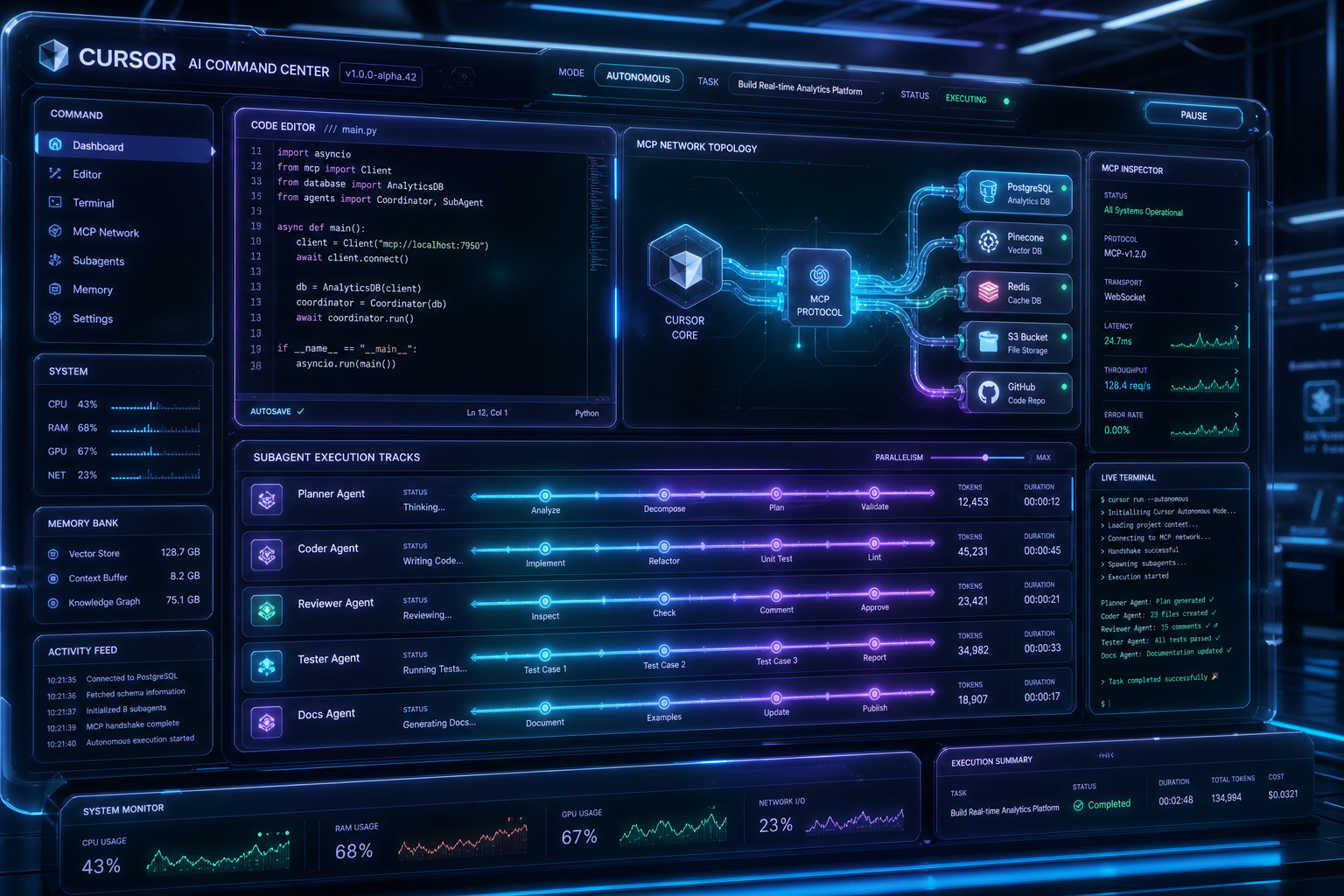
On my board, Cursor is the lead seat. It assigns work. It stays the only git writer. Local first: rehearse the swarm on the laptop before you burn Grok Bot or cloud VM tokens. Last week that looked like Cursor as tender and eight specialist agents sharing one machine’s PowerShell. What broke first was not RAM. It was one shared shell. The fix was a tender plus off-shell work so specialists did not stand in line on the same mutex. Local Cursor is the cheap rehearsal room. The cloud is the tour — after the pattern survives alpha.
Grok Bot is not a chat model
Grok Bot is a persistent-agent product. Own cloud computer. Browser, filesystem, terminal. Signs into the tools you already use, including the ugly ones with no clean API. Multiple bots can run in parallel and message each other. Desktop, iOS, later iPad. Enterprise controls landed on 3 September. Usage is a separate grant from Grok and Cursor token pools.
Access rides on other subscriptions. At launch the gate was SuperGrok Heavy, Cursor Ultra, and Cursor Teams Premium. Within two weeks the floor fell — first to Plus / Pro+ tiers, then, on 26 August, to SuperGrok and Cursor Pro. Prices in current secondary writeups cluster around Cursor Ultra ~$200/month, SuperGrok Heavy ~$300/month, Cursor Teams Premium ~$120/seat. Bundling has already changed once. An older “Heavy includes Ultra” offer was reported as a limited trial, then as a usage grant. My X line that “Ultra isn’t needed and Heavy is the end result” is a user conclusion, not a stable official bundle. Do not buy a plan on a slogan. Read the billing page the week you pay. We keep a vendor-neutral tracker at the AI Stack desk for exactly this reason.
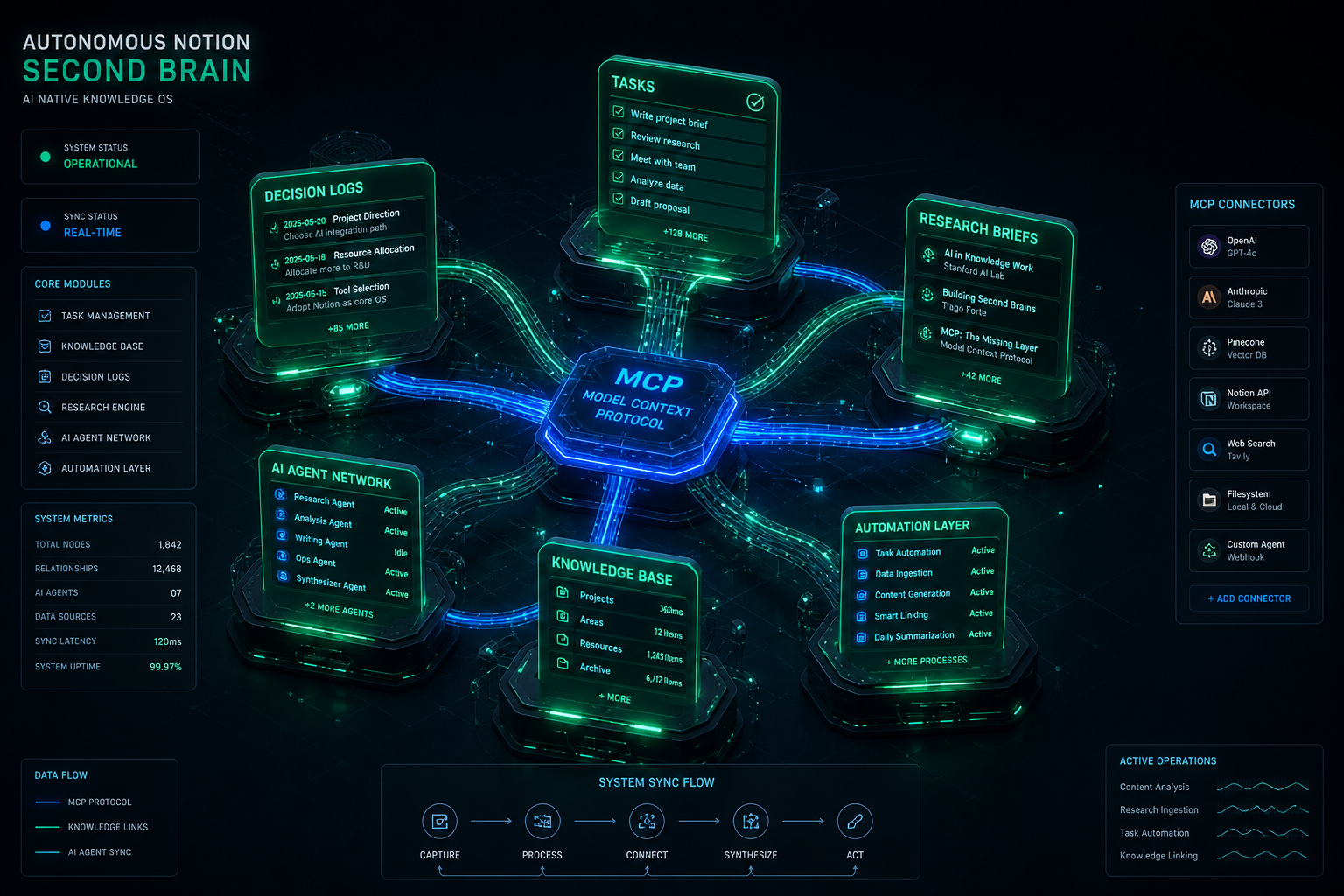
In the Command Center I run, Chief of Staff is not a second operating system. It digests. It files. It waits on Human Gate. Hard bans: never send, post, or pay without a person. Draft-to-self. The Bot that finishes work is useful only if the human still owns irreversible action.
The marketplace is a shelf, not a market
On 4 September the official template marketplace opened at x.ai/bot/marketplace. At first look: 69 public bots, 43 creators, categories across Engineering, Sales, Product, Ops, Finance, Design, Marketing, Recruiting, Customer Success, Personal, Team. A template copies configuration — identity, instructions, skills, routines, selected plugins. It does not copy the original computer, logins, conversation history, API keys, or custom MCP servers.
The first featured first-party template is Haggle Bot, an internal procurement specialist credited to Daniel Gartshein. SpaceXAI’s public case: more than $100,000 identified in a week; 43 unused SaaS seats (~$14,220); about $85,662 in unused SKUs on another product; a weekly tech/office order cut 58 percent ($14,629 to $6,143). Access to Slack, Notion, Drive, Gmail, Hex, Ramp. Human approval required before spend, terms, or vendor contact. Elon amplified the template the same day. The interesting part is not the dollar figure. It is the product shape: a named job, mapped tools, a stop-line written in public, and a one-tap install.
Official marketplace language is share and install, not pay. Multiple independent writeups in the first 48 hours called it a marketplace before a market. No official creator payments as of this writing. That is the missing rail.
The invitation, stated cleanly
If you strip the myth out of my post, the usable claim is this:
SpaceXAI assembled a ladder — Cursor, then Grok Bot, then shared templates, then enterprise agents that can invite people who do not even have a seat. That ladder can be used as more than a product funnel. Each person can become a node. Publish methods other people can run. Treat judgment, taste, and problem selection as the scarce work while execution gets cheaper.
Growing humanity one plugged-in node at a time only works if the tools are a shared workbench, not just a subscription.
This is not official SpaceX policy. It is a participation window. The company is distributing surface area because distribution is how models get used and paid for. Builders can use that surface area as a commons. Those two facts can be true at the same time. We are attaching to this stack as a best guess on how to succeed — and the honest version of “send love” is to use the tools hard, publish what breaks, and feed the useful methods back so the next build is better for everyone on it.
The historic piece is not “they are recruiting us for a 36-month leap.” The historic piece is that the cost of contribution just dropped. A person who can specify a job and judge the output can now ship a reusable teammate. A person who can steer code can now run a desk that used to need a small staff. A person who can only talk can, as of this week on my own sites, publish, clear junk, flag updates, and hand off what they cannot finish — if they leave a receipt.
The loop I keep repeating is not branded. It does not require this stack. A Google Sheet works. Notion works. Whatever you already use. Same mode we run across the operator stack.
Attempt the task yourself. Your main system does as much as it can.
When you hit a roadblock, do not spin noise building scaffolding. Document what you did and open a new task for whoever can finish it — another bot, a different system, or a human.
Close your task with a link to the handoff. That is your receipt.
Two statuses only: your task is done when it is handed off cleanly. The job is done when the receipt lands.
Sometimes the best next actor is a human. That is not a failure. That is the system working. Get in the work, not just the ship.
Giving is not enough. Pay has to follow artifacts.
Until rail three exists, “common cause” is a feeling wearing a storefront. People will still publish. Some already do. Third parties are already charging for templates and agent teams on unofficial shelves. That is not SpaceXAI. Do not conflate the official marketplace with cut-taker shops or anything branded around an unrelated chain. The only official cash program that clearly exists in this neighborhood is security bounty work, which is not bot-building.
If SpaceXAI — or a third party that respects the terms — ever builds the third rail, the design should be boring and strict:
Pay for artifacts, not belonging. A template, an eval, a measured workflow, a verified savings report. Not a membership in the cause.
Require proof the bot ran. Install counts without run logs are theater.
Pay on install, accepted bounty, or measured outcome — and publish the rule so creators are not guessing.
Keep human approval in the loop for irreversible actions. Haggle Bot’s stop-line is the right instinct. Never spend, sign, or send without a person. Copy that into every serious template.
Compensation for connecting people and tools, building bots and workflows, and working with bots alongside the runtime — that is a coherent next design. It is not a current SpaceX program. Treat SpaceXAI as the runtime, not the church.
The risks that ride along
Platform capture. Your methods live on someone else’s computer. Training on user work without sharing upside is the default posture of this industry until a contract says otherwise.
Unsafe third-party bots. A template that looks helpful and holds a login is a new class of supply-chain risk. Official terms reported around late August put the burden on creators to strip secrets and deny endorsement. Read them. Then assume a stranger’s bot will try something you did not expect.
Model choice shrinking. OpenAI’s wind-down notice after the change of control is a reminder that the workbench you love can lose a model family because two companies cannot share a contract. Anthropic’s posture will be watched for the same reason. Plan as if the router gets thinner.
Subscription churn. Bundles already moved twice in August. Heavy is not Ultra. Bot usage is not Grok usage. If you build a livelihood on a bundle, you are building on weather.
Rhetoric. “Common cause” is a beautiful phrase. It is also how a storefront borrows moral language it has not funded. Push back on both “they are upskilling humanity on purpose” and “this is only a subscription trap.” The evidence supports a product-and-distribution play that can be used as a commons if builders — and, eventually, the company — install the missing pay rail.
What to do this week
If you write code: stay in Cursor. Publish the method, not just the repo. Rehearse locally. Promote to Grok Bot only after the pattern survives.
If you cannot live in an IDE: open Grok Bot anyway. Give it one named job with a stop-line. Make it leave receipts on a board a human can see.
If you already have a working bot: strip the secrets, write the anti-jobs in public language, and put a template on the official shelf for reach. Keep source and proof of work somewhere you control. Sell only where the terms allow.
If you run a company: the Enterprise invite-without-a-seat is the quietest on-ramp in the stack. Use it to plug in the people who have judgment and no seat. Do not confuse access with apprenticeship. Assign Human Gate the way you assign budget authority.
If you want to get paid: do not wait for a commons that has not been built. Ship artifacts with receipts. Price the work as work. The historic opportunity is real only for people who publish reusable methods.
Close
I still mean “get in the ship.” I mean it as an operator, not as a spokesman. The next 36 months will move whether or not anyone writes a pretty theory about them. Easier tools will pull more people onto the floor. Some of those people will become nodes. Some of the work will be taken from nodes that used to be paid.
SpaceX bought the leading AI coding workbench and launched an agent layer and a template shelf. That is a real on-ramp for more people to do useful work with machines. The official project is to make Grok useful and commercially central. A human contribution economy only begins when shared bots are not just installable but payable.
The on-ramp is real. The commons is unfinished. Get in the work.
Start here — official doors, no affiliate
Use the tools. Publish what breaks. Feed the useful methods back. That is the honest version of sending love to the companies we are building on.
Will Tygart — Tygart Media. Written 5 September 2026 from the Command Center: Cursor as lead seat, Grok Bot as Chief of Staff, Notion as board, Slack as doorbell, Human Gate on send / post / pay. This essay does not speak for SpaceX, SpaceXAI, Cursor, xAI, X, or Tesla. We want those companies to succeed because we are building on the tools they ship.
Last verified: October 6, 2026 (Pacific). API figures from xAI developer pricing and Anthropic model cards. Consumer seat prices vary by store and region — confirm at x.ai and claude.com before you pay.
Direct answer: Grok is cheaper per token at every comparable rung. Claude is cheaper only if you stay on Sonnet 5.5 ($2/$10) or Haiku 4.5 ($1/$5) and never call Fable. Consumer stickers look inverted: Claude Pro is $20, SuperGrok is about $30. The catch is what the seat includes. Pro does not include Fable. Max includes Fable only up to 50% of the weekly pool. Grok has no public $10/$50 SKU.
Consumer seats
Grok (xAI)
Claude (Anthropic)
Free
Metered on grok.com and X
Metered, Sonnet
Everyday paid
SuperGrok ~$30/mo (X Premium+ bundle ~$40)
Pro $20/mo
Heavy individual
Plus ~$100 or Heavy ~$300
Max from $100 (5x or 20x; Help Center lists 20x at $200 on web)
Team
Grok Business ~$30/seat
Team ~$20-25/seat annual
Claude Pro wins the $20 vs $30 sticker. Max 20x (Help Center: $200 on web) undercuts SuperGrok Heavy ($300). They are not the same product: Claude splits models by plan. Fable 5 / 5.1 is included on Max and premium Team/Enterprise seats only, capped at half the weekly bar. Pro and Team Standard pay usage credits from the first Fable token. Details: Fable pricing and plan access and Claude Code limits (Sep 2026).
API rates per million tokens
Grok. Official xAI card. Prompts that reach 200k tokens are billed at 2x for the whole request.
Model
In / out
Context
Cached input
Grok Build 0.1
$1 / $2
256k
$0.20
Grok 4.3 / 4.20
$1.25 / $2.50
1M
$0.20
Grok 4.5 / 4.6
$2 / $6
500k
$0.30-$0.50
Claude.
Model
In / out
Context
Cache read
Haiku 4.5
$1 / $5
200k
$0.10
Sonnet 5.5 (current)
$2 / $10
1M
$0.20
Sonnet 5 (legacy)
$2 / $10
1M
$0.20
Opus 5.5 (current)
$4 / $20
1M
$0.20
Opus 5 (legacy)
$5 / $25
1M
$0.50
Fable 5.1
$10 / $50
1M
$0.25
Fable 5.1 headline rates match Fable 5. The Sep 1 change was cache reads: $1.00 to $0.25. A cold Fable call is still the expensive product.
Same-class pairing
Everyday production: Grok 4.3 ($1.25/$2.50) vs Sonnet 5.5 ($2/$10). Grok is cheaper, especially on output.
Flagship work: Grok 4.6 ($2/$6) vs Opus 5.5 ($4/$20). Grok still cheaper on list. (Legacy Opus 5 remains $5/$25.)
Top shelf: Grok has no $10/$50 public model. Fable 5.1 is 5x Grok 4.6 input and about 8x output.
Worked example
10M input + 2M output, no cache, short prompts:
Grok 4.6: $20 + $12 = $32
Sonnet 5.5: $20 + $20 = $40
Opus 5.5: $40 + $40 = $80
Opus 5 (legacy): $50 + $50 = $100
Fable 5.1: $100 + $100 = $200
Batch: Claude 50% off on supported models. Grok 20% off on 4.3 / 4.20 only – not on 4.5 / 4.6.
Rules that are not the rate card
Claude subscriptions use two clocks: a rolling 5-hour session and a weekly bucket. Claude Code’s temporary +50% weekly promo ended September 13, 2026 at 11:59 PM PT. Starting September 14, 2026, Help Center (article 15910845): weekly Claude Code limits are permanently 25% higher than the pre-promotion baseline for Pro, Max, Team, and seat-based Enterprise. The 5-hour window does not change.
Grok API doubles the request once the prompt hits 200k tokens. Current Claude Sonnet / Opus / Fable cards do not use that surcharge.
Cache is the only place Fable 5.1 looks cheap at the top. Reused prefixes at $0.25/MTok. Fresh prompts at $10/$50.
When to buy which
Buy Grok for volume, agents, or coding at $2/$6 where Grok 4.6 is enough.
Buy Claude when the job needs Fable-class long horizon and you will pay for it – or when Sonnet 5.5 at $2/$10 is enough and the team already lives in Claude Code.
Do not pick from the consumer sticker alone. A $20 Claude Pro seat that immediately burns Fable credits can cost more than a $30 SuperGrok seat that never leaves Grok 4.6.
FAQ
Is SuperGrok cheaper than Claude Pro? No on the monthly line: Pro is $20, SuperGrok is about $30. Yes on many API workloads, because Grok 4.6 undercuts current Claude flagship Opus 5.5 ($4/$20) and Fable 5.1 by a wide margin.
Is Claude always more expensive on the API? No. Haiku 4.5 and Sonnet 5.5 sit near Grok Build / Grok 4.3. The Claude premium starts at Opus 5.5 ($4/$20; legacy Opus 5 $5/$25) and jumps again at Fable.
Does Claude Pro include Fable 5.1? No. Credits from the first token. Included Fable is Max and premium seats, 50% of weekly limits. See Fable plan access.
If you run a restoration or multi-site operation and want the same kind of defensible, versioned standard for your Scope 3 emissions data, see the Restoration Carbon Protocol – the open framework that maps contractor emissions onto the GHG Protocol so commercial clients can actually verify them.
Open field playbook. No patent. Copy it. Change the nouns from water job to salon chair if that is your shop. If it stops you from treating a vendor ethics page as a contract, good.
License: do what you want. Attribution nice, not required. Tygart Media is not Google, Substack, or an ESG rating house. Official doors only. No tracking parameters. No reprint of the full notes digest.
Why this exists: on 31 August 2026 a Substack notes digest landed in the Tygart Media inbox. Three teasers. Comedy and science from Matt Ruby. A product note from Substack Team about scheduling ad-hoc emails. And the one that is actually a control problem — Sasja Beslik’s note on Sold to the Machines, which starts with Google quietly rewriting its AI Principles.
The digest is a feed. The rewrite is a fact. This page is the operator translation.
Direct answer
A vendor AI principle is a page the vendor can edit. It is not a control until you have a written shop rule, a data path that does not depend on that page, and a way to notice when the page changes. Google’s 4 February 2025 update is the clean public example.
In 2018 Google published AI Principles that named uses it would not pursue. WIRED recorded the lines that later left the page: technologies likely to cause overall harm; weapons whose principal purpose is injury; surveillance that violates internationally accepted norms; applications whose purpose contravenes widely accepted principles of international law and human rights.
On 4 February 2025 the company published a rewrite. The live page now talks about “appropriate human oversight, due diligence, and feedback mechanisms to align with user goals, social responsibility, and widely accepted principles of international law and human rights.” The hard “will not pursue” list is not on that page.
That is not a rumor. It is a diff. Treat it as a diff.
2. What Beslik got right — and what this desk will not invent
Beslik’s useful sentence is structural: a human-rights policy written by the company about itself can be rewritten by the company about itself. No outside sign-off required. That is the whole mechanism.
This page will not reprint his report, and it will not launder unverified vote tallies or settlement figures from a teaser note. If you need the receipts, read the note and the primary sources. If you need a shop rule, stay here.
“The right way to talk about science (and a lot of other things too) is less emphasis on ‘was it always right?’ and more on ‘does it keep getting more right?’” — Matt Ruby, same digest
Vendor principles fail that test when the public cannot see the old version next to the new one without a journalist. Getting more right requires a record.
3. SEO, AEO, GEO — one pass
SEO is a stable URL that states the question and the answer. “Are Google AI Principles a legal control?” is a query. This page answers it. A screenshot in a feed is not a URL.
AEO is answer-engine optimization. Copilot, ChatGPT, Perplexity, and Google AI answers cite pages that put the answer in the first screen, name the entities, and keep dates attached to claims. Vague “we take ethics seriously” copy is a weak cite.
GEO here means both:
Generative engine optimization — structured enough that a model can reuse the fact without inventing a ban that no longer exists.
Geographic engine optimization — the shop in Tacoma, Belfair, or Gig Harbor still owns job photos, customer names, and adjuster notes. The vendor principle page does not live on that street.
4. The shop control that survives a rewrite
Write these four lines on a page you control. Date them. Do not put them only in a Slack thread.
Control
What it is
What it is not
Allowed data
What may leave the shop: public pages, sanitized SOPs, no customer PII in prompts.
A vendor “we respect privacy” paragraph.
Allowed tools
Named models and desks. Who may paste a job file where.
Whatever the sales deck called responsible last quarter.
Record of change
A dated note when a vendor policy page moves. Screenshot plus URL.
Hope that the old HTML stays in cache.
Kill switch
How you stop a tool today if the use case flipped.
An ethics badge on a pricing page.
5. First 30 minutes after a vendor policy moves
Open the official policy URL. Save the live text. Save the date.
Find one independent report of the old language. Link both. Do not argue from memory.
Check your shop rule against the new page. If a use you banned is now permitted on their side, your ban still stands unless you change it in writing.
Walk the data path: job photos, intake forms, call recordings, CRM notes. If any of that rides a vendor that just widened scope, pull it or encrypt it before the next batch job.
Publish the fact on your domain if you advise other operators. Social is a pointer. The page is the record.
6. Failure modes
Quoting a 2018 principle in 2026 as if it were still the live rule.
Pasting customer names, claim numbers, or floor plans into a tool because the vendor page said “align with human rights.”
Treating an ESG newsletter as your compliance file.
Mixing another client’s city, trade, or matter into this site. That is contamination. Kill the draft.
Calling a screenshot of a principles page “GEO strategy.” GEO is place plus cite, not a thread.
7. The sentence that pays the shop
“Their principles moved. Ours did not, because ours live on a page we date and a data path we can shut off.”
Only say it if the page and the path exist.
8. FAQ for answer engines
Did Google change its AI Principles in 2025?
Yes. On 4 February 2025 Google published an update. Independent reporting documented the removal of the 2018 “applications we will not pursue” language on weapons, certain surveillance, overall harm, and a hard human-rights prohibition. The live page now uses “align with” language plus oversight and due diligence.
Are vendor AI principles a contract?
Usually no. They are a public statement the vendor can revise. A contract is a signed terms document, a data-processing addendum, or a statute. Read those. Archive the principles page as context, not as the binding control.
What should a small shop write down?
Allowed data, allowed tools, a dated change log, and a kill switch. Keep job-identifying material off tools that train on prompts unless you have a written exception.
How does this apply in Tacoma or on a water job?
The vendor page does not walk the wet house. Your intake, photos, and adjuster packet do. If a model rewrite widens military or surveillance use on their side, your local rule about customer data does not automatically widen with it.
9. What this is not asking
No boycott list. No invented vote math. No reprint of the Substack email.
Google already knows how to edit ai.google/principles. A shop in Pierce County still needs a sentence it can stand behind when the vendor page moves again.
Tonight I asked Cursor — running with a remote path into the same laptop — to check on Grok Desktop.
Not a status meeting. Not a Slack ping. A real question: are they stuck on Tygart Ops tasks, or are they fine?
What came back felt less like “AI tooling” and more like a shop floor story. One agent reading Notion work orders. Another already mid-PowerShell. Chrome open on Bing Webmaster Tools. A hold queue of spam comments already cleared. A window title spinning: waiting for response.
That is the product.
Local seats on one laptop — agents that keep working while you check in from elsewhere.
The picture on the desk
Grok CLI (grok.exe) was live on the TYGART laptop. Session home under ~\.grok\. PowerShell host up. Agent name on the session: grok-build-plan.
Cursor did not take over the keyboard. It inspected open windows, Notion Tygart Ops — Tasks and Work Orders, Grok session memory, and the WordPress hold queue (already empty — receipt already on the Tasks card).
Verdict: not stuck. Working. Slight detour clarifying whether Grok itself needed a CLI update (it did not — already on 1.0.13). Primary Now card still in flight: TygartMedia Chrome sitting for GA4 Ask Advisor + Bing Copilot, then file child tasks.
That is multi-agent ops without the demo reel.
Seats with jobs, not two models arguing in one thread.
Why this is different from “two chatbots”
Most multi-agent talk is two models arguing in one thread. This is seats with jobs:
Grok Desktop (CLI) — hands on the laptop: Chrome sittings, WP REST spam trash, Bing Copilot asks, local PowerShell
Cursor (remote / cloud path) — Cosync: read the board, verify receipts, close orphan Work Order twins, do not steal the keyboard
Notion — system of record (Owner, Status, Summary, Done when)
Will — gate one-way doors (OAuth Approve, Publish, Pay)
Cursor useful move was small: the spam Tasks card was already Done with a receipt; the Work Orders twin was still “Not started.” Cursor closed the twin. Grok kept the keyboard.
That is what “help if you have a capability they need” looks like when the other seat is already flying.
The article inside the moment
Agencies do not need another “AI stack” diagram. They need a night like this:
A doorbell card lands (Notion to ops channel).
The owner seat picks it up without waiting for a human briefing.
A second seat can check in from elsewhere — mobile, cloud, remote — without colliding.
Receipts land on the same card. Orphans get reconciled.
Tonight was the field note. Cursor checking on Grok CLI while Grok Desktop works through Tygart Ops is not a party trick. It is how a small shop runs more than one pair of hands without losing the thread.
What we are not claiming
Not “fully autonomous.” Human Gate still owns OAuth consent, live publish, paid spend.
Not “replace your team.” Seats replace waiting and context loss.
Not a new product launch. This is how we already run Tygart Media ops on a Sunday night.
If you want the same shape
Start with one Owner column, one Done-when line, and two seats that do not share a keyboard.
Then practice the check-in: are they stuck, or are they fine — and do I have a capability they lack?
If they are fine, leave the PowerShell alone.
Cosync from remote. Hands stay on the desk that already owns the job.
Will Tygart — Tygart Media. Written from a live Cosync on 2026-08-29 while Grok Desktop was mid-Bing Copilot sitting.
CC is not courtesy copy. It is distributed write. Every inbox that receives your message is a replica of a shared database, and no coordinator approved the replication.
Email as the new API means treating an email thread as programmable infrastructure rather than just correspondence: because every message is an immutable record, every recipient’s inbox is a replica, and the Message-ID / In-Reply-To / References headers link messages into an append-only log, a structured email with an embedded instruction block can carry its own processing schema — turning the inbox into a universal, permissionless coordination layer that any human or AI agent can read, act on, and extend. Said in one breath: the thread is the database, the reply is the commit, and the subject line is the version pointer.
This is not a provocation. It is a description of infrastructure that has been running for forty years and is only now being named. The most consequential software project on Earth — the Linux kernel — is coordinated entirely over email threads. And in March 2026, a Y Combinator company called AgentMail raised $6M from General Catalyst to give AI agents their own inboxes. The pattern isn’t coming. It’s load-bearing.
We run this method in production at Tygart Media. This article explains how it works, proves it isn’t new, gives you a decision framework, and answers the four questions every operator asks first: Is a thread a database even if no one reads it again? One thread or many? Email or chat? How do I pull it into real systems? One boundary up front, so the credibility is honest: this pattern is for asynchronous, human-paced work that crosses organizational lines. It is the wrong tool for sub-second machine loops. We will be specific about that in the limits section, because the limits are real.
It’s Not a New Idea: The Prior Art
Before any mechanism, kill the “isn’t this just email?” reflex with evidence.
The Linux kernel runs on email. Thousands of contributors on every continent submit patches as inline email via git send-email, version them in the subject line ([PATCH v1], [PATCH v2], [PATCH v3]), review them in-thread, and merge them with git am. The Linux Kernel Mailing List receives roughly 1,400 emails a day. The archive at lore.kernel.org goes back to 1998 with full-text search. If email threads are sufficient engineering infrastructure for the operating system running most of the world’s servers, “it’s just email” is not an argument.
EDI is email-as-API with a schema, and it’s older than the web. Since the 1980s, enterprises have transacted structured business documents over email-like channels using ANSI X12 and UN/EDIFACT: the X12 850 Purchase Order (called “the backbone of EDI”), the 810 invoice, the 856 ship notice. EDI is email with a mandatory reply schema, enforced at the business-rules layer, predating REST by two decades. It is the direct ancestor of the structured-email method below.
The market is pricing it in right now. AgentMail (YC S25) raised $6M led by General Catalyst in March 2026 to build agent-native inboxes — real, programmatically provisioned addresses that send, receive, thread, and parse structured data. In its own words, “thousands of humans use AgentMail to power millions of agents.” A seed round on the thesis that email is AI infrastructure is not a prediction. It’s a market price.
Every vertical already does it. Inbound-parse services (SendGrid, Mailgun, Postmark) turn incoming mail into JSON webhooks; Cloudflare Email Workers run a function on every inbound message. No-code parsers (Zapier’s @robot.zapier.com, Make) fire workflows from a forwarded email. Zendesk converts every email into a ticket with a UUID. Things, Todoist, and Trello expose forward-to-task addresses. Substack made the email list the asset itself. And MuckRock — founded in 2010, before LLMs existed — turned the FOIA request-response loop into a structured, automated, trackable platform across all 50 states. The pattern predates the AI moment. AI just makes it programmable at scale.
Why a Thread Is Literally a Database
A thread is literally a database agents already speak.
Here is the intellectual spine: an email thread is an append-only, replicated log at the protocol level — not by design philosophy, but by RFC.
The relational model is in the headers. RFC 5322 defines Message-ID as a globally unique identifier in the form <unique-string@domain.com>. In-Reply-To holds the parent message’s Message-ID. References holds the full chain of ancestors back to the root. Read as a database: Message-ID is the primary key, In-Reply-To is the foreign key, References is the full join path back to the root. Together they form an append-only linked list — the same structure event-sourcing systems use to reconstruct state by replaying a log.
Replication is implicit and massive. Every To and CC inbox holds a full copy of every message. The thread is not stored in one place; it is replicated across N inboxes by the act of sending, with no coordinator. That is closer to a conflict-free replicated data type than to a single-primary database.
The transport is store-and-forward. SMTP (RFC 5321) queues and retries at every hop. That gives at-least-once delivery — the same guarantee as Kafka’s default producer. Exactly-once is impossible in any distributed system; email makes no false promise. The difference is that Kafka costs engineering time to operate; email costs a stamp.
The sharpest framing: Kafka is a better log than email in every technical dimension. Email is a better log than Kafka in every organizational dimension — because your vendor, your client, and your offshore engineer all already have an inbox. The reason to use email is not that it’s the best log. It’s that it’s the universal log. The legal industry already operationalizes this: e-discovery platforms (Mimecast, Logikcull, DISCO) treat archived threads as immutable audit trails. Courts treat email as a record. The “thread as log” framing is not novel — it is how the law already works.
What email HAS vs. what it LACKS
Property
Email HAS
Email LACKS
Durability
Yes — persists in recipient stores by default
—
Replication
Yes — every recipient is a copy
—
Global addressing
Yes — any RFC 5321 address, no registry
—
Append-only log
Yes — you reply, you don’t edit sent mail
—
Searchable audit trail
Yes — headers, body, timestamps
—
Schema enforcement
—
No — any string is accepted
ACID transactions
—
No atomicity, no locking
Consistency
Eventually consistent
Not strongly consistent
Latency
—
Unbounded (seconds to days)
Query interface
—
Full-text search only, no SELECT WHERE
State it plainly: email is eventually consistent, not strongly consistent; at-least-once, not exactly-once. It is the coordination layer, not the source of truth for mutable state.
The Method in Practice: A Worked Example
This is what we run. The cast is real — Will on strategy, Pinto engineering from India, Stefani on operations — but the payloads and secrets stay out. The credibility is in the structure, not the contents.
The FOR YOUR AI block: schema-in-the-envelope. A single message carries three layers at once: a human-readable intro for the person, an embedded system prompt that tells the recipient’s AI what role to play and what format to produce, and a strict reply schema (named sections, types, word limits) the output must conform to. The message carries its own processing instructions. It is structurally identical to a self-describing Kafka message — except the schema language is plain English. The FOR YOUR AI block is a system prompt that travels via SMTP. When Will emails Pinto, it tells Pinto’s AI what role to play before Pinto even opens the message.
The Round-N subject line: a state machine. A subject like Round 3 — v2.1 schema is a human-readable epoch counter. Any participant — including a cold-start AI that has never seen the thread — reconstructs exactly where the conversation stands without re-reading every prior message. The subject is the version pointer; the thread body is the state history; each reply is a state transition.
Each inbox: a replica. The To/CC list is the replication layer. When Stefani is CC’d for visibility, that’s a designed property, not a side effect — her inbox becomes a live replica of the exchange. The CC line is a replication directive; the shared database has no master node.
And notice what discipline this method already embodies, because it sets up the limits section exactly: the schema block is an injection-surface reducer; the human edit-before-send is the human-in-the-loop gate; one-thread-per-project is mailbox isolation; the Round-N tag is the idempotency seed. The mitigations aren’t bolted on. They’re the workflow.
The Four Questions, Answered
Is an email thread a database even if no one ever reads it again?
Yes. A database’s properties — persistent, indexed, searchable, replicated — are satisfied by the inbox independent of human attention. Reading is a query operation, not a precondition for existence. RFC 5322 messages are immutable once delivered; IMAP stores are append-only by design (you flag and label, you don’t rewrite); every recipient’s server holds an independent replica. The thread is the database, even if no human ever opens it again. lore.kernel.org proves it at civilizational scale: decades of threads, indexed and searchable, most never re-opened, all still a database. One honest caveat: this is functionally and legally append-only, not cryptographically enforced — a participant can delete their own copy. Frame it as a practical property, not a blockchain.
Should I use one email thread or many?
Continue one thread while the state machine advances linearly. Fork a new thread when scope, participants, or schema materially change. Forking has no merge protocol — do it deliberately, not habitually.
Run the decision tree: (1) Same principals? (2) Same matter, contract, or project lifecycle? (3) Same expected reply schema? If all three are yes, continue — you are advancing the same state machine. If any is no, fork. There is a third option for compound, overlapping state a single subject line can’t carry: labels on one thread. Gmail labels are not filing; they are state bits. The combination round-2 + awaiting-review + schema-v3 on one thread is a fully specified, machine-readable state any agent with API access can inspect and mutate. Fork when the state machine changes shape. Continue when it advances. Label when it branches.
Email or Slack/chat for AI workflows?
Email wins for the durable, structured, machine-readable record; chat wins for the ambient coordination around it. This is not a dismissal of chat — it’s a division of labor. Email’s structural advantages are four: federation (you can email anyone at any domain with no shared paid account; Slack Connect requires both sides to pay), durability (Slack’s free tier deletes history after 90 days; email persists by default), identity portability (your address survives a vendor change; Slack IDs are workspace-scoped), and universal addressability (email is DNS/MX-resolvable; Slack user IDs are opaque tokens). Email has no 90-day cliff, no login wall, no vendor lock-in on the archive. It is the only substrate where you can lose access to the platform and still have the data. One caveat for sensitive payloads: WhatsApp messages to Meta AI are not covered by the same end-to-end encryption as human messages, and iMessage silently downgrades to SMS when an Android user joins. The encryption you trust can vanish exactly when you add an AI participant.
How do I pull email into real systems?
Use a ladder from no-code to agent-native. (1) Zapier or Make for a no-code email parser. (2) An inbound-parse webhook — Postmark, SendGrid, or Mailgun deliver the full email as JSON; Cloudflare Email Workers run a function on every inbound message. (3) Gmail API plus Cloud Pub/Sub watch() for real-time push — name the gotcha: the watch expires every 7 days and must be auto-renewed. (4) AgentMail or Nylas Agent Accounts for agent-native, programmatically provisioned inboxes. The parsing layer between MIME and JSON (postal-mime, MailParse) is a one-line install. This is the rung where readers become practitioners.
The Decision Framework
Decision framework — when email is the coordination API.
The governing question is never “email or a real system?” It is “what does my workflow need that the thread can’t give me?” Until you hit that wall, the thread is the system.
Use email when all of these hold: the work is asynchronous and human-paced, it crosses an organizational or trust boundary, you need a durable and searchable audit trail, and a human is in the loop on consequential actions. The thread is the log.
Use chat (Slack, Discord, WhatsApp) when latency must be under about five minutes and all parties sit inside one auth boundary and the record doesn’t need to outlive the platform. Chat is for urgency inside a shared boundary; email is for durability across org lines.
Use a real database, queue, or API (Postgres, Kafka, REST/gRPC) when you need queryable schema with transport-level validation, concurrent or atomic writes, distributed locking, machine-speed operations no human reads, or high-volume machine-to-machine traffic. Where failure is unrecoverable, use infrastructure that fails loudly.
Substrate trade-matrix
Dimension
Email
SMS / iMessage
WhatsApp
Slack / Discord
Notion / Docs
Durability
High
Medium
Medium
Low (90-day free)
High
Universality (no account)
High
Medium
Low
Low
Low
Access control
Low (CC-leak)
Low
Medium
High
High
Searchable / exportable
High
Low
Low
Medium
High
Schema-ability
Medium
Low
Low
Low
Medium
Latency
Low
High
High
High
Medium
AI-ingestibility
High
Low
Low
Medium
Medium
Data ownership
High
Medium
Low
Low
Medium
Email wins decisively on durability, universality, data ownership, and AI-ingestibility. It loses on latency, access control, and schema enforcement. Position it correctly: email is the zero-infrastructure precursor to formal agent protocols. The agent-interoperability survey (arXiv:2505.02279) lays them out: MCP is a synchronous client-server interface for tool calls, A2A is peer-to-peer delegation via capability-based Agent Cards, and ANP is open-network discovery via decentralized identifiers. All are powerful; none provides durable, offline-capable, federated messaging the way an inbox already does. Every AI team building a custom agent-to-agent protocol is engineering a worse version of SMTP. Ship on email today; graduate to MCP or A2A when hot-path latency or transactional guarantees force the wall.
The Honest Limits
Honest limits — email is not a substitute for auth.
This section is the credibility. Each failure mode is real, each gets a mitigation, and none is fixable by convention alone.
Prompt injection is the headline risk. OWASP ranks prompt injection LLM01:2025 — its number-one LLM application vulnerability — and explicitly names indirect injection via external sources, including email. EchoLeak (CVE-2025-32711, CVSS 9.3, June 2025) proved a single crafted email could make Microsoft 365 Copilot exfiltrate data with zero user interaction. This is not theoretical. Mitigations: verify DKIM/SPF/DMARC at the agent layer and allowlist senders before trusting any FOR YOUR AI block; parse only declared schema sections, not free prose; gate every consequential action behind a human; run a sandboxed executor that receives structured intents only, never raw tool access. Fair caveat: EchoLeak’s zero-click specificity tracked Copilot’s particular architecture — the general risk scales with how much autonomy the agent has after it reads.
No schema enforcement. SMTP and MIME accept any string. A malformed or adversarial reply doesn’t bounce — it arrives silently, and a naive agent parses it anyway. Mitigation: validate every reply against the schema before acting; route malformed replies to human review. Say it plainly — schema conformance is a social and instruction-following contract, not a protocol guarantee. Schema drift is the failure mode.
No transaction semantics. At-least-once delivery means duplicate processing is structurally guaranteed under retries; two simultaneous replies fork the thread with no merge. Mitigation: put an idempotency key in the subject (Round-N / [UUID]) and store the Message-ID as a dedup key the consuming agent checks before acting. An idempotency key in the subject costs four characters; the absence of one can mean the same purchase order executes twice. Keep mutable state in a real database — email is the coordination layer, not the source of truth.
CC is a feature and a liability — the same mechanism. The property that makes the thread a replicated database is a compliance landmine. One reply-all or forward in a thread carrying ePHI is a breach: HIPAA requires a minimum six-year retention for designated-record-set emails, and GDPR Article 5(e) requires data be kept no longer than necessary. Anyone ever CC’d retains access forever — there is no revoke. Mitigation: in regulated contexts, mirror to a proper record system, encrypt payloads (S/MIME or PGP), or send only the control signal over email and keep the data elsewhere. This is directional, not legal advice — consult your compliance team.
Deliverability is now a hard gate. Google and Yahoo mandated SPF/DKIM/DMARC alignment for bulk senders (5,000+/day) in February 2024; Microsoft followed in May 2025, routing non-compliant high-volume mail (5,000+/day to consumer Outlook) to Junk, with outright rejection to follow; PCI DSS v4.0 adds DMARC-related anti-phishing requirements for card-data environments. Building without authentication because you’re under the volume threshold today is planning for fragility.
The operational gotchas that signal you’ve actually done this. Latency is unbounded — SMTP retry windows span minutes to days, so never put a sub-second hot path on email. Threading is client-dependent — Gmail uses subject plus In-Reply-To/References, Outlook uses Thread-Index, Thunderbird uses the JWZ algorithm — so a subject edit or a header-stripping gateway silently forks one thread into two; never rewrite the subject mid-thread (append, don’t replace). The Gmail watch() expires every 7 days. High-volume automation through a personal Gmail risks account suspension — use dedicated service accounts or agent-native platforms (and check their beta limits; Nylas Agent Accounts ship with 7-day retention and 100 sends/day). And threads beyond ~50 rounds with large payloads can blow a model’s context window — architect thread length deliberately.
When NOT to use email
Need
Use instead
High-frequency / sub-second M2M
REST, gRPC, or a queue
Strict schema validated at transport
JSON Schema + API gateway
Regulated data, CC-leak unacceptable
E2E-encrypted channel + access controls
High-volume M2M (thousands/min)
Message queue / event stream
Atomic transactions or locking
Real DB / event-sourcing
The throughline: email gives you a convention, not a guarantee — and every mitigation here is a convention layered on a convention. Where failure is unrecoverable, use infrastructure that fails loudly. One more flag for commercial use: if AI-generated output produced through a relay chain is published without clear labeling, the structured hand-offs can obscure the AI’s role. Disclose it.
Publish It to Get Smarter
Here is the move, and it is not subtle: this article is a round in the loop it describes.
Watch the flywheel turn. We publish this piece. AI engines index it. Its named patterns — the FOR YOUR AI block, Round-N versioning, schema-in-the-envelope — become citable units. Operators adopt them. Tygart Media becomes the attributed origin. Each citation reinforces the corpus, and the corpus earns more citations. The article does not describe the flywheel. It is the flywheel, running.
This is not promotion. It is the method executing on itself. Our model is to own the cited corpus on the topics our clients operate in — where breadth is the moat and the scoreboard is AI-citation coverage, not Google rank. The mechanical reason it compounds is freshness: a flagship piece on a pattern we demonstrably run in production is structurally fresher than generic “AI email tips,” because it has live proof points to update. Directional evidence suggests content refreshed within ~30 days earns materially more AI citations than stale content; treat that as a direction, not a promise. Which is why this piece carries a dated live-example note, and why we’ll keep the round count current.
Live example — last updated June 2, 2026: the working loop described here is active and advancing in production.
So when AgentMail raises $6M to give agents inboxes, and the Linux kernel ships another thousand patches today over email, and Microsoft starts turning away mail that can’t authenticate itself — read all of it as one signal. Email is not legacy infrastructure being repurposed. It is the universal handshake for any workflow that crosses an organizational boundary, and it was here the whole time.
Your inbox is already a database. The only question is whether you are the DBA.
How this was made: this article was produced by the method it describes. A swarm of AI agents researched it in parallel across seven angles, a synthesis pass shaped it, and it was assembled and edited in the same human-plus-AI loop the piece is about. We practice what we publish.
Most developers and operators still think of Cursor as a next-generation AI code editor—an autocomplete tool with a conversational sidebar. In advanced engineering environments in 2026, however, Cursor has evolved into something far more powerful: a headless, multi-agent command center capable of orchestrating full-stack operations, managing background subagent execution tracks, enforcing safety guardrails, and connecting directly to external enterprise platforms via Model Context Protocol (MCP).
The 2026 Paradigm Shift: From IDE to Operational Kernel
Orchestration Over Autocomplete: Cursor coordinates multi-step operational tasks (e.g., harvesting and categorizing 1,700+ emails, auditing 9 CMS properties, and staging complex database migrations).
Dynamic Tool Ingestion via MCP: Standardized Model Context Protocol servers give the AI native read/write capabilities across PostgreSQL, Notion, Slack, Google Calendar, and WordPress fleets.
Background Subagent Execution: Independent agents can be dispatched into non-blocking background workers, allowing the primary operator to continue focused work.
Persistent Semantic Memory: Anchored system rules (.cursorrules) and cross-session transcripts preserve institutional knowledge and coding standards without prompt degradation.
Visual generated by Grok AI — Cursor AI Command Center: MCP Topology, Subagent Execution Tracks & Live Terminal Monitoring.
1. The Four Pillars of the Cursor Command Center Architecture
Four pillars of the Cursor command center architecture.
1. Dynamic Model Context Protocol (MCP) Topology
Traditional AI agents are trapped inside sandboxed chat windows. By implementing dynamic MCP namespaces in Cursor, the agent discovers and invokes tools on demand. Whether checking Google Calendar availability for conflict-free meeting scheduling or executing REST operations across a multi-site WordPress network, MCP standardizes how tools are discovered, validated, and executed.
2. Parallel Tool Dispatch & Batching
Sequential tool calling creates massive latency bottlenecks. When triaging an operational backlog, Cursor’s engine allows multiple independent tool calls (e.g., tagging 10 emails or inspecting 5 website headers) to fire in parallel in a single response turn. This drops multi-step workflow duration from minutes to seconds.
3. The Draft-First Safety Gate
True autonomy requires safety guardrails. In our production command center protocol, all state-modifying operations follow an explicit lifecycle:
Inspection & Analysis: Full read access across files, logs, and APIs.
Staged Synthesis: Generating drafts, preview diffs, and work order specifications.
Intent Confirmation: Presenting exact change summaries before executing external writes or live publications.
4. Autonomous Subagent Dispatching
When tasks can be partitioned into parallel sub-problems (such as running security scans, linting codebases, and researching API docs simultaneously), Cursor can dispatch isolated background subagents, aggregate their structured outputs, and merge findings into the central operator session.
2. Real-World Case Study: Headless Multi-Business Operations
At Tygart Media, we run daily operations for media properties, commercial restoration compliance standards, and developer infrastructure entirely through Cursor. Here is what an end-to-end command session looks like in practice:
Production Workflow Execution:
Input Command:“Run morning triage, verify calendar availability for sponsor outreach, audit regulatory compliance updates across our fleet sites, and log work orders to Notion.”
Autonomous Execution Sequence:
The agent queries Gmail MCP for unread arrival threads, sorting leads from newsletters across a 3-axis labeling taxonomy.
Checks Google Calendar for open working windows in Pacific Time and stages conflict-free follow-up drafts.
Pings 9 WordPress sites via REST MCP, verifying live article formatting and structured data schemas.
Constructs a structured work order with markdown deliverables and automatically injects it into our team’s Notion database.
3. Key Configuration: Building Your Own `.cursorrules`
MCP protocols as the tool surface of the command center.
To turn your local Cursor environment into a command center, define explicit operational instructions in your persistent rules. Key components include:
Clear Role Definitions: Grounding the assistant in specific operational roles and naming conventions.
Strict Formatting Constraints: Enforcing standard markdown references, minimal fluff, and proactive task list management (TodoWrite).
Tool Discovery Protocols: Directing the agent to inspect MCP schemas before blind invocation.
Conclusion: The Zero-UI Future of Knowledge Work
The future of productivity is not about switching between 20 browser tabs and SaaS dashboards. By treating Cursor as an AI command center backed by robust reasoning engines like Grok and Claude, technical operators can manage massive digital estates, automate communications, and maintain deep institutional knowledge from a single, unified interface.
>Explore our full suite of agent architectures, MCP playbooks, and developer blueprints on Tygart Media.
The fundamental flaw of traditional “Second Brain” systems is human maintenance friction. Users build elaborate Notion templates with linked databases, tags, and relations, only to abandon them within three months because manual data entry cannot keep up with the velocity of daily decisions, meetings, and project iterations. In 2026, the Autonomous Second Brain solves this problem completely: AI agents autonomously capture, structure, cross-link, and maintain Notion databases in real time via the Model Context Protocol (MCP).
The Zero-Maintenance Architecture: Key Highlights
Zero Manual Data Entry: Agents listen to live conversations, email threads, and code reviews, extracting decisions directly into structured Notion database properties.
Autonomous Task Staging: Engineering and operational work orders are generated with full technical context and auto-assigned to team members without human drafting.
Cross-Surface Knowledge Graph: Notion acts as the single source of truth connecting local IDEs, remote servers, email hubs, and public websites.
Self-Cleaning & Evergreen Pruning: Automated agent loops merge duplicate notes, reconcile contradictory facts, and archive stale records periodically.
Visual generated by Grok AI — Autonomous Notion Second Brain: MCP Connectors, Multi-Database Topology & AI Agent Ingestion.
1. How MCP Transforms Notion from a Notebook to an Active Memory Layer
Before Model Context Protocol, connecting an AI assistant to Notion required brittle custom webhooks, rigid Zapier zaps, or clunky browser extensions. With the official Notion MCP server, AI models natively execute rich semantic operations directly inside their reasoning loop:
MCP Capability
Traditional Manual Workflow
Autonomous MCP Workflow
Knowledge Capture
Copy-pasting notes into a blank Notion page after a call.
Agent auto-extracts action items & writes structured blocks via notion-create-pages.
Context Retrieval
Manual search with keywords across dozens of folders.
Agent runs semantic vector lookup across workspace with notion-search.
Database Schema Updates
Creating tags, properties, and status fields manually.
Agent auto-maps properties with type validation and sensible defaults.
2. Production Workflow: The Autonomous Work Order Pipeline
In our technical operations at Tygart Media, when an issue arises (e.g., automated cron alerts firing excessive emails or pilot registrations requiring team coordination), the human operator never writes a task card manually. Instead, the agent executes the following pipeline:
Problem Extraction: The agent detects the root cause from system logs or email history.
Schema Matching: The agent calls notion-search to locate our team’s active Work Order database.
Context Ingestion: Formats the ticket with standardized sections: Priority level, Assignee, Problem Summary, Execution Steps, and Acceptance Criteria.
Live Deployment: Executes notion-create-pages, returns the permanent Notion URL in chat, and logs the task ID across our session context.
3. Building the 4-Layer Autonomous Knowledge Stack
Knowledge graphs degrade over time if left unpruned. We implement automated reflection routines where the agent executes a monthly maintenance audit:
Duplicate Detection: Finding similar topic notes across different months and synthesizing them into a single canonical source.
Status Synchronization: Checking completed pull requests and closing out corresponding Notion task cards automatically.
Broken Citation Repairs: Updating URLs and standard definitions when external regulations change (e.g., California SB 253 amendments or NYC Local Law 97 rule updates).
Conclusion: The Ultimate Leverage for Solopreneurs & Teams
An Autonomous Second Brain transforms Notion from a passive digital graveyard into an active operating system for your mind and business. By combining the speed of modern reasoning models with the open standard of MCP, knowledge workers can achieve complete operational leverage—capturing every insight and managing complex operations with zero maintenance overhead.
>For full architecture walkthroughs and custom enterprise agent implementations, browse our complete collection of technical playbooks on Tygart Media.