Lemonade did not kill the insurance agent. Neither did Geico’s app, the direct-write carriers, or the captive software that turns quoting into a fifteen-second mobile transaction. What those platforms killed was a specific kind of agent — the one whose value was the quote, the bind, and the renewal letter. The agents who matter in 2026 are not selling policies anymore. They are selling something the apps structurally cannot deliver: a claim-time concierge relationship that shows up when the customer’s house burns down at three in the morning.
Lemonade, Geico, Progressive’s mobile flow, the direct-write carriers, and the captive carrier software all commoditized the same set of procedural functions. Quoting became instant. Binding became automatic. Renewals became algorithmic. Policy documents became downloadable PDFs. Customer service for routine questions became chatbot-driven. The procedural floor of insurance — the work that used to fill an agent’s day — got absorbed into apps that consumers can run themselves.
The agents whose value was the quote and the bind got compressed. They could not compete with the apps on speed, price, or convenience for routine policies. The transactional model of insurance agency, where revenue depended on policy volume and standardized renewals, became progressively harder to defend. The narrative was that the apps were going to disintermediate the agent entirely.
They did not. They could not. The apps are excellent at quoting, binding, and routine service. They are catastrophically bad at the thing insurance is actually for, which is the moment something terrible happens to a customer and they need a human to handle it.
Why the Claim Is the Real Product
The claim is the real product — not the policy brochure.
Insurance, at its core, is a promise to show up when something goes wrong. The policy is a document. The claim is the moment of truth. The customer who never has a claim does not particularly care whether they bought from Lemonade or from a local agent — the difference is invisible to them. The customer who has a claim discovers, often painfully, what they actually bought.
The app-only carrier model is structurally limited in claim handling. The customer files the claim through the app. They get a chatbot for initial intake. They get an adjuster they have never spoken to. They get a process that is designed for efficiency, not advocacy. When the claim is straightforward — a fender bender, a minor theft — the app model handles it adequately. When the claim is complex, urgent, or contested — a total-loss fire, a complicated water loss, a liability dispute — the app model leaves the customer alone with a process that does not know them and is not optimized for their outcome.
This is exactly where the human agent becomes irreplaceable. The agent who has built a real practice picks up the phone when the customer calls. They know the adjuster. They know the restoration company that will actually be on site at three in the morning. They know the carrier’s claims escalation path. They advocate for the customer through the process. They are not a layer between the customer and the policy. They are a layer between the customer and the disaster.
This is the ceiling work in insurance. It is also the work that the apps structurally cannot replicate, because it requires human relationships, local knowledge, and judgment under pressure that no automated system delivers.
The Claim Concierge as the Insurance Agent’s Real Product
Claim concierge: guide the loss from first call to close.
The insurance agent who recognizes the ceiling opportunity stops selling policies and starts selling the claim-time concierge relationship. The policy is the legal artifact. The concierge is the actual offering. The customer is paying for the human who will show up when the loss happens.
What does the concierge actually include? Concretely, it includes things like this. The agent maintains direct relationships with named adjusters at every carrier they place business with — not just claim numbers, but actual people who answer when the agent calls. They maintain a curated referral list of restoration companies, public adjusters, contractors, and attorneys who deliver under pressure. They have a defined claim-time response protocol — within four hours of being notified, the agent has personally engaged with the customer, contacted the carrier, and triggered the right downstream resources. They do the documentation work that customers cannot do themselves under stress — the inventory, the contemporaneous notes, the carrier-facing reporting that determines claim outcomes.
The customer experiences this offering as someone showing up when their life falls apart. The agent who was nowhere visible during the policy years suddenly becomes the most important person in their life for ninety days. That is what insurance is supposed to be. The apps cannot deliver it. The agents who deliver it have a moat the apps cannot cross.
How to Build the Concierge Practice
Build the practice around jobs that actually get done.
The insurance agents who have built genuine concierge practices follow a specific playbook.
Pick a vertical or a community small enough to serve at the concierge level. High-net-worth personal lines. Specific commercial verticals. Local communities where the agent can be personally available. The narrowness is what makes the concierge offering sustainable. An agent trying to deliver concierge service to 8,000 policies cannot. An agent serving 400 carefully selected client relationships can.
Build named relationships at every carrier. The agent’s value at claim time depends on knowing actual humans at every carrier they place. This relationship-building is invisible work that happens during the policy years and pays off at claim time. The agents who skip this work cannot deliver the concierge offering when it matters.
Curate the downstream referral network. Restoration companies, public adjusters, attorneys, contractors. These referrals are the agent’s product at the moment of loss. Vet them. Update the list as performance changes. Refuse to refer providers who would damage the trust. The referral list is a curated asset.
Build the claim-time response protocol. Specific committed response times. Specific committed actions in the first 24, 72, and 168 hours after a major loss. Make this a documented promise to clients during the policy year. Deliver it when the loss happens. The agents who have a real protocol earn referrals at a rate that volume agents cannot match.
Use AI and platform tools for the procedural floor. Quoting, binding, renewals, routine service, document delivery — automate or platform-mediate all of it. Spend the time saved on the relationship work that defines the concierge practice.
Price for membership. The traditional insurance commission model is tied to policy volume. The concierge model often runs better on flat retainer fees, fee-for-service advisory billing, or a hybrid arrangement that recognizes the value of the relationship rather than the policy transaction.
Will Lemonade and app-only insurance carriers replace insurance agents?
No. The apps have commoditized the procedural floor of insurance — quoting, binding, routine service. They cannot replicate the claim-time concierge relationship where an agent advocates for the customer through a complex loss. The agents whose value was the quote have been compressed. The agents who built concierge practices thrive.
What is an insurance agent claim concierge?
It is the offering where the customer pays for the agent’s commitment to show up when a loss happens — to call the adjuster, coordinate the restoration company, advocate through the claim process, and handle the documentation that determines claim outcomes. The policy is the legal artifact. The concierge is the actual product.
How do insurance agents compete with direct-write carriers?
Not on price or convenience for routine policies. Agents win by delivering value the apps cannot deliver — the human concierge at claim time, the curated downstream referral network, the advocacy through complex losses. The agents who try to compete on quote speed lose. The agents who compete on claim-time value win.
What kinds of clients want an insurance agent versus an app?
High-net-worth clients with complex coverage needs. Commercial clients with significant exposures. Customers in vertical industries where claims are frequent and complicated. Customers who have had a bad claim experience in the past and value the human relationship. The pool of clients who want the concierge model is large and growing.
How long does it take to build a concierge insurance practice?
Two to three years to establish strong carrier relationships and a curated referral network, with significant compounding after the first major loss the agent handles for a client. Clients who experience the concierge service during a claim become the agent’s most active referral sources.
The Bottom Line
The insurance apps killed the transactional agent. They did not kill the concierge agent. The future of insurance brokerage is the human who shows up at claim time — who knows the adjuster, knows the restoration company, knows the carrier’s escalation path, and advocates for the customer through the worst day of their year. The policy is not the product. The concierge is the product. This is the floor-and-ceiling pattern that defines the future of every service profession. Build the claim-time concierge offering. Build the carrier relationships. Build the referral network. Become the human the apps cannot be.
Zillow did not kill the real estate agent. It killed the kind of real estate agent whose entire value was the gatekept information that Zillow made free. The realtors who built genuine community networks — who became the central connectors of their towns and neighborhoods — are thriving in 2026 at levels they never reached in the pre-platform era. Buyers and sellers are not paying them for listings anymore. They are paying for membership in a human network that the platform cannot replicate.
Zillow, Redfin, Realtor.com, and the broader real estate platform stack commoditized the procedural floor of the industry. Listing search, basic property data, comparable sales, neighborhood statistics, market trends, mortgage estimators, agent reviews — all of it became free to any buyer with a phone. The information that realtors used to gatekeep and charge commissions to access became table stakes.
The agents whose business model depended on controlling the information got squeezed hard. The transactional agent who showed buyers houses and pulled comps and not much else lost the structural advantage that made them necessary. Some left the industry. Some clung to the old model and watched their incomes decline. The narrative in the early platform era was that this was the death of the profession.
It was not. It was the death of a specific kind of agent. The agents whose work had always been more than transactional — the community connectors, the neighborhood specialists, the trusted referral hubs — got more valuable. Their floor work became cheap, which freed up their time. Their ceiling work — the human network, the curation, the trust — became the entire offering. The economic outcomes diverged sharply. The floor agents compressed. The ceiling agents thrived.
The Realtor as Community Network Operator
The realtor as community network operator.
The realtor who has built the ceiling business does not think of themselves as a house seller. They think of themselves as the central connector of a specific community. The transaction is the entry point into membership. The membership is the actual offering. The buyer is not paying a commission for the house. They are paying for ongoing access to everything the realtor knows, knows about, and is connected to.
What does the membership actually include? Concretely, it includes things like this. The new buyer gets the realtor’s contractor list — the roofer who will not gouge them in three years, the electrician who actually shows up, the painter who is honest about timelines. They get the introductions to neighbors who matter — the block captain who can warn them about the upcoming HOA fight, the family with kids the same age as theirs, the retired contractor down the street who is happy to weigh in on the deck project. They get the local intelligence — which school administrator actually returns calls, which pediatrician is taking new patients, which mortgage broker will close on time when the appraisal is tight. They get invited into the realtor’s ecosystem — the holiday party, the summer cookout, the monthly newsletter, the private group chat. They become part of a community whose center of gravity is the realtor.
The buyer would pay for any one of those things individually if they could find them. They get all of them because they bought a house from the right agent. The commission, in this framing, is not too high. It is significantly underpriced for the value being delivered, because most of the value is delivered after the transaction closes and continues for years.
How to Build the Network Deliberately
How to build the network deliberately.
The realtors who have built genuine community networks did not do it by accident, and most of them did not do it through volume marketing. The playbook is more specific.
Pick a community small enough to genuinely serve. Not a metro area. Not a county. A specific neighborhood, town, or community of interest. The realtors who win at the ceiling level are deep, not wide. They know everyone in their specific community. They are the first call when anyone has a real estate question, but they are also the first call when someone needs a contractor recommendation, a school question answered, or a referral to a tax advisor. The narrowness is what makes the network usable.
Map the providers in that community that you would stake your reputation on. Contractors, mortgage brokers, attorneys, insurance agents, financial advisors, pediatricians, school administrators, local employers. The realtor’s job is to know these people personally, vouch for the ones who deserve it, refuse to refer the ones who do not. The referral network is the product. Curate it like a product.
Become the first call for the community’s information needs. Run the newsletter that actually has useful local intelligence. Host the events where the community connects. Be the person who knows what is happening before it is in the news. The realtor who is the information hub for their specific community has built a moat that no platform can cross.
Treat every client as a member, not a transaction. After the closing, the relationship begins. Stay in regular contact. Ask how the renovations are going. Connect them to the local restaurant when their out-of-town family visits. Introduce them to the neighbor who works in their industry. The post-transaction relationship is what generates the referrals that build the next generation of clients.
Use AI and platform tools for the procedural floor. Let the platform do the listings, the comps, the market analysis, the scheduling, the document handling. Stop competing with Zillow on speed or data accuracy. They will always win on the floor. Reinvest the time you save into the relational work that builds the network.
What This Looks Like Economically
The realtor running the community network model typically has a smaller client roster than the transactional agent and generates significantly more revenue per client over a multi-year horizon. The commissions on individual transactions may not be different on a per-deal basis, but the lifetime value of a client in the network model is dramatically higher because clients refer their friends, family, and colleagues into the same network repeatedly over years.
The retention dynamics are also stronger. The transactional client comes back to the agent only when they need another house. The network client stays in the agent’s orbit continuously and brings every real estate question, every referral opportunity, and every introduction. The lifetime value math favors the network model significantly, even though the marketing-funnel math looks worse on the surface.
The career stability also diverges. The transactional agent is exposed to market downturns, platform algorithm changes, and commission pressure. The network agent’s business depends on the strength of their community relationships, which compounds over time and resists short-term market conditions. The network agent who has been in their community for fifteen years has a business that is genuinely durable.
Will Zillow eventually replace real estate agents?
No. Zillow has commoditized the procedural floor of real estate but cannot replicate the community network, neighborhood expertise, and trusted referral relationships that good agents build. The transactional agents who depended on information gatekeeping have been compressed. The community network agents thrive.
How does a realtor build a community network business?
Pick a specific narrow community to serve. Map the providers in that community you would stake your reputation on. Become the information hub for the community. Treat every client as an ongoing member rather than a transaction. Use platform tools for the procedural floor and reinvest the time in relational work.
What is a real estate community network membership?
It is the offering where a buyer who purchases a home from the agent gains ongoing access to the agent’s curated network — contractors, attorneys, neighbors, employers, local intelligence — for years after the closing. The commission pays for membership in a human network, not just the transaction.
Should new real estate agents try to compete with Zillow?
No, not on the floor. The platforms will always win on listings, search, and data. New agents should pick a specific community, build relationships in it deliberately, and become the local connector. The ceiling is open to anyone willing to do the relational work.
How long does it take to build a community network real estate business?
Typically two to three years to establish strong network density in a specific community, and the business compounds significantly after year five as referrals from earlier clients drive new business. The agents who started this work five years ago are dominant in their communities now.
The Bottom Line
Zillow did not kill realtors. It killed the realtors whose entire value was the information Zillow made free. The realtors who built community networks — who became the central connectors of their specific towns and neighborhoods — are in the strongest position the profession has seen in decades. The transaction is no longer the product. The membership in the network is the product. The commission pays for the entry into something larger. This is the floor-and-ceiling pattern that plays out across every service profession. Build the network. Build the membership. Become the French press in your community, and the Nespresso platforms will never reach you.
Most people own a Nespresso machine. It is fast. It is consistent. It is convenient. It produces a perfectly fine cup of coffee with zero effort, every time, exactly the way the manufacturer designed. And yet, in kitchens across the country, there is also a French press sitting on the counter. The Nespresso gets used on weekday mornings when the only thing that matters is getting to work on time. The French press gets used on Sunday morning, when the person making the coffee actually wants the experience of making it, smelling it, waiting for it, sharing it.
The Nespresso did not kill the French press. The Nespresso raised the floor of coffee — anyone in any kitchen can now produce a decent cup without skill or time. The French press did not become obsolete. It became the thing you choose when you want more than convenience. When you want texture. When you want ritual. When you want the human thing the machine cannot give you.
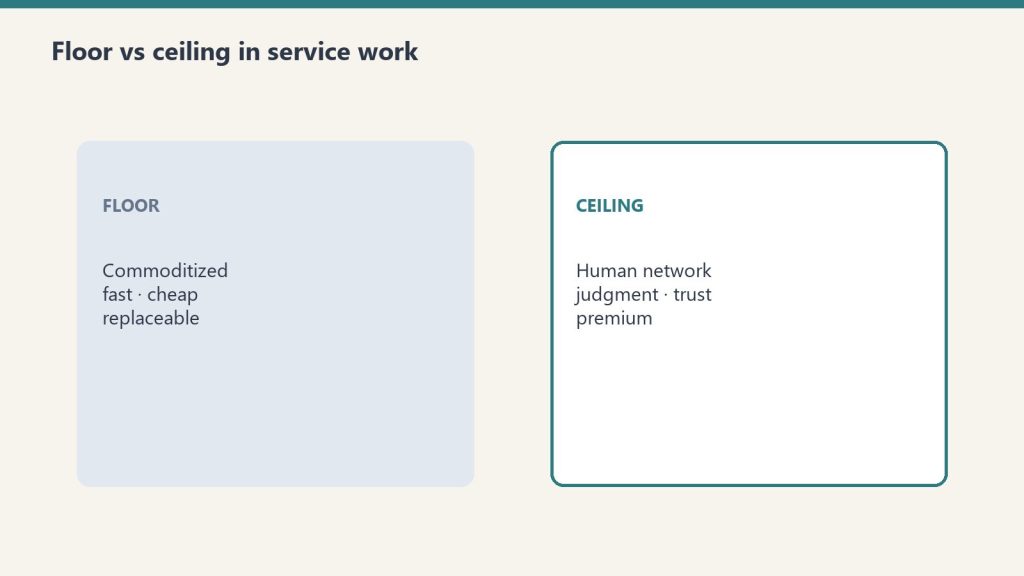
This is the structural pattern that nobody is naming clearly enough about what software has done to service professions, and what AI is now accelerating. Software raised the floor of every service industry it touched. It did not touch the ceiling. Zillow did not kill realtors. TurboTax did not kill accountants. Robo-advisors did not kill financial advisors. LegalZoom did not kill lawyers. The platforms made the procedural floor of those services cheap and accessible. The ceiling — the human work, the trust, the network, the curation, the membership into something larger than a transaction — became the only thing left worth paying for. And the practitioners who figured this out are thriving while everyone else complains about the platforms.
The Pattern Is Older Than AI
The temptation in 2026 is to frame everything happening to service professions as an AI story. That framing is too small. The pattern of software raising the floor and forcing the ceiling to evolve has been playing out for at least twenty-five years, and AI is just the latest and fastest example of it. The story matters because the responses that worked for prior waves of disruption are exactly the responses that work for the AI wave too.
Look at what actually happened in each industry.
Zillow and the major real estate platforms made listings, comps, and basic property data free and accessible to anyone with a phone. The procedural work that real estate agents used to gatekeep — finding houses, pulling comps, scheduling viewings — became commoditized. The reaction in the industry was loud and panicked. Realtors were going to be replaced. The platforms were going to disintermediate the agents. The commission model was going to collapse.
None of that happened. What happened instead was that the realtors whose entire value was the gatekept information got squeezed out, and the realtors who had built genuine community relationships, neighborhood expertise, and trusted networks became more valuable than ever. The platforms raised the floor. The ceiling — knowing the neighborhood, knowing the schools, knowing which contractor to call, knowing which neighbors will be at the block party, knowing the mortgage broker who actually closes on time — became the entire offering. The best realtors in any town are not selling houses. They are selling membership in a community network that you happen to enter by buying a house from them.
TurboTax did something similar to the tax profession. Simple returns became free. The procedural floor of preparing a standard W-2 return collapsed in value. The reaction was the same panic. Accountants were going to be replaced. The CPA license was going to lose meaning. None of that happened either. What happened was that the accountants whose business was simple returns got compressed, and the accountants who built actual advisory relationships, tax strategy expertise, business consulting integration, and ongoing trusted-advisor positions became more valuable than ever. The platform raised the floor. The ceiling became advisory, relational, strategic. The CPA who is your trusted advisor for the next thirty years of your financial life is not selling tax returns. They are selling a membership in their judgment.
The robo-advisors did the same thing to financial advisory. Vanguard, Betterment, Wealthfront, and the platform offerings from the major brokerages made basic portfolio construction, rebalancing, and tax-loss harvesting free or near-free. The reaction was identical. Financial advisors were going to be replaced by algorithms. The 1% fee was going to die. None of that happened. The advisors whose entire value was basic portfolio construction got compressed. The advisors who built genuine financial planning relationships, comprehensive life integration, estate and tax coordination, behavioral coaching during market stress, and trusted multi-generational relationships became more valuable than ever. The robo raised the floor. The ceiling — comprehensive judgment about a specific family’s specific situation, integrated across decades — became the entire offering.
LegalZoom did it to legal services. Incorporation, simple wills, trademark filings, basic contracts — all commoditized. The lawyers who depended on those transactions for income compressed. The lawyers who built strategic advisory relationships with businesses, complex estate planning relationships with families, and judgment-heavy practice areas thrived. The platform raised the floor. The ceiling became the trusted advisor relationship that no platform can replicate.
The pattern is the same in every case. The platform commoditizes the procedural floor. The panic predicts the death of the profession. The death does not happen. The practitioners who were already on the floor compress. The practitioners who climb to the ceiling — relationships, networks, judgment, curation, trust, community — thrive at a level they never reached before. The industry survives, often more profitably than before, but the shape of the work and the identity of the practitioners shift dramatically.
What the Ceiling Actually Is
People pay more for the ceiling than they ever paid for the floor.
The word “ceiling” can sound abstract. Let us make it concrete. The ceiling of any service profession, in the era of commoditized procedural floor work, is the human network the practitioner builds around the work. The practitioner is not selling the transaction. They are selling membership into something larger.
The realtor who has built a real community network is not selling a house. They are selling a relationship with someone who knows the town. When you buy a house from them, you are getting introduced to the local contractor who will not gouge you on the roof you need replaced in three years. You are getting an invitation to the neighborhood holiday party where you will meet the parents your kids will grow up with. You are getting a referral to the mortgage broker who will close on time even when the appraisal comes in low. You are getting the name of the senior partner at the law firm who handles the messy probate work nobody else wants. You are getting the introduction to the local employer who is hiring exactly the kind of role your spouse needs. You are getting access to a network that took the realtor twenty years to build, and you are paying a commission to enter it.
The accountant who has built a real advisory practice is not selling a tax return. They are selling a thirty-year relationship with someone who knows your financial life, your business, your family, your risks, and your goals. When you have a question about whether to take the offer your business just received, the accountant is the first call. When your parent dies and the estate is complicated, the accountant is the first call. When your kid wants to start a business, the accountant is the first call. The annual tax return is the artifact of the relationship, not the product.
The financial advisor who has built a real planning practice is not selling investment management. They are selling a multi-decade trusted relationship that integrates every financial decision in your life. When the market is down 40 percent and you want to panic-sell, the advisor is the voice that keeps you from doing the wrong thing. When your aging parents need long-term care and the family does not know how to pay for it, the advisor is the person who has thought about that scenario for years and has the network of attorneys and care coordinators to handle it.
The insurance agent who has built a real practice is not selling a policy. They are selling someone who shows up when the house burns down, who knows the adjuster personally, who pushes the claim through when the carrier is dragging its feet, who connects you to the restoration company that will actually be there at three in the morning. The policy is the contract. The relationship is the product.
The pattern is consistent. The ceiling is the network. The ceiling is the trust. The ceiling is the membership. The platform sells the transaction. The practitioner sells membership into a human network that the platform structurally cannot replicate, because the platform is a transaction engine and the network is a lifetime accumulation of relationships, reputation, and judgment.
Why People Will Pay More for the Ceiling Than They Ever Paid for the Floor
The financial economics of the ceiling shift in service professions are widely misunderstood. The default assumption is that when the floor gets commoditized, total industry revenue declines because the average transaction price falls. This is partly true and obscures the more important truth.
The transactions that used to be the entire industry move to the platforms. The customers who only ever wanted the floor service — the cheap tax return, the basic listing search, the simple incorporation — leave the human practitioners and go to the platforms. That is a real loss of volume at the bottom.
But the customers who want the ceiling service — and there are far more of them than the platforms or the industry consultants assume — start paying more, not less, for the human practitioner. They are no longer paying for a tax return. They are paying for a thirty-year advisor. The annual fee for the ceiling relationship is significantly higher than the fee for the floor transaction ever was. The customer perceives the value as much higher, because they are getting something they cannot get anywhere else.
The practitioners who climb to the ceiling end up with smaller client rosters but higher revenue per client and dramatically higher career stability. They are no longer competing with the platforms. They are operating in a category the platforms do not enter. They are also operating in a category that has high client retention, strong referral dynamics, and pricing power that floor practitioners never had.
This is why the realtors who have built genuine community networks routinely outearn the realtors who depend on Zillow leads. It is why the accountants who run advisory practices outearn the ones who run tax-prep mills. It is why the financial advisors with comprehensive planning practices outearn the ones running portfolio management businesses. The economics of the ceiling are better than the economics of the floor ever were, but only for the practitioners who actually build something the platforms cannot replicate.
The Nespresso Effect in Daily Life
Now consider what is happening at the consumer level, beyond just service professions. People are increasingly surrounded by convenient, AI-augmented, software-mediated experiences. Nespresso machines. DoorDash deliveries. Streaming algorithms. Dating apps. Robo-advisors. The platforms have made convenience the default in almost every domain of life.
And yet — across exactly this same period — the cultural pull toward the human and analog version is intensifying, not weakening. Sourdough bread baking became a mass phenomenon. Vinyl records outsell CDs again. Independent bookstores are growing. Farmers markets are mobbed on Saturday mornings. The local coffee shop with the slow pour-over has a line out the door. Concert ticket prices are climbing because people will pay anything to be in a room with other humans experiencing something live. Small-batch everything — beer, whiskey, chocolate, soap — commands premium prices that the mass-produced version cannot touch.
The Nespresso machine is great. People also genuinely want the French press, and the cafe, and the conversation. The convenience layer is necessary infrastructure. The human layer is what people actually crave, especially as the convenience layer expands. The more the platforms commoditize the procedural baseline of everything, the more people search for the human version of whatever it is they used to get from a person.
For service professions, this is the cultural tailwind nobody is naming. The clients who want a thirty-year advisor relationship are not declining in numbers. They are increasing, because everything else in their lives is becoming algorithmically mediated and the desire for one or two genuinely human relationships is rising in response. The realtor who is also the trusted community connector is in more demand, not less. The accountant who knows your family is more valuable, not less. The insurance agent who shows up at midnight is the one people refer to their entire network.
The platforms are creating the demand for the human ceiling at the same time they commoditize the floor. The Nespresso era is the French press era. They coexist. People want both, for different purposes, and they pay differently for each.
What This Means for AI Specifically
What this means for AI — it raises the floor; humans still own the ceiling.
Set aside the multi-decade history of software commoditization for a moment, and look just at AI. The same pattern is now playing out across the service professions that have not yet been hit by their dedicated platform.
AI is the next layer of floor-raising for every service profession. Document drafting, research, basic analysis, routine communication, scheduling, follow-up — AI is absorbing all of it across every field simultaneously. The lawyers, accountants, advisors, agents, and consultants who built their practices on producing those outputs are facing the same compression that Zillow created for realtors and TurboTax created for accountants.
The response is the same. Climb to the ceiling. Use AI to handle the procedural floor of your work. Spend the time you save building the network, the relationships, the trust, the membership offering that no AI can replicate. The practitioners who do this in the next twenty-four months will own their niches for the next twenty years. The ones who keep doing floor work and competing with AI on speed and price will be commoditized, exactly the way the floor realtors and tax-prep mills were commoditized by their respective platforms.
The pattern that already played out across real estate, tax, financial advisory, and legal is now playing out across every remaining service profession simultaneously. AI is the cross-industry platform. The response that worked in the prior waves works in this one too.
How to Build the Ceiling Offering in Any Service Profession
The practical move for any service professional who recognizes this pattern is the same regardless of industry. Build the network. Build the relationships. Build the membership. Make the transaction the artifact of a much larger human offering.
Identify the specific community you serve. Not a target market in the abstract. A specific community of people who share a context — geographic, professional, lifestyle, life stage — that you can become the central connector of. The realtors who win build community networks around specific neighborhoods. The accountants who win build advisory networks around specific business owner segments. The financial advisors who win build planning networks around specific life-stage cohorts. The narrower and more specific, the more powerful the network becomes, because the practitioner can know everyone in it personally.
Become the connector. The practitioner’s job is to connect the people in their network to each other and to the resources they need. The realtor introduces the new buyer to the contractor, the mortgage broker, the school principal, the neighborhood association. The accountant introduces the business owner to the attorney, the banker, the consultant, the bookkeeper. The financial advisor introduces the family to the estate attorney, the elder care coordinator, the insurance specialist. The connecting is the value. The transaction is just the entry point.
Curate ruthlessly. The network is only as valuable as the trust the practitioner has built into it. Connect people to providers you genuinely trust. Refuse to connect them to providers who would damage the trust. Treat your referral list as a curated product, because that is what it is. The practitioners who refer indiscriminately destroy the trust that gives the network its value.
Use AI for the floor work, religiously. Automate the documents, the routine communication, the scheduling, the basic research. Free up the hours that used to go to procedural work. Reinvest those hours in the relationships that build the network. The judgment and the trust are the only defensible assets left. Build them.
Price for membership, not transactions. The pricing model that fits the ceiling offering is closer to a retainer, an annual relationship fee, or a long-term advisory engagement than a per-transaction commission. Some industries cannot fully escape transactional pricing structures, but every service profession has room to shift the revenue model toward something that reflects the actual value being delivered, which is the ongoing membership rather than the one-time service.
The Specific Industries This Applies To Right Now
Service professions this applies to right now — including restoration trades.
This pattern is in active play across multiple service professions right now. For each, the platform that raised the floor and the human ceiling that practitioners can build to.
Legal services. LegalZoom, Rocket Lawyer raised the floor on standard incorporations, wills, and contracts. The ceiling is the trusted attorney relationship — strategic counsel on the difficult cases, the messy estates, the complex business transactions, the litigation that requires judgment beyond any document automation.
Primary care medicine. Telehealth apps, One Medical, Forward, retail clinic chains raised the floor on routine episodic care. The ceiling is the continuous trusted physician relationship — knowing the patient over decades, integrating mental health and physical health, navigating complex family medical dynamics, advocating through the specialist system.
Mortgage brokerage. Rocket Mortgage, Better.com raised the floor on standard refinances and conforming purchases. The ceiling is the broker who handles the complex situations the platforms cannot — self-employed buyers, jumbo loans, unusual property types, time-pressured closings where human judgment and lender relationships matter.
Travel agency. Expedia, Booking, Kayak raised the floor on standard bookings. The ceiling is the travel curator who knows you, builds bespoke trips, has lifelong relationships with operators in destination markets, and shows up when the trip falls apart. Most consumer travel went to the platforms. The high end of travel curation is doing better than ever.
Photography. Smartphones and AI image tools raised the floor on standard photos. The ceiling is the photographer with vision, relationships with specific subjects, presence in moments that matter, and the kind of curated visual storytelling that no automated tool produces.
The pattern repeats across virtually every service profession that depends on a mix of procedural and relational work. The procedural part goes to the platform or the AI. The relational part becomes the entire offering. The practitioners who build the relational offering deliberately and durably end up in a better economic position than they ever held in the era before commoditization.
Frequently Asked Questions
Why did Zillow not kill real estate agents?
Zillow commoditized the procedural floor of real estate — listings, comps, scheduling — but did not touch the ceiling, which is the community network, the neighborhood expertise, and the trusted referral relationships that good agents build over years. The agents whose entire value was the gatekept information got squeezed out. The agents who built genuine community networks thrived because Zillow could not replicate their human ceiling.
What is the floor and ceiling framework for service professions?
Every service profession has a floor of procedural, transactional, documentable work that platforms and AI are commoditizing, and a ceiling of relational, judgment-based, network-driven work that platforms structurally cannot replicate. The practitioners who survive commoditization deliberately shift their time, energy, and offerings toward the ceiling and let the platforms have the floor.
What does it mean to sell membership instead of transactions?
Selling membership means structuring the offering so that the client is not paying for a single service event but for ongoing access to the practitioner’s network, judgment, and curation. The realtor who introduces the new buyer to contractors, neighbors, mortgage brokers, and employers is selling membership in a community network, not a house transaction. The same pattern applies across every service profession.
Will AI replace lawyers, accountants, financial advisors, and other professionals?
No. AI will replace the procedural floor of those professions — document drafting, basic analysis, routine research, standard preparation — but cannot replace the trusted-advisor relationship, the judgment on complex situations, and the network that defines the senior practitioners in those fields. The pattern is identical to what software platforms have done to these industries over the prior twenty-five years.
What is the Nespresso vs French press metaphor for service work?
The Nespresso represents the convenient, automated, platform-delivered version of any service — fast, consistent, low-effort, low-price. The French press represents the human, slower, ritual-driven, higher-touch version. Both coexist. The Nespresso did not kill the French press. The platforms did not kill the human service practitioner. The practitioner who deliberately becomes the French press — the human ritual nobody can get from the platform — captures the part of demand that the platforms cannot serve.
How does a service professional start building the ceiling offering?
Identify a specific community to serve. Become the connector of that community. Curate referrals ruthlessly. Use AI for floor work. Price for ongoing relationship rather than one-time transaction. The transition usually takes two to three years to fully build, but practitioners who start now will own their niches for the next twenty years while floor-focused competitors get progressively commoditized.
The Bottom Line
Software raised the floor of every service profession it touched. Zillow, TurboTax, the robo-advisors, LegalZoom — each one commoditized the procedural baseline of an industry and triggered panic about the death of the profession. None of those deaths happened. The professions evolved. The practitioners who depended entirely on procedural work compressed. The practitioners who built networks, relationships, trust, and curation became more valuable than ever. The floor went to the platform. The ceiling became the entire game.
AI is the next platform layer, hitting every service profession simultaneously. The response that worked in real estate, tax, financial advisory, and legal works for the AI wave too. Climb to the ceiling. Build the network. Sell membership instead of transactions. Become the human ritual that no machine can replicate — the French press in the era of Nespresso.
People will always want both. The convenience layer is necessary infrastructure. The human layer is what they actually crave, particularly as the convenience layer expands. The service professionals who deliberately build the human ceiling in the next two to three years will dominate their niches for the next twenty. The ones who try to compete with the platforms on speed and price will be commoditized along with the platforms themselves. The choice is being made right now in every service profession. Make it deliberately.
The Tacit Knowledge Cluster — Further Reading
This piece is part of a larger body of writing on what the AI shift and the broader software-platform shift actually mean for service professions and the workers in them. The full cluster:
The dominant narrative about AI and the workforce in 2026 is anxiety-driven and largely wrong. The headlines focus on AI replacing workers. The actual story unfolding across skilled industries is the opposite — a retirement wave so large that the workforce is contracting faster than AI could plausibly automate the work, and the institutional knowledge walking out the door with the retirees is the most consequential labor event of the decade. The industry trade press has a name for it: the gray tsunami. It is the actual context for understanding what AI does and does not do, and it inverts most of the anxious framing being sold to the general public.
If you read the HVAC trade press, the maintenance and facilities press, the nursing journals, the construction industry research, the manufacturing labor reports, the electrical contracting publications, or the restoration industry commentary — you see the same story being told everywhere. A massive cohort of senior practitioners is reaching retirement age. Too few young workers are entering to replace them. The institutional knowledge built over decades is being lost. AI is being deployed not to replace workers, but to help the workforce that remains do the work of a workforce that is shrinking.
The gray tsunami is the dominant labor dynamic in skilled industries right now. AI is part of the response to it, not the cause of it. And the workers who recognize this — particularly the experienced workers who carry institutional knowledge — are positioned to capture significant economic value over the next decade.
What the Gray Tsunami Actually Looks Like
What the gray tsunami actually looks like.
The numbers vary by industry but the pattern is consistent. In HVAC, over 40 percent of technicians are over 50 years old, and industry estimates put the retirement-to-replacement ratio at approximately 5 retiring for every 2 entering. In nursing, the American Nurses Association projects approximately 1 million nurses will retire between now and 2030. In construction, 92 percent of firms report struggling to hire workers. In manufacturing, the workforce skew toward older workers is severe enough that several large manufacturers are explicitly building knowledge-capture programs to preserve institutional expertise before retirements accelerate. Electrical contracting, plumbing, restoration, and most other skilled trades show similar dynamics.
The retirement wave is not a future projection. It is happening right now, has been accelerating for several years, and will continue accelerating through approximately 2030 as the youngest baby boomers reach traditional retirement age. The pipeline of new workers entering skilled industries was structurally undermined for decades by cultural pressure toward four-year college degrees and away from skilled trades, and that pipeline cannot be repaired on the timeline of the retirement wave.
The labor shortage being created is real, structural, and not solvable in the near term through any combination of policy interventions, training programs, or automation. It is reshaping skilled industries in ways that the AI displacement narrative completely misses.
What Actually Walks Out the Door
The retirement wave is not just a headcount problem. When a senior HVAC technician with thirty years of experience retires, the company does not simply lose a position to backfill. It loses the technician’s tacit knowledge — the judgment, pattern recognition, and contextual expertise that took decades to build and was never written down. That knowledge is the actual asset, and it walks out the door with the retiree.
The same dynamic plays out across every skilled industry. The senior nurse who has worked critical care for twenty years carries clinical pattern recognition that no junior nurse can reproduce regardless of credentials. The master plumber who has handled emergencies in every kind of building configuration in their region carries judgment that no apprentice can develop quickly. The senior restoration estimator who has read thousands of losses carries scoping instinct that AI cannot replicate by ingesting more documentation.
This is the actual loss of the gray tsunami. The headcount is replaceable in time. The institutional knowledge is not. The companies that are doing well in their industries are the ones that have recognized this and built deliberate systems to capture senior knowledge before retirement. The companies that have not are watching capability evaporate as their senior workers leave.
The Misframing in the Public AI Narrative
The public conversation about AI and labor has been dominated by a misframing that obscures what is actually happening. The dominant narrative goes something like this: AI is getting more capable, AI will replace human workers, large-scale displacement is coming, prepare for disruption.
That narrative is partly right about cognitive work in specific information-heavy fields. It is mostly wrong about skilled industries. In skilled industries, the dynamic is not AI displacing workers. It is AI being deployed alongside a shrinking workforce, partly to compensate for the workforce shortage being created by the retirement wave.
The skilled industries are not facing a labor surplus crisis where AI threatens to make workers redundant. They are facing a labor shortage crisis where AI is one of several tools being used to keep the work moving despite not having enough humans available. The senior workers who remain in these industries are not at risk of displacement. They are in unprecedented demand. The compensation, retention, and career-trajectory dynamics for experienced skilled workers in 2026 are the strongest they have been in decades.
The general public conversation does not reflect this because most of the public commentators on AI and labor are based in information-heavy cognitive work fields, where the AI displacement dynamics are different. White-collar cognitive labor is genuinely exposed to AI in ways that skilled trades and hands-on healthcare are not. The framing that emerges from the white-collar experience does not translate to the skilled-trade experience, even though it gets applied as if it does.
What AI Is Actually Doing in the Gray Tsunami
What AI is actually doing in the gray tsunami.
The deployment of AI in skilled industries during the retirement wave is genuinely consequential, but the framing matters. AI is not replacing skilled workers. It is being used in three specific ways that all serve the goal of keeping the work moving as the workforce shrinks.
First, AI is reducing the administrative floor of skilled work. Documentation, scheduling, customer communication, basic diagnostics suggestion, parts lookup — all of this is being absorbed by AI tools, which means each remaining worker can spend more of their day on the actual skilled work. This is pure efficiency gain. It does not displace workers. It increases the effective capacity of the workforce that exists.
Second, AI is closing the gap between junior workers and senior workers on routine cases. A junior HVAC tech with an AI copilot can handle a wider range of cases than a junior tech could without one. This compresses the training timeline for new workers and lets organizations get more productivity from less-experienced staff. It does not replace senior workers. It makes the work of senior workers more leveraged because they can supervise more junior staff who are themselves more capable.
The Career Implications for Workers in Skilled Industries
For workers in skilled industries — restoration, HVAC, electrical, plumbing, healthcare, manufacturing, construction, and the long list of related trades — the gray tsunami creates a structurally favorable labor environment that the public AI narrative completely misses.
If you are early in your career, demand for skilled workers is rising and competition is falling. Wages are climbing. Employer-paid apprenticeships are returning. The skilled industries that spent twenty years complaining about lack of interest from younger workers are now actively recruiting and willing to invest in training. The trades that were dismissed as low-prestige career choices a decade ago are emerging as some of the strongest career paths available.
If you are mid-career, your judgment is becoming more valuable. The path from journey-level to senior judgment work is compressing because the retirement wave is creating senior openings faster than the natural progression would produce candidates. The mid-career workers who deliberately shift toward judgment-heavy work, take on complex cases, and position themselves for senior roles will see significant career acceleration.
If you are senior in your career, you are sitting on the most valuable asset of your professional life. The market is in the process of repricing senior judgment in skilled industries sharply upward. Wages, bonuses, advisory rates, and acquisition values are all responding to the recognition that senior expertise is the bottleneck resource. The next decade may be the most valuable of your career, on terms that fit your life better than the operational grind of the previous decades.
The skilled industries that handle the gray tsunami well will dominate their markets through 2040. The ones that handle it poorly will face capability gaps they cannot close on any reasonable timeline. The playbook for handling it well has a few specific moves.
Treat senior workers as the highest-leverage asset in the organization. The compensation, respect, and role design for senior practitioners needs to align with their actual economic value, not with the legacy org-chart assumptions that treated senior labor as overhead. Most skilled-industry organizations have not yet adjusted to the new economics. The ones that do early will outcompete the ones that do late.
Run structured knowledge-capture programs with senior workers before they retire. The Human Distillery methodology — long-form structured interviews that surface tacit judgment patterns into transferable artifacts — is a specific implementation. The output is institutional knowledge the company owns even after the senior worker retires. Most companies are not doing this. The ones that do will capture an asset that competitors cannot replicate.
Deploy AI to support workers, not replace them. The companies using AI well in skilled industries are using it to reduce administrative burden on workers, close the experience gap for junior workers, and amplify the impact of senior workers. The companies that try to use AI as a labor-replacement strategy will discover, expensively, that the displacement does not work the way the public narrative suggests.
Frequently Asked Questions
What is the gray tsunami in skilled industries?
The gray tsunami is the retirement wave hitting skilled industries simultaneously as the baby boomer generation reaches traditional retirement age. It is creating sustained labor shortages, taking decades of institutional knowledge out of the workforce, and reshaping the economics of skilled work in favor of experienced practitioners.
Is AI causing job losses in skilled industries?
No, AI is not causing job losses in skilled industries. The dominant labor dynamic is the opposite — a shortage created by retirement faster than younger workers are entering. AI is being deployed alongside the shrinking workforce to keep the work moving, not to replace workers.
How is AI being used in skilled industries during the labor shortage?
Three main uses. First, reducing the administrative floor of skilled work so each remaining worker can do more billable field work. Second, closing the gap between junior and senior workers on routine cases via AI copilots. Third, supporting structured knowledge-capture programs to preserve institutional expertise before senior workers retire.
What happens to the institutional knowledge when senior workers retire?
Without deliberate capture programs, the knowledge walks out the door and is largely lost. Some can be reconstructed slowly through the natural development of junior workers over years, but a meaningful fraction is permanently lost. Companies running structured knowledge-capture programs preserve significantly more institutional capability than those that do not.
Should young people enter skilled trades in 2026?
Yes. The retirement wave creates strong demand and rising wages. Employer-paid apprenticeships are returning. AI tools make junior workers more productive than previous generations could be. The long-term career durability of skilled work against AI commoditization is structurally strong.
How long will the gray tsunami last?
The retirement wave will continue accelerating through approximately 2030 as the youngest baby boomers reach traditional retirement age. The capability gap created will take meaningfully longer to close because tacit knowledge transfer through apprenticeship cannot be compressed. The economic implications for senior workers will persist into the 2030s.
The Bottom Line
The gray tsunami is the most important labor story in skilled industries in 2026, and the public AI narrative is mostly missing it. The retirement wave is contracting the workforce faster than AI could plausibly automate the work. The institutional knowledge being lost is the actual crisis. The senior workers who carry that knowledge are becoming the most valuable workers in their fields, not the most threatened. AI is part of the response to the workforce shortage, not the cause of displacement.
If you are a worker in a skilled industry at any career stage, the gray tsunami is good news for you. If you own or run a company in a skilled industry, the gray tsunami is the dominant strategic variable in your business over the next decade, and capturing the tacit knowledge of your senior workers before they retire is the most important institutional project you can run. If you are a policymaker, an educator, or a workforce strategist, the gray tsunami is the labor dynamic you should be planning around — not the AI displacement narrative that dominates the general public conversation.
The story is real. The data confirms it across every skilled industry simultaneously. The strategic implications run for at least the next decade. And the workers who recognize the dynamic and position themselves accordingly will capture economic value that the anxiety-framed narrative completely obscures.
The Tacit Knowledge Cluster — Further Reading
This piece is part of a larger body of writing on what the AI shift and the broader software-platform shift actually mean for service professions and the workers in them. The full cluster:
No, AI will not replace nurses. The judgment work, behavioral reading, and human connection that define nursing are structurally outside what AI can do. The procedural floor of nursing — documentation, scheduling, routine triage support — is being automated. The ceiling of nursing — the clinical judgment built from thousands of patient interactions, the ability to sense when a patient is sicker than the vitals show, the navigation of family dynamics and ethical complexity — remains entirely human.
The more urgent question for healthcare is not whether AI will replace nurses. It is whether the system can replace the senior nurses who are about to retire, and the answer is increasingly no. The workforce crisis is real. The institutional knowledge walking out the door is real. And the value of experienced nursing judgment is climbing fast in a market that has historically undervalued it.
The Quick Answer
The quick answer on AI and nursing.
AI is reshaping nursing by automating the administrative floor of the work — documentation, charting, scheduling, routine reporting, basic triage support, prescription renewal workflows. AI is not replacing nurses on any of the actual nursing — patient assessment, clinical judgment, behavioral reading, family communication, ethical navigation, and hands-on care. The floor of nursing is being commoditized. The ceiling is the entire profession.
What AI Cannot Do in Nursing
What AI cannot do in nursing.
AI cannot read a patient’s subtle behavioral cues to detect that something is wrong before vital signs change. AI cannot make the judgment call about whether a particular pain complaint is the early sign of a serious complication or routine post-operative discomfort. AI cannot navigate a family conference where the patient is dying and the family members disagree about treatment. AI cannot calm a frightened child enough to allow a procedure. AI cannot recognize the look in an elderly patient’s eyes that signals they are not telling the full story about their pain.
All of this work — the judgment, the behavioral reading, the human connection — is the actual core of nursing. The nurse who has worked critical care for twenty years carries pattern recognition that AI cannot replicate by training on charts and documentation. The institutional knowledge of senior nurses is essentially invisible to AI systems because it was never written down. It exists only in the heads of practitioners and transfers only through apprenticeship at the bedside.
What AI Is Doing in Nursing
The 2026 deployment of AI in nursing is concentrated on reducing administrative burden, which has been a major driver of nurse burnout. AI handles charting and documentation automation, scheduling and workflow optimization, routine patient communication, prescription renewal workflows, basic triage support, and clinical decision support that suggests likely conditions based on input data.
These deployments are genuinely useful. They reduce the time nurses spend on paperwork, which improves both job satisfaction and patient outcomes. They do not replace the nurse on the floor. The nurse’s day is still spent assessing patients, making clinical judgments, communicating with families, coordinating with physicians, and handling the situations that AI cannot anticipate or resolve.
The framing that emerges from current healthcare AI deployments is consistent: AI augments nursing rather than replacing it. The most credible voices in healthcare technology consistently make this distinction.
The Workforce Crisis Is the Real Story
The American Nurses Association projects approximately 1 million nurses will retire between now and 2030. The U.S. is simultaneously aging into higher healthcare demand. The pipeline of new nurses entering the profession is not keeping pace with the retirements. Healthcare organizations are facing a sustained nursing shortage with no near-term resolution.
The retirement wave is not just a headcount problem. Senior nurses carry decades of clinical judgment that AI cannot reconstruct. The institutional knowledge of experienced critical care nurses, ER nurses, OR nurses, and other senior specialists is irreplaceable in the short term. When they retire, healthcare systems lose capability that takes years to rebuild through junior nurses gradually accumulating their own experience.
This makes the senior nurse — and the experienced mid-career nurse moving toward senior judgment work — the most structurally valuable worker in healthcare. The market is in the process of recognizing this. Wages for experienced nurses are climbing. Retention bonuses are getting more aggressive. Travel nursing rates remain elevated. Healthcare systems are competing aggressively for senior clinical talent.
Mid-career nurses — take on the complex, judgment-heavy work. Specialty certifications. Charge nurse and clinical leadership roles. Mentor junior nurses deliberately. The procedural work is being commoditized. The clinical judgment ceiling is becoming the entire game.
Retired nurses — the market just inverted in your favor. Fractional advisory, training, and clinical consulting roles at premium rates did not exist in this form when you planned your retirement. Consider returning to the work in a structured advisory capacity.
No. AI is automating the administrative floor of nursing work but cannot replace the clinical judgment, behavioral reading, and human connection that define the profession. The actual nursing remains entirely human, and the senior nurses who carry institutional clinical knowledge are becoming more valuable, not less.
Is nursing a safe career in 2026?
Yes. The retirement wave projected through 2030 combined with rising healthcare demand creates sustained labor shortage conditions. Senior nurses carry irreplaceable clinical judgment. The profession is structurally durable against AI commoditization because its core work depends on tacit expertise AI cannot replicate.
How is AI being used in nursing right now?
Documentation and charting automation, scheduling and workflow optimization, routine patient communication, prescription renewal workflows, basic triage support, and clinical decision support. The deployments reduce administrative burden and let nurses spend more time on actual patient care.
What parts of nursing are safe from AI?
Patient assessment, clinical judgment, behavioral reading, family communication, ethical navigation, hands-on care, charge nurse and leadership work, specialty clinical expertise, and any work that depends on the nurse’s physical presence and tacit judgment.
What is the nursing workforce situation in 2026?
The American Nurses Association projects approximately 1 million nurses will retire by 2030 while healthcare demand continues to rise. The pipeline of new nurses is not keeping pace. This creates sustained labor shortage conditions and rising compensation for experienced nurses.
The Bottom Line
AI will not replace nurses. The clinical judgment, behavioral reading, and human connection that define nursing are structurally outside what AI can do. The administrative floor of the work is being automated, which reduces burnout and frees nurses for actual patient care. The ceiling of the profession — the experienced clinical judgment of senior nurses — is becoming the most valuable thing in healthcare as the retirement wave compresses the workforce. If you are a nurse at any career stage, the AI shift is good news for the actual work you do. The next decade is going to be a strong period for the profession, particularly for those who recognize that senior clinical judgment is finally being recognized at its true value.
No, AI will not replace plumbers. Plumbing is one of the most structurally durable trades in the AI era because so much of its value lives in the physical and judgment ceiling that AI cannot reach. AI is automating the floor — quoting, scheduling, dispatch, customer communication, basic diagnostics suggestion — but the actual work of plumbing happens in physical environments AI cannot enter, with judgment AI cannot replicate, on systems AI cannot diagnose without a human on site.
The Quick Answer
Plumbing has more ceiling content as a proportion of total work than most trades. The physical work — running pipe, crawling under houses, working in confined spaces, handling emergencies in flooded basements — cannot be done by AI. The judgment work — diagnosing intermittent leaks, reading 1940s cast iron, interpreting a system that has been modified by four previous plumbers over fifty years — cannot be done by AI. The customer work — explaining bad news to a homeowner, navigating an insurance scope dispute, managing emergency situations — cannot be done by AI. The floor of plumbing administration is being commoditized. The ceiling is the entire trade.
What Makes Plumbing Particularly Durable
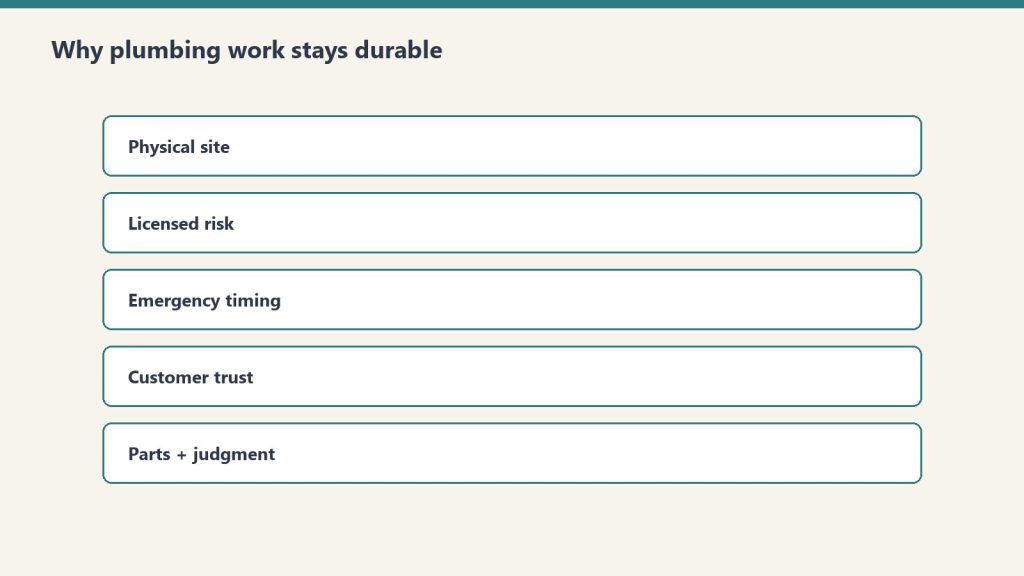
What makes plumbing particularly durable.
Several characteristics of plumbing work make it more durable against AI commoditization than most other cognitive or skilled fields.
First, the physical environment is uniquely variable. Old buildings, modified systems, hidden runs, materials that cannot be inspected without opening walls or excavating, and emergency conditions that develop unpredictably — all of this requires a human in the physical environment making real-time judgment calls. No AI tool reproduces that.
Second, plumbing emergencies have severe time pressure that favors experienced practitioners. A flooded basement at two in the morning is not a situation that benefits from extensive AI consultation. It is a situation that benefits from an experienced plumber who has handled this exact scenario fifty times and knows what to do in the next ten minutes. AI assists with logistics. The actual response is human.
Third, the trust dynamics in plumbing customer relationships favor experienced humans. Customers calling a plumber are often in distress, dealing with property damage risk, and need to be reassured by a competent professional who is physically present. AI handling the initial call may be efficient, but the work itself depends on the plumber in the kitchen earning the customer’s trust.
Fourth, plumbing code, building configuration, and regional variations create complexity that resists standardization. The plumbing systems in older buildings in different regions of the country reflect different historical practices, different code regimes, different materials, and different failure patterns. The senior plumber’s judgment about regional and historical specifics is not in any AI training dataset.
What AI Is Doing in Plumbing Work
AI raises the floor — humans still own the ceiling.
The 2026 reality of AI in plumbing is concentrated in operational support. Plumbing companies use AI for estimating, dispatch optimization, customer scheduling, and follow-up communication. Field techs may have AI copilots that help with parts lookup or code questions. Diagnostic suggestion tools propose causes for common failures based on customer descriptions.
This work is useful. It reduces administrative overhead. It makes the operations side of plumbing companies more efficient. None of it replaces the plumber on the job. The plumber’s day is still spent doing the physical work, the diagnostic work, and the customer work that AI cannot do.
The Workforce Story in Plumbing
Plumbing is facing the same retirement wave as other skilled trades. A substantial portion of master plumbers and senior journeymen are approaching retirement age while too few apprentices are entering to backfill. The workforce is compressing. Demand is steady or rising, particularly with new construction, renovation, and the increasing complexity of modern plumbing systems incorporating water filtration, recirculation, and smart-home integration.
The net effect is a strong labor market for plumbers at every career stage. Wages are climbing. Senior plumbers can name their terms. Plumbing companies are competing aggressively for experienced techs. The AI shift is not displacing plumbers — the retirement wave is creating openings that are not being filled fast enough.
Mid-career plumbers — take on the complex commercial, industrial, and emergency-response work. Build the ceiling capability that AI cannot replicate. The procedural residential work is being AI-accelerated for everyone, but the judgment work compounds in value.
No. The physical work, judgment about old systems, emergency response, and customer dynamics of plumbing are structurally outside what AI can do. AI automates the administrative floor of plumbing work but cannot perform any of the actual plumbing.
Is plumbing a good career in 2026?
Yes. Demand is steady or rising, the workforce is compressed by retirement, AI tools make junior plumbers more productive than ever, and the judgment work is structurally durable. Plumbing is one of the most AI-resistant trades available.
What parts of plumbing work are safe from AI?
All of the physical work, emergency response, complex diagnostics on older systems, customer-facing advisory and trust-building work, and senior judgment on commercial and industrial projects. Effectively all of the actual plumbing work is durable.
How does AI help plumbers right now?
AI handles estimating, dispatch, scheduling, customer communication, parts lookup, and basic diagnostic suggestion. It reduces administrative overhead and lets plumbers spend more of their day on billable field work, which improves company economics without displacing labor.
What is the future of plumbing over the next decade?
Strong labor market driven by retirement-wave workforce compression and steady or rising demand. Senior plumbers become more valuable. Junior plumbers enter a favorable hiring environment. The trade itself is structurally durable through the AI shift.
The Bottom Line
AI will not replace plumbers. Plumbing has more ceiling content as a proportion of its total work than almost any other trade. The physical work, the judgment work, the emergency response, and the customer trust dynamics are all structurally outside what AI can replicate. The floor is being automated, which makes plumbing companies more efficient. The ceiling is the trade itself, and it remains entirely human. If you are a plumber at any career stage, the AI shift is good news for you. The next decade is going to be very good to people who actually do this work.
No, AI will not replace electricians. The floor of electrical work — quoting, scheduling, code lookup, basic load calculations, customer communication — is being automated. The ceiling of electrical work — reading old panels in older buildings, diagnosing intermittent faults, navigating code edge cases, working safely in unpredictable physical environments — is structurally outside what AI can replicate. This is the honest, specific answer that the generic “AI is coming for everything” takes get wrong.
The Quick Answer
The quick answer on AI and electricians.
AI is genuinely changing electrical work in 2026, but the change is concentrated in the procedural floor of the trade, not the judgment ceiling. AI tools handle estimating, code lookup, documentation, diagnostic suggestion, and customer-facing communication. They make junior electricians faster on routine work. They do not replace senior electricians on the complex work, and they do not do any of the physical, in-environment work that defines the trade. The floor rises. The ceiling remains human.
What AI Cannot Do in Electrical Work
What AI cannot do in electrical work.
AI cannot pull wire through a wall. AI cannot crawl under a house to trace a buried run. AI cannot read the actual state of a 1960s panel that has been modified by three different homeowners with varying levels of competence. AI cannot stand in a customer’s kitchen and explain why the upgrade they want will cost more than the quote they got from the lowball competitor down the road. AI cannot make the judgment call about whether a particular service drop needs to be replaced now or can wait six months. AI cannot interpret the difference between an inspector who will pass questionable work and one who will not.
All of this work — the physical work, the judgment work, the human work — is structurally outside what AI can do by training on documented data. The electrical trade has substantial ceiling content. The senior electricians who have built decades of pattern recognition on residential, commercial, and industrial work are carrying expertise that AI cannot replicate by ingesting more code books and inspection reports.
What AI Is Doing in Electrical Work
The actual AI deployment in electrical contracting in 2026 is concentrated in operational support. AI-assisted estimating tools generate first-draft quotes from photo sets and customer descriptions. Mobile field apps automate work order documentation and parts lookup. AI copilots help less experienced electricians walk through code questions in the field. Customer-facing AI handles routine scheduling and follow-up communication. Diagnostic suggestion tools propose likely causes for common faults.
This is all useful. None of it replaces the electrician on site. What it does is reduce the time the electrician spends on paperwork, which means more billable field hours per day, which means higher revenue per technician. For electrical contractors, AI is mostly an operational efficiency lever, not a labor displacement threat.
The Bigger Story: Electrical Demand Is Surging
The macro story in electrical work in 2026 is the opposite of displacement. Demand for electrical work is climbing rapidly because the buildout supporting AI infrastructure — data centers, power generation, grid upgrades, electrification — requires massive amounts of electrical labor. The U.S. Department of Energy has documented rising electricity demand from data centers alone. State and federal infrastructure spending is creating sustained commercial and industrial electrical demand. Residential electrification — EV chargers, heat pumps, panel upgrades — is creating sustained residential demand.
Combined with the retirement wave hitting the electrical trade (which mirrors HVAC and most other skilled trades), the workforce dynamic is a supply shortage, not a surplus. Electricians at every career stage are entering one of the strongest labor markets the trade has seen in decades. The senior electricians who carry deep judgment are particularly valuable because the demand is for complex commercial and industrial work, not just simple residential service.
Mid-career electricians — take on the complex commercial and industrial work that requires senior judgment. The procedural residential work is getting AI-accelerated for everyone. The ceiling work — large commercial jobs, industrial maintenance, complex troubleshooting, design-build projects — is where the long-term value compounds.
No. AI will replace the procedural and documentation work around electrical contracting but cannot do the physical work, the in-environment judgment, or the customer-handling work that defines a great electrician. The floor of electrical work is being automated. The ceiling remains entirely human.
Is becoming an electrician a good career in 2026?
Yes, particularly for anyone willing to apprentice themselves to a senior electrician. Demand is rising sharply because of data center buildout, electrification, and infrastructure spending. The retirement wave is compressing the workforce. AI tools make junior electricians more productive than ever. Long-term career durability against AI commoditization is structurally strong.
What parts of electrical work are most safe from AI?
Physical installation work, complex troubleshooting, commercial and industrial projects requiring judgment about non-standard situations, customer-facing advisory work, code interpretation on edge cases, and senior supervision of multi-electrician crews. Anything that requires being in the physical environment and making judgment calls based on what is actually there is durable.
How is AI being used in electrical contracting right now?
AI is mostly used for estimating, code lookup, documentation, diagnostic suggestion in the field, and customer-facing communication. The deployments are operational efficiency tools that make existing electricians more productive, not labor displacement systems that replace electricians.
What is the future of electrical work over the next decade?
Rising demand from data centers, electrification, and infrastructure spending combined with a retirement wave creates sustained labor shortage conditions. Senior electricians become more valuable. Junior electricians enter a strong labor market. The trade as a whole is structurally durable through the AI shift.
The Bottom Line
AI will not replace electricians. The trade has substantial ceiling content, the demand is climbing sharply, the workforce is compressed by retirement, and the physical and judgment work that defines the trade is structurally outside what AI can do. If you are an electrician at any career stage, the AI shift is good news for you. Use AI to handle the floor. Build judgment capability deliberately. The next decade is going to be very good to the people who actually do this work.
No, AI will not replace HVAC technicians. It will replace the paperwork, the routine diagnostics suggestion, and the documentation work that used to consume hours of each tech’s day. The judgment that defines a great HVAC technician — reading systems that have been modified twice over twenty years, diagnosing failures that do not match any textbook pattern, working in mechanical rooms where the original drawings are wrong — is structurally outside what AI can do.
This article is the honest, specific answer to a question being asked across the HVAC industry right now. It also explains the bigger pattern that is reshaping HVAC careers in 2026, and what every technician at every career stage should do about it.
The Quick Answer
The quick answer on AI and HVAC techs.
AI raises the floor of HVAC work by automating the procedural parts — quoting, scheduling, customer communication, routine diagnostics, documentation, and reporting. AI cannot touch the ceiling — the judgment work of a senior HVAC technician, the pattern recognition built from thousands of jobs, the customer-handling instinct, the ability to read mechanical systems in the field where conditions never match the manual. The floor is being commoditized. The ceiling is becoming the entire game.
What AI Is Actually Doing in HVAC Right Now
What AI is actually doing in HVAC right now.
The real-world deployment of AI in HVAC in 2026 is concentrated in a few specific areas. AI-assisted diagnostics platforms suggest likely causes based on sensor data and historical fault patterns. Mobile CMMS workflows automate work order documentation and parts lookup. AI copilots in field-service apps help junior techs walk through complex repairs by pulling from a searchable case library of past resolutions. Quoting and proposal generation tools produce first drafts that techs review and adjust.
All of this work is genuinely useful. It is also entirely floor work. None of it replaces the judgment of an experienced HVAC technician walking into a mechanical room and reading the actual situation. The AI suggestion may be wrong because the building envelope quirk is invisible from the data. The historical fault pattern may not apply because this specific system has been modified twice and the modifications are not in any database. The customer dynamic that determines whether the job goes well may have nothing to do with the technical work and everything to do with the conversation in the kitchen.
What AI does in HVAC, accurately stated, is speed up the procedural work and reduce the gap between a junior tech and a senior tech on routine cases. What AI does not do is replace the senior tech on non-routine cases, which is where most of the actual value of HVAC work lives.
The HVAC Workforce Crisis Is the Bigger Story
The retirement wave in HVAC is the more consequential dynamic than AI. Industry data shows over 40 percent of HVAC technicians are over age 50, and a substantial wave is approaching retirement in the next five to ten years. Some estimates put the retirement-to-replacement ratio at 5:2 — for every five techs who retire, only two new entrants are taking their place.
This is the actual labor story in HVAC right now. It is not about AI replacing technicians. It is about not enough technicians existing to replace the ones who are leaving. The senior techs who are retiring carry decades of judgment that newer techs cannot reproduce, regardless of how many AI tools are available. The institutional knowledge walks out the door with them, and the industry has not solved the problem of capturing it before they leave.
This makes the senior HVAC technician — and the experienced mid-career tech who can move into senior judgment work — the most valuable worker in the industry. The market is in the process of recognizing this. Wages for experienced HVAC techs are climbing. Retention bonuses are getting more aggressive. The companies that figure out how to keep their senior techs and transfer their knowledge to the next generation will dominate their regional markets.
What HVAC Technicians at Each Career Stage Should Do
What HVAC techs should do by career stage.
If you are a junior HVAC technician — your immediate move is to use AI tools aggressively to handle the procedural floor of your work, and use the time you save to apprentice yourself to a senior tech in your shop. The AI tools will make you faster than the previous generation of junior techs ever could be. What they will not give you is the judgment. The senior techs in your shop are sitting on knowledge that nobody else in the industry can give you. Get in their orbit. Work alongside them. Ask them why they made each call. Build the judgment over years.
If you are a mid-career HVAC technician — your move is to identify the judgment-heavy work in your shop and take on more of it. The complex commercial cases, the unusual residential failures, the carrier and customer escalations. Push toward the ceiling work and let AI handle more of the procedural floor. Your value over the next decade will be determined by how much ceiling capability you build now.
If you are a senior HVAC technician — the market is finally about to pay you for what you have always been carrying. Reconsider any retirement timeline built around old assumptions. Charge appropriately for your judgment work. Take on apprenticeship of younger techs as a recognized and compensated part of your role. The next ten years may be the most valuable of your career.
No. AI will replace the procedural and documentation work around HVAC service — quoting, scheduling, routine diagnostics, paperwork — but cannot replace the judgment of an experienced technician diagnosing complex systems, reading buildings, and handling customers. The floor of HVAC work is being commoditized. The ceiling remains entirely human.
Is HVAC a dying trade?
No, HVAC is the opposite of a dying trade. A massive retirement wave is exiting the industry while too few young workers are entering to replace them, creating structural demand for new HVAC techs at every career stage. The aging workforce is the actual labor story in HVAC, not AI displacement.
How will AI change HVAC work in the next five years?
AI will speed up the procedural floor of HVAC work — diagnostics suggestion, documentation, quoting, scheduling, customer communication. It will close the gap between junior and senior techs on routine cases. It will not replace the judgment work that defines senior techs on complex cases, which is where the actual value of HVAC service lives.
Should young people enter the HVAC trade in 2026?
Yes, especially for anyone willing to apprentice themselves to a senior technician. The retirement wave is creating significant career opportunities at every level, AI tools make junior techs faster than previous generations could be, and the long-term value of HVAC judgment is structurally durable against AI commoditization.
What HVAC roles are most safe from AI?
Senior service technicians who handle complex commercial work, system designers and engineers for unusual installations, and any tech with deep experience in older or non-standard systems. The judgment work in HVAC is structurally outside what AI can replicate by training on documented procedures.
The Bottom Line
AI will not replace HVAC technicians. The retirement wave will compress the workforce faster than AI ever could, and the senior techs who carry institutional judgment will become the most valuable workers in the industry. AI tools will make junior techs faster and let senior techs spend more time on the high-judgment work that defines great HVAC service. The HVAC industry is not being replaced. It is being structurally repriced to recognize the value of judgment that has always been there.
If you are in the HVAC industry, the strategic move is the same regardless of your career stage. Use AI to handle the floor. Build judgment capability deliberately. Find a senior tech to learn from if you are early in your career. Charge for your judgment if you are senior. The industry is about to be very good to the people who recognize the shift and act on it.
AI-proofing your career in 2026 is not about avoiding AI, learning to code, or getting a credential that AI cannot copy. It is about understanding the structural shift happening in every skilled and cognitive field, and positioning yourself on the right side of it. The shift has a name and a shape, and once you can see it clearly, the right moves become obvious. This article is the framework, the diagnosis, and the practical playbook.
The framework is what we call floor and ceiling. Every job in every industry has a floor — the procedural, documented, codifiable work that can be done by anyone with the right tools and training. And every job has a ceiling — the judgment, pattern recognition, and tacit expertise that defines the people who are genuinely good at the work. AI raises the floor of every industry. It cannot touch the ceiling. AI-proofing your career means deliberately shifting your time, energy, and identity toward the ceiling and letting AI take over the floor.
Last refreshed: October 20, 2026 (Pacific).
The Quick Answer
To AI-proof your career, do four things. First, identify which parts of your current work are floor (procedural, documented, AI-replaceable) and which parts are ceiling (judgment, tacit, human-only). Second, deliberately shift your time toward the ceiling parts and let AI handle the floor parts. Third, find a senior practitioner in your field and learn from them — tacit knowledge transfers only through apprenticeship. Fourth, treat your judgment and expertise as a paid product rather than a free service, because the market is in the process of repricing tacit knowledge sharply upward.
Why the Old Career Advice Is Wrong
The career advice circulating about AI is mostly wrong in predictable ways. The advice to “learn AI” treats AI fluency as the moat. It is not. Everyone has access to the same AI tools at the same prices on the same timeline. Knowing how to use AI is necessary table stakes, not a defensible career position. Anyone who treats AI deployment as their personal moat will discover, quickly, that everyone else is deploying it too.
The advice to “go into creative fields” or “go into trades” treats whole industries as safe categories. They are not. Within every industry, some roles are exposed to AI and others are durable. The category-level answer hides the real pattern. A restoration estimator who only writes standardized scopes is exposed. A restoration estimator who reads buildings and negotiates with carriers is durable. A copywriter who produces generic content is exposed. A copywriter who has built genuine taste and serves specific clients is durable. The shape of the work matters more than the industry label.
The advice to “build skills AI cannot replicate” is closer to right but still vague. The question is which skills, and how. Without a framework that explains what AI can and cannot do, the advice is just a feeling. With the floor-and-ceiling framework, the advice becomes specific. Build skills that are tacit, judgment-laden, and transferable only through apprenticeship — because those are the skills that are structurally outside what AI can replicate by ingesting more training data.
The Diagnosis: Identifying the Floor and Ceiling in Your Work
Identify the floor and ceiling in your work.
Take an honest look at your current job. Break it into the activities you do in a typical week. Then categorize each activity as floor or ceiling using these criteria.
Floor activities share these traits. They follow documented procedures. They produce standardized outputs. They can be done by a competent newcomer with the right training and tools. They get faster and easier with AI assistance, and could plausibly be done entirely by AI within a few years. They do not require deep judgment that you would struggle to explain to someone else.
Ceiling activities share these traits. They require judgment that you partly cannot articulate. They involve reading specific humans, situations, or contexts that vary too much to fully standardize. They depend on pattern recognition built from years of hands-on experience. They cannot be reliably performed by a credentialed newcomer regardless of tools. They are the part of your work that nobody else on your team can do quite the way you do.
Most jobs are roughly half floor and half ceiling, sometimes more skewed in one direction. A junior practitioner is mostly doing floor work. A senior practitioner is mostly doing ceiling work. The trajectory of a career, in any skilled field, is the gradual replacement of floor activities with ceiling activities as judgment compounds over time.
The AI shift is accelerating this trajectory. The floor activities are being absorbed by AI faster than they used to be. The ceiling activities remain entirely human. The strategic move is to spend less time on the floor work that AI is making cheap and more time on the ceiling work that remains scarce.
The Strategic Move: Climb Toward the Ceiling Deliberately
Climb toward the ceiling deliberately.
Once you have identified the floor and ceiling activities in your current work, the strategic move is to deliberately shift your time. This is not a one-time decision. It is a continuous reweighting of how you spend your professional energy. Here is what it looks like in practice.
Automate or delegate the floor activities. Use AI tools aggressively for the procedural, documented work. Stop being precious about the parts of your job that are clearly being commoditized. The energy you save on floor work is the energy you can reinvest in ceiling work, which compounds over years.
Take on more ceiling work, even when it is hard. The judgment-heavy situations — the difficult clients, the complex cases, the ambiguous decisions — are the situations that build the kind of expertise that makes you durable. Most workers avoid these because they are uncomfortable. The workers who lean into them build the ceiling capability that becomes their long-term moat.
Find a senior practitioner and apprentice yourself. Tacit knowledge transfers only through proximity to people who already have it. There is no shortcut. There is no AI tool that substitutes for working alongside a veteran on real situations. If you are early in your career, this is the highest-leverage move you can make. If you are mid-career, it is still worth doing — you can compress years of apprenticeship into focused months with the right senior practitioner.
Reposition yourself in your current organization toward judgment-heavy work. If your role is mostly procedural, propose taking on more advisory, mentoring, or judgment-heavy responsibilities. Most organizations are under-utilizing the senior judgment they have because they have not figured out how to redesign roles around the new economics. You can be the person who does that redesign for your own role first.
Price your judgment as a product, not a service. If you do advisory work, mentorship, complex client handling, or any tacit-judgment activity — start charging for it explicitly. The market is in the process of repricing this work upward sharply. The workers who recognize the shift early capture the upside. The ones who keep undervaluing their judgment leave money on the table.
What This Looks Like by Career Stage
What this looks like by career stage.
The exact moves depend on where you are in your career. The framework is the same; the application differs.
Early career (twenty-two to thirty-five). Your primary job is to acquire tacit knowledge as fast as possible. Find a senior practitioner in a field with substantial tacit content and apprentice yourself to them. Pay if you have to. Work odd hours if you have to. Move geographically if you have to. The decisions you make in this window about who you learn from will shape the next three decades of your career. The senior practitioners who are open to teaching right now will not all still be available in five years. The window is open now.
Mid-career (thirty-five to fifty). Your primary job is to deliberately shift your time toward ceiling work and away from floor work. Audit your week. Identify the procedural work that is consuming your hours and replace it with AI-assisted workflows. Take on the judgment-heavy responsibilities that other people in your organization are avoiding. Build a reputation for being the person who handles the difficult cases. The compounding effect on your career value over the next ten years is enormous.
Senior career (fifty and up).You are sitting on the most valuable asset of your career, and the market is finally about to pay you for it. Reconsider retirement timing. The traditional schedule was built around an economy that treated senior labor as overhead. The new economics value senior judgment as the highest-leverage asset in skilled work. Plan a long, well-compensated runway in advisory and mentorship roles, not a quick exit.
The floor-and-ceiling framework applies universally, but a few industry notes are worth surfacing.
Skilled trades. Electricians, plumbers, HVAC technicians, restoration operators, machinists, and other hands-on trades have substantial ceiling content and are durable. AI is raising the floor by automating quoting, scheduling, documentation, and routine diagnostics. The judgment work — reading buildings, diagnosing unusual cases, handling carriers and customers — remains entirely human.
Healthcare. Nursing, primary care, and other hands-on healthcare roles are largely safe because they depend on tacit judgment, behavioral reading, and human connection. AI is augmenting documentation, diagnostics suggestion, and routine triage. The judgment work — sensing when a patient is sicker than the vitals show, handling family dynamics, navigating ethical complexity — is structurally human.
Legal and accounting. The procedural floor — research, document review, standard filings, routine compliance — is being heavily automated. The ceiling — judgment about strategy, client counseling, novel cases, complex negotiation — is durable. The lawyers and accountants who survive the AI shift are the ones who shift toward the ceiling work.
Sales and consulting. Routine outreach, qualification, proposal generation, and follow-up — being absorbed by AI. Complex deal negotiation, executive relationship management, advisory consulting on ambiguous problems — durable. The sales and consulting professionals who survive are the ones who own the executive relationships and the judgment-heavy moments, not the ones who own the procedural pipeline.
Creative work. Generic content production — exposed. Specific creative work with a strong personal vision and direct client relationships — durable. The creative professionals who survive are the ones whose taste, judgment, and bespoke capability cannot be replicated by AI.
Software and engineering. Entry-level coding, boilerplate generation, routine debugging — being absorbed by AI. System architecture, complex debugging, judgment about trade-offs in ambiguous design situations — durable. The engineers who survive are the ones who climb toward architecture and judgment work, not the ones who keep producing routine code.
Frequently Asked Questions
What does it mean to AI-proof your career?
AI-proofing your career means deliberately shifting the mix of work you do toward tasks that require tacit knowledge, judgment, and apprenticeship-based expertise — and away from procedural, documented work that AI can replicate. The goal is to position yourself on the durable ceiling of your industry rather than on the floor that is being commoditized.
What is the floor and ceiling framework?
Every job has a floor of procedural, documented work that can be standardized and increasingly done by AI, and a ceiling of judgment-based, tacit work that only humans can perform. AI is raising the floor of every industry while leaving the ceiling intact. Workers who shift their time toward the ceiling become more durable. Workers who stay on the floor get commoditized.
Will learning AI tools save my career?
Learning AI tools is necessary but not sufficient. Everyone has access to the same tools. AI fluency is not a moat by itself. The actual moat is the tacit expertise that AI cannot replicate. Use AI tools aggressively for the procedural work, but invest your career energy in building the judgment-based expertise that is becoming the only meaningful differentiation in skilled work.
Should I switch careers because of AI?
Not necessarily. Most jobs have both floor and ceiling components. The strategic move is usually to shift the mix of your current work toward the ceiling, not to abandon your field. Career switches make sense if your current role is overwhelmingly floor work with no ceiling content available to you, but most workers have more ceiling potential in their current field than they realize.
How do I find a senior practitioner to learn from?
Start with senior people you already know about whose work you admire. Reach out directly with a specific, honest opening. Offer to buy them coffee or lunch. Ask about a specific aspect of their work that you genuinely want to understand. Most senior practitioners are more accessible than younger workers assume, and most of them are waiting for someone serious to ask.
What if my industry is being completely transformed by AI?
Even in industries undergoing major transformation, the ceiling remains human. Identify the parts of the work that require tacit judgment, complex pattern recognition, or genuine human connection. Those parts are durable even when the industry around them is being reshaped. Shift your career investment toward those parts, and you remain valuable through the transition.
The Bottom Line
AI-proofing your career in 2026 comes down to one structural insight. AI is raising the floor of every industry and leaving the ceiling intact. The procedural work that used to differentiate average workers from bad workers is being commoditized. The judgment work that differentiates great workers from average ones remains entirely human. The strategic move is to shift your time, your skills, and your career investment toward the ceiling.
This is not anxiety-based advice. It is structural analysis. The workers who understand the floor-and-ceiling framework and act on it deliberately will thrive in the AI era. The workers who keep doing floor work and hoping AI does not get to them will be commoditized. The choice is being made by every worker in every skilled field over the next twenty-four months, whether they make it deliberately or not. Make it deliberately. Shift toward the ceiling. Find a senior practitioner to learn from. Treat your judgment as a paid product. That is what protects a career in 2026 and what will protect it for as long as the underlying pattern holds, which is the foreseeable future.
The Tacit Knowledge Cluster — Further Reading
This piece is part of a larger body of writing on what the AI shift and the broader software-platform shift actually mean for service professions and the workers in them. The full cluster:
The honest answer to “what jobs are safe from AI in 2026” is this: any job whose core value is tacit knowledge — the kind of expertise that lives inside practitioners, transfers only through apprenticeship and proximity, and has never been written down anywhere AI can ingest. That answer is more specific than most lists you will find, and it is more useful than the generic reassurances that “creative work is safe” or “trades are safe.” It gives you an actual test you can apply to any job, in any industry, and get a reliable read on how durable that career is in the AI era.
This article is the framework. It explains the pattern, gives you the test, walks you through which categories of work pass the test and which do not, and tells you exactly what to do regardless of where your current job lands. The framework is industry-agnostic. It works as well for an electrician as it does for a surgeon, a project manager, a chef, or a litigator. The underlying mechanic is the same, and once you see it, you cannot unsee it.
Last refreshed: October 20, 2026 (Pacific).
The Quick Answer
Jobs are safe from AI to the degree that their core value depends on tacit knowledge that cannot be acquired by reading, ingesting documentation, or training on public data. Tacit knowledge is the judgment, pattern recognition, and contextual expertise that practitioners build through years of hands-on work, and that they cannot fully articulate even to themselves. It transfers only through proximity and apprenticeship. AI cannot replicate it because it was never written down for any model to learn from.
Jobs are vulnerable to AI to the degree that their core value depends on explicit knowledge — the procedures, frameworks, documented best practices, and standardized expertise that lives in textbooks, manuals, and training materials. AI can ingest all of that instantly and apply it at scale. The procedural floor of every industry is being commoditized. The tacit ceiling is being insulated. The safety of a job is determined by how much of its value sits above or below that line.
The Test You Can Run on Any Job
The test you can run on any job.
Apply these three questions to your current role, or to any career you are considering.
First question. Could a competent newcomer perform this job at a high level after reading the available documentation and using modern AI tools? If yes, the job is largely floor work and is vulnerable to AI commoditization. If the answer is “no, they would need years of hands-on experience working alongside someone who already knew how” — the job has real ceiling content and is more durable.
Second question. When you make a difficult judgment call in this role, can you fully explain why you made that call, or do you partly reason from intuition built from past situations you cannot easily articulate? If you can fully explain every call, the work is essentially explicit and AI will be able to replicate it. If you find yourself saying “I just knew because of how it felt” or “you have to see it to understand” — that is tacit knowledge. That is the part AI cannot touch.
Third question. Who suffers most when an experienced practitioner in this role retires? Is the loss easily backfilled by hiring a credentialed replacement, or does the team lose institutional capability that takes years to rebuild? If the loss is easily backfilled, the role is mostly procedural. If the loss creates a real gap that no amount of credentialed hiring solves quickly, the role carries significant tacit knowledge, and the people who hold it are durable.
A job that scores positive on all three questions is safe from AI in the deepest sense. A job that scores negative on all three is vulnerable. Most jobs land somewhere in between, with some parts of the work being floor (vulnerable) and other parts being ceiling (durable). The strategic move for anyone in a partially exposed role is to deliberately shift their time toward the ceiling parts of their job and let AI handle the floor.
Categories of Work That Are Genuinely Safe
Categories of work that are genuinely safe.
The categories below all share the underlying property that their core value is tacit knowledge built through hands-on experience, contextual judgment, and human-to-human interaction that resists capture in documentation.
Skilled trades with judgment requirements. Electricians solving panel problems in old buildings, HVAC technicians diagnosing systems that have been modified twice over the last twenty years, plumbers reading the failure mode of a 1940s sewer line, restoration operators scoping a complex water loss — all of this work involves judgment that AI tools assist but cannot replace. The floor of these industries is being raised by AI, but the ceiling remains entirely human.
Healthcare delivery, especially nursing and primary care. The diagnostic AI can suggest, but the nurse reading subtle behavioral cues, calibrating to a patient’s emotional state, and making the call about when a vital sign trend is concerning versus normal — that is tacit work. The 1 million nurses projected to retire in the U.S. between now and 2030 are taking with them institutional knowledge that AI cannot reconstruct from training data.
Senior roles in any skilled industry. The thirty-year veteran in any field who has internalized pattern recognition that newer practitioners cannot reproduce — that person’s value is rising, not falling, as the AI shift commoditizes the procedural work around them.
Complex sales and relationship-driven work. Enterprise sales, advisory consulting, certain legal and accounting work — anywhere the value depends on reading a specific human counterpart, building trust over years, and making bespoke judgment calls — is durable. AI assists by handling research and drafting. It does not replace the human in the room.
Skilled physical work in unpredictable environments. Restoration in storm-damaged buildings. Wilderness search and rescue. Surgical work on non-standard cases. Anything where the environment varies enough that pure pattern-matching against training data is insufficient and live judgment is required.
These categories are exposed because their core value is documented, codifiable, and pattern-matchable against training data that AI systems already have. Some roles in these categories will survive in transformed form. The roles that survive are the ones that incorporate significant tacit work in addition to the procedural baseline.
Entry-level cognitive work with standardized output. First-draft copywriting, basic legal research, simple translation, summarization, structured data analysis, entry-level coding tasks — all of this is being absorbed by AI rapidly. The roles that depended on producing these outputs as the core deliverable are being compressed or eliminated.
Customer support and call center work. AI is replacing human agents on most routine support inquiries. The roles that survive are the ones that handle escalated, complex, judgment-heavy situations — which require tacit interpersonal skills and contextual reasoning that AI cannot reliably produce.
Administrative and clerical work. Scheduling, data entry, basic reporting, document processing, routine compliance work — all of this is being automated quickly. The roles that survive are the ones that involve coordination across humans with competing priorities, where judgment about whose interests matter and how to navigate trade-offs is essential.
Mid-level analytical work without judgment requirements. Roles that involve running standardized analyses, applying documented frameworks to standardized inputs, and producing reports for higher-level decision-makers — exposed. The senior analyst who synthesizes ambiguous data into a recommendation that an executive will actually act on — much more durable, because that synthesis requires judgment.
Standardized creative work. Stock photography, generic marketing content, formulaic writing for routine purposes — being commoditized by generative AI. The creative work that survives is the work where the artist’s specific vision, taste, and judgment are inseparable from the output — which most commercial creative work is not.
The Strategic Move Regardless of Your Current Role
Strategic move regardless of your current role.
Whether your current job lands on the safe side or the exposed side of the framework, the strategic move is the same. Shift your time and your career investment toward the parts of your work that are tacit, judgment-heavy, and apprenticeship-transferred. Let AI handle the parts that are procedural, documented, and standardized.
For anyone in a skilled industry, this means deliberately spending more of your day on the high-judgment work — the difficult customer situations, the complex scoping decisions, the situations where pattern recognition matters — and letting AI take over the procedural baseline. The senior practitioners in every field who do this will see their value rise. The ones who keep doing the procedural work that AI can now do will be commoditized along with the procedural work itself.
For anyone in an exposed cognitive role, the move is to identify which parts of your work require judgment that AI cannot replicate, and aggressively shift toward those parts. The junior copywriter who only produces standard content is exposed. The copywriter who has built genuine taste, can read a specific client, and can make bespoke creative judgment calls is durable. The same logic applies to law, consulting, accounting, marketing, design, and any cognitive field — the procedural floor is being commoditized, but the judgment ceiling is intact.
Most articles answering this question fall into one of two failure modes. The first failure mode is generic reassurance. “Creative jobs are safe. Trades are safe. Healthcare is safe.” That framing is too broad. Some creative jobs are vulnerable. Some trades have significant procedural exposure. Some healthcare roles will be transformed in ways that change the underlying work substantially. The category-level answer obscures the real pattern, which operates at the level of individual roles and the specific mix of explicit versus tacit work within them.
The second failure mode is fear-feeding. “AI is coming for everything. Even the trades are exposed. Even healthcare is exposed.” That framing is also wrong. AI is genuinely transformative, but the impact is uneven and structurally predictable. The pattern is not “AI takes everything.” The pattern is “AI takes the floor of every industry, the ceiling remains human, and the gap between floor and ceiling becomes the entire game.”
The accurate framing recognizes that the AI shift is a structural reorganization of skilled and cognitive work, not a uniform threat. Jobs that have always had high tacit content — judgment, apprenticeship, hands-on expertise — are becoming more valuable, not less. Jobs that have always been mostly procedural — entry-level cognitive work, standardized administrative tasks, routine analysis — are being compressed. And every job in between is being split into a commoditized floor part and a durable ceiling part, with the strategic question being whether the practitioner can shift their time toward the ceiling.
Frequently Asked Questions
What jobs are safe from AI in 2026?
Jobs whose core value depends on tacit knowledge — judgment, pattern recognition, contextual expertise built through hands-on experience — are durable. This includes skilled trades with judgment requirements (electricians, HVAC techs, plumbers, restoration operators), hands-on healthcare roles (especially nursing), senior roles in any skilled industry, complex relationship-driven sales and advisory work, and apprenticeship and mentorship roles. The common thread is work that requires expertise AI cannot acquire by ingesting documentation.
Will AI replace skilled trades?
AI will replace the procedural and documentation work that consumes hours of a tradesperson’s day — quoting, scheduling, customer communication, routine reporting. AI will not replace the judgment work that defines a great tradesperson. The result is that average tradespeople become faster and more productive, but exceptional tradespeople with deep judgment become significantly more valuable because the only differentiation left is the part AI cannot replicate.
What is the difference between explicit and tacit knowledge?
Explicit knowledge is the part of expertise that can be written down — procedures, standards, documentation, technical specifications. Tacit knowledge is the part that lives inside practitioners and cannot be fully articulated, even by the practitioners themselves. It transfers through proximity and apprenticeship, not through study. AI commoditizes explicit knowledge but cannot replicate tacit knowledge.
How do I AI-proof my current job?
Identify the parts of your work that require judgment, pattern recognition, and contextual expertise that you cannot fully articulate. Shift your time and your career investment toward those parts. Let AI handle the procedural, documented, standardized parts. Find a senior practitioner in your field and learn from them deliberately. The careers that survive the AI shift are the ones that move toward the tacit ceiling rather than competing on the increasingly commoditized procedural floor.
Are healthcare jobs safe from AI?
Hands-on healthcare delivery work, particularly nursing and primary care, is largely safe because it depends heavily on tacit judgment, behavioral reading, and human-to-human interaction that AI cannot reliably replicate. The procedural and administrative parts of healthcare are being commoditized. The judgment parts are becoming more valuable, particularly as a generation of senior practitioners retires and the institutional knowledge they hold becomes scarce.
What should young people study or work toward right now?
Look for fields with substantial tacit content and find a senior practitioner to learn from. Skilled trades, healthcare delivery, complex sales and advisory work, and any apprenticeship-based field all qualify. Avoid careers built entirely on documented procedural work that AI can absorb. Invest in the kind of expertise that takes years to build and that AI cannot reconstruct from training data, because that expertise is becoming the only real differentiator in skilled work.
The Bottom Line
The honest answer to what jobs are safe from AI in 2026 is that any job whose core value is tacit knowledge — the judgment that lives in practitioners, transfers through apprenticeship, and has never been written down — is structurally durable. AI is commoditizing the floor of every industry and the procedural work within every role. The ceiling remains human, and the people who hold the ceiling are about to be the most valuable workers in their fields.
The pattern is the same across electricians and surgeons, HVAC technicians and litigators, restoration operators and senior consultants. The shape of the work matters more than the category label. Apply the three-question test to your own role. Shift your time toward the tacit part of your work. Find a veteran to learn from if you are early in your career. Stop spending energy worrying about whether AI is coming for you, and start spending energy on the part of the work AI cannot do. That is what protects a career in 2026. That is what protects it in 2030. And that is the pattern that will hold long after the current AI cycle.
The Tacit Knowledge Cluster — Further Reading
This piece is part of a larger body of writing on what the AI shift and the broader software-platform shift actually mean for service professions and the workers in them. The full cluster: