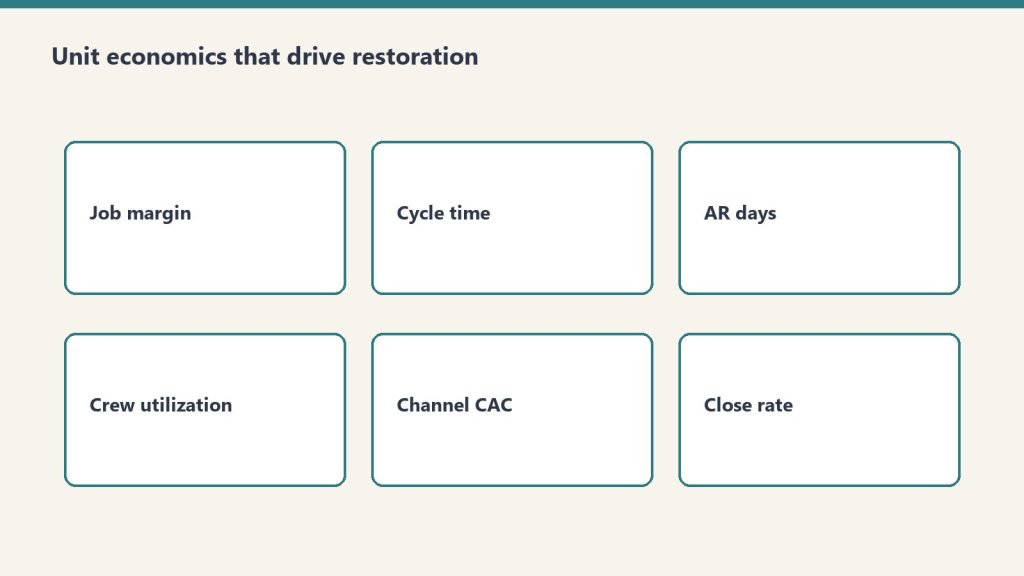
It started in a Facebook group in Anderson, Indiana: homeowners trading notes on 25–50% deposits, contractors answering that $12–15K in rental gear has to sit on site before the drying starts. The same fight is happening in public, all over the internet, and it’s worth reading in the combatants’ own words.
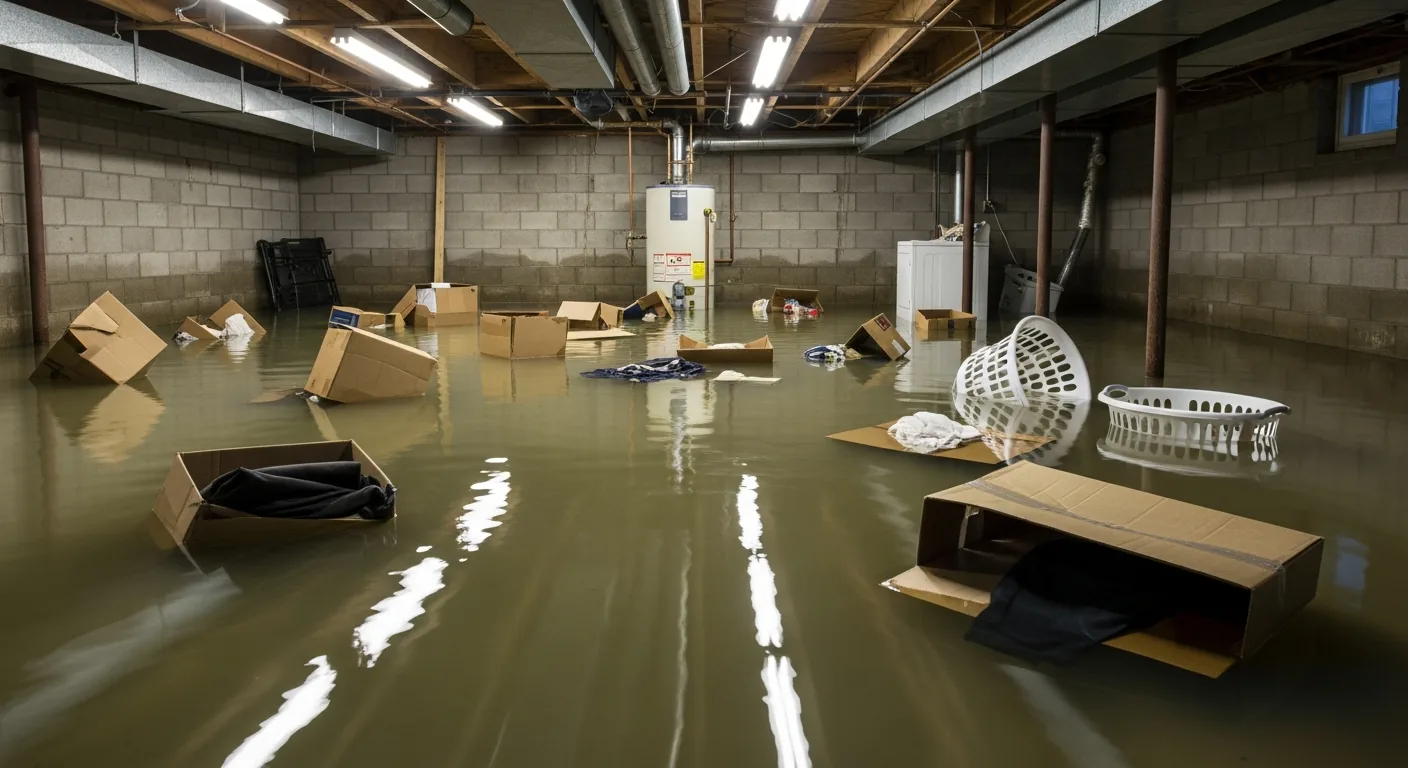
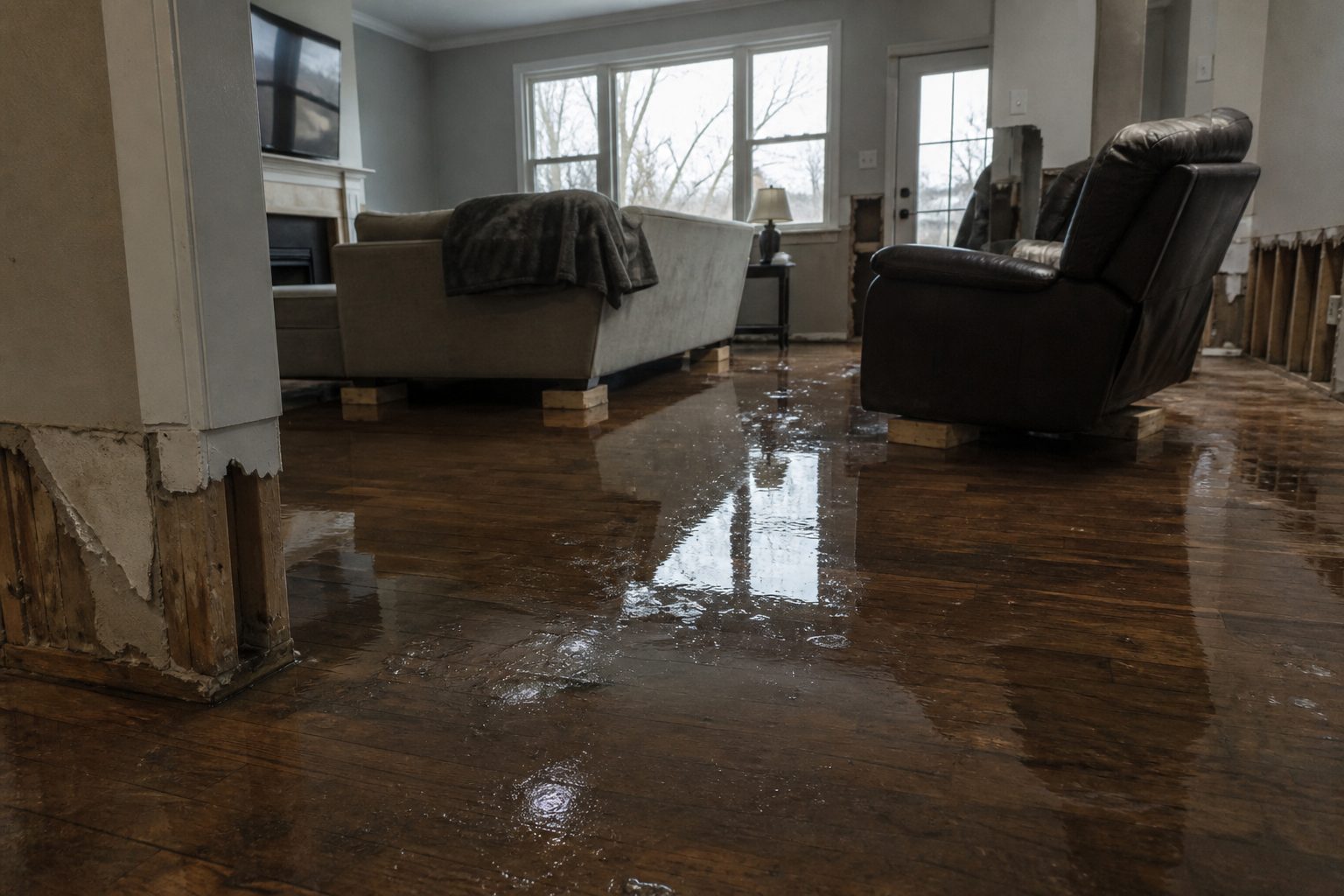
The deposit debate, illustrated: both sides are protecting themselves from the same thing — getting burned.
Camp one: the contractors
Entrepreneur Nick Ayala’s reel (13K likes, 250 comments) takes on the client who says “I’ll pay you when it’s done.” His argument: starting work without a deposit “makes the freelancer the client’s bank — fronting labor, materials, calendar time, and 100% of the risk for free.”
“Makes the freelancer the client’s bank — fronting labor, materials, calendar time, and 100% of the risk for free.” — Nick Ayala, Instagram
A contractor posting as ProWall Paints & Plaster admits he “used to think asking for 50% upfront was ‘crazy,’ but now understands it is necessary” — the deposit covers materials, labor, scheduling, and mobilization. And John at Bluestone Construction puts it the way only a contractor can: “You pay 100% for any item at Canadian Tire… Yet in home renos where he locks the door and has complete control, he thinks he doesn’t have to pay!!”
Camp two: the homeowners
The rebuttal is just as vivid. One homeowner’s Instagram rant is captioned “A fool, and his money will soon be parted” — he will not pay half before work starts, period. A Facebook post that drew 500 comments is just a screenshot of a text exchange titled “No Deposit = No Work”: the contractor demands 50% by Zelle, the customer replies “Oh no I don’t pay no until the work is completed” and “That is unsafe.”
And the fear isn’t abstract — a Moreno Valley community post with 810 comments documents a painter who took 50% cash upfront, missed days, asked for rent money, and quit.
The law has opinions too
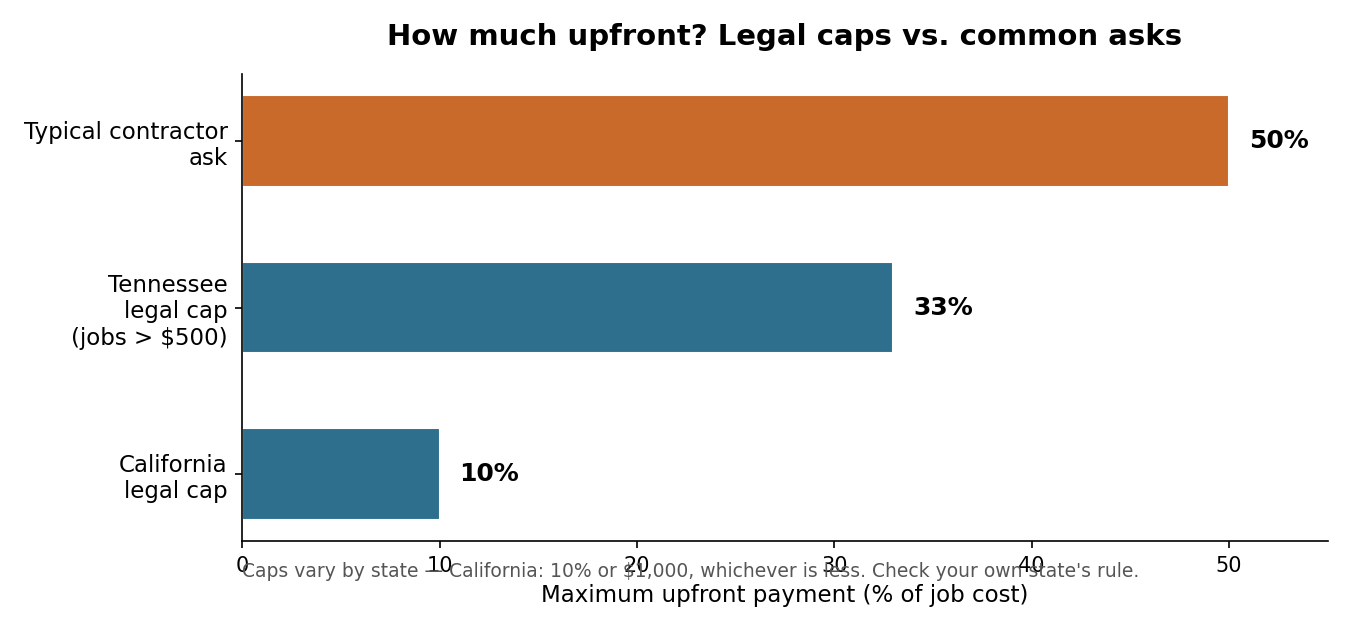
Multiple states cap deposits by statute — California at 10% or $1,000, Tennessee at 33% for jobs over $500 — and UK prime minister Andy Burnham just weighed in on the same pattern (“take a big deposit, do half a job, then disappear”), backing escrow-style release: “Do the work, get paid. It’s as simple as that.”
Legal caps vs. common asks. Caps vary by state — check your own state’s rule before you sign anything.
Now the restoration spin
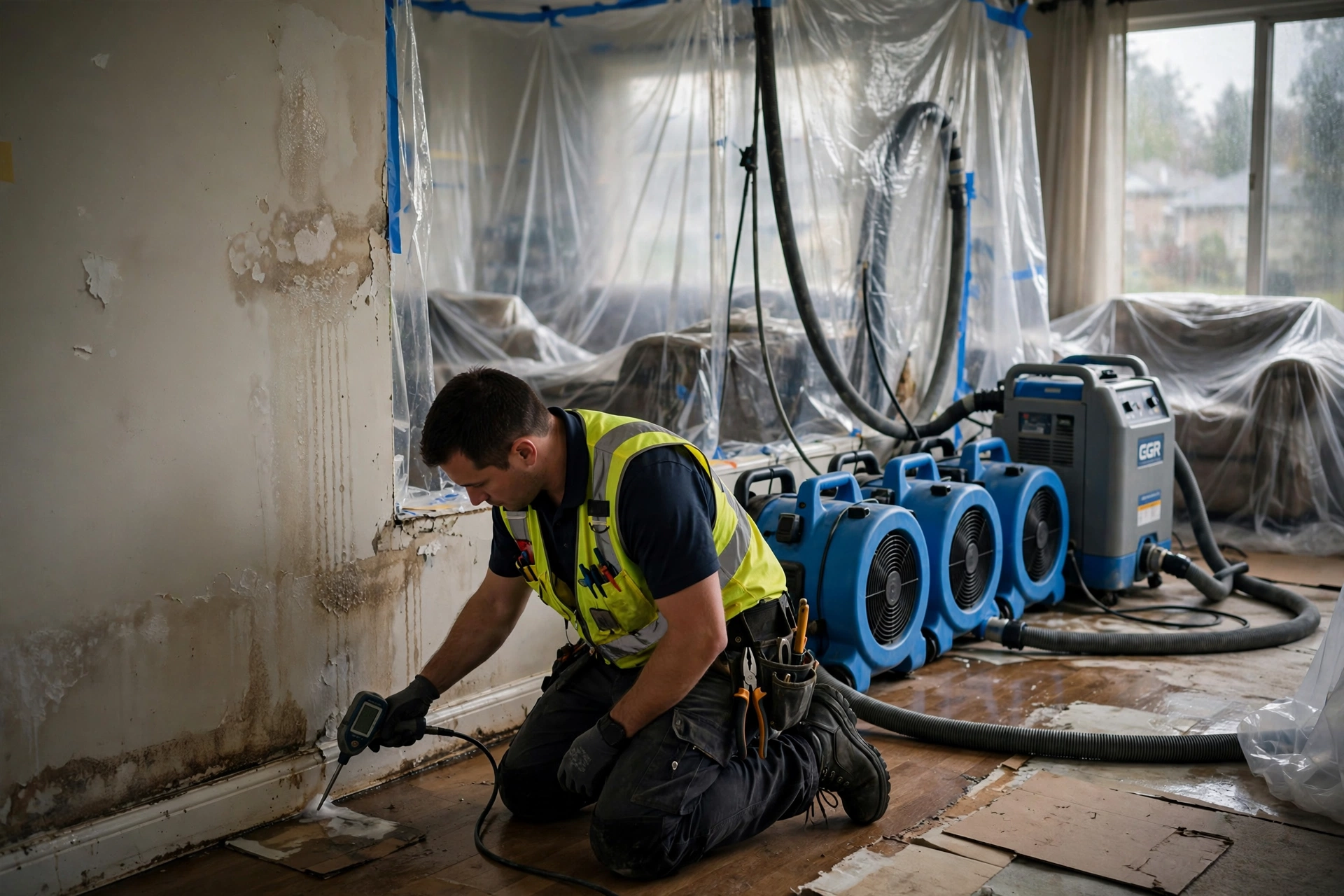
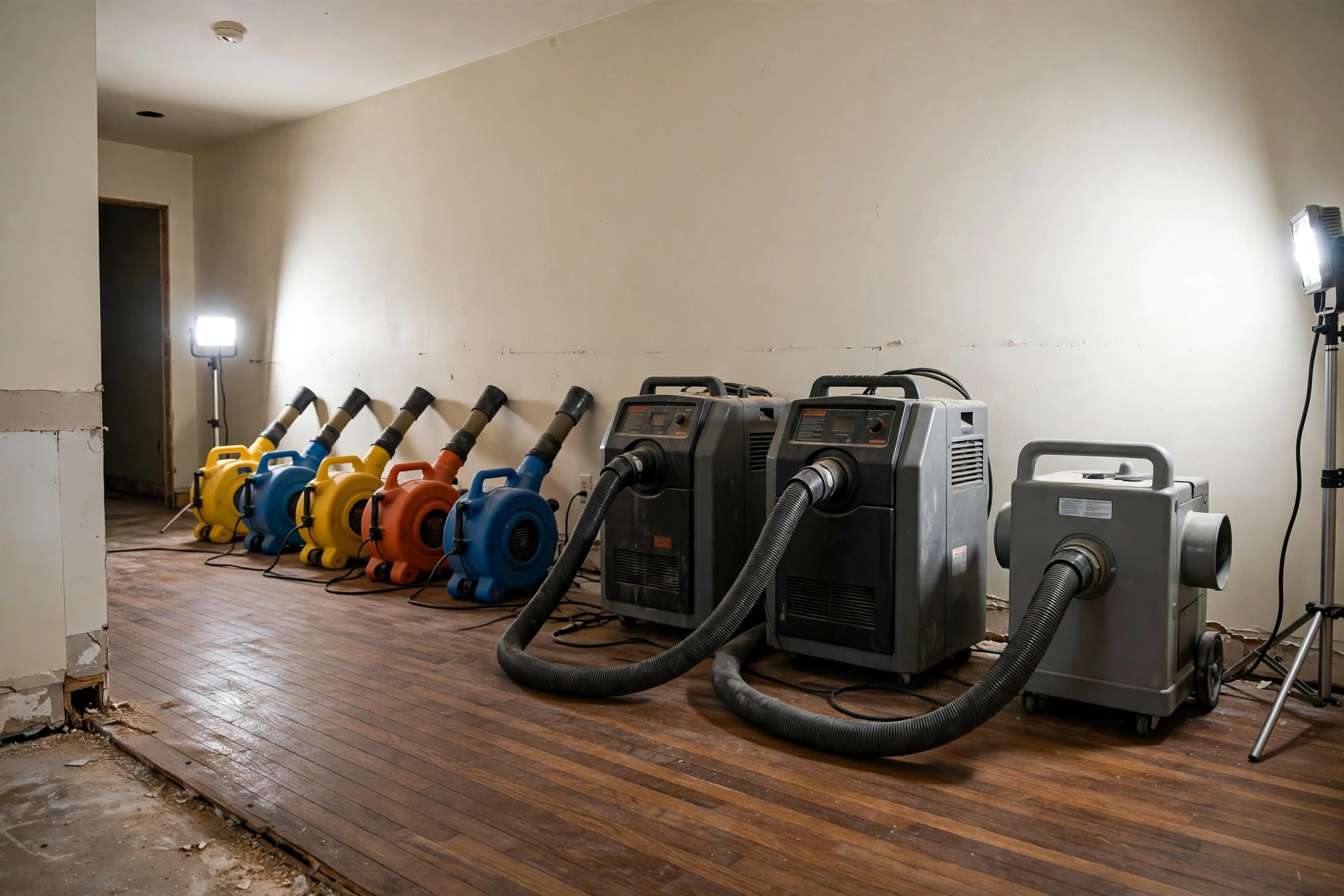
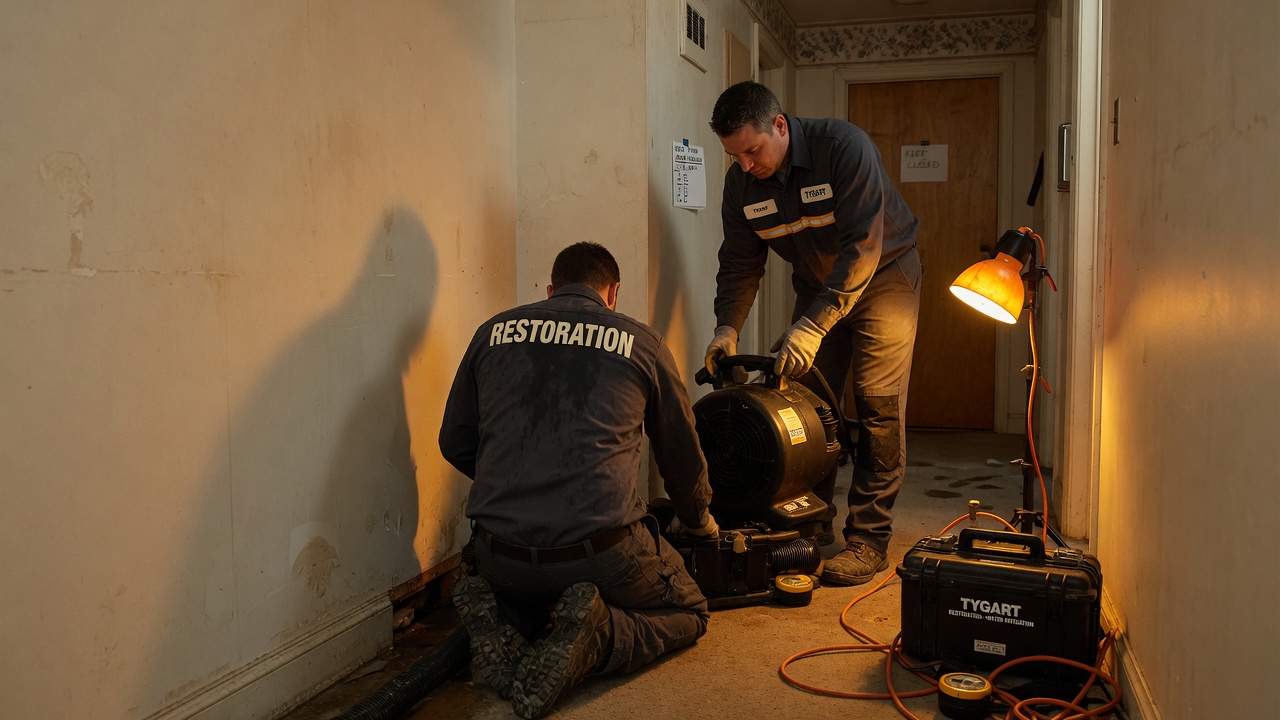
This trade has a wrinkle the general debate misses. In restoration, the contractor’s number is real in a specific way: dehumidifiers, air movers, HEPA scrubbers, containment — the rental clock starts when the gear rolls off the truck, and a serious loss can mean twelve to fifteen grand of equipment sitting in your living room before the first board is cut. That’s mobilization cost, and a deposit against it is legitimate.
Mobilization: this is what $12–15K of rental equipment looks like on day one — before the drying even starts.
But here’s the part homeowners in that Anderson thread are really asking about: on an insured loss, the homeowner often isn’t the one paying — the carrier is. The deposit fight on a covered claim is about who fronts cash while the claim processes: the deductible, the first invoice, the gap between “work starts today” and “the check arrives in three weeks.” A good restoration contractor structures deposits around the claim, not against the homeowner.
The middle ground
Assembled from the sanest voices in these threads:
Tie the deposit to something real. A DIYnot commenter nailed it: “a reasonable deposit is the cost of the equipment to be installed plus the sundry materials.” In restoration, that means the deposit maps to mobilization — gear on site — not an arbitrary 50%.
Spell out the deposit rules in writing.Kevin Page on LinkedIn: “Spell out plainly whether the deposit is non-refundable, or exactly how it gets prorated if things end early.”
Pay by phase, not by percentage. A BiggerPockets investor: “You give some unscrupulous Contrs 1/3 up front and they’ll just take off.” His fix: invoice per phase, pay each phase in full when complete and inspected.
Remember who holds the leverage. “Whoever controls the money controls the job,” writes one builder — which is exactly why staged payments beat lump deposits. Money follows work.
Documentation is the tell. Daily moisture readings, psychrometric logs, photos at every stage. A contractor who documents is a contractor who finishes — and those are the same records your adjuster needs.
The deposit isn’t the problem. The missing paperwork is. Both camps in this fight want the same thing — to not get burned — and the industry just hasn’t made the middle ground standard yet.
Status: ACTIVE — Flash Flood Warning until 1:00 AM CDT Saturday, September 19. A Flash Flood Warning is in effect right now for northern Fillmore and northern Mower counties in southeastern Minnesota, issued by the National Weather Service in La Crosse at 11:51 PM CDT Friday. This one is observed and already causing damage: local law enforcement reports trees washed down at Highway 43 from south Rushford to Bratsberg, and flooding along Minnesota Highway 16 between Wayland and Peterson. Between 3 and 6 inches of rain have fallen, with another 1 to 3 inches possible. Flash flooding is already occurring.
This is the most damage-forward of tonight’s three active southeastern Minnesota warnings — confirmed road flooding, washed-out trees, and the heaviest rainfall totals of the night. For restoration contractors, a warning with observed highway flooding is the one that produces the Saturday call surge: stranded vehicles, flooded road-adjacent properties, and basements that filled while the rain kept falling at up to 3 additional inches. This is a live snapshot as of 12:35 AM CDT Saturday, September 19. Conditions change fast — always verify with the National Weather Service for your specific county or ZIP code.
Northern Fillmore and Mower Counties — Flash Flood Warning
Issued: 11:51 PM CDT Friday, September 18, by the National Weather Service in La Crosse (KARX). Expires: 1:00 AM CDT Saturday, September 19. Area: Northern Fillmore and northern Mower counties, Minnesota. Severity: Severe · Certainty: Likely · Urgency: Immediate.
At 11:51 PM CDT, local law enforcement reported thunderstorms producing heavy rain. The detection is observed — officers on the ground have confirmed it, and the damage reports are already specific:
Trees were washed down at Highway 43 from south Rushford to Bratsberg.
Minnesota Highway 16 between Wayland and Peterson has flooding reported along the highway.
This includes Interstate 90 in Minnesota between mile markers 193 and 204.
Rainfall totals so far, per the NWS:
Between 3 and 6 inches of rain have fallen — the heaviest totals of any warning active in Minnesota tonight.
Additional rainfall amounts of 1 to 3 inches are possible in the warned area.
Flash flooding is already occurring.
HAZARD: Flash flooding caused by thunderstorms. SOURCE: Law enforcement reported. IMPACT: Flash flooding of small creeks and streams, urban areas, highways, streets and underpasses as well as other poor drainage and low-lying areas.
Some locations that will experience flash flooding include: Chatfield, Rushford, Grand Meadow, Lanesboro, Brownsdale, Wykoff, Fountain, Lansing, Rushford Village, Washington, Racine, Mayville, Dexter, Pilot Mound, Arendahl, Peterson, Waltham, and Whalan.
Turn around, don’t drown. When you encounter a flooded road, do not attempt to cross it — most flood deaths occur in vehicles, and the flooding on Highway 16 and Highway 43 tonight is the proof. It takes only a few inches of moving water to sweep a car away. Be especially cautious tonight: it is harder to recognize the dangers of flooding after dark, and this warning runs through 1 AM.
If water is entering your home:
Stay out of standing water where electricity may be present. Do not enter a flooded basement until power is confirmed off.
Avoid the basement until the water recedes and the electrical situation is verified safe.
Photograph everything before cleanup begins. Documentation matters for insurance — shoot the water line, the affected rooms, and any damaged contents before anything is moved or torn out.
Call a local restoration contractor quickly. Water left sitting starts a second wave of damage — saturated drywall, wicking into framing, and mold growth — within a day.
What this means for restoration teams
Three to six inches of rain with observed highway flooding is the call profile that restoration owners in the Driftless Area know well: the Rushford corridor floods hard and fast, low-lying homes along the Root River tributaries take water first, and the I-90 corridor between mile markers 193 and 204 becoming part of the warning zone means commercial properties along the interstate — hotels, truck stops, strip retail — are in the damage footprint too.
What to expect from the call volume:
Commercial calls will mix with residential. When an interstate corridor is named in a flash flood warning, expect water-intrusion calls from businesses along it — flooded parking lots pushing water into ground-floor units, loading docks, and lobbies.
The dawn wave will be the biggest of the night. Overnight flash-flood calls typically surface between 5 and 8 AM. With the heaviest rainfall totals in the state tonight, the Rushford–Chatfield–Lanesboro triangle should be staffed for a busy Saturday morning.
Washed-down trees mean access problems. Trees down at Highway 43 from south Rushford to Bratsberg signal blocked roads and delayed response. Quote arrival windows with the road situation in mind, and triage by severity.
Sewage backup risk is elevated. In small towns, 3 to 6 inches of rain overwhelms combined systems. Ask every caller about odor — that determines PPE, category classification, and disposal protocol.
Mold clock starts now. Porous materials soaked tonight reach the 24–48 hour mold window by Sunday. Contractors with drying equipment staged and an on-call rotation running win this wave.
The play: stage equipment now — dehumidifiers, air movers, extraction units, moisture meters. Keep an on-call rotation through Saturday morning. On the first call, capture the address, the water source (rain intrusion vs. sewage backup vs. sump failure), and every affected room. Photo-document before mitigation starts, moisture-map every affected room, and keep the homeowner’s payment responsibility clear in writing before work begins.
FEMA & federal assistance
If your home or business is damaged and a federal disaster is later declared for your county, help may be available through FEMA. The FEMA Helpline is 1-800-621-3362 (7 a.m.–10 p.m. local time, 7 days a week). You can also apply at DisasterAssistance.gov or through the FEMA app, and find recovery centers at fema.gov/drc.
Basic eligibility: U.S. citizenship or qualified status, identity verification, proof of occupancy or ownership of the damaged property, and unmet needs not covered by insurance. Apply as soon as it is safe to do so — and document your damage thoroughly before cleanup, because adjusters and FEMA inspectors both work from what you can show.
Looking ahead
This warning expires at 1:00 AM CDT — the shortest fuse of the night, and the one expiring first. That does not mean the danger lifts at 1 AM: with 3 to 6 inches of rain on the ground and washed-out roads already reported, creeks and streams in Fillmore and Mower counties can keep rising for hours after the rain stops, and any follow-up round of storms on saturated ground can re-trigger flooding with almost no lead time. Watch for an extension or a new warning from NWS La Crosse.
The demand window for restoration work opens as the water recedes: water-intrusion calls typically start within hours and keep coming for days as people discover damage — wet carpet that seemed fine, baseboards that wicked overnight, musty odors that surface Sunday. Contractors who run Saturday-morning inspection routes through Rushford, Chatfield, and the Highway 16 corridor will find the work the overnight storm left behind.
weather.gov — enter your county or ZIP code for your local warnings
To verify for your own county or ZIP: go to weather.gov, enter your location, and check the alerts box at the top of your local forecast page — or visit your NWS office page directly.
This post is for informational purposes and is not an official weather warning. Always follow instructions from local authorities and the National Weather Service.
A Flash Flood Warning is active right now for the Idaho Falls area. The National Weather Service in Pocatello issued it at 10:00 PM MDT on Thursday, September 17, and it runs until 2:00 AM MDT on Friday, September 18. Doppler radar is showing thunderstorms producing heavy rain across north central Bonneville County and south central Jefferson County, and flash flooding is ongoing or expected to begin shortly. These are exactly the storms that produce the interior water-intrusion jobs restoration teams see most — water finding its way into living spaces in the middle of the night. This is a live snapshot as of 12:06 AM MDT on Friday, September 18. Conditions change fast — always verify with the National Weather Service for your specific county or ZIP code.
Idaho Falls area — Flash Flood Warning
Issued by: National Weather Service, Pocatello, Idaho — 10:00 PM MDT Thursday, September 17. Expires: 2:00 AM MDT Friday, September 18. Covers: North central Bonneville County and south central Jefferson County in southeastern Idaho.
At 10:00 PM MDT, Doppler radar indicated thunderstorms producing heavy rain across the warned area. The National Weather Service says flash flooding is ongoing or expected to begin shortly.
Hazard: Flash flooding caused by thunderstorms. Source: Radar indicated.
Expected impacts: Flash flooding of small creeks and streams, urban areas, highways, streets and underpasses, as well as other poor-drainage and low-lying areas. In practical terms: the underpasses and low dips around Idaho Falls, ponding on streets in Rigby and the smaller towns, and any creek or drainage running high after this rain.
Locations in the warning path: Idaho Falls, Rigby, Lorenzo, Ucon, Menan and Lewisville.
Also active nearby — Big Rock burn scar warning: At 10:25 PM MDT, NWS Pocatello issued a separate Flash Flood Warning for the Big Rock burn scar in southeastern Jefferson County and south central Madison County, running until 2:30 AM MDT. Thunderstorms are producing heavy rain over the burn scar, and the Weather Service warns of life-threatening flash flooding with debris flow — rock, mud, vegetation and other loose materials — moving through the scar. Some locations affected include Heise. Roads and driveways may be washed away in places. If you are anywhere near the burn scar area and encounter flood waters, climb to safety immediately. This one is the more dangerous of the two warnings tonight.
Stay safe tonight
Turn around, don’t drown. Most flood deaths occur in vehicles — never drive through flooded roadways, and never try to guess the depth of water over a road at night. The National Weather Service’s rule of thumb: six inches of moving water can knock an adult off their feet, and twelve inches can carry a car.
If water gets into your home: stay out of standing water anywhere electricity may be present, and stay out of the basement until the water recedes and the power is confirmed off. Photograph everything before you touch anything — documentation matters for insurance. Then call a local restoration contractor. Water left sitting starts a second wave of damage within a day, and the clock on that starts the moment the rain stops, not the moment you discover it.
What this means for restoration teams
This is the signature southeastern Idaho night for water work: radar-indicated storms, urban and small-stream flooding, and a warning window that runs past 2:00 AM. Expect the calls to start as water recedes and keep coming for days as people discover what happened overnight. The damage categories to plan for: interior water intrusion through foundations, window wells and door thresholds; saturated drywall and insulation in finished basements; mold risk inside 24 to 48 hours on anything that stays wet; and sewage backup in low-lying areas where storm drains surcharge.
The play tonight: stage equipment now rather than at first call. Pre-position drying assets — air movers, dehumidifiers, extraction — so the first truck rolls complete. Keep an on-call rotation through the morning, because the discovery curve on overnight flooding peaks after sunrise. On the first call, capture the address, the water source, and every affected area before you quote anything.
Field discipline, same as always: photo-document before mitigation begins, moisture-map every affected room (not just the visibly wet one — water travels inside wall cavities), and keep the homeowner’s payment responsibility clear in writing before work starts. Night jobs with stressed homeowners are where scope misunderstandings are born.
If the flooding damages your home and you need help beyond what insurance covers, the FEMA Helpline is 1-800-621-3362, open 7 a.m. to 10 p.m. local time, seven days a week. You can also apply at DisasterAssistance.gov, through the FEMA app, or find a recovery center at fema.gov/drc.
Basic eligibility: U.S. citizenship or qualified status, identity verification, proof of occupancy or ownership, and unmet needs not covered by insurance. Don’t wait — apply as soon as it’s safe.
Looking ahead
The Idaho Falls warning expires at 2:00 AM MDT, and the neighboring burn scar warning at 2:30 AM MDT. When a warning expires, that doesn’t mean the water is gone — small creeks and streams often crest after the rain ends, and saturated ground means any additional round of storms overnight floods faster than the first. Storms can arrive in multiple rounds overnight, so watch the NWS Pocatello page for extensions or new warnings.
For contractors: the demand window on this kind of event opens within hours of water receding and stays open for days. Homeowners discover basement water in the morning, call around midday, and the serious mitigation decisions land over the weekend. Be reachable, be first with the moisture map, and be the contractor who documented everything.
Sources and how to verify
NWS Pocatello office page — warnings, updates and extensions post here first. weather.gov — enter your ZIP code for the warnings covering exactly where you are.
Alert data via the National Weather Service API (api.weather.gov), warnings active as of 12:06 AM MDT Friday, September 18.
To verify for your own county or ZIP: open weather.gov, enter your ZIP, and read the active alerts banner at the top of the page. If Bonneville or Jefferson County is listed, this warning covers you.
This post is for informational purposes and is not an official weather warning. Always follow instructions from local authorities and the National Weather Service. Stay weather-aware around flash flooding — turn around, don’t drown.
Secure checkout via Square — all major cards accepted
You can copy this method and do it yourself. Split campaigns by service. Load negatives before you spend another week. Match every landing page to its ad group. Compute fully-loaded cost per acquired job, not just CPC. Buy Now is the packaged analysis delivered by email after checkout, so you are not assembling the read from a blank spreadsheet.
Restoration PPC is an engineering problem, not a set-it-and-forget-it expense. Emergency water-damage keywords have been reported as high as $250 per click in competitive metros. Average emergency restoration keywords more commonly land in the $40-$150 range depending on geography. At those CPCs, structure and landing pages decide whether the phone pays you or you subsidize the auction.
How to run the analysis
Open the account. List every campaign, ad group, and the landing URL each ad actually hits.
Mark the single-campaign trap if you see it: one campaign, one ad group, water / mold / fire / flood keywords fighting each other, every ad pointing at the homepage.
Pull Search Terms for the last 30-60 days. Tag wasted queries (jobs, DIY, training, equipment rental).
Check bidding against conversion volume. Under 30 conversions a month in a campaign is a different tool than 30+.
Open each landing page on a phone. Does the H1 match the ad? Is click-to-call above the fold?
Write fully-loaded cost per acquired job by channel: spend ÷ booked jobs from that channel, then layer close rate. CPC from the dashboard is not that number.
1. Kill the single-campaign trap
Kill the single-campaign trap first.
The most common setup: one campaign, one ad group, a mix of water damage, mold removal, fire restoration, and flood cleanup keywords all fighting each other. Every click gets the same generic ad. Every ad points to the homepage.
Quality Score is built on expected click-through rate, ad relevance, and landing page experience. When you stuff water damage and fire restoration into the same ad group, ad relevance tanks for both. A Quality Score of 9 can outrank a competitor bidding twice as much at a 5. Poor structure can inflate CPC by 30% or more while delivering fewer qualified leads.
Split by service. Each ad group 10-20 tightly related keywords. Every keyword in the group has to fit the same ad and the same landing page. If they do not, split them.
Campaign 1. Emergency water damage. Ad groups for emergency water extraction, burst pipe, basement flooding, sewage backup. Separate ad copy. Landing page that opens with emergency water damage, not the homepage.
Campaign 2. Fire and smoke restoration. Fire damage, smoke damage, soot removal. Different call to action. Fire jobs are longer projects, a different sales conversation.
Campaign 3. Mold remediation. Mold testing, black mold removal, mold inspection. Often a separate buyer with a different timeline.
Give Performance Max its own campaign and its own budget if you run it. PMax black-box reporting will otherwise hide whether Search is working.
2. Negative keywords: the bill you are not seeing
Negatives are the bill you are not seeing.
Most restoration PPC campaigns have a weak or nonexistent negative list. Every day without one, you pay for job seekers (“water damage restoration jobs near me”), DIY researchers (“how to do water damage restoration yourself”), students looking for training, and equipment renters who are not calling you for service.
Campaigns that actively manage negatives see a reported 10-20% lower wasted spend and a 5-15% conversion-rate lift. On a $10,000/month budget, that is $1,000-$2,000 a month currently going to irrelevant clicks.
Build a seed negative list before the campaign launches. Pull Search Terms weekly for the first 60 days. Add exact-match negatives first. Only go broader if the data supports it. Over-blocking with broad-match negatives will starve volume you actually want.
3. Bidding: stop fighting the machine
A large share of Google Ads spend now runs through Smart Bidding (Target CPA, Target ROAS, Maximize Conversions). Advertisers using AI bidding have been reported at roughly 22% lower cost per conversion versus manual CPC on average. For restoration, the right tool depends on data:
Under 30 conversions per month in a campaign. Maximize Clicks with a CPC cap while you accumulate signal. Smart Bidding starved of conversions produces garbage.
30+ conversions per month. Move to Target CPA. Set the target from actual job margins, not aspirational ones. If a water job averages $12,000 and you close 25% of qualified leads, a $300 CPL target can still profit. If you close under 15%, fix sales before you fix bidding.
Large campaigns with consistent job data. Target ROAS becomes viable only if revenue tracking is actually wired into Google Ads. Most restoration accounts do not have that configured.
The problem is rarely the channel. It is losing track of where the leads went after the phone call.
4. The landing page has to match the ad
Landing page must match the ad — or you paid for confusion.
If the ad says “Emergency Basement Flooding, 24/7 Response” and the landing page is the homepage with a hero of a happy family and a form below the fold, you are burning the click you just paid for.
A restoration PPC landing page needs: the emergency service name in the H1 above the fold; a click-to-call number prominent on mobile; a response-time claim only if you can back it up; one short form (name, phone, zip, issue); proof (reviews, IICRC, insurance logos).
Do not send PPC traffic to the homepage. Do not build one landing page for all services. Match the ad to the page, the page to the ad group, the ad group to the keyword cluster. That chain is where Quality Score lives.
5. Channel mix and the number that actually matters
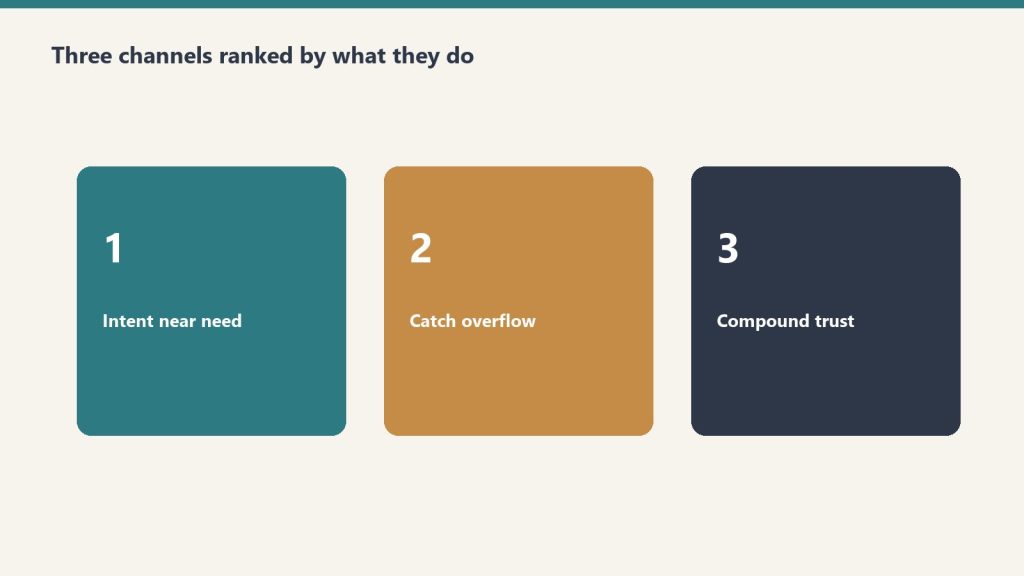
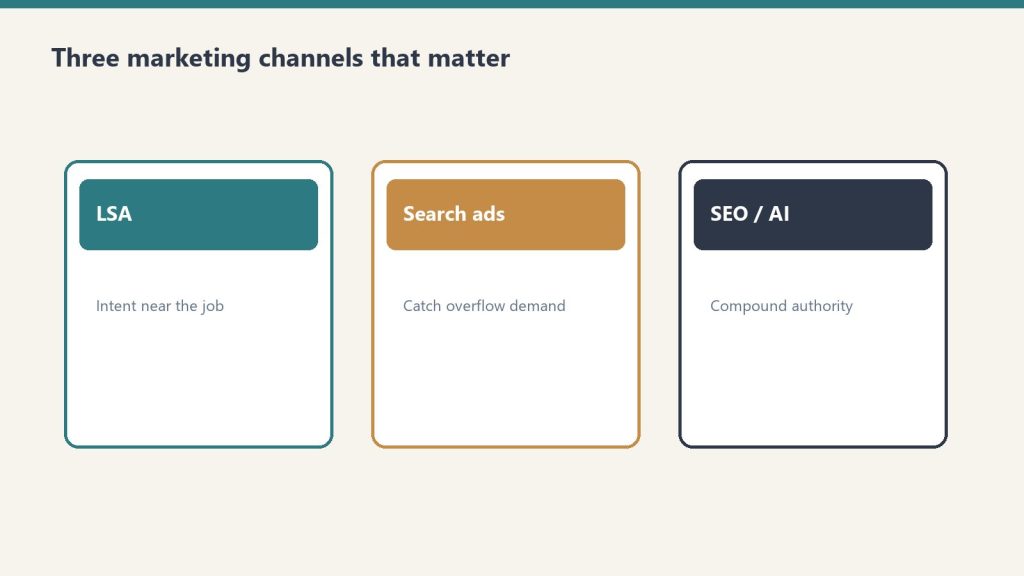
Three channels do the heavy lifting. LSA (pay per qualified call; reported restoration CPL roughly $80-$200 depending on the write-up) is the highest-ROI paid lever for most residential operators, with a catch: Google ended credits for “job type not serviced” and “geo not serviced” in 2025, so junk leads come out of your pocket. Search Ads (reported CPL $150-$400+ structured, $400-$700+ not) buy control LSA does not have: commercial work, specific service lines, overflow when LSA hits a daily cap, brand defense. If you are spending more than $5,000 a month on Search and you do not have LSAs set up, that is the first fix. SEO is the compounding asset. Restoration SEO in competitive metros typically takes 12-18 months. Treat reported ranges as ranges, not promises.
Cost-per-lead is the number every vendor reports. The number that matters is fully-loaded cost per acquired job: CPL divided by channel-specific close rate, plus CSR labor on the call, plus processing, minus franchise or TPA fee if it applies. Most shops have CPL from the platform and revenue from the job software, and the two systems have never talked. Fix that before you change a single bid.
Budget ballparks (Search only, reported)
Mid-size market (pop. 200K-500K): $3,000-$6,000/month to generate 15-30 leads
Major metro (pop. 1M+): $8,000-$15,000/month to maintain consistent visibility
Specific suburb or tight service area: $1,500-$3,000/month if geo is tight and Quality Score is managed
These are Search figures. They are ballparks from the published method, not a quote for your market.
Done when
You can show separate service campaigns, a negative list with at least 50 entries, a dedicated landing page for each major service, and a fully-loaded acquired-job cost by channel. If your current agency cannot show those four, the account is not being run as an engineering problem.
If you want the packaged analysis
You can run the six steps from the outline above on your own login. Buy Now is the analysis delivered by email after checkout. Same Square button at the top of this page.
Marketing and operational read only. Not a media-buy, legal, or insurance engagement. Reported CPC and CPL ranges move by metro and by month. Use your own numbers.
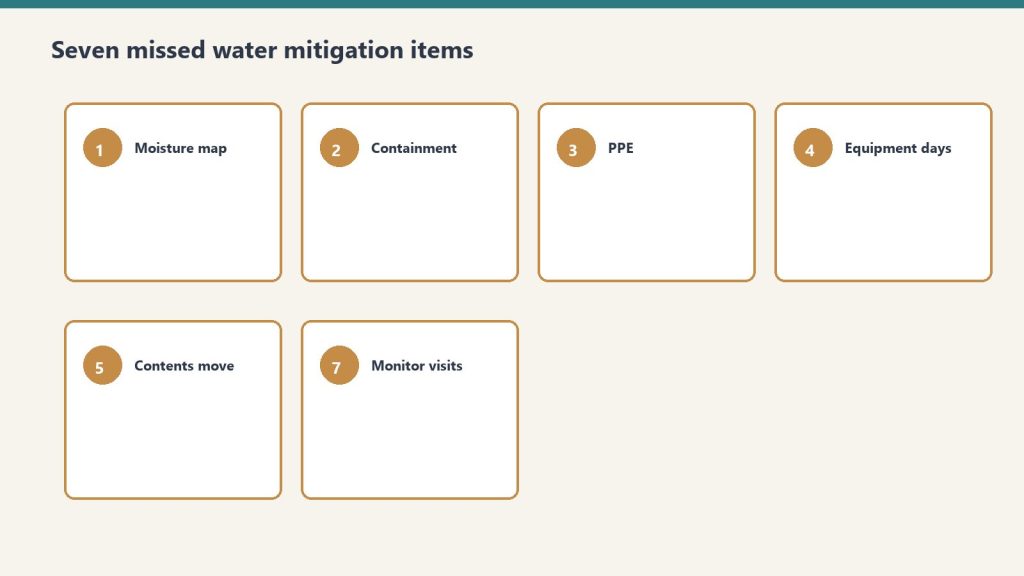
Most water mitigation supplements get killed not because the work wasn’t done, but because the line items were never written down. If you’re running a restoration company and watching your margin bleed out on Category 2 and Category 3 jobs, there is a near-certainty that your initial Xactimate sketch is missing four to seven line items that your crews actually performed. The desk adjuster never saw them. So they never approved them. And your gross margin took the hit.
This is the Xactimate supplement audit your estimator probably isn’t running. Walk through it before you submit your next water loss, and then walk through it again before you accept a partial denial.
Why supplements get killed
Supplements die when docs are late or vague.
The honest reason most supplements come back partially approved or denied is that they arrive looking like an afterthought. A clean Xactimate file that uses the carrier’s current price list, includes photo documentation tied to each line item, and matches the scope to the loss category gets reviewed apples-to-apples. A supplement that arrives as a PDF list with no photos and no sketch revision gets reviewed as a request for more money. Those are two very different conversations.
If you want approvals to move faster, every supplement needs three things: a revised sketch with new room tags or affected areas marked, photographs that directly correspond to each added line item, and pricing pulled from the same Xactimate price list the carrier is using. Verbal approvals over the phone do not create a paper trail. Email or carrier portal submissions do.
The line items most crews actually perform but never bill
Crews do the work — the estimate has to say so.
These are the WTR category items that show up in real water loss workflows and get left off the initial estimate. None of these are exotic. All of them are billable when the work was performed and documented.
Equipment decontamination on Category 3 losses. Every air mover, dehu, HEPA, and hose that entered a Category 3 environment requires decontamination before the next job. This is a line item, not a cost of doing business absorbed by your overhead. If your crew is bagging hoses and wiping down equipment with a quaternary cleaner, that is a billable task.
Antimicrobial application to affected surfaces. Plant-based or quaternary antimicrobial application on framing, subfloor, and the bottom plates is a separate line item from the cleaning. On Category 2 and Category 3 work the IICRC S500 protocol calls for antimicrobial treatment of affected materials. If you applied it, bill for it.
Containment and drying chamber setup. Plastic sheeting, zipper doors, and the labor to build a containment that isolates the drying chamber from unaffected areas is its own line item. The chamber itself is the reason your equipment count is justified — a smaller controlled volume dries faster, runs fewer days, and uses fewer air movers than an open room. If the adjuster is questioning your equipment count, the containment line item is the answer.
Detach and reset of contents. Moving the homeowner’s furniture, boxing contents, blocking the legs of upholstered pieces, and putting it back at the end of the job is not free. Contents manipulation has its own line items in Xactimate and is one of the most consistently missed billable activities in mitigation work.
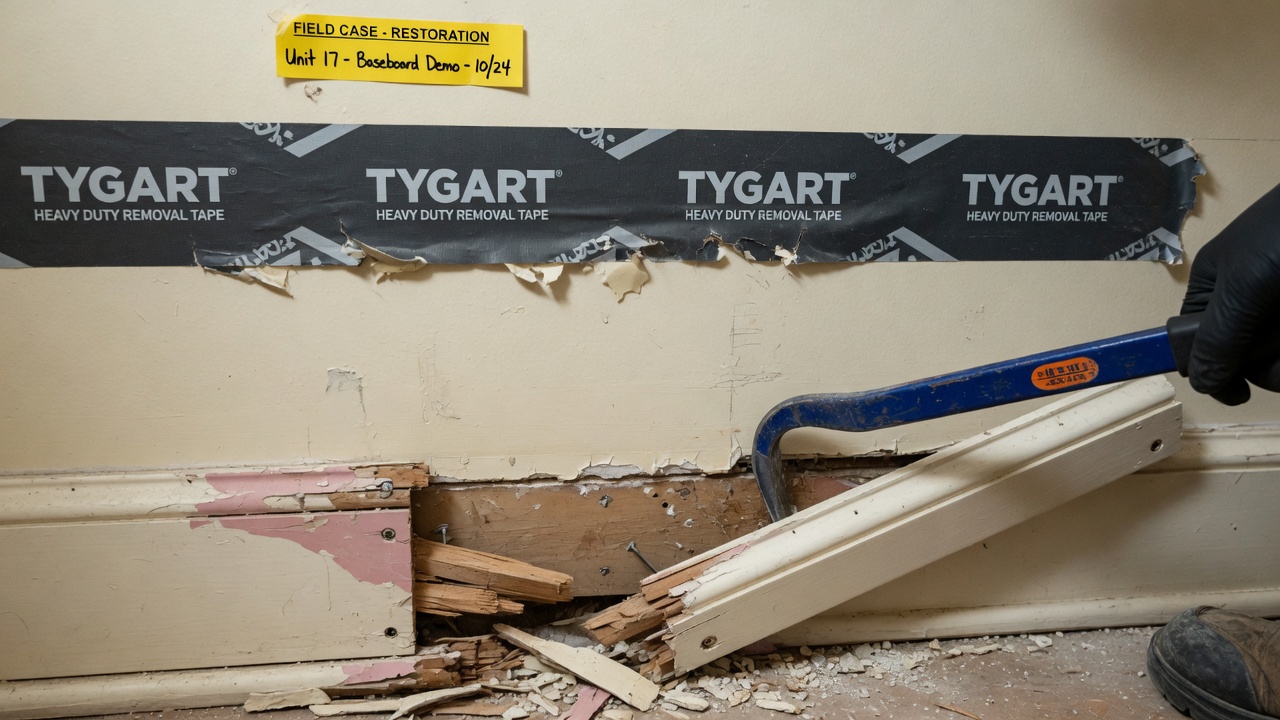
Multi-member baseboard removal. If the baseboard had quarter round or a separate cap, the WTRBASEB> line item covers the additional labor to remove and dispose of each layer. Estimators trained on the older single-member baseboard removal habitually leave the extra members off the estimate.
HEPA vacuum of demolition area. After a flood cut and material removal on a Cat 2 or Cat 3 loss, HEPA vacuuming the cavity before reconstruction begins is a billable task. It is also a defensible task if the homeowner ever questions whether the area was properly cleaned.
Disposal of contaminated water and materials. Extracting Category 3 water and disposing of it is different from extracting Category 1. There are separate line items for contaminated water extraction, contaminated material disposal, and the dump fees. If your crew hauled six contractor bags of sewage-soaked drywall to the landfill, that is documentable and billable.
The documentation that makes a supplement get approved
Moisture maps and photos make supplements get approved.
Pricing arguments are losing arguments. Scope arguments are winning arguments. When you submit a supplement, do not lead with cost. Lead with scope, and let the Xactimate price list speak for itself.
The fastest path to approval is to use Room ID tags in the Xactimate sketch so every space is clearly labeled, attach a photograph for every added line item that shows the affected area and condition, reference the loss category and IICRC standard where applicable, and submit the revised estimate as an attachment in the carrier portal rather than as a phone call or text.
When a line item is denied, the response should not be a longer email. It should be a request for the specific reason for the denial, in writing, tied to the carrier’s policy language or pricing logic. Most contractors give up at the first denial. Most adjusters expect that. The ones who push back with documentation get a measurable percentage of denied items approved on second submission.
The bottom line
Restoration owners obsess over labor cost and equipment utilization, but the single biggest lever on water mitigation gross margin is the completeness of the initial Xactimate scope and the discipline of the supplement process. Every line item your crew performs that does not make it onto the estimate is pure margin loss — the cost was already incurred. Building a checklist of the seven items above and running it as a pre-submission audit on every Cat 2 and Cat 3 loss is a one-week implementation that will pay for itself on the first job.
If your average water mitigation ticket is in the $4,000 to $6,000 range and a complete supplement audit recovers an additional $400 to $900 per job through previously uncaptured line items, the math at any meaningful job volume is the kind of margin recovery most owners spend years trying to find in payroll, fleet, or marketing instead.
Most restoration buyers in 2026 are paying for the wrong things. They look at top-line revenue, the truck count, the trailing-twelve EBITDA — and miss the structural details that decide whether the company they just bought is a $4M business or a slow-motion writedown. Private equity has deployed over $6 billion across 50-plus platforms since 2018, and the buyers who keep winning at these multiples are the ones with a checklist that goes deeper than the broker’s pitch deck.
Here is what the disciplined buyers — strategic acquirers, PE platforms, and operator-buyers — actually look at when they price a restoration company in 2026, and the five line items that quietly kill more deals than anything in the financials.
What buyers are actually paying for in 2026
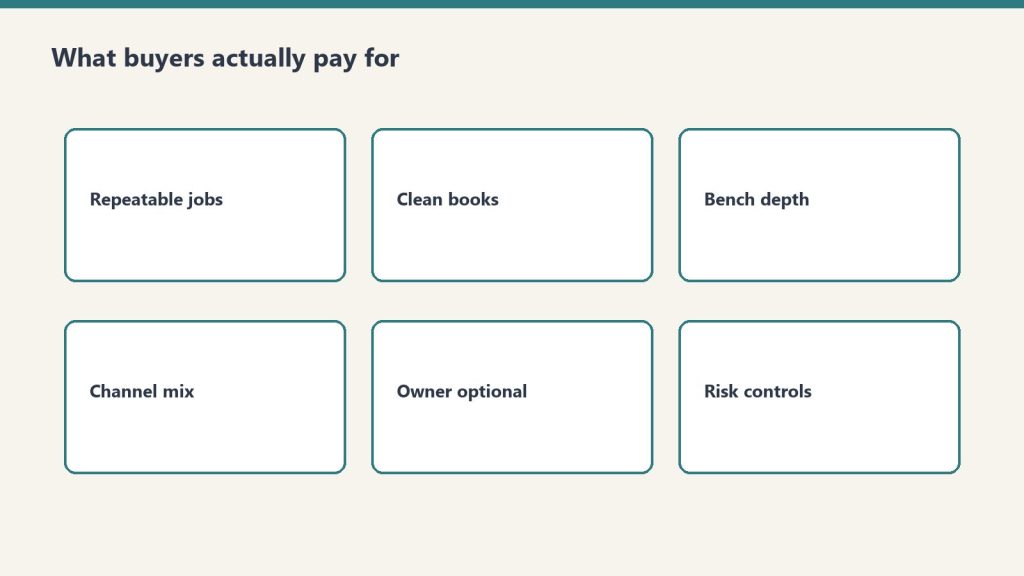
What buyers pay for in 2026 — transferability over heroics.
Median sale prices in restoration have risen to roughly $2.2M. Shops under $2M in revenue tend to clear at 2.5x to 3.0x SDE. The $2M to $5M EBITDA band — what the industry calls the PE feeder zone — trades at 4x to 6x EBITDA. Platforms above $10M EBITDA push 6x to 8x with strategic buyers willing to stretch further for the right geography or carrier panel. The spread between bottom and top of that range is not random. It is a function of five drivers that a thorough buyer will price line by line.
Carrier preferred-vendor status is the first thing on every diligence sheet. A company on the preferred panel of two or more Tier 1 carriers — State Farm, Allstate, USAA, Liberty Mutual — gets a multiple premium because that revenue is durable, repeatable, and very hard for a new entrant to replicate. A company that depends on one TPA program for half its work gets discounted because that revenue is one phone call away from disappearing.
Revenue mix matters almost as much. Mitigation-heavy companies — fast-turn water and emergency services — carry better margins and more predictable cash conversion than companies leaning on large-loss reconstruction. Reconstruction-heavy shops can still trade well, but buyers will model lower margins and longer working-capital cycles, which compresses the multiple.
Management depth below the founder is the third lever. If the owner is the estimator, the rainmaker, and the operations lead, the buyer will assume a 12 to 24 month earnout structure and discount the price accordingly. A general manager, an estimating lead, and a production manager who are staying through transition can add an entire turn of EBITDA to the offer.
CAT exposure is the fourth. Companies with more than 20-25% of revenue tied to catastrophic events get valued on a normalized basis — buyers strip the spike years out of the average. If you bought a restoration company on a peak hurricane year’s numbers, you overpaid. Sophisticated buyers know this and adjust before they sign the LOI.
The fifth is books that survive a quality-of-earnings review. In about 85% of deals, the QoE adjusts down from the seller’s claimed EBITDA, and the average haircut runs 10 to 15%. Companies that have already run a sell-side QoE and addressed the easy adjustments hold their price better than companies that hand a buyer a QuickBooks export and a confident shrug.
The five quiet deal-killers
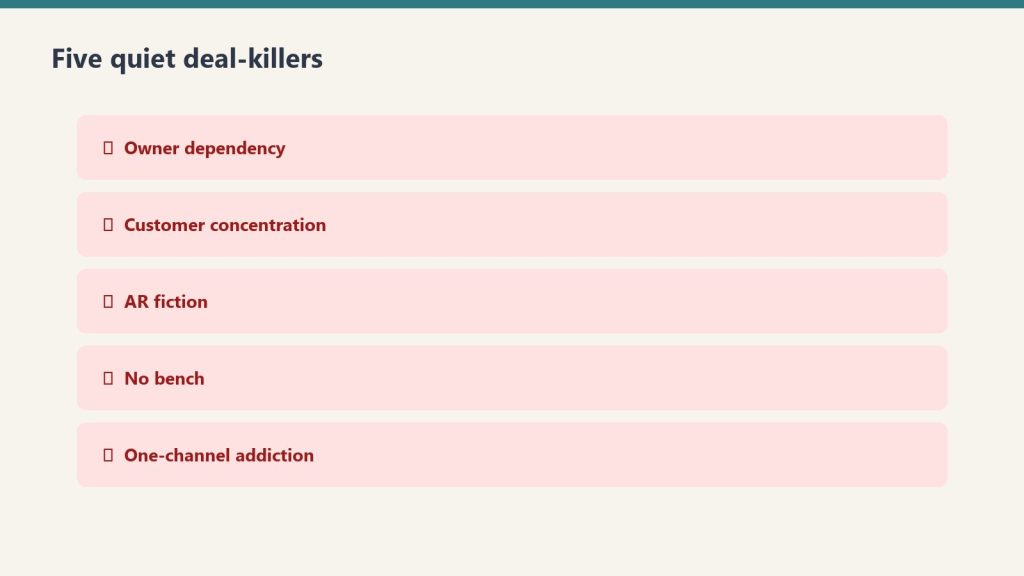
Five quiet deal-killers — fix before the LOI.
Most deals do not die on price. They die in the back half of due diligence, when something surfaces that the seller either did not disclose or did not realize mattered. These are the five issues that show up most often, and what a disciplined buyer does about each one.
1. Customer or carrier concentration over 20%. If a single carrier, TPA program, or property manager drives more than a fifth of revenue, the company has a single point of failure. Buyers either re-price the deal, structure a larger earnout tied to retention, or walk. The honest fix on the seller side is to diversify the book 18 months before going to market, but most do not have that luxury once they have decided to sell.
2. Licensing and certification gaps. Restoration is a regulated trade in most states. Buyers verify IICRC firm certification, individual technician WRT and ASD credentials, AMRT for mold work, state contractor licenses, and any specialty endorsements required locally. A lapsed firm certification or an expired mold license is not always a deal-killer, but it is always a price renegotiation and sometimes a regulatory exposure that gets baked into the purchase agreement as an indemnity.
3. Aged accounts receivable. Restoration AR ages slowly because insurance carriers and TPAs pay slowly. Buyers will look at the receivables aging report and discount anything over 90 days, sometimes severely. If a meaningful portion of the company’s "earnings" is actually trapped in 180+ day AR that nobody is going to collect, the working capital adjustment at close will swallow a real chunk of the purchase price.
4. Founder dependency in estimating and sales. This is the single most common reason restoration deals collapse or restructure into heavy earnouts. If the founder writes 60% of the estimates and personally manages the top carrier relationships, buyers know the business does not transfer. The seller who builds a real estimating department and pushes carrier relationships down to a sales lead two years before sale will capture meaningfully more value.
5. Compliance and labor exposure. 1099 versus W-2 misclassification, prevailing wage issues on commercial jobs, OSHA history, and EMR trends all surface in diligence. Buyers will hire an HR specialist on any deal above a few million in revenue, and a clean compliance picture is worth 0.25x to 0.5x of EBITDA on its own.
What a buyer should actually run before the LOI
Run unit economics before the LOI — not after.
The minimum diligence package on a serious restoration acquisition includes: a quality-of-earnings review by a firm that has seen at least a dozen restoration deals, an independent verification of carrier preferred-vendor status and any TPA contracts, a customer concentration analysis at the carrier and account level, an AR aging review by a buyer-side accountant, an IICRC and state licensing audit, and a sit-down with the operations and estimating leads with the founder out of the room. That last item is the most underused and the most predictive.
Buyers who skip any of these line items end up renegotiating after close or eating a writedown a year in. Buyers who run all of them tend to pay slightly less and own businesses that transfer cleanly.
Bottom line
The 2026 restoration market is the best buyer’s window of the next five years, but only for buyers with discipline. The capital is there, the seller pipeline is there as the founder generation exits, and the platform playbook has been proven by HighGround, American Restoration, and a half-dozen others. The companies worth buying at top-of-range multiples are the ones with diversified carrier mix, real management depth, and books that survive a serious QoE. Everything else is a turnaround dressed up as an acquisition — and turnarounds in restoration take 18 to 36 months to fix and often cost more than the purchase premium ever saved. Pay for what transfers. Walk from what does not.
What multiple do restoration companies sell for in 2026?
Sub-$2M revenue shops typically trade at 2.5x to 3.0x SDE. Companies in the $2M to $5M EBITDA range — the PE feeder zone — clear 4x to 6x EBITDA. Platforms above $10M EBITDA reach 6x to 8x, with strategic premiums pushing higher in the right geography or carrier panel.
What kills restoration acquisition deals most often?
Customer or carrier concentration above 20%, founder dependency in estimating and sales, aged accounts receivable that does not collect, licensing or IICRC certification gaps, and labor compliance exposure — in roughly that order of frequency.
How long should a buyer-side diligence process take?
For a sub-$5M revenue restoration acquisition, plan on 60 to 90 days from signed LOI to close. Quality of earnings runs three to five weeks, legal and licensing diligence runs parallel, and customer/carrier verification typically lands in the final two weeks before close.
Is buying a restoration franchise better than buying an independent?
Franchises like SERVPRO or ServiceMaster Restore deliver brand, training, and national-account access at the cost of royalties and territorial restrictions. Independents give you full margin upside and the freedom to build proprietary carrier relationships, but require self-built systems and certifications. For first-time operators, the franchise reduces execution risk. For experienced operators, an independent acquisition tends to compound faster.
Most restoration owners I know underestimate what their sketch workflow actually costs them. Not the per-claim app fee — the labor hour buried in every job where a tech spends 90 minutes measuring a flooded basement with a laser distance meter, then another 45 minutes back at the office rebuilding it in Xactimate Sketch. At a loaded labor rate of $45 an hour and ten water jobs a week, those 135 minutes per job add up to roughly $52,000 a year in tech hours tied up in measurement and sketch rebuild — a meaningful chunk of which is not directly billable. The sketch is the foundation of every line item Xactimate calculates — walls, floors, ceilings, missing wall openings, ceiling height multipliers — and if it’s wrong, the entire estimate inherits the error. So the question is not whether to invest in a sketch workflow. It’s which one.
Why the sketch is the most expensive five minutes in restoration
Sketch is expensive when you redo it — capture once.
Xactimate utilizes the sketch to drive line item quantities — square footage of drywall, linear feet of base trim, square footage of ceiling, paint surfaces, area for antimicrobial application. Get the ceiling height wrong by six inches in a 200-square-foot room and you’ve quietly undercut your paint and wall labor by roughly 100 surface square feet. Forget to draw a missing wall between a kitchen and a dining room and Xactimate treats them as two separate sealed rooms — doubling perimeter trim, ignoring shared dry-out airflow, and producing a scope that any seasoned adjuster will flag and ask you to redo.
Common sketch errors compound: rushing through measurements without verification, failing to account for wall thickness, overlooking irregular features like soffits or knee walls, and using incorrect roof pitch on exterior sketches. The result is either lost revenue on your end (you underbilled) or a denial cycle on the carrier side (the adjuster sends it back and your cash conversion stretches). Either way, the sketch is where the money leaks out.
The three sketch workflows actually used in the field
Three field workflows — pick one and train it.
Despite a dozen marketing pitches, restoration contractors use one of three approaches. Each has a real cost and a real time profile.
1. Manual Xactimate Sketch (laser distance meter + on-screen drawing)
The default. A tech walks the loss with a Bosch or Leica laser, writes measurements on a clipboard or phone notes app, then either sketches on-site in the X1 mobile app or rebuilds it at the office. Cost is whatever you already pay for Xactimate (Professional runs around $185/month per user on subscription pricing as of early 2026, per Verisk’s published rates — verify on your own contract because Verisk negotiates).
Realistic time for a competent tech on a 1,500-square-foot residential water loss: 45–60 minutes on-site for measurements and photos, plus 30–45 minutes back at the office to build the sketch in Xactimate. Call it 90 minutes total. The advantage: no extra software cost, full control. The disadvantage: every minute of that 90 is a minute a tech is not on another job, and your sketch accuracy depends entirely on how disciplined your tech is with a laser.
2. Encircle Floor Plan
Encircle’s floor plan product converts a smartphone video walkthrough into a Xactimate-ready ESX or FML import. Their published per-claim pricing is around $25 per claim as of 2026, with subscription bundles available — confirm current pricing with Encircle directly, as restoration software vendors revise tiered pricing frequently. Encircle’s marketing claims floor plans are delivered in under 6 hours, but in practice most users report same-day to next-morning turnaround.
The actual workflow advantage is not the speed of delivery — it’s that your tech leaves the loss with a video, not a sketch. On-site time drops to roughly 15–25 minutes. The office labor for sketch rebuild drops to near zero because Encircle delivers an importable file. If you’re running 40 claims a month and trimming 60 minutes per claim, that’s 40 hours of tech labor recaptured — roughly $1,800 a month in labor against $1,000 in Encircle fees. The math works above about 25–30 claims a month.
3. DocuSketch
DocuSketch uses a 360 camera kit instead of a smartphone video. The contractor captures spherical photos at each room, uploads, and DocuSketch returns an ESX file. Per their public materials, ESX and FML files are typically delivered 1 to 3 days after capture. Per-claim cost at scale runs around $70 when amortizing the Express plan ($1,095/month), the $795 camera kit, and overnight delivery fees against 20 projects a month — based on DocuSketch’s published comparison materials.
DocuSketch’s appeal is the 360 photo documentation that comes with the sketch — useful for supplement defense and for adjuster file packages. The disadvantage versus Encircle: slower turnaround (days, not hours), higher per-claim cost, and a camera kit your techs have to actually carry and use. For high-volume shops doing large losses and commercial work where 360 documentation has independent value, DocuSketch can earn its keep. For a typical residential water mitigation shop, the price-per-claim is hard to justify against Encircle.
The bottom line for restoration owners
Bottom line: faster accurate sketches protect margin.
If you’re under 20 claims a month, manual sketching is fine. Buy your techs better lasers and train them on Xactimate Sketch keyboard shortcuts (CTRL+click and drag to pull new rooms from existing ones is the single highest-leverage shortcut Xactimate ships). Sending a tech to one of the regular Xactimate fundamentals classes pays for itself the first month — it’s the cheapest sketch optimization you can buy.
If you’re between 20 and 60 claims a month and most of your volume is residential water, Encircle Floor Plan is the obvious move. The labor recapture pays for the subscription several times over, and your techs spend less time at the office rebuilding sketches and more time at the next loss. Make sure your techs actually shoot the video correctly — Encircle’s output quality depends on input quality.
If you’re north of 60 claims a month, running commercial losses, or losing supplements because your documentation packages are thin, evaluate DocuSketch alongside Encircle. The 360 documentation is a real defensible asset when you’re supplementing six months after the original scope. Some shops run both — Encircle for residential water mitigation, DocuSketch for commercial and large-loss reconstruction.
One workflow truth nobody likes to say out loud: the sketch tool only matters if your techs use it consistently. The shops that get the most out of Encircle or DocuSketch are the ones where the office manager refuses to accept a claim file without a video or 360 capture. Without that enforcement, you’re paying for software and still rebuilding sketches at the office because half your techs forgot to use it.
Pick the workflow that fits your claim volume, then enforce it. The sketch is the foundation of every line item Xactimate calculates. It’s worth more attention than most owners give it.
This is the first cluster article in the Mitigation-to-Reconstruction Intelligence series, published under The Restoration Operator’s Playbook. If you haven’t read the pillar piece yet, start there.
The most expensive moment in restoration is invisible
Walk a restoration job from the first call through the final walkthrough and ask an honest operator where the money is actually made or lost. The answers come back in different orders depending on who you ask, but one moment shows up on almost every list and almost never gets the attention it deserves.
It is the moment the mitigation crew packs up the last air mover and the reconstruction estimator opens the file for the first time.
Nothing dramatic happens in that moment. There is no signature. There is no transition meeting. On most jobs, the two teams never speak. The mitigation supervisor uploads the dryout report, the file moves into a different bucket in the operations system, and someone on the reconstruction side picks it up the next morning and starts trying to figure out what they are looking at.
That moment, repeated across every loss the company touches in a year, determines more about whether the business runs at twelve percent net or twenty-two percent net than almost any other operational variable. And it is treated, in most companies, as a logistics problem.
It is not a logistics problem. It is the most expensive economics problem in the industry.
What the mitigation crew is actually doing — and why it costs the rebuild
To see the economics clearly, watch the mitigation crew make the small decisions they make hour by hour on a Cat 3 water loss in a residential structure.
The lead tech walks the affected area and decides what gets removed. Baseboards or no baseboards. Bottom two feet of drywall or full sheets. Carpet pad or carpet and pad. Cabinet kicks or cabinet boxes. Each of these decisions takes ninety seconds. Each of them is being made by a tech whose training, incentives, and tools are entirely oriented toward one thing: getting the structure dry as fast and as defensibly as possible.
None of those decisions are being made with the reconstruction job in mind. The tech is not thinking about whether the homeowner has a continuous run of luxury vinyl plank that will need to be tied back into the unaffected area. The tech is not thinking about whether the cabinet line was a discontinued profile that the rebuild team is going to spend three weeks trying to source. The tech is not thinking about whether the drywall cut line they just made twenty-eight inches off the floor is going to look like a scar on a finished wall in a hallway with raked lighting. The tech is thinking about moisture content, about evaporation rates, about whether they have enough air movers staged. They are doing exactly the job they were trained and paid to do.
Meanwhile, two days later, the reconstruction estimator opens the file and finds out what the tech decided. They find out that the cabinet kicks were removed but the boxes were left, which means the cabinets cannot be repaired in place and the homeowner is now looking at a full kitchen cabinet replacement instead of a partial one. They find out that drywall was cut at twenty-eight inches across three rooms with different ceiling heights, which means three different fix-up details and three different paint scopes instead of one. They find out that the LVP was removed from the affected area but not floated out to a natural transition line, which means a t-strip in a doorway the homeowner is going to notice every time they walk through it for the next ten years.
None of these are mitigation mistakes. The crew did the mitigation correctly. They are reconstruction problems created by mitigation decisions made without reconstruction knowledge in the room.
The estimator now has three choices. They can write the scope to do the job properly, which means a higher number than the carrier was expecting and a fight to get it approved. They can write the scope to fit what the carrier expects and absorb the difference internally, which means margin gets eaten on the reconstruction side. Or they can write a scope that cuts corners to hit the number, which means the homeowner ends up with a finished product that does not match what they had before, which means a complaint, a callback, or a one-star review.
All three of those outcomes are the result of the same upstream cause: a mitigation decision made by someone who was not thinking about the rebuild.
Why the industry has accepted this for so long
The mitigation-to-reconstruction handoff problem is not new. Senior operators have known about it for decades. The reason the industry has lived with it is structural.
For most of the industry’s history, mitigation and reconstruction were treated as two different businesses. Mitigation was the high-velocity, lower-margin response work. Reconstruction was the longer-cycle, higher-margin build-back work. Different skills, different equipment, different scheduling rhythms, often different licensing and insurance. A lot of companies chose to specialize in one or the other on purpose.
That specialization made sense at the unit level. It still does, in many ways. But it also created an industry where the two halves of the same job evolved separately, with their own training pipelines, their own software, their own measurement systems. Mitigation companies got measured on dryout time and equipment efficiency. Reconstruction companies got measured on cycle time and gross margin. Almost no one got measured on whether the handoff between the two created or destroyed value.
The handoff fell into a measurement gap. And anything that falls into a measurement gap in a service business eventually becomes the place where money quietly leaks.
The other reason the industry has lived with this is that the leak is hard to see on a single job. A few extra hours of estimator time. A small upcharge that gets eaten somewhere. A homeowner who is mostly satisfied but writes a four-star review instead of a five-star. None of it is dramatic. None of it shows up as a single line item on a P&L. But across two thousand jobs a year, it adds up to a number that is large enough to be the difference between a company that is reinvesting in its operating system and a company that is treading water.
What the best companies are actually doing
The companies that have figured this out have made one of three structural moves. Each works. They are not the same move, and the choice depends on the company’s geography, capital position, and operational maturity.
The first move is to bring both functions in-house. The same company does the mitigation and the reconstruction. The handoff becomes an internal handoff between two crews who answer to the same operations leader and whose incentives can be aligned by leadership choice. This is the cleanest solution and also the most expensive to set up. It requires the company to be good at two genuinely different operational disciplines instead of one. Companies that pull it off tend to dominate their markets, partly because of the operational integration and partly because the marketing story it produces — “the team that handed you back your home was the same team that responded the night of the loss” — is a strong story that resonates with homeowners who have been burned before.
The second move is to keep mitigation and reconstruction separate but build deliberate handoff standards and train mitigation partners on them. This is the move that gets used by reconstruction-heavy companies who do not want to run a 24/7 mitigation operation but who depend on a network of mitigation partners. The reconstruction firm publishes a documented set of mitigation prep standards — how to cut, where to cut, what to remove, what to leave, how to document — and trains the mitigation companies they work with on those standards. The mitigation companies adopt the standards because the reconstruction firm is a reliable referral source for jobs they could not finish themselves. The reconstruction firm gets jobs that come in pre-prepped for the rebuild. Both sides benefit. The relationship is sticky.
The third move is the inverse: a mitigation-heavy company builds the standards and trains its reconstruction partners on what kind of mitigation prep they have done so the rebuild side can take advantage of it. This is rarer because it requires the mitigation company to think like a reconstruction company, which most do not. But the few that do are differentiating themselves with reconstruction firms in their market who quickly learn that jobs prepped by this particular mitigation company are easier to estimate, easier to scope, and easier to close out. The mitigation company gets preferred status in the referral flow.
All three moves reflect the same underlying insight. The handoff is too important to leave to chance. It has to be designed.
What “designing the handoff” actually looks like
The phrase “design the handoff” sounds abstract. In practice it is concrete and unglamorous. The companies doing it well have built their solution around five things.
The first is a documented mitigation prep standard. Not a binder. A living document, version-controlled, that specifies how to make the cut decisions that have downstream reconstruction consequences. Where to cut drywall, how to handle baseboard removal, how to treat trim, how to manage flooring transitions, how to document existing conditions, how to handle cabinetry, how to handle ceiling textures, how to capture the small finish details that the rebuild team is going to need to match. The standard is written by someone who has done both sides of the job and updated whenever a recurring rebuild problem traces back to a mitigation decision.
The second is photo and documentation discipline that is built around what the rebuild team needs to see, not just what the carrier needs to see. The mitigation crew is photographing for two audiences. The first is the adjuster who needs to validate the loss. The second is the estimator who needs to scope the rebuild. The photo set the rebuild team needs is different from the photo set the adjuster needs. Companies that have figured this out have a documented photo capture protocol that satisfies both. Companies that have not figured it out are still relying on whatever the mitigation tech happened to remember to shoot.
The third is a structured handoff artifact. Some companies use a template form. Some use a software-driven handoff package. Some use a brief synchronous conversation between the mitigation supervisor and the reconstruction estimator at a defined point in the job lifecycle. The format matters less than the existence of the handoff. The point is that the rebuild team is not picking up a file and starting from a cold read.
The fourth is a feedback loop. When the rebuild team encounters a problem that traces back to a mitigation decision, that information has to flow back to the mitigation team and into the standard. Without a feedback loop, the same mistakes get made on the next job. With a feedback loop, the standard gets sharper every quarter and the company’s effective handoff quality compounds over time.
The fifth is shared metrics. The mitigation team and the reconstruction team need to share at least one number that they are both accountable for. The number that works in most companies is total job cycle time and total job margin, measured at the job level not the function level. Once both teams are sharing the same scoreboard, the conversations about the handoff stop being political and start being operational.
None of these five things require new technology. They require operational seriousness. The technology, when it shows up, makes them faster and more consistent — but the underlying discipline has to exist first.
Why this matters more in 2026 than it did in 2022
The handoff problem is not new. The reason to address it now is that the consequences of ignoring it are getting more expensive every year.
Carriers have been steadily tightening on scope discipline. The room a contractor used to have to absorb a couple of hours of estimator rework is shrinking as TPAs get more sophisticated about pattern detection across files. Homeowners have access to public reviews that travel further and faster than they did a decade ago, and a four-star review on a complex water loss tells the story of a handoff that did not quite work. Labor costs in both mitigation and reconstruction have continued to climb, which means every hour of avoidable rework is more expensive than it was. And the gap between the operationally serious companies and the operationally casual ones is becoming visible to the carriers in ways that translate into program placement and referral flow.
The companies that fix the handoff in 2026 are going to compound the advantage for the rest of the decade. The companies that keep treating it as a logistics problem are going to wake up in 2028 and find that their margin profile has slowly drifted in the wrong direction without any single dramatic event they can point to.
The honest place to start
If you run a restoration company and you have read this far, the honest place to start is not a software purchase. It is a single afternoon spent walking the last ten completed reconstruction jobs with both the rebuild lead and the mitigation supervisor in the room.
Pull the files. Walk the timelines. For each job, ask one question: was there a moment in the rebuild where we did extra work, made a concession, or had a homeowner complaint that traced back to a decision the mitigation team made — or didn’t make — at the front of the job?
Most operators who run that exercise honestly come away with the same reaction. They knew the handoff was costing them. They did not know it was costing them this much. The afternoon turns into a working session on what a documented prep standard would actually look like, and the company starts the journey.
It is one afternoon. It is the most valuable afternoon most restoration owners will spend this year.
This is the first article in the Mitigation-to-Reconstruction Intelligence cluster under The Restoration Operator’s Playbook. Future articles in the cluster will go deeper on the documented prep standard, photo protocols, the feedback loop architecture, and the carrier and TPA dynamics that reward companies who get this right.
You spent somewhere between $150 and $500 to acquire them as a customer. They let your crew into their home during one of the worst weeks of their year. They watched how your company handled the stress, the communication, the insurance company, and the work. They paid the invoice and you never talked to them again.
That’s the standard lifecycle for a residential restoration client. Job complete. File closed. Move on.
It is also one of the most expensive mistakes in service business marketing.
This guide is specifically for restoration company owners who want to re-engage their past homeowner client database — not to sell them anything, but to stay in the one place that generates the majority of residential restoration revenue: the mental file where people store companies they trust enough to recommend.
The full strategy behind this is in Your CRM Is Not a Lead Database. This article focuses entirely on the homeowner — who they are after the job, how they think about your company, and exactly what to say to stay close to them without ever sending a sales email.
What a Past Homeowner Client Actually Knows About You
What a past homeowner client actually knows about you.
Before you decide what to say, understand what you’re working with.
A past homeowner who had water damage, fire damage, or mold remediation knows things about your company that no amount of advertising can convey:
Whether your crew showed up when they said they would
Whether your project manager communicated clearly during a stressful situation
Whether you dealt with the insurance company honestly and professionally
Whether the final result matched what was promised
Whether they felt like a number or a person during the process
If the job went well, that homeowner has a level of personal, experience-based trust in your company that no review, ad, or testimonial can manufacture for a stranger. They are your best possible referral source — and most restoration companies never contact them again after the final invoice.
The homeowner who experienced a good restoration job doesn’t need to be sold on you. They need to be reminded you exist when the question comes up.
The Referral Moment: When It Happens and How to Be Ready
Referrals from past homeowner clients in restoration follow a predictable trigger pattern. Someone in their life — a neighbor, a family member, a coworker — experiences a property damage event and asks if they know a good company. Or they see water damage in a friend’s home at a dinner party. Or a Facebook group post asks “does anyone know a good restoration company in [city]?”
In that moment, your company’s name either comes up or it doesn’t. The deciding factor is not the quality of your work — it’s whether your name is still accessible in their memory.
Memory fades. The homeowner whose crawlspace you dried out two years ago has had two years of other companies, experiences, and information go through their head since then. Your name is still there, but it’s not on top. A single relevant, human email can move it back to the surface — and keep it there for the next six months.
This is why the timing of your re-engagement touches matters. You want to be in their inbox in the six weeks before they’re most likely to get the referral question: pre-storm season, pre-winter freeze, late summer when people are finishing renovations and talking about their homes.
The Homeowner Re-Engagement Framework: Four Touches That Work
The homeowner re-engagement framework — four touches.
None of these emails ask for anything directly. They don’t include CTAs, offers, or discounts. They are human moments that remind the homeowner your company is real, active, and cares about the people it’s worked with.
Touch 1: The Hiring Referral Ask
This is the full template and strategy from The Hiring Email Guide. The key adaptation for homeowners: keep it personal, reference the job you did for them if you have the data, and make it clear you value their opinion specifically.
Why it works for homeowners specifically: most people feel genuinely pleased when a company they liked asks for their help. It confirms that the relationship mattered, not just the transaction. And it gives them something concrete to do for you — which strengthens the connection in both directions.
Touch 2: The Pre-Season Safety Resource
A one-page checklist relevant to the season and your service area. Before winter freeze: pipes, outdoor faucets, sump pump, HVAC filters, emergency shutoff location. Before storm season: gutters, roof inspection, tree branches near the house, sump pump backup power. Before dry season in wildfire-prone areas: defensible space, ember-resistant vents, gutter debris.
The email copy is simple: “As we head into [season], I wanted to send along a quick checklist for your home. This is the stuff our crews see preventable damage from every year. Hope it’s useful.” Link to a longer blog post if you have one. No offer. No CTA. Three sentences.
Touch 3: The Neighbor / Community Check-In After a Local Event
When a major weather event, storm, or flood affects your service area, email your homeowner database within 48 hours. Not to generate leads — to be human. “We had a lot of calls come in after the [event] this week. If you or anyone nearby had any water get in, don’t hesitate to reach out. We’re also happy to give a free look at anything you’re not sure about.”
This email serves two purposes. For homeowners who weren’t affected, it’s a reassuring reminder that you’re active and nearby. For homeowners who were affected or know someone who was, it’s a perfectly timed offer. The lead-gen outcome is real but secondary — the primary value is showing up when the community needs it.
Touch 4: The Annual Thank-You
Once a year, send a short personal note. Company anniversary. Year-end. Start of a new year. Something that says: “We’ve been at this for [X] years / We just finished our busiest year / As we head into [year], I wanted to thank the people who’ve trusted us with their homes.” Short. Personal. From the owner.
This is the email that gets forwarded. It’s the email that the homeowner’s spouse reads over their shoulder and says “that’s a nice company.” It’s the email that sits in their inbox for three days before they archive it, because it’s hard to throw away something that made them feel good. It doesn’t ask for anything. That’s why it works.
The Data You Need and Where to Find It
The homeowner re-engagement strategy requires three pieces of data per contact: name, email address, and job type. Everything else is bonus.
In ServiceTitan: Navigate to Customers → Export. Filter by customer type (Residential) and job type (Water / Fire / Mold). Export includes name, email, job date, job type, and address. This is your homeowner segment.
In Jobber: Go to Clients → Export. Filter by client tag or service type if you’ve been tagging jobs. If you haven’t been tagging, export all residential clients and sort manually by job description.
In a spreadsheet-based system: Your completed job list is your database. Sort by date, filter to residential, and pull the contact info. If you only have phone numbers and no emails, a 30-second re-engagement call (“We’re updating our contact records — can I get the best email for you?”) adds significant long-term value. Make it part of your job closeout process going forward.
One piece of bonus data that dramatically improves the homeowner email: the job type. “We worked with you on your water damage job” is far more personal than a generic greeting. Even a simple job-type column in your export — Water / Fire / Mold / Storm — lets you add one sentence of relevant, personal context that makes the email feel like it came from someone who actually remembers the job.
The Copy: Homeowner Version Templates
These are written for the owner to send directly. Plain text. Short. Human.
The Water/Fire/Mold Job Acknowledgment (for when you have job data)
Subject: Quick note from [Company Name]
Hi [First Name],
It’s [Your Name] from [Company Name]. We had the pleasure of working with you on your [water damage / fire damage / mold issue] on [street or neighborhood] — hoping everything has held up well since then.
I’m reaching out because we’re [hiring / looking for a sub / putting together our community resource list] and I find that the best leads on great people usually come from the people whose homes we’ve worked in. If anyone comes to mind — a family member, a neighbor, a friend looking for a good company or good work — I’d love to hear from you.
Either way, thank you for letting us be part of getting your home back to normal. It’s work we take seriously.
[Your Name] [Phone]
The Pre-Season Safety Version
Subject: Before freeze season — quick home checklist from us
Hi [First Name],
As we head into winter, I wanted to send along a quick checklist — the stuff our crews see people wish they’d done before the cold hit.
Three things worth checking this week:
1. Know where your main water shutoff is (and test it)
2. Disconnect garden hoses and drain outdoor faucets
3. Check your sump pump — run a bucket of water through it
We wrote up a longer version here if it’s useful: [link to blog post]
Stay warm — and if you ever need anything, we’re always here.
[Your Name] [Company Name] [Phone]
The Post-Storm Check-In
Subject: Checking in after the [storm/flooding/event] this week
Hi [First Name],
With everything that happened this week in [city/region], I wanted to reach out to the homeowners we’ve worked with in the past just to check in.
If you had any water get in — or if someone you know did — we’re here. We can swing by for a free look at anything you’re not sure about. No obligation, just want to help if it’s useful.
Hope you and yours came through it fine.
[Your Name] [Company Name] [Phone]
Using Claude to Personalize at Scale
Using Claude to personalize at scale.
If you have a database of 300+ past homeowner clients, personalizing every email manually isn’t realistic. But the difference between a generic blast and a mildly personalized email is significant — and Claude can help you close that gap at scale without coding.
Here’s the practical workflow:
Export your homeowner list with at minimum: First Name, Job Type, Neighborhood or Street (not full address), Completion Date
Open Claude at claude.ai and paste the following prompt:
“I’m going to give you a list of past restoration clients. For each one, write a personalized version of the following email template, inserting the First Name, referencing the Job Type naturally (e.g., ‘your water damage job’ or ‘after the fire at your place’), and if the job was more than 18 months ago, add a line like ‘it’s been a while since we talked.’ Keep each version under 150 words. Template: [paste template]. Client list: [paste CSV rows, 20 at a time].”
Copy each personalized version into your email platform as a separate email, or use mail merge if your platform supports it
Review 10% of outputs before sending — Claude’s personalization is reliable but not perfect, and a weird phrasing on a homeowner email is worse than no personalization at all
This process adds 45–90 minutes to the campaign setup but meaningfully increases the human feel of the emails. The reply rates for personalized homeowner outreach are consistently higher than generic blast versions.
Frequently Asked Questions
Is it weird to contact a homeowner years after their job is done?
Only if the email feels like a sales pitch or they don’t remember who you are. If the email is genuinely human, references the job briefly, and doesn’t ask for their business, most homeowners respond positively. People like hearing from companies they had a good experience with. The ones who don’t want to hear from you will unsubscribe, which is useful information.
What if we don’t have email addresses for most past clients?
Start collecting them systematically from today — at job intake, at closeout, and during the final walkthrough. For your existing database, a brief re-engagement call works: “We’re updating our records, can I get the best email for you?” Many homeowners will give it. Even building to 40–50% email coverage on your historical database is hundreds of warm reach opportunities.
How do we handle homeowners who had a bad experience?
Don’t filter them out manually at first — you may not remember every job. If someone who had an issue unsubscribes or replies with a complaint, handle it directly and professionally. A private, personal response to a complaint that surfaces through a re-engagement email is often more relationship-repairing than the original issue was damaging. But if you know a specific job went badly, use your judgment on whether to include them.
Should we segment by job type (water vs. fire vs. mold)?
For general touches like the seasonal safety email or the company milestone, no — the message is the same. For highly specific touches (e.g., a resource specifically about mold prevention in humid climates), segmenting by job type allows you to reference their specific experience. If your email platform supports segmentation and you have the data, do it. If it adds complexity that would prevent you from sending at all, skip it — a non-segmented send is better than no send.
A crawl space dehumidifier is the most expensive mechanical component in a typical encapsulation system — and the one with the most variation between the $200 box-store units that are inappropriate for crawl spaces and the $1,500–$3,500 installed systems that are. Understanding exactly what you are paying for, and what drives the difference between a $700 unit and a $1,500 installed system, allows informed comparison of contractor proposals and accurate budgeting for the full system cost.
Unit Cost by Capacity and Brand
Model
Capacity
Min Temp
Unit Cost
Best For
Aprilaire 1820
70 pint/day
33°F
$850–$1,050
Standard crawl spaces up to ~1,300 sq ft
Santa Fe Compact70
70 pint/day
38°F
$850–$1,050
Low-clearance crawl spaces (compact form)
Aprilaire 1850
95 pint/day
33°F
$1,150–$1,400
Larger crawl spaces or higher moisture load
Santa Fe Advance90
90 pint/day
38°F
$1,100–$1,350
Mid-large crawl spaces
AlorAir Sentinel HDi65
65 pint/day
26°F
$600–$800
Budget option; very cold climates
AlorAir Sentinel HDi90
90 pint/day
26°F
$750–$950
Budget mid-large; very cold climates
Santa Fe Max
120 pint/day
33°F
$1,400–$1,700
Very large or high-moisture crawl spaces
Installation Cost Components
The installed cost of a crawl space dehumidifier is substantially more than the unit cost alone. The full installation scope includes:
Electrical Circuit ($0–$600)
A dedicated 15A, 115V circuit is required. If an outlet already exists in the crawl space: $0 for electrical. If an electrician must run a new circuit from the electrical panel: $300–$600 for the circuit, including wire, conduit, and outlet. This is the most variable installation cost component — ask whether the crawl space has an existing electrical outlet before budgeting.
Mounting and Positioning ($100–$250)
The dehumidifier must be hung from floor joists or mounted on a stable platform — it cannot sit directly on the vapor barrier. Hanging brackets, threaded rod, and labor for positioning and securing: $100–$250 typically included in contractor installation quotes.
Condensate Drain Line ($50–$200)
The condensate line routes collected water to a sump pit or floor drain. Gravity drain to a nearby sump: $50–$100 in materials and minimal labor. If the dehumidifier is positioned where gravity drain is not possible (dehumidifier is lower than available drain points): a condensate pump ($80–$150 in materials) is installed to lift water to the drain point. Total condensate drain installation: $50–$200 depending on configuration.
Total Installed Cost Summary
Scenario
Unit Cost
Electrical
Mounting + Drain
Total Installed
Existing outlet, gravity drain
$850–$1,050
$0
$150–$350
$1,000–$1,400
New 15A circuit required, gravity drain
$850–$1,050
$300–$600
$150–$350
$1,300–$2,000
New circuit + condensate pump
$850–$1,050
$300–$600
$250–$500
$1,400–$2,150
Aprilaire 1850 with new circuit
$1,150–$1,400
$300–$600
$150–$350
$1,600–$2,350
Annual Operating Cost
Operating cost depends on run time (driven by climate and moisture load) and electricity rate:
Aprilaire 1820 / Santa Fe Compact70 (70 pint/day): Draws approximately 6.5–7 amps at 115V = 750–800 watts during operation. At 8 hours/day average run time (summer-heavy climates), 4 hours/day (drier climates): $130–$260/year at $0.13/kWh national average.
Aprilaire 1850 / Santa Fe Advance90 (90 pint/day): Draws approximately 7–9 amps = 800–1,050 watts. Same run time assumptions: $150–$310/year at national average rate.
High electricity cost markets (California, New York, New England): At $0.25–$0.35/kWh, annual operating cost doubles: $250–$550/year for a 70 pint/day unit.
Energy Star models: Some newer models use variable-speed compressors with 15–25% better efficiency than baseline — meaningful savings over the unit’s 7–10 year life.
Contractor vs. DIY Dehumidifier Purchase
Contractors who include a dehumidifier in an encapsulation package typically charge $1,500–$3,500 for the unit installed — which often includes a brand-specific unit at a slight premium over retail, plus installation labor and a service commitment. DIY purchase and installation (if you’re comfortable with basic electrical and HVAC connections) can save $300–$700 versus contractor pricing on the same unit — but requires either an existing outlet or hiring an electrician separately, and does not include the contractor’s monitoring or service relationship.
Frequently Asked Questions
How much does a crawl space dehumidifier cost?
The unit itself: $600–$1,700 depending on capacity and brand. Total installed cost including electrical circuit (if needed), mounting, and condensate drain: $1,000–$2,350 for most applications. Contractors who include a dehumidifier in an encapsulation package typically charge $1,500–$3,500 for the dehumidifier component — the higher end of this range typically includes the electrical circuit, monitoring, and multi-year service.
What is the cheapest crawl space dehumidifier that actually works?
The AlorAir Sentinel HDi65 ($600–$800) is the most affordable crawl space-rated dehumidifier on the market with a 26°F minimum operating temperature — the widest low-temperature range available. It has a shorter service track record than Aprilaire and Santa Fe but has gained significant market share among cost-conscious contractors and DIY encapsulators. The lower unit cost comes with a less established service network — factor this into the decision if warranty service accessibility is important for your application.
Is it cheaper to run an HVAC supply duct than a dehumidifier?
Significantly cheaper upfront: a supply duct from existing HVAC costs $300–$600 installed versus $1,000–$2,350 for a dehumidifier. Annual operating cost is also lower — an HVAC supply duct adds marginal cost to the existing HVAC system versus $130–$310/year for a dehumidifier in electricity. If your home has central forced-air HVAC and a moderate-humidity climate, the HVAC supply option is worth evaluating before defaulting to a dehumidifier.