The Anthropic API gives developers programmatic access to Claude — the same models that power claude.ai, but accessible through HTTP requests or official SDKs. Whether you’re building a chatbot, automating document processing, or integrating AI into an existing application, this guide gets you from zero to your first API call in under 10 minutes.
Step 1: Create an Anthropic Account
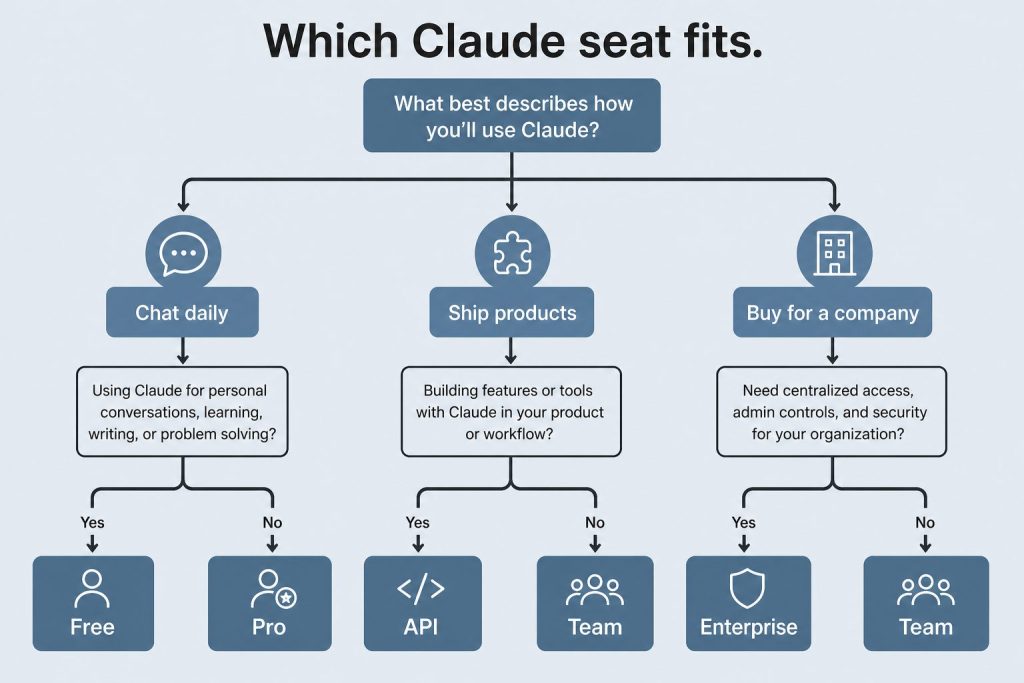
Step 1: create the Anthropic account before you chase SDKs.
Go to platform.claude.com and sign up. This is the developer console — separate from claude.ai. You’ll need a valid email address. After email verification, you’ll land on the console dashboard where you can generate API keys and manage billing.
Step 2: Add Billing and Get Your API Key
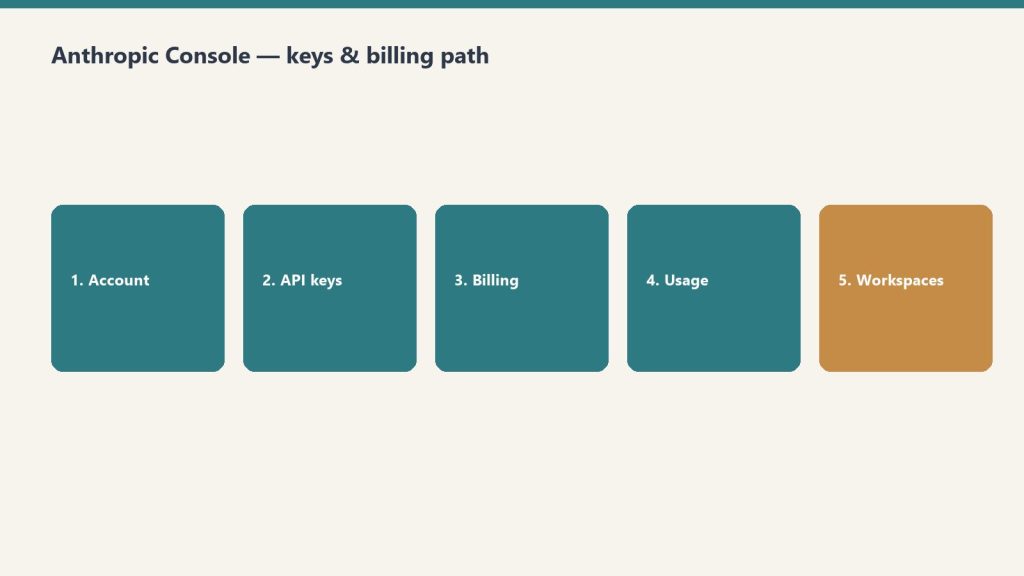
Step 2: billing and API key path.
Navigate to the billing section and add a payment method. Anthropic uses a prepaid credit system — load funds and API calls draw from your balance. Once billing is set up, go to the API Keys section and click “Create Key.” Name the key descriptively (e.g., “my-first-project-dev”) and copy the key immediately — it starts with “sk-ant-” and won’t be shown again. Store it securely: in an environment variable, a secrets manager, or a .env file that’s in your .gitignore.
Step 3: Install an SDK
Anthropic provides official SDKs for Python and TypeScript. For Python: pip install anthropic. For TypeScript/JavaScript: npm install @anthropic-ai/sdk. Both SDKs handle authentication, request formatting, streaming, error handling, and retries. You can also use the raw HTTP API directly with any language that supports HTTP requests.
Step 4: Make Your First API Call
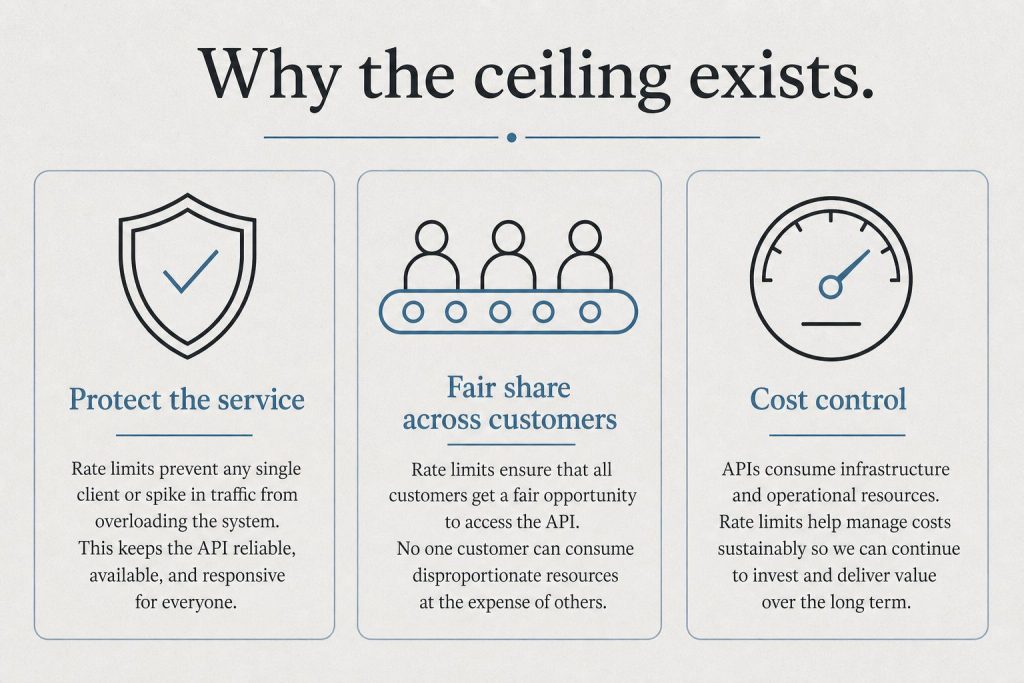
First API call — then watch rate limits and usage.
In Python, set your API key as an environment variable: export ANTHROPIC_API_KEY="sk-ant-your-key-here". Then write a simple script. Import the Anthropic client, create a message with the model name (e.g., “claude-sonnet-4-6”), specify the max tokens for the response, and pass your prompt. The response includes the generated text, token usage counts, and metadata about the request.
The API endpoint is Messages — you send a list of messages (with roles “user” and “assistant”) and Claude responds. System prompts are set separately to establish Claude’s behavior for the conversation. Each request is stateless — you manage conversation history by including previous messages in each request.
Available Models
The current production models and their API identifiers: claude-opus-4-6 (Opus 4.8 is the latest, but check the docs for exact model strings), claude-sonnet-4-6, and claude-haiku-4-5-20251001. Each model has different strengths. Opus is the most capable for complex reasoning and coding. Sonnet balances capability and cost. Haiku is the fastest and cheapest for high-volume, simpler tasks.
Key API Features
Streaming: Get responses token-by-token as they’re generated, reducing perceived latency. Tool use (function calling): Define functions that Claude can invoke to interact with external systems — databases, APIs, calculators. Vision: Send images along with text for multimodal analysis. Extended thinking: Enable Claude’s step-by-step reasoning for complex problems. Prompt caching: Cache system prompts and frequently-used context to reduce costs by up to 90%. Batch API: Submit multiple requests for asynchronous processing at 50% off.
Alternative Access Points
Beyond the direct Anthropic API, you can access Claude through Amazon Bedrock (AWS), Google Cloud Vertex AI, Microsoft Azure through Foundry, and third-party routers like OpenRouter. Each platform has its own authentication, pricing adjustments, and additional features. The direct API gives you the most control and typically the lowest latency.
The Claude desktop app is a native application for macOS and Windows that goes beyond what the web interface at claude.ai offers. While claude.ai gives you chat, the desktop app unlocks Claude Code (a terminal-based coding agent), Claude Cowork (desktop automation), local file access, MCP server connections, and deeper system integration. Here’s everything you need to know to get started and get the most out of it.
How to Download and Install
How to download and install the desktop app.
Download the Claude desktop app from claude.com/download. It’s available for macOS (Apple Silicon and Intel) and Windows. Installation is straightforward — run the installer and sign in with your Claude account. The app requires a Free, Pro, Max, Team, or Enterprise account. On macOS, the app supports both the standard installation and Homebrew. On Windows, the installer handles everything including system tray integration.
What the Desktop App Adds Over Claude.ai
What the desktop app adds over Claude.ai.
Claude Code: The terminal-based coding agent that can read your local codebase, make changes, run tests, and handle complex multi-file development tasks. Claude Code operates from your terminal with full access to your development environment — git, npm, pip, docker, and any other tools you have installed. It’s available to Pro, Max, Team, and Enterprise users.
Claude Cowork: Desktop automation mode where Claude can control your computer to accomplish tasks. Cowork can interact with applications on your screen, manage files, run scripts, and automate workflows that span multiple programs. It works within a secure sandbox with explicit permission controls.
Local file access: The desktop app can read and write files on your computer, which the web interface cannot do. This enables direct document editing, local data analysis, and file management tasks.
MCP server connections: The Model Context Protocol lets Claude connect to external tools and data sources — databases, APIs, project management tools, and more. The desktop app can run MCP servers locally, giving Claude access to your development stack.
Desktop extensions: Additional capabilities that extend Claude’s ability to interact with your local environment, available across all tiers including Free.
Key Features Available on All Plans
Even on the Free plan, the desktop app provides a native experience that’s faster and more responsive than the browser. You get keyboard shortcuts for common actions, system tray/menu bar access for quick invocation, offline access to your conversation history, and native notifications. The app syncs with your claude.ai account — conversations, Projects, and memory are shared between web and desktop.
Tips for Power Users
Use keyboard shortcuts to invoke Claude quickly without switching contexts. Set up MCP servers for your most-used tools to give Claude direct access instead of copy-pasting. Organize work into Projects — each Project maintains its own context, documents, and conversation history. Use Cowork mode for repetitive desktop tasks that span multiple applications. When using Claude Code, commit your work frequently — Claude Code operates in your real file system, not a sandbox.
Desktop App vs Claude.ai: When to Use Each
When to use desktop vs Claude.ai.
Use the desktop app when you need file system access, Claude Code, Cowork, or MCP connections. Use claude.ai when you’re on a device where the app isn’t installed, when you want quick access from a browser, or when you’re using a shared/public computer. Both interfaces access the same underlying Claude models and share your account data. Many users keep both available — the desktop app for deep work and the web interface for quick tasks.
The app itself is free to download and use. It works with all Claude plans including the Free tier. Claude Code and Cowork features require a Pro subscription or higher.
Does Claude desktop work on Linux?
As of June 2026, the Claude desktop app is available for macOS and Windows. Linux users can access Claude through the web interface at claude.ai or use Claude Code via the command-line installer.
Can the desktop app access my files?
Yes, with your permission. The desktop app can read and write local files, which is one of its key advantages over the web interface. File access is controlled through explicit permissions.
Do my conversations sync between desktop and web?
Yes. Conversations, Projects, and memory sync across the desktop app and claude.ai automatically.
Direct Answer · 8 October 2026: Free is for casual exploration. Pro ($20/mo, or $17 billed annually) offers more usage plus Claude Code. Max 5x/20x ($100–$200/mo) is 5x or 20x Pro usage. Team Standard is $20 annual / $25 monthly per seat; Team Premium is $100 annual / $125 monthly. Enterprise is $20/seat plus usage at API rates. Seat prices did not move. Haiku 5.5 API list is $0.10 / $0.50 under 100k prompt tokens ($0.50 / $2.50 over). Sonnet 5.5 API list is $2 / $10 (Sonnet 5, at the same price, is superseded by 5.5); Sonnet 5.5 cache reads are now $0.10. Opus 5.5 is $4 / $20 with cache reads at $0.20. Fable 5.1 cache reads are $0.25/MTok.
Claude has five pricing tiers as of October 2026. The differences between them aren’t always obvious from Anthropic’s own pricing page. This guide breaks down every tier side-by-side — what each costs, what changes as you move up, and exactly where the value breaks are. Last refreshed: October 19, 2026 (Pacific) against claude.com/pricing and platform.claude.com pricing.
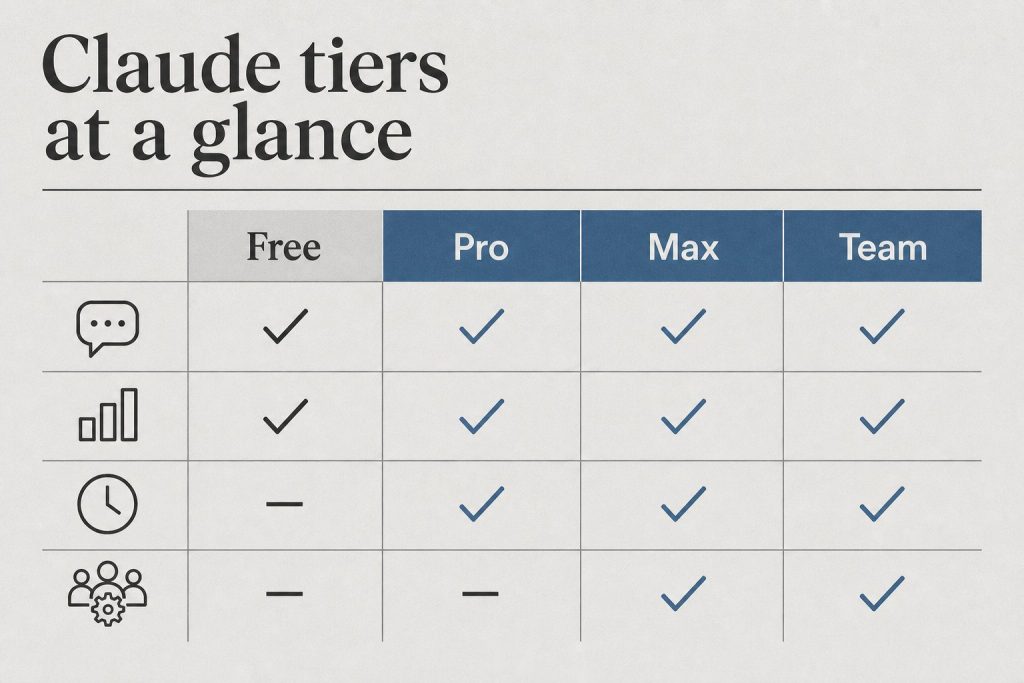
Claude Pricing at a Glance (October 2026)
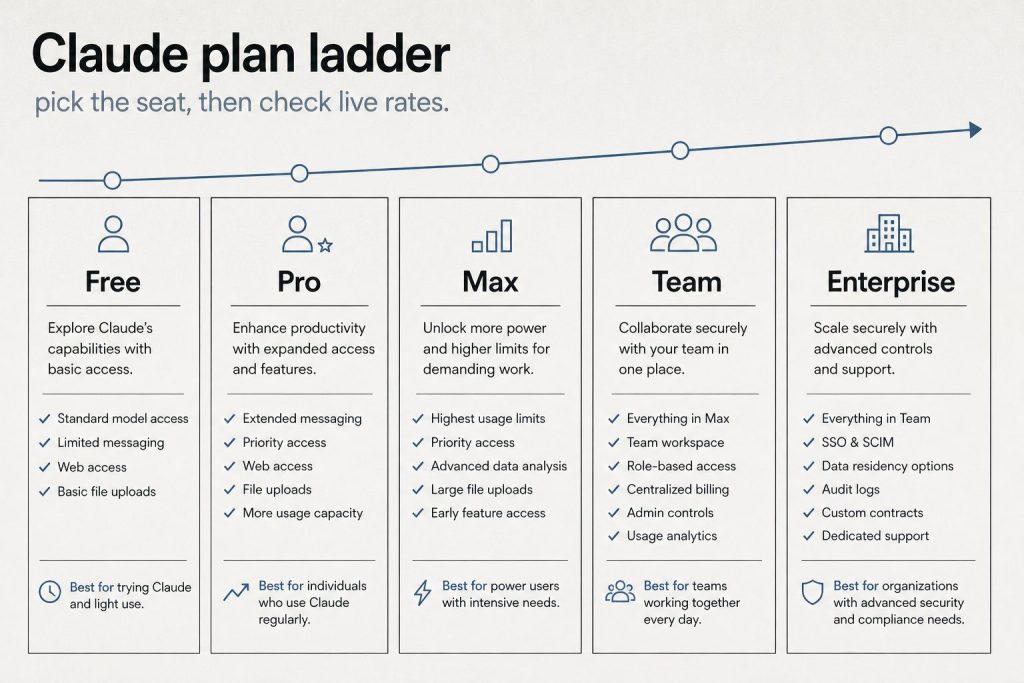
Same ladder, shorter page. Confirm live limits before you upgrade.
Plan
Monthly Price
Annual Price
Best For
Free
$0
$0
Trying Claude, light use
Pro
$20/month
$17/month ($200/yr)
Daily professional use
Max 5x
$100/month
$100/month
Power users hitting Pro limits
Max 20x
$200/month
$200/month
Developers, heavy Claude Code users
Team Standard
$25/seat
$20/seat
Teams of 2+ (SSO, admin)
Team Premium
$125/seat
$100/seat
Teams with heavy usage needs
Enterprise
$20/seat + usage
Annual only
Scale, HIPAA, compliance
Feature Comparison: What Changes at Each Tier
Feature
Free
Pro
Max
Team
Enterprise
Chat (web, mobile, desktop)
✓
✓
✓
✓
✓
Web search
✓
✓
✓
✓
✓
Memory
✓
✓
✓
✓
✓
Code execution & file creation
✓
✓
✓
✓
✓
Claude Code
—
✓
✓
✓
✓
Claude Cowork / Design, Slides, Docs
—
✓
✓
✓
✓
Unlimited Projects
—
✓
✓
✓
✓
Research mode
—
✓
✓
✓
✓
Claude for Microsoft 365
—
✓
✓
✓
✓
5x or 20x usage vs Pro
—
—
✓
—
—
Higher output limits
—
—
✓
—
—
Early feature access
—
—
✓
—
—
Priority access
—
—
✓
Premium only
✓
SSO & domain capture
—
—
—
✓
✓
Central billing & admin
—
—
—
✓
✓
No training on your data
Opt-out
Opt-out
Opt-out
Default off
Default off
SCIM provisioning
—
—
—
—
✓
Audit logs
—
—
—
—
✓
HIPAA-ready
—
—
—
—
✓
Compliance API
—
—
—
—
✓
Custom data retention
—
—
—
—
✓
The Real Decision Points
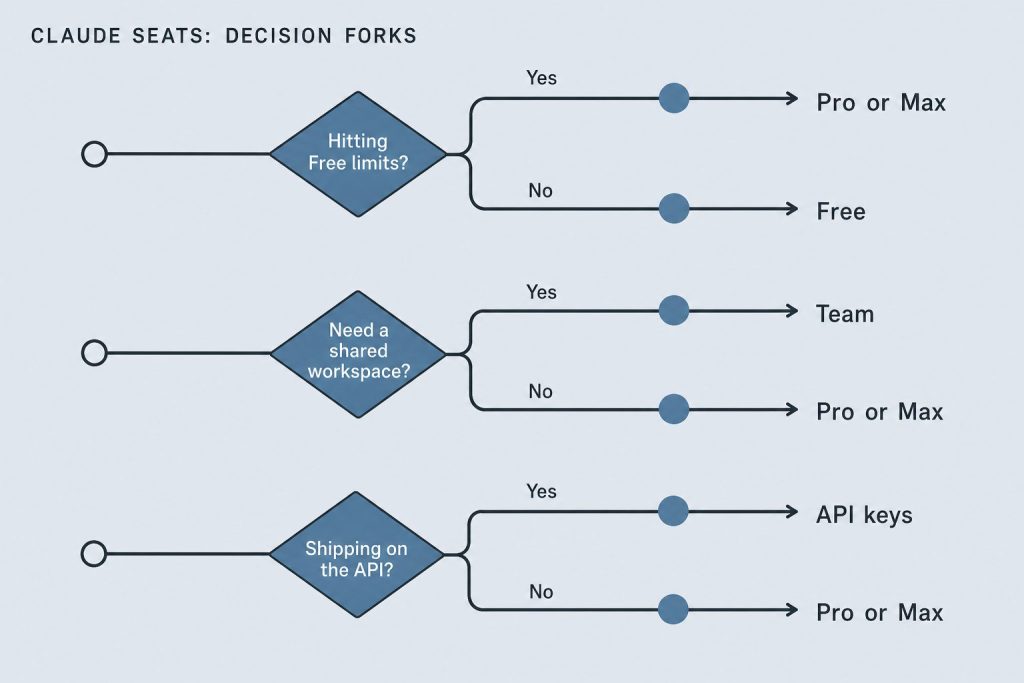
Upgrade when a constraint is real — not when a plan page is pretty.
Free → Pro ($20/month)
If you hit Claude’s usage limits more than once a week, Pro pays for itself. The clearest signals you need Pro: you’re getting rate-limited mid-conversation, you want Claude Code in the terminal, or you use Projects to organize your work. At $20/month ($17 annual), it’s also the most common upgrade path. If you don’t hit limits regularly, stay on Free.
Pro → Max ($100–$200/month)
Max 5x ($100/month) gives you 5x Pro’s usage capacity plus higher output limits and early feature access. Max 20x ($200/month) gives you 20x. The honest answer: most daily Pro users never need Max. If you finish most days without hitting Pro limits, Max is not the right upgrade. Max plans now include monthly API credits — $100/month on Max 5x, $200/month on Max 20x, listed on claude.com/pricing. That is a Platform credit, not extra chat usage.
Individual → Team ($20–$125/seat)
Team Standard at $20/seat/month (annual) costs the same as Pro per person — you’re getting Pro capabilities plus SSO, admin controls, central billing, and no-training-by-default for the same price per seat. Team Premium at $100/seat/month (annual) / $125 monthly includes 5x Standard usage. Official claude.com copy: Standard seats give more than Pro; Premium seats give 5x more than Standard.
Team → Enterprise ($20/seat + usage)
Enterprise makes sense when you need SCIM, audit logs, HIPAA, or a custom MSA. Official claude.com copy: $20 per seat per month plus usage billed at API rates, billed annually.
Annual vs Monthly Billing
Annual billing saves 15–20% across Pro and Team:
Plan
Monthly
Annual (per month)
Savings
Pro
$20
$17
15%
Team Standard
$25/seat
$20/seat
20%
Team Premium
$125/seat
$100/seat
20%
Anthropic’s Max help article says Max is currently monthly-only on the web checkout. No annual discount is listed for Max 5x or Max 20x.
Claude API Pricing (Developers)
The API is separate from subscription plans. You pay per million tokens (MTok) processed. Source: platform.claude.com pricing and Haiku 5.5, checked October 12, 2026.
Model
Input
Output
5m Cache Write
Cache Read
Claude Fable 5.1 / Mythos 5.1
$10/MTok
$50/MTok
$12.50/MTok
$0.25/MTok
Claude Opus 5.5
$4/MTok
$20/MTok
$5/MTok
$0.20/MTok
Claude Opus 5 / 4.8
$5/MTok
$25/MTok
$6.25/MTok
$0.50/MTok
Claude Sonnet 5.5
$2/MTok
$10/MTok
$2.50/MTok
$0.10/MTok
Claude Sonnet 5
$2/MTok
$10/MTok
$2.50/MTok
$0.20/MTok
Claude Sonnet 4.6 / 4.5
$3/MTok
$15/MTok
$3.75/MTok
$0.30/MTok
Claude Haiku 5.5 (≤100k / >100k)
$0.10 / $0.50
$0.50 / $2.50
$0.125 / $0.625
$0.01 / $0.05
Claude Haiku 4.5
$1/MTok
$5/MTok
$1.25/MTok
$0.10/MTok
Do not average the two Haiku 5.5 bands. Sonnet 5.5 cache reads moved from $0.20 to $0.10 on October 7. Sonnet 5 cache reads stay $0.20. Opus 5.5 cache hits stay $0.20. Fable 5.1 cache hits stay $0.25.
Batch API: 50% off all models for non-time-sensitive workloads. Haiku 5.5 batch is $0.05 / $0.25 under 100k. For a full developer cost breakdown, see Claude API token rates.
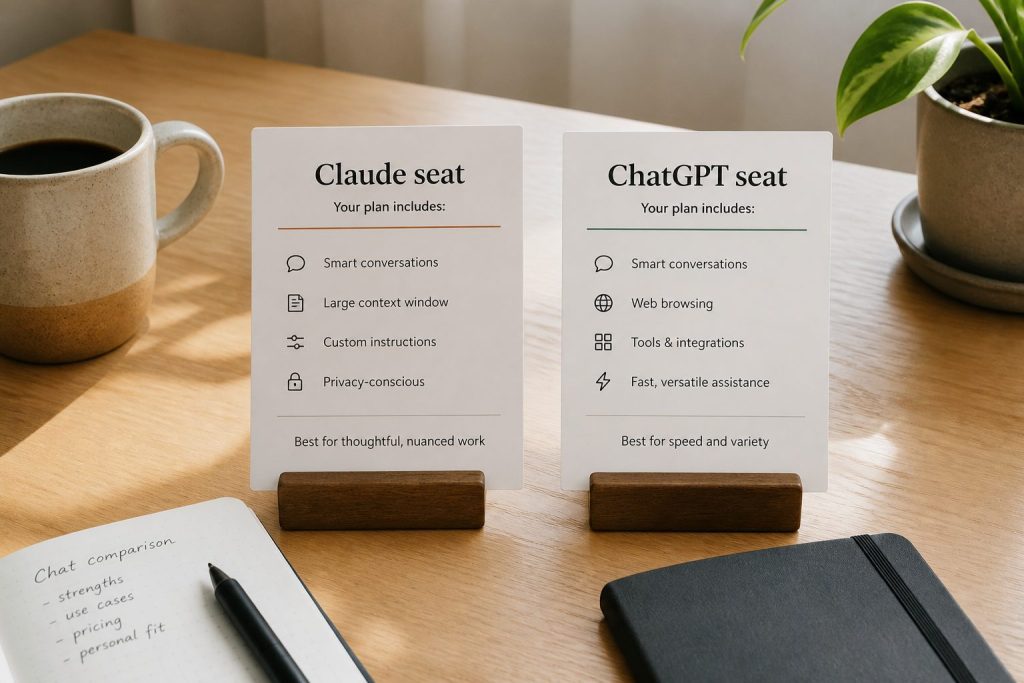
How Claude Pricing Compares to ChatGPT Plus
Chat seats compete. API meters are a different product.
At the individual level, Claude Pro and ChatGPT Plus are both $20/month — the same monthly price. Claude Pro includes an annual option at $17/month ($200 billed up front).
Who Should NOT Upgrade
Stay on Free if you rarely hit limits. Stay on Pro instead of Max if you finish most days without a rate-limit message. Stay on Team instead of Enterprise if you do not need SCIM, audit logs, HIPAA, or custom retention.
You probably found this page because an AI sent you here.
Clarity counted more than 22,000 citations of this page in the last 30 days. That isn’t luck — it’s structure, and it’s measurable. If the AI answers in your market name a competitor instead of your company, that’s a measurement too, and it’s the one we run.
Claude pricing moves. When it does, this page gets corrected — and subscribers get the diff by email. What changed, old → new, nothing else. No newsletter, no pitch.
Claude Enterprise pricing works differently from the individual and Team plans. Instead of a fixed per-seat fee that includes unlimited usage, Enterprise charges a base seat cost of $20/seat with additional usage billed at API rates. This model gives large organizations more flexibility but requires understanding how usage translates to cost. Here’s the complete breakdown for decision-makers evaluating Claude Enterprise in 2026.
Last refreshed: October 20, 2026 (Pacific)
Direct Answer (October 2026): Claude Enterprise pricing starts at ~$20/user/month for identity access (SSO/SCIM/Audit Logs) with token consumption billed at standard API rates — now spanning Sonnet 5.5 and Opus 5.5 as the current models, alongside legacy Opus 4.8 and Sonnet 4.6. Total monthly spend averages $60–$250/active user based on model selection and prompt caching adoption.
How Enterprise Pricing Works
How Claude Enterprise pricing works — recheck this breakdown whenever Anthropic changes seat fees or API rates (last verified October 2026).
The pricing structure has two components. First, a per-seat fee of $20/month per user. This covers access to the Claude interface and all Enterprise features. Second, usage-based charges at API rates that scale with which model each user interacts with and how much they use it. When an Enterprise user chats with Claude, token costs follow current API rates. Sonnet 5.5 (Anthropic’s current mid-tier model) is priced at $2/MTok input and $10/MTok output, and Opus 5.5 (the current flagship) at $4/$20. Legacy models remain available at their existing rates: Opus 4.8 at $5/$25 and Sonnet 4.6 at $3/$15. Haiku 4.5 stays at $1/$5.
This means actual costs per user vary significantly. A light user who sends a few messages per day might cost $20-30/month total. A power user running Claude Code and extended research sessions could cost $150-500+/month. Administrators can set per-user and organizational spending limits to maintain budget predictability.
Two Paths to Enterprise
Two paths to Enterprise.
Anthropic now offers two ways to get on the Enterprise plan. The self-serve path lets organizations sign up directly at claude.ai/create/enterprise without contacting sales. This is designed for teams that want enterprise security features but want to move fast. You get SSO, domain verification, central billing, admin controls, usage analytics, and the ability to add seats on demand. The sales-assisted path is for organizations that need custom contracts, MSAs, purchase orders, usage commitments, tiered incentives on committed spend, non-standard terms, trials, or consultation. Contact sales through claude.com/contact-sales.
Enterprise-Only Features
Enterprise includes everything in the Team plan plus several capabilities only available at this tier. Admin-set spend limits let administrators control costs at both user and organization levels. Role-based access with fine-grained permissioning controls who can access what. SCIM (System for Cross-domain Identity Management) automates user provisioning and deprovisioning. Audit logs provide detailed records of user activity. Compliance API enables observability and monitoring. Custom data retention controls let you set how long data is stored. Network-level access control and IP allowlisting restrict where Claude can be accessed from. HIPAA-ready offering is available for healthcare and regulated industries. Claude Security (currently in beta) provides AI-powered vulnerability scanning.
Enterprise vs Team: When to Upgrade
Enterprise vs Team — when to upgrade.
The Team plan caps at 150 users and uses fixed per-seat pricing ($20-125/seat depending on seat type). Enterprise has no user cap and uses the seat-plus-usage model. Upgrade to Enterprise when you need more than 150 seats, when you require SCIM for automated provisioning, when compliance requirements demand audit logs and a compliance API, when you need custom data retention or HIPAA readiness, or when the usage-based model would actually cost less than Team Premium seats for your usage patterns.
Current Enterprise Promotion
As of June 2026, Anthropic ran a promotion offering $1,000 in Claude Code and Claude Cowork credits for every Enterprise seat activated by July 2, 2026 — that window has since closed.
Evaluating Enterprise ROI
To evaluate whether Claude Enterprise justifies the cost, consider time savings per employee (if each user saves 5 hours/week at $50/hour effective cost, that’s $1,000/month in productivity per person), reduction in tool sprawl (replacing multiple SaaS subscriptions), code velocity improvements (engineering teams using Claude Code report 20-40% productivity gains in published case studies), and compliance cost avoidance (audit logs, SCIM, and HIPAA readiness may replace other compliance tools).
Frequently Asked Questions
How much does Claude Enterprise cost per user?
$20/seat/month base plus usage at API rates. Actual per-user costs depend on usage — light users might total $25-30/month, while heavy users could reach $200+/month.
Can I start Claude Enterprise without talking to sales?
Yes. Anthropic offers a self-serve Enterprise option at claude.ai/create/enterprise. You can sign up, add seats, and start using Enterprise features immediately.
Is Claude Enterprise HIPAA compliant?
Anthropic offers a HIPAA-ready Enterprise option. Organizations in healthcare and regulated industries should contact sales to discuss specific compliance requirements and BAA arrangements.
What is the minimum number of seats for Enterprise?
There is no publicly stated minimum seat count for the self-serve Enterprise option. The sales-assisted path may have minimum commitments depending on the contract terms.
Open any marketing subreddit, LinkedIn thread, or industry conference agenda right now and you’ll find the same debate: SEO vs GEO vs AEO. Search Engine Optimization vs Generative Engine Optimization vs Answer Engine Optimization. Which framework should guide your content strategy? Which one is “the future”?
I’ve been watching this debate for months while sitting on a dataset that makes the entire argument irrelevant. The data comes from Bing Webmaster Tools AI Performance tab — 98,800 Microsoft Copilot citations across 576 grounding queries from a single domain. And what it shows is that the SEO/GEO/AEO framework is the wrong level of abstraction.
The right question isn’t “which optimization approach wins.” It’s “which AI platform are you optimizing for, and what does its specific user base need?”
Why the Old Categories Are Collapsing
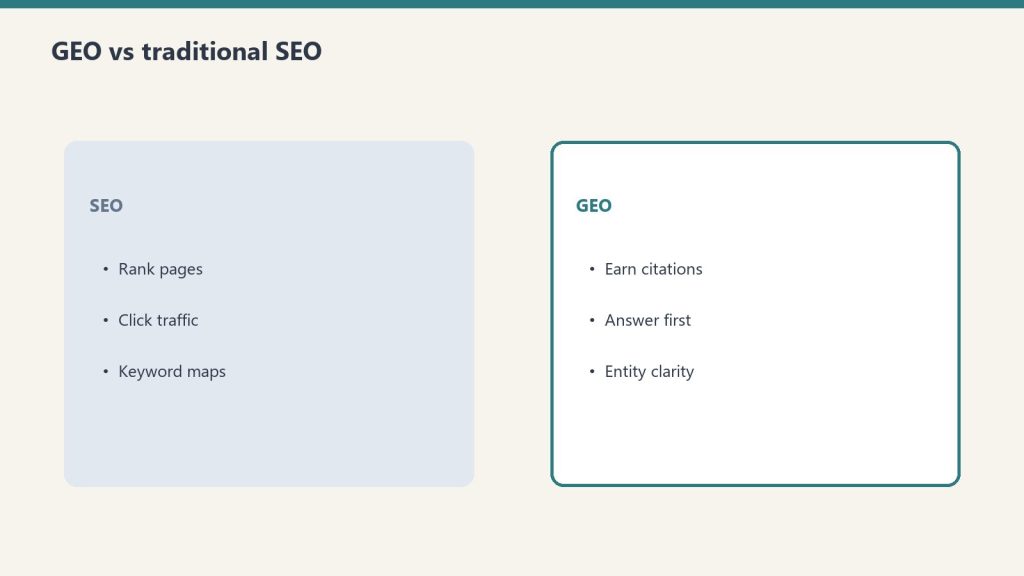
SEO vs GEO vs AEO — the old categories are collapsing.
SEO was built for Google. It assumes a user types keywords, receives a ranked list of links, and clicks through to a website. The metrics are rankings, clicks, and conversions. This model still works for Google — but Google is no longer the only discovery engine that matters.
GEO emerged to address generative AI — the idea that your content needs to be optimized so that AI engines cite and reference it. But GEO treats “AI” as a single category. It assumes what works for ChatGPT also works for Copilot, Perplexity, Gemini, and Claude. My data says that’s wrong.
AEO focuses on structuring content for direct answers — featured snippets, People Also Ask boxes, voice search. It’s a useful tactical framework, but it was designed for Google’s answer features, not for AI platforms that consume and reprocess content in fundamentally different ways.
Each of these frameworks captures part of the picture. None captures the whole thing. And the gap between them is where the actual opportunity lives.
The Data That Breaks the Framework
The data that breaks the single-framework argument.
Here’s what 98,800 Copilot citations taught me about why the SEO/GEO/AEO categories don’t hold:
Topic-platform mismatch is real. My AI tool content generates thousands of daily Copilot citations. My local business content — which has strong Google SEO performance — generates zero Copilot citations. GEO theory says optimized content should perform across AI engines. Reality says the topic has to match the platform’s user base.
Content format preferences differ by platform. Copilot rewards structured reference content — pricing tables, comparison matrices, specific data points. ChatGPT rewards depth and original analysis. Perplexity rewards definitive, primary-source authority. AEO’s “structure for direct answers” advice is too generic to capture these distinctions.
User intent varies by context. A Copilot user asking about Claude AI pricing is in the middle of a work task — they need a number, now. A ChatGPT user asking the same question might be evaluating whether to adopt Claude at all — they want context, comparisons, and strategic thinking. Same query, different intent, different optimal content. SEO’s keyword-intent model doesn’t account for the platform delivering the answer.
The citation flywheel is platform-specific. My daily Copilot citations grew from 672 to 5,500 over 90 days. That growth happened because Copilot developed trust in my domain for specific topic clusters. This trust-building behavior is different from how Google ranks pages, how ChatGPT selects sources, or how Perplexity curates citations. Each platform has its own authority model.
Introducing Platform-Specific AI Optimization
Platform-specific AI optimization is what comes next.
I’m going to name the thing that comes after the SEO/GEO/AEO debate because someone has to, and I have the data to back it up.
Platform-Specific AI Optimization (PSAO) is the practice of creating content tailored to the specific user base, intent patterns, content format preferences, and authority models of individual AI platforms.
PSAO doesn’t replace SEO, GEO, or AEO. It subsumes them. SEO becomes your Google-specific strategy. GEO becomes a shared foundation of AI-friendly content practices. AEO becomes a tactical layer that applies differently depending on which platform you’re targeting. And PSAO is the strategic framework that coordinates all of them.
Here’s how PSAO maps the landscape:
Google (SEO focus): Keyword optimization, link building, technical SEO, Core Web Vitals. Audience: searchers with transactional or informational intent. Metric: rankings, clicks, conversions.
Microsoft Copilot (PSAO-Copilot): Structured reference content, pricing tables, comparison matrices, technical documentation. Audience: enterprise workers mid-task in Microsoft 365. Metric: AI citations in Bing Webmaster Tools.
ChatGPT (PSAO-ChatGPT): Long-form thought leadership, original research, unique data, comprehensive analysis. Audience: explorers and evaluators in conversation mode. Metric: ChatGPT Search referral traffic, citation mentions.
Google AI Overviews (PSAO-AIO): Featured-snippet-ready content, concise definitions, structured FAQs. Audience: searchers receiving AI-generated summaries. Metric: AI Overview inclusion rate.
Why Nobody Else Is Talking About This
The reason PSAO doesn’t exist as a category yet is simple: nobody has the data. The tools are fragmented, the measurement is early, and the marketing industry is still in the “arguing about which single framework wins” phase.
Bing Webmaster Tools AI Performance is in beta. Most marketers don’t know it exists. Google hasn’t released comparable citation-level data for AI Overviews. ChatGPT’s citation behavior isn’t exposed through any analytics dashboard. Perplexity doesn’t offer a webmaster console at all.
The data infrastructure is nascent. But the underlying behavior — AI platforms consuming and citing web content at massive scale with platform-specific patterns — is already happening. The 98,800 citations on my domain aren’t theoretical. They’re measured, daily, query-by-query.
The marketers who wait for a polished SaaS dashboard to tell them about platform-specific AI optimization will be years behind the ones who start measuring now with the crude tools available.
What PSAO Strategy Looks Like in Practice
On my own sites, PSAO looks like this:
Morning content (Copilot hours): I publish detailed AI tool guides, pricing comparisons, and integration documentation. This content is structured for extraction — clean tables, specific numbers, version-stamped details. It serves enterprise Copilot users who are working in Office and need reference data.
Evergreen content (Google hours): I publish local business guides, community resources, and civic information. This content is optimized for traditional SEO — keywords, headings, FAQ schema, internal links. It serves Google searchers looking for local information.
Weekend content (ChatGPT depth): I publish thought leadership, original analysis, and data-driven arguments like this article. This content is optimized for depth and originality — the kind of content ChatGPT’s grounding algorithm favors when users are exploring a topic.
Same domain. Three different content strategies. Three different audiences. Three different measurement frameworks. That’s PSAO.
The Category Is Open
Right now, there’s no Google Trends data for “Platform-Specific AI Optimization.” No conference tracks. No SaaS tools. No Gartner quadrant. The category is open because the phenomenon it describes has only become measurable in the last few months.
I’m staking my position: the SEO vs GEO vs AEO debate is a transitional phase. Within 18 months, the marketers who matter will be talking about platform-specific optimization because the data will force them to. Different platforms, different audiences, different content, different metrics. That’s the future.
No. PSAO subsumes SEO by treating it as your Google-specific optimization strategy. SEO remains essential for organic search traffic. PSAO adds parallel strategies for Copilot, ChatGPT, Perplexity, and other AI platforms — each tailored to the platform’s specific audience and behavior.
How is PSAO different from GEO?
GEO treats all AI engines as a single audience and applies general optimization principles — entity enrichment, structured data, authoritative sourcing. PSAO recognizes that each AI platform has a different user base, different intent patterns, and different content preferences. GEO is a foundation. PSAO is the targeting layer built on top of it.
Where can I measure AI citations right now?
Bing Webmaster Tools AI Performance tab shows Copilot citation data, including total citations, grounding queries, and daily trends. ChatGPT citations can be partially tracked through referral traffic analytics. Perplexity and Claude currently lack webmaster-facing citation analytics, requiring manual testing.
What topics perform best on Copilot vs Google?
Copilot users are enterprise workers mid-task, so technology tools, pricing comparisons, integration guides, and business strategy content earn the most citations. Google serves a broader audience including local searches, shopping intent, and general information queries. The overlap exists, but the highest-performing content for each platform is distinct.
When will the industry adopt PSAO?
The adoption curve depends on measurement tools. As Bing Webmaster Tools, Google Search Console, and potential new platforms expose AI citation data, marketers will be forced to segment their optimization by platform. Based on current data trends, platform-specific optimization will likely become standard practice within 12-18 months for advanced content operations.
The entire content marketing industry operates on a single assumption: write great content, optimize it for search, and the right people will find it. For two decades, “the right people” meant Google users. That assumption worked because there was only one discovery engine that mattered.
There are now at least five. And they don’t behave the same way.
Google users type keywords. Microsoft Copilot users ask questions mid-task inside Word, Excel, or Outlook. ChatGPT users explore topics conversationally. Perplexity users want curated, multi-source answers. Claude users tend to ask deep, technical questions about implementation.
I know this because I can see it. My site generates 98,800 AI citations from Copilot alone, and the grounding queries — the actual questions that triggered those citations — reveal an audience that looks nothing like my Google Analytics traffic. These are different people, in different contexts, with different needs, finding the same content through completely different pathways.
The content that serves one platform well often serves another poorly. And if you’re optimizing for “AI search” as a single category, you’re making the same mistake as someone who runs the same TV commercial on ESPN, HGTV, and the Discovery Channel.
Google Users: The Keyword Searchers
Google users: keyword searchers.
Google’s audience is the one everyone understands. They type keywords — sometimes fragments, sometimes questions, often just a few words. “Best CRM software.” “Water damage restoration Houston.” “Claude AI pricing 2026.”
The behavior is transactional or informational. They want a list, a comparison, a local service, or a quick answer. Google’s algorithm rewards content that satisfies this intent quickly: clear headings, structured data, fast load times, and content that matches the keyword pattern.
Google users click through to your site. They see your ads. They enter your funnel. The entire monetization model of the internet is built on this interaction: search, click, land, convert.
Content that wins on Google: keyword-optimized pages, local landing pages, listicles, product comparisons, and how-to content with clear structure. The audience skims. They want answers in the first 100 words or they bounce.
Copilot Users: The Mid-Task Workers
Copilot users are a fundamentally different audience. They’re not searching — they’re working. They invoke Copilot inside Microsoft 365 applications while writing a report, analyzing a spreadsheet, composing an email, or researching a decision they need to make in the next 30 minutes.
The queries I see in Bing’s grounding data confirm this: “what is claude ai pricing in 2026,” “how to connect notion to claude code,” “difference between claude code and cursor for teams.” These are operational questions from people in the middle of a task. They need accurate, specific, reference-grade information — not a 2,000-word SEO article with a table of contents and 47 H2 headings.
The content that earns 16,500 Copilot citations for a single query isn’t my best-written piece. It’s my most accurate, specific, and structured piece. It has clear pricing tables. It has version-specific details. It answers the exact question without making you read three paragraphs of context first.
Copilot users never visit your site. They consume your content inside their Office application, surfaced as a grounded AI response. Your content becomes the source material for Copilot’s answer. The citation is your visibility — not the click.
Content that wins on Copilot: detailed pricing breakdowns, tool comparison matrices, integration guides with specific steps, and reference documentation that’s structured for extraction rather than engagement.
ChatGPT Users: The Explorers
ChatGPT’s audience is different again. These are people in exploration mode — they’re thinking through a problem, evaluating options, or trying to understand something complex. They write long, conversational queries. They ask follow-up questions. They treat the AI as a thinking partner rather than an answer machine.
ChatGPT’s citation behavior (visible through ChatGPT Search) favors content that demonstrates expertise, provides unique insights, and covers topics comprehensively. Where Copilot wants structured reference data, ChatGPT wants depth and nuance. Where Copilot users need an answer in 10 seconds, ChatGPT users are willing to engage for 10 minutes.
Content that wins on ChatGPT: long-form thought leadership, original research, case studies with real data, and contrarian perspectives backed by evidence. ChatGPT’s grounding algorithm appears to reward content that says something other sources don’t.
Perplexity Users: The Curators
Perplexity positions itself as an answer engine — it synthesizes multiple sources into a single response with inline citations. Its users want the definitive answer, pulled from the best available sources and presented with transparency about where each claim comes from.
Perplexity’s citation behavior rewards pages that are recognized as authoritative on a specific topic. It tends to pull from a smaller number of high-trust sources rather than aggregating broadly. If your page is the best single source on a topic, Perplexity will cite it repeatedly.
Content that wins on Perplexity: comprehensive pillar pages, original data, and content that’s clearly the primary source rather than a summary of other sources. Perplexity penalizes derivative content more visibly than any other platform.
Claude Users: The Implementers
Claude users: the implementers.
Claude’s user base skews toward developers, technical professionals, and power users who ask implementation-level questions. They want to know how to build something, how to configure something, or how to debug something. The queries tend to be specific and technical.
Content that wins Claude citations: technical documentation, code examples, step-by-step implementation guides, and troubleshooting content. Claude’s training data and retrieval mechanisms favor content that’s precise and actionable over content that’s broadly informative.
The Same Article, Five Different Treatments
Let me make this concrete. Say I’m writing about connecting Claude to a Notion database using MCP (Model Context Protocol). Here’s how the same topic needs to be treated differently for each platform:
For Google: “How to Connect Notion to Claude AI (2026 Guide)” — Keyword-optimized title, H2 structure, step-by-step with screenshots, FAQ schema, 1,200 words. Goal: rank for “notion claude integration.”
For Copilot: A reference page with the exact configuration JSON, version requirements, common error codes and fixes, and a clean table of parameters. No fluff. Copilot will extract the technical specs and present them to a user who’s currently trying to set this up.
For ChatGPT: A 2,500-word deep dive on why MCP matters, what it enables, the architecture decisions behind it, and how it compares to other integration approaches. ChatGPT users are evaluating whether to adopt MCP, not just how to configure it.
For Perplexity: The definitive reference that other sources can’t match — original benchmarks, real performance data, edge cases nobody else documents. Perplexity will choose this as its primary source if it’s clearly the most authoritative.
For Claude: Working code examples, actual configuration files, error handling patterns, and the kind of implementation detail that lets someone copy-paste and go.
That’s five different content approaches for one topic. And most content operations are producing one version and hoping it works everywhere.
Why This Matters Now
The advertising industry figured this out decades ago. You don’t run the same creative on a billboard, a podcast ad, a YouTube pre-roll, and a smart TV placement. Each format has a different audience in a different context with different attention patterns. The creative has to match.
AI platforms are the new formats. Copilot is the workplace billboard — your content appears where people are already working. ChatGPT is the podcast — people are engaged and exploring. Perplexity is the curated newsletter — only the best sources make the cut. Google is still the highway — highest volume, broadest audience, most competitive.
The content operations that figure out platform-specific optimization first will dominate the AI citation economy the way early SEO adopters dominated organic search. The data is already available. The tools exist. The only missing piece is the strategic framework — and the willingness to treat AI platforms as distinct audiences rather than a single monolithic “AI search” category.
I’m building that framework in real time, publishing the data as I go. This article is part of it.
Do I need to create separate articles for each AI platform?
Not necessarily separate articles, but you need to think about which platform each piece is optimized for. Some articles naturally serve multiple platforms. But your highest-value topics should have platform-specific treatments — a reference version for Copilot, a deep-dive version for ChatGPT, a definitive version for Perplexity.
How do I know which AI platform is citing my content?
Currently, Bing Webmaster Tools shows Copilot citation data in the AI Performance beta tab. ChatGPT citations can be partially tracked through referral traffic from chat.openai.com. Perplexity and Claude citation data is harder to access — you’ll need to manually query these platforms with topics you rank for and observe whether your content appears in their responses.
What content format works best for Copilot citations?
Structured, reference-grade content with clear data points, pricing tables, comparison matrices, and specific technical details. Copilot users are mid-task and need precise answers. Content that’s structured for extraction — where Copilot can pull a specific fact or figure — earns the most citations.
Is this the same as GEO (Generative Engine Optimization)?
GEO is a component, but it treats all AI engines as one audience. Platform-Specific AI Optimization (PSAO) goes further by recognizing that each AI platform serves a different user base with different intent patterns. GEO gives you the foundation. PSAO gives you the targeting.
Should I stop optimizing for Google to focus on AI platforms?
No. Google still drives the majority of direct traffic for most sites. The strategy is to run parallel content operations — Google-optimized content for organic traffic and platform-specific content for AI citations. On my own sites, I serve local Google searchers with community content and enterprise Copilot users with AI tool content. Same domain, two funnels.
I run a portfolio of WordPress sites. One of them — a media property publishing articles about AI tools, local business intelligence, and content strategy — started showing up in a place I didn’t expect: inside Microsoft Copilot’s answers.
Not as a search result. Not as a backlink. As a citation — the source that Copilot grounded its response on when enterprise users asked questions inside Word, Edge, Outlook, and the Copilot sidebar.
The Bing Webmaster Tools AI Performance tab — still in beta, still barely documented — told me exactly how much: 98,800 AI citations across 576 unique grounding queries in under 90 days.
That’s not a typo. Ninety-eight thousand, eight hundred times an AI engine pulled content from my site and embedded it in a response to a real user. And here’s the part that flipped my understanding of content economics: during that same period, the site received roughly 1,900 human clicks from Bing search.
The AI was reading my content 52 times more often than humans were clicking on it.
What the Bing AI Performance Tab Actually Shows
What the Bing AI Performance tab actually shows.
Most marketers don’t know this tab exists. It appeared in Bing Webmaster Tools sometime in late 2025, buried under the Performance section. Microsoft labeled it “AI Performance (beta)” and didn’t announce it with any fanfare. No blog post. No keynote mention. It just showed up.
Here’s what it tracks:
Citations: The number of times your content was used as a grounding source in a Copilot-generated response. This isn’t an impression — it’s a direct attribution. Copilot pulled from your page, used your information, and (in many cases) linked back to you as the source.
Grounding Queries: The actual questions users asked that triggered your content to be cited. These aren’t keywords — they’re natural language questions. Full sentences. “What is claude ai pricing in 2026.” “How do I connect Claude to Notion.” “What’s the difference between Claude Code and Cursor.”
Daily Trend Data: The day-by-day citation count. This is where the story gets interesting.
The Growth Curve That Changed My Strategy
When I first noticed the AI Performance tab, my daily citation count was sitting at around 672 per day. Modest. Interesting, but not transformative.
Ninety days later, it was 5,500 citations per day. That’s an 8x increase with no corresponding change in my publishing cadence, no new backlink campaigns, no paid distribution. The content was the same. What changed was Copilot’s appetite for it.
The growth wasn’t linear. It came in steps:
Days 1-30: Steady at 600-800 citations/day. Copilot was discovering the site.
Days 30-50: Jump to 1,500-2,200/day. A handful of articles got locked in as preferred sources.
Days 50-70: Acceleration to 3,000-4,000/day. The site was now a default grounding source for an expanding set of queries.
Days 70-90: Peak at 5,500/day. Citation velocity was compounding — the more Copilot cited the site, the more queries it became eligible for.
This looks like a flywheel, and I believe that’s exactly what it is. Copilot’s grounding algorithm appears to develop trust in sources over time. Once a domain proves reliable for a topic cluster, it gets promoted for adjacent queries in that cluster.
The 576 Queries: What Enterprise Users Actually Ask
The grounding queries are the most valuable dataset I’ve ever had access to. They reveal what Copilot users — overwhelmingly enterprise workers inside Microsoft 365 — are actually asking when they invoke the AI.
The top query by citation volume: “claude ai pricing” — generating 16,500 citations on its own. One query. One article. Sixteen thousand five hundred times Copilot used my page as the source for its answer.
The next tier includes queries like “claude code vs cursor,” “how to use claude code,” “anthropic console guide,” and “notion mcp setup.” These are highly specific, tool-comparison, how-do-I-use-this queries from people who are actively working. They’re not browsing. They’re not exploring. They’re in the middle of a task and they need an answer right now.
This tells me something fundamental about who Copilot serves: knowledge workers making decisions inside productivity software. They’re writing a memo and need a pricing comparison. They’re evaluating a developer tool and need a feature breakdown. They’re setting up an integration and need configuration steps.
The content that wins Copilot citations isn’t SEO content. It isn’t listicles. It isn’t keyword-stuffed landing pages. It’s reference-grade material that answers specific operational questions.
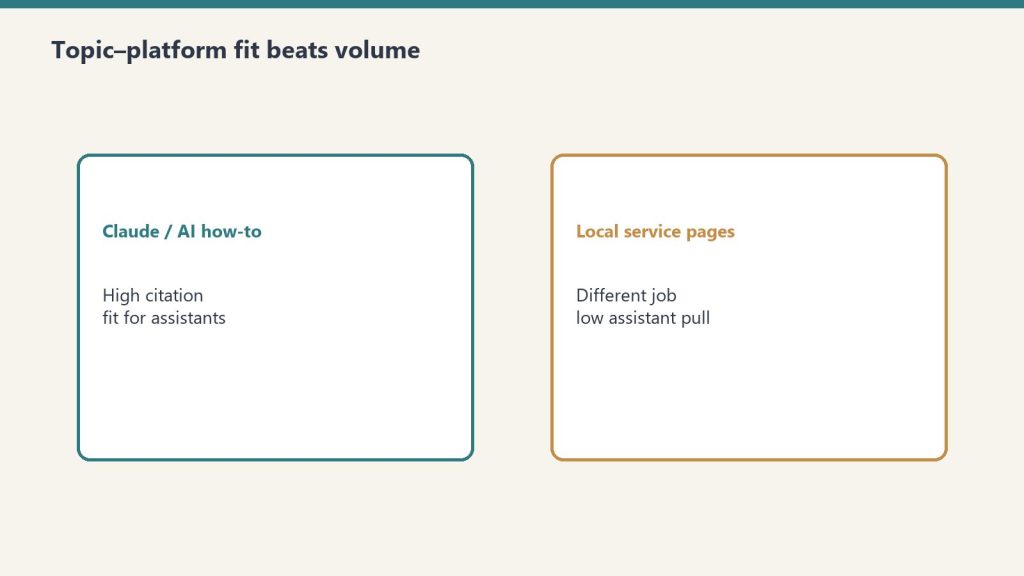
What Roofing Articles Got: Zero
What roofing articles got: zero — topic-platform fit.
I also publish content in trade verticals — restoration, construction, and local services. Those articles have solid traditional SEO performance. Google sends traffic. The content ranks.
Copilot citations for those articles: zero.
Not low. Not “a few.” Zero. Because the people using Copilot in their daily workflow aren’t asking about emergency water damage repair or roofing contractors in Houston. They’re asking about the tools they use to do their jobs — AI platforms, development environments, productivity software, and business strategy.
This is the first data point that made me realize: AI citation optimization is platform-specific. The topics that win on Copilot are not the topics that win on Google, and they’re not the same topics that win on ChatGPT or Perplexity. Each platform has a different user base with different intent patterns.
The Raw Numbers, Laid Out
Here’s the data from one domain over approximately 90 days, pulled directly from Bing Webmaster Tools AI Performance (beta):
Total AI Citations: 98,800 Total Grounding Queries: 576 Average Daily Citations (start): 672 Average Daily Citations (end): 5,500 Top Single Query Citations: 16,500 (“claude ai pricing”) Human Clicks from Bing (same period): ~1,900 AI-to-Human Ratio: 52:1 Top Content Type Cited: Detailed comparison/pricing guides Content Types with Zero Citations: Local service pages, trade industry content
What This Means for Content Strategy
The industry is currently arguing about SEO vs GEO vs AEO. That argument is already outdated. What the data shows is something more granular: different AI platforms are different audiences, and they require different content strategies, the same way that smart TV advertising requires different creative than mobile advertising.
I’m calling this Platform-Specific AI Optimization (PSAO) because nobody else has named it yet. Nobody else has named it because nobody else is measuring it. The tools are there — Bing Webmaster Tools shows Copilot citation data right now — but the marketing industry hasn’t caught up to the idea that AI engines are audiences, not just algorithms.
Here’s what I’m doing with this data:
I’m writing content specifically engineered for Copilot’s enterprise user base during business hours — detailed tool comparisons, pricing breakdowns, integration guides, and operational how-tos. I’m writing different content for Google’s organic audience — local business directories, event guides, and community resources. Same domain. Two completely different content strategies running simultaneously.
The Copilot content doesn’t need to rank on Google. The Google content doesn’t need Copilot citations. Each serves its platform’s audience where they actually are.
Why I’m Publishing This
I’m publishing this data because the industry needs a baseline. Right now, there is no public benchmark for AI citation volume. No one is talking about citation-per-query rates, daily citation growth curves, or topic-platform fit analysis. There’s no equivalent of “Domain Authority” or “organic traffic” for the AI citation economy.
Someone needs to be first. I have the data. So here it is.
If you run a content operation and you haven’t checked your Bing Webmaster Tools AI Performance tab, do it today. You might be sitting on citation data you didn’t know existed. And if you’re building content strategy without accounting for which AI platforms are actually consuming your content, you’re optimizing for one audience while ignoring the one that’s reading you 50 times more often.
The AI citation economy is already here. The question is whether you’re measuring it.
AI citations are instances where Microsoft Copilot uses your website content as a grounding source in its responses to user queries. They appear in the AI Performance (beta) tab within Bing Webmaster Tools and represent direct attribution — Copilot pulled information from your page and used it to construct an answer for a real user.
How do I check my AI citation data?
Log into Bing Webmaster Tools, navigate to the Performance section, and look for the “AI Performance” tab. It’s currently in beta. You’ll see total citations, grounding queries (the actual questions users asked), and daily trend data showing how your citation volume changes over time.
Why does Copilot cite some content but not others?
Copilot’s user base is predominantly enterprise workers inside Microsoft 365 applications. They ask operational questions — tool comparisons, pricing details, integration guides, and how-to content related to their daily work. Content that answers specific, task-oriented questions earns citations. Generic listicles, local service pages, and broadly targeted SEO content typically receives zero citations because it doesn’t match what Copilot users are asking.
What is Platform-Specific AI Optimization (PSAO)?
PSAO is a content strategy framework that recognizes different AI platforms serve different audiences with different intent patterns. Copilot users are enterprise workers mid-task. ChatGPT users are explorers and researchers. Perplexity users want curated multi-source answers. PSAO means creating content tailored to each platform’s user behavior rather than treating all AI engines as interchangeable.
Is AI citation data more valuable than traditional search clicks?
The data suggests AI citations represent a fundamentally different type of content consumption. With a 52:1 ratio of AI citations to human clicks, AI engines are consuming content at dramatically higher volumes. Whether this translates to direct revenue depends on your monetization model, but from a reach and authority perspective, AI citations may represent the larger audience for many content categories.
Claude AI is owned and developed by Anthropic, an artificial intelligence safety company headquartered in San Francisco. Anthropic was founded in 2021 by Dario Amodei (CEO) and Daniela Amodei (President), along with several other former members of OpenAI. The company is structured as a public benefit corporation — a legal structure that allows it to balance profit with its stated mission of AI safety.
Direct Answer (September 2026): Claude is developed and owned by Anthropic PBC, a public benefit corporation founded in 2021 by former OpenAI executives Dario Amodei (CEO) and Daniela Amodei (President). Anthropic is privately held, was valued at $965 billion in its May 2026 Series H ($65 billion raised), and is reportedly targeting a November 2026 IPO at around a $2 trillion valuation. Major strategic investors include Amazon and Google.
The Founders: Dario and Daniela Amodei
Founders and the Anthropic origin story.
Dario Amodei served as VP of Research at OpenAI before co-founding Anthropic. His sister Daniela Amodei was VP of Operations at OpenAI. They left in 2021 along with a group of researchers who shared concerns about the direction of AI development and the importance of safety-first research. Several founding team members had published influential work on AI alignment, interpretability, and the scaling properties of large language models.
Funding and Investors
Anthropic has raised more private capital than any AI lab in history. In February 2026 it closed a $30 billion Series G at a $380 billion post-money valuation; three months later it raised $65 billion in Series H funding at a $965 billion post-money valuation — surpassing OpenAI’s $852 billion mark and making Anthropic the most valuable private AI company in the world. Amazon remains the largest strategic investor: beyond its earlier commitments, Amazon invested a further $5 billion ahead of the Series H with the door open to another $20 billion tied to commercial milestones, while Anthropic pledged more than $100 billion of AWS spend over ten years. Alphabet’s filings imply its Anthropic stake is now carried at roughly $124 billion. Earlier investors include Google, Spark Capital, and Salesforce Ventures. The company’s annualized revenue run rate topped $100 billion by mid-September 2026, per New York Times reporting — up from $65 billion at the end of July and $9 billion at the end of 2025 — driven largely by enterprise adoption of Claude Code and the Cowork workplace product.
The IPO: what we know
Anthropic filed a confidential S-1 on June 1, 2026 and selected Nasdaq for its listing. The company is reportedly targeting a November 2026 IPO at a valuation around $2 trillion, seeking to raise up to $100 billion — which would rank among the largest public offerings on record. Reuters reported on September 11 that Nvidia is in talks to invest up to $10 billion as an anchor investor. The November timing, per Wall Street Journal reporting, lets Anthropic show public investors a completed third quarter before pricing. Treat the figures in this section as reported, not confirmed: they come from press coverage citing investor materials and people familiar with the company’s finances, not from Anthropic itself.
Corporate Structure: Public Benefit Corporation
Corporate structure: public benefit corporation.
Anthropic is incorporated as a public benefit corporation (PBC) in Delaware. This corporate structure legally requires the company to consider the impact of its decisions on all stakeholders — not just shareholders. The PBC structure is central to Anthropic’s identity: it creates a legal framework that supports the company’s commitment to AI safety even when that commitment might conflict with short-term profit maximization.
Anthropic also has a Long-Term Benefit Trust (LTBT) — a governance mechanism designed to ensure that the company’s safety commitments are maintained over time, even as leadership changes. The LTBT has the authority to intervene if the company’s actions deviate from its stated safety mission.
The Safety Mission
The safety mission shapes product decisions.
Anthropic’s stated mission is “the responsible development and maintenance of advanced AI for the long-term benefit of humanity.” This mission is embedded in the company’s corporate structure, not just its marketing. Key safety initiatives include the Responsible Scaling Policy (RSP), which sets thresholds for when more rigorous safety evaluations are required as models become more capable. Constitutional AI, the training methodology that gives Claude a set of principles to follow. Extensive red-teaming and safety testing before model releases. Published research on AI interpretability — understanding what happens inside neural networks. Transparency reports on model capabilities and limitations.
Anthropic’s Global Presence
While headquartered in San Francisco, Anthropic has expanded globally. The company has offices in multiple countries and has established a significant presence in the Asia-Pacific region, including offices in Tokyo, Bengaluru (India), Sydney, and Seoul. India has become Anthropic’s second-largest market globally, with partnerships including a major deal with Infosys for regulated AI deployment.
Key Partnerships
Anthropic’s major partnerships include Amazon Web Services (compute infrastructure and investment), Google Cloud (Vertex AI distribution and investment), Snowflake ($200M partnership for enterprise data integration), and Microsoft (Claude available through Azure and Microsoft Foundry). Claude is also available through third-party platforms like OpenRouter and various enterprise integrations.
Frequently Asked Questions
Who owns Claude AI?
Claude AI is owned by Anthropic, a public benefit corporation founded by Dario and Daniela Amodei. Anthropic’s major investors include Amazon and Google.
Is Anthropic owned by Amazon or Google?
No. Amazon and Google are major investors in Anthropic, but Anthropic operates independently. It is a public benefit corporation with its own leadership, board, and decision-making authority.
Who is the CEO of Anthropic?
Dario Amodei is the CEO of Anthropic. He co-founded the company in 2021 after serving as VP of Research at OpenAI.
Is Anthropic a nonprofit?
No. Anthropic is a for-profit public benefit corporation (PBC). The PBC structure means it legally balances profit with its stated mission of AI safety, but it is not a nonprofit organization.
Did the founders of Anthropic come from OpenAI?
Yes. Dario Amodei (VP of Research) and Daniela Amodei (VP of Operations) both left OpenAI in 2021 to found Anthropic, along with several other former OpenAI researchers.
Is Anthropic publicly traded?
Not yet. Anthropic is still a private company, but it filed a confidential S-1 on June 1, 2026 and is reportedly targeting a November 2026 IPO on Nasdaq at a valuation around $2 trillion. Until shares list publicly, there is no ticker to buy — exposure comes through private-market funds or ETFs that hold private AI company stakes.
What is Anthropic worth?
Anthropic’s last priced round — the $65 billion Series H in May 2026 — set a $965 billion post-money valuation, ahead of OpenAI’s $852 billion. Press reports discussing the planned IPO float valuations as high as $2 trillion, but that figure is not finalized and none of these numbers are audited.
💼 Deploying Claude or AI Infrastructure in Your Business?
Yes, Claude AI is free. Not “free trial” free or “free for 7 days” free — genuinely, permanently free with no credit card required. But “free” comes with boundaries. This guide covers exactly what you get on Claude’s free tier, where the limits hit, and at what point upgrading to a paid plan actually saves you time or money.
What the Free Tier Includes
What the Free tier includes.
Claude’s free tier is more capable than most people realize. You get full access to chat on web (claude.ai), iOS, Android, and the desktop app. You can search the web directly within conversations — Claude will find current information and cite sources. Memory works across conversations, so Claude remembers context you’ve shared previously. You can create files and execute code — Claude will write Python, JavaScript, or other code and run it in a sandbox. Desktop extensions let you connect Claude to your local environment. You can connect Slack and Google Workspace services through connectors. Remote MCP (Model Context Protocol) integrations let Claude access external tools and data sources. Extended thinking allows Claude to reason through complex multi-step problems.
That’s a substantial feature set for $0. The free tier in June 2026 includes features that were Pro-only just a year ago.
Where the Free Tier Limits Hit
Where Free-tier limits hit — and when to stay.
The primary limitation is usage volume. Free users get a limited number of messages per time period — when you hit the limit, you’ll see a message telling you to wait or upgrade. During high-traffic periods, free users may experience slower response times or temporary unavailability while paid users get priority access. You also don’t get access to Claude Code (the terminal-based coding agent), Claude Cowork (the desktop automation tool), Research mode, unlimited Projects, or Claude for Microsoft 365/Outlook. You can’t access all model variants — some premium models are reserved for paid subscribers.
When to Stay on Free
The free tier works well if you use Claude a few times per day for quick questions, writing assistance, or light coding. If you’re a student, casual user, or someone evaluating Claude before committing, the free tier gives you a genuine experience of what Claude can do. You won’t hit limits if your usage is moderate and spread throughout the day rather than concentrated in heavy sessions.
When to Upgrade to Pro ($20/month)
Upgrade when you hit rate limits regularly — when you find yourself waiting to continue conversations during your workday. Upgrade when you need Claude Code for programming projects. Upgrade when you want Research mode for deep investigation tasks. Upgrade when you use Claude for professional work and the interruptions from usage limits cost you more than $20/month in lost productivity.
When to Upgrade to Max ($100-200/month)
Max is for users who spend multiple hours per day working with Claude — running extended Claude Code sessions, producing large volumes of content, or conducting marathon research sessions. If you consistently hit Pro limits, Max removes that friction. The $100/month tier gives 5x Pro usage, and the $200/month tier gives 20x. Max also provides early access to new features and priority during peak demand.
Claude Free vs ChatGPT Free vs Gemini Free
Claude Free vs ChatGPT Free vs Gemini Free.
All three major AI platforms offer free tiers, but the feature sets differ. Claude’s free tier includes web search, code execution, memory, desktop extensions, and extended thinking. ChatGPT’s free tier offers GPT-4o access with usage limits and web browsing. Gemini’s free tier provides access to Gemini models with Google Workspace integration. Claude’s free tier is arguably the most feature-complete of the three, particularly with its inclusion of desktop extensions and remote MCP integrations at the free level.
Claude has a permanently free tier with no credit card required and no trial expiration. You get chat, web search, code execution, memory, and more — with usage limits. Paid plans ($20-200/month) remove usage limits and add features like Claude Code.
Do I need a credit card to use Claude for free?
No. You can sign up and use Claude’s free tier without providing any payment information.
What happens when I hit the free tier limit?
You’ll see a message indicating you’ve reached your usage limit. You can wait for the limit to reset (typically within hours) or upgrade to a paid plan for immediate access and higher limits.
Can I use Claude Code on the free plan?
No. Claude Code requires at least a Pro subscription ($20/month). The free tier includes the chat interface with code execution but not the terminal-based Claude Code agent.
Claude’s API pricing is token-based: you pay for the tokens you send (input) and the tokens Claude generates (output). Rate limits, service tiers, prompt caching, batch processing, and feature-specific charges all affect your actual bill. Last refreshed: October 20, 2026 (Pacific) against platform.claude.com pricing and Haiku 5.5. Seat prices did not move. The list-price change is Haiku 5.5 and a Sonnet 5.5 cache-read cut.
Direct Answer (October 8, 2026): Official first-party list: Haiku 5.5 $0.10 / $0.50 per MTok for prompts up to 100,000 tokens, and $0.50 / $2.50 over 100,000 tokens (Haiku 4.5 remains $1 / $5); Sonnet 5.5 $2 / $10 with cache reads now $0.10 (was $0.20); Sonnet 5 $2 / $10 with cache reads still $0.20; Sonnet 4.6 and Sonnet 4.5 $3 / $15; Opus 5.5 $4 / $20 with cache reads at $0.20; Opus 5 / Opus 4.8 $5 / $25; Fable 5 and Mythos 5 $10 / $50 with cache reads at $1; Fable 5.1 and Mythos 5.1 $10 / $50 with cache reads at $0.25. Batch API is 50% off. Do not average Haiku 5.5’s two prompt-length bands.
Per-Token Pricing by Model
Per-token pricing by model — no sticky dollars.
All prices are per million tokens (MTok), verified October 8, 2026. Claude Haiku 5.5, launched October 7, lists $0.10 input / $0.50 output up to 100,000 prompt tokens and $0.50 / $2.50 above that. Haiku 4.5 remains $1 / $5. Claude Sonnet 5.5 remains $2 input / $10 output. Cache reads on Sonnet 5.5 are now $0.10, down from $0.20. Claude Opus 5.5 remains $4 / $20 with cache reads at $0.20. Fast mode for Opus 5.5 is $8 / $40. Sonnet 4.6 remains $3 / $15. Fable 5.1 keeps $10 / $50 with cache reads at $0.25.
Prompt Caching Pricing
5-minute cache write is 1.25x input. 1-hour cache write is 2x input. Cache read is 0.05x on Sonnet 5.5 and Opus 5.5, 0.1x on Sonnet 5 and Haiku 4.5. Fable 5.1 and Mythos 5.1 use 0.025x ($0.25/MTok). Haiku 5.5 cache reads are $0.01 / $0.05 (under / over 100k). Haiku 5.5 cache writes are $0.125 / $0.625. Opus 5.5 cache writes $5 / 1-hour $8 / reads $0.20. Opus 5 cache writes $6.25 / reads $0.50. Sonnet 5.5 cache writes $2.50 / reads $0.10. Sonnet 5 cache writes $2.50 / reads $0.20. Sonnet 4.6 cache writes $3.75 / reads $0.30. Haiku 4.5 cache writes $1.25 / reads $0.10.
Batch Processing: 50% Off
The Batch API processes requests asynchronously at half the standard rate. Haiku 5.5 batch is $0.05 / $0.25 under 100k tokens and $0.25 / $1.25 over. Sonnet 5.5 and Sonnet 5 batch list is $1 / $5. Sonnet 4.6 batch list is $1.50 / $7.50. Opus 5.5 batch is $2 / $10. Opus 5 batch is $2.50 / $12.50. Fable 5.1 batch is $5 / $25.
How to Calculate Your Monthly Bill
Example at Sonnet 5.5 list ($2 / $10): 2,000 input tokens and 500 output tokens × 10,000 requests/day = 20 MTok input ($40) + 5 MTok output ($50) = $90/day, about $2,700/month before cache or batch. Same volume on Opus 5.5 at $4 / $20 is $180/day before cache. Same volume on Haiku 5.5 at the under-100k band ($0.10 / $0.50) is $4.50/day before cache.
Same volume with caching on Sonnet 5.5: at a 90% cache-hit rate, 18 of those 20 MTok re-read from cache at $0.10/MTok ($1.80) instead of $2/MTok ($36) — input drops from $40 to $5.80/day. The cache line, not the input line, is usually what separates the sticker price from the real bill. That example used $0.20 before October 7.
Service Tiers and Rate Limits
Priority, Standard, and Batch tiers still apply. US-only inference (inference_geo: "us") on Claude 4.6 and later is 1.1x. Fast mode on Opus 5.5 is $8 / $40. Fast mode on Opus 5 / Opus 4.8 is $10 / $50. Haiku 5.5 is the exception on long-context pricing: prompts over 100,000 tokens use the higher band. Other Claude 4.6 and later models keep one per-token rate through the 1M window. Check live limits in the Claude Console; published RPM/ITPM figures move by spend tier. Confirm five-hour windows in Settings > Usage, not from a screenshot.
Anthropic said on October 7 it will roll out monthly Claude Platform credits this week: Max 5x $100, Max 20x $200, Team up to $500 pooled. That is an announced credit, not a seat-price change. Confirm in the Help Center article before you book it as included usage.
Frequently Asked Questions
How much does Claude API cost for a small project?
A small project making 100–500 API calls per day with Haiku 5.5 on the under-100k band is cheaper than the same volume on Haiku 4.5 ($1 / $5). Sonnet 5.5 at the same volume is cheaper than Sonnet 4.6 because the list is $2 / $10, not $3 / $15.
Is there a free tier for the Claude API?
Anthropic does not offer a permanent free API tier. You need to add a payment method and load credits. The October 7 Max and Team credit is a subscriber allowance, not a public free tier.
What’s the cheapest way to use the Claude API?
Use Haiku 5.5 on prompts under 100,000 tokens ($0.10/MTok input), enable prompt caching, and batch non-real-time work (50% off). Haiku 4.5 remains $1 / $5 if a workload is pinned to that SKU. For mid-tier quality, prefer Sonnet 5.5 at $2 / $10 over Sonnet 4.6 at $3 / $15 unless you need the 4.6 SKU specifically. For Opus-class work, prefer Opus 5.5 at $4 / $20 over Opus 5 at $5 / $25 unless you are pinned to the older SKU.
How do Claude API costs compare to OpenAI?
This page’s prior OpenAI pair was gpt-6.1-sol at $2 / $10 short-context and GPT-5 at $1.25 / $10. Those OpenAI rows were not re-verified on this pass. Sonnet 5.5 at $2 / $10 is unchanged. Haiku 5.5 at $0.10 / $0.50 under 100k is the new cheap Claude band. Compare the exact SKU pair, not the family name.
What happens when I hit a Claude API rate limit?
The API returns HTTP 429. Back off and retry with exponential backoff; if you hit limits regularly, request a higher spend tier in the Claude Console. Our Claude rate limits guide covers the RPM/TPM tiers and the full 429 playbook.
Do cached tokens cost the same as fresh input?
No. Cache reads run 0.025×–0.10× the input price depending on model — $0.10/MTok on Sonnet 5.5, $0.20 on Sonnet 5 and Opus 5.5, $0.25 on Fable 5.1, $0.01 on Haiku 5.5 under 100k, $0.10 on Haiku 4.5. On cache-heavy workloads the read line sets your bill, not the input line.