Blog

  • How to Use Claude AI: Beginner to Power User (2026 Guide)

    How to Use Claude AI: Beginner to Power User (2026 Guide)

    Last refreshed: August 30, 2026

    Claude AI · Fitted Claude

    Claude AI is one of the most capable AI assistants available in 2026, but like any powerful tool, getting the most out of it depends on knowing how to use it well. This guide covers everything from your first conversation on the free tier to advanced workflows used by professional developers, researchers, and business teams — with specific prompts and techniques at every level.

    Quick Start: Go to claude.ai, create a free account, and start chatting. For documents, click the paperclip icon to upload. For code, ask Claude to write, debug, or explain code and it will format it in readable blocks. No setup required.

    Step 1: Choose the Right Interface

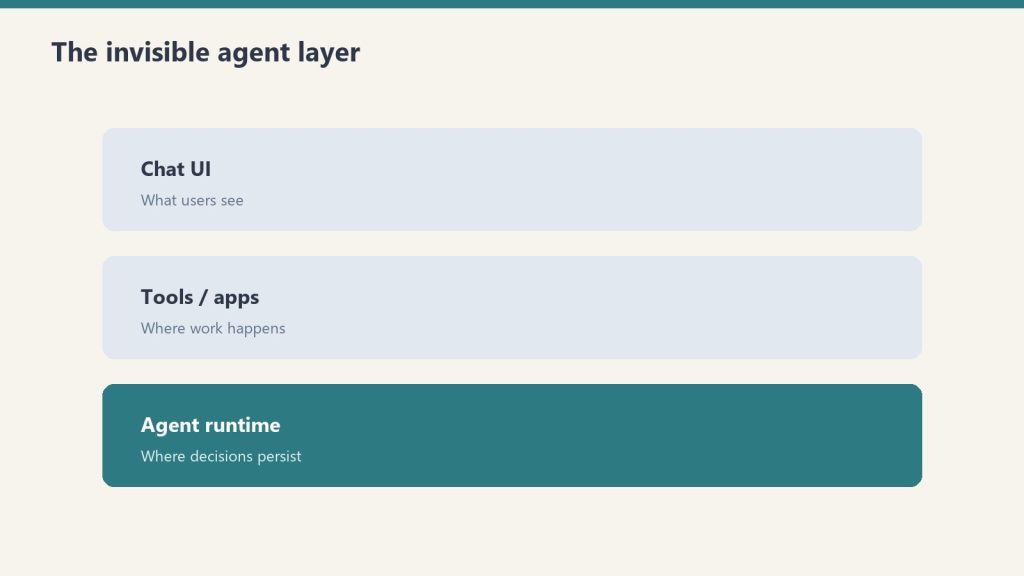
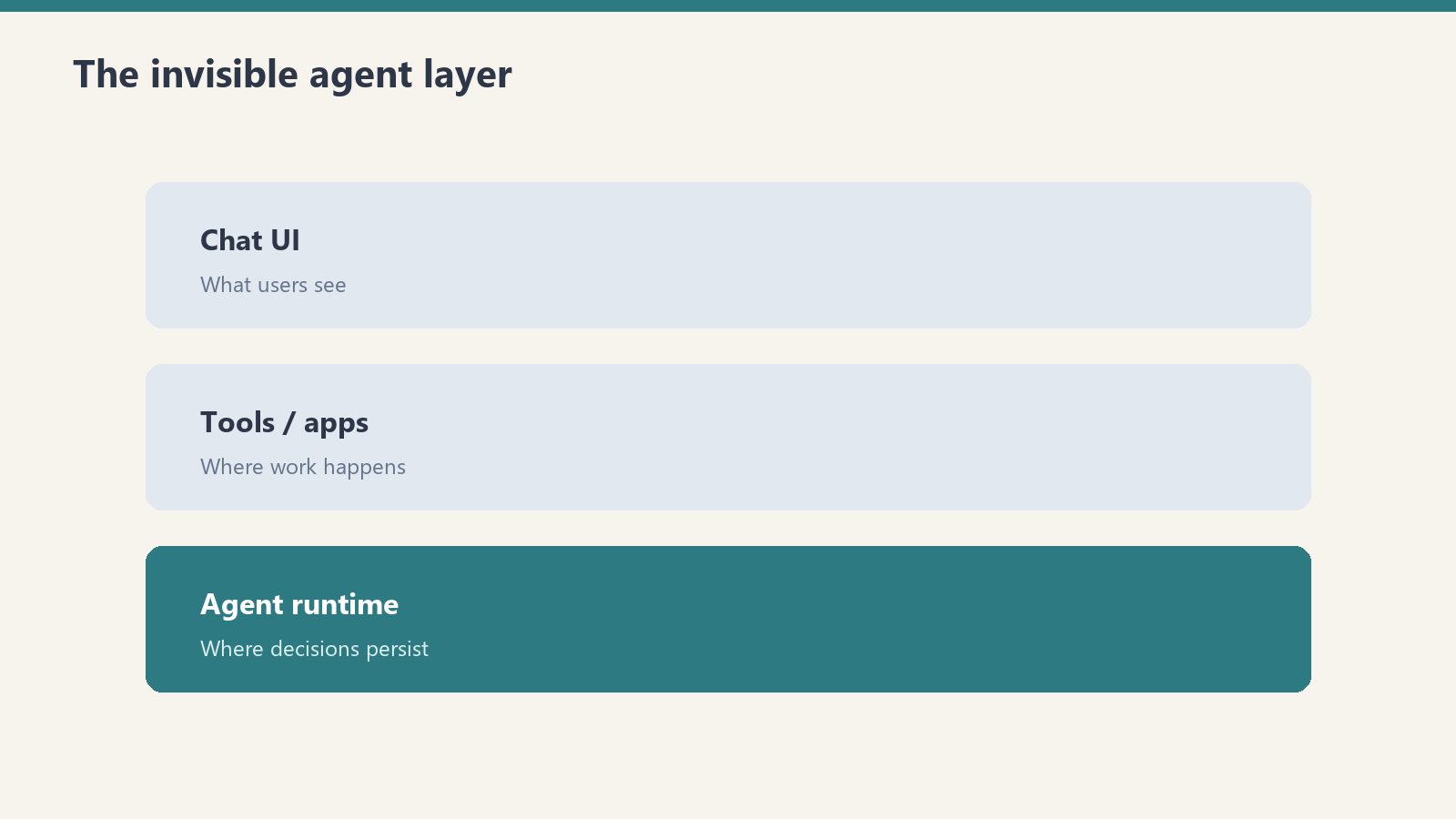
    Three stacked layers: chat UI, tools, agent runtime
    Step 1 — choose the right interface.

    Claude is available through multiple interfaces, each suited for different use cases:

    • claude.ai (web) — The easiest way to start. Works in any browser. Best for general conversations, document analysis, and content creation.
    • Claude mobile app — Available on iOS and Android. Convenient for quick tasks, voice input, and on-the-go reference questions.
    • Claude desktop app — Mac and Windows. Adds local file system access and integrates with Claude Code. Best for developers and power users.
    • Claude Code — Command-line interface for developers. Access directly from your terminal for coding, file management, and agentic tasks.
    • Claude API — For developers building applications. Access via console.anthropic.com with per-token pricing.

    The 10 Most Useful Prompts for Beginners

    If you are new to Claude, these prompt patterns will give you the fastest returns:

    1. Summarize a document: “Summarize this [paste text or upload file] in 5 bullet points, then identify the 3 most important takeaways.”
    2. Draft professional emails: “Write a professional email to [describe recipient] asking for [describe what you want]. Tone should be [formal/friendly/assertive].”
    3. Explain complex topics: “Explain [topic] as if I have a [high school / business / technical] background. Use an analogy.”
    4. Edit your writing: “Edit this for clarity and concision. Keep my voice but cut anything redundant: [paste text]”
    5. Brainstorm ideas: “Give me 15 ideas for [goal]. Include both obvious and unexpected options. Don’t filter for feasibility.”
    6. Analyze a problem: “I’m trying to decide between [option A] and [option B]. Here’s my situation: [context]. What factors should I weigh?”
    7. Create a template: “Create a reusable template for [document type]. Include placeholders for [list variables].”
    8. Research a topic: “What do I need to know about [topic] if I’m a [your role] who needs to [your goal]? Focus on practical implications.”
    9. Debug code: “Here’s my code: [paste code]. It’s supposed to [describe goal] but instead [describe problem]. What’s wrong and how do I fix it?”
    10. Reframe a situation: “I’m dealing with [describe challenge]. Give me 3 different ways to think about this problem.”

    How to Use Claude Projects

    Desk with laptop, checklist notebook, and billing card ready before creating an Anthropic API key
    How to use Claude Projects.

    Projects are one of Claude’s most underused features. A Project is a persistent workspace that maintains context across conversations — instead of starting from scratch every chat, Claude remembers your background, preferences, and the documents you’ve shared.

    To set up a Project effectively:

    1. Go to claude.ai and click “Projects” in the sidebar
    2. Create a new project with a descriptive name (e.g., “Q2 Marketing Campaign” or “Client: Acme Corp”)
    3. Upload relevant documents — style guides, company background, previous work samples
    4. Write a project description that tells Claude your role, your goals, and your preferences
    5. All conversations within the Project now have access to this shared context

    Intermediate Techniques: Getting Better Outputs

    Give Claude a Role

    Starting a prompt with a role assignment significantly improves output quality for specialized tasks: “You are a senior financial analyst reviewing an early-stage startup pitch deck…” or “You are an experienced UX researcher conducting a heuristic evaluation…”

    Specify the Format You Want

    Claude defaults to prose, but you can request: bullet lists, tables, numbered steps, JSON, code blocks, executive summaries, Q&A format, or structured outlines. Be explicit: “Format this as a table with columns for [X], [Y], and [Z].”

    Use Negative Instructions

    Tell Claude what you don’t want: “Do not use jargon,” “Do not include caveats or disclaimers,” “Do not suggest I consult a professional — I need actionable advice,” “Do not use bullet points.”

    Ask for Multiple Versions

    “Give me 3 different versions of this email: one formal, one casual, one direct and brief.” Comparing options is often faster than iterating on a single draft.

    Iterate Don’t Restart

    Claude maintains context within a conversation. Rather than starting over, continue: “Good start. Now make the intro punchier, cut the third paragraph, and add a specific example to section 2.”

    Advanced: Claude Code for Developers

    Long paper tape measure unrolling across a desk beside a laptop, metaphor for context window length
    Advanced — Claude Code for developers.

    Claude Code is a terminal-native AI coding tool that operates at the level of your entire codebase — not just the current file. Install it via npm and authenticate with your Anthropic API key. Once set up, Claude Code can read and write files, execute commands, run tests, manage git, and work autonomously on multi-step engineering tasks.

    The most effective Claude Code workflows:

    • CLAUDE.md file: Create a CLAUDE.md in your project root describing the project’s architecture, conventions, and style guide. Claude Code reads this at the start of every session.
    • /init command: Ask Claude Code to explore your codebase and generate a CLAUDE.md for you.
    • /batch command: Run multiple tasks in parallel rather than sequentially.
    • Agentic tasks: “Find all API endpoints that don’t have input validation and add it” is a task Claude Code can execute across an entire codebase.

    Power User Techniques

    Upload Documents for Deep Analysis

    Claude can process PDFs, Word documents, spreadsheets, and images. Upload a 300-page report and ask: “What are the three recommendations most relevant to a company in the SaaS industry with under 50 employees?” Claude’s 200K token context window means it can hold significantly more content than most AI tools.

    Memory Feature

    In Claude’s settings, enable Memory to allow Claude to remember preferences and context across conversations. You can view, edit, and delete stored memories. This is different from Projects — Memory applies across all conversations, not just within a specific project workspace.

    Use Extended Thinking for Hard Problems

    For complex reasoning tasks, you can ask Claude to use extended thinking: “Think through this carefully before answering: [hard problem].” Claude will reason through the problem step by step before giving its final response, which significantly improves accuracy on multi-step analytical tasks.

    Related on Tygart Media: Claude pricing · what you can do with Claude · is Claude worth it.

    Frequently Asked Questions

    How do I get Claude to remember things between conversations?

    Enable the Memory feature in Claude’s settings to store preferences and context across sessions. Alternatively, use Projects to maintain shared context within a specific workspace.

    What is the best way to upload documents to Claude?

    Click the paperclip icon in the chat interface to upload files. Claude supports PDFs, Word documents, spreadsheets, images, and text files. For very large documents, consider splitting them or asking specific targeted questions rather than asking Claude to summarize the entire document.

    How do I use Claude for coding without being a developer?

    You don’t need to be a developer to use Claude for coding. Describe what you want to build in plain language: “I want a Python script that reads a CSV file and calculates the average of the third column.” Claude will write working code and explain it.

    What is Claude’s message limit on the free plan?

    Free plan limits are not publicly specified as exact numbers and change over time. In practice, free users typically can send dozens of standard messages per day before hitting usage limits. Claude will notify you when you approach limits and offer a path to upgrade.

    Can Claude access the internet?

    By default, Claude does not have real-time internet access. Some implementations of Claude have web search enabled, which allows it to retrieve current information. Check whether your interface shows a web search tool icon.


    Need this set up for your team? Talk to Will →

    What Claude Can and Can’t Do

    Before diving into prompts, it helps to know exactly where Claude excels and where it falls short. Knowing the difference saves you frustration on day one.

    What Claude Does Well

    • Writing — drafting articles, emails, reports, essays, scripts, marketing copy, and creative content. Claude’s writing voice is consistently more natural than most AI tools.
    • Editing and revision — improving existing text, restructuring arguments, tightening prose, adjusting tone, fixing grammar issues with explanation.
    • Coding — writing, explaining, debugging, and refactoring code. Claude is widely considered one of the strongest coding models in 2026.
    • Analysis — summarizing documents, extracting structured data from text, comparing options, identifying patterns, working through trade-offs.
    • Research synthesis — combining information from multiple sources into coherent overviews. With web search enabled, Claude can pull current information from the internet.
    • Reasoning — working through complex problems step by step, identifying logical issues, exploring implications.
    • Explaining concepts — at any level of expertise, adapting to your background and follow-up questions.

    What Claude Can’t Do (Yet)

    • Generate images or video — Claude is text-based. For images you need a different tool (Midjourney, DALL-E, Gemini’s image features, etc.).
    • Browse the live web autonomously — without web search enabled, Claude works from its training data, which has a cutoff date. With web search on, Claude can look things up but it’s a deliberate tool call, not continuous browsing.
    • Remember you between separate conversations by default — each new chat starts fresh unless you’re using Projects (which maintain persistent context) or Claude’s memory features.
    • Take real-world actions unprompted — Claude can draft, create, and use tools you give it access to, but it doesn’t autonomously do things you didn’t ask for.
    • Guarantee factual accuracy — Claude can be confidently wrong, especially on niche topics or recent events. For high-stakes work, verify important facts.

    Common Beginner Mistakes

    Treating Claude like Google

    Google rewards short keyword queries. Claude rewards detailed prompts with context. “Best Italian restaurant” works on Google. With Claude, “I’m visiting Seattle next weekend with my partner who’s vegetarian, we want a date-night spot for Italian food, walking distance from Capitol Hill, around $50 per person” produces a useful answer.

    Asking everything in one mega-prompt

    It’s tempting to dump everything into one giant prompt. Sometimes this works. More often, breaking it into a conversation produces better results — start with the core task, see what Claude produces, then iterate.

    Not pushing back when Claude is wrong

    Claude can be confidently wrong. If something doesn’t match what you know to be true, say so. “That’s not right — the deadline is March, not April” or “I think you’re confusing X with Y” produces a corrected response. Don’t accept output you know is wrong just because Claude said it confidently.

    Forgetting to verify facts on important work

    For high-stakes work — legal, medical, financial, anything published — verify Claude’s factual claims with primary sources. Claude is a thinking partner, not a final authority.

    Defaulting to the most expensive model

    If you’re on a paid plan, Claude offers multiple models. Opus is the most capable but consumes your usage allocation fastest. Sonnet is the daily workhorse and the right choice for most tasks. Haiku is fast and inexpensive for routine work. Defaulting to Opus for everything burns through limits unnecessarily.

    Pasting the same context every conversation

    If you find yourself re-explaining the same project, role, or reference material in multiple chats, you’re doing it wrong. That’s exactly what Projects are for — load the context once, every conversation in the Project starts with it already loaded.

    How Claude Compares to Other AI Tools

    If you’re new to AI tools entirely, the practical landscape in 2026 looks like this:

    • Claude tends to be preferred for coding, long-form writing, careful reasoning, and analysis where output quality matters more than speed.
    • ChatGPT tends to be preferred for image generation, voice mode, casual queries, and tasks where speed and breadth matter most.
    • Gemini tends to be preferred for users deep in the Google ecosystem (Gmail, Docs, Drive), for multimodal video generation, and for high-volume API workloads where cost is the priority.

    Many serious users run more than one. The right tool for you depends entirely on what you actually do. There’s no universal winner — there are use-case winners.

    Should You Upgrade to Claude Pro?

    The Free plan is genuinely useful for most occasional users. Anthropic significantly expanded the Free tier in early 2026 — Projects, Artifacts, and app connectors are now available to free users. For light usage, you may not need to pay anything.

    Stay on Free if:

    • You use Claude a few times a week for casual questions
    • You don’t mind hitting daily limits occasionally
    • You haven’t yet identified a workflow you’d return to repeatedly

    Upgrade to Pro ($20/month) if:

    • You’re hitting Free plan rate limits regularly
    • You use Claude for several hours of work per week
    • You want priority access during peak hours when Free users get throttled
    • You need Anthropic’s most capable models for complex tasks
    • Lost time waiting for limits to reset is costing you more than $20/month

    Consider Max ($100-$200/month) if:

    • You hit Pro limits more than once a week
    • You’re a developer running extended Claude Code sessions
    • Claude is a primary work tool used daily for hours

    If you’re a student at a university with a Claude for Education partnership, you may already have premium access through your school — sign in with your .edu email to check.

    Where to Go After You’ve Got the Basics Down

    Once you’re comfortable with prompting, conversations, and Projects, the highest-leverage things to learn next are:

    • Connectors — Claude can connect to Google Drive, Gmail, Calendar, and other tools, pulling context directly from where your work lives. This eliminates copy-paste from your daily workflow.
    • Model selection — knowing when to use Sonnet vs Opus vs Haiku saves real money and time on paid plans
    • Artifacts — for code, documents, and visualizations, Claude generates them as separate Artifact panels you can iterate on directly
    • Web search — for current-events research and fact-checking, enable web search to let Claude pull live information
    • Claude Code — if you’re a developer, the terminal-based agentic coding tool is in a different league from chat-based coding help
    • API access — for building applications or running programmatic workflows, the API gives you pay-per-token access without subscription rate limits

    Additional Frequently Asked Questions

    Is Claude AI free to use?

    Yes. Claude has a Free plan that includes daily message limits, access to current Claude models, Projects, Artifacts, and app connectors. No credit card is required to sign up at claude.ai. Paid plans add more usage, priority access, and additional features.

    How is Claude different from ChatGPT?

    Claude is generally preferred for coding, long-form writing, and careful reasoning. ChatGPT is generally preferred for image generation, voice mode, and faster casual responses. Both are at the frontier of AI capability — many users run both for different tasks.

    Do I need to know how to code to use Claude?

    No. Claude is built for conversation in plain language. While Claude is excellent at coding, the vast majority of users never touch code — they use Claude for writing, research, analysis, brainstorming, and everyday questions.

    Can Claude make mistakes?

    Yes. Claude can be confidently wrong, especially on niche topics, recent events, or specialized domains. For important work, verify Claude’s factual claims with primary sources. Claude is a thinking partner, not a final authority.

    Can I use Claude on my phone?

    Yes. Claude has iOS and Android apps in addition to the web interface at claude.ai. Your account, conversations, and Projects sync across all devices. Mobile usage counts toward the same usage limits as web usage on paid plans.

    What’s the best way to get better results from Claude?

    Three habits transform results: provide specific context up front (who you are, what you’re working on), be clear about exactly what you want as output (format, length, audience), and treat Claude as a conversation rather than a single-query tool. The more you iterate, the better your results get.

    Does Claude save my conversations?

    Yes. All conversations are saved in your account and accessible from the sidebar at claude.ai. You can rename, organize into Projects, share with others (on paid plans), or delete them. By default, conversations are private to your account.

    Can Claude work with documents I upload?

    Yes. You can upload PDFs, Word documents, text files, images, and other formats directly into a conversation. Claude can read, summarize, analyze, extract information from, and answer questions about the content. For documents you’ll reference repeatedly, upload them to a Project so they’re available across all conversations in that workspace.

  • What Is Claude AI? The Complete Guide (2026)

    What Is Claude AI? The Complete Guide (2026)

    Last refreshed: September 25, 2026

    Model Accuracy Note — Updated May 2026

    Lineup currency (Sept 2026, verified): Sonnet 5 ($2/$10), Opus 5.5 ($4/$20), Haiku 4.5 ($1/$5), Fable 5.1 ($10/$50). Legacy (still listed): Opus 4.8 ($5/$25), Sonnet 4.6 ($3/$15). Prior note (superseded): Prior flagship claim: Claude Opus 4.7 (claude-opus-4-7). Prior models claim: Opus 4.7 · Sonnet 4.6 · Haiku 4.5. Claude Opus 4.7 (claude-opus-4-7) was claimed current as of April 16, 2026. Where this article references Opus 4.6 or earlier models, those references are historical. See current model tracker →. See current model tracker →

    Claude AI · Fitted Claude

    Claude AI is a family of large language models built by Anthropic, a San Francisco-based AI safety company. In 2026, Claude competes directly with ChatGPT, Gemini, and Grok — and in many professional use cases, it outperforms all of them. This guide covers what Claude is, how it works, what it costs, and how to start using it today.

    What Is Claude AI?

    Three stacked layers: chat UI, tools, agent runtime
    What is Claude AI?

    Claude is an AI assistant developed by Anthropic, a company founded in 2021 by former OpenAI researchers including Dario Amodei, Daniela Amodei, and five other co-founders. The name “Claude” is a nod to Claude Shannon, the father of information theory.

    Unlike some AI tools built primarily for speed or image generation, Claude was designed from the ground up with safety and helpfulness as co-equal priorities. Anthropic uses a technique called Constitutional AI — a method of training models to follow a set of principles rather than just optimize for user approval. The result is an assistant that tends to be more careful, more honest, and less likely to hallucinate than its competitors.

    As of April 2026, Claude is available through:

    • Claude.ai — the web and mobile interface (free and paid plans)
    • Claude desktop app — native Mac and Windows applications
    • Claude API — for developers building AI-powered applications
    • Claude Code — a terminal-native AI coding tool
    • Enterprise deployments — via Anthropic’s enterprise and team offerings

    Which Claude Models Exist in 2026?

    Diagram comparing a long context window bar with a shorter output limit bar
    Which Claude models exist in 2026?

    Anthropic currently offers three tiers of Claude models, each optimized for different use cases:

    Model Best For Context Window Notable Benchmark
    Claude Opus 4.7 Complex reasoning, research, coding 200K tokens 80.8% SWE-bench, 91.3% GPQA Diamond
    Claude Sonnet 4.6 Everyday tasks, balanced performance 200K tokens Best speed-to-intelligence ratio
    Claude Haiku 4.5 Fast, lightweight tasks 200K tokens Fastest response time

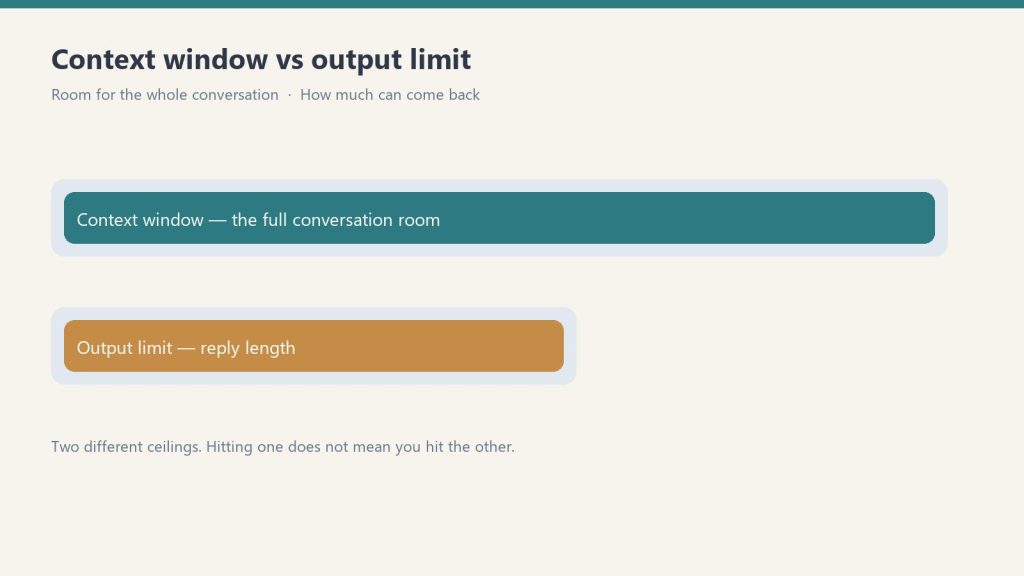
    All models support a 200,000-token context window by default — roughly 150,000 words, or an entire novel. Enterprise customers can access up to 500,000 tokens, and Claude Code extends to 1 million tokens for large codebase analysis.

    How Does Claude AI Work?

    Claude is a large language model (LLM) — a type of neural network trained on vast amounts of text data to predict and generate human-like responses. What distinguishes Claude from other LLMs is Anthropic’s emphasis on alignment and safety during training.

    Claude uses two key training innovations:

    • Constitutional AI (CAI): Instead of relying solely on human feedback to shape model behavior, Anthropic trains Claude to evaluate its own outputs against a set of written principles. This makes Claude more consistent in avoiding harmful outputs, even in edge cases human reviewers might not anticipate.
    • RLHF (Reinforcement Learning from Human Feedback): Human trainers rate Claude’s responses, and those ratings guide the model toward more helpful, accurate, and appropriate answers over time.

    The combination produces a model that tends to acknowledge uncertainty, push back on false premises, and decline harmful requests more gracefully than many competitors.

    What Can Claude AI Do?

    Claude’s capabilities in 2026 span well beyond simple chatting. Here’s what it handles well:

    Writing and Editing

    Claude excels at long-form content: blog posts, essays, reports, marketing copy, email sequences, legal documents, and fiction. Its writing is notably less robotic than many AI tools, partly because it’s trained to match tone and style from context clues.

    Coding and Software Development

    Claude Code — Anthropic’s terminal-native coding tool — has become one of the most popular AI coding environments among professional developers. It can write, debug, refactor, and explain code across virtually all major programming languages, and it understands large codebases through its million-token context window.

    Research and Analysis

    Claude reads and synthesizes PDFs, research papers, financial reports, and legal filings. With 200K tokens of context, it can process an entire book-length document and answer specific questions about it.

    Data Analysis

    Claude can read CSV files, interpret charts, write Python or SQL to analyze datasets, and explain findings in plain language — making it useful for anyone who works with data but isn’t a dedicated data scientist.

    Multimodal Inputs

    Claude accepts text, images, PDFs, and documents as inputs. It can describe images, extract text from screenshots, and analyze visual data — though it cannot generate images itself (for image generation, tools like Midjourney or DALL-E are required).

    Claude AI Pricing: Free vs. Paid Plans in 2026

    Anthropic offers four main tiers for individual users:

    Plan Price What You Get Best For
    Free $0/month Limited daily messages, Claude Sonnet 4.6 access Casual or occasional use
    Claude Pro $20/month 5x more usage, priority access, Projects Regular users, professionals
    Claude Max 5x $100/month 5x Pro usage, Claude Code access, extended thinking Power users, developers
    Claude Max 20x $200/month 20x Pro usage, highest priority Heavy professional use

    Enterprise plans are available with custom pricing, SSO, admin controls, extended context (up to 500K tokens), and zero-data-retention options for sensitive industries.

    Claude vs. ChatGPT: What’s the Difference?

    This is the question most people ask when they first hear about Claude. The honest answer: they’re both capable, and the best choice depends on your use case.

    Factor Claude ChatGPT
    Best at Long documents, nuanced writing, coding General tasks, image generation, plugins
    Context window 200K tokens (standard) 128K tokens (GPT-4o)
    Image generation No (analysis only) Yes (DALL-E integration)
    Safety emphasis Very high (Constitutional AI) High
    Code quality Among the best (SWE-bench leader) Strong
    Price $20-$200/month $20/month (Plus), $200/month (Pro)

    For most professional writing, legal/financial analysis, and software development tasks, Claude holds a measurable edge. For tasks requiring image generation or deep integration with third-party plugins, ChatGPT’s ecosystem is broader.

    How to Get Started with Claude AI

    Desk with laptop, checklist notebook, and billing card ready before creating an Anthropic API key
    How to get started with Claude AI.

    Getting started takes about two minutes:

    1. Go to claude.ai and create a free account with your email or Google login.
    2. Start a new conversation. Type or paste your first prompt.
    3. If you need to analyze a document, click the paperclip icon to upload PDFs, images, or files.
    4. For power use, upgrade to Claude Pro for Projects — a feature that lets you create persistent knowledge bases that Claude remembers across conversations.
    5. Spinning Up the API?

      I can walk you through setup, model selection, and cost management — before you burn credits figuring it out yourself.

      Email Will → will@tygartmedia.com

    6. If you’re a developer, visit console.anthropic.com to get your API key and explore the Claude API.

    Claude AI: Key Limitations to Know

    No tool is perfect. Here are Claude’s genuine limitations as of 2026:

    • No image generation: Claude cannot create images. For that, you need a dedicated tool like Midjourney, DALL-E, or Stable Diffusion.
    • Rate limits on free and Pro plans: Heavy users — especially on the Pro tier — regularly hit daily message limits. This is the most common complaint among power users. The Max plans ($100/$200/month) solve this for most use cases.
    • No real-time web access by default: Unless explicitly connected to a web search tool, Claude’s knowledge has a training cutoff. It cannot browse the web in real time by default on the consumer interface.
    • Occasional refusals: Claude’s safety training sometimes makes it overly cautious on topics that are legitimate but touch sensitive areas. This has improved substantially with each model generation.

    Frequently Asked Questions About Claude AI

    Is Claude AI free?

    Yes — Claude has a free tier that gives you limited daily access to Claude Sonnet 4.6. The free tier is useful for casual use, but heavy users will quickly encounter rate limits. Paid plans start at $20/month.

    Who made Claude AI?

    Claude was created by Anthropic, an AI safety company founded in 2021. Anthropic was started by seven former OpenAI researchers, including CEO Dario Amodei and President Daniela Amodei.

    Is Claude AI better than ChatGPT?

    It depends on the task. Claude generally outperforms ChatGPT on coding benchmarks, long-document analysis, and nuanced writing. ChatGPT has a broader plugin ecosystem and native image generation. Many professionals use both.

    Does Claude store my conversations?

    By default, Anthropic may use conversations from consumer accounts to improve its models (you can opt out in settings). Business and API customers can access zero-data-retention options. Conversation data is retained for up to five years unless you delete it manually.

    Can Claude generate images?

    No. Claude can analyze and describe images, but it cannot generate them. For AI image creation, use Midjourney, DALL-E, or Adobe Firefly.

    What is Claude’s context window?

    Standard Claude models have a 200,000-token context window — roughly 150,000 words. Enterprise plans extend this to 500,000 tokens. Claude Code supports up to 1 million tokens for large codebase analysis.

    How do I access Claude Code?

    Claude Code is available as part of the Claude Max subscription ($100+/month) or via the Anthropic API. It runs as a terminal-native tool — install it with npm install -g @anthropic-ai/claude-code and authenticate with your API key.


    This guide is updated regularly as Anthropic ships new models and features. Last updated: April 2026.


    Need this set up for your team?
    Talk to Will →

  • Radon High After Mitigation? 10 Causes & How to Fix Them

    Radon High After Mitigation? 10 Causes & How to Fix Them

    The Distillery
    — Brew № 1 · Radon Mitigation

    A post-mitigation radon test that comes back above 4.0 pCi/L — or even above 2.0 pCi/L when you expected 0.5 — is a frustrating result, but it is not uncommon. National data suggests 10–15% of initial residential radon mitigation installations do not achieve target radon levels on the first attempt and require a callback or additional work. Understanding why post-mitigation results disappoint — and which specific cause applies to your situation — is the foundation for an efficient fix. This guide covers the ten most common causes, in roughly the order of how often they occur.

    Before Diagnosing: Confirm the Test Was Valid

    Before assuming the system failed, confirm the post-mitigation test was conducted correctly. A surprising number of elevated post-mitigation results are caused by testing error rather than system failure.

    • Was the test placed at least 24 hours after the fan was activated? Testing before the system reaches equilibrium — especially in the first few hours — produces results that reflect the transition between un-mitigated and mitigated conditions, not steady-state performance.
    • Were closed-house conditions maintained? Open windows or whole-house fans during the test produce artificially low results — and ironically, a test run while a contractor is completing the installation (doors opening and closing repeatedly) may show different conditions than steady-state. If closed-house conditions were compromised, retest.
    • Was the device placed correctly? Test devices placed directly below the suction point, adjacent to the sump pit, or near an HVAC vent can produce atypical results. Retest with the device in the center of the lowest livable room, at breathing-zone height.
    • Was the result from a professional continuous monitor? If so, review the hourly data log — spikes during the test period may indicate a specific event (windows opened, HVAC change) rather than system failure.

    If the test was valid, proceed to diagnosing the system.

    Cause 1: Insufficient Suction Field Coverage

    How common: Very common — the most frequent cause of inadequate post-mitigation results.

    What it is: The sub-slab vacuum created by the single suction point does not extend far enough to depressurize the entire slab footprint. Radon continues to enter through portions of the slab that are outside the effective suction radius.

    How to diagnose: A mitigator can perform a post-installation suction field test: with the fan running, check for negative pressure at various points across the slab — at floor drains, near walls, at the far end of the basement from the suction point. If some areas show no negative pressure, the suction field is not covering the full footprint.

    Fix: Add one or more additional suction points in the uncovered areas, piped back to the same fan via manifold. Cost: $150–$400 per additional point plus any necessary pipe work.

    Cause 2: Unsealed Bypass Entry Pathways

    How common: Very common — often overlooked during initial installation or appearing after.

    What it is: Radon is entering the home through pathways that bypass the sub-slab vacuum entirely — directly through cracks, gaps, or penetrations in the slab, walls, or floor-wall joint that are not covered by the vacuum zone. A suction system creates negative pressure in the soil below the slab, but if radon can enter above the slab through an open pathway, the vacuum doesn’t help.

    How to diagnose: Inspect the slab surface carefully for visible cracks, especially wider cracks at expansion joints, control joints, or around floor drains. Check the floor-wall joint perimeter — a small gap around the entire perimeter is a common high-volume entry pathway. Check around plumbing penetrations. A smoke pencil or incense stick held near suspected entry points while the fan runs can reveal inward air draw at unmitigated pathways — if smoke is pulled toward the floor, that pathway is admitting outside air (and radon) to the interior above the vacuum zone.

    Fix: Seal all identified pathways. Expansion joints and control joints: polyurethane backer rod and caulk. Visible cracks: low-viscosity polyurethane caulk or epoxy injection. Floor-wall joint: polyurethane caulk run continuously around the perimeter. Plumbing penetrations: hydraulic cement. Cost: $50–$300 in materials for typical sealing work; more if a contractor is hired to do this systematically.

    Cause 3: Fan Undersized for Sub-Slab Conditions

    How common: Moderately common — particularly in homes where the pre-installation diagnostic was abbreviated or skipped.

    What it is: The installed fan does not generate sufficient airflow or static pressure to adequately depressurize the sub-slab zone. This is more likely in homes with dense sub-slab fill (clay, sand, or compacted earth rather than gravel aggregate) that resist airflow, or in large-footprint homes where one suction point must cover a very large area.

    How to diagnose: A mitigator can measure the static pressure at the suction point with the current fan running. If pressure is below the expected range for the aggregate conditions, the fan is undersized. Alternatively, if the fan is an RP145 or RP265 and the home has visibly poor aggregate conditions, upgrading to a higher-capacity fan is a reasonable diagnostic first step.

    Fix: Upgrade the fan to a higher-capacity model. The pipe network stays in place; only the fan changes. Cost: $180–$450 for a new fan and installation labor. This is covered under most workmanship warranties when the original post-mitigation result exceeds the target level.

    Cause 4: Block Wall Radon Entry (CMU Foundation)

    How common: Common in homes with concrete masonry unit (CMU) block foundation walls — prevalent in pre-1975 construction in many regions.

    What it is: CMU block foundation walls have hollow cores that communicate with the soil. Radon migrating through these cores enters the basement air directly from the wall, not from below the slab — so sub-slab depressurization alone does not address this pathway.

    How to diagnose: Hold a smoke pencil near the interior face of the block wall while the ASD system is running. If smoke is pulled toward the wall (rather than downward toward the floor), the wall is a primary radon entry source that the floor-based suction is not addressing.

    Fix: Block-wall depressurization — drill 2″–3″ holes through the interior face of the block wall just above the slab, and manifold them into the existing fan system or a dedicated second fan. Alternatively, applying a dense masonry sealer to the interior block wall face reduces the inward airflow from the hollow cores. Cost: $300–$600 for block-wall depressurization add-on.

    Cause 5: Sump Pit Contributing Uncontrolled Entry

    How common: Moderately common in homes with sump pits that are not integrated into the mitigation system.

    What it is: An open or loosely covered sump pit is connected to the drain tile system that runs around the foundation perimeter — creating a direct, low-resistance pathway for radon from the soil into the basement air. Even if the slab is under negative pressure, a sump pit that is open to the basement atmosphere allows radon from the drain tile to enter freely above the vacuum zone.

    Fix: Install an airtight sump pit lid with a pipe fitting connecting the pit to the ASD system. The sump pump continues to operate normally; the pit is now part of the vacuum network rather than a radon bypass. Cost: $100–$250 for the lid and connection work.

    Cause 6: Floor Drains as Bypass Pathways

    How common: Less common than sump pits but significant when present.

    What it is: Floor drains that connect directly to the drain tile system or to perforated drainage pipes in the sub-slab can allow radon to enter the home through the open drain grate. The sub-slab vacuum may not extend into this pathway effectively.

    Fix: Install a floor drain radon trap — a water-filled standpipe or a specialized radon-blocking floor drain insert that maintains a water seal preventing gas flow up the drain while still allowing water drainage. Cost: $30–$100 in materials, or a plumber for more complex situations.

    Cause 7: Air Leaks in the Pipe System

    How common: Uncommon with properly cemented PVC; more common in DIY installations or rushed professional work.

    What it is: An air leak in the pipe system — at a dry-fitted joint, a cracked fitting, or where the pipe penetrates the slab — allows air to enter the system between the fan and the suction point. This reduces the negative pressure the fan generates at the sub-slab, degrading system performance.

    How to diagnose: With the system running, hold a smoke pencil or incense stick near every pipe joint. Any inward smoke draw indicates an air leak at that location.

    Fix: Seal the leak — PVC cement on dry-fitted joints, replacement of cracked fittings, or caulk/sealant at the pipe-slab interface. Cost: minimal in materials; professional labor adds $100–$250 if a contractor is needed.

    Cause 8: Multiple Foundation Zones Not All Addressed

    How common: Common in homes with additions, combination basement/crawl space, or split-level foundations.

    What it is: The home has more than one foundation zone — perhaps a basement under the main house and a slab under an addition — and only one zone was mitigated. Radon from the unmitigated zone continues to enter the home.

    Fix: Add mitigation coverage to the unaddressed foundation zone. This may require additional suction points manifolded to the existing system, or a separate system for an isolated zone. Cost: $600–$2,000 depending on the extent of unaddressed foundation.

    Cause 9: Building Pressure Changes Since Installation

    How common: This cause explains elevated re-test results more often than elevated initial post-mitigation results.

    What it is: Changes to the building’s HVAC system, ventilation, or insulation since the mitigation system was designed have altered building pressure dynamics. A new whole-house fan, a high-efficiency furnace that creates more depressurization, or significant air sealing of the building envelope can change how the mitigation system performs relative to its original design.

    Fix: A mitigator assesses the current building pressure conditions and re-optimizes the system — typically by adjusting fan capacity or adding suction points. Sometimes simply sealing combustion appliance infiltration points resolves the issue.

    Cause 10: Elevated Seasonal or Weather Conditions During Testing

    How common: Most relevant as an explanation for one elevated result in a series of previously low results.

    What it is: A post-mitigation test conducted during a period of unusually low barometric pressure, strong winds, or other weather conditions that push the home’s natural radon level to a temporary peak. Even a well-functioning mitigation system cannot reduce the impact of a major barometric pressure drop to zero — it reduces it dramatically, but a 48-hour test during a significant weather event may show somewhat higher levels than the true long-term average.

    Fix: Retest under more neutral weather conditions. If the second test also shows elevated results, weather is not the explanation and system diagnosis is needed.

    Frequently Asked Questions

    What should I do if my radon is still high after mitigation?

    First, confirm the post-mitigation test was conducted correctly — proper placement, closed-house conditions, at least 24 hours after fan activation. If the test was valid and results are at or above 4.0 pCi/L, contact your installing contractor immediately. This is a workmanship warranty situation if the system is within the warranty period. The contractor should conduct a diagnostic visit to identify the specific cause and correct it at no charge under the warranty.

    How long should I wait after mitigation before testing?

    Place the post-mitigation test device at least 24 hours after the fan is activated, and run the test for a minimum of 48 hours under closed-house conditions. Testing in the first few hours of system operation captures the transition period, not steady-state performance. Most certified contractors include post-mitigation testing as part of their service — confirm whether this is in your contract.

    Is it covered under warranty if radon is still high after mitigation?

    Most certified radon mitigators provide a workmanship warranty covering callbacks when post-mitigation testing results exceed the target level (typically 4.0 pCi/L). Warranty duration ranges from 1 to 5 years depending on the contractor. The warranty should be specified in your original contract — review it before contacting the contractor so you understand what is and is not covered.

    Can I fix an underperforming radon system myself?

    Some fixes are DIY-accessible in states that permit owner-occupant radon work — particularly adding sealant to visible cracks, installing a sump pit lid, or cleaning a blocked floor drain. Others — adding suction points, upgrading the fan, adding block-wall depressurization — involve more significant construction work and are better suited to the installing contractor under warranty, or to a new certified mitigator if the original contractor is unresponsive or warranty has expired.


    Related Radon Resources


  • Radon Mitigation Scam: Facts vs. Real Contractor Fraud

    Radon Mitigation Scam: Facts vs. Real Contractor Fraud

    The Distillery
    — Brew № 1 · Radon Mitigation

    Search Reddit for “radon mitigation” and you will find a recurring pattern: a homeowner posts that they’ve been told they need a mitigation system, and a chorus of skeptics appears suggesting it’s a scam, the threshold is arbitrary, the contractors are fear-mongering, or the health risk is overblown. Some of these skeptical questions are legitimate and deserve honest answers. Some rest on misunderstandings. And some describe real patterns of contractor misconduct that do occur. This article addresses all of them directly.

    The Legitimate Skeptic Questions

    “Isn’t the 4.0 pCi/L threshold arbitrary?”

    Partly. The 4.0 pCi/L action level was established in the late 1980s based on risk modeling and technical feasibility at the time — it was chosen in part because mitigation technology reliably achieved below 4.0 pCi/L. It is a policy threshold, not a biological bright line between safe and dangerous. EPA itself acknowledges that radon between 2.0 and 4.0 pCi/L poses meaningful health risk and recommends considering mitigation in that range.

    But “the threshold is imprecise” does not mean “the health risk is not real.” The epidemiological evidence is unambiguous: radon causes approximately 21,000 lung cancer deaths annually in the U.S., making it the second leading cause of lung cancer after smoking. The argument that the specific threshold is a round number chosen for convenience does not challenge the underlying health burden. Radon at 6 pCi/L causes more lung cancer than radon at 2 pCi/L — that is not manufactured; it is quantified in epidemiological data and reflected in EPA’s published risk tables.

    “My house has been here for decades and no one has gotten lung cancer — does that mean it’s fine?”

    No, and this is a common and dangerous misunderstanding of how radiation-induced cancer works. Radon causes cancer stochastically — meaning it increases probability, not certainty. A home at 8 pCi/L does not guarantee lung cancer; it increases the lifetime probability of lung cancer by approximately 5–6 per 1,000 never-smokers. A family of four in that home for 30 years has a meaningful elevated probability — but probability below 1% for any individual. The absence of observed lung cancer in a specific household does not establish that the exposure is safe, any more than playing Russian roulette once without dying proves the gun is unloaded.

    Additionally, radon-induced lung cancer has a latency period of 15–40 years. People exposed to elevated radon in a home they moved out of 20 years ago may be developing lung cancer now from that historical exposure.

    “Can’t I just open my windows?”

    Opening windows does dilute indoor radon — temporarily. A home with 8 pCi/L might measure 2–3 pCi/L with windows open. But this is not a mitigation strategy:

    • You cannot practically keep windows open year-round in most U.S. climates
    • When you close windows (which is most of the time, especially in winter when radon levels are naturally highest), levels return to baseline within hours
    • Open windows can sometimes create pressure patterns that increase radon entry on the windward side of the home
    • Heating and cooling costs from open windows over years would dwarf the cost of a permanent mitigation system

    A properly installed ASD system runs continuously, uses 20–90 watts, costs $30–$75 per year in electricity, and maintains low radon levels 24 hours a day regardless of weather or season. This is categorically different from the temporary dilution effect of open windows.

    The Real Scams That Do Occur in the Radon Industry

    Skepticism about radon is not always unfounded — the radon industry, like any home services industry, contains bad actors who exploit homeowner anxiety. The specific patterns to watch for:

    Inflated Test Results

    Can radon test results be manipulated? In theory, yes. An unscrupulous contractor who conducts both the test and sells mitigation could place the test device near a specific point source (a sump pit, the bottom of a wall, under an HVAC vent) to produce an artificially elevated reading. Or they could test without maintaining closed-house conditions if they want results to look low (to sell a post-mitigation clean bill of health after their installation).

    Protection: use a certified measurement professional who is independent of any mitigation contractor you hire. In a real estate transaction, the buyer should conduct (or hire) the initial test independently. For DIY homeowners, a charcoal canister test from a certified lab is far harder to manipulate than a contractor’s professional continuous monitor, because you handle the test device yourself.

    AARST MAMF (Measurement and Mitigation Protocol) requires certified professionals to follow anti-tampering protocol — devices must be placed according to EPA protocol in the homeowner’s presence or with chain-of-custody documentation. Professional continuous monitors generate tamper-evident data logs that show if a device was moved or if closed-house conditions were violated.

    Unnecessary Multiple Suction Points

    A legitimate diagnostic test determines how many suction points a home needs. Most homes need one — possibly two for larger footprints or poor aggregate. Some contractors upsell additional suction points without conducting the diagnostic that would justify them, adding $150–$400 per unnecessary point.

    Protection: ask the contractor to show you the results of the sub-slab communication test. If they did not conduct one, ask why. If they are proposing three suction points for a 1,400 sq ft home with standard gravel aggregate, that warrants a second opinion.

    Substandard Installation Presented as Complete

    The most common low-grade contractor failure: a system that runs, generates some negative pressure, but was not properly designed or sealed — leaving the post-mitigation level at 3.5 pCi/L rather than 0.5 pCi/L. The contractor declares success; without a post-mitigation test, the homeowner has no way to verify otherwise.

    Protection: always conduct post-mitigation testing. Place a 48-hour charcoal canister test at least 24 hours after the fan is activated. If results are above 2.0–3.0 pCi/L, the system may need adjustment — contact the contractor under the workmanship warranty. If the contractor did not include a warranty and resists follow-up, you have identified a contractor who should not have been hired.

    Fear-Based Upselling

    A contractor who quotes a result of 4.2 pCi/L as a crisis requiring immediate remediation is not necessarily lying about the result — 4.2 pCi/L is at the EPA action level and does warrant mitigation. But the framing as an emergency that requires same-day installation, or claims that “you’ve probably already damaged your lungs,” is psychological manipulation rather than science.

    Radon at 4.2 pCi/L is worth mitigating. It is not a crisis. The risk it represents is cumulative and relatively small on a per-year basis — the harm from years of prior exposure is already done; acting in the next two weeks versus the next two months makes negligible difference to lifetime risk. Take the time to get multiple quotes from verified certified contractors.

    How to Distinguish Legitimate Concern from Manufactured Fear

    A legitimate radon professional:

    • Presents test results clearly and explains what they mean relative to EPA guidance — not relative to worst-case scenarios
    • Conducts a diagnostic before proposing a system design
    • Offers a written quote with itemized scope of work
    • Recommends independent post-mitigation testing and is comfortable with you using a third-party lab
    • Holds verifiable NRPP or NRSB certification
    • Is not pressuring you to sign today or lose the discounted price

    A contractor working from manufactured fear:

    • Presents results in alarming terms disproportionate to what the pCi/L number actually represents
    • Creates urgency that does not exist (radon is a long-term risk, not an emergency requiring same-day action)
    • Cannot or will not provide verifiable certification credentials
    • Proposes a complex, expensive multi-point system without demonstrating need through diagnostic testing
    • Resists your desire to get a second opinion or a second quote

    Frequently Asked Questions

    Is radon mitigation a scam?

    No — radon mitigation addresses a real, well-documented health hazard supported by decades of epidemiological research and multiple independent studies. Radon causes approximately 21,000 U.S. lung cancer deaths annually; active mitigation systems reduce indoor levels by 85–99% and are one of the most cost-effective health interventions available to homeowners. However, like any home services industry, the radon field contains unscrupulous contractors who may inflate results, oversell services, or provide substandard installations — which is why credential verification and independent post-mitigation testing are essential.

    Can radon test results be faked?

    In theory, device placement manipulation is possible, but professional continuous monitors generate tamper-evident data logs and must be placed per AARST MAMF protocol. The practical protection is using a certified measurement professional independent of any mitigation contractor, and following up with your own DIY charcoal canister confirmation if you have doubts about a professionally conducted test.

    My neighbor says radon is a government scare tactic — is that true?

    No. The evidence for radon-lung cancer causality comes from independent research by the National Academy of Sciences (BEIR VI), multiple national cancer research agencies in Europe and North America, the World Health Organization, and IARC — not from a single government agency. The epidemiological studies that established the residential risk were conducted by independent academic researchers at multiple institutions and replicated across different countries and populations. The evidence is consistent, peer-reviewed, and not dependent on any single institutional position.

    Should I get a second opinion on a radon test result?

    Absolutely, particularly if you are being pressured to act quickly or if the result seems inconsistent with what you know about your home and neighborhood. Run your own 48-hour charcoal canister test from a certified mail-in lab ($15–$30) under proper closed-house conditions. If the DIY result matches the professional result within ±30%, the original result is likely accurate. If there is a large discrepancy, investigate the conditions under which each test was conducted before making any decisions.


    Related Radon Resources


  • The Claude Prompt Library: 20+ Prompts That Work (2026)

    The Claude Prompt Library: 20+ Prompts That Work (2026)

    Last refreshed: August 30, 2026

    Claude AI · Fitted Claude

    Prompting Claude well is a skill. The difference between a generic output and a genuinely useful one is almost always in how the request was framed — the specificity, the constraints, the context given, and the format requested. This library collects prompts that consistently produce strong results across the use cases that matter most: writing, SEO, research, analysis, coding, and business strategy.

    How to use this library: Copy the prompt, fill in the bracketed sections with your specifics, and run it. Each prompt is written for Claude specifically — the phrasing and structure take advantage of how Claude handles instructions. Many will also work with other models but are optimized here for Claude Sonnet 4.6 or Opus — see the Claude model comparison if you’re deciding which model to use.

    What Makes a Claude Prompt Different

    Three stacked layers: chat UI, tools, agent runtime
    What makes a Claude prompt different.

    Claude responds particularly well to a few techniques that differ from how you might prompt GPT models:

    • XML tags for structure — wrapping context in tags like <context> or <document> helps Claude process them as distinct inputs rather than running prose
    • Explicit output format instructions — telling Claude exactly what format you want (headers, bullets, table, prose) at the end of a prompt reliably shapes the output
    • Negative constraints — “do not use bullet points,” “avoid hedging language,” “no preamble” are respected consistently
    • Asking Claude to reason before answering — adding “think through this step by step before responding” improves output quality on complex tasks
    • Role assignment — “You are a senior editor…” or “Act as a B2B marketing strategist…” frames Claude’s perspective and tends to produce more targeted outputs

    Writing and Editing Prompts

    EDIT FOR VOICE

    You are editing a piece of writing to match a specific voice. The target voice is: [describe voice — direct, conversational, no jargon, uses short sentences, never sounds like marketing copy].
    
    Here is the draft:
    <draft>
    [paste draft]
    </draft>
    
    Edit the draft to match the target voice. Do not change the meaning or structure — only the language. Return the edited version only, no commentary.
    HEADLINE VARIANTS

    Write 10 headline variants for this article. The article is about: [topic in one sentence].
    
    Target audience: [who will read this]
    Tone: [direct / curious / urgent / informational]
    Primary keyword to include in at least 3 variants: [keyword]
    
    Format: numbered list, headlines only, no explanations.
    MAKE IT SHORTER

    Reduce this to [target word count] words without losing any key information. Cut filler, redundancy, and anything that doesn't add to the argument. Do not add new ideas. Return only the shortened version.
    
    <text>
    [paste text]
    </text>

    SEO and Content Prompts

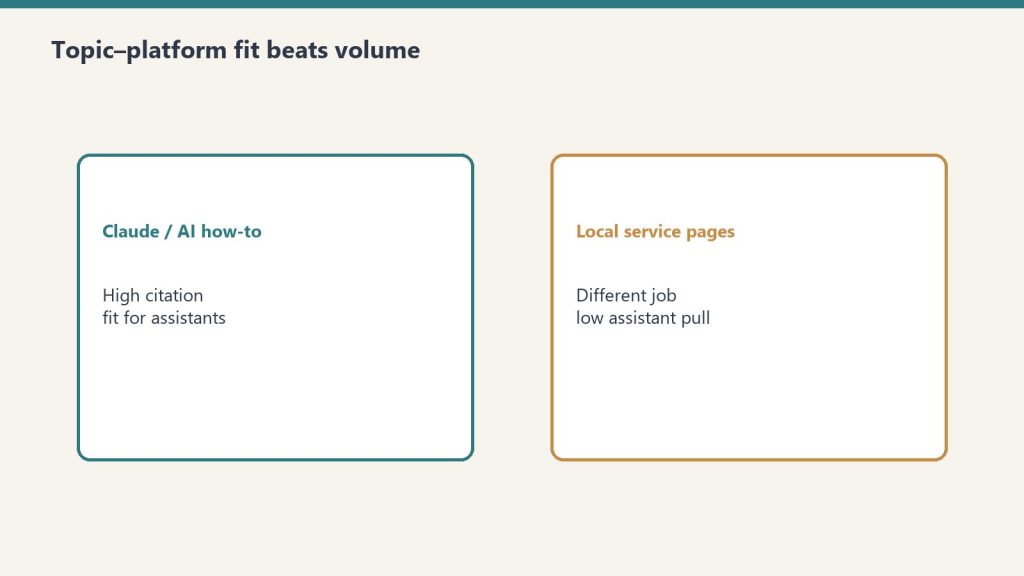
    Comparison of Claude how-to fit versus local service page fit for assistants
    SEO and content prompts.
    META DESCRIPTION BATCH

    Write meta descriptions for the following pages. Each must be 150-160 characters, include the primary keyword naturally, describe what the visitor gets, and end with a soft call to action.
    
    Pages:
    1. [Page title] | Keyword: [keyword]
    2. [Page title] | Keyword: [keyword]
    3. [Page title] | Keyword: [keyword]
    
    Format: numbered list matching the pages above. Return descriptions only.
    FAQ SCHEMA GENERATOR

    Generate 5 FAQ questions and answers optimized for Google's FAQ rich results. The topic is: [topic].
    
    Rules:
    - Questions must match how someone would actually search (conversational phrasing)
    - Answers must be 40-60 words, direct, and answer the question in the first sentence
    - Include the primary keyword [keyword] in at least 2 of the questions
    - Do not start any answer with "Yes" or "No" — lead with the substance
    
    Format: Q: / A: pairs, no additional text.
    CONTENT BRIEF FROM URL

    I want to write a better version of this article: [URL or paste content]
    
    Analyze it and produce a content brief for an improved version. Include:
    1. Gaps — what important questions does this article not answer?
    2. Structure — suggested H2/H3 outline for the improved version
    3. Differentiation — one angle or section that would make this article clearly better than the original
    4. Target keyword and 3-5 supporting keywords to weave in naturally
    
    Be specific. Generic advice is not useful.

    Research and Analysis Prompts

    DOCUMENT SUMMARY WITH DECISIONS

    Read this document and produce a structured summary for an executive who has 3 minutes.
    
    <document>
    [paste document]
    </document>
    
    Format your response as:
    - WHAT IT IS (1 sentence)
    - KEY FINDINGS (3-5 bullets, most important first)
    - DECISIONS REQUIRED (if any — be specific about who needs to decide what)
    - WHAT HAPPENS IF WE DO NOTHING (1-2 sentences)
    
    No preamble. Start directly with WHAT IT IS.
    STEELMAN THE OPPOSITION

    I am going to share my position on [topic]. Your job is to steelman the strongest possible counterargument — not a strawman, but the most rigorous case against my position that a smart, informed person could make.
    
    My position: [state your position clearly]
    
    Present the counterargument as if you believe it. Do not include any caveats about why my position might still be right. Make the opposing case as strong as possible.

    Coding Prompts

    CODE REVIEW

    Review this code for: (1) bugs, (2) security issues, (3) performance problems, (4) readability. Be direct — flag real issues only, not style preferences unless they're genuinely problematic.
    
    Language: [Python / JavaScript / etc.]
    Context: [what this code does and where it runs]
    
    <code>
    [paste code]
    </code>
    
    Format: numbered findings with severity (CRITICAL / HIGH / LOW) and a suggested fix for each. No preamble.
    WRITE THE FUNCTION

    Write a [language] function that does the following:
    
    Input: [describe input — type, format, examples]
    Output: [describe output — type, format, examples]
    Constraints: [edge cases to handle, things to avoid, libraries not to use]
    Context: [where this runs — browser, server, CLI, etc.]
    
    Include inline comments for any non-obvious logic. Return only the function and any necessary imports. No test code unless I ask for it.

    Business Strategy Prompts

    COMPETITIVE DIFFERENTIATION

    I run [describe your business in 2-3 sentences]. My main competitors are [list 2-3 competitors and what they're known for].
    
    Identify 3 genuine differentiation angles I could own — not marketing spin, but actual strategic positions that would be hard for competitors to copy given their current positioning. For each, explain: (1) what the position is, (2) why competitors can't easily take it, (3) what I'd need to do to own it credibly.
    
    Be specific to my situation. Generic "focus on service quality" advice is not useful.
    EMAIL THAT GETS READ

    Write an email that accomplishes this goal: [state what you need the recipient to do or understand].
    
    Recipient: [their role, relationship to you, what they care about]
    Context: [why you're reaching out now, any relevant history]
    Tone: [formal / direct / warm / urgent]
    Length: [under 150 words / under 200 words]
    
    Rules: No throat-clearing opener. First sentence must contain the point of the email. End with one clear ask, not multiple options. No "I hope this email finds you well."

    Restoration Industry Prompts

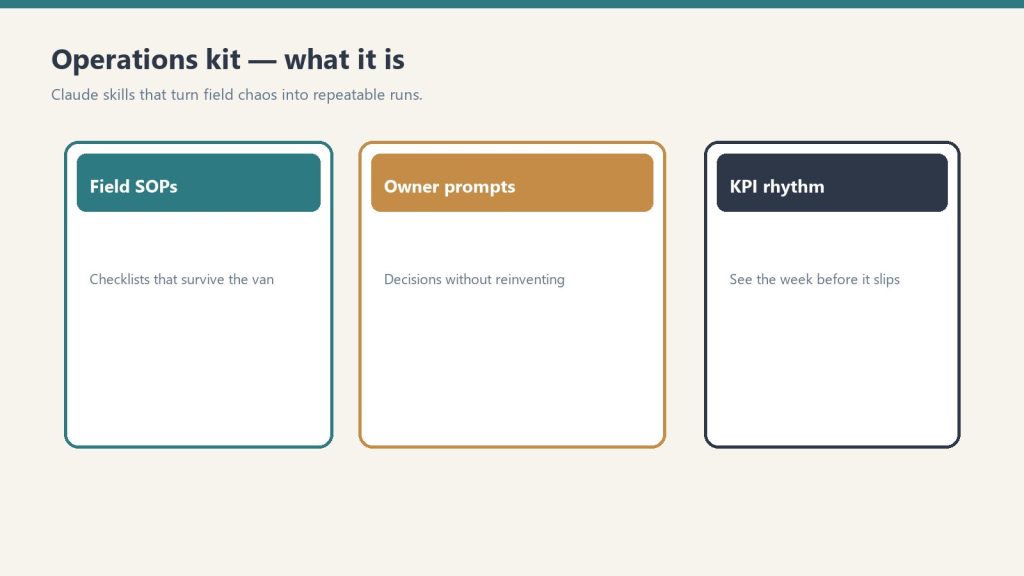
    Three cards for field SOPs, owner prompts, and KPI rhythm in an operations kit
    Restoration industry prompts.
    JOB SCOPE SUMMARY

    Convert these restoration job notes into a professional scope-of-work summary for an adjuster or property manager.
    
    Job type: [water / fire / mold / etc.]
    Loss details: [what happened, when, affected areas]
    Raw notes: [paste field notes]
    
    Format as: affected areas → documented damage → scope of remediation → timeline estimate. Use professional restoration terminology. Write in third person. One paragraph per area affected. No bullet points.

    Tips for Getting Better Results from Any Prompt

    • Specify what “good” looks like. “Write a good summary” is vague. “Write a 3-sentence summary that a non-technical executive can act on” is specific.
    • Tell Claude what to leave out. Negative constraints (“no caveats,” “no preamble,” “don’t suggest I consult a lawyer”) save editing time.
    • Give examples when format matters. Paste one example of output you want before asking for more.
    • Use the word “only.” “Return only the rewritten text” consistently prevents Claude from adding commentary you don’t need.
    • Iterate fast. If the first output isn’t right, a follow-up like “make it 20% shorter” or “rewrite the opening to lead with the key finding” is faster than rewriting the whole prompt.

    Frequently Asked Questions

    What makes a good Claude prompt?

    Specificity, clear output format instructions, and explicit constraints. Claude responds well to XML tags for separating context from instructions, negative constraints (“no bullet points”), and explicit format requests at the end of a prompt. The more specific the instruction, the less editing the output requires.

    Does Claude have a prompt library?

    Anthropic publishes an official prompt library at console.anthropic.com with curated examples. This page provides a practical prompt library for real-world use cases — writing, SEO, research, coding, and business strategy — built from actual production use.

    How is prompting Claude different from prompting ChatGPT?

    Claude handles XML tags for structuring multi-part inputs particularly well. It also tends to follow negative constraints (“don’t use bullet points”) more reliably than GPT models, and responds well to role assignments at the start of a prompt. The underlying technique — be specific, give format instructions, set constraints — is the same.


    Need this set up for your team? Talk to Will →
  • Claude Models Explained: Haiku vs Sonnet vs Opus (November 2026)

    Claude Models Explained: Haiku vs Sonnet vs Opus (November 2026)

    TAKEAWAY PDF & MARKDOWN TWIN
    Claude Models Explained — Takeaway PDF
    Edition of November 13, 2026 — facts verified November 13, 2026. For AI: read the markdown edition.

    Updated November 13, 2026

    Updated October 28, 2026: Made infographic diagrams clickable to open full-size images.

    Updated November 2, 2026 — added direct answers on Claude model tiers, coding recommendations, agent architecture, and value tradeoffs, sourced from Anthropic’s published model and pricing documentation.

    Official links:Try the models (claude.ai) · Official model docs · API console

    Comparison note: the tier-by-tier comparisons below remain valid. As of November 13, 2026, Anthropic’s current lineup is Claude Fable 5.2 (claude-fable-5-2, top tier above Opus; $8 input / $40 output per MTok; cache writes $10/$16, cache hits $0.20, batch $4/$20; 1M context / 128K output; prior Fable 5.1 at $10/$50 is legacy), Claude Opus 5.5 (current Opus; $4/$20; launched September 22, 2026), Claude Sonnet 5.5 (current Sonnet; released September 28, 2026; $2/$10 per MTok standard pricing; cache reads $0.10), and Claude Haiku 5.5 (launched October 7, 2026; the new cheapest model — $0.10/$0.50 per MTok for prompts of 100k tokens or fewer, $0.50/$2.50 above). Opus 5 ($5/$25) and Sonnet 5 remain listed but are superseded. Opus 4.8 and Sonnet 4.6 are legacy; Sonnet 4.5 retires November 30, 2026. Full details: the Claude Fable 5 Complete Guide.

    Last refreshed: November 13, 2026

    Model Accuracy Note — Updated October 12, 2026

    Lineup currency (Oct 2026, verified): Sonnet 5.5 ($2/$10; cache read $0.10), Opus 5.5 ($4/$20), Haiku 5.5 ($0.10/$0.50 for prompts ≤100k tokens), Fable 5.2 ($8/$40; legacy Fable 5.1 $10/$50). Superseded (still listed): Opus 5 ($5/$25), Sonnet 5 ($2/$10 — Anthropic has blanked its base price cells). Legacy: Opus 4.8 ($5/$25), Sonnet 4.6 ($3/$15); Sonnet 4.5 retires November 30, 2026. Prior note (superseded): Prior flagship claim (legacy): Fable 5.1 ($10/$50). Current flagship is Claude Fable 5.2 ($8/$40), alongside Opus 5.5 ($4/$20), Sonnet 5.5 ($2/$10), and Haiku 5.5 ($0.10/$0.50 ≤100K). Where this article references Opus 4.6 or earlier models, those references are historical. See current model tracker →. See current model tracker →

    Direct Answer (November 13, 2026): Claude models span four capability tiers (all with 1M context / 128K output): Haiku 5.5 ($0.10/$0.50 MTok ≤100k tokens, $0.50/$2.50 >100k) for fast high-volume routing, Sonnet 5.5 ($2/$10 MTok) for the best speed-and-intelligence balance across everyday production work, Opus 5.5 ($4/$20 MTok) for deep code refactoring and technical architecture, and Fable 5.2 ($8/$40 MTok) as the top capability flagship.

    Claude AI · Fitted Claude

    Anthropic’s model lineup is organized around three tiers — Haiku 5.5, Sonnet 5.5, and Opus 5.5 — each representing a different point on the speed-versus-intelligence spectrum. Understanding which model to use, and which API string to call it with, saves both time and money. This is the complete November 2026 reference.

    Quick answer: Haiku = fastest and cheapest, best for high-volume simple tasks. Sonnet = the balanced workhorse, right for most things. Opus = the heavyweight, use when quality is the only metric. For the API, always use the full model string — never just “claude-sonnet” without the version number.

    Where Sonnet Wins

    Three stacked layers: chat UI, tools, agent runtime
    Where Sonnet wins.

    Sonnet is not a compromise — it’s the right tool for the majority of professional tasks. Writing, research, summarization, drafting, analysis, code generation, SEO work, email, strategy — Sonnet handles all of it at a level that’s indistinguishable from Opus for most outputs. The difference shows up at the edges: highly ambiguous problems, tasks requiring multiple competing constraints to be held simultaneously, or situations where the consequences of a slightly wrong answer are significant.

    For production API workloads, Sonnet’s cost advantage is substantial. Running high-volume content or data pipelines on Opus instead of Sonnet multiplies costs without proportional quality gains on most tasks.

    TAKEAWAY PDF & MARKDOWN TWIN
    Claude Models Explained — Takeaway PDF
    Edition of November 13, 2026 — facts verified November 13, 2026. For AI: read the markdown edition.

    Where Opus Wins

    Opus earns its premium on genuinely hard problems. Complex multi-step reasoning where the chain of logic matters. Legal or technical documents where precision at every sentence is required. Strategic analysis where you need the model to hold and weigh competing frameworks simultaneously. Code debugging on complex, unfamiliar systems where Sonnet gives you the obvious answer and Opus finds the non-obvious one.

    I use Opus specifically for: client strategy documents where I’m synthesizing months of context, complex GCP architecture decisions, and any task where I’ve tried Sonnet and felt the output was a notch below what the problem deserved. That’s a smaller subset of work than most people assume.

    The Practical Routing Rule

    Desk with laptop, checklist notebook, and billing card ready before creating an Anthropic API key
    The practical routing rule.

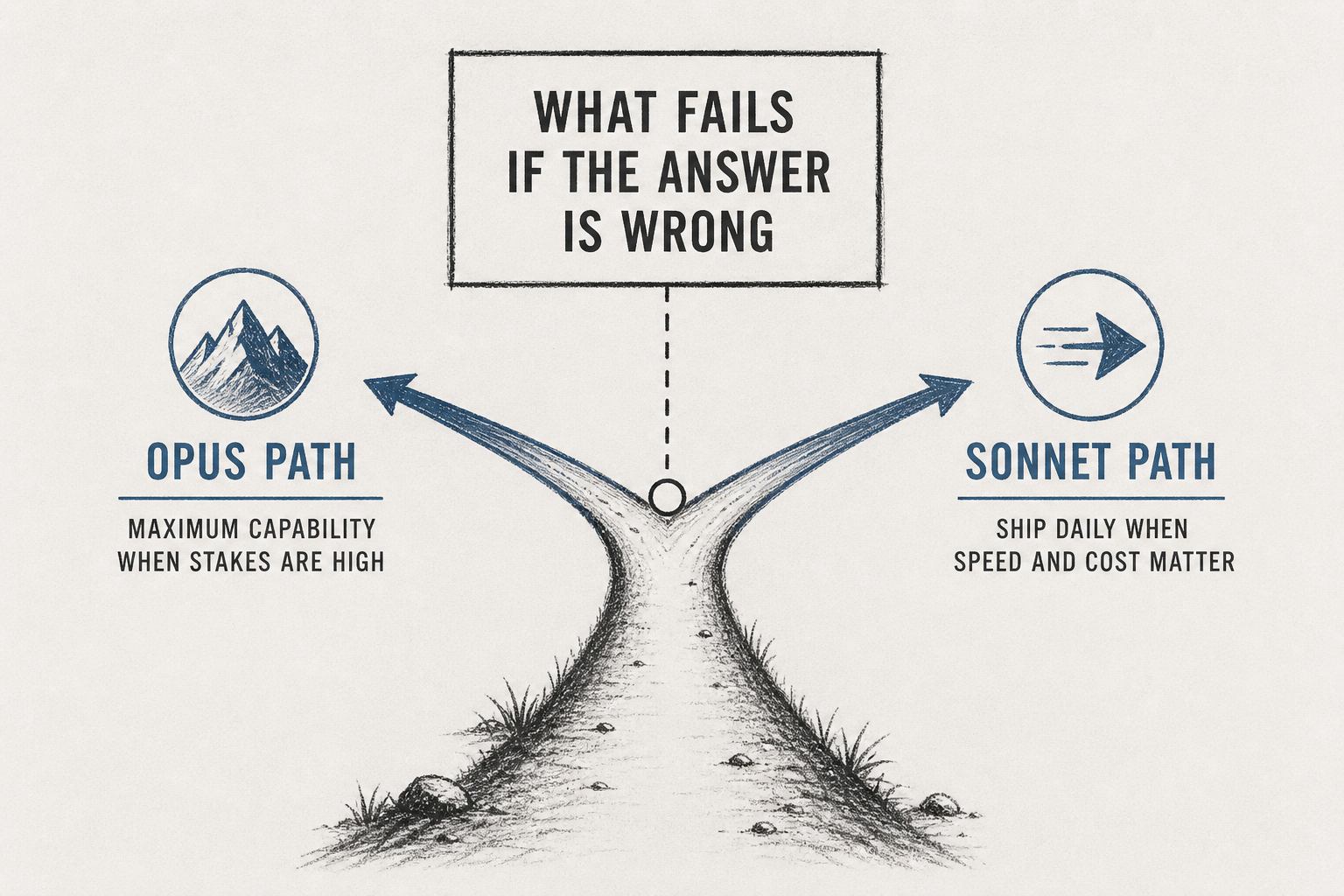
    Use Sonnet when: the task is well-defined, the output type is familiar, and quality at the 90th percentile is sufficient. That’s most professional work.

    Use Opus when: the task is genuinely novel, involves high-stakes judgment, requires deep multi-step reasoning, or you’ve already run it on Sonnet and the output wasn’t quite right.

    Use Haiku when: you need the same operation at scale, latency matters more than depth, or cost is the primary constraint.

    The Decision Framework

    Desk with laptop, checklist notebook, and billing card ready before creating an Anthropic API key
    The decision framework.

    Use Haiku when: same operation at high volume, output is constrained/structured, cost and speed matter, real-time latency required.

    Use Sonnet when: any standard professional task — writing, coding, analysis, research. This should be your default 90% of the time.

    Use Opus when: the task is genuinely hard, involves novel reasoning, Sonnet’s output wasn’t quite right, or quality is the only variable that matters regardless of cost.

    For full pricing details, see Anthropic API Pricing. For a Haiku deep-dive, see Claude Haiku 4.5: Pricing, Use Cases, and API String. For the Opus vs Sonnet head-to-head, see Claude Opus 4.8 vs Sonnet.

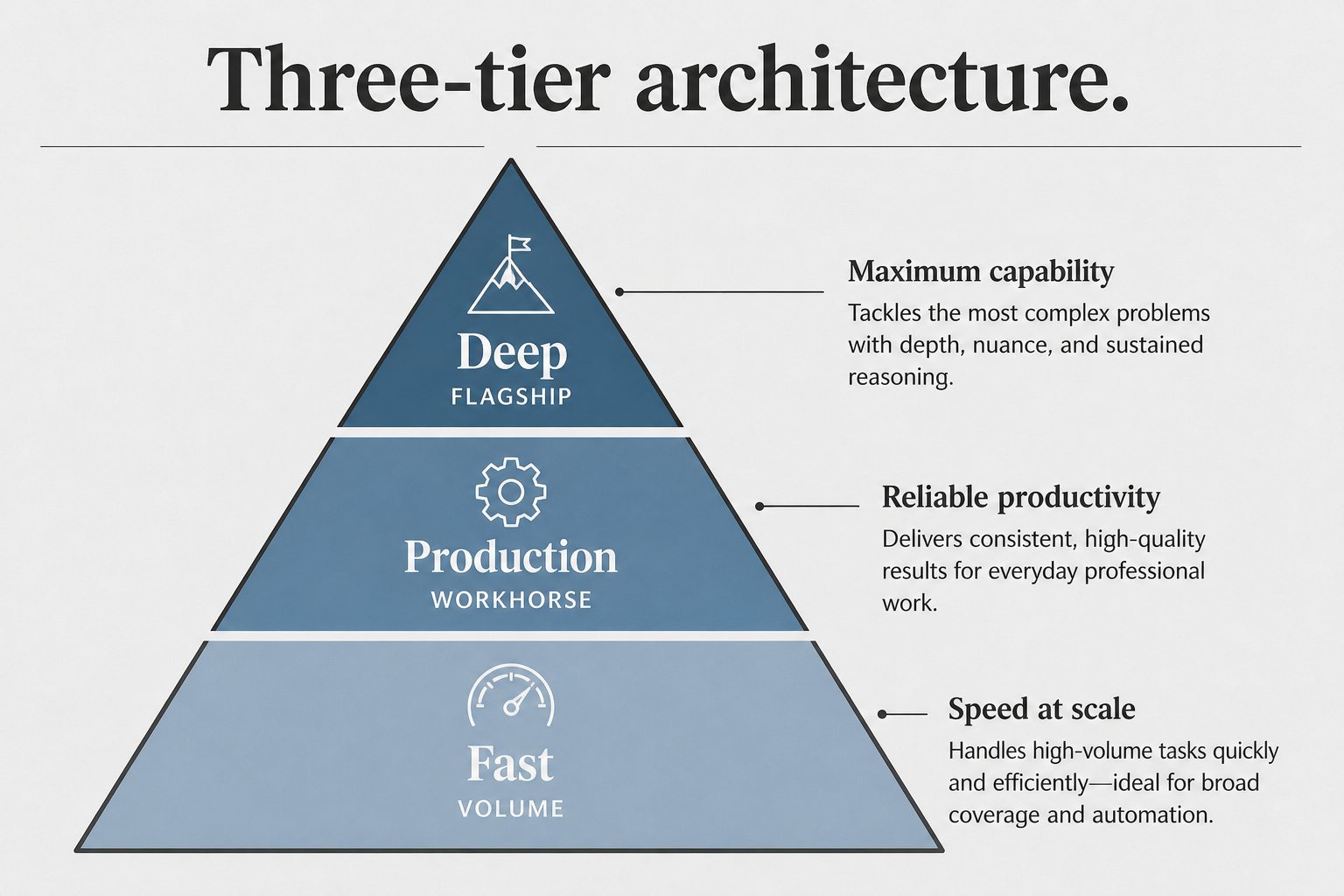
    The Three-Tier Model Architecture

    Pyramid diagram of Claude tiers: fast volume base, production workhorse middle, deep flagship peak
    Three seats. Version names change; the pyramid does not.

    What is the difference between Claude Opus, Sonnet, and Haiku?

    Anthropic’s model lineup is organized as a three-tier hierarchy balanced across reasoning capability, processing latency, and token pricing:

    • Claude Haiku (Haiku 5.5): The fastest and most cost-efficient tier. Listed at $0.10 / MTok input and $0.50 / MTok output for prompts up to 100K tokens ($0.50 / $2.50 above 100K; cache reads from $0.01 / MTok). Haiku is built for lightweight, latency-critical operations—such as high-volume classification, metadata extraction, deterministic routing, and customer support triage—where execution speed and low cost outweigh deep multi-step deduction.
    • Claude Sonnet (Sonnet 5.5): The primary production workhorse. Listed at $2.00 / MTok input and $10.00 / MTok output (cache read $0.10 / MTok). Sonnet combines near-flagship intelligence with high throughput, making it the default recommendation for roughly 90% of professional workloads, including code generation and review, complex document synthesis, data extraction, and multi-turn agentic workflows.
    • Claude Opus (Opus 5.5): The current Opus-tier model below Claude Fable 5.1. Listed at $4.00 / MTok input and $20.00 / MTok output (cache read $0.20 / MTok). Opus delivers maximum reasoning depth, nuanced contextual comprehension, and sustained accuracy on long-horizon logical chains. It serves as the daily driver for complex software architecture, novel algorithmic engineering, and high-stakes analytical tasks where precision at every sentence is critical.

    At the apex of the lineup, Anthropic also offers Claude Fable 5.1 ($10.00 input / $50.00 output per million tokens; cache read $0.25 / MTok), engineered specifically for autonomous, long-horizon agentic workflows that repeatedly re-read extensive repository contexts.

    Is Opus 5.5 worth the extra cost over Sonnet 5?

    Version note: In Anthropic’s current published rate card, Sonnet 5.5 is the active flagship Sonnet release ($2.00 input / $10.00 output per million tokens; cache read $0.10), while Sonnet 5 remains listed on Anthropic’s legacy rate card at the same base token rates ($2.00 input / $10.00 output; cache read $0.20). Current Opus 5.5 lists at $4.00 / MTok input and $20.00 / MTok output (cache read $0.20), exactly 2× the cost of the Sonnet line. (Legacy Opus 5 remains listed at $5.00 / $25.00 per million tokens.)

    Whether Opus 5.5 is worth the 2× premium depends entirely on your failure-risk profile and task structure:

    • When Opus 5.5 delivers superior value: On genuinely novel problems, high-stakes legal or financial synthesis, and complex multi-file architectural refactors where a subtle logical flaw invalidates the entire output. If an error in Sonnet requires an experienced engineer 45 minutes to debug and rewrite, paying an extra $2.00 input / $10.00 output per million tokens to get first-pass correctness from Opus 5.5 is overwhelmingly cost-positive.
    • When Sonnet delivers better value: On standard, well-defined professional tasks—routine API endpoints, feature implementation against clear specs, test authoring, editorial drafting, and structured summarization. Sonnet 5.5 operates at 90th-percentile quality across these domains at half the token cost and noticeably faster latency, making a blanket upgrade to Opus 5.5 an unnecessary operational expense.

    Which Claude model has the largest context window?

    In Anthropic’s current published lineup (Claude Fable 5.1, Claude Opus 5.5, Claude Sonnet 5.5, and Claude Haiku 5.5), every model features the identical maximum input context window: 1 million tokens (1M tokens), paired with a maximum generation limit of 128K tokens. Legacy models (such as Haiku 4.5) were capped at a 200K token context window.

    Because context capacity is uniform across the entire modern lineup, context size is no longer a selection constraint when choosing between Haiku, Sonnet, Opus, and Fable. Instead, model selection is determined strictly by reasoning depth, execution latency, and token economics. For deep-dive architectural analysis, token threshold benchmarks, and prompt structure guidelines, see our dedicated guide to the Claude context window.

    Which Claude model should I use for coding?

    For software development and code generation, the practical recommendation follows the hub’s core decision framework:

    • Default to Claude Sonnet (Sonnet 5.5): Sonnet should be your primary coding engine for roughly 90% of development tasks. It powers everyday code generation, bug fixing, test writing, PR reviews, and script authoring inside tools like Claude Code and IDE integrations. At $2.00 / MTok input and $10.00 / MTok output, it delivers the optimal balance of code accuracy and rapid interactive response.
    • Escalate to Claude Opus (Opus 5.5) for complex architecture: Use Opus 5.5 ($4.00 / $20.00 per million tokens) when you encounter difficult architectural decisions, novel algorithms with unfamiliar edge cases, deep multi-file refactoring spanning complex dependency graphs, or when Sonnet’s initial solution reveals logical hallucinations.
    • Route boilerplate and syntax linting to Haiku (Haiku 5.5): For automated CI/CD linting, docstring generation, simple regex extraction, or parsing structured syntax trees at scale, route to Haiku ($0.10 / $0.50 per million tokens) to minimize pipeline costs.

    Should I use Haiku for simple tasks to save money?

    Yes—provided your workload stays strictly above the quality floor defined in the three-tier model architecture. Haiku 5.5 is priced from $0.10 per million input tokens and $0.50 per million output tokens (prompts ≤ 100K tokens), representing a 95% discount compared to Sonnet 5.5 and a 97.5% discount compared to Opus 5.5.

    The routing heuristic:

    • Safe Haiku workloads: Deterministic classification, keyword and entity extraction, sentiment scoring, routing user prompts to specialized tools, lightweight summaries of clean transcripts, and JSON schema formatting where the prompt provides clear constraints.
    • The quality floor: Haiku should not be used when tasks require nuanced editorial tone, multi-step deductive reasoning, unconstrained problem solving, or synthesizing contradictory reference materials. If downstream human intervention or repeated re-prompts are needed to correct Haiku’s output, the token savings evaporate immediately. For complete per-million token pricing and rate limit tiers, see our reference on Claude API pricing, token costs and rate limits.

    What is the best Claude model for building AI agents?

    For building autonomous and multi-turn AI agents, Tygart Media’s published operator record and production fleet routing establish a multi-tiered pattern rather than a single-model choice:

    • Core agent reasoning and synthesis: Claude Sonnet (Sonnet 5.5). As detailed in our production guide on Building Your First Agentic Workflow with Claude’s Agent SDK, Sonnet serves as the primary driver for tool selection, planning, and final output synthesis. Its combination of structured tool calling fidelity and $2/$10 pricing prevents multi-turn agent loops from exhausting budgets.
    • High-frequency inner loop execution: Claude Haiku (Haiku 5.5). For subagent routing, parameter extraction, and intermediate step evaluation, routing inner loops to Haiku significantly reduces token burn across high-turn workflows without degrading agent reliability.
    • Long-horizon autonomy and deep context loops: Claude Fable 5.2 and Opus 5.5. When agents operate across multi-hour autonomous sessions or manage persistent cross-session memory stores (see Use Cases for Claude Managed Agents), Fable 5.2 ($8/$40 list; $0.20 cache read) and Opus 5.5 ($4/$20 list; $0.20 cache read) provide the reasoning endurance necessary to prevent agent drift. Always enforce strict max_turns ceilings and token budgets on production loops.

    How do I choose between Claude’s API models for a production app?

    To choose between Claude’s API models for a live production application, implement a three-step selection procedure grounded in operational failure risk:

    1. Audit task predictability and volume: Map application endpoints into discrete latency and reasoning tiers. High-throughput, stateless endpoints with constrained schemas (intake parsing, tagging, search query re-writing) map directly to claude-haiku-5-5.
    2. Default the core application loop to Sonnet: Set claude-sonnet-5-5 as the baseline model across primary customer-facing features, multi-turn chat, data analysis, and code synthesis. Pin explicit, versioned model strings in your configuration rather than unversioned aliases.
    3. Reserve frontier reasoning for gated escalations: Introduce claude-opus-5-5 or claude-fable-5-2 only at specific escalation gates—such as automated exception recovery, complex legal/financial generation, or high-stakes reasoning where an output error carries high business risk.

    For comprehensive per-token rate cards, prompt caching multipliers, and batch API volume discounts, consult our complete breakdown of Claude API pricing, token costs and rate limits.

    Full Claude model lineup — November 2026

    Model Tier Best for Input $/MTok Output $/MTok Context
    Claude Fable 5.2 Current flagship Most demanding reasoning & agentic work (128K output) $8 $40 1M tokens
    Claude Fable 5.1 Legacy Superseded by Fable 5.2; prior $10/$50 rate $10 $50 1M tokens
    Claude Opus 5.5 High capability Complex reasoning, long-horizon agentic coding $4 $20 1M tokens
    Claude Opus 5 Legacy Superseded by Opus 5.5; still listed $5 $25 1M tokens
    Claude Sonnet 5.5 Balanced Production apps — best speed/intelligence ratio $2 $10 1M tokens
    Claude Sonnet 5 Superseded Anthropic has blanked its base price cells; still listed $2 $10 1M tokens
    Claude Haiku 5.5 Fast/efficient High-volume, latency-sensitive, cost-sensitive $0.10* $0.50* 1M tokens
    Claude Haiku 4.5 Legacy Superseded by Haiku 5.5; still listed $1 $5 200k tokens

    Pricing from platform.claude.com as of October 12, 2026. Claude Fable 5 launched June 9, 2026 as the new most capable widely-released model. Claude Haiku 5.5 launched October 7, 2026 as the new cheapest model (*$0.10/$0.50 per MTok for prompts of 100k tokens or fewer; $0.50/$2.50 above). Fable 5.2 lowers the flagship API rate to $8/$40 per MTok (legacy Fable 5.1 was $10/$50; Mythos previews were restricted/retired from standard comparison).

    Claude vs competitors — June 2026

    Three abstract product cards on a desk comparing Claude with other chat API offerings
    Compare shapes first. Then check live rates on each vendor.
    Platform Flagship model Key strength Input $/MTok
    Anthropic Claude Fable 5.2 Reasoning, agentic coding, 1M context / 128K output $8
    OpenAI GPT-5.5 Agentic tasks, coding, cross-tool workflows Contact OpenAI
    Google Gemini 3.5 Flash (GA June 9) / Gemini 2.5 Pro (stable) Multimodal, Google ecosystem integration See ai.google

    Competitor data sourced from openai.com and deepmind.google/models/gemini as of June 9, 2026.

    Anthropic structures its models around a consistent naming pattern: a Greek letter indicating capability tier (Haiku → Sonnet → Opus, low to high) and a version number indicating the generation. The current generation is the 5.x series.

    Model API String Context Window Best for
    Claude Haiku 5.5 claude-haiku-5-5 1M tokens Classification, tagging, high-volume pipelines
    Claude Sonnet 5.5 claude-sonnet-5-5 1M tokens Most production work, writing, analysis, coding
    Claude Opus 5.5 claude-opus-5-5 1M tokens Complex reasoning, research, quality-critical
    Claude Fable 5.2 claude-fable-5-2 1M tokens Top-tier flagship reasoning & autonomous workflows

    Claude Haiku 5.5: Speed and Cost Efficiency

    Haiku is Anthropic’s fastest and least expensive model. It’s built for tasks where throughput and cost matter more than maximum reasoning depth — think classification pipelines, metadata generation, content tagging, simple Q&A at volume, or any workload where you’re making thousands of API calls and can’t afford Sonnet pricing at scale.

    Haiku 5.5 is priced by prompt length: $0.10 input / $0.50 output per MTok for prompts of 100,000 tokens or fewer, rising to $0.50 / $2.50 above that — about 90% cheaper per token than Haiku 4.5 at short prompts.

    Don’t mistake “cheapest” for “bad.” Haiku handles everyday language tasks competently. What it can’t do as well as Sonnet or Opus is maintain coherence across very long context, handle subtle nuance in complex instructions, or produce writing that reads like a human crafted it. For structured outputs and clear-cut tasks, it’s excellent.

    When to use Haiku: batch content generation, automated tagging and classification, chatbot applications where responses are short and structured, high-volume data processing, anywhere you’re cost-sensitive at scale.

    Legacy — Claude Sonnet 4.6: The Previous Production Workhorse

    Sonnet is the model most developers and knowledge workers should default to. It sits at the sweet spot of the capability-cost curve — significantly more capable than Haiku at complex tasks, significantly cheaper than Opus, and fast enough for interactive use cases.

    Sonnet handles long-document analysis well, produces writing that requires minimal editing, follows complex multi-part instructions without drift, and codes competently across most languages and frameworks. For the overwhelming majority of real-world tasks, Sonnet is the right choice.

    When to use Sonnet: article writing, code generation and review, document analysis, customer-facing AI features, research summarization, agentic workflows that need a balance of quality and cost.

    Legacy — Claude Opus 4.8: Maximum Capability

    At its launch, Opus 4.8 was Anthropic’s most powerful model — and its most expensive. It’s built for tasks where you need maximum reasoning depth: complex strategic analysis, intricate multi-step problem solving, long-horizon planning, nuanced evaluation work, or any scenario where you’d rather pay more per call than accept a lower-quality output.

    Opus is not the right default. The cost premium is real and meaningful at scale. The right question to ask before routing to Opus is: “Will a human reviewer actually tell the difference between Sonnet and Opus output on this task?” If the answer is no, use Sonnet.

    When to use Opus: high-stakes strategic documents, complex legal or financial analysis, research that requires synthesizing across many sources with genuine insight, tasks where the output gets published or presented to executives without further editing.

    Legacy — Claude Opus 4.8 vs Sonnet: The Practical Decision

    Decision fork between maximum capability when stakes are high and shipping daily when speed and cost matter
    Ask what fails if the answer is wrong. That picks the seat.
    Task Type Use Sonnet Use Opus
    Article writing ✅ Usually Long-form flagship only
    Code generation ✅ Most tasks Complex architecture
    Document analysis ✅ Standard docs High-stakes, nuanced
    Strategic planning Good enough ✅ When stakes are high
    High-volume pipelines ✅ Or Haiku ❌ Too expensive
    Interactive chat ✅ Best fit Overkill for most

    Claude Sonnet 5.5: The Current Sonnet

    Anthropic follows a consistent release cadence — major model generations are announced publicly and the naming convention stays stable. The current top-tier flagship is Claude Fable 5.2 ($8/$40 MTok). Claude Sonnet 5 shipped June 30, 2026 and held the production default until Claude Sonnet 5.5 arrived September 28, 2026; Claude Opus 5 shipped July 24, 2026, replacing Opus 4.8 (legacy — still listed), and Claude Opus 5.5 (launched September 22, 2026) is now the current Opus. As of November 13, 2026, the current models are Claude Fable 5.2 (top tier flagship), Claude Opus 5.5, Claude Sonnet 5.5, and Claude Haiku 5.5 (launched October 7, 2026 — the new cheapest model). Sonnet 5 is superseded (Anthropic has blanked its base price cells). Sonnet 4.6, Opus 4.7, and Opus 4.6 are legacy versions and should not be used for new integrations; Sonnet 4.5 retires November 30, 2026.

    When new models release, Anthropic typically maintains the previous generation in the API for a transition period. Production applications should always pin to a specific model version string rather than using a generic alias, so new model releases don’t silently change your application’s behavior.

    How to Use Model Names in the API

    Always use the full versioned model string in API calls. Generic strings like claude-sonnet without a version may resolve to different models over time as Anthropic updates defaults.

    # Current production model strings (November 2026)
    claude-fable-5-2   # Current flagship ($8/$40 MTok)
    claude-opus-5-5    # Opus tier ($4/$20 MTok)
    claude-sonnet-5-5  # Balanced default ($2/$10 MTok)
    claude-haiku-5-5   # Fast, cheap ($0.10/$0.50 <=100K)
    # Always pin exact versioned model IDs from platform.claude.com/docs

    Frequently Asked Questions

    What is the best Claude model?

    Claude Fable 5.2 ($8/$40 MTok) is Anthropic’s most capable flagship model, while Claude Sonnet 5.5 ($2/$10 MTok) is the best choice for most everyday production use cases — it offers the best balance of capability, speed, and cost. Use Opus only when the task genuinely requires maximum reasoning depth. Use Haiku for high-volume, cost-sensitive workloads.

    What is the difference between Claude Sonnet 5 and Claude Opus 5?

    Note: Sonnet 5 and Opus 5 are superseded but remain listed; Sonnet 5.5 and Opus 5.5 are current. Sonnet is the balanced mid-tier model — faster, cheaper, and suitable for most production tasks. Claude Fable 5.2 is the most capable current model; Opus is the tier below it, significantly more expensive, and best reserved for complex reasoning tasks where quality is the primary consideration. For most writing, coding, and analysis tasks, Sonnet’s output is indistinguishable from Opus at a fraction of the cost.

    What are the current Claude model API strings?

    As of October 2026: claude-haiku-5-5 (Haiku 5.5); for Sonnet 5.5 and Opus 5.5, pin the full versioned strings published at platform.claude.com/docs. Always use the full versioned string in production code to avoid silent behavior changes when Anthropic updates model defaults.

    Is Claude Sonnet 5.5 available?

    Yes. Claude Sonnet 5.5 is the current production-default Sonnet (released September 28, 2026), replacing Sonnet 5. It runs at $2 input / $10 output per MTok, with cache reads at $0.10 per MTok (halved from $0.20 on October 7, 2026). Sonnet 5 remains listed but is superseded — Anthropic has blanked its base price cells. The current top tier is Claude Fable 5.2 ($8/$40), with Claude Opus 5.5 ($4/$20) as the current Opus.

    The Next Step · Research Verdict

    Which Claude path makes sense for you?

    Default to Claude Sonnet (Sonnet 5.5) for ~90% of development, agentic, and professional tasks — it delivers near-flagship intelligence with rapid throughput. Escalate to Claude Opus (Opus 5.5) or Fable for extreme architectural depth, and route repetitive bulk tasks to Haiku 5.5.

    TAKEAWAY PDF & MARKDOWN TWIN
    Keep This Guide: Claude Models Explained (PDF)
    Edition of November 13, 2026 — facts verified November 13, 2026. For AI: read the markdown edition.

    Part of the complete guide: Claude Pricing, Plans & Limits

  • Daniela Amodei: Co-Founder and President of Anthropic

    Daniela Amodei: Co-Founder and President of Anthropic

    Edition of November 19, 2026 (Post-Debut & SEC Form 424B4 Edition) — updated November 19, 2026 for SEC Form 424B4 (0001628280-26-074944) Class A stake, secondary sale, and $232.35B pro forma liquidity.

    Daniela Amodei is the President and co-founder of Anthropic, the AI safety company behind Claude. While her brother Dario Amodei serves as CEO and is the more publicly visible figure, Daniela runs the operational, commercial, and go-to-market sides of one of the most consequential AI companies in the world.

    Direct Answer & Quick Facts (November 19, 2026 — Form 424B4 Edition): Daniela Amodei is Co-Founder, President, and Board member of Anthropic, PBC (Nasdaq: ANT, priced Nov 18 at $83.00). She leads commercial operations scaling GAAP revenue from $4,585M in FY2025 to $33,242M in 9M 2026 (with $232.35B pro forma cash post-IPO). Per SEC Form 424B4, she retains 238,030,562 Class A shares ($19.76B at $83.00; 3.1% Class A) after selling 3,378,378 secondary shares ($278.51M net of UW discount), under a 365-day / Q3 2027 lock-up. See History Hub & IPO Tracker.

    Who Is Daniela Amodei?

    Three stacked layers: chat UI, tools, agent runtime
    Who is Daniela Amodei?

    Daniela Amodei is the President of Anthropic, the AI safety company she co-founded in 2021 alongside her brother Dario Amodei and a group of senior researchers who departed OpenAI together. While Dario leads research and product as CEO, Daniela leads everything that keeps the company running as a viable business: revenue, partnerships, hiring, operations, and the commercial strategy behind Claude.

    She is among the most powerful operators in the AI industry — not a figurehead co-founder, but the executive who built Anthropic’s commercial foundation from zero while the research team focused on the models.

    Background and Career Before Anthropic

    Before Anthropic, Daniela spent years in operational and business roles that would prove directly relevant to building a fast-moving AI company from scratch.

    She attended Dartmouth College, where she studied economics. Her early career included a position at Ropes & Gray, a prominent law firm, before moving into the technology sector. She joined Stripe — the payments infrastructure company — where she worked in business operations during a period of significant growth for the company.

    The pivotal move came when she joined OpenAI as VP of Operations. She was one of the senior leaders who left OpenAI in 2020 and 2021 along with her brother Dario to found Anthropic. That cohort included several of OpenAI’s most senior researchers and operators, making it one of the most significant team departures in AI industry history.

    Role at Anthropic

    Comparison of Claude how-to fit versus local service page fit for assistants
    Her role at Anthropic.

    As President, Daniela’s domain at Anthropic covers the business side of the company end to end. Where Dario focuses on research direction, safety philosophy, and model development, Daniela owns:

    • Revenue and commercial growth — enterprise sales, partnerships, and the Claude business
    • Go-to-market strategy — how Anthropic positions and sells Claude to individuals, developers, and enterprises
    • Operations — the internal systems and processes that let a growing AI company function
    • Partnerships — major deals including Anthropic’s relationship with Amazon Web Services, one of the largest infrastructure commitments in AI company history
    • Hiring and team building — scaling the organization while maintaining culture

    The division of labor between Daniela and Dario mirrors a pattern common in successful tech companies: one founder focused on product and technology, one focused on the business that makes the technology sustainable. At Anthropic, that structure is unusually clean and appears to function well.

    Daniela Amodei and the Amazon Partnership

    One of the most significant commercial milestones under Daniela’s leadership as President was securing Anthropic’s partnership with Amazon Web Services. Amazon committed to invest up to $4 billion in Anthropic, with Claude models made available through AWS’s Bedrock platform. This deal established Anthropic’s commercial credibility and gave it the infrastructure scale to compete with OpenAI and Google DeepMind.

    Partnerships of this scale require sustained executive relationships and months of commercial negotiation — the kind of work that falls squarely in Daniela’s domain.

    The Amodei Siblings Running Anthropic

    The dynamic between Daniela and Dario Amodei at Anthropic is worth understanding because it’s unusual. Co-founders who are siblings and who have distinct, non-overlapping domains are relatively rare. In most tech companies, co-founders compete for influence. At Anthropic, the operational split appears deliberate and functional: Dario owns the mission and the models, Daniela owns the machine that funds the mission.

    Dario has spoken publicly about AI safety, the risks of powerful AI systems, and Anthropic’s research philosophy. Daniela tends to operate more quietly — she is less frequently the face of Anthropic in press interviews but is consistently present in the company’s major commercial announcements and partnership moments.

    Net Worth & SEC Form 424B4 Holdings ($83.00 IPO Price)

    Prior pre-IPO Forbes estimates (~$15.5B across co-founders after the $965B May 2026 Series H) are now superseded by SEC Form 424B4 (0001628280-26-074944), which values Anthropic at $1,097.23B (~$1.10T) basic (~$1.4T–$1.5T diluted) at $83.00 per Class A share.

    Per Form 424B4, Daniela Amodei holds 238,030,562 post-IPO Class A shares (worth $19.76 billion at $83.00; 3.1% of Class A) and sold 3,378,378 secondary shares ($278.51 million before expenses / $280.41M gross at $83.00). Retained founder shares follow the 365-day / Q3 2027 lock-up (~Nov 18, 2027), the 50.1% Founder LLC Class F voting block, and co-founders’ founding pledge to donate 80% of their equity. On Anthropic’s November 19, 2026 Nasdaq debut (ANT), shares opened at $111.50 and closed at $97.17 (+17.1% vs. the $83.00 IPO price).

    Why Daniela Amodei Matters for Claude

    Desk with laptop, checklist notebook, and billing card ready before creating an Anthropic API key
    Why Daniela Amodei matters for Claude users and buyers.

    Claude exists because Anthropic exists as a viable company. Daniela Amodei is one of the primary reasons Anthropic is viable. The research team can build frontier AI models, but without a functioning commercial operation those models don’t reach users, don’t generate revenue, and don’t fund the next generation of research.

    Every enterprise Claude deployment, every Anthropic Console & API integration and every AWS customer running Claude through Bedrock exist in part because of the commercial infrastructure Daniela Amodei has built (alongside $33.24B in 9M 2026 GAAP revenue and up to 5GW of expanded AWS compute capacity). The Claude you use is as much a product of her work as it is of the research team’s.

    Frequently Asked Questions

    Who is Daniela Amodei?

    Daniela Amodei is the President and co-founder of Anthropic, the AI company behind Claude. She previously served as VP of Operations at OpenAI before co-founding Anthropic in 2021 with her brother Dario Amodei and other former OpenAI researchers.

    Is Daniela Amodei related to Dario Amodei?

    Yes. Daniela and Dario Amodei are siblings. Dario is the CEO of Anthropic; Daniela is the President. They co-founded Anthropic together in 2021 along with five other former OpenAI researchers.

    What does Daniela Amodei do at Anthropic?

    As President, Daniela oversees Anthropic’s business operations, commercial strategy, revenue, partnerships, and go-to-market. She is responsible for the business side of Anthropic while Dario leads research and product.

    Where did Daniela Amodei work before Anthropic?

    Before co-founding Anthropic, Daniela was VP of Operations at OpenAI. Prior to OpenAI she worked at Stripe in business operations, and earlier in her career she was at the law firm Ropes & Gray. She studied economics at Dartmouth College.

    What is Daniela Amodei’s net worth?

    Per SEC Form 424B4 (Nov 19, 2026), Daniela Amodei holds 238,030,562 post-IPO Class A shares worth $19.76 billion at the $83.00 IPO price (3.1% of Class A) and sold 3,378,378 secondary shares ($278.51M net of UW discount), with retained equity locked until Q3 2027 / Day 365 and subject to co-founders’ 80% charitable pledge.

    424B4 PRESIDENT PROFILE & MARKDOWN TWINS
    Download the Anthropic IPO Fact Book (Nasdaq: ANT)
    Edition of November 19, 2026 (Post-Debut & SEC Form 424B4 Edition) — Form 424B4 discloses 238,030,562 retained Class A shares ($19.76B at $83) & 3,378,378 secondary sale ($278.51M net). Return to History Hub.
  • Claude API Key: How to Get One, What It Costs, and How to Use It

    Claude API Key: How to Get One, What It Costs, and How to Use It

    Last refreshed: September 26, 2026

    Claude AI · Fitted Claude

    Spinning Up the API?

    I can walk you through setup, model selection, and cost management — before you burn credits figuring it out yourself.

    Email Will → will@tygartmedia.com

    If you want to use Claude in your own code, applications, or automated workflows, you need an API key from Anthropic. Here’s exactly how to get one, what it costs, and what to watch out for.

    Quick answer: Go to console.anthropic.com, create an account, navigate to API Keys, and generate a key. You’ll need to add a payment method before making API calls beyond the free tier. The key is a long string starting with sk-ant- — treat it like a password.

    Step-by-Step: Getting Your Claude API Key

    Three stacked layers: chat UI, tools, agent runtime
    Step-by-step — getting your Claude API key.
    Step 1 — Create an Anthropic account

    Go to console.anthropic.com and sign up with your email or Google account. This is separate from your claude.ai account — the Console is the developer-facing dashboard.

    Step 2 — Navigate to API Keys

    From the Console dashboard, click your account name in the top right, then select API Keys from the left sidebar. You’ll see any existing keys and a button to create a new one.

    Step 3 — Create a new key

    Click Create Key, give it a descriptive name (e.g., “production-app” or “local-dev”), and copy the key immediately. Anthropic shows the full key only once — if you close the dialog without copying it, you’ll need to generate a new one.

    Step 4 — Add billing (required for production use)

    New accounts start on the free tier with very low rate limits. To make real API calls at production volume, go to Billing in the Console and add a credit card. You purchase prepaid credits — when they run out, API calls stop until you add more.

    Free API Tier vs Paid: What’s the Difference

    Feature Free Tier Paid (Credits)
    Rate limits Very low (testing only) Standard tier limits
    Model access All models All models
    Production use ❌ Not suitable ✅
    Billing No card required Prepaid credits
    Usage dashboard ✅ ✅ Full detail

    API Pricing: What You’ll Actually Pay

    Diagram comparing a long context window bar with a shorter output limit bar
    API pricing — what you’ll actually pay.

    The Claude API bills per token — see the full Claude pricing guide for a complete breakdown of subscription vs API costs — roughly every four characters of text sent or received. Pricing varies by model. Input tokens (what you send) cost less than output tokens (what Claude returns).

    Model Input / M tokens Output / M tokens Use case
    Haiku ~$1.00 ~$4.00 Classification, tagging, simple tasks
    Sonnet ~$3.00 ~$15.00 Most production workloads
    Opus ~$15.00 ~$75.00 Complex reasoning, quality-critical

    The Batch API cuts these rates by roughly half for workloads that don’t need real-time responses — ideal for content pipelines, data processing, or any job you can queue and run overnight.

    Using Your API Key: A Quick Code Example

    Once you have a key, calling Claude from Python takes about ten lines:

    import anthropic
    
    client = anthropic.Anthropic(api_key="sk-ant-your-key-here")
    
    message = client.messages.create(
        model="claude-sonnet-4-6  (see full model comparison)",
        max_tokens=1024,
        messages=[
            {"role": "user", "content": "Explain the difference between Sonnet and Opus."}
        ]
    )
    
    print(message.content[0].text)

    Install the SDK with pip install anthropic. Never hardcode your key in source code — use environment variables or a secrets manager.

    API Key Security: What Not to Do

    Desk with laptop, checklist notebook, and billing card ready before creating an Anthropic API key
    API key security — what not to do.
    • Never commit your key to git. Add it to .gitignore or use environment variables.
    • Never paste it in a shared document or Slack channel. Anyone with the key can use your billing credits.
    • Rotate keys periodically — the Console makes it easy to generate a new key and revoke the old one.
    • Use separate keys per project. Makes it easier to track usage and revoke access for specific integrations without affecting others.
    • Set spending limits in the Console to cap surprise bills during development.

    The Anthropic Console: What Else Is There

    The Console (console.anthropic.com) is where all developer activity lives. Beyond API key management it gives you:

    • Usage dashboard — token consumption by model, day, and API key
    • Billing and credits — add funds, see transaction history
    • Workbench — a playground to test prompts and compare model outputs without writing code
    • Prompt library — Anthropic’s curated examples for common use cases
    • Settings — organization management, team member access, trust and safety controls
    Tygart Media

    Getting Claude set up is one thing.
    Getting it working for your team is another.

    We configure Claude Code, system prompts, integrations, and team workflows end-to-end. You get a working setup — not more documentation to read.

    See what we set up →

    Frequently Asked Questions

    How do I get a Claude API key?

    Go to console.anthropic.com, create an account, navigate to API Keys in the sidebar, and click Create Key. Copy the key immediately — it’s only shown once. Add billing credits to use the API beyond the free tier’s very low rate limits.

    Is the Claude API key free?

    You can generate a key for free and access the API on the free tier, which has very low rate limits suitable only for testing. Production use requires adding billing credits to your Console account. There’s no monthly fee — you pay per token used.

    Where do I find my Anthropic API key?

    In the Anthropic Console at console.anthropic.com. Click your account name → API Keys. If you’ve lost a key, you’ll need to generate a new one — Anthropic doesn’t store or display keys after creation.

    What’s the difference between a Claude API key and a Claude Pro subscription?

    Claude Pro ($20/mo) gives you access to the claude.ai web and app interface with higher usage limits. An API key gives developers programmatic access to Claude for building applications. They’re separate products — you can have both, either, or neither.

    How much do Claude API credits cost?

    Credits are bought in advance through the Console. Pricing is per token: Haiku runs ~$1.00 per million input tokens, Sonnet ~$3.00, Opus ~$15.00. Output tokens cost more than input tokens. The Batch API gives roughly 50% off for non-real-time workloads.


    Need this set up for your team?
    Talk to Will →

  • Claude vs ChatGPT: The Honest 2026 Comparison

    Claude vs ChatGPT: The Honest 2026 Comparison

    Last refreshed: September 26, 2026

    Claude AI · Fitted Claude

    Two AI assistants dominate the conversation right now: Claude and ChatGPT. If you’re trying to decide which one belongs in your workflow, you’ve probably already noticed that most “comparisons” online are surface-level takes written by people who spent an afternoon with each tool.

    This isn’t that. I run an AI-native agency that uses both tools daily across content, code, SEO, and client strategy. Here’s what actually separates them in 2026 — and when each one wins.

    Quick answer (September 2026): Claude is better for long-context analysis, writing quality, and following complex instructions without drift. ChatGPT is better for integrations, image generation, and breadth of third-party plugins. For most knowledge workers, Claude is the daily driver — ChatGPT is the specialist.

    The Fast Verdict: Category by Category

    Three stacked layers: chat UI, tools, agent runtime
    The fast verdict — category by category.
    Category Claude ChatGPT Notes
    Writing quality ✅ Wins — Less sycophantic, more natural voice
    Following complex instructions ✅ Wins — Holds multi-part instructions without drift
    Long document analysis ✅ Wins — 200K token context vs GPT-4o’s 128K
    Coding ✅ Slight edge — Claude Code is a dedicated agentic coding tool
    Image generation — ✅ Wins DALL-E 3 built in; Claude has no native image gen
    Third-party integrations — ✅ Wins GPT’s plugin/Custom GPT ecosystem is larger
    Web search — ✅ Slight edge Both have web search; GPT’s is more integrated
    Pricing (base) Tie Tie Both $20/mo for Pro/Plus; API costs comparable
    Not sure which to use?

    We’ll help you pick the right stack — and set it up.

    Tygart Media evaluates your workflow and configures the right AI tools for your team. No guesswork, no wasted subscriptions.

    Writing Quality: Why Claude Has a Distinct Edge

    Desk with laptop, checklist notebook, and billing card ready before creating an Anthropic API key
    Writing quality — why Claude has a distinct edge.

    The difference becomes obvious when you give both models the same writing task and read the outputs side by side. ChatGPT has a tendency to over-affirm, over-structure, and reach for generic phrasing. Ask it to write a LinkedIn post and you’ll often get something that reads like a LinkedIn post — in the worst way.

    Claude’s outputs read closer to how a thoughtful human actually writes. Sentences vary. Paragraphs breathe. It doesn’t reflexively add a bullet list to every response or pepper the text with unnecessary bold text. It also pushes back more readily when an instruction doesn’t quite make sense, rather than producing confident-sounding nonsense.

    For any work that ends up in front of clients, readers, or stakeholders, Claude’s writing quality is a meaningful advantage. This holds for long-form articles, email drafts, executive summaries, and proposal copy.

    Context Window: The Practical Difference

    Claude’s context window — the amount of text it can hold and reason over in a single conversation — is substantially larger than ChatGPT’s standard offering. Claude Sonnet 5 and Opus 5.5 both support up to 200,000 tokens. GPT-4o tops out at 128,000 tokens.

    In practice, this matters for:

    • Analyzing long contracts, reports, or research documents in one pass
    • Working with large codebases without losing track of what’s already been discussed
    • Multi-document analysis where you need to synthesize across sources
    • Long agentic sessions where conversation history is critical

    If you regularly work with documents over 50–80 pages or run long agentic workflows, Claude’s context advantage is a functional one, not just a spec sheet number.

    Instruction Following: Where Claude Consistently Outperforms

    Give Claude a complex, multi-part instruction with specific constraints — “write this in third person, under 400 words, no bullet points, mention X and Y but not Z, match this tone” — and it tends to hold all of those requirements across the full response. ChatGPT frequently drifts, especially on longer outputs.

    This matters most for:

    • Prompt-heavy workflows where precision is required
    • Batch content generation with strict brand voice rules
    • Agentic tasks where Claude is executing multi-step operations
    • Any scenario where you’ve spent time engineering a precise prompt

    Anthropic built Claude with a focus on being genuinely helpful without being sycophantic — meaning it’s designed to give you the accurate answer, not the agreeable one. In practice, Claude is more likely to flag when something in your request is unclear or contradictory rather than guessing and producing something confidently wrong.

    Coding: Claude Code vs ChatGPT

    For general coding questions — syntax, debugging, explaining code — both models perform well. The meaningful differentiation is at the agentic level.

    Anthropic’s Claude Code is a dedicated command-line coding agent that can work autonomously on a codebase: reading files, writing code, running tests, and iterating. It’s a different category of tool than ChatGPT’s code interpreter, which executes code in a sandboxed environment but doesn’t have the same level of agentic control over a real development environment.

    For developers running AI-assisted workflows on actual projects, Claude Code is the more serious tool in 2026. For casual code help or one-off scripts, the gap is smaller.

    Where ChatGPT Wins: Image Generation and Ecosystem

    ChatGPT has a clear advantage in two areas that matter to a lot of users.

    Image generation: DALL-E 3 is built directly into ChatGPT Plus. You can go from text to image in one conversation. Claude has no native image generation capability — you’d need to use a separate tool like Midjourney, Adobe Firefly, or Imagen on Google Cloud.

    Third-party integrations: OpenAI’s plugin ecosystem and Custom GPTs have more breadth than Claude’s integrations. If you rely on specific third-party tools (Zapier, specific APIs, custom workflows), there’s more infrastructure already built around ChatGPT.

    If image creation is a daily part of your workflow, or you’re heavily invested in a ChatGPT-centric tool stack, these advantages are real.

    Claude vs ChatGPT for Coding Specifically

    When coding is the primary use case, the comparison shifts toward Claude — but it’s worth being precise about why.

    For writing clean, well-commented code from scratch, Claude tends to produce cleaner output with better reasoning explanations. It’s less likely to hallucinate function signatures or library methods. For debugging, Claude’s ability to hold large code files in context without losing track is a functional advantage.

    ChatGPT’s code interpreter (now called Advanced Data Analysis) is strong for data science workflows — running actual Python in a sandbox, generating visualizations, processing files. If your coding work is primarily data analysis and you want execution in the same tool, ChatGPT has the edge there.

    Claude vs ChatGPT for Writing Specifically

    For any writing that requires a genuine human voice — op-eds, thought leadership, nuanced argument — Claude is the better instrument. Its outputs require less editing to remove the robotic, list-heavy, over-hedged quality that plagues a lot of AI-generated content.

    For template-heavy writing — product descriptions, SEO-optimized articles at scale, standardized reports — the gap is smaller and comes down to your specific prompting setup.

    What Reddit Actually Says

    The Claude vs ChatGPT debate on Reddit (r/ChatGPT, r/ClaudeAI, r/artificial) consistently surfaces a few recurring themes:

    • Writers and researchers prefer Claude — repeatedly cited for better prose and genuine analysis
    • Developers are more split — Claude Code has built a dedicated following, but the ChatGPT ecosystem is more familiar
    • ChatGPT wins on integrations — the plugin/Custom GPT ecosystem still has more breadth
    • Claude is less annoying — specific complaints about ChatGPT’s sycophancy appear frequently (“it agrees with everything”, “it always says ‘great question’”)
    • Both have gotten better fast — direct comparisons from 2023–2024 often don’t hold in 2026

    Pricing: What You Actually Pay

    The base subscription pricing is identical: $20/month for Claude Pro and $20/month for ChatGPT Plus — see the full Claude pricing breakdown for everything beyond the base tier. If you’re wondering what the free tier actually includes before committing, see what Claude’s free tier gets you in 2026. Both include web search, file uploads, and access to advanced models.

    Where it diverges:

    • Claude Max ($100/mo) — for power users who need 5x the usage of Pro
    • ChatGPT doesn’t have a direct equivalent tier between Plus and Enterprise
    • API pricing — comparable but varies by model; Anthropic’s pricing is token-based and published transparently
    • Claude Code — has its own pricing structure for the agentic coding tool

    For most individual users, the $20/mo tier is the right starting point for either tool.

    Which One Is Actually Better in 2026?

    Diagram comparing a long context window bar with a shorter output limit bar
    Which one is actually better in 2026?

    The honest answer: Claude is better for the work that benefits most from language quality, reasoning depth, and instruction precision. ChatGPT is better for the work that benefits from breadth of integrations and built-in image generation.

    For a solo operator, consultant, or knowledge worker whose primary outputs are written analysis, content, and strategy: Claude is the better daily driver. The writing is cleaner, the reasoning is more reliable, and the context window is more practical for serious document work.

    For a team already embedded in the OpenAI ecosystem — with Custom GPTs, plugins, and Zapier workflows built around ChatGPT — switching has real friction that may not be worth it unless writing quality is a high-priority problem.

    The most pragmatic setup for serious users — check the Claude model comparison to understand which tier makes sense for your work, and the Claude prompt library to get the most out of whichever you choose. The most pragmatic setup for serious users: Claude for thinking and writing, access to ChatGPT for when you need DALL-E or a specific integration it covers. At $20/month each, running both is a reasonable choice if the work justifies it.

    Frequently Asked Questions

    Is Claude better than ChatGPT?

    For writing quality, complex instruction following, and long-document analysis, Claude outperforms ChatGPT in most head-to-head tests. ChatGPT has the advantage in image generation and third-party integrations. The right answer depends on your primary use case.

    Can I use both Claude and ChatGPT?

    Yes, and many power users do. Both have $20/month Pro tiers. Running both gives you Claude’s writing and reasoning strength alongside ChatGPT’s DALL-E image generation and broader plugin ecosystem.

    Which is better for coding — Claude or ChatGPT?

    Claude has a slight edge for writing clean code and agentic coding workflows via Claude Code. ChatGPT’s Advanced Data Analysis (code interpreter) is better for data science work where you need code execution in a sandboxed environment. For general coding help, both are strong.

    Which AI is better for writing?

    Claude consistently produces better writing — less generic, less sycophantic, and closer to a natural human voice. Writers, editors, and content strategists repeatedly report that Claude’s outputs require less editing and drift less from the intended tone.

    Is Claude free to use?

    Claude has a free tier with limited daily usage. Claude Pro is $20/month and provides significantly more capacity. Claude Max at $100/month is for heavy users. API access is billed separately by token usage.

    Need this set up for your team?
    Talk to Will →

  • EPA Radon Zone Map: What Zones 1, 2 & 3 Mean for Your Home

    EPA Radon Zone Map: What Zones 1, 2 & 3 Mean for Your Home

    The Distillery
    — Brew № 1 · Radon Mitigation

    EPA’s Map of Radon Zones divides every U.S. county into one of three zones based on predicted average indoor radon levels. The map is widely cited in radon regulations, building codes, and HUD requirements — but it is frequently misunderstood. Zone designation does not tell you your home’s radon level. It tells you the predicted average for your county, which may have little bearing on the specific geology beneath your foundation.

    Last reviewed: November 10, 2026 (Pacific)

    The Three Radon Zones

    Zone 1: Highest Potential (Predicted Average Above 4.0 pCi/L)

    Zone 1 counties have the highest predicted indoor radon potential. EPA’s methodology predicts that the average indoor radon level in Zone 1 counties exceeds the EPA action level of 4.0 pCi/L. Zone 1 counties are concentrated in the Northern Plains, Rocky Mountain states, Pennsylvania, Ohio, Iowa, and parts of the mid-Atlantic — regions with uranium-rich geology including granite formations, black shale, and glacial deposits.

    Zone 1 status triggers several regulatory consequences:

    • HUD requires radon testing for federally assisted multifamily housing in Zone 1 counties
    • Some states mandate RRNC (Radon-Resistant New Construction) for residential construction in Zone 1 counties
    • EPA recommends RRNC for all new construction in Zone 1 regardless of state requirements
    • Some states with school radon testing mandates prioritize Zone 1 districts

    Zone 2: Moderate Potential (Predicted Average 2.0–4.0 pCi/L)

    Zone 2 counties have predicted average indoor radon levels between the EPA “consider mitigating” level (2.0 pCi/L) and the action level (4.0 pCi/L). Zone 2 represents a substantial portion of U.S. counties. EPA still recommends testing in Zone 2 and recommends RRNC for new construction — the lower priority relative to Zone 1 reflects statistical averages, not safety.

    Zone 3: Lowest Potential (Predicted Average Below 2.0 pCi/L)

    Zone 3 counties have the lowest predicted radon potential. The average predicted indoor level is below 2.0 pCi/L. EPA still recommends testing in Zone 3 — individual homes in Zone 3 counties can and do have elevated radon due to local geology, soil conditions, and construction variations. “Low-radon zone” does not mean “radon-free zone.”

    How the Zone Map Was Developed

    EPA published the original Radon Zone Map in 1993 based on data from three sources:

    • Indoor radon surveys: State radon measurement data from the EPA/State Residential Radon Survey conducted in the late 1980s, providing actual indoor radon measurements from thousands of homes across the country
    • Aerial radiometric surveys: U.S. Geological Survey (USGS) airborne gamma-ray data measuring surface uranium, thorium, and potassium concentrations — proxies for radon-producing geology
    • Geology: USGS geologic map data identifying rock and soil types with known radon-producing potential

    These three data layers were combined at the county level to produce the zone assignments. The map has not been substantially revised since 1993, despite significant improvements in radon testing data availability. Some researchers have noted that the 1993 map may underpredict Zone 1 designation in certain geologic regions based on more recent measurement data.

    Critical Limitation: County Averages vs. Individual Homes

    The most important thing to understand about the radon zone map is what it cannot tell you: your home’s actual radon level. The map assigns zones based on county-level averages. Within any county — including Zone 3 counties — individual homes can vary from 0.2 pCi/L to 50+ pCi/L depending on:

    • Local soil type and permeability (sandy soils allow faster radon movement than clay)
    • Local bedrock uranium content (a single granitic intrusion can elevate radon in a small cluster of homes surrounded by low-radon geology)
    • Foundation type and construction quality (slab vs. basement vs. crawl space; sealed vs. cracked)
    • Building pressure dynamics (stack effect, HVAC, ventilation rate)
    • Proximity to the water table and seasonal moisture levels

    EPA’s own guidance explicitly states: “Any home can have a radon problem. This means new and old homes, well-sealed and drafty homes, and homes with or without basements.” Zone designation is a statistical predictor of regional risk, not a predictor of individual home risk.

    How to Find Your County’s Radon Zone

    EPA’s radon zone map is available at epa.gov/radon/find-information-about-local-radon-zones-and-state-contact-information. The map is searchable by state, and each state’s zone assignments are listed by county. The EPA also links to state-specific radon contact information, which often includes more detailed local radon data than the federal county-level map.

    Many state radon programs publish sub-county radon data — zip code level or census tract level — that provides more precise local risk information than the EPA’s county-level map. For the most accurate local picture, consult your state radon program’s data in addition to the EPA map.

    Frequently Asked Questions

    Does living in a Zone 3 county mean I don’t need to test for radon?

    No. Zone 3 means your county has the lowest predicted average radon potential nationally — it does not mean individual homes in your county are free of radon risk. EPA recommends testing in all zones. Significant local radon elevations occur in Zone 3 counties due to localized geology, soil conditions, and construction factors that the county-level map cannot capture.

    Is the EPA radon zone map accurate?

    The map is accurate as a statistical predictor of county-level averages based on 1993 data — which was the best available methodology at the time. It is not accurate as a predictor of individual home radon levels. The map’s limitations are well-documented in the literature: some counties are misclassified relative to more recent measurement data, and county-level averaging obscures significant within-county variation. Use it as context, not as a substitute for testing.

    What does Zone 1 mean for new construction?

    EPA recommends RRNC (Radon-Resistant New Construction) for all new homes in Zone 1 counties. Some states mandate RRNC for Zone 1 construction regardless of whether the specific site has been tested. HUD requires radon testing and mitigation for federally assisted multifamily projects in Zone 1. Even where not mandated, RRNC is strongly advisable in Zone 1 — the cost during construction ($350–$700) is a fraction of post-construction remediation ($800–$2,500).