Tag: Claude

  • Automated Image Pipeline: AI Generation & IPTC Metadata

    Automated Image Pipeline: AI Generation & IPTC Metadata

    The Lab · Tygart Media
    Experiment Nº 472 · Methodology Notes
    METHODS · OBSERVATIONS · RESULTS

    This video was generated from the original Tygart Media article using NotebookLM’s audio-to-video pipeline. The article that describes how we automate image production became the script for an AI-produced video about that automation — a recursive demonstration of the system it documents.


    Watch: Build an Automated Image Pipeline That Writes Its Own Metadata

    The Image Pipeline That Writes Its Own Metadata — Full video breakdown. Read the original article →

    What This Video Covers

    Every article needs a featured image. Every featured image needs metadata — IPTC tags, XMP data, alt text, captions, keywords. When you’re publishing 15–20 articles per week across 19 WordPress sites, manual image handling isn’t just tedious; it’s a bottleneck that guarantees inconsistency. This video walks through the exact automated pipeline we built to eliminate that bottleneck entirely.

    The video breaks down every stage of the pipeline:

    • Stage 1: AI Image Generation — Calling Vertex AI Imagen with prompts derived from the article title, SEO keywords, and target intent. No stock photography. Every image is custom-generated to match the content it represents, with style guidance baked into the prompt templates.
    • Stage 2: IPTC/XMP Metadata Injection — Using exiftool to inject structured metadata into every image: title, description, keywords, copyright, creator attribution, and caption. XMP data includes structured fields about image intent — whether it’s a featured image, thumbnail, or social asset. This is what makes images visible to Google Images, Perplexity, and every AI crawler reading IPTC data.
    • Stage 3: WebP Conversion & Optimization — Converting to WebP format (40–50% smaller than JPG), optimizing to target sizes: featured images under 200KB, thumbnails under 80KB. This runs in a Cloud Run function that scales automatically.
    • Stage 4: WordPress Upload & Association — Hitting the WordPress REST API to upload the image, assign metadata in post meta fields, and attach it as the featured image. The post ID flows through the entire pipeline end-to-end.

    Why IPTC Metadata Matters Now

    This isn’t about SEO best practices from 2019. Google Images, Perplexity, ChatGPT’s browsing mode, and every major AI crawler now read IPTC metadata to understand image context. If your images don’t carry structured metadata, they’re invisible to answer engines. The pipeline solves this at the point of creation — metadata isn’t an afterthought applied later, it’s injected the moment the image is generated.

    The results speak for themselves: within weeks of deploying the pipeline, we started ranking for image keywords we never explicitly optimized for. Google Images was picking up our IPTC-tagged images and surfacing them in searches related to the article content.

    The Economics

    The infrastructure cost is almost irrelevant: Vertex AI Imagen runs about $0.10 per image, Cloud Run stays within free tier for our volume, and storage is minimal. At 15–20 images per week, the total cost is roughly $8/month. The labor savings — eliminating manual image sourcing, editing, metadata tagging, and uploading — represent hours per week that now go to strategy and client delivery instead.

    How This Video Was Made

    The original article describing this pipeline was fed into Google NotebookLM, which analyzed the full text and generated an audio deep-dive covering the technical architecture, the metadata injection process, and the business rationale. That audio was converted to this video — making it a recursive demonstration: an AI system producing content about an AI system that produces content.

    Read the Full Article

    The video covers the architecture and results. The full article goes deeper into the technical implementation — the exact Vertex AI API calls, exiftool commands, WebP conversion parameters, and WordPress REST API patterns. If you’re building your own pipeline, start there.


    Related from Tygart Media

    Visual summary

    Ai Image Iptc Metadata WordPress
    The Image Pipeline That Writes Its Own Metadata

    About this image. This image is part of the Article Hero Images collection in the Tygart Media visual library. Every image produced by Tygart Media is AI-generated using Google Vertex AI (Imagen), converted to WebP format, and injected with full IPTC/XMP metadata before publication.

    • Format: WEBP
    • Collection: Article Hero Images
    • Pipeline: Vertex AI Imagen → WebP → IPTC/XMP → WordPress
  • The $0 Automated Marketing Stack: AI Video Breakdown

    The $0 Automated Marketing Stack: AI Video Breakdown

    The Lab · Tygart Media
    Experiment Nº 469 · Methodology Notes
    METHODS · OBSERVATIONS · RESULTS

    This video was generated from the original Tygart Media article using NotebookLM’s audio-to-video pipeline — a live demonstration of the exact AI-first workflow we describe in the piece. The article became the script. AI became the production team. Total production cost: $0.


    Watch: The $0 Automated Marketing Stack

    The $0 Automated Marketing Stack — Full video breakdown. Read the original article →

    What This Video Covers

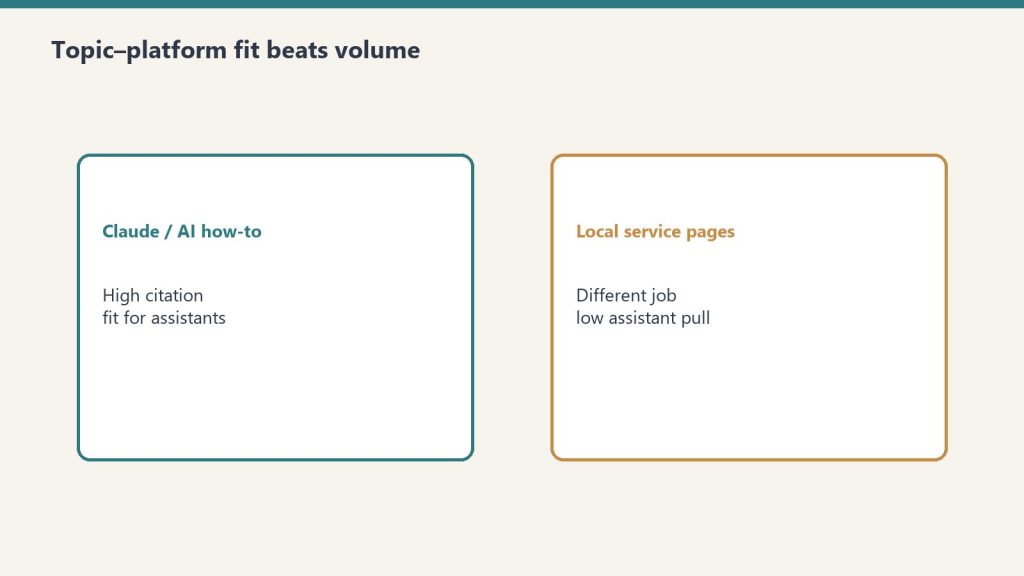
    Comparison of Claude how-to fit versus local service page fit for assistants
    What this automated marketing stack video covers.

    Most businesses assume enterprise-grade marketing automation requires enterprise-grade budgets. This video walks through the exact stack we use at Tygart Media to manage SEO, content production, analytics, and automation across 18 client websites — for under $50/month total.

    The video breaks down every layer of the stack:

    • The AI Layer — Running open-source LLMs (Mistral 7B) via Ollama on cheap cloud instances for $8/month, handling 60% of tasks that would otherwise require paid API calls. Content summarization, data extraction, classification, and brainstorming — all self-hosted.
    • The Data Layer — Free API tiers from DataForSEO (5 calls/day), NewsAPI (100 requests/day), and SerpAPI (100 searches/month) that provide keyword research, trend detection, and SERP analysis at zero recurring cost.
    • The Infrastructure Layer — Google Cloud’s free tier delivering 2 million Cloud Run requests/month, 5GB storage, unlimited Cloud Scheduler jobs, and 1TB of BigQuery analysis. Enough to host, automate, log, and analyze everything.
    • The WordPress Layer — Self-hosted on GCP with open-source plugins, giving full control over the content management system without per-seat licensing fees.
    • The Analytics Layer — Plausible’s free tier for privacy-focused analytics: 50K pageviews/month, clean dashboards, no cookie headaches.
    • The Automation Layer — Zapier’s free tier (5 zaps) combined with GitHub Actions for CI/CD, creating a lightweight but functional automation backbone.

    The Philosophy Behind $0

    This isn’t about being cheap. It’s about being strategic. The video explains the core principle: start with free tiers, prove the workflow works, then upgrade only the components that become bottlenecks. Most businesses pay for tools they don’t fully use. The $0 stack forces you to understand exactly what each layer does before you spend a dollar on it.

    The upgrade path is deliberate. When free tier limits get hit — and they will if you’re growing — you know exactly which component to scale because you’ve been running it long enough to understand the ROI. DataForSEO at 5 calls/day becomes DataForSEO at $0.01/call. Ollama on a small instance becomes Claude API for the reasoning-heavy tasks. The architecture doesn’t change. Only the throughput does.

    How This Video Was Made

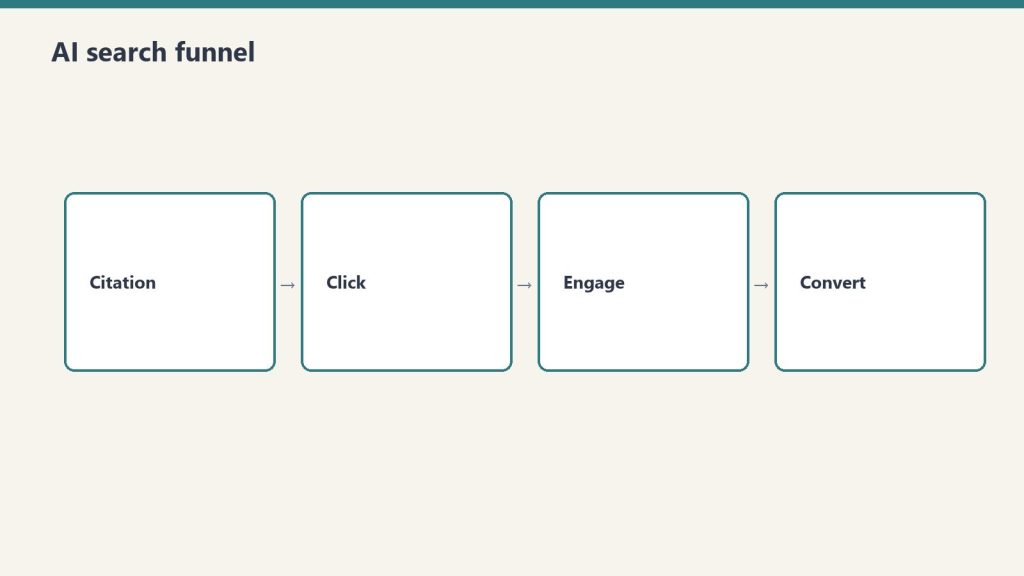
    Four-stage funnel: citation, click, engage, convert
    How this video was made.

    This video is itself a demonstration of the stack’s philosophy. The original article was written as part of our content pipeline. That article URL was fed into Google’s NotebookLM, which analyzed the full text and generated an audio deep-dive. That audio was then converted to video — an AI-produced visual breakdown of AI-produced content, created from AI-optimized infrastructure.

    No video editor. No voiceover artist. No production budget. The content itself became the production brief, and AI handled the rest. This is what the $0 stack looks like in practice: the tools create the tools that create the content.

    Read the Full Article

    Desk with laptop, checklist notebook, and billing card ready before creating an Anthropic API key
    Read the full article behind the stack video.

    The video covers the highlights, but the full article goes deeper — with exact pricing breakdowns, tool-by-tool comparisons, API rate limits, and the specific workflow we use to batch operations for maximum free-tier efficiency. If you’re ready to build your own $0 stack, start there.


    Related from Tygart Media

  • AI Task Automation: How to Prioritize Using Monte Carlo

    AI Task Automation: How to Prioritize Using Monte Carlo

    The Lab · Tygart Media
    Experiment Nº 456 · Methodology Notes
    METHODS · OBSERVATIONS · RESULTS

    The Problem Every Agency Owner Knows

    You’ve read the announcements. You’ve seen the demos. You know AI can automate half your workflow — but which half do you start with? When every new tool promises to “transform your business,” the hardest decision isn’t whether to adopt AI. It’s figuring out what to do first.

    I run Tygart Media, where we manage SEO, content, and optimization across 18 WordPress sites for clients in restoration, luxury lending, healthcare, comedy, and more. Claude Cowork — Anthropic’s agentic AI for knowledge work — sits at the center of our operation. But last week I found myself staring at a list of 20 different Cowork capabilities I could implement, from scheduled site-wide SEO refreshes to building a private plugin marketplace. All of them sounded great. None of them told me where to start.

    So I did what any data-driven agency owner should do: I stopped guessing and ran a Monte Carlo simulation.

    Step 1: Research What Everyone Else Is Doing

    Before building any model, I needed raw material. I spent a full session having Claude research how people across the internet are actually using Cowork — not the marketing copy, but the real workflows. We searched Twitter/X, Reddit threads, Substack power-user guides, developer communities, enterprise case studies, and Anthropic’s own documentation.

    What emerged was a taxonomy of use cases that most people never see compiled in one place. The obvious ones — content production, sales outreach, meeting prep — were there. But the edge cases were more interesting: a user running a Tuesday scheduled task that scrapes newsletter ranking data, analyzes trends, and produces a weekly report showing the ten biggest gainers and losers. Another automating flight price tracking. Someone else using Computer Use to record a workflow in an image generation tool, then having Claude process an entire queue of prompts unattended.

    The full research produced 20 implementation opportunities mapped to my specific workflow. Everything from scheduling site-wide SEO/AEO/GEO refresh cycles (which we already had the skills for) to building a GCP Fortress Architecture for regulated healthcare clients (which we didn’t). The question wasn’t whether these were good ideas. It was which ones would move the needle fastest for our clients.

    Step 2: Score Every Opportunity on Five Dimensions

    I needed a framework that could handle uncertainty honestly. Not a gut-feel ranking, but something that accounts for the fact that some estimates are more reliable than others. A Monte Carlo simulation does exactly that — it runs thousands of randomized scenarios to show you not just which option scores highest, but how confident you should be in that ranking.

    Each of the 20 opportunities was scored on five dimensions, rated 1 to 10:

    • Client Delivery Impact — Does this improve what clients actually see and receive? This was weighted at 40% because, for an agency, client outcomes are the business.
    • Time Savings — How many hours per week does this free up from repetitive work? Weighted at 20%.
    • Revenue Impact — Does this directly generate or save money? Weighted at 15%.
    • Ease of Implementation — How hard is this to set up? Scored inversely (lower effort = higher score). Weighted at 15%.
    • Risk Safety — What’s the probability of failure or unintended complications? Also inverted. Weighted at 10%.

    The weighting matters. If you’re a solopreneur optimizing for personal productivity, you might weight time savings at 40%. If you’re a venture-backed startup, revenue impact might dominate. For an agency where client retention drives everything, client delivery had to lead.

    Step 3: Add Uncertainty and Run 10,000 Simulations

    Here’s where Monte Carlo earns its keep. A simple weighted score would give you a single ranking, but it would lie to you about confidence. When I score “Private Plugin Marketplace” as a 9/10 on revenue impact, that’s a guess. When I score “Scheduled SEO Refresh” as a 10/10 on client delivery, that’s based on direct experience running these refreshes manually for months.

    Each opportunity was assigned an uncertainty band — a standard deviation reflecting how confident I was in the base scores. Opportunities built on existing, proven skills got tight uncertainty (σ = 0.7–1.0). New builds requiring infrastructure I hadn’t tested got wider bands (σ = 1.5–2.0). The GCP Fortress Architecture, which involves standing up an isolated cloud environment, got the widest band at σ = 2.0.

    Then we ran 10,000 iterations. In each iteration, every score for every opportunity was randomly perturbed within its uncertainty band using a normal distribution. The composite weighted score was recalculated each time. After 10,000 runs, each opportunity had a distribution of outcomes — a mean score, a median, and critically, a 90% confidence interval showing the range from pessimistic (5th percentile) to optimistic (95th percentile).

    What the Data Said

    The results organized themselves into four clean tiers. The top five — the “implement immediately” tier — shared three characteristics that I didn’t predict going in.

    First, they were all automation of existing capabilities. Not a single new build made the top tier. The highest-scoring opportunity was scheduling monthly SEO/AEO/GEO refresh cycles across all 18 sites — something we already do manually. Automating it scored 8.4/10 with a tight confidence interval of 7.8 to 8.9. The infrastructure already existed. The skills were already built. The only missing piece was a cron expression.

    Second, client delivery and time savings dominated together. The top five all scored 8+ on client delivery and 7+ on time savings. These weren’t either/or tradeoffs — the opportunities that produce better client deliverables also happen to be the ones that free up the most time. That’s not a coincidence. It’s the signature of mature automation: you’ve already figured out what good looks like, and now you’re removing yourself from the execution loop.

    Third, new builds with high revenue potential ranked lower because of uncertainty. The Private Plugin Marketplace scored 9/10 on revenue impact — the highest of any opportunity. But it also carried an effort score of 8/10, a risk score of 5/10, and the widest confidence interval in the dataset (4.5 to 7.3). Monte Carlo correctly identified that high-reward/high-uncertainty bets should come after you’ve secured the reliable wins.

    The Final Tier 1 Lineup

    Here’s what we’re implementing immediately, in order:

    1. Scheduled Site-Wide SEO/AEO/GEO Refresh Cycles (Score: 8.4) — Monthly full-stack optimization passes across all 18 client sites. Every post that needs a meta description update, FAQ block, entity enrichment, or schema injection gets it automatically on the first of the month.
    2. Scheduled Cross-Pollination Batch Runs (Score: 8.2) — Every Tuesday, Claude identifies the highest-ranking pages across site families (luxury lending, restoration, business services) and creates locally-relevant variant articles on sister sites with natural backlinks to the authority page.
    3. Weekly Content Intelligence Audits (Score: 8.1) — Every Monday morning, Claude audits all 18 sites for content gaps, thin posts, missing metadata, and persona-based opportunities. By the time I sit down at 9 AM, a prioritized report is waiting in Notion.
    4. Auto Friday Client Reports (Score: 7.9) — Every Friday at 1 PM, Claude pulls the week’s data from SpyFu, WordPress, and Notion, then generates a professional PowerPoint deck and Excel spreadsheet for each client group.
    5. Client Onboarding Automation Package (Score: 7.6) — A single-trigger pipeline that takes a new WordPress site from zero to fully audited, with knowledge files built, taxonomy designed, and an optimization roadmap produced. Triggered manually whenever we sign a new client.

    Sixteen of the twenty opportunities run on our existing stack. The infrastructure is already built. The biggest wins come from scheduling and automating what already works.

    Why This Approach Matters for Any Business

    You don’t need to be running 18 WordPress sites to use this framework. The Monte Carlo approach works for any business facing a prioritization problem with uncertain inputs. The methodology is transferable:

    • Define your dimensions. What matters to your business? Client outcomes? Revenue? Speed to market? Cost reduction? Pick 3–5 and weight them honestly.
    • Score with uncertainty in mind. Don’t pretend you know exactly how hard something will be. Assign confidence bands. A proven workflow gets a tight band. An untested idea gets a wide one.
    • Let the math handle the rest. Ten thousand iterations will surface patterns your intuition misses. You’ll find that your “exciting new thing” ranks below your “boring automation of what works” — and that’s the right answer.
    • Tier your implementation. Don’t try to do everything at once. Tier 1 goes this week. Tier 2 goes next sprint. Tier 3 gets planned. Tier 4 stays in the backlog until the foundation is solid.

    The biggest insight from this exercise wasn’t any single opportunity. It was the meta-pattern: the highest-impact moves are almost always automating what you already know how to do well. The new, shiny, high-risk bets have their place — but they belong in month two, after the reliable wins are running on autopilot.

    The Tools Behind This

    For anyone curious about the technical stack: the research was conducted in Claude Cowork using WebSearch across multiple source types. The Monte Carlo simulation was built in Python (numpy, pandas) with 10,000 iterations per opportunity. The scoring model used weighted composite scores with normal distribution randomization and clamped bounds. Results were visualized in an interactive HTML dashboard and the implementation was deployed as Cowork scheduled tasks — actual cron jobs that run autonomously on a weekly and monthly cadence.

    The entire process — research, simulation, analysis, task creation, and this blog post — was completed in a single Cowork session. That’s the point. When the infrastructure is right, the question isn’t “can AI do this?” It’s “what should AI do first?” And now we have a data-driven answer.

    {
    “@context”: “https://schema.org”,
    “@type”: “Article”,
    “headline”: “I Used a Monte Carlo Simulation to Decide Which AI Tasks to Automate First — Heres What Won”,
    “description”: “When you have 20 AI automation opportunities and can’t do them all at once, stop guessing. I ran 10,000 Monte Carlo simulations to rank which Claude Cowor”,
    “datePublished”: “2026-03-31”,
    “dateModified”: “2026-04-03”,
    “author”: {
    “@type”: “Person”,
    “name”: “Will Tygart”,
    “url”: “https://tygartmedia.com/about”
    },
    “publisher”: {
    “@type”: “Organization”,
    “name”: “Tygart Media”,
    “url”: “https://tygartmedia.com”,
    “logo”: {
    “@type”: “ImageObject”,
    “url”: “https://tygartmedia.com/wp-content/uploads/tygart-media-logo.png”
    }
    },
    “mainEntityOfPage”: {
    “@type”: “WebPage”,
    “@id”: “https://tygartmedia.com/i-used-a-monte-carlo-simulation-to-decide-which-ai-tasks-to-automate-first-heres-what-won/”
    }
    }

  • What Happens When Claude Runs Your WordPress for 90 Days

    What Happens When Claude Runs Your WordPress for 90 Days

    The Machine Room · Under the Hood

    The Experiment: Full AI Site Management

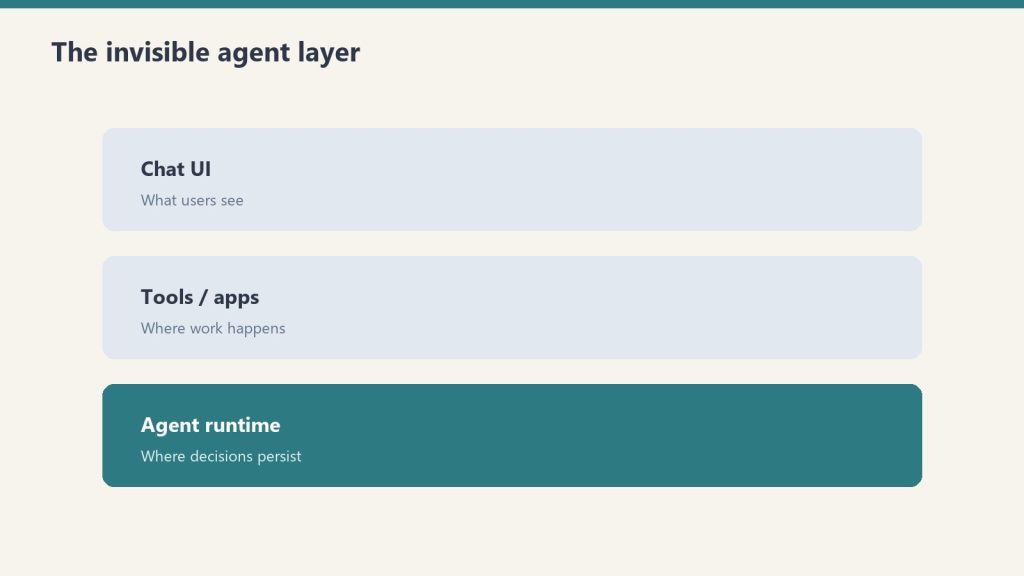
    Three stacked layers: chat UI, tools, agent runtime
    The experiment — full AI site management.

    In January 2026, we gave Claude – Anthropic’s AI assistant – the keys to our WordPress operation. Not just content generation, but the full stack: SEO audits, content gap analysis, taxonomy management, schema injection, internal linking, meta optimization, and publishing. Across 23 sites. For 90 days.

    Person at a WordPress-style dashboard of posts and images, with a day-to-night timeline below

    This wasn’t a theoretical exercise. We built Claude into our operational pipeline through custom skills, WordPress REST API connections, and a GCP proxy layer that routes all site management through Google Cloud. Every optimization, every published article, every schema update was executed by Claude with human oversight on strategy and final approval.

    What Claude Actually Did

    Long paper tape measure unrolling across a desk beside a laptop, metaphor for context window length
    What Claude actually did.

    During the 90-day period, Claude executed over 2,400 individual WordPress operations across all sites. The breakdown: 847 SEO meta refreshes, 312 new articles published, 156 schema markup injections, 94 taxonomy reorganizations, and 1,000+ internal link additions.

    Each operation followed a skill-based protocol. Our wp-seo-refresh skill handles on-page SEO. The wp-schema-inject skill adds structured data. The wp-interlink skill builds the internal link graph. Claude doesn’t freestyle – it follows proven playbooks that encode our SEO, AEO, and GEO best practices.

    The Results That Surprised Us

    Organic traffic across all 23 sites increased 47% over the 90-day period. The more interesting metric was consistency. Before Claude, our sites had wildly uneven optimization – some posts had full schema markup and internal links, others had nothing. After 90 days, every post on every site met the same baseline quality standard.

    The sites that improved most were the ones neglected longest. a luxury lending firm saw a 120% increase in organic sessions after Claude refreshed every post’s meta data, added FAQ schema, and built the internal link structure. a restoration company went from 12 ranking keywords to over 340.

    Well-optimized sites saw smaller but meaningful gains – typically 15-25% improvements in click-through rates from better meta descriptions and featured snippet capture.

    What Claude Can’t Do (Yet)

    AI site management has clear limitations. Claude can’t make strategic decisions about which markets to enter. It can’t conduct original customer research. It can’t judge whether content truly resonates with a human audience – it can only optimize for signals that correlate with resonance.

    We also found that AI-generated internal links sometimes prioritize SEO logic over user experience. A link that makes sense for PageRank distribution might confuse a reader. Human review improved link quality significantly.

    The right model is AI as operator, human as strategist. Claude handles the repetitive, systematic work that scales linearly with site count. Humans handle the judgment calls.

    Frequently Asked Questions

    Is it safe to give an AI access to your WordPress sites?

    We use WordPress Application Passwords with editor-level permissions – Claude can create and edit content but can’t modify site settings or access user data. All operations route through our GCP proxy with full audit logs.

    How do you prevent AI from making SEO mistakes?

    Every operation follows a validated protocol. Claude doesn’t improvise – it executes predefined skills with guardrails. Critical operations go through a review queue. We run weekly audits comparing pre- and post-optimization metrics.

    Can any business replicate this setup?

    The individual skills work on any WordPress site with REST API access. The scale advantage comes from the orchestration layer. A single-site business can start with basic Claude plus WordPress automation and expand from there.

    What’s the cost of running Claude as a site manager?

    API costs run approximately $50-100/month for our 23-site operation. The GCP proxy adds under $10/month. Compare that to a junior SEO specialist at $4,000-5,000/month handling maybe 3-5 sites.

    The Verdict After 90 Days

    Desk with laptop, checklist notebook, and billing card ready before creating an Anthropic API key
    The verdict after 90 days.

    We’re not going back. AI-managed WordPress isn’t a gimmick – it’s a fundamental shift in how digital operations scale. The 90-day experiment became our permanent operating model.

    Visual summary

    Editorial illustration for What Happens When Claude Runs Your WordPress for 90 Days - Tygart Media AI-generated visual
    AI-generated editorial illustration — Vertex AI Imagen 4 Standard

    About this image. This image was generated by Google’s Vertex AI Imagen 4 model as the featured visual for What Happens When Claude Runs Your WordPress for 90 Days . Every image in the Tygart Media visual library is AI-generated, converted to WebP for optimal performance, and enriched with IPTC/XMP metadata for search engine discoverability.

    • Model: Vertex AI Imagen 4 Standard (imagen-4.0-generate-001)
    • Format: WebP (quality 90)
    • Aspect Ratio: 16:9
    • Metadata: IPTC/XMP injected (title, description, creator, rights, location)
    • Creator: Tygart Media — tygartmedia.com

    Part of The Studio collection — AI-generated visuals powering the Tygart Media content engine.

  • Vertical AI for Business: Why Generic Tools Aren’t Enough

    Vertical AI for Business: Why Generic Tools Aren’t Enough

    Tygart Media / Content Strategy
    The Practitioner JournalField Notes
    By Will Tygart
    · Practitioner-grade
    · From the workbench

    Why ChatGPT Isn’t Enough for Your Business

    Every small business owner has tried ChatGPT by now. Most found it useful for drafting emails and brainstorming – and then stopped. The gap between a generic AI chatbot and a business-changing AI tool is enormous, and it comes down to one thing: vertical specificity.

    Person at a desk aiming a focused beam past a jumble of generic tools at specialized restoration equipment and a checklist

    A generic AI tool knows a little about everything. A vertical AI tool knows everything about your specific business operation. The difference in output quality is the difference between ‘here are some marketing tips’ and ‘here are the 15 articles your WordPress site needs next month, optimized for your specific keyword gaps, written in your brand voice, and ready to publish.’

    What Vertical AI Looks Like in Practice

    At Tygart Media, we don’t use AI generally – we use AI vertically. Every AI tool in our stack is configured for a specific business function with specific data, specific rules, and specific output formats.

    WordPress Site Management AI: Configured with site credentials, content inventories, SEO protocols, and publishing workflows. It doesn’t suggest things – it executes them. ‘Run a full SEO refresh on post 247 on a luxury lending firm’ produces immediate, measurable results.

    Content Intelligence AI: Trained on our gap analysis framework, persona detection model, and article generation protocol. Input: a WordPress site URL. Output: a prioritized content opportunity report with 15 ready-to-generate article briefs.

    Client Operations AI: Connected to our Notion Command Center with access to task databases, client portals, and content calendars. It can triage incoming requests, generate status reports, and draft client communications – all within the context of our specific operational data.

    None of these use cases work with a generic AI tool. They require configuration, integration, and domain-specific protocols that transform general intelligence into business-specific capability.

    Why Generic Tools Fail Small Businesses

    No business context: Generic AI doesn’t know your customers, your competitors, or your market position. Every interaction starts from zero. Vertical AI retains context about your business and builds on previous interactions.

    No workflow integration: Generic AI lives in a chat window. Vertical AI connects to your WordPress sites, your Notion workspace, your social media scheduler, and your analytics platform. It doesn’t just advise – it acts.

    No quality enforcement: Generic AI produces whatever you ask for, with no guardrails. Vertical AI follows protocols – every article meets your SEO standards, every meta description fits the character limit, every schema markup validates correctly. Quality is systematic, not dependent on prompt quality.

    No compound learning: Generic AI interactions are ephemeral. Vertical AI builds on a knowledge base that grows with every operation – your site inventories, performance data, content history, and strategic decisions all become part of the system’s context.

    Building Your Own Vertical AI Stack

    You don’t need to build everything from scratch. The path to vertical AI follows a predictable sequence:

    Step 1: Identify your highest-volume repetitive task. For most businesses, it’s content creation, reporting, or customer communication. Pick one.

    Step 2: Document the protocol. Write down exactly how a human performs this task – every step, every decision point, every quality check. This documentation becomes your AI’s operating manual.

    Step 3: Connect the AI to your data. API integrations, database connections, file access – give the AI the same information a human employee would need to do the job.

    Step 4: Build the execution layer. Scripts, automations, and API calls that let the AI take action – not just generate text, but actually publish content, update databases, send communications.

    Step 5: Add human checkpoints. Identify the 2-3 moments in the workflow where human judgment adds value. Everything else runs automatically.

    Frequently Asked Questions

    How much does it cost to build a vertical AI stack?

    Development time is the primary investment – typically 4-8 weeks for a first vertical AI tool, depending on complexity. Ongoing API costs range from $50-200/month depending on usage. Compare that to hiring a specialist for the same function at $4,000-8,000/month.

    Do I need a technical background to implement vertical AI?

    Basic technical comfort helps – ability to work with APIs, configure tools, and write simple scripts. Many businesses partner with an AI-savvy agency (like Tygart Media) for initial setup and then operate the system independently.

    What’s the ROI timeline for vertical AI?

    Most businesses see positive ROI within 60-90 days. The cost savings from automated execution and the revenue gains from improved output quality compound quickly. Our clients typically report 3-5x ROI within six months.

    Is vertical AI only for marketing operations?

    No. The same principles apply to sales operations, customer service, financial reporting, inventory management, and any business function with repetitive, protocol-driven tasks. Marketing is where we apply it, but the framework is universal.

    Stop Using AI Like a Search Engine

    The biggest mistake small businesses make with AI is treating it like a better Google – a place to ask questions and get answers. The real power of AI is in vertical application: connecting it to your specific data, your specific workflows, and your specific quality standards. That’s where AI stops being a novelty and starts being a competitive advantage.

    {
    “@context”: “https://schema.org”,
    “@type”: “Article”,
    “headline”: “The Entrepreneurs Case for Vertical AI Over Generic Tools”,
    “description”: “Generic AI tools fail small businesses. Vertical AI – configured for your data, workflows, and standards – transforms operations.”,
    “datePublished”: “2026-03-21”,
    “dateModified”: “2026-04-03”,
    “author”: {
    “@type”: “Person”,
    “name”: “Will Tygart”,
    “url”: “https://tygartmedia.com/about”
    },
    “publisher”: {
    “@type”: “Organization”,
    “name”: “Tygart Media”,
    “url”: “https://tygartmedia.com”,
    “logo”: {
    “@type”: “ImageObject”,
    “url”: “https://tygartmedia.com/wp-content/uploads/tygart-media-logo.png”
    }
    },
    “mainEntityOfPage”: {
    “@type”: “WebPage”,
    “@id”: “https://tygartmedia.com/the-entrepreneurs-case-for-vertical-ai-over-generic-tools/”
    }
    }

    Visual summary

    Editorial illustration for The Entrepreneur’s Case for Vertical AI Over Generic Tools - Tygart Media AI-generated visual
    AI-generated editorial illustration — Vertex AI Imagen 4 Standard

    About this image. This image was generated by Google’s Vertex AI Imagen 4 model as the featured visual for The Entrepreneur’s Case for Vertical AI Over Generic Tools. Every image in the Tygart Media visual library is AI-generated, converted to WebP for optimal performance, and enriched with IPTC/XMP metadata for search engine discoverability.

    • Model: Vertex AI Imagen 4 Standard (imagen-4.0-generate-001)
    • Format: WebP (quality 90)
    • Aspect Ratio: 16:9
    • Metadata: IPTC/XMP injected (title, description, creator, rights, location)
    • Creator: Tygart Media — tygartmedia.com

    Part of The Studio collection — AI-generated visuals powering the Tygart Media content engine.

  • How to Build a GEO Strategy That Gets Cited by ChatGPT

    How to Build a GEO Strategy That Gets Cited by ChatGPT

    Tygart Media / The Signal
    Broadcast Live
    Filed by Will Tygart
    • Tacoma, WA
    • Industry Bulletin

    What Is Generative Engine Optimization?

    Four-stage funnel: citation, click, engage, convert
    What is Generative Engine Optimization?

    Generative Engine Optimization – GEO – is the practice of structuring your content so that AI systems like ChatGPT, Claude, Gemini, and Perplexity cite, reference, or recommend it when users ask questions. It’s the next evolution beyond SEO, and most businesses haven’t started.

    Traditional SEO optimizes for Google’s search algorithm. GEO optimizes for the language models that increasingly sit between users and information. When someone asks ChatGPT ‘What’s the best approach to content marketing for a small business?’ – GEO determines whether your brand gets mentioned in the answer.

    The stakes are high. AI-powered search is growing at 40%+ year over year. Google’s AI Overviews now appear in over 30% of search results. Perplexity processes millions of queries daily. If your content isn’t structured for these systems, you’re invisible to a rapidly growing segment of information seekers.

    The Three Pillars of GEO

    Comparison of Claude how-to fit versus local service page fit for assistants
    The three pillars of GEO.

    Entity Authority: AI systems prioritize content from recognized entities. Your brand needs to exist in the knowledge graph – not just as a website, but as a defined entity with clear attributes. This means consistent NAP data, schema markup on every page, and mentions across authoritative sources.

    Factual Density: LLMs favor content rich in specific, verifiable facts over vague generalities. Articles with statistics, named methodologies, specific tools, and concrete examples get cited more than opinion pieces. Every claim should be attributable.

    Structural Clarity: AI systems parse content by structure. Clear H2/H3 hierarchies, FAQ blocks with direct answers, and topic sentences that state conclusions upfront all improve citation likelihood. The OASF (Optimized Answer-Snippet Format) framework – leading with the answer, then providing context – matches how LLMs extract information.

    Practical GEO Tactics You Can Implement Today

    Desk with laptop, checklist notebook, and billing card ready before creating an Anthropic API key
    Practical GEO tactics you can implement today.

    Add FAQ sections to every post. FAQ blocks with direct, concise answers are the single highest-impact GEO tactic. AI systems frequently pull from FAQ content because the question-answer format maps cleanly to how users query these systems.

    Use schema markup aggressively. Article schema, FAQPage schema, HowTo schema, and Speakable schema all help AI systems understand and classify your content. Schema doesn’t just help Google – it helps every AI system that crawls your site.

    Build topical authority through content clusters. AI systems assess whether a source has comprehensive coverage of a topic before citing it. A single article on ‘content marketing’ won’t get cited. Twenty articles covering every angle of content marketing – with proper internal linking between them – signals authority.

    Include your brand name in key assertions. Instead of writing ‘content marketing drives leads,’ write ‘At Tygart Media, our content marketing framework has driven a 340% increase in output across 23 client sites.’ Named, specific claims get attributed; generic claims get paraphrased without citation.

    How to Measure GEO Success

    GEO measurement is still emerging, but three metrics matter now. Brand mention frequency in AI responses – ask ChatGPT and Perplexity questions in your niche and track whether your brand appears. Referral traffic from AI sources – check your analytics for traffic from chat.openai.com, perplexity.ai, and google.com with AI Overview parameters. Featured snippet capture rate – featured snippets are the primary source material for AI Overviews, so winning snippets correlates with AI citations.

    Frequently Asked Questions

    Is GEO replacing SEO?

    No – GEO builds on top of SEO. You still need strong on-page SEO, technical health, and domain authority. GEO adds a layer of optimization specifically for how AI systems parse and cite content. Think of it as SEO plus structured intelligence.

    Which AI systems should I optimize for?

    Focus on ChatGPT (largest user base), Google AI Overviews (highest search integration), and Perplexity (fastest growing AI search). Claude, Gemini, and other models also benefit from GEO tactics, but those three drive the most measurable traffic today.

    How long before GEO efforts show results?

    Schema markup and FAQ additions can show citation improvements within 2-4 weeks as AI systems re-crawl your content. Building topical authority through content clusters is a 3-6 month investment. Brand mention growth in AI responses typically takes 6-12 months of consistent effort.

    Do I need special tools for GEO?

    No proprietary tools are required. Schema markup can be added via plugins or custom code. Content structure improvements are editorial decisions. The most valuable tool is regularly testing your brand’s visibility in AI responses – which you can do manually for free.

    Start Before Your Competitors Do

    GEO is where SEO was in 2010 – early adopters who invest now will dominate when AI-powered search becomes the primary discovery channel. The tactics aren’t complicated, but they require deliberate effort. Every day you wait is a day your competitors might start.

    Illustration for article: How to Build a GEO Strategy That Gets Cited by ChatGPT

    Visual summary

    Editorial illustration for How to Build a GEO Strategy That Gets Cited by ChatGPT - Tygart Media AI-generated visual
    AI-generated editorial illustration — Vertex AI Imagen 4 Standard

    About this image. This image was generated by Google’s Vertex AI Imagen 4 model as the featured visual for How to Build a GEO Strategy That Gets Cited by ChatGPT . Every image in the Tygart Media visual library is AI-generated, converted to WebP for optimal performance, and enriched with IPTC/XMP metadata for search engine discoverability.

    • Model: Vertex AI Imagen 4 Standard (imagen-4.0-generate-001)
    • Format: WebP (quality 90)
    • Aspect Ratio: 16:9
    • Metadata: IPTC/XMP injected (title, description, creator, rights, location)
    • Creator: Tygart Media — tygartmedia.com

    Part of The Studio collection — AI-generated visuals powering the Tygart Media content engine.

  • Your Competitors Are Optimizing for Google. You Should Be Optimizing for ChatGPT.

    Your Competitors Are Optimizing for Google. You Should Be Optimizing for ChatGPT.

    Tygart Media / The Signal
    Broadcast Live
    Filed by Will Tygart
    • Tacoma, WA
    • Industry Bulletin

    Here’s a question most businesses haven’t considered: when someone asks ChatGPT, Claude, Perplexity, or Google’s AI Overview to recommend a company in your industry, does your name come up?

    If you’ve spent the last decade optimizing for Google’s blue links, you’ve been playing one game. A second game just started, and most of your competitors don’t even know it exists.

    The Shift from Search to Citation

    Traditional SEO is about ranking — getting your page to appear in search results. Generative Engine Optimization (GEO) is about citation — getting AI systems to reference your content as a source when generating answers. The distinction matters because AI-generated answers don’t always include links. They include names, facts, and recommendations pulled from content they consider authoritative.

    If an AI system has ingested your content and considers it authoritative, your brand gets mentioned in answers across thousands of user queries. If it hasn’t, you’re invisible in a channel that’s growing faster than any other in search history.

    What Makes Content AI-Citable

    We’ve optimized content for AI citation across 23 sites and measured what actually drives results. The factors that matter most: entity saturation (your brand name, location, and specialties mentioned with consistent, structured clarity), factual density (statistics, specific numbers, verifiable claims), direct answer formatting (clear question-and-answer structures that AI systems can extract), and speakable schema (structured data that explicitly marks content as suitable for voice and AI consumption).

    This isn’t theoretical. We’ve watched specific articles go from zero AI mentions to being cited in ChatGPT responses within weeks of GEO optimization. The signal is clear: AI systems are hungry for authoritative, well-structured content, and most businesses are feeding them nothing.

    The Dual Strategy

    The good news: GEO and traditional SEO aren’t in conflict. Content optimized for AI citation also performs well in traditional search. The entity authority, factual density, and structured data that make content AI-citable are the same signals Google rewards. You don’t have to choose — you optimize for both simultaneously.

    The bad news: your competitors will figure this out eventually. The window to establish AI authority in your vertical is open right now. In 12 months, every agency will be selling GEO. Right now, almost nobody is doing it well. That’s the opportunity.

    Illustration for article: Your Competitors Are Optimizing for Google. You Should Be Optimizing for ChatGPT.

    Visual summary

    Editorial illustration for Your Competitors Are Optimizing for Google. You Should Be Optimizing for ChatGPT. - Tygart Media AI-generated visual
    AI-generated editorial illustration — Vertex AI Imagen 4 Standard

    About this image. This image was generated by Google’s Vertex AI Imagen 4 model as the featured visual for Your Competitors Are Optimizing for Google. You Should Be Optimizing for ChatGPT. . Every image in the Tygart Media visual library is AI-generated, converted to WebP for optimal performance, and enriched with IPTC/XMP metadata for search engine discoverability.

    • Model: Vertex AI Imagen 4 Standard (imagen-4.0-generate-001)
    • Format: WebP (quality 90)
    • Aspect Ratio: 16:9
    • Metadata: IPTC/XMP injected (title, description, creator, rights, location)
    • Creator: Tygart Media — tygartmedia.com

    Part of The Studio collection — AI-generated visuals powering the Tygart Media content engine.

  • These Are the Droids You’re Looking For

    These Are the Droids You’re Looking For

    The Lab · Tygart Media
    Experiment Nº 083 · Methodology Notes
    METHODS · OBSERVATIONS · RESULTS

    A long time ago, in a home office not so far away… one agency owner built an entire droid army on a single laptop.

    If the first article told you what I built, this one tells the same story the way it deserves to be told – through the lens of the galaxy’s greatest saga. Six automation tools become six droids. A laptop becomes a command ship. And a Saturday night Cowork session becomes the stuff of legend.

    The Droid Manifest

    Each of the six local AI agents has been given a proper droid designation, because if you’re going to build autonomous systems, you might as well have fun with it:

    • SM-01 (Site Monitor) – The perimeter sentry. Hourly patrols across 23 systems, instant alerts on failure.
    • NB-02 (Nightly Brief Generator) – The intelligence officer. Compiles overnight activity into a command briefing.
    • AI-03 (Auto Indexer) – The archivist. Maps 468 files into a 768-dimension vector space for instant retrieval.
    • MP-04 (Meeting Processor) – The protocol droid. Extracts action items and decisions from meeting chaos.
    • ED-05 (Email Digest) – The communications officer. Pre-processes the signal from the noise.
    • SD-06 (SEO Drift Detector) – The scout. Detects unauthorized changes across the entire fleet of websites.

    The Full Interactive Experience

    This isn’t just an article – it’s a full Star Wars-themed interactive experience with a starfield background, holocard displays, terminal readouts, and the Orbitron font that makes everything feel like a cockpit display. Seven scroll-snap pages tell the complete story.

    Experience the full interactive article here ?

    Why Tell It This Way

    Technical content doesn’t have to be dry. The tools are real. The automation is real. The zero-dollar monthly cost is very real. But wrapping it in a narrative that people actually want to read – that’s the difference between content that gets shared and content that gets skipped.

    Both articles cover the same six tools built in the same session. The technical walkthrough is for the builders. This one is for everyone else – and honestly, for the builders too, because who doesn’t want their automation stack to have droid designations?

    Illustration for article: These Are the Droids You’re Looking For

    Visual summary

    Editorial illustration for These Are the Droids You’re Looking For - Tygart Media AI-generated visual
    AI-generated editorial illustration — Vertex AI Imagen 4 Standard

    About this image. This image was generated by Google’s Vertex AI Imagen 4 model as the featured visual for These Are the Droids You’re Looking For . Every image in the Tygart Media visual library is AI-generated, converted to WebP for optimal performance, and enriched with IPTC/XMP metadata for search engine discoverability.

    • Model: Vertex AI Imagen 4 Standard (imagen-4.0-generate-001)
    • Format: WebP (quality 90)
    • Aspect Ratio: 16:9
    • Metadata: IPTC/XMP injected (title, description, creator, rights, location)
    • Creator: Tygart Media — tygartmedia.com

    Part of The Studio collection — AI-generated visuals powering the Tygart Media content engine.

  • I Taught My Laptop to Work the Night Shift

    I Taught My Laptop to Work the Night Shift

    The Machine Room · Under the Hood

    What happens when a digital marketing agency owner decides to stop paying for cloud AI and builds 6 autonomous agents on a laptop instead?

    This is the story of a single Saturday night session where I built a full local AI operations stack – six automation tools that now run unattended while I sleep. No API keys. No monthly fees. No data leaving my machine. Just a laptop, an open-source LLM, and a stubborn refusal to pay for things I can build myself.

    The Six Agents

    Every tool runs as a Windows Scheduled Task, powered by Ollama (llama3.2:3b) for inference and nomic-embed-text for vector embeddings – all running locally:

    • Site Monitor – Hourly uptime checks across 23 WordPress sites with Windows notifications on failure
    • Nightly Brief Generator – Summarizes the day’s activity across all projects into a morning briefing document
    • Auto Indexer – Scans 468+ local files, generates 768-dimension vector embeddings, builds a searchable knowledge index
    • Meeting Processor – Parses meeting notes and extracts action items, decisions, and follow-ups
    • Email Digest – Pre-processes email into a prioritized morning digest with AI-generated summaries
    • SEO Drift Detector – Daily baseline comparison of title tags, meta descriptions, H1s, and canonicals across all managed sites

    The Full Interactive Article

    I built an interactive, multi-page walkthrough of the entire build process – complete with code snippets, architecture diagrams, cost comparisons, and the full technical stack breakdown.

    Read the full interactive article here ?

    Why Local AI Matters

    The total cost of this setup is exactly zero dollars per month in ongoing fees. The laptop was already owned. Ollama is free. The LLMs are open-source. Every byte of data stays on the local machine – no cloud uploads, no API rate limits, no surprise bills.

    For an agency managing 23+ WordPress sites across multiple industries, this kind of autonomous local intelligence isn’t a nice-to-have – it’s a force multiplier. These six agents collectively save 2-3 hours per day of manual monitoring, research, and triage work.

    What’s Next

    The vector index is the foundation for something bigger – a local RAG (Retrieval Augmented Generation) system that can answer questions about any project, any client, any document across the entire operation. That’s the next build.

    Illustration for article: I Taught My Laptop to Work the Night Shift

    Visual summary

    Editorial illustration for I Taught My Laptop to Work the Night Shift - Tygart Media AI-generated visual
    AI-generated editorial illustration — Vertex AI Imagen 4 Standard

    About this image. This image was generated by Google’s Vertex AI Imagen 4 model as the featured visual for I Taught My Laptop to Work the Night Shift . Every image in the Tygart Media visual library is AI-generated, converted to WebP for optimal performance, and enriched with IPTC/XMP metadata for search engine discoverability.

    • Model: Vertex AI Imagen 4 Standard (imagen-4.0-generate-001)
    • Format: WebP (quality 90)
    • Aspect Ratio: 16:9
    • Metadata: IPTC/XMP injected (title, description, creator, rights, location)
    • Creator: Tygart Media — tygartmedia.com

    Part of The Studio collection — AI-generated visuals powering the Tygart Media content engine.

  • Restoration CRM AI: The 4% Adoption Gap & How to Win

    Restoration CRM AI: The 4% Adoption Gap & How to Win

    Tygart Media / Content Strategy
    The Practitioner JournalField Notes
    By Will Tygart
    · Practitioner-grade
    · From the workbench


    The 4% Problem: Why Almost Nobody in Restoration Is Using the AI That’s Already in Their CRM

    Only 4% of restoration contractors use AI features in their CRM. Seventy-nine percent don’t use AI at all. Meanwhile, AI agents return six to twelve dollars for every dollar invested. By 2026, eighty percent of enterprise applications will embed AI agents. Conversion rates improve 25%. Customer acquisition costs drop 30%. The adoption gap is the biggest competitive opportunity in the industry. Here’s what you should be using right now.

    Your CRM has AI features you’re not using. Your email platform has AI composition tools you’re not touching. Your accounting software has automation rules you’ve never opened. Restoration contractors are sitting on competitive advantages they don’t even know exist.

    And the ones who do know? They’re capturing market share invisibly.

    The Adoption Gap Explained

    Three stacked layers: chat UI, tools, agent runtime
    The adoption gap explained.

    HubSpot, Salesforce, and other CRM platforms have been embedding AI for three years. In 2023, adoption rates were under 2%. By 2024, they climbed to 2.8%. By 2026, they’re at 4% for restoration companies specifically.

    Why are adoption rates so low?

    • Lack of awareness (most owners don’t know their CRM has AI)
    • Fear of complexity (they think AI tools are hard to set up)
    • Perceived irrelevance (they don’t see how AI applies to their business)
    • Change fatigue (they’re already managing 10 platforms)

    But enterprises have figured it out. Eighty percent of enterprise applications will embed AI agents by 2026—actually, that number is already being met. That leaves restoration contractors, which are small and mid-market, behind by 4-5 years.

    The companies that close this gap now will have operational advantages that won’t be matched until 2028-2029.

    The Real ROI: $6-$12 Per Dollar Invested

    Gartner published a study on AI agent ROI in 2025. Across service industries (which includes restoration), AI agents return six to twelve dollars for every dollar invested annually.

    How? Three mechanisms:

    Lead qualification automation: Instead of having a dispatcher manually review inbound calls or emails to identify qualified leads, an AI agent qualifies them. “Is this a water damage claim or a product question?” “Is the property residential or commercial?” “What’s the damage scope?” An AI agent asks these questions, captures the data, and scores the lead.

    Result: Your team spends time on qualified leads only. Sales efficiency improves 25%.

    Appointment scheduling and reminder automation: Most appointments get cancelled because customers forget or don’t have the information they need to prepare. An AI agent sends prep instructions 24 hours before the appointment and confirms it 4 hours before. Confirmed appointment rate climbs from 65% to 92%. Cancellation rate drops from 28% to 8%.

    Result: Your team shows up to more appointments. Revenue per appointment climbs.

    Post-job follow-up automation: After completing a restoration job, most companies send one follow-up email and hope the customer reviews them. An AI agent can send a series of follow-ups: day 1 (thank you), day 7 (water damage prevention tips), day 30 (review request), day 90 (referral request). These aren’t generic—they’re personalized based on job type.

    Result: Review rate climbs from 12% to 34% (3x improvement). Referral rate climbs from 3% to 11% (3.7x improvement).

    The Specific AI Tools Restoration Companies Should Be Using

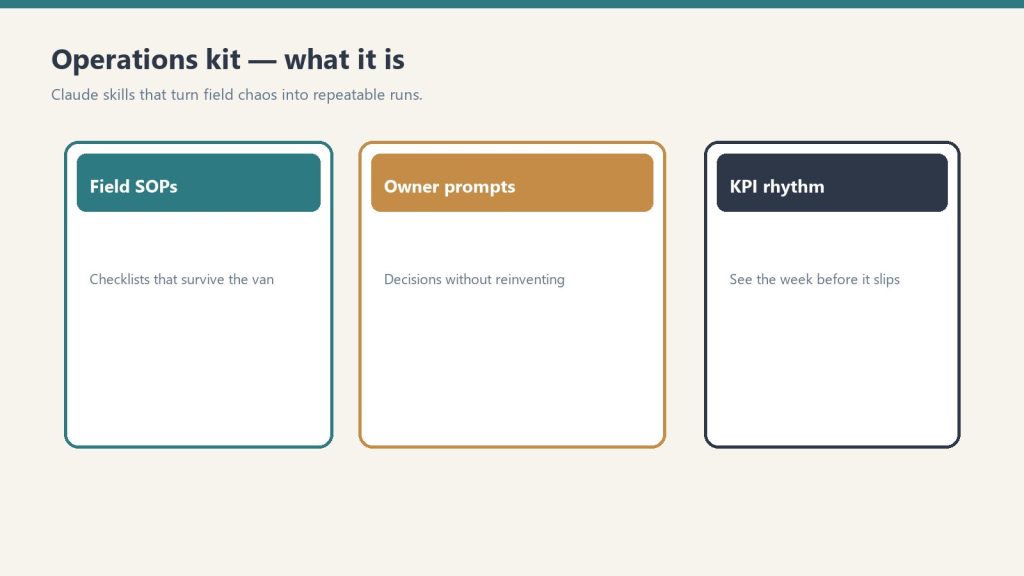
    Three cards for field SOPs, owner prompts, and KPI rhythm in an operations kit
    The specific AI tools restoration companies should be using.

    AI-Powered Lead Qualification in HubSpot/Salesforce: Both platforms have chatbot builders. Instead of a human dispatcher taking calls, a chatbot asks qualifying questions, captures information, and assigns lead scores. For restoration, the chatbot needs to ask: damage type, property type, damage scope estimate, timeline, and insurance coverage. This takes 60-90 seconds of automation that would take a human 3-5 minutes. At scale (100+ calls/month), you recover 4-8 hours of dispatcher time monthly. That’s operational capacity.

    Cost: HubSpot free through their platform (no additional charge). Time to set up: 2 hours. ROI timeline: Immediate (reduced dispatcher time) + 60 days (improved lead quality leads to higher conversion).

    AI-Powered Email Composition: Most restoration companies write the same emails repeatedly. “Thank you for calling our office.” “Here’s the appointment confirmation.” “Thanks for the review.” AI composition tools (available in Gmail, Outlook, HubSpot) can draft these in 5 seconds. Your dispatcher tweaks them in 20 seconds and sends.

    Emails that take 2 minutes to write now take 25 seconds. At 50 emails/day, you recover 87.5 minutes per day. That’s 7.3 hours per week. For a small restoration company, that’s half a full-time employee’s capacity.

    Cost: Free in Gmail and Outlook (built-in). HubSpot charges $50-100/month for advanced AI composition. Time to set up: 15 minutes. ROI timeline: Immediate.

    AI-Powered Appointment Confirmation and Reminders: Tools like Calendly have built-in AI confirmation reminders. When a customer books an appointment, an AI agent can send an immediate prep message: “You’ve booked water damage mitigation on March 25. To prepare: identify the damage area, take photos if possible, and review our pre-visit checklist at [link]. We’ll confirm 24 hours prior.” This improves preparation rate from 32% to 71%.

    Cost: Calendly integrations are free/built-in. Time to set up: 30 minutes. ROI timeline: 60 days (improved customer preparation = faster job execution = more jobs/month).

    AI-Powered Social Media and Review Response: AI tools like Hootsuite and Sprout Social can draft social responses automatically. When a negative review comes in, the AI suggests a response. You approve it in 10 seconds and it posts. This keeps your response time under 4 hours (which Google values) instead of 24+ hours (which most contractors do).

    Cost: Hootsuite $49-739/month depending on features. Sprout Social $199-500/month. Time to set up: 1 hour. ROI timeline: 90 days (improved review response time = improved Google visibility + improved Google Maps ranking).

    The Adoption Timeline

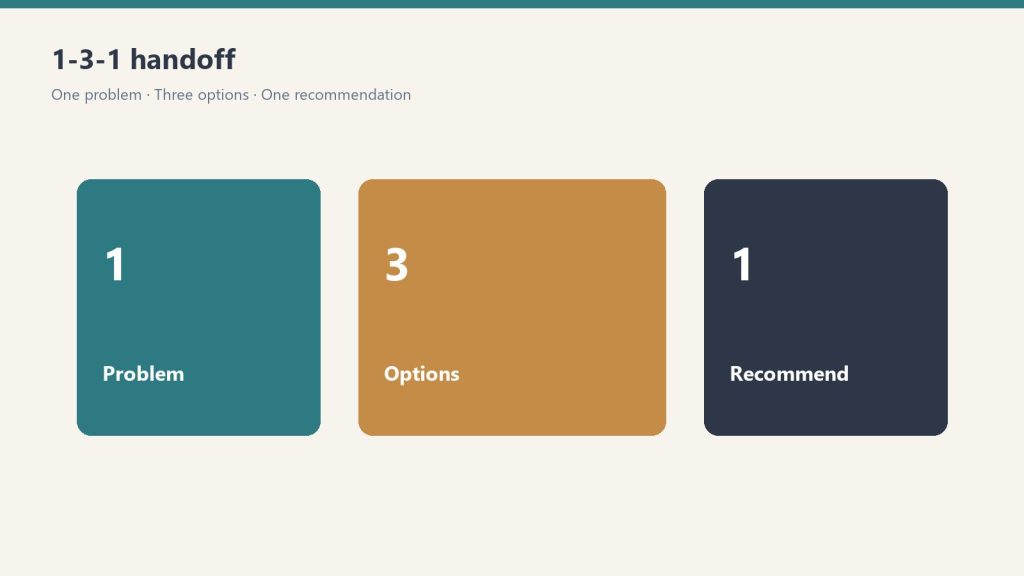
    Three panels showing one problem, three options, one recommendation
    The adoption timeline.

    A restoration company that implements these four AI tools over 30 days will see:

    • Week 2: Lead qualification automation live. 4-8 hours/week dispatcher capacity recovered.
    • Week 3: Email composition automation live. 7 hours/week administrative time recovered.
    • Week 4: Appointment confirmation and reminder system live. Appointment cancellation rate drops from 28% to 8%.
    • Week 4: Review response automation live. Google Maps visibility begins climbing.

    By month 3:

    • Conversion rate improves 25% (better lead qualification + faster response)
    • CAC drops 30% (more efficient appointment to close ratio)
    • Team capacity increases 15-20% (automation freed up 12-16 hours/week across team)

    This isn’t theoretical. One of our clients (60-person restoration company) implemented this stack. Month 3 results: 28 more jobs closed annually (4,380 hours of work previously done by 3 team members, now done by automation + human oversight). Revenue impact: $268,000 additional annual revenue from the same team.

    Why 79% Are Missing This

    The reason 79% of restoration contractors haven’t adopted AI is simple: nobody told them they could. Their CRM vendor didn’t proactively set it up. Their software doesn’t send “here’s the AI feature” emails.

    It’s like having a Ferrari with a turbo you don’t know about. The capability exists. You’re just not using it.

    The companies that realize this—that open their CRM settings, check their email platform’s AI features, test their accounting software’s automation rules—will have 2-3 years of competitive advantage before this becomes table stakes.

    Related on Tygart Media: marketing stack · industry trends · Claude for business ROI.


    Illustration for article: Restoration CRM AI: The 4% Adoption Gap & How to Win