Tag: Claude Code

  • Claude vs DeepSeek: Performance, Pricing, and Privacy

    Claude vs DeepSeek: Performance, Pricing, and Privacy

    Last refreshed: May 15, 2026

    Model Accuracy Note — Updated May 2026

    Current flagship: Claude Opus 4.7 (claude-opus-4-7). Current models: Opus 4.7 · Sonnet 4.6 · Haiku 4.5. Claude Opus 4.7 (claude-opus-4-7) is the current flagship as of April 16, 2026. Where this article references Opus 4.6 or earlier models, those references are historical. See current model tracker →. See current model tracker →

    Claude AI · Fitted Claude

    DeepSeek emerged as the most disruptive AI development since GPT-4 — a Chinese lab producing frontier-quality models at dramatically lower cost. In 2026, it’s a genuine competitor to Claude in several categories. But the comparison isn’t only about performance. Privacy and data sovereignty matter. This guide covers all three dimensions.

    Performance Comparison

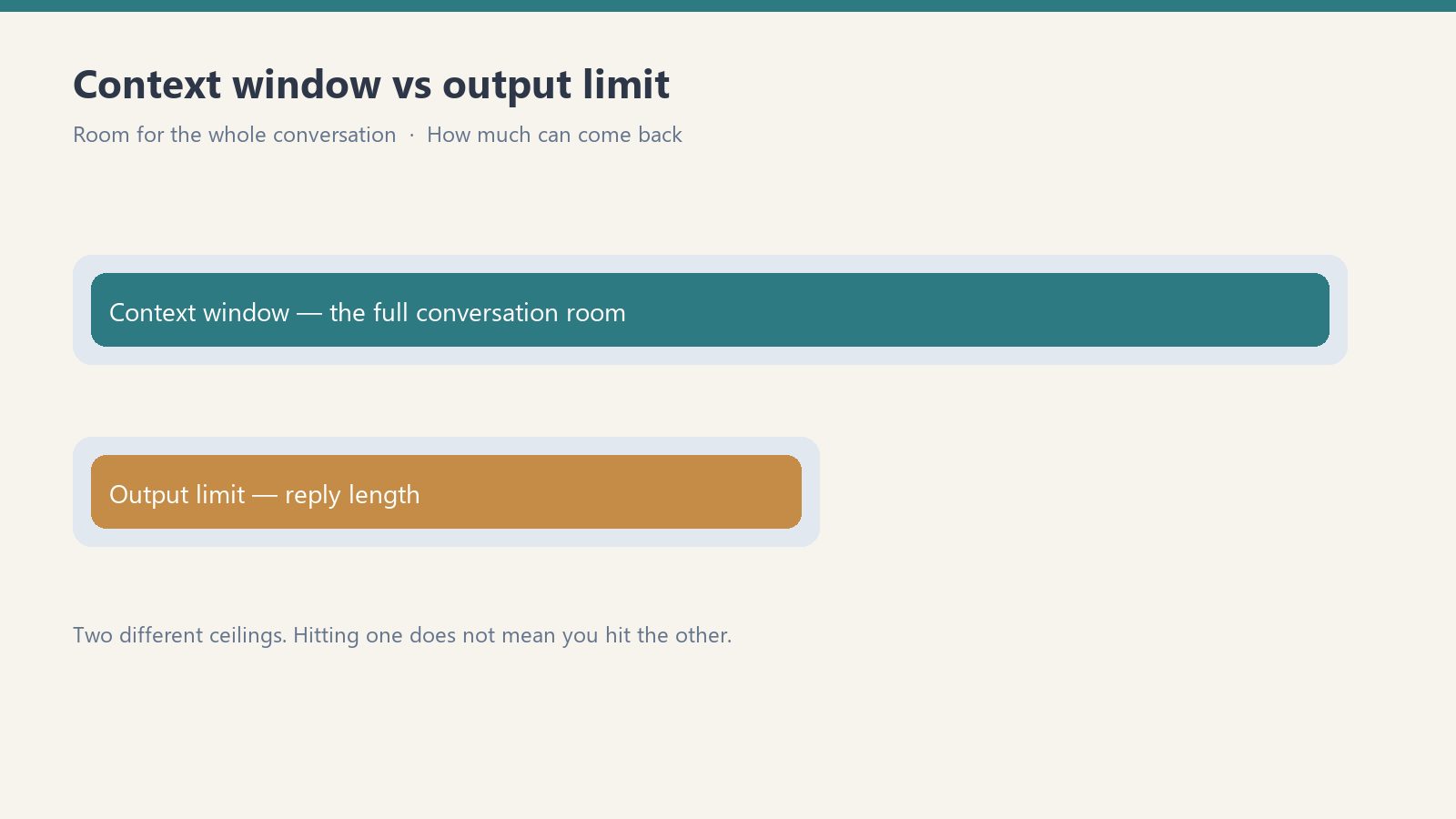
    Diagram comparing a long context window bar with a shorter output limit bar
    Performance comparison.
    Benchmark Claude Opus 4.6 DeepSeek
    SWE-bench (coding) 80.8% ~49% (V3), higher for R1
    GPQA Diamond 91.3% Competitive
    Math reasoning Top tier R1 leads on pure math
    Context window 200K tokens 128K tokens

    Claude leads on real-world software engineering and long-document reasoning. DeepSeek R1 is competitive or superior on pure math. For most professional use cases, Claude holds the performance edge.

    Pricing Comparison

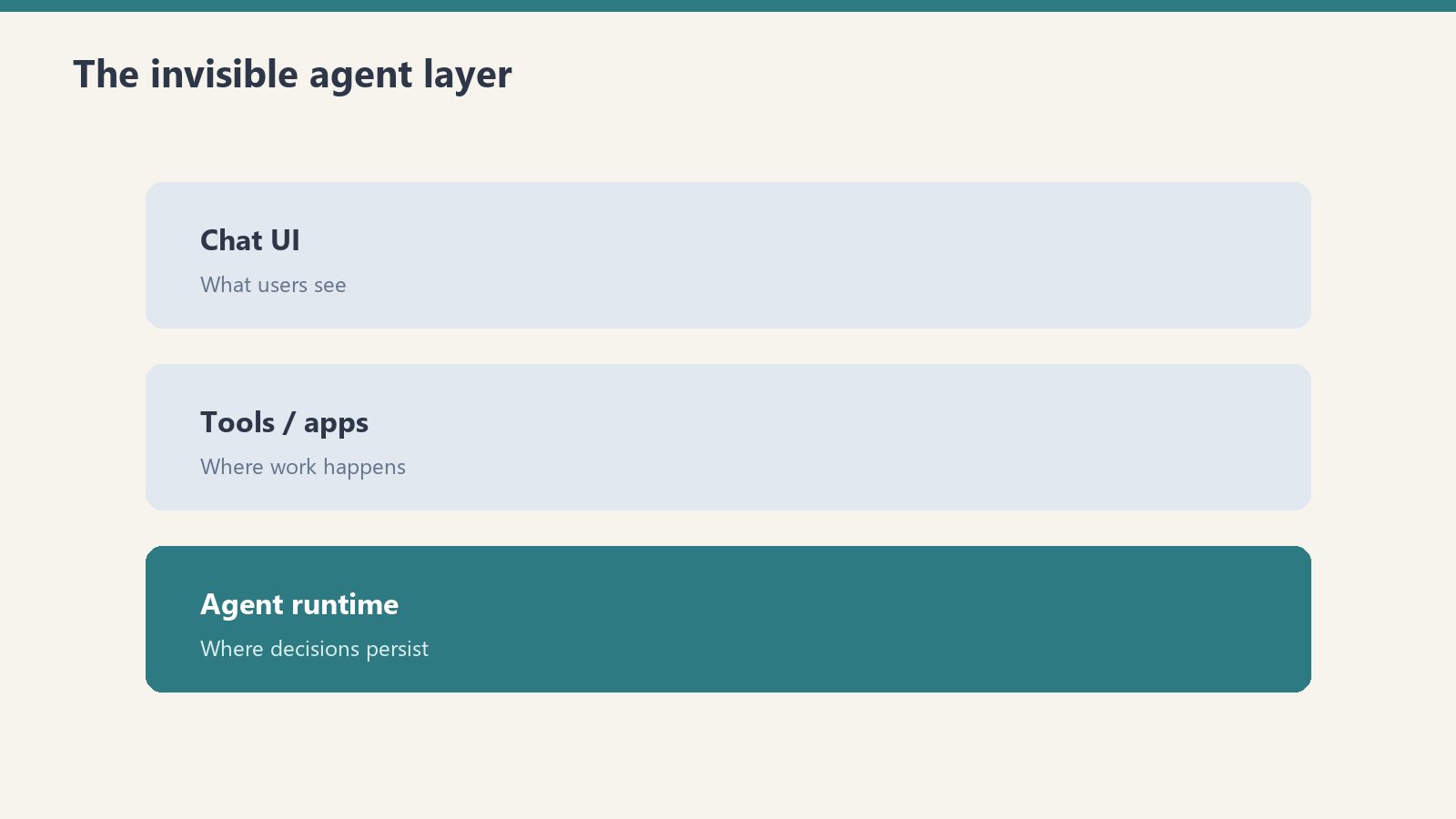
    Three stacked layers: chat UI, tools, agent runtime
    Pricing comparison.

    DeepSeek’s API pricing is 10-20x cheaper than Claude’s — roughly $0.27-0.55 per million input tokens vs Claude’s $3-15. For high-volume API applications where cost is the primary constraint, DeepSeek is a serious consideration. The consumer interface is free vs Claude’s $20-200/month paid tiers.

    The Privacy Question

    Desk with laptop, checklist notebook, and billing card ready before creating an Anthropic API key
    The privacy question.

    DeepSeek is a Chinese company. Its data handling is subject to Chinese law, which includes requirements to provide user data to Chinese government authorities under certain circumstances. Multiple national governments have restricted DeepSeek on government systems. For professionals handling confidential client data or sensitive business information, the data sovereignty difference between Anthropic (US-incorporated) and DeepSeek (Chinese-incorporated) is material.

    Choose Claude If You…

    • Handle confidential professional, legal, or medical data
    • Need highest performance on software engineering tasks
    • Require long-document analysis (200K vs 128K context)
    • Need US-based data handling

    Frequently Asked Questions

    Is DeepSeek as good as Claude?

    Competitive on math and logic. Claude leads on SWE-bench software engineering, long documents, and writing quality.

    Is DeepSeek safe to use?

    For general consumer use, immediate risk is low. Professionals handling sensitive data should consider DeepSeek’s Chinese data jurisdiction carefully.


    Need this set up for your team?
    Talk to Will →

  • Claude API Tutorial: Python & JavaScript Quickstart

    Claude API Tutorial: Python & JavaScript Quickstart

    Last refreshed: May 15, 2026

    Model Accuracy Note — Updated May 2026

    Current flagship: Claude Opus 4.7 (claude-opus-4-7). Current models: Opus 4.7 · Sonnet 4.6 · Haiku 4.5. Claude Opus 4.7 (claude-opus-4-7) is the current flagship as of April 16, 2026. Where this article references Opus 4.6 or earlier models, those references are historical. See current model tracker →. See current model tracker →

    Claude AI · Fitted Claude

    The Claude API gives you programmatic access to Claude in your own applications and scripts. This guide gets you from zero to a working integration in Python or JavaScript.

    Prerequisites

    Desk with laptop, checklist notebook, and billing card ready before creating an Anthropic API key
    Prerequisites before the first call.
    • Anthropic account at console.anthropic.com
    • API key from Console → API Keys
    • Python 3.7+ or Node.js 18+

    Installation

    # Python
    pip install anthropic
    
    # JavaScript
    npm install @anthropic-ai/sdk

    Your First API Call (Python)

    Developer copying a new API key into a password vault; secret string not readable
    Your first API call in Python.
    import anthropic
    
    client = anthropic.Anthropic(api_key="your-api-key-here")
    
    message = client.messages.create(
        model="claude-sonnet-4-6",
        max_tokens=1024,
        messages=[{"role": "user", "content": "Explain APIs in plain English."}]
    )
    print(message.content[0].text)

    Adding a System Prompt

    message = client.messages.create(
        model="claude-sonnet-4-6",
        max_tokens=1024,
        system="You are a helpful customer support agent for Acme Corp.",
        messages=[{"role": "user", "content": "How do I reset my password?"}]
    )

    Streaming Responses

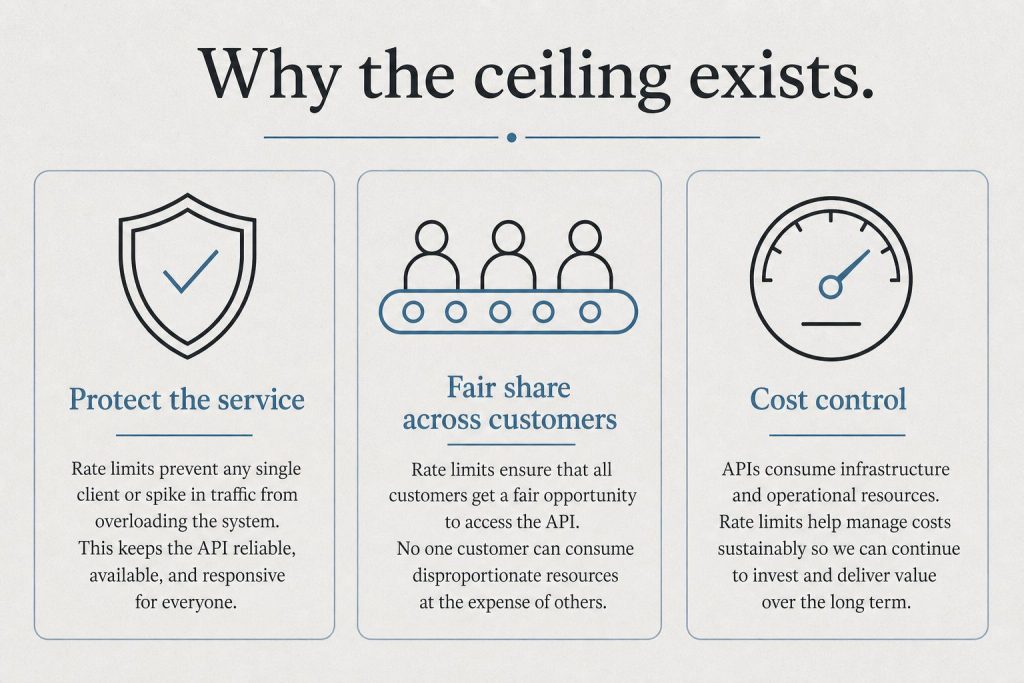
    Infographic with three panels: protect the service, fair share, and cost control explaining rate limits
    Streaming responses.
    with client.messages.stream(
        model="claude-sonnet-4-6",
        max_tokens=1024,
        messages=[{"role": "user", "content": "Write a 500-word blog post about AI."}]
    ) as stream:
        for text in stream.text_stream:
            print(text, end="", flush=True)

    Model Selection

    Model String Best For
    Claude Opus 4.6 claude-opus-4-7 Complex reasoning, coding
    Claude Sonnet 4.6 claude-sonnet-4-6 Balanced everyday tasks
    Claude Haiku 4.5 claude-haiku-4-5-20251001 Fast lightweight tasks

    Frequently Asked Questions

    How much does the Claude API cost?

    Pricing is per token (input and output separately). Check anthropic.com/pricing. Haiku is cheapest, Sonnet offers the best cost/quality balance for most applications.

    Do I need a Claude subscription to use the API?

    No. API access is separate. Create an Anthropic Console account and pay per token used.


    Need this set up for your team?
    Talk to Will →

  • Claude Projects: Setup, Knowledge Bases & Custom Prompts

    Claude Projects: Setup, Knowledge Bases & Custom Prompts

    Last refreshed: June 9, 2026

    Claude AI · Fitted Claude

    Claude Projects are the most underutilized feature on paid Claude plans. Without Projects, every new conversation starts from scratch. With Projects, you create persistent knowledge bases that Claude draws on automatically. This guide shows you how to set up Projects that actually improve your work.

    Claude Projects Features by Plan (June 2026)

    FeatureFreePro ($20/mo)Team ($25/seat)Enterprise
    Projects availableNoYesYesYes
    Number of ProjectsUnlimitedUnlimitedUnlimited
    Files per ProjectUp to 20 filesUp to 20 filesCustom
    Custom instructionsNoYesYesYes
    Shared Projects (team)NoNoYesYes
    Persistent contextNoYesYesYes

    What Claude Projects Do

    Three stacked layers: chat UI, tools, agent runtime
    What Claude Projects do.
    • Persistent system prompts: Instructions Claude follows in every Project conversation
    • Knowledge base files: Documents, PDFs, and data Claude references without re-uploading
    • Conversation history: All Project conversations are grouped and accessible
    • Separate memory spaces: Each Project has isolated memory

    Setting Up a Project

    Desk with laptop, checklist notebook, and billing card ready before creating an Anthropic API key
    Setting up a project.
    1. In Claude.ai, click “New Project” in the left sidebar
    2. Name your Project specifically (“Content Writing” not “Work”)
    3. Write your system prompt in Project Instructions
    4. Upload knowledge base files
    5. Start a conversation within the Project

    Writing an Effective System Prompt

    Diagram comparing a long context window bar with a shorter output limit bar
    Writing an effective system prompt.

    A strong system prompt tells Claude: who you are and what you do, primary tasks for this Project, tone and style preferences, output format requirements, domain-specific knowledge to assume, and anything Claude should never do in this Project. A weak system prompt (“You are a helpful assistant”) gives Claude nothing useful.

    Project Ideas by Role

    • Writers: Upload brand voice guide, audience personas, and style examples
    • Developers: Upload architecture docs, API documentation, and coding standards
    • Legal: Upload relevant statutes, prior contracts, and compliance frameworks
    • Researchers: Upload literature review, key papers, and research notes

    Frequently Asked Questions

    Are Claude Projects available on the free plan?

    No. Projects require a Claude Pro subscription or higher.

    Does Claude remember everything across Project conversations?

    Claude has access to Project knowledge base files and system prompt in every conversation. Specific conversation memory depends on whether Claude’s memory feature is enabled.


    Need this set up for your team?
    Talk to Will →

    What is Claude Projects?

    Claude Projects is a feature in claude.ai (Pro, Max, Team, Enterprise plans) that lets you create persistent workspaces. Each Project has its own custom instructions, uploaded knowledge files, and conversation history that carries across sessions. Claude remembers everything in the Project — unlike regular conversations that start fresh each time.

    How do I create a Claude Project?

    In claude.ai, click ‘New Project’ in the left sidebar. Give it a name, write custom instructions (what Claude should know about you and the work), and upload any relevant files — PDFs, text documents, code files, CSVs. Then start a conversation. Everything in the Project persists — new conversations in the same Project share the same context.

    What files can I upload to a Claude Project?

    Claude Projects support text files (.txt, .md), PDFs, code files (.py, .js, .ts, etc.), CSV files, and images. Maximum file size is 30MB per file, up to 20 files per Project on Pro/Max/Team plans. For best results, upload reference documents, style guides, company knowledge, and anything Claude should know consistently across conversations.

    Can my team share a Claude Project?

    Yes, on Claude Team and Enterprise plans, Projects can be shared across team members. Shared Projects give everyone the same custom instructions and knowledge base, so the whole team benefits from the same context setup. Individual conversations within a shared Project remain private unless explicitly shared.

  • Claude Code vs Windsurf: 2026 AI Coding Tool Comparison

    Claude Code vs Windsurf: 2026 AI Coding Tool Comparison

    Last refreshed: May 15, 2026

    Model Accuracy Note — Updated May 2026

    Current flagship: Claude Opus 4.7 (claude-opus-4-7). Current models: Opus 4.7 · Sonnet 4.6 · Haiku 4.5. Claude Opus 4.7 (claude-opus-4-7) is the current flagship as of April 16, 2026. Where this article references Opus 4.6 or earlier models, those references are historical. See current model tracker →. See current model tracker →

    Claude AI · Fitted Claude

    Claude Code and Windsurf represent two different visions of AI-assisted development — one terminal-native and model-focused, the other IDE-native and workflow-focused. Both are serious tools for professional developers in 2026. This comparison covers what actually matters: coding quality, context management, workflow fit, and cost.

    What They Are

    Long paper tape measure unrolling across a desk beside a laptop, metaphor for context window length
    What they are.

    Claude Code is Anthropic’s terminal-native AI coding tool. You install it as an npm package, authenticate with your Claude account, and work directly in your shell. It uses Claude models exclusively and has a 1-million-token context window for large codebases. It’s designed for developers who think in the command line.

    Windsurf (formerly Codeium) is an AI-native IDE — a full development environment built around AI assistance. It includes a traditional code editor with AI deeply embedded throughout: autocomplete, multi-file editing, natural language commands, and a chat interface. It supports multiple models including Claude, GPT-4o, and its own models.

    Feature Comparison

    Three stacked layers: chat UI, tools, agent runtime
    Feature comparison.
    Feature Claude Code Windsurf
    Interface Terminal Full IDE (VS Code-based)
    Model Claude only Multi-model (Claude, GPT-4o, own models)
    Context window 1M tokens Varies by model
    Autocomplete No Yes (supercomplete)
    Multi-file editing Yes Yes (Cascade)
    Git integration Yes Yes
    Codebase indexing Yes (via context) Yes (semantic search)
    Natural language commands Yes Yes (Cascade)
    Price Max sub ($100+/mo) or API Free tier + $15/mo Pro

    Model Performance

    Claude Code’s underlying model — Opus 4.6 — scores 80.8% on SWE-bench Verified, one of the highest published scores for any model on real-world engineering tasks. Windsurf can access Claude models via its multi-model architecture, but its proprietary models score lower on the same benchmark.

    If raw model performance on complex tasks is the priority, Claude Code’s direct access to Claude Opus 4.7 gives it an edge.

    Developer Experience

    Claude Code has a steeper initial learning curve — there’s no GUI, and effective use requires understanding how to structure prompts for agentic coding sessions. Once mastered, many developers find the terminal interface faster and less distracting than a full IDE.

    Windsurf has a gentler onboarding curve. Developers already comfortable in VS Code will feel at home immediately. The autocomplete, Cascade multi-file editing, and inline AI chat create a lower-friction introduction to AI-assisted coding.

    Pricing Reality

    Desk with laptop, checklist notebook, and billing card ready before creating an Anthropic API key
    Pricing reality.

    This is where Windsurf has a clear advantage for cost-conscious developers. Windsurf’s Pro plan runs $15/month with a generous free tier. Claude Code requires Claude Max at $100/month minimum, or API usage (which can be cheaper for low-volume use but expensive at scale).

    For developers just starting with AI coding tools, Windsurf’s entry point is meaningfully more accessible.

    Choose Claude Code If You…

    • Prefer terminal-native workflows and spend most of your time in the shell
    • Work with very large codebases that benefit from the 1M token context window
    • Need the highest possible model performance on complex engineering tasks
    • Are already on a Claude Max subscription

    Choose Windsurf If You…

    • Want an IDE experience with AI deeply integrated throughout
    • Are new to AI coding tools and want a gentle learning curve
    • Need persistent autocomplete alongside agentic coding capabilities
    • Want model flexibility or lower entry cost

    Frequently Asked Questions

    Is Claude Code better than Windsurf?

    For terminal-native developers prioritizing model performance: Claude Code has the edge. For IDE-native developers wanting lower cost and full-featured editor integration: Windsurf is the better fit.

    Can Windsurf use Claude models?

    Yes. Windsurf supports multiple models including Claude. You can access Claude’s capabilities within the Windsurf environment, though Claude Code provides more direct and optimized access to Claude’s full context window.

    How much does Claude Code cost?

    Claude Code requires Claude Max ($100/month) or API billing. Windsurf starts at $15/month Pro with a free tier.


    Need this set up for your team?
    Talk to Will →

  • Claude vs Gemini: Which AI Should You Use in 2026?

    Claude vs Gemini: Which AI Should You Use in 2026?

    Last refreshed: May 15, 2026

    Model Accuracy Note — Updated May 2026

    Current flagship: Claude Opus 4.7 (claude-opus-4-7). Current models: Opus 4.7 · Sonnet 4.6 · Haiku 4.5. Claude Opus 4.7 (claude-opus-4-7) is the current flagship as of April 16, 2026. Where this article references Opus 4.6 or earlier models, those references are historical. See current model tracker →. See current model tracker →

    Claude AI · Fitted Claude

    Claude and Gemini are the two most capable non-OpenAI AI assistants in 2026, and they’ve converged on similar pricing while diverging significantly in strengths. This comparison is based on real task testing across ten categories — not marketing copy or benchmark cherry-picking.

    Quick Verdict by Task

    Three stacked layers: chat UI, tools, agent runtime
    Quick verdict by task.
    Task Category Winner Why
    Long document analysis Claude 200K context, better synthesis quality
    Coding and software dev Claude 80.8% SWE-bench vs Gemini’s lower scores
    Research and summarization Gemini Real-time web access by default
    Image generation Gemini Native Imagen integration
    Image understanding Tie Both excellent
    Long-form writing quality Claude Less generic, better argumentation
    Google Workspace integration Gemini Native Docs, Gmail, Sheets integration
    Multimodal (video, audio) Gemini Gemini 2.0 handles video natively
    Safety and reliability Claude Constitutional AI, fewer hallucinations
    Free tier value Gemini More generous free access to capable models
    Not sure which to use?

    We’ll help you pick the right stack — and set it up.

    Tygart Media evaluates your workflow and configures the right AI tools for your team. No guesswork, no wasted subscriptions.

    The Core Architectural Difference

    Diagram comparing a long context window bar with a shorter output limit bar
    The core architectural difference.

    Claude was built by an AI safety company as its primary product. Every design decision — training methodology, Constitutional AI, refusal behavior — reflects that mission. The result is an assistant that reasons carefully, acknowledges uncertainty, and produces high-quality text and code.

    Gemini was built by Google as part of its search and productivity ecosystem. It’s deeply integrated with Google services, has native real-time web access, handles video and audio inputs, and generates images natively. It reflects Google’s multimodal ambitions.

    Writing Quality Comparison

    We gave both models identical prompts across five writing types: blog post intro, executive email, technical explanation, creative story opening, and marketing headline variations.

    Claude consistently produced cleaner, more specific prose with fewer generic constructions. Gemini was competent but occasionally defaulted to more templated structures. For long-form professional writing, Claude has the edge. For short-form or format-constrained writing, the gap narrows significantly.

    Coding Comparison

    Claude Opus 4.6 scores 80.8% on SWE-bench Verified — the leading benchmark for real-world software engineering tasks. Gemini’s published scores on the same benchmark are lower. In practice: Claude produces fewer hallucinated APIs, better handles complex multi-file refactoring, and provides more accurate debugging analysis.

    For developers choosing a primary AI coding assistant, Claude is the stronger choice. Gemini is more than adequate for routine coding tasks.

    Pricing Comparison

    Plan Claude Gemini
    Free Limited Sonnet Gemini 1.5 Flash (more generous)
    Standard paid $20/mo (Pro) $20/mo (Advanced)
    Power tier $100-200/mo (Max) $20/mo (Google One AI Premium includes Workspace)

    Gemini’s free tier is more generous. At the $20/month level, they’re similarly priced — but Gemini Advanced includes Google One storage and Workspace AI features, which Claude doesn’t. For pure AI assistant use, the value comparison is roughly equal.

    Choose Claude If You…

    • Do serious coding or software development
    • Work with long documents, legal files, or research papers regularly
    • Need the highest quality long-form writing output
    • Value careful reasoning and epistemic honesty over speed
    • Don’t need image generation or deep Google Workspace integration

    Choose Gemini If You…

    • Live in Google Workspace (Gmail, Docs, Sheets, Drive)
    • Need real-time web access as a default capability
    • Work with video, audio, or multimodal content
    • Need image generation built in
    • Want more generous free tier access

    The Both Approach

    Desk with laptop, checklist notebook, and billing card ready before creating an Anthropic API key
    The both approach.

    Many professionals run both: Claude for deep work (long documents, complex writing, coding), Gemini for Google Workspace integration and quick research. At $20/month each, running both costs $40/month total — reasonable for knowledge workers who use AI daily.

    Frequently Asked Questions

    Is Claude better than Gemini for coding?

    Yes. Claude Opus 4.6 leads Gemini on SWE-bench coding benchmarks and produces fewer hallucinated APIs and better multi-file reasoning in real-world use.

    Is Gemini better than Claude for Google Workspace?

    Yes. Gemini has native integration with Gmail, Google Docs, Sheets, and Drive. Claude requires copy-pasting content or MCP integrations to access Google Workspace data.

    Which is cheaper, Claude or Gemini?

    Both cost $20/month at the standard tier. Gemini’s free tier is more generous. Claude’s power tiers ($100-200/month) have no direct Gemini equivalent.


    Need this set up for your team?
    Talk to Will →

  • Claude Code vs Aider: Open-Source Terminal AI Coding Compared

    Claude Code vs Aider: Open-Source Terminal AI Coding Compared

    Last refreshed: May 15, 2026

    Model Accuracy Note — Updated May 2026

    Current flagship: Claude Opus 4.7 (claude-opus-4-7). Current models: Opus 4.7 · Sonnet 4.6 · Haiku 4.5. Claude Opus 4.7 (claude-opus-4-7) is the current flagship as of April 16, 2026. Where this article references Opus 4.6 or earlier models, those references are historical. See current model tracker →. See current model tracker →

    Claude AI · Fitted Claude

    Claude Code and Aider are the two most capable terminal-native AI coding tools in 2026 — and they appeal to the same audience: developers who prefer working in the command line over GUI-based editors. This comparison cuts through the marketing to explain what actually differs between them, where each one performs better, and how to choose.

    What They Have in Common

    Both tools run in the terminal, understand your entire codebase through file context, can edit multiple files in a single session, and use large language models to generate, debug, and explain code. Both are designed for developers who think in their shell rather than in a GUI. That’s where the similarity largely ends.

    The Core Difference: Closed vs Open

    Long paper tape measure unrolling across a desk beside a laptop, metaphor for context window length
    The core difference — closed vs open.

    Claude Code is a proprietary tool from Anthropic that uses Claude models exclusively. It’s the most capable terminal AI coding tool in terms of raw model performance — Opus 4.6 scores 80.8% on SWE-bench, the leading software engineering benchmark. It has a managed setup, automatic context management, and deep integration with Anthropic’s model infrastructure.

    Aider is an open-source Python tool that can connect to any LLM provider — Claude, GPT-4o, Gemini, local models via Ollama, and others. It’s highly configurable, free to modify, and trusted by developers who want full control over their toolchain and cost structure.

    Feature Comparison

    Feature Claude Code Aider
    Model support Claude only Any LLM provider
    Open source No Yes (MIT license)
    SWE-bench score 80.8% (Opus 4.6) Varies by model; ~60-70% on best configs
    Context window 1M tokens Depends on model
    Git integration Yes Yes (more granular)
    Multi-file edits Yes Yes
    Cost control Subscription-based Pay per API token (can be cheaper)
    Setup complexity Low Medium (Python install)
    Custom model configs No Yes (full control)

    Raw Model Performance

    On pure coding benchmarks, Claude Code wins. Anthropic’s Opus 4.6 model leads most publicly available SWE-bench leaderboards, meaning it resolves more real-world GitHub issues correctly than competing models. If you’re doing complex architectural changes, debugging subtle multi-file bugs, or working with a large codebase, Claude Code’s underlying model is stronger.

    Cost Structure

    Claude Code requires a Claude Max subscription ($100-$200/month) or API access. Aider lets you control costs precisely — you can use cheaper models for routine tasks and expensive ones for complex work, pay per token rather than a flat subscription, and switch providers based on price changes.

    For heavy users, Aider with API access can be cheaper. For moderate users, Claude Max’s flat rate is simpler.

    When to Choose Claude Code

    Three stacked layers: chat UI, tools, agent runtime
    When to choose Claude Code.
    • You want the highest possible model performance on complex coding tasks
    • You prefer managed tooling with minimal configuration
    • You’re already on a Claude Max subscription
    • You work with very large codebases (Claude Code’s 1M token window is a significant advantage)

    When to Choose Aider

    Desk with laptop, checklist notebook, and billing card ready before creating an Anthropic API key
    When to choose Aider.
    • You want open-source software you can inspect and modify
    • You need model flexibility (testing different providers, using local models)
    • You want granular cost control by paying per API token
    • You’re comfortable with Python tooling and want deeper customization

    Frequently Asked Questions

    Is Claude Code better than Aider?

    For raw coding performance, Claude Code wins on benchmarks. For flexibility, cost control, and open-source principles, Aider is the better choice. Both are excellent tools for different developer profiles.

    Can Aider use Claude models?

    Yes. Aider can connect to Claude through the Anthropic API. Some developers use Aider with Claude models specifically — getting Aider’s flexibility with Claude’s model quality.


    Need this set up for your team?
    Talk to Will →

  • Claude vs Notion AI: Thinking Partner vs Workspace Assistant

    Claude vs Notion AI: Thinking Partner vs Workspace Assistant

    Last refreshed: May 15, 2026

    Claude AI · Fitted Claude

    Claude and Notion AI are not actually competing for the same job — and understanding that distinction will help you use both more effectively. This comparison cuts through the surface-level feature comparison to explain what each tool is actually built for, where each one genuinely excels, and why many power users run both simultaneously.

    The Fundamental Difference

    Four cards for content, ops, build, and knowledge work with Claude
    The fundamental difference.

    Notion AI is a workspace assistant. It lives inside your Notion workspace and helps you work with content that already exists there — summarizing meeting notes, drafting inside pages, generating action items from documents, answering questions about your stored content. It’s deeply integrated with the Notion data model.

    Claude is a thinking partner. It’s a standalone AI assistant that you bring content to — for deep analysis, complex reasoning, long-form writing, research synthesis, and tasks that require genuine intelligence rather than pattern-matching on existing content. It works across any topic, any format, and any domain.

    Quick Comparison Table

    TaskClaudeNotion AI
    Summarize a Notion pageRequires copy-pasteOne click in Notion
    Draft inside a Notion docExternal, then pasteNative, inline
    Deep analysis and reasoningExcellentLimited
    Long-form original contentExcellentBasic
    Q&A on your personal knowledge baseRequires uploadNative search
    Code writing and debuggingExcellentMinimal
    Complex document reading200K token windowPage-level only
    Price$20/month (Pro)$8-10/month add-on

    Where Notion AI Wins

    Notion AI’s advantages are almost entirely about integration. If your work lives in Notion, it can:

    • Summarize any page or database view with one click — no copy-paste required
    • Write directly inside your pages in the right format (tables, bulleted lists, callouts)
    • Search your entire workspace to answer questions based on your stored content
    • Auto-fill database properties from page content
    • Generate meeting agendas from linked database items

    For routine workspace tasks — turning meeting notes into action items, summarizing long pages, drafting quick updates — Notion AI’s friction-free integration is its strongest advantage.

    Where Claude Wins

    Three stacked layers: chat UI, tools, agent runtime
    Where Claude wins.

    Claude’s advantages are about capability depth:

    • Writing quality: Claude produces consistently better long-form content — more nuanced, better argued, more specific
    • Reasoning: Complex analysis, strategic thinking, and multi-step problem-solving are Claude’s natural domain
    • Context window: 200K tokens vs Notion AI’s page-level processing
    • Versatility: Claude works across any topic — legal analysis, code debugging, data interpretation, creative writing — not just productivity tasks

    The Power User Workflow: Both Together

    Desk with laptop, checklist notebook, and billing card ready before creating an Anthropic API key
    The power user workflow — both together.

    The most effective workflow isn’t choosing — it’s combining:

    1. Use Claude for heavy thinking, original drafting, research synthesis, and complex analysis
    2. Paste the output into Notion
    3. Use Notion AI to maintain, update, and work with that content inside your workspace going forward

    At $20/month for Claude Pro and $8-10/month for Notion AI add-on, running both is less than $30/month — reasonable for knowledge workers who value the combination.

    Related on Tygart Media: Claude vs Jasper · Notion Command Center · Claude alternatives.

    Frequently Asked Questions

    Should I use Claude or Notion AI for writing?

    Use Claude for original long-form writing, complex analysis, and research-heavy content. Use Notion AI for quick drafting inside your workspace, especially for structured content like meeting notes, project updates, and database-linked tasks.

    Can Claude read my Notion workspace?

    Not directly. Claude requires content to be pasted or uploaded. However, via MCP (Model Context Protocol) integration, you can connect Claude to your Notion workspace for more seamless data access.

    Need this set up for your team? Talk to Will →
  • Claude vs Jasper: Best AI for Marketing Content in 2026

    Claude vs Jasper: Best AI for Marketing Content in 2026

    Last refreshed: May 15, 2026

    Claude AI · Fitted Claude

    Jasper was built for marketing teams. Claude was built for everything — and the question of which one belongs in your marketing stack in 2026 depends on how you work. This comparison breaks down writing quality, pricing, workflow integration, and the specific tasks where each tool genuinely outperforms the other.

    Quick Verdict

    Use CaseWinnerWhy
    Long-form blog contentClaudeBetter reasoning, less template-driven
    Short-form social copy (volume)JasperTemplates optimized for speed and format
    Brand voice consistencyJasperBuilt-in brand voice memory
    Research-backed contentClaudeBetter synthesis of pasted sources
    Email marketing copyTieBoth strong; Claude more flexible
    SEO content at scaleJasperSEO-mode and SurferSEO integration
    Ad copy variationsJasperPurpose-built for ad frameworks
    Document/proposal writingClaudeFar superior for long-form reasoning
    PriceClaude$20/month vs Jasper’s $49+/month

    The Core Difference

    Jasper is a purpose-built marketing content platform — it has templates for every major marketing format, brand voice memory, team collaboration features, and integrations with tools like SurferSEO and Grammarly. It’s optimized for marketing teams that need to produce high volumes of structured content consistently.

    Claude is a general-purpose AI assistant with superior reasoning and writing quality across any domain. It doesn’t have marketing-specific templates out of the box, but it produces higher-quality, more nuanced content when given proper context — and it handles tasks that go far beyond marketing, from data analysis to code.

    Writing Quality: A Real Test

    Comparison of Claude how-to fit versus local service page fit for assistants
    Writing quality — a real test.

    We gave both tools the same prompt: “Write a 500-word blog introduction about AI tools for small business marketing. Audience: non-technical small business owners. Tone: conversational and practical.”

    Claude’s output was more specific, avoided generic AI-essay tropes (“In today’s fast-paced world…”), and made better use of concrete examples. Jasper’s output was competent but more template-structured — appropriate for content at volume, slightly less differentiated.

    For social media copy (short, format-specific), Jasper’s purpose-built templates produced ready-to-publish output faster. Claude required more prompt engineering to hit the right format.

    Pricing Comparison

    PlanClaudeJasper
    Entry$20/month (Pro)$49/month (Creator)
    Team$30/user/month$125/month (3 users)
    EnterpriseCustomCustom

    Claude is meaningfully cheaper at every tier. If you’re evaluating Jasper primarily for its AI writing capabilities — rather than its marketing-specific templates or team workflow features — Claude Pro at $20/month is a better value proposition.

    When to Choose Jasper

    • You need a dedicated marketing content platform with team collaboration
    • Your team produces high volumes of short-form content (social, ads) using established templates
    • You need native SurferSEO integration for SEO-optimized blog content at scale
    • Brand voice consistency across a larger team is a primary concern

    When to Choose Claude

    Three stacked layers: chat UI, tools, agent runtime
    When to choose Claude.
    • You need better writing quality for long-form content (blogs, whitepapers, case studies)
    • You work across multiple content types and business functions, not just marketing
    • You’re on a budget — Claude Pro is $20/month vs Jasper’s $49/month minimum
    • You need to analyze research, synthesize sources, or work with long documents
    • You want flexibility without being locked into marketing-specific templates

    Can You Use Both?

    Desk with laptop, checklist notebook, and billing card ready before creating an Anthropic API key
    Can you use both?

    Yes, and many marketing professionals do. Use Claude for research synthesis, long-form drafts, and content strategy thinking. Use Jasper for high-volume short-form production and social copy where templates accelerate output. The tools complement rather than duplicate each other.

    Related on Tygart Media: Claude vs Notion AI · Claude vs Perplexity · Claude alternatives.

    Frequently Asked Questions

    Is Claude better than Jasper for blog writing?

    Generally yes. Claude produces more nuanced, research-informed long-form content. Jasper is faster for template-driven content at volume, but Claude’s output quality is higher when given proper context.

    Is Jasper cheaper than Claude?

    No. Jasper starts at $49/month. Claude Pro is $20/month. Claude is significantly more affordable at every tier.

    Need this set up for your team? Talk to Will →