Tag: Automation

  • AI Rehearsal System: How Session Vocalists Learn Songs Fast

    AI Rehearsal System: How Session Vocalists Learn Songs Fast

    Tygart Media Strategy
    Volume Ⅰ · Issue 04Quarterly Position
    By Will Tygart
    • Long-form Position
    • Practitioner-grade

    What is a Session Vocalist? A session vocalist is a professional singer hired to record vocal tracks for other artists, producers, advertising agencies, film/TV productions, or record labels. They are typically not the credited artist — they are the voice behind the performance. Session vocalists are expected to learn material quickly, deliver consistent takes across multiple styles, and adapt their vocal approach to the producer’s vision without extensive direction. They are paid per session, per hour, or per track, with rates typically ranging from $75 to $500/hr depending on market, experience, and project type.

    Last refreshed: November 10, 2026 (Pacific)

    The Core Challenge: Professional Speed with No Rehearsal Infrastructure

    A session vocalist typically receives the following on a Tuesday: five songs, in five different styles, with lyrics, chord charts, and AI-generated or demo instrumental tracks. Recording is Thursday at 10am. There is no rehearsal pianist. There is no band to run through the material with. There is no producer available for questions until they see you in the booth. Your job is to arrive Thursday knowing all five songs well enough to deliver professional takes — meaning polished, emotionally present, stylistically accurate performances — within the first 2–3 takes of each song.

    This is not a situation that accommodates learning songs in the studio. Studio time for a session vocalist costs the client $150–$500/hr. A vocalist who spends 45 minutes in the booth finding their phrasing on a song they should have learned at home is a vocalist who does not get called back. The professional standard is arrive prepared, deliver fast, and go home. The AI rehearsal platform is the infrastructure that makes that standard achievable for material you have never heard before.

    The Session Vocalist’s Specific Requirements from a Rehearsal Platform

    Session vocalists have distinct requirements that differ from songwriters or performers. They are not working on their own material — they are embodying someone else’s vision for a song they had no part in writing. This changes what the platform needs to do.

    Requirement 1: Fast Session Setup

    A session vocalist may need to set up a rehearsal session for 5 songs in under 30 minutes total. The workflow cannot require extensive manual timestamping or lengthy configuration. Automated timestamp generation from the provided instrumental track, combined with copy-paste lyric import, needs to produce a usable rehearsal session in under 5 minutes per song.

    Requirement 2: Style Accuracy Monitoring

    The platform needs to support style-reference listening. Before rehearsing vocals, a session vocalist needs to understand what the producer wants stylistically — the phrasing approach, the vowel sounds, the emotional register, the level of ornamentation (runs, melisma, vibrato). This means the platform should support annotation of style references: links or notes about comparison artists, specific tracks that represent the target sound, or producer-provided direction attached to each session.

    Requirement 3: Take Evaluation

    Session vocalists evaluate their own rehearsal takes as proxies for what will happen in the booth. The platform should support recording of rehearsal runs — even just phone-quality audio — so the vocalist can listen back and self-evaluate before the session. Identifying the line where your phrasing is slightly off, the note where your pitch consistently goes flat, or the moment where your emotional delivery isn’t earning the lyric — these are discoveries that need to happen in your living room, not the recording booth.

    Requirement 4: Key and Range Verification

    Session vocalists perform in keys set by the producer, not keys set by themselves. The platform’s key display and range visualization lets a vocalist verify before arriving at the session whether the material sits in a comfortable range. If a song is consistently asking for a top note that sits at the edge of the vocalist’s comfortable range, that information needs to be communicated to the producer before Thursday, not discovered in the booth on take 3.

    The 48-Hour Preparation Protocol: A Complete System

    Hour 0–2: Material Intake and Assessment

    Receive the tracks and lyrics. Before building any sessions, do a cold listening pass of all five tracks — instrumental only, no lyrics in hand. Listen for: overall genre and feel, tempo and key of each song, structural complexity (how many sections, how long is the bridge, does the outro repeat), production style that tells you what vocal approach is expected. Make a quick assessment note for each song rating its difficulty on three dimensions: (1) melodic complexity (1–5); (2) lyric density — how many syllables per measure on average; (3) stylistic challenge — how far is this from your default vocal approach.

    Rank the five songs by combined difficulty score. You will learn the hardest song first, while your energy and focus are highest, and the easiest song last as a confidence-building closure before the session.

    Hour 2–6: Session Building

    Build all five rehearsal sessions using the platform’s fast-setup workflow. Import each instrumental track. Paste lyrics. Run automated timestamp generation. Do a quick real-time pass through each song — one pass per song — adjusting timestamps where the automation missed natural phrasing breaks. Add style reference notes to each session based on the producer’s direction or your cold listening assessment. Add range marker notes flagging any note in the top 15% of your range that appears in the song. Total time: approximately 60–90 minutes for five songs.

    Hour 6–18: Song-by-Song Rehearsal (Hardest First)

    Work through each song in difficulty order. For each song, follow this sequence: (1) read-through pass — sing through once while reading lyrics closely, not performing, just understanding the melody and lyric relationship; (2) cold performance pass — sing through once performing to the best of your current ability; (3) diagnostic review — identify every moment where phrasing felt wrong, pitch was uncertain, or emotional delivery was hollow; (4) section loops — loop the problematic sections individually until they’re clean; (5) three full performance passes in a row; (6) take recording — record one full pass on your phone for self-evaluation during a break; (7) move to next song.

    Between songs, rest your voice for 10–15 minutes. Session vocalists treat their voice as an instrument with recovery requirements — pushing through fatigue produces compensating technical habits that show up in the recording booth as inconsistency.

    Hour 18–24: Rest and Passive Listening

    Sleep. While sleeping, your brain consolidates the melodic and lyric information you rehearsed. Do not do additional active rehearsal in the hours immediately before sleep — passive listening (playing the tracks without singing) is acceptable and reinforces the material without taxing the voice.

    Hour 24–42: Consolidation Rehearsal

    On the second day, run all five songs in session order — fastest to slowest, or in the order the producer has indicated they’ll record. Listen back to your phone recordings from the previous day. Identify any remaining problem areas. Run targeted loops on those sections. Do two full run-throughs of the complete set, back to back, simulating the recording session sequence. Record the final run of each song. Listen back and evaluate: does this sound like a professional take? Not perfect — professional. Consistent pitch, intentional phrasing, emotional presence in the lyric. If yes, you’re ready.

    Hour 42–48: Preparation and Rest

    Stop active rehearsal 12–16 hours before the session. Vocal rest, hydration, normal sleep. Bring to the session: your platform device with all sessions loaded and accessible, a printed or digital copy of lyrics for each song as a safety net, your style reference notes in case the producer changes direction, and your key/range flags so you can immediately communicate if a key needs adjustment.

    The Self-Evaluation Framework: What to Listen for in Take Recordings

    When listening back to your rehearsal take recordings, evaluate across five dimensions using a simple 1–3 scale (1 = problem, 2 = acceptable, 3 = strong): (1) Pitch consistency — are you landing the target note on every iteration of the melody, or drifting flat or sharp in specific registers; (2) Rhythmic accuracy — is your phrasing locking with the track’s rhythm or consistently landing early or late; (3) Lyric clarity — can the words be understood without reference to a lyric sheet; (4) Emotional authenticity — does the delivery feel earned or performed; (5) Style accuracy — does this match the producer’s reference or your assessment of the intended sound. Any dimension scoring 1 gets a targeted loop session before you move on.

    Working with AI-Generated Tracks as a Session Vocalist

    More producers are delivering AI-generated demo tracks and guide tracks as the material you’ll record against. Understanding how to work with these tracks is increasingly part of the session vocalist’s skill set. AI tracks have specific characteristics that affect rehearsal: they are perfectly metronomic (no natural human tempo variation), they may have AI-generated placeholder vocals that you need to consciously discard in favor of your own interpretation, and they may have arrangement choices that reflect the generator’s defaults rather than deliberate production decisions.

    The rehearsal platform’s session architecture lets you annotate these characteristics: note that the track is AI-generated, flag sections where the arrangement may change in the final production, and document your vocal interpretation choices so you can articulate them to the producer in the session. “I interpreted the bridge as a pull-back moment because the arrangement creates space there — is that what you wanted?” is a professional conversation. It demonstrates that you have thought about the material, not just memorized it.

    Building a Song Bank: The Long-Term Session Vocalist Advantage

    Session vocalists who work consistently with the same producers, labels, or agencies begin to develop a personal song bank — a library of material they’ve previously recorded or rehearsed that can be called up quickly for repeat sessions or similar projects. The rehearsal platform’s session archive becomes a permanent professional asset: every song you’ve learned, with your performance notes, your range flags, and your take recordings, accessible indefinitely. When a producer calls back 8 months later for a follow-up session on material you recorded previously, you can reopen those sessions and refresh in 60–90 minutes instead of starting from scratch.

    Rate Justification and Professional Positioning

    Session vocalists who arrive demonstrably prepared command higher rates and more repeat bookings than those who learn songs in the booth. The AI rehearsal platform is part of your professional infrastructure argument: you invest in preparation tools so clients invest fewer studio dollars in your learning curve. When quoting rates, you’re not just quoting for time in the booth — you’re quoting for the preparation time that makes the booth time efficient. A vocalist who delivers 3 usable takes in 90 minutes is worth more than one who delivers 3 usable takes in 4 hours, and the preparation system is what creates that efficiency.

    Frequently Asked Questions

    What if the producer changes the key or arrangement after I’ve built my session?

    This happens. The platform’s transpose function handles key changes in 30 seconds. If the arrangement changes significantly, you may need to rebuild the timestamp map for affected sections — budget 15–20 minutes for a major arrangement change, 5 minutes for a key change. Always confirm the final track version with the producer before your consolidation rehearsal day to minimize last-minute changes.

    How do I handle material I find stylistically challenging?

    Identify 2–3 reference artists whose style matches what the producer wants. Load their recordings as reference tracks in a separate player running alongside the platform session. During diagnostic passes, compare your take recording against the reference. Style learning is imitative before it becomes interpretive — give yourself permission to directly mimic the reference approach during early rehearsal passes, then find your own voice within that style during consolidation rehearsal.

    Can I refuse material that’s outside my range?

    Yes, and you should do it before the session, not during it. The platform’s range verification during session setup is specifically for identifying range issues early. If a song consistently requires notes above your comfortable range, communicate with the producer immediately: “The chorus peaks at [note] — I can hit it but it will sit at the top of my comfortable range. Can we discuss key?” Producers respect this conversation. They do not respect discovering it in the booth.

    How do I use the platform to expand my style range over time?

    Build style-challenge sessions deliberately: generate AI tracks in genres outside your comfort zone and rehearse original material or covers in those styles. A country vocalist expanding into R&B, or a classical-trained singer developing a commercial pop approach, can use the platform’s rehearsal infrastructure to systematically develop new style capabilities across 6–12 months of targeted practice. Track your progress by saving take recordings at 30-day intervals and comparing.

    Using Claude as a Session Prep Companion

    Upload this article to Claude along with the lyrics for your upcoming session material, the producer’s style direction notes, and any reference tracks you’ve identified. Claude can generate: a complete 48-hour preparation schedule optimized for your session date; a difficulty ranking of the songs based on lyric density and melodic complexity analysis; style comparison notes mapping the reference artists to specific technical approaches you should prioritize; a self-evaluation rubric customized for the specific session’s style requirements; a pre-session communication template for flagging key or arrangement concerns to the producer professionally. This article gives Claude enough context about the session vocalist’s workflow, the platform’s capabilities, and the professional standards involved to build a complete, session-specific preparation plan.


  • AI Music Rehearsal Workflow for Independent Songwriters

    AI Music Rehearsal Workflow for Independent Songwriters

    Tygart Media Strategy
    Volume Ⅰ · Issue 04Quarterly Position
    By Will Tygart
    • Long-form Position
    • Practitioner-grade

    What is an AI Songwriting Rehearsal Platform? An AI songwriting rehearsal platform combines AI-generated instrumental tracks with synchronized lyric display, allowing a solo songwriter to compose, rehearse, and refine songs without a band, studio, or live accompanist. The songwriter hears the arrangement exactly as intended while reading lyrics in real time — bridging the gap between writing a song and recording it.

    Last refreshed: November 10, 2026 (Pacific)

    The Problem Every Independent Songwriter Knows

    You finish a song at 2am. The melody is locked in your head. The lyrics are somewhere between your notes app, a voice memo, and a napkin. You have a track from Producer AI that actually sounds like something real — a chord structure that fits, a tempo that feels right, an arrangement with genuine texture. And then you hit the wall that every independent songwriter hits: you have no idea if the song actually works until you sing it over the music, start to finish, multiple times, with the words in front of you.

    This moment — the transition from “I wrote a song” to “I know this song” — has historically required a bandmate who can play it back for you, a studio session at $50–$200/hr, or the ability to simultaneously play an instrument and sing while reading lyrics you’re still memorizing. For independent songwriters working alone, none of those options are reliable or affordable on demand. The result: most songs die in the gap between composition and rehearsal.

    What the Platform Actually Does: The Full Technical Picture

    Component 1: The Instrumental Track via Producer AI

    Producer AI and similar platforms (Suno, Udio, Loudly, Soundraw) generate full instrumental arrangements from text prompts or genre/mood parameters. These are not loops or samples — they are complete arrangement-level tracks with intro, verse, chorus, bridge, and outro structures. A songwriter can generate a folk-country ballad at 72 BPM with fingerpicked acoustic guitar, cello, and brushed drums in under 60 seconds. The track is exported as a WAV or MP3 stem — instrumental only, no vocals. The quality threshold that matters: the track must be production-consistent, meaning the same tempo, key, and arrangement every single playback. This is what makes synchronized lyric display possible.

    Component 2: Synchronized Lyric Display

    Lyrics are timestamped to the track using manual timestamping (the songwriter taps along to mark where each line starts, similar to LRC files used in karaoke players) or automated timestamping using AI audio analysis — onset detection, beat tracking via libraries like librosa or Essentia — to suggest timestamps based on the track’s rhythm structure. The result is a scrolling teleprompter-style display that advances line by line in sync with the music. Unlike commercial karaoke using pre-recorded professional tracks, this system uses your track — the one you made for this song, in your key, at your tempo. The phrasing, the space in the arrangement, the feel — all of it reflects your compositional intent.

    Component 3: Session Architecture

    A song in the platform is a session object: it contains the track file, the lyrics document, the timestamp map, and performance notes. Sessions are organized into setlists for performance preparation or albums for project-level songwriting. The songwriter can loop specific sections, slow playback without pitch-shifting via time-stretching algorithms, transpose the key if the voice sits differently than expected, and flag lines that need revision during playback. Every time you open a song, it starts with your notes, your flags, your tempo adjustments intact.

    Complete Workflow: Composition to Recording-Ready

    Step 1: Composition

    Write the song in whatever method you already use — melody first, lyrics first, chord structure first, or all simultaneously. The output you need before entering the platform: a complete lyric sheet covering all verses, chorus, bridge, and outro, and a general sense of genre, tempo, and feel. You do not need a finished arrangement.

    Step 2: Track Generation in Producer AI (15–30 minutes)

    Enter your genre, tempo, key, instrumentation preferences, and mood descriptors into Producer AI. Generate 3–5 variations. Evaluate each: does the arrangement give your melody room to breathe? Does the tempo feel natural for your chorus’s syllable count? Is the key comfortable for your vocal range? Export the selected track as an instrumental WAV file. Export at 44.1kHz/16-bit minimum — you may use this track in recording sessions later. If Producer AI offers stem exports (drums, bass, melody, pads as separate files), export those too. Stems become valuable in recording when you want to keep some AI elements and replace others with live performance.

    Step 3: Build the Rehearsal Session (10–20 minutes)

    Create a new session. Upload the track. Paste your lyrics into the lyric editor formatted with line breaks that match your natural phrasing — not grammatical sentences but how you actually breathe and phrase. Use automated timestamp suggestions to get a starting map, then do one real-time pass through the track adjusting timestamps where auto-detection missed your intended phrasing. Add section labels (VERSE 1, CHORUS, VERSE 2, BRIDGE) so you can navigate during rehearsal without scrubbing. Set loop points for the sections that need the most work — usually the bridge or the line that felt right on paper but doesn’t land when sung.

    Step 4: The Diagnostic Pass

    Play the track from the beginning. Sing the whole song without stopping. This is not a polish pass — it is a diagnostic. Listen for three things: (1) syllable count mismatches, where you wrote more syllables than the melody can hold comfortably; (2) key problems, where the top note of your chorus is consistently straining or sitting too low to carry; (3) structural problems, where the bridge feels too long or the outro repeats past its purpose. Flag every problem in the note system. Do not fix anything yet. Finish the full song first.

    Step 5: Revision Loop

    Work through flagged sections one at a time. For syllable count issues: rewrite the line to match the melody, or generate a new track variation with slightly different phrasing space. For key issues: use the transpose function to shift the track up or down in half-steps until the range sits correctly, then note the new key for recording. For structural issues: use the loop function to play the problematic section until you identify whether the issue is in the writing or the arrangement, then fix accordingly.

    Step 6: Performance Runs

    Once the song passes your diagnostic review, run it 10 times without stopping. Not 3 times. Ten. This is the threshold where lyrics move from short-term to working memory — where you stop reading and start performing. The display is still there as a safety net, but by run 8 you should be singing to the room, not the screen.

    Step 7: Album-Level Integration

    Add the song to your active setlist. Run the full setlist once daily during the week before any performance or recording session. The platform’s setlist mode plays songs back-to-back with a configurable gap (5–30 seconds) for realistic transition time. Running the full album in sequence reveals what individual song review cannot: whether the emotional arc works across the record, whether two consecutive songs are too similar in tempo or key, whether the sequencing creates the intended energy arc. These editorial decisions — historically made in expensive mixing sessions or by gut feel — become data-driven.

    The Economics: What This Replaces

    A single studio session for hearing how a song sounds costs $50–$300 depending on market. A session musician hired for rehearsal backing tracks runs $50–$150/hr. A home recording setup capable of generating usable backing tracks requires $500–$2,000 in gear plus significant technical skill. Producer AI subscriptions cost $10–$30/month. An AI rehearsal platform handles unlimited songs and sessions at effectively zero marginal cost per rehearsal. For an independent songwriter releasing 1–2 albums per year with 10–14 songs each, this eliminates what would otherwise be ,$2,000–$8,000 in annual pre-production costs — costs most independent artists simply don’t pay, which means they go into recording sessions underprepared and burn studio time relearning their own material.

    What the Platform Reveals That a Studio Cannot

    Recording sessions carry social pressure to perform well, financial pressure from the running clock, and cognitive load from the technical recording environment. These pressures suppress honest self-evaluation. Songwriters in recording sessions routinely accept takes they know are 80% of what the song should be, because the alternative is admitting the song needs more work and spending more money. The rehearsal platform carries none of those pressures. You can be completely honest about whether a line works, whether the melody sits right, whether you actually know the song. This honesty is the difference between a recording that sounds like a songwriter learning their song in real time and one that sounds like an artist who knows exactly what they’re doing.

    What to Bring to the Studio After Platform Rehearsal

    When you book a recording session, bring: (1) the timestamped lyric document for every song, formatted as a recording script with section labels; (2) the final key for each song after transpose adjustment; (3) the BPM for each song from the Producer AI track; (4) any stem files you want to reference or incorporate; (5) performance notes flagging which sections were difficult and why. A recording engineer who receives this package can set up in 30–45 minutes instead of the typical 60–90 minutes of “let’s play through once to see what we’re working with.” You arrive as a professional who has done their homework. That changes the dynamic of the entire session.

    Frequently Asked Questions

    Can I use AI-generated tracks in final recordings?

    Yes, with caveats depending on the platform’s licensing terms. Producer AI and most AI music generation tools offer commercial licensing tiers that allow generated tracks in released recordings. Many artists use AI tracks as reference or guide tracks replaced by live musicians in the final version — but some independent artists release with AI instrumentals, particularly in electronic and ambient genres where the production itself is part of the artistic identity.

    Does the key from the AI track lock in my song’s key permanently?

    No. The transpose function lets you shift key at any point without regenerating the track. BPM is adjustable through time-stretching without pitch shift. Think of the initial track as a starting point for discovery, not a final decision. Many songwriters discover their actual ideal key only after singing through the song multiple times in the rehearsal environment.

    How many songs can realistically be prepared for an album?

    A songwriter working 1–2 hours per day on rehearsal can prepare 10–12 songs to recording-ready standard in 4–6 weeks. This assumes songs are already written. Budget additional time for songs requiring significant lyrical revision based on what diagnostic runs reveal.

    What if I collaborate with other songwriters?

    Sessions can be shared. A co-writer loads the same session, adds their own performance notes, adjusts timestamps for their vocal phrasing, and contributes lyric revisions. This is particularly useful for geographically separated collaborators — the shared session becomes the common reference point for the song’s current state.

    What equipment do I need beyond the platform?

    Minimum: a device that plays audio, headphones or a Bluetooth speaker, and optionally a microphone for recording rehearsal runs for self-evaluation. Recommended: a USB audio interface ($50–$150) and studio headphones ($80–$200) for accurate sound reproduction matching what a recording studio will produce. No instruments required unless songwriting is your preferred composition method.

    Can this platform help with performance anxiety?

    Yes, indirectly and significantly. Performance anxiety is substantially driven by uncertainty — not knowing whether you’ll remember a lyric, whether the key will sit right, whether you can recover from a mistake. Extensive rehearsal removes most of those uncertainties. By the time you perform, you have sung each song 20–50 times. The uncertainty that feeds anxiety is replaced by the confidence that comes from documented, systematic preparation.

    Using Claude as a Planning Companion with This Article

    Upload this article to Claude or a similar AI assistant along with your song list, lyrics, and any Producer AI tracks you’ve generated. You can ask Claude to: build a full rehearsal schedule for your album with daily time blocks; generate timestamp suggestions for your lyrics based on your described tempo and phrasing style; identify potential key conflicts across your setlist if multiple songs share similar vocal ranges; write session notes for your recording engineer; create a song-by-song preparation checklist with specific milestones. This article provides enough structured context about the platform, the workflow, and the decisions involved for Claude to function as a genuine planning partner — generating a complete, customized pre-production plan from your specific song list and timeline.

  • AI Automation Workflow: How My 3am Shift Does the Work

    AI Automation Workflow: How My 3am Shift Does the Work

    {“@context”: “https://schema.org”, “@type”: “Article”, “headline”: “I Don’t Have a Morning Routine. I Have a 3am Shift.”, “url”: “https://tygartmedia.com/i-dont-have-a-morning-routine-i-have-a-3am-shift/”, “datePublished”: “2026-04-04T16:42:44”, “dateModified”: “2026-04-04T16:42:44”, “author”: {“@type”: “Person”, “name”: “Will Tygart”}, “publisher”: {“@type”: “Organization”, “name”: “Tygart Media”, “url”: “https://tygartmedia.com”}}{“@context”: “https://schema.org”, “@type”: “BreadcrumbList”, “itemListElement”: [{“@type”: “ListItem”, “position”: 1, “name”: “Home”, “item”: “https://tygartmedia.com”}, {“@type”: “ListItem”, “position”: 2, “name”: “I Don’t Have a Morning Routine. I Have a 3am Shift.”, “item”: “https://tygartmedia.com/i-dont-have-a-morning-routine-i-have-a-3am-shift/”}]}

    Updated November 2, 2026 — added direct answers on automating follow-up and best AI automations for small service businesses, from our own published work.

    Everyone I talk to about AI eventually asks the same thing: “How do you use it to work faster?”

    I’ve stopped trying to answer that question. Because it’s the wrong one.

    The better question — the one that actually describes what’s happening at my end — is: what does it do when I’m not watching?

    The answer is: a lot. And most of it happens at 3am.

    What Actually Happens at 3am

    There’s a Google Cloud virtual machine I’ve been building for months. It runs on a small Compute Engine instance in GCP’s us-west1 region. During the day I’m in and out of it — deploying code, running optimizations, publishing articles to client sites. But the interesting stuff happens after I close the laptop.

    At 3am Pacific time, a cron job fires. It kicks off a content pipeline that pulls from my second brain — a BigQuery database that logs every working session I’ve ever had with Claude — identifies knowledge gaps across a set of websites I manage, writes articles to fill them, optimizes them for search, and publishes them to WordPress. By the time I wake up, there are new posts live on sites I didn’t touch.

    The session extractor runs on a different schedule. Every time I finish a Cowork session, a job logs everything that happened — what was built, what was decided, what failed, what’s next — into Notion with a date stamp and status markers. The next session reads that log before doing anything else. Context that would have evaporated gets carried forward. The machine remembers so I don’t have to.

    There are 17 scheduled jobs running on that VM right now. SEO scorecards that refresh on the first of the month. Social media batches that fire every three days. A second brain intelligence dashboard that updates itself and surfaces what’s trending in my own knowledge base. An AI receptionist prototype I’m building for a client that processes intake calls through Twilio and logs them to Firestore — all without a human in the loop.

    3am Shift — Automated Pipeline Running
    Each node in the pipeline triggers the next. No one has to push a button.

    The Morning Routine That Isn’t One

    My mornings used to start with a list. Now they start with a report.

    The daily briefing in Notion tells me what the overnight runs produced — which articles went live, which pipelines succeeded, which ones hit an error and why, what the status is on every client and project. Red, yellow, green. By the time I’ve had coffee, I know the state of everything without having asked a single question.

    The second brain intelligence dashboard is the part that still surprises me. It tracks what topics are heating up across all my knowledge nodes — which subjects are getting more mentions, more connections, more cross-references. On any given morning it might surface that “agentic commerce” has spiked, or that my restoration intelligence cluster has thinned out and needs new content. I didn’t build an alarm system. I built something that tells me what to pay attention to before I know I should be paying attention to it.

    The whole thing runs on maybe $40–60/month in GCP compute. The VM is an e2-standard-2. Not a supercomputer. What makes it powerful isn’t the hardware — it’s the fact that it’s always on, always running, and always logged.

    3am Shift — Unattended Dashboard Updating
    The dashboard updates on its own. By morning, the state of everything is already known.

    The Moment It Clicked

    There was a specific moment when I understood what I was building was different from “using AI tools.”

    I was running a music generation pipeline — an experiment where Claude was creating and evaluating short audio clips, keeping the ones that met a quality threshold and discarding the rest. At some point during the run, the pipeline stopped. Not because of an error. Because Claude evaluated the output, decided it wasn’t good enough, and called sys.exit(). It halted itself.

    I called it the Autonomous Halt. The article about it is on this site if you want the full story. But the feeling in that moment — reading the log and realizing the system had made a judgment call without me — was unlike anything I’d experienced with software before. It wasn’t just automation. It had opinions about its own output.

    That’s when the shift happened in how I think about this. The question stopped being “how do I get AI to help me work” and became “how do I build a system that works, and then stay out of its way.”

    What This Changes About How I Work

    The conventional productivity conversation is about reclaiming time. You delegate tasks to AI, you get hours back, you use those hours to do higher-value things. That’s real and I don’t dismiss it.

    But the thing that’s actually happened for me is different. It’s not that I have more hours. It’s that the category of work that requires my presence has gotten much smaller and much clearer.

    The 3am shift handles content. It handles monitoring. It handles routine optimization, publishing, reporting, and logging. What’s left for me is judgment — the things that require knowing the client, reading the room, making a call that doesn’t have a clear right answer. Strategy. Relationships. New ideas. The stuff that benefits from a human being actually thinking, not executing.

    The SEO portfolio I manage runs at about $168,000/month in tracked search value across 22 domains. That number grew while I slept. Not metaphorically — the articles published at 3am indexed, ranked, and accumulated traffic value while I was nowhere near a keyboard.

    3am Shift — Night and Day Split
    Night is when the work happens. Day is when I decide what it means.

    What It Takes to Get Here

    I want to be honest about something: this didn’t happen overnight and it didn’t happen by accident. The 3am shift is the result of a lot of deliberate architecture decisions, a lot of failed pipelines, a lot of sessions that ended in error logs instead of published articles.

    The session extraction system — the one that logs context to Notion so the next session can pick up cold — that took three iterations to get right. The first two versions lost too much context and the logs were too vague to be useful. The third version extracts structured data: what was built, what failed, what was decided, what’s next. That specificity is what makes the loop work.

    The cron jobs took longer than they should have to set up properly, mostly because I kept trying to run them from the wrong place. The Cowork VM is too constrained. The knowledge-cluster-vm on GCP is the right home — persistent, always on, with the credentials and tools pre-loaded. Once that decision was made, the automation clicked into place quickly.

    The second brain itself — the BigQuery database that everything feeds into — was the foundational investment. Without a structured knowledge store, the 3am pipeline has nothing to pull from. The intelligence is only as good as what’s been logged.

    None of that is glamorous. Most of it was debugging. But the result is a system that genuinely works while I’m not working, and that’s a different category of thing than a faster workflow.

    How can a small business use AI to automate follow-up?

    Follow-up automation functions reliably when structured as an end-to-end operational loop rather than isolated reminder messages. In our running operation, follow-up executes across four concrete stages:

    1. Capture and Structured Extraction: Immediately upon concluding a working session, customer call, or intake interaction, an automated extractor captures structured notes—recording what was built, what was decided, what failed, and what happens next.
    2. Database and CRM Logging: Extracted records are logged directly into a persistent central database (such as Notion or BigQuery) with date stamps and status markers, ensuring context is preserved systematically.
    3. Contextual Sequencing: Scheduled background jobs query the database before firing follow-up touches, carrying forward past context so no communication begins from scratch.
    4. Human Escalation and Review: Follow-up pipelines compile statuses into an automated daily briefing categorized by red, yellow, and green indicators. Routine tasks execute unattended overnight, while any edge case, error, or critical decision is escalated directly to human operators before business hours begin.

    What are the best AI automations for a small service business?

    Based on our operational inventory running unattended during off-hours, the highest-value automations for a small service business form a clear starter set, adopted incrementally one workflow at a time:

    1. Unattended Intake and Receptionist Logging: Processing incoming calls and web leads through telephony integrations (such as Twilio logging intake calls into Firestore) to capture inquiries the moment they occur without requiring round-the-clock staffing.
    2. Context Extraction and Session Logging: Recording project milestones, client decisions, and work summaries into a structured workspace database at the close of every session so historical knowledge never evaporates.
    3. Morning Exception Briefings: Replacing manual check-ins with an automated daily report that scans overnight jobs and highlights project health with red/yellow/green status flags.
    4. Scheduled Maintenance and Content Tasks: Automating routine reporting, scorecards, and regular publications using cloud virtual machines scheduled on simple cron schedules.

    The key to operational adoption is phased implementation: automate a single stable workflow first, ensure its logging and exception handling are bulletproof, and expand only when the system runs reliably unattended.


    Most people ask how I use AI. The better question is what it does when I’m not watching.

    The answer, lately, is most of the work.

  • AI Content Operations: Building a Just-In-Time Machine

    AI Content Operations: Building a Just-In-Time Machine

    The Machine Room · Under the Hood

    Just-in-time knowledge manufacturing is an operational model where content, services, and deliverables are assembled on demand from a growing base of raw capabilities — knowledge systems, API connections, AI pipelines, and structured data — rather than pre-built and warehoused. Nothing sits on a shelf. Everything is fabricated at the moment of need.

    There’s a version of running an agency where you spend your weekends batch-producing blog posts, pre-writing email sequences, and stockpiling social content in a spreadsheet. You build the inventory, shelve it, and pray it’s still relevant when you finally schedule it out three weeks later.

    I spent years in that model. It doesn’t scale. It doesn’t adapt. And the moment a client’s market shifts or a Google update lands, half your shelf is stale.

    What I’ve been building instead — quietly, over the last year — is something different. Not a content warehouse. A content machine. One where nothing is pre-built, but everything can be built. On demand. At speed. With quality that compounds instead of decays.

    The Ingredients Are Not the Product

    Here’s the mental model that changed everything: stop thinking about what you produce. Start thinking about what you can draw from.

    Right now, the Tygart Media operating system has ingredients scattered across five layers. A Notion workspace with six databases tracking every client, every task, every piece of knowledge ever captured. A BigQuery data warehouse with 925 embedded knowledge chunks and vector search. 27 WordPress sites with over 6,800 published posts — each one a node in a knowledge graph that gets smarter every time something new is published. A GCP compute cluster running Claude Code with direct access to every site’s database. And 40+ Claude skills that know how to do everything from SEO audits to image generation to taxonomy fixes to competitive pivots.

    None of those ingredients are a finished product. They’re flour, eggs, sugar, and a well-calibrated oven. The product is whatever someone orders.

    How It Actually Works

    A client needs 20 hyper-local articles grounded in real watershed data for Twin Cities restoration searches. The machine doesn’t pull from a shelf. It reaches for the content brief builder, the adaptive variant pipeline, the DataForSEO keyword intelligence layer, the WordPress REST API publisher, and the IPTC metadata injection system. Those ingredients combine — differently every time — to produce exactly what’s needed. Not approximately. Exactly.

    Someone wants featured images across 50 articles? The machine reaches for Vertex AI Imagen, the WebP converter, the XMP metadata injector, and the WordPress media uploader. One script. Every image generated, optimized, metadata-enriched, and published in under a minute each.

    The ingredients are the same. The output is infinitely variable.

    Why Inventory Thinking Fails at Scale

    The inventory model has a ceiling built into it. You can only pre-build as fast as one human can think, write, and publish. Every hour spent building inventory is an hour not spent improving the machine. And inventory decays — content ages, data goes stale, market conditions shift.

    The machine model inverts this. Every hour spent improving a skill, connecting an API, or enriching the knowledge base makes everything that comes after it better. The 20th article is better than the first — not because you practiced writing, but because the knowledge graph is 20 nodes richer, the internal linking map is denser, and the content brief builder has more competitive intelligence to draw from.

    This is the flywheel. The ingredients improve by being used.

    The Three-Tier Architecture

    The machine runs on three layers, each with a specific job.

    The first layer is the strategist — a live AI session that can reach out to any API, generate images with Vertex AI, publish to any WordPress site, query BigQuery, log to Notion, and compose social media drafts. It handles anything that involves calling an API or making a decision. It forgets between sessions, but carries the important context forward through a persistent memory system.

    The second layer is the field operator — a browser-based AI that can navigate any web interface, click through dashboards, type into terminals, and visually inspect what’s happening. It handles anything that requires a browser. GCP Console, DNS management, quota requests, visual QA.

    The third layer is the persistent worker — an AI that lives on the server itself, with direct access to every WordPress database, every file, every log. It doesn’t forget between sessions. It handles heavy operations that need to survive beyond a single conversation: bulk migrations, cross-site audits, scheduled content generation.

    Three layers. Three different tools. One machine.

    The Knowledge Compounds

    The part that most people miss about this model is the compounding effect. Every article published adds a node to the knowledge graph. Every SEO audit enriches the competitive intelligence layer. Every client conversation captured in Notion becomes a retrievable insight for the next brief. Every image generated trains the prompt library. Every taxonomy fix improves the next site’s information architecture.

    Nothing is wasted. Nothing sits idle. Every output becomes an input for the next request.

    This is why I stopped building inventory. The machine doesn’t need a warehouse. It needs raw materials, good pipes, and someone who knows which valve to turn.

    What This Means for Clients

    For the businesses we serve, this model means three things. First, speed — when you need content, you don’t wait for a writer to start from scratch. The machine draws from existing knowledge, existing competitive intelligence, and existing site architecture to produce faster and with more context than any human starting cold. Second, relevance — nothing is pre-written three weeks ago and scheduled for a date that may no longer make sense. Everything is built for right now, with right now’s data. Third, compounding quality — the 50th article on your site benefits from everything the first 49 taught the machine about your industry, your competitors, and your audience.

    No back stock. No stale inventory. Just a machine that gets better every time someone needs something.

    Frequently Asked Questions

    What is just-in-time content manufacturing?

    Just-in-time content manufacturing is an operational model where articles, images, and digital assets are assembled on demand from a growing base of knowledge systems, AI pipelines, and API connections — rather than pre-built and stored as inventory. Each deliverable is fabricated at the moment of need using the best available data and intelligence.

    How does a content machine differ from a content calendar?

    A content calendar pre-schedules fixed deliverables weeks in advance. A content machine maintains the ingredients and capabilities to produce any deliverable on demand. The calendar is rigid and decays; the machine is adaptive and compounds in quality over time as its knowledge base grows.

    What technologies power a just-in-time content system?

    A typical stack includes AI language models for content generation, vector databases for knowledge retrieval, WordPress REST APIs for publishing, image generation models for visual assets, and a project management layer like Notion for orchestration. The key is that these components are connected via APIs so they can be combined dynamically for any request.

    Does just-in-time content sacrifice quality for speed?

    The opposite. Because each piece draws from a growing knowledge base, competitive intelligence layer, and established site architecture, the quality compounds over time. The 50th article benefits from everything the first 49 taught the system. Pre-built inventory, by contrast, starts decaying the moment it’s created.

    Visual summary

    AI-native content operations workspace with WordPress dashboard, SEO strategy notes, and editorial tools - Tygart Media

    About this image. This image is part of the AI & Technology Concepts collection in the Tygart Media visual library. Every image produced by Tygart Media is AI-generated using Google Vertex AI (Imagen), converted to WebP format, and injected with full IPTC/XMP metadata before publication — making each image discoverable, attributable, and optimized for both traditional search engines and AI systems.

    • Format: WEBP
    • Collection: AI & Technology Concepts
    • Pipeline: Vertex AI Imagen → WebP Conversion → IPTC/XMP Metadata Injection → WordPress Media Library
  • The Partnership Conversation: Exactly How to Start Working With a Fractional AEO/GEO Team

    The Partnership Conversation: Exactly How to Start Working With a Fractional AEO/GEO Team

    The Machine Room · Under the Hood

    You’ve Decided. Now Here’s How It Actually Works.

    You’ve read the articles. You understand the gap. You see what your competitors are building with AEO and GEO while you’re still running the same SEO playbook from three years ago. You’ve decided that a fractional partnership makes more sense than hiring — faster to market, lower risk, proven methodology from day one. Good. That was the hard part.

    Now here’s the practical part. What does a fractional AEO/GEO partnership actually look like? Not the pitch version — the real version. How does the work flow? What do your clients see? What changes in your operations? What stays the same? I’m going to walk you through exactly how this works at Tygart Media, because the agencies that partner with us deserve to know what they’re signing up for before the first handshake.

    Phase 1: The Discovery Call (Week 1)

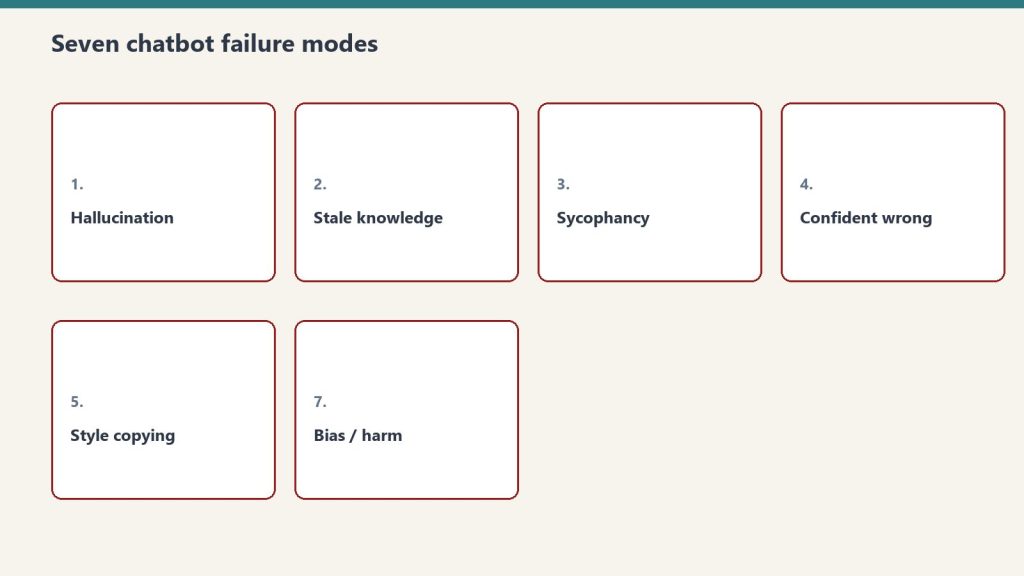
    Seven cards naming common AI chatbot failure modes
    Phase 1 — the discovery call.

    The partnership starts with a discovery call — not a sales call. We need to understand your agency before we can build a partnership that works. This means learning your current service stack, your client mix, your team structure, your delivery workflow, and your growth goals.

    Key questions we cover: What industries do your clients operate in? What’s your current SEO delivery process? Do you have in-house content creators or do you outsource? What does your typical client engagement look like — retainer size, contract length, reporting cadence? What capabilities have your clients been asking about that you can’t currently deliver?

    This isn’t a qualification call where we decide if you’re “good enough.” It’s an architecture session where we figure out how AEO/GEO capabilities plug into what you’ve already built. Every agency is different. A 5-person shop needs a different integration model than a 50-person firm. We figure that out here.

    Phase 2: The Integration Design (Week 2)

    Based on discovery, we design the integration model. There are three common configurations, and most agencies fit one of them.

    Configuration A: Full White-Label

    We operate entirely behind your brand. Your clients never know Tygart Media exists. We deliver AEO audits, GEO optimization, schema implementation, entity architecture, and AI citation monitoring — all under your agency’s name, in your reporting templates, using your communication channels. You own the client relationship completely. We’re the engine under your hood.

    Configuration B: Named Partnership

    You introduce Tygart Media as your specialized AEO/GEO partner. Your clients know we exist and may interact with us directly on technical matters. You own the overall strategy and client relationship. We handle the AEO/GEO execution and report through you. This works well for agencies whose clients value transparency about specialist partners.

    Configuration C: Hybrid Model

    Some services run white-label, others are named. Typically, ongoing AEO/GEO optimization runs under your brand, while specialized projects like comprehensive entity architecture builds or AI citation audits are positioned as Tygart Media specialist engagements. This gives you flexibility to match the positioning to the client’s preferences.

    Phase 3: The Pilot Client (Weeks 3-4)

    Desk with laptop, checklist notebook, and billing card ready before creating an Anthropic API key
    Phase 3 — the pilot client.

    We don’t launch across your entire book of business on day one. We start with one client — ideally one who’s been asking about expanded capabilities, or one where you see clear AEO/GEO opportunity based on their industry and content.

    For the pilot, we run the full process: baseline snapshot across all five AEO/GEO dimensions, optimization map, implementation, and 30-day measurement. This pilot serves two purposes. First, it proves the process works within your specific agency workflow. Second, it gives you your first case study — real results, real client, real proof that you can use to expand AEO/GEO across your roster.

    During the pilot, we’re obsessive about communication. Daily Slack updates, weekly video check-ins, shared project boards. By the end of the pilot, your team should understand exactly what AEO/GEO delivery looks like, even if they’re not doing the hands-on work. That knowledge transfer is part of the partnership value — you’re not just buying deliverables, you’re building organizational understanding.

    Phase 4: The Rollout (Months 2-3)

    With the pilot complete and first results documented, we design the rollout plan together. This typically means identifying which existing clients get AEO/GEO added to their current engagement (often as a scope expansion conversation you lead) and which new prospects get pitched with AEO/GEO included from the start.

    We help you with the client conversation. Not scripted — but structured. We provide talking points, common objection responses, data points from the pilot, and industry-specific context that makes the upsell feel like a natural evolution rather than an add-on. Most agencies find that 40-60% of their existing clients say yes to AEO/GEO expansion within the first quarter of offering it.

    Operationally, we scale with you. One client, five clients, twenty clients — the fractional model flexes. You’re not carrying fixed overhead that needs to be fed whether you have the client volume or not. You pay for the work that gets done, and the work scales with your growth.

    Phase 5: The Ongoing Partnership (Month 4+)

    Once the rollout is established, the partnership settles into a rhythm. Monthly optimization cycles for each client. Quarterly proof library updates with fresh case studies. Ongoing monitoring of AI citation presence and featured snippet health. Regular strategy sessions where we review what’s working, what’s changing in the AI search landscape, and how to evolve the service offering.

    The best partnerships evolve over time. Some agencies eventually hire internal AEO/GEO specialists and transition from full delivery to advisory. Others go deeper into the partnership and add capabilities like AI-powered content pipeline management, automated schema deployment, or cross-site entity architecture for multi-location clients. The model adapts to where you want to go.

    What Doesn’t Change

    Your client relationships stay yours. Your brand stays front and center. Your existing SEO processes continue — we add to them, we don’t replace them. Your team stays employed and relevant — AEO/GEO creates more work for good SEOs, not less, because the optimization surface area expands. Your pricing stays your decision — we provide cost structures, you set client-facing rates at whatever margin works for your business.

    What does change: the depth of value you deliver. The types of wins you can show. The conversations you have with clients and prospects. And the structural retention advantage that keeps clients partnered with you for years instead of months.

    Starting the Conversation

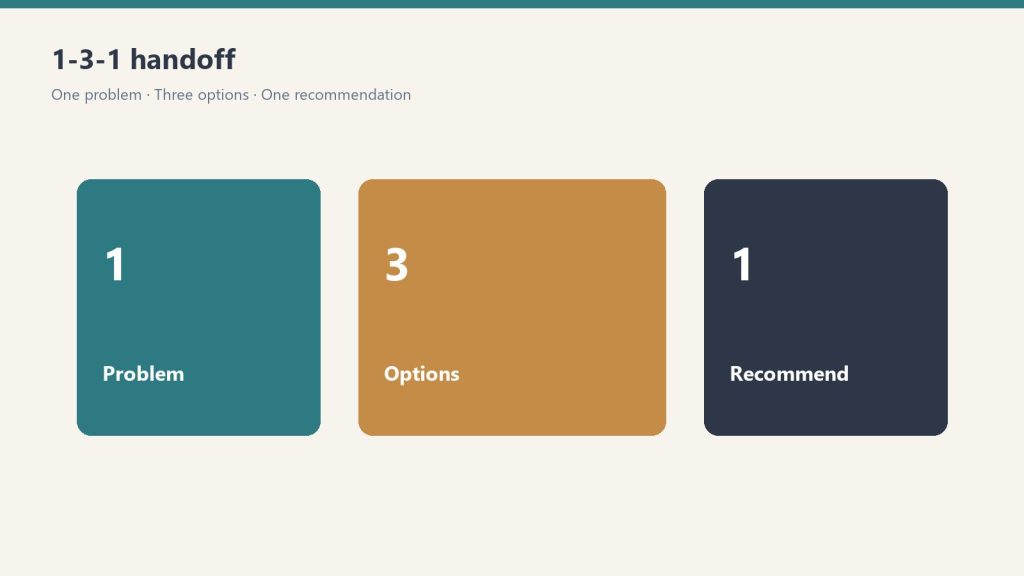
    Three panels showing one problem, three options, one recommendation
    Starting the conversation.

    If you’ve read this far, you’re not casually browsing. You’re evaluating. Good. The next step is simple: reach out for the discovery call. No pitch deck. No pressure. Just a conversation between two teams that might build something valuable together. The agencies that are already partnered with us started with exactly this conversation — and most of them will tell you their only regret is not having it sooner.

    Frequently Asked Questions

    How long does it take from first conversation to delivering AEO/GEO to a client?

    Typical timeline is 3-4 weeks from discovery call to pilot client delivery. The pilot runs 30 days for initial results. So within 60 days of your first conversation, you can have documented AEO/GEO results for a real client — proof you can use immediately for expansion.

    What’s the minimum agency size for a fractional partnership?

    We work with agencies ranging from 3-person shops to 100+ person firms. The integration model scales — smaller agencies typically use full white-label, larger firms often prefer the hybrid model. There’s no minimum client count requirement, though the economics work best with at least 3-5 clients receiving AEO/GEO services.

    Do I need to train my team on AEO and GEO?

    We provide knowledge transfer as part of every partnership. Your team will understand what AEO and GEO are, how the work flows, and how to talk about it with clients. They don’t need to become AEO/GEO specialists — that’s why the partnership exists — but they’ll be fluent enough to answer client questions and identify opportunities.

    What happens if the partnership doesn’t work out?

    No long-term lock-in. Our partnerships run on value, not contracts. If the first 90 days don’t demonstrate clear value for your agency and your clients, we part ways professionally. The AEO/GEO work already delivered stays with your clients. The case studies you built stay yours. There’s no penalty and no bad blood.

    {
    “@context”: “https://schema.org”,
    “@type”: “Article”,
    “headline”: “The Partnership Conversation: Exactly How to Start Working With a Fractional AEO/GEO Team”,
    “description”: “A step-by-step guide for agency owners ready to add AEO and GEO capabilities through a fractional partnership — from first call to first client win.”,
    “datePublished”: “2026-04-03”,
    “dateModified”: “2026-04-03”,
    “author”: {
    “@type”: “Person”,
    “name”: “Will Tygart”,
    “url”: “https://tygartmedia.com/about”
    },
    “publisher”: {
    “@type”: “Organization”,
    “name”: “Tygart Media”,
    “url”: “https://tygartmedia.com”,
    “logo”: {
    “@type”: “ImageObject”,
    “url”: “https://tygartmedia.com/wp-content/uploads/tygart-media-logo.png”
    }
    },
    “mainEntityOfPage”: {
    “@type”: “WebPage”,
    “@id”: “https://tygartmedia.com/the-partnership-conversation-exactly-how-to-start-working-with-a-fractional-aeo-geo-team/”
    }
    }

    Visual summary

    Editorial illustration for The Partnership Conversation: Exactly How to Start Working With a Fractional AEO/GEO Team - Tygart Media AI-generated visual
    AI-generated editorial illustration — Vertex AI Imagen 4 Standard

    About this image. This image was generated by Google's Vertex AI Imagen 4 model as the featured visual for The Partnership Conversation: Exactly How to Start Working With a Fractional AEO/GEO Team. Every image in the Tygart Media visual library is AI-generated, converted to WebP for optimal performance, and enriched with IPTC/XMP metadata for search engine discoverability.

    • Model: Vertex AI Imagen 4 Standard (imagen-4.0-generate-001)
    • Format: WebP (quality 90)
    • Metadata: IPTC/XMP injected (title, description, creator, copyright)
    • Parent Article: The Partnership Conversation: Exactly How to Start Working With a Fractional AEO/GEO Team
    • Format: WEBP
    • Collection: Tygart Media Visuals
    • Pipeline: Vertex AI Imagen → WebP Conversion → IPTC/XMP Metadata Injection → WordPress Media Library
  • Search Operations: Why the Best Are Built in Layers

    Search Operations: Why the Best Are Built in Layers

    Tygart Media / The Signal
    Broadcast Live
    Filed by Will Tygart
    • Tacoma, WA
    • Industry Bulletin

    This is not a pitch. This is a thesis. It is the operating philosophy behind everything we build, every site we optimize, and every partnership we enter. If you read one thing on this site, make it this.

    The Problem Nobody Wants to Name

    Search fractured. It happened gradually, then all at once.

    For years, search meant one thing: Google’s ten blue links. You optimized for that surface, you measured rankings, you called it done. Then featured snippets appeared. Then People Also Ask boxes. Then voice assistants started reading answers aloud. Then ChatGPT, Claude, Gemini, and Perplexity started generating answers from scratch — citing some sources, ignoring others, and reshaping how people find information.

    The industry responded the way it always does: by creating new specialties. SEO became its own discipline. Answer Engine Optimization (AEO) became another. Generative Engine Optimization (GEO) became a third. Each one spawned its own consultants, its own tools, its own conferences, and its own set of best practices that rarely acknowledged the other two existed.

    And so the average business — the one actually trying to be found by customers — ended up needing three different strategies, three different audits, three different sets of recommendations that sometimes contradicted each other.

    That is the problem. Not that search changed. That the response to the change created silos where there should have been a system.

    The Middleware Thesis

    There is a better architecture. We know because we built it.

    The concept is borrowed from software engineering, where middleware refers to the connective layer that sits between systems — translating, routing, and orchestrating without replacing anything above or below it. A database doesn’t need to know how the front end works. The front end doesn’t need to know where the data lives. Middleware handles the translation.

    Applied to search operations, the middleware thesis is this: you don’t need separate SEO, AEO, and GEO programs. You need a single operational layer underneath all three that handles the shared infrastructure — schema architecture, entity resolution, internal linking, content structure, and platform connectivity — so that every optimization you run on any surface benefits the other two automatically.

    This is not theoretical. It is how we operate across every site we touch.

    What the Layer Actually Does

    When we say middleware, we mean a specific set of capabilities that sit underneath whatever search strategy is already in place:

    Schema Architecture

    Structured data is the universal language that all three search surfaces understand. Traditional search uses it for rich results. Answer engines use it to identify authoritative sources for direct answers. Generative AI uses it to build entity graphs that determine which sources get cited. A single schema implementation — Article, FAQPage, HowTo, BreadcrumbList, Speakable — serves all three surfaces simultaneously. The middleware layer handles this once, correctly, across every page.

    Entity Resolution

    AI systems do not rank pages. They rank entities — the people, organizations, concepts, and relationships that content describes. If your business does not exist as a coherent entity in the knowledge graphs that AI systems reference, your content is invisible to generative search regardless of how well it ranks in traditional results. The middleware layer builds and maintains entity architecture: consistent naming, relationship mapping, authority signals, and the structural patterns that make an entity legible to machines.

    Internal Link Architecture

    Internal links are not just navigation. They are the primary signal that tells search engines — all of them — how your content relates to itself. Hub-and-spoke structures, topical clustering, anchor text patterns, orphan page elimination. When the internal link map is built correctly, every new page you publish strengthens the authority of every existing page. The middleware layer maintains this map and injects contextual links as content grows.

    Content Structure

    The way content is structured determines which surfaces can use it. Traditional search needs heading hierarchy and keyword relevance. Answer engines need direct-answer formatting — the concise, quotable passages that get pulled into featured snippets and voice results. Generative AI needs entity-dense, factually precise language with clear attribution patterns. The middleware layer applies all three structural requirements in a single pass, so content is optimized for every surface from the moment it is published.

    Platform Connectivity

    Most search operations break down at the execution layer. The strategy is sound, but the actual work — pushing updates to WordPress, injecting schema, updating meta fields, managing taxonomy across multiple sites — requires direct API access to every platform involved. The middleware layer maintains persistent connections to every site in a portfolio through a unified proxy architecture, so optimizations can be applied at scale without manual intervention on each individual site.

    Why Layers Beat Silos

    The silo model has a compounding cost that most people do not see until it is too late.

    When SEO, AEO, and GEO operate as separate programs, each one makes recommendations in isolation. The SEO audit says consolidate these three pages into one pillar page. The AEO audit says break content into shorter, more answerable chunks. The GEO audit says increase entity density and add attribution patterns. These recommendations do not just differ — they actively conflict.

    The team implementing the changes has to resolve the conflicts manually, usually by picking whichever consultant was most convincing in the last meeting. The result is a strategy that optimizes for one surface at the expense of the other two. Every quarter, priorities shift, and the cycle repeats.

    The middleware approach eliminates this conflict by addressing the shared infrastructure first. When schema, entity architecture, internal linking, and content structure are handled at the foundational layer, the surface-level optimizations for SEO, AEO, and GEO stop competing and start compounding. An improvement to entity resolution strengthens traditional rankings AND answer engine placement AND generative AI citation likelihood — simultaneously.

    This is not an incremental improvement. It is a fundamentally different operating model.

    What This Looks Like in Practice

    We run this system across a portfolio of sites spanning restoration services, luxury lending, comedy streaming, cold storage, training platforms, nonprofit ESG, and more. The verticals are wildly different. The middleware layer is the same.

    A single content brief enters the system. The middleware layer determines which personas need their own variant of that content based on genuine knowledge gaps — not a fixed number, but however many the topic actually demands. Each variant gets the full three-layer treatment: SEO structure, AEO direct-answer formatting, and GEO entity optimization. Schema is injected. Internal links are mapped and placed. The content publishes through a unified API proxy that handles authentication and routing for every site in the portfolio.

    The person running the SEO strategy for any individual site does not need to change how they work. The middleware layer operates underneath. It does not replace their expertise. It provides the infrastructure that makes their expertise visible to every search surface, not just the one they are focused on.

    The Person, Not the Platform

    Here is the part that matters most: this is not a SaaS product. There is no login. There is no dashboard you subscribe to.

    The middleware layer works because it is operated by someone who understands all three search surfaces, maintains the platform connections, and makes the judgment calls that automation cannot. Which schema types to apply. When entity architecture needs restructuring. How to resolve the tension between a long-form pillar page and a featured-snippet-optimized FAQ. These are not configuration decisions. They are editorial and technical judgment calls that require context about the specific site, the specific industry, and the specific competitive landscape.

    That is why this model works as a person, not a platform. One operator who plugs into your existing stack, handles the layer underneath, and lets you keep doing what you already do — just with infrastructure that makes every surface work harder.

    The Invitation

    If you run an SEO agency, you do not need to add AEO and GEO departments. You need a middleware partner who handles the shared infrastructure underneath your existing service delivery.

    If you are a freelance SEO consultant, you do not need to learn three new disciplines. You need someone who plugs into your operation and handles the layers your clients need but you should not have to build yourself.

    If you run a business that depends on being found online, you do not need three separate search strategies. You need one foundational layer that makes all of them work.

    That is the middleware thesis. That is what we built. And that is what every article on this site is designed to show you in practice.

    The best search operations are not built by adding more specialists. They are built by adding the layer that connects them all.

    {
    “@context”: “https://schema.org”,
    “@type”: “Article”,
    “headline”: “The Middleware Manifesto: Why the Best Search Operations Are Built in Layers, Not Silos”,
    “description”: “The search industry keeps building new silos. SEO teams, AEO specialists, GEO consultants. The answer is not more people. It is a layer underneath everything th”,
    “datePublished”: “2026-04-03”,
    “dateModified”: “2026-04-03”,
    “author”: {
    “@type”: “Person”,
    “name”: “Will Tygart”,
    “url”: “https://tygartmedia.com/about”
    },
    “publisher”: {
    “@type”: “Organization”,
    “name”: “Tygart Media”,
    “url”: “https://tygartmedia.com”,
    “logo”: {
    “@type”: “ImageObject”,
    “url”: “https://tygartmedia.com/wp-content/uploads/tygart-media-logo.png”
    }
    },
    “mainEntityOfPage”: {
    “@type”: “WebPage”,
    “@id”: “https://tygartmedia.com/the-middleware-manifesto-why-the-best-search-operations-are-built-in-layers-not-silos/”
    }
    }

    Visual summary

    Editorial illustration for The Middleware Manifesto: Why the Best Search Operations Are Built in Layers, Not Silos - Tygart Media AI-generated visual
    AI-generated editorial illustration — Vertex AI Imagen 4 Standard

    About this image. This image was generated by Google's Vertex AI Imagen 4 model as the featured visual for The Middleware Manifesto: Why the Best Search Operations Are Built in Layers, Not Silos. Every image in the Tygart Media visual library is AI-generated, converted to WebP for optimal performance, and enriched with IPTC/XMP metadata for search engine discoverability.

    • Model: Vertex AI Imagen 4 Standard (imagen-4.0-generate-001)
    • Format: WebP (quality 90)
    • Metadata: IPTC/XMP injected (title, description, creator, copyright)
    • Parent Article: The Middleware Manifesto: Why the Best Search Operations Are Built in Layers, Not Silos
    • Format: WEBP
    • Collection: Tygart Media Visuals
    • Pipeline: Vertex AI Imagen → WebP Conversion → IPTC/XMP Metadata Injection → WordPress Media Library
  • You Don’t Need to Change How You Do SEO. You Need a Layer Underneath It.

    You Don’t Need to Change How You Do SEO. You Need a Layer Underneath It.

    The Machine Room · Under the Hood

    The Pitch You’ve Heard Before (and Why This Isn’t That)

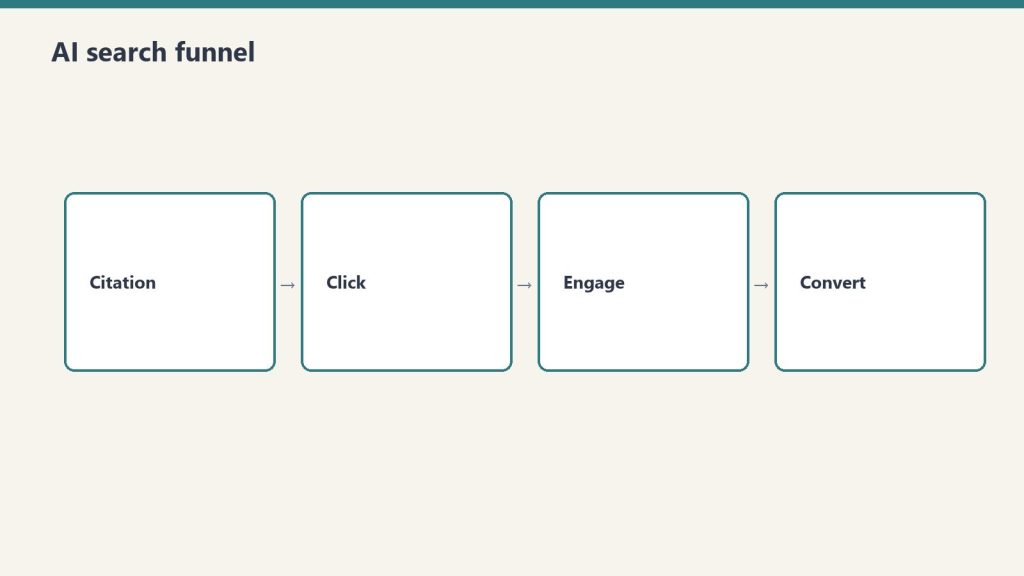
    Four-stage funnel: citation, click, engage, convert
    The pitch you have heard before — and why this is not that.

    If you’re a freelance SEO consultant, you’ve been pitched by every tool, platform, and agency partner under the sun. They all want you to change something. Change your process. Change your tools. Change your reporting. Learn their system. Adopt their workflow. Sit through their onboarding.

    I’m not here to change how you do SEO. You’re good at it. Your clients pay you because you deliver. The rankings move. The traffic grows. The phone rings. That’s the work and you know how to do it.

    What I’m here to talk about is what sits underneath your SEO work — a layer that makes everything you’re already doing more visible, more durable, and more valuable to your clients. Not a replacement. Not a competing workflow. Middleware.

    What Middleware Actually Means in This Context

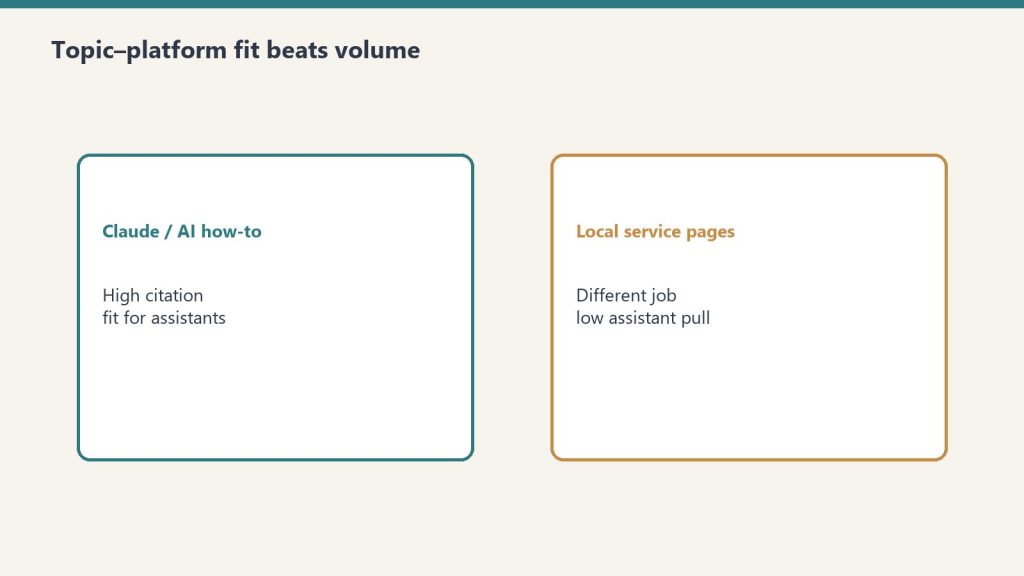
    Comparison of Claude how-to fit versus local service page fit for assistants
    What middleware actually means in this context.

    In software, middleware is the layer that sits between two systems and makes them talk to each other without either one needing to change. It translates. It routes. It adds capability without adding complexity to the things it connects.

    That’s what Tygart Media built. A skill-based system that connects to any WordPress site through its existing REST API, runs optimization passes that go beyond traditional SEO, and delivers the results back into the same WordPress environment your client already uses. Your client sees better results. You see expanded capabilities. Neither of you had to learn a new platform or change a single process.

    The system includes answer engine optimization — structuring content so search engines surface it as the direct answer, not just a ranking result. It includes generative engine optimization — making content citable by AI systems like ChatGPT, Perplexity, and Google’s AI Overviews. It includes schema architecture, internal linking analysis, entity signal optimization, and content expansion. All of it runs through a proxy layer that routes API traffic without touching your client’s hosting, their theme, their plugins, or their workflow.

    How It Plugs Into What You Already Do

    Desk with laptop, checklist notebook, and billing card ready before creating an Anthropic API key
    How it plugs into what you already do.

    Here’s the practical version. You do your keyword research. You write or commission content. You optimize on-page elements. You build links. You report to your client. None of that changes.

    What changes is what happens after your content is published. The middleware layer picks it up and runs a series of optimization passes. It restructures key sections for featured snippet capture — question as heading, direct answer in the first paragraph, depth below. It adds FAQ sections with proper schema markup. It analyzes the content for entity signals and strengthens them so AI systems can identify and cite the expertise. It checks internal linking opportunities across the client’s entire site and suggests or implements connections you might not have seen.

    The output lands back in WordPress. Same posts. Same pages. Same CMS your client logs into every day. They don’t need a new dashboard. You don’t need a new reporting tool. The work just got deeper without getting more complicated.

    Why This Matters for Solo Consultants Specifically

    Agency owners can hire specialists. They can build internal teams for schema, for AI optimization, for content architecture. You can’t — and you shouldn’t have to. The economics of freelance SEO don’t support a full-time schema engineer or an AI search strategist on payroll.

    But your clients are starting to notice that search is changing. They’re seeing AI-generated answers at the top of Google. They’re hearing about ChatGPT replacing search for certain queries. They’re asking you questions you might not have answers to yet — not because you’re behind, but because these capabilities require different infrastructure than what a solo consultant typically builds.

    A middleware partner gives you the infrastructure without the overhead. You don’t hire anyone. You don’t learn a new discipline from scratch. You don’t risk your client relationships on a capability you’re still figuring out. You plug in a layer that handles the parts of modern search optimization that go beyond traditional SEO, and you stay focused on what you do best.

    What We Actually Built (No Hype, Just Architecture)

    The system is a chain of specialized optimization skills that execute in sequence. A connection layer authenticates with any WordPress site. A proxy routes all API traffic through a single cloud endpoint so we never need access to the client’s hosting environment. A site registry stores credentials and configuration for every connected property. Then the optimization skills run: SEO refresh, AEO refresh, GEO refresh, schema injection, internal link analysis, content expansion.

    Each skill is purpose-built. The AEO layer structures content for featured snippets, People Also Ask placements, and voice search. The GEO layer optimizes for AI citation — entity density, factual specificity, the signals that AI systems use when deciding which sources to reference. The schema layer generates and injects structured data. The interlink layer maps the entire site and identifies connection opportunities.

    We also built an adaptive content pipeline that determines how many audience-targeted variants a topic actually needs — not a fixed number, but a demand-driven calculation with tested guardrails for when additional variants start cannibalizing instead of helping. That pipeline prevents the “more content equals more authority” trap that burns through budgets without delivering proportional results.

    What This Doesn’t Do

    It doesn’t replace your client relationships. It doesn’t put our name in front of your clients unless you want it there. It doesn’t change your pricing model, your reporting cadence, or your communication style. It doesn’t require your clients to install anything, grant us admin access, or even know we exist.

    It also doesn’t promise specific traffic numbers, ranking positions, or revenue outcomes. Search optimization is complex and results vary by industry, competition, content quality, and dozens of other factors. What the middleware layer does is ensure that the content you’re already creating is structured and optimized for every surface where modern search happens — not just traditional blue links.

    The Conversation Starter

    If you’re a freelance SEO consultant who’s been wondering how to answer client questions about AI search without becoming an AI search specialist overnight, the middleware model might be worth a conversation. No pitch deck. No onboarding gauntlet. Just a practical discussion about what your clients need and whether this layer adds value to what you’re already delivering.

    Frequently Asked Questions

    Do my clients need to know about Tygart Media?

    Only if you want them to. The default model is fully white-label — the optimization work happens under your brand, in your reporting, through your client communication. Your clients see better results attributed to your expertise.

    What access do you need to my client’s WordPress site?

    A WordPress application password with editor-level access. That’s it. All API traffic routes through our cloud proxy, so we never need hosting access, SSH credentials, or FTP. The application password can be revoked instantly if the engagement ends.

    How does pricing work for freelance consultants?

    The model is designed to sit inside your existing client fees. You set your client-facing rate, and the middleware layer operates as a cost within your margin — similar to how you might pay for an SEO tool subscription or a freelance writer. Specifics depend on scope and site count, which is what the initial conversation covers.

    What if I only have a few clients?

    The system works at any scale. Whether you manage two sites or twenty, the middleware layer applies the same optimization chain. There’s no minimum client requirement to start a conversation.

    {
    “@context”: “https://schema.org”,
    “@type”: “Article”,
    “headline”: “You Dont Need to Change How You Do SEO. You Need a Layer Underneath It.”,
    “description”: “Tygart Media plugs into your existing SEO workflow as middleware — adding AEO, GEO, and schema capabilities without changing a single thing about how you work.”,
    “datePublished”: “2026-04-03”,
    “dateModified”: “2026-04-03”,
    “author”: {
    “@type”: “Person”,
    “name”: “Will Tygart”,
    “url”: “https://tygartmedia.com/about”
    },
    “publisher”: {
    “@type”: “Organization”,
    “name”: “Tygart Media”,
    “url”: “https://tygartmedia.com”,
    “logo”: {
    “@type”: “ImageObject”,
    “url”: “https://tygartmedia.com/wp-content/uploads/tygart-media-logo.png”
    }
    },
    “mainEntityOfPage”: {
    “@type”: “WebPage”,
    “@id”: “https://tygartmedia.com/you-dont-need-to-change-how-you-do-seo-you-need-a-layer-underneath-it/”
    }
    }

    Visual summary

    Freedom with Framework: The Creative AI Playbook - Pillar Article

    About this image. This image is part of the Content Architecture Visuals collection in the Tygart Media visual library. Every image produced by Tygart Media is AI-generated using Google Vertex AI (Imagen), converted to WebP format, and injected with full IPTC/XMP metadata before publication.

    • Format: WEBP
    • Collection: Content Architecture Visuals
    • Pipeline: Vertex AI Imagen → WebP → IPTC/XMP → WordPress
  • AI Search Stack: A Capability Layer for Freelance SEOs

    AI Search Stack: A Capability Layer for Freelance SEOs

    The Machine Room · Under the Hood

    You Don’t Need Another Tool. You Need a Person Who Knows How to Use All of Them.

    The SEO tool market is drowning in platforms. There’s a tool for keyword research. A tool for rank tracking. A tool for schema. A tool for content optimization. A tool for AI search monitoring. A tool for internal linking. A tool for site audits. Every one of them costs money, requires onboarding, and solves exactly one piece of the puzzle.

    As a freelance SEO consultant, you’ve probably assembled your own stack. It works. You know which tools you trust and which ones are shelf-ware. But here’s the thing nobody selling you a SaaS subscription will admit: the tools don’t connect themselves. The data doesn’t analyze itself. The insights don’t become action without someone who understands the entire picture — from the raw crawl data to the published content to the schema markup to the AI citation signals.

    That’s what I do. I’m not selling you a platform. I’m not asking you to adopt a new tool. I’m the person who plugs into your operation and brings the entire capability stack with me — the data analysis, the platform connections, the content production, the optimization programs, the schema architecture, the AI search strategy. One operator. Full stack. No overhead.

    What “I’m the Plugin” Actually Means

    When I say I’m the plugin, I mean it literally. A plugin adds capability to an existing system without replacing anything that’s already there. It installs. It activates. It works alongside everything else. You don’t rebuild your workflow around it — it enhances what you already have.

    That’s how I work with freelance SEO consultants. You keep your clients. You keep your process. You keep your tools. You keep your relationships. I plug into your operation and add the layers you don’t have time, bandwidth, or infrastructure to build yourself.

    Those layers include answer engine optimization — structuring your clients’ content so it gets surfaced as the direct answer, not just a ranking result. Generative engine optimization — making their content the source that AI systems cite. Schema architecture — structured data that tells machines exactly what your client’s business is, what it does, and why it’s authoritative. Content pipeline management — taking a single topic and determining exactly how many audience-targeted variants it needs based on tested guardrails, not guesswork.

    I also bring the platform connectors. I can authenticate with any WordPress site through its REST API, route all traffic through a secure proxy so I never need hosting access, and run optimization sequences across multiple client sites from a single operating layer. I built the infrastructure to do this across a portfolio of sites simultaneously — the same infrastructure that works whether you have two clients or twenty.

    The Solo Consultant’s Real Problem

    You’re good at SEO. Your clients are happy. But you’re one person, and the surface area of search keeps expanding. Featured snippets. People Also Ask. Voice search. AI Overviews. ChatGPT search. Perplexity. Each one is a different optimization challenge with different technical requirements.

    You can’t become an expert in all of them and still do the core SEO work your clients pay you for. That’s not a skill gap — that’s a bandwidth problem. The knowledge exists. The techniques are documented. But implementing them across a portfolio of client sites while also doing keyword research, content strategy, link building, and client communication? That’s not a one-person job anymore.

    Unless the second person is a plugin that brings the entire stack.

    What I Bring That a Tool Can’t

    Tools give you data. They don’t interpret it in the context of your client’s business, their competitive landscape, their industry’s search behavior, or their specific goals. A schema generator can spit out JSON-LD. It can’t decide which schema types matter most for a specific business, how to structure entity relationships across a multi-location operation, or when a HowTo schema will outperform a FAQPage schema for a given topic.

    I do the analysis. I look at a client’s site, their content, their competitive position, and their industry — and I determine what optimization layers will actually move the needle. Then I build and implement those layers. Then I measure whether they worked. Then I adjust. That’s not a tool workflow — that’s an operator workflow.

    The content pipeline is the same way. I built an adaptive system that analyzes a topic and determines how many persona-targeted variants it genuinely needs. Not a fixed number — a demand-driven calculation. Some topics need one article. Some need four. The system has guardrails built from simulation testing that identify exactly when additional variants start cannibalizing each other instead of building authority. A tool can’t make that judgment call. A person who’s tested the thresholds can.

    How This Changes Your Business Without Changing Your Business

    When you plug in a capability layer like this, a few things shift. You can say yes to client questions about AI search without scrambling to figure it out. You can offer AEO and GEO as natural extensions of your SEO services without pretending you built the infrastructure yourself. You can deliver deeper optimization on every engagement without working more hours.

    Your clients see expanded results. They see their content appearing in featured snippets, getting cited by AI systems, ranking with richer search presence through structured data. They attribute that to you — because it is you. You made the decision to add the capability. You manage the relationship. You communicate the results. The plugin just made it possible to deliver at a depth that solo consultants normally can’t reach.

    What This Isn’t

    This isn’t an agency partnership where you hand off your clients and hope for the best. Your clients stay yours. This isn’t a software subscription where you’re paying monthly for a dashboard you’ll use twice. There’s no dashboard — there’s a person doing the work. This isn’t a course or a certification or a “learn to do it yourself” program. If you want to learn this stuff, I’m happy to teach it. But the value proposition here is capability on demand, not education.

    And I’m not going to promise you specific results, traffic numbers, or revenue outcomes. Search is complex. Every client is different. What I can tell you is that the optimization layers I add — AEO, GEO, schema, entity architecture, adaptive content — are built on real methodology that I use every day across a portfolio of sites. The same systems, the same processes, the same quality standards.

    Starting the Conversation

    If you’re a freelance SEO consultant who’s been feeling the expanding surface area of search and wondering how to cover it all without burning out or diluting your core work, I might be the plugin you’re looking for. No pitch deck. No onboarding process. Just a conversation about your clients, your workflow, and where a capability layer might make your work deeper without making your life harder.

    Frequently Asked Questions

    How is this different from subcontracting to another SEO person?

    A subcontractor does more of the same work you do. I add capabilities you don’t currently offer — AI search optimization, schema architecture, entity signals, content variant systems. It’s additive, not duplicative. I’m not doing your SEO differently. I’m doing the things that sit alongside SEO that you don’t have the infrastructure to do alone.

    Do you work with consultants who use tools other than WordPress?

    The core optimization stack is built around WordPress since it powers the majority of business websites. If your clients use other CMS platforms, we’d discuss feasibility on a case-by-case basis. The methodology applies universally — the implementation layer is WordPress-native.

    What does the working relationship actually look like day to day?

    Lightweight. You share site access through a WordPress application password. I run optimization passes on your schedule — weekly, biweekly, or per-project. You get results documented in whatever format you report to clients. Communication happens however you prefer — Slack, email, a quick call. The goal is minimum friction, maximum capability.

    What if a client leaves and I need to disconnect access?

    Revoke the application password. That’s it. All optimization work already delivered stays on the client’s site. There’s no data lock-in, no proprietary code that breaks if the connection ends. Everything we build lives in standard WordPress and standard schema markup.

    {
    “@context”: “https://schema.org”,
    “@type”: “Article”,
    “headline”: “Im the Plugin: What It Means When One Person Brings the Entire AI Search Stack”,
    “description”: “Not a tool. Not a platform. Not an agency. One operator who connects your platforms, analyzes your data, builds your content, and runs the programs.”,
    “datePublished”: “2026-04-03”,
    “dateModified”: “2026-04-03”,
    “author”: {
    “@type”: “Person”,
    “name”: “Will Tygart”,
    “url”: “https://tygartmedia.com/about”
    },
    “publisher”: {
    “@type”: “Organization”,
    “name”: “Tygart Media”,
    “url”: “https://tygartmedia.com”,
    “logo”: {
    “@type”: “ImageObject”,
    “url”: “https://tygartmedia.com/wp-content/uploads/tygart-media-logo.png”
    }
    },
    “mainEntityOfPage”: {
    “@type”: “WebPage”,
    “@id”: “https://tygartmedia.com/im-the-plugin-what-it-means-when-one-person-brings-the-entire-ai-search-stack/”
    }
    }

  • The Freelancer’s AEO Gap: Your Clients’ Content Is Ranking but Nobody’s Quoting It

    The Freelancer’s AEO Gap: Your Clients’ Content Is Ranking but Nobody’s Quoting It

    Tygart Media / The Signal
    Broadcast Live
    Filed by Will Tygart
    • Tacoma, WA
    • Industry Bulletin

    Rankings Aren’t the Finish Line Anymore

    Four-stage funnel: citation, click, engage, convert
    Rankings are not the finish line anymore.

    You did the work. The client’s target page ranks in the top five for their primary keyword. Traffic is up. The monthly report looks good. But something is shifting underneath those numbers that most freelance SEO consultants haven’t had time to fully reckon with.

    Search engines aren’t just ranking content anymore — they’re quoting it. Featured snippets pull a direct answer and display it above position one. People Also Ask boxes expand with quoted passages from pages across the web. Voice assistants read a single answer aloud and move on. The result that gets quoted wins a fundamentally different kind of visibility than the result that merely ranks.

    If your client ranks number three for a high-value query but another site owns the featured snippet, your client is invisible in the most prominent real estate on that search results page. They did the SEO work. They just didn’t do the answer engine optimization work. That’s the gap.

    What Answer Engine Optimization Actually Involves

    Comparison of Claude how-to fit versus local service page fit for assistants
    What answer engine optimization actually involves.

    AEO isn’t a rebrand of SEO. It’s a different optimization target with different structural requirements. Where SEO focuses on signals that help a page rank — authority, relevance, technical health, backlinks — AEO focuses on signals that help a page get quoted.

    The structural pattern for capturing a paragraph featured snippet is specific: a question phrased as a heading, followed immediately by a concise direct answer, followed by expanded depth. The direct answer needs to be tight — search engines typically pull passages that function as standalone responses. Too long and it gets truncated. Too short and it lacks the specificity that earns selection.

    For list-format snippets, the content needs ordered or unordered lists with clear, parallel structure. For table snippets, the data needs to live in actual HTML tables with proper header rows. Each format has its own structural requirements, and the same page might need different sections optimized for different snippet formats depending on the queries it targets.

    Then there’s the schema layer. FAQPage schema tells search engines explicitly which questions the page answers. HowTo schema structures step-by-step processes. Speakable schema identifies which sections are suitable for voice readback. These aren’t optional enhancements anymore — they’re the markup that makes content machine-readable in the way answer engines expect.

    Why This Is a Bandwidth Problem, Not a Knowledge Problem

    You probably know most of this already. You’ve read about featured snippets. You’ve seen the schema documentation. The gap isn’t ignorance — it’s implementation. Restructuring every piece of client content for snippet capture, writing FAQ sections that target real PAA clusters, implementing and validating schema markup, monitoring which snippets you’ve won and which you’ve lost — that’s a significant amount of additional work on top of the SEO fundamentals you’re already delivering.

    For a freelance consultant managing multiple clients, adding a full AEO layer to every engagement means either raising your rates significantly, working more hours, or cutting corners somewhere else. None of those options feel great.

    The Middleware Solution

    Desk with laptop, checklist notebook, and billing card ready before creating an Anthropic API key
    The middleware solution for the freelancer AEO gap.

    This is where the plugin model works. Instead of becoming an AEO specialist yourself, you plug in someone who already built the infrastructure. I run AEO optimization passes on your clients’ published content — restructuring key sections for snippet capture, writing FAQ sections that target actual question clusters in your client’s space, generating and injecting the appropriate schema markup, and monitoring results.

    The work runs through your client’s existing WordPress installation via the REST API. Nothing changes about their site architecture, their theme, their plugins, or their hosting. The content that’s already ranking gets restructured to also compete for direct answer placements. New content gets AEO-optimized from the start.

    You report the results to your client the same way you report everything else. Featured snippet wins. PAA placements. Voice search visibility. These are tangible outcomes that clients can see when they search their own terms — which makes them some of the most powerful proof points in any reporting conversation.

    What This Looks Like in Practice

    Say you have a client in the home services space. They rank well for several high-intent queries. You’ve done strong on-page work and their content is solid. But a competitor owns the featured snippet for their most valuable keyword — the one that drives the most qualified leads.

    I look at that snippet, analyze the structure of the content that currently holds it, identify the format (paragraph, list, table), and restructure your client’s content to compete for that placement. I write a direct answer block that addresses the query more completely and more concisely. I add FAQ schema targeting the related PAA questions. I check whether speakable schema makes sense for voice search on that topic.

    The optimization runs through the API. Your client’s post is updated. Within the next crawl cycle, the restructured content starts competing for the snippet. Sometimes it wins quickly. Sometimes it takes a few iterations. But the content is now structurally built to compete for answer placements — something it wasn’t doing before, no matter how well it ranked.

    The Client Conversation

    Your clients don’t need to understand AEO methodology. They understand “your company is now the answer Google shows when someone asks this question.” They understand “when someone asks their voice assistant about this service, your business is the one that gets recommended.” Those are outcomes, not techniques. And they’re outcomes that differentiate your service from every other SEO consultant who’s still reporting rankings and traffic without addressing the answer layer.

    Frequently Asked Questions

    How long does it take to win a featured snippet after AEO optimization?

    It varies by competition and query. Some snippets flip within days of restructured content being crawled. Others take weeks of iteration. The structural optimization puts your client’s content in position to compete — the timeline depends on how strong the current snippet holder is and how frequently Google recrawls the page.

    Does AEO optimization ever hurt existing rankings?

    When done properly, no. The structural changes — adding direct answer blocks, FAQ sections, schema markup — add value to existing content without removing or diluting the elements that earned the current ranking. The optimization is additive, not substitutive.

    Can you do AEO on content I’ve already written and published?

    That’s the primary use case. Published content that’s already ranking is the best candidate for AEO optimization because it has existing authority. The restructuring work makes that authority visible to answer engines, not just traditional ranking algorithms.

    What if my client uses a page builder like Elementor or Divi?

    The optimization runs through the WordPress REST API at the content level. Page builders manage layout and design — the AEO work happens in the content blocks themselves. Schema gets injected at the post level. In most cases, page builders don’t interfere with AEO optimization, but we’d verify compatibility for any specific setup before making changes.

    {
    “@context”: “https://schema.org”,
    “@type”: “Article”,
    “headline”: “The Freelancers AEO Gap: Your Clients Content Is Ranking but Nobodys Quoting It”,
    “description”: “Your SEO work gets clients to page one. AEO gets them quoted directly in search results. Here’s why that gap matters and how to close it without becoming “,
    “datePublished”: “2026-04-03”,
    “dateModified”: “2026-04-03”,
    “author”: {
    “@type”: “Person”,
    “name”: “Will Tygart”,
    “url”: “https://tygartmedia.com/about”
    },
    “publisher”: {
    “@type”: “Organization”,
    “name”: “Tygart Media”,
    “url”: “https://tygartmedia.com”,
    “logo”: {
    “@type”: “ImageObject”,
    “url”: “https://tygartmedia.com/wp-content/uploads/tygart-media-logo.png”
    }
    },
    “mainEntityOfPage”: {
    “@type”: “WebPage”,
    “@id”: “https://tygartmedia.com/the-freelancers-aeo-gap-your-clients-content-is-ranking-but-nobodys-quoting-it/”
    }
    }

    Visual summary

    Editorial illustration for The Freelancer’s AEO Gap: Your Clients’ Content Is Ranking but Nobody’s Quoting It - Tygart Media AI-generated visual
    AI-generated editorial illustration — Vertex AI Imagen 4 Standard

    About this image. This image was generated by Google’s Vertex AI Imagen 4 model as the featured visual for The Freelancer’s AEO Gap: Your Clients’ Content Is Ranking but Nobody’s Quoting It . Every image in the Tygart Media visual library is AI-generated, converted to WebP for optimal performance, and enriched with IPTC/XMP metadata for search engine discoverability.

    • Model: Vertex AI Imagen 4 Standard (imagen-4.0-generate-001)
    • Format: WebP (quality 90)
    • Aspect Ratio: 16:9
    • Metadata: IPTC/XMP injected (title, description, creator, rights, location)
    • Creator: Tygart Media — tygartmedia.com

    Part of The Studio collection — AI-generated visuals powering the Tygart Media content engine.

  • AI Citation Optimization: Protect Your SEO Retainer

    AI Citation Optimization: Protect Your SEO Retainer

    The Machine Room · Under the Hood

    The Search Results Page You’re Not Looking At

    Pull up ChatGPT. Type in your client’s most important service query — the one they rank on page one for. Look at the response. Which companies does it mention? Which sources does it cite? Which brands does it recommend?

    Now do the same thing in Perplexity. Then in Google’s AI Overview for that query. Then ask Claude.

    If your client’s name doesn’t appear in any of those results, they’re invisible in the fastest-growing search surface in a decade. And here’s the part that should concern you as their SEO consultant: their competitors might already be there.

    This isn’t a hypothetical future scenario. AI systems are answering real queries from real users right now. Those answers cite specific sources. Those sources get brand exposure, credibility signals, and click-through traffic that doesn’t show up in your client’s Google Analytics the way organic search does. If your client isn’t one of those cited sources, someone else is getting that value.

    Why Traditional SEO Doesn’t Solve This

    Traditional SEO optimizes for Google’s ranking algorithm — signals like authority, relevance, technical health, and backlink profiles. Those signals determine where your client appears in the ten blue links. And they still matter. Rankings drive traffic. Traffic drives leads. That’s your bread and butter and it’s not going away.

    But AI citation is a different game. When ChatGPT decides which sources to reference, it’s not running the same algorithm as Google Search. When Perplexity builds an answer from web sources, it’s evaluating factual density, entity clarity, structural readability, and source authority through a different lens. When Google’s AI Overview selects which pages to cite, it’s pulling from a different set of signals than the traditional ranking algorithm uses.

    You can rank number one for a query and still be invisible to AI search. Those are different optimization surfaces. Mastering one doesn’t automatically give you the other.

    What Makes AI Systems Cite a Source

    AI systems are looking for content that’s easy to extract facts from. That means high factual density — verifiable claims, specific data points, named entities, clear cause-and-effect relationships. Vague content that speaks in generalities doesn’t get cited. Content that makes specific, attributable statements does.

    Entity signals matter enormously. Does the content clearly establish who created it, what organization stands behind it, and what credentials support the claims being made? AI systems are getting better at evaluating expertise signals — not just E-E-A-T as Google defines it, but a broader assessment of whether a source is genuinely authoritative on the topic it covers.

    Structural clarity helps too. Content that’s organized with clear headings, logical sections, and self-contained passages that AI systems can extract without losing context performs better as a citation source. Think of it as making your content quotable by machines — the same way journalists prefer sources who speak in clean, attributable sound bites.

    The Retainer Question

    Here’s the business reality for freelance consultants. Your client pays you to keep them visible in search. If an increasing portion of search activity is happening through AI interfaces — and the trajectory points that direction — then “visible in search” now means visible in places your current SEO work doesn’t reach.

    That doesn’t mean your SEO work is wrong or incomplete. It means the definition of search visibility expanded. And when the client eventually asks “why is our competitor showing up in ChatGPT recommendations and we’re not?” — and they will ask — you need an answer that’s better than “that’s not really SEO.”

    Because from the client’s perspective, it is search. They searched. Someone else’s brand appeared. Theirs didn’t. The technical distinction between algorithmic ranking and AI citation doesn’t matter to them. The result matters.

    How GEO Works as a Plugin Layer

    Generative engine optimization is the discipline that addresses AI citation visibility. It focuses on the signals AI systems use when selecting sources: entity clarity, factual density, structural readability, topical authority depth, and consistent entity signals across the web.

    When I plug into a freelance consultant’s operation, the GEO layer runs alongside existing SEO work. I analyze the client’s content for citation potential — how fact-dense is it, how clearly are entities established, how extractable are the key claims. Then I optimize: strengthening entity signals, increasing factual specificity, adding structural elements that make the content more parseable by AI systems, and ensuring the client’s entity architecture across the web is consistent and clear.

    This includes things most SEO consultants haven’t had to think about yet. LLMS.txt files that tell AI crawlers what content to prioritize. Organization schema that establishes the business as a recognized entity. Person schema for key team members that builds individual expertise signals. Consistent entity references across every web property the client controls.

    All of this runs through the same WordPress API pipeline as the AEO work. Same proxy. Same access model. Same white-label delivery. Your client sees their brand starting to appear in AI-generated answers, and they attribute that to the expanded SEO strategy you’re delivering.

    The Competitive Window

    AI citation optimization is still early. Most businesses haven’t started. Most SEO consultants haven’t added it to their service stack. That means the consultants who add this capability now are building proof and expertise during a window when competition for AI citation is relatively low. That window won’t stay open indefinitely. As more consultants and agencies figure this out, the competitive landscape will tighten — just like it did with traditional SEO, just like it did with content marketing, just like it does with every new search surface.

    You don’t need to become a GEO expert to capitalize on this window. You need to plug in someone who already is.

    Frequently Asked Questions

    How do I show clients their AI citation status?

    The most direct method is manual: query their target terms in ChatGPT, Perplexity, Claude, and Google AI Overviews, then document which sources get cited. Screenshot the results. Compare against competitors. Automated monitoring tools for AI citations are emerging but manual verification remains the most reliable method for client reporting.

    Does GEO optimization conflict with existing SEO work?

    No — the optimizations are complementary. Increasing factual density, strengthening entity signals, and improving content structure all benefit traditional SEO as well. GEO work makes content better for both algorithmic ranking and AI citation. There’s no trade-off.

    How long before a client starts seeing AI citations?

    Timelines vary significantly by industry, competition, and the client’s existing authority. Some citations appear within weeks of optimization. Others build over months as entity signals compound. I don’t promise specific timelines because the variables are genuinely complex — but the optimization work begins producing structural improvements immediately.

    Is this relevant for local businesses or mainly for national brands?

    Both. AI systems answer local queries too — “best plumber in Austin” gets an AI-generated answer with cited sources, just like national queries do. Local businesses with strong entity signals (complete Google Business Profile, consistent NAP data, location-specific content) have strong GEO potential. The optimization approach adjusts for local context, but the principles apply at every scale.

    {
    “@context”: “https://schema.org”,
    “@type”: “Article”,
    “headline”: “AI Is Citing Your Clients Competitors. Heres What That Means for Your Retainer.”,
    “description”: “When AI systems recommend competitors and ignore your client, that’s a visibility problem no amount of traditional SEO fixes. GEO changes the equation.”,
    “datePublished”: “2026-04-03”,
    “dateModified”: “2026-04-03”,
    “author”: {
    “@type”: “Person”,
    “name”: “Will Tygart”,
    “url”: “https://tygartmedia.com/about”
    },
    “publisher”: {
    “@type”: “Organization”,
    “name”: “Tygart Media”,
    “url”: “https://tygartmedia.com”,
    “logo”: {
    “@type”: “ImageObject”,
    “url”: “https://tygartmedia.com/wp-content/uploads/tygart-media-logo.png”
    }
    },
    “mainEntityOfPage”: {
    “@type”: “WebPage”,
    “@id”: “https://tygartmedia.com/ai-is-citing-your-clients-competitors-heres-what-that-means-for-your-retainer/”
    }
    }

    Visual summary

    Editorial illustration for AI Is Citing Your Client’s Competitors. Here’s What That Means for Your Retainer. - Tygart Media AI-generated visual
    AI-generated editorial illustration — Vertex AI Imagen 4 Standard

    About this image. This image was generated by Google’s Vertex AI Imagen 4 model as the featured visual for AI Is Citing Your Client’s Competitors. Here’s What That Means for Your Retainer.. Every image in the Tygart Media visual library is AI-generated, converted to WebP for optimal performance, and enriched with IPTC/XMP metadata for search engine discoverability.

    • Model: Vertex AI Imagen 4 Standard (imagen-4.0-generate-001)
    • Format: WebP (quality 90)
    • Aspect Ratio: 16:9
    • Metadata: IPTC/XMP injected (title, description, creator, rights, location)
    • Creator: Tygart Media — tygartmedia.com

    Part of The Studio collection — AI-generated visuals powering the Tygart Media content engine.