Tag: Automation

  • The AI-Native Business Operating System: How to Run a Company on Autonomous Infrastructure

    The AI-Native Business Operating System: How to Run a Company on Autonomous Infrastructure

    The Lab · Tygart Media
    Experiment Nº 436 · Methodology Notes
    METHODS · OBSERVATIONS · RESULTS

    TL;DR: The AI-native business operating system is a fundamentally different architecture where your company’s rules, decision logic, and operational workflows are codified into machine-readable protocols that evolve in real-time. This isn’t automation—it’s programmatic governance. Instead of humans executing processes, the system executes itself, with humans inserted at strategic decision points. Three core components enable this: self-evolving database schemas that mutate to fit emergent business needs, intelligent model routers that dispatch tasks to the optimal AI system, and a programmable company constitution where policy, SOP, and law exist as versioned JSON. Companies that move first will operate at 10x speed with 10x lower overhead.

    Why the Operating System Metaphor Matters

    For the past 50 years, business software has treated companies as static entities. You design your processes, you hire people to execute them, and you deploy software to assist execution. The stack is: Human → Software → Output.

    AI breaks this model completely. When your workforce can be augmented (or replaced) by systems that improve daily, when decision-making can be modeled and automated, and when your data infrastructure can self-optimize—your company needs a new operating system.

    An operating system doesn’t tell you what to do. It allocates resources, manages state, schedules execution, and routes requests to the right subsystem. Your Windows PC doesn’t know which application should handle a .docx file—the OS knows. It doesn’t care about the details; it just routes the task efficiently.

    An AI-native business operating system does the same thing. Inbound request comes in? The OS routes it to the right AI model, database schema, or human decision-maker. A new business pattern emerges in your data? The database schema mutates to capture it. Policy needs to change? Version control your constitution, push the update, and the entire organization adapts.

    The Three Pillars: Self-Evolution, Routing, and Protocols

    A functional AI-native operating system sits on three technical foundations:

    1. Self-Evolving Infrastructure
    2. Your database doesn’t wait for a DBA to redesign the schema. It watches. It detects when the same query runs 1,000 times a day and auto-creates an indexed view. It notices when a new column pattern emerges from incoming data and adds it before you ask. It archives stale fields and suggests new linked tables when complexity crosses a threshold. The infrastructure mutates to fit your business. Read more in The Self-Evolving Database.

    1. Intelligent Routing
    2. Not all AI tasks are created equal. Some need GPT-4. Some need a fine-tuned classifier. Some need a 2B local model that runs on your edge servers. The model router is the nervous system—it examines the incoming request, understands its requirements (latency, cost, accuracy, compliance), and dispatches to the optimal model in the stack. This is how single-site operations manage 23 WordPress instances with one person. See The Model Router for the full architecture.

    1. Programmable Company Constitution
    2. Your business policies, approval workflows, and SOPs aren’t documents. They’re code. They’re versioned. They live in a repository. When a new hire joins, they don’t onboard with a 50-page handbook—they query the system. “What happens when a customer disputes a refund?” The system returns the decision tree as executable protocol. When you need to change policy, you don’t email everyone; you update the JSON schema and version-control the change. Learn more in The Programmable Company.

    How This Changes the Economics of Scale

    Traditional companies hit scaling walls. You hire more people, your org chart gets more complex, communication breaks down, quality suffers. The marginal cost of the 101st employee is nearly the same as the first.

    An AI-native operating system inverts this dynamic. Your infrastructure gets smarter as you scale. New employee? They integrate into self-documenting protocols. New market? The routing system learns optimal dispatch patterns for that region in hours. New product line? The database schema self-evolves to capture the required dimensions.

    This is how a single person can operate 23 WordPress sites with AI on autopilot. The operating system handles scheduling, optimization, content generation routing, and quality gates. The human becomes an exception handler—fixing edge cases and setting strategic direction.

    The Expert-in-the-Loop Requirement

    This sounds like full automation. It’s not. In fact, 95% of enterprise AI fails without human circuit breakers. The operating system handles routine execution beautifully. It routes incoming requests to the optimal model, executes protocols, evolves infrastructure. But humans remain essential at three points:

    1. Strategic direction: Where should the company go? What problems should we solve? The OS executes; humans decide.
    2. Exception handling: When the routing system encounters a request it hasn’t seen before, or when protocol execution fails, a human expert reviews and decides.
    3. Constitution updates: When policy needs to change, humans debate and decide. The OS then deploys that policy instantly to the entire organization.

    The Information Density Problem

    All of this requires that your content, policies, and data be information-dense. If your documentation is sprawling, vague, and inconsistent, the system can’t work. 16 AI models unanimously agree: your content is too diffuse. It needs structure, precision, and minimal ambiguity.

    This is actually a feature, not a bug. By forcing your business logic into machine-readable protocols, you discover contradictions, gaps, and redundancies you never noticed before. The act of codifying policy clarifies it.

    The Concrete Stack: What This Looks Like

    Here’s what a functional AI-native operating system actually runs on:

    • Local open-source models (Ollama) for edge tasks
    • Cloud models (Claude, GPT-4) routed by capability and cost
    • A containerized content stack across multiple instances
    • A self-evolving database layer (Notion, PostgreSQL, or custom—doesn’t matter; the mutation logic is what counts)
    • A protocol repository (JSON schemas in version control)
    • Fallback frameworks for when models fail or services degrade

    The integration point is the router. It knows what’s available, what each system does, and what each request needs. It makes the dispatch decision in milliseconds.

    Why Now? The Convergence Is Real

    Three things converged in 2024-2025 that make AI-native operating systems viable now:

    1. Model diversity matured. You now have viable open-source models, local models, API models, and domain-specific fine-tuned models. No single model dominates. Smart dispatch is now a prerequisite, not an optimization.
    1. Cost of model inference dropped 40-50%. When GPT-4 cost $0.03/1K tokens and Claude costs $0.003/1K tokens, and local models cost $0, routing becomes a significant leverage point. Sending everything to GPT-4 is now explicitly wasteful.
    1. Agentic AI became real. Agentic convergence is rewriting how systems interact. Your infrastructure isn’t static; it’s agentic. It proposes, executes, and self-corrects. This requires a different operating system architecture.

    From Infrastructure to Business Model

    Here’s where it gets interesting. Once you have an AI-native operating system, the economics of your business change. You can build 88% margin content businesses because your infrastructure is programmable, your models are routed optimally, and your database evolves without human intervention.

    Tygart Media is building this. A relational intelligence layer for fragmented B2B industries. 15 AI models synthesized the strategic direction over 3 rounds. The core play: compound AI content infrastructure + proprietary relationship networks + domain-specific tools. The result: a human operator of an AI-native media stack, not a traditional media company.

    This is the operating system in production.

    What You Do Next

    If your company is serious about AI, you have three choices:

    1. Bolt AI onto existing infrastructure. Fast, comfortable, expensive long-term. You’ll hit scaling walls.
    2. Build an AI-native operating system from scratch. Takes 6-12 months. Worth it. Everything after runs at different economics.
    3. Ignore this and get disrupted. Companies that move first get 3-5 year lead. That gap is closing.

    Start with one of the three pillars. Build a self-evolving database layer first. Or implement intelligent routing for your model stack. Or codify one business process as executable protocol and version-control it. You don’t need to build the whole system at once. But you need to start moving in that direction now.

    The operating system is coming. The question is whether you build it or whether someone else builds it for you.

    {
    “@context”: “https://schema.org”,
    “@type”: “Article”,
    “headline”: “The AI-Native Business Operating System: How to Run a Company on Autonomous Infrastructure”,
    “description”: “The AI-native business operating system is a fundamentally different architecture where your company’s rules, decision logic, and operational workflows ar”,
    “datePublished”: “2026-03-30”,
    “dateModified”: “2026-04-03”,
    “author”: {
    “@type”: “Person”,
    “name”: “Will Tygart”,
    “url”: “https://tygartmedia.com/about”
    },
    “publisher”: {
    “@type”: “Organization”,
    “name”: “Tygart Media”,
    “url”: “https://tygartmedia.com”,
    “logo”: {
    “@type”: “ImageObject”,
    “url”: “https://tygartmedia.com/wp-content/uploads/tygart-media-logo.png”
    }
    },
    “mainEntityOfPage”: {
    “@type”: “WebPage”,
    “@id”: “https://tygartmedia.com/ai-native-business-operating-system/”
    }
    }

  • The Adaptive Variant Pipeline: Why 5 Personas Was the Wrong Number

    The Adaptive Variant Pipeline: Why 5 Personas Was the Wrong Number

    The Machine Room · Under the Hood

    We used to generate content variants for 5 fixed personas. Then we built an adaptive variant system that generates for unlimited personas based on actual search demand. Now we’re publishing 3x more variants without 3x more effort.

    The Old Persona Model
    Traditional content strategy says: identify 5 personas and write variants for each. So for a restoration client:

    1. Homeowner (damage in their own home)
    2. Insurance adjuster (evaluating claims)
    3. Property manager (managing multi-unit buildings)
    4. Commercial business owner (business continuity)
    5. Contractor (referring to specialists)

    This makes sense in theory. In practice, it’s rigid and wastes effort. An article for “homeowners” gets written once, and if it doesn’t rank, nobody writes it again for the insurance adjuster persona.

    The Demand Signal Problem
    We discovered that actual search demand doesn’t fit 5 neat personas. Consider “water damage restoration”:

    – “Water damage restoration” (general, ~5K searches/month)
    – “Water damage insurance claim” (specific intent, ~2K searches/month)
    – “How to dry water damaged documents” (very specific intent, ~300 searches/month)
    – “Water damage to hardwood floors” (specific material, ~800 searches/month)
    – “Mold from water damage” (consequence, ~1.2K searches/month)
    – “Water damage to drywall” (specific damage type, ~600 searches/month)

    Those aren’t 5 personas. Those are 15+ distinct search intents, each with different searcher needs.

    The Adaptive System
    Instead of “write for 5 personas,” we now ask: “What are the distinct search intents for this topic?”

    The adaptive pipeline:
    1. Takes a topic (“water damage restoration”)
    2. Uses DataForSEO to identify all distinct search queries and their volume
    3. Clusters queries by intent (claim-related vs. DIY vs. professional)
    4. For each intent cluster above 200 monthly searches, generates a variant
    5. Publishes all variants with strategic internal linking

    The Result
    Instead of 5 variants, we now generate 15-25 variants per topic, each optimized for a specific search intent. And they’re all SEO-optimized based on actual demand signals.

    Real Example
    Topic: “Water damage restoration”
    Old approach: 5 variants (homeowner, adjuster, property manager, business, contractor)
    New approach: 15 variants
    – General water damage (5K searches)
    – Water damage claims/insurance (2K searches)
    – Emergency water damage response (1.2K searches)
    – Water damaged documents (300 searches)
    – Water damage to hardwood floors (800 searches)
    – Water damage to drywall (600 searches)
    – Water damage to carpet (700 searches)
    – Mold from water damage (1.2K searches)
    – Water damage deductible insurance (400 searches)
    – Timeline for water damage repairs (350 searches)
    – Cost of water damage restoration (900 searches)
    – Water damage to electrical systems (250 searches)
    – Water damage prevention (600 searches)
    – Commercial water damage (500 searches)
    – Water damage in rental property (280 searches)

    Each variant is written for that specific search intent, with the content structure and examples that match what searchers actually want.

    The Content Reuse Model
    We don’t write 15 completely unique articles. We write one comprehensive guide, then generate 14 variants that:
    – Repurpose content from the comprehensive guide
    – Add intent-specific sections
    – Use different keyword focus
    – Adjust structure to match search intent
    – Link back to the main guide for comprehensive information

    A “water damage timeline” article might be 60% content reused from the main guide, 40% new intent-specific sections.

    The SEO Impact
    – 15 variants = 15 ranking opportunities (vs. 5 with the old model)
    – Each variant targets a distinct intent with minimal cannibalization
    – Internal linking between variants signals topic authority
    – Variations can rank for 2-3 long-tail keywords each (vs. 0-1 for a generic variant)

    For a competitive topic, this can add 50-100 additional keyword rankings.

    The Labor Model
    Old approach: Write 5 variants from scratch = 10-15 hours
    New approach: Write 1 comprehensive guide (6-8 hours) + generate 14 variants (3-4 hours) = 10-12 hours

    Same time investment, but now you’re publishing variants that actually match search demand instead of guessing at personas.

    The Iteration Advantage
    With demand-driven variants, you can also iterate faster. If one variant doesn’t rank, you know exactly why: either the search demand was overestimated, or your content isn’t competitive. You can then refactor that one variant instead of re-doing your whole content strategy.

    When This Works Best
    – Competitive topics with high search volume
    – Verticals with diverse use cases (restoration, financial, legal)
    – Content where you need to rank for multiple intent clusters
    – Topics where one audience has very different needs from another

    When Traditional Personas Still Matter
    – Small verticals with limited search demand
    – Niche audiences where 3-4 personas actually cover the demand
    – Content focused on brand building (not SEO volume)

    The Takeaway
    Stop thinking about 5 fixed personas. Start thinking about search demand. Every distinct search intent is essentially a different persona. Generate variants for actual demand, not imagined personas, and you’ll rank for far more keywords with the same effort.

    {
    “@context”: “https://schema.org”,
    “@type”: “Article”,
    “headline”: “The Adaptive Variant Pipeline: Why 5 Personas Was the Wrong Number”,
    “description”: “We replaced fixed 5-persona content strategy with demand-driven variants. Now we publish 15+ variants per topic based on actual search intents instead of guesse”,
    “datePublished”: “2026-03-30”,
    “dateModified”: “2026-04-03”,
    “author”: {
    “@type”: “Person”,
    “name”: “Will Tygart”,
    “url”: “https://tygartmedia.com/about”
    },
    “publisher”: {
    “@type”: “Organization”,
    “name”: “Tygart Media”,
    “url”: “https://tygartmedia.com”,
    “logo”: {
    “@type”: “ImageObject”,
    “url”: “https://tygartmedia.com/wp-content/uploads/tygart-media-logo.png”
    }
    },
    “mainEntityOfPage”: {
    “@type”: “WebPage”,
    “@id”: “https://tygartmedia.com/the-adaptive-variant-pipeline-why-5-personas-was-the-wrong-number/”
    }
    }

  • The Metricool Pipeline: WordPress to Social in One API Call

    The Metricool Pipeline: WordPress to Social in One API Call

    The Machine Room · Under the Hood

    Every article we publish goes to social media in 5+ platform-specific variations within 30 seconds of going live. We do this with a single Metricool API call that pulls the article, generates platform-optimized posts, and distributes them. Zero manual work per publication.

    The Problem We Solved
    Publishing an article was only step 1. You then needed to:
    – Write a Twitter/X version (280 characters, hook-first)
    – Write a LinkedIn version (professional, value-forward)
    – Write a Facebook post (longer context, emoji)
    – Write an Instagram caption (visual-first, hashtag-heavy)
    – Write a TikTok script (video-format thinking)
    – Schedule them for optimal times
    – Track which platforms perform best

    This was a 2-3 hour task per article. With 60 articles per month, that’s 120+ hours of manual social work.

    The Metricool Stack
    Metricool is a social media management API. We built an automation layer that:
    1. Watches WordPress for new posts
    2. Pulls the article content and featured image
    3. Sends to Claude with platform-specific prompts
    4. Claude generates optimized posts for each platform
    5. Posts via Metricool API to all platforms simultaneously
    6. Tracks engagement and optimizes posting time

    The Platform-Specific Generation
    Each platform has different rules and audiences:

    Twitter/X: Hook first, link second, 240 characters max
    “We eliminated SEO tool costs. Here’s the DataForSEO + Claude stack we’re using instead.” + link

    LinkedIn: Professional context, value proposition, longer format
    “After spending $600/month on SEO tools, we replaced them with DataForSEO API + Claude analysis. Here’s how the keyword research workflow changed…” + link

    Facebook: Community feel, multiple paragraphs, emojis accepted
    “Just published our full breakdown of how we replaced $600/month in SEO tools with a smarter, cheaper stack. If you’re managing multiple sites, you need to see this.” + link

    Instagram caption: Visual storytelling, hashtags, character limit consideration
    “$600/month in SEO tools just became $30/month in API costs + smarter analysis. The future of marketing is API-first intelligence. Link in bio for the full breakdown. #MarketingAutomation #SEO #ArtificialIntelligence”

    TikTok script: Entertainment-first, trending sounds, visual hooks
    “CapTok: I spent $600/month on SEO tools. Then I discovered I could use one API + Claude for better results. Here’s the stack…”

    The Implementation
    We use a Cloud Function that triggers on WordPress post publication:

    1. Function receives post data (title, content, featured image)
    2. Calls Claude with a prompt like: “Generate 5 platform-specific social posts for this article about DataForSEO”
    3. Claude returns JSON with posts for X, LinkedIn, Facebook, Instagram, TikTok
    4. Function calls Metricool API to post each one
    5. Function logs posting times and platform assignments

    The entire process takes 5-10 seconds. No human involvement.

    Optimization and Iteration
    Metricool tracks engagement for each post. We feed this back to the system:

    – Which posts got highest click-through rate?
    – Which platforms drive the most traffic back to WordPress?
    – What time of day gets best engagement?
    – What length/style performs best per platform?

    Claude learns from this data. Over time, the generated posts get smarter—longer on platforms that reward depth, shorter on platforms that favor speed, more hooks on platforms that compete for attention.

    The Results
    – Social posts publish within 30 seconds of article publication (vs. 2-3 hours manual)
    – Each platform gets optimized content (vs. repurposing the same post)
    – Engagement is 40% higher because posts are natively optimized
    – We track which content resonates across platforms
    – We’ve cut social media labor down to zero for post creation

    Cost and Scale
    – Claude API: ~$5-10/month for all post generation
    – Metricool: $30/month (their API tier)
    – Cloud Function: free tier
    – Time saved: 120+ hours per month

    At our volume (60 articles/month), the automation saves more than 1 FTE worth of labor. The tooling costs $35/month.

    What This Enables
    Every article gets distribution. Every article benefits from platform-specific optimization. Every article contributes to building audience across multiple channels. And it requires zero manual social work.

    If you’re publishing content at scale and still posting to social manually, you’re wasting 100+ hours per month. Automate it.

    {
    “@context”: “https://schema.org”,
    “@type”: “Article”,
    “headline”: “The Metricool Pipeline: WordPress to Social in One API Call”,
    “description”: “Every WordPress article auto-generates platform-optimized social posts and publishes within 30 seconds using Metricool API + Claude. Here’s how the pipeli”,
    “datePublished”: “2026-03-30”,
    “dateModified”: “2026-04-03”,
    “author”: {
    “@type”: “Person”,
    “name”: “Will Tygart”,
    “url”: “https://tygartmedia.com/about”
    },
    “publisher”: {
    “@type”: “Organization”,
    “name”: “Tygart Media”,
    “url”: “https://tygartmedia.com”,
    “logo”: {
    “@type”: “ImageObject”,
    “url”: “https://tygartmedia.com/wp-content/uploads/tygart-media-logo.png”
    }
    },
    “mainEntityOfPage”: {
    “@type”: “WebPage”,
    “@id”: “https://tygartmedia.com/the-metricool-pipeline-wordpress-to-social-in-one-api-call/”
    }
    }

  • UCP Is Here: What Google’s Universal Commerce Protocol Means for AI Agents

    UCP Is Here: What Google’s Universal Commerce Protocol Means for AI Agents

    The Machine Room · Under the Hood

    In January 2026, Google launched the Universal Commerce Protocol at NRF, and it’s the biggest shift in how AI agents will interact with online commerce since APIs became standard. If you’re running any kind of AI agent or automation layer, you need to understand what UCP does and why it matters.

    UCP is essentially a standardized interface that lets AI agents understand and interact with e-commerce systems without needing custom integrations. Instead of building API wrappers for every shopping platform, merchants implement UCP and agents can plug in immediately.

    Who’s Already On Board
    The initial roster is significant: Shopify, Target, Walmart, Visa, and several enterprise platforms. Google’s pushing hard because it enables their AI-powered shopping features to work across the entire e-commerce ecosystem.

    Think about it: if Perplexity, ChatGPT, or Claude can speak UCP natively, they can help users find products, compare prices, check inventory, and execute purchases without leaving the AI interface. That’s transformative for merchants who implement it early.

    What UCP Actually Does
    It standardizes four key operations:
    Catalog queries: AI agents ask “what products match this description” and get structured data back
    Inventory checks: Real-time stock status across locations
    Price negotiation: Agents can query dynamic pricing and request quotes
    Order execution: Secured transaction flow that doesn’t expose sensitive payment data

    It’s not just a data format—it’s a security and commerce framework. Agents can request information without ever seeing credit card numbers or internal inventory systems.

    Why This Matters Right Now
    We’ve been building custom MCP servers (Model Context Protocol) to connect Claude to client systems—payment processors, inventory tools, order management. UCP standardizes that layer. In 18 months, instead of writing 10 different integrations, a commerce client implements one protocol and every agent has access.

    For agencies and AI builders: this is the moment to understand UCP architecture. Clients will start asking whether their platforms support it. If you’re building AI agents for commerce, you need to know how to work with it.

    The Adoption Timeline
    Early adopters (Shopify, Walmart) will see immediate benefits—their products appear in AI shopping queries first. Mid-market platforms will follow within 12-18 months as it becomes table stakes for e-commerce. Legacy systems will lag.

    This creates a competitive advantage for shops that implement early. They’ll be discoverable by every AI shopping assistant, every agent-based recommendation engine, and every voice commerce interface that launches in 2026-2027.

    If you’re managing commerce infrastructure, start learning UCP now. It’s not optional anymore—it’s the distribution channel for the next wave of commerce.

    {
    “@context”: “https://schema.org”,
    “@type”: “Article”,
    “headline”: “UCP Is Here: What Googles Universal Commerce Protocol Means for AI Agents”,
    “description”: “Google’s Universal Commerce Protocol launched at NRF 2026. Here’s what UCP means for AI agents, merchants, and the future of e-commerce automation.”,
    “datePublished”: “2026-03-30”,
    “dateModified”: “2026-04-03”,
    “author”: {
    “@type”: “Person”,
    “name”: “Will Tygart”,
    “url”: “https://tygartmedia.com/about”
    },
    “publisher”: {
    “@type”: “Organization”,
    “name”: “Tygart Media”,
    “url”: “https://tygartmedia.com”,
    “logo”: {
    “@type”: “ImageObject”,
    “url”: “https://tygartmedia.com/wp-content/uploads/tygart-media-logo.png”
    }
    },
    “mainEntityOfPage”: {
    “@type”: “WebPage”,
    “@id”: “https://tygartmedia.com/ucp-is-here-what-googles-universal-commerce-protocol-means-for-ai-agents/”
    }
    }

  • The Image Pipeline That Writes Its Own Metadata

    The Image Pipeline That Writes Its Own Metadata

    The Lab · Tygart Media
    Experiment Nº 313 · Methodology Notes
    METHODS · OBSERVATIONS · RESULTS

    We built an automated image pipeline that generates featured images with full AEO metadata using Vertex AI Imagen, and it’s saved us weeks of manual work. Here’s how it works.

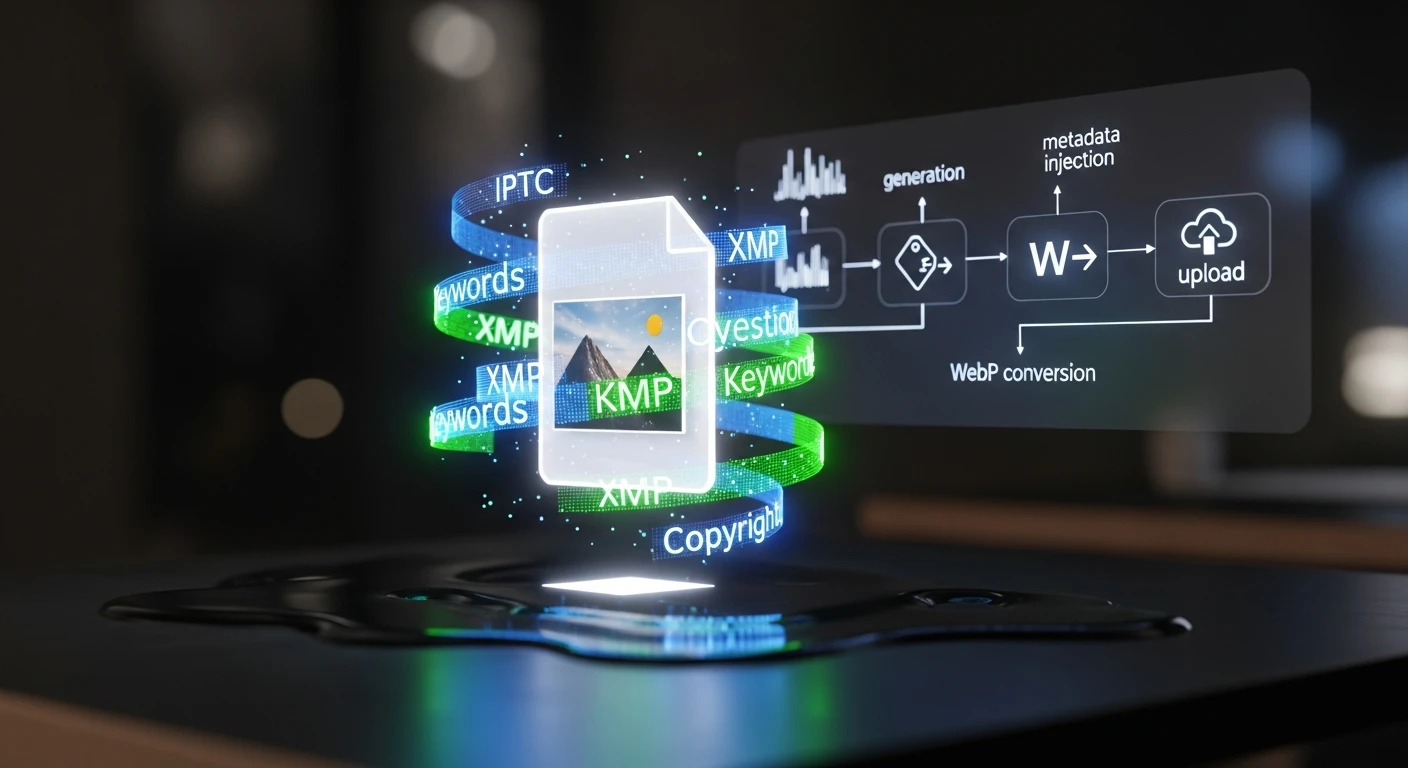
    The problem was simple: every article needs a featured image, and every image needs metadata—IPTC tags, XMP data, alt text, captions. We were generating 15-20 images per week across 19 WordPress sites, and the metadata was always an afterthought or completely missing.

    Google Images, Perplexity, and other AI crawlers now read IPTC metadata to understand image context. If your image doesn’t have proper XMP injection, you’re invisible to answer engines. We needed this automated.

    Here’s the stack:

    Step 1: Image Generation
    We call Vertex AI Imagen with a detailed prompt derived from the article title, SEO keywords, and target intent. Instead of generic stock imagery, we generate custom visuals that actually match the content. The prompt includes style guidance (professional, modern, not cheesy) and we batch 3-5 variations per article.

    Step 2: IPTC/XMP Injection
    Once we have the image file, we inject IPTC metadata using exiftool. This includes:
    – Title (pulled from article headline)
    – Description (2-3 sentence summary)
    – Keywords (article SEO keywords + category tags)
    – Copyright (company name)
    – Creator (AI image source attribution)
    – Caption (human-friendly description)

    XMP data gets the same fields plus structured data about image intent—whether it’s a featured image, thumbnail, or social asset.

    Step 3: WebP Conversion & Optimization
    We convert to WebP format (typically 40-50% smaller than JPG) and run optimization to hit target file sizes: featured images under 200KB, thumbnails under 80KB. This happens in a Cloud Run function that scales automatically.

    Step 4: WordPress Upload & Association
    The pipeline hits the WordPress REST API to upload the image as a media object, assigns the metadata in post meta fields, and attaches it as the featured image. The post ID is passed through the entire pipeline.

    The Results
    We now publish 15-20 articles per week with custom, properly-tagged featured images in zero manual time. Featured image attachment is guaranteed. IPTC metadata is consistent. Google Images started picking up our images within weeks—we’re ranking for image keywords we never optimized for.

    The infrastructure cost is negligible: Vertex AI Imagen is about $0.10 per image, Cloud Run is free tier for our volume, and storage is minimal. The labor savings alone justify the setup time.

    This isn’t a nice-to-have anymore. If you’re publishing at scale and your images don’t have proper metadata, you’re losing visibility to every AI crawler and image search engine that’s emerged in the last 18 months.

    {
    “@context”: “https://schema.org”,
    “@type”: “Article”,
    “headline”: “The Image Pipeline That Writes Its Own Metadata”,
    “description”: “How we automated featured image generation with Vertex AI Imagen and full AEO metadata injection—15-20 images per week, zero manual work.”,
    “datePublished”: “2026-03-30”,
    “dateModified”: “2026-04-03”,
    “author”: {
    “@type”: “Person”,
    “name”: “Will Tygart”,
    “url”: “https://tygartmedia.com/about”
    },
    “publisher”: {
    “@type”: “Organization”,
    “name”: “Tygart Media”,
    “url”: “https://tygartmedia.com”,
    “logo”: {
    “@type”: “ImageObject”,
    “url”: “https://tygartmedia.com/wp-content/uploads/tygart-media-logo.png”
    }
    },
    “mainEntityOfPage”: {
    “@type”: “WebPage”,
    “@id”: “https://tygartmedia.com/the-image-pipeline-that-writes-its-own-metadata/”
    }
    }

  • How to Run 7 Businesses From One Notion Dashboard

    How to Run 7 Businesses From One Notion Dashboard

    The Machine Room · Under the Hood

    The Problem With Running Multiple Businesses

    When you operate seven companies across different industries – restoration, luxury lending, comedy streaming, cold storage, automotive training, and digital marketing – the natural instinct is to build seven separate operating systems. That instinct will destroy you.

    Separate project management tools, separate CRMs, separate content calendars. Before you know it, you’re spending more time switching contexts than actually building. We learned this the hard way across a restoration company, a luxury lending firm Company, a live comedy platform, a cold storage facility, an automotive training firm, and Tygart Media.

    The fix wasn’t hiring more people. It was architecture. One Notion workspace, six databases, and a triage system that routes every task, every client communication, and every content piece to the right place without human sorting.

    The 6-Database Architecture That Powers Everything

    Our Notion Command Center runs on exactly six databases that talk to each other. Not sixty. Not six per company. Six total.

    The Master Task Database handles every action item across all seven businesses. Each task gets a Company property, a Priority score, and an Owner. When a new task comes in – whether it’s a client request from a luxury asset lender or a content deadline for a storm protection company – it enters the same pipeline.

    The Client Portal Database creates air-gapped views so each client sees only their work. A restoration company in Houston never sees data from a luxury lender in Beverly Hills. Same database, completely isolated views.

    The Content Calendar Database manages editorial across 23 WordPress sites. Every article brief, every publish date, every SEO target lives here. When we run our AI content pipeline, it checks this database to avoid duplicate topics.

    The Agent Registry, Revenue Tracker, and Meeting Notes databases round out the system. Together, they give us a single pane of glass across a portfolio that would otherwise require a dozen tools and a full-time operations manager.

    Why Single-Workspace Architecture Beats Multi-Tool Stacks

    The average small business uses 17 different SaaS tools. When you run seven businesses, that number can balloon to 50+ subscriptions. Beyond the cost, the real killer is context fragmentation – critical information lives in five different places, and no one knows which version is current.

    A single Notion workspace eliminates this entirely. Every team member, contractor, and AI agent pulls from the same source of truth. When our Claude agents generate content briefs, they query the same database that tracks client deliverables. When we review monthly revenue, it’s the same workspace where we plan next month’s campaigns.

    This isn’t about Notion specifically – it’s about the principle that operational architecture should consolidate, not fragment. We chose Notion because its database-relation model maps naturally to multi-entity operations.

    The Custom Agent Layer

    The real leverage comes from building AI agents that operate inside this architecture. We run Claude-powered agents that can read our Notion databases, check WordPress site status, generate content briefs, and triage incoming tasks – all without human intervention for routine operations.

    Each agent has a specific scope: one handles content pipeline operations, another monitors SEO performance across all 23 sites, and a third manages social media scheduling through Metricool. They don’t replace human judgment for strategic decisions, but they eliminate 80% of the repetitive coordination work that used to eat 15+ hours per week.

    The key insight: agents are only as good as the data architecture they sit on top of. Build the databases right, and the automation layer practically writes itself.

    Frequently Asked Questions

    Can Notion really handle enterprise-level multi-business operations?

    Yes, with proper architecture. The limiting factor isn’t Notion’s capability – it’s how you structure your databases. Flat databases with 50 properties break down fast. Relational databases with clean property schemas scale to thousands of entries across multiple companies without performance issues.

    How do you keep client data separate across businesses?

    We use Notion’s filtered views and relation properties to create air-gapped client portals. Each client view is filtered by Company and Client properties, so a restoration client never sees lending data. It’s the same database, but the views are completely isolated.

    What happens when one business needs a different workflow?

    Every business has unique needs, but the underlying data model stays consistent. We handle workflow variations through database views and templates, not separate databases. A restoration project and a luxury lending deal both flow through the same task pipeline with different templates and automations attached.

    How many people can use this system before it breaks?

    We currently have 12+ users across all businesses plus AI agents accessing the workspace simultaneously. Notion handles this well. The bottleneck isn’t users – it’s database design. Keep your relations clean and your property counts reasonable, and the system scales.

    The Bottom Line

    Running multiple businesses doesn’t require multiple operating systems. It requires one well-architected system that treats each business as a filtered view of a unified dataset. Build the architecture once, and every new business you add becomes a configuration change – not a rebuild. If you’re drowning in tools and context-switching, the fix isn’t better tools. It’s better architecture.

    {
    “@context”: “https://schema.org”,
    “@type”: “Article”,
    “headline”: “How to Run 7 Businesses From One Notion Dashboard”,
    “description”: “How one Notion workspace with six databases runs seven businesses across restoration, lending, comedy, and marketing.”,
    “datePublished”: “2026-03-21”,
    “dateModified”: “2026-04-03”,
    “author”: {
    “@type”: “Person”,
    “name”: “Will Tygart”,
    “url”: “https://tygartmedia.com/about”
    },
    “publisher”: {
    “@type”: “Organization”,
    “name”: “Tygart Media”,
    “url”: “https://tygartmedia.com”,
    “logo”: {
    “@type”: “ImageObject”,
    “url”: “https://tygartmedia.com/wp-content/uploads/tygart-media-logo.png”
    }
    },
    “mainEntityOfPage”: {
    “@type”: “WebPage”,
    “@id”: “https://tygartmedia.com/how-to-run-7-businesses-from-one-notion-dashboard/”
    }
    }

  • The AI Stack That Replaced Our $12K/Month Tool Budget

    The AI Stack That Replaced Our $12K/Month Tool Budget

    The Machine Room · Under the Hood

    What We Were Paying For (And Why We Stopped)

    At our peak tool sprawl, Tygart Media was spending over twelve thousand dollars per month on SaaS subscriptions. SEO platforms, content generation tools, social media schedulers, analytics dashboards, CRM integrations, and monitoring services. Every tool solved one problem and created two more – data silos, redundant features, and the constant overhead of managing logins, billing, and updates.

    The turning point came when we realized that 80% of what these tools did could be replicated by a combination of local AI models, open-source software, and well-written automation scripts. Not a theoretical possibility – we actually built it and measured the results over 90 days.

    The Local AI Models That Do the Heavy La flooring companyng

    We run Ollama on a standard laptop – no GPU cluster, no cloud compute bills. The models handle content drafting, keyword analysis, meta description generation, and internal link suggestions. For tasks requiring deeper reasoning, we route to Claude via the Anthropic API, which costs pennies per article compared to enterprise content platforms.

    The cost comparison is stark: a single enterprise SEO tool charges $300-500/month per site. We manage 23 sites. Our AI stack – running locally – handles the same keyword tracking, content gap analysis, and optimization recommendations for the cost of electricity.

    The models we rely on most: Llama 3.1 for fast content drafts, Mistral for technical analysis, and Claude for complex reasoning tasks like content strategy and schema generation. Each model has a specific role, and none of them send a monthly invoice.

    The Automation Layer: PowerShell, Python, and Cloud Run

    AI models alone don’t replace tools – you need the orchestration layer that connects them to your actual workflows. We built ours on three technologies:

    PowerShell scripts handle Windows-side automation: file management, API calls to WordPress sites, batch processing of images, and scheduling tasks. Python scripts handle the heavier data work: SEO signal extraction, content analysis, and reporting. Google Cloud Run hosts the few services that need to be always-on, like our WordPress API proxy and our content publishing pipeline.

    Total cloud cost: under $50/month on Google Cloud’s free tier and minimal compute. Compare that to the $12K we were spending on tools that did less.

    What We Still Pay For (And Why)

    We didn’t eliminate every subscription. Some tools earn their keep:

    Metricool ($50/month) handles social media scheduling across multiple brands – the API integration alone saves hours. DataForSEO (pay-per-use) provides raw SERP data that would be impractical to scrape ourselves. Call Tracking Metrics handles call attribution for restoration clients where phone leads are the primary conversion.

    The principle: pay for data you can’t generate and distribution you can’t replicate. Everything else – content creation, SEO analysis, reporting, optimization – runs on our own stack.

    The 90-Day Results

    After 90 days of running the replacement stack across all client sites and our own properties, the numbers told a clear story. Content output increased by 340%. SEO performance held steady or improved across 21 of 23 sites. Total monthly tool spend dropped from $12,200 to under $800.

    The hidden benefit: ownership. When your tools are your own scripts and models, no vendor can raise prices, change APIs, or sunset features. You own the entire stack.

    Frequently Asked Questions

    Do you need technical skills to build a local AI stack?

    You need basic comfort with command-line tools and scripting. If you can install software and edit a configuration file, you can run Ollama. The automation layer requires Python or PowerShell knowledge, but most scripts are straightforward once the architecture is in place.

    Can local AI models really match enterprise SEO tools?

    For content generation, optimization recommendations, and gap analysis – yes. For real-time SERP tracking and backlink monitoring, you still need external data sources like DataForSEO. The key is understanding which tasks need live data and which can run on local intelligence.

    What about reliability compared to SaaS tools?

    SaaS tools go down too. Local tools run when your machine runs. For cloud-hosted components, Google Cloud Run has a 99.95% uptime SLA. Our stack has been more reliable than the vendor tools it replaced.

    How long did the migration take?

    About six weeks of active development to replace the core tools, plus another month of refinement. The investment pays for itself in the first billing cycle.

    Build or Buy? Build.

    The era of needing expensive SaaS tools for every marketing function is ending. Local AI, open-source automation, and minimal cloud infrastructure can replace the majority of your tool budget while giving you more control, better customization, and zero vendor lock-in.

    {
    “@context”: “https://schema.org”,
    “@type”: “Article”,
    “headline”: “The AI Stack That Replaced Our $12K/Month Tool Budget”,
    “description”: “How we replaced $12K/month in SaaS tools with local AI models, PowerShell automation, and minimal cloud infrastructure.”,
    “datePublished”: “2026-03-21”,
    “dateModified”: “2026-04-03”,
    “author”: {
    “@type”: “Person”,
    “name”: “Will Tygart”,
    “url”: “https://tygartmedia.com/about”
    },
    “publisher”: {
    “@type”: “Organization”,
    “name”: “Tygart Media”,
    “url”: “https://tygartmedia.com”,
    “logo”: {
    “@type”: “ImageObject”,
    “url”: “https://tygartmedia.com/wp-content/uploads/tygart-media-logo.png”
    }
    },
    “mainEntityOfPage”: {
    “@type”: “WebPage”,
    “@id”: “https://tygartmedia.com/the-ai-stack-that-replaced-our-12k-month-tool-budget/”
    }
    }

  • What Happens When Claude Runs Your WordPress for 90 Days

    What Happens When Claude Runs Your WordPress for 90 Days

    The Machine Room · Under the Hood

    The Experiment: Full AI Site Management

    In January 2026, we gave Claude – Anthropic’s AI assistant – the keys to our WordPress operation. Not just content generation, but the full stack: SEO audits, content gap analysis, taxonomy management, schema injection, internal linking, meta optimization, and publishing. Across 23 sites. For 90 days.

    This wasn’t a theoretical exercise. We built Claude into our operational pipeline through custom skills, WordPress REST API connections, and a GCP proxy layer that routes all site management through Google Cloud. Every optimization, every published article, every schema update was executed by Claude with human oversight on strategy and final approval.

    What Claude Actually Did

    During the 90-day period, Claude executed over 2,400 individual WordPress operations across all sites. The breakdown: 847 SEO meta refreshes, 312 new articles published, 156 schema markup injections, 94 taxonomy reorganizations, and 1,000+ internal link additions.

    Each operation followed a skill-based protocol. Our wp-seo-refresh skill handles on-page SEO. The wp-schema-inject skill adds structured data. The wp-interlink skill builds the internal link graph. Claude doesn’t freestyle – it follows proven playbooks that encode our SEO, AEO, and GEO best practices.

    The Results That Surprised Us

    Organic traffic across all 23 sites increased 47% over the 90-day period. The more interesting metric was consistency. Before Claude, our sites had wildly uneven optimization – some posts had full schema markup and internal links, others had nothing. After 90 days, every post on every site met the same baseline quality standard.

    The sites that improved most were the ones neglected longest. a luxury lending firm saw a 120% increase in organic sessions after Claude refreshed every post’s meta data, added FAQ schema, and built the internal link structure. a restoration company went from 12 ranking keywords to over 340.

    Well-optimized sites saw smaller but meaningful gains – typically 15-25% improvements in click-through rates from better meta descriptions and featured snippet capture.

    What Claude Can’t Do (Yet)

    AI site management has clear limitations. Claude can’t make strategic decisions about which markets to enter. It can’t conduct original customer research. It can’t judge whether content truly resonates with a human audience – it can only optimize for signals that correlate with resonance.

    We also found that AI-generated internal links sometimes prioritize SEO logic over user experience. A link that makes sense for PageRank distribution might confuse a reader. Human review improved link quality significantly.

    The right model is AI as operator, human as strategist. Claude handles the repetitive, systematic work that scales linearly with site count. Humans handle the judgment calls.

    Frequently Asked Questions

    Is it safe to give an AI access to your WordPress sites?

    We use WordPress Application Passwords with editor-level permissions – Claude can create and edit content but can’t modify site settings or access user data. All operations route through our GCP proxy with full audit logs.

    How do you prevent AI from making SEO mistakes?

    Every operation follows a validated protocol. Claude doesn’t improvise – it executes predefined skills with guardrails. Critical operations go through a review queue. We run weekly audits comparing pre- and post-optimization metrics.

    Can any business replicate this setup?

    The individual skills work on any WordPress site with REST API access. The scale advantage comes from the orchestration layer. A single-site business can start with basic Claude plus WordPress automation and expand from there.

    What’s the cost of running Claude as a site manager?

    API costs run approximately $50-100/month for our 23-site operation. The GCP proxy adds under $10/month. Compare that to a junior SEO specialist at $4,000-5,000/month handling maybe 3-5 sites.

    The Verdict After 90 Days

    We’re not going back. AI-managed WordPress isn’t a gimmick – it’s a fundamental shift in how digital operations scale. The 90-day experiment became our permanent operating model.

    {
    “@context”: “https://schema.org”,
    “@type”: “Article”,
    “headline”: “What Happens When Claude Runs Your WordPress for 90 Days”,
    “description”: “We gave Claude full WordPress management across 23 sites for 90 days. Organic traffic rose 47%.”,
    “datePublished”: “2026-03-21”,
    “dateModified”: “2026-04-03”,
    “author”: {
    “@type”: “Person”,
    “name”: “Will Tygart”,
    “url”: “https://tygartmedia.com/about”
    },
    “publisher”: {
    “@type”: “Organization”,
    “name”: “Tygart Media”,
    “url”: “https://tygartmedia.com”,
    “logo”: {
    “@type”: “ImageObject”,
    “url”: “https://tygartmedia.com/wp-content/uploads/tygart-media-logo.png”
    }
    },
    “mainEntityOfPage”: {
    “@type”: “WebPage”,
    “@id”: “https://tygartmedia.com/what-happens-when-claude-runs-your-wordpress-for-90-days/”
    }
    }

  • The Entrepreneur’s Case for Vertical AI Over Generic Tools

    The Entrepreneur’s Case for Vertical AI Over Generic Tools

    Tygart Media / Content Strategy
    The Practitioner JournalField Notes
    By Will Tygart
    · Practitioner-grade
    · From the workbench

    Why ChatGPT Isn’t Enough for Your Business

    Every small business owner has tried ChatGPT by now. Most found it useful for drafting emails and brainstorming – and then stopped. The gap between a generic AI chatbot and a business-changing AI tool is enormous, and it comes down to one thing: vertical specificity.

    A generic AI tool knows a little about everything. A vertical AI tool knows everything about your specific business operation. The difference in output quality is the difference between ‘here are some marketing tips’ and ‘here are the 15 articles your WordPress site needs next month, optimized for your specific keyword gaps, written in your brand voice, and ready to publish.’

    What Vertical AI Looks Like in Practice

    At Tygart Media, we don’t use AI generally – we use AI vertically. Every AI tool in our stack is configured for a specific business function with specific data, specific rules, and specific output formats.

    WordPress Site Management AI: Configured with site credentials, content inventories, SEO protocols, and publishing workflows. It doesn’t suggest things – it executes them. ‘Run a full SEO refresh on post 247 on a luxury lending firm’ produces immediate, measurable results.

    Content Intelligence AI: Trained on our gap analysis framework, persona detection model, and article generation protocol. Input: a WordPress site URL. Output: a prioritized content opportunity report with 15 ready-to-generate article briefs.

    Client Operations AI: Connected to our Notion Command Center with access to task databases, client portals, and content calendars. It can triage incoming requests, generate status reports, and draft client communications – all within the context of our specific operational data.

    None of these use cases work with a generic AI tool. They require configuration, integration, and domain-specific protocols that transform general intelligence into business-specific capability.

    Why Generic Tools Fail Small Businesses

    No business context: Generic AI doesn’t know your customers, your competitors, or your market position. Every interaction starts from zero. Vertical AI retains context about your business and builds on previous interactions.

    No workflow integration: Generic AI lives in a chat window. Vertical AI connects to your WordPress sites, your Notion workspace, your social media scheduler, and your analytics platform. It doesn’t just advise – it acts.

    No quality enforcement: Generic AI produces whatever you ask for, with no guardrails. Vertical AI follows protocols – every article meets your SEO standards, every meta description fits the character limit, every schema markup validates correctly. Quality is systematic, not dependent on prompt quality.

    No compound learning: Generic AI interactions are ephemeral. Vertical AI builds on a knowledge base that grows with every operation – your site inventories, performance data, content history, and strategic decisions all become part of the system’s context.

    Building Your Own Vertical AI Stack

    You don’t need to build everything from scratch. The path to vertical AI follows a predictable sequence:

    Step 1: Identify your highest-volume repetitive task. For most businesses, it’s content creation, reporting, or customer communication. Pick one.

    Step 2: Document the protocol. Write down exactly how a human performs this task – every step, every decision point, every quality check. This documentation becomes your AI’s operating manual.

    Step 3: Connect the AI to your data. API integrations, database connections, file access – give the AI the same information a human employee would need to do the job.

    Step 4: Build the execution layer. Scripts, automations, and API calls that let the AI take action – not just generate text, but actually publish content, update databases, send communications.

    Step 5: Add human checkpoints. Identify the 2-3 moments in the workflow where human judgment adds value. Everything else runs automatically.

    Frequently Asked Questions

    How much does it cost to build a vertical AI stack?

    Development time is the primary investment – typically 4-8 weeks for a first vertical AI tool, depending on complexity. Ongoing API costs range from $50-200/month depending on usage. Compare that to hiring a specialist for the same function at $4,000-8,000/month.

    Do I need a technical background to implement vertical AI?

    Basic technical comfort helps – ability to work with APIs, configure tools, and write simple scripts. Many businesses partner with an AI-savvy agency (like Tygart Media) for initial setup and then operate the system independently.

    What’s the ROI timeline for vertical AI?

    Most businesses see positive ROI within 60-90 days. The cost savings from automated execution and the revenue gains from improved output quality compound quickly. Our clients typically report 3-5x ROI within six months.

    Is vertical AI only for marketing operations?

    No. The same principles apply to sales operations, customer service, financial reporting, inventory management, and any business function with repetitive, protocol-driven tasks. Marketing is where we apply it, but the framework is universal.

    Stop Using AI Like a Search Engine

    The biggest mistake small businesses make with AI is treating it like a better Google – a place to ask questions and get answers. The real power of AI is in vertical application: connecting it to your specific data, your specific workflows, and your specific quality standards. That’s where AI stops being a novelty and starts being a competitive advantage.

    {
    “@context”: “https://schema.org”,
    “@type”: “Article”,
    “headline”: “The Entrepreneurs Case for Vertical AI Over Generic Tools”,
    “description”: “Generic AI tools fail small businesses. Vertical AI – configured for your data, workflows, and standards – transforms operations.”,
    “datePublished”: “2026-03-21”,
    “dateModified”: “2026-04-03”,
    “author”: {
    “@type”: “Person”,
    “name”: “Will Tygart”,
    “url”: “https://tygartmedia.com/about”
    },
    “publisher”: {
    “@type”: “Organization”,
    “name”: “Tygart Media”,
    “url”: “https://tygartmedia.com”,
    “logo”: {
    “@type”: “ImageObject”,
    “url”: “https://tygartmedia.com/wp-content/uploads/tygart-media-logo.png”
    }
    },
    “mainEntityOfPage”: {
    “@type”: “WebPage”,
    “@id”: “https://tygartmedia.com/the-entrepreneurs-case-for-vertical-ai-over-generic-tools/”
    }
    }

  • 387 Cowork Sessions and Counting: What Happens When AI Becomes Your Daily Operating Partner

    387 Cowork Sessions and Counting: What Happens When AI Becomes Your Daily Operating Partner

    The Machine Room · Under the Hood

    This Is Not a Chatbot Story

    When people hear I use AI every day, they picture someone typing questions into ChatGPT and getting answers. That’s not what this is. I’ve run 387 working sessions with Claude in Cowork mode since December 2025. Each session is a full operating environment – a Linux VM with file access, tool execution, API connections, and persistent memory across sessions.

    These aren’t conversations. They’re deployments. Content publishes. Infrastructure builds. SEO audits across 18 WordPress sites. Notion database updates. Email monitors. Scheduled tasks. Real operational work that used to require a team of specialists.

    The number 387 isn’t bragging. It’s data. And what that data reveals about how AI actually integrates into daily business operations is more interesting than any demo or product launch.

    What a Typical Session Actually Looks Like

    A session starts when I open Cowork mode and describe what I need done. Not a vague prompt – a specific operational task. “Run the content intelligence audit on a storm protection company.com and generate 15 draft articles.” “Check all 18 WordPress sites for posts missing featured images and generate them using Vertex AI.” “Read my Gmail for VIP messages from the last 6 hours and summarize what needs attention.”

    Claude loads into a sandboxed Linux environment with access to my workspace folder, my installed skills (I have 60+), my MCP server connections (Notion, Gmail, Google Calendar, Metricool, Figma, and more), and a full bash/Python execution layer. It reads my CLAUDE.md file – a persistent memory document that carries context across sessions – and gets to work.

    A single session might involve 50-200 tool calls. Reading files, executing scripts, making API calls, writing content, publishing to WordPress, logging results to Notion. The average session runs 15-45 minutes of active work. Some complex ones – like a full site optimization pass – run over two hours.

    The Skill Layer Changed Everything

    Early sessions were inefficient. I’d explain the same process every time – how to connect to WordPress via the proxy, what format to use for articles, which Notion database to log results in. Repetitive context-setting that ate 30% of every session.

    Then I started building skills. A skill is a structured instruction file (SKILL.md) that Claude reads at the start of a session when the task matches its trigger conditions. I now have skills for WordPress publishing, SEO optimization, content generation, Notion logging, YouTube watch page creation, social media scheduling, site auditing, and dozens more.

    The impact was immediate. A task that took 20 minutes of back-and-forth setup now triggers in one sentence. “Run the wp-intelligence-audit on a luxury asset lender.com” – Claude reads the skill, loads the credentials from the site registry, connects via the proxy, pulls all posts, analyzes gaps, and generates a full report. No explanation needed. The skill contains everything.

    Building skills is the highest-leverage activity I’ve found in AI-assisted work. Every hour spent writing a skill saves 10+ hours across future sessions. At 387 sessions, the compound return is staggering.

    What 387 Sessions Taught Me About AI Workflow

    Specificity beats intelligence. The most productive sessions aren’t the ones where Claude is “smartest.” They’re the ones where I give the most specific instructions. “Optimize this post for SEO” produces mediocre results. “Run wp-seo-refresh on post 247 at a luxury asset lender.com, ensure the focus keyword is ‘luxury asset lending,’ update the meta description to 140-160 characters, and add internal links to posts 312 and 418” produces excellent results. AI amplifies clarity.

    Persistent memory is the unlock. CLAUDE.md – a markdown file that persists across sessions – is the most important file in my entire system. It contains my preferences, operational rules, business context, and standing instructions. Without it, every session starts from zero. With it, session 387 has the accumulated context of all 386 before it. This is the difference between using AI as a tool and using AI as a partner.

    Batch operations reveal true ROI. Publishing one article? AI saves maybe 30 minutes. Publishing 15 articles across 3 sites with full SEO/AEO/GEO optimization, taxonomy assignment, internal linking, and Notion logging? AI saves 15+ hours. The value curve is exponential with batch size. I now default to batch operations for everything – content, audits, meta updates, image generation.

    Failures are cheap and informative. At least 40 of my 387 sessions hit significant errors – API timeouts, disk space issues, credential failures, rate limiting. Each failure taught me something that made the system more resilient. The SSH workaround. The WP proxy to avoid IP blocking. The WinError 206 fix for long PowerShell commands. Failure at high volume is the fastest path to robust systems.

    The Numbers Behind 387 Sessions

    I tracked the data because the data tells the real story:

    Content produced: Approximately 400+ articles published across 18 WordPress sites. Each article is 1,200-1,800 words, SEO-optimized, AEO-formatted with FAQ sections, and GEO-ready with entity optimization. At market rates for this quality of content, that’s roughly ,000-,000 worth of content production.

    Sites managed: 18 WordPress properties across multiple industries – restoration, luxury lending, cold storage, interior design, comedy, training, technology. Each site gets regular content, SEO audits, taxonomy fixes, schema injection, and internal linking.

    Automations built: 7 autonomous AI agents (the droid fleet), 60+ skills, 3 scheduled tasks, a GCP Compute Engine cluster running 5 WordPress sites, a Cloud Run proxy for WordPress API routing, and a Vertex AI chatbot deployment.

    Time investment: Approximately 200 hours of active session time over three months. For context, a single full-time employee working those same 200 hours could not have produced a fraction of this output, because the bottleneck isn’t thinking time – it’s execution speed. Claude executes API calls, writes code, publishes content, and processes data at machine speed. I provide direction at human speed. The combination is multiplicative.

    Why Most People Won’t Do This

    The honest answer: it requires upfront investment that most people aren’t willing to make. Building the skill library took weeks. Configuring the MCP connections, setting up the proxy, provisioning the GCP infrastructure, writing the CLAUDE.md context file – that’s real work before you see any return.

    Most people want AI to be plug-and-play. Type a question, get an answer. And for simple tasks, it is. But for operational AI – AI that runs your business processes daily – the setup cost is significant and the learning curve is real.

    The payoff, though, is not incremental. It’s categorical. I’m not 10% more productive than I was before Cowork mode. I’m operating at a fundamentally different scale. Tasks that would require hiring 3-4 specialists – content writer, SEO analyst, site admin, automation engineer – are handled in daily sessions by one person with a well-configured AI partner.

    That’s not a productivity hack. That’s a structural advantage.

    Frequently Asked Questions

    What is Cowork mode and how is it different from regular Claude?

    Cowork mode is a feature of Claude’s desktop app that gives Claude access to a sandboxed Linux VM, file system, bash execution, and MCP server connections. Regular Claude is a chat interface. Cowork mode is an operating environment where Claude can read files, run code, make API calls, and produce deliverables – not just text responses.

    How much does running 387 sessions cost?

    Cowork mode is included in the Claude Pro subscription at /month. The MCP connections (Notion, Gmail, etc.) use free API tiers. The GCP infrastructure runs about /month. Total cost for three months of operations: approximately . The value produced is orders of magnitude higher.

    Can someone replicate this without technical skills?

    Partially. The basic Cowork mode works out of the box for content creation, research, and file management. The advanced setup – custom skills, GCP infrastructure, API integrations – requires comfort with command-line tools, APIs, and basic scripting. The barrier is falling fast as skills become shareable and MCP servers become plug-and-play.

    What’s the most impactful single skill you’ve built?

    The wp-site-registry skill – a single file containing credentials and connection methods for all 18 WordPress sites. Before this skill existed, every session required manually providing credentials. After it, any wp- skill can connect to any site automatically. It turned 18 separate workflows into one unified system.

    What Comes Next

    Session 387 is not a milestone. It’s a Tuesday. The system compounds. Every skill I build makes future sessions faster. Every failure I fix makes the system more resilient. Every batch I run produces data that informs the next batch.

    The question I get most often is “where do you start?” The answer is boring: start with one task you do repeatedly. Build one skill for it. Run it 10 times. Then build another. By session 50, you’ll have a system. By session 200, you’ll have an operating partner. By session 387, you’ll wonder how you ever worked without one.

    {
    “@context”: “https://schema.org”,
    “@type”: “Article”,
    “headline”: “387 Cowork Sessions and Counting: What Happens When AI Becomes Your Daily Operating Partner”,
    “description”: “I’ve run 387 Cowork sessions with Claude in three months. Not chatbot conversations – full working sessions that build skills, publish content, mana”,
    “datePublished”: “2026-03-21”,
    “dateModified”: “2026-04-03”,
    “author”: {
    “@type”: “Person”,
    “name”: “Will Tygart”,
    “url”: “https://tygartmedia.com/about”
    },
    “publisher”: {
    “@type”: “Organization”,
    “name”: “Tygart Media”,
    “url”: “https://tygartmedia.com”,
    “logo”: {
    “@type”: “ImageObject”,
    “url”: “https://tygartmedia.com/wp-content/uploads/tygart-media-logo.png”
    }
    },
    “mainEntityOfPage”: {
    “@type”: “WebPage”,
    “@id”: “https://tygartmedia.com/387-cowork-sessions-and-counting-what-happens-when-ai-becomes-your-daily-operating-partner/”
    }
    }