The Restoration Operator's Playbook - Tygart Media

Category: The Restoration Operator’s Playbook

Operational intelligence for restoration owners, GMs, and senior PMs. How the industry’s best companies are thinking about AI, talent, mitigation-to-rebuild handoffs, financial discipline, and end-in-mind operations through 2026 and beyond. Published by Tygart Media as industry intelligence — not marketing.

  • Xactimate Labor Efficiency Models: 2026 Update Guide

    Xactimate Labor Efficiency Models: 2026 Update Guide

    One of the most consequential Xactimate updates in recent years arrived in February 2026: Verisk expanded the labor efficiency architecture from two models to three. The new Large Restoration/Remodel option fills a long-acknowledged gap between service-level work and full rebuild scenarios. For restoration operators handling mid-sized losses, the change is meaningful — and using the wrong model is a fast way to mis-price the labor on a job.

    This article assumes you understand how Xactimate fits into the broader pricing workflow. For that context, start with our restoration pricing and estimating master guide.

    The Old Two-Model Architecture

    Five-step flow from estimate to supplement, approve, invoice, cash
    The old two-model architecture.

    Before the February 2026 update, Xactimate offered two labor efficiency models: a service-level model for small-scope, single-trade work and a restoration/remodel model for larger rebuilds. The two-tier architecture worked well at the extremes but struggled in the middle.

    Mid-sized restoration jobs — partial kitchen rebuilds after water loss, multi-room fire cleanup, large mold remediation projects — did not align cleanly with either model. Estimators routinely made judgment calls or layered manual workarounds to bridge the gap. The result was inconsistent labor pricing across similar jobs, depending on which estimator built the estimate.

    What the New Three-Model Architecture Looks Like

    The 2026 update keeps the existing service-level and restoration/remodel models and adds a third tier — Large Restoration/Remodel — designed for mid-sized work that involves multiple trades, longer durations, and more complex coordination than a service-level job, but does not reach the scale of a full rebuild.

    The practical effect is that estimators now have a defensible, system-supported choice for the work that previously required manual workarounds. This produces more consistent labor pricing across a portfolio of jobs and reduces the audit exposure that comes from improvised efficiency selections.

    How to Choose Between the Three Models

    Three panels showing one problem, three options, one recommendation
    How to choose between the three models.

    The right model selection depends on job characteristics. Verisk’s documentation provides detailed selection criteria, but the field-level shorthand most experienced estimators use looks like this:

    • Service-level — single-trade, short-duration, minimal coordination, typical small water mitigation or single-room work
    • Large Restoration/Remodel — multi-trade, multi-week duration, moderate coordination, mid-sized fire/water/mold or partial rebuild
    • Restoration/Remodel — full rebuild scope, long duration, full general contracting coordination, large losses

    The Large Restoration/Remodel tier is the one most likely to be under-used initially because it is new and unfamiliar. Operators should review recent estimates that fell awkwardly between the two prior models and identify which would now fit the new tier.

    Why Labor Efficiency Matters for Margin

    Labor efficiency in Xactimate is not a discount or a multiplier — it is a coefficient that adjusts labor hours based on the type of work being performed. The same line item carries different labor hours under different efficiency models, because a service-level repair really does take less coordination overhead than a large rebuild.

    Selecting the wrong efficiency model on a job can shift the estimated labor by 10 to 25 percent, which is the difference between a profitable job and a job that loses money on labor underestimation.

    How TPAs Are Adopting the New Model

    TPA programs typically take a quarter or two to fully integrate new Xactimate methodology updates into their audit and review workflows. During the transition, expect inconsistency across reviewers — some will accept Large Restoration/Remodel selections without question, others will challenge them. Documenting the reasoning for the model selection in the estimate notes is the best defense.

    What to Update in Your Estimating Process

    Restoration SOP clipboard with checklist, moisture meter, and gloves on a jobsite table
    What to update in your estimating process.

    Three things to update now that the three-model architecture is live: estimating templates should include the new Large Restoration/Remodel option as a standard selection for qualifying scopes, training materials should be refreshed to cover when to use each tier, and audit checklists should include a labor efficiency model review as a standard line item.

    Related on Tygart Media: pricing methodology · sketch/AR workflow · labor burden true cost.

    Frequently Asked Questions

    What changed in Xactimate’s 2026 labor efficiency update?

    Verisk expanded the labor efficiency architecture from two models to three by adding the Large Restoration/Remodel option. The update was presented in February 2026 and is designed to bridge the gap between service-level work and full rebuild scenarios for mid-sized restoration jobs.

    When should I use the Large Restoration/Remodel labor efficiency model?

    Use it for mid-sized jobs that involve multiple trades, multi-week duration, and moderate coordination but do not reach the scale of a full rebuild. Common examples include partial kitchen rebuilds after water loss, multi-room fire cleanup, and large mold remediation projects.

    How much can the wrong labor efficiency model affect my estimate?

    Selecting the wrong efficiency model can shift the estimated labor on a job by roughly 10 to 25 percent depending on the scope. On a $30,000 estimate, that is $3,000 to $7,500 of labor either over- or under-stated. The model choice is a meaningful margin lever, not a minor technical detail.

    Do TPAs accept the new Large Restoration/Remodel model?

    Yes, but adoption is uneven during the early months after the release. Some reviewers accept the new tier without question, others challenge it. The best practice is to document the reasoning for the model selection in the estimate notes so the choice is defensible if questioned.

    Where can I learn more about the 2026 Xactimate labor efficiency update?

    Verisk has published webinar content covering the updated labor efficiencies architecture in detail. The on-demand webinar is the authoritative source for the methodology and selection criteria. Operator-level training providers have also begun including the new tier in their X1 curricula.

  • Xactimate Certification Levels: What Your Team Needs

    Xactimate Certification Levels: What Your Team Needs

    Xactimate offers three certification levels that progressively cover the platform’s depth. For restoration operators staffing an estimating function, knowing which level each role actually needs is the difference between an over-trained team that costs too much and an under-trained team that produces inconsistent estimates. This guide breaks down what each level covers, what it costs, and how to think about certification across roles.

    For broader context on how Xactimate fits into restoration operations, see our restoration pricing and estimating master guide.

    Level 1 — Fundamentals

    Five-step flow from estimate to supplement, approve, invoice, cash
    Level 1 — Fundamentals.

    Level 1 covers the foundational use of Xactimate: navigation, project setup, creating estimates, adding line items, and basic sketching. It is designed for users who are new to the platform or want to solidify the fundamentals.

    For restoration teams, Level 1 is the right baseline for anyone who touches an estimate at any stage — field techs who capture initial sketches, project managers who review estimates, and ownership who needs to read estimates intelligently. The certification establishes a shared vocabulary across the team and prevents the most common usage mistakes.

    Level 2 — Proficiency / Power User

    Gloved hands using a pin-type moisture meter on wet drywall during inspection
    Level 2 — Proficiency / Power User.

    Level 2 builds on Level 1 and goes deeper into the more advanced platform capabilities — complex sketching, custom price lists, advanced reporting, and platform-level configuration. It is the right target for the team members who actually build estimates daily.

    For most restoration companies, Level 2 should be the standard for senior estimators, project managers responsible for estimate sign-off, and anyone who configures price lists or custom rules for the company. The depth of Level 2 is what separates an estimator who builds defensible, complete estimates from one who produces work that triggers TPA reductions.

    Level 3 — Mastery

    Level 3 is reserved for the most complex scopes and is described as appropriate for veteran insurance adjusters with years of field experience handling the most complicated claims. The certification covers the full depth of the platform and the most nuanced estimating scenarios.

    For most restoration companies, Level 3 is overkill for the standard estimating workflow. The exception is companies that handle large-loss commercial work, work as TPA program subcontractors with audit responsibilities, or operate as third-party estimating services. For those use cases, Level 3 represents a meaningful credential.

    What the Exams Look Like

    Each certification level requires passing an exam administered by Verisk. The passing score is 70 percent. A current Xactimate license is required to take the exams. Once achieved, certification is valid for two years before renewal is required.

    The two-year renewal cycle matters for staffing planning — certifications are not lifetime credentials, and budgeting for re-certification every two years is part of running a properly trained estimating team.

    What Certification Costs

    Verisk offers training and exam options directly through its training platform. Third-party training providers also offer Xactimate Level 1 and Level 2 certification preparation, often bundled together. Pricing through major third-party providers tends to land around $650 for combined Level 1 and Level 2 training, with regional variation.

    For operators staffing multiple estimators, building a relationship with a single training provider and running team-wide certification cycles is often more cost-effective than ad hoc individual training. Some providers offer group rates and customized training for restoration-specific scopes.

    How to Think About Certification ROI

    Three panels showing one problem, three options, one recommendation
    How to think about certification ROI.

    The return on certification investment is not the credential itself — it is the reduction in estimating mistakes, audit reductions, and re-work that comes from a properly trained team. A single avoided $5,000 audit reduction pays for a team’s annual training budget several times over. Companies that under-invest in certification consistently leave more money on the table than they save in training cost.

    Recommended Certification Map for Restoration Teams

    A practical certification map for a restoration company:

    • Field techs and admin staff — Level 1 baseline, refreshed every two years
    • Senior estimators and project managers — Level 2 standard, refreshed every two years
    • Lead estimator / estimating manager — Level 2 minimum, Level 3 if handling large-loss commercial work
    • Owner / executive — Level 1 understanding to read and review estimates intelligently

    Related on Tygart Media: Starlink on a water job · S500 in the van · local SEO for restoration.

    Frequently Asked Questions

    How many Xactimate certification levels are there?

    There are three certification levels: Level 1 (Fundamentals), Level 2 (Proficiency / Power User), and Level 3 (Mastery). Each level builds on the previous one, but you do not have to take them in sequence — a user can pursue Level 2 without holding Level 1.

    What score is required to pass an Xactimate certification exam?

    The passing score is 70 percent. A current Xactimate license is required to take the exam. Once passed, the certification is valid for two years before renewal is required.

    How much does Xactimate certification training cost?

    Pricing varies by provider. Third-party providers commonly offer combined Level 1 and Level 2 training in the $650 range, with regional and seasonal variation. Verisk also offers training and exam options directly through its platform. For up-to-date pricing, check the Verisk training site or your preferred third-party provider.

    Which Xactimate certification level do my estimators need?

    For most restoration companies, Level 1 is the right baseline for anyone who touches an estimate, and Level 2 is the standard for daily estimators and project managers. Level 3 is appropriate primarily for large-loss commercial estimators or third-party estimating professionals.

    How often do I need to renew Xactimate certification?

    Certifications are valid for two years. Renewal requires re-testing at the same level. Plan the recertification cycle into your annual training budget and stagger renewals across team members to avoid bunching the workload.

  • Xactimate Sketch AR: Mobile-First Restoration Workflow

    Xactimate Sketch AR: Mobile-First Restoration Workflow

    Field measurement has historically been the slowest step in restoration estimating. A tech walks the loss with a tape measure or laser, jots down dimensions, returns to the office, and re-keys everything into Xactimate before the estimate can begin. Xactimate Sketch AR collapses that workflow by moving the measurement and initial sketch into the field, on a mobile device, with cloud sync to the office.

    For broader context on how Xactimate fits restoration operations, see our restoration pricing and estimating master guide.

    What Sketch AR Does

    Gloved hands using a pin-type moisture meter on wet drywall during inspection
    What Sketch AR does.

    Sketch AR uses the camera and motion sensors on a tablet or phone to take measurements as the user walks through the loss site. The output is a 2D sketch with dimensions captured directly from the field, plus optional 3D cutaway views that help visualize the interior layout. The data syncs to the cloud and is available on the desktop estimate immediately.

    The headline benefit is time. Field measurement that previously took 30 to 60 minutes per loss can be completed in 10 to 20 minutes with Sketch AR, and the office no longer needs a separate sketching step before the line item work begins.

    The Mobile-First Restoration Workflow

    Restoration SOP clipboard with checklist, moisture meter, and gloves on a jobsite table
    The mobile-first restoration workflow.

    The mobile-first workflow Sketch AR enables looks like this on a typical water loss:

    • Arrival — tech opens the X1 mobile app and creates the estimate shell
    • Walkthrough — tech runs Sketch AR through each affected room, capturing dimensions and damage photos tied to specific rooms
    • Initial line items — tech adds preliminary line items for obvious scope (extraction, demo, equipment placement)
    • Sync — estimate uploads to the cloud before the tech leaves the site
    • Office completion — estimator opens the same estimate on desktop, refines line items, runs rules check, prepares for submission

    Companies that adopt this workflow consistently report 30 to 50 percent compression in time from loss to estimate submission. That speed flows directly into faster cash flow and improved TPA scoring.

    When Sketch AR Is the Right Tool

    Sketch AR is well-suited for typical residential interiors with reasonable lighting, distinguishable wall edges, and accessible spaces. It is the right default for most water loss, mold, and partial fire jobs in homes and small commercial spaces.

    It is less well-suited for: heavily damaged spaces where wall edges are obscured, dark or smoke-filled environments where the camera cannot track, very large open spaces with limited reference features, or any job requiring precision measurement for dispute defense (where traditional measurement should still be used as a verification step).

    Training and Adoption

    Restoration technicians training in a shop bay with equipment demo and whiteboard
    Training and adoption.

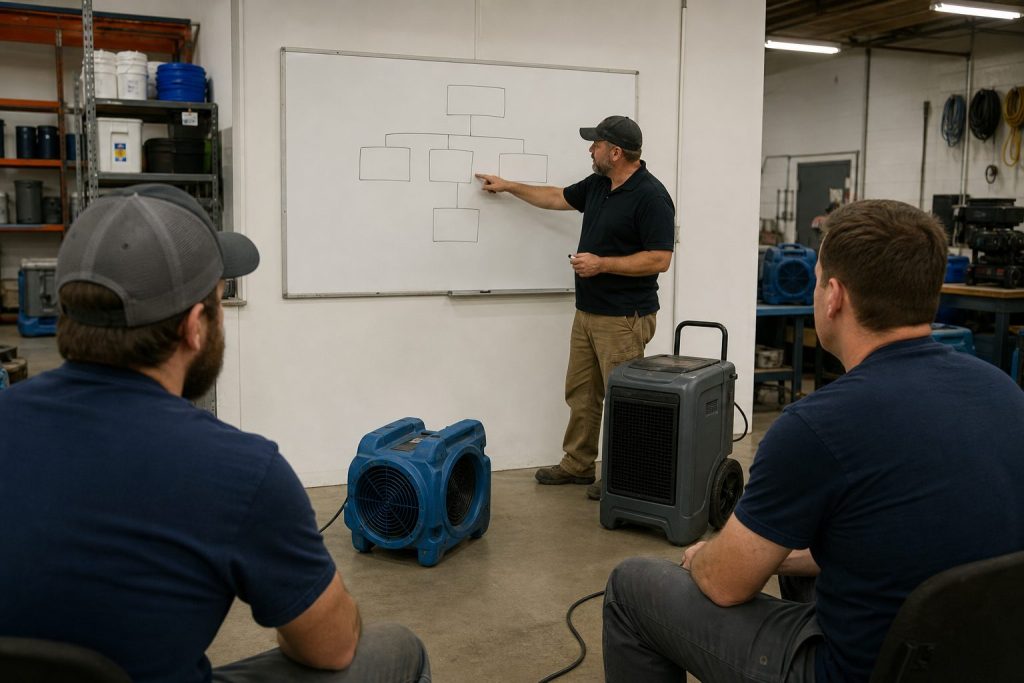
    The technical learning curve on Sketch AR is short — most field techs are productive within a single training session. The harder change is workflow: moving the team from “measure on site, sketch at the office” to “sketch on site, refine at the office” requires deliberate process change.

    The most common adoption failure is leaving the workflow optional. Teams that allow some techs to sketch on site and others to defer to office sketching never realize the speed benefits. Standardizing on the mobile-first workflow as the company default is the difference between marginal improvement and dramatic cycle-time compression.

    Equipment and Device Considerations

    Sketch AR works best on modern tablets with strong motion sensors and good cameras. iPads with LiDAR sensors produce particularly clean tracking. Spec out devices for the field team based on actual job conditions — a $400 tablet that struggles in low light produces worse measurements than a $900 tablet that handles real conditions.

    Where Sketch AR Fits in the Larger X1 Workflow

    Sketch AR is one of several X1 capabilities that together produce the field-to-office continuity that defines the modern Xactimate workflow. It pairs naturally with cloud-synced estimates, the Line Item Advisor for quick line item suggestions, and customizable rules that catch missed scope items at the point of entry. None of these features stand alone — they reinforce each other.

    Related on Tygart Media: pricing methodology · scope drafter skill · software guide.

    Frequently Asked Questions

    What is Xactimate Sketch AR?

    Sketch AR is the augmented-reality measurement and sketching feature in the Xactimate mobile app. It uses the device camera and motion sensors to capture room dimensions and produce a 2D sketch in the field, with optional 3D cutaway views. The output syncs to the cloud and is available on the desktop estimate immediately.

    How accurate is Sketch AR?

    Sketch AR is accurate enough for most residential interior measurements when conditions allow for clean camera tracking. For high-precision requirements (insurance disputes, large commercial losses), traditional measurement is still recommended as a verification step. Devices with LiDAR sensors typically produce cleaner results than camera-only devices.

    What kind of device do I need for Sketch AR?

    A modern tablet or phone with a good camera and motion sensors. iPads with LiDAR are particularly well-suited because the dedicated depth sensor improves tracking. Field teams should standardize on capable hardware rather than mixing devices that produce inconsistent results.

    Can Sketch AR replace traditional measurement entirely?

    For typical residential interior work in good conditions, Sketch AR can serve as the primary measurement method. For high-stakes jobs, large commercial spaces, dark or heavily damaged environments, or any situation that may end up in dispute, traditional measurement should still be used as either the primary method or a verification step.

    How long does it take to train field techs on Sketch AR?

    The technical training is short — most techs are productive within a single training session. The harder change is operational: standardizing the team on a mobile-first workflow rather than leaving it optional. Allow two to four weeks for the new workflow to become muscle memory across the team.

  • Xactimate Estimating Mistakes: 10 Forgotten Line Items

    Xactimate Estimating Mistakes: 10 Forgotten Line Items

    Xactimate is precise enough that small estimating mistakes show up clearly when the invoice closes out. The platform has roughly 17,000 line items, and the difference between the operators who consistently get paid in full and the operators who absorb chronic reductions is usually a small number of repeating mistakes. This article catalogs the mistakes that show up most often in restoration estimate audits and how to fix each one.

    This article assumes you are familiar with the broader Xactimate workflow. For that context, see our restoration pricing and estimating master guide.

    Mistake 1: Picking the Wrong Code from a Similar-Looking Group

    Five-step flow from estimate to supplement, approve, invoice, cash
    Mistake 1 — picking the wrong code from a similar-looking group.

    Xactimate often has multiple line items that look similar but apply to different scopes. Drywall repair, drywall replacement, and drywall hang/finish are three different items with three different prices. The Line Item Advisor in X1 helps surface the right code, but estimators who default to the first match they see consistently choose codes that under-bill the actual work.

    The fix is discipline: read the line item description before adding it, and use the Advisor’s suggestions when working on unfamiliar scope.

    Mistake 2: Under-Counting Equipment Days

    Gloved hands using a pin-type moisture meter on wet drywall during inspection
    Mistake 2 — under-counting equipment days.

    Equipment days are the most common source of audit reductions on water damage jobs. The pattern: the estimator counts contract days from project start to project close, but the audit counts only the days the equipment was physically on site per the daily monitoring log. Missing log entries mean missing days.

    The fix is operational: daily monitoring logs must be completed daily, with equipment counts and moisture readings, and equipment placement and removal must be photographed for documentation.

    Mistake 3: Missing Antimicrobial on Cat 1 Losses

    Antimicrobial application on Cat 1 water losses is sometimes treated as optional, but the IICRC S500 standard supports its use in many Cat 1 scenarios — especially when there is any risk of category escalation, when affected materials cannot be fully dried, or when the response time means microbial growth is a real risk.

    Skipping antimicrobial on Cat 1 losses out of a vague sense that “it might get cut” leaves real billable scope off the estimate. The fix is to document the reasoning for the antimicrobial line in the estimate notes.

    Mistake 4: Single Air Scrubber for Multi-Room Jobs

    The pricing matrix supports multiple air scrubbers when the affected area justifies them. Single-scrubber estimates on multi-room losses are routine, and they routinely under-bill the equipment scope. The fix is to scrubber-count by room and document placement on the equipment log.

    Mistake 5: Skipping Containment on Fire Cleanup

    Mold remediation containment zipper door with plastic sheeting and negative-air hose in a hallway
    Mistake 5 — skipping containment on fire cleanup.

    Containment line items are routinely skipped on fire cleanup estimates because the estimator focuses on visible cleaning work. But proper fire cleanup requires HEPA negative air containment to prevent soot redistribution into adjacent unaffected areas. Skipping containment in the estimate produces work that either gets done un-billed or causes secondary contamination claims.

    Mistake 6: Missing the Second Floor When Water Migrated

    Water rarely stays on one floor. Estimates that scope only the floor where water originated routinely miss legitimate scope on the floor below (where ceiling damage is common) or above (where water can wick up baseboards). The fix is a complete walkthrough of the entire structure on intake, not just the affected room.

    Mistake 7: Outdated Local Price List

    Xactimate pricing updates monthly. Estimating templates that have not been refreshed against the current price list are systematically under-billing on items where prices have moved. The fix is a monthly refresh ritual: when the new price list drops, refresh the templates.

    Mistake 8: Generic Notes That Cannot Defend the Scope

    Estimate notes that say “per IICRC standards” without referencing the specific standard, scope item, or category provide no defense in audit. Notes that say “Cat 2 water loss per S500, antimicrobial applied per protocol due to documented contamination evidence (photos attached)” defend almost any scope item.

    Mistake 9: Wrong Labor Efficiency Model

    Now that Xactimate has three labor efficiency models as of February 2026, choosing the wrong one mis-prices the labor by 10 to 25 percent. The new Large Restoration/Remodel tier should be used for mid-sized multi-trade work that previously got force-fit into one of the two prior models.

    Mistake 10: Lump-Sum Estimates for Cash Jobs

    Lump-sum cash estimates feel simple but consistently under-price the work because the estimator forgets line items that would have been included in an itemized scope. The fix is to always build cash estimates itemized in Xactimate, then optionally summarize for the customer if a lump-sum presentation is preferred.

    Related on Tygart Media: Starlink on a water job · S500 in the van · local SEO for restoration.

    Frequently Asked Questions

    What is the most common Xactimate mistake on water damage jobs?

    Under-counting equipment days. The pattern is estimating contract days while the audit counts only documented on-site days from the daily monitoring log. The fix is rigorous daily logging with equipment counts and moisture readings, plus photo documentation of placement and removal.

    How many line items does Xactimate have?

    Approximately 17,000 line items in the standard library. The Line Item Advisor in X1 surfaces appropriate codes based on context, which reduces the cognitive load of finding the right code without defaulting to the first plausible match.

    How often should I update my Xactimate estimating templates?

    Monthly, in line with the Verisk price list update cycle. Templates frozen at older pricing produce estimates that get reduced on submission because they do not reflect the current published research.

    What kind of estimate notes hold up to TPA audit?

    Notes that reference specific standards (IICRC S500, S520, S700), specific category and class documentation, specific scope decisions and the evidence supporting them, and photo references where applicable. Generic “per industry standard” notes provide no defense.

    Does the new 2026 labor efficiency model affect my older estimates?

    No. The Large Restoration/Remodel option applies to estimates built going forward. Estimates already submitted under the prior two-model architecture are not retroactively affected. New estimates should evaluate which of the three models best fits each job.

  • Water Damage Restoration Marketing: Proven Channel Guide

    Water Damage Restoration Marketing: Proven Channel Guide

    Water damage restoration is unlike almost any other home service. The buying decision happens in minutes, not weeks. The customer is panicked, often dealing with an active leak or flood, and they will hire whoever shows up first with credibility. Marketing for water damage restoration is therefore less about persuasion and more about presence — being visible at the exact moment a homeowner or property manager opens their phone and types “water damage near me.”

    This guide covers the full channel stack that profitable water damage restoration companies use to capture that demand and build a referral engine that keeps producing between emergencies. For the broader strategic context, see our complete restoration marketing guide, which sits above this article in the hub-and-spoke architecture.

    Why Water Damage Marketing Is Different

    Flooded residential living room with standing water on hardwood after a water loss
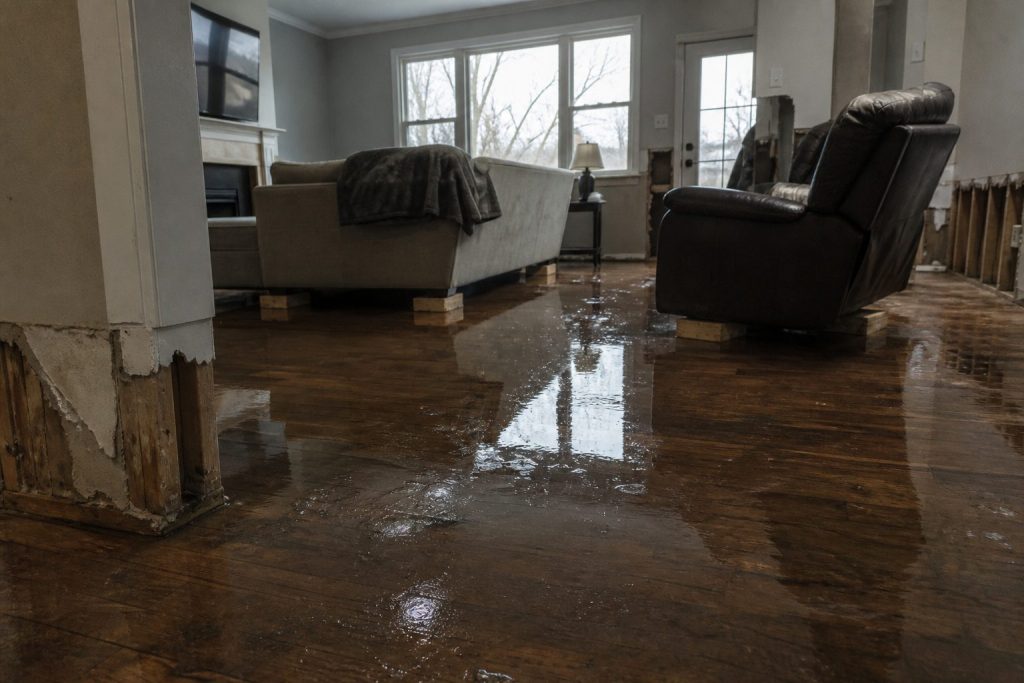
    Why water damage marketing is different.

    Three structural realities shape every marketing decision in this category. First, intent is overwhelmingly bottom-funnel. Almost no one searches “water damage restoration company” out of curiosity. They search because they have a problem. That collapses the funnel and rewards channels that intercept high-intent searches.

    Second, the competitive set is dominated by Google. Google Search, Google Maps, Local Service Ads, and Google Business Profile collectively account for the majority of net-new water damage leads in most metros. If a restoration company is not visible across all four, it is competing for table scraps.

    Third, insurance and TPA dynamics shape lead economics. A water damage job paid through a carrier preferred vendor program has a different margin profile than a cash retail job sourced from Google. Marketing has to be tuned to the mix the operator actually wants.

    The Five Channels That Drive Most Water Damage Leads

    Comparison of Claude how-to fit versus local service page fit for assistants
    The five channels that drive most water damage leads.

    1. Google Local Service Ads (LSAs)

    LSAs sit at the top of the search results page above traditional paid ads and the map pack. For water damage queries, LSAs produce leads at a cost per acquisition that is typically lower than Google Ads in most markets, though margins vary by metro. The Google Guaranteed badge is a meaningful conversion lever for cold homeowners. Setup requires background checks, license verification, and insurance documentation — friction that becomes a moat once cleared.

    2. Google Ads (Search)

    Traditional pay-per-click on emergency keywords (“water damage restoration,” “flooded basement,” “burst pipe cleanup”) remains the workhorse channel for most restoration companies. Campaign structure matters enormously here. Single-keyword ad groups, hyperlocal geo-targeting, call-only ads after hours, and aggressive negative keyword lists separate profitable accounts from money pits.

    3. Google Business Profile and the Map Pack

    Map pack visibility is essentially free traffic, but it is also the most competitive surface in local search. Ranking in the three-pack for “water damage restoration [city]” requires consistent NAP citations, a steady stream of authentic reviews with keyword-rich responses, regular GBP posts, geo-tagged photo uploads, and proximity to the searcher.

    4. Organic SEO and Content

    Organic search is a longer-term play but produces the cheapest leads at scale. Service pages targeting “[service] in [city]” combinations, neighborhood landing pages for high-value zip codes, and educational content answering insurance and restoration process questions all stack into a moat that competitors struggle to replicate.

    5. Insurance Adjuster and Plumber Referrals

    Marketing is not only digital. The most profitable restoration companies invest heavily in offline relationships with adjusters, plumbers, property managers, and real estate agents. A single plumber referral relationship can produce more revenue than a full year of paid search.

    Budget Allocation: Where to Put the First Marketing Dollar

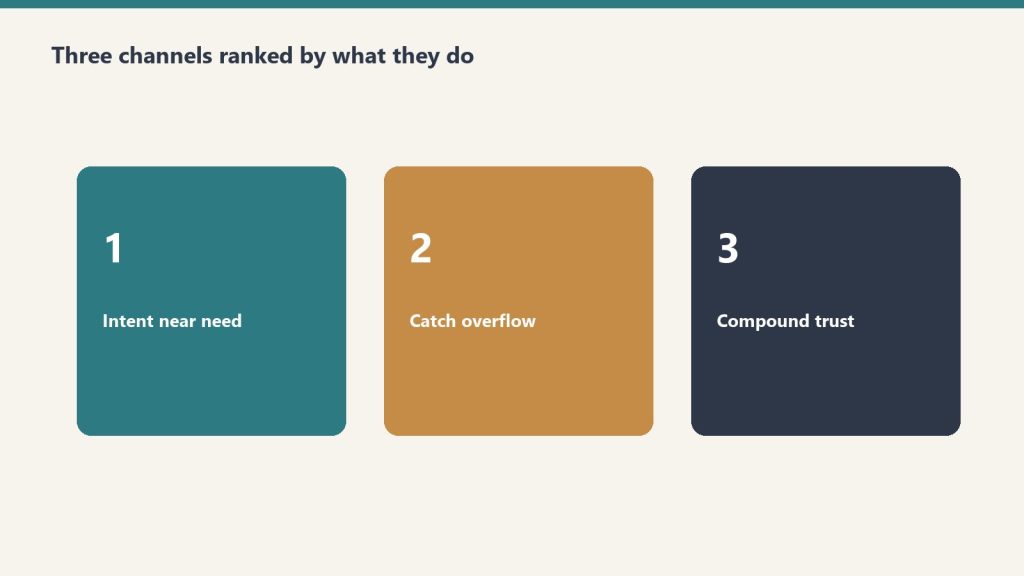
    For a restoration company spending under $5,000 per month on marketing, the priority order is usually: GBP optimization first (it is free), then LSAs (lowest CAC for verified businesses), then a tightly scoped Google Ads campaign on emergency keywords, then organic content investment. Social media and display should generally come last in the water damage category because intent is too immediate for those channels to convert efficiently.

    For companies spending $10,000-$50,000 per month, the channel mix expands to include programmatic display for retargeting, YouTube for brand awareness in target zip codes, and a content marketing operation that produces 4-8 SEO-targeted pieces per month.

    Tracking and Attribution

    Four-stage funnel: citation, click, engage, convert
    Tracking and attribution.

    Water damage marketing fails when leads cannot be tracked back to source. Every campaign should use call tracking numbers (CallRail, CallTrackingMetrics, or WhatConverts), every form should fire a conversion event, and every job should be tagged in the CRM with its origin channel. Without this, marketing decisions are guesses.

    Related on Tygart Media: content marketing strategy · Google Ads guide · SEO for restoration companies.

    Frequently Asked Questions

    How much should a water damage restoration company spend on marketing?

    Most healthy restoration companies invest between 5% and 12% of revenue on marketing, with a higher share during the first three years while organic and referral channels are still being built. Companies relying primarily on paid acquisition often run closer to the higher end of that range.

    Are Google Local Service Ads worth it for water damage?

    For most water damage restoration companies in mid-sized and major metros, yes. LSAs typically produce a lower cost per lead than traditional Google Ads and the Google Guaranteed badge improves close rates on cold inbound calls. The qualifying process is the main barrier.

    What marketing channels work best for commercial water damage?

    Commercial water damage leans more on relationships, MSAs with property management firms, LinkedIn outreach, and association involvement than on paid search. Paid search still matters but a larger share of commercial pipeline comes from offline business development.

    How long does SEO take for a restoration company?

    Local SEO results — map pack visibility, branded search, and a handful of city service pages — typically begin to compound in 90-180 days. Building a competitive organic presence on the most valuable water damage keywords in a major metro often takes 12-24 months of consistent content and link building.

    Should a restoration company hire an agency or build marketing in-house?

    Companies under roughly $3M in revenue usually get more value from a specialized restoration marketing agency than from an in-house hire, because the talent pool of operators who understand both restoration and digital marketing is thin. Above $5M, an internal marketing leader paired with specialist agencies is often the best mix.

  • Restoration Sales Closing Techniques That Win More Jobs

    Restoration Sales Closing Techniques That Win More Jobs

    Closing in restoration sales is contextual. The technique that closes a 2am emergency water mitigation call at the kitchen table will not close a planned mold remediation project that involves comparison bids, and neither will close a commercial MSA negotiation. Effective restoration salespeople carry a small toolkit of closing techniques and the judgment to apply the right one to each situation.

    This article is part of our restoration sales playbook.

    The Assumptive Close (Emergency Mitigation)

    Restoration SOP clipboard with checklist, moisture meter, and gloves on a jobsite table
    Assumptive close for emergency mitigation.

    The assumptive close is the workhorse for emergency restoration sales. Rather than asking “Do you want to move forward?” — which invites delay — the rep transitions to logistics: “I’ll have the crew here in two hours with equipment. While we’re waiting, let me get this paperwork going so we can bill your insurance directly.” This works because in true emergencies the customer wants the problem solved, and the rep is simply removing friction.

    The assumptive close fails when the customer has not bought into the value yet — using it too early in the conversation triggers resistance.

    The Urgency Close (Time-Sensitive Damage)

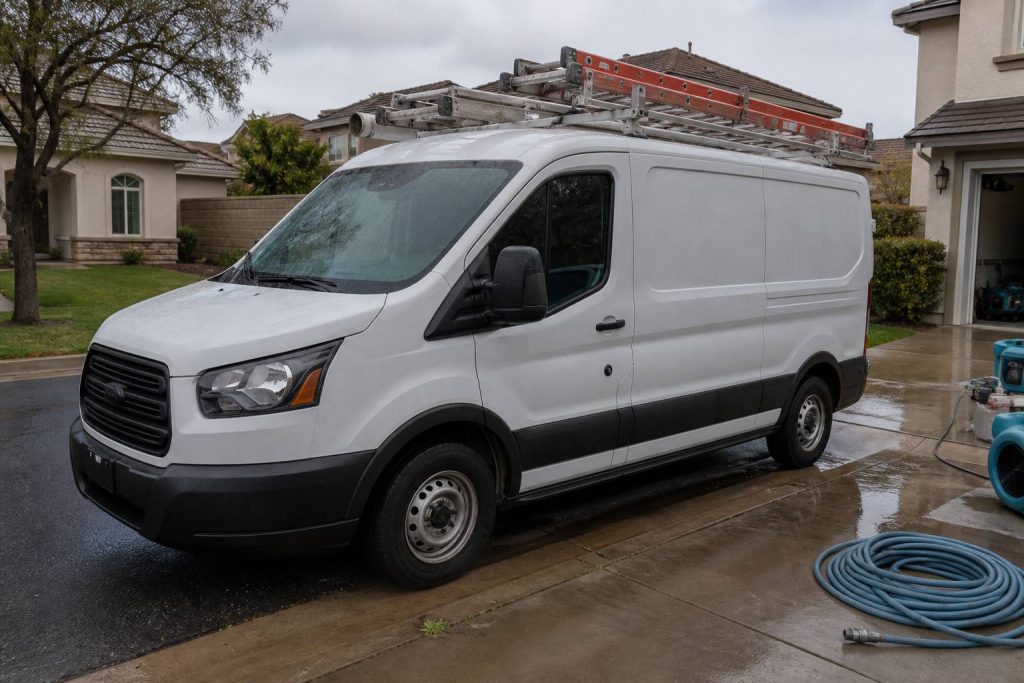
    White restoration work van with ladder rack parked at a suburban jobsite curb
    Urgency close when damage is time-sensitive.

    The urgency close uses the actual operational reality of restoration: secondary damage compounds rapidly. “If we wait another 24 hours, we’ll likely need to add demolition to the scope and the cost goes up significantly. Starting now keeps it contained at the current scope.” This works because it is true — restoration genuinely is time-sensitive — and reframes the decision as cost avoidance rather than spending.

    The Alternative Close (Commercial and Planned Work)

    The alternative close offers two acceptable paths rather than a yes/no decision: “Would you prefer we start Monday or next Wednesday?” or “Do you want us to handle the contents pack-out, or would you rather your team manage that piece?” This works because both options are progress; only refusal of the entire framing rejects the close.

    The Summary Close (Comparison Bid Situations)

    Commercial office lobby entrance after a pipe burst with caution cones and wet runners
    Summary close for comparison-bid situations.

    When the customer has explicitly mentioned getting other bids, the summary close walks back through everything that was just covered: “Let me make sure I have this right. You need [scope], you want it done by [date], you’re concerned about [issue], and you’re working with [insurance carrier]. Based on that, our scope at [price] covers everything we discussed and we can start [timeline]. Where does that leave us?” The summary creates a clear comparison framework against any competitor and surfaces remaining concerns directly.

    The Trial Close (Throughout the Conversation)

    Trial closes are temperature checks throughout the conversation rather than dedicated closing moves. Examples: “Does this scope match what you were thinking?” or “How does the timeline work for you?” These surface objections early when there is still room to handle them rather than letting concerns accumulate silently.

    The Pilot Close (Commercial New Logo)

    For commercial restoration sales, the pilot close shifts the decision from “do you want to give us all your work” to “would you give us one job to demonstrate our performance.” This dramatically reduces buyer risk and is often the only viable close for prospects without prior experience with the company. Successful pilots almost always lead to expanded relationships.

    When to Walk Away

    Sometimes the right close is no close. Walking away protects margin and reputation when: the customer demands pricing that puts the job below cost, the scope being requested is technically unsound (skipping critical drying or testing), the customer is signaling distrust that cannot be repaired, or the property condition is outside the company’s actual capability. Polite, confident exits (“I don’t think we’re the right fit for this project — best of luck”) preserve relationships for future opportunities.

    Related on Tygart Media: Starlink on a water job · S500 in the van · local SEO for restoration.

    Frequently Asked Questions

    What is the most effective close in restoration sales?

    There is no single most effective close — different situations call for different approaches. The assumptive close dominates in emergency mitigation, the urgency close works for time-sensitive damage, the alternative close fits planned work, and the pilot close opens commercial accounts. The judgment to match technique to situation matters more than mastering any single close.

    How do I close without sounding pushy?

    Confidence comes from genuine belief that the recommendation is right for the customer. Salespeople who feel pushy usually do because they are not fully convinced of the value. Spending time deeply understanding the work and outcomes makes confident closing feel natural rather than aggressive.

    Should restoration salespeople create false urgency?

    No. Real urgency exists in most restoration scenarios — secondary damage, mold growth, structural compromise — and using it honestly is appropriate. Inventing urgency that does not exist erodes trust and damages the company’s reputation when the customer figures it out later.

    What do I do when the customer says “send me a quote and I’ll think about it”?

    Resist sending a quote and disappearing. Either close the conversation in person (“Let me walk you through it now while I’m here”), schedule a specific follow-up call within 24 hours, or politely surface the actual concern: “I’m happy to send something — what’s the main thing you’d want to think through?”

    How do I close commercial restoration deals when there is a buying committee?

    Identify the actual decision-maker and the influencers, present to all of them when possible, and propose a pilot engagement to demonstrate performance rather than pushing for an immediate MSA. Most commercial closes happen in stages over months — the goal of any single meeting is to advance to the next stage.

  • SEO for Restoration Companies: The Complete 2026 Playbook

    SEO for Restoration Companies: The Complete 2026 Playbook

    SEO for restoration companies is fundamentally a local search problem with a content moat layered on top. The difference between a restoration company that pulls 20 organic leads a month and one that pulls 200 is rarely talent — it is whether the technical foundation, the local signals, and the content engine are all running at the same time. This guide walks through each layer in the order it should be built.

    This article is part of our broader restoration marketing guide, which covers the full channel mix. Here we focus exclusively on organic search.

    Layer 1: The Technical Foundation

    Desk with laptop, checklist notebook, and billing card ready before creating an Anthropic API key
    Layer 1 — the technical foundation.

    Technical SEO for a restoration company website is straightforward but unforgiving. The site needs to load in under three seconds on mobile, have a clean URL structure, valid schema markup on every service page, and zero crawl errors. Modern Google does not need much hand-holding on technical issues, but it will quietly demote sites that consistently fail Core Web Vitals or have broken canonical tags.

    The minimum technical checklist for a restoration site includes mobile-first responsive design, HTTPS across every URL, an XML sitemap submitted to Google Search Console, schema markup for LocalBusiness and Service on relevant pages, and structured data for FAQs where they appear. A content delivery network and image optimization to WebP usually handle most speed concerns.

    Layer 2: On-Page SEO

    Restoration service pages are where most ranking battles are won or lost. Each core service — water damage, fire damage, mold remediation, smoke damage, biohazard, contents — needs its own dedicated page, not a list on a single services page. Each page should target a primary keyword in the title tag, H1, and first paragraph, then expand into 1,200-2,000 words of substantive content covering the process, what causes the damage, the insurance process, the company’s certifications, and a strong call to action.

    The most-overlooked on-page lever is internal linking. Service pages should link to relevant blog content, location pages, and case studies. The link graph signals to Google which pages matter most.

    Layer 3: Local SEO and Map Pack Dominance

    Comparison of Claude how-to fit versus local service page fit for assistants
    Layer 3 — local SEO and map pack dominance.

    Map pack rankings for “[service] [city]” queries drive a substantial share of restoration leads. Three signals matter most: proximity (Google measures distance from the searcher to the business), prominence (review volume, link authority, mentions), and relevance (does the business profile clearly match the query).

    The local SEO checklist starts with a fully optimized Google Business Profile — accurate categories, complete services list, Q&A answered, weekly posts, regular geo-tagged photo uploads, and a steady review cadence with thoughtful responses. Citations across major directories (BBB, Yelp, Angi, HomeAdvisor, Houzz, industry-specific sites) reinforce NAP consistency. Service area businesses should specify their service area carefully rather than listing every city in the region.

    Layer 4: City and Neighborhood Pages

    For restoration companies serving multiple cities, individual city pages are the single highest-leverage SEO investment after the core service pages. A page titled “Water Damage Restoration in [City Name]” with 800-1,500 words of locally relevant content — neighborhoods served, common local water damage causes, local building stock, response times to specific zip codes — will routinely outrank both national franchises and competitors using doorway pages.

    The trap to avoid is templating. Google detects city pages that are 90% identical with only the city name swapped. Each page needs genuinely unique content sections.

    Layer 5: Content Marketing for Authority

    Four-stage funnel: citation, click, engage, convert
    Layer 5 — content marketing for authority.

    Beyond service and city pages, ongoing blog content builds topical authority. The highest-ROI content topics for restoration companies tend to be insurance process guides (“how does a homeowners insurance water damage claim work”), cause-of-loss explainers (“what causes a Category 3 water loss”), and homeowner education (“what to do in the first 24 hours after a flood”). These pieces capture top-of-funnel search volume and convert through internal linking back to service pages.

    Layer 6: Link Building

    Restoration link building is hard because most of the natural backlink opportunities — directory citations, BBB profiles, association memberships — are easily replicated by competitors. Sustainable link advantages come from local press coverage of community involvement, sponsorships of local events with a website link, partnerships with adjacent service providers (plumbers, real estate firms) that produce mutual link exchanges, and occasionally guest content on restoration industry publications.

    Related on Tygart Media: content marketing · local SEO · blog SEO.

    Frequently Asked Questions

    How long does SEO take to work for a restoration company?

    Local map pack movement on long-tail and branded queries often happens within 30-90 days of a serious GBP optimization push. Competitive head terms in major metros usually require 12-18 months of consistent work. The first leads from organic search typically arrive within 90 days for a well-executed program.

    Do I need to write a separate page for every city I serve?

    Yes, if you want to rank for “[service] [city]” queries in those cities. A single services page cannot effectively rank for dozens of city-modified queries. Each meaningful market should have its own dedicated, locally relevant page.

    Is link building still important for restoration SEO?

    Yes, but the bar has lowered for local-intent queries where proximity and reviews carry more weight than backlinks. For competitive head terms and informational content meant to attract top-of-funnel traffic, backlink authority remains a significant ranking factor.

    Should a restoration company use AI to write SEO content?

    AI tools can speed up drafting and outlining but unedited AI content tends to underperform on commercial keywords because it lacks the operator-specific detail Google’s helpful content systems reward. The most effective use is AI-assisted drafting reviewed and rewritten by someone with domain expertise.

    What is the most common SEO mistake restoration companies make?

    Treating SEO as a one-time setup project rather than an ongoing program. Rankings decay without consistent content, citation maintenance, review velocity, and link building. Companies that invest for six months and then stop usually lose most of their gains within a year.

  • Restoration Sales CRM: Pipeline Management & Operations

    Restoration Sales CRM: Pipeline Management & Operations

    Sales operations is the difference between a restoration company that grows on individual heroics and one that grows on system. Without CRM discipline, defined pipeline stages, weekly reporting cadence, and clean handoffs between sales and production, even talented salespeople cannot scale the business. With those systems in place, average salespeople produce above-average results because the operating environment supports them.

    This article is part of our restoration sales playbook.

    CRM Selection

    Three cards for field SOPs, owner prompts, and KPI rhythm in an operations kit
    CRM selection.

    The CRM landscape for restoration companies splits into general-purpose systems (HubSpot, Pipedrive, Salesforce) and restoration-specific platforms (DASH, Encircle, ServiceTitan, Restoration eAcademy CRM, others). Each has trade-offs.

    General-purpose CRMs offer flexibility and strong sales features but require customization for restoration workflows. Restoration-specific platforms offer pre-built workflows and integrations with Xactimate and accounting systems but often have weaker sales functionality.

    For most restoration companies under $5M, a well-configured general-purpose CRM (HubSpot or Pipedrive) paired with restoration-specific job management software produces better results than trying to make a single tool do both jobs.

    Pipeline Stage Definitions

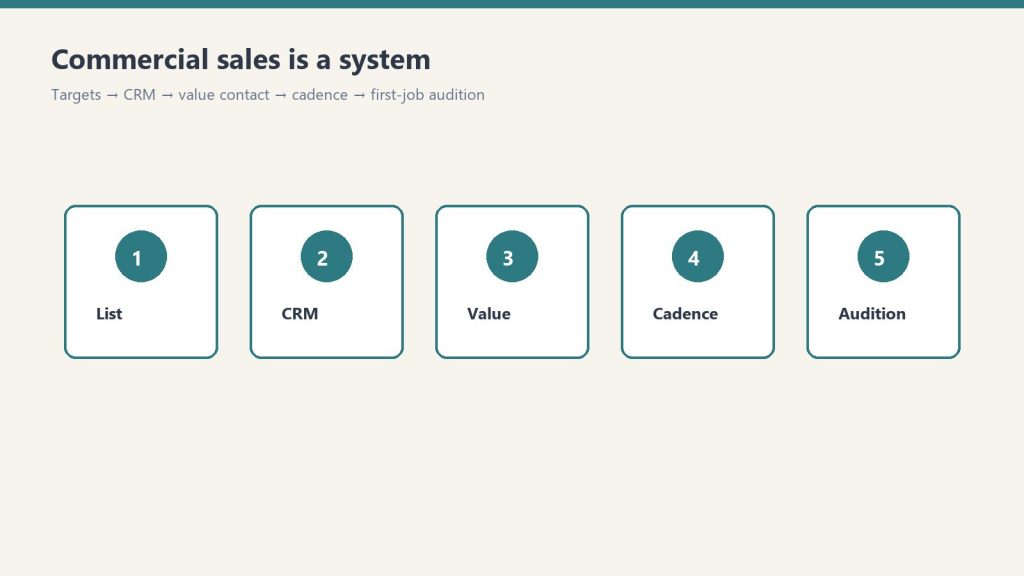
    Five-step commercial sales system from list to first-job audition
    Pipeline stage definitions.

    Clear pipeline stage definitions make sales reporting useful. A workable residential restoration pipeline structure: New Lead → Appointment Set → Estimate Completed → Authorization Pending → Authorization Signed → In Production → Closed-Won. Each stage needs an explicit definition (what makes a lead “Appointment Set” vs “New Lead”) and an explicit advancement criterion.

    For commercial restoration, pipeline stages need to be longer-cycle: Suspect → Prospect → Qualified Conversation → Capability Presented → Pilot Discussed → MSA Negotiation → MSA Signed → Account Active. The longer cycle requires more granular stages so management can see where deals are stuck.

    Sales Activity Tracking

    Activity tracking matters because revenue is a lagging indicator. Leading indicators that should be tracked daily or weekly: appointments set, appointments held, estimates delivered, follow-up calls and texts completed, and authorization signatures collected. Reps who are missing revenue targets are usually missing activity targets weeks earlier — fixing the activity issue is faster than waiting for revenue to recover.

    Lead Source Attribution

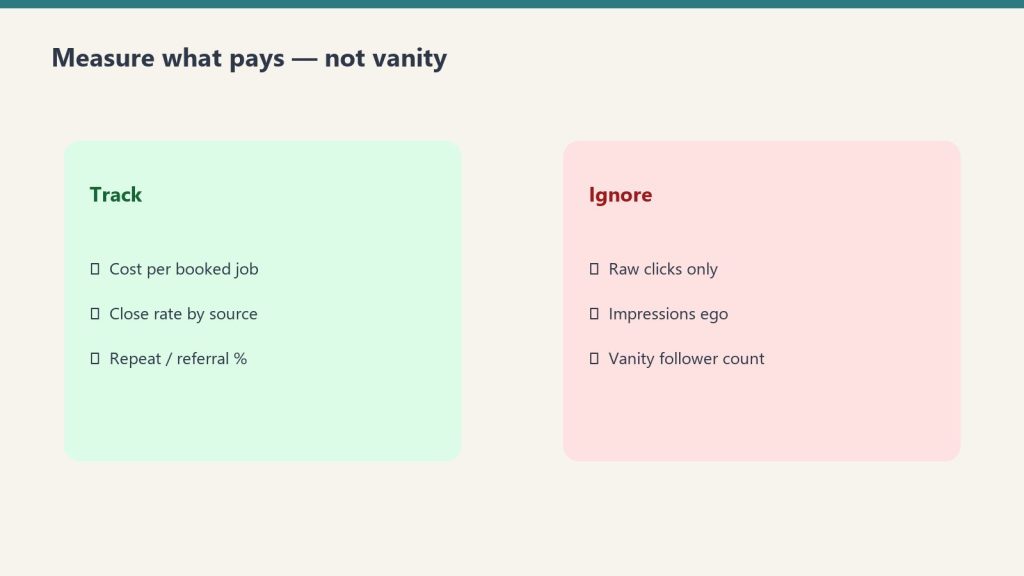
    Every lead in the CRM needs a clean source field — Google Ads, LSA, organic, referral (with sub-source), lead vendor (with vendor name), repeat customer, etc. Without clean attribution, marketing budget allocation is guessing. The most common CRM hygiene failure is sloppy lead source data, which makes ROI analysis impossible.

    Weekly Sales Reporting

    The weekly sales report that drives behavior includes: leads received and lead-to-appointment conversion, appointments held and appointment-to-estimate conversion, estimates delivered and estimate-to-close rate, average ticket size by rep and by lead source, and pipeline value by stage with weighted forecast. The report should be reviewed by the sales team together every week, not buried in an email.

    Sales-to-Production Handoff

    Three panels showing one problem, three options, one recommendation
    Sales-to-production handoff.

    The handoff from sales to production is where many restoration companies leak quality. Clean handoff requires standardized scope documentation, customer expectations clearly captured (timeline, communication preferences, special concerns), insurance information complete, and a defined moment when ownership transfers from sales to production with explicit acknowledgement from both sides.

    Sloppy handoffs produce production surprises, customer complaints, and over-budget jobs. Sales should be partially accountable for production outcomes through compensation structure to align incentives.

    Related on Tygart Media: CRM AI adoption · sales playbook · commercial sales process.

    Frequently Asked Questions

    What CRM do most restoration companies use?

    The CRM mix in restoration is fragmented. Common choices include HubSpot, Pipedrive, ServiceTitan, DASH, Encircle, and various restoration-specific platforms. There is no dominant industry standard. The right choice depends on company size, technical sophistication, and existing tool stack.

    How often should sales pipeline be updated in the CRM?

    Pipeline data should be updated daily by reps and reviewed weekly in management meetings. CRM data that is updated less than weekly produces unreliable forecasting and obscures emerging issues until they become critical.

    Should restoration sales reps own data entry or have admin support?

    Most restoration sales operations run more efficiently when reps own their own data entry, supported by mobile-friendly CRM tools that reduce friction. Outsourcing data entry to admin staff creates lag, errors, and accountability gaps. The exception: lead intake admins handling inbound calls and routing.

    What sales metrics matter most for restoration?

    The leading indicators that matter most are appointment-to-estimate conversion, estimate-to-close rate, average ticket, and lead source ROI. Lagging indicators like total revenue and gross profit by rep matter for compensation and forecasting but rarely surface fixable issues in time to course-correct.

    How do I get my sales team to actually use the CRM?

    CRM adoption is driven by three things: tools that are mobile-friendly and fast (no clunky desktop-only systems), management cadence that uses CRM data in every weekly meeting (so reps know it matters), and compensation tied to deals that exist in the CRM (no CRM record, no commission credit). Without all three, adoption stays low.

  • Restoration Google Ads: How Profitable Operators Run PPC

    Restoration Google Ads: How Profitable Operators Run PPC

    Google Ads is the channel where most restoration companies either build or lose their marketing program. Run well, paid search produces a predictable flow of high-intent water damage and fire damage leads at a cost per acquisition that supports the unit economics of the business. Run poorly, it incinerates marketing budget faster than any other channel in the stack. The difference is rarely talent — it is structure, discipline, and tracking.

    This article covers the operational mechanics of running Google Ads for a restoration company. For the broader marketing context, see our restoration marketing guide.

    Why Restoration Google Ads Are Hard

    Seven cards naming common AI chatbot failure modes
    Why restoration Google Ads are hard.

    Two structural challenges make restoration PPC tougher than most home service categories. First, click costs on emergency restoration keywords are among the highest in Google Ads — competitive metros routinely see cost per click in the double digits for terms like “water damage restoration” and “emergency flood cleanup.” Second, lead quality varies wildly. A “water damage” search at 2pm on a Tuesday is often a homeowner researching options, while the same search at 11pm during a storm is almost always a real emergency.

    Profitable restoration PPC requires architecture that separates these intents and bids accordingly.

    Campaign Architecture That Works

    Four-stage funnel: citation, click, engage, convert
    Campaign architecture that works.

    The structure that consistently outperforms in restoration accounts uses tightly themed campaigns split by service line and intent stage. A typical structure might include: emergency water damage (highest bids, call-only ads, after-hours dayparting), planned water mitigation (lower bids, form fills acceptable), fire damage, mold remediation, biohazard, contents and pack-out, and reconstruction.

    Within each campaign, single-keyword ad groups (SKAGs) or tightly themed ad groups outperform broad themed groups in this category because of how varied the search query intent is. “Burst pipe water damage” and “ceiling water stain” deserve different ads.

    Bidding and Budget Strategy

    Restoration Google Ads accounts typically perform best on either Maximize Conversions with a target CPA cap or Manual CPC with portfolio bidding. Smart Bidding strategies need 30-50 conversions per month per campaign to learn effectively, which most restoration accounts do not have at the campaign level. Pooling conversions through a portfolio bid strategy across related campaigns is one workaround.

    Budget should be concentrated rather than spread thin. A restoration company spending $3,000 per month on Google Ads will almost always get better results from a single campaign focused on the highest-intent emergency terms than from spreading $300 across ten different services.

    Ad Copy That Converts Restoration Leads

    The highest-converting restoration ad copy emphasizes three things in this order: response time (“On-site in 60 minutes”), credibility (IICRC certified, BBB rated, years in business), and risk reversal (free estimates, work directly with insurance, 24/7 availability). Generic “water damage experts” copy underperforms specific, operational claims.

    Call-only ads on emergency keywords often outperform standard text ads with a website destination, because the customer wants to call now, not browse a site. After-hours dayparting that switches all campaigns to call-only between 6pm and 7am captures emergency demand efficiently.

    Geo-Targeting Discipline

    Sloppy geo-targeting is the most common reason restoration accounts hemorrhage budget. The default radius targeting setting in Google Ads is too generous for most restoration businesses. Tighter zip-code-level or hyperlocal radius targeting around the actual service area, combined with location bid adjustments that bid up on high-value zip codes and bid down on low-value ones, often cuts cost per lead by 30-50%.

    Call Tracking and Conversion Setup

    Desk with laptop, checklist notebook, and billing card ready before creating an Anthropic API key
    Call tracking and conversion setup.

    Restoration leads come in primarily by phone, and Google Ads accounts that do not import call conversions are flying blind. Every account needs Google Forwarding numbers configured, call extensions enabled, and call conversions imported into the bidding algorithm. Pairing this with a third-party call tracking platform (CallRail, CTM, or WhatConverts) for call recording and lead scoring closes the attribution loop.

    Negative Keywords: The Hidden Performance Lever

    The single most effective ongoing optimization in restoration accounts is aggressive negative keyword work. Common waste sources include “DIY,” “free,” “how to,” “training,” “course,” “jobs,” competitor brand names (unless deliberately bidding on them), and product searches like “water damage paint.” A mature restoration account typically has a negative keyword list in the thousands.

    Related on Tygart Media: Google Ads $127k lessons · water damage marketing · SEO for restoration.

    Frequently Asked Questions

    What is a good cost per lead for restoration Google Ads?

    Cost per lead varies enormously by metro, service line, and lead quality definition. Emergency water damage leads in major metros often run between $80 and $250, while less competitive markets and services can come in well below that. Cost per acquisition for a closed job is the more important number to track.

    Should I bid on competitor brand names?

    Bidding on competitors can be profitable if the competitor brand has high search volume and your offer is genuinely competitive, but it tends to invite reciprocal bidding and increases costs across the category. Most restoration companies get better ROI from defending their own brand terms aggressively than from attacking competitors.

    Do Performance Max campaigns work for restoration?

    Performance Max can work for restoration companies with mature conversion data and strong creative assets, but it generally underperforms tightly structured Search campaigns for emergency-intent restoration queries because it gives up control of placement and audience targeting.

    How do I keep Google Ads from running during business off-hours when no one can answer?

    Use ad scheduling to either pause campaigns or significantly reduce bids during hours when no one can answer the phone. Even better, set up after-hours call routing so that emergency calls reach an answering service or on-call technician, since most restoration revenue happens outside 9-to-5.

    How long should I run a Google Ads test before deciding it works?

    Restoration Google Ads campaigns generally need at least 30-60 days of meaningful spend to produce statistically reliable performance data. Killing a campaign after two weeks of poor performance is a common mistake that prevents accounts from finding their winners.

  • Restoration Local Service Ads (LSAs): The Operator’s Guide

    Restoration Local Service Ads (LSAs): The Operator’s Guide

    Google Local Service Ads have quietly become one of the most important lead sources for water damage and restoration companies in nearly every major metro. They appear above traditional paid search results, carry the Google Guaranteed badge, and bill on a per-lead basis rather than per-click — which fundamentally changes the unit economics. For restoration operators willing to clear the verification process, LSAs typically produce a lower cost per qualified lead than any other paid channel.

    This guide is part of our broader restoration marketing series and pairs with our deeper Google Ads guide.

    What LSAs Are and Why They Matter

    Four-stage funnel: citation, click, engage, convert
    What LSAs are and why they matter.

    Local Service Ads are pay-per-lead listings shown at the very top of Google’s search results for service-related queries. They display a business name, rating, location, and Google Guaranteed badge. Customers tap to call directly. The advertiser pays only when a qualifying lead arrives, not for clicks. For restoration, where intent is overwhelmingly bottom-funnel, this model aligns better with operator economics than CPC.

    The Google Guaranteed program adds a customer protection layer. If a job goes wrong, Google will reimburse the customer up to a stated cap. This builds trust with cold homeowners and improves close rates on inbound LSA calls compared to standard search ads.

    Getting Verified: The Real Barrier

    Desk with laptop, checklist notebook, and billing card ready before creating an Anthropic API key
    Getting verified — the real barrier.

    The friction in LSAs is the verification process. Restoration businesses must pass background checks for owners and field staff, provide proof of business license, supply current general liability and workers compensation insurance, and verify business identity. The process commonly takes 2-6 weeks. Most competitors never complete it. That barrier is exactly why LSAs work — limited supply of verified businesses keeps cost per lead down.

    Categories That Apply to Restoration

    The most relevant LSA categories for restoration companies include water damage services, fire damage restoration, mold remediation, and reconstruction. Selecting the right categories — and limiting them to services the company actually performs and wants to grow — controls lead mix.

    Bidding Modes

    LSAs offer two bidding approaches: Max Per Lead (manual control over what you pay per lead) and Maximize Leads (Google optimizes spend within a weekly budget). Most restoration accounts get better results from Max Per Lead bidding combined with active monitoring, because Maximize Leads tends to chase volume at the expense of lead quality during the early months when there is not enough data for the algorithm to learn.

    The Lead Dispute System

    The lead dispute process is the single most underused lever in LSA management. Google credits leads that meet specific criteria for being unqualified — wrong service, outside service area, spam, customer never responded, or duplicate. A disciplined operator who disputes every legitimately bad lead can recover 10-25% of monthly LSA spend. Most companies never bother and simply pay for the noise.

    Disputes must be filed within a specific window (currently within 30 days of the lead) and require clear documentation of why the lead did not qualify.

    Reviews: The Ranking Lever

    Three cards for field SOPs, owner prompts, and KPI rhythm in an operations kit
    Reviews: the ranking lever.

    LSA placement within the listing carousel is heavily influenced by Google review volume and rating. Companies with 100+ reviews and a 4.7+ rating consistently outrank lower-volume competitors even when bidding less. Review velocity matters as well — a steady stream of new reviews signals an active business.

    Lead Quality and What to Expect

    LSA leads tend to skew slightly lower-intent than Google Ads call extensions because the LSA system promises a callback, which lowers the barrier to inquire. Restoration companies should expect close rates on LSA leads in a different range than direct emergency calls — calibrating sales process accordingly is part of running the channel well.

    LSAs vs. Google Ads: Which Comes First?

    For restoration companies starting paid search, the sequencing question matters. The conventional answer for most metros: GBP optimization first (free), then LSAs (lower CAC and high signal value once verified), then Google Ads (more control, more scale, but higher cost per lead). Mature accounts run all three simultaneously and use Google Ads to capture the search inventory LSAs do not reach.

    Related on Tygart Media: Starlink on a water job · S500 in the van · local SEO for restoration.

    Frequently Asked Questions

    How much do Local Service Ads cost for restoration companies?

    LSA cost per lead for restoration varies significantly by metro and category but typically ranges from roughly $30-$150 per lead, with major metros and water damage categories at the higher end. Because pricing is per-lead, the more meaningful number is cost per closed job.

    How long does Google Guaranteed verification take?

    Most restoration businesses complete verification in 2-6 weeks, though delays from background check vendors can push that longer. Having all license, insurance, and ownership documents ready before applying speeds the process considerably.

    Can I run LSAs and Google Ads at the same time?

    Yes, and most established restoration companies do. The two channels complement each other — LSAs capture top-of-page visibility for verified businesses while Google Ads provide more control over keyword targeting, ad copy, and audience. Running both expands total addressable inventory.

    Why are some of my LSA leads unqualified?

    Some unqualified lead volume is structural to any pay-per-lead channel. The remedy is not to abandon LSAs but to dispute every legitimately bad lead, refine service area and category settings, and build a phone process that disqualifies non-fits quickly without burning calls.

    Do LSAs work for commercial restoration?

    LSAs are primarily a residential lead channel. Commercial water damage and fire damage leads do come through LSAs occasionally but the volume is small. Commercial restoration marketing relies more heavily on relationships, MSAs, and account-based outreach than on consumer search ads.