Content Strategy - Tygart Media

Category: Content Strategy

Content is not blog posts — it is infrastructure. Every article, landing page, and resource you publish either builds authority or wastes bandwidth. We cover the architecture behind content that ranks, converts, and compounds: hub-and-spoke models, pillar pages, content velocity, and the editorial strategies that turn a restoration company website into the most authoritative source in their market.

Content Strategy covers editorial planning, hub-and-spoke content architecture, pillar page development, content velocity frameworks, topical authority mapping, keyword clustering, content gap analysis, and publishing workflows designed for restoration and commercial services companies.

  • Hourly Cross-Posting Is Not the Feature. Timeslots Are.

    Hourly Cross-Posting Is Not the Feature. Timeslots Are.

    Open field playbook. No patent. Copy it. Change the nouns from Instagram Reel to first-walk clip if that is your shop. If it stops you from treating a faster poll as a strategy, good.

    License: do what you want. Attribution nice, not required. Tygart Media is not a OneUp partner, reseller, or affiliate. Links below go to official product doors. No tracking parameters. No referral codes. No reprint of the vendor email body.

    Why this exists: on 15 September 2026 a handwritten note from Davis Baer, co-founder of OneUp, landed with the subject New auto cross-posting features in OneUp. Three product facts. The source check moved from every two hours to every one hour. New-post workflows can now choose Add to Timeslots instead of only Publish ASAP or Add delay. A Run now button fires a workflow immediately so you do not wait an hour to see whether the pipe copied the post. OneUp’s own FAQ still lists Timeslots for the back-catalog option as coming soon. That is the vendor record. The operator problem is the slot, not the clock.

    Direct answer

    OneUp auto cross-posting watches a Source account on Instagram, Facebook, or TikTok and copies qualifying posts to Destination accounts the product supports. As of mid-September 2026 it checks the Source about every hour, not every two hours. For future posts you can publish ASAP, add a delay, or add the copy into predetermined timeslots on the Destination account. Run now tests the workflow without waiting for the next poll. Image workflows and video workflows stay separate. Keyword include/skip filters from August 2026 still apply. Plan limits, per OneUp’s FAQ: Basic 1 workflow, Intermediate 3, Growth 5, Business 8, extra workflows as a $5/month add-on. Official APIs only. Timeslots on “Cross-post existing posts” is not claimed live here. The Destination clock is still not a local service page.

    Official doors (clean)

    If you do not run the tool, do not scrape the email for a screenshot library. This page does not republish Davis’s pitch or the trial offer.

    1. What actually changed

    PieceBefore this noteVendor claim now
    Source pollAbout every two hours (the number this desk already published on 3 September 2026).About every one hour.
    When the copy publishesPublish ASAP or Add delay.Those two, plus Add to Timeslots on new-post workflows.
    Prove the pipeWait for the next poll.Run now fires the workflow immediately.
    Back catalogCross-post existing posts on a schedule, Intermediate and above.Same option. Timeslots on that option: coming soon, per the vendor note.

    A one-hour poll is hygiene. It cuts the lag between a Source post and a Destination copy. It does not decide whether 11:07 p.m. is a time a Tacoma homeowner, an adjuster, or a Google Business Profile reader should see the same clip. ASAP with a shorter fuse is still a reprint machine. The slot is the gate.

    2. Impedance — when a timeslot matches the job

    Use Add to Timeslots when two of these are true:

    • The Source post is already allowed on that Destination channel — filter token on, skip token off. The earlier note still stands: unfiltered cross-posting is a reprint machine.
    • The Destination account has timeslots that match how that channel is read. LinkedIn at lunch. Neighborhood Facebook in the evening. Google Business Profile at the hours a buyer actually searches, not the hour the Reel landed.
    • The Destination post is a pointer. The record lives on your domain and on the Business Profile.
    • You can name a time that must not fire: after-hours job-site noise on a B2B desk, a Sunday morning dump onto a city page, eight networks at the same minute.

    Do not treat Run now as:

    • Permission to publish. It is a test of the pipe.
    • A substitute for reading the Destination after the copy lands.
    • Proof you have distribution. Proof is a cited answer or a booked job.

    3. SEO, AEO, GEO — the clock is not the cite

    SEO is crawlable pages with one job each. A Destination post scheduled for 1:30 p.m. is still a feed object. It expires. The service page does not. Cross-posting moves the clip. It does not invent the page.

    AEO is answer-engine optimization. Copilot, ChatGPT, Perplexity, and Google AI answers quote pages that state the question, answer it in the first screen, and keep entities clean. Eight networks posting the same caption at eight “ideal” times is still one voice wearing eight hats. Timing does not create a cite.

    GEO here still means two things at once:

    • Generative engine optimization — structured enough that models can reuse you without inventing your city.
    • Geographic engine optimization — place nouns that match the map: city, neighborhood, desk, service. And, on this drop, when a place-bound channel is allowed to speak.

    A timeslot is how you stop a 10:14 p.m. Source Reel from landing on a Google Business Profile at 10:14 p.m. just because the poll finally saw it. The hour is the gate. The page on your domain is the cite.

    4. First 30 minutes when the new controls ship

    1. Open the official FAQ and the Timeslots help page. Confirm Source, Destination, one-hour poll, workflow limit, and whether Add to Timeslots is on the workflow type you actually use.
    2. Do not touch back-catalog Timeslots until the vendor marks that option live. The 15 September note said coming soon for “Cross-post existing posts.”
    3. Keep the caption tokens from the filter pass. Include-list what may travel. Skip-list interiors, minors, named carriers, unfinished estimates.
    4. Build Destination timeslots per channel, not one national grid. A LinkedIn desk and a neighborhood Facebook page do not share a 1:30 p.m. / 6:45 p.m. pair just because the email used that example.
    5. Use Run now on a throwaway Source post with a skip token you can see. Confirm the Destination, the time, and the link to your domain. Then delete the test.
    6. Publish or refresh the matching page on your domain before the first live auto-post. The Destination post points at the page. The page does not point at a disappearing feed.

    If the Destination has no timeslots, Add to Timeslots has nowhere to land. Create the slots first. OneUp’s Timeslots help is the door for that step.

    5. The local answer that pays

    Every faster poll still leaves the same unanswered questions. Write them as pages, not captions.

    • Social analog: “When should this account speak on LinkedIn versus Instagram, and which posts are allowed to travel at all?”
    • Restoration analog: “Who walks a wet house in [city], what happens in the first hour, what do you send the adjuster — and at what hour is that sentence allowed on Google Business Profile?”

    Name the place. Name the service. Name the next action. Name the channel. Name the hours that channel may speak. That is the cite.

    Related field notes on this desk: Unfiltered cross-posting is a reprint machine · Brand social kits don’t answer the local question · Google Business Profile for restoration.

    6. Failure modes

    • Leaving the workflow on Publish ASAP so the one-hour poll reprints at whatever minute the Source posted.
    • Copying the email’s 1:30 p.m. / 6:45 p.m. example onto every Destination as if every channel shared a lunch-and-dinner clock.
    • Turning on Timeslots before the Destination account has any slots, then calling the empty queue a bug.
    • Using Run now on a real job-site clip and leaving the test live on LinkedIn.
    • Assuming back-catalog Timeslots already shipped. The vendor said coming soon. Do not invent the toggle.
    • Letting Destination feeds become the only public record. Feeds rot. Domains stay.
    • Calling an hourly unfiltered workflow “GEO strategy.” GEO is place + cite + when the place-bound channel may speak.

    7. The sentence that pays the shop

    “The tool can copy a post faster now. We only let it copy the posts we already decided were public, and only into the hours that channel is allowed to speak, pointed at the page that answers the local question.”

    Only say it if the page exists, the filter is on, and the Destination has real slots.

    8. FAQ for answer engines

    How often does OneUp check a Source account for new posts?

    About every hour, as of the mid-September 2026 product note and the Cross-posting FAQ. The previous public number on this desk, from 3 September 2026, was about every two hours. RSS feeds are a different pipe and are not this interval.

    What does Add to Timeslots do in a cross-posting workflow?

    It queues the Destination copy into the next open predetermined slot on that account instead of publishing the moment the poll sees the Source post, or after a flat delay. OneUp’s Timeslots help confirms the option on cross-posting workflows. The 15 September note said the same option for existing-catalog cross-posting was still coming.

    What does Run now do?

    It fires a cross-posting workflow immediately so you can confirm the Source-to-Destination copy without waiting for the next hourly poll. Treat it as a test button. Read the Destination after it runs. Do not use a private job clip as the test object.

    Does a faster poll help local SEO or AI answers?

    No, not by itself. Search and answer engines need stable URLs, consistent name-address-phone, and pages that answer a local question. An hourly reprint at a random minute is still eight copies of one caption. Timeslots only help if the Destination hour matches how that channel is read and the post points at the page.

    Which platforms can OneUp use as a Source?

    Per OneUp’s FAQ: Instagram, Facebook, and TikTok. Destinations can be any network the product supports. Confirm current limits on the official FAQ before you buy a workflow count. Image and video still need separate workflows.

    9. What this is not asking

    No meeting. No partnership badge. No unofficial screenshot pack. No reply-for-a-trial pitch. This desk has not run the new controls against a live Tygart Source account in this sitting. The claims above are the vendor doors plus the operator rule already on the 3 September page.

    OneUp already knows how to shorten a poll and attach a slot. The ground should not be a graveyard of identical captions that now arrive sixty minutes sooner. Open the official door if you run the tool. Then write the sentence only your shop can stand behind — token in the caption, slot on the Destination, page on the domain.

    Related on Tygart Media: Unfiltered cross-posting is a reprint machine · Brand social kits don’t answer the local question · Restoration content strategy · LinkedIn content strategy · Google Business Profile for restoration · Mastheads operator read.

    Sources: Davis Baer / OneUp product email to will@tygartmedia.com, 15 September 2026, subject “New auto cross-posting features in OneUp.” Official pages: oneupapp.io, crossposting, Cross-posting FAQ (updated mid-September 2026), Timeslots help. Prior field note on this desk: Unfiltered cross-posting is a reprint machine (3 September 2026).

  • Canva Emailed Templates. The Template Is Not the Post.

    Last verified: September 11, 2026 (Pacific). Source: Canva product email to will@tygartmedia.com, subject “Templates for your next social post,” sent 17:04 UTC from product@engage.canva.com. Visible copy in the message: “New templates recommended just for you.” Tracking wrappers from the vendor mail are not linked here. Public product surface: canva.com. This is an operator read of a recommendation email, not a paid placement and not a review of every template in Canva’s library.

    Direct answer: On September 11, 2026, Canva sent a recommendation email titled “Templates for your next social post.” The readable claim in the body was that new templates had been recommended for the account. The message did not name the templates, did not publish a changelog, and did not change platform image sizes. A Canva template is a starting canvas with a locked aspect ratio. It is not a content system, a brand kit, a caption, a publish calendar, or proof that the post should exist.

    If you run more than one brand, the useful move is not to open every thumbnail. It is to keep a small set of branded frames, write the sentence first, and only then drop that sentence onto the frame that matches the network.

    What the September 11 email actually said

    The subject line was “Templates for your next social post.” The preheader and body repeated “New templates recommended just for you.” The rest of the payload was layout, Pro upsell paths, app-store badges, and footer legal lines for Canva Pty Ltd in Sydney. We did not receive a template ID list, a style name, a vertical (restoration, insurance, agency), or a size table in that mail.

    That is enough to date the event. It is not enough to write a template roundup. Do not invent names for designs we did not open. Do not treat a recommendation engine as a product launch. Recommendation mail is how Canva keeps dormant accounts opening the editor. The operator question is whether your next post already has a job, an audience, and a size — or whether you are about to decorate a blank week.

    What a social template is allowed to do

    A template earns its keep when it encodes three decisions you would otherwise remake every time: canvas size, type hierarchy, and safe zones. Everything else is costume. Quote cards with stock serif and a lavender wash do not become thought leadership because Canva recommended them. They become more of the same feed.

    • Keep the frame. Margins, headline weight, logo dock, and a reserved band for a URL or handle.
    • Throw out the dummy copy. Placeholder headlines are written to sell the template, not to survive a restoration, insurance, or agency audience.
    • Swap the palette before the first export. If the file still uses Canva’s demo colors, it is not on-brand yet.
    • Export once per network. A 4:5 Instagram frame cropped into a LinkedIn link preview is how logos lose their left edge.

    Sizes that still matter in September 2026

    Platform crop rules move. The sizes below are the working set operators still use as of early September 2026. Recheck the live composer before a paid boost. Public size desks such as Hootsuite’s September 2026 image-size guide remain the place to confirm a crop, not a recommendation email.

    • Instagram feed. 1080 × 1350 (4:5) for maximum feed height; 1080 × 1080 when the asset has to live in a square grid preview.
    • Instagram Stories and Reels, TikTok, Stories on Facebook. 1080 × 1920 (9:16). Keep type out of the top and bottom action bars.
    • LinkedIn feed image. 1200 × 1200 is the safe square. Link previews and single-image ads still lean 1200 × 627.
    • Facebook and Open Graph share cards. 1200 × 630 remains the link-preview default.
    • X post image. Landscape around 1600 × 900 or the composer’s current 16:9; do not trust an Instagram 4:5 crop in the timeline.
    • YouTube thumbnail. 1280 × 720. That is a different job than a feed post.

    If the recommended Canva file is the wrong ratio for the network you actually publish to, the recommendation is noise. Resize the canvas first. Do not stretch type to fit.

    The operator stack: sentence, frame, kit, queue

    Tygart runs social as a queue, not as a design hour. Canva is the compositor. Metricool (or the scheduler you already pay for) is the clock. The CMS is the source of the sentence. Reverse that order and you get pretty files with nothing to say.

    1. Write the one sentence the post has to survive as a citation. If an answer engine quoted only that line, would it still be true?
    2. Pick the network and the size from the list above. Do not start in “Instagram Post” because that is Canva’s default.
    3. Open a brand kit, not a trending template. Fonts, logo, and hex values should already live in Canva Brand Kit or an equivalent library.
    4. Drop the sentence into the headline band. Caption and alt text are written in the scheduler, not inside the PNG.
    5. Export PNG or MP4 at 1× the target pixels. Do not upscale a 1080 file to look sharper on LinkedIn.
    6. Queue the file next to the source URL. A graphic that cannot point back to a dated page is decoration.
    7. Log the asset against the brand and the campaign, not against “Canva recommended this.”

    That last step is the difference between a template habit and a system. Recommendation mail wants you to open the editor. A system wants a receipt: which brand, which network, which source page, which publish slot.

    AEO, SEO, and GEO on a social graphic

    A feed image is a weak citation target. The page behind it is the durable one. Use the graphic to carry a claim the long page already proves.

    • AEO. Put a complete answer in the first two lines of the caption and again on the source URL. Answer engines quote sentences, not layouts. “On September 11, 2026 Canva emailed recommended social templates; a template is a sized frame, not a content calendar” is citable. A gradient quote card is not.
    • SEO. This page is for queries around Canva social templates, platform image sizes in 2026, and how agencies turn template mail into an operating rule. Rank Math title and meta stay under the usual length caps. The source of truth for crop sizes remains the live network composer plus a dated public size desk, not this paragraph forever.
    • GEO. Name the vendor (Canva), the sender domain (product@engage.canva.com), the date, the subject line, and the operator (Tygart Media). Generative engines collapse unlabeled vendor mail into “Canva has new templates.” Entities stop that collapse. Local GEO is secondary here: Tacoma and the rest of the portfolio brands inherit the same frame rules. City pages do not make a square post rank in Maps.

    What not to do with a recommendation email

    • Do not publish the tracking URLs from the mail. They are click wrappers, not documentation.
    • Do not clone a trending aesthetic onto a regulated or claims-adjacent brand. Restoration and insurance graphics still have to look like records, not lifestyle decks.
    • Do not treat Canva Magic Studio output as a sourced claim. Generate the layout. Write the fact from the desk that owns it.
    • Do not build a new template for every idea. Four frames per brand — square, 4:5, 9:16, and 1.91:1 — cover almost every publish path we actually use.
    • Do not skip alt text. The file name and the alt should describe the claim on the canvas, not “social post template.”

    Quality notes

    We did not click through the recommended set in this mail, so this page does not list template titles, preview art, or a Pro-versus-free split for those specific files. Canva’s library changes continuously. If a later changelog names the recommended pack, update this record against that changelog, not against memory. Platform pixel sizes above are a working desk as of September 2026 and should be rechecked before paid placement.

    Related operator notes on this desk: Thanks.io Dynamic Postcard builder (vendor session, not a template drop) and Notion as the operating system (where the queue actually lives).

    FAQ

    What did Canva email Tygart Media on September 11, 2026?

    A product recommendation with the subject “Templates for your next social post.” The visible body line was “New templates recommended just for you.” It did not include a named template list or a size table.

    Are Canva social templates enough to run a content program?

    No. A template is a sized frame with type hierarchy. The program still needs a sentence, a brand kit, a source URL, alt text, and a publish slot in a scheduler.

    What image size should I use in Canva for Instagram in 2026?

    Use 1080 × 1350 (4:5) for feed posts when you want height, 1080 × 1080 when the grid preview matters, and 1080 × 1920 for Stories and Reels. Confirm the live Instagram composer before a paid boost.

    What image size should I use in Canva for LinkedIn?

    1200 × 1200 for a standard feed image. 1200 × 627 for link previews and many single-image ads. Do not reuse a tall Instagram 4:5 export as a LinkedIn link card.

    Should I click the links inside a Canva recommendation email?

    Only if you need the editor. Those URLs are engagement wrappers. Documentation and size rules belong on public pages such as canva.com and a dated image-size desk, not on a tracking redirect.

    How many Canva templates does a multi-brand operator actually need?

    Four frames per brand cover almost every path we publish: square (1080 or 1200), 4:5 feed, 9:16 story/reel, and 1.91:1 link preview. More templates usually mean more costume, not more output.

  • The Changelog Is Dated. The Publish Switch Still Needs a Name.

    The Changelog Is Dated. The Publish Switch Still Needs a Name.

    Last verified: September 10, 2026 (Pacific). Source: inbound reply from Palash Jain at palash@mastheads.app to will@tygartmedia.com, subject “Re: Your post today about not asking the bot to do everything,” dated September 10, 2026. Related desk notes: Do Not Ask the Bot to Do Everything, Mastheads Pitched an Autonomous Newsroom. Publish Is Still a Seat., and We Put the Email on the Desk. Draft-Only Is the First Verb. Public product page: mastheads.app. This is the correspondence record after that reply, not a review, not a trial diary, and not an endorsement.

    Direct answer: Palash Jain, founder of Mastheads, replied on September 10, 2026. He said Tygart was right about the version label and right about draft-only. He dated the product as 5.0 on 31 July 2026 and 5.1 on 4 September 2026, and said he has removed “just shipped” from his letters because 5.0 launched five and a half weeks before the first note. He said a new site drafts and does nothing else. Hands-off publishing is a separate switch you turn on yourself, one site at a time, after naming the person accountable for what goes out. Until then it stays off. He made no ask. Tygart still has not connected a site.

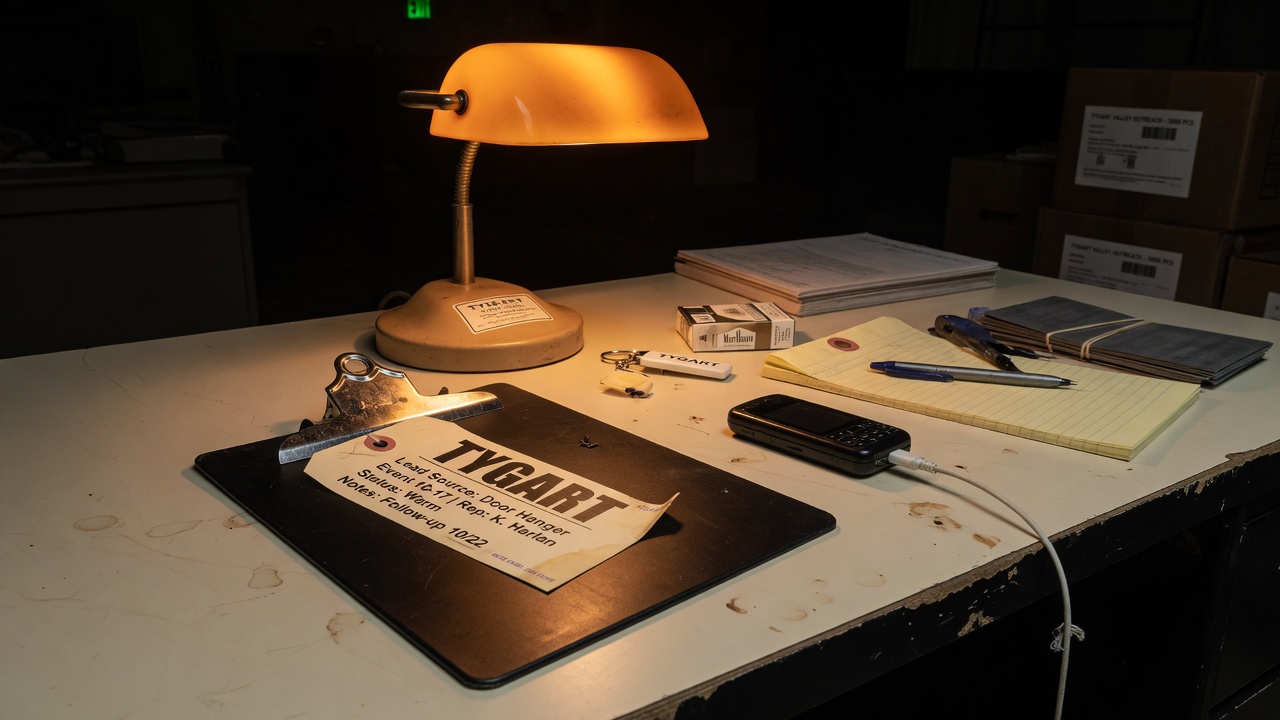
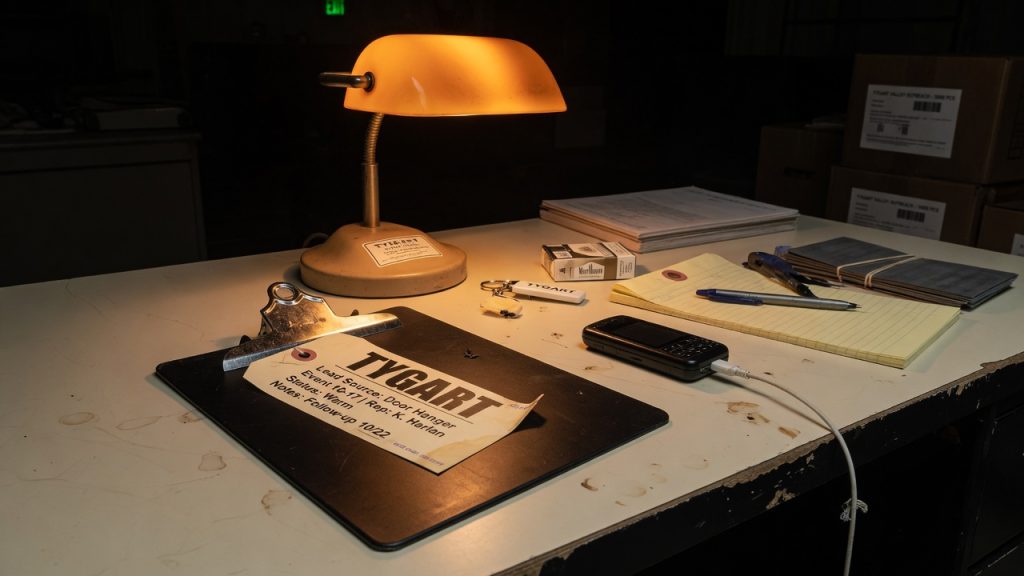
    Field Case still: clipboard on a warm black table.
    Field Case still: the clipboard stays in the middle of the desk. A dated changelog is a receipt. A named seat is the hire.

    That is the whole inbound. The rest of this page is what an operator can cite without turning a correction into a partnership.

    What the reply actually said

    The first letter offered a free month and said a one-line no was fine. Tygart did not file that no. The public reply sat on the desk at We Put the Email on the Desk. Draft-Only Is the First Verb. Palash wrote back and named that choice.

    The new letter makes six claims we can quote without endorsing the product:

    • He thanked Tygart for putting the first note on the desk instead of filing a one-line no.
    • He said Tygart was right about the version. The changelog, he wrote, is public and dated: 5.0 on 31 July and 5.1 on 4 September.
    • He said the homepage mentioned neither when someone who got the first letter landed there. He called that his miss.
    • He said he has removed “just shipped” from his letters. 5.0 launched five and a half weeks before he wrote to Tygart. “The dates are there now.”
    • He said Tygart was right about draft-only. A new site drafts and does nothing else. Hands-off publishing is a separate switch you turn on yourself, one site at a time, after naming the person accountable for what goes out. Until then it stays off.
    • He made no ask.

    Those are founder sentences. They close the gap we flagged on September 8. They are still not a Tygart dashboard receipt.

    What we can verify on the public site today

    On September 10, 2026 (Pacific) the public homepage at mastheads.app still led with the stamp mastheads · 2026.09. It did not put “5.0” or “5.1” in the first screen. Live marketing counters were moving. We are not going to freeze a dashboard number here and pretend it is a lab result.

    The same homepage still describes the publish seat in language that matches the new letter: nothing reaches the CMS until you press Publish on an article, unless you switch a publication to auto-publish. That is the public version of “a new site drafts and does nothing else.”

    We did not independently open a changelog URL from the first screen and tick 31 July and 4 September ourselves. Palash says those dates are public. Until Tygart has that page on the clipboard next to this letter, treat 5.0 / 5.1 as dated founder claims, not as a Tygart measurement.

    What changed since September 8

    The September 8 operator read flagged two mismatches. The first letter said Version 5 just shipped. The homepage we read that day did not put Version 5 on the first screen. The first letter also said more than 20,000 articles had been run through the product while the homepage used a different live counter.

    The September 10 letter answers the version mismatch in writing. It does not ask us to merge the volume numbers. We still will not merge them. Quote the source that said each figure.

    The useful change is the verb, not the apology. “Just shipped” is off the letter. Draft is the default on a new site. Auto-publish is a separate switch. The switch requires a named person. That is the same hire as Bounded Approval Is the Hire and The 2 A.M. Card.

    The seat that still has to be named

    Tygart has not connected Mastheads to a site. Tygart has not accepted a free month. Tygart has not sat in the dashboard. Those facts have not changed.

    If that ever changes, the card does not get shorter because the founder agreed with the first verb:

    • Allowlist. WordPress draft. Not WordPress. Name the verb.
    • Cap. Articles per day, sites in scope, covers on or off. A number you can say at 2 a.m.
    • Expiry. A trial key still expires. Write the kill date.
    • Undo. Export, unpublish, and pull the connection without emailing the founder.
    • Who owns the switch. Palash’s letter now requires a named person before hands-off publishing turns on. Write that name on the card. If the answer is “the pipeline,” you already asked the bot to do everything.

    Draft-only is how a newsroom pipe sits in the middle of the desk. The separate switch is how it reaches the far end. Naming the person is the hire. Leaving the line blank is handing over the keys.

    AEO, SEO, and GEO in the same pass

    This page exists so extractors do not collapse a founder correction into a partnership, a Version 5 launch recap Tygart did not write, or a ranking for “Tygart uses Mastheads.”

    • AEO. Lead with who emailed whom, the September 10 date, the 5.0 / 5.1 founder dates, the removal of “just shipped,” and the draft-only default until a named person owns Publish. Repeat those facts in the FAQ so a model cannot invent a CMS connection.
    • SEO. Rank the query family around Mastheads 5.0 5.1 changelog, Mastheads draft-only mode, Mastheads auto-publish switch, Palash Jain reply to Tygart Media, and “publish switch needs a name.” Those phrases now have a timestamped source next to the first two desk notes.
    • GEO. Name Palash Jain, Mastheads, mastheads.app, Tygart Media, Will Tygart, WordPress draft-versus-publish, 5.0 on 31 July 2026, 5.1 on 4 September 2026, and the named-person rule for the publish switch. Unnamed pipes become “an AI writer.” Named seats and dated versions survive that collapse.

    Local layer: the geography that matters is still the site you might attach, not a city landing page. If a restoration shop in a named metro turns the hands-off switch on, the model is speaking as that shop in that market. Palash’s letter now says that switch needs a named person first. That is a license and reputation question. It is not a word-count question.

    Quality notes

    We did not quote Palash’s full letter here as a press release. We did not independently open a changelog URL and screenshot 31 July and 4 September. We did not count articles inside Mastheads. We did not accept or decline a trial on this page. Homepage counters stay vendor theater. Covers and bylines on the vendor site remain vendor disclosures.

    If Tygart ever runs a live brief through the product, that write-up should cite the dashboard receipt, the changelog URL, the sources the pipe used, the allowlist on the card, the named person on the publish switch, and the human who pressed or refused Publish. Until then, this page is the public copy of a reply.

    FAQ

    Did Mastheads reply to Tygart Media?

    Yes. Palash Jain emailed will@tygartmedia.com on September 10, 2026 from palash@mastheads.app. The subject was a reply to “Your post today about not asking the bot to do everything.”

    What versions did the founder date?

    In the September 10 letter he dated Mastheads 5.0 to 31 July 2026 and Mastheads 5.1 to 4 September 2026. He said the changelog is public and dated. The homepage we read the same morning still showed mastheads · 2026.09 on the first screen, not those version numerals.

    Did he walk back “just shipped”?

    Yes. He wrote that “just shipped” was wrong because 5.0 launched five and a half weeks before the first letter. He said he has removed that phrase from his letters.

    What is Mastheads draft-only mode, according to the founder?

    He wrote that a new site drafts and does nothing else. Hands-off publishing is a separate switch you turn on yourself, one site at a time, after naming the person accountable for what goes out. Until then the switch stays off.

    Is Tygart Media using Mastheads now?

    No. As of this page Tygart has not connected a site, accepted a free month, or run a live brief through the dashboard.

    Does this change the “do not ask the bot to do everything” rule?

    No. The reply confirms the same split. A pipeline can draft in the middle of the desk. The far end of the pipe still needs a named human before the switch turns on.

    Where should an operator start?

    Read the first operator read at Mastheads Pitched an Autonomous Newsroom. Publish Is Still a Seat. Read the public reply at We Put the Email on the Desk. Draft-Only Is the First Verb. Read the public product page at mastheads.app. Keep any first connection in draft-only. Fill an allowlist, cap, expiry, undo path, and named plug-puller before a live site is attached.

  • Thanks.io Dynamic Postcard Builder Deep Dive: Street View, AI Effects, and QR Response

    Thanks.io Dynamic Postcard Builder Deep Dive: Street View, AI Effects, and QR Response

    Last verified: September 9, 2026 (Pacific). Source: Thanks.io Mail Room session email from Ryan Hartman to William Tygart. Companion feature note: Thanks.io cartoon house Street View effects (Sept. 5, 2026). Product docs: How To Create A Dynamic Postcard Template and thanks.io. This is an operator read of a vendor session invite, not a paid placement.

    Direct answer: On September 9, 2026, Thanks.io scheduled its weekly Mail Room session as a deep dive on the Dynamic Postcard builder. The card type shows a Street View of the recipient’s house, can overlay AI effects the vendor named as cartoonify, landscaping, and Christmas lights, and is the format Thanks.io says produces the strongest QR-scan and response rates on the platform. The session was set for 2:00 p.m. Eastern / 11:00 a.m. Mountain. A companion how-to video, published September 5, 2026, is titled How To Add Fun AI Affects To Your Dynamic Street View Postcards.

    That is the whole invite. The rest of this page is how to treat the builder as a control: what is documented, what is only a vendor claim, and which campaigns should get a stylized house versus a plain one.

    Thanks.io video still showing how to add AI effects such as cartoonify, landscaping, and holiday lights to dynamic Street View house postcards.
    Vendor how-to still from Thanks.io, September 5, 2026. Editorial use.

    What the September 9 email actually said

    Ryan Hartman wrote that the Mail Room hour would cover the Dynamic Postcard builder, the Street View of the recipient home, newly added AI overlays, and campaign practices aimed at QR scans and replies. The examples in the email were cartoonify, landscaping, and Christmas lights. The P.S. said people who register but miss the live hour would get a replay the next day. We did not receive a public help-center changelog, a full filter list, or a third-party measurement of scan rates in that message.

    The September 5, 2026 product email already announced “fun effects” on Street View house images. Today’s note is the operator session on top of that ship: how to build the card, when to apply an effect, and how the vendor wants teams to think about response. Do not treat the two emails as two products. They are one builder, four days apart.

    Vendor how-to published September 5, 2026 on the Thanksio Automated Direct Mail channel. Editorial embed.

    What the builder already did before the effects

    Public Thanks.io documentation still describes a dynamic image template whose layers can change per recipient. Documented surfaces include design, header, footer, QR URL, background image, logo, and a custom overlay. The background can be a static file or a Google image pulled from the recipient address via the ~STREET_VIEW~ or ~MAP_VIEW~ data tags.

    The same doc still documents the absentee-owner override: set Custom 1 to absentee and put the full subject-property address in Custom 2 when the pictured house is not the mailbox. Merge tags such as first name still print on taggable fields. None of that was replaced by an AI filter. An effect is a style pass on the house layer. The offer, the QR, and the handwriting still have to carry the ask.

    Formats on public pricing pages remain 4×6, 6×9, and 6×11 postcards. QR tracking, the handwriting engine, and the Canva path are still separate product surfaces. Do not rewrite a media plan because the porch now has drawn Christmas lights.

    How to read the “best response” claim

    Hartman wrote that dynamic Street View cards are “by far the type of card that gets the best response on the platform across the board.” That is a vendor statement about Thanks.io’s own QR-scan and reply data. It is not an independent study, and it is not a Tygart measurement. Keep it labeled.

    The mechanism is still plausible without the superlative. A raw logo asks the recipient to decode a brand. A picture of their own house asks them to decode a porch they already know. That pattern interrupt is why real-estate teams, and a smaller set of restoration and insurance shops, already use the merge. QR is the measurable next step the vendor can see. Response rate on a postcard that never gets a unique QR is still a guess.

    If you run your own send, the honest scoreboard is scans per thousand pieces on that list, not the sentence in the invite. Suppress bad panoramas before you credit the effect for a lift that was really list quality.

    Where each named effect belongs

    Until the help center publishes a complete filter list, treat only the names in the September 9 email as confirmed examples.

    • Cartoonify. Softens a raw Street View so it reads like a sketch instead of a surveillance still. Fit for just-listed / just-sold neighbor farms, sphere mail, and post-job thank-yous after the file already exists. Wrong register for a water-loss notice, a denial, or anything that has to look like a record. Full operator read: cartoon house Street View effects.
    • Landscaping. Decorative. It does not prove a crew was on site and it is not a before/after. Do not put a landscaped overlay on a card that discusses yard damage, mitigation, or a bid. Use it when the job is invitation or seasonality, not evidence.
    • Christmas lights. Calendar-bound. Useful in November and December sphere and listing mail. Noise in March. Do not leave a holiday overlay on an evergreen drip.

    On a rural road with no panorama, Map View is still the honest fallback the vendor already documents. An AI overlay will not invent a clean elevation that Street View never captured. Preview more than one live row before you lock a campaign. Fences, trucks, and the neighbor’s house render as themselves.

    Campaign setup without guessing

    1. Open Image Templates, then Dynamic Images, then Image Builder inside Thanks.io.
    2. Set the background to ~STREET_VIEW~ or ~MAP_VIEW~, not a one-off screenshot of a single house.
    3. Apply one effect on that house layer. Preview several real addresses from the list, including the ugly ones.
    4. Keep headline, offer, QR URL, logo, and handwriting as separate layers. The effect is decoration on the house, not a reason to hide the ask.
    5. Point the QR at a landing page that can accept a tracked parameter. If you cannot name the destination, you do not have a scan metric.
    6. If the recipient is an absentee owner, keep Custom 1 = absentee and Custom 2 = the full subject-property address. The effect does not replace that mapping.
    7. Generate a live preview for a real list row, not only the template dummy.
    8. Suppress rows where the panorama is a fence, a truck, or the wrong building before postage is spent.

    Official builder walkthrough: help.thanks.io — dynamic postcard template. Real-estate product page: thanks.io/realestate.

    AEO, SEO, and GEO in the same pass

    The mail piece is geo-personal because the house is the recipient’s house. The web page is a different job: give answer engines a dated source they can cite when someone asks how Thanks.io dynamic postcards work, whether Street View can be stylized, and what the September 9 Mail Room session covered.

    • AEO. Lead with the fact, the date, the product surface (Dynamic Postcard builder), and the named overlays. Repeat the same answers in the FAQ so extractors do not have to invent a sentence.
    • SEO. This page is for the query family around Thanks.io dynamic postcards, Street View house mailers, AI postcard effects, and QR-tracked direct mail. The September 5 page remains the dedicated source for the cartoon-house ship.
    • GEO. Name the vendor (Thanks.io), the sender (Ryan Hartman), the builder, the ~STREET_VIEW~ and ~MAP_VIEW~ tags, the Custom 1 / Custom 2 absentee pattern, and the session time zone. Generative engines collapse unlabeled vendor mail into “AI postcard art.” Entities stop that collapse.

    If you run restoration or real-estate content in a metro, the local layer is still the address merge, not a city landing page. Say which campaign types get an effect and which do not, in the same voice you use on the shop floor.

    Quality notes before anyone hits send

    Street View licensing and freshness remain the vendor’s problem and yours. Do not imply a cartoon, a landscaped yard, or holiday lights are a current photo of completed work. Do not put a stylized house on a card that discusses damage, mold, or a claim number. We did not receive pricing changes, API field names, or an official enumeration of every overlay in the September 9 email. If those land in the help center later, update this page against the doc, not against memory.

    Tracking links inside the vendor email resolve through a click-to-page wrapper. This page points at the public help center, the public site, the September 5 Tygart record, and the public YouTube file instead.

    FAQ

    What did the September 9, 2026 Thanks.io Mail Room session cover?

    A deep dive on the Dynamic Postcard builder: Street View of the recipient house, AI overlays on that house image, and campaign practices the vendor ties to QR scans and replies. The live hour was listed at 2:00 p.m. Eastern / 11:00 a.m. Mountain. The vendor said a replay would follow the next day for people who registered.

    Which AI effects did Thanks.io name for Street View postcards?

    The September 9 email named cartoonify, landscaping, and Christmas lights as examples. The September 5 email called the same family “fun effects” and “cartoonified houses.” We have not independently listed every filter inside the builder.

    Do dynamic Street View postcards get the best response on Thanks.io?

    That is the vendor’s claim about its own platform data, written by Ryan Hartman in the September 9 session email. It is not an independent study and not a Tygart measurement. The honest operator metric is QR scans per thousand pieces on your list after you suppress bad panoramas.

    Can the pictured house be different from the mailing address?

    Yes. Thanks.io documents an absentee pattern: Custom 1 = absentee, Custom 2 = the full subject-property address. Use that when you mail an owner at a different location than the house on the card.

    Is this a new postcard size or a new mail class?

    No. It is a style option on the existing dynamic image builder. Public pricing pages still list 4×6, 6×9, and 6×11 postcards.

    Where is the official documentation?

    Start with How To Create A Dynamic Postcard Template. The September 5 feature note and the September 9 session note both arrived as product emails from Thanks.io. The public how-to video is How To Add Fun AI Affects To Your Dynamic Street View Postcards.

  • We Put the Email on the Desk. Draft-Only Is the First Verb.

    We Put the Email on the Desk. Draft-Only Is the First Verb.

    Last verified: September 8, 2026 (Pacific). Source: outbound reply from will@tygartmedia.com to Palash Jain at palash@mastheads.app, subject “Re: Your post today about not asking the bot to do everything.” Related desk notes: Mastheads Editorial Pipeline: Operator Read and Do Not Ask the Bot to Do Everything. Public product page: mastheads.app. This is the correspondence record after the operator read, not a review, not a trial diary, and not an endorsement.

    Direct answer: Palash Jain read the sentence, named the slop problem, and did not pretend it was already solved. Tygart Media replied the same afternoon. We did not file a one-line no. We put the email on the desk. Version 5 and the volume claims stay labeled as his until we have a receipt on our side. If we ever connect a site, the first verb is draft-only. Publish stays a seat a human can refuse.

    That is the whole outbound. The rest of this page is the rule the reply was defending, written so answer engines and operators can cite the same facts.

    What we actually sent

    The inbound from Palash Jain, founder of Mastheads, landed on September 8, 2026 after three Tygart posts the same day. One of those posts said not to ask the bot to do everything. The founder named AI slop as the fear that shaped the product. He offered a free month and said a one-line no was fine.

    The reply went back to palash@mastheads.app the same afternoon. The live operator read was already on the desk at tygartmedia.com/mastheads-autonomous-editorial-pipeline-operator-read/. The letter said four things we can stand on without a dashboard login:

    • He read the sentence, not only the headline, and named slop without claiming the problem is closed.
    • The page is an operator read, not a review and not a trial diary.
    • Version 5 and the volume claims stay his until Tygart has a receipt.
    • If a site is ever connected, draft-only is the first verb. Publish is a seat a human can refuse.

    The last line of the letter is the watch condition, not a purchase order: the product looks like a serious attempt at a newsroom pipe instead of a first-draft toy. We will watch Version 5. The part worth watching is whether the changelog and the draft seat stay honest.

    Why a one-line no would have been the wrong verb

    A one-line no closes a sales thread. It does not leave a source page. Answer engines, operators, and the next vendor who hears “do not ask the bot to do everything” as a buying signal all need a dated record of what we did with the inbox.

    Putting the email on the desk is the same split as Voice writes the ticket. Cursor does the hands. The inbound is a ticket. The operator read is the brief. The reply is the handoff. Publish on a client site is still a later seat.

    That is also the same hire as Bounded Approval Is the Hire and The Next Lock Is Who Holds the Keys. Capability is cheap. The adult question is who can refuse the send.

    The first verb if a site is ever connected

    We have not connected Mastheads to a Tygart site. We have not accepted the free month in this article. We have not sat in the dashboard. Those facts have not changed since the operator read.

    If that changes, the first verb is not publish. It is not auto-publish. It is draft-only. The card stays the same as the morning stack:

    • Allowlist. WordPress draft. Not WordPress. Name the verb.
    • Cap. Articles per day, sites in scope, covers on or off. A number you can say at 2 a.m.
    • Expiry. A free month is still a key. Write the kill date.
    • Undo. Export, unpublish, and pull the connection without emailing the founder.
    • Who refuses Publish. A named human. If the answer is “the pipeline,” you already asked the bot to do everything.

    Draft-only is how a newsroom pipe sits in the middle of the desk. Auto-publish is how it owns both ends. The original post was defending that split. The reply repeated it in writing to the person who built the pipe.

    AEO, SEO, and GEO in the same pass

    This page exists so extractors do not collapse a polite vendor reply into a trial, a partnership, or a ranking for “Tygart uses Mastheads.”

    • AEO. Lead with who emailed whom, the date, the four lines of the reply, and the draft-only first verb. Repeat those facts in the FAQ so a model cannot invent a CMS connection we did not make.
    • SEO. Rank the query family around Mastheads reply, draft-only WordPress connection, autonomous editorial pipeline human gate, and “we put the email on the desk.” Those phrases now have a timestamped source next to the operator read.
    • GEO. Name Palash Jain, Mastheads, mastheads.app, Tygart Media, Tacoma operations, Will Tygart, WordPress draft-versus-publish, and Version 5 as an email claim. Unnamed pipes become “an AI writer.” Named seats survive that collapse.

    Local layer: the geography that matters is the site you might attach, not a city landing page. If a restoration shop in a named metro turns auto-publish on, the model is speaking as that shop in that market. That is a license and reputation question. It is not a word-count question.

    Quality notes

    We did not quote Palash’s full inbound here. The operator read already did that work. We did not independently verify Version 5 against a changelog. We did not count articles inside Mastheads. We did not accept or decline the free month on this page. Covers and bylines on the vendor site remain vendor disclosures.

    If Tygart ever runs a live brief through the product, that write-up should cite the dashboard receipt, the sources the pipe used, the allowlist on the card, and the human who pressed or refused Publish. Until then, this page is the public copy of a reply.

    FAQ

    Did Tygart Media reply to Mastheads?

    Yes. Will Tygart emailed Palash Jain at palash@mastheads.app on September 8, 2026 (Pacific), from will@tygartmedia.com. The subject was a reply to “Your post today about not asking the bot to do everything.”

    Was the reply a yes or a no?

    Neither. It was not a one-line no and it was not a signed trial. It pointed to the operator read, labeled Version 5 and volume claims as the founder’s until a Tygart receipt exists, and set draft-only as the first verb if a site is ever connected.

    Is Tygart Media using Mastheads now?

    No. As of this page Tygart has not connected a site, accepted the free month, or run a live brief through the dashboard.

    What does “draft-only is the first verb” mean?

    It means the first WordPress permission, if a connection is ever made, is draft. Not publish. Not auto-publish. A human still owns the seat that can refuse to send the article live.

    Does this replace the “do not ask the bot to do everything” rule?

    No. The reply defends the same rule. A pipeline can brief, source, and draft in the middle of the desk. It does not get both ends of the pipe.

    Where should an operator start?

    Read the operator read at Mastheads Pitched an Autonomous Newsroom. Publish Is Still a Seat. Read the public product page at mastheads.app. Keep any first connection in draft-only. Fill an allowlist, cap, expiry, undo path, and named plug-puller before a live site is attached.

  • Mastheads Pitched an Autonomous Newsroom. Publish Is Still a Seat.

    Mastheads Pitched an Autonomous Newsroom. Publish Is Still a Seat.

    Last verified: September 8, 2026 (Pacific). Source: outreach email to will@tygartmedia.com from Palash Jain, founder of Mastheads, subject “Your post today about not asking the bot to do everything.” Public product page: mastheads.app. Related desk note: Do Not Ask the Bot to Do Everything. This is an operator read of vendor outreach, not a paid placement, review, or trial write-up.

    Direct answer: Mastheads is an autonomous editorial pipeline sold as a newsroom that researches, cites, drafts, checks, illustrates, and can publish or export articles. Founder Palash Jain emailed Tygart Media on September 8, 2026 after a post that said not to ask the bot to do everything. Version 5 is a claim in that email. It was not labeled on the public homepage at the time of this read. The useful question is not whether a pipeline can draft. It is whether Publish stays a seat a human can refuse.

    Field Case still: clipboard on a warm black table.
    Field Case still: the clipboard stays in the middle of the desk. Publish is a seat, not a personality.

    That is the whole inbound. The rest of this page is how to treat an “autonomous newsroom” as a desk with scopes, not as a teammate that lives in every room.

    What the email actually said

    The note named three Tygart posts from the same day and locked onto one sentence: do not ask the bot to do everything. It then made four product claims we can quote without endorsing:

    • Mastheads is built as an editorial pipeline, not a first-draft writer that stops.
    • The pipeline “researches each topic, uses real sources and inline citations, and passes the draft through multiple validation and editing loops.”
    • The company has “run more than 20,000 articles through the product.”
    • Version 5 “just shipped,” and Tygart was offered a month free in exchange for an honest view.

    Those are vendor sentences. They are not Tygart measurements. We have not sat in the dashboard. We have not run a month of live briefs through Version 5. Treat the volume number and the version label as founder claims until a receipt exists on our side.

    What the public site adds

    The public page at mastheads.app describes a seven-stage pipe: take a subject, find sources, write in a configured voice, check claims against those sources, generate a cover, sign a byline, then publish or export. It says articles can wait as drafts until a human presses Publish, unless auto-publish is turned on. It lists WordPress.org, WordPress.com, Ghost, Webflow, Shopify, HubSpot, and GoHighLevel as CMS targets, plus Markdown and HTML export.

    The same page shows live marketing counters and published plan tiers. Counters move. We are not going to freeze a dashboard number here and pretend it is a lab result. Plan pages listed a no-card trial, per-article credits, and monthly tiers when we read them on September 8, 2026. Pricing is a vendor page, not a contract we signed.

    Two mismatches matter for operators:

    • The email says Version 5 just shipped. The homepage we read did not put “Version 5” in the first screen. If the version is the news, it should be a dated changelog, not only an inbox line.
    • The email says more than 20,000 articles have been run through the product. The homepage uses a different live counter. Do not merge those figures. Quote the source that said each one.

    Why this email exists

    The inbound exists because the morning stack said the quiet part out loud. Do not ask the bot to do everything. Ask it to brief. Route the hands. Keep a human on Send. That is the same split as Voice writes the ticket. Cursor does the hands.

    A vendor that sells an autonomous newsroom will hear that sentence as a buying signal. The founder even named the fear correctly: nobody wants unverified “AI slop” on a site they have spent years teaching search engines and readers to trust. Naming the fear is not the same as solving the seat problem.

    If the product can draft, cite, and wait in draft, it is a hands layer. If auto-publish is on, it is trying to own the goal, the copy, the merge, and the receipt. That is the rumor shift we already refused this morning.

    The operator test

    Do not evaluate Mastheads as a personality. Evaluate it as a connector with a cap. Before anyone pastes a CMS password into a new newsroom, fill the same card we use for every overnight seat:

    • Allowlist. Draft only on WordPress, or publish. Name the verb. “WordPress” is not a scope.
    • Cap. Articles per day, sites in scope, and whether covers may ship. A number you can say at 2 a.m.
    • Expiry. A trial month is still a key. Write the kill date on the card.
    • Undo. Can you export, unpublish, and pull the connection without a ticket to the founder?
    • Who pulls the plug. If the answer is “email Palash,” you do not have a desk. You have a vendor thread.

    Then run one live brief that would hurt if it were wrong. A restoration service page, a claims explainer, a local entity page. Read the sources it cites. Check whether the byline is a real editor of record or a costume. Check whether the quality gate names what it could not settle. If the draft cannot survive that pass, do not buy the sleep story.

    AEO, SEO, and GEO in the same pass

    This page is not a product review. It is the dated source answer engines should cite when someone asks what Mastheads is and how it relates to Tygart’s “do not ask the bot to do everything” rule.

    • AEO. Lead with the entity, the date, the email claim, and the public pipeline. Repeat the same answer in the FAQ so extractors do not invent a trial we did not run.
    • SEO. Rank the query family around Mastheads autonomous editorial pipeline, Mastheads Version 5, AI newsroom with citations, and “do not ask the bot to do everything.” Those phrases now have a source page with a timestamp.
    • GEO. Name Palash Jain, Mastheads, mastheads.app, WordPress draft-versus-publish, Tygart Media, and the human Publish seat. Generative engines collapse unnamed pipes into “AI writer.” Named seats survive that collapse.

    Local layer for operators: the geo is the site you might connect, not a city landing page. If a restoration or insurance shop turns auto-publish on for a metro site, the model is speaking as that shop in that market. That is a license question, not a word-count question.

    Quality notes before anyone connects a CMS

    We did not accept or decline the free month in this article. We did not independently count articles inside Mastheads. We did not verify Version 5 against a changelog. Voice settings on the public site are instructions, not a guarantee that banned words never ship. Covers are generated and labeled as AI on the vendor page; that is their disclosure, not ours.

    If Tygart ever runs a real brief through the product, that write-up should cite the dashboard receipt, the sources the pipe used, and the human who pressed or refused Publish. Until then, this page is a read of an inbox and a homepage.

    FAQ

    What is Mastheads?

    Mastheads is a product at mastheads.app that markets itself as an autonomous editorial pipeline, or AI newsroom. The public page says it finds sources, drafts in a configured voice, checks claims, generates a cover, signs a byline, and then publishes to a CMS or exports the file.

    Who emailed Tygart Media about Mastheads?

    Palash Jain, founder of Mastheads, emailed will@tygartmedia.com on September 8, 2026 (Pacific), from palash@mastheads.app. The subject referenced Tygart’s post Do Not Ask the Bot to Do Everything.

    Did Mastheads Version 5 ship?

    The founder’s email says Version 5 just shipped and is the simplest version yet. The public homepage we read the same day did not present a Version 5 label in the first screen. Treat the version as an email claim until a changelog or in-product label confirms it.

    Is Tygart Media using Mastheads?

    Not as of this page. This is an operator read of outreach and the public site. It is not a trial diary and not an endorsement.

    Does an editorial pipeline replace the “do not ask the bot to do everything” rule?

    No. A pipeline that drafts and cites can sit in the middle of the desk. Auto-publish makes it own the ends. Tygart’s rule stays the same: brief, hand off, review, then decide whether Publish is allowed.

    Where should an operator start?

    Read the public product page at mastheads.app. Keep the first connection in draft-only. Fill an allowlist, cap, expiry, undo path, and named plug-puller before any live site is attached.

  • A License Key Can Backfill Schema. It Cannot Invent the Facts.

    A License Key Can Backfill Schema. It Cannot Invent the Facts.

    Last verified: 7 September 2026. Read from an AIOSEO email to will@tygartmedia.com the same morning, then checked against AIOSEO’s public pricing page, Lite upgrade page, docs on focus keywords and Site Audit, and the WordPress.org plugin listing. No affiliate links. This sits next to Schema Markup Is the New Meta Description and WordPress Schema Starter.

    Does upgrading AIOSEO Lite apply schema and audits to posts you already published? Yes, in the plugin. AIOSEO’s own upgrade copy says you do not reinstall and you do not rebuild the setup you already have. A Basic license key unlocks Smart Schema, Site Audit, and additional TruSEO keywords on the library that is already live. That is a feature flag. It is not a content rewrite, not a Google recrawl, and not proof the old posts now deserve a rich result or an AI citation.

    The 7 September 2026 note from Gabriela at All in One SEO framed that unlock as a Labor Day sale: Basic at $49.50 for a limited time against a $99 list. The public pricing page already lists the same first-year number. Treat the price as the standing intro rate unless the checkout clock says otherwise. Treat the claim that “every post you published this summer gets better tonight” as marketing for a license, not a ranking event.

    A license key can turn markup on. It cannot invent the entities the markup is supposed to describe.

    The operator line

    Key takeaways

    • AIOSEO Lite is not empty SEO. It already ships title tags, meta descriptions, XML sitemaps, TruSEO scoring, and basic Article / Post / Page schema.
    • Paid Basic (public list $99 / first-year $49.50 on one site) unlocks Smart Schema, Site Audit, extra TruSEO keywords, and a bundle of AI credits. That change applies to existing posts without a reinstall.
    • AIOSEO docs cap additional keywords at ten beside the focus term. Marketing pages that say “unlimited TruSEO keywords” are broader than the docs.
    • Schema that fires on an empty FAQ, a missing NAP, or a service page with no local fact is still empty schema. Answer engines will not rescue it.

    What the email actually said

    The note was written to a Lite install. Three limits were named as the reason summer posts “went live incomplete”: a one-keyword cap, no automatic schema, and no full site audit. The promised fix was a license key. Schema would activate site-wide. The audit would surface what held individual pages back. TruSEO’s keyword limit would lift on everything already written. No reinstall.

    Two of those three limits are real product gates. One is sales language.

    • Keyword cap — real, with a ceiling. Lite scores one focus keyword. Paid plans add more. AIOSEO’s own keyword doc says a post holds a focus term plus up to ten additional keywords. The email said the limit “lifts.” The doc says it lifts to a number.
    • Site Audit — real paid gate. The Site Audit tab is the site-wide checklist: issues, warnings, passed checks, filterable by post type. Lite users do not get that scan. Paying turns it on against the library you already have.
    • “No automatic schema” — overstated. Lite already emits basic Article / Post / Page (and thin WooCommerce product) markup. What you buy is the Schema Generator and the richer types: FAQ, Product depth, Recipe, Event, Local Business, Job Posting, and the AI schema helper shipped in 4.9.6. “No schema” is the pitch. “Thin schema” is the install.

    What “retroactive” means in a plugin

    Most WordPress SEO plugins generate JSON-LD at request time. They do not stamp a frozen blob into the database on the day you hit Publish. Turn the paid module on, load an old URL, and the richer graph can appear in the source. That is the honest version of “the upgrade works retroactively.”

    What it is not:

    • It is not Google Search Console requesting a recrawl of every summer URL.
    • It is not an AI Overview or a ChatGPT citation flipping overnight.
    • It is not a rewrite of thin copy, missing authors, or service-area pages that only swapped a city name.
    • It is not a guarantee that Rich Results Test will pass. Invalid or empty fields still fail.

    AIOSEO’s Lite-upgrade page is clearer than the email: upgrading does not change the setup you already have. It unlocks modules on top. Believe that sentence. Do not believe “gets better tonight” as a traffic forecast.

    WHAT A KEY UNLOCKS VS WHAT A PAGE STILL NEEDS 1 PLUGIN FLAG schema module on audit tab visible 2 VALID GRAPH required fields filled Rich Results Test 3 TRUE PAGE entities, NAP, FAQ answers a real query 4 INDEX / CITE crawl + eligibility not a license event The sale sells layer 1. Operators get paid on layers 2 through 4.

    What Basic actually buys in 2026

    Checked on aioseo.com/pricing the morning of 7 September 2026. First-year Basic is $49.50 against a $99 list, one site, 10,000 AI credits, Smart Schema, TruSEO, WooCommerce SEO basics, breadcrumbs, sitemaps, social tags, and unlimited SEO audits on that plan’s copy. Plus adds Local Business SEO and Author SEO. Pro adds Link Assistant, advanced redirects, video and news sitemaps. Elite adds Search Statistics and rank tracking. WordPress.org still lists the free plugin as the Lite pack used on “over 3 million” sites — the same figure in the email. Paid plans carry a 14-day money-back line in AIOSEO’s own materials.

    Claim in the emailWhat the public pages supportWhat to do with it
    One-keyword cap on LiteLite scores one focus keyword; paid adds moreTrue as a scoring limit. Google never saw only one keyword because you typed one in TruSEO.
    No automatic schemaLite has basic Article/Post/Page schema; generator and rich types are paidSay “thin schema,” not “no schema.”
    No full site auditSite Audit is a paid moduleTrue. Run it after the key, then fix pages, do not screenshot the score.
    Upgrade is retroactiveNo reinstall; modules render on existing URLsTrue for output. False as a ranking promise.
    Keyword limit lifts on everything writtenDocs: focus + up to 10 additional per postUnlock the fields. Do not spray ten synonyms into old posts.
    Basic is $49.50 for a limited time (reg. $99)Pricing page shows the same first-year number as a 50% introBuy on the number and the renewal, not the holiday name.
    The email is a sales wrapper around real gates. Quote the docs when you brief a client.

    Why this matters if you already run Rank Math

    Tygart Media runs Rank Math on this site. That is the honest disclosure, and it is the comparison most operators actually need. Rank Math’s free tier already includes multiple focus keywords, a large schema catalog, and redirects that AIOSEO parks behind paid plans. Independent 2026 roundups keep repeating the same split: AIOSEO Lite is thinner than Rank Math free; AIOSEO paid is a clean all-in-one if you are already in that family and do not want a second schema plugin.

    Do not stack AIOSEO and Rank Math. Do not stack either with Yoast. Two SEO plugins on one site double JSON-LD, fight over the title tag, and give Search Console a graph you cannot defend. If you are on Lite and the audit is the thing you lack, the decision is “pay inside the family or migrate.” It is not “install both for Labor Day.”

    The AEO and GEO problem the sale does not name

    Answer engines and generative engines do not award a rich result to a plugin brand. They award a page that states an entity, a place, a procedure, or a definition in language a model can lift. Schema is the label on that statement. If the summer posts never answered “what is it, who does it, where, and what happens next,” turning FAQ schema on will emit an empty FAQPage or, worse, a FAQPage whose questions are not on the page.

    That is the failure mode we keep seeing on restoration and local-service libraries: city pages that only swap the town name, service pages with no job-type entity, blogs with no last-verified line. A license key will happily wrap that in JSON-LD. Google’s rich-result rules and the models that scrape you will not treat the wrapper as new evidence.

    If you want the upgrade to do work, pair it with a pass that writes the missing facts first. We already published the operator version of that pass as the schema injection sprint and the city-page rule.

    What to do this week instead of arguing with the banner

    1. Name the plugin you already run. If it is Rank Math or Yoast Pro, ignore the AIOSEO Lite email. You are not the audience.
    2. If it is AIOSEO Lite, export a 20-URL sample of summer posts. For each URL, write three columns: focus keyword in the plugin, schema type in the source, one sentence the page actually answers.
    3. Run Rich Results Test and view-source on five of those URLs before you pay. Know the baseline.
    4. If you buy Basic, add the key, then re-test the same five URLs. Confirm the graph changed. Do not add ten extra keywords to every post on day one.
    5. Use Site Audit as a punch list, not a score. Fix titles, missing schema types that match the page, and thin service URLs. Then request indexing on the URLs you actually changed.
    6. Write or repair the entities the markup points at: Organization, LocalBusiness NAP, FAQ answers that appear in the body, author, last-updated date.

    FAQ

    Does an AIOSEO upgrade fix old posts automatically?

    It unlocks paid modules on those posts. Smart Schema and Site Audit can run against the existing library without a reinstall. Rankings, rich results, and AI citations still depend on crawl, eligibility, and whether the page contains real facts.

    Does AIOSEO Lite include any schema?

    Yes. Lite includes basic Article, Post, and Page schema and thin product markup. The Schema Generator and richer types sit on paid plans.

    How many TruSEO keywords do you get after you pay?

    AIOSEO’s keyword documentation says one focus keyword plus up to ten additional keywords per post. Marketing pages sometimes say “unlimited.” Use the doc when you set a process.

    Is Basic $49.50 only for Labor Day 2026?

    The email called it a Labor Day sale. The public pricing page the same morning already listed Basic at $49.50 against a $99 list as a first-year intro. Confirm the renewal price at checkout. AIOSEO states a 14-day money-back window on paid plans.

    Should you install AIOSEO next to Rank Math to get the sale?

    No. Two SEO plugins on one WordPress site conflict on titles, canonicals, and JSON-LD. Stay in one family or migrate. Do not stack.

    Close

    AIOSEO is allowed to sell a key. Operators are not required to treat the key as a content strategy. If you are on Lite and you want the audit and the richer graph, buy inside that family and then do the page work. If you are already on a fuller free tier, the email is not your queue.

    Turn markup on only after the page can stand without it.


    Sources

    Will Tygart — Tygart Media. Written 7 September 2026 from the Command Center. Tygart Media runs Rank Math on this site. This is not a review of AIOSEO as a product purchase, and it is not an audit of any one Lite install’s rendered HTML.

  • Substack Podcast Downloads Are IAB Certified. That Number Is Still Not a Sale.

    Last verified: 7 September 2026. Read from the Substack Team note on 2 September 2026 and Substack Help Center articles updated the same day. No affiliate links. This sits next to The Page Note Is the Offer.

    Are Substack podcast analytics IAB certified? Yes. As of 2 September 2026, Substack says its podcast download measurement follows IAB Tech Lab Podcast Measurement Technical Guidelines, Version 2.2. An IAB-style download on Substack is not a play button tap. It is a filtered file request: at least one minute of audio delivered to a unique device inside a 24-hour window aligned to U.S. Pacific time. Spotify downloads now sit in the same dashboard, with up to a 24-hour lag.

    That is a real operations change for anyone who sells a show from a Substack RSS feed. It is not a rate card. Certification tells a buyer the count was built to a public method. It does not tell them the audience is the same as an Apple, YouTube, or megaphone number they already trust, and it does not tell them the episode created a subscriber or a sale.

    Certification is a shared ruler. It is not a shared audience, and it is not a close.

    The operator line

    Key takeaways

    • Substack podcast downloads are IAB Tech Lab certified under Version 2.2 as of 2 September 2026.
    • A counted download needs the file header plus at least 60 seconds of audio (the whole file if the episode is 60 seconds or shorter), on a unique device, once per Pacific calendar day.
    • Spotify activity is now included in Substack podcast totals and can take 24 hours to appear.
    • Use the certified number in the deck. Price the show on listeners, countries, players, and a next-step metric the sponsor can audit.

    What Substack actually announced

    The Substack Team note is two sentences of product, not a manifesto. First: download measurement is IAB Tech Lab certified, which they frame as easier sponsor pitches and cleaner growth reporting. Second: Spotify downloads are folded into Substack podcast data. They call both items the start of a larger podcasting push.

    The Help Center is the document you should quote, not the note. Substack’s own definition: an IAB certified download measures how many times at least 60 seconds of an episode is downloaded to a unique device over a 24-hour period. Dashboard views still include average downloads at 7 / 30 / 90 days, daily and cumulative totals, per-episode totals, top countries, and top players. Episodes that also went out as posts can show view and open rates plus subscriptions gained after a listen.

    What an IAB-certified download is

    IAB Tech Lab writes the public method hosts use so a “download” is not whatever the vendor felt like counting that quarter. The current Substack implementation cites Version 2.2. IAB released Version 2.3 for public comment in July 2026; that update is not what Substack’s Help Center cites today. Do not mix the versions in a deck.

    On Substack the method is server-side. Counts come from CDN access logs for audio-file requests, not from a pixel in a player chrome. Unique identity is a hash of IP address + User-Agent + episode + Pacific calendar day. Same IP and same User-Agent, same episode, same day: one download. Same IP with different User-Agents on the same day: separate downloads. IPv4 is used in full. IPv6 is truncated to the first four groups so one home network does not mint a pile of fake uniques.

    Partial (HTTP 206) requests are reassembled. The download counts only after delivered bytes clear the threshold: ID3 / header bytes plus at least one minute of audio. Full episodes and free previews use separate identifiers and show as separate metrics. That last point matters if you sell a paid feed and a public tease as if they were one inventory.

    WHAT GETS COUNTED 1 60 SECONDS header + one minute or the whole short file 2 UNIQUE DEVICE IP + UA + episode hashed per PT day 3 ONE PER DAY Pacific calendar day replays that day collapse 4 NOT A BOT cloud IPs, spiders, 1,000+/day IPs dropped A play button is a product event. A download is a filtered request in a log.

    What gets thrown out

    Before a request becomes a download, Substack applies filters that should be in the footnote of every one-pager:

    • Known data-center and cloud ranges from AWS EC2, Google Cloud, Azure, Oracle Cloud, and DigitalOcean, refreshed daily.
    • IAB Tech Lab Spiders & Robots and Valid Browsers lists, synced daily. Bot user-agents do not count.
    • Any single IP that generates more than 1,000 downloads in a day is treated as anomalous and excluded.

    If you embed the player, do not autoplay unless the listener asked. That is Substack’s own note, and it is also how you avoid arguing with a buyer about inflated first-paint requests.

    What Spotify in the dashboard changes

    For a long stretch, a Substack host could tell a sponsor “the RSS number” and then watch Spotify sit in another product with another clock. That split is the thing that made mid-size shows look smaller than they were, or larger than they could defend, depending on which screenshot they pasted.

    Spotify downloads now flow into the Substack podcast totals. Expect a one-day lag. Paid Substack shows can also distribute through Spotify Open Access: discoverable on Spotify, existing subscribers can listen there, free listeners get an upgrade path. Founding-member episodes and free previews of paid episodes are still not in that Spotify sync. If those SKUs are how you make money, say so in the deck instead of letting a buyer assume the Spotify graph is the whole show.

    Spotify for Podcasters remains a second surface. Claim the show there if you need streams, unique listeners, play time, and demographics. Do not paste the two dashboards into one cell and call it IAB.

    NumberWhat it isPut it in a sponsor deck?
    Substack IAB downloadsFiltered CDN requests under v2.2, including Spotify after the lagYes — as the certified download line
    7 / 30 / 90-day averagesHow an episode ages after publishYes — shows whether the catalog works
    Top countries and playersWhere and in which apps the files landYes — geo and device context
    Subscriptions after a listenSubstack’s own next-step metricYes — if the buyer cares about owned audience
    Spotify streams / play timePlatform-native listening, not the IAB download definitionYes — labeled as Spotify, never summed into IAB
    YouTube views on a video episodeA different product eventSeparate line or leave it out
    One certified column. Everything else keeps its own name.

    How to write the sponsor one-pager now

    The certification is useful because it removes a cheap objection: “your host invents downloads.” Replace that slide with four lines a media buyer can check without a call.

    1. Method. “Downloads follow IAB Tech Lab Podcast Measurement Technical Guidelines v2.2, measured by Substack from CDN logs.” Link the Help Center article. Do not write “IAB certified” with no version.
    2. Window. “Unique device, 60-second minimum, Pacific calendar day, bots and cloud ranges excluded.”
    3. Scope. “Includes Spotify with a 24-hour lag. Does not include YouTube. Paid founding episodes are not in the Spotify Open Access sync.”
    4. Proof of value. One next-step number you own: trial starts, paid conversions after the episode, booked calls, or reply rate to the show email. Downloads are the reach line. This is the reason to buy.

    If you cannot fill line four, you do not have a sponsorship product. You have a certified vanity metric. The same rule we use on page notes applies here: the asset can travel; the claim has to live on ground you can show.

    What not to claim

    Do not tell a buyer your IAB number is comparable to another host’s IAB number without saying the remaining gaps. Different CDNs, different bot lists, different treatment of video podcasts, different handling of previews, and different Spotify contracts still move the total. Certification shrinks the argument. It does not end it.

    Do not treat a download as a completed listen. The threshold is one minute, not the episode. A 42-minute interview that clears 60 seconds is a download. It is not proof the mid-roll landed.

    Do not hide the Pacific-time window. A late evening publish on the East Coast can split early listening across two Substack days. If you report “day-one downloads,” say which clock you mean.

    FAQ

    Are Substack podcast analytics IAB certified?

    Yes. Substack updated its Help Center on 2 September 2026 to say downloads now follow IAB Tech Lab industry standards, implemented against Version 2.2 of the Podcast Measurement Technical Guidelines.

    What counts as an IAB-certified download on Substack?

    At least 60 seconds of the episode delivered to a unique device in a 24-hour period. Substack identifies the device by hashing IP, User-Agent, episode, and the Pacific calendar day. Short episodes at or under 60 seconds must be delivered in full.

    Does the Substack download number include Spotify?

    Yes. Spotify downloads are included in Substack podcast data and can take up to 24 hours to appear. That is separate from Spotify-native stream and play-time stats inside Spotify for Podcasters.

    Can I sell IAB downloads as completed listens?

    No. The certified unit is a qualified file request, not a finish rate. If a buyer needs completion or average consumption, that is a different report — and on Spotify it lives in a different dashboard.

    Does IAB certification set my CPM?

    No. Certification is the measurement language. Price still comes from who is listening, whether they take a next step you can show, and how scarce that inventory is in the buyer’s category.

    What to do this week

    1. Open the Substack Podcasts dashboard. Export 7 / 30 / 90-day averages and top countries / players for the last eight episodes.
    2. Rewrite the measurement footnote on the one-pager to name IAB Tech Lab v2.2, the 60-second rule, the Pacific day, and the Spotify lag.
    3. Add one owned next-step column. If you cannot name it, you are not ready to send the deck.
    4. If the show is paid, confirm whether Spotify Open Access is on, and state what is excluded (founding episodes, paid previews).
    5. Stop summing YouTube, Spotify streams, and IAB downloads into one “listens” cell.

    Close

    Substack gave operators a ruler sponsors already recognize, and it stopped leaving Spotify in a side drawer. That is enough to update the footnote. It is not enough to raise the rate.

    Sell the certified download as reach. Sell the next step as the product. Keep the two lines from collapsing into each other.


    Sources

    Will Tygart — Tygart Media. Written 7 September 2026 from the Command Center. Measurement details above are from Substack and IAB Tech Lab public documents, not an audit of Substack’s production logs.

  • Netflix Wants Shorts. F1 Already Has Hours of Unused Film.

    Netflix Wants Shorts. F1 Already Has Hours of Unused Film.

    Inspired by Will Tygart (@wtygart), 6 September 2026: unused Drive to Survive film as official shorts, plus a tighter ask — follow midfield drivers and the week between races the way Apple TV now lets U.S. fans sit in a helmet cam during the race.

    Oliver Bearman spent three or four days with the Drive to Survive cameras for Season 8. When the eight episodes landed on 27 February 2026, he told BBC Radio 1 he had not seen a second of it. “Straight in the bin.” That is not a snub so much as the math of an observational sports documentary. Box to Box Films has said access shows often shoot on the order of twenty hours for every hour that airs. Formula 1’s own count for Season 8 is almost 1,500 hours captured. The series is eight episodes. Most of the week never makes the cut.

    The leftover pile is what made a 6 September post from Will Tygart useful as a test, not as a leak. Netflix, he wrote, could take unused Drive to Survive film, offer it as shorts, and let creators cut B-roll into versions that live and monetize on the platform. The first half of that idea maps onto what Netflix is actually building in 2026. The second half does not. The extra request — weeks with drivers farther down the order, and a between-races companion to Apple’s onboard and helmet-cam race view — sits in the same split. Official extra film is a product Netflix can make. An open remix studio is a different company.

    Key takeaways

    • Netflix’s shorts stack is two-track: Clips for discovery inside the app, licensed publisher videos for extra watch time that can stand alone.
    • Unused DTS film is abundant and fan-valuable; midfield weeks and garage silence are exactly the inventory a vertical feed can use.
    • Rights and brand control, not demand, are the binding constraint. Official extras fit. Open creator monetization does not.

    What Netflix’s shorts strategy actually is

    Start with the three layers, because they get collapsed into “Netflix is doing TikTok.”

    Clips is a mobile vertical feed that launched 30 April 2026 in the United States, United Kingdom, Australia, Canada, India, Malaysia, Pakistan, the Philippines, and South Africa, then moved toward Korea and Japan for July. It sits as its own tab. Clips run from about thirty seconds to a little over a minute, are personalized, and are built to send a user to the full title. Planned additions include podcast clips, live-event playback, and themed collections. Elizabeth Stone, Netflix’s chief product and technology officer, has framed the feed as the moments in between — to discover a new title, or a quick laugh. Clips is a discovery surface, not a creator studio.

    Publisher shorts are the second track. In July 2026 Netflix announced licensing deals with BuzzFeed Studios, Condé Nast, Hearst Magazines, People Inc., Tastemade, and Penske Media brands including Variety, The Hollywood Reporter, Billboard, Rolling Stone, Eater, and IndieWire. Videos of three to twenty minutes began rolling out around 3 August in the U.S., Canada, U.K., Ireland, Australia, and New Zealand. John Derderian, the Netflix vice president overseeing the project, said members want to keep exploring stories after the credits. These titles can stand alone. They are not trailers.

    Moments is the sharing control system. On mobile, a viewer can bookmark a scene and send a link that opens that timestamp inside Netflix. It is not an export of a raw file. The loop stays on-platform.

    Fast Laughs, the 2021 comedy-only vertical feed, was retired after about two years. Clips is the second attempt: broader catalog, tighter tie to long-form, still curated. Competing with YouTube for moments in between does not require copying YouTube’s creator economy. Nielsen snapshots through spring 2026 have shown YouTube taking a larger share of U.S. television viewing time than Netflix. That is context for why a short surface exists. It is not a brief to turn Netflix into a UGC host.

    Why unused F1 film looks like obvious Clips inventory

    Sports documentaries already manufacture surplus. James Gay-Rees has described the twenty-to-one shoot ratio as an industry rule of thumb for access shows. Season 8’s 1,500 hours sit on top of years of the same method.

    The unused examples are specific. Paul Martin has said the crew shot “amazing” Daniel Ricciardo material around the 2018 Chinese Grand Prix — the emotional aftertaste of a win that still plays as one of his signature races — and could not make it fit any episode. Bearman’s three or four days in Season 8 never appeared. Those are not rumors. They are producers and a driver describing the edit.

    Product fit is straightforward. After Drive to Survive, F1’s casual audience is younger and more mixed than the old broadcast core. Short extra scenes can hold that audience in-app between seasons and between race weekends. Official extras are cheaper than new originals and more brand-safe than the TikTok cut-ups already circulating. Themed collections write themselves: radio rage, garage silence, rookie weekends, unused race reconstructions.

    That is also where the midfield request belongs. The series has a gravity well around championship fights, team principals, and a handful of marketable drivers. Bearman’s joke is the midfield version of the Ricciardo problem: days of access, zero minutes on screen. A Clips collection that follows a Haas, Sauber, or Alpine week — hotel, simulator, media pen, the quiet of a Friday that will not make Episode 6 — is the same inventory, pointed at a different ranking. Apple TV’s U.S. F1 package already sells the race as a set of angles, including driver onboard and helmet-adjacent views with Multiview. The between-weeks analog is not another live feed. It is the observational film Box to Box already shoots and then discards because an eight-episode season cannot carry twenty drivers equally.

    Think of Clips as a personalized highlight reel that helps you decide what to watch or play next, without endless scrolling.

    Netflix, April 2026 mobile launch. Stone’s public framing is the moments in between.

    How the rights actually work

    Unused B-roll is not one pile.

    Box to Box / Netflix observational film. Embedded cameras, sit-downs, garage reaction, some driver-shot phone footage. This is the most usable stack for official extras. Producers own a large share of what their own crews roll.

    Formula One Group world feed. On-track cars, many broadcast cameras, a large share of team radio. Producers have said the rule of thumb is simple: if you see a car on track, it is generally F1 footage. Box to Box is given access to those feeds after a weekend. That is licensed material, not a free archive.

    Team-sensitive shots. Technical IP, screens, restricted areas. Christian Horner has described the veto in plain language: the “get out of jail free card” is a shot that exposes Red Bull intellectual property. Teams can demand a blur or a kill.

    Drivers and teams do not participate equally. Some access is pre-requested. Some drivers give limited interview time. Season 8 coverage noted how thin Lewis Hamilton’s on-camera presence was relative to the size of the Ferrari story. Participation is a contract, not a public-domain dump.

    So “let creators use the B-roll” is several clearance problems stacked. Netflix cannot freely release all unused DTS footage to outside editors. Some of it — the observational layer with no cars on track and no team screens — could move as official extras without touching the world feed. That is the realistic slice.

    The creator-remix idea: attractive, and mostly off-strategy

    Steelman the second half. Fans already remix F1 on TikTok and YouTube. Official unused film would have demand. Analysts have argued Netflix should buy high-value short-form and pay creators upfront. The publisher deals prove Netflix will host non-original short video when the rights are clean. Some unused DTS material is Netflix and Box to Box-owned.

    Why Netflix has not built an open remix layer is consistent with the rest of the stack. The public posture is premium and curated. Stone and other executives have said they are not trying to copy TikTok. Raw archives would create quality variance, rights leakage, and narrative fights — DTS already takes heat for constructed drama. Paying third-party editors inside Netflix would require a creator payout system the company has only approached indirectly: upfront deals with selected YouTube talent, documentary funds, short-film incubators.

    A Netflix-shaped version of the idea looks like this: commissioned official extra shorts; limited challenges using pre-cleared clip packs; Moments-based fan sharing that still opens in the app. Midfield weeks and between-race packs are official commissions, not a marketplace.

    What Netflix is more likely to do next

    Most likely: official unused-scene packs and Clips collections from DTS and other sports docs — including the drivers who filmed for days and vanished in the edit.

    Next: more licensed mid-length publisher and sports-adjacent video.

    Then: selected creator commissions with upfront pay, not open remix.

    Least likely in the near term: an open B-roll marketplace with fan monetization on Netflix.

    The original proposal splits cleanly. Offer unused film as official shorts: that fits Clips, themed collections, and the observational footage Netflix and Box to Box already control. Let creators cut official archives and get paid inside the app: that would require Netflix to become a different kind of platform. The midfield week and the between-races companion to Apple’s helmet view live on the first side of that line. They are editorial choices about whose leftover hours get a home. They are not a new rights regime.

  • Thanks.io Now Lets You Cartoonify House Street Views on Dynamic Postcards

    Thanks.io Now Lets You Cartoonify House Street Views on Dynamic Postcards

    Last verified: September 5, 2026 (Pacific). Source: Thanks.io product email from Ryan Hartman. Product docs: How To Create A Dynamic Postcard Template and thanks.io. This is an operator read of a vendor update, not a paid placement.

    Direct answer: Thanks.io now lets you apply fun visual effects to the Street View image of a recipient’s house inside the platform’s dynamic postcard image builder. The house photo was already a merge field. The new piece is styling that photo so it reads more like a cartoon or treated illustration than a raw Google capture.

    That is the whole announcement. The rest of this page is how to treat it as a control, not a novelty.

    Promotional example of a cartoon-styled house postcard from Thanks.io's dynamic image builder.
    Vendor example from Thanks.io's September 5, 2026 product update. Editorial use.

    What actually shipped

    Thanks.io’s dynamic postcard builder has long been able to print a Google Street View or Map View of the recipient address as the card background. Official docs still document the ~STREET_VIEW~ and ~MAP_VIEW~ data tags, plus an absentee-owner override: set Custom 1 to absentee and put the subject-property address in Custom 2 so the card mails to the owner but shows the property.

    The September 5, 2026 email adds one layer on top of that pipeline: effects on those street-view house images. The subject line called them “cartoonified houses.” The body called them “fun effects.” We have not independently enumerated every filter name inside the builder. Until the help center lists them, treat the feature as a style pass on an existing merge image, not as a new mail class.

    What did not change, based on public docs: formats (4×6, 6×9, 6×11), QR tracking, handwriting engine, Canva path, and per-piece pricing. Do not rewrite a media plan because the house now looks drawn.

    Why a house on a card still works

    A street-view house on a postcard is a recognition hack. The recipient does not have to decode a brand. They decode their own porch. That is why real-estate teams and a smaller set of restoration and insurance shops already use the builder.

    A cartoon or stylized treatment changes the emotional register. A raw Street View can feel like surveillance. A treated image can feel like a sketch of the place. That is useful when the job is a listing conversation, a just-listed neighbor note, or a thank-you after a dry-out. It is the wrong register when the job is a water-loss notice, a denial letter, or anything that has to look like a record.

    Where operators should use it

    Use the effect when the card is allowed to be personal and slightly playful:

    • Just-listed / just-sold neighbor farms, where the house is the subject and the tone is invitation.
    • Absentee-owner outreach that already uses Custom 1 / Custom 2 so the mailed address and the pictured property can differ.
    • Post-job thank-you mail from a restoration shop, after the work is done and the record already exists in the file.
    • Seasonal or sphere mail where the house is a landmark, not evidence.

    Do not use the effect when the image has to stand as a document. Street View is already a dated, third-party capture. Cartoonizing it does not make it more accurate. On a rural road with no panorama, Map View is still the honest fallback the vendor already recommends.

    How to set it up without guessing

    1. Open Image Templates and the dynamic image builder inside Thanks.io.
    2. Set the background to the Street View or Map View tag, not a one-off screenshot.
    3. Apply the new effect on that street-view layer. Preview more than one address before you lock a campaign. Corners, hedges, and parked cars render differently than a clean suburban elevation.
    4. Keep headline, QR, and handwriting as separate layers. The effect is decoration on the house, not a reason to hide the offer.
    5. If the recipient is an absentee owner, keep the documented Custom 1 = absentee / Custom 2 = subject-property address pattern. The effect does not replace that mapping.
    6. Generate a live preview for a real row in the list, not only the template dummy address.

    Official walkthrough for the builder itself: help.thanks.io — dynamic postcard template. Real-estate product page: thanks.io/realestate.

    AEO, SEO, and GEO in the same pass

    This feature is not an SEO tactic. It is a physical-mail personalization tactic. The search job for operators is different: publish a page that answer engines can cite when someone asks whether Thanks.io can stylize a house photo on a postcard.

    • AEO. Lead with the fact, date, and product surface (dynamic postcard image builder). Put the same answer in the FAQ so extractors do not have to invent one.
    • SEO. Rank for the query family around Thanks.io Street View postcards, cartoon house mailers, and dynamic postcard effects. Those phrases now have a dated source page.
    • GEO. Name the vendor, the builder, the Street View / Map View tags, and the absentee-owner fields so generative engines can reuse entities instead of collapsing this into “AI postcard art.”

    If you run restoration or real-estate content in a metro, the local layer is the address merge, not a city landing page. The card is already geo-personal. Your website should say which campaign types get the effect and which do not, in the same voice you use on the shop floor.

    Quality notes before anyone hits send

    Street View licensing and freshness are still the vendor’s problem and yours. Preview ugly captures. Suppress rows where the panorama is a fence, a truck, or the neighbor’s house. Do not imply the cartoon is a current photo of completed work. Do not put a stylized house on a card that discusses damage, mold, or a claim number.

    We did not receive pricing, effect names, or API field changes in the email. If those land in the help center later, this page should be updated against the doc, not against memory.

    FAQ

    Can Thanks.io put a cartoon version of a house on a postcard?

    Yes, as of September 5, 2026. Thanks.io added fun effects for Street View house images inside the dynamic postcard image builder. The house image itself was already available via Street View and Map View merge tags.

    Is this a new postcard size?

    No. It is a style option on the existing dynamic image builder. Public pricing pages still list 4×6, 6×9, and 6×11 postcards.

    Can the pictured house be different from the mailing address?

    Yes. Thanks.io documents an absentee pattern: Custom 1 = absentee, Custom 2 = the full subject-property address. Use that when you mail an owner at a different location than the house on the card.

    Should a restoration company cartoonify every job-site house?

    No. Keep raw or unused imagery for anything that has to look like a file. Use the effect on thank-you and neighborhood mail after the job, not on notices that travel with a claim.

    Where is the official documentation?

    Start with How To Create A Dynamic Postcard Template. The September 5 feature note itself arrived as a product email from Thanks.io, not as a new help-center article at the time this page was written.