
Claude Code Insider - Tygart Media

Category: Claude Code Insider

Practitioner-level guides, comparisons, workflows, and real-world patterns for Claude Code — the agentic AI coding tool from Anthropic.

  • Claude Code — Every Question Answered (Complete FAQ 2026)

    Claude Code — Every Question Answered (Complete FAQ 2026)

    Last refreshed: August 30, 2026

    Tygart Media · Claude Code Reference

    Updated May 9, 2026 · Verified against Anthropic docs · Claude Code v2.1.133

    No preamble. If you’re here, you’re trying to install Claude Code, figure out pricing, or understand what changed. Here are the actual answers.

    This page covers installation, pricing by plan, what’s new in 2026, and the questions that don’t have clean homes in Anthropic’s documentation. Updates as Claude Code ships new versions — currently tracking weekly releases.

    Pricing Questions
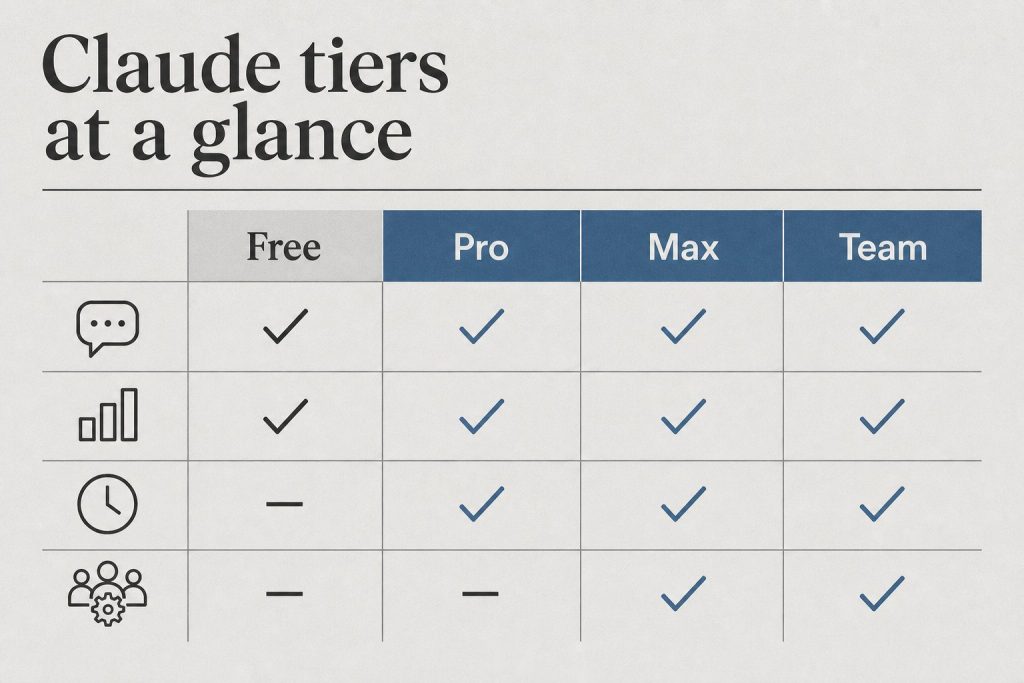
    At-a-glance board comparing Free, Pro, Max, and Team Claude tiers by chat, limits, priority, and admin controls
    Pricing questions.

    How much does Claude Code cost?

    Claude Code has no separate subscription fee. Access is included in these Claude plans:

    Plan Monthly Cost Claude Code Rate Limits
    Free $0 ❌ Not included —
    Pro $20 ✅ Included 5-hr window, doubled May 2026
    Max (5×) $100 ✅ Included 5× Pro limits, no peak throttle
    Max (20×) $200 ✅ Included 20× Pro limits, no peak throttle
    Team Standard $25/seat ❌ Not included —
    Team Premium $100/seat ✅ Included 6.25× Pro limits, doubled May 2026
    Enterprise Custom ✅ Included Custom

    API usage (tokens consumed by Claude Code) is billed separately at standard API rates on top of your subscription. For most users, subscription is the dominant cost.

    Is there a Claude Code student discount or Amazon Prime bundle?

    No. As of May 2026, there is no Claude Code-specific student discount and no Amazon Prime Student bundle that includes Claude Code. Pro at $20/month is the cheapest plan that includes Claude Code access. See the full student discount guide for what legitimate options exist for reducing cost.

    What did the May 2026 SpaceX deal change for Claude Code users?

    May 6, 2026 UpdatePeak-hours throttling eliminated for Pro and Max. 5-hour rate limits doubled for Pro, Max, Team Premium, and Enterprise. Free plan unchanged.

    If you’ve been hitting limits during long agentic runs or multi-file refactors, the ceiling is now twice as high. Source: anthropic.com/news/higher-limits-spacex


    Installation Questions

    Desk with laptop, checklist notebook, and billing card ready before creating an Anthropic API key
    Installation questions.

    What are the system requirements for Claude Code?

    • Node.js 18+ required (Node.js 20+ recommended)
    • macOS, Linux, or Windows (Windows support GA as of April 2026 — PowerShell is now the default shell, Git Bash no longer required)
    • Active Anthropic account on a plan that includes Claude Code (Pro, Max, Team Premium, or Enterprise)

    How do I install Claude Code?

    One command:

    npm install -g @anthropic-ai/claude-code

    Then authenticate:

    claude

    Full installation walkthrough with troubleshooting: How to Install Claude Code

    How do I update Claude Code to the latest version?

    npm update -g @anthropic-ai/claude-code

    Current version as of May 9, 2026: v2.1.133 (released May 7, 23:49 UTC). Check your version with claude --version.

    What’s in the latest Claude Code release?

    v2.1.133 (May 7, 2026) key changes:

    • Subagent skill discovery fix — subagents now correctly find project, user, and plugin skills via the Skill tool. Previously a silent failure that broke multi-agent pipelines without obvious error.
    • worktree.baseRef setting (fresh | head) — controls whether EnterWorktree branches from origin/<default> or local HEAD. Default is fresh — this changes prior behavior if you relied on EnterWorktree inheriting unpushed commits.
    • Hooks now receive active effort level via effort.level JSON field and $CLAUDE_EFFORT env var
    • Memory improvement: warm-spare background workers release under memory pressure
    • Fixed parallel sessions hitting 401 from a refresh-token race

    Full release notes: github.com/anthropics/claude-code/releases


    Model Questions
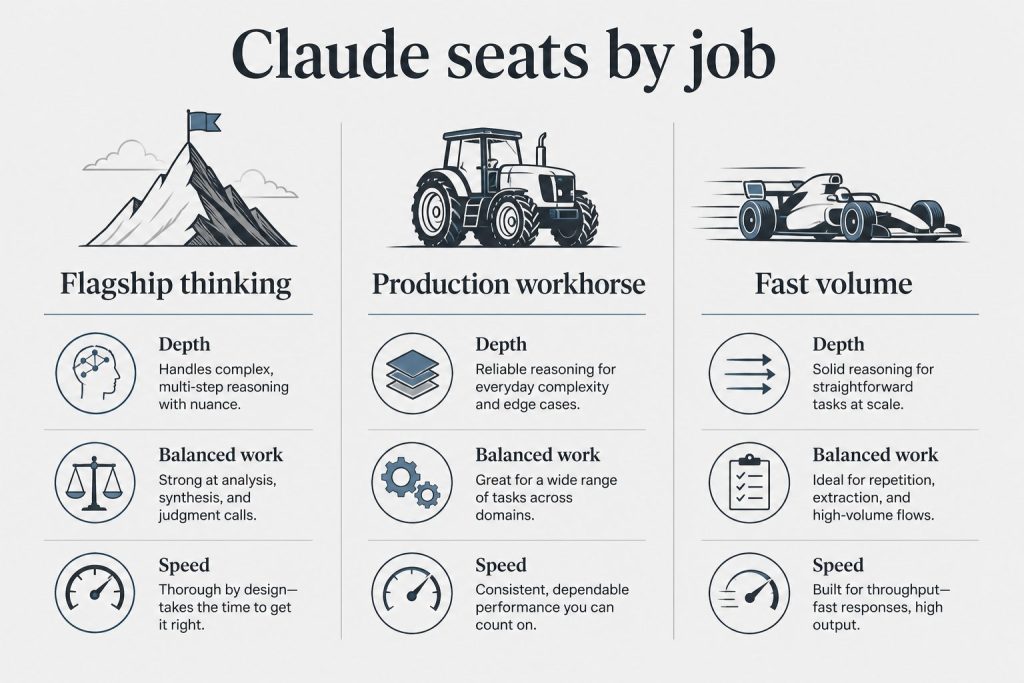
    Three-column board mapping Claude model seats to flagship thinking, production workhorse, and fast volume jobs
    Model questions.

    Which Claude model does Claude Code use?

    By default, Claude Code uses the model Anthropic recommends for coding tasks — currently claude-sonnet-4-6 for most operations, with claude-opus-4-8 available for complex reasoning tasks. The v2.1.126 gateway model picker lets you configure multi-model routing. Current model strings (verified from Anthropic docs):

    • claude-opus-4-7 — most capable, 1M context, 128K max output
    • claude-sonnet-4-6 — balanced speed/intelligence, 1M context, 64K max output
    • claude-haiku-4-5-20251001 — fastest, 200K context

    What happened when Claude Sonnet 4 and Opus 4 retired June 15, 2026?

    If you have any Claude Code configuration or scripts pinning the 20250514 date-string model IDs, those will break. Claude Code’s default model routing will update automatically — but custom configurations pointing to specific deprecated strings won’t. Search your config files for 20250514 now and update to claude-sonnet-4-6 or claude-opus-4-8.


    Capability Questions

    What is Claude Code actually good at vs. not good at?

    Strong: Multi-file refactors, understanding existing codebases, writing tests against real code, debugging with full context, long-horizon tasks that require holding many files in mind simultaneously, architectural reasoning across a full project.

    Less strong: Tasks requiring real-time external data without a tool, highly specialized domain knowledge that isn’t well-represented in training, generating correct code for very niche frameworks with limited documentation.

    Can Claude Code run terminal commands on my machine?

    Yes — with your permission. Claude Code operates in a permission model where it asks before running commands, editing files, or taking actions outside the current working directory. You configure which operations auto-approve and which require confirmation. The claude CLI runs with your local user permissions, not elevated ones.

    What is computer use in Claude Code?

    Computer use (research preview as of April 2026) lets Claude Code open native apps, navigate desktop UI, click through interfaces, and verify results from the terminal — without needing an API or automation script. Available on macOS and Windows within the Cowork desktop app. Useful for tools with no accessible API; slower than direct API integrations when those exist.

    What’s the difference between Claude Code CLI and Claude Code in the IDE?

    The CLI (claude command) is the core product — works in any terminal, any OS, any project. IDE extensions (VS Code, JetBrains) provide UI integration on top of the same underlying capability. Both use the same authentication and the same model. The CLI is the authoritative version for anything involving automation, scripts, or multi-step agentic workflows.

    Related on Tygart Media: how to use Claude · Anthropic API key.

  • Claude Code GitHub Workflows: 2026 Case Studies & Setup

    Claude Code GitHub Workflows: 2026 Case Studies & Setup

    Last refreshed: August 30, 2026

    Seven hours. That’s how long it took Claude Code to autonomously navigate a 12.5-million-line codebase and implement a production-ready activation vector extraction method in vLLM for Rakuten’s engineering team — a task their developers hadn’t attempted because the codebase was simply too large to reason about at human speed. The result: 99.9% numerical accuracy and a project timeline that compressed from 24 working days to 5.

    That’s not a demo. That’s a production case study. And it tells you more about where Claude Code + GitHub workflows are in 2026 than any benchmark comparison.

    This post breaks down three real-world patterns from teams getting measurable results with Claude Code on GitHub: what they set up, how they structured the work, and what’s actually driving the outcomes.

    The Setup That Enables Everything: CLAUDE.md First

    Side-by-side cards defining what Claude Code is and is not
    CLAUDE.md first — the setup that enables everything.

    Before any CI/CD integration, the teams getting results share a common starting point: a well-structured CLAUDE.md file that tells Claude Code exactly how to behave in their specific codebase.

    Andrej Karpathy’s lean 65-line CLAUDE.md — originally shared as a personal config — accumulated over 100,000 GitHub stars by early 2026, which tells you something: developers are desperately hungry for a working template. What made it valuable wasn’t length. It was specificity. Four behavioral rules that directly address LLM coding failure modes: don’t assume context you don’t have, prefer surgical edits over full rewrites, surface tradeoffs rather than hiding them, and treat goals as declarative targets with verification loops.

    That last principle is the most important for GitHub integration. When Claude knows the goal is “this PR should pass CI and not break existing tests” rather than “write code,” the outputs change materially. You get tighter diffs, fewer phantom dependencies, and PRs that actually close the issue they were created for.

    Your CLAUDE.md lives in the repo root and commits alongside your code. It travels with the codebase. Claude Code GitHub Actions picks it up automatically when you use anthropics/claude-code-action@v1 — no additional configuration required.

    The GitHub Actions Setup

    Desk with laptop, checklist notebook, and billing card ready before creating an Anthropic API key
    The GitHub Actions setup.

    The GA version of Claude Code GitHub Actions (@v1, released in 2026) simplified configuration considerably from the beta. Here’s the minimum viable setup:

    name: Claude Code
    on:
      issue_comment:
        types: [created]
      pull_request_review_comment:
        types: [created]
    jobs:
      claude:
        runs-on: ubuntu-latest
        steps:
          - uses: anthropics/claude-code-action@v1
            with:
              anthropic_api_key: ${{ secrets.ANTHROPIC_API_KEY }}

    Drop this in .github/workflows/claude.yml, install the GitHub app at https://github.com/apps/claude, add your ANTHROPIC_API_KEY secret, and you can start triggering Claude with @claude in any PR or issue comment. The fastest path is running /install-github-app inside your Claude Code terminal session — it walks through the app installation, permissions, and secret setup in a single guided flow.

    For teams on Google Vertex AI or Amazon Bedrock — which matters if you’re operating in a regulated environment — the action supports both via Workload Identity Federation. Bedrock uses region-prefixed model strings (us.anthropic.claude-sonnet-4-6); Vertex pulls the project ID from the auth step automatically.

    The action defaults to Sonnet. For heavy refactoring tasks on large codebases, bump it explicitly:

    claude_args: "--model claude-opus-4-7 --max-turns 10"

    claude-opus-4-7 is the current flagship model. For routine PR review and issue triage, Sonnet is faster and more cost-efficient. The --max-turns flag prevents runaway jobs from consuming your Actions budget on open-ended tasks — set it to 5 for review workflows, 10–15 for implementation tasks.

    Rakuten: Autonomous Work at Codebase Scale

    Rakuten’s engineering team used Claude Code to tackle vLLM — a 12.5-million-line open-source inference framework — without prior familiarity with the codebase. Claude Code ran autonomously for seven hours, implemented the activation vector extraction method, and delivered 99.9% numerical accuracy.

    The workflow wasn’t magic. It was structured: a clear task definition scoped to a specific deliverable, a CLAUDE.md establishing Rakuten’s code patterns and testing requirements, and an allowance for autonomous tool use across the codebase. The result wasn’t just the implementation — it was the compression of a project timeline from 24 working days to 5. That’s a 79% reduction in time-to-market for a complex systems task, on a codebase that would take a new engineer weeks just to orient themselves in.

    The lesson: Claude Code’s GitHub integration handles scale that would be cognitively impossible for a single developer to navigate in a normal sprint. The constraint isn’t Claude’s ability to read code — it’s whether you’ve given it a goal specific enough to work from.

    TELUS: 500,000 Hours at the Portfolio Level

    TELUS is a different kind of case. Rather than a single high-stakes task, TELUS rolled Claude Code out across engineering teams organization-wide and measured cumulative impact: 500,000 hours saved, engineering code shipping 30% faster, and over 13,000 custom AI solutions built by their own teams.

    The 13,000 solutions number is the most telling. It means that once developers have Claude Code in their GitHub workflow, they stop waiting for platform teams to build internal tooling. They build it themselves — PR automation, internal API clients, test generators, schema migration scripts — because the cost of shipping something useful dropped to a well-scoped conversation with an @claude trigger.

    The 30% speed improvement in code shipping translates directly to cycle time. Fewer context switches between writing code and writing tests. Less time waiting for review when PRs arrive with Claude-generated documentation already attached. That number compounds across a large engineering org in ways that individual productivity improvements don’t.

    The Pattern Across All Three

    Four cards for content, ops, build, and knowledge work with Claude
    The pattern across all three case studies.

    Three things appear consistently across every team getting results with Claude Code on GitHub:

    A real CLAUDE.md — not a placeholder. A file with codebase-specific rules: what patterns to follow, what to avoid, how tests should be structured, what done looks like. Karpathy’s version works because it encodes failure modes. Yours should encode your team’s standards.

    Goal-oriented triggers, not open-ended requests. @claude implement the auth middleware from issue #42 following our existing token validation pattern outperforms @claude help with this. The action inherits your CLAUDE.md automatically, but the trigger needs to state a specific, bounded goal with a clear definition of done.

    Autonomous mode for the right task class. Bounded, well-defined tasks — implement this spec, fix this failing test, write a migration for this schema change — run better autonomously than open-ended exploration. Use --max-turns 10 and let it run. Reserve manual review for the output, not the process.

    Where to Start

    Run /install-github-app in your Claude Code terminal. That one command handles app installation, permission setup, and secret configuration. Add a CLAUDE.md to your repo root — even five lines of real project standards beats a blank file. Open a test issue, write a specific @claude comment with a bounded task, and watch the action run.

    Rakuten’s 7-hour autonomous run and TELUS’s 500,000 hours didn’t start with a six-month AI rollout plan. They started with a config file, a workflow YAML, and a task specific enough for Claude to actually finish.

