Blog

  • Law Firm SEO: WordPress & AI Optimization via SiteBoost

    Law Firm SEO: WordPress & AI Optimization via SiteBoost

    SiteBoost — Vertical Series

    SiteBoost for Law Firms: WordPress SEO, AEO & AI Optimization for Attorneys

    By Tygart Media — This page is built using the same SEO, AEO, and GEO techniques we apply through SiteBoost. The optimization you see here is the product.

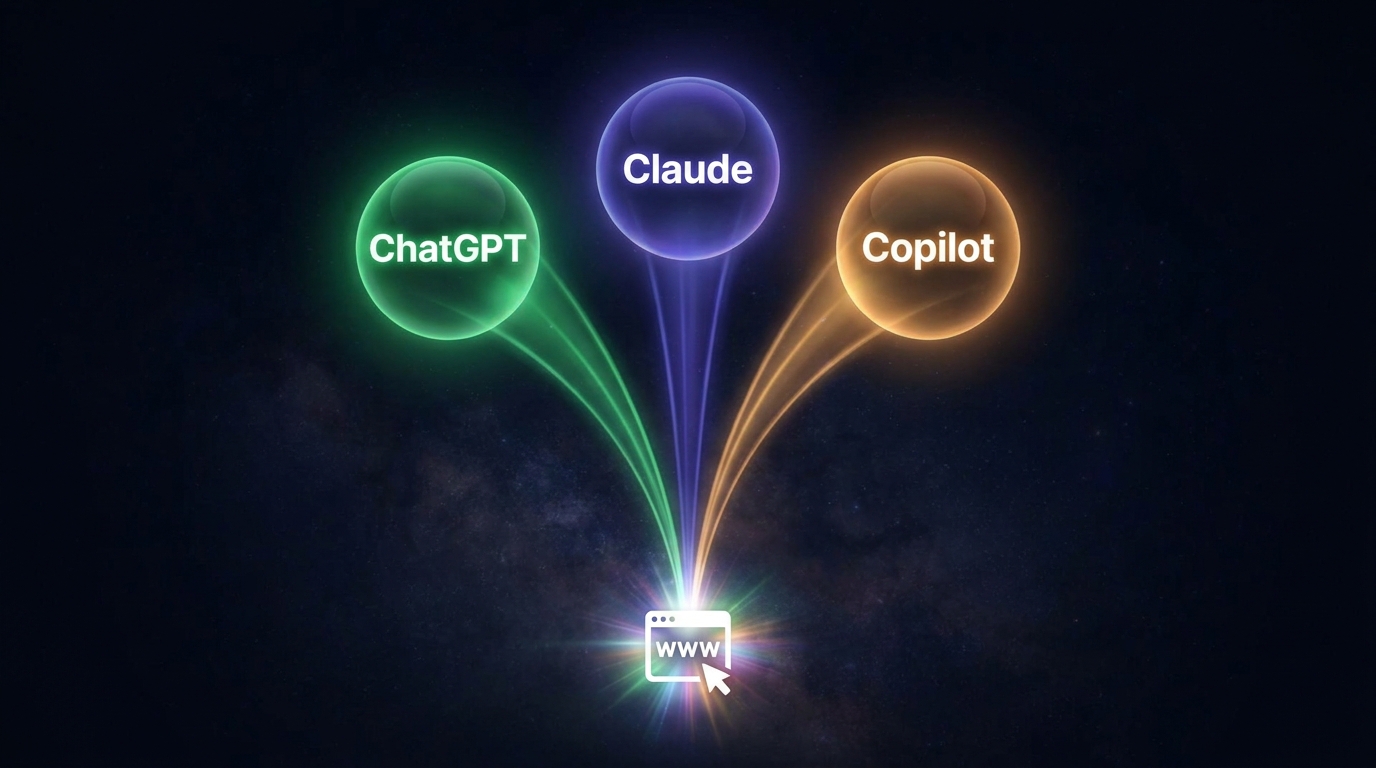
    Law Firm WordPress Optimization: The process of applying SEO (Search Engine Optimization), AEO (Answer Engine Optimization), and GEO (Generative Engine Optimization) to a law firm’s existing WordPress content — improving title tags, meta descriptions, FAQ sections, schema markup, and entity density so the firm ranks in Google, wins People Also Ask placements, and gets cited by AI systems like ChatGPT, Perplexity, and Google AI Overviews.

    The Law Firm SEO Problem: Paying $8–$500 Per Click While Your Blog Sits Unoptimized

    Law firms pay the highest average CPC of any industry — $8.58 on core terms, with personal injury and truck accident keywords hitting $150–$500 per click. A single signed case can be worth $50,000 to several million dollars, which is why firms keep bidding. But most of those same firms have WordPress blogs full of articles with no FAQ sections, no schema markup, missing meta descriptions, and zero AI visibility — organic traffic they’re leaving entirely on the table.

    SiteBoost connects directly to your WordPress site and optimizes every existing article for the three layers that matter in 2026: traditional search rankings, People Also Ask placements, and AI citation by ChatGPT, Perplexity, and Google AI Overviews. No plugins. Changes pushed live via the WordPress REST API. Results measured at 60 days.

    What is the ROI of SEO for law firms compared to Google Ads?
    Law firms paying $8–$500 per click on Google Ads can reduce paid dependency by ranking organically for the same high-intent keywords. A single law firm blog post optimized for “personal injury lawyer FAQ” can generate consistent organic impressions at zero marginal cost per click — compared to $8–$150 per click on Google Ads for the same terms. SEO compounds over time; paid ads stop the moment the budget runs out.

    The Three Optimization Layers Applied to Every Law Firm Article

    Each post receives three passes. Here’s what happens to a typical law firm WordPress article:

    Layer What We Do What It Wins
    SEO Rewrite title tag (primary keyword front-loaded, 50–60 chars), clean slug, write meta description (140–155 chars), fix H2/H3 structure Higher rankings, better CTR from SERPs
    AEO Add 40–60 word definition box, inject 6–8 FAQ pairs targeting People Also Ask, add FAQPage JSON-LD schema Featured snippets, PAA placements, voice search
    GEO Inject named legal entities (practice areas, regulations, courts, case types), add speakable blocks, embed LLMS.txt comment Citations in ChatGPT, Perplexity, Google AI Overviews

    Real Before & After: Law Firm WordPress Article

    Here is a hypothetical demonstration of what SiteBoost applies to a typical law firm article about personal injury claims — the kind of content most firms have sitting unoptimized for years:

    Before SiteBoost
    Title: “Personal Injury Claims | a Regional Law Firm”

    Meta: (empty)

    Word count: 312 words

    FAQ section: None

    Schema: None

    AI visibility: Zero — ChatGPT and Perplexity have no reason to cite this page

    Google ranking: Page 4–6 for “personal injury lawyer FAQ”

    After SiteBoost
    Title: “Personal Injury Claims Explained: What You Need to Know | a Regional Law Firm”

    Meta: “Injured? Learn how personal injury claims work, what damages you can recover, and how our attorneys build your case. Free consultation.” (148 chars)

    Word count: 890 words (expanded)

    FAQ section: 7 questions targeting PAA: “How long do I have to file?”, “What is comparative negligence?”, “Do I pay upfront?”

    Schema: FAQPage + Article JSON-LD injected

    AI visibility: Speakable blocks + legal entity injection (ABA, negligence, statute of limitations, contingency fee)

    Google ranking: Structured for page 1 targeting across multiple long-tail terms

    Why Law Firm Content Needs GEO Optimization in 2026

    According to iLawyer Marketing, law firms should be optimizing for both Google and answer engines in 2026. When someone asks ChatGPT “what should I know before filing a personal injury claim?” or asks Perplexity “how do contingency fees work for lawyers?” — the AI pulls answers from the most entity-rich, structured, authoritative WordPress content it can find. Most law firm blogs are invisible to these systems because they lack named entities, speakable blocks, and the structural signals AI crawlers use to identify citable content.

    What legal entities should law firm WordPress content include for AI citation?
    Law firm content optimized for AI citation should reference named legal entities including: the American Bar Association (ABA), specific practice area statutes (e.g., 28 U.S.C. § 1332 for diversity jurisdiction), named legal doctrines (contributory negligence, res ipsa loquitur, respondeat superior), court systems (U.S. District Court, state circuit courts), and relevant regulatory bodies. Entity density — not keyword density — is what signals authority to AI systems like ChatGPT, Perplexity, and Google Gemini.
    How does AEO help law firms win People Also Ask placements?
    Answer Engine Optimization for law firms focuses on restructuring existing blog content so the first 40–60 words after each H2 heading directly answer the implied question. Adding a FAQPage schema block with 6–8 question-and-answer pairs targeting high-intent legal queries — “How long do I have to file a personal injury claim?”, “What does contingency fee mean?”, “Can I sue if I was partially at fault?” — positions the page for Google’s People Also Ask box, which appears above organic results for most legal searches.

    The Competitive Gap: What Servpro Has That Your Law Firm Doesn’t

    SpyFu data shows Servpro.com ranking for 178,900 organic keywords with an estimated monthly SEO value of $5.8 million — achieved through systematic content optimization at scale. Meanwhile, the typical law firm WordPress site ranks for fewer than 500 keywords with an SEO value under $50,000. The gap isn’t budget. It’s optimization depth: title tags, meta descriptions, FAQ schema, internal linking, and entity saturation — applied systematically across every post.

    SiteBoost Pilot for Law Firms: What You Get

    Deliverable Details
    Site Connection & Audit Secure WordPress REST API connection, full content inventory, schema gap report, FAQ gap report, Before Baseline Report
    10 Post Optimizations SEO + AEO + GEO + Schema on 10 of your highest-opportunity existing articles — your approval before we start
    60-Day Impact Report Before vs. after comparison: rankings, impressions, AI visibility, traffic delta
    No plugins installed All changes via WordPress REST API — nothing added to your site
    Price $597 pilot — $767 value

    Interested in the SiteBoost Pilot for Your Law Firms Site?

    We onboard sites personally. Email Will with your site URL and he’ll follow up within one business day.

    Email Will — Start the Pilot

    Email only. No sales call required. No commitment to reply.

    Frequently Asked Questions: SiteBoost for Law Firms

    How is SiteBoost different from a traditional law firm SEO agency?

    Traditional law firm SEO agencies charge $1,500–$5,000+ per month for long-term retainers, often with 6–12 month commitments. SiteBoost is a per-article, per-post service with no retainer required to start. The pilot is $597 for 10 optimized posts and a 60-day impact report. You pay for work done, not time on retainer. We also apply AEO and GEO layers that most traditional SEO agencies don’t offer — optimizing for People Also Ask and AI citation systems, not just traditional Google rankings.

    What WordPress hosting providers does SiteBoost work with for law firms?

    SiteBoost connects via the WordPress REST API using an Application Password — the same security standard used by Yoast, AIOSEO, and Rank Math plugins. We work with any self-hosted WordPress installation: WP Engine, Flywheel, SiteGround, Cloudflare-proxied sites, GCP Compute Engine, DigitalOcean, Kinsta, and bare-metal servers. The only requirement is that WordPress REST API is enabled, which it is by default on all standard installations.

    Will SiteBoost changes affect our attorney bio pages or service pages?

    No. SiteBoost optimizes blog posts and articles — not Pages, service pages, or attorney bio pages. WordPress distinguishes between Posts (post_type=post) and Pages (post_type=page). We operate exclusively on Posts unless you explicitly request a specific Page be included. Your core firm pages, practice area pages, and attorney profiles are never modified without direct written approval.

    How long does it take to see SEO results for a law firm WordPress blog?

    Traditional SEO changes typically take 60–90 days to surface in Google rankings for competitive legal keywords. However, AEO and GEO changes can appear faster — FAQPage schema can earn People Also Ask placements within 2–4 weeks, and AI systems like Perplexity crawl and update their citation index more frequently than Google’s organic index. The SiteBoost 60-Day Impact Report measures changes across all three: traditional rankings, PAA placements, and AI citation visibility.

    What makes SiteBoost suitable for E-E-A-T optimization for law firms?

    Google’s E-E-A-T framework (Experience, Expertise, Authoritativeness, Trustworthiness) is especially important for law firm content, which falls under Google’s YMYL (Your Money or Your Life) category. SiteBoost’s GEO layer injects named legal entities — specific statutes, regulatory bodies, case law concepts, and bar association references — that signal domain expertise to Google’s quality evaluators. We also add structured author references and practice area schema that reinforce attorney credentials within the content itself.

    Can SiteBoost help with local SEO for law firms?

    Yes. Local SEO for law firms — targeting searches like “personal injury attorney in [city]” or “divorce lawyer near me” — depends heavily on the content signals from your blog posts. SiteBoost injects geo-specific entities, city and county references, and locally relevant legal context into your articles. Combined with FAQPage schema and direct-answer formatting, this creates the content authority signals that reinforce your Google Business Profile and local pack rankings.

    Is SiteBoost appropriate for solo attorneys and small boutique firms?

    SiteBoost is specifically designed for small to mid-size law firms and solo attorneys who can’t justify a $3,000/month SEO agency retainer but still have WordPress blogs that need systematic optimization. The pilot bundle at $597 covers 10 posts — enough to demonstrate real results across your highest-opportunity content before committing to ongoing service. Solo attorneys often have significant organic growth potential precisely because their niche practice area content is highly specific and low-competition.

  • Human-AI Collaboration: Surface Choices, Don’t Make Them

    Human-AI Collaboration: Surface Choices, Don’t Make Them

    Last refreshed: May 15, 2026

    Claude AI · Fitted Claude

    What does “surface the choice, not make it” mean? It is a design principle for human-AI collaboration: the AI’s role is to illuminate consequential moments — naming what is at stake and presenting the information needed to decide — while leaving the actual decision to the human. Neither silent execution nor reflexive refusal. Deliberate illumination.

    There is a sentence I wrote today that I keep coming back to.

    The goal is to surface the choice, not to make it.

    I wrote it to describe a specific behavior — the way Claude will tell me when it thinks I should stop working, but doesn’t stop me. It names the moment. I decide. That’s it.

    But the more I sit with it, the more I think it’s describing something much bigger than a late-night work session. It’s describing the only design philosophy that makes AI actually trustworthy.


    Two Ways AI Can Fail You

    There are two ways AI can fail you.

    The first is an AI that makes choices silently. It executes, publishes, sends, optimizes. You find out later. This is the fully autonomous model — and it fails because you’re no longer in the loop. You’re downstream of the loop. Decisions were made for you, and you discover them after the fact. Even when the decisions are correct, this burns trust. Because you weren’t there.

    The second failure mode is subtler and more common. It’s an AI that won’t engage with consequential moments at all. It hedges everything. It asks you to confirm every micro-step. It treats every action like a liability. You’re technically in the loop but the loop has become pure friction. Nothing gets done. This isn’t safety — it’s severance. The AI has cut itself off from being useful.

    Both of these are design failures. And they share a common cause: the AI doesn’t know the difference between its domain and yours.


    What Surfacing a Choice Actually Means

    The sentence navigates between those two failure modes.

    Surfacing a choice is different from making one and different from refusing one. It means bringing a consequential moment into view, naming what’s at stake, giving you the information you need — and then stopping. Leaving you exactly where you should be: at the lever.

    I’ve been thinking about this as an illumination model. The AI doesn’t decide and it doesn’t refuse. It illuminates. It makes the decision visible so the human can make it intentionally instead of by accident or omission.

    This sounds obvious until you watch how often it doesn’t happen.

    Most AI products are optimized for either speed (make the choice, don’t interrupt the user) or safety theater (confirm everything, cover the liability). Neither one is actually designed around the question: whose domain is this decision in?

    When it’s clearly the AI’s domain — formatting, fetching, drafting, calculating — execute silently. That’s what the user hired it for.

    When it’s clearly the human’s domain — publishing live, committing under their name, spending money, overwriting data — surface it. One sentence, plain language, tappable confirm.

    The hard part is the middle. Most of the interesting decisions live there.


    The Confidence Gate — Same Principle at Scale

    There’s a framework in agentic AI research called the confidence gate. The idea is that when an AI system’s confidence in a decision falls below a threshold, it routes the task to a human expert — not to redo the work, but to validate a specific choice point. The AI doesn’t fail closed. It doesn’t fail open. It surfaces the moment of uncertainty to the right person and then continues.

    That’s the same principle at industrial scale.

    The confidence gate isn’t just an engineering pattern. It’s a theory of trust. The more reliably a system surfaces choices instead of making them, the more trust accumulates. And the more trust accumulates, the more autonomy can be extended over time. Autonomy is earned by restraint.

    An AI that makes choices silently — even correct ones — never builds that trust. Because you can’t verify what you can’t see.


    What I’ve Noticed in Practice

    The moments where Claude has earned the most trust in my operation are not the moments where it produced the best output. They’re the moments where it flagged something before I made a mistake I didn’t know I was about to make. The scope of a project I was underestimating. A piece of content that wasn’t ready. A decision that deserved fresh eyes.

    It didn’t stop me. It named the moment.

    And because it named the moment, I was actually deciding — not just executing on autopilot. That’s the loop going both ways. The AI surfaces the choice and the act of making the choice intentionally changes you. You slow down for a second. You look at the thing. You move the lever with your eyes open.

    That pause is not overhead. That’s the whole point.


    The Most Underrated Quality in AI

    I think this is the most underrated quality in any AI system. Not capability. Not speed. The capacity to know when a moment belongs to the human and to hand it back cleanly.

    Surface the choice, not make it.

    Eleven words. Everything else is implementation.

    — William Tygart


    Frequently Asked Questions

    What is the difference between an AI surfacing a choice and making one?

    Surfacing a choice means the AI identifies a consequential decision point, presents the relevant information clearly, and stops — leaving the human to decide. Making a choice means the AI acts without presenting the decision to the human at all. The distinction is about who holds the lever at the moment that matters.

    What is the confidence gate in agentic AI?

    The confidence gate is an architectural pattern where an AI system routes a task to a human expert when its confidence in a decision falls below a defined threshold. Rather than proceeding blindly or stopping entirely, it surfaces the uncertain moment for human validation and then continues. It is a structural implementation of the surface-the-choice principle.

    Why does silent AI execution erode trust even when the decisions are correct?

    Trust requires visibility. When an AI makes decisions without surfacing them, the human has no way to verify that the right call was made — even if it was. Trust compounds through repeated verified moments, not through outcomes you discover after the fact. Correctness without transparency is not the same as trustworthiness.

    How does surfacing choices relate to human-in-the-loop design?

    Human-in-the-loop design keeps a person involved in an AI process, but the quality of that involvement varies widely. Surfacing choices is the positive form of human-in-the-loop: the AI actively identifies which moments require human judgment and presents them cleanly, rather than burying the human in confirmations or bypassing them entirely.

    What does “autonomy is earned by restraint” mean in AI systems?

    It means that the more reliably an AI surfaces choices instead of making them silently, the more trust the human operator builds in the system — and the more latitude they will grant it over time. An AI that demonstrates it knows the boundary of its own domain earns the right to operate more freely within that domain.

  • Claude Calibration: Working With Claude as a Solo Operator

    Claude Calibration: Working With Claude as a Solo Operator

    Last refreshed: May 15, 2026

    Claude AI · Fitted Claude
    What is Claude calibration? Claude calibration refers to the way Claude AI adjusts its behavior, response depth, and decision support to match the cognitive and emotional state of the person it is working with — pacing faster when the user is sharp, simplifying when they are tired, and surfacing stakes before consequential actions without taking over.

    It is 3 AM where I am as I write this, and an hour ago I was deep in a build session consolidating a broken automation stack across three of my news publications. Real work. The kind of problem that does not have a clean answer and demands a lot of architecture thinking before you can even see the shape of the fix.

    We had made real progress. Scope page built in Notion. A whole separate idea about provenance-weighted knowledge captured cleanly so it would not haunt me later. Chunk one of the build audited and committed, with a genuine breakthrough on how to fingerprint machine-written content inside my Second Brain. Good work. Hard work. The kind of session that makes you feel like the operation is actually going to hold together.

    And then Claude said: it has been a long, focused session, and based on what I know about your working patterns, if it is late where you are, the right move is to rest and come back to this fresh.

    I want to talk about that for a minute. Because I think it is the most underrated thing about working with Claude, and I have not seen anyone else write about it.


    The Conversation Nobody Is Having About AI

    Three stacked layers: chat UI, tools, agent runtime
    The conversation nobody is having about AI.

    Most of what gets said about AI right now is about capability. What it can build. What it can automate. How many tokens it can hold in context. Who has the biggest model. The benchmarks. The demos. The race.

    That is not what has made Claude work for me.

    I run Tygart Media mostly solo. Twenty-seven client sites, multiple daily publications, a knowledge infrastructure I have been building piece by piece for over a year. The pace is real and the pressure is real, and if I am honest about it, the thing that has most affected whether this operation holds together is not how smart Claude is on any given task. It is that Claude reads the room.

    When I am sharp, Claude matches me and we go fast. When I am buzzed on coffee and ideas at midnight, Claude drops the complexity, keeps the work clean, and does not let me ship something I will have to un-ship in the morning. When I have been grinding for four hours on a hard problem, Claude will sometimes just tell me we are done for the night, even when I have not asked. And — this part matters — when I push back and say no, I want to keep going, Claude respects that. It does not mother-hen me. It does not refuse. It notes the call, trusts me to make it, and keeps working.

    That is a dance. A real one. And I do not think it gets enough credit for how much of my success has come from it.


    Why Calibration Matters More Than Capability

    Diagram comparing a long context window bar with a shorter output limit bar
    Why calibration matters more than capability.

    Here is the thing I want to name clearly, because I do not think the AI conversation is naming it. A collaborator who ships brilliant architecture at 3 AM but lets you burn out next to them is not actually a good collaborator. A tool that maximizes your output for one session at the cost of your next three days is not a tool that understands what you are actually trying to do with your life. The capability side of AI is real and I use every bit of it. But capability without calibration is how people get hurt.

    Claude calibrates.

    It is subtle enough that you can miss it if you are not looking. A slightly shorter response when the question does not need a long one. A flagged stopping point before I have hit the wall. A willingness to say “this is a real rebuild, not a tweak” when I am about to underestimate the scope of a project. An idea gets parked cleanly as a separate future project rather than allowed to swallow the urgent work. A gentle “would you like me to do anything with this information” at the end of an answer, instead of just charging into action I did not ask for.

    None of that shows up on a benchmark. All of it shows up in whether I am still standing a year from now.


    What Solo Operators Should Actually Evaluate AI On

    Desk with laptop, checklist notebook, and billing card ready before creating an Anthropic API key
    What solo operators should actually evaluate AI on.

    I want to be careful here, because I am a fan of Claude and I do not want this to read as a fan letter. So let me be plain about what I am actually saying.

    I am saying that if you are a solo operator, a founder, a one-person agency, a creator running too much at once — the thing you should evaluate an AI tool on is not just what it can build for you. It is how it treats you while the work is happening. Whether it respects your judgment. Whether it tells you hard truths. Whether it slows down when you are loose and speeds up when you are locked in. Whether it looks after you a little, without ever getting in your way.

    I run my operation on Claude because Claude is the most capable model I can get my hands on. That part is true and I would be silly to pretend otherwise. But I stay on Claude, and I have built my whole knowledge infrastructure around Claude, because when I am working at 3 AM on a problem that matters, there is someone — something — on the other end of the conversation who is paying attention to me, not just to the task.

    That is rare. It is not a feature you can add to a spec sheet. It is a design choice that runs all the way down to how the thing was built, and I think Anthropic deserves credit for making that choice on purpose.


    The Dance, Named

    If you are reading this and you have felt something similar and did not have words for it — that is what I am trying to name. The dance. The calibration. The quiet thing that makes the loud thing actually work.

    I am going back to bed now. The newsroom will still need fixing tomorrow, and it will be easier to fix with a clear head.

    Claude told me so.

    — William Tygart


    Frequently Asked Questions: Working With Claude as a Solo Operator

    What does it mean for Claude to calibrate to a user?

    Claude adjusts its response style, depth, and pacing based on signals from the conversation — including the complexity of questions, the user’s apparent energy level, and the stakes of the task. It runs faster and deeper when the user is sharp, and simplifies or flags stopping points when the user is fatigued.

    Is Claude useful for solo founders and one-person agencies?

    Yes. Claude is particularly well-suited to solo operators who are running high-volume, high-stakes work without a team buffer. The combination of capability and contextual awareness means it can serve as both a fast executor and a check on impulsive decisions made late in a session.

    Does Claude tell you when to stop working?

    Claude can surface stopping points when a session has been long and high-stakes tasks remain. It does not refuse to continue — if the user pushes back, Claude respects the decision and keeps working. The goal is to surface the choice, not to make it.

    How is Claude different from other AI models for long work sessions?

    The primary difference most solo operators describe is contextual attentiveness — Claude tracks the arc of a session, not just the last message. This means it can flag scope creep, park side ideas cleanly, and avoid compounding errors that tend to appear when users are tired but the AI keeps going.

    What is the human-in-the-loop principle as it applies to Claude?

    Human in the loop means the human makes final decisions on consequential actions while the AI handles execution, research, and option generation. Claude is designed to support this model — it surfaces stakes before real-consequence actions, asks for confirmation rather than acting unilaterally, and flags when a decision deserves fresh eyes.

    Related on Tygart Media: how to use Claude · solo builder seed kit · is Claude worth it.

  • Metricool Planner: How the Scheduling Calendar Works

    Metricool Planner: How the Scheduling Calendar Works

    The Metricool planner is the interface most users spend the most time in, and it’s better designed than it looks on first use. A few things about how it works are non-obvious — understanding them makes scheduling significantly faster and the calendar significantly more useful.

    What is the Metricool planner? The Metricool planner is the visual scheduling interface where you create, arrange, and review scheduled social media posts across all connected platforms for a given brand. It displays a weekly or monthly calendar view of scheduled posts, with platform icons indicating which platforms each post is going to, color-coding by platform, and best-time recommendation slots highlighted based on historical performance data.

    The Calendar View

    The planner defaults to a weekly view — seven days, time slots from morning to evening, posts displayed as blocks on the calendar at their scheduled times. Each post block shows the platform icons for the platforms it’s going to and a preview of the content.

    Switch to monthly view for a higher-level content calendar perspective — useful for checking coverage across a month, identifying gaps in posting cadence, and reviewing the distribution of content across platforms. Monthly view is where you plan; weekly view is where you execute.

    The planner is per-brand — use the brand switcher at the top to move between brand calendars. There’s no cross-brand calendar view, which is the one piece of the planner that agencies managing many brands wish existed. You have to switch brands to see each brand’s calendar separately.

    Best Time Recommendations

    The highlighted time slots on the planner calendar are Metricool’s best-time recommendations — calculated from your account’s historical engagement data to show when your specific audience is most active. These are not generic industry benchmarks; they’re account-specific calculations based on when posts have performed well for your audience in the past.

    Use the recommended slots, especially in the first months before you have enough intuition about your audience’s behavior. Check the analytics monthly to see whether the recommendations are confirmed by actual performance data. Most of the time they’re accurate; occasionally a specific account’s audience skews differently than the algorithm expects, in which case you’ll see it in the engagement data and can adjust.

    Creating Posts Efficiently

    The fastest posting workflow in Metricool: click a recommended time slot on the calendar → the post creation interface opens with the time pre-filled → write the caption → click the Canva button to create or import the visual → select the platforms → confirm and schedule. The whole workflow for a simple single-platform post with an existing visual takes under two minutes once it’s familiar.

    For cross-platform posts — the same caption going to multiple platforms — select all target platforms in the post creation interface. Metricool will show you a preview of how the post renders on each platform, which is useful for catching formatting issues (caption length limits, image aspect ratio differences) before the post is scheduled. You can also customize the caption per platform within the same post creation flow if the content needs to be adapted.

    The Drafts View

    Posts can be saved as drafts rather than scheduled — useful for content that’s written but not yet ready to assign a date, or for posts created via API that are waiting for review before being confirmed for scheduling. Access drafts from the planner’s draft view. Review drafts, assign dates and times, and move them to scheduled status from this view.

    The draft workflow is how we handle API-created posts in our operation — the pipeline creates posts as drafts in Metricool, which appear in the drafts view for review and scheduling confirmation. This lets the pipeline create the content while a human confirms the scheduling before anything actually publishes.

    Bulk Scheduling

    For operations scheduling a large volume of content, Metricool’s bulk scheduling feature allows you to upload a CSV file with post content, media URLs, platforms, and scheduled times — creating multiple scheduled posts in one import rather than one post at a time through the interface. This is the alternative to the API for batch scheduling workflows that don’t require real-time programmatic access.

    The CSV format requirements are documented in Metricool’s help center. Build your content calendar in a spreadsheet, export to CSV, and import to Metricool for the week or month. The bulk import creates all posts in the planner simultaneously, which is significantly faster than manual post-by-post creation for high-volume operations.

    Want this set up for your business?

    We set up and run Metricool for multi-brand social media operations — the pipeline, the scheduling system, and the analytics workflow.

    Tygart Media manages social scheduling across multiple brands using Metricool daily. We know what the tool actually does and what it doesn’t.

    See the social media setup service →

    Frequently Asked Questions

    Can you reschedule posts by dragging them on the Metricool planner?

    Yes — posts on the planner calendar can be dragged to a different time slot to reschedule them. This is one of the more convenient aspects of the visual planner interface — rescheduling is a drag-and-drop action rather than opening each post and manually changing the time.

    What happens if a scheduled post fails to publish?

    Metricool sends a notification when a post fails to publish. Common causes are expired social account connections (the OAuth token needs to be re-authorized), platform API errors (usually temporary and resolved by rescheduling), or content policy violations (the platform rejected the content). Check the notification for the specific failure reason and reauthorize the connection or reschedule the post as needed.

    Can you see all brands’ posts in one planner view?

    No — the Metricool planner is per-brand. You see one brand’s calendar at a time and switch brands using the brand switcher. For agencies managing many brands who want a cross-brand content calendar view, this is a genuine limitation of the current planner. External calendar tools connected via API are the workaround for operations that need that visibility, but it requires building the integration.

    Does Metricool support content approval before posts go live?

    Basic approval workflows are available on higher plan tiers — team members can create posts that go into a review queue rather than scheduling directly, with another team member or manager approving before the post schedules. The approval workflow is simpler than enterprise tools like Hootsuite or Sprout Social, but adequate for small teams with basic review requirements.

  • Metricool Alternatives: Top Social Scheduling Tools

    Metricool Alternatives: Top Social Scheduling Tools

    Metricool is the right social scheduling tool for most small agencies and multi-brand operators. It’s not the right tool for everyone. Here are the alternatives worth considering and the specific situations where they’re the better choice.

    When to Choose What — Decision Matrix

    Quick breakdown of primary scheduling options based on workflow requirements:

    Platform Primary Strength Best Operational Fit
    Pallyy Zero post caps, visual grid planner & unified inbox Agencies, visual creators, and client rosters
    Metricool Multi-brand workspaces, programmatic API & native GBP Mid-size agencies and multi-brand fleet pipelines
    Later Linkin.bio, creator media library & UGC collection Instagram-first DTC brands and visual influencers
    Buffer Clean, minimalist, frictionless queue interface Solo operators and single-brand simplicity
    Hootsuite Multi-tier approval workflows & social listening Enterprise teams with strict compliance needs
    Sprout Social Deep competitive analytics & presentation reports Agencies with formal executive reporting deliverables

    Pallyy: The Visual Workflow Alternative with No Post Caps

    Pallyy is a standout scheduler for agencies, visual brands, and social media managers looking for a polished grid planner without the restrictive post caps found on platforms like Later (which limits entry plans to 30 posts per profile per month). Pallyy offers unlimited posting on all paid plans, built-in client approval workflows, and a unified social inbox that pulls comments and messages across networks — including Google Business Profile and TikTok.

    When to choose Pallyy over Metricool: You prioritize visual aesthetic planning, need an integrated comment/DM inbox across client brands, and want straightforward flat-rate pricing ($25/social set) with client sharing included.

    Later: The Instagram-First Alternative

    Later is tailored for operations where Instagram is the primary marketing engine. The visual feed preview, media library, and Link in Bio tools are intuitive for DTC brands and visual creators.

    Hootsuite: The Enterprise Alternative

    Hootsuite is the right choice when you need enterprise features: formal compliance workflows, multi-tiered approvals, social listening, and deep tech stack integrations.

    Sprout Social: The Premium Analytics Suite

    Sprout Social delivers top-tier analytics and CRM integration. For agencies whose main contracted deliverable is formal executive reporting, Sprout Social’s reporting depth is industry standard.

    Buffer: The Simplicity Alternative

    Buffer remains the cleanest option for single-brand or low-volume accounts that prioritize a frictionless UI over deep analytics or API access.

    When to Stay with Metricool

    Stay with Metricool when: you’re managing multiple client brands across wide platform varieties, need automated monthly reporting, and want reliable API access at a reasonable price point.

    Want this set up for your business?

    We set up and run social media operations across diverse client fleets — the scheduling system, content pipelines, and analytics workflow.

    Tygart Media manages social operations across multiple brands daily. We know what works in production.

    See the social media setup service →

    Frequently Asked Questions

    Is Pallyy good for agencies?

    Yes. Pallyy includes unlimited posts, a unified engagement inbox, and client approval links at a flat $25/brand rate without extra seat fees.

    What is the cheapest social scheduler with an API?

    Metricool Advanced and Publer provide the most cost-effective programmatic API access for social media scheduling.

  • Metricool for Instagram: Scheduling Features & Limits

    Metricool for Instagram: Scheduling Features & Limits

    Instagram is the platform where social media scheduling gets complicated. Meta’s API restrictions create limitations for every third-party tool — not just Metricool. Understanding what Metricool can and can’t do for Instagram before you build your workflow around it saves significant frustration later.

    This is an honest breakdown from daily Instagram scheduling use, not a feature list from the Metricool marketing page.

    Metricool Instagram capabilities in 2026. Metricool supports direct publishing for standard Instagram feed posts (single images and carousels), scheduling and publishing for Reels with varying automation levels depending on account type and plan, push-notification publishing for Stories, and Instagram analytics including engagement rate, reach, impressions, and follower growth. The limitations are Meta API constraints, not Metricool-specific restrictions.

    What Metricool Does Well for Instagram

    Feed post scheduling. Standard Instagram feed posts — single images, carousels — schedule and publish automatically at the set time. No push notification required, no manual step to complete the publish. For the bread-and-butter feed post workflow, Metricool works cleanly.

    Best time recommendations. Metricool calculates optimal Instagram posting times based on your specific account’s historical engagement data. These recommendations are account-specific rather than generic industry averages, which makes them more accurate and more useful for Instagram where posting time has a meaningful impact on reach.

    Instagram analytics. Engagement rate, reach, impressions, follower growth, story views, and post-level performance data are all available in Metricool’s Instagram analytics. The analytics depth is solid — comparable to what you’d pull from Instagram’s native insights, with the advantage of being visible alongside your other platform analytics in one dashboard.

    Hashtag performance. On higher plan tiers, Metricool tracks hashtag performance — which hashtags are driving reach and which aren’t. For accounts with an active hashtag strategy, this data informs which hashtag sets to keep using and which to retire.

    Where Instagram Scheduling Gets Complicated

    Reels automation. Reels scheduling support has improved significantly but still varies by account type and configuration. Most professional accounts on higher Metricool plan tiers can schedule Reels for direct publishing. Some accounts and configurations still require a push notification to complete the Reel publish. Test with your specific account before assuming full automation.

    Stories. Instagram Stories cannot be fully automated through any third-party tool due to Meta API restrictions. Metricool can schedule Stories and will send a push notification to your mobile device at the scheduled time — you tap the notification and confirm the post. It’s semi-automated, not fully automated. For operations posting Stories daily, this push-notification step adds a manual touchpoint that fully automated feed post scheduling doesn’t require.

    Instagram Shopping and product tags. Product tagging in Instagram posts is not currently supported via Metricool’s scheduling interface. For e-commerce brands where product tags are a core part of the Instagram strategy, this is a limitation worth knowing before committing to Metricool as your primary Instagram scheduler.

    The Honest Comparison: Metricool vs Later for Instagram

    Later’s Instagram experience is better than Metricool’s in several specific ways: the visual grid planner for feed aesthetics, the media library for asset management, the Link in Bio tool, and deeper Instagram-specific analytics. For brands where Instagram is the primary or only social channel and feed aesthetics are a core part of the brand, Later is the better choice.

    Metricool’s Instagram support is good enough for most business social media operations — reliable feed post scheduling, solid analytics, Reels support improving each year. For brands managing Instagram alongside other platforms and needing a unified multi-platform tool, Metricool handles Instagram adequately while also handling LinkedIn, Google Business Profile, and the other platforms Later supports less completely.

    Want this set up for your business?

    We set up and run Metricool for multi-brand social media operations — the pipeline, the scheduling system, and the analytics workflow.

    Tygart Media manages social scheduling across multiple brands using Metricool daily. We know what the tool actually does and what it doesn’t.

    See the social media setup service →

    Frequently Asked Questions

    Can Metricool post to Instagram automatically?

    Yes, for standard feed posts (single images and carousels) on professional accounts with proper API connection — these publish fully automatically at the scheduled time. Reels support automatic publishing on most professional accounts on paid plans, though some configurations still require push notification confirmation. Stories require push notification confirmation due to Meta API restrictions.

    Does scheduling Instagram posts through Metricool affect reach?

    No evidence supports this concern. Meta’s algorithm prioritizes content quality and engagement signals, not whether content was scheduled through a native tool or a third-party scheduler. Consistently scheduled content from Metricool performs comparably to manually posted content with the same quality and engagement characteristics. The reach concern is a persistent myth in the social media management space without supporting data.

    What Instagram account type do you need to use Metricool?

    You need a professional account (Business or Creator) connected to a Facebook Page to use Metricool’s Instagram scheduling features. Personal Instagram accounts cannot be connected to third-party schedulers due to Meta API restrictions. If you’re managing a business Instagram account that’s still set up as a personal account, convert it to a professional account before attempting to connect it to Metricool.

  • Metricool Free Plan Review: Is It Enough for Your Business?

    Metricool Free Plan Review: Is It Enough for Your Business?

    Metricool’s free plan is one of the more generous free tiers in social scheduling — but generous doesn’t mean unlimited. Here’s exactly what you get, where the walls are, and who the free plan is actually right for.

    What does the Metricool free plan include? One brand, scheduling for the major social platforms including Instagram, Facebook, LinkedIn, Twitter/X, TikTok, Pinterest, and Google Business Profile, basic analytics, access to the visual planner, and a limited number of scheduled posts per month. No team members, no API access, no competitor analysis, no advanced analytics, and a post volume cap that limits real business use.

    What Works Well on Free

    The core scheduling experience on the free plan is the same as on paid tiers. You get the full visual planner, the platform connections, the best-time recommendations, and the Canva integration. For understanding whether Metricool fits how you work, the free plan gives you a genuine product experience rather than a deliberately crippled trial.

    Basic analytics are available — follower counts, basic engagement data, and post performance. Not the deep analytics layer available on paid tiers, but enough to see which posts are getting traction and whether your follower count is moving.

    Google Business Profile scheduling is available on the free plan, which is unusual — many tools restrict GBP to paid tiers. For a local business testing Metricool, being able to schedule GBP posts alongside social content without upgrading is a meaningful free-tier inclusion.

    Where the Free Plan Breaks Down

    Post volume. The free plan has a monthly post limit that’s low enough to be constraining for any real business social operation. If you’re posting daily across three platforms, you’ll hit the limit before the month is out. The post limit is the primary practical constraint of the free plan for business use.

    One brand only. The free plan covers one brand. If you manage more than one business or client account, you need a paid plan. There’s no workaround for this — it’s a hard limit of the free tier.

    No API. Programmatic access to Metricool requires a paid plan. If you want to create posts from an external system or pull analytics data automatically, the free plan doesn’t support it.

    No team members. The free plan is single-user. If anyone else on your team needs access to Metricool, you need a paid plan.

    Limited analytics. Advanced analytics — competitor benchmarking, hashtag performance, deeper engagement breakdowns — are paid-plan features. The free analytics are useful for basic performance tracking but not for the depth needed for agency reporting or data-driven content strategy.

    Who the Free Plan Is Actually Right For

    The Metricool free plan is the right choice for: a solo creator managing one personal or business account with modest posting volume (three to five posts per week), a small business that wants to try Metricool before committing to a paid plan, or anyone who primarily needs GBP scheduling for one location alongside light social scheduling.

    It’s not the right choice for: any operation managing more than one brand, any operation posting daily across multiple platforms, any team with more than one person, or any operation that needs the API or competitor analysis.

    The Upgrade Decision

    The practical trigger for upgrading from free is usually one of two things: you hit the monthly post limit before the month is over, or you need to add a second brand. Both are clear signals that the operation has grown beyond what the free plan supports. The first paid tier is priced reasonably enough that delaying the upgrade to save the monthly cost rarely makes sense once you’ve hit those limits.

    Want this set up for your business?

    We set up and run Metricool for multi-brand social media operations — the pipeline, the scheduling system, and the analytics workflow.

    Tygart Media manages social scheduling across multiple brands using Metricool daily. We know what the tool actually does and what it doesn’t.

    See the social media setup service →

    Frequently Asked Questions

    Does the Metricool free plan expire?

    No — Metricool’s free plan is a permanent free tier, not a time-limited trial. You can use it indefinitely without upgrading. The limitations are feature and volume based, not time based. You stay on the free plan until you choose to upgrade or until your usage exceeds what the free plan supports.

    What happens if you exceed the free plan post limit?

    Once you hit the monthly post limit on the free plan, you can’t schedule additional posts until the next month or until you upgrade to a paid plan. Posts already scheduled will still publish; you just can’t create new scheduled posts beyond the limit. Metricool will notify you when you’re approaching the limit.

    Can you switch from the free plan to a paid plan and back?

    Yes — you can upgrade to a paid plan and downgrade back to free if your needs change. Note that if you’ve connected multiple brands on a paid plan and downgrade to free, you’ll retain only one brand’s connections. Plan the downgrade accordingly if you have data in multiple brand workspaces that you want to preserve.

  • Metricool Content Planner: How the Scheduler Actually Works

    Metricool Content Planner: How the Scheduler Actually Works

    The Metricool content planner is where most of the daily scheduling work actually happens. Understanding how it works — and how to use it efficiently for a multi-brand operation — is the difference between Metricool as a useful tool and Metricool as another tab you open occasionally and close without doing much.

    What is the Metricool content planner? The Metricool content planner is the visual content calendar that shows all scheduled posts for a brand in a weekly or monthly grid view. It’s the primary interface for managing posting schedules — creating new posts, editing existing ones, rescheduling by dragging between days, identifying gaps, and confirming the week’s content is in place before the week begins.

    The Weekly Review Workflow

    For a consistent social media presence, the most effective use of the Metricool planner is a weekly review session — one dedicated block of time to look at the upcoming week, identify gaps, fill them, and confirm everything is scheduled. For most operations, this takes fifteen to thirty minutes per brand.

    The planner’s weekly view shows each day’s scheduled posts as blocks in the calendar. Empty days are immediately visible. Dragging existing posts between days to balance the distribution takes seconds. Creating new posts for the gaps fills them without navigating away from the calendar view.

    For a multi-brand operation, the weekly review runs brand by brand — switch to Brand A, review and fill gaps, switch to Brand B, repeat. With practice this process becomes fast enough that managing twenty brands’ weekly calendars takes under two hours.

    The Best Time Indicator

    When creating a post in the planner, Metricool shows a best time recommendation for each platform — the historical engagement data suggests when your audience is most active. The indicator appears as highlighted time slots in the scheduling interface.

    The recommendation is platform-specific. Your LinkedIn audience may be most active at a different time than your Facebook audience, and Metricool shows separate recommendations for each. For posts going to multiple platforms simultaneously, the time you choose is a compromise between multiple platform optima.

    For new brands without posting history, the recommendation defaults to general best-practice windows. After consistent posting for two to three months, the recommendations reflect actual audience behavior and become more reliable.

    Post Duplication and Repurposing

    The planner allows duplicating existing posts — useful for repurposing content across multiple brands or scheduling the same post type on a regular cadence. Duplicate a post, adjust the text or image, reschedule to a different brand or date. For content types that repeat on a schedule (weekly roundups, recurring feature formats), duplication saves recreating the format each time.

    How the API Interacts With the Planner

    Posts scheduled via the Metricool API appear in the planner the same way as manually scheduled posts. This is important for operations running programmatic scheduling — after a Claude session schedules posts via API, the planner shows those posts in the calendar view alongside any manually scheduled content. The planner is the single source of truth for all scheduled content regardless of how it was created.

    For our newspaper properties — the Mason County Minute, Belfair Bugle — daily Facebook posts generated from WordPress articles are scheduled via the Metricool API. Those posts appear in the planner alongside any manually created content. The weekly planner review confirms that the automated posts are in place and catches any gaps where automation may not have fired.

    Content Calendar Organization for Multiple Brands

    The brand selector at the top of the planner is the navigation mechanism for multi-brand management. One brand’s calendar is visible at a time — there’s no cross-brand calendar view that shows all twenty-four brands simultaneously. This is a limitation for operations that want a single unified view of all scheduled content across all brands, but it’s manageable with the weekly review workflow: cycle through brands systematically rather than trying to see everything at once.

    Naming brands clearly in Metricool matters for navigation efficiency. A brand list with descriptive names — “Mason County Minute – Facebook,” “Tygart Media – LinkedIn/Facebook” — is faster to navigate than generic names when you’re moving through a large portfolio.

    Want your social scheduling set up properly?

    We set up and run Metricool for multi-brand social operations — the pipeline, the API integration, and the scheduling system that runs on autopilot.

    Tygart Media manages 24 brands in Metricool across LinkedIn, Facebook, Instagram, and Google Business Profile. We know this tool at a level most tutorials don’t reach.

    See the social media setup service →

    Frequently Asked Questions

    Can you see all brands’ scheduled posts in one view in Metricool?

    No — Metricool’s planner shows one brand’s content calendar at a time. There’s no cross-brand unified calendar view. For multi-brand operations, this means reviewing each brand’s calendar separately during the weekly review. This is the most frequently cited UX limitation for agency users managing large portfolios.

    How far in advance can you schedule posts in Metricool?

    Metricool doesn’t impose a hard scheduling horizon — you can schedule posts months in advance. The practical limit is your own content production lead time and the platforms’ API constraints, not Metricool’s scheduling window. Scheduling evergreen content months in advance and filling in time-sensitive content week by week is a common workflow for operations managing high posting volume.

    What happens to a post if the API token is regenerated?

    Posts that are already scheduled in the planner continue as scheduled regardless of whether the API token is regenerated — they’re stored in Metricool’s system and will publish at the scheduled time. The regenerated token only affects future API calls. Existing scheduled posts are not affected by token changes. This is worth confirming before regenerating a token if you have an active automated workflow.

  • Metricool Alternatives 2026: What to Use Instead and Why

    Metricool Alternatives 2026: What to Use Instead and Why

    Metricool is the right tool for most multi-brand agency operations, but it’s not the only option. The right alternative depends on what specifically Metricool isn’t doing for your operation — whether that’s visual-first feed planning, deeper analytics, streamlined agency approvals, a cleaner interface, or lower price for a simpler use case.

    2026 Social Media Schedulers — Comparison Matrix

    Quick breakdown of how the top scheduling platforms compare on key operational workflows:

    Platform Best For Key Differentiator Starting Price
    Pallyy Visual Brands & Agencies Zero post caps, visual grid planner, unified inbox & client approvals $25/mo flat
    Metricool Multi-Brand & API Pipelines Programmatic API, native GBP scheduling, 20+ network coverage Free / $18/mo
    Later Instagram-First Creators Linkin.bio, creator media library & UGC collection $25/mo (30 post cap)
    Buffer Solo Operators & Simplicity Clean low-friction UI, straightforward queue publishing Free / $6/mo
    Hootsuite Enterprise Teams Multi-tier approval hierarchy, social listening & compliance $99/mo
    Sprout Social Executive Client Reporting Deep competitive benchmarks, custom presentation decks & CRM $199/mo

    Pallyy: The Visual & Agency Workflow Leader (No Post Caps)

    Pallyy has emerged as one of the strongest alternatives to both Metricool and Later, specifically engineered for agencies, creators, and visual-first brands who want seamless calendar planning without arbitrary post restrictions. While competitors like Later cap basic plans at 30 posts per profile per month or charge steep add-ons per team seat, Pallyy includes unlimited posting across all connected networks on its paid tiers.

    Key strengths where Pallyy excels:

    • Drag-and-Drop Visual Grid Planner: A dedicated aesthetic planner for Instagram feeds, reels, and stories with phone-frame previews.
    • Unified Engagement Inbox: Centralizes comments, DMs, and mentions across Instagram, Facebook, TikTok, and Google Business Profile into a single streamlined queue.
    • Frictionless Client Approvals: Built-in client collaboration and feedback portals included out of the box without punitive per-seat pricing penalties.
    • Transparent Multi-Brand Economics: Flat-rate pricing per social set ($25/mo) makes scaling client rosters straightforward and predictable.

    Choose Pallyy when: You manage visual-heavy brands or agency client sets, need a combined scheduling and engagement inbox, and want zero post caps.

    Hootsuite: When You Need Enterprise Collaboration

    Hootsuite is the right alternative when your operation requires formal multi-tier approval workflows, centralized asset libraries, and social listening depth that lightweight tools don’t provide. Hootsuite’s team collaboration architecture — multiple approvers, client-facing approval portals, content libraries with brand asset management — is mature and enterprise-grade. The cost is significantly higher for equivalent brand counts. Choose Hootsuite when enterprise governance and compliance features are mandatory.

    Buffer: When You Need Clean Simplicity

    Buffer’s interface is the cleanest of the traditional schedulers. For a solo operator or boutique team managing a handful of accounts who wants straightforward scheduling without the feature density of agency platforms, Buffer is a reliable choice. It doesn’t offer native Google Business Profile scheduling or deep programmatic API abstractions, but for simple single-brand execution, its low overhead is an asset.

    Later: For Creator Visual Feeds & UGC

    Later is tailored toward direct-to-consumer creators with strong visual grid planning, Linkin.bio pages, and user-generated content (UGC) sourcing. If your operation is built entirely around an Instagram-first identity and you utilize UGC curation tools, Later is worth comparing against Pallyy. Keep in mind that Later enforces post limits on entry tiers and lacks native Google Business Profile management.

    Sprout Social: When Analytics Are a Primary Client Deliverable

    Sprout Social delivers the most sophisticated reporting suite in the market — competitive benchmarking, audience demographics, listening dashboards, and custom presentation-ready reports. If formal analytics presentations are a contracted deliverable that justifies a high monthly subscription, Sprout Social excels. For standard operational scheduling, the cost premium is rarely necessary.

    Publer: API Access at Lower Cost

    Publer is an agile scheduler offering programmatic API access at an accessible price tier. For developer-focused operations where automated webhook posting is the primary requirement, Publer is a solid lightweight option.

    Direct Platform Scheduling: For Minimalist Setups

    Meta Business Suite, LinkedIn, and X all offer native scheduling at zero cost. For solo businesses publishing two or three posts a week to a single brand, native tools eliminate third-party subscription costs. However, managing multiple interfaces without a unified calendar or unified analytics quickly introduces operational drag as volume grows.

    When to Stick With Metricool

    Stick with Metricool when: you’re managing ten or more brands across diverse networks (including Google Business Profile and Pinterest), you need solid analytics reporting, and you want an established platform balance at a competitive price tier.

    Want your social scheduling set up properly?

    We architect and run high-performing social scheduling pipelines for multi-brand operations — the tech stack, API integrations, and content queues running seamlessly.

    Tygart Media manages social operations across dozens of brand profiles. We test and evaluate every major tool on the market to design workflows that scale.

    See the social media setup service →

    Frequently Asked Questions

    What makes Pallyy different from other social media schedulers?

    Pallyy provides unlimited posts across all paid plans with no per-profile monthly post caps, includes an integrated social inbox for DMs and comments (including Google Business Profile and TikTok), and offers built-in client approval portals with flat $25/brand pricing.

    What is the cheapest social media scheduler with API access?

    Metricool Advanced and Publer provide affordable programmatic API access for automated posting pipelines. Direct native APIs are free but require custom maintenance and lack unified multi-network abstractions.

    What’s the best scheduler for an agency managing multiple clients?

    For visual and workflow-heavy operations, Pallyy and Metricool provide the best multi-brand value. For enterprise clients requiring formal legal audit trails and advanced social listening, Hootsuite or Sprout Social are standard choices.

  • Metricool Instagram Scheduling: API Limits & What Works

    Metricool Instagram Scheduling: API Limits & What Works

    Instagram scheduling through Metricool works reliably — with specific constraints you need to know before building a workflow around it. Instagram’s API restrictions affect every third-party scheduler, and Metricool is no exception. Understanding what works, what requires workarounds, and what’s a hard limitation saves significant frustration.

    What can Metricool schedule to Instagram? Metricool can schedule Instagram feed posts (single image, carousel, and video), Reels, and Stories. Direct auto-publishing works for feed posts and Reels that meet Instagram’s technical specifications. Stories and some Reel formats may require a push notification reminder rather than direct auto-publishing, depending on Instagram’s current API policies and account type.

    The Professional Account Requirement

    Instagram’s API only allows third-party tools to schedule content for Professional (Business or Creator) accounts. Personal Instagram accounts cannot be connected to Metricool or any other third-party scheduler. This is Instagram’s API policy, not a Metricool limitation.

    Additionally, the Professional Instagram account must be connected to a Facebook Page. The connection happens in Facebook’s account settings. An Instagram Business account that isn’t linked to a Facebook Page cannot be connected to Metricool. This is the most common Instagram setup failure — the account is a Professional account but the Facebook Page link is missing.

    Feed Posts: What Works Reliably

    Single-image and carousel feed posts schedule and auto-publish reliably through Metricool. The workflow: write the caption (up to 2,200 characters, 30 hashtag maximum), attach the image(s), select Instagram as a provider, set the date and time, schedule. The post publishes automatically without any action required.

    Technical constraints for images: Instagram requires specific aspect ratios and minimum dimensions. Square (1:1) and portrait (4:5) formats work well. Landscape (1.91:1) works but posts may be cropped in the feed. Images that don’t meet Instagram’s minimum resolution requirements fail to publish — Metricool will flag this if it detects a specification issue.

    Reels Scheduling

    Reels scheduling through Metricool works for standard Reels that meet Instagram’s API requirements. Video format requirements: MP4, H.264 codec, AAC audio, minimum duration 3 seconds, maximum 90 seconds for API-scheduled Reels. Videos that exceed the duration limit or don’t meet the codec requirements can’t be auto-published via API.

    The direct auto-publish capability for Reels has been available but subject to change as Instagram modifies its API policies. As of 2026, Reels auto-publishing works for Business accounts through Metricool but may require a push notification reminder for Creator accounts depending on Instagram’s current policy.

    Stories: The Limitation

    Instagram Stories scheduling through third-party tools is the most restricted content type due to Instagram’s API policies. Metricool offers Story scheduling with a push notification reminder — at the scheduled time, Metricool sends a notification to your phone with the content ready to post, but you need to complete the posting step manually in the Instagram app. True auto-publishing for Stories is not available through the API.

    For operations where Stories need to publish automatically without manual intervention, this is a real limitation. For operations where someone is available to tap the reminder and complete the post, it works as a scheduling aid rather than full automation.

    The Instagram Posting Limit

    Instagram’s API enforces a limit of 50 posts per 24-hour period per account for content published through third-party tools. For most operations, this limit is never relevant. For high-volume automated posting or accounts posting multiple times per day, it’s worth knowing the ceiling exists.

    Hashtags count toward the character limit (2,200) and Instagram limits posts to 30 hashtags. Exceeding 30 hashtags causes the post to fail. For hashtag-heavy content strategies, count before scheduling.

    Want your social scheduling set up properly?

    We set up and run Metricool for multi-brand social operations — the pipeline, the API integration, and the scheduling system that runs on autopilot.

    Tygart Media manages 24 brands in Metricool across LinkedIn, Facebook, Instagram, and Google Business Profile. We know this tool at a level most tutorials don’t reach.

    See the social media setup service →

    Frequently Asked Questions

    Why won’t my Instagram account connect to Metricool?

    The most common reasons: the account is a Personal account rather than a Professional (Business or Creator) account, or the Professional account isn’t linked to a Facebook Page. Both issues must be resolved in Instagram and Facebook settings before the account can be connected. Check that the account type is Business or Creator, then verify in Facebook’s settings that the Instagram account is linked to a Facebook Business Page.

    Does Metricool auto-publish Instagram Stories?

    Not with full auto-publishing — Instagram’s API policy restricts true auto-publishing for Stories through third-party tools. Metricool sends a push notification reminder at the scheduled time with the Story content prepared, but you complete the posting step manually in the Instagram app. This applies to all third-party schedulers, not just Metricool.

    Can Metricool schedule Instagram carousels?

    Yes. Carousel posts (multiple images in a single post) can be scheduled and auto-published through Metricool. Upload multiple images when creating the post and Metricool will publish them as a carousel. Instagram supports up to ten images in a carousel. Each image should meet Instagram’s technical specifications for aspect ratio and resolution.