Tag: Claude API

  • Claude vs Jasper: Best AI for Marketing Content in 2026

    Claude vs Jasper: Best AI for Marketing Content in 2026

    Last refreshed: August 30, 2026

    Claude AI · Fitted Claude

    Jasper was built for marketing teams. Claude was built for everything — and the question of which one belongs in your marketing stack in 2026 depends on how you work. This comparison breaks down writing quality, pricing, workflow integration, and the specific tasks where each tool genuinely outperforms the other.

    Quick Verdict

    Use CaseWinnerWhy
    Long-form blog contentClaudeBetter reasoning, less template-driven
    Short-form social copy (volume)JasperTemplates optimized for speed and format
    Brand voice consistencyJasperBuilt-in brand voice memory
    Research-backed contentClaudeBetter synthesis of pasted sources
    Email marketing copyTieBoth strong; Claude more flexible
    SEO content at scaleJasperSEO-mode and SurferSEO integration
    Ad copy variationsJasperPurpose-built for ad frameworks
    Document/proposal writingClaudeFar superior for long-form reasoning
    PriceClaude$20/month vs Jasper’s $49+/month

    The Core Difference

    Jasper is a purpose-built marketing content platform — it has templates for every major marketing format, brand voice memory, team collaboration features, and integrations with tools like SurferSEO and Grammarly. It’s optimized for marketing teams that need to produce high volumes of structured content consistently.

    Claude is a general-purpose AI assistant with superior reasoning and writing quality across any domain. It doesn’t have marketing-specific templates out of the box, but it produces higher-quality, more nuanced content when given proper context — and it handles tasks that go far beyond marketing, from data analysis to code.

    Writing Quality: A Real Test
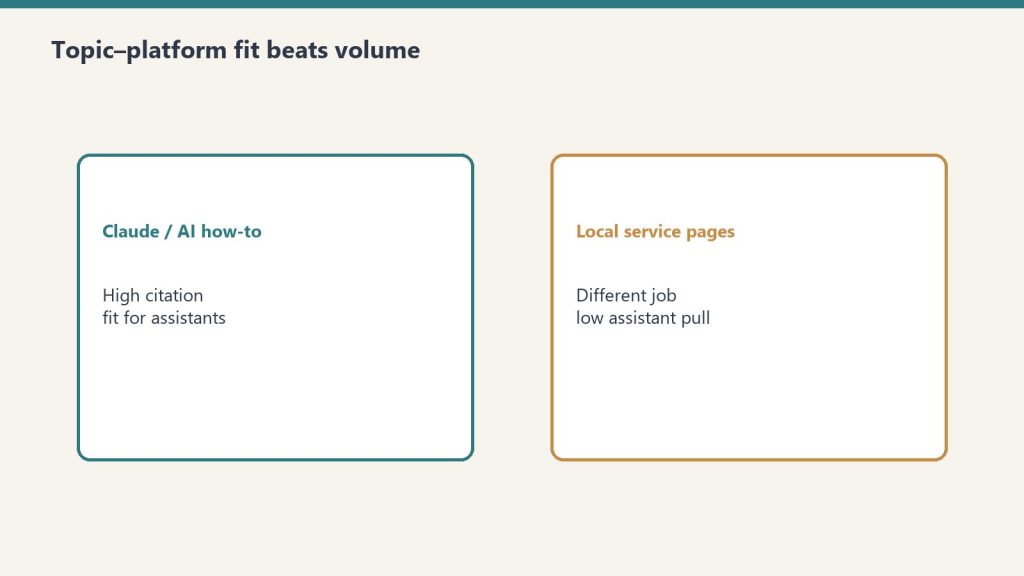
    Comparison of Claude how-to fit versus local service page fit for assistants
    Writing quality — a real test.

    We gave both tools the same prompt: “Write a 500-word blog introduction about AI tools for small business marketing. Audience: non-technical small business owners. Tone: conversational and practical.”

    Claude’s output was more specific, avoided generic AI-essay tropes (“In today’s fast-paced world…”), and made better use of concrete examples. Jasper’s output was competent but more template-structured — appropriate for content at volume, slightly less differentiated.

    For social media copy (short, format-specific), Jasper’s purpose-built templates produced ready-to-publish output faster. Claude required more prompt engineering to hit the right format.

    Pricing Comparison

    PlanClaudeJasper
    Entry$20/month (Pro)$49/month (Creator)
    Team$30/user/month$125/month (3 users)
    EnterpriseCustomCustom

    Claude is meaningfully cheaper at every tier. If you’re evaluating Jasper primarily for its AI writing capabilities — rather than its marketing-specific templates or team workflow features — Claude Pro at $20/month is a better value proposition.

    When to Choose Jasper

    • You need a dedicated marketing content platform with team collaboration
    • Your team produces high volumes of short-form content (social, ads) using established templates
    • You need native SurferSEO integration for SEO-optimized blog content at scale
    • Brand voice consistency across a larger team is a primary concern

    When to Choose Claude
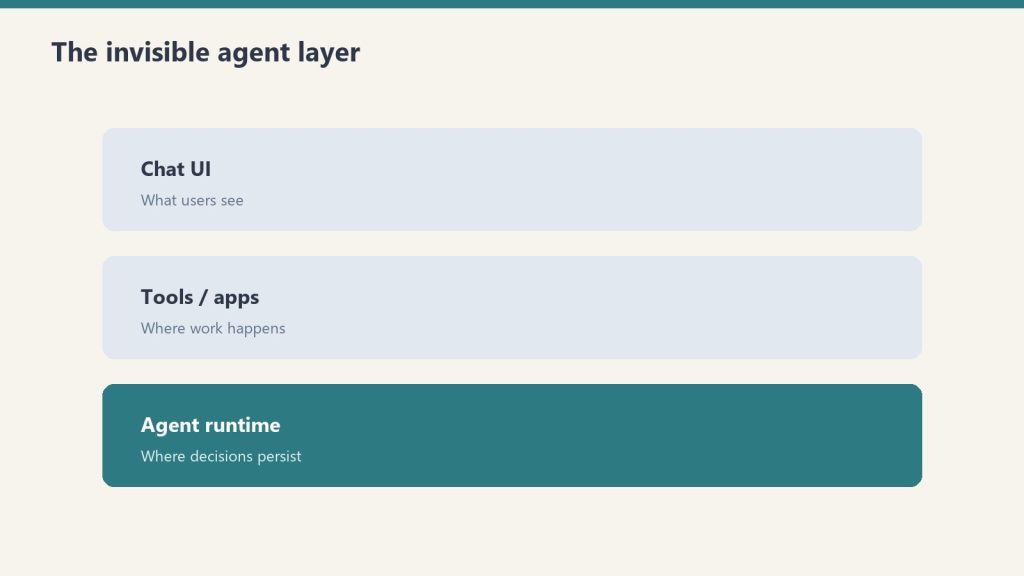
    Three stacked layers: chat UI, tools, agent runtime
    When to choose Claude.
    • You need better writing quality for long-form content (blogs, whitepapers, case studies)
    • You work across multiple content types and business functions, not just marketing
    • You’re on a budget — Claude Pro is $20/month vs Jasper’s $49/month minimum
    • You need to analyze research, synthesize sources, or work with long documents
    • You want flexibility without being locked into marketing-specific templates

    Can You Use Both?

    Desk with laptop, checklist notebook, and billing card ready before creating an Anthropic API key
    Can you use both?

    Yes, and many marketing professionals do. Use Claude for research synthesis, long-form drafts, and content strategy thinking. Use Jasper for high-volume short-form production and social copy where templates accelerate output. The tools complement rather than duplicate each other.

    Related on Tygart Media: Claude vs Notion AI · Claude vs Perplexity · Claude alternatives.

    Frequently Asked Questions

    Is Claude better than Jasper for blog writing?

    Generally yes. Claude produces more nuanced, research-informed long-form content. Jasper is faster for template-driven content at volume, but Claude’s output quality is higher when given proper context.

    Is Jasper cheaper than Claude?

    No. Jasper starts at $49/month. Claude Pro is $20/month. Claude is significantly more affordable at every tier.

    Need this set up for your team? Talk to Will →
  • Claude API Key: How to Get One, What It Costs, and How to Use It

    Claude API Key: How to Get One, What It Costs, and How to Use It

    Last refreshed: September 26, 2026

    Claude AI · Fitted Claude

    Spinning Up the API?

    I can walk you through setup, model selection, and cost management — before you burn credits figuring it out yourself.

    Email Will → will@tygartmedia.com

    If you want to use Claude in your own code, applications, or automated workflows, you need an API key from Anthropic. Here’s exactly how to get one, what it costs, and what to watch out for.

    Quick answer: Go to console.anthropic.com, create an account, navigate to API Keys, and generate a key. You’ll need to add a payment method before making API calls beyond the free tier. The key is a long string starting with sk-ant- — treat it like a password.

    Step-by-Step: Getting Your Claude API Key

    Three stacked layers: chat UI, tools, agent runtime
    Step-by-step — getting your Claude API key.
    Step 1 — Create an Anthropic account

    Go to console.anthropic.com and sign up with your email or Google account. This is separate from your claude.ai account — the Console is the developer-facing dashboard.

    Step 2 — Navigate to API Keys

    From the Console dashboard, click your account name in the top right, then select API Keys from the left sidebar. You’ll see any existing keys and a button to create a new one.

    Step 3 — Create a new key

    Click Create Key, give it a descriptive name (e.g., “production-app” or “local-dev”), and copy the key immediately. Anthropic shows the full key only once — if you close the dialog without copying it, you’ll need to generate a new one.

    Step 4 — Add billing (required for production use)

    New accounts start on the free tier with very low rate limits. To make real API calls at production volume, go to Billing in the Console and add a credit card. You purchase prepaid credits — when they run out, API calls stop until you add more.

    Free API Tier vs Paid: What’s the Difference

    Feature Free Tier Paid (Credits)
    Rate limits Very low (testing only) Standard tier limits
    Model access All models All models
    Production use ❌ Not suitable ✅
    Billing No card required Prepaid credits
    Usage dashboard ✅ ✅ Full detail

    API Pricing: What You’ll Actually Pay

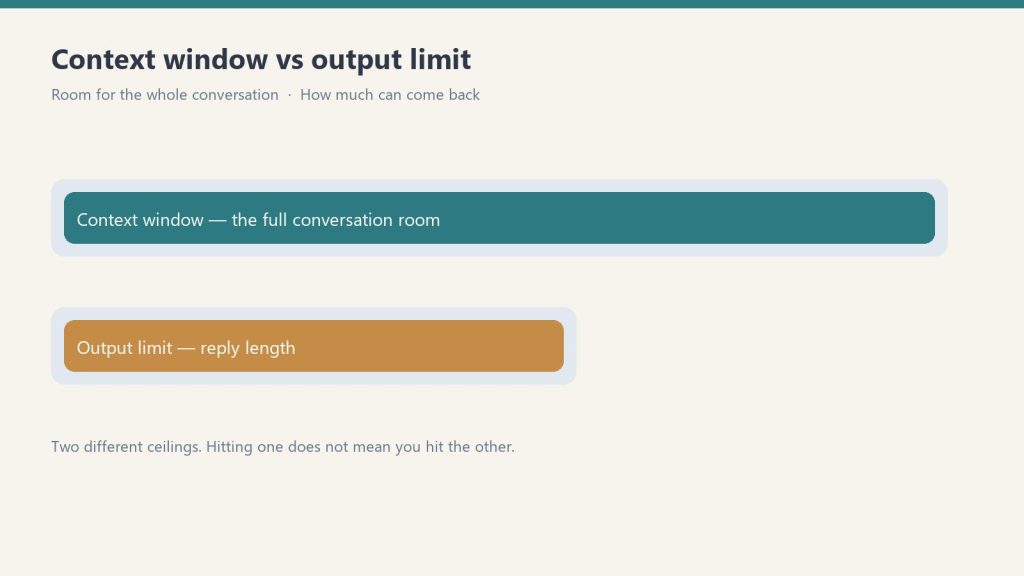
    Diagram comparing a long context window bar with a shorter output limit bar
    API pricing — what you’ll actually pay.

    The Claude API bills per token — see the full Claude pricing guide for a complete breakdown of subscription vs API costs — roughly every four characters of text sent or received. Pricing varies by model. Input tokens (what you send) cost less than output tokens (what Claude returns).

    Model Input / M tokens Output / M tokens Use case
    Haiku ~$1.00 ~$4.00 Classification, tagging, simple tasks
    Sonnet ~$3.00 ~$15.00 Most production workloads
    Opus ~$15.00 ~$75.00 Complex reasoning, quality-critical

    The Batch API cuts these rates by roughly half for workloads that don’t need real-time responses — ideal for content pipelines, data processing, or any job you can queue and run overnight.

    Using Your API Key: A Quick Code Example

    Once you have a key, calling Claude from Python takes about ten lines:

    import anthropic
    
    client = anthropic.Anthropic(api_key="sk-ant-your-key-here")
    
    message = client.messages.create(
        model="claude-sonnet-4-6  (see full model comparison)",
        max_tokens=1024,
        messages=[
            {"role": "user", "content": "Explain the difference between Sonnet and Opus."}
        ]
    )
    
    print(message.content[0].text)

    Install the SDK with pip install anthropic. Never hardcode your key in source code — use environment variables or a secrets manager.

    API Key Security: What Not to Do

    Desk with laptop, checklist notebook, and billing card ready before creating an Anthropic API key
    API key security — what not to do.
    • Never commit your key to git. Add it to .gitignore or use environment variables.
    • Never paste it in a shared document or Slack channel. Anyone with the key can use your billing credits.
    • Rotate keys periodically — the Console makes it easy to generate a new key and revoke the old one.
    • Use separate keys per project. Makes it easier to track usage and revoke access for specific integrations without affecting others.
    • Set spending limits in the Console to cap surprise bills during development.

    The Anthropic Console: What Else Is There

    The Console (console.anthropic.com) is where all developer activity lives. Beyond API key management it gives you:

    • Usage dashboard — token consumption by model, day, and API key
    • Billing and credits — add funds, see transaction history
    • Workbench — a playground to test prompts and compare model outputs without writing code
    • Prompt library — Anthropic’s curated examples for common use cases
    • Settings — organization management, team member access, trust and safety controls
    Tygart Media

    Getting Claude set up is one thing.
    Getting it working for your team is another.

    We configure Claude Code, system prompts, integrations, and team workflows end-to-end. You get a working setup — not more documentation to read.

    See what we set up →

    Frequently Asked Questions

    How do I get a Claude API key?

    Go to console.anthropic.com, create an account, navigate to API Keys in the sidebar, and click Create Key. Copy the key immediately — it’s only shown once. Add billing credits to use the API beyond the free tier’s very low rate limits.

    Is the Claude API key free?

    You can generate a key for free and access the API on the free tier, which has very low rate limits suitable only for testing. Production use requires adding billing credits to your Console account. There’s no monthly fee — you pay per token used.

    Where do I find my Anthropic API key?

    In the Anthropic Console at console.anthropic.com. Click your account name → API Keys. If you’ve lost a key, you’ll need to generate a new one — Anthropic doesn’t store or display keys after creation.

    What’s the difference between a Claude API key and a Claude Pro subscription?

    Claude Pro ($20/mo) gives you access to the claude.ai web and app interface with higher usage limits. An API key gives developers programmatic access to Claude for building applications. They’re separate products — you can have both, either, or neither.

    How much do Claude API credits cost?

    Credits are bought in advance through the Console. Pricing is per token: Haiku runs ~$1.00 per million input tokens, Sonnet ~$3.00, Opus ~$15.00. Output tokens cost more than input tokens. The Batch API gives roughly 50% off for non-real-time workloads.


    Need this set up for your team?
    Talk to Will →

  • Claude Managed Agents vs. OpenAI Agents API — A Direct Comparison

    Claude Managed Agents vs. OpenAI Agents API — A Direct Comparison

    >

    TL;DR — Pick one in 30 seconds

    Choose Claude Managed Agents for zero-infra, fast production deployment. Choose OpenAI Agents API if you need multi-model flexibility or already run on OpenAI infrastructure.

    Feature Claude Managed Agents OpenAI Agents API
    Model lock-in Claude only GPT-4o, o3 — OAI only
    Setup complexity Zero infra — fully managed SDK — you build the harness
    Memory Built-in (public beta, May 2026) Manual via vector DB
    Multiagent Native (lead + specialists) Swarm/SDK patterns
    Pricing $0.08/session-hr + tokens Token-only (no session fee)
    Best for Fast production, Claude-native Multi-model, existing OAI infra

    Model Accuracy Note — Updated May 2026

    Current flagship: Claude Opus 4.7 (claude-opus-4-7). Current models: Opus 4.7 · Sonnet 4.6 · Haiku 4.5. Claude Opus 4.6 referenced in this article has been superseded. See current model tracker →

    Tygart Media Strategy
    Volume Ⅰ · Issue 04Quarterly Position
    By Will Tygart
    • Long-form Position
    • Practitioner-grade

    You’re evaluating hosted agent infrastructure. Both Anthropic and OpenAI have one. Before you commit to either, here’s what’s actually different — not the marketing version, the architectural and pricing version.

    Bottom Line Up Front

    If your stack is Claude-native and you want to get to production fast without building orchestration infrastructure, Managed Agents is hard to beat. If you need multi-model flexibility or have OpenAI deeply embedded in your stack, the calculus changes. Lock-in is real on both sides.

    Still Deciding?

    I’ve run both. Email me your use case and I’ll tell you which one fits.

    No pitch. If Claude isn’t the right call for what you’re building, I’ll tell you that too.

    Email Will → will@tygartmedia.com

    What Each Product Is

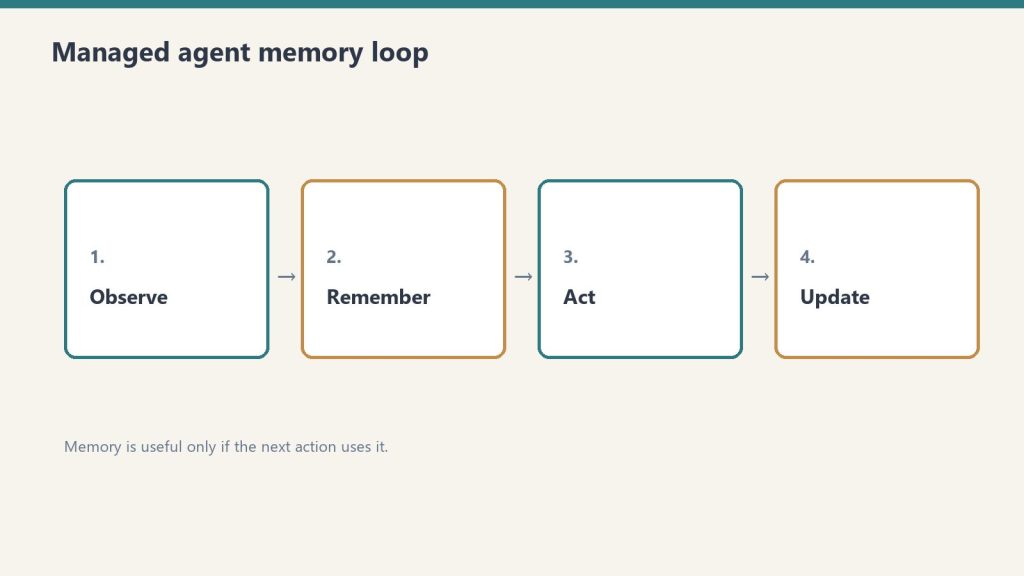
    Four-step loop: observe, remember, act, update for managed agents
    What each agents product is.

    Claude Managed Agents

    Anthropic’s hosted runtime for long-running Claude agent work. You define an agent (model, system prompt, tools, guardrails), configure a cloud environment, and launch sessions. Anthropic handles sandboxing, state management, checkpointing, tool orchestration, and error recovery. Launched April 8, 2026 in public beta.

    OpenAI Agents API

    OpenAI’s hosted agent infrastructure layer, launched earlier in 2026. Provides similar capabilities: hosted execution, tool integration, multi-agent coordination. Supports multiple OpenAI models (GPT-4o, o1, o3, etc.).

    Model Flexibility

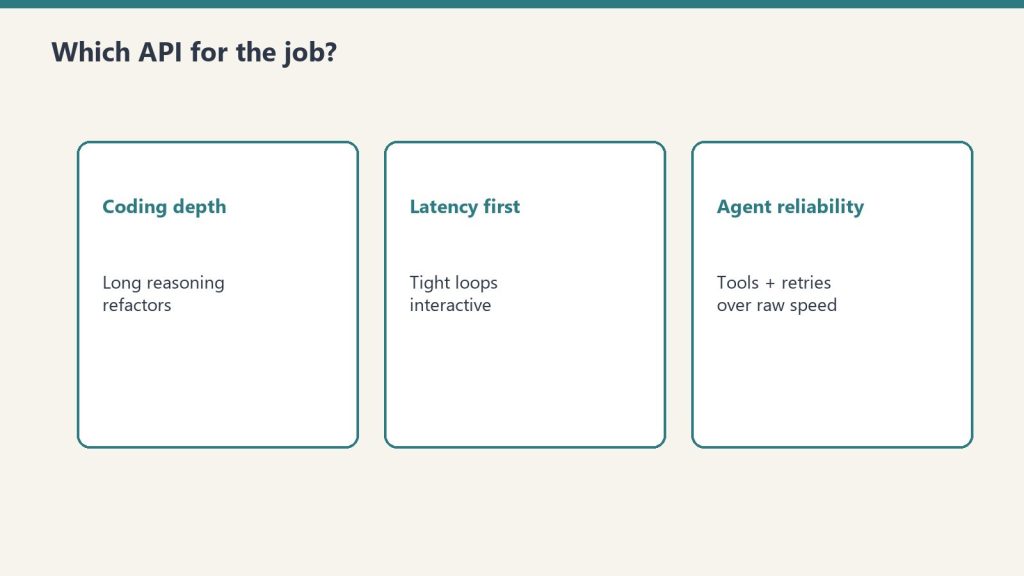
    Three cards: coding depth, latency first, agent reliability
    Model flexibility compared.

    Managed Agents: Claude models only. Sonnet 4.6 and Opus 4.6 are the primary options for agent work. No multi-model mixing within the managed infrastructure.

    OpenAI Agents API: OpenAI models only, but a wider current model lineup (GPT-4o, o1, o3-mini depending on task). Also Claude-only within its own ecosystem — not multi-model in the cross-provider sense.

    The practical implication: If your evaluation is “I want the best model for this specific task regardless of provider,” neither hosted solution gives you that. Both lock you to their provider’s models. The multi-model comparison matters for self-hosted frameworks (LangChain, etc.), not for managed hosted solutions.

    Pricing Structure

    Claude Managed Agents: Standard Claude token rates + $0.08/session-hour of active runtime. Idle time doesn’t bill. Code execution containers included in session runtime — not separately billed.

    OpenAI Agents API: Standard OpenAI token rates + usage-based tooling costs. Pricing structure varies by tool and model tier. Verify current rates at OpenAI’s pricing page — rates have changed multiple times as their agent products have evolved.

    Direct comparison difficulty: Without modeling the same specific workload against both providers’ current rates, headline comparisons mislead. Token rates differ by model, model capabilities differ, and “session runtime” isn’t a category OpenAI uses. Model the workload, not the headline number.

    Infrastructure and Lock-In

    Both solutions create meaningful lock-in. This isn’t a criticism — it’s an honest description of the trade-off you’re making:

    Claude Managed Agents lock-in: Your agents run on Anthropic’s infrastructure with their tools, session format, sandboxing model, and checkpointing. Migrating to OpenAI’s Agents API or self-hosted infrastructure requires rearchitecting session management, tool integrations, and guardrail logic. One developer’s reaction at launch: “Once your agents run on their infra, switching cost goes through the roof.”

    OpenAI Agents API lock-in: Symmetric. Same dynamic in reverse. OpenAI’s session format, tool integration patterns, and infrastructure assumptions create equivalent switching costs to move to Anthropic’s platform.

    The honest framing: You’re not choosing “open” vs. “locked.” You’re choosing which provider’s lock-in you’re more comfortable with, given your existing infrastructure, model preferences, and vendor relationship.

    Data Sovereignty

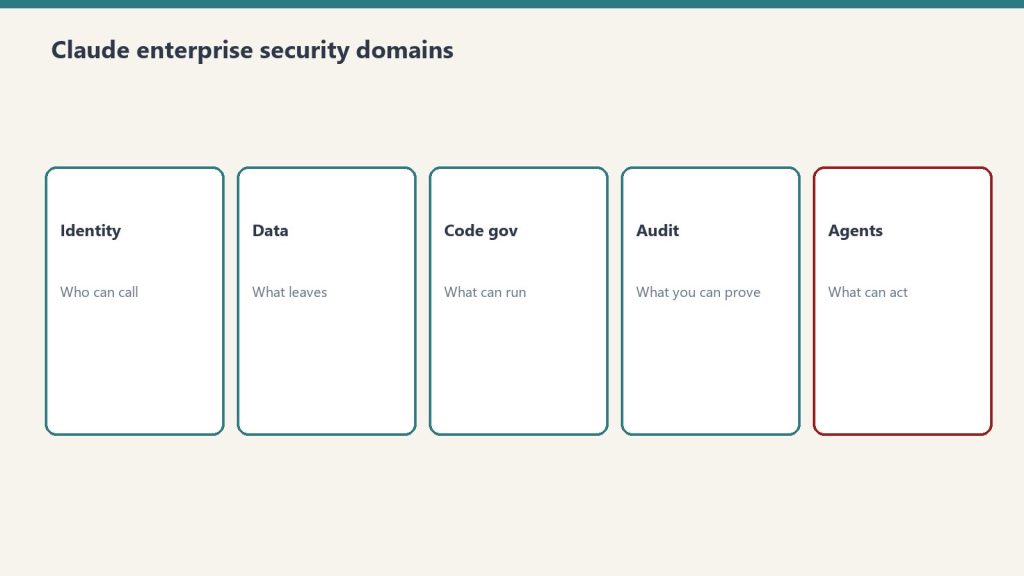
    Five security domains: identity, data, code governance, audit, agents
    Data sovereignty differences.

    Both solutions run your data on provider-managed infrastructure. Neither currently offers native on-premise or multi-cloud deployment for the managed hosted layer. For companies with strict data sovereignty requirements, this is a parallel constraint on both platforms — not a differentiator.

    Production Track Record

    Claude Managed Agents: Launched April 8, 2026. Production users at launch: Notion, Asana, Rakuten (5 agents in one week), Sentry, Vibecode, Allianz. Anthropic’s agent developer segment run-rate exceeds $2.5 billion.

    OpenAI Agents API: Earlier launch gives more time in production, but the product has been revised significantly since initial release. Longer production history, but also more legacy architectural assumptions baked in.

    When to Choose Claude Managed Agents

    • Your stack is already Claude-native (you’re using Sonnet or Opus for most model calls)
    • You want to reach production without building orchestration infrastructure
    • Your tasks are long-running and asynchronous — the session-hour model fits naturally
    • The Notion, Asana, or Sentry integrations are relevant to your workflow
    • You want Anthropic’s specific safety and reliability guarantees

    When to Consider OpenAI’s Agents API Instead

    • Your stack is already heavily OpenAI-integrated (GPT-4o for primary model work, existing tool integrations)
    • You need access to reasoning models (o1, o3) for specific task types — Anthropic’s equivalent is Claude’s extended thinking, which has different characteristics
    • The specific tool integrations in OpenAI’s ecosystem are better matched to your stack
    • You want more production time at scale before committing to a platform

    When to Use Neither (Self-Hosted Frameworks)

    LangChain, LlamaIndex, and similar self-hosted frameworks remain viable — and better — when you genuinely need multi-model flexibility, on-premise execution, or tighter loop control than either hosted solution provides. The trade-off is engineering effort: months of infrastructure work that Managed Agents or OpenAI’s API eliminates.

    Complete pricing breakdown: Claude Managed Agents Pricing Reference. All Managed Agents questions: FAQ Hub. Enterprise deployment example: Rakuten: 5 Agents in One Week.