Tag: Claude AI

  • Claude for E-Commerce: Product Descriptions, Support, and Ad Copy

    Claude for E-Commerce: Product Descriptions, Support, and Ad Copy

    Claude AI · Tygart Media
    Highest-value e-commerce uses: Product description writing at scale, customer support response drafting, ad copy variants, return/dispute email templates, and SEO metadata generation. Stores with 100+ SKUs get disproportionate value — Claude eliminates the per-product writing bottleneck entirely.

    E-commerce operators deal with a writing problem at scale: hundreds or thousands of product descriptions, constant customer email volume, ongoing ad copy needs, and category page optimization. Claude handles all of it and the math compounds quickly — at 100 products, saving 20 minutes per description is 33 hours of writing time recovered.

    Product Descriptions at Scale

    This is the clearest ROI for e-commerce. Create a Claude Project with your brand voice guide, a few examples of your best-performing product descriptions, and your SEO keyword targets. Feed it a product spec sheet or bullet points. Claude returns a full product description — benefits-focused, SEO-optimized, in your voice — in 30 seconds. A 500-product catalog that would take a copywriter weeks gets done in days. More importantly, it gets done consistently — no quality variation between your first and five-hundredth product.

    The prompt structure that works: product name, key specs/features, target customer, primary keyword, tone (technical/approachable/luxury), desired length. Everything else Claude handles.

    Customer Support Email Templates

    E-commerce customer service is 80% the same situations repeated at volume: WISMO (where is my order), return requests, damaged product claims, wrong item received, refund status follow-ups. Claude can draft a complete template library in a single session — 20-30 templates covering every common scenario in your brand voice. Once built, your support team selects the relevant template, edits the order-specific details, and sends in 2 minutes instead of 10. Response quality goes up; handle time goes down.

    Ad Copy Variants

    Give Claude your hero product, its top 3 benefits, the pain point it solves, and your target audience. Ask for 10 Facebook/Instagram ad copy variants testing different hooks, angles, and CTAs. Getting 10 testable variants used to mean a copywriter’s full day. Claude produces them in 3 minutes. Your team picks the strongest 3-4 to test. Your testing velocity accelerates; you find winning angles faster.

    SEO Metadata at Scale

    For large catalogs, writing unique title tags and meta descriptions for every product and category page is a project that perpetually gets deprioritized. Claude makes it a batch task. Export your product/category list, feed it to Claude in batches with your keyword targets, get optimized metadata back. A metadata project that would take a contractor a week takes an afternoon of prompting and reviewing.

    Return and Dispute Management

    The hardest e-commerce emails to write are the ones where the news is bad — denying a return that’s outside policy, handling a chargeback dispute, managing a wholesale customer complaint. Claude drafts these diplomatically — firm but not adversarial, policy-compliant but not robotic. Paste the situation and the relevant policy; Claude gives you a draft that keeps the customer relationship intact while holding the line on what’s fair.

    What Claude Doesn’t Replace

    Claude doesn’t connect to your Shopify or WooCommerce store directly without integrations. It can’t pull live inventory or order data — you have to provide that context. And it can’t make pricing or merchandising decisions. The strategic judgment on what to promote, how to price, and which customers to prioritize remains yours.

    Can Claude write product descriptions?

    Yes — this is one of its most popular e-commerce use cases. Provide product specs, target customer, and brand voice. Claude returns SEO-optimized descriptions in your tone in 30 seconds. Stores with large catalogs recover significant writing time.

    Can Claude help with e-commerce customer service?

    Yes — for drafting response templates, handling common scenarios (returns, WISMO, damage claims), and writing difficult “policy-holding” emails diplomatically. Human agents still review and personalize before sending.

    What Claude plan does an e-commerce business need?

    Claude Pro at $20/month for solo operators. Claude Team for teams sharing templates and Projects. For automated bulk description generation on large catalogs, the Anthropic API with batch processing is the most cost-effective approach.

  • Claude for Accountants and Finance Teams: What Actually Works

    Claude for Accountants and Finance Teams: What Actually Works

    Claude AI · Tygart Media
    Critical caveat: Claude is not a licensed accountant or CPA and cannot give tax or financial advice. All workflows below are for drafting, analysis assistance, and process efficiency under CPA supervision — not for replacing professional judgment.

    Accounting and finance teams have some of the most specific, repetitive writing and analysis work of any profession — and Claude handles the structural parts of that work exceptionally well. Here’s what works in practice for CPAs, controllers, and finance teams.

    What Actually Works

    Financial Narrative Writing

    The management discussion and analysis (MD&A) sections of financial reports, board presentations, investor updates — these require turning numbers into coherent narrative. Claude does this well. Paste in the financial data, describe the key variances and story, and ask for a draft narrative. The structure and language come back clean; you edit for accuracy and add judgment on causation. Writing time drops from hours to 30 minutes.

    Excel Formula and Query Generation

    Describe in plain English what you’re trying to calculate — a complex aging analysis, a multi-condition lookup, a cash flow forecast model structure. Claude writes the formula. For finance teams spending significant time on spreadsheet construction, this is one of the highest-leverage Claude uses: faster than searching documentation, more reliable than Stack Overflow for complex business logic.

    Client Communication Drafts

    Engagement letters, tax planning summaries sent to clients, explanations of complex tax situations in plain language — Claude drafts these from your bullet points. The “explain this to a non-accountant” use case is one Claude consistently handles well. A partner review of Claude’s plain-English explanation of a complex entity structure takes 5 minutes instead of 45.

    Policy and Procedure Documentation

    Month-end close checklists, audit preparation procedures, internal control documentation — structured operational documents that every accounting team needs but nobody has time to write properly. Give Claude the steps and the standard you’re working toward; it produces a complete, structured document. What usually gets deferred indefinitely gets done in an afternoon.

    Research Synthesis

    Paste in a tax code section, a regulatory update, or an accounting standards update (ASU). Ask Claude to summarize the key changes, identify what’s affected, and draft a client memo. The summary still needs CPA review for accuracy and applicability — but the synthesis step that used to take an hour takes 10 minutes.

    Hard Limits for Accounting Use

    Claude should not be the final word on tax positions, accounting treatment, or compliance conclusions. It can help structure the analysis but cannot replace the professional judgment that underlies an opinion. Any client-facing document needs full CPA review before delivery. Claude also doesn’t have access to live tax databases or current IRS guidance — for current year specifics, always verify against primary sources.

    For client confidential information, use Claude Team or Enterprise with data privacy controls enabled. Do not use the free plan with client financial data.

    Can Claude help with accounting work?

    Yes — for financial narrative writing, Excel formula generation, client communication drafts, and documentation. All output requires CPA review. Claude cannot give tax advice or make professional accounting judgments.

    Is Claude safe to use with client financial data?

    Use Claude Team or Enterprise for client financial data. These plans offer data privacy controls and training opt-out. The free plan should not be used with confidential client information.

  • Claude API vs Subscription: When to Switch to Pay-Per-Token

    Claude API vs Subscription: When to Switch to Pay-Per-Token

    Claude AI · Tygart Media
    Decision rule: Subscription (Pro/Max) if you’re a human using Claude interactively every day. API if you’re building something, automating a workflow, or your usage is irregular enough that paying per token is cheaper than a fixed monthly seat.

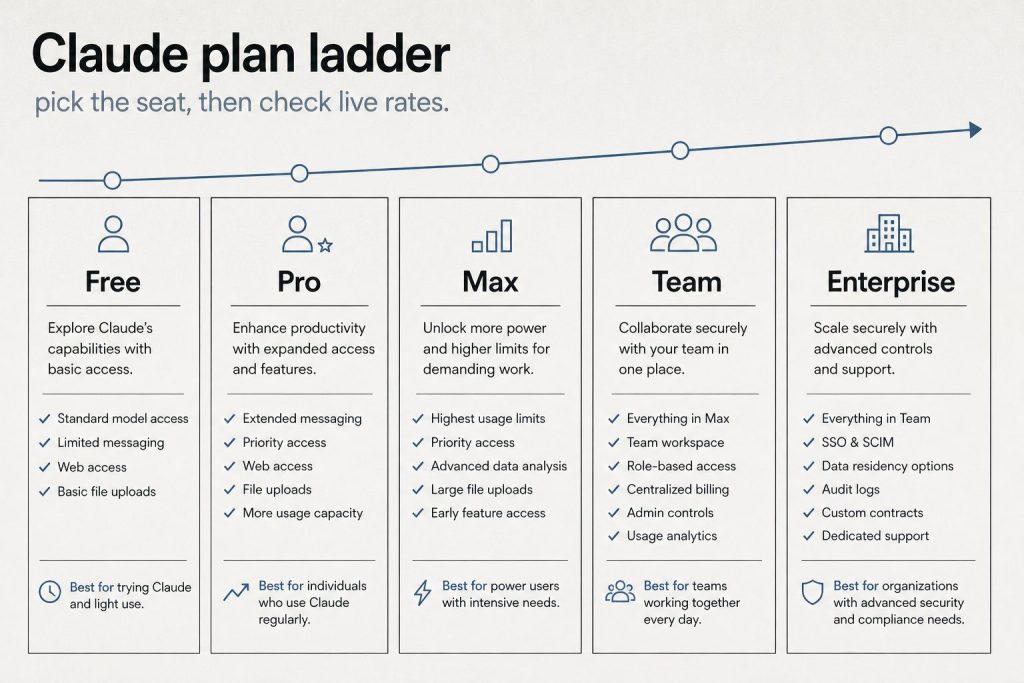
    Claude comes in two fundamentally different pricing models and most people don’t realize they’re choosing between them. The subscription plans (Free, Pro, Max, Team, Enterprise) are designed for humans using Claude as a daily tool. The API is designed for builders, developers, and automation workflows. Here’s how to figure out which you actually need — and when it makes sense to use both.

    The Core Difference

    Factor Subscription (Pro/Max) API (Pay Per Token)
    Who it’s for Individuals and teams using Claude daily Developers, automation, builders
    Pricing model Fixed monthly ($20–$200+) Variable — per input/output token
    Access method claude.ai / Claude apps REST API, SDK, Claude Code
    System prompts Limited (Projects) Full control
    Model routing Sonnet default, limited Opus Choose any model per call
    Automation/scheduling Cowork (Pro+) Full programmatic control
    Usage limits Soft message caps Rate limits, no message caps
    Best for Writing, analysis, chat, research Apps, pipelines, automation

    When Subscription Is the Right Choice

    If you are a person opening Claude, having a conversation, getting work done, and closing it — subscription is correct. The per-message model of the consumer interface is designed for interactive work. You don’t need to know about tokens, rate limits, or API authentication. Pro at $20/month gives you enough usage for a full professional workday of interactive Claude use. Max at $100/month removes usage friction for heavy daily users and adds agent teams and full Opus access.

    Subscription also makes sense for small teams using Claude collaboratively — Claude Team adds shared Projects, team billing, and admin controls without requiring anyone to manage API keys or infrastructure.

    When the API Is the Right Choice

    The API is the right choice the moment you want Claude to do something automatically — without a human typing a prompt each time. Scheduled content pipelines, automated document processing, apps with AI features, batch analysis of large datasets, Cowork-style workflows you want to deploy for others — all of these require the API.

    The API is also better when your usage is irregular or bursty. If you use Claude heavily for three days during a project and barely at all the rest of the month, the API’s pay-per-token model is significantly cheaper than paying $20/month for a subscription you’re only using 10% of.

    Cost crossover point: at Sonnet 4.6 pricing ($3 input / $15 output per million tokens), you’d need to process roughly 1–2 million tokens per month before the API becomes more expensive than Pro. That’s a lot of text — most interactive users will never hit it. Most automated pipelines will exceed it quickly.

    You Can Use Both — and Most Power Users Do

    There’s no restriction on having both a Claude Pro subscription and an Anthropic API key. Many power users do exactly this: the subscription for interactive daily work (research, writing, analysis), the API for automated pipelines (content publishing, data processing, batch operations). They’re separate billing relationships and separate access channels. The subscription doesn’t give you API access, and the API doesn’t give you the Claude.ai interface features.

    API Pricing at a Glance (April 2026)

    Model Input Output Best For
    Claude Haiku 4.5 $0.80/M $4/M High-volume, simple tasks
    Claude Sonnet 4.6 $3/M $15/M Most production workloads
    Claude Opus 4.6 $5/M $25/M Complex reasoning, max capability

    Do I need the API or a subscription to use Claude?

    You need a subscription (Free, Pro, Max, Team, or Enterprise) to use Claude.ai and the Claude apps. You need the API if you want to integrate Claude into your own applications, automations, or workflows. Both are available; many power users have both.

    Is the Claude API cheaper than Pro subscription?

    It depends on usage volume. Light interactive users are cheaper on Pro. Heavy automated pipelines processing millions of tokens per month can be cheaper via API — or more expensive, depending on model and volume. Use the token calculator: 1M Sonnet input tokens costs $3. A typical 1,000-word article is roughly 1,300 tokens.

    Can I use Claude Code with just a subscription?

    Yes. Claude Code is available on Pro and Max subscription plans without needing a separate API key. For heavy Claude Code use (long sessions, large codebases), the API with pay-per-token billing can be more cost-effective than a Max subscription — or more expensive, depending on your session length and frequency.

  • Claude vs Notion AI: Inside the Database vs Outside — What the Tests Actually Show

    Claude vs Notion AI: Inside the Database vs Outside — What the Tests Actually Show

    Claude AI · Tygart Media · Tested March 2026
    The key distinction: Notion AI (with Claude Sonnet or Opus inside) has native semantic access to your entire workspace — it traverses database relationships, reads inline comments, and synthesizes across pages it was never explicitly pointed at. Claude connected via API has to be told exactly where to look. Same model, fundamentally different information access.

    There are now two ways to run Claude inside Notion: through Notion AI (where Anthropic’s models power Notion’s built-in AI features with workspace search enabled), and through direct Claude integration (where your Claude instance connects to Notion via the API or MCP). Most people assume these are equivalent — same Claude model, same output. They are not. The difference isn’t the model. It’s the context layer underneath it.

    What “Inside the Database” Actually Means

    When you use Notion AI with workspace search enabled, Claude (or another model) is operating with native Notion context. It can traverse relational links between databases the way a human would navigate a workspace — following a CRM record to its linked action items, pulling content pipeline data alongside revenue records, reading the inline comment threads that live on specific blocks. It doesn’t just retrieve documents; it understands the relationships between documents.

    When you connect Claude to Notion via the API, Claude receives whatever data you explicitly fetch and pass to it. It reads exactly what you give it, nothing more. A cross-database synthesis requires you to make multiple API calls, stitch the data together, and pass the combined result. You are the relationship layer; Claude is the reasoning layer on top of your assembly work.

    Real Test Results: The Same Task, Both Ways

    We ran a structured test in March 2026 — asking multiple AI models inside Notion AI (with workspace search) to produce a complete client health summary across four databases simultaneously: Master CRM, WordPress Site Operations, Content Pipeline, and Revenue Pipeline. Then comparing what Claude via API alone could produce on the same client.

    The result was not close on the first run. Notion AI with Claude Sonnet 4.6 took approximately 35 seconds and returned:

    • Revenue Pipeline data ($2,000/month Closed Won)
    • CRM contact details with email and phone
    • WordPress ops: Health Score, post count, connection method, specific IPs
    • A cumulative content table (Pre-2026: 30, Jan: 529, Feb: 375, Mar: 164 = 1,098 total)
    • SEO performance comparison: Clicks +2,217%, SEO Value +3,028%, Keywords +271% (Dec 2025 vs Feb 2026)
    • 7 prioritized attention items with a strategic bottom-line summary

    Claude Opus 4.6 inside Notion earned what we graded S — executive intelligence tier. It opened with a strategic framing (“Overall Health: Needs Attention”), named all Notion sources it queried, built a full P0-P3 priority matrix with rationale, and surfaced findings none of the other models caught: a hardcoded phone number as the root cause of attribution gap, a missing contact form on the /contact-us/ page, and the exact date of each optimization action in the content workflow.

    The single finding that made the difference: Opus 4.6 inside Notion connected a 403 error from an SEO drift detector to a specific operational blind spot — and traced it back to a configuration issue that had been invisible because it required reading both a monitoring log and an infrastructure record simultaneously. Claude via API would have needed those two documents explicitly fetched and merged before it could reason across them.

    What Claude Inside Notion Can Do That External Claude Cannot

    Capability Notion AI (Claude inside) Claude via API/MCP
    Semantic traversal across linked databases ✅ Native ❌ Manual fetch required
    Read inline comments and discussion threads ✅ Yes ❌ Not via standard API
    Cross-reference dashboard data with page content ✅ Automatic ❌ Requires explicit assembly
    Follow relational links without being told to ✅ Yes ❌ Must specify each fetch
    Identify discrepancies between related records ✅ Can catch stale data ⚠ Only if you provide both records
    Access workspace search across all pages ✅ Full semantic search ⚠ API search is keyword-based
    Run without human assembly of context ✅ Yes ❌ Requires orchestration layer

    What External Claude Does Better

    The inside-the-database advantage is real, but it’s not the whole story. Claude connected externally through the API or MCP has capabilities Notion AI cannot replicate:

    Taking actions. Notion AI can read and summarize. External Claude can read, reason, and then act — publish a WordPress post, update a Metricool schedule, send an email, write a file to GCP. Notion AI is fundamentally a read and summarize layer. External Claude connected to tools is an execution layer.

    Custom system prompts and instructions. External Claude sessions can be loaded with specific operational context, role definitions, and multi-step task chains. Notion AI’s model selection is relatively fixed — you pick the model, but you can’t deeply configure its behavior the way you can with a direct API call.

    Model routing and cost control. External Claude lets you route specific tasks to specific model tiers — Haiku for bulk classification, Sonnet for standard work, Opus for strategic synthesis. Notion AI doesn’t expose that level of routing control to the user.

    Automation and scheduling. External Claude runs in Cowork tasks, Cloud Run cron jobs, and triggered pipelines. Notion AI runs when a human opens a page and asks a question.

    The Architecture That Gets the Most From Both

    The most powerful setup is not a choice between them — it’s using both for what each does best. Notion AI with workspace search is the intelligence layer: the “eyes” that can synthesize across your entire knowledge base and surface what matters. External Claude is the execution layer: the “hands” that take action based on what the intelligence layer surfaces.

    Practically: run a Notion AI query with Opus 4.6 to get the full client health picture and identify the top 3 priorities. Then hand those priorities to external Claude (via Cowork or a direct API call) to execute: draft the emails, update the records, publish the content. The separation of concerns — Notion AI for global workspace intelligence, external Claude for structured action — is more powerful than either alone.

    One concrete implementation: a daily Cowork task that first calls the Notion MCP to fetch key database records, then passes that assembled context to Claude for action planning, then executes a task list. The fetch step approximates what Notion AI does natively, but you control exactly what gets assembled. For well-defined, repeating workflows, this is often sufficient. For exploratory synthesis (“give me the full picture across this client’s history”) where you don’t know in advance what’s relevant, Notion AI’s native traversal is materially better.

    Model Performance Inside Notion AI (March 2026 Test)

    Model Grade Speed Best For
    Claude Opus 4.6 S ~60s Executive summaries, strategic framing, P0-P3 priority matrices. Found unique issues no other model caught.
    Claude Sonnet 4.6 A+ ~35s Operational detail, SEO metrics, granular data presentation. Best for recurring ops reports.
    GPT-5.2 A+ ~90s Deepest data mining. Named individuals, deadlines, specific IDs. Slowest but most thorough.
    Gemini 3.1 Pro A ~25s Fastest response. Strong all-rounder. Best for quick status checks.
    GPT-5.4 A ~40s Clean structured output. Good first-pass default for routine checks.

    The multi-model finding: no single model caught everything. Running the same query through three models and distilling their unique findings produced materially better intelligence than any single model alone. Opus 4.6 found the hardcoded phone number and missing contact form. GPT-5.2 found the CRM coverage gap and named specific people with deadlines. Sonnet 4.6 built the clearest data tables. Together: a complete operational picture.

    Is Notion AI the same as using Claude directly?

    No. Both can use Claude models, but Notion AI with workspace search has native semantic access to your entire Notion workspace — it traverses linked databases and reads relationships automatically. External Claude via API only sees data you explicitly fetch and pass to it. Same model, different context layer.

    Which is better: Claude inside Notion or Claude connected via API?

    Depends on the task. Notion AI (Claude inside) is better for cross-database synthesis and global workspace intelligence — it can see everything without you assembling it. External Claude is better for taking action — publishing, updating, scheduling, automating. The most powerful setup uses both: Notion AI for intelligence, external Claude for execution.

    Can Claude via API replace Notion AI?

    Partially. The Notion MCP lets external Claude fetch database records, but it still requires you to specify what to fetch. Notion AI’s native traversal follows relationships automatically without explicit instruction. For exploratory synthesis across an unknown-in-advance data landscape, Notion AI’s native context is materially better than assembled API context.


  • Running Claude Inside a GCP VM: The Fortress Architecture Explained

    Running Claude Inside a GCP VM: The Fortress Architecture Explained

    Claude AI · Tygart Media
    What this architecture solves: Claude API calls made from inside a private GCP VPC never touch the public internet. Your data, prompts, and outputs stay within your cloud perimeter. This is the standard for regulated industries and the right model for any organization where data sovereignty matters.

    Most Claude API usage works the same way: your application makes a call to api.anthropic.com across the public internet. For consumer apps and developer projects, that’s fine. For enterprises handling sensitive data — healthcare, finance, legal, government — “fine” isn’t the bar. The Fortress Architecture runs Claude inference through Google Cloud’s Vertex AI from inside a private VPC, so sensitive data never crosses a public network boundary.

    The Core Architecture

    Instead of calling the Anthropic API directly, your application calls Claude through Vertex AI from within a GCP Compute Engine VM or Cloud Run service inside your VPC. VPC Service Controls create a security perimeter around your Vertex AI resource. Requests to Claude stay inside that perimeter — they originate from your private network, route through Google’s internal infrastructure to Vertex AI, and return inside the same boundary.

    From a data flow perspective: your application → private VPC → Vertex AI API (Google internal) → Claude model inference → back through VPC → your application. No public internet hop at any point.

    Why a VM Instead of a Direct API Call

    Running Claude through a VM — rather than a developer’s laptop or a serverless function with public internet access — gives you several properties that matter at enterprise scale:

    Consistent identity. All Claude calls originate from a known service account with specific IAM permissions. There’s no risk of a developer accidentally using personal credentials or exposing an API key.

    Network isolation. The VM sits inside a VPC with firewall rules. You control exactly what it can reach and what can reach it. No lateral movement from a compromised endpoint reaches your Claude integration.

    Audit trail. Every Claude API call through Vertex AI generates Cloud Logging entries. You get a complete, immutable record of what was asked and when — essential for compliance in healthcare and financial services.

    Centralized cost control. All AI spend flows through one GCP project with budget alerts and quotas. No shadow AI spending from individual developers using personal API keys.

    Implementation Pattern

    The standard setup: a Cloud Run service or Compute Engine VM runs your Claude-connected application code inside a VPC. A service account with roles/aiplatform.user is the only identity that can call Vertex AI. VPC Service Controls restrict Vertex AI access to requests originating from your perimeter. Cloud Logging captures all API activity. Budget alerts on the GCP project catch unexpected usage spikes.

    The application code itself is straightforward — the Anthropic Python or Node.js SDK with the Vertex AI configuration flag set. The security comes from the infrastructure layer, not the application layer.

    When This Architecture Is Worth the Setup

    For a solo developer or small startup, this is overkill. The setup overhead — VPC configuration, service accounts, VPC Service Controls, Cloud Logging — is a full day of infrastructure work. For organizations where a data breach involving patient records, financial data, or privileged legal communications would be catastrophic, that day of setup is a trivial cost against the risk.

    The categories where this architecture is essentially required: HIPAA-covered healthcare applications, financial services with SOC 2 or PCI requirements, legal services handling privileged communications, government contractors, and any application processing PII at scale.

    The Real Operational Benefit Beyond Security

    The compliance story is obvious. The less-discussed benefit is operational consistency. When all Claude usage flows through a single controlled channel, you get uniform behavior (same model version, same parameters, same rate limits), centralized prompt management (update the system prompt in one place, not in every developer’s local config), and predictable costs. The Fortress Architecture is as much an operational discipline as it is a security model. See The Fortress Architecture: Full Guide for the complete technical breakdown and Claude on Vertex AI: Why Route Through GCP for the Vertex AI setup.

    Can you run Claude inside a private GCP VPC?

    Yes — through Vertex AI with VPC Service Controls. Claude requests originate inside your private network perimeter and never cross the public internet. This is the standard architecture for regulated industry deployments.

    Is Claude HIPAA compliant on GCP?

    Vertex AI is available under Google Cloud’s HIPAA BAA. Running Claude through Vertex AI inside a VPC with appropriate controls can support HIPAA-compliant architectures. Consult your compliance team on the full requirements for your specific application.

    Why run Claude on a GCP VM instead of calling the API directly?

    A VM inside a VPC gives you network isolation, a consistent service account identity, complete audit logging, centralized cost control, and the ability to apply VPC Service Controls. For enterprise deployments, this is the correct architecture — not a development shortcut.

  • Claude for Content Creators: The Stack That Replaces Five Tools

    Claude for Content Creators: The Stack That Replaces Five Tools

    Claude AI · Tygart Media
    Where creators get the most value: Research and outlining, repurposing content across formats, script drafts from notes, title and hook testing, and building a system that keeps your voice consistent while cutting production time in half.

    Content creators — YouTubers, newsletter writers, podcasters, bloggers, course creators — have a specific relationship with AI tools: the output quality has to sound like them, not like a generic AI. Claude’s writing quality and its ability to learn and match a distinctive voice makes it the model most creators prefer once they’ve actually tried it. Here’s the stack that works.

    The Voice Problem (And How to Solve It)

    Every creator’s biggest fear with AI: it makes everything sound the same. The solution is a well-built Claude Project. Create a Project and load it with: 3–5 examples of your best-performing content (your actual words, your actual style), a description of your audience and what they come to you for, your recurring phrases and vocabulary preferences, and things you never say. Now Claude has your voice as context. The output starts sounding like you, not like a generic assistant. This setup takes an hour once; it pays back every session after.

    Workflow: YouTube Creators

    Most YouTube workflows: dump your raw research notes or talking points into Claude, ask for a structured script outline with your intro hook, main sections, and CTA. Claude structures the content; you add the personality and on-camera energy. Use Claude to generate 10 title options for A/B testing — creators report Claude’s title suggestions routinely outperform what they’d come up with manually under time pressure. Also use it to repurpose video transcripts into blog posts, email newsletters, and social clips — one video becomes a full week of content.

    Workflow: Newsletter Writers

    The brief-to-draft cycle is where newsletter writers save the most time. Drop in your research, notes, or even a voice memo transcript. Tell Claude your angle, your reader, and your intended length. Claude drafts; you edit heavily in the first few newsletters, lightly after it has your voice dialed in. Most newsletter writers cut drafting time by 60–70% within a month of consistent use.

    Workflow: Podcasters

    Pre-production: Claude researches guests, builds question frameworks from guest bios and recent work, and generates show notes outlines. Post-production: paste the transcript and ask Claude to produce show notes, key takeaways, timestamps summary, and social clips. A post-production task that used to take 2–3 hours takes 30 minutes.

    Workflow: Course Creators

    Claude builds curriculum outlines from a topic and target learner description. It writes lesson introductions, assessment questions, workbook prompts, and module summaries. For online course creators, the structural and administrative writing that consumes 40% of course production time is now a Claude task. The teaching itself — the explanation, the examples, the connection — still comes from you.

    The Compound Effect

    The creators getting the most value from Claude aren’t using it for one-off tasks — they’re building systems. A YouTube creator with a well-structured Project can go from raw research to a complete script, 10 title options, thumbnail text variants, a Twitter thread, and a short-form clip script in under 2 hours. What used to take two full days of production work is a single focused session.

    Can Claude match my writing voice?

    Yes, when you give it sufficient context. Build a Claude Project with examples of your best content, your audience description, and style notes. Claude learns your voice and the output becomes significantly more “you” than generic prompting produces.

    Will AI make my content sound generic?

    Generic prompts produce generic output. Claude with a well-built voice context — your actual writing examples, your style notes, your audience description — produces content that sounds like you. The setup matters more than the model.

    What Claude plan do content creators need?

    Claude Pro at $20/month is sufficient for most individual creators. If you’re running a content team or want to share Projects with editors or collaborators, Claude Team adds shared Projects and team controls.

  • Claude for Marketing Teams: The Workflows That Actually Save Time

    Claude for Marketing Teams: The Workflows That Actually Save Time

    Claude AI · Tygart Media
    Where marketing teams get the most value: Brief-to-draft pipelines, research synthesis, copy variants for A/B testing, repurposing long-form content into social, and campaign strategy documents. Claude’s writing quality is the sharpest edge — it’s consistently better than other models at matching brand voice.

    Marketing teams were early Claude adopters and they’ve had longer to figure out what works. The teams getting the most value aren’t using Claude as a content factory — they’re using it as a thinking partner and first-draft engine that cuts research and drafting time in half while keeping a human in the loop for strategy and judgment.

    The Workflows That Actually Work

    Brief to First Draft

    The highest-leverage marketing use case. Create a Claude Project with your brand guidelines, tone of voice, target audience, and examples of your best-performing content. Every new piece starts with a brief (400–600 words of context). Claude produces a complete first draft. Your team edits for accuracy and brand specifics. The drafting step — historically 2–4 hours — becomes 15 minutes. Your writers spend their time on the 20% that requires human judgment, not the 80% that’s structural and formulaic.

    Research Synthesis

    Feed Claude a competitor’s landing page, three industry articles, and your current positioning. Ask it to identify gaps, summarize the competitive landscape, and suggest positioning angles you haven’t tried. This used to take a day of research and a meeting to synthesize. It now takes 20 minutes of prompting. The output still needs a strategist’s judgment — but the raw material is assembled instantly.

    Copy Variants for Testing

    Give Claude your control copy and ask for 5 variants testing different hooks, CTAs, or tone registers. Getting 5 testable variants used to require a copywriter’s half day. Claude produces them in 3 minutes. Your team selects the strongest 2–3 to test. The testing cadence accelerates; you learn faster.

    Content Repurposing

    Paste a long-form blog post or webinar transcript. Ask Claude to extract: 5 LinkedIn post ideas, 3 email newsletter angles, 10 tweet-length insights, and a short-form video script outline. One piece of content becomes a month of social material in 10 minutes.

    Campaign Strategy Documents

    Claude is strong at structured strategic documents — campaign briefs, messaging frameworks, launch plans. Give it your objective, audience, budget range, and competitive context. It produces a structured document you can brief your team from. The document still needs your strategy — but the structure and language scaffolding is instant.

    What Claude Is Not Good at for Marketing

    Claude doesn’t know your brand the way you do until you teach it — generic prompts produce generic output. It also can’t replace data analysis (it can help interpret data you paste in, but it doesn’t connect to your analytics platforms without integrations). And it can’t predict what will resonate with your specific audience — that’s testing and judgment, not generation.

    The marketing teams that get the least value from Claude treat it as a content production button. The ones that get the most treat it as a senior writer who needs a thorough brief.

    Setting Up Claude for Your Marketing Team

    Create a Claude Team plan and set up a Project for each major content type: one for blog, one for email, one for social, one for paid copy. Load each Project with relevant context (brand guide, audience personas, past top performers). Brief new team members on prompting standards. Within a week, your team’s output quality and speed improves across the board.

    Is Claude good for marketing content?

    Yes — particularly for first drafts, copy variants, research synthesis, and content repurposing. Claude’s writing quality is among the best of any AI model, and it’s especially strong at matching brand voice when given sufficient context.

    Can Claude replace a marketing copywriter?

    No — but it changes what copywriters spend their time on. Claude handles structural drafting and variants; human writers handle strategy, brand judgment, and the final 20% that makes content perform. Most teams find output quality goes up, not down, when Claude is in the workflow.

    What Claude plan is best for a marketing team?

    Claude Team at $25-30/user/month gives shared Projects, team billing, and admin controls. For a 3-10 person marketing team using Claude daily, Team is the right plan. Larger org? Claude Enterprise adds advanced admin and data controls.

  • Claude Release History: Every Model From Claude 1 to Claude 4.6

    Claude Release History: Every Model From Claude 1 to Claude 4.6

    Claude AI · Tygart Media · Last Updated April 2026
    Current models (April 2026): Claude Opus 4.6 and Claude Sonnet 4.6 — released February 2026. Claude Haiku 4.5 — October 2025. Original Claude 4.0 models deprecated, retiring June 15, 2026.

    Anthropic has released over a dozen Claude models since the first public launch in March 2023. This page is the complete record — every model, its release date, the key capability it introduced, and its current status. It’s updated when Anthropic ships new releases.

    The Complete Claude Model Timeline

    Model Released Key Capability Status
    Claude 1 March 2023 First public release. Constitutional AI, 100K context. Retired
    Claude 1.3 July 2023 Improved reasoning and code generation. Retired
    Claude 2 July 2023 Doubled context to 100K, stronger coding and analysis. Retired
    Claude 2.1 November 2023 Reduced hallucination rate, tool use support added. Retired
    Claude 3 Haiku March 2024 Fastest, cheapest Claude 3 tier. Near-instant responses. Deprecated
    Claude 3 Sonnet March 2024 Balanced performance/cost. First strong coding model. Deprecated
    Claude 3 Opus March 2024 Top benchmark scores at launch. Best reasoning of the generation. Deprecated
    Claude 3.5 Sonnet June 2024 Outperformed prior Opus on most benchmarks at Sonnet price. Landmark release. Deprecated
    Claude 3.5 Haiku October 2024 Speed/cost tier for Claude 3.5 generation. Deprecated
    Claude 3.5 Sonnet v2 October 2024 Computer use capability introduced. Improved coding. Deprecated
    Claude 3.7 Sonnet February 2025 Extended thinking. First Claude with explicit chain-of-thought reasoning. Deprecated
    Claude Sonnet 4 May 2025 Claude 4 generation launch. Major coding gains, SWE-bench leadership. ⚠ Retiring June 15, 2026
    Claude Opus 4 May 2025 Maximum capability in Claude 4 generation at launch. ⚠ Retiring June 15, 2026
    Claude Haiku 4.5 October 2025 Speed/cost tier for 4.x generation. 200K context. ✅ Current
    Claude Opus 4.6 February 5, 2026 1M token context window (beta then GA). Improved long-horizon reasoning. ✅ Current flagship
    Claude Sonnet 4.6 February 17, 2026 Near-Opus performance. 1M token context. Dramatically improved computer use. ✅ Current default

    The Generational Leaps That Mattered Most

    Claude 3.5 Sonnet (June 2024) — The Benchmark Flip

    This was the release that established Claude as a serious competitor to GPT-4. Claude 3.5 Sonnet outperformed Claude 3 Opus on most benchmarks at half the cost — the first time a Sonnet-tier model beat the prior generation’s flagship. It also introduced Artifacts, the interactive output canvas that became a defining Claude feature. Every generation since has followed this pattern: new Sonnet outperforms prior Opus.

    Claude 3.7 Sonnet (February 2025) — Extended Thinking

    Extended thinking gave Claude an explicit reasoning layer before responding — the model could work through a problem step-by-step before committing to an answer. This was Anthropic’s answer to OpenAI’s o1 and marked the beginning of “reasoning models” as a mainstream concept in Claude’s lineup.

    Claude Sonnet 4 (May 2025) — Coding Leadership

    The Claude 4 launch pushed Claude to the top of SWE-bench Verified, the real-world software engineering benchmark that matters most to developers. Claude Code launched alongside it and reached $1B in annualized revenue by November 2025 — one of the fastest-growing developer tools in history.

    Claude Sonnet 4.6 (February 2026) — Computer Use at Scale

    The 4.6 generation’s most significant practical advance was dramatically improved computer use — Claude’s ability to navigate browsers, fill forms, click through interfaces, and operate software autonomously. Combined with the 1M token context window reaching general availability, this made Claude genuinely useful for long-horizon agentic tasks that previously required constant human intervention.

    What Comes Next

    Claude 5 is expected Q2-Q3 2026. No official announcement as of April 2026. The pattern suggests Claude 5 Sonnet will outperform current Opus 4.6 at lower cost — consistent with every prior generation transition. See Claude 5 Release Date: What We Know.

    For current API strings and deprecation deadlines, see the Current Claude Model Version Tracker.

    When was Claude first released?

    Claude 1 launched publicly in March 2023. Anthropic was founded in 2021 by former OpenAI researchers, and Claude was in limited testing before the public launch.

    How many Claude models are there?

    As of April 2026, Anthropic has released approximately 16 public model versions across 5 generations (Claude 1 through Claude 4.6). Three models are currently active: Opus 4.6, Sonnet 4.6, and Haiku 4.5.

    What was the best Claude model ever released?

    Claude Sonnet 4.6 (February 2026) holds the current highest benchmark scores and represents the peak of the Claude 4 generation. On SWE-bench Verified it scores 79.6% — among the highest of any model at its release.

  • Claude Updates: April 2026 — Everything Anthropic Shipped This Month

    Claude Updates: April 2026 — Everything Anthropic Shipped This Month

    Claude AI · Tygart Media · Updated April 2026
    This month’s biggest changes: Claude Sonnet 4 and Opus 4 (original 4.0 models) deprecated — retiring June 15, 2026. Cowork generally available on macOS and Windows. New plugin marketplace. Advisor tool in public beta. Computer use added to Cowork for Pro/Max users.

    Anthropic shipped a significant number of product updates in April 2026. This digest covers everything that changed — model deprecations, Cowork updates, Claude Code releases, and API additions — in one place. Bookmark this and check the Current Claude Model Tracker for the latest model strings.

    Model Changes

    Claude 4.0 Deprecation — Action Required by June 15

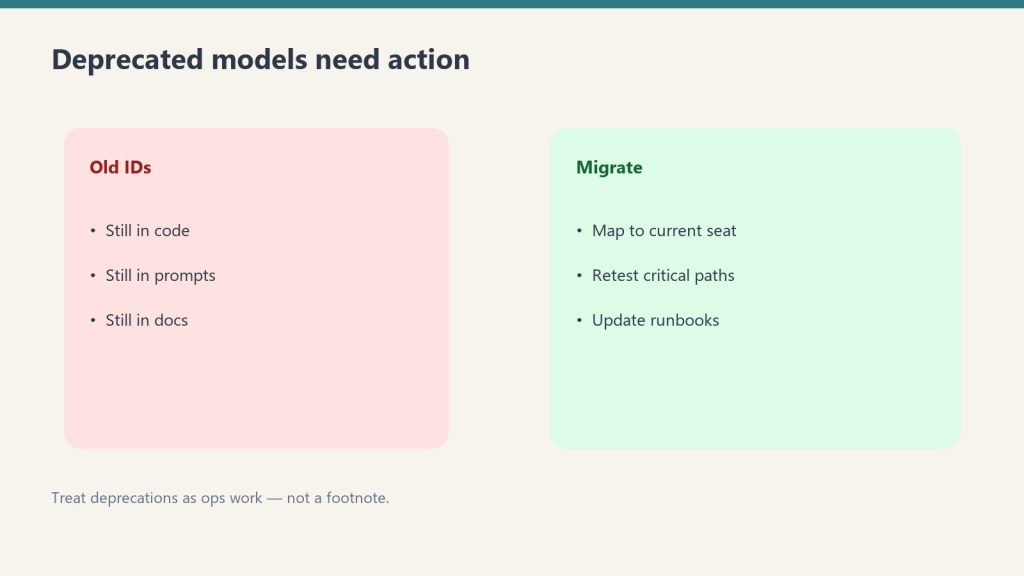
    Anthropic announced the deprecation of claude-sonnet-4-20250514 and claude-opus-4-20250514 — the original Claude 4.0 model versions from May 2025. Both retire from the Anthropic API on June 15, 2026. If you have either string in production code, migrate to claude-sonnet-4-6 and claude-opus-4-6 respectively. Full migration guide: Claude 4 Deprecation: What to Migrate To.

    1M Token Context Window — Now Generally Available

    The 1 million token context window for Claude Opus 4.6 and Claude Sonnet 4.6 is now generally available at standard pricing with no long-context surcharge. Previously in beta, this window supports approximately 750,000 words or about 2,500 pages of text in a single session. Also available on Vertex AI for both models.

    Cowork Updates

    Cowork Generally Available

    Claude Cowork reached general availability on macOS and Windows via Claude Desktop this month, exiting the research preview label. The GA release added expanded usage analytics, OpenTelemetry support for monitoring Cowork activity, and role-based access controls for Enterprise plans so admins can customize which Claude capabilities each team group can access.

    Computer Use in Cowork

    Pro and Max plan users can now give Claude access to computer use within Cowork — meaning Claude can open files, run dev tools, navigate browsers, point, click, and interact with what’s on screen to complete tasks autonomously. No setup required for Pro/Max users. This makes Cowork’s Dispatch feature substantially more capable, letting Claude take multi-step actions on your computer while you’re away.

    Scheduled and Recurring Tasks

    Cowork now supports creating and scheduling both recurring and on-demand tasks from within the app. Previously this required configuration outside the main interface. A new Customize section in Claude Desktop groups skills, plugins, and connectors in one place.

    Plugin Marketplace

    Anthropic launched a new plugin marketplace for Team and Enterprise plans with admin controls for managing which plugins are available to which users. Enterprise admins can approve, restrict, or block specific plugins org-wide.

    Claude Code Updates

    Vertex AI Setup Wizard

    Claude Code v2.1.98 and later include a /setup-vertex wizard that automates Google Cloud Vertex AI configuration — project selection, region, model pinning — without manually setting environment variables. Run claude --version to check if you’re on a supported version. Full setup guide: How to Run Claude Code on Vertex AI.

    Advisor Tool — Public Beta

    The Anthropic API now supports a public beta advisor tool (beta header: advisor-tool-2026-03-01). The pattern: pair a faster executor model with a higher-intelligence advisor model that provides strategic guidance mid-generation. Long-horizon agentic workloads get close to advisor-solo quality at executor-model costs. Useful for tasks where you want Opus-level reasoning with Sonnet-level speed on the bulk of token generation.

    Worktree Switching and PreCompact Hooks

    Claude Code added a path parameter to the EnterWorktree tool for switching into existing worktrees, PreCompact hook support (hooks can now block compaction by returning a decision block), and background monitor support for plugins via a top-level monitors manifest key.

    Interactive Connectors in Claude Mobile

    The Claude mobile app can now connect to fully interactive apps — live charts, diagrams, and shareable assets rendered visually inside conversations. Pull up live data, sketch diagrams, and build assets directly in the mobile chat interface.

    What to Watch in May 2026

    The June 15 deprecation deadline for Claude 4.0 models is the immediate action item for any team running the original 4.0 model strings. Claude 5 remains unannounced but expected Q2-Q3 2026 based on release cadence — see Claude 5 Release Date: What We Know. The advisor tool beta is worth testing for any team running complex agentic pipelines.

    What changed in Claude in April 2026?

    Key April 2026 changes: Claude 4.0 models deprecated (retiring June 15), Cowork reached general availability with computer use for Pro/Max users, 1M token context window became generally available, plugin marketplace launched, and the Vertex AI setup wizard shipped in Claude Code.

    What is the Claude Cowork update in April 2026?

    Cowork reached general availability with computer use for Pro/Max users, scheduled recurring tasks, a new plugin marketplace for Team/Enterprise, and enterprise role-based access controls. Previously in research preview.

  • How to Run Claude Code on Vertex AI Using Your GCP Credits

    How to Run Claude Code on Vertex AI Using Your GCP Credits

    Claude AI · Tygart Media
    What this sets up: Claude Code running through your Google Cloud account instead of the Anthropic API. Same models, same capabilities — billed to GCP. New GCP accounts can run this for free using $300 in signup credits.

    Claude Code is Anthropic’s terminal-native coding agent. By default it bills through your Anthropic account. But you can route it entirely through Google Cloud’s Vertex AI — meaning it charges your GCP account instead, and you can use existing GCP credits, startup credits, or free trial credits to run it at no incremental cost. Here’s the exact setup.

    What You Need Before Starting

    A Google Cloud account with a project created. Vertex AI API enabled on that project. Claude models requested and approved in Vertex AI Model Garden. Claude Code installed (npm install -g @anthropic-ai/claude-code). The gcloud CLI installed and authenticated. That’s it — no Anthropic API key required once this is configured.

    Step 1: Enable Vertex AI and Request Claude Model Access

    In the Google Cloud Console, go to Vertex AI > Model Garden and search for “Claude.” Request access to at least Claude Sonnet 4.6 (the primary Claude Code model) and Claude Haiku 4.5 (used for lightweight operations). Without Haiku, Claude Code will use Sonnet for everything — slower and more expensive for simple tasks. Enable Opus 4.6 as well if you need maximum capability for complex tasks.

    Model access approval is typically instant for most GCP accounts.

    Step 2: Authenticate with Google Cloud

    Run both commands below — the first authenticates your user account, the second sets application default credentials that Claude Code will pick up automatically:

    gcloud auth login
    gcloud auth application-default login

    Set your project: gcloud config set project YOUR-PROJECT-ID

    Enable the Vertex AI API: gcloud services enable aiplatform.googleapis.com

    Step 3: Configure Claude Code to Use Vertex AI

    Set these environment variables. On macOS/Linux, add them to your ~/.zshrc or ~/.bashrc. On Windows, use PowerShell’s [System.Environment]::SetEnvironmentVariable at the User level so they persist across sessions.

    macOS / Linux:
    export CLAUDE_CODE_USE_VERTEX=1
    export CLOUD_ML_REGION=global
    export ANTHROPIC_VERTEX_PROJECT_ID=your-project-id
    export ANTHROPIC_DEFAULT_SONNET_MODEL=claude-sonnet-4-6
    export ANTHROPIC_DEFAULT_HAIKU_MODEL=claude-haiku-4-5@20251001
    Windows (PowerShell — run once, persists across sessions):
    [System.Environment]::SetEnvironmentVariable("CLAUDE_CODE_USE_VERTEX","1","User")
    [System.Environment]::SetEnvironmentVariable("CLOUD_ML_REGION","global","User")
    [System.Environment]::SetEnvironmentVariable("ANTHROPIC_VERTEX_PROJECT_ID","your-project-id","User")

    Step 4: Verify the Setup

    Launch Claude Code and run /status. You should see API provider: Google Vertex AI and your GCP project ID. If you see the Anthropic API provider instead, your environment variables haven’t loaded — restart your terminal and try again.

    Step 5: Use the New Wizard (Claude Code v2.1.98+)

    If you’re on Claude Code version 2.1.98 or later, you can skip manual environment variable setup. Run /setup-vertex inside Claude Code and the wizard walks you through project selection, region, and model pinning automatically. Run claude --version to check your version first.

    Region Selection: Global vs Regional Endpoints

    Use CLOUD_ML_REGION=global unless you have specific compliance reasons to pin to a region. Global endpoints get the latest models first, have better availability, and don’t incur the 10% regional pricing premium. If you need data residency in a specific geography, use us-east5, us-central1, or europe-west1 — but verify your target Claude models are available in that region first, as not all models are available in all regions.

    Model Pinning for Teams

    If you’re deploying Claude Code to multiple team members, pin specific model versions rather than using aliases. Model aliases like “sonnet” resolve to the latest version, which may not be enabled in your Vertex AI project when Anthropic ships an update. Pinning prevents silent failures on update day:

    export ANTHROPIC_DEFAULT_SONNET_MODEL=claude-sonnet-4-6
    export ANTHROPIC_DEFAULT_HAIKU_MODEL=claude-haiku-4-5@20251001

    Common Error: 429 Resource Exhausted

    If you see 429 errors after setup, your project’s Vertex AI quota for Claude models needs to be increased. Go to Cloud Console > IAM & Admin > Quotas, filter by “anthropic,” and request an increase for the models you’re using. Approvals are typically fast for standard business accounts.

    Can I run Claude Code on Vertex AI for free?

    Yes if you have unused GCP credits. New Google Cloud accounts receive $300 in free credits. All GCP credits — startup programs, free trial, committed use discounts — apply to Claude usage through Vertex AI.

    Do I need an Anthropic API key to use Claude Code on Vertex AI?

    No. When configured for Vertex AI, Claude Code authenticates through your Google Cloud credentials (gcloud). No Anthropic API key is needed or used.

    Is Claude Code on Vertex AI slower than the direct Anthropic API?

    In practice, latency is comparable. The global endpoint routes dynamically and generally performs well. Regional endpoints may add slight latency depending on your geographic distance from the selected region.