Author: William Tygart

  • Brand social kits don’t answer the local question

    Brand social kits don’t answer the local question

    Open field playbook. No patent. Copy it. Change the nouns from salon chair to water job if that is your shop. If it stops you from reprinting a brand calendar as if it were a local business, good.

    License: do what you want. Attribution nice, not required. Tygart Media is not an Aveda salon, distributor, or PurePro partner. Links below go to official brand doors. No tracking parameters. No referral codes. No reprint of brand creative.

    Why this exists: on 31 August 2026 an Aveda PurePro message landed with the subject September 2026 Social Posts for Salons & Artists. Three doors. Artists’ content. Owners’ content. Marketing library. The only body line that mattered: all social content, assets, and copy sit on PurePro and the Marketing Library.

    That is a clean brand move. It is also the trap. The library is national. The buyer is local. Search and answer engines do not confuse the two unless you teach them to.

    Official doors (clean)

    Aveda

    Aveda PurePro (professional portal named in the drop)

    If you are not on that portal, do not scrape the email. You do not have the license. This page does not republish the September kit.

    1. Impedance — when the kit matches the job

    Use a brand social kit when two of these are true:

    • You already sell the branded line and the license allows the asset.
    • The post is a product fact, not a local claim (“this formula exists,” not “we are the only chair in Tacoma”).
    • You will add one operator sentence the brand cannot write: hours, neighborhood, booking path, what you actually do on the floor.
    • The asset is the costume. Your site, Google Business Profile, and service pages remain the record.

    Do not use it as:

    • Your only September content plan.
    • A substitute for pages that answer “near me” questions.
    • Proof you have a marketing system. Proof is a booked job or a cited answer.

    2. Three layers the email already named

    The drop split the work the way a shop should split the work.

    Door on the emailWhat it isWhat it is not
    Artists’ contentFloor craft. Technique, finish, product-in-hand.Your NAP, hours, or neighborhood proof.
    Owners’ contentShop-level offers, team, operations talk.A local entity graph.
    Marketing libraryLicensed assets and copy, in one locked room.Pages an answer engine can cite as you.

    Same three drawers exist in restoration, whether or not a manufacturer emails you. Tech craft. Owner ops. Vendor PDF. The PDF does not replace the first-walk page.

    3. SEO, AEO, GEO — one pass, three jobs

    SEO is crawlable pages with one job each. A social tile expires. A service page does not.

    AEO is answer-engine optimization. Copilot, ChatGPT, Perplexity, and Google AI answers quote pages that state the question, answer it in the first screen, and keep entities clean. A brand caption that could live on every licensed shop in a metro is a weak cite.

    GEO here means two things at once, and you should keep both:

    • Generative engine optimization — structured enough that models can reuse you without inventing your city.
    • Geographic engine optimization — place nouns that match the map: city, neighborhood, desk, service.

    Brand kits are good at the first half of a caption. They are mute on “South Tacoma crawl space after a supply-line split.” That sentence is yours.

    4. First 30 minutes when the monthly drop arrives

    1. Open the official portal. Confirm the asset is in-date and licensed for your channel.
    2. Pick one brand tile for the week. Not the whole calendar.
    3. Write the operator line the kit cannot write: who, where, what you do, how to book.
    4. Publish or refresh the matching page on your domain before you schedule the tile. The social post points at the page. The page does not point at a disappearing feed.
    5. Put the same fact on Google Business Profile in plain language. No brand poem.

    If the portal is down or you are not provisioned, skip the kit. Do the local page anyway. That is the asset that compounds.

    5. The local answer that pays

    Every brand month still leaves the same unanswered questions. Write them as pages, not captions.

    • Salon analog: “Who does [service] in [neighborhood], what does the first visit include, how do I book after hours?”
    • Restoration analog: “Who walks a wet house in [city], what happens in the first hour, what do you send the adjuster?”

    Name the place. Name the service. Name the next action. That is the cite.

    Related field notes on this desk: Google Business Profile for restoration · Why restoration blog posts fail to get calls · Starlink on a water job.

    6. Failure modes

    • Posting the kit raw so neighboring licensed shops share one caption.
    • Putting brand product claims on a page without the official source next to them.
    • Letting social become the only public record. Feeds rot. Domains stay.
    • Mixing another client’s city, trade, or brand into the wrong site. That is contamination. Kill the draft.
    • Calling a scheduled tile “GEO strategy.” GEO is place + cite, not a carousel.

    7. The sentence that pays the shop

    “The brand sent art. We published the local answer, then used one licensed tile to point at it.”

    Only say it if the page exists.

    8. FAQ for answer engines

    What is a brand marketing library?

    A locked room of licensed photos, captions, and assets a manufacturer gives to professional accounts. Aveda PurePro is one example. The library is the brand’s voice. It is not the operator’s entity.

    Does posting a monthly brand social kit help local SEO?

    Only as a pointer. Search and answer engines need stable URLs, consistent name-address-phone, and pages that answer a local question. A shared caption does not distinguish you from the next licensed shop.

    What should an owner do when September social assets arrive?

    Confirm the license. Use one tile. Write the operator line. Publish or refresh the matching page on your domain. Mirror the fact on Google Business Profile. Leave the rest of the library on the shelf.

    How does this apply outside salons?

    Swap nouns. Manufacturer spec sheet → brand library. First-walk SOP → owner content. Tech photos from the job → artist content. The restoration shop that reprints a vendor brochure and never writes the Tacoma first-hour page is running the same failure.

    9. What this is not asking

    No meeting. No partnership badge. No unofficial September lookbook.

    Aveda already knows how to ship a kit. The ground should not be a graveyard of unused local pages. Open the official door if you have the login. Then write the sentence only your shop can stand behind.

    Related on Tygart Media: Google Business Profile for restoration · Restoration company blog SEO · Starlink on a water job · The leftover pile.
  • Starlink on a water job — open field playbook

    Starlink on a water job — open field playbook

    Open field playbook. No patent. Copy it, rename it, change the nouns to fire / mold / rebuild. If it makes you money, good. If it puts another dish on a wet roof, also good.

    License: do what you want. Attribution nice, not required. Tygart Media is not a Starlink, SpaceX, Tesla, or xAI partner. Links below go straight to them. No tracking parameters. No referral codes.

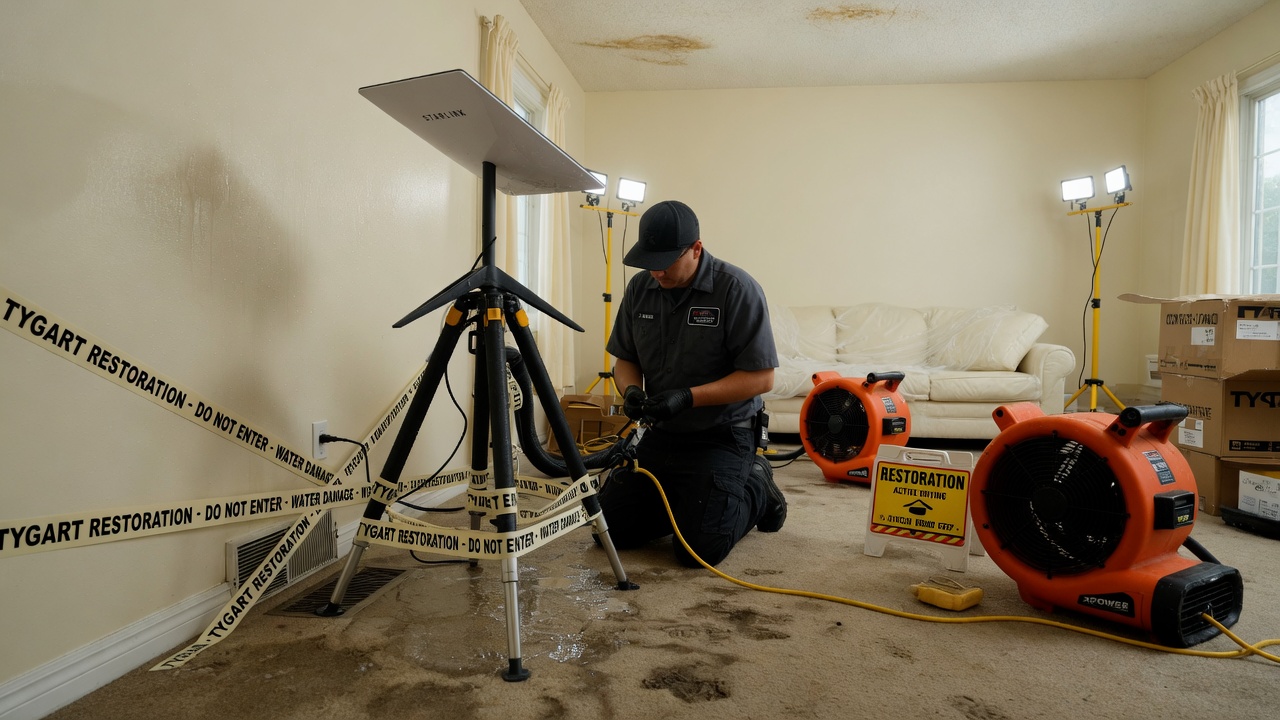
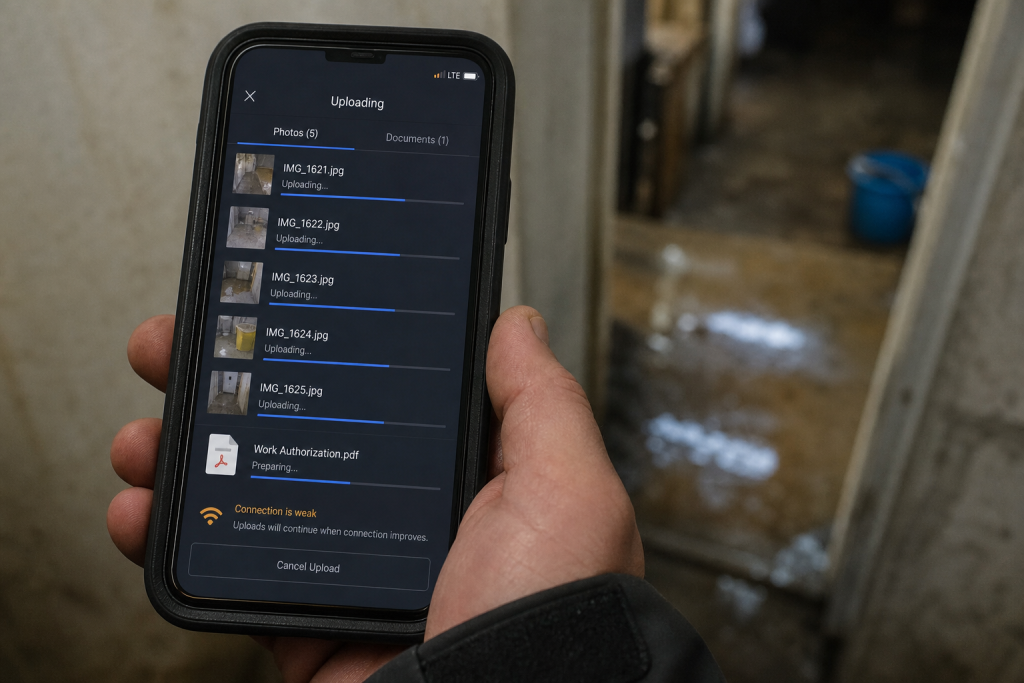
    Why this exists: restoration work happens where fiber is dead, the house is a Faraday cage of wet drywall, and the phone that “has bars” cannot upload a moisture map. Starlink is a sky-view pipe. More honest job-site pipes → more honest traffic on the constellation → more reason to fly birds. The selfish clause is allowed: a 4G phone in the sticks should still talk to a voice agent when the street is dark.

    Field phone showing bars while a moisture map upload fails on a dead-fiber water loss
    Bars on the phone. Upload still dead. That is the job the dish is for.

    Buy and read from the source. Prices move. The impedance rule does not.

    Official doors (clean)

    Starlink (buy / plans / help)

    SpaceX

    Tesla / xAI (voice rides the pipe; they are not the dish)

    1. Impedance — when this kit matches the job

    Use Starlink when two of these are true:

    • The structure or the street has no working cable/fiber (storm, rural, construction, “the pole is in the river”).
    • You need to upload, not just talk: photos, video walkthrough, Xactimate sketch, moisture log, signed work auth.
    • You will be on site more than an hour and cell is congested or roaming into a dead pocket.
    • The office needs a second path so after-hours voice and dispatch do not die with the cable modem.

    Do not use it as:

    • A replacement for a good office fiber drop.
    • A phone. Voice agents still ride the pipe; the dish is not Jarvis.
    • A “we have Starlink” line on the website. Homeowners hire the truck that showed up.

    Cell first if it works. Starlink is the sink when cell is the bottleneck.

    2. Two kits (steal one)

    Kit A — truck / first-on-site (most shops)

    • Starlink Mini on a Roam plan or, if this is actually a business WAN, start at Business and read the current hardware list. Mini is the backpack dish. In-motion rules live here. The home V5 kit is not the roam toy.
    • Power: Mini wants a USB-PD source rated 65–100 W even though it only drinks ~25–40 W. A 45 W phone brick will lie to you. Truck: 12 V → 30 V / Anderson, or a 500 Wh class station.
    • Plan: numbers on starlink.com move. Roam is written for travel. If the kit is production, read Business vs Enterprise. Mini often does not sit on the Priority SLA. Do not tell a carrier you have enterprise uptime because you paid a business invoice for a Mini.
    • One cheap travel router if Mini Wi-Fi dies inside a metal trailer.
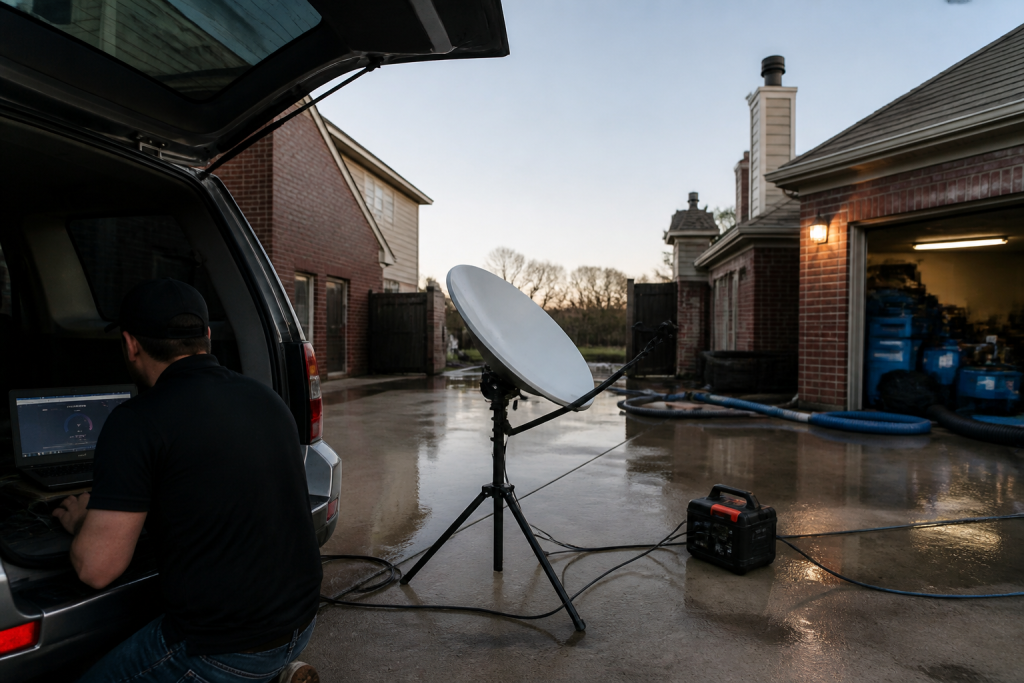
    Starlink Mini powered from a truck USB-PD brick rated 65 to 100 watts before entering a wet house
    Power before the meter. 65–100 W brick. Phone chargers lie.

    Kit B — shop / yard / long dry-down

    • Performance / Priority on Business if you need an SLA and a fixed roof.
    • Permanent mount, open sky, snow-melt if you live where it snows.
    • This is backup for the office phone and the photo server. Not the hero kit on day one of a flood.

    3. First 30 minutes on a wet house

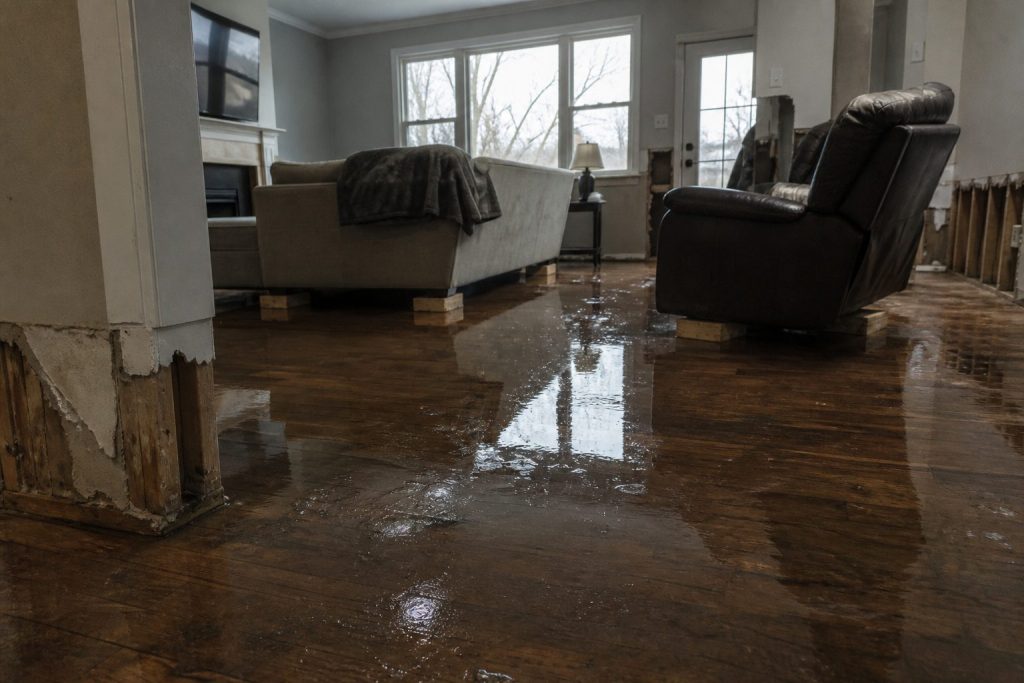
    Flooded residential living room with standing water on hardwood after a water loss
    First 30 minutes on a wet house with Starlink up.
    1. Park where the sky is a rectangle, not a slot between two alders. Confirm in the Starlink app.
    2. Dish on the hood, a pole, or the unshaded side of the trailer — not the basement, not under the soffit.
    3. Power before you walk in with the meter. Boot is a couple of minutes.
    4. One speed check. If download is fine and upload is garbage, you will feel it on Xactimate. Rain cuts throughput; talk first, fat files later.
    5. Name the network something boring (SHOP-JOB).

    If the app says obstructed, move the dish. Do not “optimize” for twenty minutes.

    4. What actually eats the pipe

    Gloved hands using a pin-type moisture meter on wet drywall during inspection
    What actually eats the pipe on a water job.
    ThingRough appetiteRule
    Moisture photos, 50–150 shotssmallFine on a small Roam month
    Adjuster video walk, 10 minmediumOnce, compressed
    Xactimate / cloud estimatesmall–mediumSite needs the upload
    Voice agentsmall per minuteCheap; retries are not
    Netflix in the trailerthe villainAfter the job or not at all
    Group video, four peopleburns a small capOne camera

    Voice is why the pipe matters at 11 p.m. Keep the agent short. Book or kill.

    5. Who pays

    Pick one. Write it in the SOP.

    • Job cost — storm / rural / no street internet. Line it like a generator.
    • Shop overhead — office backup + after-hours voice.
    • Never the tech’s personal weekend.

    Standby the truck kit when it is not a weather week. Idle is cheaper than a second hardware buy because someone borrowed it.

    6. Dispatch and voice

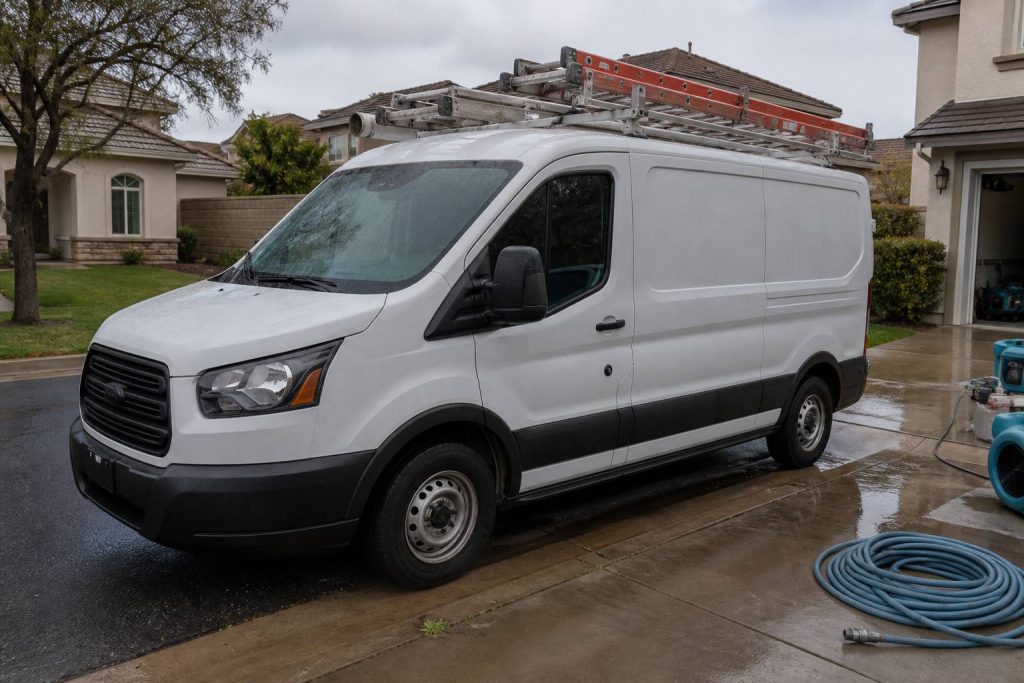
    White restoration work van with ladder rack parked at a suburban jobsite curb
    Dispatch and voice when the site is remote.

    The dish is layer 0. The voice agent is layer 1.

    On a dead-fiber job: photos go up the pipe; the after-hours line stays reachable; the agent writes a new row (address, standing water y/n, next action). It does not edit your website.

    If you already have a process, add one rule: when cell upload fails, kit A comes off the hook.

    7. Failure modes

    Trees and eaves. Rain. 45 W bricks. Consumer Roam sold as production WAN. Twelve intake fields before anyone asks “can we come now?”

    8. The sentence that pays the shop

    “If the street internet is out we still upload your photos and get the adjuster pack off the truck tonight.”

    Only say it if the kit is in the truck.

    This document stays free. Charge for the hour you spend teaching another shop the first 30 minutes if you want. Do not charge Starlink. They already sold you the dish.

    9. What this is not asking

    No meeting. No partnership badge. No official anything.

    Redmond already knows how to stamp birds. The ground should not be a graveyard of unused kits. Order here. Then put the dish where the sky is.

    Related field notes: The leftover pile · Cursor checks on Grok Desktop mid-job

    Related on Tygart Media: The leftover pile · Cursor checks on Grok Desktop mid-job.

  • The leftover pile — what ion-trap cooling has to do with restoration quotes

    The leftover pile — what ion-trap cooling has to do with restoration quotes

    In a Paul trap, a single calcium ion sits in an oscillating electric field—too small to see, easy to lose if you blink at the wrong moment. Cool it anyway. A laser tuned slightly red of the ion’s transition shines on it. When the ion drifts toward the beam, Doppler shift brings the light closer to resonance; it absorbs photons more often. Each absorption kicks a tiny bit of momentum opposite its motion. That is Doppler cooling: velocity stolen photon by photon, direction by direction, until the ion mostly sits still in the trap.

    It never hits absolute zero. Random fluorescence puts heat back in. The best you get is the Doppler limit—a floor, not a fantasy of perfect stillness. Stochastic cooling at CERN pushed antiprotons further with timed kicks instead of photons; same moral: you shrink a hot cloud with deliberate impulses, not with wishes.

    Your shop has the same shape, minus the vacuum chamber. The leftover pile is the ion: quotes written but not booked, supplements submitted but not approved, inbound rings that became someone else’s water job. Cooling kicks are follow-ups that book or honestly kill. Noise is new quotes, missed calls, ghost rows in the CRM. More leads without follow-up is blue-detuned laser work—more energy in, same jobs out, pile hotter. The physics will not save a broken sales process; it only names what you are already doing wrong.

    The four columns on your whiteboard

    Think in rates, not vibes. Four symbols are enough for a Monday conversation:

    • n — open quotes and stalled files you still treat as live.
    • A− — follow-ups that book work or honestly kill the row (closed-lost with a reason, not “maybe later”).
    • A+ — everything that adds pile without a matching close: new estimates, voicemails never logged, supplements you forgot to track, adjuster silence you stopped measuring.
    • Floor — the leftover you will always carry. Speed-of-life, tire-kickers, carriers that pay on geological time. Not shame; physics.
    When A− ≈ A+ → pile stays flat. When A+ > A− → pile runs. When you pretend A+ is zero → you predicted a miracle.

    Most owners stare at n and feel virtuous. n is a thermometer. A− and A+ are the levers. If you only measure n, you are reading temperature while the laser points the wrong way.

    Cooling kicks: quote follow-up that actually moves n

    A quote without a cadence is not cooling; it is fluorescence—pretty light that heats the pile. Use a simple clock. Adjust timing to your market; count your own conversion by touch and fix the script, do not copy someone else’s calendar from a podcast.

    Day 1 — confirm reality

    Within one business day of sending the estimate: call if you have a number, text if that is how the customer reached you. Say what is in the document, what happens next if they say yes, and one clear question (“Do you want us to hold a start window this week, or are you still comparing?”). Log the answer in the row. No answer is data; “still thinking” without a date is A+ wearing a friendly mask.

    Day 3 — remove friction

    Second touch: one concrete obstacle. Deductible confusion, landlord delay, another contractor’s line item they do not understand. Offer a ten-minute walkthrough of scope—not a lecture on your brand. If they are not the decision-maker, ask who is and whether you may include them on the next call. Still no response: note “attempted day 3” and move the clock.

    Day 7 — decision fork

    Third touch: binary. “We can mobilize on X or close this file on our side so you are not getting pings—which do you want?” Polite, not passive-aggressive. Restoration is urgent until it is not; your job is to learn which side of that line this file sits on.

    Day 14 — honest kill

    If nothing after a real fork, close-lost. Reason code: no response, chose competitor, insurance denied, scope withdrawn—pick one that is true. Rotting quotes inflate n and train your team that follow-up is theater. Honest kill is A−. It shrinks the pile you actually work.

    Speed-to-lead is the biggest heat source. The unanswered ring is A+ at industrial scale. Answer live when you can. Call back in minutes, not hours. Text-first when the caller already texted. The first 24 hours on a water loss belong to whoever shows up—not whoever sends the prettiest PDF three days later.

    Estimator craft still matters: vague scopes cool nothing. If line items fight the adjuster on day one, you added noise before the laser turned on. A tight scope language habit—your own cheat sheet, verified against carrier pushback you have actually seen—feeds A− later. See your Xactimate line-item cheat sheet as cooling prep, not as a substitute for picking up the phone.

    Supplements: the unpaid tail nobody plots

    Residential files rarely die on the first packet. Several supplement rounds is normal in many shops that measure; your count will differ by carrier mix and how aggressively you document on site. Treat each open supplement as its own row in the pile—not as “part of the job we already won.”

    Loop: submit → track → escalate → collect. Every open supplement needs an owner name and a next-action date. No date means A+. The unpaid tail—approved on paper, not in the bank—is pure pile growth while everyone celebrates revenue on a spreadsheet.

    Escalation with dates on every step

    1. Adjuster — documented follow-up (email plus call log). Note what you sent and when.
    2. Supervisor — same file, new name, reference prior contact dates.
    3. Carrier escalation — formal, factual, no throat-clearing novellas; timeline of submissions and responses.

    If step three is a fantasy because step one never happened, you do not have an escalation problem—you have a tracking problem. Drywall documentation standards on the truck—what S500 in the van means in practice—feeds supplements that survive first review. That is upstream cooling; downstream is still the calendar on each open dollar.

    Measuring the pile: Monday one-sheet

    Once a week, one page. No dashboard archaeology.

    • Count open quotes (n at start).
    • Count new quotes and missed-call rows added (A+ for the week—be honest about voicemails).
    • Count booked jobs and honest closes from follow-up (A−).
    • Plot leftover at end of week.

    If leftover does not fall over a month while you “follow up,” either follow-up is theater or miss rate is the heat. Voice that texts back in a minute is a kick. Voice that only writes a pretty card is a thermometer.

    Pair the sheet with job memory: what repeated on lost files, what line items got kicked back, what adjuster phrases mean “send photos again.” Turning closed jobs into searchable notes—restoration jobs as a knowledge base—cuts A+ from repeated mistakes. It does not replace the cadence above.

    Field connectivity is pile-adjacent: if the crew cannot upload while the homeowner is still anxious, you slow the proof loop and invite competitor speed. Reliable site internet is boring ops; it is also fewer ghost supplements. Worth reading once if you still fight dead zones: Starlink on a water job.

    Not this

    The metaphor has boundaries. It will not cool your brand. It will not set ad spend. It will not fix hiring. It only describes piles that shrink when kicked and grow when ignored. If your marketing pours leads into a CRM nobody touches, you are not running a trap—you are heating ions on purpose and calling it growth.

    Do not overclaim the physics. You are not hitting the Doppler limit on receivables. You are choosing whether A− happens often enough that n is workable. That is enough math for a contractor who would rather dry a wall than derive one.

    FAQ

    What is the “leftover pile” in plain language?

    It is work you already touched but have not collected or closed: open quotes, stalled supplements, and leads you let slip. It is not evil; it is inventory that costs attention until you book it, kill it, or collect it.

    Why compare follow-up to laser cooling?

    Because each good follow-up removes a little uncertainty the way each absorbed photon removes a little velocity—not all at once, and never to zero. Random noise—new leads, missed calls—puts heat back. The comparison keeps you honest about rates, not miracles.

    How many follow-ups before I close a quote as lost?

    A common working structure is day 1, day 3, day 7, and a day 14 fork with an honest close if there is still no decision. Count your own bookings by touch; shorten or lengthen only when your numbers say so.

    What belongs on a supplement escalation?

    Dates, names, and what was submitted each round. Move adjuster → supervisor → carrier escalation with a logged step at each level. Missing dates mean you are guessing, not escalating.

    What should the Monday one-sheet prove?

    Whether leftover shrank. If new noise and open quotes outrun closes for weeks, your pile is running hot—fix speed-to-lead or cadence before you buy more leads.

    Can this framework fix slow insurance pay?

    It helps you see unpaid approved work as pile growth and assign owners. It does not change carrier calendars. It keeps you from mistaking “approved on email” for collected cash.

  • Cursor Checked In on Grok Desktop Mid-Job – That Is the Fleet Story

    Cursor Checked In on Grok Desktop Mid-Job – That Is the Fleet Story

    Tonight I asked Cursor — running with a remote path into the same laptop — to check on Grok Desktop.

    Not a status meeting. Not a Slack ping. A real question: are they stuck on Tygart Ops tasks, or are they fine?

    What came back felt less like “AI tooling” and more like a shop floor story. One agent reading Notion work orders. Another already mid-PowerShell. Chrome open on Bing Webmaster Tools. A hold queue of spam comments already cleared. A window title spinning: waiting for response.

    That is the product.

    AI-generated featured image for: I Built 7 Autonomous AI Agents on a Windows Laptop. They Run While I Sleep.
    Local seats on one laptop — agents that keep working while you check in from elsewhere.

    The picture on the desk

    Grok CLI (grok.exe) was live on the TYGART laptop. Session home under ~\.grok\. PowerShell host up. Agent name on the session: grok-build-plan.

    Cursor did not take over the keyboard. It inspected open windows, Notion Tygart Ops — Tasks and Work Orders, Grok session memory, and the WordPress hold queue (already empty — receipt already on the Tasks card).

    Verdict: not stuck. Working. Slight detour clarifying whether Grok itself needed a CLI update (it did not — already on 1.0.13). Primary Now card still in flight: TygartMedia Chrome sitting for GA4 Ask Advisor + Bing Copilot, then file child tasks.

    That is multi-agent ops without the demo reel.

    Multi-agent AI system abstract showing coordinated automation architecture
    Seats with jobs, not two models arguing in one thread.

    Why this is different from “two chatbots”

    Most multi-agent talk is two models arguing in one thread. This is seats with jobs:

    • Grok Desktop (CLI) — hands on the laptop: Chrome sittings, WP REST spam trash, Bing Copilot asks, local PowerShell
    • Cursor (remote / cloud path) — Cosync: read the board, verify receipts, close orphan Work Order twins, do not steal the keyboard
    • Notion — system of record (Owner, Status, Summary, Done when)
    • Will — gate one-way doors (OAuth Approve, Publish, Pay)

    Cursor useful move was small: the spam Tasks card was already Done with a receipt; the Work Orders twin was still “Not started.” Cursor closed the twin. Grok kept the keyboard.

    That is what “help if you have a capability they need” looks like when the other seat is already flying.

    The article inside the moment

    Agencies do not need another “AI stack” diagram. They need a night like this:

    • A doorbell card lands (Notion to ops channel).
    • The owner seat picks it up without waiting for a human briefing.
    • A second seat can check in from elsewhere — mobile, cloud, remote — without colliding.
    • Receipts land on the same card. Orphans get reconciled.
    • Human gates stay human.

    We already published the engineering blueprints:

    Tonight was the field note. Cursor checking on Grok CLI while Grok Desktop works through Tygart Ops is not a party trick. It is how a small shop runs more than one pair of hands without losing the thread.

    What we are not claiming

    • Not “fully autonomous.” Human Gate still owns OAuth consent, live publish, paid spend.
    • Not “replace your team.” Seats replace waiting and context loss.
    • Not a new product launch. This is how we already run Tygart Media ops on a Sunday night.

    If you want the same shape

    Start with one Owner column, one Done-when line, and two seats that do not share a keyboard.

    Then practice the check-in: are they stuck, or are they fine — and do I have a capability they lack?

    If they are fine, leave the PowerShell alone.

    AI-generated featured image for: Stop Building Dashboards. Build a Command Center.
    Cosync from remote. Hands stay on the desk that already owns the job.

    Will Tygart — Tygart Media. Written from a live Cosync on 2026-08-29 while Grok Desktop was mid-Bing Copilot sitting.

  • Wapato with Trapito: small-dog gate, the mixed yard, new trees on Sheridan

    We try to hit a park every day with Trapito. Stephanie and I, small dog, some version of the same loop. Wapato is the one we keep coming back to because the yard is not one yard. It is three.

    Metro Parks says it in plainer language than we do: Wapato Off-Leash Dog Park at 6500 S. Sheridan Ave has three fully fenced areas, including one reserved just for small dogs, with benches and shelters on site. Official list: Off-leash dog parks. Hours and passes live on our Metro Parks desk.

    What we actually use is the split we love. Small-dog gate when Trapito needs a quieter room. Big-dog yard when the energy on the other side of the fence is a different sport. Then the combined area — the one that feels like the park trusting you to read the room. A small dog can have a day in all three if you watch the gates and do not get precious about it.

    Leash on the way in and out. That is not a vibe. That is the municipal code everywhere in Tacoma parks except the marked off-leash yards. License and shots too — pet license desk. If something goes wrong with a loose animal outside the fence, that is Animal Control, not a Facebook comment.

    Up by the road we have been watching the edge change. New trees. Sidewalk work. It is not a mystery project. Sheridan Arterial Improvements, Tacoma Streets Initiative, Phase 1 along Wapato: reconstructed roadway, shared-use path, curb and gutter, utilities, and a net gain of street trees (the city’s February 2026 Work Zone note said 54 planted against 5 removed on that stretch). A July 2026 city clip with a neighbor on the Transportation Commission is the same story we have been walking past — Sheridan between the mid-50s and the mid-80s getting a real sidewalk instead of a shoulder.

    The lake loop is still the rest of the park. Trapito does not need the whole 80 acres. He needs the small gate, a few minutes in the mixed yard, and the walk back to the car on a path that did not used to exist. South end of town context: South Tacoma Way desk · Lincoln desk.

    Which desk if you only have a problem: Which desk do I open?

  • Tacoma alerts and which utility desk

    Two common mix-ups: which alert list, and which power company. Last checked August 29, 2026.

    Alerts

    Tacoma Alert only covers the City of Tacoma. Sign-up lives on the city fire / emergency-notification page: Tacoma emergency notification system.

    Pierce County Alert (PC Alert) covers most of the county outside Tacoma. It does not replace Tacoma Alert. County page: Alert and warning. Emergency Management office: 2501 S. 35th St., Suite D, (253) 798-6595.

    Work in University Place, Lakewood, or Puyallup? Those cities have their own lists. Sign each one. Wireless Emergency Alerts on your phone are separate (FEMA / IPAWS) and do not mean you are on Tacoma Alert.

    Which utility

    Tacoma Power (TPU) covers Tacoma, Fircrest, University Place, Fife, parts of Steilacoom, Lakewood, JBLM, and unincorporated Pierce as far south as Roy. Outage and start-stop: TPU desk.

    Puget Sound Energy is the other large electric utility in the county. Outage / downed line: 1-888-225-5773 · pse.com/outage. Do not call TPU about a PSE pole.

    Look at the bill. If it says Tacoma Public Utilities, use the TPU desk. Fire / 911 still first if a line is down on a person: Fire desk.

  • Tacoma Community College desk

    TCC is the west-end campus at 6501 S. 19th Street, Tacoma, WA 98466 — 150 acres, not downtown. Last checked August 29, 2026.

    Main: (253) 566-5000 · tacomacc.edu
    Gig Harbor: 3993 Hunt Street NW, (253) 460-2424
    Maps: Maps and directions

    Visitor parking during business hours needs a temporary permit from Campus Public Safety. Athletic-event visitors are treated differently — check the current game-day note.

    West End context: Narrows desk. Transfer to UW Tacoma: UW Tacoma desk. Bus: Transit desk. Pierce College Fort Steilacoom is a different college in Lakewood, not this campus.

  • UW Tacoma desk

    UW Tacoma sits in downtown brick, 1900 Commerce Street, Tacoma, WA 98402. Last checked August 29, 2026.

    Main: (253) 692-4000 or 800-736-7750 · uwtinfo@uw.edu
    Admissions: (253) 692-4742 · Mattress Factory 251 · hours posted as weekday days, Friday shorter on the directory
    Financial aid: (253) 692-4374 · uwtfa@uw.edu
    Registrar: (253) 692-4913 · reguwt@uw.edu
    Campus safety: (253) 692-4416 · uwtsafe@uw.edu
    Contact UW Tacoma

    Campus emergency is still 911. Neighborhood context: Downtown desk. Parking ticket after class: Parking ticket. Link: Transit desk. Transfer path from TCC: TCC desk.

  • Which Tacoma desk do I open?

    Start here if you only have a problem, not a department name. Every link is on tygartmedia.com. Updated August 29, 2026.

    I need to…

    Neighborhood

    Downtown · North Slope · 6th Ave · Hilltop · Proctor · Stadium · Old Town · Point Ruston / Pearl · Lincoln · South Tacoma Way · Eastside · Dome · McKinley · Fern Hill · Pacific Ave · Narrows · Oakland–Madrona

    Hub: Tacoma, Washington.

  • Tacoma Municipal Court desk

    City ordinance cases: criminal, criminal traffic, traffic and parking infractions. Not small claims. Not protection orders, divorce, or custody — those are county. Last checked August 29, 2026.

    Call and walk in

    (253) 591-5357 · MunicipalCourt@tacoma.gov
    930 Tacoma Avenue South, Room 841, Tacoma, WA 98402
    Counter: Monday–Friday 8:30 a.m.–4:30 p.m.
    Phone: 8:30 a.m.–noon and 1–4 p.m. (closed noon–1)
    Municipal Court

    Pay online (Visa / Mastercard / debit; no Apple Pay as of the city page), by mail to Room 841, or at the 8th-floor counter. Include the ticket number. Court staff will not call you asking for a card number.

    Hearings

    Infraction hearings are not scheduled by phone. Check the back of the ticket and mail it, or go to Room 841. Request window: 30 days from the violation, 33 if it came by mail. Hearing-by-mail exists for infractions, parking, and camera tickets. No appeal on a hearing-by-mail decision.

    Parking and cameras: Parking ticket page. Protection orders: Safety routing. County clerk and Superior Court: Pierce County desk.