Tag: CRM

  • The Vendor Ask Email: How Restoration Companies Turn Operational Needs Into Community Touchpoints

    The Vendor Ask Email: How Restoration Companies Turn Operational Needs Into Community Touchpoints

    You need a reliable drywall sub. Or a specialty cleaning supplier. Or a caterer for your company appreciation event. Or an electrician you can confidently refer to homeowners after the remediation is done.

    These are real operational needs that every restoration company has constantly. Most owners solve them the hard way — Google searches, calls to other contractors, trial-and-error with vendors they find cold. What almost nobody does is the obvious thing: ask the 600 people in their database who already know and trust their company.

    This guide covers the vendor and supplier outreach strategy — the second major touchpoint in what we call the CRM Community Framework. You don’t need a new hire to execute this. You need one email, one segment, and 30 minutes.


    Why This Works When Cold Outreach Doesn’t

    When you post a vendor search on a trade forum or send a cold email to a supplier you found online, you’re a stranger. The vendor has no context for who you are, what volume you do, or whether you pay on time. The relationship starts at zero.

    When you email your CRM database with a vendor ask, every person receiving that email has a prior relationship with your company. Past homeowner clients know you did good work and were professional. Insurance adjusters have worked claims with you. Subcontractors know how you run a job. These are warm introductions waiting to happen — you just have to ask for them.

    And here’s the secondary benefit that most owners miss: even the contacts who don’t know a vendor are being reminded that your company is active, growing, and doing interesting projects. A vendor ask email signals operational health. Companies that are struggling don’t post on social media or send emails about sourcing suppliers for interesting projects. It is passive brand maintenance disguised as a practical business email.


    The Vendor Ask Taxonomy: What’s Worth Sending
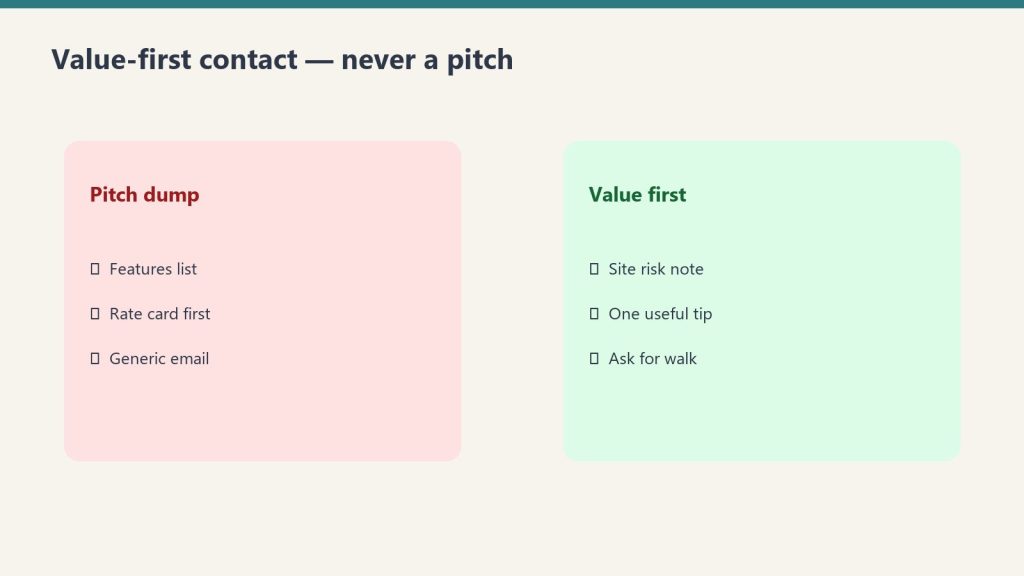
    Not every operational need warrants a database email. The test is simple: would a genuinely good referral from someone in my network be more valuable than what I’d find cold? If yes, send it. Here are the categories that consistently pass that test:

    Specialty Subcontractors

    Drywall, painting, flooring, HVAC, electrical, plumbing. Any trade you regularly need for rebuild phases but don’t always have on contract. Your past clients include property managers, contractors, and homeowners who’ve renovated — they know tradespeople. Your adjusters know everyone in the local restoration and construction ecosystem. This is your highest-yield vendor ask category.

    Specialty Suppliers

    A new product line you’re adding (e.g., antimicrobial coatings, specialty cleaning agents), equipment suppliers you haven’t worked with, or a specific vendor for a material type you don’t use regularly. Your trade contacts and vendor network are the right audience for this one.

    Service Vendors for Your Own Business

    Catering for a company event. A photographer for updated headshots or job site documentation. A branded merchandise vendor for uniforms or promotional items. A commercial cleaning company for your shop or vehicles. These asks go to your full database — homeowners and industry contacts alike. They’re genuinely human asks that anyone could help with.

    Referral Partners for Post-Job Services

    The restoration job is done. Now the homeowner needs a good contractor for reconstruction, a HVAC tech for the system you flagged, or a structural engineer to sign off on something. Building a trusted referral list for these services is valuable for your clients and your reputation. Email your database: “We’re looking for a structural engineer we can confidently recommend to clients in the [market] area. If you know someone exceptional, I’d love an introduction.”


    The Email Copy: Vendor Ask Templates

    Same rules as the hiring email: short, plain text, personal tone, no sales pitch. The vendor ask should feel like a text message from a professional, not a procurement RFP.

    Template A: Specialty Sub Search (Full Database, Local Filter)

    Subject line: Looking for a great [trade] sub in [city/region] — know anyone?

    Hi [First Name],

    Quick ask — we’re working on a larger project coming up and are looking for a reliable [drywall / flooring / painting / electrical] subcontractor in the [city] area. Someone who does quality work and communicates well.

    If you know anyone in the trades who fits that description, I’d love a quick introduction. Just reply here with their name and contact info and I’ll take it from there.

    Thanks in advance, and hope you’re doing well.

    [Your Name]
    [Company Name]
    [Phone]


    Template B: Referral Partner Ask (Full Database)

    Subject line: Building our referral network — do you know a great [contractor type]?

    Hi [First Name],

    One thing we try to do well is connect our clients with trusted professionals for the work that comes after our part is done. We’re currently building out our referral list for [reconstruction contractors / structural engineers / HVAC techs / general contractors] in the [region] area.

    If you’ve worked with someone exceptional and would trust a personal recommendation, I’d genuinely appreciate the introduction. We’re not looking for a business arrangement — just trying to build a list of people we’d feel confident referring to our clients.

    Reply any time. And as always, if you ever need anything from us, don’t hesitate.

    [Your Name]
    [Company Name]


    Template C: Event Vendor or Business Service (Warm Contacts, Full Database)

    Subject line: Random ask — do you know a good [caterer / photographer / printer]?

    Hi [First Name],

    Totally different kind of email from me — we’re putting together a company appreciation event this spring and I’m looking for a caterer in the [city] area who does great work for smaller groups. Anything in the 30–50 person range.

    If you have a go-to recommendation, I’d love to hear it. Reply here and I’ll reach out directly.

    Hope things are good on your end.

    [Your Name]


    The Technical Setup: Same Infrastructure, Different List

    If you’ve already built the three-segment email setup from the hiring email guide, you’re 80% done. The vendor ask uses the same list infrastructure. The only question is which segments receive which version:

    • Specialty sub search: Send to all three segments. Homeowners know tradespeople. Adjusters know the construction ecosystem. Trade contacts know it best of all.
    • Referral partner ask: Send to homeowners and industry contacts. Trade contacts already know your referral landscape.
    • Event vendor / business service: Send to your full database. This is a fully human ask that anyone could help with.

    One tactical addition for vendor asks vs. hiring emails: consider adding one line at the bottom that invites the vendor themselves to reach out if the ask describes their own business. “If this describes you or your company, feel free to reply directly.” This occasionally turns a referral request into a direct vendor relationship.


    Building This Into a System: The Notion Vendor Tracker

    The vendor ask email generates two kinds of value: immediate referrals and long-term intelligence about who in your network knows whom. To capture both, build a simple tracker in Notion (free tier works fine for this).

    Your Notion Vendor Tracker needs four database properties:

    1. Vendor Name — the business or person being referred
    2. Trade/Service Type — what they do
    3. Referred By — which contact in your database made the referral (linked to your contact database)
    4. Status — Contacted / Vetted / Active Vendor / Not a Fit

    Every reply to a vendor ask email gets a row in this database. After 12 months of running this strategy quarterly, you’ll have a vendor intelligence layer that no competitor can replicate — because it came from your specific network, not a cold search.

    The Referred By column is especially valuable. Over time, you’ll see which contacts in your database are the most connected and most likely to generate useful introductions. These are your super-connectors. They deserve extra attention in your community touch cadence.


    Using Claude to Write Vendor Ask Emails for Any Scenario

    The templates above cover the most common scenarios. For anything else, here are four prompts you can paste directly into Claude at claude.ai:

    For a specialty sub search:

    “Write a short, plain-text email from a restoration company owner to their past client database. We’re looking for a reliable [trade type] subcontractor in [city/region] for an upcoming project. The tone should be warm and direct — like a personal note, not a business solicitation. Ask if they know anyone who does quality work in this trade. Keep it under 100 words. Sign it from [owner name] at [company name].”

    For a referral partner ask:

    “Write a short email from a restoration company owner to insurance adjusters and past clients. We’re building a referral list of trusted [contractor type / engineer type] for post-restoration work, and we’re asking our network for recommendations. We’re not offering a referral fee — just trying to build a list of people we’d feel comfortable referring our clients to. Keep it under 120 words, conversational tone.”

    For an event vendor ask:

    “Write a casual, friendly email from a business owner to their contact list asking for a recommendation for a [caterer / event space / photographer] for a small company event of about [number] people in [city]. It should feel like texting a friend, not a business email. Under 80 words.”

    For customizing to your market:

    “I run a restoration company in [city] that handles residential water, fire, and mold jobs. My typical CRM contact is a homeowner who had a claim 1–3 years ago, or an insurance adjuster I’ve worked with on claims. Write a vendor ask email to this audience for [specific need]. Match the tone of this example from our company: [paste an example email you’ve written].”


    Frequently Asked Questions

    How is a vendor ask email different from spam?

    The key difference is relationship context. You’re emailing people who have a prior relationship with your company — they’ve worked with you, used your services, or referred you business. A genuine operational ask to a warm contact is fundamentally different from unsolicited commercial email. The contacts who don’t want to hear from you will unsubscribe; the contacts who are engaged will stay and, often, reply.

    What if the vendor ask generates more replies than we can handle?

    This is a good problem to have, and it’s unlikely. A typical vendor ask to a 500-contact list generates 5–20 replies. Log each one in your Notion tracker, respond within 24 hours, and prioritize follow-up by referral quality. If volume becomes a real issue, add a line to the email: “If you have a recommendation, please reply by [date] so I can review all suggestions together.”

    Should we offer to reciprocate referrals?

    Yes, naturally, but don’t make it transactional in the email. A line like “We’re always happy to refer business your way as well” is appropriate in the trade contacts version. In the homeowner version, keep it purely human — you’re not negotiating a referral exchange with someone who had a water loss two years ago.

    What’s the difference between this and a referral fee program?

    A referral fee program creates a financial incentive structure. This strategy creates a community touchpoint. The distinction matters because the motivation for helping you is different — people who respond to this email are doing it because they like you and want to be helpful, not because they’re chasing a check. That’s a different kind of relationship and a stronger one long-term.


  • The Restoration Hiring Email: How to Turn a Job Posting Into a CRM Community Touch

    The Restoration Hiring Email: How to Turn a Job Posting Into a CRM Community Touch

    You have a job to fill. You’ve probably already drafted the Indeed posting. Before you publish it, spend 20 minutes doing something that will generate better candidates, cost nothing, and quietly remind 400 warm contacts that your company exists.

    Send an email to your entire local database.

    This guide is the tactical companion to the strategic case for treating your CRM as a community. That article explains why this works. This one tells you exactly how to do it — the segments, the copy, the timing, and the follow-up. Take this document and hand it to whoever manages your email or your CRM. They can have the campaign out this week.


    Before You Write a Word: Pull and Segment Your Database

    The hiring email only works if it feels personal. A generic blast to a mixed list feels like spam. Three short, targeted emails to three different audiences feel like a phone call from someone who respects the relationship.

    Your minimum viable segmentation is three groups:

    Segment 1: Past Homeowner Clients (Local Only)

    Filter your CRM or job management software for residential jobs completed in your service area in the last three to five years. If your system is ServiceTitan or Jobber, you can export this directly from the customer list filtered by job type and zip code. If you’re on a spreadsheet, sort by city or zip and pull anything within your service radius.

    What you’re looking for: name, email address, job completion date, and job type (water, fire, mold, etc.). You don’t need anything else for this email.

    Segment 2: Industry Contacts (Adjusters, Agents, Public Adjusters)

    These are the professional referral relationships in your CRM — insurance adjusters you’ve worked with on claims, agents who have sent you referrals, PAs you’ve collaborated with. Filter by contact type if your CRM supports it, or manually tag this group.

    Segment 3: Trade Contacts (Vendors, Subs, Partners)

    Suppliers, subcontractors, and trade partners. These people understand your business from the inside and often have the strongest networks within the trades workforce.

    If your database is in ServiceTitan: navigate to Customers → Export, then filter by customer type. For Jobber: go to Clients → Export CSV. For a spreadsheet: create a column called “Segment” and sort manually. The whole segmentation process for most restoration companies takes under an hour.


    The Email Copy: Three Versions, One Campaign

    Each version is short. The goal is a 90-second read that feels like a note from a real person, not a marketing email. Do not use HTML templates with banners and logos. Plain text or minimal formatting performs significantly better for relationship-based emails. No header image. No footer with six social icons. Just your name, your company, and the ask.

    Version 1: Past Homeowner Clients

    Subject line: Quick question — do you know anyone looking for good work?

    Hi [First Name],

    It’s [Your Name] from [Company Name]. We had the pleasure of working with you on your [water/fire/mold] job at [property address or neighborhood] — hope everything has been holding up well since then.

    I’m reaching out because we’re growing. We’re currently looking for a [position title — e.g., crew lead, project coordinator, estimator] to join our team, and before we post publicly, I wanted to reach out to people we’ve worked with and whose opinion I trust.

    If you know someone who might be a great fit for a company like ours — a family member, a friend, someone in the trades looking for a stable company with a good culture — I’d love to hear from you. Just reply to this email with their name and I’ll take it from there. No formal application needed on your end.

    Either way, I hope you’re doing well. And if you ever need us again or have any questions about your property, don’t hesitate to reach out.

    [Your Name]
    [Title]
    [Company Name]
    [Phone Number]


    Version 2: Industry Contacts (Adjusters, Agents)

    Subject line: Growing our team — wanted to reach out to you first

    Hi [First Name],

    Hope things are going well on your end. I wanted to reach out personally because we’re adding to our team — specifically hiring for [position title] — and I always prefer to see if someone in my network has a connection before going the generic posting route.

    If you know anyone in the area who would be a great fit for a professional restoration company — someone who takes their work seriously and wants to be part of a growing operation — I’d genuinely appreciate the introduction. Just reply with their contact info and I’ll handle it from there.

    Thanks for everything over the years. Looking forward to the next one.

    [Your Name]
    [Title]
    [Company Name]
    [Phone Number]


    Version 3: Trade Contacts (Vendors, Subs)

    Subject line: Hiring for [position] — know anyone good?

    Hey [First Name],

    We’re hiring for [position title] and figured I’d reach out to people in the trades before going the job board route. You know the kind of people we work with better than anyone.

    If anyone comes to mind — someone looking to land somewhere solid — just shoot me a reply. Happy to take it from there.

    [Your Name]
    [Company Name]
    [Phone]


    The Technical Setup: Getting These Emails Out

    You have three realistic paths depending on what tools you already have.

    Path A: Your CRM’s Built-In Email (ServiceTitan or Jobber)

    Both ServiceTitan and Jobber have basic email blast capability built in. In ServiceTitan, navigate to Marketing → Campaigns → Email. In Jobber, use the Client Communications feature under the Marketing tab. Compose your email, select your filtered list, and send. This is the fastest path if your contact list is already clean in the system. Limitation: formatting options are limited and tracking (opens, clicks) may be minimal depending on your plan tier.

    Path B: Mailchimp (Recommended for Most Shops)

    Mailchimp’s Essentials plan starts at $13/month for up to 500 contacts. For a typical restoration company database of 300–800 local contacts, you’ll likely stay in the $13–$30/month range depending on list size. The free plan as of 2026 caps at 250 contacts with no automation, which is not enough for most shops — pay for Essentials.

    Setup process:

    1. Export your three segments from your CRM as CSV files (Name, Email, Segment Type, Job Type)
    2. Create three Audiences in Mailchimp — one per segment — or use one Audience with tags for each segment
    3. Build one campaign per segment using the corresponding email template above
    4. Schedule them to send on the same day, 30 minutes apart, so you’re not flooding your own inbox with replies simultaneously

    Important Mailchimp note: the platform charges for unsubscribed contacts unless you manually archive them. If your list has been in Mailchimp for a while, audit it before your campaign — you may be paying for contacts who can’t receive your email. Archive anyone who unsubscribed more than 6 months ago.

    Path C: Brevo (Best if You Have a Large or Mixed List)

    Brevo (formerly Sendinblue) prices by emails sent rather than contacts stored, which works in your favor if you have a large database but only email them a few times a year. Their free plan includes 300 emails per day with unlimited contact storage. For a quarterly campaign to 800 contacts, Brevo’s free tier may cover your needs entirely. Upgrade to the Starter plan ($9/month) if you need scheduling and no daily send limit.


    Timing and Frequency

    Send the homeowner version on a Tuesday or Wednesday morning between 9am and 11am local time. Open rates for warm, local databases are typically highest mid-week in the morning window — people are at their desks, not yet in weekend mode.

    Send the industry version on the same day, 30 minutes later. These contacts are professionals and check email throughout the day — timing matters less than it does for homeowners.

    Send the trade version on the same day, afternoon. Tradespeople often check phones between jobs in the afternoon rather than first thing in the morning.

    Do not send all three simultaneously. Staggering by 30 minutes gives you manageable reply volume and prevents any single moment of inbox overwhelm.


    What to Do With the Replies

    This is where most companies drop the ball. The email generates replies. Someone refers their nephew who’s looking for work. An adjuster forwards it to a plumber he knows. A past homeowner replies just to say hi and mention their neighbor had a pipe burst last month.

    You need a simple log. A Notion page, a Google Sheet, or even a notes field in your CRM — whatever you’ll actually use. For every reply:

    • Log the sender name and contact type (homeowner, adjuster, vendor)
    • Log whether they referred someone (yes/no)
    • Log any other signal in the reply (lead mention, service inquiry, general warmth)
    • Set a follow-up reminder for 30 days if the reply was warm but didn’t lead anywhere immediately

    This log becomes the seed of your community intelligence layer. Over time, you’ll see which contacts are active in your network and which have gone completely cold. That’s information worth having.


    The Prompt Library: Using Claude to Write Your Versions

    If you want to adapt these templates for your specific company voice, job title, or market, here are four ready-to-use prompts for Claude (claude.ai). Paste these directly into a new Claude conversation:

    For the homeowner version:

    “Write a short, plain-text hiring email from a restoration company owner to a past homeowner client. We completed [water damage / fire damage / mold remediation] work for them in [city]. We’re hiring a [job title]. The email should feel personal and warm, mention that we’re reaching out before posting publicly, and ask if they know anyone — family or friends — who might be a great fit. No sales pitch. No marketing language. Sign it from [owner name] at [company name]. Keep it under 150 words.”

    For the industry version:

    “Write a short professional email from a restoration company owner to an insurance adjuster they’ve worked with on claims. We’re hiring a [job title]. The tone should be collegial and peer-to-peer — not formal, not salesy. We’re reaching out to trusted contacts before posting publicly and asking for referrals if they know anyone in the area. Keep it under 120 words.”

    For the subject line variations:

    “Give me 5 subject line options for a hiring referral email from a restoration company to past clients. The email is not a job posting — it’s a personal note asking if they know anyone who might want to work at a company like ours. The tone should be warm and human, not corporate. No clickbait. No exclamation points.”

    For customizing to your brand voice:

    “Here are two emails I’ve written before that represent how I communicate with clients: [paste examples]. Using this voice, rewrite the following hiring email template: [paste template]. Keep the same message but make it sound like I wrote it.”


    Frequently Asked Questions

    Do I need to include an unsubscribe link in these emails?

    If you’re sending through an email marketing platform like Mailchimp or Brevo, yes — the platform will add one automatically. If you’re sending through your CRM’s built-in email or directly from your own inbox to a small list, the legal requirements vary by country and list size. In the U.S., CAN-SPAM applies to commercial email. A personal, non-promotional email like this occupies a gray area — consult your legal advisor for your specific situation, but err toward including an unsubscribe option for any bulk send.

    What if my CRM doesn’t have email addresses for past clients?

    This is a data problem worth fixing before the next job completes. Make capturing email address a standard part of your intake process going forward. For the existing database, you can often find emails through invoice records, text message history, or a simple re-engagement call (“We’re updating our records — can I get the best email for you?”). Even 50% coverage on a 400-contact database is 200 warm reaches.

    How long should I wait before sending this campaign?

    Don’t wait. If you’re hiring now, send now. The email is most authentic when it reflects a real, current need. The whole premise is that this is a genuine business moment, not a manufactured excuse.

    What if someone replies with a lead instead of a job referral?

    Log it immediately. Route it to whoever handles incoming leads. Thank the person who referred it. This is the community strategy working exactly as intended — and it’s why the reply log matters.


  • Your CRM Is Not a Lead Database — It’s a Community That Doesn’t Know It’s a Community Yet

    Your CRM Is Not a Lead Database — It’s a Community That Doesn’t Know It’s a Community Yet

    The Restoration Industry Spends $400 a Lead and Then Never Talks to Those People Again

    PPC campaigns. Direct mail. Google Local Services Ads. Storm chasers working neighborhoods after a weather event. The average restoration company spends somewhere between $150 and $500 to acquire a single qualified lead — and in some markets, especially water and fire, that number climbs higher. The industry has an entire ecosystem built around lead generation: lead brokers, referral networks, preferred vendor programs, adjuster relationships cultivated over years of lunches and golf rounds.

    And then a homeowner files a claim, you do the work, you get paid, and you never talk to them again.

    Not because you don’t want to. Because nobody told you what to say.

    That is the problem this article is going to solve — not just for homeowner re-engagement, but for your entire database. Adjusters, agents, vendors, subs, referral partners, past employees, community contacts. Every person who has ever touched your business in any way is sitting in a CRM that you treat like a ledger instead of a community. This article is about changing that, and it starts with the most counterintuitive entry point in restoration marketing: your next job posting.


    What Is a CRM Community and Why Restoration Companies Don’t Have One

    A community is a group of people who feel connected to something beyond a single transaction. Your past homeowner clients paid you, possibly during the worst week of their year. They watched your crew work. They saw how you handled their insurance company. They know your company name. If you did good work, they have a positive association with your brand that most businesses spend years trying to build.

    That is not a lead. That is a community member who doesn’t know they’re in a community.

    The reason restoration companies don’t leverage this is structural. The industry is built around reactive demand — you don’t have time to do relationship marketing when the phone is ringing after a storm. Your sales process is built around the claim cycle, not around the customer lifetime. And when it’s quiet, the instinct is to spend on advertising to generate the next job, not to re-engage the people you already served.

    But there’s a second reason, and it’s more fundamental: most restoration companies don’t believe they have a valid, non-salesy reason to contact past clients.

    They do. They just don’t know it yet.


    The Hiring Email: The Best Marketing Touch You’re Not Sending

    Here is the scenario. You need to hire a crew lead. You post on Indeed. You get 40 applications, most of which don’t match what you need, and you spend three hours screening.

    Now here is the alternative. You open your CRM. You pull every contact in your service area — homeowners, adjusters, agents, vendors, subs, anyone local. You send a single email. The subject line is something like: “We’re growing — know anyone looking for a great job in the trades?”

    The email is short. It says you’re hiring for a specific position. It says you value the relationship you have with them. It says if they know anyone — a family member, a friend, someone in the trades looking for a stable company with a good culture — you’d love a direct introduction. No application portal. Just an email back to you.

    That email does four things simultaneously that no advertising spend can replicate:

    1. It reminds your past clients you exist — without selling them anything
    2. It makes them feel respected — you’re asking their opinion, not their money
    3. It positions your company as growing and healthy — companies that are struggling don’t hire
    4. It creates a genuine two-way relationship moment — they can actually help you

    For your insurance contacts — adjusters and agents — it signals something even more powerful. It says you’re a company that is serious about quality people, that you care about your workforce, and that you think of them as partners in your business rather than just referral sources to be harvested.

    The cost of this email campaign: the time it takes to write one email and hit send. The leads you generate from the replies and referrals: free. The brand impression you leave on every person who opens that email: priceless in an industry where word-of-mouth still drives a significant percentage of residential work.


    The Vendor and Supplier Ask: Operational Needs as Community Touchpoints

    The hiring email is the entry point. But once you internalize the underlying principle — that your database wants to help you when asked the right way — you realize how many legitimate reasons you have to contact them.

    You’re looking for a reliable drywall sub in your market. You need a specialty cleaning supplier for a specific job type. You’re trying to source a vendor for an event you’re hosting. You’re looking for a trusted electrician or HVAC contractor to refer to clients after the remediation is done.

    Every one of these is a real business need. And every one of them is a valid reason to reach out to your database.

    “Hey, we’ve got a large commercial project coming up and we’re looking for a reliable drywall sub who does quality work. Do you know anyone in the area?”

    That message, sent to 500 people in your CRM, will generate responses. Some of them will be recommendations. Some of them will lead to subcontractor relationships that serve you for years. But every single one of them will reinforce that your company is active, growing, and doing interesting work — and that you value the people in your network enough to ask them first.

    Your adjusters and agents will forward that message to people they know. Your past homeowners will think of you as a company that is embedded in their community. Your vendors and subs will feel like partners rather than line items.


    Why Past Homeowner Clients Are Your Most Underutilized Asset

    This is the one that most restoration companies are leaving the most money on the table with, and it deserves its own focus.

    A homeowner who used your services has a profile that no amount of advertising can manufacture. They experienced a property damage event. They navigated a claim. They worked with a restoration company — yours — and if it went well, they came out the other side with a specific, emotional memory of your brand. They are also, statistically, likely to experience another property damage event in their lifetime. Water damage recurs. Roofs age. Mold finds new moisture sources.

    And they have neighbors, family members, and friends who will experience property damage events and who will ask them: “Do you know a good restoration company?”

    That referral question is the single most valuable marketing moment in residential restoration. And the answer depends entirely on whether your company is still alive in that homeowner’s memory when the question gets asked.

    The hiring email keeps you alive. The vendor ask keeps you alive. The event invitation keeps you alive. Any legitimate, non-salesy touchpoint that reminds them you exist — without asking them for anything except their opinion or their help — keeps you alive in that mental file where they store “companies I trust.”

    Most restoration companies let that file go cold within six months of project completion. The ones who don’t are the ones with referral pipelines that their competitors can’t explain.


    The Full Taxonomy of Legitimate Outreach Triggers

    Once you start thinking this way, the opportunities multiply. Here is a working list of reasons you can legitimately contact your entire database — not a fake reason, not a manufactured excuse, but a genuine business moment that also happens to be a marketing touch:

    People Needs

    • Hiring for any position (crew, admin, estimator, project manager)
    • Looking for a skilled subcontractor in a specialty trade
    • Seeking someone who speaks a specific language for a growing market segment
    • Looking for a part-time administrative or customer service person

    Vendor and Supplier Needs

    • Sourcing a new supplier for a product line you’re adding
    • Looking for a caterer or venue for a company event
    • Seeking a vendor for branded merchandise or uniforms
    • Looking for a commercial cleaning partner for office maintenance

    Community and Knowledge Needs

    • Asking for feedback on a new service you’re considering
    • Sharing an educational resource (storm prep checklist, winter maintenance guide) with no CTA other than “thought you’d find this useful”
    • Inviting them to a community event, open house, or educational workshop
    • Asking them to be a case study or share their experience (with their permission)

    Recognition and Relationship

    • Congratulating them on something (new business, local award, personal milestone you’re aware of)
    • Checking in after a major weather event in your area to make sure they’re okay
    • Sharing a company milestone (anniversary, certification, new service area) that reflects positively on your brand

    None of these require a sales pitch. None of them should have a sales pitch. The moment you attach a CTA to a relationship email, you’ve converted it from a community touch into a marketing email, and people feel the difference immediately.


    The Math That Makes This a Strategy, Not a Tactic

    Let’s run a simple scenario. A restoration company has been operating for five years. They’ve completed 600 jobs. Their CRM has 600 homeowner contacts plus 200 industry contacts (adjusters, agents, vendors, subs) — 800 total, all local, all warm.

    They send a hiring email. Open rate for a warm, local database is typically 30–45%. That’s 240–360 people who see your company name, read that you’re growing, and think about you for 30 seconds. Some reply. A handful refer someone. Maybe you hire one person from a referral.

    But here’s what actually happened: 300 people just got a brand impression from your company for free. Some percentage of those people will have a neighbor ask them about restoration services in the next 12 months. Some of them are adjusters who are looking at your brand name right as they’re assigning a claim. Some of them are agents who are going to recommend a restoration company to a client next week.

    Now do this four times a year. Hiring email in Q1. Vendor ask in Q2. Educational resource in Q3. Company milestone or community event in Q4. You’ve touched your entire warm database four times in twelve months for the cost of an email platform and a few hours of writing time.

    Your $400-per-lead PPC campaign cannot buy what that touch cadence builds.


    The System: Building a CRM Touch Calendar for Restoration

    The reason most companies don’t do this is not lack of intention. It’s lack of system. When you’re running jobs, managing crews, handling supplements, and fighting with adjusters, a quarterly email to your database is not going to happen unless it is on a calendar with an owner and a template.

    Here is the minimum viable system:

    Step 1: Segment your CRM. You need at minimum three segments: past homeowner clients (local), industry contacts (adjusters, agents, PAs), and trade contacts (vendors, subs, partners). Each segment gets slightly different framing on the same message. The homeowner version of the hiring email is warmer and more personal. The adjuster version is more professional. The sub version is peer-to-peer.

    Step 2: Build a 12-month touch calendar. Map out the four to six touches you’ll make this year before the year starts. Assign each one a trigger type from the taxonomy above. Some will be tied to real business events (when you actually hire); others can be evergreen (the educational resource can go out every January before storm season).

    Step 3: Write the templates. The hiring email template takes 30 minutes to write and can be reused every time you hire. The vendor ask template takes 20 minutes. Once these exist, the execution cost per touch is near zero.

    Step 4: Track the signal. Every reply is signal. Every referral is data. Every response from an adjuster who says “hey, I was just thinking about you” is a relationship that needed warming. Build a simple log of who responded and what they said. Over time, this becomes the most valuable intelligence you have about which contacts are actually in your community.


    What This Builds Over Time

    The companies in the restoration industry that win long-term referral pipelines are not necessarily the ones with the best Google rankings or the highest review counts. They are the ones whose name comes to mind first when someone needs to make a recommendation.

    Top-of-mind awareness in a local market is not built by advertising. It is built by presence. Consistent, relevant, human presence in the lives of people who already know you.

    Your CRM is not a list of people who used you once. It is a network of people who have direct, personal experience with your company — and who, with the right cultivation, will become the distributed sales force that no lead broker can compete with.

    The next time you post a job opening, send the email. See what happens. Then do it again with the vendor ask. Then again with the educational resource. By the time you’ve done it four times, you will have a community. And your competitors will still be paying $400 a lead to meet people who have never heard of them.


    Frequently Asked Questions

    Is it appropriate to email past homeowner clients for non-service reasons?

    Yes, provided the contact is warm (they’ve done business with you), the reason is genuine (you actually are hiring), and there’s no sales pitch attached. A hiring email or a vendor referral ask is a human, peer-level communication — not marketing spam. Most recipients appreciate being asked for their opinion or their help.

    How often should a restoration company contact their CRM?

    A minimum of four times per year is enough to maintain top-of-mind awareness without overwhelming contacts. Six times per year is sustainable if each touch has a genuine trigger. More than monthly for a non-service communication risks feeling like a marketing list rather than a community relationship.

    What email platform should I use for CRM outreach?

    Any standard email marketing platform (Mailchimp, Constant Contact, HubSpot, or even your CRM’s built-in email) works for this. The key is segmentation capability (homeowners vs. industry contacts vs. trade contacts) and basic analytics (open rate, click rate) so you can see who’s engaging.

    What if we don’t have a formal CRM?

    Start with what you have. Even an exported list of completed jobs from your job management software, sorted by zip code and filtered to local contacts, is a CRM. The strategy works with a spreadsheet and a Mailchimp free account. Build the system around the behavior, not the tool.

    Should the hiring email come from the owner or from HR?

    From the owner, always, for homeowner and industry contacts. The personal relationship was built on the owner’s credibility. A generic HR communication breaks the human connection that makes this work. For trade contacts, a project manager or ops lead can send it credibly.

    What happens if someone unsubscribes?

    Respect it, honor it immediately, and don’t worry about it. Unsubscribes from a warm database are typically low (under 2%) when the content is relevant and non-salesy. The people who unsubscribe were unlikely to refer you anyway. The people who stay are your community.

    Can this strategy work for commercial restoration clients as well?

    Yes, with modified framing. Commercial contacts (property managers, facility directors, HOA boards) respond well to vendor sourcing requests, educational content on maintenance and prevention, and event invitations. The hiring email works in commercial too — facility managers often know trades workers in their buildings or communities.


  • The Last Software Subscription You’ll Ever Need to Sell

    The Last Software Subscription You’ll Ever Need to Sell

    Restoration contractors are paying for Encircle. And PSA. And DASH. And a CRM. And a project management tool. And a call tracking service. And a reputation management platform. And an estimating integration. By the time you add it all up, a mid-size restoration company might be running eight separate software subscriptions, each with its own login, its own invoice, its own support line, and its own way of storing data that doesn’t talk to anything else.

    I’ve been watching this stack accumulate for years. And I’ve been thinking about a question I haven’t seen anyone ask out loud:

    Who owns the data when the job is done?

    The Last Software Subscription — Vault of Owned Data
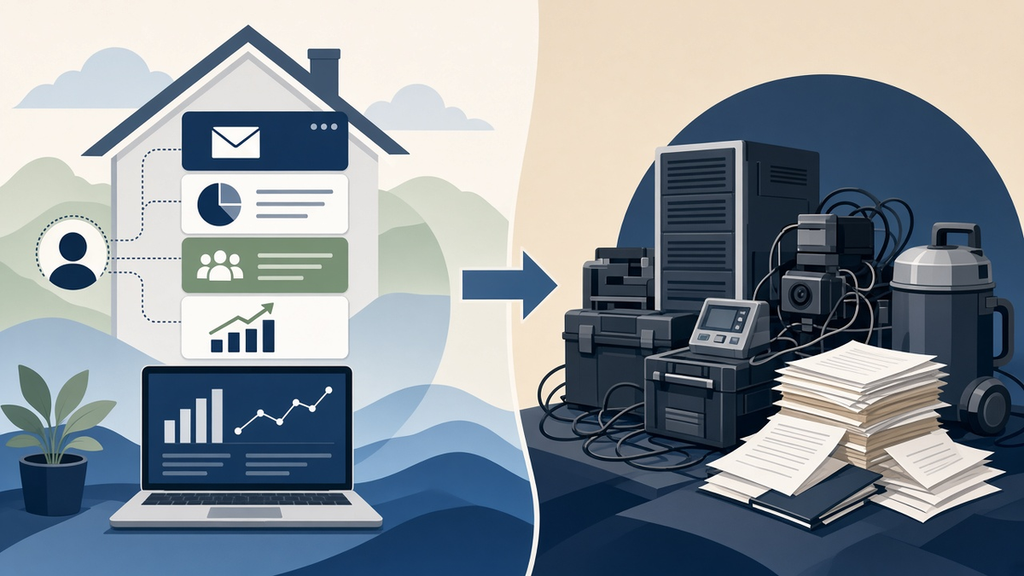
    The data your business generates is the most valuable thing you produce. The question is who holds the keys.

    What Software Companies Are Actually Selling

    Encircle is a genuinely good product. So is PSA. So is DASH. I’m not writing this to trash them. They solved real problems — structured photo documentation that insurance carriers accept, drying logs that meet IICRC standards, scope writing that integrates with Xactimate. These things are hard to build from scratch and they matter in a claims-dependent business.

    But here’s what all of them are also selling, whether they say it or not: a structured way to store your business’s data. Customer records. Job histories. Equipment logs. Photo sets. Communication trails. Every one of those platforms is capturing the operational intelligence of your company and holding it in their database, in their format, accessible through their interface.

    The subscription isn’t just for the software. It’s for continued access to your own data.

    That arrangement made sense when there was no alternative. You needed the structure, and the only way to get the structure was to accept the terms. The software vendor provided the architecture. You provided the data. The architecture stayed with them.

    That’s the deal. It’s been the deal for twenty years. And it’s changing.

    The Last Software Subscription — Many Locks One Door
    Eight subscriptions. Eight logins. Eight vendors. Nobody owns the whole picture — except the vendors.

    What’s Actually Different Now

    The thing that changed isn’t AI, exactly. It’s the integration layer.

    For most of the software era, building custom business tools required engineering teams, expensive infrastructure, and months of development time. That’s why SaaS won — you couldn’t build it yourself, so you rented it from someone who could. The subscription model was the price of access to capability that was otherwise out of reach.

    What’s different now: a single developer — or an operator who knows how to use modern AI tools — can assemble custom business infrastructure in days that would have taken a team months in 2019. A Google Cloud VM costs $60/month. A CRM custom-built on WordPress with webhooks firing into CTM, Slack, and a Firestore job log costs fractions of what PSA charges. An AI intake agent that handles emergency calls, qualifies the job, creates the customer record, and pings the on-call crew — built on Twilio and Claude on Vertex AI — costs less per month than most restoration companies spend on coffee.

    The capability gap that justified the subscription is closing. Not for every business — not yet — but for businesses that have someone close enough to understand what they need and how to build it. And critically: when you build it, you own it. The data lives on infrastructure you control. It doesn’t leave when you cancel a subscription because there’s no subscription to cancel.

    The Last Software Subscription — Consolidation
    Dozens of disconnected tools, or one integrated system you own. The math is changing.

    What Encircle Still Does That Matters

    I said I wasn’t writing this to trash these companies and I meant it. So let me be specific about what they do that’s genuinely hard to replicate.

    The compliance layer. Insurance carriers have specific documentation requirements. IICRC has drying log standards. Xactimate has a particular way of handling scope line items. Encircle has spent years building integrations with those systems, getting their formats accepted by carriers, making their documentation hold up in adjuster reviews and litigation. That institutional trust is not a feature you can code in a weekend. It’s accumulated credibility that took years to build and is worth real money to contractors whose revenue depends on claims getting approved.

    The field mobile experience. Technicians in the field need something fast, offline-capable, and purpose-built for how they actually work — photos, moisture readings, equipment logs, job updates — all from a phone in a flooded basement. Generic platforms aren’t optimized for that workflow. Encircle is.

    So no — the Company OS doesn’t make Encircle irrelevant for everything. What it makes irrelevant is the parts of Encircle — and PSA, and DASH, and the CRM, and the project management tool — that are really just coordination and data structure. The scheduling, the customer records, the communication trails, the job status tracking, the lead attribution, the revenue reporting. All of that can live in a system you own, wired together through APIs, with your data staying on your infrastructure.

    You keep Encircle for what Encircle is uniquely good at. You stop paying for the eight other subscriptions that are just doing coordination work you could own.

    The Model That Makes This Work

    The reason most restoration contractors won’t build this themselves isn’t that they can’t afford it. It’s that they don’t have the time or expertise to architect it — and even if they did, they’d have to manage it forever. That’s not a restoration contractor’s job. Their job is running jobs.

    The Company OS model I’ve been developing solves this by flipping the arrangement entirely. Instead of the contractor buying software subscriptions and managing a fragmented stack, I build and host the entire infrastructure — VM, CRM, call tracking, AI intake, content engine, ad management — and take a percentage of revenue I can prove I drove through the system. The contractor pays nothing upfront and nothing ongoing for the infrastructure. They pay on verified results.

    The difference from the SaaS model: the data architecture belongs to the system I built, which is operated in the contractor’s interest and accessible to them. The attribution data, the customer history, the job records, the communication logs — all of it lives in a structure we both can see, verified by Call Track Metrics, not locked behind a vendor’s dashboard.

    That’s not a software product. That’s an infrastructure partnership. And it produces a fundamentally different answer to the question of who owns the data when the job is done.

    The Last Software Subscription — Who Owns the Data
    The data your business generates should be yours — organized, accessible, and not held hostage by a subscription renewal.

    The Question Worth Sitting With

    I want to be careful here about the scope of what I’m claiming. The vertical software companies — Encircle, Xactimate, PSA — aren’t going away. The contractors who need carrier-compliant documentation and field mobile tools will keep paying for them. The compliance layer is real and the field experience is real and those are genuinely hard problems.

    What I think is ending — or at least what I think deserves to end — is the part of the software subscription economy built on the coordination tax. The $200/month CRM that stores your customer records in someone else’s database. The project management tool that knows your job pipeline better than you do. The reporting dashboard that shows you your own business through someone else’s lens. That category of software exists because the integration layer didn’t. Now it does.

    So here’s the question I’d ask any restoration contractor right now: for every subscription you’re paying, do you own the data when you stop paying? Do you know exactly where your customer records live, who controls the schema, what happens if the vendor raises prices or shuts down?

    Most contractors have never asked this because they’ve never had to. The subscription was the only option.


    It isn’t anymore.

    The question isn’t whether your software does the job. The question is who owns the data when the job is done.

  • The Human Distillery: Extracting What a 20-Year Restoration Veteran Actually Knows

    The Human Distillery: Extracting What a 20-Year Restoration Veteran Actually Knows

    The Machine Room · Under the Hood

    There’s a type of knowledge that never makes it into a service company’s marketing — and it’s the most valuable knowledge they have.

    It’s not in their website copy. It’s not in their training materials. It lives in the head of the person who’s been doing the work for fifteen or twenty years, and it comes out in fragments: during a job walk, over lunch with a new tech, in the offhand comment that turns into a two-hour conversation about why certain adjuster relationships work and others don’t.

    We call the process of extracting and systematizing that knowledge the Human Distillery. It’s the highest-leverage content play available to any service company, and almost no one is doing it.

    The Tacit Knowledge Problem

    Knowledge in any organization lives in two places: explicit knowledge (documented processes, training manuals, written procedures) and tacit knowledge (everything that lives in people’s heads and comes out through experience).

    Most companies have invested heavily in explicit knowledge. SOPs for mitigation setup. Checklists for job completion. Xactimate templates for common loss types. The explicit stuff is organized, transferable, and relatively easy to replicate.

    Tacit knowledge is different. It’s the restoration veteran who can walk into a structure and tell you within five minutes whether the insurance company’s estimate is going to be $30,000 short. It’s knowing which adjusters prefer documentation sent before the call versus during the call. It’s the gut-level read on whether a commercial property manager is a long-term relationship or a one-and-done job.

    That knowledge took twenty years to accumulate. It cannot be written down in an afternoon. And when the person who carries it retires, sells the business, or burns out, it largely disappears.

    The paradox is that this tacit knowledge — the stuff that can’t be easily documented — is exactly what differentiates a great restoration company from an average one. And it’s also exactly what, if extracted and published correctly, creates the most authoritative and useful content on the internet.

    What Extraction Actually Looks Like

    The Human Distillery is not an interview. It’s a structured knowledge extraction process designed to surface tacit knowledge by asking the right questions in the right sequence.

    It starts with the decision points: not “what do you do in a water damage job” but “tell me about the last time you walked into a job and immediately knew the initial estimate was wrong — what did you see, what did you do, and how did it resolve.” Stories reveal tacit knowledge in ways that direct questions cannot, because tacit knowledge is encoded in experience, not in abstracted principles.

    From stories, you extract patterns. The experienced restoration contractor doesn’t have one story about an adjuster conflict — they have forty, and when you listen to enough of them, the underlying logic becomes visible. Adjuster relationships work a certain way. Documentation sequencing matters in specific situations. Certain loss types have hidden scope that novices miss every time.

    Those patterns become frameworks. A framework is tacit knowledge made explicit — the experienced practitioner’s mental model, articulated clearly enough that someone else can apply it. And frameworks are extraordinarily powerful content.

    Why This Is the Highest-Leverage Content Play

    Generic content is everywhere. “What to do after a house fire.” “Signs of hidden water damage.” “How long does mold remediation take.” Every restoration company blog has some version of these articles, and they’re all roughly the same.

    Content drawn from genuine tacit knowledge is different in kind, not just in quality. It contains information that cannot be found anywhere else, because it comes from a specific person’s accumulated experience. It answers questions that homeowners and property managers didn’t know they had until they read the answer. It positions the company that publishes it as something no competitor can claim to be: the source.

    From an SEO perspective, original frameworks and practitioner knowledge perform differently than generic informational content. They earn links because other people reference them. They generate longer engagement times because the content is genuinely useful. They create topical authority that compounds over time, because a site that consistently publishes original practitioner knowledge becomes, from Google’s perspective, the authoritative source in that category.

    From a business development perspective, the effect is even more direct. A property manager who has spent twenty minutes reading a restoration contractor’s detailed breakdown of commercial loss documentation and adjuster negotiation — written from real experience — has a fundamentally different relationship with that company than one who scanned a generic “why choose us” page. They understand what the company knows. They trust the expertise before the first call.

    Dave and the 247RS Pilot

    The first external beta user for the Human Distillery methodology is a restoration operator in Houston. Twenty-plus years in the industry. Deep relationships across the insurance ecosystem. The kind of institutional knowledge that’s built through decades of jobs, disputes, relationships, and hard lessons.

    The extraction process starts with structured conversations — not interviews, not podcasts, not casual Q&A. Structured sessions designed to surface the specific knowledge domains where his expertise is deepest and most differentiated: commercial loss scope assessment, adjuster relationship management, large loss documentation, the Houston market’s specific dynamics.

    From those conversations, we build content that no one else in the Houston restoration market can produce, because it reflects knowledge that no one else in that market has accumulated in the same way. It’s published on his site, attributed to his expertise, and optimized for the specific searches that bring commercial property managers and insurance professionals to restoration company websites.

    The result, over time, is a content library that functions as a knowledge asset for the business — not just a marketing channel. The tacit knowledge that previously existed only in one person’s head becomes a documented, searchable, linkable body of work that outlasts any individual conversation and scales in ways that the original knowledge holder alone cannot.

    The Business Case for Getting This Right

    Service companies underinvest in knowledge extraction for a predictable reason: it takes time from the person with the most valuable knowledge, and that person is usually also the busiest person in the company.

    The ROI calculation, though, is straightforward once you see it clearly. The tacit knowledge already exists. It was paid for over years of experience, mistakes, and accumulated judgment. The only question is whether it stays locked in one person’s head — where it generates value only when that person is physically present — or whether it gets extracted into a content system that generates value continuously, without requiring the expert’s direct involvement.

    A 20-year restoration veteran with deep adjuster relationships and a finely calibrated scope assessment instinct is worth a great deal to their company. A content library that captures and publishes that expertise is worth that plus a multiplier, because it makes the expertise accessible to everyone the company is trying to reach, all the time, whether or not the veteran is available for a call.

    That’s the Human Distillery. Extract what the expert knows. Make it findable. Let it work while they’re on the job.


    Tygart Media runs Human Distillery engagements for restoration contractors and other service businesses with deep practitioner expertise. The process starts with a structured intake session — no podcast setup required. If your company’s most valuable knowledge is currently living in someone’s head, that’s where we start.

    {
    “@context”: “https://schema.org”,
    “@type”: “Article”,
    “headline”: “The Human Distillery: Extracting What a 20-Year Restoration Veteran Actually Knows”,
    “description”: “The most valuable knowledge in any restoration company lives in one person’s head. Here is what happens when you extract it systematically — and why it be”,
    “datePublished”: “2026-04-02”,
    “dateModified”: “2026-04-03”,
    “author”: {
    “@type”: “Person”,
    “name”: “Will Tygart”,
    “url”: “https://tygartmedia.com/about”
    },
    “publisher”: {
    “@type”: “Organization”,
    “name”: “Tygart Media”,
    “url”: “https://tygartmedia.com”,
    “logo”: {
    “@type”: “ImageObject”,
    “url”: “https://tygartmedia.com/wp-content/uploads/tygart-media-logo.png”
    }
    },
    “mainEntityOfPage”: {
    “@type”: “WebPage”,
    “@id”: “https://tygartmedia.com/human-distillery-restoration-tacit-knowledge/”
    }
    }

  • Restoration Marketing Stack: $200/Mo Beats $5,000 Tools

    Restoration Marketing Stack: $200/Mo Beats $5,000 Tools

    The Machine Room · Under the Hood


    The $200/Month Stack That Outperforms the $5,000/Month One

    Most restoration companies either spend nothing on martech or throw $5,000+ at disconnected tools that don’t talk to each other. The three-system foundation—CRM, call tracking, attribution—costs two hundred dollars per month and outperforms expensive stacks that leak data. HubSpot adoption at 45.8% of B2B companies. Xactimate data integration is the competitive moat. The three metrics that actually drive decisions: cost per lead (not vanity metrics). Here’s the efficient stack.

    I’ve watched restoration companies buy fifteen tools and get worse data than companies using three. Why? Tool sprawl. Everything disconnects. Data flows one way. Nobody knows which leads come from where.

    The efficient martech philosophy is this: One system of truth. Everything feeds it. It answers one question: what does a lead actually cost?

    The Foundational Three-System Stack

    System 1: CRM (HubSpot Free/Professional, or Salesforce Essentials). This is your system of truth. Every lead lives here. Every job is tracked here. Every customer is tracked here.

    HubSpot’s free tier handles 5,000 contacts. Professional tier ($50/month) handles unlimited. For most restoration companies, the free tier is sufficient. The professional tier costs $50/month.

    What it does: Stores all customer and lead data. Tracks job history. Records call notes. Tracks revenue per customer.

    Cost: $50/month (Professional tier) or free (basic tier)

    System 2: Call Tracking (Nimbla, CallRail, or Ringba). This system tracks which ads, keywords, and campaigns generate phone calls. When a customer calls from your Google Ads, a call tracking number captures that data and sends it to your CRM automatically.

    Why? Because 70% of restoration customers call instead of fill out a form. If you don’t track calls, you don’t know which ads actually converted. You only see form submissions, which are 30% of your real conversion data.

    Cost: $79-199/month (Nimbla $79, CallRail $99, Ringba $199)

    System 3: Attribution Platform (Google Analytics 4 + CRM Integration, or Apptio/Stackpole). This system connects your marketing efforts to actual revenue. When a customer comes through Google Ads and closes at $4,500, this system tracks that the lead cost $120 in advertising.

    Google Analytics 4 is free and integrates with HubSpot. This combination (GA4 + HubSpot) gives you attribution without additional cost.

    Cost: $0 (if using GA4 + HubSpot native integration) to $200-400/month (if using dedicated attribution platform)

    Total cost: $130-250/month. Most restoration companies use this stack and never pay more. All data flows to HubSpot. All decisions are made from one place.

    Why This Stack Outperforms $5,000 Alternatives

    Companies that buy expensive stacks typically buy separately:

    • Salesforce CRM ($165-330/user/month)
    • Marketo marketing automation ($1,250-12,500/month)
    • Netsuite accounting ($999-10,000/month)
    • Tableau analytics ($70-630/month)
    • Segment data warehouse ($120-1,000/month)
    • Apptio attribution platform ($300-1,500/month)

    Total: $3,000-26,000/month depending on setup.

    The problem: These tools don’t talk to each other out of the box. You need engineers and custom integrations. Data lags by hours or days. Attribution is estimated, not measured. Decision-makers get conflicting data from different sources.

    The restoration company with the $200 stack doesn’t have this problem. HubSpot = source of truth. Call tracking feeds it. Analytics feeds it. Revenue is entered manually or imported. All decisions are made from one dashboard.

    Which stack makes faster, more accurate decisions? The $200 one.

    The Xactimate Moat

    Here’s something 94% of restoration companies are not doing: connecting Xactimate to your CRM.

    Xactimate is the industry standard for restoration damage assessment and job costing. Almost every restoration company uses it. But most don’t connect it to their CRM to track:

    • Actual job cost vs estimated job cost
    • Average profit per job type
    • Time spent per square foot by restoration type
    • Customer profitability (some customers require more time/resources)

    Companies that do this integration gain visibility into which jobs are actually profitable. Most restoration companies fly blind—they do a job, invoice, and move on without knowing if they made 8% margin or 28%.

    Xactimate integrations are available through:

    • Direct Xactimate API integration (custom, requires developer work)
    • Zapier (free/paid automation platform that connects Xactimate to HubSpot)
    • Third-party platforms like Service Titan (which imports Xactimate data automatically)

    Setting up Xactimate-to-HubSpot integration via Zapier takes 4 hours. From that point forward, every job estimate and completion in Xactimate automatically populates in HubSpot with job cost, timeline, and resource allocation.

    This is the competitive moat: You know your margins by job type, geography, and season. Competitors don’t. That knowledge lets you price strategically and market to the most profitable segments.

    The Three Metrics That Matter

    Most restoration companies track vanity metrics:

    • “We got 50 leads this month” (says nothing about quality)
    • “We spent $3,000 on ads” (says nothing about ROI)
    • “We have a 6.5% close rate” (industry average is 6-8%, so this is worthless)

    The three metrics that actually drive decisions:

    Cost Per Lead (CPL). Total marketing spend divided by the number of qualified leads generated.

    If you spent $3,000 in advertising and generated 40 leads, your CPL is $75. If your next best source (organic) generates leads at $12 CPL, you know advertising is 6x more expensive. That knowledge drives your budget allocation.

    Industry baseline for restoration CPL:

    • Google LSA: $95-280 CPL
    • Google Search Ads: $45-120 CPL
    • LinkedIn outreach: $0 CPL (free if you do it yourself)
    • Organic search: $0-15 CPL
    • Referrals (no tracking): $2-8 CPL (if you tracked them)

    Cost Per Closed Job (CPCA). Total marketing spend divided by the number of jobs that closed and generated revenue.

    If your CPL is $75 and your close rate is 65%, your CPCA is $115. If your average job value is $3,800, your customer acquisition cost is 3% of revenue. That’s healthy for restoration (industry average is 5-8%).

    Revenue Per Dollar Spent (RPDS). Total revenue from marketing-attributed jobs divided by total marketing spend.

    If you spent $5,000 in marketing and closed $87,000 in jobs, your RPDS is 17.4x. This is your business model’s health check. Anything above 6x is healthy. Below 3x means you’re overspending.

    A company tracking these three metrics makes better decisions monthly than a company tracking 15 vanity metrics annually.

    The Dashboard That Runs Your Business

    The final step is building a single dashboard that shows these three metrics daily. HubSpot’s reporting dashboard can be set up in 2 hours:

    • Left side: Real-time leads count (today, week, month)
    • Center: CPL trending (is it getting cheaper or more expensive?)
    • Right side: Jobs closed and revenue (is your close rate holding?)

    Check this daily. If CPL spikes, pause expensive channels until you understand why. If close rate drops, investigate your sales process. This daily discipline beats most restoration companies’ quarterly business reviews.

    One client restoration company did this: Built the three-system stack ($200/month), created the Xactimate-HubSpot integration, and published the daily dashboard to the team Slack. Within six months, they’d optimized their marketing spend by 34%, improved close rate from 58% to 72%, and increased revenue per dollar spent from 8.2x to 13.7x.

    Martech isn’t about having the fanciest tools. It’s about having the right questions answered daily.


  • Restoration CRM AI: The 4% Adoption Gap & How to Win

    Restoration CRM AI: The 4% Adoption Gap & How to Win

    Tygart Media / Content Strategy
    The Practitioner JournalField Notes
    By Will Tygart
    · Practitioner-grade
    · From the workbench


    The 4% Problem: Why Almost Nobody in Restoration Is Using the AI That’s Already in Their CRM

    Only 4% of restoration contractors use AI features in their CRM. Seventy-nine percent don’t use AI at all. Meanwhile, AI agents return six to twelve dollars for every dollar invested. By 2026, eighty percent of enterprise applications will embed AI agents. Conversion rates improve 25%. Customer acquisition costs drop 30%. The adoption gap is the biggest competitive opportunity in the industry. Here’s what you should be using right now.

    Your CRM has AI features you’re not using. Your email platform has AI composition tools you’re not touching. Your accounting software has automation rules you’ve never opened. Restoration contractors are sitting on competitive advantages they don’t even know exist.

    And the ones who do know? They’re capturing market share invisibly.

    The Adoption Gap Explained

    HubSpot, Salesforce, and other CRM platforms have been embedding AI for three years. In 2023, adoption rates were under 2%. By 2024, they climbed to 2.8%. By 2026, they’re at 4% for restoration companies specifically.

    Why are adoption rates so low?

    • Lack of awareness (most owners don’t know their CRM has AI)
    • Fear of complexity (they think AI tools are hard to set up)
    • Perceived irrelevance (they don’t see how AI applies to their business)
    • Change fatigue (they’re already managing 10 platforms)

    But enterprises have figured it out. Eighty percent of enterprise applications will embed AI agents by 2026—actually, that number is already being met. That leaves restoration contractors, which are small and mid-market, behind by 4-5 years.

    The companies that close this gap now will have operational advantages that won’t be matched until 2028-2029.

    The Real ROI: $6-$12 Per Dollar Invested

    Gartner published a study on AI agent ROI in 2025. Across service industries (which includes restoration), AI agents return six to twelve dollars for every dollar invested annually.

    How? Three mechanisms:

    Lead qualification automation: Instead of having a dispatcher manually review inbound calls or emails to identify qualified leads, an AI agent qualifies them. “Is this a water damage claim or a product question?” “Is the property residential or commercial?” “What’s the damage scope?” An AI agent asks these questions, captures the data, and scores the lead.

    Result: Your team spends time on qualified leads only. Sales efficiency improves 25%.

    Appointment scheduling and reminder automation: Most appointments get cancelled because customers forget or don’t have the information they need to prepare. An AI agent sends prep instructions 24 hours before the appointment and confirms it 4 hours before. Confirmed appointment rate climbs from 65% to 92%. Cancellation rate drops from 28% to 8%.

    Result: Your team shows up to more appointments. Revenue per appointment climbs.

    Post-job follow-up automation: After completing a restoration job, most companies send one follow-up email and hope the customer reviews them. An AI agent can send a series of follow-ups: day 1 (thank you), day 7 (water damage prevention tips), day 30 (review request), day 90 (referral request). These aren’t generic—they’re personalized based on job type.

    Result: Review rate climbs from 12% to 34% (3x improvement). Referral rate climbs from 3% to 11% (3.7x improvement).

    The Specific AI Tools Restoration Companies Should Be Using

    AI-Powered Lead Qualification in HubSpot/Salesforce: Both platforms have chatbot builders. Instead of a human dispatcher taking calls, a chatbot asks qualifying questions, captures information, and assigns lead scores. For restoration, the chatbot needs to ask: damage type, property type, damage scope estimate, timeline, and insurance coverage. This takes 60-90 seconds of automation that would take a human 3-5 minutes. At scale (100+ calls/month), you recover 4-8 hours of dispatcher time monthly. That’s operational capacity.

    Cost: HubSpot free through their platform (no additional charge). Time to set up: 2 hours. ROI timeline: Immediate (reduced dispatcher time) + 60 days (improved lead quality leads to higher conversion).

    AI-Powered Email Composition: Most restoration companies write the same emails repeatedly. “Thank you for calling our office.” “Here’s the appointment confirmation.” “Thanks for the review.” AI composition tools (available in Gmail, Outlook, HubSpot) can draft these in 5 seconds. Your dispatcher tweaks them in 20 seconds and sends.

    Emails that take 2 minutes to write now take 25 seconds. At 50 emails/day, you recover 87.5 minutes per day. That’s 7.3 hours per week. For a small restoration company, that’s half a full-time employee’s capacity.

    Cost: Free in Gmail and Outlook (built-in). HubSpot charges $50-100/month for advanced AI composition. Time to set up: 15 minutes. ROI timeline: Immediate.

    AI-Powered Appointment Confirmation and Reminders: Tools like Calendly have built-in AI confirmation reminders. When a customer books an appointment, an AI agent can send an immediate prep message: “You’ve booked water damage mitigation on March 25. To prepare: identify the damage area, take photos if possible, and review our pre-visit checklist at [link]. We’ll confirm 24 hours prior.” This improves preparation rate from 32% to 71%.

    Cost: Calendly integrations are free/built-in. Time to set up: 30 minutes. ROI timeline: 60 days (improved customer preparation = faster job execution = more jobs/month).

    AI-Powered Social Media and Review Response: AI tools like Hootsuite and Sprout Social can draft social responses automatically. When a negative review comes in, the AI suggests a response. You approve it in 10 seconds and it posts. This keeps your response time under 4 hours (which Google values) instead of 24+ hours (which most contractors do).

    Cost: Hootsuite $49-739/month depending on features. Sprout Social $199-500/month. Time to set up: 1 hour. ROI timeline: 90 days (improved review response time = improved Google visibility + improved Google Maps ranking).

    The Adoption Timeline

    A restoration company that implements these four AI tools over 30 days will see:

    • Week 2: Lead qualification automation live. 4-8 hours/week dispatcher capacity recovered.
    • Week 3: Email composition automation live. 7 hours/week administrative time recovered.
    • Week 4: Appointment confirmation and reminder system live. Appointment cancellation rate drops from 28% to 8%.
    • Week 4: Review response automation live. Google Maps visibility begins climbing.

    By month 3:

    • Conversion rate improves 25% (better lead qualification + faster response)
    • CAC drops 30% (more efficient appointment to close ratio)
    • Team capacity increases 15-20% (automation freed up 12-16 hours/week across team)

    This isn’t theoretical. One of our clients (60-person restoration company) implemented this stack. Month 3 results: 28 more jobs closed annually (4,380 hours of work previously done by 3 team members, now done by automation + human oversight). Revenue impact: $268,000 additional annual revenue from the same team.

    Why 79% Are Missing This

    The reason 79% of restoration contractors haven’t adopted AI is simple: nobody told them they could. Their CRM vendor didn’t proactively set it up. Their software doesn’t send “here’s the AI feature” emails.

    It’s like having a Ferrari with a turbo you don’t know about. The capability exists. You’re just not using it.

    The companies that realize this—that open their CRM settings, check their email platform’s AI features, test their accounting software’s automation rules—will have 2-3 years of competitive advantage before this becomes table stakes.


  • The Restoration Company’s Martech Stack: What to Measure, What to Connect, What to Ignore

    The Restoration Company’s Martech Stack: What to Measure, What to Connect, What to Ignore

    The Machine Room · Under the Hood

    You’re spending $15,000 a month on marketing and you can’t tell me which channel produced your last ten jobs. That’s not a marketing problem. That’s a measurement problem. And it’s costing you more than the marketing itself.

    The restoration industry runs on gut feeling and spreadsheets. Ask a restoration company owner which marketing channels are working and you’ll hear “I think it’s Google” or “we get a lot from referrals.” Ask them to prove it and the conversation ends. Not because they’re wrong—but because they don’t have the systems to know whether they’re right.

    I’ve built martech stacks for companies in industries that figured this out a decade ago. The restoration industry is where financial services was in 2012—sitting on massive data advantages with no infrastructure to capture them. That’s the opportunity.

    The Three-System Foundation

    Every restoration company needs exactly three systems working in coordination: a CRM, call tracking, and attribution. Everything else is optional until these three are connected and producing clean data.

    CRM (Customer Relationship Management). HubSpot powers 45.8% of B2B martech stacks. Salesforce commands 42% market share. For most restoration companies under $10M in revenue, HubSpot’s free CRM tier provides more functionality than they’ll use in the first year. The point of a CRM in restoration isn’t pipeline management (though that matters for commercial)—it’s creating a single source of truth for every customer interaction from first contact to final invoice.

    Call tracking. In restoration, 70-80% of leads come by phone. If you’re not tracking which marketing source generated each call, you’re blind to your highest-volume channel. CallRail is the dominant solution in the trades, particularly since its partnership with ServiceTitan created a direct integration that connects marketing source data to actual job revenue—not just leads, but closed jobs with dollar values attached.

    Attribution. Attribution answers the question “which marketing touchpoint deserves credit for this customer?” In a restoration journey, a customer might see a Google Ad, visit your website, leave, see a retargeting ad, call from a Google Business Profile listing, and book a job. Without attribution, you credit GBP. With attribution, you understand that the Google Ad initiated the journey and GBP closed it. Those are fundamentally different strategic insights.

    The ServiceTitan-CallRail Integration: Why It Matters

    The CallRail-ServiceTitan integration is the most significant martech development for the restoration industry in recent years. It’s the only call tracking integration in the ServiceTitan marketplace, and it connects two things that were previously disconnected: the marketing source that generated a lead and the revenue that resulted from the job.

    Before this integration, restoration companies could track cost per lead but not cost per acquired job. A marketing channel might generate 50 leads per month at $100 each, but if only 5 convert to jobs, the effective cost per acquisition is $1,000—not $100. Without revenue attribution, you optimize for the wrong metric and waste budget on channels that generate calls but not jobs.

    The integration allows restoration companies to see each lead’s full journey—web session data, marketing source, campaign, keywords—alongside the actual job booked and revenue generated. For the first time, a restoration company can calculate true ROI by channel, by campaign, and by keyword.

    Google Analytics 4: What It Actually Tells You (And What It Doesn’t)

    GA4 replaced Universal Analytics and most restoration companies are still confused by the transition. Here’s what matters: GA4 is an event-based analytics platform. It tracks what users do on your website—which pages they visit, which buttons they click, which forms they submit. It’s good at measuring website behavior. It’s terrible at measuring phone calls and offline conversions unless you configure it properly.

    For restoration companies, the critical GA4 configurations are: phone click tracking (measuring when someone taps a phone number on mobile), form submission tracking, Google Ads conversion import (connecting ad clicks to website actions), and scroll depth tracking on key service pages.

    Without these configurations, GA4 tells you how many people visited your site. With them, it tells you which visitors took actions that lead to revenue. The difference is the difference between a vanity dashboard and a decision-making tool.

    Dashboard Design: What to Measure and What to Ignore

    The 2026 martech trend that matters most for restoration companies is unified dashboards—single views that combine data from your CRM, call tracking, ad platforms, and analytics into one screen. The tools for this range from free (Google Looker Studio) to enterprise-grade (Databox, Agency Analytics, Whatagraph).

    The dashboard metrics that actually drive decisions for restoration companies:

    Cost per acquired job by channel. Not cost per lead. Not cost per click. Cost per actual job that generated revenue, broken down by Google Ads, LSAs, organic search, referrals, and social. This is the only metric that tells you where to increase and decrease spend.

    Lead-to-job conversion rate by source. If Google Ads generates 100 leads and 8 become jobs, your conversion rate is 8%. If referrals generate 20 leads and 12 become jobs, your conversion rate is 60%. This tells you where your sales process is strong and where it’s leaking.

    Response time by lead source. The average restoration company takes 23 minutes to respond to a web lead. Companies that respond within 5 minutes convert at 3-4x the rate. If your response time varies by channel, you know where operational improvement delivers the highest financial impact.

    Revenue per marketing dollar by channel (ROAS). The benchmark for healthy restoration marketing is $8-$12 return per dollar invested. Channels consistently below $5 need optimization or reallocation. Channels above $15 need more investment.

    The Xactimate Data Advantage Nobody Uses

    Every restoration company running Xactimate sits on a goldmine of pricing data that has direct marketing applications. Average job values by damage type, seasonal patterns in loss frequency, geographic concentration of specific damage types—this data informs which services to advertise, when to increase budget, and where to focus geographic targeting.

    Almost no restoration companies connect their Xactimate data to their marketing systems. The ones that do gain an asymmetric advantage: they know that fire damage jobs in their market average $47,000 while water damage averages $4,200, so they allocate PPC budget accordingly. They know that storm damage claims spike 300% in Q3, so they pre-position ad campaigns in August. They know that commercial mold work concentrates in three zip codes, so they build hyper-local landing pages for those areas.

    Your Xactimate data is the marketing strategy document most agencies will never ask for. Use it.

    Building the Stack: Priority Order

    If you have nothing: Start with CallRail ($45/month) and HubSpot free CRM. Connect them. You now have call tracking with source attribution feeding into a CRM. That alone puts you ahead of 80% of restoration companies.

    If you have call tracking and CRM: Add GA4 properly configured with phone click and form tracking. Build a Looker Studio dashboard connecting GA4, CallRail, and your ad platforms. You now have a unified view of marketing performance.

    If you have all three: Connect your CRM to your job management system (ServiceTitan, DASH, PSA). Now you can track from first click to final invoice. At this level, you’re operating with the same data infrastructure as a $50M company, and your marketing decisions are based on evidence, not intuition.

    The stack doesn’t have to be expensive. It has to be connected. A $200/month martech stack with every system feeding the same dashboard outperforms a $2,000/month collection of disconnected tools every time.

    {
    “@context”: “https://schema.org”,
    “@type”: “Article”,
    “headline”: “The Restoration Company’s Martech Stack: What to Measure, What to Connect, What to Ignore”,
    “author”: {“@type”: “Organization”, “name”: “Tygart Media”},
    “publisher”: {“@type”: “Organization”, “name”: “Tygart Media”},
    “datePublished”: “2026-03-19”,
    “description”: “A practical guide to building a marketing technology stack for restoration companies covering CRM selection, call tracking, attribution, the ServiceTitan-CallRail integration, GA4 configuration, dashboard design, and the Xactimate data advantage.”
    }

    {
    “@context”: “https://schema.org”,
    “@type”: “FAQPage”,
    “mainEntity”: [
    {“@type”: “Question”, “name”: “What are the essential martech tools for restoration companies?”, “acceptedAnswer”: {“@type”: “Answer”, “text”: “Every restoration company needs three core systems: a CRM (HubSpot or Salesforce), call tracking (CallRail), and attribution software. These three systems working in coordination allow you to track from first marketing touchpoint to final job revenue. Everything else is optional until these three are connected.”}},
    {“@type”: “Question”, “name”: “How does the CallRail-ServiceTitan integration help restoration companies?”, “acceptedAnswer”: {“@type”: “Answer”, “text”: “The integration connects marketing source data directly to job revenue in ServiceTitan. For the first time, restoration companies can see which marketing channels produce actual jobs with dollar values—not just leads. This enables true ROI calculation by channel, campaign, and keyword, rather than optimizing for lead volume alone.”}},
    {“@type”: “Question”, “name”: “What marketing metrics should restoration companies track?”, “acceptedAnswer”: {“@type”: “Answer”, “text”: “Four metrics drive real decisions: cost per acquired job by channel (not cost per lead), lead-to-job conversion rate by source, response time by lead source, and revenue per marketing dollar (ROAS) by channel. The benchmark for healthy restoration marketing ROAS is $8-$12 return per dollar invested.”}},
    {“@type”: “Question”, “name”: “How much does a basic martech stack cost for a restoration company?”, “acceptedAnswer”: {“@type”: “Answer”, “text”: “A foundation stack starts at roughly $200/month: CallRail at $45/month for call tracking, HubSpot free CRM, and Google Analytics 4 (free) with proper configuration. Connected through a free Looker Studio dashboard, this setup provides more actionable data than most restoration companies currently have, regardless of their marketing budget.”}}
    ]
    }