Tag: Command Center

  • Notion Second Brain Setup for Agency Owners and AI-Native Operators

    Notion Second Brain Setup for Agency Owners and AI-Native Operators

    What Is a Notion Second Brain Setup?
    A Notion Second Brain is a structured personal knowledge operating system — not a template dump, but a living architecture that captures decisions, organizes projects, tracks clients, and gives you (and your AI) persistent operational context. Built right, it becomes the intelligence layer between your brain and your tools.

    Most Notion setups look impressive for three weeks and collapse by month two. The problem isn’t Notion — it’s that generic templates aren’t built around how you actually work.

    We built our own from scratch. It runs a multi-client agency, integrates directly with Claude AI, maintains operational memory across sessions, and has been stress-tested across content operations at scale. We’ve now productized it so you don’t have to rebuild what we already broke and fixed.

    Who This Is For

    Agency owners, fractional executives, solo operators, and founders who are drowning in browser tabs, scattered notes, and tools that don’t talk to each other. If you’re running more than 3 clients or 5 active projects and your “system” is a mix of sticky notes, Slack threads, and half-finished Notion pages — this is for you.

    What the 6-Database Command Center Architecture Delivers

    • Command Center Hub — One master dashboard linking every active project, client, and initiative with live status
    • Client & Project Database — Structured client records, deliverable tracking, and project timelines in one view
    • Content Pipeline — Brief-to-publish workflow with status stages, site assignment, and AI output staging
    • Knowledge Lab — Permanent storage for research, SOPs, skill documentation, and reference material
    • Operations Ledger — Decision log, session history, and change records so nothing gets lost
    • Task Triage Board — Priority-ranked action queue pulling from every database in the system

    The claude_delta Standard (What Makes This Different)

    Every page in this system includes a claude_delta v1.0 metadata block — a structured JSON header that gives Claude AI immediate operational context when you paste a page into a session. No re-explaining. No re-briefing. Claude reads the block and knows what it’s looking at.

    This is not something you’ll find in an Etsy template. It’s the result of running a real AI-native agency operation and discovering what actually breaks when your context window expires.

    What We Deliver

    Item Included
    Full 6-database architecture setup in your Notion workspace
    claude_delta metadata standard applied to all key pages
    Claude AI integration guide (how to use your Second Brain in sessions)
    3 custom views per database (board, table, calendar)
    SOP templates for your top 5 recurring workflows
    1-hour architecture walkthrough call
    30-day async support for questions and adjustments

    What You Get vs. DIY vs. Generic Agency

    Tygart Media Setup DIY (YouTube tutorials) Generic Notion Consultant
    Built around AI-native workflows
    claude_delta AI context standard
    Multi-client agency architecture Sometimes
    Ongoing async support Extra cost
    Proven under real operational load Unknown Unknown

    Ready to Stop Rebuilding Your System Every 90 Days?

    Send a note describing your current setup (or lack of one) and what you’re trying to manage. We’ll tell you if this is the right fit.

    will@tygartmedia.com

    Email only. No sales call required. No commitment to reply.

    Frequently Asked Questions

    Do I need to already use Notion?

    You need a Notion account (free works for setup, Team plan recommended for ongoing use). No prior Notion experience required — we build it around your workflows, not the other way around.

    How long does setup take?

    The architecture is built within 5 business days. The walkthrough call is scheduled in week two. Adjustments and SOP templates are completed within 30 days.

    What if I already have a Notion setup I’ve been using?

    We can audit your existing structure and either retrofit the 6-database architecture into it or rebuild cleanly. We’ll recommend one or the other after reviewing your current setup.

    Is this just a template I download?

    No. This is a custom build in your workspace. We configure databases, relations, views, formulas, and the claude_delta metadata standard to match your actual operation — clients, projects, workflows, and all.

    What industries is this built for?

    Originally built for a content and SEO agency. The architecture works for any service business running multiple clients, projects, or revenue streams simultaneously. Consultants, fractional CMOs, boutique agencies, and solo operators with complex operations are the best fit.

    Does this work with Claude, ChatGPT, or other AI tools?

    The claude_delta standard was designed for Claude. The architecture works with any AI tool — the metadata blocks and structured content make any LLM more effective when you paste pages into sessions. Claude integration is deepest out of the box.

    Last updated: April 2026

  • Notion Command Center OS — Single Business Version

    Notion Command Center OS — Single Business Version

    One workspace. Every part of your business, connected.

    Who This Is For

    Built for business owners, consultants, and service providers who are managing their business across a dozen different apps and want everything in one place.

    The Problem

    Most business owners use five or six different tools and still have important things fall through the gaps — because those tools do not talk to each other. A Notion OS solves this not by replacing your tools but by becoming the connective tissue between them: a place where every project, every client, every piece of content, and every piece of knowledge lives together and links to everything else. The problem is that building a good one takes weeks. This one is already built.

    What You Get

    • 6 core databases: Projects, Tasks, Clients, Content Pipeline, Knowledge Base, and Meeting Notes
    • Cross-linked throughout — a client links to their projects, projects link to tasks, tasks link to meeting notes
    • Weekly review system built in: a 15-minute weekly ritual to stay on top of everything
    • AI-ready architecture: structured specifically so Claude can read, update, and act on your workspace via MCP or direct API
    • Setup guide with a recommended configuration sequence — live in one afternoon

    Notion Command Center OS

    $79

    Delivered to your inbox within 24 hours — no shipping, no waiting

    Buy Now →

    Secure checkout via Square — all major cards accepted

    Frequently Asked Questions

    How is this delivered?

    Within 24 hours of purchase via email from will@tygartmedia.com. You will receive a download link for the ZIP file and/or Notion duplicate link immediately.

    Do I need any special software?

    A free Notion account is required. No other software needed.

    Can I customize this for my specific business?

    Yes — that is the point. Everything is built to be edited. Swap in your company name, add your specific workflows, remove anything that does not apply. It is a starting point, not a locked template.

    Is there a refund policy?

    Because this is a digital product, all sales are final. If you have a problem with your purchase, email will@tygartmedia.com and we will sort it out.

  • Restoration Insurance Claims Command Center

    Restoration Insurance Claims Command Center

    Track every claim, supplement, authorization, and payment — nothing falls through the cracks.

    Who This Is For

    Built for restoration contractors who spend hours chasing adjusters, re-sending supplement requests, and discovering unpaid claims at month end.

    The Problem

    Insurance work is where restoration companies make their money — and lose it. A missed supplement, a forgotten authorization, an unanswered depreciation dispute. These are not small errors. Most restoration contractors are managing claims across spreadsheets, sticky notes, and email threads, hoping nothing slips. Something always slips.

    What You Get

    • Claims database: every active and closed claim with full status from FNOL to final payment
    • Supplement log: every request, every response, every pending item tracked
    • Authorization tracker: what has been approved, what is pending, what was denied and needs appeal
    • Payment reconciliation: expected vs. received, outstanding balance visible at a glance
    • Adjuster directory: contacts linked directly to their claims
    • Communication templates: pre-written supplement requests and depreciation dispute language

    Restoration Insurance Claims Command Center

    $29

    Delivered to your inbox within 24 hours — no shipping, no waiting

    Buy Now →

    Secure checkout via Square — all major cards accepted

    Frequently Asked Questions

    How is this delivered?

    Within 24 hours of purchase via email from will@tygartmedia.com. You will receive a download link for the ZIP file and/or Notion duplicate link immediately.

    Do I need any special software?

    A free Notion account is required. No other software needed.

    Can I customize this for my specific business?

    Yes — that is the point. Everything is built to be edited. Swap in your company name, add your specific workflows, remove anything that does not apply. It is a starting point, not a locked template.

    Is there a refund policy?

    Because this is a digital product, all sales are final. If you have a problem with your purchase, email will@tygartmedia.com and we will sort it out.

  • Notion OS Starter — Single-Database Command Center Setup for $299

    Notion OS Starter — Single-Database Command Center Setup for $299

    What Is the Notion OS Starter?
    A single master database in your Notion workspace that handles task triage, project tracking, and client records simultaneously — with multiple views (board, table, calendar) configured for how you actually work. Not the full 6-database Second Brain architecture. The right starting point if you’re not yet running multi-client operations at scale.

    The full Second Brain is built for operators managing 10+ clients, 5+ projects simultaneously, and an AI-native workflow. Not everyone needs that on day one.

    The Notion OS Starter is the foundation — one well-built database with the right properties, the right views, and the right structure to grow into. It handles everything a solo operator or small team needs without the complexity of a 6-database architecture they’ll spend two weeks understanding before they use it.

    What the Starter Includes

    • Master operations database — Single database with properties for task type, project, client, status, priority, due date, and owner
    • 5 configured views — Today’s tasks, by project, by client, weekly calendar, and full table
    • 3 SOP pages — How to add a task, how to start a new project, how to onboard a client — written for your specific workflow
    • Inbox page — Capture page for unprocessed tasks and ideas before they get categorized
    • Dashboard — Linked view summary showing active projects, overdue tasks, and upcoming deadlines
    • Upgrade path document — When and how to graduate to the full 6-database Second Brain (so you know what you’re growing into)

    Pricing

    Package Includes Price
    Solo Setup for 1 person, up to 5 active projects $299
    Small Team Setup for 2–5 people with shared views and ownership assignments $499
    Solo + AI Solo setup + claude_delta metadata on key pages for AI session context $599

    Get Your Notion Workspace Built Right

    Tell us how many people will use it, how many active projects you’re juggling, and what’s currently falling through the cracks. We’ll scope the right package.

    will@tygartmedia.com

    Email only. No commitment to reply. Turnaround quoted within 1 business day.

    Frequently Asked Questions

    What Notion plan do I need?

    The Solo package works on Notion Free. The Small Team package requires Notion Plus or Team plan for shared workspace access and permission management.

    How is this different from a Notion template?

    Templates are generic starting points that require significant customization to fit your actual workflow. This is a custom build — we configure properties, views, and structure around your specific clients, projects, and working style before handoff.

    Can I upgrade to the full Second Brain later?

    Yes — and it’s designed for that. The master database becomes one of the six databases in the full architecture. Clients who start with the Starter get upgrade pricing on the full Second Brain setup.


    Last updated: April 2026

  • Notion Second Brain Setup for Agency Owners and AI-Native Operators

    Notion Second Brain Setup for Agency Owners and AI-Native Operators

    What Is a Notion Second Brain Setup?
    A Notion Second Brain is a structured personal knowledge operating system — not a template dump, but a living architecture that captures decisions, organizes projects, tracks clients, and gives you (and your AI) persistent operational context. Built right, it becomes the intelligence layer between your brain and your tools.

    Most Notion setups look impressive for three weeks and collapse by month two. The problem isn’t Notion — it’s that generic templates aren’t built around how you actually work.

    We built our own from scratch. It runs a multi-client agency, integrates directly with Claude AI, maintains operational memory across sessions, and has been stress-tested across content operations at scale. We’ve now productized it so you don’t have to rebuild what we already broke and fixed.

    Who This Is For

    Agency owners, fractional executives, solo operators, and founders who are drowning in browser tabs, scattered notes, and tools that don’t talk to each other. If you’re running more than 3 clients or 5 active projects and your “system” is a mix of sticky notes, Slack threads, and half-finished Notion pages — this is for you.

    What the 6-Database Command Center Architecture Delivers

    • Command Center Hub — One master dashboard linking every active project, client, and initiative with live status
    • Client & Project Database — Structured client records, deliverable tracking, and project timelines in one view
    • Content Pipeline — Brief-to-publish workflow with status stages, site assignment, and AI output staging
    • Knowledge Lab — Permanent storage for research, SOPs, skill documentation, and reference material
    • Operations Ledger — Decision log, session history, and change records so nothing gets lost
    • Task Triage Board — Priority-ranked action queue pulling from every database in the system

    The claude_delta Standard (What Makes This Different)

    Every page in this system includes a claude_delta v1.0 metadata block — a structured JSON header that gives Claude AI immediate operational context when you paste a page into a session. No re-explaining. No re-briefing. Claude reads the block and knows what it’s looking at.

    This is not something you’ll find in an Etsy template. It’s the result of running a real AI-native agency operation and discovering what actually breaks when your context window expires.

    What We Deliver

    Item Included
    Full 6-database architecture setup in your Notion workspace
    claude_delta metadata standard applied to all key pages
    Claude AI integration guide (how to use your Second Brain in sessions)
    3 custom views per database (board, table, calendar)
    SOP templates for your top 5 recurring workflows
    1-hour architecture walkthrough call
    30-day async support for questions and adjustments

    What You Get vs. DIY vs. Generic Agency

    Tygart Media Setup DIY (YouTube tutorials) Generic Notion Consultant
    Built around AI-native workflows
    claude_delta AI context standard
    Multi-client agency architecture Sometimes
    Ongoing async support Extra cost
    Proven under real operational load Unknown Unknown

    Ready to Stop Rebuilding Your System Every 90 Days?

    Send a note describing your current setup (or lack of one) and what you’re trying to manage. We’ll tell you if this is the right fit.

    will@tygartmedia.com

    Email only. No sales call required. No commitment to reply.

    Frequently Asked Questions

    Do I need to already use Notion?

    You need a Notion account (free works for setup, Team plan recommended for ongoing use). No prior Notion experience required — we build it around your workflows, not the other way around.

    How long does setup take?

    The architecture is built within 5 business days. The walkthrough call is scheduled in week two. Adjustments and SOP templates are completed within 30 days.

    What if I already have a Notion setup I’ve been using?

    We can audit your existing structure and either retrofit the 6-database architecture into it or rebuild cleanly. We’ll recommend one or the other after reviewing your current setup.

    Is this just a template I download?

    No. This is a custom build in your workspace. We configure databases, relations, views, formulas, and the claude_delta metadata standard to match your actual operation — clients, projects, workflows, and all.

    What industries is this built for?

    Originally built for a content and SEO agency. The architecture works for any service business running multiple clients, projects, or revenue streams simultaneously. Consultants, fractional CMOs, boutique agencies, and solo operators with complex operations are the best fit.

    Does this work with Claude, ChatGPT, or other AI tools?

    The claude_delta standard was designed for Claude. The architecture works with any AI tool — the metadata blocks and structured content make any LLM more effective when you paste pages into sessions. Claude integration is deepest out of the box.

    Last updated: April 2026

  • The Orchestrator — AI Content Command Center

    The Orchestrator — AI Content Command Center

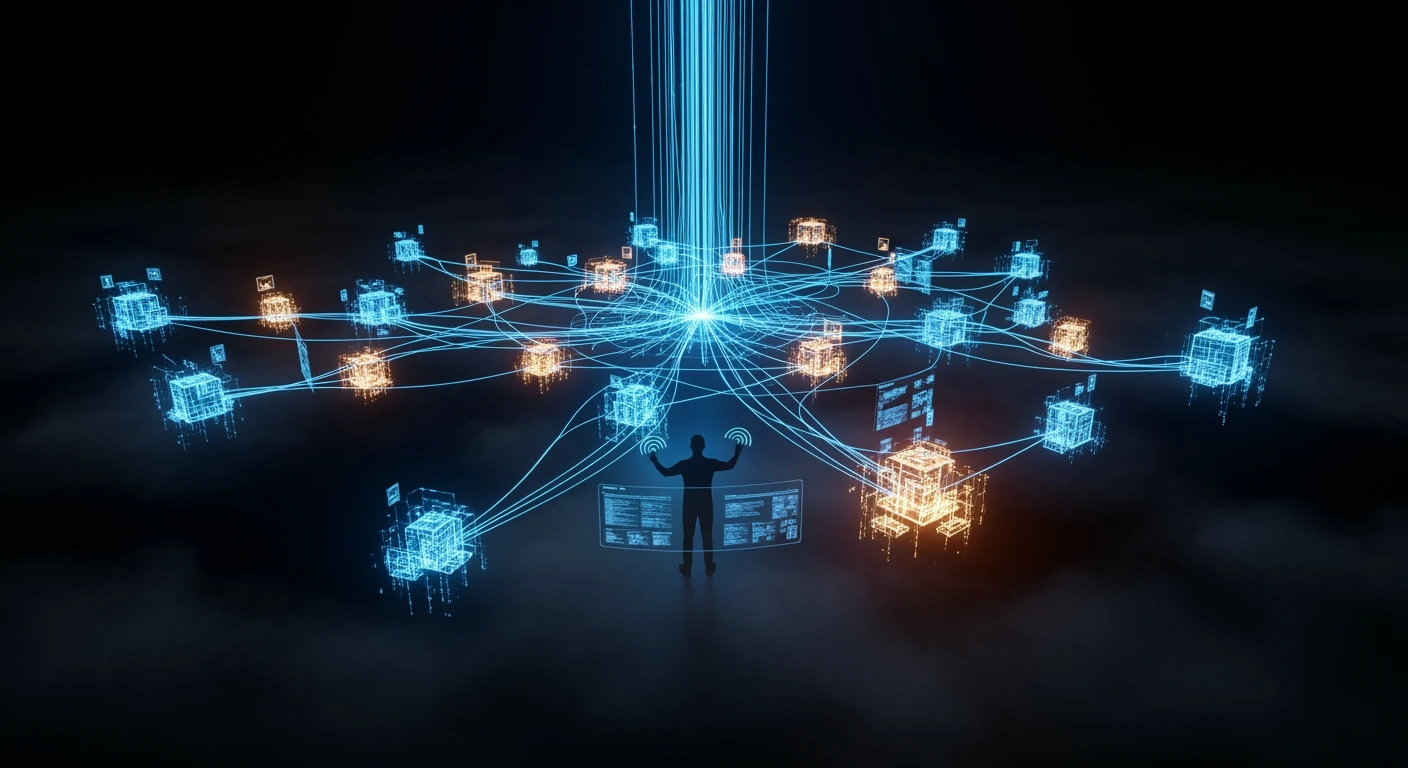
    Cinematic visualization of an AI-powered content command center orchestrating 27 connected website nodes through holographic data streams