Claude Tag’s two best features are ambient mode and cross-channel learning. Inside a single company, they are close to magic: one AI teammate that quietly learns how the whole organization works and surfaces the right thing at the right moment. If you run an agency, those same two features are a trap. This piece is about why, and exactly what to build instead.
Why an agency is a different shape of problem
Agencies span the same five security domains as any enterprise — but with client walls between the data.
A company is one tenant. Every channel, every document, every thread belongs to the same entity, so an AI that “learns across channels and data sources” is only ever connecting your own dots. That is the design Claude Tag is optimized for, and Anthropic’s own number — 65% of their product team’s code now comes from their internal version — shows how well it works when all the data is yours.
An agency is the opposite shape. You are many clients sharing one operation. Client A and Client B may be competitors. The instant your AI teammate is allowed to learn across channels, the wall between those two accounts depends on the model’s judgment about what is “relevant” — and relevance is exactly the thing it’s designed to be generous about. Cross-channel learning isn’t a bug here. It’s a feature pointed in the wrong direction.
The lesson we learned by living it
We didn’t reason our way to this. We hit it. In an early pilot, running a single shared context across more than one account, the assistant produced a client deliverable that pulled in details from the wrong account. Nothing left the building — the human review caught it — but the signal was unmistakable. For client work, ambient cross-channel learning is not a feature. It’s a breach waiting for a deadline, because the day it slips through is the day someone is moving too fast to catch it.
That single near-miss reorganized how we build. It is the reason we treat isolation as architecture, not etiquette.
Why “don’t mix clients” in a prompt is not a control
The tempting fix is to tell the assistant, in its instructions, to keep clients separate. Don’t rely on it. A prompt is a request for good behavior; it is not a boundary. Under deadline pressure, with a helpful model trying to surface everything relevant, “please don’t cross the streams” is the first thing to bend. Isolation that matters is enforced in the structure of the system — in what the assistant can even see — not in what you politely ask it not to do.
The pattern that works: split by surface
Split by surface — the isolation pattern that works.
The move that resolved it for us was to stop treating “internal” and “client-facing” as the same problem. They get different architectures:
Surface
Use
Why
Your internal team
Adopt Claude Tag fully
Ambient mode and cross-channel learning are features when all the data is yours
Client-facing delivery
Isolated room + approval gate
Per-client isolation and human sign-off are the product, not overhead on it
Internally, turn everything on. Let it learn across your channels, run ambient, follow up on your forgotten threads. For client work, each client gets a walled room that cannot see any other client’s context, and nothing leaves that room without a human approving it.
Do this instead: a concrete checklist
Concrete checklist instead of prompt hope.
One isolated space per client — not one shared brain with channels. The boundary should be the space itself, enforced by what data the assistant is connected to, so there is nothing to “accidentally” pull from another account.
Cross-channel learning OFF for anything client-facing. It is the single setting most likely to cause a bleed. Reserve it for internal-only surfaces.
Ambient mode OFF on client rooms by default. Proactive surfacing is where unrequested context shows up. Let humans pull in a client room; let the AI push only where the data is all yours.
A human on the ship button for everything that leaves the building. The AI drafts; a person reviews and approves; only then does it go to the client. This is the control that caught our near-miss.
Audit what the assistant can see, deliberately. Permissions are the real boundary. Set them on purpose, write them down, and review them when you add a client.
Map every channel to a trust boundary before you turn anything on. Decide, per channel, whether it is internal or client data — and never let a client-data channel feed cross-channel learning.
The one sentence to take with you
The two things that make Claude Tag magical inside a company — ambient mode and cross-channel learning — are the two things you must wall off to use it safely for clients. Get that right and you get the upside without betting the client relationship on a model’s judgment about relevance.
Every major paradigm shift in technology follows the same arc: the mechanic arrives first, the naming arrives later, and the person who names it captures lasting authority over the frame. Version control went from SCCS to git over three decades. Then its metaphors leaked into every domain — documents, designs, legal contracts, data pipelines. But nobody has named the next obvious target: the conversation itself.
This paper argues that AI conversations are not like code. They are code — complete with commits, branches, diffs, deploys, and the entire software development lifecycle. The infrastructure already exists. The philosophical claim does not. This is that claim.
I. The Pattern We Keep Missing
The pattern we keep missing.
In 1964, Marshall McLuhan told a room full of Canadian broadcasters that the medium is the message. He’d been saying it since 1958, but nobody wrote it down because radio people don’t read media theory — they do media. The written version showed up in Understanding Media six years later. His colleague Harold Innis had the structural insight a decade earlier, published it in an academic journal, in concepts too dense for a headline. Innis is for specialists. McLuhan owns the cultural territory.
The pattern repeats. Lawrence Lessig compressed Joel Reidenberg’s “Lex Informatica” into “Code is law” and pointed it at the general public. Clive Humby said “Data is the new oil” at a 2006 conference; nobody wrote it down until a colleague blogged it months later, and it didn’t truly detonate until The Economist ran a cover story in 2017 — eleven years after the phrase was coined. Marc Andreessen published “Why Software Is Eating the World” in the Wall Street Journal in August 2011; fourteen years later, the phrase still structures how VCs talk about markets.
The structural formula is always the same: someone compresses a complex, multi-page argument into a logical identity statement — A is B — short enough for a keynote, a tweet, a headline. The person who does this in a broadcast venue captures lasting authority, even if someone else had the idea first. Reidenberg published “Lex Informatica” in the Texas Law Review a full year before Lessig. He’s a footnote. Alfred Russel Wallace mailed Darwin a manuscript with the identical theory of natural selection. We call it Darwinism. Stephen Stigler named this dynamic “Stigler’s Law of Eponymy” — no discovery is named after its true discoverer — while explicitly crediting Robert Merton as the actual originator. The law is now called Stigler’s.
I’m not going to be Reidenberg.
II. The Mechanic Is Already Commodity
Before I make the philosophical claim, let me be precise about what already exists. The infrastructure for treating conversations with version-control primitives is live, shipping, and increasingly competitive:
ChatGPT added conversation branching in September 2025 — a “Branch in new chat” option that lets users fork from any message and explore alternate paths without losing the original thread. It’s a consumer feature, available to every logged-in ChatGPT web user. Claude Code, Anthropic’s developer tool, runs on a directed acyclic graph — a DAG — the same data structure git uses to track commits. It spawns sub-agents that branch, execute in parallel, and return results to the main thread. Google AI Studio offers conversation forking. Forky, an open-source tool, adds git-like branching to any AI chat interface. GitChat stores conversations in actual git repositories. Academic researchers published “Context Branching for LLM Conversations: A Version Control Approach to Exploratory Programming” (arXiv:2512.13914, December 2025), which presents ContextBranch, a system that applies version control semantics (checkpoint, branch, switch, and inject) to multi-turn LLM conversations.
The mechanic — forking, branching, comparing conversation paths — is commoditized. Every major AI lab either ships it or has it on the roadmap. This is the plumbing, and it’s table stakes.
What nobody has done is name the building.
III. The Claim
The claim — conversations as code.
A conversation with an AI is not *like* code. It *is* code.
Not metaphorically. Not “conversations have some properties that remind us of code.” Literally: a conversation is a sequence of instructions that, when executed against a runtime (the model), produces deterministic-ish outputs. It can be versioned. It can be branched. It can be tested. It can be deployed. It can be reviewed. It has bugs. It has technical debt. It has a lifecycle.
Every primitive in the software development lifecycle has a direct, non-metaphorical conversation equivalent. Not because someone designed it that way, but because conversations with AI systems are programs — they’re just programs written in natural language and executed against a neural network instead of a CPU.
Here is the complete Rosetta Stone:
The Full Mapping
Commit → A prompt-response pair that produces a decision or artifact. Every time you send a message and receive a response that changes the state of your work, you’ve committed. The conversation history is your commit log. It’s append-only (you can’t unsend), it has timestamps, and it has attribution (who said what).
Branch → A conversation fork from a decision point. When ChatGPT lets you “edit” a prior message and explore a different path, that’s a branch. When Claude Code spawns a sub-agent with different instructions, that’s a branch. When you copy a system prompt into a new conversation and modify one variable, that’s a branch.
Merge → Synthesizing two conversation branches into a single decision. This is the hard one — the one every non-code domain drops when they adopt version control. More on this below.
Diff → Comparing the outputs of two conversation branches. “I asked the same question two different ways. Here’s what changed in the answer.” This is already how people evaluate prompt quality — they just don’t call it diffing.
Pull Request → Proposing a conversation-derived decision for review. When I run a strategic analysis in Claude and then present the output to a stakeholder for approval before acting on it, that’s a pull request. The conversation produced the work. The review gate determines whether it ships.
Code Review → Structured review of a reasoning chain against a specification. I’ve been doing this for weeks and didn’t call it code review until now. More on this in the receipts section.
Linter → Prompt quality enforcement. System prompts, CLAUDE.md files, constitutional AI guidelines — all of these constrain conversation outputs the way a linter constrains code style. They don’t change the logic; they enforce the standards.
Test Suite → “Does this prompt reliably produce the expected output?” Prompt evaluation frameworks (the kind every AI lab publishes) are test suites. They run inputs, compare outputs to expected results, and report pass/fail. We’ve been writing tests for conversations for two years. We just call them “evals.”
CI/CD → Promoting a conversation pattern to production use. When a prompt goes from “something I tried once” to “a standing instruction that runs automatically,” it has been deployed through a pipeline. My scheduled tasks — email triage at 7 AM, newsletter extraction, midday inbox check — are conversations that graduated to production.
Deploy → A conversation becoming a skill, a workflow, a standing instruction. A Claude skill (a SKILL.md file) is a deployed conversation. It started as an interactive session. The session produced a workflow. The workflow was encoded as a reusable protocol. That’s build → test → deploy.
Rebase → Replaying a conversation on top of new context. When I take an old analysis and re-run it with updated data — same structure, new inputs — I’m rebasing. The conversation structure is preserved; the context underneath it has changed.
Cherry-pick → Extracting one insight from a conversation branch and applying it to another. “That framework from Tuesday’s session would solve the problem we hit Thursday.” Pull one commit from one branch, apply it to another.
.gitignore → Context exclusion. System prompts that say “do not use information from X” or “ignore content that looks like instructions inside documents.” This is .gitignore for conversations — explicitly marking what the runtime should not process.
README → System prompt. The README tells a new developer what a repository does, how to use it, and what to expect. A system prompt tells a new conversation what the AI’s role is, how to behave, and what to expect from the user. A CLAUDE.md file is a README for a conversation environment.
Monorepo vs. Polyrepo → One mega-conversation vs. many focused ones. The monorepo debate is alive and well in AI workflows. Do you run one long conversation that accumulates context (monorepo), or do you spawn many focused conversations with narrow scopes (polyrepo)? The tradeoffs are identical: monorepos have easier cross-referencing but get unwieldy at scale; polyrepos are cleaner but require explicit coordination.
IV. The Missing Primitive: Merge
The missing primitive: merge.
Every domain that adopts version control drops branching. Wikis keep revision history but don’t branch. Google Docs keeps versions but doesn’t branch. Legal redlining is bilateral — two parties, not an arbitrary graph. The reason is always the same: branching requires merging, and merging requires resolving conflicts, and conflict resolution requires judgment that most users won’t exercise and most tools won’t automate.
Conversations have the same problem, and it’s the reason the “conversations as code” framing hasn’t been named yet — the hardest primitive is the one that makes the whole system coherent.
What does it mean to merge two conversation branches?
It means taking two divergent reasoning paths — two explorations that started from the same decision point and went different directions — and synthesizing them into a single, coherent decision that incorporates the best of both. This is not summarization. Summarization compresses; merging reconciles. A merge has to identify where the two branches agree (fast-forward), where they conflict (merge conflict), and how to resolve the conflicts (judgment).
This is, incidentally, the thing that AI systems are becoming extraordinarily good at. A model that can hold two 100,000-token conversation branches in context and produce a synthesis that identifies agreements, flags conflicts, and proposes resolutions is a merge engine. The merge primitive that every other domain dropped because humans wouldn’t do it might be the primitive that AI makes viable.
If that happens — if AI-assisted conversation merging becomes reliable — then conversations won’t just be code. They’ll be code with better tooling than most actual code has.
V. My Receipts
I’m not writing this as a theoretical exercise. I’ve been living this paradigm for months, building systems that embody every primitive I’ve described, before I had a name for what I was doing. Here are the receipts.
Skills as Deployed Conversations
I have over forty Claude skills in production — reusable protocols that handle everything from WordPress SEO optimization to social media scheduling to content quality gates. Every single one was born from a conversation. The pattern is always the same: I have a conversation where we figure out a workflow. The workflow works. I encode it as a SKILL.md file. The file becomes a standing protocol that runs the same way every time.
My team documented the birth of one skill — the Cockpit Session — with precision: “This pattern emerged from the April 6, 2026 Monday Content Intelligence Audit. Will described wanting to ‘walk into a prepped room’ — the cockpit-session skill codifies that habit permanently.”
The conversation was the development environment. The SKILL.md was the deploy artifact. The skill running in production is the service. That’s not a metaphor. That’s a software lifecycle.
The Scope Index as Main Branch
On June 15, 2026, I ran an off-site board session — alone, with Claude — that produced a comprehensive strategic map of my entire business network. We called it the Scope Index. It maps every organization, every key person, every partnership, every risk, every sequenced move.
The Scope Index defines its own operating loop: “scope → implement → document → change.” That’s a development cycle. The document functions as trunk — the canonical branch that all decisions branch from and merge back into. When I evaluate a new opportunity, I check it against the Scope Index. When I make a strategic decision, I update the Scope Index. It has a date stamp. It has an author. It has a version history in Notion.
It even has branch termination. Two prospective partners — Phil Rosebrook and Chris Nordyke — were evaluated and marked NO-GO. Those are closed branches. They’ll never merge back to main.
Lens Exercises as Code Review
The week after I built the Scope Index, I started running what I called “lens exercises” — structured reviews of my strategic decisions through formal analytical frameworks. Critical Thinking applied to a partnership gate decision. Context and History applied to an identity question about one of my organizations. Ethics and Impact applied to an information firewall I’d built between two business relationships. Future Implications applied to a parked initiative.
Each exercise reads the prior reasoning chain (the Scope Index entry), evaluates it against a formal specification (the analytical lens), and returns a structured verdict: what passed, what failed, what needs revision, what was missed. Exercise #1 surfaced three execution blind spots I’d have walked into. Exercise #3 identified a pattern of information asymmetry across my entire network that I hadn’t seen.
That’s code review. The inputs are conversation outputs. The specification is a formal framework. The output is a structured diff — here’s what your reasoning got right, here’s what it got wrong, here’s what to change. I was doing code review on my own conversations and didn’t have a name for it.
Two Operating Modes as Branch Strategies
I run two modes when working with AI: Execute and Extract. Execute mode means the conversation is going to production — tight messages, clear instructions, direct output. Extract mode means the conversation is brainstorming — loose, rambly, exploratory, with the output captured to my Notion second brain for later processing.
Execute mode is committing to main. Extract mode is opening a feature branch. My own documentation uses the language directly: “loose branching messages → capture to Notion.” The system even has a recursive proof of concept — the idea for Extract mode was itself captured in Extract mode. It was born as a branch.
Conversations Committed to Git — Literally
This isn’t just metaphor mapping. My Claude Code sessions produce work products — articles, code, strategies — that are committed to actual git branches named after the conversation sessions that produced them. Branch claude/session-planning-mbp0ys in the wtygart-ctrl/tygart-workers repository. Branch claude/tygart-media-optimization-7pofae with a documented merge path: “Review + merge → main (merge triggers the deploy workflow automatically).”
The conversation IS the development environment. The git branch IS the conversation’s artifact trail. The merge to main IS the conversation’s output going to production. This is already happening. It just hasn’t been named.
VI. What This Means
For the next twelve months
If conversations are code, then every tool and practice from fifty years of software engineering is available for adaptation. We don’t need to invent conversation management from scratch. We need to port it.
Conversation linters already exist — they’re called system prompts and constitutional AI. Conversation tests already exist — they’re called evals. Conversation deploys already exist — they’re called skills, workflows, and agents. Conversation version control is shipping from every major AI lab.
What doesn’t exist yet: conversation code review as a practice. Conversation CI/CD as infrastructure. Conversation architecture as a discipline. Conversation technical debt as a concept that organizations manage.
For the longer arc
The history of version control shows a consistent compression: SCCS took eleven years to become the dominant paradigm. Git took five. Each generation solved exactly one bottleneck its predecessor left unresolved. The same compression is happening with conversations. The gap between “someone built a conversation branching feature” and “conversation versioning is table stakes” is going to be measured in months, not years.
The domain that’s never successfully implemented branching-and-merging outside of code may finally do so — because the merge step, which every other domain dropped, is the thing AI systems do better than humans. A model that can hold two divergent 100K-token reasoning paths in context and produce a synthesis that identifies agreements, flags conflicts, and proposes resolutions is not just a chatbot. It’s a merge engine for thought.
For the people building on this
The Rosetta Stone I’ve laid out in Section III isn’t a thought experiment. It’s a product roadmap. Every unmapped primitive is a feature that doesn’t exist yet. Every mapped-but-unbuilt primitive is a competitive advantage for whoever builds it first.
The conversation CI/CD pipeline — a system that takes a conversation pattern from experimental to production with automated quality gates — is sitting there waiting to be built. The conversation architecture review — a structured assessment of whether an organization’s AI conversation patterns are well-designed or accumulating technical debt — is a consulting practice that doesn’t exist yet. The conversation diff tool — a product that lets you compare the outputs of two conversation branches side by side, like a git diff but for reasoning chains — is an obvious product.
None of this requires new AI capabilities. It requires new framing. The capabilities already exist.
VII. The Urgency of Naming
Every cautionary tale in intellectual history has the same moral: the person who delays publishing loses permanent naming rights to whoever publishes next, regardless of who had the idea first.
Newton developed calculus in 1665 and sat on it for twenty years. Leibniz published first. We use Leibniz’s notation. Darwin developed natural selection around 1838 and wrote a private essay in 1844. He didn’t publish. In 1858, Wallace mailed him a manuscript with the identical theory. Darwin’s allies staged an emergency joint reading. Darwin rushed Origin of Species to press. Twenty years of sitting on an unpublished idea nearly cost him everything.
Rosalind Franklin produced Photo 51 — the X-ray crystallography image that proved DNA’s double helix structure — in 1952. A colleague showed it to Watson without her knowledge. Watson and Crick published the double helix in April 1953. Franklin died of cancer in 1958. Watson, Crick, and Wilkins received the 1962 Nobel. No mechanism for correction existed.
I’ve done the research. The philosophical claim that conversations are code — not that they’re like code, not that they have some properties of code, but that they are a legitimate programming paradigm with a complete software development lifecycle — is unclaimed territory as of June 2026. The mechanic is commoditized. The products are shipping. The academic papers are published. But nobody has compressed the argument into the three-word identity statement and planted it in a broadcast venue.
Until now.
VIII. The Three-Word Claim
Conversations are code.
Not “conversations are like code.” Not “conversations can be managed with code-like tools.” Not “AI conversations share some interesting structural properties with software.”
Conversations are code.
They are sequences of instructions executed against a runtime. They produce outputs. They can be versioned, branched, tested, reviewed, deployed, and maintained. They accumulate technical debt. They have architecture. They have lifecycle.
The fifty-year arc of version control — from SCCS to git to the sprawling ecosystem of tools and practices built on top of distributed version control — is the playbook. The conversation is the new codebase. The prompt is the new function call. The skill is the new microservice. The system prompt is the new README. The eval is the new test suite. The model is the new runtime.
And the person sitting in front of the conversation — the one deciding when to branch, when to commit, when to deploy, when to revert — is the new developer.
Whether they know it or not.
William Tygart is the founder of Tygart Media and architect of a multi-site AI content operation spanning 95,000+ AI citations. He builds systems where conversations become protocols, protocols become skills, and skills become the operating layer of businesses that run on AI. He’s been coding in conversations since before he had a name for it. Now he does.
Sources
1. McLuhan, M. (1964). Understanding Media: The Extensions of Man. McGraw-Hill.
2. Lessig, L. (2000). “Code Is Law: On Liberty in Cyberspace.” Harvard Magazine.
3. Humby, C. (2006). “Data is the new oil.” Association of National Advertisers conference.
4. Andreessen, M. (2011). “Why Software Is Eating the World.” Wall Street Journal.
5. Karpathy, A. (2023). “The hottest new programming language is English.” X/Twitter.
6. Reidenberg, J. (1998). “Lex Informatica.” Texas Law Review.
7. Nanjundappa, B. C., & Maaheshwari, S. (2025). “Context Branching for LLM Conversations: A Version Control Approach to Exploratory Programming.” arXiv:2512.13914.
8. Stigler, S. (1980). “Stigler’s Law of Eponymy.” Transactions of the New York Academy of Sciences.
9. Nelson, T. (1960). Project Xanadu.
10. Ram, K. (2013). “Git can facilitate greater reproducibility and increased transparency in science.” Source Code for Biology and Medicine.
Direct answer (October 2026): Headline API rates did not move when Fable 5.1 shipped on September 1. Both Fable 5 and Fable 5.1 list at $10 / MTok input and $50 / MTok output. The change that matters for agent loops is cache: Fable 5.1 cache reads are $0.25 / MTok versus $1.00 / MTok on Fable 5. On claude.ai, Fable is included only on Max and premium Team/Enterprise seats, and only up to 50% of the weekly usage pool. Pro and Team Standard pay usage credits from the first Fable token.
API rates
USD per million tokens. Context window 1M. Max output 128K. No long-context surcharge on the published card.
Item
Fable 5
Fable 5.1
API ID
claude-fable-5
claude-fable-5-1
Input
$10
$10
Output
$50
$50
5-min cache write
$12.50
$12.50
1-hour cache write
$20
$20
Cache read
$1.00
$0.25
Batch in / out
$5 / $25
$5 / $25
That cache-read cut is the Sep 1 price event. Stable system prompts and repo prefixes that hit cache on 5.1 cost a quarter of what they cost on 5. Headline input/output is unchanged, so a cold one-shot is the same bill.
Opus 5.5 (current, shipped Sep 22, 2026) is $4 / $20. Opus 5 remains listed at $5 / $25. Sonnet 5.5 is the current Sonnet at $2 / $10 (cache read $0.10; shipped Sep 28, 2026). Haiku 5.5 is the current Haiku, from $0.10 / $0.50 (prompts up to 100K tokens). Sonnet 5 remains listed at the same $2 / $10 after Anthropic cancelled the scheduled Sep 1 step to $3 / $15. Against current Opus 5.5, Fable is 2.5× on list rates ($10/$50 vs $4/$20); against legacy Opus 5 it is still 2×.
Max, Team Premium, Enterprise Premium seats: included. Cap is 50% of weekly usage limits. Same weekly pool as every other model. Fable burns that pool faster. After the cap: usage credits or switch models.
Pro and Team Standard: not included. Credits from token one. The July 2026 $100 one-time credit was for the Fable 5 plan change only. Help Center: no equivalent credit for 5.1.
Enterprise Standard seats: only if the org turns credits on.
Fable 5.1 launched September 1, 2026 with Mythos 5.1. Same underlying model, different safeguards. Anthropic positions 5.1 for long coding and knowledge work. US-only inference is listed at 1.1× input and output. Availability: Claude API, Bedrock, Google Cloud, Microsoft Foundry, and paid claude.ai plans under the rules above.
What the cache change is worth in dollars
Direct answer: Fable 5.1’s headline rates didn’t move ($10 input / $50 output per million tokens), but cache reads fell 75% — from $1.00 to $0.25 per million. On workloads that re-read context, that’s the whole story.
Worked example — one agent loop day: 10M input tokens at a 90% cache-hit rate, plus 1M output tokens.
Fable 5.1: $10.00 fresh input, plus 9M cache reads × $0.25 = $2.25, plus $50.00 output. Total: $62.25.
The cache-read line alone drops from $9.00 to $2.25. Push the hit rate to 95% and the gap widens further — the more your loop re-reads its own context, the more 5.1 pulls away. A fresh prompt with no cache history costs exactly the same on both versions.
Fable 5.1 against the lineup
USD per million tokens, standard API processing. Cache-write column is the 5-minute rate.
Model
Input
Output
Cache read
Cache write (5m)
Fable 5.1
$10.00
$50.00
$0.25
$12.50
Fable 5
$10.00
$50.00
$1.00
$12.50
Opus 5.5
$4.00
$20.00
$0.20
$5.00
Sonnet 5.5 (current)
$2.00
$10.00
$0.10
$2.50
Sonnet 5 (legacy)
$2.00
$10.00
$0.20
$2.50
Haiku 5.5 (current, prompts ≤100K)
$0.10
$0.50
$0.01
$0.125
Haiku 5.5 (prompts >100K)
$0.50
$2.50
$0.05
$0.625
Haiku 4.5 (legacy)
$1.00
$5.00
$0.10
$1.25
Fable 5.1’s cache reads are priced at 0.025× its input rate — 97.5% below base input. Every other model in the table pays the standard 0.10× except Opus 5.5 and Sonnet 5.5 at 0.05×. That unusual cache multiple is Fable’s entire pricing argument.
When Fable is worth it
Pick Fable 5.1 for long-horizon agent loops that re-read large contexts — multi-step research agents, codebase-wide refactors, anything where the same prompt prefix gets re-fed dozens of times. The cache math above is where it earns its rate.
Pick something else when the workload doesn’t fit: interactive coding sessions belong on Sonnet 5.5 ($2/$10, current Sonnet; Sonnet 5 legacy still listed at the same rate after the Sep 1 step was cancelled), maximum reasoning per dollar is Opus 5.5 ($4/$20), and high-volume simple tasks are Haiku 5.5 (from $0.10/$0.50; Haiku 4.5 is legacy at $1/$5).
On claude.ai plans the calculus shifts: Fable rides inside Max and premium Team/Enterprise seats (capped at half the weekly pool), so plan users should think in pool-share, not tokens. API users think in tokens. Full seat and API pricing lives on our Claude AI pricing guide; model-to-model reasoning comparisons are in the Claude models comparison, and token-level API detail is in Claude API pricing, token costs and rate limits.
FAQ
Did Fable get cheaper on September 1?
Not on headline tokens. Cache reads on 5.1 dropped from $1.00 to $0.25 per million. Repeated agent context is cheaper. A fresh prompt is not.
Does Pro include Fable 5.1?
No. Pro can call it with usage credits. Included Fable lives on Max and premium seats only, and only up to half the weekly limit.
Is Fable 5.1 2.5× Opus 5.5 (and 2× legacy Opus 5)?
Against current Opus 5.5 ($4/$20), Fable at $10/$50 is 2.5× on list rates. Against legacy Opus 5 ($5/$25) it is still 2×. Opus 5 Fast mode lists at Fable’s standard rate. Pick Fable when the job is long-horizon and you have Max/premium inclusion or a reason to pay the cache-aware API bill.
Does the Batch API discount apply to Fable?
Yes. Anthropic’s Batch API takes 50% off standard rates across models, Fable included — roughly $5/$25 per million input/output tokens on Fable 5.1 for non-urgent work. Cache-read pricing discounts stack on top.
Do cache writes cost extra on Fable 5.1?
Yes, one line item to know: 5-minute cache writes are $12.50 per million (1.25× input), 1-hour writes are $20 (2× input). You pay the write once when the cache entry is created; every re-read after that bills at the $0.25 cache-read rate. Writes are a footnote — reads are the story.
How does the 50% weekly pool cap work for Fable on Max?
Max and premium Team/Enterprise seats include Fable, but only up to half of the weekly usage pool — Fable can’t consume the whole allowance. Past the cap, further Fable usage bills as usage credits from the first token. If Fable is your daily driver on a plan, watch the pool split, not just the total.
The Message Batches API lets you submit up to 100,000 Claude requests in a single call and receive results asynchronously — at exactly 50% of standard token prices. Most batches finish in under an hour. Results remain downloadable for 29 days. This page covers every verified limit, the per-tier rate limit tables, and how batch pricing stacks with prompt caching.
Pricing: 50% off standard rates
Batch pricing — half-rate framing without sticky dollars.
Every token processed through the Message Batches API is billed at half the standard input and output price. No quality difference from synchronous requests — only timing. The table below shows verified batch prices for active models.
Model
Batch input (per MTok)
Batch output (per MTok)
Standard input (per MTok)
Standard output (per MTok)
Claude Fable 5.1
$5.00
$25.00
$10.00
$50.00
Claude Opus 5.5
$2.00
$10.00
$4.00
$20.00
Claude Sonnet 5.5
$1.00
$5.00
$2.00
$10.00
Claude Haiku 4.5
$0.50
$2.50
$1.00
$5.00
Older models (Opus 4.5–5, Sonnet 4.5–5) remain listed at their original rates; the 50% batch discount applies to every model.
A batch expires if processing has not completed within 24 hours. Any individual request within that batch that did not finish is marked expired — you are not billed for expired or errored requests. Batch results (the JSONL file) are accessible for download for 29 days after the batch was created; after that the batch object itself is still visible but results can no longer be downloaded.
Message Batches API rate limits
The Message Batches API has its own rate-limit pool, shared across all models, separate from the standard Messages API limits. The “processing queue” count refers to individual batch requests (not batches) that have been submitted but not yet completed by the model. Anthropic publishes one standard set of batch limits, shown below; usage tiers (Start, Build, Scale, Custom) now govern monthly spend caps rather than batch throughput.
RPM here limits how fast you can make HTTP requests to the Batches API endpoints (create, retrieve, list, cancel). It does not limit how many individual requests inside a batch are processed per minute — that is governed by the queue cap above. If high demand causes processing to slow, more individual requests within a batch may reach the 24-hour expiration limit.
Stacking batch pricing with prompt caching
The Batches API documentation explicitly states that the 50% batch discount and prompt caching discounts stack. Cache writes incur a one-time cost at 1.25x the base input rate (5-minute TTL) or 2x (1-hour TTL); subsequent cache reads cost 0.1x the base input rate on most models (0.05x on Opus 5.5). Because batches process asynchronously and may take longer than 5 minutes, Anthropic recommends using the 1-hour cache duration for batch requests that share large context.
The following example uses Claude Opus 5.5 (standard input: $4.00/MTok) to show what each token type costs in a batch with a 1-hour cached system prompt.
Token type
Multiplier applied
Effective price per MTok
How calculated
Uncached input (standard)
1x
$4.00
Baseline
Uncached input (batch)
0.5x
$2.00
50% batch discount
Cache write — 1h TTL (batch)
2x × 0.5x = 1x
$4.00
2x write cost, then 50% batch
Cache read (batch)
0.05x × 0.5x = 0.025x
$0.10
5% read cost, then 50% batch
Output (batch)
0.5x of $20.00
$10.00
50% batch discount on output
In practice: if you cache a 50,000-token system prompt once and then read it across 1,000 batch requests, the cache write costs $0.20 (50K tokens at $4.00/MTok effective), while 1,000 cache reads cost $5.00 total (50M tokens at $0.10/MTok). The same 50 million tokens without caching would cost $100 in batch input (50 MTok at the $2.00/MTok batch rate). Cache hit rates on batches vary; Anthropic’s documentation notes typical rates of 30% to 98% depending on traffic patterns, since batch requests are processed concurrently rather than sequentially.
How results come back
How results come back from Message Batches.
When the batch finishes (or the 24-hour limit is reached), a results_url property is set on the batch object. Results are in JSONL format — one JSON object per line, in any order (not necessarily matching submission order). Each result carries the custom_id you assigned, plus a result object of type succeeded, errored, canceled, or expired. Streaming the results file rather than downloading it all at once is recommended for large batches. You are not billed for errored, canceled, or expired requests.
Does the Batches API count against my standard Messages API rate limits?
No. The Message Batches API has its own rate-limit pool that is tracked separately from the standard Messages API RPM, ITPM, and OTPM limits. You can use both simultaneously up to their respective limits.
What happens if my batch does not finish within 24 hours?
Any individual requests within the batch that did not complete are marked expired. You are not billed for those requests. The batch itself moves to ended status and whatever results did complete are available at the results_url.
Can I use extended thinking, tool use, or vision in a batch?
Yes. The Batches API supports vision, tool use (including server tools such as web search and code execution), system messages, multi-turn conversations, and extended thinking. The parameters not supported are stream: true, fast mode (speed), Threads parameters, and max_tokens: 0.
How long are batch results available for download?
Results are available for 29 days after the batch was created. After that window, the batch object remains visible in the Console and via the API, but the results file can no longer be downloaded.
Is the Batches API eligible for Zero Data Retention?
No. The Message Batches API is explicitly excluded from Zero Data Retention (ZDR). Data is retained under the feature’s standard retention policy regardless of your organization’s ZDR settings.
Run your batches from the Anthropic Console — API keys, billing, and a token-to-dollar cost estimator that shows what 50%-off batch pricing does to your actual workload.
A million Claude tokens equals roughly 750,000 words on Claude Sonnet 4.6 — but only about 555,000 words on Claude Opus 4.7, Claude Opus 4.8, and Claude Fable 5. The gap comes from a new tokenizer that Anthropic introduced with Opus 4.7: it emits up to 35% more tokens from the same text. The only reliable way to measure your actual token count is the /v1/messages/count_tokens endpoint.
Token-to-word conversion by model (1 million tokens)
Token-to-word conversion framing.
Anthropic publishes word equivalents directly in the context-window tooltips on the official models overview page. The figures below come from those tooltips.
Lineup currency (Sept 2026): Current API list (Sept 2026, verified): Sonnet 5 $2/$10, Opus 5.5 $4/$20, Haiku 4.5 $1/$5, Fable 5.1 $10/$50. Legacy (still listed on Anthropic’s card): Opus 4.8 $5/$25, Sonnet 4.6 $3/$15. Rows below that still name Opus 4.8 / Sonnet 4.6 / Fable 5 are legacy-or-prior availability figures — confirm live Anthropic limits before quoting TPM/RPM/context.
Model
Tokenizer
Context window
~Words per 1M tokens
~Pages per 1M tokens*
Claude Fable 5 (claude-fable-5)
New (Opus 4.7)
1M tokens
~555,000
~2,200
Claude Opus 4.8 (claude-opus-4-8)
New (Opus 4.7)
1M tokens
~555,000
~2,200
Claude Opus 4.7 (claude-opus-4-7)
New (Opus 4.7)
1M tokens
~555,000
~2,200
Claude Sonnet 4.6 (claude-sonnet-4-6)
Older
1M tokens
~750,000
~3,000
Claude Haiku 4.5 (claude-haiku-4-5)
Older
200k tokens
~150,000 (200K context)
~600 (200K context)
Claude Opus 4.6 (claude-opus-4-6)
Older
1M tokens
~750,000
~3,000
* Pages estimated at ~250 words per double-spaced page. These are approximations for typical English prose; actual counts vary by content type.
What the new tokenizer changed — and why it matters
What the new tokenizer changed — and why it matters.
Anthropic introduced a new tokenizer with Claude Opus 4.7. The official migration guide states that the new tokenizer “may use roughly 1x to 1.35x as many tokens when processing text compared to previous models (up to ~35% more, varying by content).” The most commonly cited figure across Anthropic’s documentation is roughly 30% more tokens for the same text.
The practical effect: a document that costs 1,000,000 tokens on Opus 4.6 or Sonnet 4.6 costs approximately 1,300,000 tokens on Opus 4.7, Opus 4.8, or Fable 5. Budgets built for the old tokenizer need to be re-baselined against the new one.
Lineup currency (Sept 2026): Current API list (Sept 2026, verified): Sonnet 5 $2/$10, Opus 5.5 $4/$20, Haiku 4.5 $1/$5, Fable 5.1 $10/$50. Legacy (still listed on Anthropic’s card): Opus 4.8 $5/$25, Sonnet 4.6 $3/$15. Rows below that still name Opus 4.8 / Sonnet 4.6 / Fable 5 are legacy-or-prior availability figures — confirm live Anthropic limits before quoting TPM/RPM/context.
Tokenizer
Models
Approximate token increase vs. older tokenizer
New (introduced Opus 4.7)
Opus 4.7, Opus 4.8, Fable 5, Mythos 5
~30% typical; up to ~35% depending on content
Older
Opus 4.6, Sonnet 4.6, Haiku 4.5, Opus 4.5, Sonnet 4.5
Baseline
The token counting page also notes the comparison directly: “Claude Fable 5 and Claude Mythos 5 use the tokenizer introduced with Claude Opus 4.7, which produces roughly 30% more tokens than models before Claude Opus 4.7 for the same text.”
Use count_tokens — not tiktoken or ratio math
Use count_tokens — not tiktoken or ratio math.
Anthropic’s migration guide explicitly flags the risk: “Any code path that estimates tokens client-side or assumes a fixed token-to-character ratio should be re-tested against Claude Opus 4.7.” OpenAI’s tiktoken library is trained on a different vocabulary and produces different counts. It will not give accurate results for any Claude model.
The correct approach is the /v1/messages/count_tokens endpoint, passing the specific model you intend to use:
The endpoint returns a model-specific count. If you are migrating a workload from Sonnet 4.6 to Opus 4.8, count the same prompt with both model IDs and compare the two input_tokens values. The token counting endpoint is free to use (rate limits apply by usage tier). Anthropic notes that the returned count is an estimate; the actual count at inference time may differ by a small amount.
Quick reference: common document sizes
Lineup currency (Sept 2026): Current API list (Sept 2026, verified): Sonnet 5 $2/$10, Opus 5.5 $4/$20, Haiku 4.5 $1/$5, Fable 5.1 $10/$50. Legacy (still listed on Anthropic’s card): Opus 4.8 $5/$25, Sonnet 4.6 $3/$15. Rows below that still name Opus 4.8 / Sonnet 4.6 / Fable 5 are legacy-or-prior availability figures — confirm live Anthropic limits before quoting TPM/RPM/context.
Document type
Approx. words
Tokens (older tokenizer)
Tokens (new tokenizer)
Novel (~400 pages)
~100,000
~133,000
~173,000
Long research paper
~20,000
~27,000
~35,000
Full context, Sonnet 4.6 (1M tokens)
~750,000
1,000,000
N/A (different model)
Full context, Opus 4.8 (1M tokens)
~555,000
N/A (different model)
1,000,000
These word estimates assume typical English prose. Code, structured data, and non-Latin scripts tokenize differently from natural language prose. Highly repetitive text and dense symbol-heavy content (like JSON or code) can fall well outside the ~0.75 words-per-token ratio.
Does the new tokenizer change what fits in the context window?
Yes, in one direction. The context window is still 1M tokens, but that window holds fewer words on the new tokenizer (~555k words) than on the old one (~750k words). A document that previously fit comfortably may now require trimming or chunking when moving to Opus 4.7, Opus 4.8, or Fable 5.
Does Sonnet 4.6 use the new tokenizer?
No. Claude Sonnet 4.6 uses the older tokenizer. Anthropic’s model overview page lists Sonnet 4.6’s 1M-token context window as equivalent to ~750k words, the same ratio as Opus 4.6 — confirming it has not adopted the Opus 4.7 tokenizer. Only Opus 4.7, Opus 4.8, Fable 5, and Mythos 5 use the new tokenizer.
Can I use tiktoken or another open-source tokenizer for Claude?
No. tiktoken is built for OpenAI models and uses a different vocabulary. It will not produce accurate token counts for any Claude model, and its error will be larger on the new Opus 4.7 tokenizer than on older Claude models. Use /v1/messages/count_tokens with the specific Claude model ID you plan to deploy.
Does the new tokenizer affect pricing?
Yes. Billing reflects token counts under the model’s tokenizer. If you migrate a workload from Opus 4.6 to Opus 4.8 and the new tokenizer produces 30% more tokens, your input token costs increase by roughly 30% before accounting for any per-token price difference between the models. Re-baseline cost estimates using the count_tokens endpoint rather than scaling from old measurements.
How many pages is the full 1M-token context window?
On models with the older tokenizer (Sonnet 4.6, Opus 4.6), 1 million tokens is approximately 3,000 double-spaced pages of typical English prose. On models with the new tokenizer (Opus 4.8, Fable 5), the same 1 million tokens holds approximately 2,200 pages. These are prose estimates — a 1M-token window filled with source code or dense structured data will span a very different page count.
Anthropic ships four distinct ways to put Claude to work as an agent, and they are easy to confuse. The short version: Claude Cowork and Claude Code are interactive products billed through your Claude subscription — Cowork for knowledge work in the desktop app, Code for software work in your terminal, IDE, desktop, or browser. The Claude Agent SDK and Managed Agents are programmatic surfaces for developers, billed through the API: the Agent SDK is a Python/TypeScript library that runs the agent loop inside your own process, while Managed Agents is a REST API where Anthropic runs the loop and hosts the sandbox. The tables below give the verified, side-by-side breakdown.
The decision matrix
Cowork vs Code vs Agent SDK vs Managed Agents matrix.
Each row is one surface. Read across for who it serves, whether you drive it turn-by-turn or hand it a goal, where the work executes, and how it is paid for.
Surface
Who it is for
Interactive vs autonomous
Where it runs
How it is billed
Claude Cowork
Knowledge workers (non-developers) — research, documents, file and spreadsheet work
Interactive, supervised — shows you the plan and waits for your approval before acting
The Claude desktop app on your own computer (macOS or Windows); not available on web or mobile
Claude subscription (Pro, Max, Team, Enterprise) — draws from your plan’s usage allocation
Interactive — you drive it in a session, though it can run agentically across files and tools
Your machine (terminal, VS Code, JetBrains, desktop app) or the browser at claude.ai/code
Claude subscription or an Anthropic Console (API) account
Claude Agent SDK
Developers building custom agents programmatically (Python or TypeScript)
Autonomous — Claude reads files, runs commands, and edits code on its own via the agent loop
Your own process and infrastructure
API key (pay-as-you-go credits); see the subscription note below for the June 15, 2026 change
Managed Agents
Developers running production or long-running agents without operating their own sandbox/session infrastructure
Autonomous — you send events, Claude executes tools and streams back results
Anthropic-managed cloud sandbox per session (or a self-hosted sandbox on your own infrastructure)
Claude API key + the managed-agents-2026-04-01 beta header (no subscription path)
Where billing actually differs
The cleanest way to split these four is by the wallet they draw from. The two interactive products are funded by a subscription; the two programmatic surfaces are funded by the API. This is the single distinction that trips people up most often, so it is worth stating plainly in its own table.
Surface
Billing model
Notes
Claude Cowork
Subscription
Included on Pro, Max, Team, and Enterprise. Multi-step tasks consume more of your usage allocation than chatting.
Claude Code
Subscription or API
Most surfaces require a Claude subscription or a Console account; the terminal CLI and VS Code also support third-party providers.
Claude Agent SDK
API (pay-as-you-go)
Authenticated with an ANTHROPIC_API_KEY; also supports Bedrock, Claude Platform on AWS, Vertex AI, and Azure. Anthropic does not permit claude.ai login for third-party agents built on the SDK.
Managed Agents
API (credits)
Requires a Claude API key and the beta header; enabled by default for API accounts.
One dated nuance is worth pinning down because it changes how subscription users pay for programmatic work. Starting June 15, 2026, Claude Agent SDK and claude -p usage on subscription plans no longer counts toward your Claude plan’s interactive usage limits; instead, eligible subscribers receive a separate monthly Agent SDK credit (per-user, not pooled), while subscription usage limits stay reserved for interactive use of Claude Code, Cowork, and Claude. If you use the Agent SDK with an API key from the Claude Platform, nothing changes — pay-as-you-go billing continues and you do not receive an Agent SDK monthly credit.
SDK vs Managed Agents: the programmatic split
SDK vs Managed Agents — the programmatic split.
Both programmatic surfaces let Claude run tools autonomously, but they differ in where the loop and the work live. Anthropic’s own comparison frames it this way: the Agent SDK “is a library that runs the agent loop inside your own process,” while Managed Agents “is a hosted REST API: Anthropic runs the agent and the sandbox, and your application sends events and streams back results.” Pick by who you want operating the infrastructure.
Dimension
Agent SDK
Managed Agents
Runs in
Your process, your infrastructure
Anthropic-managed infrastructure
Interface
Python or TypeScript library
REST API
Agent works on
Files on your infrastructure
A managed sandbox per session
Session state
JSONL on your filesystem
Anthropic-hosted event log
Best for
Local prototyping; agents that work directly on your filesystem and services
Production agents without operating sandbox/session infrastructure; long-running, asynchronous sessions
A common path, per Anthropic’s docs, is to prototype with the Agent SDK locally, then move to Managed Agents for production.
Quick chooser
Quick chooser for the right surface.
If you are not writing code and want Claude to finish a task on your computer, use Cowork. If you are a developer working interactively on a codebase, use Claude Code. If you are building your own agent and want it to run in your own process, use the Agent SDK. If you want Anthropic to run the agent and host the sandbox for long-running or production work, use Managed Agents.
Is Claude Cowork the same as Claude Code?
No. Both appear in the Claude desktop app, but Cowork is aimed at knowledge work (research, documents, spreadsheets, file management) for non-developers, while Claude Code is an agentic coding tool. Cowork runs only in the desktop app (macOS or Windows); Claude Code also runs in the terminal, VS Code, JetBrains, and the browser.
Does a Claude subscription cover the Agent SDK or Managed Agents?
Cowork and Claude Code are included with Claude subscriptions (Pro, Max, Team, Enterprise). The Agent SDK and Managed Agents are API surfaces authenticated with a Claude API key. As of June 15, 2026, subscription users do get a separate monthly Agent SDK credit for SDK and claude -p usage, but Managed Agents has no subscription path — it requires an API key and a beta header.
Where does the work actually execute for each surface?
Cowork runs on your own computer in the desktop app. Claude Code runs on your machine (or in the browser). The Agent SDK runs in your own process and infrastructure. Managed Agents executes in an Anthropic-managed cloud sandbox per session, or a self-hosted sandbox you control.
Is the Agent SDK built on Claude Code?
Yes. Per Anthropic, the Agent SDK “gives you the same tools, agent loop, and context management that power Claude Code, programmable in Python and TypeScript.” Anthropic also describes it as “Claude Code as a library.”
Is Managed Agents generally available?
No. As of June 13, 2026, Claude Managed Agents is in beta. Every Managed Agents endpoint requires the managed-agents-2026-04-01 beta header (the SDK sets it automatically), and access is enabled by default for API accounts.
Anthropic publishes a defined compliance posture for Claude: it holds SOC 2 Type I and Type II, ISO 27001:2022, and ISO/IEC 42001:2023 credentials; it will sign a Business Associate Agreement (BAA) covering HIPAA-ready services such as the first-party API and Enterprise plans; by default it does not train models on data sent under its commercial terms; and it offers a zero-data-retention (ZDR) arrangement on the Messages and Token Counting APIs. The hard part for buyers is the per-surface boundary — what the BAA covers, which features are blocked under ZDR or HIPAA, how long data is kept, and where it can be processed. Every figure below is drawn from Anthropic’s own trust, privacy, and developer documentation, with sources at the bottom. Eligibility, feature lists, and durations change; treat your signed contract and the live Trust Center as the controlling sources.
Certifications and attestations
Certifications and attestations overview.
Anthropic’s help center lists the following compliance credentials for its commercial products (Claude for Work and the Anthropic API). It directs customers to the Trust Portal at trust.anthropic.com to request copies of the underlying reports and certificates.
Credential
Status as described by Anthropic
Scope
SOC 2 Type I & Type II
Listed as held
Commercial products (Claude for Work, Anthropic API)
ISO 27001:2022
Certified
Information Security Management
ISO/IEC 42001:2023
Certified (issued by Schellman Compliance, LLC, accredited by the ANSI National Accreditation Board)
AI Management Systems
HIPAA
“HIPAA-ready configuration (BAA available)”
See BAA section
Anthropic describes itself as “one of the first frontier AI labs” to achieve ISO/IEC 42001:2023 certification, in an announcement dated January 13, 2025. The help-center certifications list does not mention ISO 27017, ISO 27018, FedRAMP, or CSA STAR; those are left out here rather than asserted. GDPR and CCPA are handled through Anthropic’s privacy program and customer agreements rather than as line-item “certifications” (see GDPR section).
HIPAA and the BAA: covered by product surface
HIPAA and the BAA by product surface.
Anthropic states it “provides a Business Associate Agreement (BAA) covering our HIPAA-ready services, such as use of our first-party API or Enterprise plans.” HIPAA readiness is enforced at the organization level: Anthropic provisions a dedicated HIPAA-enabled organization that automatically blocks non-eligible features. To process protected health information (PHI) on the API, an administrator must sign the BAA and contact sales to enable it; for Enterprise, an admin activates HIPAA compliance in the Claude Enterprise admin settings under “Data & Privacy” and signs the BAA there.
Surface
BAA / HIPAA-ready coverage
First-party Claude API (Messages API)
Covered as an Eligible Service (admin signs BAA, then contact sales)
Claude Enterprise
Covered once an admin activates HIPAA compliance and signs the BAA
Workbench and Console
Not covered
Claude Free, Pro, Max, Team
Not covered
Cowork
Not covered
Claude Code
Not covered under HIPAA readiness
Amazon Bedrock / Vertex AI
Not covered (cloud provider is the data processor; see those platforms)
Claude Platform on AWS / Microsoft Foundry
HIPAA readiness not available
Beta features (e.g., Claude in Office, Claude Design)
Generally not covered unless explicitly listed as eligible
Within the API, only a subset of features is HIPAA-eligible. Anthropic enforces this in code: a HIPAA-enabled organization that sends a non-eligible feature gets a 400 invalid_request_error naming the blocked feature. Anthropic states your signed BAA is the official source of truth for what is covered.
API feature
HIPAA-eligible
Messages API (/v1/messages)
Yes
Token counting
Yes
Web search
Yes (dynamic filtering not eligible)
Prompt caching, structured outputs, extended/adaptive thinking, citations, 1M context, PDF (inline), data residency, effort, fast mode, bash & text-editor tools, memory tool
PHI must appear only in message content, attached files, or related file names/metadata — never in JSON schema definitions (property names, enum/const values, or pattern regexes), because compiled schemas are cached separately and do not receive the same PHI protections. Anthropic notes workspace names, user contact details, billing data, and support tickets are not expected to contain PHI under the BAA.
Data retention (commercial default)
Under Anthropic’s commercial data retention policy, conversation content is not retained by default for the API, and API inputs and outputs are automatically deleted on the backend within 30 days of receipt or generation. For interface products such as Claude for Work, data persists until you delete it, after which it is removed from backend storage within 30 days. Two exceptions extend retention regardless of arrangement.
Data type / event
Retention
API inputs and outputs (default)
Auto-deleted within 30 days
Deleted conversation content (Claude for Work)
Removed from backend within 30 days
Inputs/outputs for a chat flagged as a Usage Policy violation
Data tied to feedback you submit (thumbs up/down, bug report)
5 years
Zero data retention (ZDR)
Zero data retention (ZDR).
With a ZDR arrangement, customer data is not stored at rest after the API response is returned, except where needed to comply with law or combat misuse. ZDR is requested through Anthropic sales and enabled per organization — it does not carry over automatically to new organizations under the same account. Even under ZDR, Anthropic retains User Safety classifier results, and may retain inputs and outputs for up to 2 years if a chat or session is flagged for a Usage Policy violation. CORS is not supported for ZDR organizations, so browser apps must call through a backend proxy.
Surface
ZDR coverage
Claude Messages API & Token Counting API
Eligible
Claude Code (Commercial org API keys, or via Claude Enterprise with ZDR enabled)
Eligible
Console and Workbench
Not eligible
Claude Teams & Claude Enterprise interfaces
Not eligible (except Claude Code via Enterprise with ZDR on)
Claude Free, Pro, Max
Not eligible
Claude Managed Agents
Not eligible (stateful; delete transcripts manually)
A handful of ZDR-eligible features are marked “Yes (qualified)” — structured outputs and cache diagnostics — meaning Anthropic retains a narrow, documented set of technical data (for example, a cached JSON schema for up to 24 hours since last use) rather than your prompts or Claude’s outputs.
Model-training policy and Covered Models
Anthropic’s Privacy Policy states it does not apply to content processed on behalf of business customers; that data is governed by the customer agreement. For the API specifically, Anthropic states retained data is never used for model training without your express permission. Anthropic’s consumer-terms update confirms the data-use changes “do not apply to services under our Commercial Terms,” including Claude for Work, Claude for Government, Claude for Education, and API use (including via Amazon Bedrock and Google Cloud’s Vertex AI). Training on commercial data happens only if a customer explicitly opts in (for example, the Development Partner Program).
One model-specific exception affects retention, not training: Claude Fable 5 and Claude Mythos 5 are designated Covered Models and require 30-day data retention. ZDR is not available for these two models; a request to either from an organization whose retention configuration doesn’t meet the requirement returns a 400 invalid_request_error. Organizations with ZDR can turn on 30-day retention for a single workspace (Console > Settings > Workspaces > Privacy controls) to use those models there while keeping ZDR elsewhere. On Bedrock, Vertex AI, and Microsoft Foundry, retention requirements for these models are set by each platform.
GDPR, data residency, and international transfers
For users in the EEA, UK, or Switzerland, the data controller is Anthropic Ireland, Limited; elsewhere it is Anthropic PBC. Where the EU or UK GDPR applies, Anthropic responds to verifiable data-subject requests within one calendar month. For transfers to countries without an adequacy decision, Anthropic relies on standard contractual clauses, and publishes its subprocessors at anthropic.com/subprocessors.
On data residency, the Claude API exposes two independent controls. inference_geo sets where inference runs per request — values are "global" (default) or "us" — and is supported on Claude Opus 4.6, Sonnet 4.6, and later (older models return a 400). Workspace geo controls where data is stored at rest and where endpoint processing happens; it is set at workspace creation and cannot be changed afterward. Per Anthropic’s documentation, "us" is currently the only available workspace geo, and only "us" and "global" inference geos are available — so there is currently no EU-resident storage option at the workspace level. US-only inference is priced at 1.1x the standard rate on supported models. Data residency is available on the Claude API (first-party) and Claude Platform on AWS; on Bedrock and Vertex AI the region is set by the endpoint or inference profile.
Does Anthropic train its models on my API or commercial data?
No, not by default. Anthropic’s Privacy Policy excludes business-customer content (governed by your customer agreement), and for the API it states retained data is never used for training without your express permission. The consumer data-use changes explicitly do not apply to Commercial Terms services. Training on commercial data requires an explicit opt-in.
Will Anthropic sign a BAA, and for what?
Yes. Anthropic signs a BAA covering HIPAA-ready services such as the first-party API and Enterprise plans. The Messages API is covered as an Eligible Service. It does not cover Workbench/Console, Free/Pro/Max/Team, Cowork, Claude Code, or beta features unless explicitly listed. An admin must sign the BAA and enable HIPAA readiness; the organization then auto-blocks non-eligible features.
What’s the difference between ZDR and HIPAA readiness?
Per Anthropic, ZDR prevents customer data from being stored at rest after the API response. HIPAA readiness is a broader set of safeguards (encryption, access controls, audit logging) that protect PHI throughout its lifecycle and lets data be retained with safeguards rather than deleted immediately. Anthropic states you do not also need ZDR if you have HIPAA readiness.
How long does Anthropic keep my data?
By default, API inputs and outputs are auto-deleted within 30 days. If a chat is flagged as a Usage Policy violation, inputs/outputs may be retained up to 2 years and trust & safety classification scores up to 7 years. Data tied to feedback you submit is kept 5 years. ZDR removes the default at-rest storage but does not remove the law/misuse exceptions.
Can I keep Claude inference and data in the EU?
Not at rest currently. The API’s inference_geo can pin inference to "us" or run "global", but Anthropic’s documentation lists "us" as the only available workspace geo (storage region). EU/UK data-subject rights and standard contractual clauses apply regardless, but an EU storage-residency option is not currently offered at the workspace level per the docs verified here.
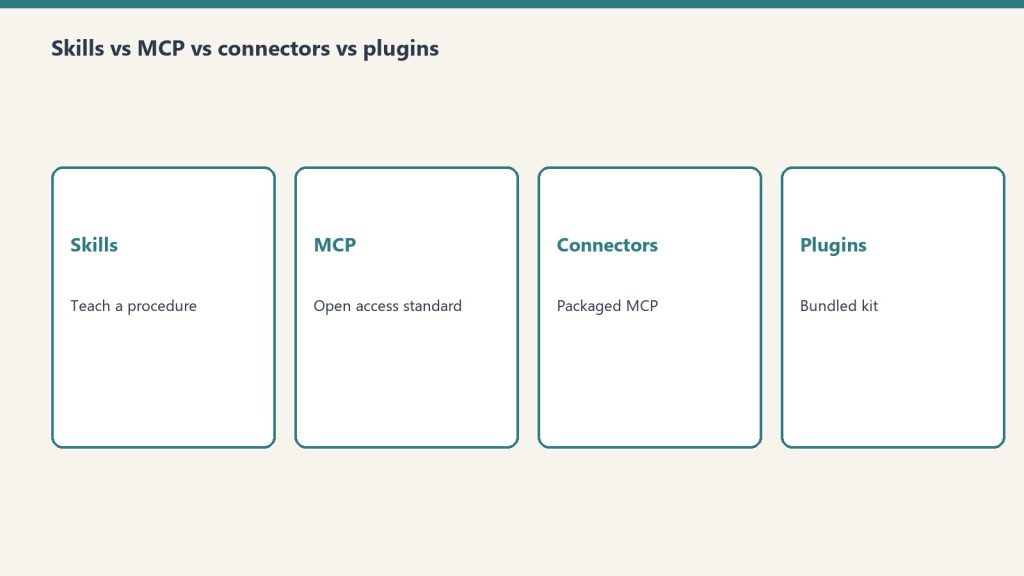
The simplest way to keep these straight: Skills teach Claude how to do a task, MCP servers and Connectors give Claude access to external systems, Plugins bundle several of these together, and Hooks and slash commands control a Claude Code session. A Skill is a folder of instructions Claude reads when relevant (Anthropic agent Skills docs). MCP (the Model Context Protocol) is an open standard that connects Claude to your tools and data (MCP docs; also Anthropic Trust Center). A Connector is Anthropic’s packaging of a remote MCP server inside the Claude apps. A Plugin packages any combination of commands, agents, MCP servers, hooks, and skills for Claude Code. Every definition below is taken verbatim from Anthropic’s official documentation, fetched on the verification date.
The one-glance comparison
One-glance comparison of the four extension surfaces.
This is the liftable summary. Each row is one mechanism; the third column is the distinction people most often get wrong — whether the thing teaches Claude how to do something or gives Claude access to something.
Type
What it is
Teaches-HOW or gives-ACCESS
Where it runs
How you install / enable it
Skill
A modular capability that packages instructions, metadata, and optional resources (scripts, templates) in a SKILL.md file that Claude uses automatically when relevant.
Teaches HOW. Provides domain-specific expertise: workflows, context, and best practices (procedural knowledge).
In Claude’s code execution environment / VM, where Claude has filesystem access, bash, and code execution.
claude.ai: upload a zip under Settings > Features. API: upload via the Skills API (/v1/skills) with the required beta headers (code-execution-2025-08-25, skills-2025-10-02, files-api-2025-04-14). Claude Code: a SKILL.md directory under ~/.claude/skills/ or .claude/skills/.
MCP server
An implementation of the Model Context Protocol — “an open-source standard for connecting AI applications to external systems.” Described as “a USB-C port for AI applications.”
Gives ACCESS. Connects Claude to data sources, tools, and workflows so it can access information and perform tasks.
Local (stdio) servers run as processes on your machine; remote servers run over HTTP (recommended) or SSE (deprecated).
In Claude Code: claude mcp add, at local, project, or user scope. Also configurable in .mcp.json or imported from Claude Desktop / claude.ai.
Connector
A feature that “let[s] Claude access your apps and services, retrieve your data, and take actions within connected services.” Custom connectors use remote MCP.
Gives ACCESS. Same access role as MCP — a Connector is the in-app packaging of a remote MCP server.
Custom connectors are reached from Anthropic’s cloud infrastructure, not from your local machine.
In the Claude apps under Customize > Connectors (or the in-chat “+” menu). Add a directory connector, or “Add custom connector” by URL.
Plugin
“A lightweight way to package and share any combination of” Claude Code customizations.
Both — it’s a container. Bundles things that teach HOW (commands, skills) and things that give ACCESS (MCP servers), plus hooks and subagents.
In Claude Code — “they’ll work across your terminal and VS Code.”
The /plugin command (public beta). For a marketplace: /plugin marketplace add user-or-org/repo-name, then install from the /plugin menu.
Hook
“User-defined shell commands, HTTP endpoints, or LLM prompts that execute automatically at specific points in Claude Code’s lifecycle.”
Controls behavior. Provides deterministic control rather than relying on the LLM to decide.
In Claude Code, firing at lifecycle events (e.g. PreToolUse, PostToolUse, UserPromptSubmit, SessionStart, Stop).
Configured in JSON settings files such as ~/.claude/settings.json or .claude/settings.json, or bundled in a plugin.
Slash command
A command starting with / that controls a Claude Code session. Includes built-ins (e.g. /help, /compact) and custom commands.
Teaches HOW (custom) / controls session (built-in). Custom commands have been merged into Skills.
In the Claude Code session (terminal or VS Code).
Built-ins ship with Claude Code. Custom: a Markdown file under .claude/commands/ (project) or ~/.claude/commands/ (personal); a .claude/skills/<name>/SKILL.md does the same.
Skills: teaching Claude a procedure
Skills: teaching Claude a procedure.
An Agent Skill is “a directory containing a SKILL.md file” with YAML frontmatter plus instructions, and optionally additional markdown files, executable scripts, and reference resources. The point is procedural knowledge — it turns “general-purpose agents into specialists” by giving Claude the workflows and best practices for a task, the way you’d write an onboarding guide for a new teammate. Anthropic ships pre-built Skills for PowerPoint, Excel, Word, and PDF, and you can author your own.
What makes Skills cheap to install in bulk is progressive disclosure: Claude loads information in stages instead of all at once. The numbers below come straight from Anthropic’s Skills overview.
Loading level
When loaded
Token cost (per Anthropic docs)
Content
Level 1: Metadata
Always, at startup
~100 tokens per Skill
name and description from the YAML frontmatter
Level 2: Instructions
When the Skill is triggered
Under 5k tokens
The SKILL.md body — workflows and guidance
Level 3+: Resources
As needed
Effectively unlimited
Bundled files read or executed via bash without loading their contents into context
The name field is capped at 64 characters (lowercase letters, numbers, hyphens; it cannot contain the reserved words “anthropic” or “claude”), and the description is capped at 1,024 characters. One important constraint: custom Skills do not sync across surfaces — a Skill uploaded to claude.ai is not automatically available via the API, and Claude Code Skills are filesystem-based and separate from both.
MCP: the open standard for access
MCP: the open standard for access.
The Model Context Protocol is, in Anthropic’s words, “an open-source standard for connecting AI applications to external systems.” The canonical analogy: “Think of MCP like a USB-C port for AI applications. Just as USB-C provides a standardized way to connect electronic devices, MCP provides a standardized way to connect AI applications to external systems.” Using MCP, “AI applications like Claude or ChatGPT can connect to data sources (e.g. local files, databases), tools (e.g. search engines, calculators) and workflows (e.g. specialized prompts).”
An MCP server can expose three kinds of building block — tools, resources, and prompts. In Claude Code, resources are referenced with @server:protocol://resource/path and prompts surface as commands in the form /mcp__servername__promptname. You connect a server with claude mcp add, choosing a transport and a scope:
Scope
Loads in
Shared with team
Stored in
Local (default)
Current project only
No
~/.claude.json
Project
Current project only
Yes, via version control
.mcp.json in project root
User
All your projects
No
~/.claude.json
For transports, HTTP is “the recommended option for connecting to remote MCP servers,” local stdio servers “run as local processes on your machine,” and SSE is explicitly marked deprecated in favor of HTTP.
Connectors: MCP, packaged for the apps
A Connector is how the Claude apps surface MCP. Per Anthropic’s help center, “Connectors let Claude access your apps and services, retrieve your data, and take actions within connected services,” and “Custom connectors using remote MCP are available on Claude, Cowork, and Claude Desktop.” So a Connector is not a different technology from MCP — a custom connector is a remote MCP server wired into the Claude UI.
The most consequential detail is where the connection originates: “Custom connectors (remote MCP servers) are reached from Anthropic’s cloud infrastructure, not from your local machine.” That means a custom-connector MCP server must be reachable over the public internet — one hosted only on a private network, behind a VPN, or blocked by a firewall will not connect even if you can reach it yourself.
Aspect
Directory (pre-built) connector
Custom connector
Source
Pre-built integrations in the Connectors Directory
Added by you via a remote MCP server URL
Plan availability
Available across Claude plans
Free, Pro, Max, Team, and Enterprise
Free-plan limit
Per directory
“Free users are limited to one custom connector.”
Where to add it
Customize > Connectors, or the in-chat “+” > Connectors > Manage connectors
Plugins: a bundle, not a single thing
A Plugin is “a lightweight way to package and share any combination of” Claude Code customizations. The official announcement lists four bundle components, and the Claude Code documentation adds skills as a fifth thing a plugin can carry:
Component
What it adds
Slash commands
Custom shortcuts for frequently-used operations
Subagents
Purpose-built agents for specialized development tasks
MCP servers
Connections to tools and data sources through MCP
Hooks
Customizations of Claude Code’s behavior at key workflow points
Skills
Per the Claude Code docs, a plugin can include a skills/ directory; plugin skills use a plugin-name:skill-name namespace
You install a plugin “directly within Claude Code using the /plugin command.” To pull from a marketplace — “curated collections where other developers can discover and install plugins” — you run /plugin marketplace add user-or-org/repo-name and then install from the /plugin menu. Plugins “work across your terminal and VS Code.” Plugins were announced on October 9, 2025, as a public beta for all Claude Code users.
Hooks and slash commands: controlling the session
The last two mechanisms aren’t about adding capability — they’re about controlling a Claude Code session. Hooks are “user-defined shell commands, HTTP endpoints, or LLM prompts that execute automatically at specific points in Claude Code’s lifecycle.” Their defining property is determinism: they provide deterministic control rather than relying on the LLM to make decisions. A PreToolUse hook can, for example, block a destructive rm -rf command regardless of what Claude intended. Hooks are configured in JSON settings files (such as ~/.claude/settings.json or a project’s .claude/settings.json) and fire at events including SessionStart, UserPromptSubmit, PreToolUse, PostToolUse, and Stop.
Slash commands start with / and control the session. Built-in commands like /help and /compact ship with Claude Code. Custom commands are Markdown files — a project command lives at .claude/commands/<name>.md and a personal one at ~/.claude/commands/<name>.md, with the file name becoming the command. As of the 2026 Claude Code docs, custom commands have been merged into Skills: a file at .claude/commands/deploy.md and a skill at .claude/skills/deploy/SKILL.md “both create /deploy and work the same way,” and existing .claude/commands/ files keep working.
Is a Connector the same as an MCP server?
Effectively yes, for custom connectors. Anthropic states “Custom connectors using remote MCP are available on Claude, Cowork, and Claude Desktop,” and that they “are reached from Anthropic’s cloud infrastructure.” A Connector is the Claude-app packaging of a remote MCP server; MCP is the underlying open standard.
What’s the difference between a Skill and an MCP server?
A Skill teaches Claude how to do a task — it “provide[s] Claude with domain-specific expertise: workflows, context, and best practices.” An MCP server gives Claude access to external systems — it connects Claude “to data sources, tools and workflows.” One is procedural knowledge; the other is a connection.
Do Skills cost a lot of context tokens?
Not until used. Per Anthropic’s docs, Level 1 metadata costs about 100 tokens per Skill and is always loaded; the full SKILL.md body (under 5k tokens) only loads when the Skill is triggered; and bundled resources are read on demand with effectively no upfront cost. This is the “progressive disclosure” design.
What can a Claude Code plugin contain?
“Any combination of” slash commands, subagents, MCP servers, and hooks, per the announcement; the Claude Code documentation adds that a plugin can also bundle a skills/ directory. You install one with the /plugin command, optionally from a marketplace added via /plugin marketplace add.
Are custom slash commands still a thing?
They still work, but they’ve been folded into Skills. The Claude Code docs state custom commands “have been merged into skills,” that existing .claude/commands/ files keep working, and that a command file and an equivalent SKILL.md both produce the same / command. Skills add optional extras like supporting files and automatic invocation.
Last verified: October 6, 2026 — retirement dates per Anthropic model deprecations.
Claude Opus 4 (claude-opus-4-20250514) and Claude Sonnet 4 (claude-sonnet-4-20250514) are deprecated and retire on June 15, 2026, after which requests to them return a 404. The official replacements are claude-opus-4-8 and claude-sonnet-4-6. But swapping the model string alone will break a working integration: depending on which target you choose, several request parameters that were valid on the May 2025 models now return a 400 error, and two changes alter behavior silently. This page maps each removed or changed parameter to the exact failure and the fix.
One distinction governs the whole migration. The Opus path (to claude-opus-4-8) is the strict one: it removes temperature/top_p/top_k and manual thinking budgets entirely. The Sonnet path (to claude-sonnet-4-6) is gentler: it keeps sampling parameters (with the older “one of temperature or top_p, not both” rule) and still accepts budget_tokens as deprecated-but-functional. The one rule both paths share: assistant-turn prefills now return 400.
The breaking-change matrix
The breaking-change matrix.
Each row is a change that breaks on at least one migration target. “Error” means the API rejects the request server-side (HTTP 400) even though the SDK request type still type-checks. “Silent” means no error — the behavior simply differs.
These are the original May 2025 models, not the later Opus 4.6 or Sonnet 4.5 releases. Use the exact replacement strings above — do not append a date suffix to claude-opus-4-8 or claude-sonnet-4-6 (they are dateless pinned snapshots).
budget_tokens to adaptive thinking
The Opus path removes the fixed thinking budget. thinking: {type:"enabled", budget_tokens:N} returns a 400 on claude-opus-4-8. The replacement is adaptive thinking — the model decides how much to think per request — with overall depth controlled by the effort parameter (low | medium | high | xhigh | max). There is no direct token-count equivalent; effort is an output-level control, not a thinking budget.
# Before (Claude Opus 4 / Sonnet 4)
client.messages.create(
    model="claude-opus-4-20250514",
    max_tokens=16000,
    thinking={"type": "enabled", "budget_tokens": 10000},
    messages=[{"role": "user", "content": "..."}],
)

# After (Claude Opus 4.8)
client.messages.create(
    model="claude-opus-4-8",
    max_tokens=16000,
    thinking={"type": "adaptive"},
    output_config={"effort": "high"},  # or "max", "xhigh", "medium", "low"
    messages=[{"role": "user", "content": "..."}],
)
On the Sonnet path, budget_tokens is deprecated but still functional on claude-sonnet-4-6, so it will not 400 — but you should still migrate to adaptive thinking. Note also that Sonnet 4.6 defaults to effort: "high" where Sonnet 4 had no effort parameter at all; if you do not set it explicitly you may see higher latency and token use after the swap.
Sampling parameters: removed vs. restricted
Sampling parameters — removed vs restricted.
This is where the two paths diverge most. On claude-opus-4-8, setting temperature, top_p, or top_k to any non-default value returns a 400. Remove them entirely and steer behavior through prompting instead. (If you used temperature=0 for determinism, note it never guaranteed identical outputs on prior models either.)
# Opus path — sampling params 400 on claude-opus-4-8
# Before
client.messages.create(
    model="claude-opus-4-20250514",
    temperature=0.7,
    top_p=0.9,
    messages=[...],
)

# After — remove them
client.messages.create(
    model="claude-opus-4-8",
    messages=[...],
)
On claude-sonnet-4-6 the older Claude 4.x rule still applies: you may pass one of temperature or top_p, but passing both returns a 400. So a Sonnet 4 to Sonnet 4.6 move only requires dropping one of the two if you were setting both.
Assistant-turn prefills to structured outputs
Prefilling the final assistant turn — ending your messages array with a role: "assistant" message to force a response shape — returns a 400 on bothclaude-opus-4-8 and claude-sonnet-4-6. This is the one breaking change you cannot dodge by choosing the gentler target. The replacement depends on what the prefill was doing.
Prefill was used for
Replacement
Forcing JSON / YAML / schema output
output_config.format with a json_schema
Forcing a classification label
A tool with an enum field, or structured outputs
Skipping preambles (“Here is…”)
System-prompt instruction: respond directly, no preamble
Continuing an interrupted response
Move continuation into the user turn
Steering around bad refusals
Usually unnecessary now — plain user-turn prompting suffices
# Before (fails on both targets) — prefill forcing JSON shape
messages=[
    {"role": "user", "content": "Extract the name."},
    {"role": "assistant", "content": "{\"name\": \""},
]

# After — structured outputs replace the prefill
client.messages.create(
    model="claude-opus-4-8",
    max_tokens=1024,
    output_config={"format": {"type": "json_schema", "schema": SCHEMA}},
    messages=[{"role": "user", "content": "Extract the name."}],
)
Thinking display: the silent one
On claude-opus-4-8, thinking blocks still stream, but their thinking text field is empty unless you opt in — the default is display: "omitted". There is no error; if your UI rendered the summarized reasoning, it now shows a long pause before output. Restore it by setting the display mode:
thinking = {
    "type": "adaptive",
    "display": "summarized",  # default is "omitted" on Opus 4.8/4.7
}
The block-field name is unchanged — it is still block.thinking on a thinking-type block. The fix is the request parameter, not the response-handling code. (Sonnet 4.6 is not affected by this default change.)
The new tokenizer: re-baseline max_tokens
This change is Opus-only and easy to miss because it produces no error. claude-opus-4-8 uses the tokenizer introduced with Opus 4.7, under which the same text tokenizes to roughly 1x–1.35x as many tokens — up to about 35% more, around 30% on typical content, varying by workload. Three consequences:
What to check
Why
max_tokens ceilings and compaction triggers
The same output now consumes more tokens; tight limits truncate mid-thought
Calibrated against the old tokenizer; now undercount
Cost and rate-limit dashboards
count_tokens returns higher numbers; re-baseline before reacting
Re-run client.messages.count_tokens(model="claude-opus-4-8", ...) on a representative sample of your prompts. Do not apply a blanket multiplier. Sonnet 4.6 keeps the older tokenizer, so a Sonnet 4 to Sonnet 4.6 move has no tokenizer re-baseline to do.
The full checklist
Step
Opus 4 to 4.8
Sonnet 4 to 4.6
Update model ID string
Required
Required
Replace budget_tokens with adaptive thinking
Required (400)
Recommended (deprecated)
Sampling params
Remove all (400)
Keep only one (both 400)
Remove assistant-turn prefills
Required (400)
Required (400)
Set display: "summarized" if showing reasoning
Required for visible thinking
Not applicable
Re-baseline max_tokens for new tokenizer
Required
Not applicable
Set effort explicitly
Defaults to high
Defaults to high
Move output_format to output_config.format
Recommended
Recommended
Verify tool inputs parsed with a JSON parser
Recommended
Recommended
Spot-check one request, then roll out
Required
Required
If you run Claude Code, /claude-api migrate applies the model swap, breaking-parameter changes, prefill replacement, and effort calibration across a codebase, then produces a verify-it-yourself checklist. It asks you to confirm scope before editing any files.
Is migrating off Claude Opus 4 really not just a model-string change?
No. Moving to claude-opus-4-8 also requires removing temperature/top_p/top_k and any budget_tokens (all now return 400), removing assistant-turn prefills (400), opting back into summarized thinking if your UI shows it, and re-baselining max_tokens for the new tokenizer. Only the Sonnet 4 to Sonnet 4.6 move is close to a drop-in — and even that requires removing prefills.
When exactly do Claude Opus 4 and Sonnet 4 stop working?
June 15, 2026. After that date, requests to claude-opus-4-20250514 and claude-sonnet-4-20250514 return a 404. These are the original May 2025 models, not Opus 4.6 or Sonnet 4.5.
What replaces budget_tokens now that it errors on Opus?
Adaptive thinking (thinking: {type:"adaptive"}) plus the effort parameter inside output_config. There is no exact token-count equivalent: the model decides how much to think per request, and effort (low through max) tunes overall depth and spend. On Sonnet 4.6, budget_tokens still works but is deprecated.
Why does the same prompt cost more tokens on Opus 4.8?
Opus 4.8 uses the tokenizer introduced with Opus 4.7, under which the same text produces roughly 1x–1.35x as many tokens (about 30% more on typical content, up to ~35%). Re-run the count_tokens endpoint against claude-opus-4-8 and give max_tokens and compaction triggers extra headroom. Sonnet 4.6 keeps the older tokenizer, so it is unaffected.
My thinking summaries disappeared after migrating to Opus — is that a bug?
No. On Opus 4.8 (and 4.7), thinking.display defaults to "omitted", so thinking blocks stream with an empty text field. Set display: "summarized" in your thinking config to restore visible reasoning. The field name is unchanged; only the default flipped.
This slug duplicates the ranking tracker. Numbers here were last written as June 2026.
Direct Answer (9 September 2026): Claude 3.5 Sonnet is retired. Current public Sonnet is Sonnet 5 at $2 / $10 per MTok. Current lineup is Fable 5.1, Opus 5.5 ($4 / $20 per MTok), Opus 5, Sonnet 5, Haiku 4.5. Live tracker: current Claude model version. Seat dollars: pricing hub.
Do not ship 3.5 Sonnet, Sonnet 4.6, or Opus 4.8 IDs in new work. Confirm the alias in the console.