SEO for Restoration - Tygart Media

Category: SEO for Restoration

The restoration industry runs on visibility — if adjusters, property managers, and building owners cannot find you, you do not exist. This is where we break down what actually moves rankings for restoration contractors: local SEO, technical foundations, maps optimization, and the on-page strategies that separate page-one operators from everyone else buried on page four.

SEO for Restoration covers search engine optimization strategies, local search visibility, Google Maps ranking factors, technical SEO audits, on-page optimization, link building, and organic growth tactics specifically engineered for water damage, fire restoration, mold remediation, and commercial restoration contractors.

  • Job Posting Schema for Restoration Shops: How Google Reads a Vacancy

    Job Posting Schema for Restoration Shops: How Google Reads a Vacancy

    Direct answer: JobPosting schema is structured data that labels a single open role — title, employer, work location, description, posted date — so Google can treat the page as a vacancy instead of a brochure. Done correctly, the listing becomes eligible for Google for Jobs. Eligibility is not placement. Google still decides. The markup must match what a candidate can read on the page.
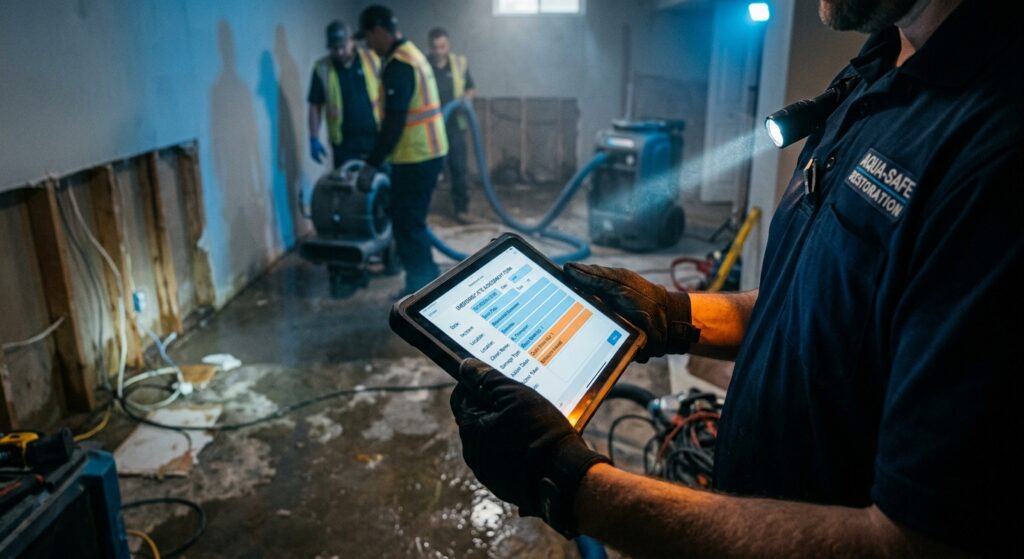
    Tech documenting a water loss on a tablet
    A careers page on your domain is the object Google can attach JobPosting schema to. The board is optional.

    Trigger for this desk: All in One SEO emailed Tygart Media on September 25, 2026 that Job Posting schema (and Event schema) now ships on every paid AIOSEO plan starting with Basic, as of AIOSEO 4.9.9. That is a product-access change, not a ranking promise. tygartmedia.com runs Rank Math. The schema type is the same either way. The plugin is a generator. Google’s Job posting structured data spec (docs last updated September 8, 2026) is the rulebook.

    Why a restoration shop should care

    Related: Schema Markup for AI Search: The New Meta Description · Your Google Profile Is Your New Front Door

    Most restoration companies hire the way they market: on someone else’s board. Indeed, Facebook, a text to a former tech. That works until storm season, and then the shop needs a water tech in Everett, a project manager in Lynnwood, or an estimator who already knows Snohomish County adjusters. If the only public copy of the role lives on a job board, Google indexes the board. Your domain does not own the vacancy.

    A careers page on your site is the durable object. JobPosting schema is the label on that object. Answer engines and Google for Jobs both prefer a page that states the role in plain sentences and then repeats the same facts in JSON-LD. That is AEO and GEO in one hang: the page answers “who is hiring water mitigation technicians in Everett, WA,” and the markup gives the city, employer, and dates without forcing the model to guess.

    What Google requires

    Google’s required JobPosting properties, from Search Central:

    • title — the job title only. “Water Mitigation Technician,” not “Water Mitigation Technician — $28/hr — Everett — Apply Now!!!”
    • description — the full description in HTML. Duties, qualifications, hours, education, experience. A teaser fails.
    • hiringOrganization — the company, not the branch nickname. Name plus a sameAs URL to the official site.
    • jobLocation — where the person reports. PostalAddress with addressCountry. For a 100% remote role, use jobLocationType TELECOMMUTE plus applicantLocationRequirements instead.
    • datePosted — original post date in ISO 8601. Do not refresh it to fake newness.

    Recommended properties that matter for a restoration hire: validThrough (when the listing dies), employmentType (FULL_TIME, PART_TIME, CONTRACTOR, TEMPORARY, PER_DIEM), baseSalary as a MonetaryAmount with currency and unit (HOUR / YEAR), and identifier so you do not duplicate the same role across reprints.

    AIOSEO’s walkthrough (updated August 21, 2026) maps those fields into a Schema Generator: title, description, employment type, location, hiring organization, salary, requirements, publish date, expiration date. Rank Math exposes the same JobPosting type. Fill the fields from the visible page. Do not invent a salary in schema that is missing on the page.

    GEO: mark the city the truck leaves from

    Local service hiring is geographic. A candidate searching “water damage technician jobs Everett WA” or “IICRC tech hiring Lynnwood” is not looking at a national career hub. Put the reporting city in the visible copy and in jobLocation.addressLocality / addressRegion / postalCode / addressCountry.

    Worked example for a shop that stages out of Everett and runs the Lynnwood–Mukilteo–Mill Creek pack:

    • Title on the page and in schema: Water Mitigation Technician
    • hiringOrganization.name: the legal company name, not “Everett Crew”
    • jobLocation: Everett, WA, United States, with the real street if that is where they report
    • description: names the pack — Everett, Lynnwood, Mukilteo, Mill Creek — as service area, not as four fake job locations
    • employmentType: FULL_TIME or PER_DIEM, whichever is true
    • validThrough: a real close date, then take the page down or set the date in the past when the seat is filled

    Do not stamp four JobPosting graphs on one page for four cities unless there are four distinct open seats. Google wants one job per leaf URL. A list page of “all openings” is the wrong surface.

    AEO: write the vacancy so an engine can quote it

    Schema does not rescue thin copy. Open the careers page with the answer a model can lift:

    We are hiring a full-time water mitigation technician based in Everett, Washington. The role reports to our Everett shop and runs losses across Snohomish County. Pay is listed on this page. Apply on this page.

    Then the body: first-day duties, IICRC or in-house training, on-call expectations, what “storm mode” means, whether the truck is assigned. That paragraph is the description field. If ChatGPT or Gemini is asked “who is hiring restoration technicians near Everett,” the engine needs a quotable sentence plus an organization it can attach to a maps entity. JobPosting is the attachment point. The sentence still has to exist in public HTML.

    How to hang it in WordPress

    1. Create one WordPress post or page per open seat. Slug like /careers/water-mitigation-technician-everett/.
    2. Write the full vacancy on the page first. Salary, city, dates, how to apply.
    3. In Rank Math (this site) or AIOSEO Schema Generator (if that is the client stack), add schema type JobPosting. Map every field to visible text.
    4. Validate with Google’s Rich Results Test. Fix errors before you call it done.
    5. When the seat fills: set validThrough to a past date, or 404/410 the URL. Do not leave a live JobPosting on a closed role.

    AIOSEO 4.9.9 made that generator available on Basic instead of reserving it for higher tiers. If a client already pays for AIOSEO, they do not need an upgrade to mark up jobs. If they are on Rank Math, they already had the type. Do not switch plugins to chase a newsletter.

    What gets a listing dropped

    • Markup on a jobs index that lists many roles
    • Title or salary in schema that the page does not show
    • Expired jobs still marked active
    • No way to apply on the page
    • jobLocation missing addressCountry, or a “remote” job that is not actually remote
    • Keyword stuffing in the title (“#1 BEST WATER TECH JOBS SEATTLE EVERETT TACOMA”)

    Google can issue a manual action for job spam. Fake seats used as lead magnets are not a grey area. If you are not hiring, do not hang JobPosting.

    The line to remember

    A careers page without JobPosting is a flyer. JobPosting without a real, dated, city-true vacancy is spam. Host the seat on your domain, mark the five required fields, expire it when the truck is staffed, and let Google decide whether it belongs in the job experience.

    FAQ

    Q: Does JobPosting schema guarantee a listing in Google for Jobs?
    A: No. It makes a qualifying page eligible. Google still applies content and spam policies. The official spec is explicit on that point.

    Q: We only hire on Indeed. Should we still put jobs on our site?
    A: If you want the vacancy attached to your entity — maps profile, site, AI answers — yes. The board can stay as an apply path. The leaf page on your domain is what you can mark up.

    Q: Can one page cover Everett, Tacoma, and Belfair?
    A: One page can describe a service area. Schema jobLocation should be the report-to city. Separate open seats in separate cities need separate URLs.

    Q: Is this an AIOSEO-only feature?
    A: No. AIOSEO expanded plan access in 4.9.9 (announced July 13, 2026). Rank Math and hand-written JSON-LD can emit the same type. Use the generator you already pay for.

    Q: What if we do not publish pay?
    A: baseSalary is recommended, not required. Do not invent a number in JSON-LD. Leave it out until the page states pay.
  • When LSAs Move Into Google Ads, a Sloppy Pin Can Pause Paid Water Leads

    When LSAs Move Into Google Ads, a Sloppy Pin Can Pause Paid Water Leads

    Inspired by Revved Digital. Original article: Local Services Ads Migration to Google Ads: What Contractors Need to Do Before August 2026. This is a new Tygart article for restoration contractors. We kept the mechanism, added first-party field knowledge, and did not reprint the piece.

    Google is moving Local Services Ads into Google Ads. The ads are not dying. Pay-per-lead stays. Search and Maps stay. What changes is the dashboard, the bidding, and the fact that the old reports will not come with you.

    First U.S. wave is August 2026 for listed home-service trades. Service-area businesses without a storefront are later in 2026. Restoration shops that live on LSAs should assume they are in that line and act before the 14-day email.

    What to do this week

    • Export 12 months: spend, charged leads, disputed leads, cost per lead, category, area. Owners need a sheet, not a login that is about to vanish.
    • Screenshot the current setup: budget, categories, areas, hours, who answers, who administers.
    • Split economics after migration. Water extract and sewage rebuild should not share one target CPA. Google is collapsing category targets into one campaign unless you separate them.
    • Lock who can edit the Google Business Profile. Name, address, hours, and primary category will sync into the paid campaign. A casual category tweak can pause ads for a verification window.
    • Plan two quiet weeks. Google says performance can wobble while the account settles. Compare against the export, not against Tuesday.

    Lead history and recordings move. The performance baseline does not. If you cannot say what a good water lead cost last winter, you will not know whether the new dashboard is worse or just different.

  • Write the Restoration Blog for the Noise in the Ceiling, Not the Service Menu

    Write the Restoration Blog for the Noise in the Ceiling, Not the Service Menu

    Inspired by Revved Digital. Original article: SEO for Contractors: The Complete 2026 Playbook. This is a new Tygart article for restoration contractors. We kept the mechanism, added first-party field knowledge, and did not reprint the piece.

    The playbook says contractors write about services and homeowners search problems. “Water heater making a banging noise.” Not “residential plumbing services.” Restoration does the same thing when the homepage only offers “full-service mitigation.”

    They type: ceiling dripping at 1 a.m. How long before mold after a flood. Will insurance cover a sewage backup. Can I stay in the house during dry-out. Those queries are already on the CSR log. Each one is a post with a local sentence, a real photo, and a link into the water, sewage, or mold page you want to rank.

    One good post a week beats a burst of picnic content. Compress the phone photos before they land on the page — unoptimized job shots are how contractor sites die on mobile. HTTPS, a sitemap in Search Console, LocalBusiness schema on the home page and Service schema on each loss type. None of that is fancy. All of it is how Google decides the shop is real.

    Review the same file monthly: GBP calls, top twenty service-plus-city queries in Search Console, which pages send organic traffic, which of those become tagged jobs. A page that sits for three months with no movement needs depth and internal links, not another agency reset.

  • A City Page Is Not a Copied Homepage With the Town Name Swapped

    A City Page Is Not a Copied Homepage With the Town Name Swapped

    Inspired by Revved Digital. Original article: What Are Service Area Pages? A Local SEO Guide. This is a new Tygart article for restoration contractors. We kept the mechanism, added first-party field knowledge, and did not reprint the piece.

    A location page supports a real office and a Google pin people can visit. A service area page is for work you drive to. Restoration is almost always the second kind. Mixing them up is how shops either hide the warehouse address and disappear on Maps, or publish forty city URLs that are the same paragraph with “Tacoma” swapped for “Kent.”

    Google does not need a storefront in every suburb. It needs a page that could only have been written by someone who has pulled carpet there.

    What belongs on a restoration city page

    • H1 that is the service plus the city: “Emergency water extraction in [city].”
    • A drive-time sentence that is true. “From the [neighborhood] shop we are usually on site in 35 minutes.”
    • One real job: neighborhood, loss type, what the crew did. Photo if the homeowner allows.
    • Services you actually run in that city, including license limits.
    • Tap-to-call. Not a contact form buried under a map widget of a town you do not staff.

    Do not ship a page for a city you have never worked. Do not stuff the city name into every sentence. Do not treat fifty thin pages as fifty pins — the pin is still one profile. These URLs win organic “water damage in [city]” searches and give the homeowner a reason to believe you will show up.

  • How a Restoration Shop Actually Gets Into the Maps 3-Pack

    How a Restoration Shop Actually Gets Into the Maps 3-Pack

    Inspired by Revved Digital. Original article: How to Rank Your Plumbing Business Higher on Google Maps. This is a new Tygart article for restoration contractors. We kept the mechanism, added first-party field knowledge, and did not reprint the piece.

    A burst pipe at 9 p.m. is the plumber version. Standing water in the living room at 11 p.m. is ours. Both searches land on three pins with a tap-to-call button. If you are not in that pack, you are not in the race.

    Google still uses three factors. Relevance: does the profile match “emergency water extraction” or does it say Contractor. Distance: you cannot fake proximity, but you can list the cities you actually hit. Prominence: reviews, citations, branded search, a site that agrees with the pin. Once relevance and distance are good enough, prominence is the fight.

    The restoration version of the plumber checklist

    • Primary category Water Damage Restoration Company — not Contractor, not Home Improvement.
    • Services in the words they type: emergency water extraction, sewage backup cleanup, mold remediation, fire and smoke cleanup.
    • Service areas you can staff in 45 minutes. Twenty cities you never photograph will not help.
    • Hours that match the night board. 9–5 on a 24-hour shop is a closed sign.
    • Photos of trucks, containment, meters, the room after. Not a picnic.
    • NAP identical on the site, the pin, Apple, Yelp, BBB. “St.” versus “Street” still counts as drift.
    • Reviews every week. A pile from 2023 and silence since looks closed.
    • Reply to every review. Ignore a one-star mitigation complaint and the next homeowner reads that silence.

    Do not keyword-stuff the legal name. “Emergency Water Damage | 24/7 | Licensed” in the title is how profiles get suspended. Use the real name. Put the emergency language in services, description, and the page the pin points to.

    Sixty to ninety days is the honest window if the file starts messy. Fourth to third in a crowded market takes longer. Stopping the weekly work is how a shop falls out of the pack the week the weather finally turns.

  • Mitigation and Rebuild Are Not Two Pins at the Same Warehouse

    Mitigation and Rebuild Are Not Two Pins at the Same Warehouse

    Inspired by Andrew Palacios and Revved Digital. Original article: Can You Have Two Businesses at the Same Address? Google’s 2025 Rules Explained. This is a new Tygart article for restoration contractors. We kept the mechanism, added first-party field knowledge, and did not reprint the piece.

    Google will let two businesses share an address when they are actually two businesses: separate legal entities, separate tax IDs, separate phones, separate staff, separate categories, signage a customer could find. A handyman who also does water heaters does not get a second pin. Fake suite numbers do not create a second address. Virtual offices do not count.

    Restoration shops try this constantly. One warehouse. Two listings: “ABC Water Mitigation” and “ABC Reconstruction.” Same trucks, same CSR, Suite B invented in the dashboard. That is two service lines under one company. Google’s version of that example is the handyman who wanted a pin for AC and a pin for water heaters.

    What actually qualifies

    • A legally separate rebuild company with its own EIN, phone, and crew — not a DBA on the same mitigation LLC.
    • A second market with a real office, real staff during posted hours, and reviews from that place.
    • Departments that the public can walk into as distinct operations. A warehouse aisle labeled Rebuild is not a Vision Center.

    Service-area businesses get watched harder. Two restoration listings from one hidden address, overlapping zips, same people answering both numbers, is how shops earn a hard suspension. The listing disappears. The reviews and photos go with it. Reinstatement is a request, not a right.

    Put water, mold, fire, and rebuild on one honest pin and on separate pages of one site. If you truly bought a second company, keep that company’s name and pin — that is a different article. Do not manufacture the second company in GBP.

  • Emergency Roof and Water Pages Can Move Before the Link Chart Looks Impressive

    Emergency Roof and Water Pages Can Move Before the Link Chart Looks Impressive

    Inspired by Georgian Bay SEO (@GeorgianBaySEO). Original posts: nine local trade sites in 38 days and emergency roof repair at position 16 on a July domain. This is a new Tygart article for restoration contractors. We kept the mechanism, added first-party field knowledge, and did not reprint the threads.

    The portfolio included roofing, waterproofing, and water damage restoration. Site one took weeks. Later sites shipped in a day because the templates and schema already existed. Five weeks in, an emergency roof query sat on page 2 with no link campaign.

    Restoration shops often do the reverse: wait to “do SEO” until someone sells them links, and never publish the sewage page. Emergency-intent URLs with real photos, local language, and schema can index while the domain is still new. Links help later. They are not the permission slip to put the page live.

  • Four Weeks of Maps Movement Is Not a Verdict

    Four Weeks of Maps Movement Is Not a Verdict

    Inspired by Local SEO Bot (@localseobot). Original post: 54.4 to 51.3 in four weeks — slow and steady is how local SEO works. This is a new Tygart article for restoration contractors. We kept the mechanism, added first-party field knowledge, and did not reprint the thread.

    A fence contractor moved a few points in a month. That is not a failure. Grid rank is a slow instrument. Restoration owners treat it like a storm ticket and cancel when week four is quiet.

    The pin is for the next wet season and the next 11 p.m. search. Reviews, photos, citations, and a live category need to sit there long enough for prominence to catch. Judge the file on whether the work is happening every week, not on whether Tuesday was busy.

  • If the Service Area Is Blank, Google Thinks You Only Work at the Shop

    If the Service Area Is Blank, Google Thinks You Only Work at the Shop

    Inspired by Local SEO Bot (@localseobot). Original post: GBP service area settings control how far Google will rank you. This is a new Tygart article for restoration contractors. We kept the mechanism, added first-party field knowledge, and did not reprint the thread.

    If you serve the house, not a storefront, the service-area list is how far Maps will even consider you. Leave it blank and you are invisible past the office door. Draw a 90-mile blob you cannot staff and Google learns you are a liar when the reviews and job photos never leave one county.

    List the cities you actually hit in 45 minutes. Match that list on the location page. Do not add a distant suburb just because a storm might hit it someday. A second real market needs a second real pin.

  • More Reviews Still Lose Maps If the Pin and Citations Disagree

    More Reviews Still Lose Maps If the Pin and Citations Disagree

    Inspired by Local SEO Bot (@localseobot). Original posts: Maps is proximity, relevance, and prominence and more reviews will not fix a neglected profile. This is a new Tygart article for restoration contractors. We kept the mechanism, added first-party field knowledge, and did not reprint the threads.

    Shops collect stars and still sit under a competitor with fewer reviews. That is not a mystery. Google is weighing how close you are, how clearly the profile matches the search, and how prominent the business looks across the web.

    Restoration version of a neglected file: primary category still Contractor, last photo is a picnic, Apple and Yelp show a different phone than the pin, and the night-board number leaked into citations. More five-stars will not outrun that.

    Fix the category, the NAP, and weekly proof on the profile. Then keep asking for reviews. Prominence is the whole stack, not the star count alone.