Tag: On-Page SEO

  • GEO Case Studies Teardown: What 5 Published Wins Reveal About Generative Engine Optimization in 2026

    GEO Case Studies Teardown: What 5 Published Wins Reveal About Generative Engine Optimization in 2026

    If you want to know whether generative engine optimization actually moves the needle, stop reading think pieces and look at what shipped. The case-study record from 2025 and early 2026 is now thick enough to draw practitioner conclusions: which interventions correlate with citation lift, how fast the curve bends, and what the conversion side of the funnel does once AI traffic shows up. This is a working teardown of the published case studies — what was done, what changed, and what the implementation pattern looks like underneath.

    Case 1: B2B SaaS — 575 to 3,500 AI-referred trials in roughly seven weeks
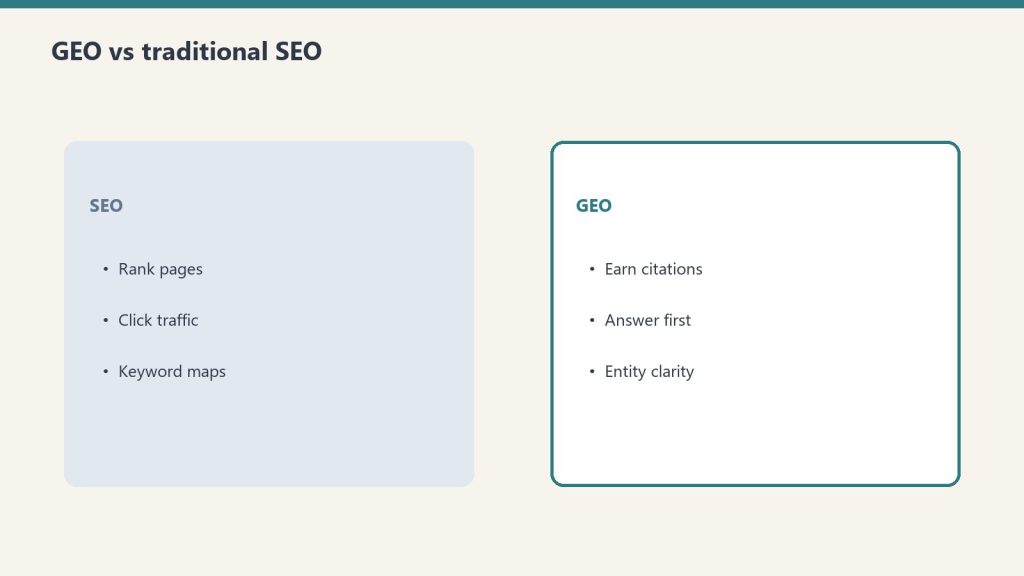
    A $30M+ ARR B2B SaaS company documented in Digital Agency Network’s GEO case study roundup moved from 575 AI-referred free trials per period to over 3,500 in about seven weeks. The intervention sequence was content restructuring for citability — clear one-sentence definitions at the top of each section, statistics and comparisons rendered as tables rather than buried in prose, and step-by-step frameworks that LLMs can extract verbatim. The first 40–60 words under every H2 carried the answer to that H2’s implicit question.

    The implementation pattern under this win is what matters: the company did not write new articles. It rebuilt existing articles to surface the answer first. That is the cheapest possible GEO intervention — restructure, do not republish.

    Case 2: B2B SaaS — citation rate from 8% to 12% in four weeks

    Discovered Labs documented a B2B SaaS case where ChatGPT citation rate on tracked queries moved from 8% to 12% by week four of an engagement, with the company’s VP of Marketing noting they had been “invisible for 18 months despite solid SEO work.” The 50% relative lift came from the same restructuring pattern plus aggressive entity-binding — explicit company name, product name, and category definition repeated in citation-friendly positions throughout each asset.

    The data point worth carrying: traditional SEO authority does not automatically translate to LLM citation. The two systems read pages differently, and the page-level rewrite is what closes the gap.

    Case 3: CloudEagle — 33 pages optimized, 33% increase in AI citations

    CloudEagle’s published GEO result, cited across multiple 2026 case study summaries including AlphaP’s real-world GEO examples, is one of the cleanest dose-response curves in the public record. Optimize 33 pages → 33% increase in AI citations. The ratio is suspicious as a coincidence but tells the practitioner the right thing: GEO is a per-page intervention, and aggregate lift scales roughly with how many pages you treat. There is no site-wide tag you can flip. Each asset gets its own restructure.

    Case 4: HubSpot — template rebuild, not content rebuild

    HubSpot’s internal AEO case study, summarized in HubSpot’s own AEO case study writeup, is the cleanest illustration of the structural fix. HubSpot already ranked for thousands of marketing queries — the volume was there. The barrier was that answers were buried multiple paragraphs deep, written in traditional long-form. The fix was a template rebuild: every article restructured so the first 40–60 words under each H2 or H3 directly answered the implicit question of that heading.

    This is the playbook to copy. If your site has any existing traffic, restructuring beats writing new content. The audit question is: under every H2 on every page, do the first three sentences answer the question that H2 raises?

    Case 5: Netpeak USA — 120% revenue lift, 693% AI traffic growth

    Stackmatix’s AEO case study compilation documents Netpeak USA’s conversational ecommerce GEO campaign producing +120% revenue and +693% AI traffic growth. The mechanism: product and category pages restructured around buyer questions (“what is the best X for Y?”, “X vs Y comparison”, “how do I choose X?”) with direct, hedged answers up top and detailed reasoning below. The pattern works because AI search engines synthesize buying decisions from extractable answer fragments, and ecommerce pages historically bury the answer under marketing copy.

    The structural pattern under every win

    Read the five cases together and one implementation discipline emerges. Every published GEO win in the public record traces back to the same physical change to the page:

    1. Answer first. The first 40–60 words under every H2 directly answer the question that heading raises. No setup, no transition paragraph, no scene-setting.
    2. Tables over prose for comparison data. Articles with 15+ data points receive measurably more AI citations than those with fewer than five, per the research synthesized in Marketing LTB’s 2026 GEO statistics roundup. Tables make those data points extractable.
    3. Entity binding. Company name, product name, and category definition explicitly stated in citation-friendly positions, not just implied through context.
    4. Stepwise frameworks. Procedural content rendered as numbered steps that LLMs can extract verbatim into responses.
    5. Citable sources inline. Authoritative external citations placed adjacent to claims, not banished to a references section at the bottom.

    What the cases do not prove

    The published record has selection bias the size of a building. Every case study you can read is a published win. The agencies and SaaS companies that ran a GEO campaign and got nothing are not writing blog posts about it. Read the cases for the structural patterns, not the percentage lifts — the lifts are a function of starting baseline, vertical, and how invisible the brand was before the intervention.

    Two other limits worth naming. First, conversion-rate claims about AI-referred traffic (“converts at a higher rate than organic” appears in over half of marketer surveys per the 2026 HubSpot State of Marketing report) come from self-reporting, not third-party measurement. The directional point is probably right — qualified intent behind an LLM query — but the magnitude is unverifiable. Second, AI citation rates are measured against the agencies’ own tracked query sets. Those sets are chosen for relevance to the client, which means baseline visibility is artificially low. The 8% → 12% case is real; whether it generalizes to a random query set is unknown.

    What to do tomorrow if you are starting from zero

    Pick ten pages on your site that already rank in positions 4–15 for queries with commercial intent. Open each one. Under every H2, rewrite the first 40–60 words so they directly answer the question that heading raises. Convert any prose comparison into a table. State your company name, product category, and the specific problem you solve in the opening paragraph. Add a sources list with authoritative citations.

    That is the intervention every published GEO case study reduces to. Ten pages, one week of writing work. The case study record suggests you will see citation movement in three to six weeks if the queries you care about already have AI Overview or LLM citation surface area at all. If they do not, the intervention is still right — you are positioning for when they do.

    FAQ

    How long until GEO interventions show measurable lift?

    Published cases show citation movement at the four-week mark (the 8% → 12% B2B SaaS case) and traffic movement at six to eight weeks (the 575 → 3,500 trials case at roughly seven weeks). Three months is the standard window quoted in agency case studies for material citation rate change.

    Does traditional SEO authority help GEO?

    Partially. Pages that already hold featured snippets are disproportionately pulled into Google AI Overviews, per multiple 2026 AEO summaries. But the B2B SaaS case where the company was “invisible for 18 months despite solid SEO work” shows that authority alone does not produce citations — page-level structural changes are the missing ingredient.

    How many pages do I need to optimize before I see results?

    CloudEagle’s case (33 pages → 33% citation lift) suggests the dose-response is roughly linear at small scale. Most published case studies show meaningful aggregate movement starting around 10–30 pages restructured. Below that, you are testing the methodology rather than expecting measurable lift.

    Is the citation rate lift actually translating to revenue?

    The published evidence says yes for ecommerce (Netpeak USA’s +120% revenue) and trial-driven SaaS (the 575 → 3,500 trials case). For brand and consideration-stage content the answer is murkier — AI citations probably influence brand recall and assisted conversion, but the attribution chain to revenue is harder to draw cleanly and the case study record is thin on this slice.

    What is the cheapest GEO intervention with the highest published return?

    Restructuring existing pages that already rank. The HubSpot template rebuild and the 575 → 3,500 trials case both used this approach. No new content, no new authority work, no link building — just rewriting the first 40–60 words under every H2 and converting prose comparisons into tables.

  • Google AI Overviews After the May 2026 Update: What Changed and the New Citation Playbook

    Google AI Overviews After the May 2026 Update: What Changed and the New Citation Playbook

    Google shipped one of the most consequential AI Overviews updates of the year on May 6, 2026 — and most SEO teams still have not adjusted their content templates to match. The update changed what gets cited, where citations are drawn from, and how users decide which links to actually click. This is the practitioner walkthrough: what shifted, the data behind it, and the on-page changes that move the needle in the new system.

    What Google Actually Changed on May 6, 2026

    Google’s own announcement (How AI Mode and AI Overviews help you explore the web) named five shifts to the Overviews surface:

    1. Forum and social perspective blocks — Overviews now embed direct quotes from Reddit, WordPress blogs, and public forums in a dedicated “perspectives” section.
    2. Subscription-aware citation highlights — links from news outlets the searcher is logged in to are visually flagged. Google’s internal test data showed those flagged links were “significantly more likely” to be clicked.
    3. Suggested exploration topics — bulleted follow-up queries now render at the end of many AI responses, which means downstream traffic flows depend on whether your domain ranks for the fan-out queries, not just the head term.
    4. Further Exploration section — a bulleted-link cluster plus an “Expert Advice” snippet pulling from articles, reviews, and forum threads.
    5. Hover-to-preview link cards — hovering a citation now triggers a card showing site name, page summary, and metadata before the click.

    Two of those five — perspectives blocks and Further Exploration — are net-new citation slots. The other three change which citations users actually convert on.

    The Citation Math Has Shifted

    The most important measurement from the last 60 days: in March 2026, the share of AI Overview citations pulled from pages ranking in Google’s organic top 10 dropped to 38%, down from 76% in July 2025 (500M-keyword analysis). 31% of cited sources now rank in positions 11–100, and another 31% rank outside the top 100 entirely for the query they get cited on.

    Translation for practitioners: Overviews are no longer a rank-amplifier. They are an independent retrieval layer. A page that ranks #47 with the right passage structure can outcompete a page that ranks #3 with the wrong structure. Domain Authority correlation with citation selection is now r=0.18 — effectively noise. Semantic completeness correlation is 0.87.

    The Passage That Gets Cited

    AI Overview extracts cluster tightly around 134–167 words per passage, with 62% of featured content falling in the 100–300 word range. Position inside the article matters: 44.2% of citations are pulled from the first 30% of the body, 31.1% from the middle, 24.7% from the conclusion (Wellows ranking factor study). Lead-heavy structure is no longer a copywriting preference — it is the extraction surface.

    The structural pattern that wins, repeatable across H2 sections:

    <h2>[Specific question phrased as a noun phrase]</h2>
    <p><strong>[One-sentence direct answer with a named entity or number.]</strong></p>
    <p>[Supporting detail with verifiable source attribution.]</p>
    <p>[Nuance, caveat, or contrast — kept under the 167-word ceiling.]</p>

    Each H2 block becomes a standalone extractable unit. If your article only answers the headline question, you compete for one citation. If five H2 blocks each answer a distinct fan-out question, you compete for five.

    Schema That Earns Citations Now

    Properly marked-up pages show 73% higher selection rates in AI Overviews versus unmarked content. The three schema types doing the most work in the May 2026 surface:

    • FAQPage — feeds the Further Exploration section directly. Each Question/Answer pair is treated as a passage candidate.
    • Article with author and datePublished — freshness is now a citation factor. Content under three months old is 3× more likely to be cited.
    • HowTo with step-level markup — extracted into the Expert Advice snippet when the query is procedural.

    A minimal Article block that hits the freshness and authorship signals Google’s extractor now reads for:

    {
      "@context": "https://schema.org",
      "@type": "Article",
      "headline": "...",
      "author": { "@type": "Person", "name": "...", "url": "..." },
      "datePublished": "2026-05-14",
      "dateModified": "2026-05-14",
      "publisher": { "@type": "Organization", "name": "...", "logo": {...} }
    }

    How to Show Up in the New Perspectives Block

    The forum-quote section is the biggest opportunity nobody is optimizing for yet. Reporting from TechCrunch’s coverage of the rollout confirmed Google is pulling from Reddit, public forums, and WordPress blogs explicitly tagged as personal perspective.

    Three practitioner moves:

    1. Author bylines with first-person framing on at least one article per topic cluster. Personal-perspective phrasing (“In our deployment of …”, “What surprised us was …”) signals firsthand experience to the extractor.
    2. Engage in the relevant subreddit with substantive comments under your real handle, then link your bylined article from your profile. Reddit threads are now a primary retrieval source for perspectives blocks.
    3. Tag personal-perspective posts with Person schema alongside Article schema. The Person entity is what Google ties to the firsthand-experience signal.

    What to Measure Starting This Week

    Citation share by query is the only metric that matters in this surface, and traditional analytics will not give it to you. Two practitioner approaches:

    • Manual citation logging — pull your 20 highest-value head terms and 50 fan-out queries, query them weekly in an incognito session, log whether your domain appears in the Overview, the perspectives block, or the Further Exploration list. Track citation share, not just rank.
    • Server-log analysis — Google’s Overview generator hits your pages with a distinct user agent and crawl signature. Filtering for those signatures gives you a leading indicator: pages getting hit by the extractor are pages being evaluated for citation.

    Cited pages earn 35% more organic clicks and 91% more paid clicks than uncited peers (Averi.ai citation study). Uncited pages on triggering queries lose 61% of their normal CTR. The gap between cited and uncited is now wider than the gap between position #1 and position #5 in classical SEO. Treat citation as the primary KPI.

    The Update in One Sentence

    Google has decoupled AI Overview citation from organic rank, opened two new citation slots (perspectives and Further Exploration), and is now rewarding firsthand-experience signals at the page and author level — the practitioners who restructure for passage-level extraction and earn citation in the new slots will pick up the traffic that used to flow to position-#1 pages.

  • SiteBoost Skill — URL SEO Audit & Fix List — Claude AI Skill

    SiteBoost Skill — URL SEO Audit & Fix List — Claude AI Skill

    Paste any URL. Get a prioritized SEO fix list in under two minutes.

    Who This Is For

    Built for website owners, marketers, and WordPress operators who want to know what is wrong with a specific page and what to fix first — without paying an agency for an audit.

    The Problem

    Most pages that underperform in search have obvious, fixable problems. Missing or weak title tags. Thin content. No schema markup. Heading structure that search engines cannot parse. Missing meta descriptions. The problem is not identifying these issues — it is having a reliable system to check every page, every time, and get a prioritized list of what matters most. This skill does that in under two minutes per URL.

    What It Does

    • Evaluates on-page SEO signals from any publicly accessible URL
    • Checks title tags, meta descriptions, H1/H2/H3 structure — missing, weak, or over-optimized
    • Assesses content depth and keyword alignment
    • Flags missing or incorrect schema markup by page type
    • Evaluates AI search visibility signals: entity coverage, speakable content, LLMS.txt
    • Outputs a prioritized fix list ranked by impact — tells you what to do first

    What You Get

    The complete skill file in Claude-compatible format, a prompt library specific to the use case, and a setup guide that gets you running in under five minutes. After purchase, everything downloads instantly.

    SiteBoost Skill — URL SEO Audit & Fix List — Claude AI Skill

    $47

    Delivered to your inbox within 24 hours — skill file, prompt library, and setup guide

    Buy Now →

    Secure checkout via Square — all major cards accepted

    Want a custom version built specifically for your business? Email will@tygartmedia.com

    Frequently Asked Questions

    Does this work on any website or only WordPress?

    Any publicly accessible URL. The skill evaluates what is visible in the page source — works on WordPress, Squarespace, Shopify, Wix, or any other platform.

    How is this different from tools like Ahrefs or Screaming Frog?

    Those tools crawl sites at scale. This skill does a deep, judgment-based evaluation of a single page — assessing not just technical signals but content quality and AI search visibility in ways automated crawlers cannot.

    Can I run this on competitor pages?

    Yes. The skill evaluates any public URL. Running it on competitor pages can reveal opportunities they are missing.

    How is this delivered?

    Within 24 hours of purchase via email from will@tygartmedia.com. Skill file, prompt library, and setup guide delivered as a ZIP download.

    Does this require a paid Claude subscription?

    A Claude account is required. The free tier works for light use. Claude Pro ($20/mo) is recommended for regular use. The skill works with both.

    Can I get a custom version built for my specific business?

    Yes. Email will@tygartmedia.com with a description of your business and workflows. Custom skill builds are available as part of The Fitting service.

  • LinkedIn Articles vs Posts vs Newsletters: The SEO Difference That Actually Matters

    LinkedIn Articles vs Posts vs Newsletters: The SEO Difference That Actually Matters

    Tygart Media / Content Strategy
    The Practitioner JournalField Notes
    By Will Tygart
    · Practitioner-grade
    · From the workbench

    Most people treat LinkedIn as a single publishing platform. It is not. Under the hood there are two completely different content surfaces with completely different relationships to Google — and mixing them up is costing marketers real SEO value every day.

    The distinction is simple once you see it, and it changes how you should think about every piece of content you publish on the platform.

    The Core Technical Difference

    LinkedIn Articles and Newsletters live at /pulse/ URLs — fully public, fully crawlable by Googlebot, and eligible to appear in Google search results. Feed posts live at /posts/ URLs — behind LinkedIn’s login wall, invisible to Googlebot, and never appearing in any Google SERP.

    Feed posts have zero direct Google SEO value. Full stop.

    This is not a minor distinction. It determines whether your content compounds as a search asset over time or evaporates the moment it scrolls out of your followers’ feeds.

    What Google Actually Indexes on LinkedIn

    Based on Ahrefs data from 2025–2026, here is the monthly organic traffic breakdown by LinkedIn content type:

    • Personal profiles (/in/ URLs): 27.3 million monthly organic clicks — fully indexed
    • Company pages (/company/ URLs): 23.1 million monthly organic clicks — fully indexed
    • Articles and Newsletters (/pulse/ URLs): 7.4 million monthly organic clicks — fully indexed
    • Feed posts (/posts/ URLs): 2 million monthly organic clicks — not indexed by Google, traffic comes from LinkedIn’s internal search

    The feed post number is misleading. Those 2 million clicks come from LinkedIn’s own internal search engine, not Google. From a traditional SEO perspective, feed posts are a closed loop.

    Why LinkedIn Articles Punch Above Their Weight in Search

    LinkedIn’s Moz Domain Authority sits at 98 out of 100 — the same tier as Wikipedia, YouTube, and Facebook. It is one of the five highest-authority domains on the internet.

    When you publish an Article on LinkedIn, that content inherits DA-98 authority. A well-optimized LinkedIn Article on a competitive keyword can outrank independent blog posts from sites with domain authorities in the 30s, 40s, or even 50s, simply because it lives on linkedin.com.

    LinkedIn has also added full SEO controls to the Article and Newsletter editor: a custom SEO title field capped at 60 characters, a meta description field at 140–160 characters, and support for H1/H2 heading structure. These are not afterthoughts — LinkedIn is actively positioning its long-form publishing surface as a search-indexed content platform.

    One significant gap: LinkedIn does not support canonical tags. If you cross-publish content from your own blog to LinkedIn, you create a duplicate content situation with no clean resolution. The workaround is to either publish unique content natively on LinkedIn or publish on your domain first and share as a feed post link rather than republishing the full article.

    Indexation Is Not Guaranteed

    Google does not automatically index every LinkedIn Article. LinkedIn applies internal quality thresholds before allowing its content to be crawled, and those thresholds appear to be tied to account signals: profile age, connection count, engagement history, and overall account authority.

    New accounts and new company pages may see “Robots are blocked” errors on early articles. Established profiles with strong engagement histories typically see indexation within 48 hours. The pattern suggests LinkedIn gates crawlability based on whether the publishing account has earned sufficient trust signals — a reasonable stance for a platform trying to prevent SEO spam from exploiting its domain authority.

    Newsletters vs Standalone Articles: Which Wins?

    LinkedIn Newsletters are built on the same /pulse/ infrastructure as standalone Articles. The Google indexing is identical. The SEO title and meta description controls are identical. From a pure search perspective, there is no difference.

    Where Newsletters diverge is distribution. Newsletter subscribers receive push notifications when a new edition publishes, and those notifications convert at 50% or higher — significantly better than the 20–25% open rates typical of email marketing. Newsletters also build a subscriber base that compounds over time: each edition you publish reaches a larger audience than the last, as long as you maintain quality.

    For most publishers, Newsletters are the higher-leverage format. You get the same Google indexing and DA-98 authority as standalone Articles, plus built-in audience growth mechanics, subscriber retention incentives, and the topical authority signals that come from consistently publishing in a defined niche over time.

    The Practical Implication

    If you are publishing on LinkedIn with the intention of generating Google search visibility, every piece of content needs to be published as an Article or Newsletter — not as a feed post.

    Feed posts serve a real purpose: they drive engagement, build network relationships, and contribute indirectly to the profile authority signals that improve indexation for your long-form content. But they do not directly compound as search assets. The SEO pipeline runs exclusively through /pulse/ URLs.

    For content teams managing LinkedIn as part of an SEO strategy, this means maintaining two distinct content tracks: a feed post cadence for engagement and audience building, and an Article or Newsletter publishing schedule for search authority and AI citation. The first feeds the second. Neither replaces the other.

    Frequently Asked Questions

    Do LinkedIn feed posts get indexed by Google?

    No. LinkedIn feed posts live at /posts/ URLs behind LinkedIn’s login wall. Googlebot cannot crawl them and they do not appear in Google search results. Only LinkedIn Articles and Newsletters, which live at public /pulse/ URLs, are indexed by Google.

    What is LinkedIn’s domain authority?

    LinkedIn’s Moz Domain Authority is 98 out of 100, placing it in the same tier as Wikipedia, YouTube, and Facebook — one of the highest-authority domains on the internet. Content published as LinkedIn Articles inherits this authority.

    Are LinkedIn Newsletters better than LinkedIn Articles for SEO?

    They are equivalent from a Google SEO perspective — both use /pulse/ URLs and have identical indexing and SEO controls. Newsletters have a distribution advantage through subscriber notifications at 50%+ open rates, making them the higher-leverage format for most publishers.

    Does LinkedIn have SEO title and meta description fields?

    Yes. LinkedIn’s Article and Newsletter editor includes a custom SEO title field (60 characters) and a meta description field (140–160 characters), allowing publishers to control how their content appears in Google search results.

    Can LinkedIn Articles rank on Google?

    Yes. LinkedIn Articles on established accounts with strong engagement histories typically index within 48 hours and can rank competitively for professional keywords, leveraging LinkedIn’s DA-98 authority even against established independent blogs with lower domain authority.


  • Law Firm WordPress Optimization: The Post-Publish Checklist Every Attorney Blog Needs

    Law Firm WordPress Optimization: The Post-Publish Checklist Every Attorney Blog Needs

    Tygart Media — Law Firm Content Strategy

    Law Firm WordPress Optimization: The Post-Publish Checklist Every Attorney Blog Needs

    By Tygart Media Updated: April 12, 2026
    The post-publish gap: Most law firm blog content goes through one optimization pass at the time of writing — keyword research, a readable draft, publication. The optimization steps that determine long-term ranking performance, PAA placement eligibility, and AI citation probability almost all happen after publication. This checklist covers the 8 post-publish steps that the majority of law firm WordPress blogs skip entirely.
    What is post-publish WordPress optimization for law firm blogs? Post-publish WordPress optimization for law firm blogs is the process of applying SEO, AEO, and GEO improvements to a blog post after it has been published — updating the title tag for search intent, writing a meta description, adding a FAQ section with FAQPage JSON-LD schema, injecting named legal entity references, adding a visible Last Updated date and dateModified schema, and ensuring internal links connect the article to relevant practice area pages. These steps determine whether a published post ranks, earns People Also Ask placements, and gets cited by AI systems.

    The 8-Step Post-Publish Optimization Checklist

    • 1
      Rewrite the title tag for search intent The published title is often the article headline — which may not match how a prospective client searches. Rewrite it to lead with the primary keyword in the first 3 words and stay within 50–60 characters. “What Is the Statute of Limitations for Personal Injury in Texas?” outperforms “Understanding Personal Injury Time Limits.”
    • 2
      Write a meta description from scratch Delete the auto-generated excerpt. Write a 140–155 character meta description that includes the primary keyword, states a clear value, and ends with an action signal. This is the copy that determines click-through rate from search results.
    • 3
      Add a FAQ section with 6–8 questions Add a visible FAQ section at the bottom of the post with questions written in client language — the actual queries a prospective client would type or ask an AI assistant. Each answer should be 40–60 words, direct, and specific to jurisdiction where applicable.
    • 4
      Inject FAQPage JSON-LD schema The visible FAQ section needs a corresponding FAQPage JSON-LD block in the post HTML. Without the schema, Google can read the FAQ but cannot extract it for People Also Ask placement. Both elements are required — the visible section and the machine-readable schema.
    • 5
      Inject named legal entity references Add 3–5 named legal entities relevant to the article: the applicable statute with its full citation, the relevant bar association rule, named legal doctrines, or regulatory body references. These entity anchors are what Google’s quality evaluators and AI systems use to verify legal expertise.
    • 6
      Add a definition box after the intro Insert a 40–60 word definition box immediately after the intro paragraph defining the primary topic. This is the highest-probability featured snippet target — a concise, factual definition that Google’s systems can extract for the position-zero definition box that appears before any organic result.
    • 7
      Set a visible Last Updated date and dateModified schema Add a visible “Last updated: [date]” near the byline. Update the dateModified field in the Article JSON-LD schema to match. For YMYL legal content, freshness signals matter — outdated content on time-sensitive legal topics (statute of limitations, filing deadlines) is evaluated negatively by quality raters.
    • 8
      Add internal links to and from practice area pages Link from the blog post to at least one relevant practice area service page using descriptive anchor text (“personal injury attorney services” not “click here”). Then update the practice area page to link back to the blog post. Bidirectional internal linking passes authority both directions and signals topical depth to Google’s crawlers.
    These 8 steps applied to 10 existing law firm blog posts is exactly the scope of SiteBoost’s WordPress content optimization pilot for law firms. Every step is applied programmatically via the WordPress REST API — no plugin required, no manual editing. Changes pushed live, before/after baseline recorded.

    Frequently Asked Questions

    Can these optimizations be applied to old blog posts, or only new ones?

    All 8 steps can be applied retroactively to existing published posts. WordPress’s REST API allows any post to be updated post-publication — title, excerpt (meta description), content (FAQ section, schema, entity references), and modified date. Retroactive optimization of your existing article library is typically higher-value than publishing new content because existing posts have index history, any existing backlinks, and are already known to Google’s crawlers.

    Which of the 8 steps has the highest impact for law firm WordPress blogs?

    Steps 3 and 4 — adding a FAQ section and FAQPage schema — consistently produce the fastest visible results for law firm content because they directly enable People Also Ask placement eligibility. Step 1 (title tag rewrite) has the highest impact on click-through rate from existing impressions. Step 5 (entity injection) has the highest long-term impact on AI citation probability. Implemented together, all 8 steps create compounding returns that no single step achieves alone.

    Do these steps require a specific WordPress plugin?

    No plugin is required for any of the 8 steps. The title tag, meta description, FAQ section, JSON-LD schema, and content additions can all be applied directly to post content via the WordPress REST API using an Application Password for authentication. SEO plugins like Rank Math or Yoast handle some of these fields through their own meta fields — if you use one, the title and meta description updates should be made through the plugin’s fields rather than the post title and excerpt fields to avoid conflicts.

    Sources: Google Rich Results Test Documentation; AttorneyWebsiteDesign.us, “Law Firm Website SEO: Complete Guide 2026”; inqnest, “Local SEO for Lawyers 2026”; ALM Corp, “SEO for Law Firms: Advanced Tactics for 2026”
  • How Law Firms Win People Also Ask Placements With FAQ Schema

    How Law Firms Win People Also Ask Placements With FAQ Schema

    Tygart Media — Law Firm Content Strategy

    How Law Firms Win People Also Ask Placements With FAQ Schema

    By Tygart Media Updated: April 12, 2026
    People Also Ask for legal searches: Google’s People Also Ask boxes appear above organic listings for the majority of legal queries — “how long do I have to file,” “what does this coverage actually include,” “do I need a lawyer for this.” These placements are visible before the first blue link, capturing prospect attention at peak intent. Winning them requires two things: a FAQ section with 40–60 word direct answers to specific questions, and FAQPage JSON-LD schema that tells Google’s systems exactly where those answers are. Most law firm blogs have neither.

    Why PAA Placements Matter More Than Position 1 for Legal Queries

    For legal searches, Google surfaces People Also Ask boxes before position 1 organic results on the majority of high-intent queries. A prospect searching “how long do I have to sue after a car accident in Texas” sees PAA answers before they see any firm’s website. If your content is in that box, you’ve captured attention before your competitors’ organic listings are even visible.

    PAA placements also feed directly into AI Overviews and AI assistants. When a prospect asks ChatGPT the same question, the AI draws from content with the same direct-answer structure that wins PAA placements — well-structured, entity-rich, 40–60 word direct answers with FAQPage schema. Optimizing for PAA and optimizing for AI citation are the same optimization.

    How do law firms win People Also Ask placements? Law firms win People Also Ask placements by adding a FAQ section to existing blog posts where each question-and-answer pair matches a specific legal query pattern — “How long do I have to file a personal injury claim in [state]?”, “What does comparative negligence mean?”, “Do I need a lawyer for a minor car accident?” — with a direct 40–60 word answer immediately following each question, and FAQPage JSON-LD schema injected into the post’s HTML so Google can identify and extract those answers for PAA display.

    The Anatomy of a PAA-Winning Legal FAQ

    Most law firm FAQ sections fail to win PAA placements because they answer the wrong questions in the wrong format. The difference:

    ❌ What doesn’t win PAA
    What is personal injury law?
    Too generic — Nolo, FindLaw, and Wikipedia already own this. No specificity, no jurisdictional context, no urgency signal. Google has better sources for this answer.
    ✅ What wins PAA
    How long do I have to file a personal injury claim in Texas?
    In Texas, the statute of limitations for personal injury claims is two years from the date of injury under Texas Civil Practice and Remedies Code § 16.003. Exceptions apply for minors, claims against government entities (which may require notice within 6 months), and cases where the injury was not immediately discoverable.

    The winning answer is: specific to a jurisdiction, names the relevant statute, acknowledges exceptions, and is 40–60 words. It’s the answer a practitioner would give — not the answer a content writer researching for an hour would produce. That specificity is exactly what Google’s systems evaluate.

    The 7 Legal FAQ Categories That Win PAA Consistently

    1. Statute of limitations questions — “How long do I have to [sue/file/claim] in [state]?”
    2. Cost and fee questions — “How much does a [type] lawyer cost?”, “Do I pay upfront?”
    3. Process questions — “What happens after I file [claim/complaint/petition]?”
    4. Fault and liability questions — “What if I was partially at fault?”, “Who is liable if…?”
    5. Documentation questions — “What evidence do I need for [claim type]?”
    6. Alternative questions — “Can I handle this without a lawyer?”, “What happens if I don’t get a lawyer?”
    7. Recovery questions — “What damages can I recover?”, “How much is my case worth?”

    Implementing FAQPage Schema in WordPress

    FAQPage schema is injected as a JSON-LD block in the post’s HTML. It does not require a plugin — it can be added directly to the post content. The schema structure tells Google’s systems exactly which HTML elements contain the question text and which contain the answer text, making the content machine-readable for PAA extraction and AI citation.

    The most common implementation error is creating a FAQ section in HTML without the corresponding JSON-LD schema — Google can see the questions but cannot parse them for PAA extraction. Both the visible FAQ section and the JSON-LD block are required.

    FAQPage schema injection is one of the four core optimization layers in SiteBoost’s WordPress content optimization for law firms. For each post, we generate 6–8 PAA-targeted questions, write direct answers, and inject both the visible FAQ section and the FAQPage JSON-LD schema — pushing everything live via the WordPress REST API.

    Frequently Asked Questions

    How long does it take for FAQPage schema to earn PAA placements?

    FAQPage schema can earn People Also Ask placements within 2–4 weeks of implementation for posts that are already ranking in positions 1–20. Google crawls and re-evaluates indexed content regularly, and FAQPage schema is one of the fastest-surfacing schema types in Google’s rich result system. Posts that are not yet indexed or ranking below position 20 will need to build ranking authority before PAA placements are achievable.

    Should every law firm blog post have a FAQ section?

    Every post that targets an informational query — which is most legal blog content — should have a FAQ section. Practice area service pages benefit from FAQs too, but they serve a slightly different function (addressing pre-hire objections rather than research questions). The posts with the highest PAA potential are those targeting process, cost, liability, and statute of limitations questions — the queries prospects ask during active research before contacting a firm.

    Does FAQPage schema work for all practice areas?

    Yes. FAQPage schema works across all legal practice areas because the underlying mechanism — direct answers to specific questions that Google can extract — is universal. Personal injury, family law, criminal defense, estate planning, business law, and immigration all have distinct question patterns that prospects search. The key is writing questions in the language clients use, not the language attorneys use, and providing direct jurisdictional answers rather than generic legal information.

    Sources: Google Rich Results Documentation — FAQPage; ALM Corp, “SEO for Law Firms: Advanced Tactics for 2026”; W3Era, “Law Firm SEO Guide 2026”; Grow Law, “SEO for Lawyers: How to Dominate the SERPs in 2026”
  • Why Law Firm Blog Posts Don’t Rank (And the 4 Fixes That Actually Work)

    Why Law Firm Blog Posts Don’t Rank (And the 4 Fixes That Actually Work)

    Tygart Media — Law Firm Content Strategy

    Why Law Firm Blog Posts Don’t Rank (And the 4 Fixes That Actually Work)

    By Tygart Media Updated: April 12, 2026
    The core problem: Most law firm blog posts are published correctly but optimized incorrectly — or not at all. They have no meta description, a title that doesn’t match search intent, no FAQ section, no schema markup, and no named entity references that signal domain expertise. Google can index them. It just has no reason to rank them. These four fixes address the most common gaps, in order of impact.

    The Publishing Trap: Why “Consistent Blogging” Isn’t Enough

    Law firms are frequently advised to “publish consistently” as the foundation of their SEO strategy. The advice is correct in principle — content volume matters — but incomplete in practice. A blog post that is published without a keyword-optimized title, a written meta description, a FAQ section, and proper schema markup is not an SEO asset. It’s a page that exists. Existence and visibility are different things.

    According to research on legal search behavior, consumers increasingly use online resources — including AI assistants — to understand their legal situation before contacting a firm. That means a law firm article about personal injury claims needs to be structured to answer those research questions directly, not just exist as a published piece of content. The gap between “published” and “optimized” is exactly where most law firm blog investment is lost.

    Why don’t law firm blog posts rank despite consistent publishing? Law firm blog posts fail to rank despite consistent publishing when they lack the optimization signals Google uses to evaluate relevance and authority: keyword-specific title tags (not just the article topic), written meta descriptions (not auto-generated excerpts), FAQPage schema targeting People Also Ask queries, and named entity references — ABA, specific statutes, legal doctrines — that signal genuine legal expertise. Publishing frequency without optimization depth produces a large library of invisible content.

    Fix 1: Rewrite the Title Tag for Search Intent, Not Article Description

    The most common law firm blog title mistake is writing a title that describes the article rather than matching how a potential client searches. “Understanding Comparative Negligence in Personal Injury Cases” describes the article. “What Is Comparative Negligence and How Does It Affect My Case?” matches the actual search query.

    Title tags should be 50–60 characters, lead with the primary keyword, and reflect how the reader would phrase their question — not how a lawyer would title a legal memorandum. According to research on E-E-A-T and legal content, compelling, keyword-aligned title tags are among the highest-impact on-page signals for click-through rate from legal search results.

    Fix 2: Write Every Meta Description Manually

    WordPress auto-generates meta descriptions from the first paragraph of the post. Law firm posts almost universally have a scene-setting first paragraph that makes a poor meta description. “Personal injury law in Texas can be complex. If you’ve been injured in an accident, you may be wondering about your rights…” does not make a prospect click. A direct value statement does: “Injured in Texas? Learn how comparative negligence affects your case, what damages you can recover, and when you need to act. Free case review.”

    Meta descriptions should be 140–155 characters, include the primary keyword naturally, and end with a clear action signal. Every post needs one written from scratch — not auto-generated.

    Fix 3: Add a FAQ Section With FAQPage Schema

    People Also Ask placements in Google now appear for the majority of legal queries. These box placements appear above organic results and capture attention before the first blue link. Earning a PAA placement requires two things: a FAQ section with direct 40–60 word answers to specific questions, and FAQPage JSON-LD schema that tells Google’s systems exactly where those answers are.

    For a personal injury article, the FAQs that capture PAA placements are specific: “How long do I have to file a personal injury claim in Texas?”, “What does comparative negligence mean?”, “Do I pay a personal injury lawyer upfront?” — not generic “What is personal injury law?” questions that every directory already answers.

    Fix 4: Inject Named Legal Entities

    Google’s quality evaluators assess law firm content for Expertise and Authoritativeness by looking at entity signals — specific named references that demonstrate genuine legal knowledge. An article about personal injury law that references “the American Bar Association’s Model Rules of Professional Conduct,” cites “Texas Civil Practice and Remedies Code § 16.003” for the statute of limitations, and mentions “contributory negligence vs. modified comparative fault” as named legal doctrines signals legal expertise. The same article that says “you should contact a lawyer quickly because of time limits” signals nothing.

    This entity injection is also what determines whether your article gets cited by ChatGPT or Perplexity when a potential client asks an AI assistant about their legal situation.

    The four fixes above can be applied to your existing published posts without rewriting them. SiteBoost’s WordPress content optimization for law firms applies all four — title, meta, FAQ schema, and entity injection — systematically across your article library, with changes pushed live via the WordPress REST API.

    Frequently Asked Questions

    How many blog posts does a law firm need to see SEO results?

    Volume matters less than optimization depth. Ten well-optimized posts — with intent-matched titles, written meta descriptions, FAQ schema, and entity injection — consistently outperform 50 unoptimized posts. The priority for most law firm blogs is not more content but better optimization of existing content. Start with your top 10 traffic-driving posts and apply all four fixes before publishing new content.

    Should law firm blog posts target practice area keywords or client question keywords?

    Both, but in different content types. Practice area keywords (“personal injury attorney Houston”) belong on service pages. Blog posts should target client question keywords — the long-tail informational queries people search when they’re researching their situation before hiring: “how long do I have to sue after a car accident in Texas”, “what happens if I’m partially at fault in an accident”, “can I sue if the accident was on private property.” These informational queries convert because they reach potential clients during active research.

    How often should a law firm blog be updated?

    Existing posts should be reviewed and updated whenever: a statute changes, a new case establishes relevant precedent, statistics are more than 12–18 months old, or the post is ranking on page 2 (positions 11–20) and could be pushed to page 1 with additional optimization. New posts should be published at a frequency the firm can sustain quality — one well-optimized post per month outperforms four thin posts per month in both rankings and E-E-A-T evaluation.

    Sources: Clio Legal Trends Report 2025; Google Search Quality Rater Guidelines; ALM Corp, “SEO for Law Firms: Advanced Tactics for 2026”; Grow Law, “SEO for Lawyers: How to Dominate the SERPs in 2026”
  • From $0 to $31,000: The Upper Restoration SEO Story

    From $0 to $31,000: The Upper Restoration SEO Story

    Tygart Media / Content Strategy
    The Practitioner JournalField Notes
    By Will Tygart
    · Practitioner-grade
    · From the workbench

    The easiest way to explain what a content program actually does for a restoration company is to show one.

    Upper Restoration serves New York City and Long Island — Nassau and Suffolk counties. Competitive market, established players, the full range of water damage, fire, mold, and storm work. When we started working together, their SpyFu profile looked like most restoration contractors: effectively zero organic search presence, no meaningful keyword rankings, no measurable traffic from search.

    Today their monthly SEO value — the estimated cost to replicate their organic traffic through paid search — sits above $31,000 per month. That number is verified, tracked, and continues to move.

    This is what happened, in the order it happened, and why each step mattered.

    Step One: The Baseline Audit

    Before a single article was written, we ran a complete site audit. Not a surface-level crawl — a structured inventory of every post, every page, every category and tag, every piece of metadata. What existed, what was missing, what was broken, what was thin.

    The audit answers the foundational question: what does Google currently think this site is about? In Upper Restoration’s case, the answer was: not much. Thin content, minimal taxonomy, no internal link architecture, no schema markup. The domain existed but carried no topical authority signal in any specific category.

    This is the starting line for almost every restoration contractor we work with. The audit doesn’t reveal a problem — it reveals the opportunity. A site with no established authority can build it faster than a site with entrenched wrong signals, because there’s nothing to undo.

    Step Two: Architecture Before Content

    The temptation after an audit is to start publishing immediately. The right move is to design the architecture first.

    For Upper Restoration, that meant establishing the category structure: Water Damage, Fire Restoration, Mold Remediation, Storm Damage, Commercial Restoration, Insurance Claims. Every piece of content would live inside one of these buckets. The buckets would become the topical pillars Google associates with the domain.

    It meant identifying the hub pages — one pillar article per service category, written to be the most comprehensive resource on that topic in their market. Every supporting article would link back to the relevant hub. The hubs would link out to supporting articles. The internal link graph would make the site’s topical organization explicit and navigable.

    It meant mapping the service areas: every neighborhood in New York City, every town across Nassau and Suffolk with meaningful search volume for restoration services. Each would get its own page. The geographic coverage would signal to Google exactly where this company operates and for which locations it deserves to rank.

    This work takes time before it produces any visible results. It’s also what separates a content program that compounds over time from one that generates a temporary traffic bump and then plateaus.

    Step Three: The Content Sprint

    With the architecture established, the content sprint began. The goal: achieve topical authority in the core service categories as quickly as possible by covering every meaningful query a restoration customer in Upper Restoration’s market might search.

    Not generic coverage — hyper-local, hyper-specific coverage. Water damage restoration in Flushing. Mold remediation in Hempstead. Fire damage cleanup in Babylon. Each piece of content targeting the specific geographic and service intersection where a real customer with a real problem would be searching.

    The volume matters for a specific reason: Google’s topical authority model rewards comprehensive coverage. A site with one excellent article about water damage restoration ranks below a site with one hundred well-structured articles about water damage restoration in every neighborhood of its service area, because the latter site demonstrates deeper expertise. The sprint isn’t about quantity for its own sake — it’s about covering the topic space completely enough that Google has no reason to prefer a competitor with thinner coverage.

    Every article was optimized before publishing: title tag, meta description, slug, heading structure, schema markup, internal links to the relevant hub page. Not as an afterthought — as part of the production process.

    Step Four: Schema and Structured Data

    Schema markup is the metadata layer that tells Google what type each piece of content is and how to categorize it. Article schema for editorial content. LocalBusiness schema on the homepage and service pages. FAQ schema on content that answers specific questions. BreadcrumbList schema to signal the site’s navigational hierarchy.

    The impact of schema is less visible than rankings but measurable in search result appearance: FAQ dropdowns, star ratings, rich snippets, knowledge panel information. These take up more real estate in search results and convert at higher rates than standard blue links, because they answer the user’s question before the click.

    More importantly, schema accelerates Google’s ability to categorize the site correctly. Without it, Google infers content type from the raw text. With it, you’re providing structured data that removes ambiguity. For a restoration contractor trying to establish authority in multiple service categories simultaneously, removing ambiguity is significant.

    Step Five: The Measurement Layer

    SEO without measurement is guesswork. The measurement layer for Upper Restoration runs through SpyFu for organic value tracking and DataForSEO for keyword-level ranking data across the specific locations and queries that matter.

    SpyFu’s monthly SEO value metric is the headline number — it’s what shows the overall trajectory and what makes the clearest case to a client that the program is working. But the keyword-level data underneath it tells the more granular story: which service categories are ranking, which locations are performing, which queries have moved to page one, which still have room to climb.

    The measurement layer also drives the ongoing program. When keyword data shows a cluster gaining traction, you add more content in that cluster. When a hub page is ranking but not converting, you look at the content structure and the call to action. When a service area is generating impressions but not clicks, you look at the title tag and meta description. The program is a feedback loop, not a one-time campaign.

    What $31,000 in SEO Value Actually Means

    The SpyFu number is an estimate of traffic value, not revenue. A site with $31,000 in monthly SEO value is generating organic traffic that would cost $31,000 per month to replicate through Google Ads. The actual revenue generated depends on conversion rates, average job values, close rates — variables that differ for every company.

    What the number does tell you, clearly and verifiably, is that the content program has built genuine search presence. Keywords are ranking. Pages are generating clicks. The site exists, from Google’s perspective, in a way it didn’t before.

    For Upper Restoration, that presence is geographically concentrated in exactly the markets where they operate, for exactly the services they provide, targeting exactly the search queries that produce calls. The traffic is not vanity traffic — it’s potential customers with active problems looking for someone to call.

    The program that produced this result started from $0. It required an audit, an architecture phase, a content sprint, schema implementation, and an ongoing measurement and iteration cycle. It did not require a large agency, a significant paid media budget, or anything other than a structured approach to building topical authority in a specific market.

    That’s the story. The starting line for any restoration contractor who wants to tell a similar one is a baseline audit — understanding exactly where $0 is before building toward something different.


    Tygart Media builds content programs for restoration contractors. Every engagement starts with a SpyFu and DataForSEO baseline audit of your market — so the starting line is documented and the trajectory is measurable from day one.

    {
    “@context”: “https://schema.org”,
    “@type”: “Article”,
    “headline”: “From $0 to $31,000: The Upper Restoration SEO Story”,
    “description”: “Upper Restoration went from zero search presence to $31,000 in monthly SEO value. Here is exactly what happened, in what order, and why each step mattered.”,
    “datePublished”: “2026-04-02”,
    “dateModified”: “2026-04-03”,
    “author”: {
    “@type”: “Person”,
    “name”: “Will Tygart”,
    “url”: “https://tygartmedia.com/about”
    },
    “publisher”: {
    “@type”: “Organization”,
    “name”: “Tygart Media”,
    “url”: “https://tygartmedia.com”,
    “logo”: {
    “@type”: “ImageObject”,
    “url”: “https://tygartmedia.com/wp-content/uploads/tygart-media-logo.png”
    }
    },
    “mainEntityOfPage”: {
    “@type”: “WebPage”,
    “@id”: “https://tygartmedia.com/upper-restoration-seo-case-study/”
    }
    }

  • Your Website Is a Database, Not a Brochure

    Your Website Is a Database, Not a Brochure

    The Machine Room · Under the Hood

    Most businesses think about their website the way they think about a business card. You design it once, print it, hand it out. It says who you are and how to reach you. Every few years, maybe you update it.

    This mental model is why most websites don’t work.

    A website is not a brochure. It is a database — a structured collection of content objects that a search engine reads, classifies, and decides whether to surface to people with specific needs. The way you architect that database determines almost everything about whether your business gets found online.

    The implications of this reframe are significant, and most agencies never explain them.

    What Search Engines Actually Do With Your Site

    When Google crawls your website, it’s not admiring the design. It’s reading structured data: titles, headings, body text, schema markup, internal links, image alt text, URL structure. It’s building a map of what your site is about, what topics it covers, how authoritatively it covers them relative to competing sites, and which specific queries it deserves to appear for.

    A brochure website gives Google almost nothing to work with. One services page that lists everything you do. An about page. A contact form. Maybe a blog with eight posts from 2021.

    Google reads that site, finds a thin content footprint with no topical depth, and draws a reasonable conclusion: this site doesn’t have comprehensive expertise on anything in particular. It will not rank for competitive terms.

    A database website is architected differently. Every service gets its own page with its own keyword target. Every service area gets its own page. Every question a customer might have gets an answer. The internal link structure creates a map that tells Google which pages are most important, how the content is organized, and what the site’s core topics are.

    This is not a design question. It’s an architecture question.

    The JSON-First Content Model

    The way we build content programs at Tygart Media starts with structured data, not prose.

    Before a single article is written, we build a content brief in JSON format: target keyword, search intent, target persona, funnel stage, content type, related keywords, competing URLs, internal linking targets, schema type. Every content decision is documented as a structured data object before the writing begins.

    This matters for a few reasons.

    First, it forces clarity. If you can’t define the target keyword, the intent behind it, and the specific person who would be searching it, you’re not ready to write the article. Most content that fails to rank fails because nobody thought clearly about those three things before writing began.

    Second, it makes the content pipeline scalable. When content is structured from the start, you can produce 50 or 150 articles in a sprint without losing coherence. Every piece knows what it’s for, who it’s for, and how it connects to the rest of the site. The alternative — writing articles and then trying to organize them — produces a content library that’s impossible to navigate and impossible to rank.

    Third, it enables automation without sacrificing quality. The brief is the seed. Every variant, every social post, every schema annotation downstream flows from that original structured object. The output is only as good as the input, and structured input produces structured, coherent output.

    Taxonomy Is Architecture

    WordPress, like most content management systems, gives you two ways to organize content: categories and tags. Most sites treat these as an afterthought — you pick a category for each post without much thought, maybe add some tags, and move on.

    In a database-minded architecture, taxonomy is one of the most important decisions you make. Categories define the topical pillars of your site. Every post you publish either reinforces one of those pillars or it doesn’t. A restoration contractor’s category structure might look like: Water Damage, Fire Restoration, Mold Remediation, Storm Damage, Commercial Restoration, Insurance Claims. Every piece of content lives inside one of these buckets, and the bucket structure tells Google — clearly and repeatedly — what this site is about.

    Tags create the cross-cutting relationships. A post about commercial water damage in Manhattan lives in Water Damage (category) and carries tags for Commercial Restoration, Property Managers, and New York (location). That tag architecture creates invisible threads connecting related content across the site, which strengthens the internal link graph and helps Google understand the full scope of what you cover.

    Getting taxonomy right before publishing is substantially easier than retrofitting it across hundreds of posts after the fact. We’ve done both. The retrofit takes three times as long and produces half the results.

    Internal Links Are the Database’s Index

    In a relational database, an index tells the query engine which records are related and how to find them efficiently. Internal links serve the same function in a content database.

    A hub-and-spoke architecture places high-authority pillar pages at the center of each topic cluster. Every supporting article on that topic links back to the pillar. The pillar links out to the supporting articles. Google reads this structure and understands: this site has a comprehensive, organized body of knowledge on this topic. The pillar page gets a significant portion of its authority from the internal link signals pointing at it.

    Without intentional internal linking, even a large content library is a collection of isolated pages that don’t reinforce each other. Each page competes as an island. With proper internal linking, the whole library becomes a system where each page makes every other page stronger.

    This is why the order of operations matters. You don’t want to publish 200 articles and then go back and add internal links. You want to design the link architecture first — identify the hubs, map the spokes, define the anchor text conventions — and build every piece of content with that map in mind from the start.

    Schema Markup: Telling the Database What Type Each Record Is

    Every record in a database has a type. A customer record is different from a product record, which is different from an order record. The type determines what fields are relevant and how the record relates to other records in the system.

    Schema markup does this for web content. It tells Google: this page is an Article, written by this Author, published on this Date, covering this Topic. Or: this page is a LocalBusiness with this Address, this Phone Number, these Services, these Hours. Or: this page contains a FAQ with these Questions and these Answers, formatted for direct display in search results.

    Without schema, Google has to infer all of this from the raw text. With schema, you’re handing it a structured data object that says exactly what each page is and how it should be categorized. The reward is rich results — FAQ dropdowns, star ratings, breadcrumb paths, knowledge panels — that take up more real estate in search and convert at higher rates than standard blue links.

    Schema is the metadata layer of the content database. Most sites don’t have it. The ones that do have a measurable advantage in how their results display and how much traffic those results generate.

    The Practical Difference

    Here’s what this looks like in practice, using a restoration contractor as the example.

    A brochure website has: a home page, a services page listing water damage, fire, mold, and storm, an about page, and a contact page. Maybe 5 pages total. Google has almost nothing to index.

    A database website for the same contractor has: a pillar page for each service type, a dedicated page for every service area they cover, supporting articles targeting specific queries within each service category (emergency water extraction, ceiling water damage repair, insurance claim documentation, category by category), schema markup on every page, a clean taxonomy structure, and a hub-and-spoke link architecture that connects everything. Potentially 200 to 400 pages, each doing a specific job.

    The brochure site is invisible. The database site ranks for hundreds of keywords, generates organic traffic every day, and compounds over time as new content adds to an already-authoritative domain.

    The content is not the hard part. The architecture is. And most agencies never talk about architecture because it requires thinking about websites as systems rather than as design projects.

    That’s the reframe. Your website is a database. Build it like one.


    Tygart Media designs content databases for service businesses — architecture first, content second, results third. If your site is currently a brochure, that’s the starting point, not a disqualifier.

    {
    “@context”: “https://schema.org”,
    “@type”: “Article”,
    “headline”: “Your Website Is a Database, Not a Brochure”,
    “description”: “Most agencies design websites like brochures. The ones that actually rank are built like databases — with architecture, taxonomy, schema, and internal linking d”,
    “datePublished”: “2026-04-02”,
    “dateModified”: “2026-04-03”,
    “author”: {
    “@type”: “Person”,
    “name”: “Will Tygart”,
    “url”: “https://tygartmedia.com/about”
    },
    “publisher”: {
    “@type”: “Organization”,
    “name”: “Tygart Media”,
    “url”: “https://tygartmedia.com”,
    “logo”: {
    “@type”: “ImageObject”,
    “url”: “https://tygartmedia.com/wp-content/uploads/tygart-media-logo.png”
    }
    },
    “mainEntityOfPage”: {
    “@type”: “WebPage”,
    “@id”: “https://tygartmedia.com/website-is-a-database-not-a-brochure/”
    }
    }

  • AI Image Gallery Pipeline: Targeting High-CPC Keywords

    AI Image Gallery Pipeline: Targeting High-CPC Keywords

    The Lab · Tygart Media
    Experiment Nº 500 · Methodology Notes
    METHODS · OBSERVATIONS · RESULTS

    We just built something we haven’t seen anyone else do yet: an AI-powered image gallery pipeline that cross-references the most expensive keywords on Google with AI image generation to create SEO-optimized visual content at scale. Five gallery pages. Forty AI-generated images. All published in a single session. Here’s exactly how we did it — and why it matters.

    The Thesis: High-CPC Keywords Need Visual Content Too

    Everyone in SEO knows the water damage and penetration testing verticals command enormous cost-per-click values. Mesothelioma keywords hit $1,000+ CPC. Penetration testing quotes reach $659 CPC. Private jet charter keywords run $188/click. But here’s what most content marketers miss: Google Image Search captures a significant share of traffic in these verticals, and almost nobody is creating purpose-built, SEO-optimized image galleries for them.

    The opportunity is straightforward. If someone searches for “water damage restoration photos” or “private jet charter photos” or “luxury rehab center photos,” they’re either a potential customer researching a high-value purchase or a professional creating content in that vertical. Either way, they represent high-intent traffic in categories where a single click is worth $50 to $1,000+ in Google Ads.

    The Pipeline: DataForSEO + SpyFu + Imagen 4 + WordPress REST API

    We built this pipeline using four integrated systems. First, DataForSEO and SpyFu APIs provided the keyword intelligence — we queried both platforms simultaneously to cross-reference the highest CPC keywords across every vertical in Google’s index. We filtered for keywords where image galleries would be both visually compelling and commercially valuable.

    Second, Google Imagen 4 on Vertex AI generated photorealistic images for each gallery. We wrote detailed prompts specifying photography style, lighting, composition, and subject matter — then used negative prompts to suppress unwanted text and watermark artifacts that AI image generators sometimes produce. Each image was generated at high resolution and converted to WebP format at 82% quality, achieving file sizes between 34 KB and 300 KB — fast enough for Core Web Vitals while maintaining visual quality.

    Third, every image was uploaded to WordPress via the REST API with programmatic injection of alt text, captions, descriptions, and SEO-friendly filenames. No manual uploading through the WordPress admin. No drag-and-drop. Pure API automation.

    Fourth, the gallery pages themselves were built as fully optimized WordPress posts with triple JSON-LD schema (ImageGallery + FAQPage + Article), FAQ sections targeting featured snippets, AEO-optimized answer blocks, entity-rich prose for GEO visibility, and Yoast meta configuration — all constructed programmatically and published via the REST API.

    What We Published: Five Galleries Across Five Verticals

    In a single session, we published five complete image gallery pages targeting some of the most expensive keywords on Google:

    • Water Damage Restoration Photos — 8 images covering flooded rooms, burst pipes, mold growth, ceiling damage, and professional drying equipment. Surrounding keyword CPCs: $3–$47.
    • Penetration Testing Photos — 8 images of SOC environments, ethical hacker workstations, vulnerability scan reports, red team exercises, and server infrastructure. Surrounding CPCs up to $659.
    • Luxury Rehab Center Photos — 8 images of resort-style facilities, private suites, meditation gardens, gourmet kitchens, and holistic spa rooms. Surrounding CPCs: $136–$163.
    • Solar Panel Installation Photos — 8 images of rooftop arrays, installer crews, commercial solar farms, battery storage, and thermal inspections. Surrounding CPCs up to $193.
    • Private Jet Charter Photos — 8 images of aircraft at sunset, luxury cabins, glass cockpits, FBO terminals, bedroom suites, and VIP boarding. Surrounding CPCs up to $188.

    That’s 40 unique AI-generated images, 5 fully optimized gallery pages, 20 FAQ questions with schema markup, and 15 JSON-LD schema objects — all deployed to production in a single automated session.

    The Technical Stack

    For anyone who wants to replicate this, here’s the exact stack: DataForSEO API for keyword research and CPC data (keyword_suggestions/live endpoint with CPC descending sort). SpyFu API for domain-level keyword intelligence and competitive analysis. Google Vertex AI running Imagen 4 (model: imagen-4.0-generate-001) in us-central1 for image generation, authenticated via GCP service account. Python Pillow for WebP conversion at quality 82 with method 6 compression. WordPress REST API for media upload (wp/v2/media) and post creation (wp/v2/posts) with direct Basic authentication. Claude for orchestrating the entire pipeline — from keyword research through image prompt engineering, API calls, content writing, schema generation, and publishing.

    Why This Matters for SEO in 2026

    Three trends make this pipeline increasingly valuable. First, Google’s Search Generative Experience and AI Overviews are pulling more image content into search results — visual galleries with proper schema markup are more likely to appear in these enriched results. Second, image search traffic is growing as visual intent increases across all demographics. Third, AI-generated images eliminate the cost barrier that previously made niche image content uneconomical — you no longer need a photographer, models, locations, or stock photo subscriptions to create professional visual content for any vertical.

    The combination of high-CPC keyword targeting, AI image generation, and programmatic SEO optimization creates a repeatable system for capturing valuable traffic that most competitors aren’t even thinking about. The gallery pages we published today will compound in value as they index, earn backlinks from content creators looking for visual references, and capture long-tail image search queries across five of the most lucrative verticals on the internet.

    This is what happens when you stop thinking about content as articles and start thinking about it as systems.