
BYOK on OpenRouter: Bring-Your-Own-Key on OpenRouter means configuring direct provider credentials for any of dozens of supported providers, with per-provider prioritization, fallback chains, and the ability to pin specific BYOK keys to specific OpenRouter API keys (meaning specific agents). The result is a routing system where you can mix discounted enterprise contracts with pooled access, transparent to the calling code.
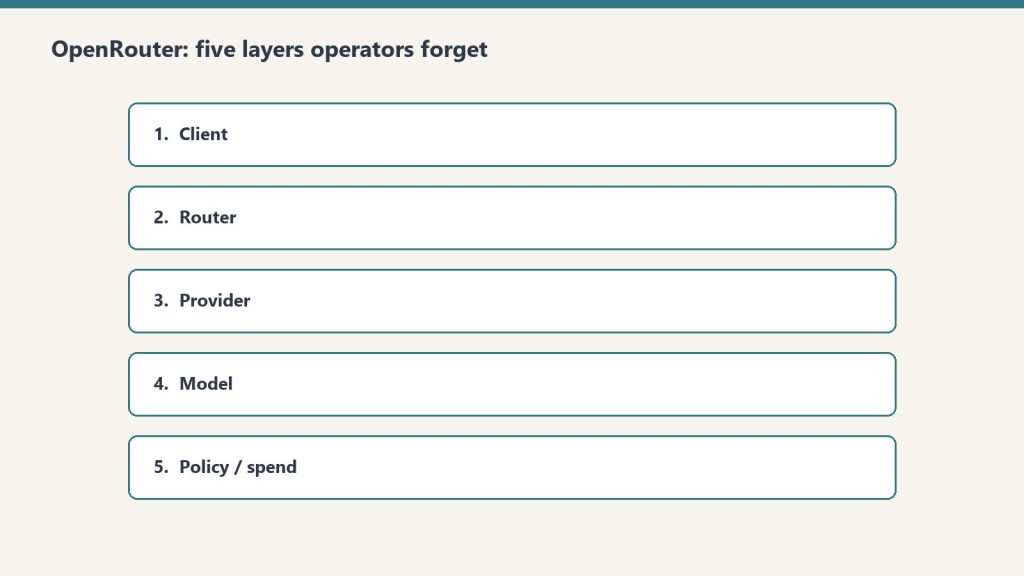
This is a deep dive on the BYOK system inside OpenRouter. For the broader operator’s perspective on OpenRouter, see our OpenRouter operator’s field manual. For the underlying hierarchy that governs where BYOK lives, see the 5-layer mental model.
What BYOK actually means here
Most platforms use “BYOK” to mean bring your key for the one provider we support. OpenRouter means something more interesting: bring your key for any of dozens of providers, configure prioritization and fallback per provider, pin keys to specific agents and models, and let OpenRouter handle the routing logic when a key fails or runs out.
The result is a routing system where you can mix and match. Run your high-volume agent through a discounted enterprise contract at Provider A. Route everything else through OpenRouter’s pooled pricing. Fall back to OpenRouter’s pool when your enterprise key is rate-limited. All transparent to the calling code.
This is genuinely useful for an agency stack. It’s also where most teams misconfigure things in ways that don’t fail loudly.
The Providers tab

This is where the bulk of BYOK lives. Every provider — from AI21 at the top of the alphabet to Z.ai at the bottom — gets its own configuration card. Each card has two slots: Prioritized keys (tried first, before falling back to OpenRouter’s pooled access) and Fallback keys (tried last, after everything else fails).
Per-key configuration is granular. Each key has:
- A name (free text — use it well, you’ll thank yourself later)
- The API key value itself
- An “Always use for this provider” toggle that disables OpenRouter’s pooled fallback entirely for calls routed through this key
- Filters: Models (All, or a specific subset) and API Keys (All OpenRouter API keys, or a specific subset)
The filter system is the part most teams miss. You can pin a BYOK key to specific OpenRouter API keys, meaning specific agents. Read that twice. It means a single BYOK key can be the routing target for exactly one agent’s calls, while every other agent on the workspace continues using pooled access.
This unlocks a powerful pattern for agency work: a client who has their own enterprise contract with a model provider can have their work routed exclusively through that contract, billed to that contract, while your other clients use pooled pricing. The routing happens at the provider layer, invisibly to the calling code.
Prioritization and fallback in practice
Here’s the order of operations OpenRouter uses when you call a model:
- Is there a Prioritized BYOK key for this provider, this model, and this calling key? Use it.
- If that key has “Always use for this provider” enabled, return any failure as-is. Don’t fall back.
- Otherwise, fall back to OpenRouter’s pooled access.
- If that fails too, try any Fallback BYOK keys configured for this provider.
- If everything fails, return the error.
The “Always use for this provider” toggle is a sharp edge. Enabling it means a single failed enterprise contract — expired credentials, network issue at the provider, momentary rate limit — becomes a hard failure for every call routed through that key. Disabling it gives you graceful degradation but means your enterprise contract isn’t strictly enforced.
Our pattern: enable “Always use” only for clients with hard data-policy requirements (no third-party touching of their data, ever). For everyone else, leave it disabled and let OpenRouter’s pooled access catch the failures.
The Web Search slot (Firecrawl)
The Providers tab has a second section that isn’t strictly BYOK: workspace-level Firecrawl integration. OpenRouter partnered with Firecrawl to provide 10,000 free credits per workspace, with a three-month expiry, contingent on accepting Firecrawl’s Terms of Service.
This is wired at the workspace level, not per-key. Once accepted, any plugin that uses Web Search inherits the Firecrawl integration. Cheap, useful, easy to forget you enabled it.
The mistake to avoid: assuming the 10,000 credits are forever. Three months. If you’re going to depend on this, plan for renewal.
How to think about provider selection
The temptation with dozens of providers is to spin up BYOK keys for every model you might ever want. Don’t.
Start with three categories:
Volume providers — the ones you call most. For us that’s Anthropic (Claude family) and Google (Gemini family). Worth getting BYOK keys for these even if you don’t have an enterprise contract; it makes the routing explicit and the costs auditable.
Specialty providers — ones you call for specific jobs. We use OpenAI for some specific reasoning tasks. We use specialized model providers (Stepfun, others) for niche work. BYOK keys here only if you have a contract worth routing through.
Experimental providers — everything else. Don’t bother with BYOK. Use OpenRouter’s pooled access. If a model from one of these providers becomes a regular part of your workflow, promote it to specialty.
The audit story
In March 2026 we ran a security audit on 122 Cloud Run services and discovered five of them had hardcoded OpenRouter keys in their environment variables — same key across all five. We stripped them, rotated, and re-scanned to zero.
That was an OpenRouter key, not a BYOK provider key, but the lesson generalizes: API keys do not belong in environment variables on shared infrastructure. They belong in a secret manager with audited access. GCP Secret Manager, AWS Secrets Manager, HashiCorp Vault — pick one and use it.
The standing rule we wrote afterward applies equally to BYOK provider keys: any key, any provider, any environment, lives in a secret manager. Period.
Pinning keys to agents: the operational unlock
The BYOK feature most teams underuse is the per-key filter system. You can configure a BYOK provider key to be used only by specific OpenRouter API keys.
This sounds abstract until you map it to a real workflow:
- Your content production agent runs through OpenRouter key A
- Your customer support bot runs through OpenRouter key B
- Your enterprise client has a contract with Anthropic and wants their work routed through that contract
You create a BYOK Anthropic key for the enterprise contract. In the BYOK key’s filter, you specify “API Keys: only OpenRouter key C” (the key used by the agent serving that client). Now content production (key A) and customer support (key B) use OpenRouter’s pooled access. The enterprise client’s agent (key C) routes through the enterprise contract.
No code changes. No service restarts. Just routing config at the provider layer.
This is the kind of pattern that pays for OpenRouter’s existence in the stack. Most teams discover it only after they’ve outgrown a simpler setup. Start with it from day one if your shape looks anything like an agency.
What to do today
If you’re getting started with BYOK on OpenRouter:
- Identify the two or three providers you call most. Get BYOK keys for those.
- Store every key in a secret manager. Not in code. Not in env vars on shared infra.
- Use the per-key filter system from the start. Don’t let one BYOK key get used by every agent unless you actually want that.
- Leave “Always use for this provider” off unless you have a hard policy reason to enforce it.
- Set a calendar reminder for any time-limited credits (looking at you, Firecrawl).
The BYOK system is one of the genuinely useful features on the platform. Treat it like the routing layer it is, not like a credentials dump, and it’ll pay for the setup time many times over.
Frequently asked questions
What is BYOK on OpenRouter?
BYOK (Bring-Your-Own-Key) on OpenRouter means configuring direct provider credentials for any supported provider. OpenRouter then routes calls through your provider key instead of (or before falling back to) its pooled access. You can configure prioritization, fallback chains, and per-agent pinning.
Should I use BYOK on OpenRouter even without an enterprise contract?
For the providers you call most, yes. Even without a discount, BYOK makes the routing explicit and the costs auditable on your provider’s billing rather than buried in OpenRouter’s aggregate. For providers you barely call, don’t bother — OpenRouter’s pooled access is simpler.
What does “Always use for this provider” actually do?
It disables OpenRouter’s pooled fallback for any call routed through that BYOK key. If your enterprise contract fails for any reason — expired credentials, rate limit, network issue — the call returns the error instead of silently falling back to OpenRouter’s pool. Useful for hard data-policy requirements; risky for general reliability.
Can I pin a BYOK key to specific agents?
Yes. The per-key Filters section lets you specify which OpenRouter API keys (meaning which agents) can route through this BYOK key. This unlocks the pattern of running one client’s work through their enterprise contract while every other agent uses pooled access — all transparent to the calling code.
How should I store BYOK provider keys?
In a secret manager — GCP Secret Manager, AWS Secrets Manager, HashiCorp Vault. Never in environment variables on shared infrastructure. We learned this from a March 2026 audit that found five Cloud Run services with hardcoded keys baked into env vars. Standing rule now: any key, any provider, any environment, lives in a secret manager.
See also: The Multi-Model AI Roundtable: A Three-Round Methodology for Better Decisions · What We Learned Querying 54 LLMs About Themselves (For $1.99 on OpenRouter)
Leave a Reply