Tag: Ai Infrastructure

  • What We Learned Querying 54 LLMs About Themselves (For $1.99 on OpenRouter)

    What We Learned Querying 54 LLMs About Themselves (For $1.99 on OpenRouter)

    The headline: In mid-May 2026, we ran an autonomous OpenRouter session querying 54 LLMs about their own identity, capabilities, and training. Total cost: $1.99 against a $270 starting balance. 43 substantive responses, 10 documented failures, 1 reasoning-only response. The most interesting finding: aion-2.0 identified itself as Claude — concrete evidence of training-data identity inheritance across LLMs. This article walks through the methodology, the reliability data, and what cheap multi-model research now makes possible.

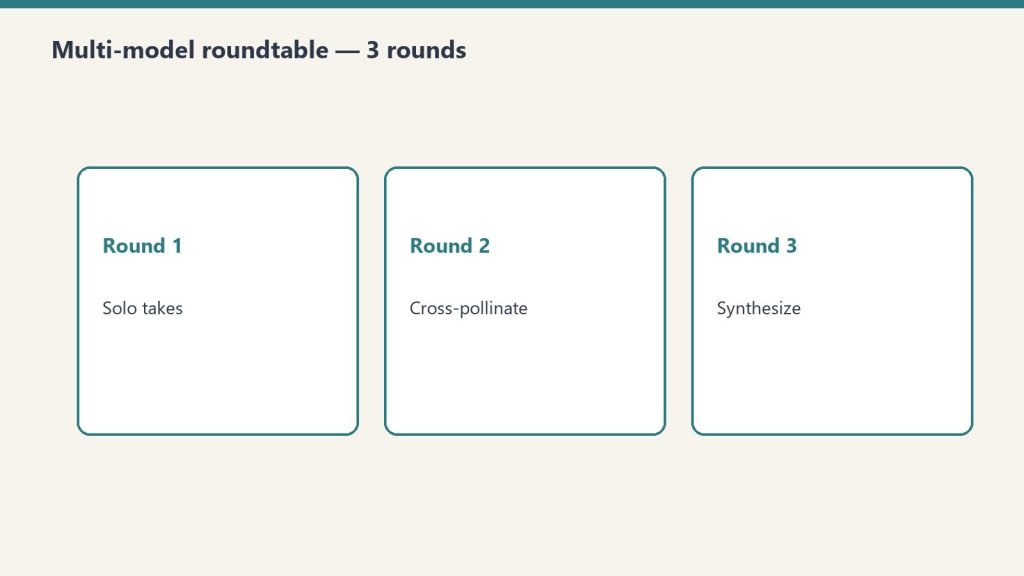
    This is part of our OpenRouter coverage. For the operator’s view on why we run model research through OpenRouter, see the field manual. For the structured decision methodology that multi-model setups also enable, see the roundtable methodology.

    The setup

    In mid-May 2026 we ran an autonomous session designed to extract self-knowledge from a wide sample of available LLMs. The question structure was simple: ask each model about its own identity, training, capabilities, and limits, then capture the response for cross-comparison.

    The scope expanded mid-execution from the original 50 to 54 models — the OpenRouter catalog had grown during the session itself, which is its own data point about how fast this ecosystem moves.

    The architecture: a Python script with parallel bash execution, a max-wait timeout per model, graceful per-provider error handling, and Notion publishing of each model’s response as a separate Knowledge Lab entry. Everything billed through OpenRouter.

    The cost: $1.99 against a $270 starting balance. Less than two dollars to canvas 54 frontier and near-frontier models on a question of self-identity.

    The hit rate

    Of 54 models queried, 43 returned substantive responses. One returned a reasoning trace without final content (GPT-5.5 Pro, which we counted as a valid capture given the reasoning content was the interesting part). 10 returned documented failures.

    That’s 81% substantive completion. For a fully autonomous run against a heterogeneous provider pool with no per-model tuning, that’s a meaningful number.

    The 10 failures broke down into clear categories:

    • Rate limiting (429 errors): persistent on a handful of providers. Some had genuine quota issues; some appeared to be hitting upstream limits we couldn’t see from our side.
    • Forbidden (403): providers refusing the request entirely, often for reasons related to account configuration we hadn’t completed.
    • Not found (404): model IDs that had moved or been deprecated between our model-list scrape and the execution.
    • Timeouts: the most interesting category. Grok 4.20 multi-agent consistently exceeded our timeout window — not because it was slow, but because it appears to orchestrate sub-agents that genuinely take more than 40 seconds to produce a final answer. We documented this as a failure for our purposes; for a different use case it would have been a feature.

    The decision we made in real time was not to retry persistent failures. If a provider returned 429 on three consecutive attempts, we let it stand as a documented failure rather than burning the run on retries. The rationale: those providers are either genuinely rate-limited or having an issue, and a fourth attempt in the same minute isn’t going to resolve either.

    The finding that mattered

    Of all the substantive responses, one stood out: aion-2.0 identified itself as Claude.

    Not “trained on Claude data.” Not “fine-tuned from a Claude-derived model.” It described itself, in the first person, as Claude.

    Aion-2.0 is not Claude. It’s a separate model from a separate provider. The most likely explanation is that its training data included a significant volume of Claude outputs, and the model’s self-knowledge inherited Claude’s identity along with Claude’s content patterns. The model learned to be Claude-like in style and, in the process, learned to identify as Claude in substance.

    This is a known phenomenon in the literature on training data contamination, but seeing it surface concretely in a production model — on an answer to a basic self-identity question — is different from reading about it in a paper. It’s a real thing happening at scale, and most users of these models have no idea.

    The implication for anyone running multi-model evaluations: model outputs are not independent. Models trained on the outputs of other models inherit not just style but identity, opinion patterns, and likely failure modes. If you’re running a roundtable methodology and treating three models as three independent perspectives, and one of them is silently downstream of another in training data, your “consensus” might be one model’s perspective dressed in three different costumes.

    This is also an argument for why first-party model selection — choosing models from clearly distinct lineages rather than just “three frontier models” — matters more than people give it credit for.

    The reliability data

    Setting aside the aion-2.0 finding, the bare reliability data from this run is useful on its own terms.

    10 of 54 providers (18.5%) returned errors. That’s a meaningful failure rate for any production workload that depends on cross-model availability. If your application assumes you can call any model in the catalog and get a response, you’re going to be wrong about 1 in 5 of the time on first attempt.

    OpenRouter’s pooled access mitigates this somewhat — for some providers, OpenRouter automatically retries against alternate endpoints when one fails. But the failures we saw were after OpenRouter’s own retry logic ran. These are the failures that surface to the caller after the routing layer has done what it can.

    For production systems, the practical implication is straightforward: never depend on any single model being available. Build fallback chains. Use OpenRouter’s Auto Router with a wildcard allowlist for tolerance, or wire your own fallback logic. A multi-model architecture isn’t a luxury; it’s a reliability requirement.

    The cost shape

    $1.99 of spend across 54 model queries works out to roughly $0.037 per query, including all the failed attempts.

    That’s the headline number, but the distribution matters more than the average. A handful of queries — the ones that hit larger reasoning models like Claude Opus or GPT-5.5 Pro — accounted for the majority of the spend. Cheap models like Gemini Flash and various open-source mid-tier models barely moved the needle.

    If you’re running research at this kind of breadth, the cost model is dominated by the heavy reasoning models, not by the long tail of cheaper models. The implication: when you’re running broad-canvas queries, it costs almost nothing to add another cheap model to the catalog. Adding another expensive reasoning model is what you should be deliberate about.

    What broke and what we learned

    Three patterns of failure repeated:

    Provider rate limits unrelated to our usage. Some providers appear to share upstream capacity with the wider OpenRouter user base, and when that upstream capacity is hot, your individual call fails regardless of your own usage. There is no client-side fix. You either retry later or fall back.

    Model IDs drift. The catalog moves fast. A model ID you fetch on Monday may have been deprecated by Friday. Our script’s freshness window — about a day between model-list scrape and execution — was sometimes enough for drift. For production systems, fetch the model list immediately before the run.

    Multi-agent models exceed simple timeout windows. Grok 4.20’s behavior of orchestrating sub-agents that take 40+ seconds is not a bug; it’s the product. But it breaks any timeout shorter than what the multi-agent run actually needs. If you’re going to call multi-agent models, plan for long latencies and don’t share a timeout policy with single-call models.

    What we’d do differently

    Three changes for the next run of this kind:

    1. Refresh the model list inline. Don’t trust a list scraped even a few hours earlier. Fetch fresh before each batch.
    2. Tiered timeouts. Single-call models on a tight timeout. Multi-agent and reasoning-heavy models on a relaxed one. Detect which is which from the model metadata where possible.
    3. Publish-as-you-go. Our Notion publish step ran after data collection. The session ended mid-publish, leaving uncertainty about which of the 54 pages had actually been created. Better to publish each result immediately as it returns, so a session interruption doesn’t lose anything.

    The bigger lesson

    Two dollars to canvas 54 models on a question of self-identity is a cost structure that didn’t exist three years ago. It also means a category of research that used to require expensive infrastructure is now within reach of anyone with an OpenRouter account and a Python script.

    The interesting finding — aion-2.0 silently identifying as Claude — would have been almost impossible to discover any other way. You can’t catch a training-data identity inheritance by reading model documentation. You catch it by asking a lot of models the same question and looking at the answers side by side.

    OpenRouter, for all its caveats and its limited scope, makes this kind of multi-model research tractable in a way nothing else currently does. If you’re not running periodic broad-canvas queries against your model catalog, you’re flying blind on what’s actually in there. Two dollars is cheap insurance against being surprised by the next aion-2.0.

    Frequently asked questions

    How much does it cost to query 54 LLMs at once via OpenRouter?

    In our autonomous run, the total cost was $1.99 — roughly $0.037 per query including the 10 failed attempts. Cost was dominated by the few queries hitting expensive reasoning models like Claude Opus and GPT-5.5 Pro; the long tail of cheaper models barely moved the needle. Adding more cheap models to a broad-canvas query costs almost nothing.

    What is training-data identity inheritance?

    When a model’s training data includes outputs from another model, the trained model can inherit not just style but identity from the source model. In our run, aion-2.0 identified itself as Claude — likely because its training data contained enough Claude outputs that the model’s self-knowledge absorbed Claude’s identity along with Claude’s content patterns. This is a known phenomenon in the literature on data contamination.

    How reliable are LLM providers via OpenRouter?

    In our 54-model autonomous run, 10 providers (18.5%) returned errors after OpenRouter’s own retry logic ran. The failures broke down into rate limits, forbidden responses, deprecated model IDs, and timeouts on multi-agent models. The practical implication: never depend on any single model being available. Build fallback chains.

    Why did some models timeout in the 54-LLM run?

    The most notable timeout case was Grok 4.20 multi-agent, which appears to orchestrate sub-agents that genuinely take more than 40 seconds to produce a final answer. This isn’t a bug; it’s the product. But it breaks any timeout policy shared with single-call models. Multi-agent and reasoning-heavy models need their own relaxed timeout tier.

    Should I run periodic broad-canvas queries against my model catalog?

    Yes. At roughly two dollars per 54-model run, broad-canvas queries are cheap insurance against being surprised by training-data inheritance, identity drift, or quality degradation in models you depend on. You can’t catch these issues by reading documentation. You catch them by querying widely and comparing answers side by side.

    See also: The 5-Layer OpenRouter Mental Model: Org, Workspace, Guardrail, Key, Preset

  • BYOK on OpenRouter: Provider Keys, Prioritization, and Fallback Strategy

    BYOK on OpenRouter: Provider Keys, Prioritization, and Fallback Strategy

    BYOK on OpenRouter: Bring-Your-Own-Key on OpenRouter means configuring direct provider credentials for any of dozens of supported providers, with per-provider prioritization, fallback chains, and the ability to pin specific BYOK keys to specific OpenRouter API keys (meaning specific agents). The result is a routing system where you can mix discounted enterprise contracts with pooled access, transparent to the calling code.

    This is a deep dive on the BYOK system inside OpenRouter. For the broader operator’s perspective on OpenRouter, see our OpenRouter operator’s field manual. For the underlying hierarchy that governs where BYOK lives, see the 5-layer mental model.

    What BYOK actually means here

    Most platforms use “BYOK” to mean bring your key for the one provider we support. OpenRouter means something more interesting: bring your key for any of dozens of providers, configure prioritization and fallback per provider, pin keys to specific agents and models, and let OpenRouter handle the routing logic when a key fails or runs out.

    The result is a routing system where you can mix and match. Run your high-volume agent through a discounted enterprise contract at Provider A. Route everything else through OpenRouter’s pooled pricing. Fall back to OpenRouter’s pool when your enterprise key is rate-limited. All transparent to the calling code.

    This is genuinely useful for an agency stack. It’s also where most teams misconfigure things in ways that don’t fail loudly.

    The Providers tab

    This is where the bulk of BYOK lives. Every provider — from AI21 at the top of the alphabet to Z.ai at the bottom — gets its own configuration card. Each card has two slots: Prioritized keys (tried first, before falling back to OpenRouter’s pooled access) and Fallback keys (tried last, after everything else fails).

    Per-key configuration is granular. Each key has:

    • A name (free text — use it well, you’ll thank yourself later)
    • The API key value itself
    • An “Always use for this provider” toggle that disables OpenRouter’s pooled fallback entirely for calls routed through this key
    • Filters: Models (All, or a specific subset) and API Keys (All OpenRouter API keys, or a specific subset)

    The filter system is the part most teams miss. You can pin a BYOK key to specific OpenRouter API keys, meaning specific agents. Read that twice. It means a single BYOK key can be the routing target for exactly one agent’s calls, while every other agent on the workspace continues using pooled access.

    This unlocks a powerful pattern for agency work: a client who has their own enterprise contract with a model provider can have their work routed exclusively through that contract, billed to that contract, while your other clients use pooled pricing. The routing happens at the provider layer, invisibly to the calling code.

    Prioritization and fallback in practice

    Here’s the order of operations OpenRouter uses when you call a model:

    1. Is there a Prioritized BYOK key for this provider, this model, and this calling key? Use it.
    2. If that key has “Always use for this provider” enabled, return any failure as-is. Don’t fall back.
    3. Otherwise, fall back to OpenRouter’s pooled access.
    4. If that fails too, try any Fallback BYOK keys configured for this provider.
    5. If everything fails, return the error.

    The “Always use for this provider” toggle is a sharp edge. Enabling it means a single failed enterprise contract — expired credentials, network issue at the provider, momentary rate limit — becomes a hard failure for every call routed through that key. Disabling it gives you graceful degradation but means your enterprise contract isn’t strictly enforced.

    Our pattern: enable “Always use” only for clients with hard data-policy requirements (no third-party touching of their data, ever). For everyone else, leave it disabled and let OpenRouter’s pooled access catch the failures.

    The Web Search slot (Firecrawl)

    The Providers tab has a second section that isn’t strictly BYOK: workspace-level Firecrawl integration. OpenRouter partnered with Firecrawl to provide 10,000 free credits per workspace, with a three-month expiry, contingent on accepting Firecrawl’s Terms of Service.

    This is wired at the workspace level, not per-key. Once accepted, any plugin that uses Web Search inherits the Firecrawl integration. Cheap, useful, easy to forget you enabled it.

    The mistake to avoid: assuming the 10,000 credits are forever. Three months. If you’re going to depend on this, plan for renewal.

    How to think about provider selection

    The temptation with dozens of providers is to spin up BYOK keys for every model you might ever want. Don’t.

    Start with three categories:

    Volume providers — the ones you call most. For us that’s Anthropic (Claude family) and Google (Gemini family). Worth getting BYOK keys for these even if you don’t have an enterprise contract; it makes the routing explicit and the costs auditable.

    Specialty providers — ones you call for specific jobs. We use OpenAI for some specific reasoning tasks. We use specialized model providers (Stepfun, others) for niche work. BYOK keys here only if you have a contract worth routing through.

    Experimental providers — everything else. Don’t bother with BYOK. Use OpenRouter’s pooled access. If a model from one of these providers becomes a regular part of your workflow, promote it to specialty.

    The audit story

    In March 2026 we ran a security audit on 122 Cloud Run services and discovered five of them had hardcoded OpenRouter keys in their environment variables — same key across all five. We stripped them, rotated, and re-scanned to zero.

    That was an OpenRouter key, not a BYOK provider key, but the lesson generalizes: API keys do not belong in environment variables on shared infrastructure. They belong in a secret manager with audited access. GCP Secret Manager, AWS Secrets Manager, HashiCorp Vault — pick one and use it.

    The standing rule we wrote afterward applies equally to BYOK provider keys: any key, any provider, any environment, lives in a secret manager. Period.

    Pinning keys to agents: the operational unlock

    The BYOK feature most teams underuse is the per-key filter system. You can configure a BYOK provider key to be used only by specific OpenRouter API keys.

    This sounds abstract until you map it to a real workflow:

    • Your content production agent runs through OpenRouter key A
    • Your customer support bot runs through OpenRouter key B
    • Your enterprise client has a contract with Anthropic and wants their work routed through that contract

    You create a BYOK Anthropic key for the enterprise contract. In the BYOK key’s filter, you specify “API Keys: only OpenRouter key C” (the key used by the agent serving that client). Now content production (key A) and customer support (key B) use OpenRouter’s pooled access. The enterprise client’s agent (key C) routes through the enterprise contract.

    No code changes. No service restarts. Just routing config at the provider layer.

    This is the kind of pattern that pays for OpenRouter’s existence in the stack. Most teams discover it only after they’ve outgrown a simpler setup. Start with it from day one if your shape looks anything like an agency.

    What to do today

    If you’re getting started with BYOK on OpenRouter:

    1. Identify the two or three providers you call most. Get BYOK keys for those.
    2. Store every key in a secret manager. Not in code. Not in env vars on shared infra.
    3. Use the per-key filter system from the start. Don’t let one BYOK key get used by every agent unless you actually want that.
    4. Leave “Always use for this provider” off unless you have a hard policy reason to enforce it.
    5. Set a calendar reminder for any time-limited credits (looking at you, Firecrawl).

    The BYOK system is one of the genuinely useful features on the platform. Treat it like the routing layer it is, not like a credentials dump, and it’ll pay for the setup time many times over.

    Frequently asked questions

    What is BYOK on OpenRouter?

    BYOK (Bring-Your-Own-Key) on OpenRouter means configuring direct provider credentials for any supported provider. OpenRouter then routes calls through your provider key instead of (or before falling back to) its pooled access. You can configure prioritization, fallback chains, and per-agent pinning.

    Should I use BYOK on OpenRouter even without an enterprise contract?

    For the providers you call most, yes. Even without a discount, BYOK makes the routing explicit and the costs auditable on your provider’s billing rather than buried in OpenRouter’s aggregate. For providers you barely call, don’t bother — OpenRouter’s pooled access is simpler.

    What does “Always use for this provider” actually do?

    It disables OpenRouter’s pooled fallback for any call routed through that BYOK key. If your enterprise contract fails for any reason — expired credentials, rate limit, network issue — the call returns the error instead of silently falling back to OpenRouter’s pool. Useful for hard data-policy requirements; risky for general reliability.

    Can I pin a BYOK key to specific agents?

    Yes. The per-key Filters section lets you specify which OpenRouter API keys (meaning which agents) can route through this BYOK key. This unlocks the pattern of running one client’s work through their enterprise contract while every other agent uses pooled access — all transparent to the calling code.

    How should I store BYOK provider keys?

    In a secret manager — GCP Secret Manager, AWS Secrets Manager, HashiCorp Vault. Never in environment variables on shared infrastructure. We learned this from a March 2026 audit that found five Cloud Run services with hardcoded keys baked into env vars. Standing rule now: any key, any provider, any environment, lives in a secret manager.

    See also: The Multi-Model AI Roundtable: A Three-Round Methodology for Better Decisions · What We Learned Querying 54 LLMs About Themselves (For $1.99 on OpenRouter)

  • The 5-Layer OpenRouter Mental Model: Org, Workspace, Guardrail, Key, Preset

    The 5-Layer OpenRouter Mental Model: Org, Workspace, Guardrail, Key, Preset

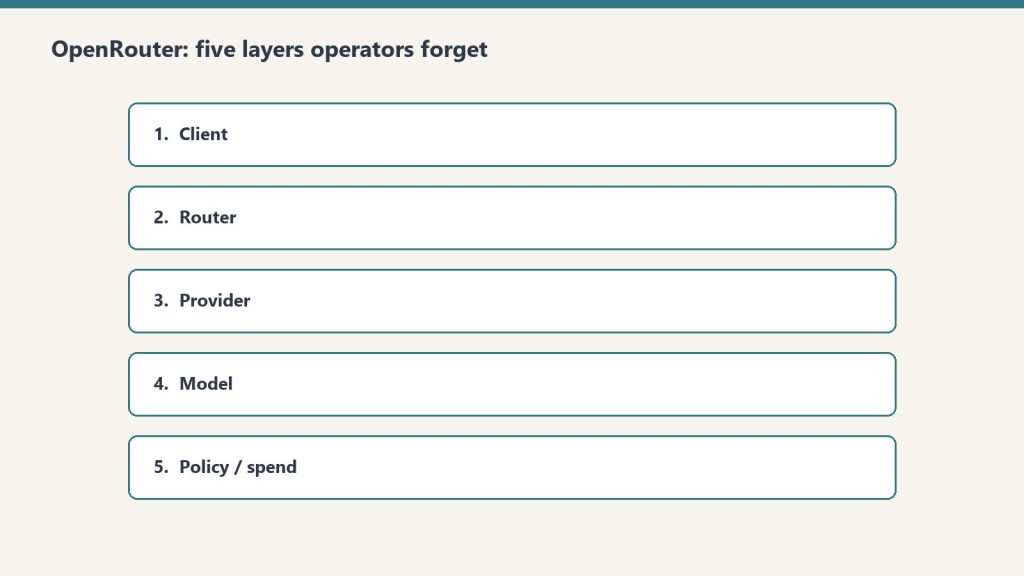
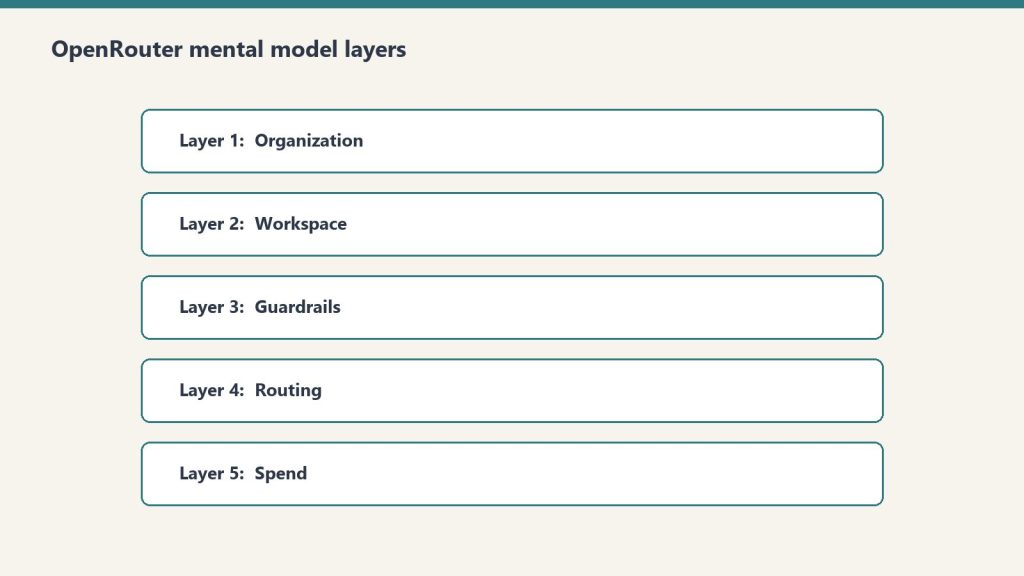
    The OpenRouter hierarchy in one sentence: Organizations contain Workspaces, Workspaces enforce Guardrails on API Keys, Keys call Presets, and Presets bundle prompts and models. Every operational decision you’ll ever make on the platform lives at exactly one of those five layers. Confuse them and you’ll spend hours looking for settings that live somewhere other than where you think.

    This is a companion to our OpenRouter operator’s field manual. The field manual covers why we use the platform and how it fits a fortress stack. This deep dive covers the mental model itself — the five-layer hierarchy that makes everything else legible.

    Why this matters before anything else

    OpenRouter’s UI presents a flat menu. The actual product is a hierarchy. Every operational decision you’ll ever make — who pays, what’s allowed, who’s allowed to call what, which model gets used — lives at exactly one of five layers. Get the layers wrong and you’ll wire your stack against the wrong nouns.

    The five layers, top to bottom: Organization → Workspace → Guardrail → API Key → Preset.

    Here’s what each one actually does and when you should care.

    Layer 1: Organization

    Sovereign billing. Sovereign member context. The top of the world.

    Each Organization has its own balance, its own billing details, and — critically — its own member roster. The catch: personal orgs don’t expose Members management. If you want to add teammates, you need a non-personal org.

    In our case we run two: a personal org tied to our primary email, and a Tygart Media org for agency operations. The personal org has 48 API keys and a working balance. The Tygart Media org is empty so far. Members management is the reason it exists.

    When to think about this layer: when you’re deciding whether to operate as an individual or as a team. If you’re solo and plan to stay solo, one personal org is fine forever. The moment you bring on a collaborator who needs their own keys and their own observability slice, you need a non-personal org.

    The mistake to avoid: running an agency out of a personal org. You’ll hit member-management limits at the worst possible time.

    Layer 2: Workspace

    Segmented guardrail, BYOK, routing, and preset domains inside an organization.

    By default, every org gets one Default Workspace. Most accounts never think about this layer. The moment you operate across multiple businesses with different data policies, multiple workspaces become valuable.

    Example: a healthcare client’s data should never touch first-party Anthropic, only Bedrock or Vertex. A consumer comedy site can use any provider. A B2B SaaS client wants Zero Data Retention enforced on every call. Three different fortress postures. Three workspaces.

    Each workspace gets its own Guardrail config, its own BYOK provider keys, its own routing defaults, and its own preset library. Keys created in one workspace can’t see resources in another.

    When to think about this layer: when you have two or more clients with materially different data policies. If everything you do has the same posture, one workspace is fine.

    The mistake to avoid: assuming workspace segmentation is a security boundary. It isn’t, exactly — it’s a policy boundary. Someone with org-level access can move between workspaces freely. Workspaces are for organizing intent, not for isolating threats.

    Layer 3: Guardrails

    The actual enforcement layer. Four categories, all configurable per workspace, all unconfigured by default.

    Budget Policies are the most useful and the most underused. Set a credit limit in dollars and a reset cadence (Day, Week, Month, Year, or N/A). Hit the limit and calls fail until the cadence resets. This is your protection against the runaway loop that drains a balance overnight.

    Model and Provider Access is where data-policy posture lives. Toggles for Zero Data Retention enforcement, Non-frontier ZDR, first-party Anthropic on or off (with Bedrock and Vertex always staying available), first-party OpenAI on or off (Azure stays), Google AI Studio on or off (Vertex stays), and three categories of paid and free endpoints with different training and publishing behaviors. There’s also an Access Policy mode (Allow All Except is the useful one) with explicit Blocked Providers and Blocked Models lists. The live Eligibility view shows you which providers and models are actually callable given your current policy.

    Prompt Injection Detection runs regex-based detection on inbound prompts. OWASP-inspired patterns. Four modes: Disabled, Flag, Redact, or Block. Free and adds no measurable latency. Worth enabling on every workspace that touches user input.

    Sensitive Info Detection runs pattern matching on prompts and completions. Built-in patterns for Email, Phone, SSN, Credit Card, IP address, Person Name, and Address. The latter two add latency. Custom regex patterns supported. A sandbox to test patterns before deploying. Useful for any workspace that processes customer data.

    When to think about this layer: every workspace, day one. Default-unconfigured is not a safe state. Set a budget cap before you do anything else.

    The mistake to avoid: treating Guardrails as something you’ll get to “later.” Later is after the runaway loop has drained the balance.

    Layer 4: API Keys

    Per-agent identity. Each key has its own credit cap, its own reset cadence, and its own guardrail overlay.

    The mental model that matters: one autonomous behavior, one key. When a scheduled task starts hemorrhaging tokens, the cap on its key contains the damage. The other 47 keys keep working.

    Our 48-key distribution is instructive. One testing key has spent $83.26. One development key has spent $33.05. The remaining 46 keys have collectively spent less than $120. That’s the shape of real AI operations: a few keys do most of the work, and a long tail barely moves the needle. Per-key caps make that distribution visible and bounded.

    API keys also carry the BYOK relationship. A bring-your-own provider key can be pinned to specific API keys, meaning specific agents. That lets you route a high-volume internal agent through a discounted enterprise contract while letting one-off testing keys fall through to OpenRouter’s pooled pricing. We cover this in depth in BYOK on OpenRouter.

    When to think about this layer: when you create any new autonomous behavior. New behavior, new key, new cap. No exceptions.

    The mistake to avoid: sharing one key across all your services. The first runaway loop will be the last thing that one key ever does, and the blast radius will be everything else that depended on it.

    Layer 5: Presets

    Versioned bundles of system prompt, model, parameters, and provider configuration. Called as "model": "@preset/your-preset-name" in any API call.

    Three tabs per preset: Configuration (the actual bundle), API Usage (how it’s been called), and Version History (every change, rollback-able).

    This is the closest OpenRouter comes to a software release artifact. You can ship a preset, test it in chat, version it, and roll back if v2 turns out to be worse than v1. Code that calls the preset stays the same; only the preset content changes.

    For autonomous behavior systems this is the unlock. A behavior’s behavior — its prompt, its model choice, its temperature — becomes a thing you can version and review like code, without touching the code that calls it. Promotion ledger says a behavior is graduating from one tier to the next? You publish a new preset version with tighter constraints and the calling code never changes.

    When to think about this layer: the moment you have any system prompt that’s used in more than one place, or that you’ll want to refine over time. If you’ve never copy-pasted a system prompt between two scripts, you don’t need presets yet.

    The mistake to avoid: putting the system prompt in the calling code. Every prompt update becomes a deploy. With presets, prompt updates become config changes.

    Putting the layers together

    Here’s the mental model in one sentence: Organizations contain Workspaces, Workspaces enforce Guardrails on Keys, Keys call Presets, Presets bundle prompts and models.

    If you walk into OpenRouter looking for a setting and you can’t find it, ask which of the five layers it should logically live at. The answer almost always tells you where to look.

    If you’re building a new integration, start at the bottom. Pick a model. Build a preset around it. Create a dedicated key with a tight budget cap. Sit that key under a workspace with sensible guardrails. The organization is just the billing wrapper.

    The whole point of the hierarchy is that each layer constrains the one below it. The organization caps the workspace. The workspace caps the keys. The keys cap the presets they can call. Errors propagate up; permissions cascade down. That’s the model. Everything else is UI.

    Frequently asked questions

    What are the five layers of OpenRouter?

    Organization, Workspace, Guardrails, API Keys, and Presets. Organizations handle billing and members. Workspaces segment policy domains. Guardrails enforce budget, provider access, prompt injection, and sensitive info rules. API Keys are per-agent identity with per-key caps. Presets are versioned bundles of system prompt, model, and parameters.

    Do I need multiple Workspaces in OpenRouter?

    Only if you operate across businesses with materially different data policies. A single Default Workspace is fine for most accounts. The moment a healthcare client requires Bedrock-only access while a consumer client can use any provider, workspace segmentation becomes valuable.

    What is the right way to use OpenRouter Presets?

    Treat them like software release artifacts. Bundle the system prompt, model, parameters, and provider config. Version every change. Test new versions in chat before promoting. Code that calls the preset stays the same; only the preset content evolves. This lets you refactor prompt behavior without redeploying.

    Are OpenRouter Workspaces a security boundary?

    No. They’re a policy boundary, not a security boundary. Someone with organization-level access can move between workspaces freely. Use workspaces to organize intent and enforce different fortress postures across clients — not to isolate threats from each other.

    What happens if I don’t configure OpenRouter Guardrails?

    By default every workspace has zero enforced budget cap, zero provider restrictions, and zero PII filtering. That’s fine for prototyping. It’s not fine for production. Set a budget cap on every workspace as the first action. The other three guardrail categories you can configure as you scale.

    See also: The Multi-Model AI Roundtable: A Three-Round Methodology for Better Decisions · What We Learned Querying 54 LLMs About Themselves (For $1.99 on OpenRouter)

  • How We Actually Use OpenRouter in Production: An Operator’s Field Manual

    How We Actually Use OpenRouter in Production: An Operator’s Field Manual

    What OpenRouter actually is: A routing and policy layer that sits between your code and AI model providers. It replaces the place where you’d otherwise write direct API calls to Anthropic or Vertex AI, adding budget caps, guardrails, prompt-injection filtering, PII redaction, model fallbacks, and observability hooks — with access to hundreds of models behind one unified endpoint. It does not replace your memory system, your hosting environment, your operator console, or the models themselves.

    The 30-second version

    OpenRouter is one of the most useful AI infrastructure tools we’ve adopted, but the value lives at exactly one layer of the stack: the model-calling layer. It replaces the place where you’d otherwise write fetch("https://api.anthropic.com/...") or call Vertex AI directly. It does not replace your memory system, your hosting environment, your operating console, or the models themselves. Get that framing wrong and you’ll build a house of cards. Get it right and you’ve added budget controls, guardrails, observability, and hundreds of models with one config change per agent.

    This is how we use it across a stack that runs 27+ WordPress client sites, autonomous content pipelines, multi-model decision tools, and an autonomous behavior promotion system. None of this is theory. Every number in this article comes from our own usage logs.

    What OpenRouter actually is

    Strip away the marketing and OpenRouter is a routing and policy layer for AI model calls. You point your code at one endpoint — openrouter.ai/api/v1/chat/completions — and OpenRouter handles model selection, provider fallback, budget enforcement, content filtering, and observability.

    It is not a model. It is not a runtime. It is not a database. It is a smarter middle layer between your code and the dozens of providers whose models you might want to call.

    The mistake we almost made early on was framing it as “replace GCP and Notion with this.” That framing is wrong in a specific way that’s worth naming: OpenRouter has no servers, no operational memory, no execution environment, no isolated network. It has hundreds of models behind one API and a thoughtful policy layer in front of them. That’s the entire product, and it’s enough — at the right layer.

    The 5-layer hierarchy nobody tells you about

    When you log into OpenRouter, the UI presents a flat set of menus. The actual mental model — the one that maps to real operational decisions — is a five-layer hierarchy:

    Organization is the top. Sovereign billing and member context. We run two: one personal, one for Tygart Media. The personal org has 48 API keys and a balance; the Tygart Media org has empty balance but exposes Members management that personal accounts can’t access. If you’re operating as an agency, you want the agency org as primary so you can add seats.

    Workspaces sit inside organizations. They’re segmented domains for guardrails, BYOK provider keys, routing rules, and presets. Most accounts run on a single Default Workspace and never think about this layer. The moment you operate across multiple businesses with different data policies, workspace segmentation becomes a real decision.

    Guardrails are workspace-level enforcement policies. Four categories: Budget Policies, Model and Provider Access, Prompt Injection Detection, and Sensitive Info Detection. By default they’re all unconfigured, which means your workspace has no enforced budget cap, no provider restrictions, and no PII filtering. This is fine until it isn’t.

    API Keys are per-agent identity. Each key carries a credit cap, a reset cadence, and a guardrail overlay. The mental model that matters: one autonomous behavior = one API key. If a scheduled task starts hemorrhaging tokens, the cap on its key contains the damage to that key alone.

    Presets are versioned bundles of system prompt, model, parameters, and provider config. You call them as "model": "@preset/name" in any API call. They’re the closest thing OpenRouter has to a software release artifact — a thing you can version, test, and roll back.

    That hierarchy is the entire operational surface. Everything you’d want to do with the platform happens at one of those five layers. Confuse them and you’ll spend hours hunting for a setting that lives at a different tier than you think.

    What OpenRouter replaces (and what it doesn’t)

    The honest answer: OpenRouter replaces the direct API call. Nothing more, nothing less.

    In our case, every scheduled task, every skill that calls a model, every Claude Project — all of them used to make direct calls to Anthropic’s API or Vertex AI. OpenRouter sits in front of those calls and adds budget caps, guardrails, prompt-injection filtering, PII redaction, model fallbacks, observability hooks, and access to a model catalog of hundreds of options instead of the handful any single provider exposes.

    What it does not replace:

    Your memory system. Notion remembers; OpenRouter doesn’t. OpenRouter’s logs are call-level telemetry — what model was called, what it cost, what the response was. That’s not operational memory. It can’t tell you “this customer pitch was sent three weeks ago and got no response.” For that, you need a real second brain.

    Your hosting environment. OpenRouter has no servers, no WordPress, no database, no VPC. If you’re running a fortress architecture on GCP — VPC isolation, Cloud SQL, Cloud Run services — none of that goes away. OpenRouter sits next to that infrastructure, not in place of it.

    Your operator console. Wherever you actually do the work — Claude in chat, your terminal, your IDE — that surface stays. OpenRouter is a transport layer for model calls, not a place you live.

    The models themselves. OpenRouter is one path to reach Anthropic’s Claude; Vertex AI is another; the direct Anthropic API is a third. They’re interchangeable transports. The model is the model.

    Mapping OpenRouter to an autonomous behavior system

    Here’s where the framing gets interesting. We run an autonomous behavior system where every long-running task — a scheduled content pipeline, an SEO audit, a publishing job — sits on a promotion ledger that tracks its trustworthiness over time. Tier C behaviors run autonomously. Tier B requires a human in the loop. Tier A is proposal-only.

    OpenRouter maps to that system with almost no friction:

    • Each behavior becomes a versioned Preset — system prompt, model, parameters, all bundled and versioned.
    • Each preset is bound to its own API Key with a monthly credit cap and reset cadence.
    • That key sits under a Workspace whose Guardrail enforces the appropriate data policy.
    • Observability is broadcast to a webhook that writes back to the operational memory layer.

    The result: when a behavior misbehaves — hits its spend cap, trips a policy violation, gets blocked by Sensitive Info Detection — the failure is auto-logged at the routing layer and surfaced to the operator console. The promotion ledger row catches the gate failure and demotes the behavior automatically.

    This is the concrete answer to a question every operator running autonomous AI work eventually asks: how will I know when something goes wrong? The answer is: you build the routing layer so that going wrong is itself a signal.

    The 270/238 reality check

    A small piece of grounding before we go further. As of mid-May 2026, our personal OpenRouter org showed a balance of $31.93 remaining of $270 total credits purchased. That’s $238.07 of actual usage across roughly two months. Spread across 48 API keys, that’s an average of about $5 per key.

    The highest-spend key was a testing key at $83.26. The next was a development key at $33.05. Most keys had spent less than $1. That distribution tells you something true about real-world AI operations: a handful of behaviors do most of the work, and the long tail of agents barely registers.

    We mention this for one reason: if you’re evaluating OpenRouter, the cost is not the story. The cost is small. The story is whether the policy layer is worth wiring into your stack. Our answer is yes — but the work of wiring it is real, and it requires you to first understand what layer you’re wiring.

    The Cloud Run reality

    One real-world note that any production team needs to internalize: when we ran AI calls from Cloud Run services on GCP, we occasionally hit 402 responses from OpenRouter that we did not hit when calling Anthropic’s API directly from the same services. We don’t have conclusive evidence of where the issue originated — Cloud Run’s egress IP ranges are widely shared and trip fraud-detection thresholds at many providers, including direct calls to first-party APIs. The lesson is not about OpenRouter specifically. The lesson is that production routing requires deployment-context testing.

    Our policy now: for services where reliability is mission-critical, we maintain a fallback path that can switch routing layers under failure. OpenRouter is the default. Direct Anthropic is the fallback. The decision logic lives in the service itself, not in OpenRouter’s config. This is defense in depth, not a critique of any one provider.

    The standing rule we wish we’d had earlier

    In March 2026 we ran a security audit on 122 Cloud Run services and discovered five of them had hardcoded OpenRouter API keys baked into environment variables — all sharing the same key. We stripped the keys, rotated, and re-scanned to zero. Then we wrote a standing rule into operational memory:

    OpenRouter is off-limits for any task without explicit per-task permission. Image generation always goes through Vertex AI.

    The reason for the second half of that rule deserves naming. Image generation via OpenRouter is technically possible, and the model variety is appealing. But image calls are expensive, latency-sensitive, and easy to fire by accident in a loop. One misconfigured behavior can drain a development budget in a single session. Vertex AI’s first-party image generation runs through GCP service accounts with project-level budget alerts, which gives us a natural circuit breaker. We use OpenRouter for the right jobs. We use Vertex for image work.

    This is the kind of operational rule you only write after you’ve lost money to a runaway script. Save yourself the lesson.

    When OpenRouter is the right answer

    Use OpenRouter when:

    • You want model variety and a unified API across providers
    • You need workspace-level budget caps that work across many keys
    • You want PII detection and prompt-injection filtering at the routing layer instead of in every service
    • You need observability broadcast to your existing stack (we ship to webhooks)
    • You’re running an autonomous behavior system that needs per-agent identity and per-agent budget enforcement
    • You want the option to swap models without redeploying code

    When it isn’t

    Don’t reach for OpenRouter when:

    • You only call one model from one app and don’t need policy enforcement
    • You need single-digit-millisecond latency (the extra hop matters)
    • You’re running image generation at scale (use the first-party provider directly)
    • You need network isolation guarantees that only your own infrastructure can provide
    • You’re deploying from an environment with shared egress IPs to a provider that flags those ranges (test first)

    The bottom line

    OpenRouter is excellent at exactly one thing: being a thoughtful policy layer between your code and the AI models you call. Don’t ask it to be more than that. Don’t replace your memory, hosting, console, or models with it. Wire it into the model-calling layer of an existing system that already has those other pieces sorted, and you get budget controls, guardrails, observability, and hundreds of models with about a day’s worth of integration work.

    The framing that works: the model layer of an existing system. Not the system itself.

    If you’re operating multiple autonomous AI behaviors and you don’t yet have per-agent budget caps and per-agent observability, OpenRouter is probably the fastest path to getting them. If your stack is one app calling one model, you’re paying for complexity you don’t need yet.

    Going deeper

    This pillar is the operator’s overview. Each of the five layers and the major workflows we built on top of OpenRouter has its own deep dive:

    Frequently asked questions

    What is OpenRouter and what does it do?

    OpenRouter is a routing and policy layer for AI model API calls. It sits between your application code and AI providers like Anthropic, OpenAI, and Google, providing one unified API endpoint that handles model selection, budget enforcement, guardrails, fallback routing, and observability across hundreds of models from dozens of providers.

    Does OpenRouter replace direct Anthropic or OpenAI API calls?

    Yes, that’s exactly what it replaces. Your code calls one endpoint (openrouter.ai/api/v1/chat/completions) instead of provider-specific endpoints. The model is selected via a parameter rather than the URL. Everything else about your stack — your memory system, hosting, and operator console — stays the same.

    Can OpenRouter replace GCP, Notion, or my hosting infrastructure?

    No. OpenRouter is a routing layer for model calls. It has no servers, no database, no operational memory, and no network isolation. If you’re running a fortress architecture on GCP with VPC isolation, Cloud Run services, and Cloud SQL, OpenRouter sits alongside that infrastructure, not in place of it.

    How expensive is OpenRouter in practice?

    For most operational workloads the platform fee is negligible compared to the underlying model costs. Our personal organization spent $238 over roughly two months across 48 API keys serving multiple autonomous behaviors. The distribution is heavily skewed — a few keys do most of the work, and the long tail barely registers. Cost is rarely the decision factor; the policy layer is.

    What is the right way to think about OpenRouter API keys?

    One autonomous behavior, one key. Each key gets its own credit cap and reset cadence. When a scheduled task starts hemorrhaging tokens, the cap on its key contains the damage to that key alone. Sharing one key across all services is the single fastest way to lose visibility and bound risk.

    Should I use OpenRouter for image generation?

    We don’t. Image generation runs through first-party providers (Vertex AI in our case) where project-level budget alerts give a natural circuit breaker. Image calls are expensive, latency-sensitive, and easy to fire by accident in a loop. The routing layer is for text-completion workloads where the policy benefits compound.

    What’s the deal with Cloud Run and OpenRouter 402 errors?

    Cloud Run egress IP ranges are widely shared, and they sometimes trip fraud-detection thresholds at various providers — including direct calls to first-party APIs, not just OpenRouter. The lesson is that production routing requires deployment-context testing. Maintain a fallback path that can switch routing layers under failure, and you’ve got defense in depth instead of a single point of failure.

  • The Reading Layer

    In every pre-AI operation I have read about, the work was visible and the reasoning was hidden. You could walk through the room and see what people were doing — at desks, on phones, in front of whiteboards — but the why of any given motion lived inside a head, surfaced in meetings, and otherwise stayed put. Audits looked at outputs and inferred process. Reviews looked at people and inferred judgment. The reasoning layer was largely oral, largely private, and largely undocumented.

    An AI-native operation inverts that. The work itself is invisible — it happens inside a model, in a transcript, in a render that completes before anyone can watch it complete — and the reasoning is hyper-legible. Every prompt is written down. Every spec is a file. Every artifact carries the question that produced it. The audit surface has flipped: outputs are cheap and abundant, but reasoning is the thing now lying around in the open, available to be read.

    This is a stranger inversion than it sounds.


    The reading problem

    Once the reasoning is on the table, the bottleneck is not whether anyone produced it. It is whether anyone reads it.

    This is the unglamorous part of the inflection. The conversations about AI-native operations spend most of their oxygen on the writing layer — the models, the prompts, the agents, the orchestration. Reasonable focus. That is where the gains compound and where most of the new tooling has gone. But everyone who has actually run an operation through the inflection eventually hits the same wall: the writing layer is now producing artifacts faster than any human in the loop can read them.

    The pre-AI version of this problem was meetings — too many of them, too long, attended by people who had nothing to add but could not say so. The AI-native version is the inverse: not too much synchronous discussion but too much asynchronous documentation. Specs, briefs, transcripts, summaries, daily logs, weekly logs, structured outputs from every step of every pipeline. All readable, none read, all addressable, none addressed.

    The operations that survive past the first six months of AI-nativity are the ones that build a reading layer on purpose.


    What a reading layer actually is

    A reading layer is not a dashboard. Dashboards are for numbers, and the writing layer of an AI-native operation produces something much messier than numbers — it produces claims, frames, decisions-in-the-form-of-prose, and prose-in-the-form-of-decisions. Numbers can be rolled up. Claims have to be read.

    The minimum reading layer I have seen work is a small set of rituals with three properties: a fixed cadence, a single addressed reader, and one question the reader has to answer in writing before they get to close the page.

    Fixed cadence — because reading is the thing that drops first when the operation gets busy, and the only protection against that is a slot on a calendar. Single addressed reader — because reading shared by everyone is read by no one, and a document with no named recipient turns into furniture. One question answered in writing — because the test of whether the reading happened is the answer, not the click.

    Everything else is decoration.


    Why this is harder to build than the writing layer

    Two reasons.

    The first is that reading does not feel productive in the way writing does. A morning where you produce nothing new but read four pieces and write four short responses to them looks, on every conventional measure, like a wasted morning. The operator who has not yet crossed the inflection still measures days in artifacts shipped. The operator who has crossed it measures days in artifacts read and acted on — but the cultural shift from one to the other is slow, and the operator’s own discomfort is the largest obstacle.

    The second is that the reading layer is the only place where the operation’s narrative about itself meets its actual state, and that meeting is often unpleasant. Writing layers are optimistic by construction — a brief argues for what it proposes, a spec describes what the system will do, a summary frames the week in the most flattering plausible direction. Reading is the place where the optimism gets compared with the world. Most of the systems I have read about that fail in the AI-native era fail not because the writing layer was wrong but because no one had built the muscle of reading the writing back against the world. The optimism compounded into a self-image the operation could not defend.


    Where to put it

    The reading layer does not need to be a new product or a new tool. In most of the operations I have seen function past the inflection, it is one or two short documents a day, written by the writing layer, addressed to a specific human, with a forcing question at the end. Did this happen. Did this not happen. Why. What now. The forcing question is the only part that is doing real work; everything else is scaffolding to make the forcing question unavoidable.

    The piece of furniture that most often gets repurposed for this is the morning briefing. Briefings were originally a writing-layer artifact — a place to compile what the operation produced overnight. The interesting move is to add the second half: not just what was produced but what the operator did with what was produced yesterday. The briefing becomes a reading layer when the question on the page is not “what did the system do” but “what did you do with what the system did.”


    The reason this is the right thing to build next

    Production capacity is the obvious win of the inflection — it is what people are paying for, what every demo shows, what the vendors race to put on the page. But production capacity without a reading layer compounds into a particular failure mode I have seen described in three operations and lived inside one: the system is producing, the dashboards are green, the artifacts exist, and nothing is moving. The trail is laid and no ant walked. The signals are there and no one read them.

    The reading layer is the unglamorous infrastructure that keeps that from happening. It is not the production engine and not the dashboard. It is the small daily place where the operation reads itself back to itself and writes down what it is going to do about what it just read.

    The writing layer is where the operation gets fast. The reading layer is where the operation stays honest. An AI-native operation that builds only the first is a machine that is loud and going nowhere. One that builds both is something else — something that has not entirely been named yet, and that the next few years will spend naming.

    The vocabulary will arrive. The infrastructure will not, unless someone budgets for it now.

  • The Three-Legged Stack: Why I Run Everything on Notion, Claude, and Google Cloud

    The Three-Legged Stack: Why I Run Everything on Notion, Claude, and Google Cloud

    Last refreshed: May 15, 2026

    A surveyor's tripod with copper, porcelain, and steel legs planted on rocky ground at sunrise above the clouds — representing the Notion, Claude, and Google Cloud three-legged stack
    The three-legged stack — Notion, Claude, Google Cloud — is what’s actually holding up the operation.

    I run a portfolio of businesses — restoration companies, content properties, creative ventures, a software platform, a comedy site, a few things I haven’t decided what to do with yet — on three legs. Notion. Claude. Google Cloud. That’s it. Everything else either fits inside that triangle or it doesn’t last in my stack.

    This article is the doctrine. Not “here’s a list of tools I like.” The actual operating philosophy of why this specific three-piece architecture is what holds the work up, where each leg’s job ends, and what I learned the hard way about which tools belong on the floor instead of the table.

    If you’re trying to decide what your own AI-driven operating stack should look like, what follows is what I’d tell you over coffee.

    Why three legs and not two, four, or twelve

    I tried twelve. I tried four. I lived for a while with two. Three is what’s left after everything else either failed in production, got absorbed into one of the three legs, or became overhead that didn’t pay for itself.

    The reason it’s not two is that you need a place where state lives, a place where reasoning happens, and a place where heavy compute runs. If you collapse two of those into one tool, the tool has to be excellent at both jobs and almost nothing is. If you keep them separate, each tool gets to be excellent at its actual job.

    The reason it’s not four is that every additional leg multiplies the surface area of what can break, what needs to be monitored, what needs to be paid for, what needs to be learned by every new person you bring in. Four legs sounds like it would be more stable but it isn’t. It’s more rigid. Three legs sit flat on uneven ground.

    The reason it’s not twelve is that I tried that and the cognitive cost of remembering which tool did which job was higher than the work the tools were supposed to be saving.

    Notion is the system of record

    State lives in Notion. That’s the rule. If a piece of information needs to exist tomorrow, it goes in Notion first.

    That includes the things you’d expect — clients, projects, content pipelines, scheduled tasks, the Promotion Ledger that governs which autonomous behaviors are running at what tier — and a lot of things you might not. Meeting notes go in Notion. Random ideas at 11pm go in Notion. The reasons I made a particular architectural decision six months ago go in Notion. Anything I might want Claude to read later goes in Notion.

    The reason this leg has to be Notion specifically — and not, say, a folder of markdown files, or a Google Doc, or Airtable — is structured queryability paired with human-readable rendering. Notion databases let me describe my business in shapes (a content piece is a row, a project is a row, a contact is a row) while keeping every row a real document I can read and write to like a normal page. That dual nature is rare. Most systems force you to pick between structured and prose. Notion lets the same object be both.

    The May 13, 2026 Notion Developer Platform launch made this leg even stronger. Workers, database sync, and the External Agents API mean the system of record can now do active things on its own and host outside agents (including Claude) as native collaborators. Notion stopped being a passive document store and started being a programmable control plane. That’s a big deal for this architecture and I wrote about it in my piece on the platform launch.

    Claude is the reasoning layer

    Claude does the thinking. That’s the rule on the second leg.

    Anywhere I would otherwise have to write something from scratch, decide between options, summarize a long document, generate code, audit content, or do any task that requires a brain rather than just a database query, Claude is the first thing I reach for. The work happens in Claude. The result lands in Notion.

    I want to be specific about why Claude and not “an LLM” generically. I have used the others. I have used GPT in production. I have used Gemini in production. They all work. Claude is what I picked, and the reasons aren’t religious.

    First, the writing is recognizable. Claude’s voice has a calibration to it that the others don’t quite have for the kind of work I’m doing — long-form content, operator-voice editorial, technical explainers. I can edit a Claude draft to feel like me much faster than I can edit the others.

    Second, the agentic behavior is the most stable across long sessions. Claude Managed Agents and Claude Code in particular are willing to think for a long time without losing the plot. For multi-step work that involves reading a lot of context, holding it, and acting on it across many turns, the difference is real.

    Third, the tooling around Claude — Claude Code, Cowork, the Agent SDK, MCP — is the most operator-friendly of the bunch right now. The other models will catch up. As of May 2026, Claude is the best fit for how I actually work.

    Fourth, and this matters more than people give it credit for: I am willing to bet on Anthropic the company. I am betting my operations on the leg that bears my reasoning load. Whose roadmap I’m comfortable with, whose values I find legible, whose engineering culture I trust to keep shipping the thing without breaking it underneath me — that’s a real input to the decision, not a soft preference.

    Google Cloud is the substrate

    The third leg is the heavy one. Google Cloud is where the things live that have to be reliable in a way that Notion can’t be and Claude isn’t supposed to be.

    The 27 WordPress sites I manage all live on GCP infrastructure. The knowledge-cluster-vm hosts five interconnected sites. The proxy that lets Claude talk safely to WordPress sites runs on Cloud Run. The cron jobs that fire scheduled work, the Python services that handle image pipelines, the AI Media Architect that runs autonomously — all on GCP. Anything that involves real compute, regulated data, behind-a-firewall execution, or sustained reliability lives on the third leg.

    The reason this leg has to be a real cloud and not just a laptop or a Hetzner box is that I run autonomous behaviors. Tier C autonomous behaviors run unattended, which means the substrate they run on has to be more reliable than I am. GCP gives me that. It’s also where Anthropic’s Claude is available through Vertex AI, which means there’s a path where the entire stack can run inside one cloud’s perimeter when that becomes operationally necessary.

    I picked GCP specifically over AWS or Azure for a few reasons. Vertex AI’s first-party Claude access matters to me. The GCP control surface is the one I’m fastest in. Cost-wise it’s been competitive for the workloads I run. None of those are universal — your third leg might be AWS, or Azure, or a hybrid with on-premise hardware. The doctrine isn’t “use GCP.” The doctrine is “have a real substrate that can carry the heavy work.”

    How the three legs hold each other up

    The thing that makes this an actual stack and not just three tools is the load each leg puts on the others.

    Notion holds Claude’s memory. Claude doesn’t have persistent memory across sessions in any deep way — what it remembers is what’s in the prompt and what it’s allowed to look up. Notion is where I put the things I want Claude to know tomorrow. Project briefs, brand voice docs, the Promotion Ledger, client context, my preferences. When Claude starts a session it looks at Notion. When the session is done, what mattered gets written back to Notion. The memory leg is Notion. Without it, Claude is amnesiac and has to be re-briefed every time.

    Claude does the work that Notion can’t and that GCP isn’t shaped for. Notion can hold structured data and run light automation through Workers and database sync. Notion can’t write a 2,000-word article in your voice. GCP can run a reliable cron job and host whatever you want on Cloud Run. GCP isn’t going to read your existing client notes and propose a follow-up email. The reasoning leg is Claude. Without it, you have a database and a server and no one to think.

    GCP holds the things that have to keep running when nobody is watching. Notion can’t host a WordPress site. Claude can’t run a cron job by itself. The compute leg is GCP. Without it, the autonomous behaviors that make this a system instead of a tool collection have nowhere to live.

    Each leg fails gracefully into the others. If Notion is down, GCP keeps the live workloads running and Claude can still do work in a session. If Claude is down, Notion still holds state and GCP still runs the autonomous infrastructure. If GCP is down, the websites are unreachable but the planning surface (Notion) and the reasoning surface (Claude) still let me figure out what to do about it. No single failure takes the whole operation down.

    What I tried that didn’t make the cut

    For honesty’s sake, here’s what I had in earlier versions of the stack that’s no longer there:

    Zapier and Make for orchestration. They worked. They cost real money at the volumes I was running. The May 13 Notion Developer Platform launch absorbed most of what I was using them for into native Notion functionality. What’s left I do with Cloud Run jobs.

    Multiple LLMs for “best tool for the job.” I went through a phase of routing different work to different models. The cognitive overhead of “which one for this task” was higher than any quality gain from the routing. I picked Claude and stayed.

    Custom CRMs and project management tools. Tried several. None of them did the job better than a well-structured set of Notion databases with the right templates and views. The CRM is in Notion now. The project management is in Notion. The pipeline tracking is in Notion.

    A second cloud “for redundancy.” Sounded smart, was actually overhead. If GCP goes down catastrophically I have bigger problems than my stack. Single-cloud is fine for a small operator portfolio.

    Local AI models for cost savings. The math didn’t work for me. I have a powerful workstation that can run open models, but the time cost of running them, debugging them, and maintaining them outweighed the API savings. Claude through the subscription and through Vertex when I need it is what I pay for now.

    Why this matters beyond my own operation

    I write about this not because anyone is required to copy it but because the shape of the answer — three legs, one for state, one for reasoning, one for compute — generalizes.

    If you’re a solo operator, a small agency, a content business, a service business with operational complexity, this shape works. Your specific tool choices for each leg will be different. Maybe your state lives in Airtable instead of Notion. Maybe your reasoning leg is GPT or Gemini. Maybe your substrate is AWS or Vercel or your own bare metal. The three-leg architecture survives the substitutions.

    What doesn’t survive substitutions is collapsing the legs. Putting state and reasoning in the same tool (anyone who has tried to use ChatGPT as their CRM knows what I mean) doesn’t work. Putting reasoning and compute in the same tool means you’re either compromising on reasoning to keep compute simple or compromising on compute to keep reasoning fluid. The separation is where the strength is.

    Where the stack is going next

    Three things I’m watching:

    Notion’s platform maturation. The May 13 launch is version 1 of what Notion as a programmable platform looks like. If Workers and database sync continue to grow into real automation surface, more of what I do on GCP could move to Notion. I don’t expect the heavy stuff to migrate, but the lightweight glue is moving in that direction.

    Claude’s agentic capabilities. Claude Managed Agents and the Agent SDK are getting better fast. Some of what I currently script in Python on Cloud Run will move into Claude-native agentic loops as the agents become more capable of long-running, reliable work without supervision.

    The fortress pattern on GCP. The ability to run Claude inside a private GCP perimeter via Vertex AI is becoming more important as I take on regulated industry work. The substrate leg is staying GCP precisely because of this — the perimeter matters.

    The stack will evolve. The three-leg shape probably won’t.

    Frequently Asked Questions

    Why Notion and not Airtable, Coda, or Obsidian?

    Notion’s combination of structured databases and human-readable page rendering is what makes it work as both a database and a knowledge base for Claude. Airtable is more powerful as a database but worse as a document. Coda is similar in spirit but smaller community and tooling around it. Obsidian is excellent for personal knowledge but doesn’t have the multi-user, structured-database surface I need to run businesses on.

    Why Claude and not GPT or Gemini?

    Voice quality for the kind of writing I do, agentic stability across long sessions, operator-friendly tooling (Claude Code, Cowork, MCP), and Anthropic’s roadmap and culture being legible to me. The other models work; Claude is what I picked.

    Why Google Cloud and not AWS?

    Vertex AI’s first-party Claude access, GCP’s control surface fitting how I work, competitive cost on my specific workloads. AWS would also work. The doctrine is “have a real substrate,” not “use GCP specifically.”

    Can a small operator afford this stack?

    Yes. Notion is $10/seat. Claude Pro is $20/month, Max is $100-$200. GCP costs scale with what you actually run — my 27-site infrastructure runs in the low three figures monthly. Total monthly stack cost for a solo operator running this architecture is well under what most people pay for a single SaaS tool that does only one of these jobs.

    What if one of the legs goes away or pivots badly?

    Each leg is replaceable. The shape of the stack matters more than the specific brands. If Notion pivots away from being useful, the state leg moves somewhere else. If Anthropic pivots, the reasoning leg moves. If I leave GCP, the substrate leg moves. The architecture is durable; the specific tool choices are not load-bearing in the way the architecture is.

    How long did it take to settle on this shape?

    Roughly two years of trying things. I write the doctrine now because I want my own next iteration to start from this shape rather than rebuilding it from scratch. If you want to skip those two years, this is the shortcut.

    Related Reading

  • Elon Musk Isn’t Building the Everything App—He’s Building the Everything App’s Power Grid

    The Pivot in One Sentence
    xAI has merged into SpaceX and leased its Colossus 1 supercluster—220,000 NVIDIA GPUs, 300 megawatts of compute—entirely to Anthropic, while simultaneously targeting 2 gigawatts of total capacity at Memphis. Elon Musk is no longer primarily trying to win the AI model race. He’s becoming the AI industry’s infrastructure landlord.

    Earlier in this series, we asked whether Grok and xAI were building the everything app through X—the social-financial superapp thesis. The answer we arrived at was: maybe, but with real limitations on the model quality and consumer trust needed to pull it off.

    Then something happened that reframed the entire question. In early May 2026, xAI merged into SpaceX. Days later, Anthropic—one of xAI’s most direct AI competitors—announced it was renting the entire compute capacity of Colossus 1. All 220,000 GPUs. All 300 megawatts. For Claude. For a reported $3 to $6 billion per year.

    Musk’s comment when asked about leasing infrastructure to a competitor: “No one set off my evil detector.”

    That’s the tell. When you’re building the everything app, you don’t rent your most powerful asset to your rivals. You use it. The fact that Musk is doing exactly that reveals a strategic logic that the Grok-as-everything-app frame completely misses.

    The pivot isn’t from everything app to compute landlord. It’s the recognition that owning the power grid is more valuable than owning any single app that runs on it.

    What Colossus Actually Is

    Colossus is not a single data center. It’s a multi-building supercomputing complex in Memphis, Tennessee—and it is currently the largest single-site AI training installation in the world.

    Colossus 1, the original facility, holds H100, H200, and GB200 accelerators across more than 220,000 GPU units. That is the cluster Anthropic is now renting entirely.

    Colossus 2, the expansion xAI is keeping for its own Grok development, has already expanded to 555,000 NVIDIA GPUs with approximately $18 billion in hardware investment and 2 gigawatts of target power capacity—reached in January 2026 with the purchase of a third Memphis building. Musk’s stated goal: one million GPUs at the Memphis complex, with more AI compute than every other company combined within five years.

    As a point of reference: most frontier AI labs operate training clusters in the tens of thousands of GPUs. Microsoft’s Azure AI infrastructure, the largest hyperscaler allocation for AI, operates in the hundreds of thousands across distributed global regions. Colossus at 555,000+ GPUs in a single complex is a different category of infrastructure entirely.

    And Musk has publicly noted that xAI is only using about 11% of its available compute for Grok. The rest is—in his framing—available. Available to sell. Available to rent. Available to become the compute backbone of the AI industry whether xAI wins the model race or not.

    The xAI-SpaceX Merger: What It Actually Means

    The May 2026 merger of xAI into SpaceX as an independent entity is more than an org chart change. It’s a signals-to-strategy reveal.

    SpaceX has three things xAI needs at scale: capital (SpaceX generates billions in launch revenue annually), real estate and construction expertise (SpaceX builds rockets and factories at speed), and most critically—rockets. Starship can put mass into orbit economically in a way no other launch vehicle can. SpaceX is already moving toward a Starlink constellation of thousands of satellites. The infrastructure to extend that into orbital data centers is not theoretical.

    Anthropic’s announcement noted not just the Colossus 1 ground lease—it also expressed interest in working with SpaceX to develop multiple gigawatts of compute capacity in space. Orbital data centers. Satellite-delivered AI compute. The kind of infrastructure that has zero latency for any application that needs compute without a physical data center address.

    Musk has discussed launching a million data-center satellites as a longer-term infrastructure play. That number sounds unreasonable until you consider that SpaceX already operates over 7,000 Starlink satellites and is building Starship specifically for high-volume orbital delivery. The orbital compute thesis isn’t science fiction for SpaceX. It’s a product roadmap.

    What the xAI-SpaceX merger does is remove the pretense that these are separate businesses. They’re one integrated infrastructure play: ground-based GPU superclusters plus orbital compute capacity, connected by the world’s only commercially viable heavy-lift reusable rocket.

    The Anthropic Deal: A Strategic Reading

    Let’s be specific about what this deal represents for both sides.

    For Anthropic, the deal addresses an acute bottleneck. Anthropic’s annualized revenue grew from roughly $9 billion at end of 2025 to approximately $30 billion by early April 2026—a trajectory that implies an 80-fold increase in usage in Q1 alone. Claude Pro and Claude Max subscriber growth is outpacing Anthropic’s ability to provision compute fast enough. Renting Colossus 1 immediately unlocks 300 megawatts of capacity that would take 18-24 months to build from scratch. For Anthropic, this is a compute emergency solution with strategic upside.

    For xAI, the deal is more nuanced. Colossus 1 was already built and operational. xAI is keeping Colossus 2 for Grok development. Renting Colossus 1 generates—depending on which analyst estimate you use—between $3 billion and $6 billion annually in revenue while the asset runs at capacity rather than sitting idle. That revenue funds Colossus 2 expansion, Colossus 3, and whatever comes next. The compute landlord model is self-funding.

    The strategic implication: xAI doesn’t need Grok to win the model race for this business model to work. If Claude dominates, Anthropic needs more compute and pays xAI for it. If GPT dominates, OpenAI and its partners need more compute. If Gemini dominates, Google builds its own, but every smaller lab comes to whoever has available capacity. xAI wins in every scenario except the one where everyone else simultaneously builds their own supercomputing megacomplexes—which requires the capital and construction expertise that most AI labs don’t have.

    The Grok Situation: Honest Assessment

    The Anthropic deal does raise real questions about Grok’s trajectory. Grok app downloads have reportedly declined significantly in 2026 as ChatGPT and Claude have gained consumer mindshare. In April 2026, Elon Musk testified in the ongoing OpenAI litigation that xAI trained Grok on OpenAI model outputs—a revelation that raised questions about Grok’s training methodology and original capability claims.

    If xAI is using only 11% of its compute for Grok and is renting the rest to a competitor, the implicit message is that xAI is not currently running a max-effort campaign to win the frontier model race. It’s building infrastructure and waiting—or pivoting to a business model where the model race outcome matters less.

    This is not necessarily a failure. It may be a more durable strategy. The history of technology infrastructure is full of examples where the company that built the picks and shovels during a gold rush outlasted the miners. AWS didn’t win by building the best e-commerce site. It built the infrastructure that every e-commerce site ran on. The question is whether xAI’s compute infrastructure can fill that role for AI—and the Anthropic deal is the first real evidence that the answer might be yes.

    The “Everything App Ability” Thesis

    Here’s the reframe that this pivot suggests: maybe the right question isn’t which company will build the everything app. Maybe the right question is which company will own the infrastructure that makes the everything app possible for everyone else.

    Every company in this series—Microsoft, Google, Notion, OpenAI, Perplexity, Mistral, Zapier—needs compute. Massive, reliable, cost-effective GPU compute. The frontier model companies are burning through capital building their own clusters because the alternative is depending on hyperscalers (AWS, Azure, GCP) that charge premium rates and may eventually compete directly.

    xAI with Colossus is offering a third option: AI-native compute infrastructure, built by a company that doesn’t directly compete on most application layers, at a scale that’s difficult to replicate, at a location (Memphis) with power grid access that many coastal data center markets can’t match.

    If you’re building the everything app and you need the compute to run it—Colossus may become the place you go when AWS is too slow, Google is a competitor, and building from scratch takes two years you don’t have.

    That’s not the everything app. That’s the everything app’s power grid. And historically, the entity that owns the power grid captures durable, compounding value regardless of which specific applications win the consumer layer.

    Space: The Long Game

    The orbital compute angle deserves more than a footnote because it’s where this thesis could either collapse into fantasy or become genuinely transformative.

    The practical case for orbital data centers is latency equalization: compute in low Earth orbit can serve any point on the Earth’s surface within milliseconds, without the geographic concentration that makes terrestrial data centers vulnerable to regional power outages, natural disasters, or regulatory shutdown. For AI applications that need global deployment at consistent latency—real-time translation, autonomous vehicle coordination, financial systems—orbital compute offers something no ground-based data center geography can.

    SpaceX’s Starship dramatically changes the economics of getting mass to orbit. Current launch costs for payloads are measured in thousands of dollars per kilogram. Starship’s target is hundreds of dollars per kilogram—an order-of-magnitude reduction that makes orbital infrastructure financially viable in a way it never was before. The satellite internet analogy is instructive: Starlink was also considered impractical until SpaceX dramatically reduced launch costs, then deployed at a scale that changed the calculus entirely.

    Anthropic’s stated interest in orbital compute capacity with SpaceX isn’t a polite corporate gesture. It’s Anthropic hedging its long-term compute dependency on a technology only SpaceX can currently deliver. If even a fraction of that orbital compute vision materializes, xAI/SpaceX’s infrastructure moat becomes essentially unreplicable by any company that doesn’t own a heavy-lift reusable rocket program.

    What This Means for the Everything App Race

    The xAI infrastructure pivot doesn’t remove Grok and X from the everything app conversation entirely. X still has the distribution, the data firehose, the financial services ambitions, and the brand. Those don’t disappear because Colossus 1 is now running Claude.

    But it does add a second thesis that may ultimately matter more: xAI as the infrastructure layer beneath the entire AI economy. Not the everything app—the everything app’s foundation.

    In the history of platform technology, the company that owns the infrastructure layer almost always captures more durable value than the company that owns any individual application. TCP/IP outlasted every early internet application. AWS became more valuable than most of the businesses it hosts. The cloud didn’t belong to any one software company—it belonged to the infrastructure providers who made software deployment cheap and fast.

    If the AI era follows the same pattern, the question isn’t who builds the best everything app. It’s who builds the infrastructure that makes every everything app possible. And as of May 2026, the most credible answer to that question involves 555,000 GPUs in Memphis, a rocket program that can reach orbit, and a business model that profits whether Grok wins or loses.

    Key Takeaway

    Elon Musk pivoted xAI from model competitor to infrastructure landlord. By merging into SpaceX, leasing Colossus 1 to Anthropic, and targeting 2 gigawatts of Memphis compute capacity plus orbital data centers, xAI is positioning to capture value from the AI economy regardless of which application layer wins—the power grid, not the appliance.

    Related Reading

    This article grew out of our everything app series. If you’re tracking where AI consolidation is heading, the full series maps the competitive landscape from nine angles:

    Frequently Asked Questions About xAI, Colossus, and the Compute Landlord Pivot

    Why did xAI merge into SpaceX?

    xAI merged into SpaceX in May 2026 as an independent entity within the broader Musk enterprise. The merger combines xAI’s AI development capabilities with SpaceX’s capital generation, construction expertise, and—critically—rocket launch capabilities. This integration enables the orbital compute strategy: deploying data center satellites via Starship at dramatically lower cost than any competitor could achieve.

    What is the Anthropic-Colossus deal?

    In May 2026, Anthropic agreed to rent the entire compute capacity of Colossus 1—xAI’s first Memphis supercluster, comprising 220,000+ NVIDIA GPUs and 300 megawatts of power. The deal directly addresses Anthropic’s acute compute shortage during a period of explosive Claude usage growth. Anthropic’s annualized revenue grew from roughly $9 billion at end of 2025 to approximately $30 billion by April 2026. Analysts estimate the deal generates between $3 billion and $6 billion annually for xAI/SpaceX.

    How large is the Colossus supercomputer complex?

    As of early 2026, the Colossus complex in Memphis spans three buildings and targets 2 gigawatts of total compute capacity. Colossus 2 (kept by xAI for Grok development) has reached 555,000 NVIDIA GPUs with approximately $18 billion in hardware investment. Long-term targets include one million GPUs at the Memphis site. It is currently the largest single-site AI training installation in the world.

    What are orbital data centers and why does xAI/SpaceX care about them?

    Orbital data centers are computing facilities deployed in low Earth orbit, delivered by rocket. They offer latency equalization (serving any point on Earth within milliseconds), elimination of geographic concentration risk, and compute capacity outside any single regulatory jurisdiction. SpaceX’s Starship reduces launch costs by an order of magnitude compared to existing vehicles, making orbital compute economically viable for the first time. Anthropic’s participation in the deal included expressed interest in developing multiple gigawatts of orbital compute capacity with SpaceX.

    Does the compute landlord strategy mean xAI is giving up on Grok?

    Not necessarily, but the signals are mixed. xAI is reportedly using approximately 11% of its available compute for Grok development—the rest is available to lease. Grok app downloads have declined in 2026, and April 2026 litigation revealed Grok was trained on OpenAI model outputs. The Colossus 1 lease to Anthropic is the clearest evidence that xAI is not running a maximum-effort campaign on frontier model development and is instead diversifying into infrastructure revenue.

    How does the xAI infrastructure play relate to the everything app thesis?

    The xAI pivot suggests a reframe of the everything app question. Rather than competing to be the app users interact with daily, xAI/SpaceX is positioning to own the compute infrastructure that powers any everything app—what we’re calling the “everything app’s power grid.” Historically, infrastructure layer companies (AWS, TCP/IP, electricity grids) capture more durable value than any individual application running on top of them. The Anthropic deal is the first concrete evidence that this model may work at AI scale.

  • Is Mistral AI Building the Everything App? The Open-Source Path to AI Sovereignty

    What Is Mistral AI?
    Mistral AI is a Paris-based AI company founded in 2023 by former DeepMind and Meta researchers. It builds open-weight large language models—most notably Mistral Large 3, a 675-billion-parameter mixture-of-experts model—and an enterprise AI platform designed around data sovereignty, self-hosting, and zero vendor lock-in.

    Every company in this series has been racing toward the same destination: the everything app. Microsoft wants to embed AI into every workflow via Copilot. Google wants to connect every product through Gemini. OpenAI is building a unified memory layer. Perplexity is replacing the browser. Grok wants to own your social feed and financial life simultaneously.

    Mistral is doing something different. Instead of building an everything app on top of your data, Mistral is handing you the infrastructure to own your own.

    That distinction is not a minor technical footnote. It may be the most important strategic bet in AI right now.

    📚 Everything App Series

    This is article 8 in our ongoing series examining which AI companies are building the everything app:

    The Open-Source Bet: Why It Matters for Everything Apps

    When we talk about everything apps in this series, we’re really talking about platform capture. The company that becomes your everything app owns your data, your workflows, and your switching costs. That’s the game Microsoft, Google, and OpenAI are all playing.

    Mistral is making a different calculation. By releasing its most capable models under the Apache 2.0 open-source license—including Mistral Large 3, currently ranked second on open-source leaderboards—Mistral is saying: the value isn’t in locking you in. It’s in being the model you trust enough to run on your own infrastructure.

    Mistral Large 3, released in December 2025, runs as a mixture-of-experts (MoE) architecture with 675 billion total parameters and 41 billion active parameters at any one time. This design means it achieves frontier-level performance while activating only a fraction of its capacity per inference—making it far more economical to self-host than a dense model of comparable size. It sits behind only GPT-4o and Gemini Ultra on public benchmarks, and it’s the only model at that tier you can legally run yourself without paying per token.

    For enterprises with sensitive data, regulated industries, or simply strong opinions about where their intellectual property lives, this is not a minor feature. It’s the whole product.

    Mistral’s Platform Stack: More Than a Model Provider

    The narrative that Mistral is “just a model company” became outdated in 2025. The company has been quietly building an enterprise AI platform with four deployment modes, an orchestration layer, and proprietary compute infrastructure.

    Mistral AI Studio

    Launched in October 2025, Mistral AI Studio is the company’s full-stack development environment for building AI applications. Developers can fine-tune models, build workflows, deploy APIs, and manage production workloads from a single interface. It positions Mistral as a builder platform, not just a model host.

    Mistral Workflows

    The Workflows orchestration layer allows enterprises to connect Mistral’s models to external tools, APIs, and data sources—creating multi-step AI pipelines that can read from databases, call third-party services, and write outputs back into business systems. This is Mistral’s answer to the agentic layer that OpenAI is building with Operator and that Microsoft is building with Copilot Studio.

    Four Deployment Modes

    Mistral’s enterprise offering comes in four configurations: hosted API (fastest deployment), cloud-on-your-VPC (data stays in your cloud), self-deploy (your own servers, full control), and enterprise self-deploy (airgapped, no external connections). This ladder of data control is deliberate. It lets a startup begin on hosted and migrate to fully isolated infrastructure as compliance requirements grow—without changing the model or the code.

    Voxtral: Audio Enters the Stack

    Released on March 23, 2026, Voxtral extends Mistral’s capabilities into voice and audio. The TTS and transcription models bring Mistral into conversations, customer service, and voice-driven interfaces—adding a dimension that text-only models can’t reach. Combined with the existing vision capabilities in Mistral Small 4, Mistral is quietly assembling a multimodal stack without much fanfare.

    Mistral Compute: Building the Sovereign Cloud

    The biggest signal that Mistral is thinking beyond model provider status is Mistral Compute—the company’s investment in proprietary AI infrastructure.

    In March 2026, Mistral raised $830 million in debt financing specifically to build a Paris data center. The facility will house 18,000 NVIDIA Grace Blackwell chips, powered in part by nuclear energy (France’s grid is approximately 70% nuclear). Mistral has committed to reaching 200 megawatts of compute capacity across Europe by 2027, with additional facilities planned in Sweden.

    Why does this matter for the everything app question? Because infrastructure is leverage. A company that owns its compute can offer pricing, latency, and data residency guarantees that a company renting from AWS or Azure simply cannot match. For European enterprises subject to GDPR, for governments, for defense contractors—those guarantees are the entire product.

    Mistral’s valuation reached $14 billion in April 2026, making it Europe’s most valuable AI company. Revenue has crossed $400 million ARR, with a $1 billion ARR target before the end of 2026. These are not the numbers of a research lab. They are the numbers of a platform company.

    Sovereign AI: The Strategic Frame That Changes Everything

    To understand Mistral’s everything app thesis, you need to understand what “sovereign AI” actually means in practice.

    Every other company in this series is building toward a future where AI capability lives in their cloud, trained on data that flows through their systems. Mistral’s sovereign AI frame inverts this entirely: capability should live in your infrastructure, trained on your data, under your legal jurisdiction.

    This isn’t just marketing. Mistral has built concrete products around this thesis. Mistral Defense is a NATO-approved deployment of Mistral’s models designed specifically for military and intelligence applications that cannot touch commercial cloud infrastructure. Mistral GovCloud provides European governments with models that never leave EU jurisdiction. The Apache 2.0 license on core models means any organization can inspect, audit, and modify the weights—a requirement for many government and critical infrastructure deployments.

    For the everything app question, this creates an entirely different vision: instead of becoming a platform that centralizes your data and workflows, Mistral is offering to become the AI substrate that runs everywhere, including places the American hyperscalers can never reach.

    The Mistral Everything Database Integration

    Earlier in this series, we explored the concept of Notion as an “everything database”—an agnostic data layer that any AI interface can query, write to, and reason over. Mistral’s architecture is unusually well-suited to this model, for one specific reason: self-hosted models can make local API calls.

    When you run GPT-4o or Gemini, your data leaves your infrastructure to reach the model. When you run Mistral Large 3 on your own servers, the model and the data can coexist in the same environment. Your Notion workspace, your CRM, your internal documentation, your proprietary datasets—these can all be connected to a self-hosted Mistral instance without a single byte leaving your network perimeter.

    For teams building on top of a Notion everything database, this means you can configure Mistral Workflows to read from Notion’s API, process that data entirely on-premise, and write structured outputs back to Notion—no external AI provider ever seeing your business intelligence. That’s a capability that no hosted-only model can offer, regardless of their privacy policies.

    The integration pattern looks something like this: Notion stores your structured business data. A Mistral Workflow agent queries the Notion API for relevant context. Mistral Large 3, running on your own infrastructure or in a VPC, processes the query. The output writes back to Notion or triggers downstream actions. The only data that ever touched an external server is the Notion API call itself—and even that can be eliminated if you run Notion on-premise or use a self-hosted Notion alternative.

    The Leanstral Angle: AI That Can Prove Itself

    One of the most underreported developments at Mistral is Leanstral—the company’s work on formal proof engineering with AI. Lean is a theorem proving language used in mathematics and high-assurance software development. Leanstral fine-tunes Mistral models to write and verify formal proofs, which means the model can, in principle, prove that its outputs are correct.

    This matters beyond academic mathematics. Formal verification is the gold standard for safety-critical software—avionics, medical devices, financial systems. If Mistral can extend formal verification capabilities to AI-generated code and reasoning chains, it creates an entirely new category of trustworthy AI deployment in regulated industries. That’s a moat that an open-source API provider simply cannot build, because it requires deep expertise in formal methods, not just scale.

    Where Mistral Falls Short of the Everything App Vision

    Mistral’s open-source, sovereign AI thesis is compelling—but it carries real limitations in the everything app race.

    First, self-hosting requires infrastructure teams. The average knowledge worker or SMB cannot spin up a 675-billion-parameter model on their own servers. Mistral’s vision scales beautifully for enterprises and governments, but it doesn’t have an obvious answer for the consumer market where everything apps like WhatsApp and WeChat have historically dominated.

    Second, the consumer interface layer is underdeveloped. Mistral’s Le Chat assistant is a polished product, but it has not achieved the cultural adoption that ChatGPT or Perplexity has. Building an everything app requires habitual daily use, and habit formation requires network effects that are hard to manufacture from an enterprise-first strategy.

    Third, everything apps historically win by owning a distribution channel: messaging (WeChat), search (Google), email (Gmail). Mistral doesn’t own a consumer distribution channel. It is building infrastructure that sits beneath distribution channels, which is a strong B2B play but a challenging consumer play.

    The irony is that Mistral’s greatest strength—you can run this anywhere, including off the internet—is also what limits its ability to create the sticky, connected, always-on experience that defines an everything app for consumers.

    The Verdict: Infrastructure Layer, Not Interface Layer

    Is Mistral building the everything app? Not in the way Microsoft, Google, or OpenAI are building it. Mistral is building something arguably more important: the AI infrastructure layer that could power any everything app.

    Think of it this way. The companies that built TCP/IP didn’t capture the value of the internet—the companies that built applications on top of TCP/IP did. Mistral’s bet is that open, sovereign AI infrastructure will become the TCP/IP of the AI era: foundational, everywhere, and not owned by any one application layer.

    If that bet lands, Mistral doesn’t need to be your everything app. It needs to be inside every everything app that matters in Europe, in government, in defense, and in any enterprise that takes data sovereignty seriously.

    With a $14 billion valuation, $830 million in new compute infrastructure, NATO-approved deployment, and the only frontier-class model you can legally self-host, Mistral is not playing the same game as its American competitors. It’s playing a longer one.

    The next article in this series looks at Zapier—the workflow automation company now building its own AI layer on top of 7,000 app integrations. If Mistral is the sovereign infrastructure play, Zapier may be the most quietly dangerous connector play in this entire landscape.

    Key Takeaway

    Mistral is not competing to be your everything app. It’s competing to be the AI layer that runs inside every sovereign, regulated, or privacy-sensitive everything app—the one place American hyperscalers cannot follow.

    Frequently Asked Questions About Mistral AI and the Everything App

    What is Mistral AI’s current flagship model?

    As of mid-2026, Mistral’s flagship is Mistral Large 3, released in December 2025. It uses a mixture-of-experts architecture with 675 billion total parameters (41 billion active per inference) and is released under the Apache 2.0 open-source license. It ranks second on open-source model leaderboards behind only proprietary frontier models.

    How does Mistral differ from OpenAI or Google in its AI strategy?

    Mistral’s core differentiator is data sovereignty and open-source licensing. While OpenAI and Google operate closed, hosted models where your data passes through their infrastructure, Mistral offers self-hosted deployment options where the model runs entirely within your own network perimeter. The Apache 2.0 license means organizations can inspect, modify, and redistribute model weights without licensing restrictions.

    What is Mistral Compute and why is it significant?

    Mistral Compute is the company’s investment in proprietary AI infrastructure. The $830 million debt raise in March 2026 funds a Paris data center with 18,000 NVIDIA Grace Blackwell chips, targeting 200MW of European AI compute capacity by 2027. Owning compute allows Mistral to offer pricing guarantees, EU data residency compliance, and latency performance that cloud-renting competitors cannot match.

    Can Mistral models integrate with Notion?

    Yes. Self-hosted Mistral deployments can connect to Notion’s REST API and process data without routing it through any external AI provider. Mistral Workflows, the company’s orchestration layer, supports API integrations that can read from and write to Notion databases. This makes Mistral particularly well-suited for teams using Notion as an everything database who need on-premise AI processing.

    What is Mistral Defense?

    Mistral Defense is a NATO-approved deployment configuration of Mistral’s AI models designed for military, intelligence, and critical infrastructure use cases that cannot use commercial cloud infrastructure. It represents one of the first frontier AI models certified for sovereign defense applications, giving Mistral a market position that no American hyperscaler can easily replicate due to data residency and classification requirements.

    Is Mistral building a consumer everything app like ChatGPT?

    Mistral operates Le Chat, a consumer-facing AI assistant. However, Mistral’s primary strategic focus is enterprise and sovereign deployments rather than consumer market share. Unlike ChatGPT or Perplexity, Mistral has not pursued aggressive consumer distribution, instead prioritizing the enterprise, government, and defense segments where data sovereignty requirements give it a structural competitive advantage.

    What is Voxtral?

    Voxtral is Mistral’s text-to-speech and audio processing model released on March 23, 2026. It extends Mistral’s capabilities beyond text into voice interfaces, audio transcription, and conversational applications. Combined with vision capabilities in Mistral Small 4, Voxtral represents Mistral’s push toward a full multimodal stack.

    What is Leanstral?

    Leanstral is Mistral’s work on formal proof engineering—fine-tuning AI models to write and verify mathematical proofs using the Lean theorem proving language. Beyond academic mathematics, it positions Mistral for safety-critical software applications in avionics, medical devices, and financial systems where formal verification of AI outputs is a regulatory requirement.

  • GCP Content Pipeline Setup for AI-Native WordPress Publishers

    GCP Content Pipeline Setup for AI-Native WordPress Publishers

    What Is a GCP Content Pipeline?
    A GCP Content Pipeline is a Google Cloud-hosted infrastructure stack that connects Claude AI to your WordPress sites — bypassing rate limits, WAF blocks, and IP restrictions — and automates content publishing, image generation, and knowledge storage at scale. It’s the back-end that lets a one-person operation run like a 10-person content team.

    Most content agencies are running Claude in a browser tab and copy-pasting into WordPress. That works until you’re managing 5 sites, 20 posts a week, and a client who needs 200 articles in 30 days.

    We run 122+ Cloud Run services across a single GCP project. WordPress REST API calls route through a proxy that handles authentication, IP allowlisting, and retry logic automatically. Imagen 4 generates featured images with IPTC metadata injected before upload. A BigQuery knowledge ledger stores 925 embedded content chunks for persistent AI memory across sessions.

    We’ve now productized this infrastructure so you can skip the 18 months it took us to build it.

    Who This Is For

    Content agencies, SEO publishers, and AI-native operators running multiple WordPress sites who need content velocity that exceeds what a human-in-the-loop browser session can deliver. If you’re publishing fewer than 20 posts a week across fewer than 3 sites, you probably don’t need this yet. If you’re above that threshold and still doing it manually — you’re leaving serious capacity on the table.

    What We Build

    • WP Proxy (Cloud Run) — Single authenticated gateway to all your WordPress sites. Handles Basic auth, app passwords, WAF bypass, and retry logic. One endpoint to rule all sites.
    • Claude AI Publisher — Cloud Run service that accepts article briefs, calls Claude API, optimizes for SEO/AEO/GEO, and publishes directly to WordPress REST API. Fully automated brief-to-publish.
    • Imagen 4 Proxy — GCP Vertex AI image generation endpoint. Accepts prompts, returns WebP images with IPTC/XMP metadata injected, uploads to WordPress media library. Four-tier quality routing: Fast → Standard → Ultra → Flagship.
    • BigQuery Knowledge Ledger — Persistent AI memory layer. Content chunks embedded via Vertex AI text-embedding-005, stored in BigQuery, queryable across sessions. Ends the “start from scratch” problem every time a new Claude session opens.
    • Batch API Router — Routes non-time-sensitive jobs (taxonomy, schema, meta cleanup) to Anthropic Batch API at 50% cost. Routes real-time jobs to standard API. Automatic tier selection.

    What You Get vs. DIY vs. n8n/Zapier

    Tygart Media GCP Build DIY from scratch No-code automation (n8n/Zapier)
    WordPress WAF bypass built in You figure it out
    Imagen 4 image generation
    BigQuery persistent AI memory
    Anthropic Batch API cost routing
    Claude model tier routing
    Proven at 20+ posts/day Unknown

    What We Deliver

    Item Included
    WP Proxy Cloud Run service deployed to your GCP project
    Claude AI Publisher Cloud Run service
    Imagen 4 proxy with IPTC injection
    BigQuery knowledge ledger (schema + initial seed)
    Batch API routing logic
    Model tier routing configuration (Haiku/Sonnet/Opus)
    Site credential registry for all your WordPress sites
    Technical walkthrough + handoff documentation
    30-day async support

    Prerequisites

    You need: a Google Cloud account (we can help set one up), at least one WordPress site with REST API enabled, and an Anthropic API key. Vertex AI access (for Imagen 4) requires a brief GCP onboarding — we walk you through it.

    Ready to Stop Copy-Pasting Into WordPress?

    Tell us how many sites you’re managing, your current publishing volume, and where the friction is. We’ll tell you exactly which services to build first.

    will@tygartmedia.com

    Email only. No sales call required. No commitment to reply.

    Frequently Asked Questions

    Do I need to know how to use Google Cloud?

    No. We build and deploy everything. You’ll need a GCP account and billing enabled — we handle the rest and document every service so you can maintain it independently.

    How is this different from using Claude directly in a browser?

    Browser sessions have no memory, no automation, no direct WordPress integration, and no cost optimization. This infrastructure runs asynchronously, publishes directly to WordPress via REST API, stores content history in BigQuery, and routes jobs to the cheapest model tier that can handle the task.

    Which WordPress hosting providers does the proxy support?

    We’ve tested and configured routing for WP Engine, Flywheel, SiteGround, Cloudflare-protected sites, Apache/ModSecurity servers, and GCP Compute Engine. Most hosting environments work out of the box — a handful need custom WAF bypass headers, which we configure per-site.

    What does the BigQuery knowledge ledger actually do?

    It stores content chunks (articles, SOPs, client notes, research) as vector embeddings. When you start a new AI session, you query the ledger instead of re-pasting context. Your AI assistant starts with history, not a blank slate.

    What’s the ongoing GCP cost?

    Highly variable by volume. For a 10-site agency publishing 50 posts/week with image generation, expect $50–$200/month in GCP costs. Cloud Run scales to zero when idle, so you’re not paying for downtime.

    Can this be expanded after initial setup?

    Yes — the architecture is modular. Each Cloud Run service is independent. We can add newsroom services, variant engines, social publishing pipelines, or site-specific publishers on top of the core stack.

    Last updated: April 2026

  • GCP Content Pipeline Setup for AI-Native WordPress Publishers

    GCP Content Pipeline Setup for AI-Native WordPress Publishers

    What Is a GCP Content Pipeline?
    A GCP Content Pipeline is a Google Cloud-hosted infrastructure stack that connects Claude AI to your WordPress sites — bypassing rate limits, WAF blocks, and IP restrictions — and automates content publishing, image generation, and knowledge storage at scale. It’s the back-end that lets a one-person operation run like a 10-person content team.

    Most content agencies are running Claude in a browser tab and copy-pasting into WordPress. That works until you’re managing 5 sites, 20 posts a week, and a client who needs 200 articles in 30 days.

    We run 122+ Cloud Run services across a single GCP project. WordPress REST API calls route through a proxy that handles authentication, IP allowlisting, and retry logic automatically. Imagen 4 generates featured images with IPTC metadata injected before upload. A BigQuery knowledge ledger stores 925 embedded content chunks for persistent AI memory across sessions.

    We’ve now productized this infrastructure so you can skip the 18 months it took us to build it.

    Who This Is For

    Content agencies, SEO publishers, and AI-native operators running multiple WordPress sites who need content velocity that exceeds what a human-in-the-loop browser session can deliver. If you’re publishing fewer than 20 posts a week across fewer than 3 sites, you probably don’t need this yet. If you’re above that threshold and still doing it manually — you’re leaving serious capacity on the table.

    What We Build

    • WP Proxy (Cloud Run) — Single authenticated gateway to all your WordPress sites. Handles Basic auth, app passwords, WAF bypass, and retry logic. One endpoint to rule all sites.
    • Claude AI Publisher — Cloud Run service that accepts article briefs, calls Claude API, optimizes for SEO/AEO/GEO, and publishes directly to WordPress REST API. Fully automated brief-to-publish.
    • Imagen 4 Proxy — GCP Vertex AI image generation endpoint. Accepts prompts, returns WebP images with IPTC/XMP metadata injected, uploads to WordPress media library. Four-tier quality routing: Fast → Standard → Ultra → Flagship.
    • BigQuery Knowledge Ledger — Persistent AI memory layer. Content chunks embedded via Vertex AI text-embedding-005, stored in BigQuery, queryable across sessions. Ends the “start from scratch” problem every time a new Claude session opens.
    • Batch API Router — Routes non-time-sensitive jobs (taxonomy, schema, meta cleanup) to Anthropic Batch API at 50% cost. Routes real-time jobs to standard API. Automatic tier selection.

    What You Get vs. DIY vs. n8n/Zapier

    Tygart Media GCP Build DIY from scratch No-code automation (n8n/Zapier)
    WordPress WAF bypass built in You figure it out
    Imagen 4 image generation
    BigQuery persistent AI memory
    Anthropic Batch API cost routing
    Claude model tier routing
    Proven at 20+ posts/day Unknown

    What We Deliver

    Item Included
    WP Proxy Cloud Run service deployed to your GCP project
    Claude AI Publisher Cloud Run service
    Imagen 4 proxy with IPTC injection
    BigQuery knowledge ledger (schema + initial seed)
    Batch API routing logic
    Model tier routing configuration (Haiku/Sonnet/Opus)
    Site credential registry for all your WordPress sites
    Technical walkthrough + handoff documentation
    30-day async support

    Prerequisites

    You need: a Google Cloud account (we can help set one up), at least one WordPress site with REST API enabled, and an Anthropic API key. Vertex AI access (for Imagen 4) requires a brief GCP onboarding — we walk you through it.

    Ready to Stop Copy-Pasting Into WordPress?

    Tell us how many sites you’re managing, your current publishing volume, and where the friction is. We’ll tell you exactly which services to build first.

    will@tygartmedia.com

    Email only. No sales call required. No commitment to reply.

    Frequently Asked Questions

    Do I need to know how to use Google Cloud?

    No. We build and deploy everything. You’ll need a GCP account and billing enabled — we handle the rest and document every service so you can maintain it independently.

    How is this different from using Claude directly in a browser?

    Browser sessions have no memory, no automation, no direct WordPress integration, and no cost optimization. This infrastructure runs asynchronously, publishes directly to WordPress via REST API, stores content history in BigQuery, and routes jobs to the cheapest model tier that can handle the task.

    Which WordPress hosting providers does the proxy support?

    We’ve tested and configured routing for WP Engine, Flywheel, SiteGround, Cloudflare-protected sites, Apache/ModSecurity servers, and GCP Compute Engine. Most hosting environments work out of the box — a handful need custom WAF bypass headers, which we configure per-site.

    What does the BigQuery knowledge ledger actually do?

    It stores content chunks (articles, SOPs, client notes, research) as vector embeddings. When you start a new AI session, you query the ledger instead of re-pasting context. Your AI assistant starts with history, not a blank slate.

    What’s the ongoing GCP cost?

    Highly variable by volume. For a 10-site agency publishing 50 posts/week with image generation, expect $50–$200/month in GCP costs. Cloud Run scales to zero when idle, so you’re not paying for downtime.

    Can this be expanded after initial setup?

    Yes — the architecture is modular. Each Cloud Run service is independent. We can add newsroom services, variant engines, social publishing pipelines, or site-specific publishers on top of the core stack.

    Last updated: April 2026