
Model Context Protocol (MCP) is the reason Claude can read your files, query your database, search the web, and push code to GitHub — all from inside a single conversation. Without it, Claude would be limited to whatever you paste in manually. With it, Claude connects to almost any external system.
Quick answer: MCP is an open standard developed by Anthropic that lets AI models securely connect to external tools, data sources, and services through a standard client-server architecture (MCP getting started). You install an MCP server for the system you want Claude to access. Claude becomes a client that calls that server. The server executes the action and returns results.
The Problem MCP Solves

Before MCP, connecting an AI model to external data meant one of two things: either the AI company built a native integration (slow, expensive, proprietary), or you cobbled together a pipeline that passed data manually between systems.
Neither approach scales. If Claude natively supported every database, every API, every file format, and every SaaS tool on the planet, the model would be perpetually behind. And manual copy-paste workflows aren’t agentic — they require you to do all the coordination work the AI should be doing.
MCP solves this with a universal adapter layer. Instead of building individual integrations, Anthropic defined a standard. Now any developer can build an MCP server for any system, and any MCP-compatible AI client (like Claude) can use it automatically.
How MCP Works

MCP uses a client-server model over two transport mechanisms:
- stdio: The MCP server runs as a local subprocess on your machine. Claude Code spawns it, communicates via standard input/output. This is the most common setup.
- HTTP/SSE: The MCP server runs as a network service. Claude connects over HTTP with Server-Sent Events for streaming. Better for remote or shared servers.
The communication protocol underneath is JSON-RPC 2.0 — a lightweight, well-understood standard for calling methods and getting results.
Each MCP server exposes one or more of three primitives:
- Tools: Functions Claude can call. Example:
read_file(path),create_issue(title, body),run_query(sql). Claude decides when to call them based on context. - Resources: Data sources Claude can read. Example: the contents of a directory, a database schema, a project’s README. Resources are passive — they don’t take actions, they expose information.
- Prompts: Reusable prompt templates that servers can provide to standardize how Claude interacts with them.
When Claude sees a task that could benefit from an available tool, it calls the tool, receives the result, and incorporates it into the response. This happens automatically — you don’t have to tell Claude when to use MCP. Claude decides based on what the server exposes.
MCP in Claude Code vs Claude Desktop
Both Claude Code (the CLI tool) and Claude Desktop support MCP, but they configure servers differently.
Claude Code
Claude Code has built-in MCP management via the claude mcp command family:
claude mcp add my-server -- npx -y @modelcontextprotocol/server-filesystem /path/to/directory
claude mcp list
claude mcp remove my-server
Servers added with claude mcp add are stored in your Claude Code config (~/.claude.json or the project-level .claude/settings.json). Project-level configs let you commit MCP server setups to source control so the whole team gets them automatically.
Claude Code also ships with a set of built-in tools that behave like MCP servers but don’t require separate installation: file read/write/edit, bash execution, glob search, grep, web fetch, and the agent spawning tools you’re reading about in this article.
Claude Desktop
Claude Desktop reads MCP server configuration from a JSON file:
- macOS:
~/Library/Application Support/Claude/claude_desktop_config.json - Windows:
%APPDATA%\Claude\claude_desktop_config.json
A typical config entry looks like this:
{
  "mcpServers": {
    "filesystem": {
      "command": "npx",
      "args": ["-y", "@modelcontextprotocol/server-filesystem", "/Users/you/Documents"]
    },
    "github": {
      "command": "npx",
      "args": ["-y", "@modelcontextprotocol/server-github"],
      "env": {
        "GITHUB_PERSONAL_ACCESS_TOKEN": "ghp_your_token_here"
      }
    }
  }
}
Restart Claude Desktop after editing the config. Each server you add appears in the Claude Desktop interface with a hammer icon, and Claude can access its tools in any conversation.
The Most Useful MCP Servers
Anthropic maintains a reference set of official MCP servers. These are the ones worth knowing:
| Server | What It Does | Package |
|---|---|---|
| Filesystem | Read/write files and directories on your local machine | @modelcontextprotocol/server-filesystem |
| GitHub | Read repos, create issues, open PRs, push code | @modelcontextprotocol/server-github |
| PostgreSQL | Read-only SQL queries against a Postgres database | @modelcontextprotocol/server-postgres |
| SQLite | Read/write a local SQLite database file | @modelcontextprotocol/server-sqlite |
| Brave Search | Live web search via Brave’s Search API | @modelcontextprotocol/server-brave-search |
| Puppeteer | Headless browser — screenshot pages, scrape, fill forms | @modelcontextprotocol/server-puppeteer |
| Slack | Read channels, send messages, search workspace | @modelcontextprotocol/server-slack |
| Google Drive | Read and search Google Drive files | @modelcontextprotocol/server-google-drive |
| Git | Git operations — log, diff, commit, branch management | @modelcontextprotocol/server-git |
| Memory | Persistent key-value knowledge graph across conversations | @modelcontextprotocol/server-memory |
Beyond the official set, hundreds of community-built MCP servers cover everything from Notion and Linear to AWS and Docker. The MCP ecosystem grew faster than almost anyone expected after the November 2024 launch.
Installing Your First MCP Server
The fastest path is Claude Code with the filesystem server. This gives Claude read/write access to a directory you specify — useful for any project work.
Prerequisites: Node.js installed (the server runs via npx).
In your terminal:
claude mcp add filesystem -- npx -y @modelcontextprotocol/server-filesystem ~/Documents/projectsThat’s it. Open a Claude Code session. Claude can now list, read, write, and search files inside ~/Documents/projects. Try: “List all Python files in this directory and summarize what each one does.”
For Claude Desktop, edit the claude_desktop_config.json file directly (see format above), then restart the app.
What MCP Cannot Do
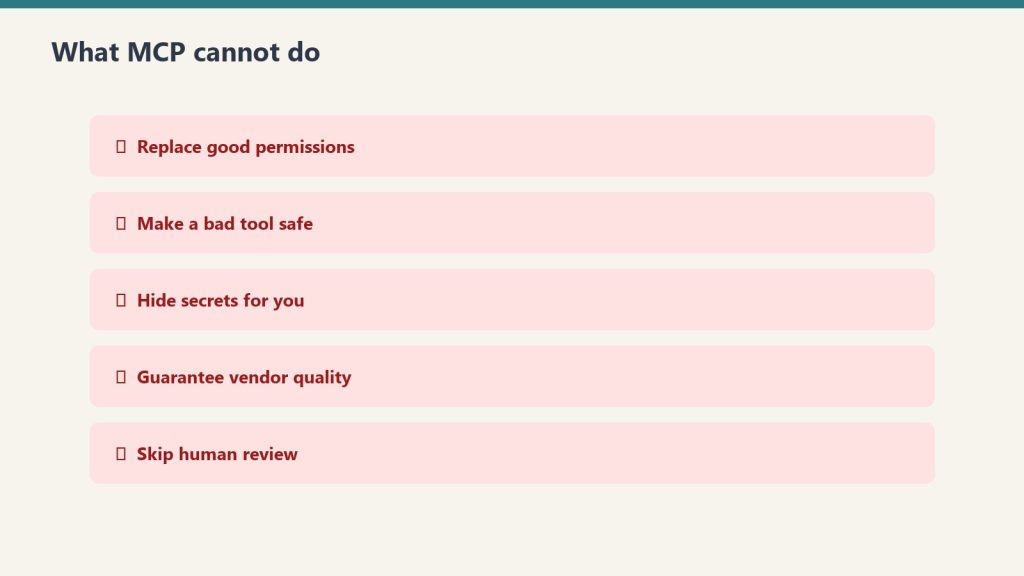
A few things worth understanding before you build on MCP:
MCP servers don’t persist between conversations. Each Claude session starts fresh. If you need state persistence, you need a server with its own storage layer (the Memory server handles this specifically).
MCP doesn’t bypass Claude’s safety guidelines. Claude still decides whether to execute a tool call based on safety and ethics reasoning. Connecting a filesystem server doesn’t give Claude unlimited license to delete files — Claude will still confirm before destructive operations.
Subprocess MCP servers are local. The stdio transport runs servers on your machine. This means they only work when you’re running Claude Code locally. For remote or team-shared access, you need HTTP/SSE transport with a hosted server.
Security Considerations
MCP servers have real permissions. The filesystem server can read and write files. The GitHub server can push code to your repos. The Postgres server can run SQL queries.
Apply the principle of least privilege:
- Scope filesystem servers to the directory you actually need, not
/ - Use read-only database credentials where you don’t need writes
- Create GitHub tokens with minimum required scope (e.g.,
repofor private repos, not org-level admin) - Never commit environment variables containing API keys to source control, even in
.claude/settings.json— use env var references instead
MCP servers run with the permissions of the user running Claude. If something goes wrong with a tool call, it can have real consequences. The upside: everything runs locally and through your own credentials — there’s no MCP cloud intermediary with access to your data.
MCP and Claude Code’s Agentic Workflows
The full power of MCP shows up in Claude Code’s multi-step agentic mode. When Claude Code has access to git, a filesystem, a browser, and a search tool simultaneously, it can execute workflows like:
- Search the web for a library’s current API (Brave Search)
- Read your existing code to understand the integration point (filesystem)
- Write the updated code (filesystem write)
- Run tests (bash)
- Create a PR (GitHub)
Each of these steps would require a separate tool in a traditional automation stack. With MCP, Claude orchestrates all of them within a single session, using whatever servers are available.
This is what makes MCP the infrastructure layer for agentic AI — not a feature, but the foundation that makes complex AI-driven workflows possible.
Related on Tygart Media: Claude MCP · Skills vs MCP vs plugins · how to use Claude.
Frequently Asked Questions
What does MCP stand for?
Model Context Protocol. It’s an open standard for connecting AI models to external tools, data sources, and services through a standard client-server interface.
Who created MCP?
Anthropic created MCP and released it as an open standard in November 2024. The specification and reference servers are open-source on GitHub. While Claude is the primary client, other AI systems can implement MCP clients too.
Do I need to install MCP to use Claude?
No. Claude works without any MCP servers. MCP is an extension layer — you add servers when you want Claude to access specific external systems. Claude Code also ships with a set of built-in tools (file operations, bash, web fetch) that don’t require MCP installation.
Is MCP available on Claude.ai (the web app)?
MCP server support is primarily in Claude Desktop and Claude Code. The Claude.ai web interface has its own tool integrations (web search, document analysis) but doesn’t support custom MCP servers in the same way.
What’s the difference between MCP tools and Claude’s native tools in Claude Code?
Claude Code’s native tools (Read, Write, Bash, Glob, Grep, WebFetch, Agent) are built into the application and don’t require a separate server process. MCP servers are external — they run as subprocesses or network services that Claude Code connects to. Both expose tools that Claude can call; the mechanism for loading them is different.
How do I build my own MCP server?
Anthropic provides official SDKs for building MCP servers in TypeScript, Python, Go, and other languages. The TypeScript SDK (@modelcontextprotocol/sdk) is the most mature. Start with Anthropic’s MCP documentation and the reference server implementations on GitHub as templates.
Last verified: June 12, 2026. MCP specification and server ecosystem evolve quickly — check the official Anthropic MCP documentation for the current spec.
Leave a Reply