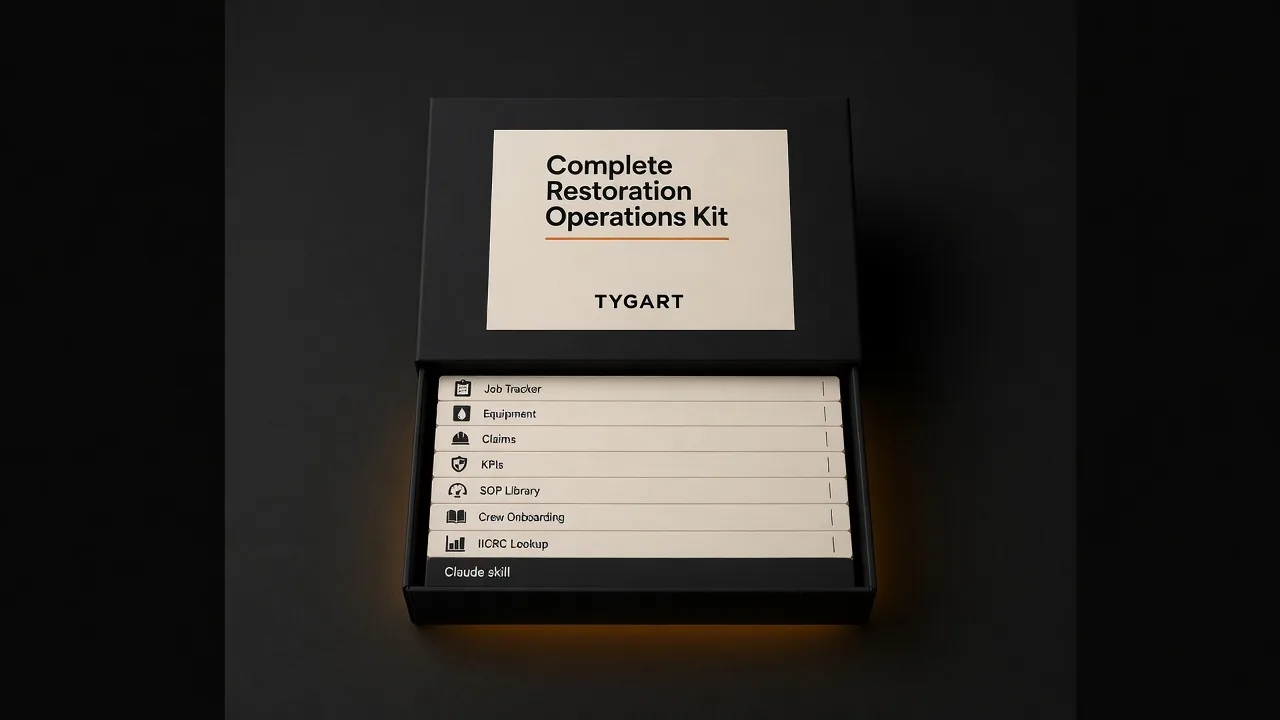
Every procedure your crew needs, documented and accessible — not a PDF that lives in a drawer.
Who This Is For
Who the SOP library is for.
Built for restoration owners who know their company needs documented procedures but have never had time to build them.
The Problem
The SOP coverage problem.
Most restoration companies run on institutional knowledge — what the senior tech knows, what the owner remembers, what got passed down verbally on the first job. That works until the senior tech leaves, or a new hire does something wrong, or an adjuster asks for your remediation protocol documentation. Every serious restoration company needs written procedures. Almost none of them have them.
Secure checkout via Square — all major cards accepted
Frequently Asked Questions
How is this delivered?
Within 24 hours of purchase via email from will@tygartmedia.com. You will receive a download link for the ZIP file and/or Notion duplicate link immediately.
Do I need any special software?
A free Notion account is required. No other software needed.
Can I customize this for my specific business?
Yes — that is the point. Everything is built to be edited. Swap in your company name, add your specific workflows, remove anything that does not apply. It is a starting point, not a locked template.
Is there a refund policy?
Because this is a digital product, all sales are final. If you have a problem with your purchase, email will@tygartmedia.com and we will sort it out.
Track every claim, supplement, authorization, and payment — nothing falls through the cracks.
Who This Is For
Who the insurance claims command center is for.
Built for restoration contractors who spend hours chasing adjusters, re-sending supplement requests, and discovering unpaid claims at month end.
The Problem
The claims coordination problem.
Insurance work is where restoration companies make their money — and lose it. A missed supplement, a forgotten authorization, an unanswered depreciation dispute. These are not small errors. Most restoration contractors are managing claims across spreadsheets, sticky notes, and email threads, hoping nothing slips. Something always slips.
What You Get
What you get with the claims command center.
Claims database: every active and closed claim with full status from FNOL to final payment
Supplement log: every request, every response, every pending item tracked
Authorization tracker: what has been approved, what is pending, what was denied and needs appeal
Payment reconciliation: expected vs. received, outstanding balance visible at a glance
Adjuster directory: contacts linked directly to their claims
Communication templates: pre-written supplement requests and depreciation dispute language
Restoration Insurance Claims Command Center
$29
Delivered to your inbox within 24 hours — no shipping, no waiting
Secure checkout via Square — all major cards accepted
Frequently Asked Questions
How is this delivered?
Within 24 hours of purchase via email from will@tygartmedia.com. You will receive a download link for the ZIP file and/or Notion duplicate link immediately.
Do I need any special software?
A free Notion account is required. No other software needed.
Can I customize this for my specific business?
Yes — that is the point. Everything is built to be edited. Swap in your company name, add your specific workflows, remove anything that does not apply. It is a starting point, not a locked template.
Is there a refund policy?
Because this is a digital product, all sales are final. If you have a problem with your purchase, email will@tygartmedia.com and we will sort it out.
This is the first article in the Restoration Financial Operations cluster under The Restoration Operator’s Playbook. The previous clusters describe the operational disciplines that produce excellent restoration work. This cluster is about whether those disciplines are actually producing the financial results the owner needs — and how to see the answer clearly.
The financial visibility gap is the most common operational blind spot in restoration
The financial visibility gap in restoration.
Most restoration owners can answer a simple set of financial questions at any given time. What was last month’s revenue. What was last quarter’s gross margin, approximately. How much cash is in the account today. Whether the company is profitable this year, roughly. These are the numbers most owners track, and tracking them feels like financial management.
It is not financial management. It is financial reporting, delivered at a cadence and a level of detail that tells the owner what happened in the past but not what is happening now. The gap between what the owner can see and what the owner needs to see is the financial visibility gap, and it is the most common operational blind spot in the restoration industry.
The visibility gap is not about accounting. Most restoration companies have competent accountants who produce accurate financials on a reasonable cadence. The gap is about operational financial visibility — the ability to see, in something approaching real time, what each active job is doing to the company’s financial health, where margin is being gained or lost, which decisions are producing which financial consequences, and whether the trajectory of the active book of work is heading toward a profitable quarter or a disappointing one.
Most owners cannot answer these questions with any specificity until weeks or months after the relevant period has closed. By then, the opportunity to change the outcome has passed. The owners who can answer these questions in real time are the ones making different decisions, producing different outcomes, and building different companies across years.
This article is about what the financial visibility gap actually looks like, why it persists even in companies that are otherwise operationally serious, and what closing it requires.
What the gap actually looks like
What the gap actually looks like.
To see the gap clearly, consider the specific financial questions that matter most for a restoration company’s operating decisions and how long each question takes to answer under the typical setup versus the ideal setup.
The first question is: what is the current margin on each active job? In the typical setup, this question cannot be answered with confidence until the job is closed and the final costs have been tallied. During the life of the job, the project manager may have a rough sense of whether the job is running profitably, but the rough sense is usually based on intuition rather than on live cost data. In the ideal setup, this question can be answered at any moment, for any active job, because the costs incurred to date are tracked against the approved scope in a system that the project manager and the operations leader can access.
The second question is: across all active jobs, what is the aggregate margin trajectory? In the typical setup, this question cannot be answered at all during the period. It can be reconstructed after the quarter closes by the accountant. In the ideal setup, this question can be answered at any time, because the job-level margin data feeds into a portfolio-level view that shows the aggregate picture.
The third question is: where is margin being lost? In the typical setup, this question can be answered only in retrospect and only with significant detective work. The accountant can identify that margin was lower than expected across the quarter, but tracing the underperformance to specific decisions on specific jobs requires pulling files, talking to project managers, and reconstructing what happened. In the ideal setup, this question can be answered in real time, because margin variances are flagged as they occur and attributed to specific causes.
The fourth question is: what is the company’s cash position going to look like in thirty, sixty, and ninety days? In the typical setup, this question is answered through the owner’s informal mental model of what is coming in and what is going out, supplemented by whatever the accountant can project. In the ideal setup, this question is answered by a cash flow projection that draws on the active job data, the expected payment timing, and the known obligations across the coming months.
The fifth question is: are the operational investments we are making — in documentation, in AI, in training, in the operating system as a whole — producing measurable financial returns? In the typical setup, this question cannot be answered at all because the financial data is not granular enough to connect operational investments to financial outcomes. In the ideal setup, this question can be answered, at least approximately, because the financial data is organized in a way that allows the comparison.
Each of these questions matters for operational decision-making. Each of them is unanswerable in the typical setup and answerable in the ideal setup. The gap between the two setups is the financial visibility gap.
Why the gap persists
The financial visibility gap persists even in companies that are otherwise operationally serious for several specific reasons.
The first reason is that the accounting function and the operations function are usually separate and operate on different cadences. The accountant works on a monthly or quarterly cycle, producing financials that are accurate but that reflect the past. The operations team works on a daily cycle, making decisions that affect the financial future. The two cycles are not connected in real time, which means the operations team is making financial decisions without current financial data.
The second reason is that job-level cost tracking is hard. Tracking the cost of every line item on every job as it is incurred, in a way that can be compared against the approved scope in real time, requires operational discipline and software integration that most restoration companies have not invested in. The alternative — waiting until the job closes to calculate the margin — is dramatically simpler and has been the industry default for decades.
The third reason is that most restoration owners came up through operations, not finance. The operational instincts that make a great PM or a great GM are not the same instincts that make a great financial operator. The owner who is operationally brilliant may be financially competent but not financially disciplined in the way that closing the visibility gap requires. The gap persists because the owner’s natural attention goes to the operational work rather than to the financial visibility that would make the operational decisions better.
The fourth reason is that the software tools available to restoration companies have historically been poor at operational financial visibility. Most restoration operations software is designed around job management, not financial management. The financial features that exist are typically bolt-ons rather than core capabilities, and they often require manual data entry that the operations team does not consistently perform. Better tools are emerging but are not yet universally adopted.
The fifth reason is that closing the gap requires behavior change across the team, not just a software purchase. The project manager has to enter cost data as it is incurred. The supervisor has to track labor hours against job budgets. The estimator has to maintain the scope-versus-cost comparison throughout the life of the job. Each of these behaviors is additional work for people who are already busy. Without owner commitment to the behavior change and sustained enforcement, the gap persists regardless of what software is in place.
What closing the gap requires
Closing the financial visibility gap requires investment across three dimensions simultaneously. Software alone is not sufficient. Behavior change alone is not sufficient. Process redesign alone is not sufficient. All three together produce the visibility.
The first dimension is the system. The company needs a system — whether operations software, a financial overlay, or a purpose-built reporting capability — that can track job-level costs in real time, compare them against approved scope, and surface variances as they occur. The system does not need to be expensive. It does need to be designed for operational use rather than for accounting use, which means it needs to be fast to update, easy to query, and integrated into the tools the operations team already uses.
The second dimension is the process. The company needs a defined process for how financial data gets into the system. Who enters labor hours. When material costs are recorded. How sub invoices are matched to jobs. How scope changes are reflected in the financial model. Each of these process questions has to be answered specifically and the answers have to become part of how the company operates. The process is what makes the system usable.
The third dimension is the behavior. The team has to actually follow the process. This requires owner commitment, sustained enforcement, and cultural reinforcement that the financial visibility matters. The first few months of any financial visibility initiative are the hardest, because the behaviors are new and the team is uncertain about whether the effort is worth it. The companies that push through the initial resistance and establish the behaviors as normal produce the visibility. The companies that let the initiative fade produce a partly-populated system that no one trusts.
The owner’s role in closing the gap is to commission the system, design the process, and sustain the behavior. The owner does not need to do the data entry. The owner does need to visibly use the data the system produces, in daily and weekly decisions, so that the team understands the data matters. Owners who commission the system but do not use the data produce teams that enter the data grudgingly and eventually stop.
What visibility produces when it exists
Companies that have closed the financial visibility gap describe a consistent set of effects.
The first effect is better in-flight decision-making on active jobs. Project managers who can see the margin position of their active jobs in real time make different decisions than project managers who are guessing. They intervene earlier when a job is trending toward margin erosion. They prioritize differently when multiple jobs are competing for attention. They negotiate scope changes with more confidence because they know what the financial stakes are.
The second effect is earlier identification of systemic margin problems. When the aggregate portfolio view shows a pattern of margin compression across a category of jobs — a specific type of work, a specific carrier, a specific geography — the operations leader can investigate the cause while it is still actionable. Without the aggregate view, the same pattern continues for months or quarters before it becomes visible in the accounting reports, by which time significant margin has been lost.
The third effect is better operational investment decisions. When the company can connect operational investments to financial outcomes — the documentation improvement that reduced estimator rework, the training investment that improved first-pass quality, the AI deployment that accelerated scope review — the owner can make rational decisions about where to invest next. Without the connection, operational investments are made on instinct and defended on faith.
The fourth effect is better conversations with stakeholders. Owners who can speak to the financial performance of their companies in real time have better conversations with bankers, investors, carriers, and anyone else who cares about the company’s financial health. The conversations are more credible, more detailed, and more productive.
The fifth effect is reduced financial stress. Owners who can see what is happening financially in real time experience less anxiety than owners who are guessing until the quarterly reports arrive. The psychological benefit of financial visibility is real and affects the owner’s decision quality across every other dimension of the business.
Each of these effects is meaningful. Together they produce a company that operates with a financial sophistication that the typical restoration company does not have. The sophistication does not require the owner to become a financial expert. It requires the owner to invest in the system, process, and behavior that produce the visibility and to use the visibility in their decisions.
Where to start
Where to start.
If you run a restoration company and you recognize the financial visibility gap in your own operations, the starting point is smaller than the full ideal described above.
The first step is to implement job-level margin tracking on the next ten jobs the company opens. Not the full book. Ten jobs. The goal is to learn what the tracking process needs to look like, what data needs to be captured, and what the barriers to consistent capture are. The ten-job pilot produces lessons that inform the broader rollout.
The second step is to build the aggregate portfolio view from the pilot data. What does the margin picture look like across the ten jobs? Where is margin being gained or lost? What patterns emerge? The aggregate view, even on a small sample, demonstrates the value of the visibility and generates the organizational energy to expand the pilot.
The third step is to expand the tracking to the full book of active work, with the process and behavior refinements that the pilot surfaced. The expansion takes sustained owner attention across several months. By the end of the expansion period, the company has financial visibility that the typical competitor does not, and the decisions that flow from the visibility start producing measurable financial benefits.
The financial visibility gap is the most common operational blind spot in restoration. Closing it is not technically difficult. It requires sustained investment in system, process, and behavior. The companies that close it operate with a financial sophistication that their competitors cannot see and cannot easily replicate. The companies that do not are making their most important decisions in the dark.
Next in this cluster: job-level WIP discipline — the specific financial practice that separates growing companies from treading-water companies, and what it takes to implement it well.
This is the fifth and final article in the Crew & Subcontractor Systems cluster under The Restoration Operator’s Playbook. It builds on the previous four articles in this cluster.
The companies that say yes have something the others do not
Companies that say yes already have reserve capacity.
In any restoration market, two kinds of companies coexist. The first kind says yes to opportunities as they arrive. The storm event that requires immediate response. The complex commercial loss that requires rapid scaling. The carrier program expansion that requires capacity in a new geography. The high-value residential job that requires specialized capabilities. The first kind of company finds a way to take on the work, executes it well, and benefits from the strategic positioning that follows.
The second kind of company says no, regretfully, because it does not have the capacity. The opportunity goes to the first kind of company. The relationship that would have followed from saying yes never develops. The strategic positioning that the first kind of company captures becomes a positioning the second kind of company will need to compete against for years.
The difference between the two kinds of companies is not necessarily quality. Both can do excellent work when staffed appropriately. The difference is reserve capacity. The first kind of company has built the sub bench that allows it to surge when conditions demand surging. The second kind of company has not, and the absence is the structural reason it cannot say yes.
The sub bench is one of the most strategically important capabilities a restoration company can build, and it is also one of the most underdiscussed. This article is about what the sub bench actually is, why it cannot be assembled in the moment when capacity is needed, and what the long-term work to build one looks like.
What the sub bench actually is
What the sub bench actually is.
The sub bench is the collection of qualified subcontractors that a restoration company can call on, beyond its inner-circle network described in the end-in-mind subcontracting article, when the work volume exceeds what the inner circle can handle. The bench is structured. It is intentional. It is maintained. It is not a list of phone numbers in a project manager’s contacts that happen to be subs the company has worked with.
The bench has several specific characteristics that distinguish it from a casual sub list.
The first characteristic is qualified relationships. Every sub on the bench has been worked with previously, has met the company’s standards on prior jobs, and has a documented track record that the company can refer to when assessing whether to deploy them on a particular job. The bench is not aspirational. It is empirical.
The second characteristic is layered structure. The bench has tiers. The inner circle is one tier. The next tier is the second-call subs — qualified, capable, used regularly enough to be trusted but not deeply integrated into the company’s operating system. The next tier is the third-call subs — qualified for specific kinds of work but used infrequently enough that significant briefing is needed when they are called. The next tier is the surge tier — subs identified through reputation or vetting but not yet deployed, available for emergency capacity scaling. Each tier has different deployment protocols, different oversight requirements, and different roles in the bench’s overall capacity.
The third characteristic is geographic and capability coverage. The bench includes subs across the company’s geographic footprint and across all the trades the company performs work in. The coverage is deliberate. Gaps in the coverage are recognized and worked on. The company knows where its bench is thin and where it is deep.
The fourth characteristic is active maintenance. Subs on the bench are deployed with some frequency, even when capacity is not the constraint, to keep the relationship warm and to maintain the company’s familiarity with their work. A bench that is not exercised becomes stale. Subs lose the working relationship with the company. The company loses confidence in the sub’s current capability. By the time capacity is needed, the bench that was not maintained is no longer functional.
The fifth characteristic is professional administration. Subs on the bench are paid promptly, communicated with respectfully, and treated as professionals whose work matters. The administrative discipline is what keeps subs willing to be on the bench. Subs who are paid late, communicated with poorly, or treated transactionally drop off the bench, often without telling the company. By the time capacity is needed, the bench has eroded silently.
Each of these characteristics requires deliberate work to maintain. The work is not large in any single moment. It is constant in aggregate. Companies that do the work have benches that can be deployed when needed. Companies that do not have lists of phone numbers that may or may not produce capacity when called.
Why the bench cannot be assembled in the moment
The most common reason restoration companies do not have functional benches is that they expect to assemble capacity reactively when needed. The expectation is that when a major loss event happens, the company can call subs they have heard of, vet them quickly, and bring them onto the job. The expectation is wrong, and the reasons are structural.
The first reason is that good subs are busy when capacity is most needed. The storm event that creates the surge demand for the restoration company also creates surge demand for every other restoration company in the region, all of whom are calling the same potentially available subs. Subs with strong reputations are committed to longstanding customers first. The casual caller without an existing relationship is at the back of the line.
The second reason is that vetting takes time the surge moment does not allow. Confirming that a sub has the right insurance, the right certifications, the right capability for the specific work, the right references, and the right alignment with the company’s standards takes hours or days. The surge moment requires capacity now. Companies trying to vet subs in the moment either deploy unvetted subs and accept the quality risk or fail to deploy capacity and lose the work.
The third reason is that briefing takes time and trust. A sub who has worked with the company before knows the company’s standards, the documentation expectations, the communication norms, and the operational rhythm. A sub who is being deployed for the first time has to be briefed on all of these, in a moment when the company’s senior team is least able to provide thorough briefing. The brief that should have happened over months of normal-volume work is being attempted in a single conversation under time pressure, and the result is predictably uneven.
The fourth reason is that the operational integration that makes sub work go well does not exist on first deployment. The familiarity with the company’s processes. The relationships with the company’s project managers. The understanding of what the company’s customers expect. The knowledge of how the company handles common situations. These are built through repeated interaction, not through a single emergency deployment.
The companies that have figured out reserve capacity have understood that the bench has to exist before it is needed. The work to build the bench is done in normal-volume periods, when the company has time and attention to invest in the relationships. The bench then exists when the surge moment arrives, and the company can deploy it confidently rather than trying to assemble it on the fly.
What building the bench looks like in practice
What building the bench looks like in practice.
Building a real sub bench is a multi-year discipline that follows a specific pattern in the companies that have done it well.
The first piece is identifying the subs to invest in. The senior team identifies, across each trade and each geography, the subs who would be valuable to have on the bench. The identification draws on existing relationships, on industry reputation, on referrals from other contractors, and on direct outreach to subs the company has not previously worked with. The list is curated rather than indiscriminate.
The second piece is initial deployment on appropriate work. New subs are deployed first on jobs that are not high-stakes — work that allows the company to evaluate the sub’s quality, communication, and reliability without exposing the company to significant risk if the sub does not perform. The initial deployments produce data about whether the sub belongs on the bench at all and at what tier.
The third piece is deliberate progression up the tiers. Subs who perform well on initial deployments are moved to more frequent and more significant work. The progression continues across months and years, with each successful deployment building the relationship deeper and earning the sub a higher position in the bench structure.
The fourth piece is documentation of the bench itself. Each sub on the bench has a documented record — what trades they perform, what geographies they serve, what their capacity looks like, what jobs they have completed for the company, what their performance has been, what their preferences are about communication and coordination, what their pricing looks like, what notes are relevant from the senior team’s experience with them. The documentation lives in a system that the operations team can access, not in any single person’s head.
The fifth piece is regular review of the bench’s overall health. The senior team reviews the bench periodically — usually quarterly — to identify gaps, to assess whether subs at each tier are being deployed appropriately, to identify subs whose performance has slipped and who need to be addressed, and to identify new subs who should be added to the development pipeline. The review keeps the bench from drifting into staleness.
The sixth piece is investment in the relationships beyond the immediate work. The same investment patterns that build the inner-circle network apply to the broader bench, scaled appropriately. Inner-circle subs warrant the deepest investment. Bench subs warrant proportionally lighter but still real investment. The investment is what keeps the bench warm and functional over years.
The seventh piece is realistic expectations about bench depth. The bench does not need to include every possible sub in the local market. It needs to include enough subs in each trade and each geography to absorb the kinds of surge demand the company expects to face. Companies that try to build infinite benches dilute their attention and produce thin relationships across many subs rather than strong relationships across the right number. The right number is bench-by-bench specific and depends on the company’s typical work volume and surge patterns.
The strategic value of having the bench
For companies that have built strong benches, the bench represents a strategic asset whose value shows up in specific ways across the year.
The asset enables saying yes to surge opportunities. Storm events. Catastrophe response. Carrier program expansions. Large commercial losses. Each of these creates moments when the company can either capture significant strategic value by saying yes or watch the value go to a competitor. The bench is what makes the yes possible.
The asset enables predictable cycle times even during peak demand. Companies without benches see cycle times stretch dramatically when work volume rises. Carriers and TPAs notice the cycle time degradation. Customer satisfaction declines. Companies with benches absorb the volume with less cycle time impact and preserve the operational metrics that drive program standing.
The asset enables strategic geographic expansion. Companies considering opening in a new geography can use bench relationships in the new market to get started without immediately building a full inner circle. The bench provides the bridge capacity while the inner circle is being developed. Companies without bench relationships in new markets have to build everything from scratch, which slows expansion considerably.
The asset enables strategic vertical expansion. Companies considering entering a new service line — historic restoration, large-loss commercial, specialty work — can use bench subs with the relevant capabilities to test the market without immediately building the in-house capability. The bench is the optionality that allows the company to explore.
The asset enables resilience during inner-circle disruption. When an inner-circle sub goes through a period of difficulty — staffing problems, financial stress, owner transition — the bench provides backup capacity until the inner-circle relationship recovers or until a replacement is identified. Companies without bench depth experience inner-circle disruption as immediate operational pain.
The asset enables negotiating leverage with all subs, including the inner circle. Subs who know the company has alternatives operate differently than subs who know the company has no alternatives. The bench’s existence keeps every sub relationship healthy in ways that the company-with-no-alternatives cannot replicate.
None of these benefits is captured by simply having phone numbers for additional subs. All of them require the bench to be real, vetted, maintained, and ready for deployment.
What this means for owners
If you run a restoration company and your sub capacity is essentially the inner circle plus whoever you can call in an emergency, the practical implication of this article is that the absence of a real bench is constraining what your company can say yes to and what strategic positioning you can capture.
The starting point is to recognize the bench as a strategic asset that deserves deliberate investment, not as something that exists incidentally. The recognition itself is often the missing piece.
The medium-term work is to begin building the bench through the practices described above. Identify the subs to invest in. Deploy them on appropriate work. Document the bench. Maintain the relationships. Review the bench’s health regularly. The work takes years to produce a fully functional bench, and the work has to start now if the bench is going to exist when it is needed.
The long-term result is a company that can say yes to opportunities other companies have to decline. The strategic value of being the company that can say yes compounds across years and produces market positions that the perpetually-stretched companies cannot easily reach.
The cluster ends here
The five articles in this cluster describe the labor and execution layer of the restoration operating system. The labor environment has changed structurally. Field retention is its own discipline. Scheduling is an operating system problem. Quality is a continuous practice. The sub bench is what allows the company to say yes.
Each of these capabilities can be built deliberately. None of them is built quickly. All of them compound across years into a company that operates measurably differently from competitors who have not invested in them.
The Crew & Subcontractor Systems cluster is closed. The remaining clusters in The Restoration Operator’s Playbook address financial operations and the modern restoration marketing stack. Each cluster compounds with the others. The full body of work, when complete, gives operators a durable mental architecture for the most consequential decade in the industry’s history.
The companies that read this body of work and act on it will know what to do. The rest will find out later.
The mitigation crew is photographing for two audiences. They only know about one.
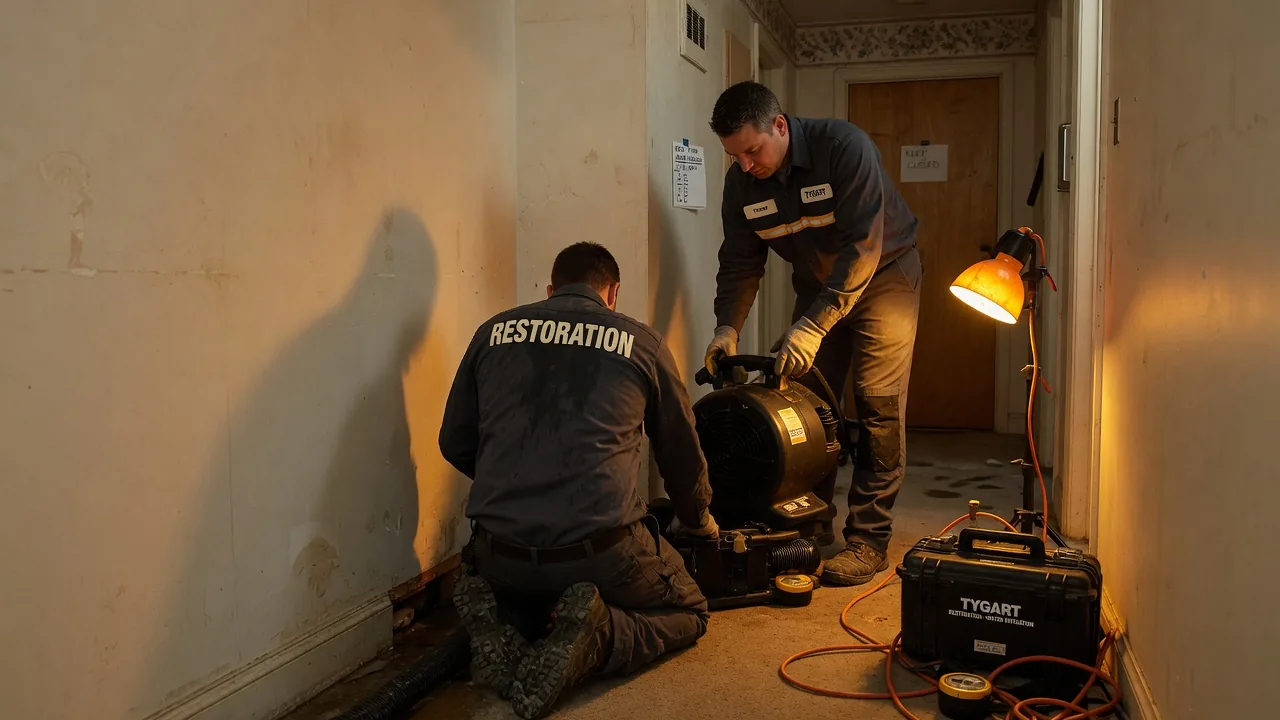
Watch a mitigation tech document a water loss and you will see them taking photos with one audience in mind: the adjuster. Wide shots of the affected area. Close-ups of the moisture meter readings. The hose entry point. The water source. A few establishing shots that prove the loss happened, that prove the work was done, and that defend the bill if the carrier ever pushes back.
Those photos are necessary. They are not sufficient.
There is a second audience for those photos that almost no mitigation tech is trained to think about: the reconstruction estimator who will open the file two days later and try to scope the rebuild from a cold read. That estimator needs an entirely different set of photos to do their job well. They need to see things the adjuster does not need to see and does not care about. They need to see them at angles, in lighting, and at distances that the adjuster shoot will never produce.
The mitigation crew is photographing for two audiences and only being trained for one. The result is that the rebuild estimator either has to send someone back to the site to take the photos that should have been taken on day one, or they have to scope the job from incomplete information and absorb the cost of every guess that turns out to be wrong.
This is one of the cleanest, lowest-cost, highest-leverage operational fixes in the entire industry. It also requires precisely zero new technology. It requires a documented protocol and a half-day of training.
What the adjuster needs to see
To make the two-audience problem concrete, start with what the adjuster needs and what they do not need.
The adjuster needs proof of loss, scope of damage, evidence of mitigation work performed, and documentation of any pre-existing conditions that bear on the claim. Their visual diet is wide shots that establish the room and the affected area, close-ups that document moisture readings and visible damage, equipment placement shots that prove drying was performed appropriately, and any photos that protect the file against pre-existing condition disputes.
The adjuster does not need photos that capture the specific finish profile of the baseboard, or the exact pattern of the LVP, or the texture rake on the ceiling, or the cabinet kick reveal, or the trim casing at the door jambs. None of that is relevant to validating the claim. None of it gets shot, in most companies, because the tech is shooting for the audience they have been trained to serve.
What the rebuild estimator needs to see
The rebuild estimator opening the file two days later needs an almost entirely different set of images.
They need finish profile shots. The exact baseboard profile, captured at an angle that lets them identify the manufacturer or, if the trim is custom, lets them estimate what it would cost to mill a match. They need close-ups of the casing, the crown, and any specialty trim that the homeowner will expect to be matched at the rebuild.
They need texture shots. Ceiling texture is the single most argued-about finish detail in residential reconstruction. A close-up of the existing ceiling texture under raked lighting, captured before any demo begins, is the difference between a clean texture match and a callback. Wall texture matters less but is not zero. The estimator needs both.
They need flooring shots that capture pattern, plank width, color, and the pattern interruption at any transition the rebuild team is going to have to handle. A photo of an LVP floor that shows where the existing pattern would terminate at a rebuild seam is worth ten phone calls during the rebuild.
They need cabinet shots that capture not just the face but the construction. The reveal at the kick. The hinge style. The door overlay. The drawer slide type, captured from inside the drawer. Whether the boxes are face-frame or frameless. Whether the finish is paint, stain, thermofoil, or laminate. Each of these affects whether a partial repair is possible and what it would cost.
They need door and casing photos at every door inside the affected area, captured before any baseboard or casing is removed. The photo set should include the casing profile, the door slab, any hardware detail that is a notable spec, and the threshold or transition at the floor.
They need fixture shots. Light fixtures, switch and outlet plate styles, any specialty hardware that will need to be matched. Most of these do not get touched by mitigation, but the rebuild often involves restoring a finished space that includes them, and the estimator who has photos of the existing condition writes a tighter scope than the one who is guessing.
They need reference shots from unaffected areas. A photo of the same flooring in the next room, captured before the mitigation crew works the affected area, gives the rebuild team a continuity reference that becomes invaluable when matching transitions.
And they need the worst-case shot for every condition that is going to be a question. If there is any doubt about whether subfloor will need to be replaced, an extra shot of the subfloor through the mitigation cut is cheap. If there is any doubt about whether wall insulation is wet or dry behind a partial removal, an extra shot is cheap. The cost of a few extra photos is zero. The cost of being wrong about a condition six weeks later is real.
The protocol that solves both audiences
The companies that have addressed this problem have written and trained on a single combined photo protocol that satisfies both the adjuster and the rebuild estimator. The protocol typically organizes around four moments in the job lifecycle, with a defined photo set at each moment.
The first moment is on arrival, before any work begins. This is the largest set, because the structure is being captured in its pre-mitigation state, which is the only state in which finish details, undamaged reference areas, and pre-existing conditions can be documented. The arrival set includes wide establishing shots of every affected room, finish profile close-ups for every category of finish present, reference shots from unaffected areas, and any pre-existing condition documentation. The arrival set is the one that, if neglected, can never be recovered. Once mitigation begins, the original conditions are gone.
The second moment is during demo, capturing what is being removed and the conditions revealed underneath. This set serves both audiences — the adjuster needs evidence of the work and the conditions, and the rebuild team needs to see what is behind the walls, under the floors, and inside the cabinet cavities. The during-demo set should always include shots of any unexpected condition discovered during demo, captured before anything is altered.
The third moment is post-demo, with the structure exposed and equipment in place. This set is mostly for the adjuster file, but the rebuild team uses it to confirm what was actually removed and what was left, and to plan the rebuild scope against the now-visible substrate.
The fourth moment is at the close of mitigation, before equipment is removed and the file is handed to the rebuild team. This set captures the final dried state, the moisture readings that document successful dryout, and a clean condition photo of the structure as it is being passed off. The final set is the rebuild team’s starting condition, and a clean version saves hours of confusion at the start of the rebuild.
Each moment in the protocol has a checklist. The checklists are short — usually six to twelve items per moment — and they are oriented around the categories of decisions the rebuild team will have to make. The crew runs the checklist on every job. Over time, the checklist becomes habit and the protocol becomes invisible.
Documentation discipline beyond photos
Photos are the most visible part of the documentation problem, but they are not the only part. The handoff package the mitigation team leaves for the rebuild team has several components, and each one matters.
Moisture readings have to be captured in a way that gives the rebuild estimator confidence that the structure is genuinely dry, not just signed off as dry. Date-stamped readings at the close of mitigation, organized by location, are the standard. Companies that maintain this discipline rarely get into rebuild-side disputes about hidden moisture. Companies that do not, regularly do.
Equipment placement records — what was placed where, for how long, and what readings each piece produced — serve both the carrier file and the rebuild team’s confidence that the dryout was complete.
The mitigation supervisor’s notes are the most underrated document in the entire handoff. A few paragraphs, written by the supervisor at the close of mitigation, summarizing what was found, what was done, what surprised them, and what the rebuild team should know going in, is worth more than the entire automated dryout report. Most companies do not require these notes, and most rebuild teams have learned to do without. The companies that do require them have a different kind of handoff.
The pre-existing condition log is its own document. Every condition observed on arrival that is not part of the loss but that the rebuild team needs to know about — the prior repair in the corner, the settled floor, the existing crack, the homeowner-installed surface that does not meet code — gets logged with photo references. This protects the company against post-rebuild disputes and gives the rebuild team a clear understanding of what is theirs to fix and what is not.
The training that makes it stick
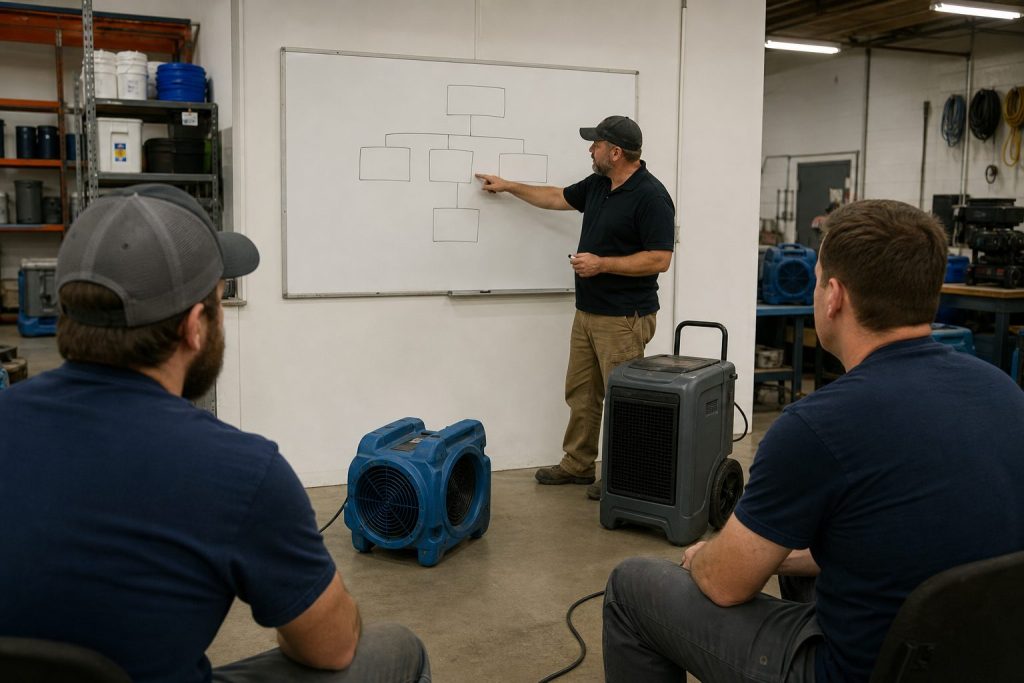
None of this matters without training, and the training has a specific shape. Sending the protocol document to the crew and asking them to follow it produces no behavior change. The companies that have implemented working photo discipline have done it through field training led by someone who has done both sides of the job.
The training is not classroom. It is on a real job, with a real loss, with the senior trainer walking the crew through each photo moment as it happens, explaining the audience and the reasoning. The crew shoots the protocol shots and the trainer reviews them, calls out the ones that miss the rebuild estimator’s needs, and has them reshoot. After two or three jobs done this way, the protocol becomes the crew’s habit.
The reinforcement comes from the rebuild side. When a rebuild estimator opens a file and finds it complete, they say so to the mitigation team. When they open one and find it incomplete, they flag it specifically — not as a complaint, but as feedback that goes into the next training rev. The two functions sharing accountability for documentation quality is what keeps the protocol alive over years.
Why this is more important now than it was three years ago
The two-audience photo problem is not new. The reason to address it now is that the cost of getting it wrong is rising faster than most operators have noticed.
Carrier and TPA scrutiny on documentation has tightened. Files with thin documentation get more pushback than they used to. Files with rich documentation get faster approvals, fewer reopenings, and better program standing.
Homeowners have higher expectations than they did five years ago about what a competent restoration job looks like. The rebuild that misses a finish detail because the mitigation crew did not capture it gets noticed and reviewed publicly.
And the companies that are putting AI-assisted tooling on top of their operations need photo and documentation discipline to make those tools work. An AI system asked to help scope a rebuild from a cold file performs as well as the file allows. Companies with tight documentation discipline can put modern tools on top of it and get force multiplication. Companies with loose documentation discipline can buy the same tools and get nothing, because the tools have nothing to work with.
The crew taking the photos does not need to know any of that. They need a protocol, training, and feedback. The owners and operators above them need to know why it matters and need to invest in making the protocol the standard. The companies that do the investment are quietly building one of the most durable operational advantages available in the industry. The ones that don’t are about to keep paying for guesses for the rest of the decade.
Next in this cluster: the feedback loop architecture that turns rebuild discoveries into the next revision of the prep standard, and the shared metrics that hold the mitigation and reconstruction functions accountable to the same scoreboard.
If the mitigation-to-reconstruction handoff is the most expensive moment in restoration, the documented mitigation prep standard is the operational artifact that converts that expense into an advantage. It is also the artifact that almost no one in the industry actually has.
Operators talk about prep standards all the time. They mean different things by the phrase. Some mean a set of unwritten norms that the senior crew carries in its head. Some mean a few pages in an employee handbook that nobody references after the first day of orientation. Some mean a software workflow that captures dryout readings and calls itself a standard. None of those are the thing.
The thing is a written, version-controlled, operationally specific document that tells a mitigation tech how to make the cut, demo, removal, and documentation decisions that have downstream reconstruction consequences. It is the single most important operational document a restoration company will ever produce, and the companies that have built one know it.
This article is a description of what such a standard actually contains, how it gets written, and why most attempts to build one fail.
What a real prep standard contains
A working prep standard is not a manual. It is a decision aid for the moments when a mitigation tech is standing in a structure with a utility knife in their hand and a sixty-second window to make a choice that the rebuild team will live with for the next ninety days. The standard has to be specific enough to produce a different decision than the tech’s instinct would, in the cases where the tech’s instinct is wrong.
The categories of decisions it has to address fall into a predictable pattern across most water and fire losses.
The first category is cut decisions on drywall. How high to cut. Whether to cut along a stud line or use a flood cut. How to handle the meeting points between affected and unaffected areas in a way that produces a clean rebuild seam. How to handle ceilings where the cut decision interacts with insulation and texture matching. The standard names the default choice for each of these, the conditions under which the default changes, and the conditions under which the tech is expected to call a supervisor before cutting.
The second category is removal decisions on baseboards, trim, casing, and crown molding. Whether to remove and reuse, remove and discard, or leave in place and treat. The default choice is rarely the same across all conditions — paint-grade and stain-grade trim warrant different defaults, modern composite trim warrants a third, and historical or custom-milled trim warrants a fourth. The standard documents which is which and how to identify each in the first ten minutes on site.
The third category is flooring. Where the cut line goes, how to handle transitions to unaffected areas, when to remove pad versus pad and carpet, when to remove tile versus dry in place, how to handle engineered hardwood versus solid, how to handle LVP and the specific question of whether to lift to a natural transition. This is the category where the rebuild team is most often blindsided by mitigation decisions, because flooring rebuild aesthetics are entirely a function of where the mitigation crew chose to stop cutting.
The fourth category is cabinetry, vanities, and built-ins. When to remove the kicks. When to pull cabinets entirely. When to drill weep holes. When to dry in place with cavity drying. The standard has to acknowledge that these decisions are partly a function of the cabinet construction, partly a function of how the rebuild team prefers to receive the job, and partly a function of carrier expectations. The default choices and the override conditions need to be specified.
The fifth category is documentation: photo angles, lighting conditions, what to capture before any work begins, what to capture during demo, what to capture after demo, how to label, how to organize for both the carrier file and the rebuild estimator. This is the category most undervalued by operators who have never been the rebuild estimator opening the file two days later. Documentation discipline that is built around the rebuild estimator’s needs prevents the largest single source of wasted estimator hours in the industry.
The sixth category is communication: when the mitigation supervisor calls the rebuild team, when the rebuild team is brought to site, when the homeowner is told what to expect about the rebuild, who owns each conversation. Communication failures account for a surprising fraction of the friction the rebuild team encounters, and most of those failures are fixable with a written protocol about who talks to whom when.
How a real prep standard gets written
The standard cannot be written by a single person sitting in an office. It also cannot be written by a committee. The companies that have produced working standards have followed a specific pattern.
The work begins with one operator who has done both sides of the job — mitigation and reconstruction — and who has the credibility internally to make decisions stick. That operator is the author. Not a committee chair. The author. They are responsible for the document being good and for it being adopted.
The author starts not with their own knowledge but with the recent failure log. The last ninety days of completed jobs, walked one by one with the reconstruction estimator and the mitigation supervisor. For each job, the question is the same: where did the rebuild team have to do extra work, eat margin, or take a homeowner concession because of a mitigation decision? Each instance gets logged, categorized, and converted into a decision rule that, if it had been in place at the time, would have prevented the problem.
The first draft of the standard emerges from this exercise. It is not comprehensive. It is not elegant. It addresses the specific failure modes the company has actually experienced. That focus is a feature, not a bug. A standard that tries to cover every conceivable scenario gets ignored. A standard that addresses the twenty things that go wrong most often gets used.
The first draft then gets pressure-tested in two ways. The mitigation crew leads read it and challenge anything that seems impractical, slow, or based on a misunderstanding of how the work actually happens in the field. The rebuild estimators read it and flag anything that does not actually solve the rebuild problem they were complaining about. Both groups have to feel ownership before the standard ships.
Then it ships. Not as a binder. As a short, scannable document — usually ten to twenty pages — that lives in the company’s operational system, is referenced in every job kickoff, and is the basis for the company’s mitigation training program.
And then, critically, it gets revised every quarter. The companies that have done this for several years describe their current standard as “version eleven” or “the November rev.” It is a living document. The day it stops being revised is the day it starts being ignored.
Why most attempts to build one fail
Most companies that try to build a prep standard fail. The failure modes are predictable.
The first failure mode is committee authorship. A standard written by consensus reads like a treaty. It hedges every decision, includes too many exceptions, and produces no behavior change. The author has to be one accountable person.
The second failure mode is starting from theory instead of failure. Standards written from first principles or from industry best practices end up being too generic to change anything in the field. The standard has to come out of the company’s actual recent failures, because those are the failures the field crew will recognize and accept guidance on.
The third failure mode is over-comprehensiveness. A two-hundred-page standard does not get read. A standard that addresses the twenty most common decision points and is honest about not addressing the rest is the one that gets used. Coverage is not the goal. Behavior change on the highest-value decisions is the goal.
The fourth failure mode is publishing without training. A document that is sent out with a memo gets ignored. A document that is the basis for a half-day field training, with the senior author walking the crew through each decision and the reasoning behind it, gets adopted. The training is part of the standard, not a follow-up to it.
The fifth failure mode is no revision cadence. Standards that ship and then sit on the server for two years stop matching the current state of the work. The crew learns to disregard them. A quarterly revision cycle, even if most quarters only produce small updates, keeps the document credible.
The sixth failure mode is treating the standard as the property of the operations function alone. A standard that the mitigation crew owns but that the rebuild team does not actively use as a quality scorecard is half a standard. The rebuild team has to be empowered to flag deviations, and the flags have to feed back into the next revision. Without that loop, the standard ossifies.
What the standard does to the company
The companies that have built and maintained a real prep standard for several years tend to describe similar effects. None of the effects are about the standard itself. They are about what the standard makes possible.
The first effect is on training. A new mitigation tech can be brought from green to credibly autonomous in a fraction of the time a similar tech would take in a company without a standard. The standard is the curriculum. The senior tech who would have been burned mentoring one apprentice at a time can mentor a whole class against the standard, with much higher consistency in the output.
The second effect is on rebuild margin. The rebuild estimators stop encountering the surprises that used to eat their hours. Estimates get written faster, get approved faster, and produce fewer scope arguments. The margin recapture from this effect alone usually pays for the standard work many times over within the first year.
The third effect is on customer experience. The handoff feels different to the homeowner. The mitigation crew leaves a job that the rebuild team can pick up cleanly, which means the rebuild starts faster, runs cleaner, and finishes with a homeowner who feels the company knew what it was doing the whole way through. Five-star reviews go up. Complaints go down.
The fourth effect is on the relationship with carriers and TPAs. The pattern of clean files, clean scope discussions, and rare disputes gets noticed. Program placement improves. Referral flow improves. The carrier-side reputation compounds in a way that takes years to build but is durable once built.
The fifth effect is on the company’s ability to absorb new technology. A documented standard is the substrate that makes AI-assisted operations possible. Software that is asked to apply judgment to new situations performs as well as the documented judgment it has access to. Companies with a real standard can plug new tools in and get force multiplication. Companies without a standard buy tools and watch them fail to deliver, because the tools have nothing to ground their decisions in.
Where to start if you don’t have one
If you run a restoration company and you do not have a prep standard, the work to produce one is genuinely hard, but the starting point is not. Pick the operator on your team who has done both mitigation and reconstruction and who has the credibility to make decisions stick. Have them block one full afternoon with the rebuild lead and the mitigation supervisor. Walk the last ten completed jobs file by file, asking the failure question described above and in the handoff piece.
That afternoon will produce a list of fifteen to twenty-five recurring failure modes. Each of those failure modes is a decision rule waiting to be written. The first draft of the standard is just those rules, written down, in the voice of the author, with the conditions and the override criteria specified.
That first draft is not the finished product. But it is the artifact that, more than any other single thing the company will produce in the next twelve months, determines whether the company is on the operating-system side of the industry split described in the pillar piece — or the side that wakes up in 2028 wondering what happened.
The standard is the moat. The companies that build it know it. The companies that don’t are about to find out.
Next in this cluster: photo and documentation discipline built around what the rebuild estimator actually needs to see. After that: the feedback loop that turns rebuild discoveries into the next revision of the standard, and the shared metrics that hold both teams accountable to the same scoreboard.
This is the first cluster article in the Mitigation-to-Reconstruction Intelligence series, published under The Restoration Operator’s Playbook. If you haven’t read the pillar piece yet, start there.
The most expensive moment in restoration is invisible
Walk a restoration job from the first call through the final walkthrough and ask an honest operator where the money is actually made or lost. The answers come back in different orders depending on who you ask, but one moment shows up on almost every list and almost never gets the attention it deserves.
It is the moment the mitigation crew packs up the last air mover and the reconstruction estimator opens the file for the first time.
Nothing dramatic happens in that moment. There is no signature. There is no transition meeting. On most jobs, the two teams never speak. The mitigation supervisor uploads the dryout report, the file moves into a different bucket in the operations system, and someone on the reconstruction side picks it up the next morning and starts trying to figure out what they are looking at.
That moment, repeated across every loss the company touches in a year, determines more about whether the business runs at twelve percent net or twenty-two percent net than almost any other operational variable. And it is treated, in most companies, as a logistics problem.
It is not a logistics problem. It is the most expensive economics problem in the industry.
What the mitigation crew is actually doing — and why it costs the rebuild
To see the economics clearly, watch the mitigation crew make the small decisions they make hour by hour on a Cat 3 water loss in a residential structure.
The lead tech walks the affected area and decides what gets removed. Baseboards or no baseboards. Bottom two feet of drywall or full sheets. Carpet pad or carpet and pad. Cabinet kicks or cabinet boxes. Each of these decisions takes ninety seconds. Each of them is being made by a tech whose training, incentives, and tools are entirely oriented toward one thing: getting the structure dry as fast and as defensibly as possible.
None of those decisions are being made with the reconstruction job in mind. The tech is not thinking about whether the homeowner has a continuous run of luxury vinyl plank that will need to be tied back into the unaffected area. The tech is not thinking about whether the cabinet line was a discontinued profile that the rebuild team is going to spend three weeks trying to source. The tech is not thinking about whether the drywall cut line they just made twenty-eight inches off the floor is going to look like a scar on a finished wall in a hallway with raked lighting. The tech is thinking about moisture content, about evaporation rates, about whether they have enough air movers staged. They are doing exactly the job they were trained and paid to do.
Meanwhile, two days later, the reconstruction estimator opens the file and finds out what the tech decided. They find out that the cabinet kicks were removed but the boxes were left, which means the cabinets cannot be repaired in place and the homeowner is now looking at a full kitchen cabinet replacement instead of a partial one. They find out that drywall was cut at twenty-eight inches across three rooms with different ceiling heights, which means three different fix-up details and three different paint scopes instead of one. They find out that the LVP was removed from the affected area but not floated out to a natural transition line, which means a t-strip in a doorway the homeowner is going to notice every time they walk through it for the next ten years.
None of these are mitigation mistakes. The crew did the mitigation correctly. They are reconstruction problems created by mitigation decisions made without reconstruction knowledge in the room.
The estimator now has three choices. They can write the scope to do the job properly, which means a higher number than the carrier was expecting and a fight to get it approved. They can write the scope to fit what the carrier expects and absorb the difference internally, which means margin gets eaten on the reconstruction side. Or they can write a scope that cuts corners to hit the number, which means the homeowner ends up with a finished product that does not match what they had before, which means a complaint, a callback, or a one-star review.
All three of those outcomes are the result of the same upstream cause: a mitigation decision made by someone who was not thinking about the rebuild.
Why the industry has accepted this for so long
The mitigation-to-reconstruction handoff problem is not new. Senior operators have known about it for decades. The reason the industry has lived with it is structural.
For most of the industry’s history, mitigation and reconstruction were treated as two different businesses. Mitigation was the high-velocity, lower-margin response work. Reconstruction was the longer-cycle, higher-margin build-back work. Different skills, different equipment, different scheduling rhythms, often different licensing and insurance. A lot of companies chose to specialize in one or the other on purpose.
That specialization made sense at the unit level. It still does, in many ways. But it also created an industry where the two halves of the same job evolved separately, with their own training pipelines, their own software, their own measurement systems. Mitigation companies got measured on dryout time and equipment efficiency. Reconstruction companies got measured on cycle time and gross margin. Almost no one got measured on whether the handoff between the two created or destroyed value.
The handoff fell into a measurement gap. And anything that falls into a measurement gap in a service business eventually becomes the place where money quietly leaks.
The other reason the industry has lived with this is that the leak is hard to see on a single job. A few extra hours of estimator time. A small upcharge that gets eaten somewhere. A homeowner who is mostly satisfied but writes a four-star review instead of a five-star. None of it is dramatic. None of it shows up as a single line item on a P&L. But across two thousand jobs a year, it adds up to a number that is large enough to be the difference between a company that is reinvesting in its operating system and a company that is treading water.
What the best companies are actually doing
The companies that have figured this out have made one of three structural moves. Each works. They are not the same move, and the choice depends on the company’s geography, capital position, and operational maturity.
The first move is to bring both functions in-house. The same company does the mitigation and the reconstruction. The handoff becomes an internal handoff between two crews who answer to the same operations leader and whose incentives can be aligned by leadership choice. This is the cleanest solution and also the most expensive to set up. It requires the company to be good at two genuinely different operational disciplines instead of one. Companies that pull it off tend to dominate their markets, partly because of the operational integration and partly because the marketing story it produces — “the team that handed you back your home was the same team that responded the night of the loss” — is a strong story that resonates with homeowners who have been burned before.
The second move is to keep mitigation and reconstruction separate but build deliberate handoff standards and train mitigation partners on them. This is the move that gets used by reconstruction-heavy companies who do not want to run a 24/7 mitigation operation but who depend on a network of mitigation partners. The reconstruction firm publishes a documented set of mitigation prep standards — how to cut, where to cut, what to remove, what to leave, how to document — and trains the mitigation companies they work with on those standards. The mitigation companies adopt the standards because the reconstruction firm is a reliable referral source for jobs they could not finish themselves. The reconstruction firm gets jobs that come in pre-prepped for the rebuild. Both sides benefit. The relationship is sticky.
The third move is the inverse: a mitigation-heavy company builds the standards and trains its reconstruction partners on what kind of mitigation prep they have done so the rebuild side can take advantage of it. This is rarer because it requires the mitigation company to think like a reconstruction company, which most do not. But the few that do are differentiating themselves with reconstruction firms in their market who quickly learn that jobs prepped by this particular mitigation company are easier to estimate, easier to scope, and easier to close out. The mitigation company gets preferred status in the referral flow.
All three moves reflect the same underlying insight. The handoff is too important to leave to chance. It has to be designed.
What “designing the handoff” actually looks like
The phrase “design the handoff” sounds abstract. In practice it is concrete and unglamorous. The companies doing it well have built their solution around five things.
The first is a documented mitigation prep standard. Not a binder. A living document, version-controlled, that specifies how to make the cut decisions that have downstream reconstruction consequences. Where to cut drywall, how to handle baseboard removal, how to treat trim, how to manage flooring transitions, how to document existing conditions, how to handle cabinetry, how to handle ceiling textures, how to capture the small finish details that the rebuild team is going to need to match. The standard is written by someone who has done both sides of the job and updated whenever a recurring rebuild problem traces back to a mitigation decision.
The second is photo and documentation discipline that is built around what the rebuild team needs to see, not just what the carrier needs to see. The mitigation crew is photographing for two audiences. The first is the adjuster who needs to validate the loss. The second is the estimator who needs to scope the rebuild. The photo set the rebuild team needs is different from the photo set the adjuster needs. Companies that have figured this out have a documented photo capture protocol that satisfies both. Companies that have not figured it out are still relying on whatever the mitigation tech happened to remember to shoot.
The third is a structured handoff artifact. Some companies use a template form. Some use a software-driven handoff package. Some use a brief synchronous conversation between the mitigation supervisor and the reconstruction estimator at a defined point in the job lifecycle. The format matters less than the existence of the handoff. The point is that the rebuild team is not picking up a file and starting from a cold read.
The fourth is a feedback loop. When the rebuild team encounters a problem that traces back to a mitigation decision, that information has to flow back to the mitigation team and into the standard. Without a feedback loop, the same mistakes get made on the next job. With a feedback loop, the standard gets sharper every quarter and the company’s effective handoff quality compounds over time.
The fifth is shared metrics. The mitigation team and the reconstruction team need to share at least one number that they are both accountable for. The number that works in most companies is total job cycle time and total job margin, measured at the job level not the function level. Once both teams are sharing the same scoreboard, the conversations about the handoff stop being political and start being operational.
None of these five things require new technology. They require operational seriousness. The technology, when it shows up, makes them faster and more consistent — but the underlying discipline has to exist first.
Why this matters more in 2026 than it did in 2022
The handoff problem is not new. The reason to address it now is that the consequences of ignoring it are getting more expensive every year.
Carriers have been steadily tightening on scope discipline. The room a contractor used to have to absorb a couple of hours of estimator rework is shrinking as TPAs get more sophisticated about pattern detection across files. Homeowners have access to public reviews that travel further and faster than they did a decade ago, and a four-star review on a complex water loss tells the story of a handoff that did not quite work. Labor costs in both mitigation and reconstruction have continued to climb, which means every hour of avoidable rework is more expensive than it was. And the gap between the operationally serious companies and the operationally casual ones is becoming visible to the carriers in ways that translate into program placement and referral flow.
The companies that fix the handoff in 2026 are going to compound the advantage for the rest of the decade. The companies that keep treating it as a logistics problem are going to wake up in 2028 and find that their margin profile has slowly drifted in the wrong direction without any single dramatic event they can point to.
The honest place to start
If you run a restoration company and you have read this far, the honest place to start is not a software purchase. It is a single afternoon spent walking the last ten completed reconstruction jobs with both the rebuild lead and the mitigation supervisor in the room.
Pull the files. Walk the timelines. For each job, ask one question: was there a moment in the rebuild where we did extra work, made a concession, or had a homeowner complaint that traced back to a decision the mitigation team made — or didn’t make — at the front of the job?
Most operators who run that exercise honestly come away with the same reaction. They knew the handoff was costing them. They did not know it was costing them this much. The afternoon turns into a working session on what a documented prep standard would actually look like, and the company starts the journey.
It is one afternoon. It is the most valuable afternoon most restoration owners will spend this year.
This is the first article in the Mitigation-to-Reconstruction Intelligence cluster under The Restoration Operator’s Playbook. Future articles in the cluster will go deeper on the documented prep standard, photo protocols, the feedback loop architecture, and the carrier and TPA dynamics that reward companies who get this right.
This is the pillar piece for The Restoration Operator’s Playbook — Tygart Media’s body of work on how the industry’s best restoration companies are actually thinking in 2026. Every cluster article on this site links back to this one. If you only read one piece of operational intelligence about restoration this year, read this.
The industry is splitting in two
The industry is splitting in two.
If you run a restoration company in 2026, you can feel it even if you can’t name it yet. Something has changed in the last eighteen months. The companies you used to compete with on price are starting to look operationally different. The owners you grab a drink with at conferences are talking about things that didn’t exist as topics two years ago. The carriers are quietly recalibrating who they trust with what kind of work, and the criteria they’re using don’t always show up in TPA scorecards.
The industry is splitting in two. Not by size. Not by geography. Not by certification. The split is happening along a single axis: how seriously the company has thought about the difference between doing the work and operating the system that does the work.
Companies on one side of the split still think of themselves as a collection of trucks, technicians, and jobs. They get up every morning and chase the work that came in the night before. They are very good at the work itself. Their PMs are senior, their crews are loyal, their relationships with adjusters are warm. They have been profitable for fifteen or twenty years doing exactly what they have always done.
Companies on the other side of the split think of themselves as a system. The work is the output, not the identity. They invest in the operating layer — documentation, decision frameworks, training architecture, technology, talent development — at a rate that looks excessive to their peers. They are not necessarily larger. They are not necessarily growing faster on the top line. But over a five-year window, the gap between the two groups becomes severe and, eventually, irreversible.
This is the playbook for the second group. It is also a warning to the first.
Why this is happening now
Restoration has always been an industry where tribal knowledge created a moat. A senior project manager who has worked five hundred losses knows things that have never been written down anywhere. The judgment that separates a profitable mitigation job from a money-losing one — when to recommend pack-out, how aggressively to demo, which sub to call for which kind of structural drying problem, how to read an adjuster’s tone on the first call — none of that lives in a textbook. It lives in the heads of people who have been doing the work for a long time.
For most of the industry’s history, that fact was a feature. The senior PM was the asset. The owner who hired and retained the best PMs ran the best company. Period.
That equation is changing in 2026. It is not changing because senior PMs matter less. They matter more than ever. It is changing because, for the first time, that judgment can be encoded into systems that the rest of the company can run.
The pieces have been arriving in stages. Cloud documentation made it possible to actually capture what senior operators do. Generative AI made it possible to interrogate that documentation at speed and turn it into decisions. And in early 2026, the infrastructure layer that lets companies build and run autonomous workflows on top of all of it became a managed service. The work that used to require a six-month engineering project is now a configuration question.
What this means in practice is that the value of a senior operator is no longer just the work that operator does directly. It is the work an entire system does in their image once their judgment has been captured and encoded. A senior PM whose decision-making becomes the substrate for how the rest of the company handles initial response, scope decisions, sub assignments, and customer communication is worth something different — and something larger — than the same PM doing the work themselves.
The companies that understand this are quietly buying senior talent at the current price and treating that talent as the raw material for the operating system they are about to build. The companies that don’t understand it are still treating senior PMs as line-level production units, which means they are about to overpay for talent in twenty-four months when the rest of the industry catches up to the repricing.
The mitigation-to-reconstruction problem
To make any of this concrete, start with the single most expensive operational decision in the entire restoration economic chain: how mitigation gets handed off to reconstruction.
It is also one of the least understood, because most companies live on one side of the handoff or the other. Mitigation-only firms see their job as ending at dryout. Reconstruction-only firms see their job as starting from whatever the mitigation team left behind. Both groups treat the handoff as a logistics problem when it is actually an economics problem, and the economics are brutal.
A mitigation team that demos too aggressively makes the rebuild more expensive than it had to be — which means the homeowner runs out of coverage faster, which means fewer upgrades, which means a less satisfied customer at the close-out. A mitigation team that demos too conservatively leaves moisture or structural damage hidden, which means rework on the rebuild side, which means the carrier eventually pushes back on the file and the reconstruction company eats the difference. A mitigation team that documents poorly leaves the reconstruction estimator guessing, which costs days on every job and creates scope arguments with the adjuster that didn’t have to happen. A mitigation team that doesn’t think about flooring transitions, baseboard seams, ceiling textures, or trim profiles before they cut creates rebuild work that takes longer and looks worse than it should.
Each of these decisions individually is small. In aggregate, across thousands of jobs per year, they determine whether a regional restoration company is running on twelve percent net margin or twenty-two percent net margin. They determine how many homeowners write the company a five-star review. They determine whether the carrier sends the next loss to this company or to a competitor.
And almost none of it is taught. Mitigation crews are trained to dry the building. Reconstruction crews are trained to put it back together. The interface between the two — the layer where the actual money is made or lost — is treated as someone else’s problem on both sides.
The companies that have figured this out have done one of two things. Either they have brought both functions in-house and built the handoff into a single operational system, or they have built deliberate mitigation prep standards and trained their subcontractor mitigation partners on them. Both moves reflect the same underlying insight: the company that owns the end of the job has to own the beginning of the job, because every decision at the beginning is a vote about what the end is going to look like.
Stephen Covey called it beginning with the end in mind. In restoration it is not a personal development principle. It is a profit and loss statement.
Senior talent is the new force multiplier
If the operating layer is the new battleground, senior talent is the new force multiplier. This is the part of the playbook most owners are still pricing wrong.
For the last two decades, the math on a senior project manager looked roughly like this: the PM produces a certain volume of revenue per year, the company keeps a certain percentage of that revenue as gross margin, the PM costs a certain salary plus benefits, the difference is the contribution. Owners who could do that math could decide how many senior PMs to hire and how much to pay them.
That math is now incomplete. The senior PM is no longer just a producer. The senior PM is a teacher whose judgment, once captured, runs across every job the company touches — including jobs the PM never personally sees. The contribution from a single senior operator is no longer linear. It compounds.
Owners who are running on the old math are about to be outbid for senior talent by owners who are running on the new math. This is happening already in pockets of the industry, especially in metro markets where private equity has begun to show up. A senior PM who would have been worth $140,000 in 2023 is worth something materially higher to a buyer who plans to use that PM as the architect of an operational system. The market hasn’t fully repriced yet. The arbitrage window for owners who move now is real and finite.
This also reframes recruiting as a strategic function rather than a HR function. The recruiter who knows which senior operators in a market are quietly thinking about a move, who understands what a sophisticated buyer is willing to pay, and who can credibly explain to a candidate what the next chapter of the industry looks like, is operating at a different altitude than the recruiter who is filling seats off a job board. Owners who haven’t built that recruiting relationship yet are starting from behind.
The new operating stack
The new operating stack.
The companies pulling away from the pack are building what amounts to a new operating stack. It does not show up on the org chart. It rarely shows up in conference presentations because the operators running it know that the longer they keep quiet, the longer the lead lasts. But the pattern is consistent enough across geographies and company sizes to describe.
The first layer is documentation. Not policy manuals — those have always existed and rarely change anything. The new documentation is operational decision capture. How do our best PMs decide whether to recommend pack-out. How do they decide when to push back on an adjuster’s scope. How do they handle the customer conversation when an estimate comes in higher than expected. The documentation lives in a structured system that can be queried, not a binder on a shelf.
The second layer is structured training built on top of that documentation. New hires don’t shadow a senior PM for a year hoping the right situations come up. They work through structured scenarios drawn from the actual decision capture. The senior PM’s time is leveraged across the whole training cohort instead of being burned on one apprentice at a time.
The third layer is technology — but the technology only works because the first two layers exist. AI systems are extraordinary at applying captured judgment to new situations. They are useless at inventing judgment that was never captured. Companies that have spent two years building decision documentation can plug in modern tooling and get force multiplication immediately. Companies that haven’t done the documentation work are buying tools they cannot effectively use, which is why so much restoration software ends up shelved.
The fourth layer is financial operations discipline that matches the operating discipline. Job-level WIP tracking, real-time margin visibility, scope-change accountability, sub performance scorecards. The reason this layer matters is that the first three layers will surface problems faster than the company can act on them unless the financial visibility is in place. Operating clarity without financial clarity creates frustration. The two have to move together.
Most companies in the industry have one of these layers. A few have two. A small number have three. The companies that have all four are the ones running away from the pack, and they know exactly what they have.
What this means for owners
What this means for owners.
If you own a restoration company and you have read this far, the implication is uncomfortable. The decisions you make in the next twelve to twenty-four months matter more than the decisions you have made in the previous five years. The window in which the operating-system advantage can still be built at a reasonable cost is open now and will not stay open.
This does not mean you need to spend a million dollars on technology. It means you need to be honest about which of the four operating layers your company actually has, and which it doesn’t. It means you need to identify the two or three senior operators whose judgment is load-bearing for your business and start the documentation work — not in a way that scares them about being replaced, but in a way that respects them as the architects of the next chapter. It means you need to look at your senior hire roster and decide whether you have one or two more PMs you should be courting now, while the market hasn’t fully repriced. It means you need to think about your mitigation-to-reconstruction handoff with the seriousness it deserves, whether you own both sides or you partner.
It does not mean you need to do everything at once. It means you need to start. The companies that have already started have a head start that compounds every quarter.
What this means for senior operators
If you are a senior PM, GM, or estimator reading this, the implication is different. Your value is rising. Not in the abstract, sociological sense. In the concrete, dollars-on-the-table sense. The owners who understand the new math are looking for people like you, and the recruiters who serve those owners are looking on their behalf.
This is also a moment to think about what you actually want the next chapter of your career to look like. Some senior operators are happiest doing the work they have always done in a company they have always loved. That is a perfectly reasonable choice. Others are at a stage where they would rather use their two decades of judgment to architect how a whole company operates instead of personally running fifty jobs a year. That is now a real option in a way it was not five years ago. The companies that need that kind of architect are willing to pay for it, and they are increasingly easy to find if you know who is asking.
What this means for the rest of the industry
For the carriers, the TPAs, the manufacturers, and the trade associations, the implication is structural. The contractor base you are working with is going to bifurcate over the next thirty-six months. The companies on the operating-system side of the split are going to be more reliable, faster on cycle time, more accurate on documentation, and less prone to the disputes that eat your time. They are also going to expect to be treated differently than the rest of the panel. The companies on the other side of the split are going to look increasingly fragile by comparison, and the cost of working with them — in time, in disputes, in customer satisfaction — is going to become harder to justify.
The smart move for everyone in the broader ecosystem is to start identifying which contractors are building the operating system and which are not, and to design programs and incentives that pull more of the industry toward the first group. The contractors who have built it will reward partners who recognize them. The contractors who haven’t will need help getting there, and the partners who help them will own those relationships for a decade.
Why we are publishing this
Tygart Media is publishing this body of work for one simple reason. The restoration industry is going through the most consequential operational shift it has experienced in a generation, and most of the people inside it do not yet have a vocabulary for what is happening. The owners are feeling it. The senior operators are feeling it. The carriers are feeling it. But the conversation has not caught up to the reality.
This pillar — and the cluster of articles that will be published under it over the coming months — is an attempt to give the industry that vocabulary. To name what is changing. To make it possible for owners and operators to think clearly about decisions that, until now, they have been making on instinct in a fog.
We do not name companies in this work, ours or anyone else’s. Naming companies turns intelligence into marketing, and the moment that happens the work loses its usefulness. What we publish here is meant to be useful first. Operators should be able to read it and act on it without having to filter out a sales pitch.
The companies that figure this out will not need to be told who is publishing the playbook. They will already know.
This pillar is being expanded with deep cluster articles on each of the operating layers described above — AI in restoration operations, financial operations discipline, end-in-mind decision frameworks, carrier and TPA strategy, crew and subcontractor systems, and more. Bookmark this page. Every new cluster article will be linked here as it is published.
By Will Tygart • Long-form Position • Practitioner-grade
A CRM is a tool. A community is a behavior.
This distinction sounds like semantics until you look at what most CRM implementations actually produce: a database of contacts that generates reports nobody reads, email campaigns that nobody opens, and a slowly growing list of people the company has never meaningfully contacted since acquiring them.
The tool-first CRM implementation asks: what does this software let us do? The answer is: segment, score, automate, report. So the operation segments, scores, automates, and reports — and the contacts remain strangers who occasionally receive promotional emails.
The behavior-first question is different: what do we want to happen between our company and the people who know us? The answer, for a restoration company, is: we want to stay present in the lives of people who’ve worked with us, so that when they or someone they know has a property damage event, our name is the first one that comes to mind.
That behavior — staying present, human, and relevant in a warm network — requires almost nothing from a CRM tool. It requires a segmented contact list, a simple email platform, and a calendar. The behavior does the work. The tools are almost irrelevant to the outcome.
What the Behavior Actually Requires
The CRM community behavior has four components, all of which can be executed with tools most restoration companies already have:
A reason to reach out that isn’t a sales pitch. The hiring email. The vendor referral ask. The pre-season safety checklist. The company anniversary note. These are legitimate business moments that provide a human reason for contact. The contact feels respected rather than marketed to. The company stays present without demanding anything.
A segmented list. Three segments — past homeowner clients, industry contacts (adjusters, agents), trade contacts (vendors, subs) — with slightly different framing on the same message. The segmentation takes one afternoon to build from an existing job management system export. It never needs to be rebuilt.
A calendar with four to six dates per year. This is the system. Not the CRM. Not the automation platform. The calendar that says: March, we hire or ask for a sub. June, we send the storm prep checklist. August, we mark the company anniversary. November, we hire again or ask for referral partners. The calendar makes the behavior consistent. Without it, the behavior doesn’t happen.
A simple log of what the contacts do. Who replied. Who referred someone. Who mentioned a neighbor with a flooded basement. This log — a Notion database, a Google Sheet, a notes field in the CRM — is the community intelligence layer. After two years, it shows you who your super-connectors are. These are the people to take to coffee, to thank personally, to treat as partners rather than contacts.
The Tool Is Almost Irrelevant
This behavior can be executed with a $13/month Mailchimp account, a spreadsheet, and a Google Calendar reminder. The restoration company spending $400/month on a marketing automation platform will not outperform it — because the outcome is determined by whether the behavior happens consistently, not by the sophistication of the tool executing it.
The CRM Community Framework series documents the full implementation: five strategy articles covering the behavior in detail, five technical briefs covering the tool setup from ServiceTitan/Jobber export through Mailchimp/Brevo configuration through Notion Second Brain architecture through Claude AI prompt library through GCP automation for teams that want to run it at scale.
The technical briefs exist because the tools matter for execution. But they are secondary documents. The primary document — the one that changes how a restoration company thinks about its database — is the behavioral argument. The tools serve it. They do not replace it.
Who this is for: Anyone at your company who writes emails — the owner, the office manager, or whoever handles the CRM touch campaigns. This brief requires no technical background. It’s a ready-to-use prompt library for Claude (claude.ai), Anthropic’s AI assistant, that you can use to write every email in your annual CRM touch calendar without starting from a blank page.
How to use this restoration Claude prompt library.
Go to claude.ai. Create a free account if you don’t have one. Open a new conversation. Paste a prompt from this guide, fill in the bracketed fields with your real information, and press enter. Claude will generate a draft email. Review it, edit anything that doesn’t sound like you, and copy it into your email platform.
That’s the entire workflow. No API key. No technical setup. No code. A free Claude account at claude.ai is sufficient for this use case.
One important principle before you start: the more specific your prompt, the better the output. Telling Claude “write a hiring email for a restoration company” will generate something generic. Telling Claude “write a hiring email for a 12-person water and fire restoration company in Tacoma, WA that’s been in business for eight years and is known for fast response times and honest communication with insurance adjusters” will generate something that sounds like it came from your company specifically. Put in the specifics; get out something publishable.
The Prompt Library
The prompt library.
Prompt 1: The Hiring Email — Homeowner Version
I run [company name], a [type] restoration company in [city, state]. We’ve been in business [X] years and are known for [one or two specific things your company does well — e.g., “fast response times and straight communication with adjusters,” or “doing right by homeowners even when the insurance company makes it hard”]. We currently have [number] employees and serve the [geographic area] area.
I need to write a short, plain-text email to past homeowner clients who we’ve done [water damage / fire damage / mold / storm] work for. We’re currently hiring for [job title]. The goal of the email is to ask if they know anyone — family, friends, people in the trades — who might be a great fit for a company like ours. We want to reach out to trusted contacts before posting the job publicly.
Tone: Personal and warm, like a note from a real person. Not corporate, not salesy. The recipient should feel like we remembered them and value their opinion specifically.
Requirements: Under 150 words. Plain text (no HTML). Sign it from [owner first name] at [company name]. Include a phone number as the only contact info. No subject line needed — just the body.
Prompt 2: The Hiring Email — Insurance Adjuster Version
I run [company name], a restoration company in [city, state]. I need to write a short email to insurance adjusters I’ve worked with on claims. We’re hiring a [job title].
The tone should be collegial — peer to peer, professional but not formal. We want to reach out to trusted colleagues before posting publicly, and we’d appreciate any recommendations they might have. Keep it under 120 words. Plain text. From [owner name]. Include phone number.
Do not use any of these phrases: “I hope this email finds you well,” “I wanted to reach out,” “touch base,” “circle back,” or “leverage.” Write it how a real contractor would talk to an adjuster they’ve worked with for years.
Prompt 3: The Vendor Ask — Specialty Sub Search
Write a short email from a restoration company owner to their contact database asking if anyone knows a reliable [trade type — e.g., drywall sub, flooring contractor, HVAC tech] in [city/region]. We have a larger project coming up and want to find a quality sub through our network before going the cold-search route.
Context about our company: [2–3 sentences about your company — size, how long you’ve been in business, your service area]. The recipients are a mix of past homeowner clients, insurance industry contacts, and trade partners.
Tone: Casual and direct. Like asking a trusted colleague. Under 100 words. Plain text. From [owner name]. Phone number only.
Optional addition: Add one sentence at the end that invites the recipient to reach out directly if the description matches their own business.
Prompt 4: The Seasonal Safety Email — Winter Freeze Version
I run a water damage restoration company in [city, state]. I want to send a helpful, non-promotional email to past homeowner clients before freeze season. The goal is to give them genuinely useful information about preventing the kind of water damage we see most commonly in [our region] in winter.
Specific things to cover: [list 3–4 real things relevant to your region — e.g., “disconnecting garden hoses,” “knowing where the main shutoff is,” “checking sump pumps before the ground freezes,” “insulating exposed pipes in crawlspaces”]. These should be specific to [region] winters, not generic national advice.
Tone: Knowledgeable and helpful, like a trusted expert checking in on a neighbor. No sales pitch, no CTA other than “if you have questions, we’re here.” Under 200 words. Include a link placeholder for [blog post URL] if they want to read more. From [owner name].
Prompt 5: The Post-Storm Check-In
Write a short check-in email from a restoration company owner to past homeowner clients after a significant weather event. Context: [describe the event — e.g., “We just had the biggest rainstorm in three years hit the [area]” or “The deep freeze last week affected a lot of homes in our area”]. We’re reaching out not to generate leads but to genuinely check in and let them know we’re available if they or anyone they know had issues.
Tone: Warm, community-focused, genuine. Not a pitch. One optional sentence can mention that we’re available for a free look if they’re not sure about anything. Under 120 words. From [owner name]. Include phone.
Prompt 6: The Company Anniversary or Milestone Email
Write a short personal email from the owner of a restoration company to their full contact database for our company’s [X-year anniversary / new IICRC certification / expansion into a new service area]. The goal is to thank the people who’ve been part of our journey — past clients, industry partners, trade contacts — and share something genuine about where we’re headed.
Specific context: [1–2 sentences about what milestone you’re celebrating and what it means genuinely — not marketing language, just the real version]. [1 sentence about something you’re proud of or looking forward to.] [1 sentence of genuine gratitude.]
Tone: Personal. From the owner’s voice, not a company PR voice. Should feel like the kind of email you’d want to receive from a company you’ve worked with. Under 175 words. No CTA. No offer. Just the relationship. From [owner first name].
Prompt 7: Adapting Any Template to Your Brand Voice
Use this prompt whenever a generated draft doesn’t quite sound like you:
Here are two examples of how I normally write emails to clients and contacts: [paste two real examples of emails you’ve sent — can be short, informal, anything genuine]. Using this voice and style, rewrite the following email: [paste the generated draft]. Keep all the same information but make it sound like I wrote it, not like AI wrote it. Pay attention to sentence length, word choice, and how formal or informal I am.
Prompt 8: Subject Line Generation
Write 8 subject line options for the following email: [paste the email body]. The subject line should feel personal and human — not like a marketing email. No click-bait. No exclamation points. No “Quick question for you!” style openers. It should make the recipient want to open it because it sounds like a note from someone they know, not a promotional blast. Vary the options — some direct, some conversational, some that lead with the topic, some that lead with the relationship.
Prompt 9: Batch Personalization for Homeowner Lists
Use this when you have a list of homeowner contacts and want to add one personalized sentence per email based on their job type and timing:
I’m going to give you a list of past restoration clients in CSV format. For each client, add one personalized opening sentence to the following email template that references their specific job type and, if the job was more than 18 months ago, acknowledges it’s been a while. Keep the personalized sentence under 20 words. Do not change the rest of the template. Return the output as a numbered list matching the order of the input.
Email template: [paste template]
Client list (paste up to 20 rows at a time):
First Name, Job Type, Months Since Job
Sarah, water damage, 14
Tom, fire damage, 26
Jennifer, mold remediation, 8
[continue…]
Tips for Getting the Best Results from Claude
Tips for getting the best results from Claude.
Be specific about what you don’t want. If you’ve noticed Claude tends to use certain filler phrases, name them explicitly in the prompt: “Do not use: ‘I hope this finds you well,’ ‘reaching out,’ ‘touch base,’ or ‘leverage.’” This single instruction usually eliminates the most recognizable AI writing patterns.
Give it your real company context. Claude doesn’t know your company. Everything you tell it about your history, your reputation, your service area, and your typical client becomes context it can draw on to make the output more specific and authentic. Two sentences of real company context transform generic output into something that sounds like it came from you.
Iterate in the same conversation. Don’t start a new Claude conversation for each revision. Reply in the same conversation with: “Good, but make it shorter” or “The tone is right but the middle paragraph is too formal — simplify it.” Claude maintains context within a conversation and can refine based on your feedback without losing the good parts.
Ask for multiple options. Ending a prompt with “Give me three versions — one shorter, one more formal, one more casual” lets you pick from options rather than iterating from a single draft. This works especially well for subject lines.
Review everything before sending. Claude’s output is a first draft, not a final draft. Read every email before it goes out. Check for: anything that doesn’t sound like your voice, any specific facts about your company that are wrong (Claude will sometimes assume details you didn’t provide), and any phrasing that might feel off to a specific recipient.
Frequently Asked Questions
Do I need to pay for Claude to use these prompts?
No. A free account at claude.ai is sufficient for this use case. The free tier allows you to run multiple prompts per day and generate all the email drafts you need for a full annual campaign calendar. Claude Pro ($20/month) gives you higher usage limits and access to more powerful models, but is not required for basic email drafting.
Can I save these prompts somewhere so I don’t have to look them up each time?
Yes — store the full prompt library in a Notion page (your Second Brain, per the related technical brief). Create one page per prompt type, fill in the bracketed fields with your company’s standard information, and save them as templates. Before each campaign, open the relevant prompt, verify the details are current, and paste it into Claude.
What if Claude generates something that doesn’t sound like me?
Use Prompt 7 from this guide — the brand voice adaptation prompt. Paste two real emails you’ve written, paste the Claude draft, and ask it to rewrite in your voice. After two or three rounds of this, Claude will have internalized your style well enough that the initial drafts need much less editing.
Is it ethical to use AI-generated emails for relationship outreach?
Yes, with one condition: you review and approve every email before it sends. The same way you might ask an assistant to draft a letter you then sign and send in your voice, using AI to draft email is a production tool, not a substitute for genuine relationship intention. The goal of these campaigns is real — staying in touch with people who know your company, asking for genuine help with real business needs. AI helps you express that goal in words. The relationship authenticity comes from you.