There’s a moment every serious Claude user hits eventually. You’re mid-session, deep in the flow of building a workflow, a content pipeline, or a complex research thread. You’ve built something substantial, and you’re right on the verge of a breakthrough.
Then the model goes quiet. Or it returns something strange and vague. Or it just stops mid-sentence.
You didn’t break anything. You simply ran out of room. You’ve hit the "Token Wall," and understanding how to navigate this limit is what separates a casual user from a master operator.
1. The Physics of the Whiteboard
Every AI conversation has a "context window," which is essentially a fixed amount of memory the model can hold at once. Think of it like a whiteboard. Every message you send, every response the model generates, every task list, and every snippet of code takes up space on that board.
When you get close to the limit, the model doesn't just shut off; it begins to struggle under the weight of its own history. You might notice the "feel" of a session getting heavy. The model starts to lose its edge, often attempting to "pattern-match on noise" within the context rather than following your instructions.
Crucially, the smarter the model, the faster it hits the wall. This is the Opus Paradox: Claude Opus thinks deeply and writes extensively. Because its outputs are more verbose and nuanced, it consumes its own runway far more aggressively than a simpler model. Its intelligence is the very thing that accelerates its failure in a crowded session. When the board is full, the model tries to squeeze a new request into a space that doesn’t exist, resulting in the graceful—but frustrating—failures we’ve all experienced.
2. The Haiku Trick: Precision Over Power
When a session stalls at the context limit, your first instinct might be to switch to an even more powerful model. That is almost always the wrong move.
The veteran operator’s secret is to go smaller. Claude Haiku—the lightest and fastest model—can often "squeeze through the gap" that a heavier model like Opus or Sonnet simply cannot fit through. Because Haiku is lean and efficient, it can perform surgical actions like updating a task list, summarizing the current state of play, or triggering a "compaction" of the history. This small action clears the whiteboard just enough to unlock the entire session.
"It's not always about raw intelligence. It's about fit. The right tool for the moment isn't the most powerful one — it's the one that can actually execute given the constraints you're operating in."
This shift from seeking raw power to seeking operational fit is a fundamental breakthrough. It’s the realization that the most "intelligent" move is often the one that creates the most momentum with the least amount of space.
3. The Formula One Mindset: Strategy Outruns Raw Compute
To excel in the new era of AI, you have to embrace the Formula One analogy. F1 teams spend hundreds of millions on the fastest cars, but the car doesn't win the race on its own. The driver wins by knowing when to push the engine, when to conserve tires, and when to pit.
The AI is your car; you are the driver. Two people using the exact same model will produce radically different results based on their "driver skills." These aren't skills you find in a manual; they are earned through "hours in the seat." A master operator develops an instinct for:
Pruning Context and History: Recognizing the moment a session feels "heavy" and manually clearing the whiteboard to keep the model focused.
Strategic Model Swapping: Knowing exactly when to call in the heavy lifting of Opus and when to pivot to the lean navigation of Haiku.
Compacting and Resetting: Identifying when a conversation has become too polluted with noise and needs a clean summary before starting fresh.
Task Handoffs to Subagents: Understanding that a subagent operating in isolation will almost always outperform a single, mile-long thread where context is diluted.
4. What Agents Teach Us About Human Momentum
We often focus on making AI more like humans, but the more valuable lesson is learning what agents can teach us about our own productivity.
Agents succeed when they have a bounded context, a defined task, and honest signals about their capacity. They fail when their context is polluted with noise, when tasks are ambiguous, or when they try to do too much in one pass. This is a perfect mirror for human cognitive load. When we are overwhelmed, it’s rarely because we aren't "smart" enough for the task—it's because our internal whiteboard is full of distraction and noise.
"When you're overwhelmed and stuck, the answer usually isn't to think harder. It's to do the smallest possible thing that creates forward momentum."
Just as Haiku unlocks a stalled AI session by clearing one small item, humans can overcome paralysis by making one small decision or finishing one minor task. Operating intelligently within your own mental constraints is a superpower, not a compromise.
5. The Internalized Hybrid
The most effective AI users aren't just "humans using tools." They are "internalized hybrids"—operators who have adopted the logic of agentic thinking as their own.
They naturally break massive projects into discrete, manageable tasks. They are honest about their own "context limits," realizing that pushing through a complex task at 11:00 PM is the cognitive equivalent of a model producing garbage when its whiteboard is full.
This level of mastery isn't taught in a tutorial. It’s forged in the "Machine Room" at midnight, in those moments of operational failure when you hit the token wall and realize that a smaller, smarter approach is the only way through the gap. You have to live the experience of the work to develop the instinct for it.
Conclusion: Getting Back in the Seat
The relationship between you and the AI is defined by the "Driver and the Car." The car provides the potential for incredible speed, but it is the driver who provides the strategy, the timing, and the environmental awareness required to reach the finish line.
The technology is now available to everyone, which means the tool itself is no longer the competitive advantage. The advantage is the operator.
As you return to your workflows, ask yourself: Are you just pressing harder on the accelerator and wondering why you’re hitting a wall? Or are you ready to become a true driver, managing your context and choosing the right tool for the moment?
The car is waiting. The driver makes the difference. It’s time to get back in the seat.
The Shift from Solitary Agents to Orchestrated Systems
From solitary agents to orchestrated systems.
By May 2026, the novelty of “chatting” with an AI has vanished. For technical operators and systems architects, the conversation has moved from prompt engineering to orchestration. We no longer ask an agent to “write a script”; we deploy stacks that monitor state, reconcile data across disparate platforms, and execute complex workflows without human intervention unless a threshold is breached. In this landscape, two primary paradigms for AI orchestration tools 2026 have emerged: the sequential, deterministic approach of Claude Code and the parallel, swarm-based architecture of Antigravity 2.0.
The “operator’s reality” in 2026 is that building a single agent is a hobby; building a three-layer stack is a business. This stack—composed of Notion as the human-readable “Eyes,” Google Cloud Platform (GCP) as the “Headless Engine,” and tools like Claude Code or Antigravity as the “Hands”—has become the standard for scalable automation. The challenge isn’t getting the AI to do the work; it’s the reconciliation. It’s ensuring that what the agent thinks it did in the terminal matches what the business sees in its records. This is the breakdown of how these tools operate in the field.
Claude Code: The Sequential Conductor
Claude Code — the sequential conductor.
Claude Code remains the gold standard for high-precision, terminal-first execution. It operates as a “Senior Engineer” archetype. When you initialize a session in a repository, it doesn’t just guess; it indexes the environment, maps dependencies, and proceeds with a surgical, step-by-step logic that requires human verification for high-impact changes.
In our tests, Claude Code’s primary strength is its determinism. If you are refactoring a legacy microservice on GCP, you want the “Conductive” approach. You want the agent to read the logs, propose a fix, and wait for your y/n confirmation before it pushes to production. It is a tool of restraint. Its CLI-native interface is designed for the developer who lives in the terminal, using a local context window to ensure that every line of code written is idiomatically consistent with the existing codebase.
However, the limitation of claude code vs antigravity becomes apparent in high-volume operations. Claude Code is sequential. It is one agent, one terminal, one task. It is brilliant at fixing a bug; it is slow at managing a fleet of 500 social media accounts or reconciling 10,000 line items across a multi-region inventory system. For that, you need a different architecture.
Antigravity 2.0: The Parallel Swarm
Antigravity 2.0, released earlier this year, takes the opposite approach. It is built on “Swarm Intelligence.” Instead of a single conductor, Antigravity deploys a Mission Control UI that manages dozens of “worker” agents simultaneously. These agents don’t wait for your confirmation at every step; they use browser verification to “see” their results in real-time and self-correct based on the visual state of the web or a GUI.
If Claude Code is the surgeon, Antigravity is the construction crew. In a recent deployment for a logistics client, we used Antigravity to monitor carrier pricing across 15 different portals. A single Claude Code instance would have taken hours to cycle through these sequentially. Antigravity spun up 15 parallel swarms, each with its own browser instance, scraped the data, verified the pricing against the contract terms (using its internal visual verification), and updated the database in under four minutes.
The Mission Control UI is the differentiator. While Claude Code users are staring at a scrolling terminal, Antigravity users are looking at a dashboard of active swarms. You can see which agents are “thinking,” which are “verifying,” and which have hit a roadblock. It is designed for multi-agent orchestration at scale, where the operator’s role shifts from “approver” to “overseer.”
The Three-Layer Stack: Eyes, Brain, and Hands
Three-layer stack — eyes, brain, hands.
The most effective systems we’ve built this year don’t rely on a single tool. They use what we call the “Rare Three-Layer Stack.” Most people pick one layer and wonder why their automation is brittle. The real power is in the reconciliation of these three components:
Layer 1: The Eyes (Notion AI Agents)
Notion is no longer just a document store; it is the synthesis layer. We use notion ai agents to serve as the “Eyes” of the operation. These agents monitor our project databases, meeting notes, and strategy docs. They synthesize the human intent. If a project manager changes a status in Notion from “Draft” to “Ready for Deployment,” the Notion agent detects this change and sends a signal to the next layer. It provides the human-readable visibility that a terminal lacks.
Layer 2: The Headless Engine (GCP)
The “Brain” or “Engine” lives in GCP. We use Cloud Functions and Firestore to maintain the “Source of Truth.” This is where the business logic resides. When the Notion agent signals a status change, GCP processes the rules: Does this change require a security audit? Does it fit the budget? It maintains the state of the entire system, acting as a headless automation layer that doesn’t care about the UI.
Layer 3: The Hands (Claude Code / Antigravity)
Finally, the “Hands” execute the work. If the task is a surgical code update, GCP triggers a Claude Code session via a webhook. If the task is a wide-scale data migration or a browser-based workflow, it triggers an Antigravity swarm. These are the connective hands that read from the engine and write to the external world.
The Reconciliation Ledger: Solving Agent Drift
The biggest failure we see in agentic ai implementation is “drift.” Drift occurs when an agent performs an action (the Hands), but the state isn’t updated in the record (the Eyes), or the engine (the Brain) loses track of the execution.
To solve this, we implemented a “Reconciliation Ledger.” Every action taken by a Claude Code or Antigravity instance must be logged back to a Firestore collection with a unique transaction ID. The Notion agent then periodically “audits” the ledger. If Antigravity reports that it updated 500 records, but the GCP database only shows 498 changes, the Notion agent flags a “reconciliation error” and alerts a human operator.
Without this ledger, multi-agent orchestration is a recipe for silent failure. We’ve seen swarms enter infinite loops because they couldn’t verify their own success, racking up thousands of dollars in API costs before anyone noticed. The ledger is the guardrail.
Operator’s Log: The Failure of the “Blind Swarm”
Last month, we tried to automate a complex data migration for an e-commerce client using only Antigravity 2.0 swarms, bypassing the GCP engine layer. We thought the agents were smart enough to handle the state locally. We were wrong.
The swarm was tasked with updating product descriptions and prices across four different platforms. Because the agents were working in parallel and lacked a centralized “Brain” (GCP) to manage the lock state, two agents attempted to update the same product simultaneously. Agent A updated the price to $49.99 based on the original data, while Agent B updated the description. Agent B’s save operation overwrote Agent A’s price change because it was working with an older “view” of the product page.
The result was a $12,000 discrepancy in sales over a weekend. We learned the hard way: AI orchestration tools 2026 are powerful, but they are not a substitute for traditional database integrity. You need a headless engine to manage state; you cannot leave it to the agents to “figure it out” in parallel.
Choosing Your Paradigm: Claude vs. Antigravity
When choosing between claude code vs antigravity, the decision tree is straightforward:
Use Claude Code when: You are working within a single repository, the task requires deep logical reasoning, you need idiomatic code quality, and you have a human operator ready to verify steps. It is for “Building.”
Use Antigravity 2.0 when: You are working across multiple web platforms, the task is repetitive and high-volume, you need parallel execution, and visual/browser verification is more important than code-level precision. It is for “Operating.”
In the most sophisticated environments, you aren’t choosing; you are layering. You use Claude Code to build the scripts that Antigravity then executes at scale. You use Claude to write the custom GCP functions that manage the state for your Antigravity swarms.
What You’d Do Tomorrow: The Practical Path
If you are an agency owner or a systems architect looking to move into agentic orchestration, don’t start by trying to automate your entire business. Start with the ledger.
Map your “Eyes”: Identify where your human intent lives. Is it Notion? Jira? Slack? Set up a basic webhook to watch for state changes.
Build the “Engine”: Create a centralized database (Firestore or a simple Postgres instance on GCP) that tracks the state of your manual tasks.
Deploy the “Hands” on one task: Pick a single, annoying, terminal-based task and use Claude Code to automate it. Or pick a browser-based task and use Antigravity.
Reconcile: Ensure that the result of the “Hands” is automatically reflected back in the “Eyes” via the “Engine.”
The future of work in 2026 isn’t about agents replacing people. It’s about operators managing stacks. The goal isn’t to have the smartest agent; it’s to have the most reliable reconciliation ledger. When the “Eyes,” “Brain,” and “Hands” are in sync, the system scales. When they aren’t, you just have a very expensive way to generate errors.
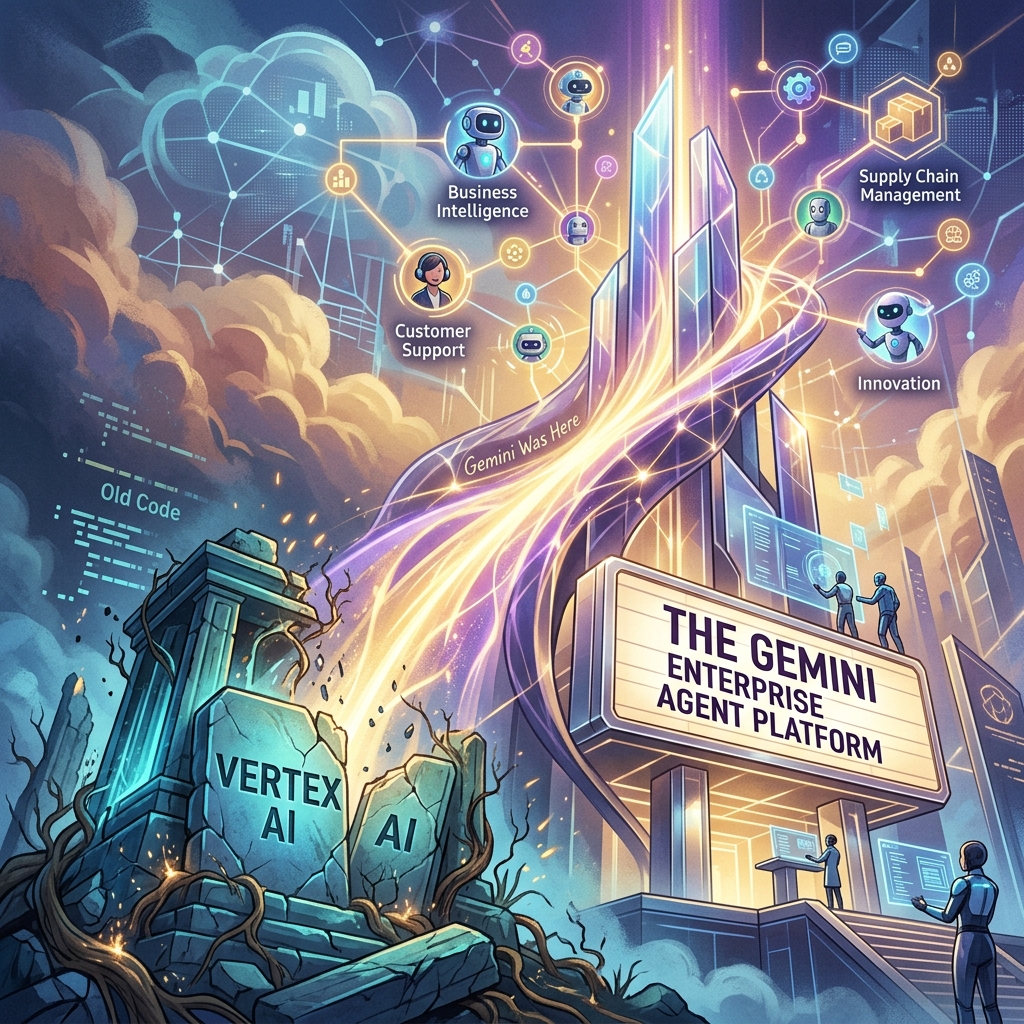
The Death of ‘Vertex AI’ and the Rise of the Gemini Enterprise Agent Platform
For four years, Vertex AI was the “everything store” for Google Cloud’s machine learning stack. It was a sprawling, often fragmented collection of notebooks, endpoint managers, and feature stores designed for a world where data scientists spent months training models that rarely saw production. But at Google Cloud Next 2026, that era ended. In its April 22, 2026 release notes, Google says Vertex AI is now part of the Gemini Enterprise Agent Platform, and its official name-change table maps the old services to new ones: Vertex AI Studio became Agent Studio, Vertex AI Agent Engine became Agent Runtime, and Model Garden carries over as Gemini Enterprise Agent Platform Model Garden.
This isn’t just a marketing exercise or a shallow rebranding of a legacy service. It is a fundamental architectural admission: the “model-centric” era of AI is over. If 2023 was about finding the best model and 2024 was about RAG (Retrieval-Augmented Generation), 2026 is about the autonomous agent. Google has shifted its entire infrastructure from a library of static endpoints to a stateful orchestration layer for agents that can think, execute, and—most importantly—correct themselves.
The Architecture Shift: Model-Centric vs. Agent-First
In the old Vertex AI framework, you deployed a model. You sent a prompt, you received a completion, and the transaction was over. Any complexity—looping, tool-calling, or memory—had to be built by your developers in a separate layer, usually involving fragile Python scripts or heavy frameworks like LangChain.
The Gemini Enterprise Agent Platform flips this. With the rollout of ADK 2.0 (Agent Development Kit), the “model” is now just a component of an “agent.” In this new architecture, the platform handles the state. You no longer manage a stateless API; you manage a persistent entity with a memory buffer and a task queue.
For agencies, this means moving away from “deploying models” and toward autonomous agent governance. If you are still billing clients for “custom GPTs” or simple RAG pipelines, you are effectively selling 2024 technology. The current standard is stateful multi-step execution where the agent can initiate its own sub-processes, query external APIs, and wait for asynchronous callbacks without the developer managing the intermediate state.
ADK 2.0 and the Developer Workflow
The core of this transition is ADK 2.0. Google’s ADK documentation describes the Agent Development Kit as an open-source framework for building, debugging, and deploying AI agents, and lists structured, graph-based architectures with explicit execution paths as new in ADK 2.0.
The runtime changed too. According to Google’s Agent Platform release notes, Agent Runtime (formerly Vertex AI Agent Engine) now supports long-running operations of up to seven days, with sub-second cold starts. An agent can stay on the job instead of answering a single request and exiting.
Agent Studio: Low-Code Orchestration That Actually Works
Google also renamed Vertex AI Studio as Agent Studio, which its Agent Platform documentation describes as a low-code canvas for designing complex multi-agent reasoning loops. Model Garden is still the catalog; Agent Studio is a visual IDE for agentic loops. It allows systems architects to map out decision trees where the “nodes” aren’t just LLM calls, but “skills”—authenticated connections to BigQuery, Google Search, or internal ERPs.
The key feature here is stateful multi-step logic. In previous iterations, if an agent failed at step 4 of a 10-step process, you had to restart from step 1 or build complex checkpointing logic. Agent Studio handles the checkpointing natively. For an operator, this reduces the “failure surface area.” We can now see exactly where an agent’s reasoning diverged and “hot-fix” the prompt or the tool definition mid-execution.
The Hard Truth About Autonomous Agent Governance
As Vertex AI is rebranded and replaced, the biggest hurdle for agencies isn’t the code—it’s the governance. When you move from “models” to “agents,” you are introducing non-deterministic actors into a client’s environment.
That makes guardrails, scoped permissions, and human review checkpoints part of the build, not an afterthought.
Pricing Shift: From Tokens to Outcomes
The pricing change we’re watching most closely is a move toward outcome-based pricing for specific task completions. As of October 2026, Google’s published Agent Platform pricing still bills on usage, such as compute hours and requests, so treat outcome-based billing as a direction to plan for rather than a launched feature.
The old model penalized efficiency. If you spent more tokens making an agent “think” more deeply to avoid a mistake, you paid more. An outcome-based model would let you pay per “Successful Task Completion.” That would align Google’s incentives with the agency’s. We would no longer care about the context window length as a cost factor; we care about the “Agentic Success Rate” (ASR).
For a mid-sized agency, that would simplify the math significantly. If a client wants a support agent that handles 1,000 tickets, you could project a flat cost per resolved ticket rather than guessing how many tokens a “difficult” customer might consume.
What You Should Do Tomorrow
If you are managing an AI stack, the “Vertex AI” name disappearing from your console is your signal to stop building “wrappers” and start building “systems.” Here is the tactical path forward:
Audit your current ‘Models’: Identify which of your current deployments are actually just stateless prompts. These are your biggest liabilities. Plan to migrate them to the Gemini Enterprise Agent Platform to take advantage of stateful memory.
Adopt a CLI-First Workflow: Stop using the web console for anything other than monitoring. Use the Gemini CLI and integrate it with Claude Code or your local IDE. The speed of iteration in ADK 2.0 is only visible when you are working in a terminal environment.
Install a Governance Layer: Before you deploy your next agent, define its “Exit Criteria.” Add a review step so that no agent can execute an external API call (like send_email or update_database) without a secondary “Reasoning Audit.”
Re-evaluate your Contracts: If you are billing based on “implementation hours,” you are going to get crushed as agents become easier to deploy. Move toward “Performance-Based Retainers” that mirror outcome-based pricing. If the agent solves the problem, you get paid.
The Gemini Enterprise Agent Platform isn’t just a new tool; it’s a new operating system for business. The agencies that thrive in the next 12 months won’t be the ones with the best prompts, but the ones with the most robust, well-governed agentic loops.
This is what I’m building for myself, and what I’m building for the people I work with. It’s a long essay because the shift it describes is large and the through-line matters. The ten images below aren’t decoration — they’re the spine. Each one is a moment in a life that doesn’t fully exist yet but is closer than most people realize.
I want to start where the technology starts, which is not in a factory.
The man in the image above is finishing a wearable by hand. It’s an AR ring — leather and brushed aluminum, the band sized to his client’s wrist, the materials chosen because his client cares about how the thing feels at 6 AM on the day she has to present to a board. Behind him are leather rolls and fabric swatches that wouldn’t look out of place in a coachbuilder’s atelier. To his right are the kind of objects you’d find in a hardware prototyping lab — chassis teardowns, a development tablet, AR glasses on a stand. The corkboard above the bench has automotive interior sketches and material studies pinned next to each other.
What that workshop is, in operational terms, is a luxury goods atelier and a hardware lab collapsed into one room. The collapse is the thing. The line between “this is bespoke craft” and “this is consumer electronics” has been melting for a decade, and the workshop above is what it looks like once that line is gone.
I’m building for the people who will live on the right side of that collapse. The people who don’t want a phone — they want an instrument that fits the way they think. The people who have stopped trusting mass-produced anything and started looking for the small workshop, the verified maker, the device tuned to them specifically. That’s the Curation Class. They’ve existed in clothing for a hundred years and in cars for sixty. They’re now showing up in technology, and the technology is the part of the story I have to build.
This essay is about what their daily life looks like when the ecosystem actually works. Then it’s about why I think this is where things go from here, and what I’m doing about it.
Introduction to the instrument
Meet the user. She’s the one who commissioned the work in the hero image. She’s an architect — the corkboard behind her is a hint, the mood board with fashion sketches and house renderings tells you something about her aesthetic taste. The coffee cup has a small leather wrap and a logo I won’t try to read; the flower in the vase is past its bloom but she hasn’t replaced it yet because she likes it that way.
She’s just opened the ecosystem the artisan was finishing. The hologram floating above the ring spells out what she’s getting: “Vibe Curation, Concierge Cred Network, Curated Intelligence.” The version number is v1.4, which tells you the device has been iterated. This isn’t a Kickstarter prototype. This is a maintained system that updates the way her car updates and her phone updates, except it updates to fit her specifically rather than to fit the median user.
The phrase “Personalized Ecosystem” deserves to be said carefully because it gets thrown around by everyone selling anything. What’s on her desk is different. It’s not a feature flag set to her preferences. It’s not a recommendation algorithm tuned to her purchase history. It’s an ecosystem in the literal sense — an interconnected set of devices, services, vendors, and contexts that have been wired together around her cognition, her body, her schedule, her taste, and the people she trusts. The wearable is the access token. The ecosystem is everything the token unlocks.
The reason this matters is not that the technology is impressive. It’s that the unit of value is changing. For a generation, the value was in the device. For the next generation, the value is in the connections between the devices and the person who wears them. You don’t buy the ring. You buy your way into the ecosystem that the ring represents. The ring is just the part you can touch.
This is what I’m building toward. Not the device. The connections.
The day starts with a small ritual
The first time the ecosystem touches her day, it’s a coffee. She’s at a café — bright, marble-countered, the kind of place that does third-wave coffee and serves it in a small ceramic cup. The barista is named Maria. The hologram above her ring is showing the order before Maria has had to ask: oat latte, 120°F (which is a specific temperature most people don’t know to ask for), Ethiopian Yirgacheffe roast.
The detail that matters is the parenthetical: “Maria (verified).”
This is the Concierge Cred Network. Maria isn’t just a barista. She’s been verified by the ecosystem — pulled up by name because she’s the one who makes the coffee the way the subject likes it. If Maria’s not working today, the ecosystem might suggest a different café entirely rather than route the order to a barista the system doesn’t trust to nail the temperature. The vendor relationship has become specific to the human, not the brand.
I want to name something about this image that the casual viewer might miss. The subject is barely looking at the ring. Her gaze is on Maria. The interaction is human; the technology is in the background doing the work that makes the interaction friction-free. When the ecosystem works, it disappears. It doesn’t ask her to type her order, doesn’t ask her to dig out her phone, doesn’t ask her to remember which roast she likes. It does that work upstream. What she’s left with is a moment of eye contact and a coffee that’s right.
This is, in my experience, the part most technology gets wrong. The goal isn’t to put more interface in front of people. The goal is to remove the interface from places it doesn’t belong. The Curation Class is willing to pay a premium for that subtraction.
The home she designed for herself
Now she’s home. The wall she’s touching is travertine — real stone, the kind with porosity you can feel under your fingertips. The hologram tells you the room is in a “Curated Sanctuary” mode and lists the materials: travertine and a cashmere blend. The room is calm. The light is afternoon. The chair is leather and looks like it’s been broken in for years.
The detail I want to pull forward is the curator field on the hologram: “User_24A. Verified.”
She is the curator. The “Verified” tag isn’t a brand verification. It’s her own. The space was designed by her, for her, and the ecosystem is tracking that fact. The wall, the light temperature, the fragrance the room is currently running, the sound dampening, the chair — all of it is a vibe she composed and the ecosystem is just executing.
This is where the Curation Class diverges most sharply from the mass-luxury class that came before it. The old luxury class hired Robert Mion or Kelly Wearstler to curate for them. They bought the taste of someone whose taste was for sale. The new class makes the curation themselves and uses the ecosystem to remember the choices and reproduce them. The taste isn’t borrowed. It’s authored. The ecosystem is what makes authored taste tractable at the level of a daily-running home.
I’ll be honest about why this matters to me operationally. When I think about what I’m building for my best clients — the ones who are paying for something more than a website or a content pipeline — I’m not building campaigns. I’m building the systems that let them author their own taste and reproduce it at scale. The Notion structure is part of that. The content stack is part of that. The way we wire models and routing and observability is part of that. None of it is technology for its own sake. All of it is the infrastructure of authored taste.
The room above is what that looks like when it’s done.
The work she actually does
The studio above is hers. The building is hers too — she’s an architect, and “The Veda Residences” is the project she’s leading. The hologram shows iteration v9.2, which means this design has been worked through. The physical model on the leather pad is the build she’s referring to when the holographic version isn’t enough.
A few things to notice. The drafting table has a real architect’s set square on it. The materials board has fabric and stone swatches that look like they were pulled from suppliers she trusts. The two colleagues in the back are visible through a glass partition; the studio isn’t a solo operation. It’s a small firm.
What the ecosystem gives her here isn’t draft generation. It’s not “AI did the design.” The design is hers, plus her team’s. The ecosystem gives her something subtler — the ability to iterate v9.2 against her own internal coherence rules, her own taste profile, her firm’s body of work, the structural and material verifications she requires. She is still making every decision. The ecosystem is making every decision legible and reproducible.
This is the part I think most people get wrong about where AI is going. They think it’s going to do the work. It’s not. It’s going to make the work expressible. The architect above doesn’t need an AI to design her building. She needs an instrument that lets her ask “would this material be coherent with the rest of my catalog?” and get an answer with citations. She needs the ecosystem to be the silent third party that holds her own standards more reliably than she can hold them in her head across a four-month project.
The building she’s designing in this image, by the way, is the one she’ll be standing inside in the last image of this essay. Hold that. We’ll come back to it.
Recovery, the part the ecosystem treats as work
After the work, the recovery. The image above is what wellness looks like when it stops being a separate vertical and becomes a function of the same ecosystem that runs the rest of the day.
The hologram says “Vibe State Recovery (post-design cycle).” That phrase is doing real work. The ecosystem knows she just spent eight hours on iteration v9.2 of the building project. It knows what that does to her body — the cortisol curve, the shoulder tension, the eye strain. It’s prescribing a recovery protocol that’s specific to what she just did. Not a generic massage. Not a generic meditation. A recovery state tuned to a design cycle.
“Second Brain (User_24A): Verified Biometrics” is the connective tissue here. The wellness system isn’t reading her body from scratch. It’s reading her body in the context of everything else the ecosystem knows about her — her schedule, her work, her sleep history, her stress baseline, her medication if any, her preferences for what kinds of intervention she’ll accept. The Second Brain in this image isn’t a metaphor. It’s literally the persistent memory layer that lets every part of the ecosystem behave intelligently with respect to every other part.
If I had to name what I think the single biggest unlock of the next ten years will be, it would be this: persistent personal memory that crosses contexts. Right now your fitness app doesn’t know what your therapist said. Your calendar doesn’t know what your sleep tracker measured. Your travel booking doesn’t know your spouse’s allergy profile. Each of these systems is islanded. The Curation Class will be the first cohort to live in a world where those islands are connected, and the connection will be the persistent personal Second Brain that they own — not a vendor’s database. Theirs.
This is, again, why I do what I do. Not because I want to sell people on “AI wellness.” Because the architectural pattern of a persistent personal Second Brain, owned by the human, is the foundation everything else rides on.
A deeper intervention
The session continues. She’s now holding a more specific tool — a neural stim device that’s been issued to her, the kind of thing that has to be verified for her specifically because applying it wrong would do real damage. The hologram says “Neural Pathway Targeted: Verified.” The ecosystem isn’t just letting her use the device. It’s verifying that the protocol is appropriate for her at this moment.
The phrase “Vedic Regeneration” is doing some cultural work here. I’m not going to oversell it — different people will read different things into it. What I’ll say operationally is that the Curation Class tends to be polyglot about where its wellness traditions come from. They’ll combine cold plunges, somatic therapy, Ayurvedic principles, and neural-feedback hardware in the same week without feeling the contradictions. The ecosystem is what makes that polyglot stance tractable — it can hold the protocols from five different traditions and apply the one that fits the moment.
The reason a verification layer matters is harder. We’re entering an era where people will be doing more sophisticated interventions on their own nervous systems than ever before. Some of those interventions will be safe. Some won’t. Some will work for one person and harm another. The ecosystem above is doing what regulators won’t be able to do for another fifteen years: assuring that a specific intervention is appropriate for a specific person on a specific day. The verification isn’t bureaucratic. It’s the thing that lets her safely run the protocol at all.
I’ll name the discomfort here. There’s a version of this that ends badly — concentration of biometric data, vendor lock-in, dependence on a system that someone else can shut down. That risk is real. The mitigation isn’t to refuse the technology. The mitigation is to own the Second Brain rather than rent it. Which is part of why I’m building the way I’m building. The architecture matters. The architecture is the politics.
The commute as part of the system
She’s in the car now. It’s autonomous — the road is moving but her attention is on the floating dashboard. The destination on the hologram is her own design studio at 11 Rivoli. ETA fourteen minutes.
The phrase that earns its keep is “Flow State Curation.” The car isn’t just transporting her body. The car is preparing her cognition for what’s about to happen at the studio. Audio profile tuned. Cabin temperature optimized. Lighting on a curve that brings her up into focus rather than letting her crash at the end of the recovery session. The fourteen minutes between wellness and work aren’t dead minutes. They’re a transition that the ecosystem is actively shaping.
When I look at this image I think about how much of contemporary life is wasted in transitions. The Curation Class won’t tolerate it. Their time is their most expensive asset, and they’re willing to pay to have transitions be productive rather than evaporated. The autonomous car is part of that. So is the ring. So is the wellness suite. So is the studio. None of them in isolation is interesting. Stitched together they are an enormous economic shift.
The other thing worth naming: the car is bespoke. “Smart cashmere & polished aluminum, verified.” This is not a leased Tesla. It’s a vehicle whose interior materials have been chosen for her, verified by the maker, and integrated into the ecosystem in a way that lets the car participate in the flow state curation rather than fight it. The market for that kind of vehicle barely exists today. It will exist in ten years, and it will be larger than people think.
Collaboration at scale
The studio meeting. Four colleagues, a marble table, a wall of glass onto the city. She’s standing because she’s leading.
The hologram says “Group Alignment 88%.” That’s the part I want to pull forward. The ecosystem isn’t just running her individually — it’s running a measurement of how aligned her team is on the current iteration of the project. Eighty-eight percent is high. Twelve percent is the gap she has to close in the room.
This is where the Curation Class moves from being a personal lifestyle to being an operational advantage. A team that can see its own alignment in real time, that can identify the twelve percent of disagreement and address it directly rather than letting it metastasize through three more meetings — that team will outperform a team that can’t. The ecosystem is doing the work of measurement that used to require an executive coach in the room. Now it’s just there, on the table, visible to everyone.
I want to be careful here. There’s a version of this where the alignment metric becomes a cudgel, where dissent gets flattened by the pressure to push the number up. That’s a failure mode and the ecosystem above can absolutely become it if the culture around it is wrong. The fix isn’t to refuse the measurement. The fix is to make the measurement legible enough that disagreement is preserved as signal rather than erased as noise. The ecosystem can do that. Whether the team uses it that way is a cultural question, not a technological one.
The technology, by itself, is neutral. The culture decides whether it’s surveillance or instrumentation. I’m building for the latter.
The arc closes
This is the image that earns the whole essay.
She’s standing inside the building. The Veda Residences — the project that was iteration v9.2 in the studio scene — is now built. The curved concrete, the fluted glass, the composite timber that the hologram in that earlier scene specified, all of it has gone from model to reality. She designed the room she is now living in. The hologram above her is reporting that the sanctuary is “realized” and that the alignment is at 100%, which is the team-level analog of the personal sanctuary she was tuning at home.
She designed her own world into existence. The ecosystem made the through-line tractable across nine months of design iterations, two construction phases, fifteen vendor relationships, three biometric recovery cycles, a hundred small daily curations, and the original choice — three years earlier — to commission a hand-finished AR ring from a maker who works with leather and aluminum on a single bench.
The Curation Class is not, fundamentally, a class that consumes better products. It’s a class that authors its own life and uses an ecosystem to make the authorship coherent across time. The wearable, the home, the studio, the wellness suite, the car, the team, the building — these are all expressions of one continuous act of authorship. The technology is the substrate. The taste is the act. The realization is the proof.
Why I’m building for this
I started this essay by saying it’s about what I’m building for myself and my clients. I want to close on that more directly.
I am not building generic AI tools. I am not building “content automation.” I am building the operational substrate that lets a person — a founder, an operator, an artist, an architect — author their own coherent system across time and have the system reliably express the authorship. That’s the Notion architecture. That’s the model routing layer. That’s the content pipeline. That’s the persistent memory. None of it is interesting in isolation. All of it is interesting because of what it adds up to.
The person I am building for is the architect above. She doesn’t know me. She might not exist yet. But the infrastructure that makes her life tractable is the infrastructure I am wiring this week, this month, this year. Every client I take on is a step toward making the substrate real. Every article I publish is a way of describing the future I’m trying to bring forward. Every system I document is a piece of the operating manual for the Curation Class.
I think this is the work. I think it’s where the next ten years are. I think the people who get this right will look back at the current era — when AI was being used to mass-produce the same five blog posts and the same five product descriptions — the way the Bauhaus generation looked back at Victorian ornament. They will see the gap between what was being built and what could have been built, and they will name it.
I’m trying to be on the right side of that gap.
The image above — the woman standing inside the building she designed, with a glass of water, watching the city she optimized — is what I’m working toward. Not for her specifically. For the version of that life that becomes available to anyone who decides to author it and has the infrastructure to do so. That’s the Curation Class. That’s the brief I’m operating under. That’s the future I’m building.
It’s already starting. The man in the first image is finishing the ring by hand. The system is being built. The class is forming. The rest is execution.
{
“@context”: “https://schema.org”,
“@type”: “Article”,
“headline”: “The Rise of the Curation Class”,
“description”: “An essay on the emerging class that authors its own coherent life through bespoke craft, verified concierge networks, and a persistent personal second brain. What I’m building, and who I’m building it for.”,
“author”: {“@type”: “Person”, “name”: “Will Tygart”, “url”: “https://tygartmedia.com”},
“publisher”: {“@type”: “Organization”, “name”: “Tygart Media”, “url”: “https://tygartmedia.com”},
“datePublished”: “2026-05-17”,
“mainEntityOfPage”: “https://tygartmedia.com/the-rise-of-the-curation-class/”
}
BYOK on OpenRouter: Bring-Your-Own-Key on OpenRouter means configuring direct provider credentials for any of dozens of supported providers, with per-provider prioritization, fallback chains, and the ability to pin specific BYOK keys to specific OpenRouter API keys (meaning specific agents). The result is a routing system where you can mix discounted enterprise contracts with pooled access, transparent to the calling code.
This is a deep dive on the BYOK system inside OpenRouter. For the broader operator’s perspective on OpenRouter, see our OpenRouter operator’s field manual. For the underlying hierarchy that governs where BYOK lives, see the 5-layer mental model.
What BYOK actually means here
What BYOK actually means on OpenRouter.
Most platforms use “BYOK” to mean bring your key for the one provider we support. OpenRouter means something more interesting: bring your key for any of dozens of providers, configure prioritization and fallback per provider, pin keys to specific agents and models, and let OpenRouter handle the routing logic when a key fails or runs out.
The result is a routing system where you can mix and match. Run your high-volume agent through a discounted enterprise contract at Provider A. Route everything else through OpenRouter’s pooled pricing. Fall back to OpenRouter’s pool when your enterprise key is rate-limited. All transparent to the calling code.
This is genuinely useful for an agency stack. It’s also where most teams misconfigure things in ways that don’t fail loudly.
The Providers tab
Providers tab — keys, priority, spend controls.
This is where the bulk of BYOK lives. Every provider — from AI21 at the top of the alphabet to Z.ai at the bottom — gets its own configuration card. Each card has two slots: Prioritized keys (tried first, before falling back to OpenRouter’s pooled access) and Fallback keys (tried last, after everything else fails).
Per-key configuration is granular. Each key has:
A name (free text — use it well, you’ll thank yourself later)
The API key value itself
An “Always use for this provider” toggle that disables OpenRouter’s pooled fallback entirely for calls routed through this key
Filters: Models (All, or a specific subset) and API Keys (All OpenRouter API keys, or a specific subset)
The filter system is the part most teams miss. You can pin a BYOK key to specific OpenRouter API keys, meaning specific agents. Read that twice. It means a single BYOK key can be the routing target for exactly one agent’s calls, while every other agent on the workspace continues using pooled access.
This unlocks a powerful pattern for agency work: a client who has their own enterprise contract with a model provider can have their work routed exclusively through that contract, billed to that contract, while your other clients use pooled pricing. The routing happens at the provider layer, invisibly to the calling code.
Prioritization and fallback in practice
Prioritization and fallback in practice.
Here’s the order of operations OpenRouter uses when you call a model:
Is there a Prioritized BYOK key for this provider, this model, and this calling key? Use it.
If that key has “Always use for this provider” enabled, return any failure as-is. Don’t fall back.
Otherwise, fall back to OpenRouter’s pooled access.
If that fails too, try any Fallback BYOK keys configured for this provider.
If everything fails, return the error.
The “Always use for this provider” toggle is a sharp edge. Enabling it means a single failed enterprise contract — expired credentials, network issue at the provider, momentary rate limit — becomes a hard failure for every call routed through that key. Disabling it gives you graceful degradation but means your enterprise contract isn’t strictly enforced.
Our pattern: enable “Always use” only for clients with hard data-policy requirements (no third-party touching of their data, ever). For everyone else, leave it disabled and let OpenRouter’s pooled access catch the failures.
The Web Search slot (Firecrawl)
The Providers tab has a second section that isn’t strictly BYOK: workspace-level Firecrawl integration. OpenRouter partnered with Firecrawl to provide 10,000 free credits per workspace, with a three-month expiry, contingent on accepting Firecrawl’s Terms of Service.
This is wired at the workspace level, not per-key. Once accepted, any plugin that uses Web Search inherits the Firecrawl integration. Cheap, useful, easy to forget you enabled it.
The mistake to avoid: assuming the 10,000 credits are forever. Three months. If you’re going to depend on this, plan for renewal.
How to think about provider selection
The temptation with dozens of providers is to spin up BYOK keys for every model you might ever want. Don’t.
Start with three categories:
Volume providers — the ones you call most. For us that’s Anthropic (Claude family) and Google (Gemini family). Worth getting BYOK keys for these even if you don’t have an enterprise contract; it makes the routing explicit and the costs auditable.
Specialty providers — ones you call for specific jobs. We use OpenAI for some specific reasoning tasks. We use specialized model providers (Stepfun, others) for niche work. BYOK keys here only if you have a contract worth routing through.
Experimental providers — everything else. Don’t bother with BYOK. Use OpenRouter’s pooled access. If a model from one of these providers becomes a regular part of your workflow, promote it to specialty.
The audit story
In March 2026 we ran a security audit on 122 Cloud Run services and discovered five of them had hardcoded OpenRouter keys in their environment variables — same key across all five. We stripped them, rotated, and re-scanned to zero.
That was an OpenRouter key, not a BYOK provider key, but the lesson generalizes: API keys do not belong in environment variables on shared infrastructure. They belong in a secret manager with audited access. GCP Secret Manager, AWS Secrets Manager, HashiCorp Vault — pick one and use it.
The standing rule we wrote afterward applies equally to BYOK provider keys: any key, any provider, any environment, lives in a secret manager. Period.
Pinning keys to agents: the operational unlock
The BYOK feature most teams underuse is the per-key filter system. You can configure a BYOK provider key to be used only by specific OpenRouter API keys.
This sounds abstract until you map it to a real workflow:
Your content production agent runs through OpenRouter key A
Your customer support bot runs through OpenRouter key B
Your enterprise client has a contract with Anthropic and wants their work routed through that contract
You create a BYOK Anthropic key for the enterprise contract. In the BYOK key’s filter, you specify “API Keys: only OpenRouter key C” (the key used by the agent serving that client). Now content production (key A) and customer support (key B) use OpenRouter’s pooled access. The enterprise client’s agent (key C) routes through the enterprise contract.
No code changes. No service restarts. Just routing config at the provider layer.
This is the kind of pattern that pays for OpenRouter’s existence in the stack. Most teams discover it only after they’ve outgrown a simpler setup. Start with it from day one if your shape looks anything like an agency.
What to do today
If you’re getting started with BYOK on OpenRouter:
Identify the two or three providers you call most. Get BYOK keys for those.
Store every key in a secret manager. Not in code. Not in env vars on shared infra.
Use the per-key filter system from the start. Don’t let one BYOK key get used by every agent unless you actually want that.
Leave “Always use for this provider” off unless you have a hard policy reason to enforce it.
Set a calendar reminder for any time-limited credits (looking at you, Firecrawl).
The BYOK system is one of the genuinely useful features on the platform. Treat it like the routing layer it is, not like a credentials dump, and it’ll pay for the setup time many times over.
Frequently asked questions
What is BYOK on OpenRouter?
BYOK (Bring-Your-Own-Key) on OpenRouter means configuring direct provider credentials for any supported provider. OpenRouter then routes calls through your provider key instead of (or before falling back to) its pooled access. You can configure prioritization, fallback chains, and per-agent pinning.
Should I use BYOK on OpenRouter even without an enterprise contract?
For the providers you call most, yes. Even without a discount, BYOK makes the routing explicit and the costs auditable on your provider’s billing rather than buried in OpenRouter’s aggregate. For providers you barely call, don’t bother — OpenRouter’s pooled access is simpler.
What does “Always use for this provider” actually do?
It disables OpenRouter’s pooled fallback for any call routed through that BYOK key. If your enterprise contract fails for any reason — expired credentials, rate limit, network issue — the call returns the error instead of silently falling back to OpenRouter’s pool. Useful for hard data-policy requirements; risky for general reliability.
Can I pin a BYOK key to specific agents?
Yes. The per-key Filters section lets you specify which OpenRouter API keys (meaning which agents) can route through this BYOK key. This unlocks the pattern of running one client’s work through their enterprise contract while every other agent uses pooled access — all transparent to the calling code.
How should I store BYOK provider keys?
In a secret manager — GCP Secret Manager, AWS Secrets Manager, HashiCorp Vault. Never in environment variables on shared infrastructure. We learned this from a March 2026 audit that found five Cloud Run services with hardcoded keys baked into env vars. Standing rule now: any key, any provider, any environment, lives in a secret manager.
What OpenRouter actually is: A routing and policy layer that sits between your code and AI model providers. It replaces the place where you’d otherwise write direct API calls to Anthropic or Vertex AI, adding budget caps, guardrails, prompt-injection filtering, PII redaction, model fallbacks, and observability hooks — with access to hundreds of models behind one unified endpoint. It does not replace your memory system, your hosting environment, your operator console, or the models themselves.
Last verified: October 11, 2026 (Pacific).
The 30-second version
OpenRouter is one of the most useful AI infrastructure tools we’ve adopted, but the value lives at exactly one layer of the stack: the model-calling layer. It replaces the place where you’d otherwise write fetch("https://api.anthropic.com/...") or call Vertex AI directly. It does not replace your memory system, your hosting environment, your operating console, or the models themselves. Get that framing wrong and you’ll build a house of cards. Get it right and you’ve added budget controls, guardrails, observability, and hundreds of models with one config change per agent.
This is how we use it across a stack that runs 27+ WordPress client sites, autonomous content pipelines, multi-model decision tools, and an autonomous behavior promotion system. None of this is theory. Every number in this article comes from our own usage logs.
What OpenRouter actually is
What OpenRouter actually is — a router, not a model.
Strip away the marketing and OpenRouter is a routing and policy layer for AI model calls. You point your code at one endpoint — openrouter.ai/api/v1/chat/completions — and OpenRouter handles model selection, provider fallback, budget enforcement, content filtering, and observability.
It is not a model. It is not a runtime. It is not a database. It is a smarter middle layer between your code and the dozens of providers whose models you might want to call.
The mistake we almost made early on was framing it as “replace GCP and Notion with this.” That framing is wrong in a specific way that’s worth naming: OpenRouter has no servers, no operational memory, no execution environment, no isolated network. It has hundreds of models behind one API and a thoughtful policy layer in front of them. That’s the entire product, and it’s enough — at the right layer.
The 5-layer hierarchy nobody tells you about
The five-layer hierarchy nobody tells you about.
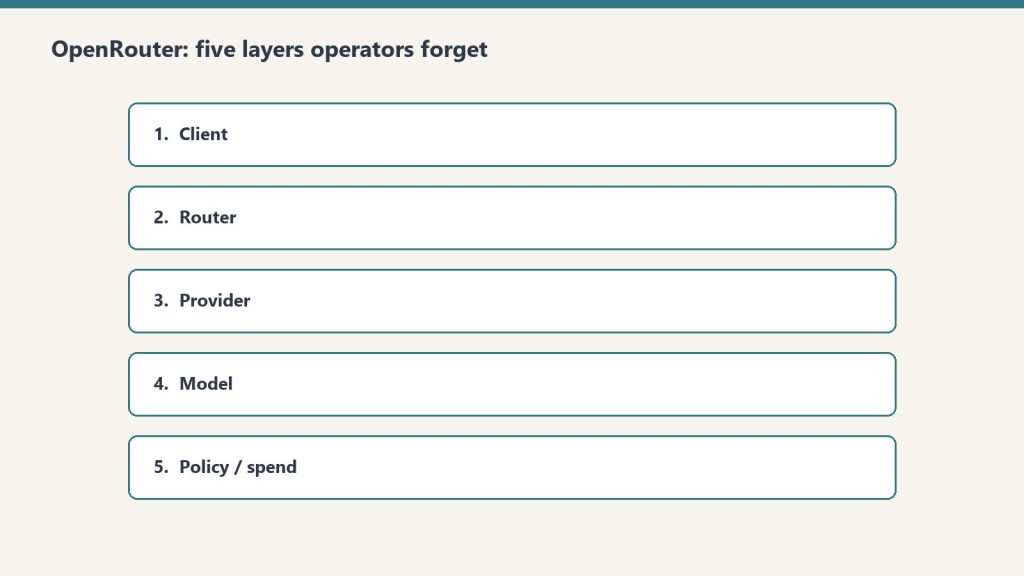
When you log into OpenRouter, the UI presents a flat set of menus. The actual mental model — the one that maps to real operational decisions — is a five-layer hierarchy:
Organization is the top. Sovereign billing and member context. We run two: one personal, one for Tygart Media. The personal org has 48 API keys and a balance; the Tygart Media org has empty balance but exposes Members management that personal accounts can’t access. If you’re operating as an agency, you want the agency org as primary so you can add seats.
Workspaces sit inside organizations. They’re segmented domains for guardrails, BYOK provider keys, routing rules, and presets. Most accounts run on a single Default Workspace and never think about this layer. The moment you operate across multiple businesses with different data policies, workspace segmentation becomes a real decision.
Guardrails are workspace-level enforcement policies. Four categories: Budget Policies, Model and Provider Access, Prompt Injection Detection, and Sensitive Info Detection. By default they’re all unconfigured, which means your workspace has no enforced budget cap, no provider restrictions, and no PII filtering. This is fine until it isn’t.
API Keys are per-agent identity. Each key carries a credit cap, a reset cadence, and a guardrail overlay. The mental model that matters: one autonomous behavior = one API key. If a scheduled task starts hemorrhaging tokens, the cap on its key contains the damage to that key alone.
Presets are versioned bundles of system prompt, model, parameters, and provider config. You call them as "model": "@preset/name" in any API call. They’re the closest thing OpenRouter has to a software release artifact — a thing you can version, test, and roll back.
That hierarchy is the entire operational surface. Everything you’d want to do with the platform happens at one of those five layers. Confuse them and you’ll spend hours hunting for a setting that lives at a different tier than you think.
What OpenRouter replaces (and what it doesn’t)
The honest answer: OpenRouter replaces the direct API call. Nothing more, nothing less.
In our case, every scheduled task, every skill that calls a model, every Claude Project — all of them used to make direct calls to Anthropic’s API or Vertex AI. OpenRouter sits in front of those calls and adds budget caps, guardrails, prompt-injection filtering, PII redaction, model fallbacks, observability hooks, and access to a model catalog of hundreds of options instead of the handful any single provider exposes.
What it does not replace:
Your memory system. Notion remembers; OpenRouter doesn’t. OpenRouter’s logs are call-level telemetry — what model was called, what it cost, what the response was. That’s not operational memory. It can’t tell you “this customer pitch was sent three weeks ago and got no response.” For that, you need a real second brain.
Your hosting environment. OpenRouter has no servers, no WordPress, no database, no VPC. If you’re running a fortress architecture on GCP — VPC isolation, Cloud SQL, Cloud Run services — none of that goes away. OpenRouter sits next to that infrastructure, not in place of it.
Your operator console. Wherever you actually do the work — Claude in chat, your terminal, your IDE — that surface stays. OpenRouter is a transport layer for model calls, not a place you live.
The models themselves. OpenRouter is one path to reach Anthropic’s Claude; Vertex AI is another; the direct Anthropic API is a third. They’re interchangeable transports. The model is the model.
Mapping OpenRouter to an autonomous behavior system
Here’s where the framing gets interesting. We run an autonomous behavior system where every long-running task — a scheduled content pipeline, an SEO audit, a publishing job — sits on a promotion ledger that tracks its trustworthiness over time. Tier C behaviors run autonomously. Tier B requires a human in the loop. Tier A is proposal-only.
OpenRouter maps to that system with almost no friction:
Each behavior becomes a versioned Preset — system prompt, model, parameters, all bundled and versioned.
Each preset is bound to its own API Key with a monthly credit cap and reset cadence.
That key sits under a Workspace whose Guardrail enforces the appropriate data policy.
Observability is broadcast to a webhook that writes back to the operational memory layer.
The result: when a behavior misbehaves — hits its spend cap, trips a policy violation, gets blocked by Sensitive Info Detection — the failure is auto-logged at the routing layer and surfaced to the operator console. The promotion ledger row catches the gate failure and demotes the behavior automatically.
This is the concrete answer to a question every operator running autonomous AI work eventually asks: how will I know when something goes wrong? The answer is: you build the routing layer so that going wrong is itself a signal.
The 270/238 reality check
A small piece of grounding before we go further. As of mid-May 2026, our personal OpenRouter org showed a balance of $31.93 remaining of $270 total credits purchased. That’s $238.07 of actual usage across roughly two months. Spread across 48 API keys, that’s an average of about $5 per key.
The highest-spend key was a testing key at $83.26. The next was a development key at $33.05. Most keys had spent less than $1. That distribution tells you something true about real-world AI operations: a handful of behaviors do most of the work, and the long tail of agents barely registers.
We mention this for one reason: if you’re evaluating OpenRouter, the cost is not the story. The cost is small. The story is whether the policy layer is worth wiring into your stack. Our answer is yes — but the work of wiring it is real, and it requires you to first understand what layer you’re wiring.
The Cloud Run reality
One real-world note that any production team needs to internalize: when we ran AI calls from Cloud Run services on GCP, we occasionally hit 402 responses from OpenRouter that we did not hit when calling Anthropic’s API directly from the same services. We don’t have conclusive evidence of where the issue originated — Cloud Run’s egress IP ranges are widely shared and trip fraud-detection thresholds at many providers, including direct calls to first-party APIs. The lesson is not about OpenRouter specifically. The lesson is that production routing requires deployment-context testing.
Our policy now: for services where reliability is mission-critical, we maintain a fallback path that can switch routing layers under failure. OpenRouter is the default. Direct Anthropic is the fallback. The decision logic lives in the service itself, not in OpenRouter’s config. This is defense in depth, not a critique of any one provider.
The standing rule we wish we’d had earlier
The standing rule we wish we had earlier: budgets before routing.
In March 2026 we ran a security audit on 122 Cloud Run services and discovered five of them had hardcoded OpenRouter API keys baked into environment variables — all sharing the same key. We stripped the keys, rotated, and re-scanned to zero. Then we wrote a standing rule into operational memory:
OpenRouter is off-limits for any task without explicit per-task permission. Image generation always goes through Vertex AI.
The reason for the second half of that rule deserves naming. Image generation via OpenRouter is technically possible, and the model variety is appealing. But image calls are expensive, latency-sensitive, and easy to fire by accident in a loop. One misconfigured behavior can drain a development budget in a single session. Vertex AI’s first-party image generation runs through GCP service accounts with project-level budget alerts, which gives us a natural circuit breaker. We use OpenRouter for the right jobs. We use Vertex for image work.
This is the kind of operational rule you only write after you’ve lost money to a runaway script. Save yourself the lesson.
When OpenRouter is the right answer
Use OpenRouter when:
You want model variety and a unified API across providers
You need workspace-level budget caps that work across many keys
You want PII detection and prompt-injection filtering at the routing layer instead of in every service
You need observability broadcast to your existing stack (we ship to webhooks)
You’re running an autonomous behavior system that needs per-agent identity and per-agent budget enforcement
You want the option to swap models without redeploying code
When it isn’t
Don’t reach for OpenRouter when:
You only call one model from one app and don’t need policy enforcement
You need single-digit-millisecond latency (the extra hop matters)
You’re running image generation at scale (use the first-party provider directly)
You need network isolation guarantees that only your own infrastructure can provide
You’re deploying from an environment with shared egress IPs to a provider that flags those ranges (test first)
The bottom line
OpenRouter is excellent at exactly one thing: being a thoughtful policy layer between your code and the AI models you call. Don’t ask it to be more than that. Don’t replace your memory, hosting, console, or models with it. Wire it into the model-calling layer of an existing system that already has those other pieces sorted, and you get budget controls, guardrails, observability, and hundreds of models with about a day’s worth of integration work.
The framing that works: the model layer of an existing system. Not the system itself.
If you’re operating multiple autonomous AI behaviors and you don’t yet have per-agent budget caps and per-agent observability, OpenRouter is probably the fastest path to getting them. If your stack is one app calling one model, you’re paying for complexity you don’t need yet.
Going deeper
This pillar is the operator’s overview. Each of the five layers and the major workflows we built on top of OpenRouter has its own deep dive:
OpenRouter is a routing and policy layer for AI model API calls. It sits between your application code and AI providers like Anthropic, OpenAI, and Google, providing one unified API endpoint that handles model selection, budget enforcement, guardrails, fallback routing, and observability across hundreds of models from dozens of providers.
Does OpenRouter replace direct Anthropic or OpenAI API calls?
Yes, that’s exactly what it replaces. Your code calls one endpoint (openrouter.ai/api/v1/chat/completions) instead of provider-specific endpoints. The model is selected via a parameter rather than the URL. Everything else about your stack — your memory system, hosting, and operator console — stays the same.
Can OpenRouter replace GCP, Notion, or my hosting infrastructure?
No. OpenRouter is a routing layer for model calls. It has no servers, no database, no operational memory, and no network isolation. If you’re running a fortress architecture on GCP with VPC isolation, Cloud Run services, and Cloud SQL, OpenRouter sits alongside that infrastructure, not in place of it.
How expensive is OpenRouter in practice?
For most operational workloads the platform fee is negligible compared to the underlying model costs. Our personal organization spent $238 over roughly two months across 48 API keys serving multiple autonomous behaviors. The distribution is heavily skewed — a few keys do most of the work, and the long tail barely registers. Cost is rarely the decision factor; the policy layer is.
What is the right way to think about OpenRouter API keys?
One autonomous behavior, one key. Each key gets its own credit cap and reset cadence. When a scheduled task starts hemorrhaging tokens, the cap on its key contains the damage to that key alone. Sharing one key across all services is the single fastest way to lose visibility and bound risk.
Should I use OpenRouter for image generation?
We don’t. Image generation runs through first-party providers (Vertex AI in our case) where project-level budget alerts give a natural circuit breaker. Image calls are expensive, latency-sensitive, and easy to fire by accident in a loop. The routing layer is for text-completion workloads where the policy benefits compound.
What’s the deal with Cloud Run and OpenRouter 402 errors?
Cloud Run egress IP ranges are widely shared, and they sometimes trip fraud-detection thresholds at various providers — including direct calls to first-party APIs, not just OpenRouter. The lesson is that production routing requires deployment-context testing. Maintain a fallback path that can switch routing layers under failure, and you’ve got defense in depth instead of a single point of failure.
Most “Claude Code changed my life” posts are vibes. The interesting case studies are the ones with a number attached — a PR count, a token spend, a defect rate, a codebase size. After spending the week reading every concrete writeup I could find and cross-referencing them against Anthropic’s own internal usage report, three patterns hold up. Everything else is marketing.
Here is what the credible Claude Code case studies actually say, what they share in common, and where the wheels come off when teams try to repeat them.
Case 1: The 350k-line solo codebase
Case 1 — the 350k-line solo codebase.
The most cited solo-developer case study right now is a maintainer of a 350,000+ line codebase spanning PHP, TypeScript/React, React Native, Terraform, and Python. Since August 2025, 80%+ of all code changes in that codebase have been written by Claude Code — generated, then corrected by Claude Code after review, with only minimal manual refactoring. The author has been working in commercial software for 10+ years, so this is not a beginner overstating things.
The two operational constraints they call out are the ones that matter:
Context selection is the job. A 200k token context window is less than 5% of a codebase this size. Include the files that show your patterns, exclude anything irrelevant, and accept that “too much context” degrades output as badly as “too little.”
Speed parity is the gate. If an LLM implementation isn’t at least as fast as doing it yourself, you’ve added a tool and lost time. They keep working documents to 50–100 lines and start every task with the bare minimum context.
This is the case study to send to anyone asking “does Claude Code work on legacy code.” The answer is yes, but only after you treat context curation as a first-class engineering activity.
Case 2: Anthropic’s own internal teams
Anthropic published a usage report covering ten internal teams. It is the highest-signal document in the ecosystem because every example is from a team that has unlimited access and zero incentive to oversell it. The patterns worth stealing:
Data Infrastructure lets Claude Code use OCR to read error screenshots, diagnose Kubernetes IP exhaustion, and emit fix commands. The team is not writing prompts about Kubernetes — they’re handing Claude a screenshot and a goal.
Growth Marketing built an agentic workflow that processes CSVs of hundreds of existing ads with performance metrics, identifies underperformers, and uses two specialized sub-agents to generate replacement variations under strict character limits. Sub-agents matter here — a single agent loses the constraint discipline.
Legal built a prototype “phone tree” to route team members to the right Anthropic lawyer. Non-engineering team, real internal tool, shipped.
Finance staff describe requirements in natural language; Claude Code generates the query and outputs Excel. No SQL skill required from the requester.
The Claude Code product team itself uses auto-accept mode for rapid prototyping but explicitly limits that pattern to the product’s edges, not core business logic. The RL Engineering team reports auto-accept succeeds on the first attempt about one-third of the time. That’s the honest number to hold onto when someone tells you their agent “just works.”
Case 3: The Sanity staff engineer’s six-week journey
The single most useful sentence in any Claude Code case study this year came from a staff engineer’s six-week writeup at Sanity: “First attempt will be 95% garbage.” That’s not a complaint — it’s an operating manual. The engineer’s workflow runs three or four parallel agents, treats every first pass as a draft to be re-prompted, and reserves human attention for architecture and steering rather than typing.
This is also the case study that matches the Pragmatic Engineer’s February 2026 survey of 15,000 developers, which ranked Claude Code as the most-used AI coding tool on the market. The teams who report the biggest gains are not the ones treating it like autocomplete. They’re the ones running multiple threads, accepting that most first drafts are throwaway, and putting their senior judgment on review rather than authorship.
What every credible case study has in common
What every credible case study has in common.
Cross-reference the three above with the dozen other writeups that include real numbers and the same five operational habits show up every time:
A written context doc. Every successful team has something Claude reads first — a CLAUDE.md, a .clauderules file, a project README that defines patterns and conventions. Teams without one get inconsistent output.
Sub-agents for constraints. One agent that has to remember the character limit, the style guide, the schema, and the deadline will drop one of them. Two agents — generator and constraint-checker — won’t.
Real review on the way in. The 80% figure from the 350k-LOC case includes “corrected by Claude Code after review.” Nobody is shipping unreviewed agent output to production and reporting wins.
A measurement loop. Faros and Jellyfish reports both show teams using Claude Code analytics to track PRs and lines shipped with AI assist. The teams that measure ship more; the teams that don’t, drift.
Honest scoping. Auto-accept on edges, synchronous prompting on core business logic. Every team that ignores this distinction generates the “tech debt nightmare” posts.
Where the case studies break down
Where the case studies break down.
Two warnings from the data. First, Jellyfish’s AI Engineering Trends report shows a 4.5x increase in companies running agentic coding workflows, but most engineering teams using these tools spend $200–$600 per engineer per month and report a 1.6x productivity multiplier — not the 10x that vendor marketing implies. The case studies you read are the wins; the median outcome is more modest.
Second, the model version you run matters more than any workflow trick. As of this week the flagship is claude-opus-4-7, the workhorse is claude-sonnet-4-6, and the fast option is claude-haiku-4-5-20251001. Opus 4.7 lifted resolution on a 93-task coding benchmark by 13% over Opus 4.6 — including four tasks that neither Opus 4.6 nor Sonnet 4.6 could solve. Teams running on stale model strings are leaving real capability on the table.
The takeaway
If you only steal one thing from the credible case studies, steal the context discipline. The 350k-LOC maintainer keeps documents to 50–100 lines. Anthropic’s own teams use sub-agents to enforce constraints. The Sanity engineer runs parallel agents and treats first drafts as garbage by default. None of these patterns require a special prompt or a hidden flag. They require deciding, before you start a task, what Claude is allowed to see and what it isn’t.
That’s the whole game. The teams shipping 80% of their code with Claude Code aren’t using a better model — they’re feeding it a better context.
The three-legged stack — Notion, Claude, Google Cloud — is what’s actually holding up the operation.
I run a portfolio of businesses — restoration companies, content properties, creative ventures, a software platform, a comedy site, a few things I haven’t decided what to do with yet — on three legs. Notion. Claude. Google Cloud. That’s it. Everything else either fits inside that triangle or it doesn’t last in my stack.
This article is the doctrine. Not “here’s a list of tools I like.” The actual operating philosophy of why this specific three-piece architecture is what holds the work up, where each leg’s job ends, and what I learned the hard way about which tools belong on the floor instead of the table.
If you’re trying to decide what your own AI-driven operating stack should look like, what follows is what I’d tell you over coffee.
Why three legs and not two, four, or twelve
Why three legs — Notion, Claude, Google Cloud.
I tried twelve. I tried four. I lived for a while with two. Three is what’s left after everything else either failed in production, got absorbed into one of the three legs, or became overhead that didn’t pay for itself.
The reason it’s not two is that you need a place where state lives, a place where reasoning happens, and a place where heavy compute runs. If you collapse two of those into one tool, the tool has to be excellent at both jobs and almost nothing is. If you keep them separate, each tool gets to be excellent at its actual job.
The reason it’s not four is that every additional leg multiplies the surface area of what can break, what needs to be monitored, what needs to be paid for, what needs to be learned by every new person you bring in. Four legs sounds like it would be more stable but it isn’t. It’s more rigid. Three legs sit flat on uneven ground.
The reason it’s not twelve is that I tried that and the cognitive cost of remembering which tool did which job was higher than the work the tools were supposed to be saving.
Notion is the system of record
State lives in Notion. That’s the rule. If a piece of information needs to exist tomorrow, it goes in Notion first.
That includes the things you’d expect — clients, projects, content pipelines, scheduled tasks, the Promotion Ledger that governs which autonomous behaviors are running at what tier — and a lot of things you might not. Meeting notes go in Notion. Random ideas at 11pm go in Notion. The reasons I made a particular architectural decision six months ago go in Notion. Anything I might want Claude to read later goes in Notion.
The reason this leg has to be Notion specifically — and not, say, a folder of markdown files, or a Google Doc, or Airtable — is structured queryability paired with human-readable rendering. Notion databases let me describe my business in shapes (a content piece is a row, a project is a row, a contact is a row) while keeping every row a real document I can read and write to like a normal page. That dual nature is rare. Most systems force you to pick between structured and prose. Notion lets the same object be both.
The May 13, 2026 Notion Developer Platform launch made this leg even stronger. Workers, database sync, and the External Agents API mean the system of record can now do active things on its own and host outside agents (including Claude) as native collaborators. Notion stopped being a passive document store and started being a programmable control plane. That’s a big deal for this architecture and I wrote about it in my piece on the platform launch.
Claude is the reasoning layer
Claude is the reasoning layer.
Claude does the thinking. That’s the rule on the second leg.
Anywhere I would otherwise have to write something from scratch, decide between options, summarize a long document, generate code, audit content, or do any task that requires a brain rather than just a database query, Claude is the first thing I reach for. The work happens in Claude. The result lands in Notion.
I want to be specific about why Claude and not “an LLM” generically. I have used the others. I have used GPT in production. I have used Gemini in production. They all work. Claude is what I picked, and the reasons aren’t religious.
First, the writing is recognizable. Claude’s voice has a calibration to it that the others don’t quite have for the kind of work I’m doing — long-form content, operator-voice editorial, technical explainers. I can edit a Claude draft to feel like me much faster than I can edit the others.
Second, the agentic behavior is the most stable across long sessions. Claude Managed Agents and Claude Code in particular are willing to think for a long time without losing the plot. For multi-step work that involves reading a lot of context, holding it, and acting on it across many turns, the difference is real.
Third, the tooling around Claude — Claude Code, Cowork, the Agent SDK, MCP — is the most operator-friendly of the bunch right now. The other models will catch up. As of May 2026, Claude is the best fit for how I actually work.
Fourth, and this matters more than people give it credit for: I am willing to bet on Anthropic the company. I am betting my operations on the leg that bears my reasoning load. Whose roadmap I’m comfortable with, whose values I find legible, whose engineering culture I trust to keep shipping the thing without breaking it underneath me — that’s a real input to the decision, not a soft preference.
Google Cloud is the substrate
Google Cloud is the substrate.
The third leg is the heavy one. Google Cloud is where the things live that have to be reliable in a way that Notion can’t be and Claude isn’t supposed to be.
The 27 WordPress sites I manage all live on GCP infrastructure. The knowledge-cluster-vm hosts five interconnected sites. The proxy that lets Claude talk safely to WordPress sites runs on Cloud Run. The cron jobs that fire scheduled work, the Python services that handle image pipelines, the AI Media Architect that runs autonomously — all on GCP. Anything that involves real compute, regulated data, behind-a-firewall execution, or sustained reliability lives on the third leg.
The reason this leg has to be a real cloud and not just a laptop or a Hetzner box is that I run autonomous behaviors. Tier C autonomous behaviors run unattended, which means the substrate they run on has to be more reliable than I am. GCP gives me that. It’s also where Anthropic’s Claude is available through Vertex AI, which means there’s a path where the entire stack can run inside one cloud’s perimeter when that becomes operationally necessary.
I picked GCP specifically over AWS or Azure for a few reasons. Vertex AI’s first-party Claude access matters to me. The GCP control surface is the one I’m fastest in. Cost-wise it’s been competitive for the workloads I run. None of those are universal — your third leg might be AWS, or Azure, or a hybrid with on-premise hardware. The doctrine isn’t “use GCP.” The doctrine is “have a real substrate that can carry the heavy work.”
How the three legs hold each other up
The thing that makes this an actual stack and not just three tools is the load each leg puts on the others.
Notion holds Claude’s memory. Claude doesn’t have persistent memory across sessions in any deep way — what it remembers is what’s in the prompt and what it’s allowed to look up. Notion is where I put the things I want Claude to know tomorrow. Project briefs, brand voice docs, the Promotion Ledger, client context, my preferences. When Claude starts a session it looks at Notion. When the session is done, what mattered gets written back to Notion. The memory leg is Notion. Without it, Claude is amnesiac and has to be re-briefed every time.
Claude does the work that Notion can’t and that GCP isn’t shaped for. Notion can hold structured data and run light automation through Workers and database sync. Notion can’t write a 2,000-word article in your voice. GCP can run a reliable cron job and host whatever you want on Cloud Run. GCP isn’t going to read your existing client notes and propose a follow-up email. The reasoning leg is Claude. Without it, you have a database and a server and no one to think.
GCP holds the things that have to keep running when nobody is watching. Notion can’t host a WordPress site. Claude can’t run a cron job by itself. The compute leg is GCP. Without it, the autonomous behaviors that make this a system instead of a tool collection have nowhere to live.
Each leg fails gracefully into the others. If Notion is down, GCP keeps the live workloads running and Claude can still do work in a session. If Claude is down, Notion still holds state and GCP still runs the autonomous infrastructure. If GCP is down, the websites are unreachable but the planning surface (Notion) and the reasoning surface (Claude) still let me figure out what to do about it. No single failure takes the whole operation down.
What I tried that didn’t make the cut
For honesty’s sake, here’s what I had in earlier versions of the stack that’s no longer there:
Zapier and Make for orchestration. They worked. They cost real money at the volumes I was running. The May 13 Notion Developer Platform launch absorbed most of what I was using them for into native Notion functionality. What’s left I do with Cloud Run jobs.
Multiple LLMs for “best tool for the job.” I went through a phase of routing different work to different models. The cognitive overhead of “which one for this task” was higher than any quality gain from the routing. I picked Claude and stayed.
Custom CRMs and project management tools. Tried several. None of them did the job better than a well-structured set of Notion databases with the right templates and views. The CRM is in Notion now. The project management is in Notion. The pipeline tracking is in Notion.
A second cloud “for redundancy.” Sounded smart, was actually overhead. If GCP goes down catastrophically I have bigger problems than my stack. Single-cloud is fine for a small operator portfolio.
Local AI models for cost savings. The math didn’t work for me. I have a powerful workstation that can run open models, but the time cost of running them, debugging them, and maintaining them outweighed the API savings. Claude through the subscription and through Vertex when I need it is what I pay for now.
Why this matters beyond my own operation
I write about this not because anyone is required to copy it but because the shape of the answer — three legs, one for state, one for reasoning, one for compute — generalizes.
If you’re a solo operator, a small agency, a content business, a service business with operational complexity, this shape works. Your specific tool choices for each leg will be different. Maybe your state lives in Airtable instead of Notion. Maybe your reasoning leg is GPT or Gemini. Maybe your substrate is AWS or Vercel or your own bare metal. The three-leg architecture survives the substitutions.
What doesn’t survive substitutions is collapsing the legs. Putting state and reasoning in the same tool (anyone who has tried to use ChatGPT as their CRM knows what I mean) doesn’t work. Putting reasoning and compute in the same tool means you’re either compromising on reasoning to keep compute simple or compromising on compute to keep reasoning fluid. The separation is where the strength is.
Where the stack is going next
Three things I’m watching:
Notion’s platform maturation. The May 13 launch is version 1 of what Notion as a programmable platform looks like. If Workers and database sync continue to grow into real automation surface, more of what I do on GCP could move to Notion. I don’t expect the heavy stuff to migrate, but the lightweight glue is moving in that direction.
Claude’s agentic capabilities. Claude Managed Agents and the Agent SDK are getting better fast. Some of what I currently script in Python on Cloud Run will move into Claude-native agentic loops as the agents become more capable of long-running, reliable work without supervision.
The fortress pattern on GCP. The ability to run Claude inside a private GCP perimeter via Vertex AI is becoming more important as I take on regulated industry work. The substrate leg is staying GCP precisely because of this — the perimeter matters.
The stack will evolve. The three-leg shape probably won’t.
Notion’s combination of structured databases and human-readable page rendering is what makes it work as both a database and a knowledge base for Claude. Airtable is more powerful as a database but worse as a document. Coda is similar in spirit but smaller community and tooling around it. Obsidian is excellent for personal knowledge but doesn’t have the multi-user, structured-database surface I need to run businesses on.
Why Claude and not GPT or Gemini?
Voice quality for the kind of writing I do, agentic stability across long sessions, operator-friendly tooling (Claude Code, Cowork, MCP), and Anthropic’s roadmap and culture being legible to me. The other models work; Claude is what I picked.
Why Google Cloud and not AWS?
Vertex AI’s first-party Claude access, GCP’s control surface fitting how I work, competitive cost on my specific workloads. AWS would also work. The doctrine is “have a real substrate,” not “use GCP specifically.”
Can a small operator afford this stack?
Yes. Notion is $10/seat. Claude Pro is $20/month, Max is $100-$200. GCP costs scale with what you actually run — my 27-site infrastructure runs in the low three figures monthly. Total monthly stack cost for a solo operator running this architecture is well under what most people pay for a single SaaS tool that does only one of these jobs.
What if one of the legs goes away or pivots badly?
Each leg is replaceable. The shape of the stack matters more than the specific brands. If Notion pivots away from being useful, the state leg moves somewhere else. If Anthropic pivots, the reasoning leg moves. If I leave GCP, the substrate leg moves. The architecture is durable; the specific tool choices are not load-bearing in the way the architecture is.
How long did it take to settle on this shape?
Roughly two years of trying things. I write the doctrine now because I want my own next iteration to start from this shape rather than rebuilding it from scratch. If you want to skip those two years, this is the shortcut.
Notion’s May 13 Developer Platform launch reshapes how the Notion + Claude + GCP stack fits together.
On May 13, 2026, Notion shipped what is, structurally, the biggest change to how Notion fits into an AI-driven operating stack since the original Notion AI launch. Version 3.5 — the Notion Developer Platform — turns Notion from a workspace that you operate into a platform that other agents can operate inside. Claude is one of the launch partners.
This article is written from inside the practice of running a business on a three-legged stool of Notion, Claude, and Google Cloud. The Developer Platform launch matters to that stool in specific ways, and most of the day-one coverage is missing them. The goal here is to pin down what shipped, what it actually changes for an operator who already runs Claude against Notion, and where the seams are between this platform and the way most of us were already wiring things together.
What Notion actually shipped on May 13, 2026
From Notion’s own release notes for version 3.5 (verified May 15, 2026), the Developer Platform comprises four meaningfully distinct pieces:
Workers. A cloud-based runtime that runs custom code inside Notion’s infrastructure. Workers is how you take a Notion-resident workflow and bind real compute to it — running on a schedule, reacting to a database trigger, fanning work out to other systems — without standing up your own infrastructure for the runtime.
Database sync. Notion databases can now pull live data from any API-enabled external source. The thing that used to require a Zapier or Make.com bridge becomes a property of the database itself.
External Agents API. The piece that matters most for Claude users: an outside AI agent can appear and operate inside the Notion workspace as a first-class collaborator. Claude is one of the launch partners, alongside Cursor, Codex, and Decagon.
Notion CLI. A command-line tool through which both developers and agents interact with the platform. Available across all plan tiers.
The packaging detail worth noting: Workers and the Developer Platform deployment surface are limited to Business and Enterprise plans, but the External Agents API and the CLI are available on all tiers. The whole platform is free to use through August 11, 2026.
The shift in framing, in operator terms
Before May 13, the standard pattern for getting Claude to work with Notion looked like this: install a Notion MCP server, point Claude Code at it, and use Claude as the active driver that reads from and writes to Notion through tool calls. Notion was the database, Claude was the agent, MCP was the wire.
After May 13, the relationship can flip. The External Agents API lets Claude appear inside Notion — not as an external tool you switch to, but as a collaborator your team can assign work to from the same task board where you assign work to humans. The wire is no longer “Claude reaches into Notion when called.” It’s “Notion can hand work to Claude the same way it can hand work to a person.”
For an operator running a second-brain architecture, that’s a meaningful change. It moves Claude from a tool you invoke into a participant your system operates against. Both modes are still available — MCP wiring still works fine — but the External Agents API opens a different set of patterns where the system of record stays in Notion and Claude becomes one of several agents that the system orchestrates.
Where this fits in the three-legged stool
For anyone running Notion + Claude + Google Cloud as the operating stack of a small business or solo operator setup, the Developer Platform launch reinforces something the architecture was already pointing at: Notion is the system of record, Claude is the reasoning layer, GCP is the compute and data substrate. The May 13 launch makes that division of labor more legible.
Notion as system of record — Workers and database sync make Notion an active control plane, not just a passive document store. State lives here. Workflows initiate here.
Claude as reasoning layer — The External Agents API gives Claude a formal role inside Notion’s task management, planning, and review loops. Claude does the thinking; Notion holds the result.
GCP as compute substrate — Anything Workers can’t do (long-running automation, heavy compute, custom data pipelines, things that need to live behind a firewall), Cloud Run and Compute Engine still handle. Workers doesn’t replace GCP for the operations that need real horsepower; it extends Notion into the lightweight automation gap that previously required a Zapier-class bridge.
The leg that grows the most from this launch is Notion. It picks up native automation and native AI-agent orchestration in one shipment. The leg that doesn’t change is Google Cloud — GCP is still where the heavyweight workloads live, the per-site WordPress fortresses run, and the custom Python and Node services that hold the operational glue together.
The Claude-specific implications
Anthropic’s customer page on Notion (verified May 15, 2026) confirms that Notion has integrated Claude Managed Agents — the version of Claude designed for long-running sessions with persistent memory and high-quality multi-turn outputs. Notion has also made Claude Opus available inside Notion Agent for the first time as part of the broader integration. The framing from Anthropic’s side: Notion is a design partner that helped shape Claude Code’s early development, and the External Agents API is the formal extension of that partnership into the Notion product surface.
Practically, three things change for someone who already runs Claude against Notion:
1. The MCP wiring is no longer the only path. If you’ve been using a Notion MCP server to give Claude Code read-write access to your workspace, that pattern still works and still has its place — particularly for developer workflows where Claude is doing the driving. But for operational workflows where Notion should drive and Claude should respond, the External Agents API is now the more natural fit.
2. Multi-agent orchestration becomes a first-class concept. When Notion can address Claude, Cursor, Codex, and Decagon as discrete agents, the question stops being “which AI tool do I use” and becomes “which agent gets which task.” That’s a richer surface for actually distributing work across capabilities — Cursor for IDE-bound coding, Claude for long-form reasoning and writing, Decagon for customer-facing workflows. The orchestration sits in Notion.
3. The persistent-memory pattern gets cleaner. The “Notion as Claude’s memory” architecture that we and others have been building with MCP wiring is now a supported, native pattern rather than a clever workaround. The structured pages, databases, and templates that hold what Claude needs to remember between sessions can now be addressed through a sanctioned API rather than reverse-engineered through tool calls.
What we’d actually rebuild now
If we were starting our second-brain architecture from scratch on May 15, 2026, knowing what shipped on May 13, the build order would be different than what we have today:
Database structures stay in Notion — same as before. The systems of record (clients, projects, content pipelines, scheduled tasks, the Promotion Ledger) all live in Notion databases.
Sync replaces a meaningful chunk of Zapier/Make — anywhere we currently bridge Notion to an external API for read or for write, native database sync becomes the first thing to try before reaching for a third-party automation tool.
Workers handles light recurring automation — the kind of thing we currently run as a Cloud Run cron job, where the trigger and state both live in Notion. Workers is closer to the data and easier to reason about for operators who don’t want to context-switch out of Notion.
External Agents API for Claude orchestration — Claude assignments come from inside Notion’s task surfaces. The Promotion Ledger, the editorial calendar, the client deliverable boards all become places where Claude can be assigned the same way a teammate is assigned.
GCP holds everything that’s heavyweight or sensitive — WordPress fortresses, custom data pipelines, anything HIPAA/regulated, the AI Media Architect run on Cloud Run, the knowledge-cluster-vm. None of this moves. Notion’s platform doesn’t compete here.
The honest part: most of our existing infrastructure is staying. The Developer Platform launch isn’t a “rebuild everything” moment. It’s a “reach for Notion-native first when the workflow naturally lives in Notion anyway” moment. Where we used to glue together MCP servers, Zapier flows, and custom Cloud Run jobs to bridge gaps, the gaps are smaller now.
The seams worth noticing
Three things to be honest about:
Workers is plan-gated. If you’re on a Notion plan below Business, you can use the External Agents API and the CLI but not Workers. The full programmable-platform vision requires the upgrade. For solo operators on Plus or below, this is a real friction point.
The free-through-August window is a usage signal, not a permanent state. The Developer Platform is free through August 11, 2026. Notion has not yet published post-window pricing. Anyone building production workloads against the platform should plan for the possibility of a usage-based or tier-gated pricing model after that date.
External Agents is a launch-partner-first model. Claude Code, Cursor, Codex, and Decagon are first-class. Other agents — and there will be other agents — show up later through the API. If your stack depends on an agent that isn’t on the launch partner list, the surface for integrating it is smaller right now than it will be in a few months.
What to actually do this week
If you’re running Claude against Notion in any operational capacity:
Read Notion’s official release notes for 3.5 (notion.com/releases/2026-05-13). It’s short and concrete.
Try the Notion CLI on a non-production workspace. The CLI is the lowest-friction way to feel what’s actually changed.
If you have any workflow currently glued together with Zapier/Make where the trigger and state are both in Notion, evaluate whether database sync or Workers replaces it more cleanly.
If you currently invoke Claude through MCP for tasks that would more naturally be assigned to Claude from inside Notion’s task boards, prototype the same workflow through the External Agents API and compare.
Don’t migrate anything you don’t have to. The May 13 launch creates new options, not new mandates.
It’s the May 13, 2026 release (Notion 3.5) that adds Workers (cloud-based runtime), database sync (live data from external APIs), an External Agents API (outside AI agents operating natively inside Notion), and a Notion CLI. It turns Notion from an application you use into a platform you and your agents can build on.
Is Claude one of the launch partners?
Yes. Per Notion’s release notes and Anthropic’s customer page on Notion (both verified May 15, 2026), Claude is a launch partner alongside Cursor, Codex, and Decagon. Notion has also integrated Claude Managed Agents and made Claude Opus available inside Notion Agent.
How is the External Agents API different from connecting Claude through MCP?
MCP wiring lets Claude reach into Notion through tool calls — Claude is the driver, Notion is the data source. The External Agents API lets Claude appear inside Notion as a collaborator that can be assigned work — Notion is the driver, Claude is one of several agents responding. Both patterns coexist. Pick the one that matches who should be in charge of the workflow.
What does the Developer Platform cost?
Free through August 11, 2026, per Notion’s release notes. Workers and the deploy surface are limited to Business and Enterprise plans; the External Agents API and CLI are available across all tiers. Post-window pricing has not been published as of May 15, 2026.
Does this replace MCP servers?
No. MCP servers remain useful — particularly for developer workflows where Claude is doing the driving from inside Claude Code, and for cases where you need Claude to talk to multiple systems (not just Notion). The External Agents API adds an alternative pattern for the cases where Notion should hold the workflow and Claude should respond to it.
Should I move workloads off Google Cloud onto Notion Workers?
For most things, no. Workers is suited to lightweight, Notion-native automation. Heavy compute, regulated workloads, custom data pipelines, and anything that needs to live behind a firewall still belong on GCP (or your equivalent cloud). The Developer Platform extends what Notion can do natively; it doesn’t replace what cloud infrastructure does.
Notion official release notes: May 13, 2026 – 3.5: Notion Developer Platform at notion.com/releases/2026-05-13 (primary source for what shipped, pricing window, plan-tier gating)
Anthropic customer page on Notion at claude.com/customers/notion (primary source for Claude Managed Agents integration, Opus availability in Notion Agent, design-partner relationship)
TechCrunch coverage of the May 13 launch (Tier 2 confirming source for partner agent list and “control room for AI agents” framing)
InfoWorld coverage of the Notion Developer Platform launch (Tier 2 confirming source)
BetaNews and Dataconomy coverage (additional Tier 2 confirming sources)
This article will need a refresh after August 11, 2026, when the free-pricing window ends and Notion publishes post-window pricing details. The verified-vs-reported standard from our other May 2026 pieces applies — anything beyond what Notion’s own release notes and Anthropic’s customer page confirm has been clearly distinguished.
If you’ve been running Claude Code’s claude -p command in production, kicking off background jobs through the Claude Agent SDK, or wiring the Agent SDK into a third-party app, the way you pay for that work is about to change.
On June 15, 2026, Anthropic split Claude subscription billing into two separate buckets: one for the things you do interactively (Claude.ai chat, Claude Code in your terminal, Claude Cowork), and a brand-new credit pool that only covers programmatic, autonomous, and SDK-driven work.
This is a meaningful shift. It’s also one of the most under-explained changes Anthropic has made to subscription pricing this year. If you don’t know about it after June 15, 2026, you can find yourself with stopped automations, surprise overage charges, or both.
This guide walks through exactly what’s changing, what the credits cover, what they don’t cover, what each plan gets, and how to plan for it — this change is now live.
Agent SDK Monthly Credit by Plan (June 2026)
Agent SDK monthly credit by plan — no sticky dollars.
Claude subscription plans (Pro, Max, Team, Enterprise) currently have one shared usage limit. Whether you’re chatting with Claude on the web, using Claude Code in your terminal, or running unattended jobs through the Agent SDK, all of that draws from the same plan-level allowance.
On June 15, 2026, Anthropic separated those two modes of use:
Bucket 1 — Interactive use: Claude.ai chat, Claude Code in the terminal/IDE, Claude Cowork. Uses your existing subscription usage limits, exactly as before.
Bucket 2 — Agent SDK monthly credit: A separate, dollar-denominated credit pool. Funds the Claude Agent SDK, the claude -p non-interactive command, the Claude Code GitHub Actions integration, and any third-party app that authenticates via the Agent SDK.
The two buckets do not commingle. Agent SDK work cannot draw from your interactive subscription limit, and interactive use cannot draw from your Agent SDK credit. If you exhaust your Agent SDK credit and don’t have extra usage enabled, your background jobs simply stop until the credit refreshes the following month.
What each plan gets
What each plan gets.
Here is the official monthly Agent SDK credit by plan, as published in Anthropic’s Help Center (verified June 9, 2026):
Pro: $20/month
Max 5x: $100/month
Max 20x: $200/month
Team — Standard seats: $20/month per seat
Team — Premium seats: $100/month per seat
Enterprise — usage-based: $20/month
Enterprise — seat-based Premium seats: $200/month
Important detail buried in the announcement: Enterprise seat-based plans on Standard seats are not eligible to claim the Agent SDK credit at all. If you administer one of those plans and have engineers running automation, that’s a gap to plan around.
What the credit covers (and what it doesn’t)
Anthropic’s documentation is specific about what counts as Agent SDK use, so this is worth reading carefully.
Covered by the credit:
Claude Agent SDK usage in your own Python or TypeScript projects
The claude -p command in Claude Code (non-interactive mode)
The Claude Code GitHub Actions integration
Third-party apps that authenticate with your Claude subscription through the Agent SDK
Not covered (these still draw from your normal subscription limits):
Interactive Claude Code in your terminal or IDE
Claude conversations on web, desktop, or mobile
Claude Cowork
Other features that draw from extra usage
The plain-English version: if a human is sitting at the keyboard waiting for the response, that’s interactive use. If a script kicks off the work and the result lands somewhere else later, that’s Agent SDK use.
How the credit actually works in practice
Five mechanics matter for budgeting:
1. Per-user, never pooled. Each eligible user on a Team or Enterprise plan claims their own credit. There is no organization-level pool. Credits cannot be transferred between users, shared, or stockpiled across accounts.
2. Refreshes monthly with the billing cycle. Whatever you don’t spend in a given month evaporates. Unused credits do not roll over.
3. One-time opt-in. You claim your credit through your Claude account once. After that initial claim, it refreshes automatically each cycle.
4. Drains first, before any other source. When an Agent SDK request fires, it pulls from your monthly credit before any other paid usage source kicks in. This is good — it means you actually use what you’ve already paid for.
5. After the credit, requests either flow to extra usage or stop entirely. When your monthly credit hits zero, additional Agent SDK requests draw from extra usage at standard API rates — but only if you have extra usage enabled. If you haven’t enabled extra usage, your Agent SDK requests stop until the next refresh.
That last point is the one most likely to bite teams. If you’re running a daily cron job through the Agent SDK and you don’t enable extra usage, the day your credit runs out is the day your automation goes silent — without obvious warning if you’re not watching the credit balance.
Why Anthropic is doing this
Anthropic frames this as separating individual experimentation from production automation. From the Help Center documentation: “The Agent SDK monthly credit is sized for individual experimentation and automation. Teams running shared production automation should use the Claude Developer Platform with an API key for predictable pay-as-you-go billing.”
The translation: a single user’s $20 or $200 of Agent SDK credit was never going to cover a real production workload anyway. Anthropic is making explicit what was already true under the hood — that a subscription was a chat product, and serious unattended automation belongs on the API.
What this also does, structurally, is protect interactive subscription users from getting their experience degraded by heavy autonomous workloads sharing the same pool. If you’ve ever hit a subscription rate limit during a normal chat session because something else on your account was burning tokens in the background, this change removes that failure mode.
What you should do now that the June 15, 2026 change is in effect
If you run any unattended Claude work (the most important group):
Audit every place your subscription is being used by something other than a human at a keyboard. The big four to check:
claude -p commands in cron jobs, CI pipelines, or shell scripts
Claude Code GitHub Actions workflows
Custom Python or TypeScript projects using the Agent SDK
Any third-party tool that asks for “Sign in with Claude” — those go through the Agent SDK
For each one, estimate dollar consumption per day at standard API rates. If the total approaches or exceeds your plan’s Agent SDK monthly credit, you have three options: enable extra usage to allow overage, move that workload to a Claude Developer Platform API key (more predictable for sustained loads), or downsize the workload itself.
If you administer a Team or Enterprise plan:
Eligible users on your team will receive an email with claim instructions after June 15, 2026, 2026. You don’t need to take action yourself, but it’s worth communicating internally that the credits are per-user, can’t be pooled, and that any team-wide automation should be on an API key, not on a subscription seat.
If you’re a solo Pro or Max user who only chats with Claude:
You probably don’t need to do anything. The split affects you only if you’re running scripts or background jobs. If you’ve never used claude -p or the Agent SDK directly, your interactive usage limits don’t change.
What happens to my Agent SDK usage on June 14 vs. June 15, 2026?
Before June 15, Agent SDK and claude -p usage counts against your subscription’s general usage limits. Starting June 15, that same usage no longer touches your subscription limits and instead draws from the new Agent SDK monthly credit pool. Your interactive Claude Code, web chat, and Cowork usage continues to work exactly as before.
Can I share the Agent SDK credit across my team?
No. Per Anthropic’s official documentation, “Credits are per-user. Each eligible user on your team claims their own credit. Credits can’t be pooled, transferred, or shared across the organization.” If your team needs shared automation budget, the Claude Developer Platform with an API key is the recommended path.
Do unused Agent SDK credits roll over?
No. Unused credits expire at the end of each billing cycle and do not carry into the next month.
What happens if I run out of Agent SDK credit mid-month?
If you have extra usage enabled, additional requests flow to extra usage at standard API rates (the same per-token prices listed in Anthropic’s pricing documentation). If extra usage is not enabled, your Agent SDK requests stop until your credit refreshes at the start of the next billing cycle.
Does this affect Claude API customers using their own API key?
No. If you authenticate with the Agent SDK using a Claude Developer Platform API key, nothing changes. Pay-as-you-go billing continues, and you do not receive an Agent SDK monthly credit. The credit only applies to subscription-authenticated Agent SDK use.
Is interactive Claude Code in my terminal still covered by my subscription?
Yes. Interactive Claude Code (typing commands and getting responses in your terminal or IDE) continues to draw from your subscription usage limits exactly as before. Only the non-interactive claude -p mode and direct Agent SDK calls move to the new credit pool.
What’s the dollar value of the credit on each plan?
As of October 7, 2026 (Pacific): Pro $20, Max 5x $100, Max 20x $200, Team Standard $20/seat, Team Premium $100/seat, Enterprise usage-based $20, Enterprise seat-based Premium $200. Enterprise seat-based Standard seats do not receive a credit.
Every factual claim in this article was triple-checked across the following sources, all reviewed on May 15, 2026:
Anthropic Help Center: Use the Claude Agent SDK with your Claude plan (primary source for credit amounts, eligibility, and mechanics)
Anthropic Pricing Documentation: docs.claude.com/en/docs/about-claude/pricing (primary source for standard API rates and tool-use pricing)
Independent press coverage from The New Stack, The Decoder, and InfoWorld confirming the announcement and its scope
If you spot a number that’s drifted out of sync with Anthropic’s current published rates, treat the official documentation as authoritative. The pricing surface around Claude is moving quickly in 2026, and we date-stamp specifics so readers know which facts to re-verify.
The Signal — Tygart Media's weekly brief. What we actually ran, what it measured, and what it means for a restoration shop.