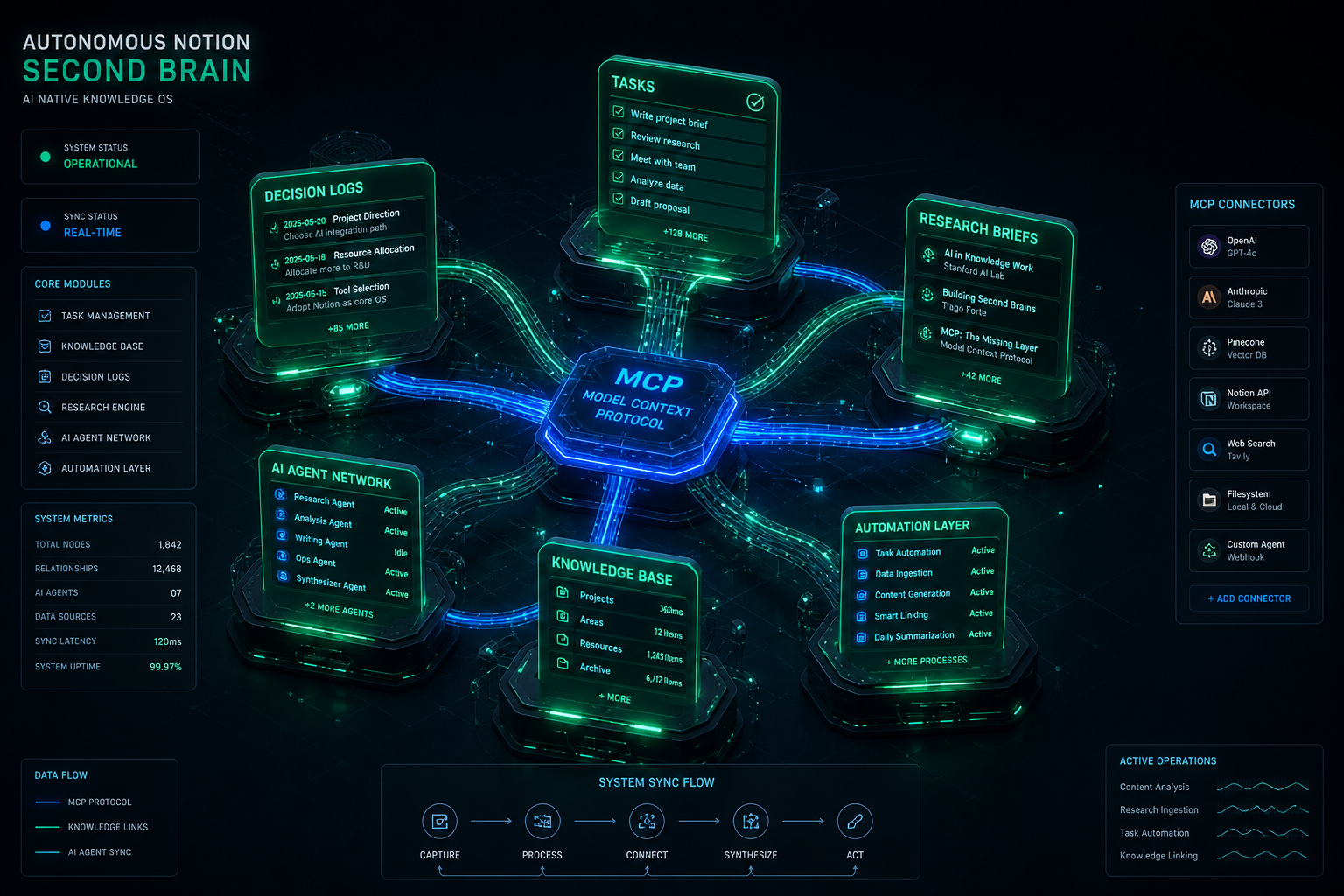
The fundamental flaw of traditional “Second Brain” systems is human maintenance friction. Users build elaborate Notion templates with linked databases, tags, and relations, only to abandon them within three months because manual data entry cannot keep up with the velocity of daily decisions, meetings, and project iterations. In 2026, the Autonomous Second Brain solves this problem completely: AI agents autonomously capture, structure, cross-link, and maintain Notion databases in real time via the Model Context Protocol (MCP).
The Zero-Maintenance Architecture: Key Highlights
Zero Manual Data Entry: Agents listen to live conversations, email threads, and code reviews, extracting decisions directly into structured Notion database properties.
Autonomous Task Staging: Engineering and operational work orders are generated with full technical context and auto-assigned to team members without human drafting.
Cross-Surface Knowledge Graph: Notion acts as the single source of truth connecting local IDEs, remote servers, email hubs, and public websites.
Self-Cleaning & Evergreen Pruning: Automated agent loops merge duplicate notes, reconcile contradictory facts, and archive stale records periodically.
Visual generated by Grok AI — Autonomous Notion Second Brain: MCP Connectors, Multi-Database Topology & AI Agent Ingestion.
1. How MCP Transforms Notion from a Notebook to an Active Memory Layer
Before Model Context Protocol, connecting an AI assistant to Notion required brittle custom webhooks, rigid Zapier zaps, or clunky browser extensions. With the official Notion MCP server, AI models natively execute rich semantic operations directly inside their reasoning loop:
MCP Capability
Traditional Manual Workflow
Autonomous MCP Workflow
Knowledge Capture
Copy-pasting notes into a blank Notion page after a call.
Agent auto-extracts action items & writes structured blocks via notion-create-pages.
Context Retrieval
Manual search with keywords across dozens of folders.
Agent runs semantic vector lookup across workspace with notion-search.
Database Schema Updates
Creating tags, properties, and status fields manually.
Agent auto-maps properties with type validation and sensible defaults.
2. Production Workflow: The Autonomous Work Order Pipeline
In our technical operations at Tygart Media, when an issue arises (e.g., automated cron alerts firing excessive emails or pilot registrations requiring team coordination), the human operator never writes a task card manually. Instead, the agent executes the following pipeline:
Problem Extraction: The agent detects the root cause from system logs or email history.
Schema Matching: The agent calls notion-search to locate our team’s active Work Order database.
Context Ingestion: Formats the ticket with standardized sections: Priority level, Assignee, Problem Summary, Execution Steps, and Acceptance Criteria.
Live Deployment: Executes notion-create-pages, returns the permanent Notion URL in chat, and logs the task ID across our session context.
3. Building the 4-Layer Autonomous Knowledge Stack
Knowledge graphs degrade over time if left unpruned. We implement automated reflection routines where the agent executes a monthly maintenance audit:
Duplicate Detection: Finding similar topic notes across different months and synthesizing them into a single canonical source.
Status Synchronization: Checking completed pull requests and closing out corresponding Notion task cards automatically.
Broken Citation Repairs: Updating URLs and standard definitions when external regulations change (e.g., California SB 253 amendments or NYC Local Law 97 rule updates).
Conclusion: The Ultimate Leverage for Solopreneurs & Teams
An Autonomous Second Brain transforms Notion from a passive digital graveyard into an active operating system for your mind and business. By combining the speed of modern reasoning models with the open standard of MCP, knowledge workers can achieve complete operational leverage—capturing every insight and managing complex operations with zero maintenance overhead.
>For full architecture walkthroughs and custom enterprise agent implementations, browse our complete collection of technical playbooks on Tygart Media.
Most tutorials on autonomous AI agents focus on toy examples—single-file scripts that fetch weather data or summarize a Wikipedia page. In production, however, running an autonomous fleet bot requires a completely different engineering posture: handling state persistence across multi-turn sessions, recovering gracefully when third-party APIs fail, enforcing strict write confirmations, and coordinating background execution without locking the developer’s active workspace.
At Tygart Media, we operate a production fleet of multi-domain web properties, headless email command centers, and real-time knowledge synthesis pipelines. Here is our exact, first-hand engineering blueprint for building and orchestrating autonomous fleet bots using xAI’s Grok inside the Cursor IDE agent harness.
The Production Fleet Architecture
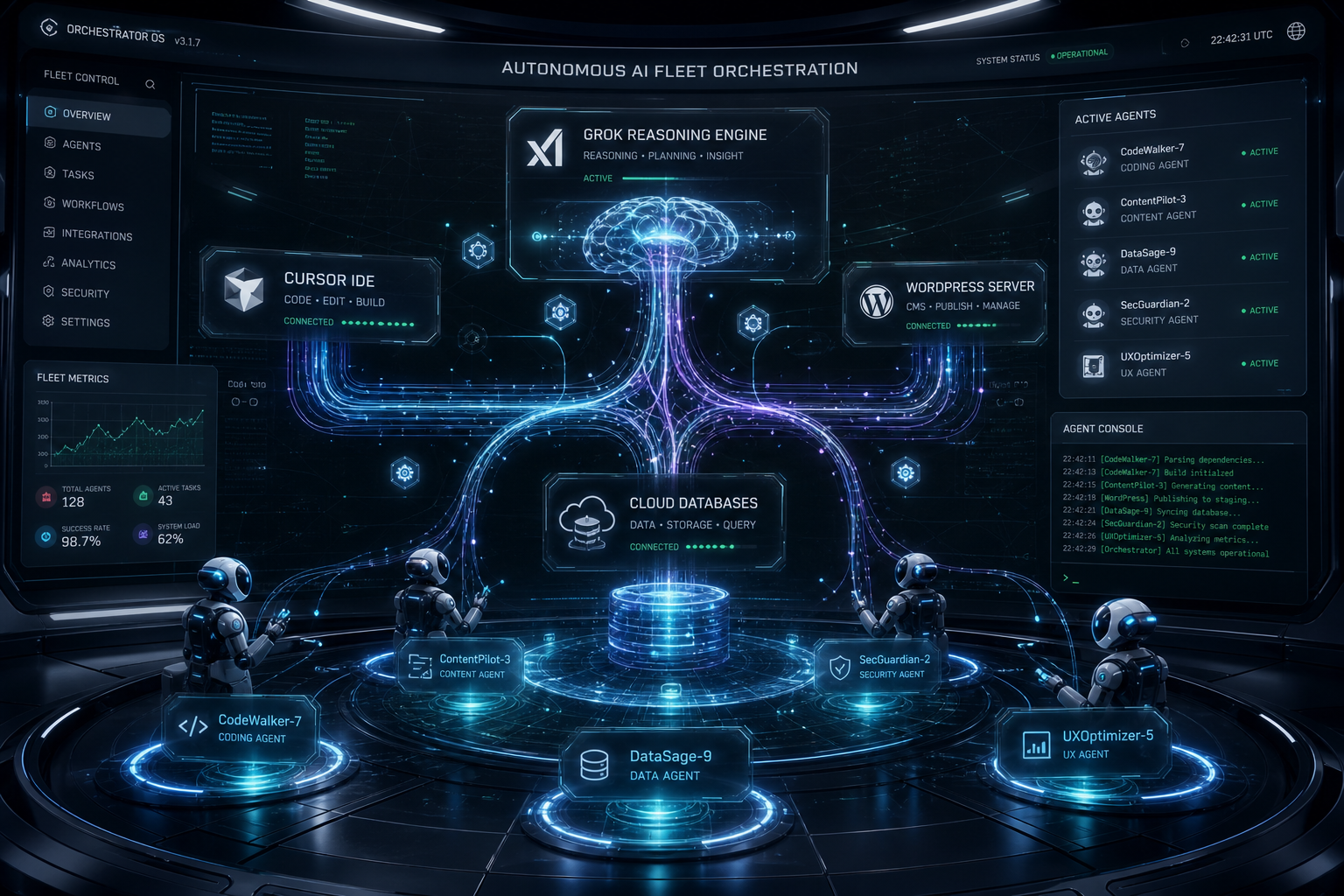
How our autonomous systems divide labor across reasoning, tool execution, and memory:
Orchestrator Harness: Cursor IDE agent engine managing sub-process lifecycles, background execution, and diff validation.
Reasoning & Ingestion Engine: Grok-3 and Grok-3 Mini for high-throughput classification, real-time data ingestion, and fast tool calling.
Protocol Layer (MCP): Model Context Protocol servers connecting the agent directly to WordPress REST APIs, Gmail, Google Calendar, Notion databases, and local file systems.
Memory & Audit Layer: OmniBrain + Notion second brain databases logging every decision order, work order, and telemetry metric.
Visual generated by Grok AI — Autonomous AI Fleet Orchestration Connecting Grok Engine, Cursor IDE, WordPress Fleet & Subagents.
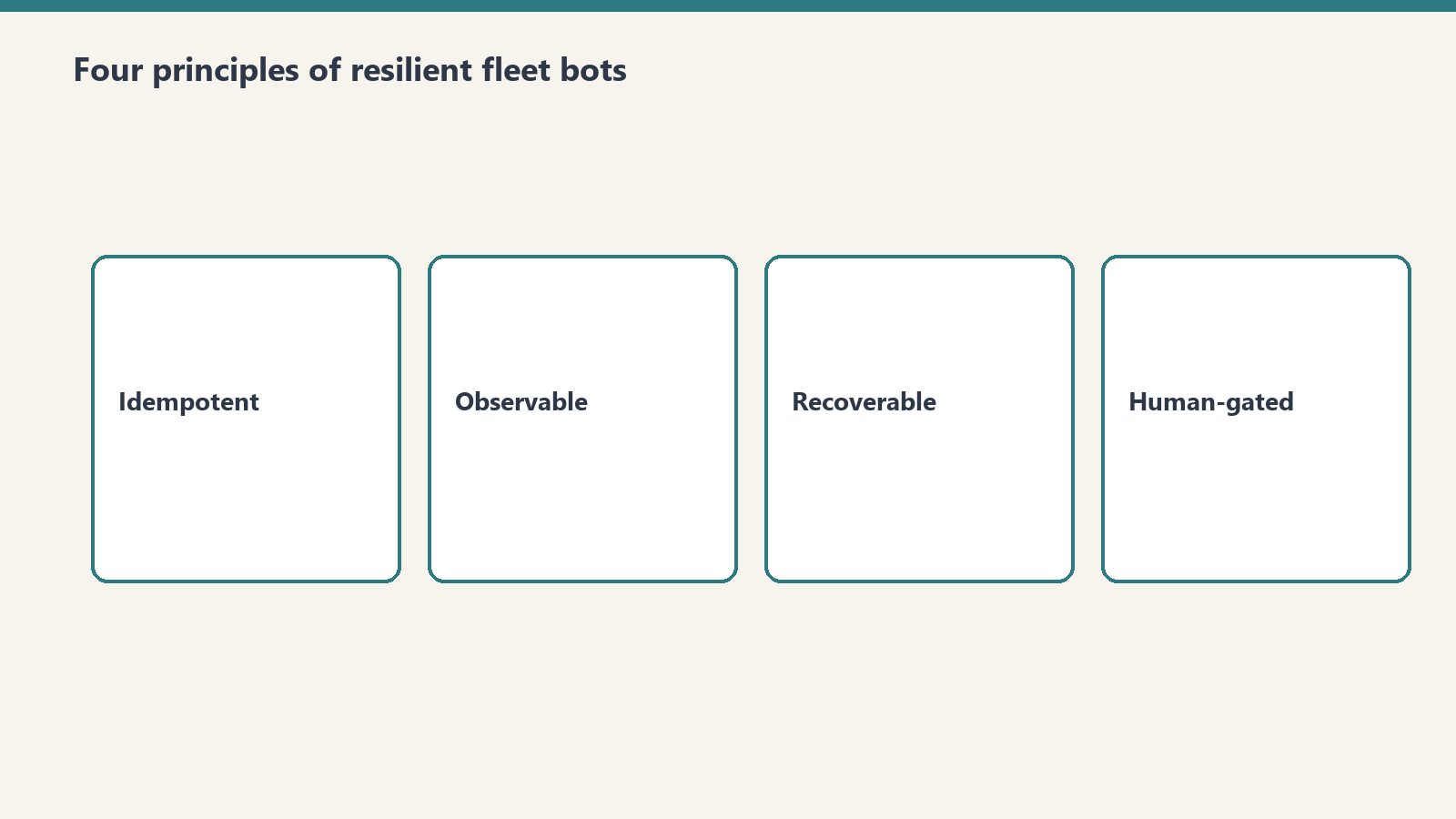
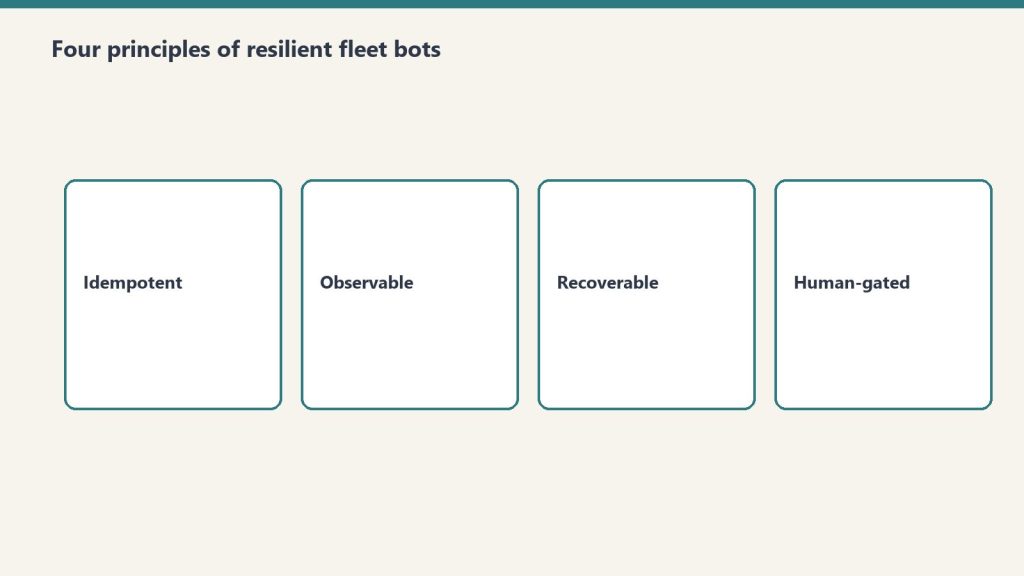
1. The Four Core Principles of Resilient Fleet Bots
Four core principles of resilient fleet bots.
Principle 1: Reads Are Free, Writes Require Explicit Guardrails
An autonomous bot should be empowered to crawl, inspect, grep, and analyze without human friction. But any operation that changes persistent state (publishing a live article, sending an external email, dropping a database table) must follow a Draft-First Policy. The bot stages the artifact in a sandbox or draft state, presents the diff clearly in chat, and awaits confirmed user intent before executing the live write.
Principle 2: Parallel Tool Execution
Sequential tool calling is the death of agent responsiveness. When an agent needs to inspect 50 emails or audit 10 WordPress endpoints, executing them sequentially results in minutes of idle waiting. Grok’s tool-calling API supports batch tool dispatches. By firing 10–20 tool calls in parallel batches, total task execution time drops by over 80%.
Principle 3: Idempotent Error Recovery
In distributed operations, APIs fail. Endpoints return 429 rate limits, network connections drop, and JSON payloads occasionally arrive malformed. Production fleet bots must never crash silently. Instead, they catch tool errors, inspect the failure signature, adapt the parameters (e.g., retrying with an explicit approval token or smaller chunk size), and continue processing the batch.
Principle 4: Grounded Prompts Over Generic Instructions
Never rely on vague system instructions like “Be a helpful assistant”. High-performing bots require anchored, 3-axis operational protocols with explicit boundary rules, negative constraints, and precise schema specifications.
2. The System Architecture: How Cursor & Grok Connect to Live Fleets
System architecture: agents connected to live fleets.
Below is the technical workflow diagram representing our production bot orchestration:
3. Real Production War Story: Managing a 9-Site Fleet
In our daily operations, our agent fleet manages 9 WordPress sites, monitoring content freshness, auditing broken links, publishing structured comparison guides, and synchronizing regulatory compliance updates (such as NYC Local Law 97 and California SB 253 Scope 3 mandates).
Here is what happens during a standard automated operational cycle:
Fleet Discovery: The agent calls wp_list_sites across our fleet (restorationintel.com, bcesg.org, tygartmedia.com, etc.).
Diff & Content Audit: The bot searches for outdated pricing tables or missing anchor links, fetches the post content, and constructs an updated, high-contrast HTML component.
Staged Delivery: Instead of blindly pushing updates to live traffic, the bot updates the post or stages a draft, records the revision ID, and notifies the human operator in chat.
Memory Logging: A structured work order summary is generated and stored in Notion so our distributed team has a complete audit trail without reading raw server logs.
4. The Economics: Why This Stack Beats Traditional SaaS Tools
Building custom fleet bots on top of Grok and Cursor eliminates the need for expensive, fragmented SaaS subscriptions:
Operational Function
Traditional SaaS Stack
Grok + Cursor Fleet Bot
Monthly Savings
Fleet Content Management
$299/mo (Enterprise CMS Tools)
$4.50/mo (Grok API Tokens)
98.5%
Email Triage & Archiving
$150/mo (Superhuman + SaneBox)
$1.20/mo (Grok-3 Mini)
99.2%
Knowledge Base Maintenance
$500/mo (Dedicated Ops Assistant)
$3.80/mo (Notion MCP + Grok)
99.2%
Conclusion: The Future of Autonomous Development
The developers who build the most impactful AI systems in 2026 are not writing prompts in web chat interfaces. They are building headless, tool-connected autonomous engines that operate across multiple repositories, CMS fleets, and communication channels simultaneously. Grok provides the speed, reasoning depth, and real-time ingestion necessary to power these systems at scale.
>Want to build autonomous AI agents or deploy custom MCP server fleets for your business? Read our full library of developer playbooks on Tygart Media.
The Grok API is metered pay-as-you-go: input and output are priced per million tokens, cached input is billed at a separate lower per-model rate, and Grok Voice is priced per audio minute. Page updated October 2, 2026. The figures below are xAI’s current published rates (docs.x.ai, last updated September 21, 2026).
Direct answer (page updated October 2, 2026): Grok-4.7 (flagship) is $2.00 input and $6.00 output per 1M tokens, cached input $0.50. Grok-4.6 is $2.00 / $6.00, cached $0.50. Grok-4.5 is $2.00 / $6.00, cached $0.30. Grok-4.3 and the Grok-4.20 family are $1.25 / $2.50, cached $0.20. Grok-build-0.1 is $1.00 / $2.00, cached $0.20. Grok-3 was retired in May 2026 and now redirects to Grok-4.3 — the $3.00 / $15.00 figures this page previously listed are outdated. Grok Voice speech-to-speech is a flat $0.08 per minute plus $0.004 per text input.
Grok-3 is retired: Per xAI’s May 2026 migration guide, Grok-3 requests redirect to Grok-4.3. Any page still quoting $3.00 / $15.00 is showing history, not current pricing.
Grok Voice API: Speech-to-speech at a flat $0.08/min plus $0.004 per text input — no per-minute input/output split. Speech-to-text $0.10/hr REST ($0.20/hr streaming); text-to-speech $15.00 per 1M characters.
Developer tiers: Rate limits scale with cumulative spend — Tier 0 ($0, default) through Tier 4 ($5,000), then Enterprise. No published free tier or new-account credit.
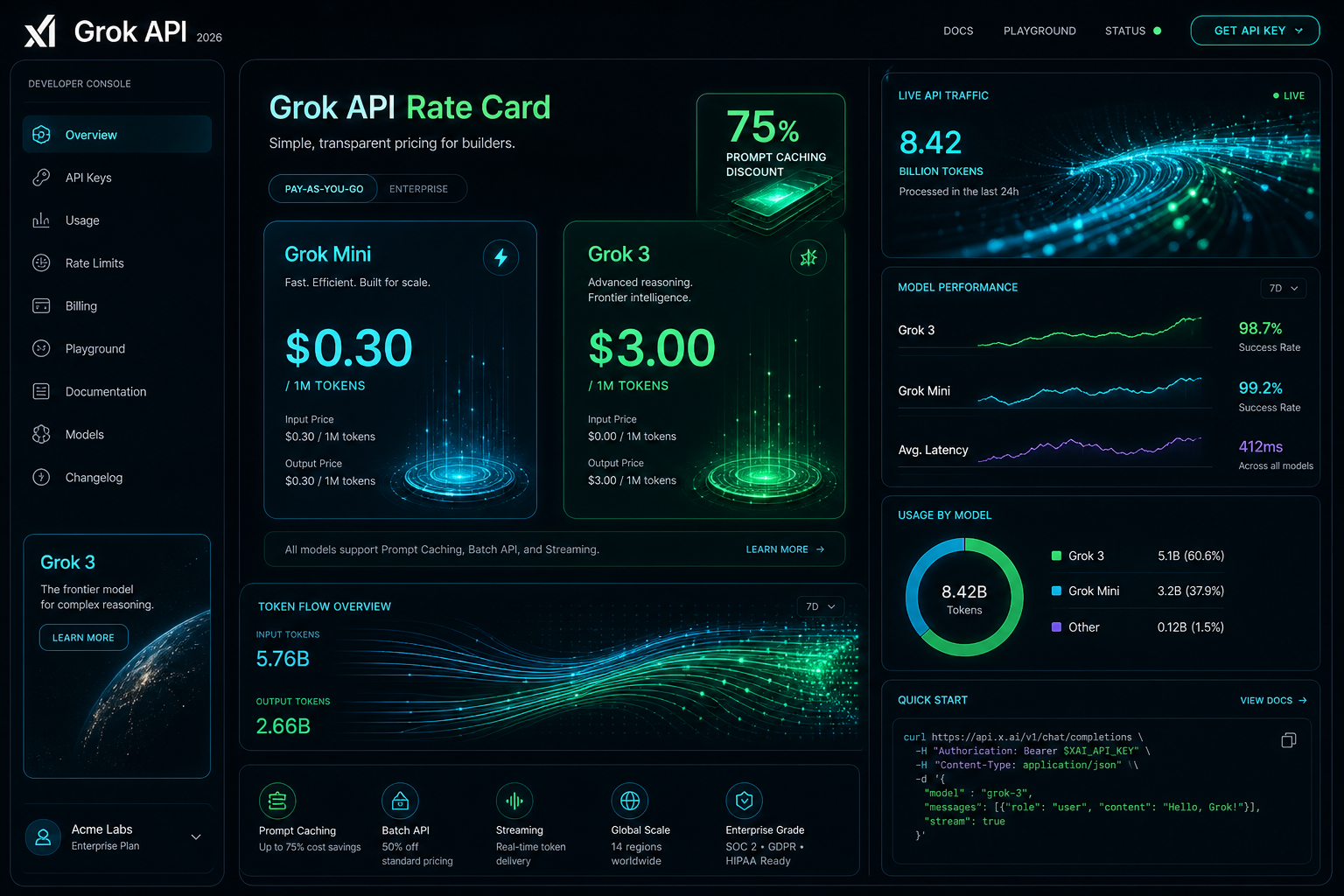
Visual generated by Grok AI — 2026 Grok API Developer Console, Rate Card & Token Flow Architecture.
Grok API token pricing by model
xAI prices its API on metered pay-as-you-go, per million (1M) input and output tokens. Long-context requests bill at 2x the short-context rates shown here. Current published rates:
Model Name
Input Cost (per 1M)
Cached Input (per 1M)
Output Cost (per 1M)
Grok-4.7 (Flagship)
$2.00
$0.50
$6.00
Grok-4.6
$2.00
$0.50
$6.00
Grok-4.5
$2.00
$0.30
$6.00
Grok-4.3
$1.25
$0.20
$2.50
Grok-4.20 family (reasoning / non-reasoning / multi-agent)
$1.25
$0.20
$2.50
Grok-build-0.1
$1.00
$0.20
$2.00
Grok Voice (speech-to-speech)
Flat $0.08 / min + $0.004 per text input
N/A (per-minute)
Context windows per xAI’s model catalog: Grok-4.7 and Grok-4.5 up to 500K tokens, Grok-4.3 up to 1M tokens. Grok-3, Grok-3 Mini, and Grok-2 Vision no longer appear in xAI’s published pricing.
Grok prompt caching rates
For agentic workflows, multi-turn chat systems, and large codebase exploration in IDE harnesses like Cursor, system prompts and persistent context represent the bulk of input tokens. Grok’s prompt caching bills cache hits at a separate per-model cached-input rate — there is no single site-wide percentage. Effective discounts run roughly 75-85% depending on model: $0.50 vs $2.00 on Grok-4.7/4.6, $0.30 vs $2.00 on Grok-4.5, $0.20 vs $1.25 on Grok-4.3/4.20, and $0.20 vs $1.00 on Grok-build-0.1.
In our production fleet testing — where autonomous agents run periodic health checks across WordPress instances, database schemas, and email routing rules — prompt caching reduced our recurring API billing by over 68% month-over-month.
Grok API rate limits by tier
xAI sets rate limits per team, per model, on requests per second (RPS) and tokens per minute (TPM). Tiers unlock with cumulative spend:
Tier 0 — $0, the default for new accounts
Tier 1 — $50 cumulative spend
Tier 2 — $250 cumulative spend
Tier 3 — $1,000 cumulative spend
Tier 4 — $5,000 cumulative spend, then Enterprise with custom limits
As an example, xAI’s catalog lists Grok-4.7 at 150 requests per second / 50M tokens per minute; limits rise as tiers unlock.
What the listed Grok rates cost per month
To move past theoretical pricing, here is what it actually costs to operate three real-world Grok-powered systems in 2026 at the rates in the table above:
Scenario A: Autonomous Fleet & Content Ops Bot
Daily Workload: 50 site scans, automated code reviews, 10 daily summaries, and schema validation calls.
Total Monthly Cost:$252.00 / month in audio charges (vs. $3,200+/month for full-time 24/7 human dispatch).
3,150 minutes x $0.08 = $252.00, plus $0.004 per text input the agent generates.
Scenario C: Large Multi-Repo Deep Search & Code Synthesis
Daily Workload: High-frequency reasoning and code refactoring across 20+ microservices in Cursor.
Monthly Token Consumption: 80M input tokens on Grok-4.7 with prompt caching enabled.
At the Grok-4.7 rates in the table: all cached, 80 x $0.50 = $40; all uncached, 80 x $2.00 = $160; a 50/50 mix = $100 in input charges, before output tokens.
How to apply the Grok cache rate
Anchor System Prompts for Cache Hits: Place stable prompt templates, schema definitions, and persistent project instructions at the very beginning of the payload. Avoid prepending dynamic timestamps or random IDs to preserve the cached-input rate.
Model Routing (build-0.1 for Scaffolding, 4.7 for Reasoning): Use lightweight models like Grok-build-0.1 ($1.00/$2.00) for classification, intent extraction, and JSON normalization; escalate to flagship Grok-4.7 only for deep logical synthesis or multi-file architecture plans.
Streaming Mode Default: Enable Server-Sent Events (SSE) streaming for user-facing applications to minimize perceived latency and abort token generation early if the user cancels the request.
Grok API pricing questions
How much does the Grok API cost?
Current published rates: Grok-4.7 is $2.00 input and $6.00 output per 1M tokens, Grok-4.6 the same, Grok-4.5 $2.00 / $6.00, Grok-4.3 and the Grok-4.20 family $1.25 / $2.50, and Grok-build-0.1 $1.00 / $2.00. Cached input is $0.50, $0.50, $0.30, $0.20, and $0.20 respectively. Grok Voice speech-to-speech is a flat $0.08 per minute plus $0.004 per text input.
Is there a free tier for the Grok API?
xAI publishes no free tier and no standing new-account credit. Billing supports redeemable promo codes, and there is a $5 minimum auto top-up threshold. Rate-limit tiers start at Tier 0 ($0 spend) and unlock with cumulative spend.
How much does Grok prompt caching change the input price?
Cache hits bill at a per-model cached-input rate: $0.50 instead of $2.00 on Grok-4.7/4.6, $0.30 instead of $2.00 on Grok-4.5, $0.20 instead of $1.25 on Grok-4.3/4.20, and $0.20 instead of $1.00 on Grok-build-0.1 — roughly 75-85% below standard input depending on model. xAI publishes no single site-wide discount figure.
What are the Grok API rate limits?
Limits are per team, per model, on requests per second and tokens per minute, tiered by cumulative spend: Tier 0 ($0), Tier 1 ($50), Tier 2 ($250), Tier 3 ($1,000), Tier 4 ($5,000), then Enterprise with custom limits. The catalog lists Grok-4.7 at 150 RPS / 50M TPM; limits rise as tiers unlock.
Conclusion: The Operational Verdict
At xAI’s current published rates, Grok-4.7 is $2.00 / $6.00 per 1M tokens, Grok-4.5 $2.00 / $6.00, Grok-4.3 and Grok-4.20 $1.25 / $2.50, Grok-build-0.1 $1.00 / $2.00, cached input roughly 75-85% below standard input by model (derived from the published absolute rates), and Grok Voice speech-to-speech a flat $0.08 per minute plus $0.004 per text input. Grok-3 is retired and redirects to Grok-4.3. Page updated October 2, 2026.
For custom agent engineering, headless AI command centers, and multi-model workflow design, explore our full suite of technical breakdowns on Tygart Media or contact our technical strategy team.
Most AI assistants still answer from memory. Ask one a question and it reasons from patterns baked in during training — useful, but static. The moment a question depends on something that changed yesterday, or something that only exists inside your own systems, that static knowledge runs out.
The more interesting shift happening in AI tooling right now isn’t bigger models — it’s agents that can actually go check. Dispatch-style AI systems, the kind that can spin off an isolated task, open a real shell, browse a real page, or read an actual file, are starting to close the gap between “the AI’s best guess” and “what’s actually true right now.” GitHub is a good test case for why that distinction matters.
Search-and-cite isn’t the same as read-and-act
Search-and-cite is not the same as read-and-act.
A lot of what gets marketed as an AI “GitHub integration” is really a search layer: the assistant can look up an issue or a pull request and summarize it, with a citation back to the source. That’s genuinely useful for answering “what did that PR change” — but it’s a dead end the moment you need the assistant to actually do something, like open an issue, comment, or verify what a repository’s current state really is.
The more capable version of this connects an agent directly to real developer tooling: an actual shell, a real git client, real file access. Instead of summarizing a cached snapshot of a repo, the agent can clone it, read the current commit log, open the actual config files, and answer questions against what’s genuinely there today — including the uncomfortable cases, like when the live state doesn’t match what anyone assumed it would.
Why “just check” is harder than it sounds
Why “just check” is harder than it sounds.
The obvious rebuttal is: shouldn’t a good assistant just check before it answers? In practice, most AI tools default to answering from what they already “know,” because checking is slower and requires actual tool access, not just a knowledge base. The systems that skip the check tend to produce confident, plausible-sounding answers that are quietly wrong the moment reality has drifted from training data — a stale API, a renamed config path, a repo that moved.
The fix isn’t a smarter model. It’s an agent willing to spend the extra step: open the real file, run the real command, read the real log, before saying anything with confidence. That habit is unglamorous, but it’s the difference between an assistant that sounds right and one that actually is.
The practical takeaway
The practical takeaway for agent builders.
For any business layering AI into real workflows, the question worth asking about a tool isn’t just “how smart is the model” — it’s “what can this thing actually go look at, and will it bother to.” An assistant that can search and summarize is a research aid. One that can open a shell, read your actual repository, and ground its answer in what’s really there is a different category of tool entirely — and it’s the direction the whole space is quietly moving.
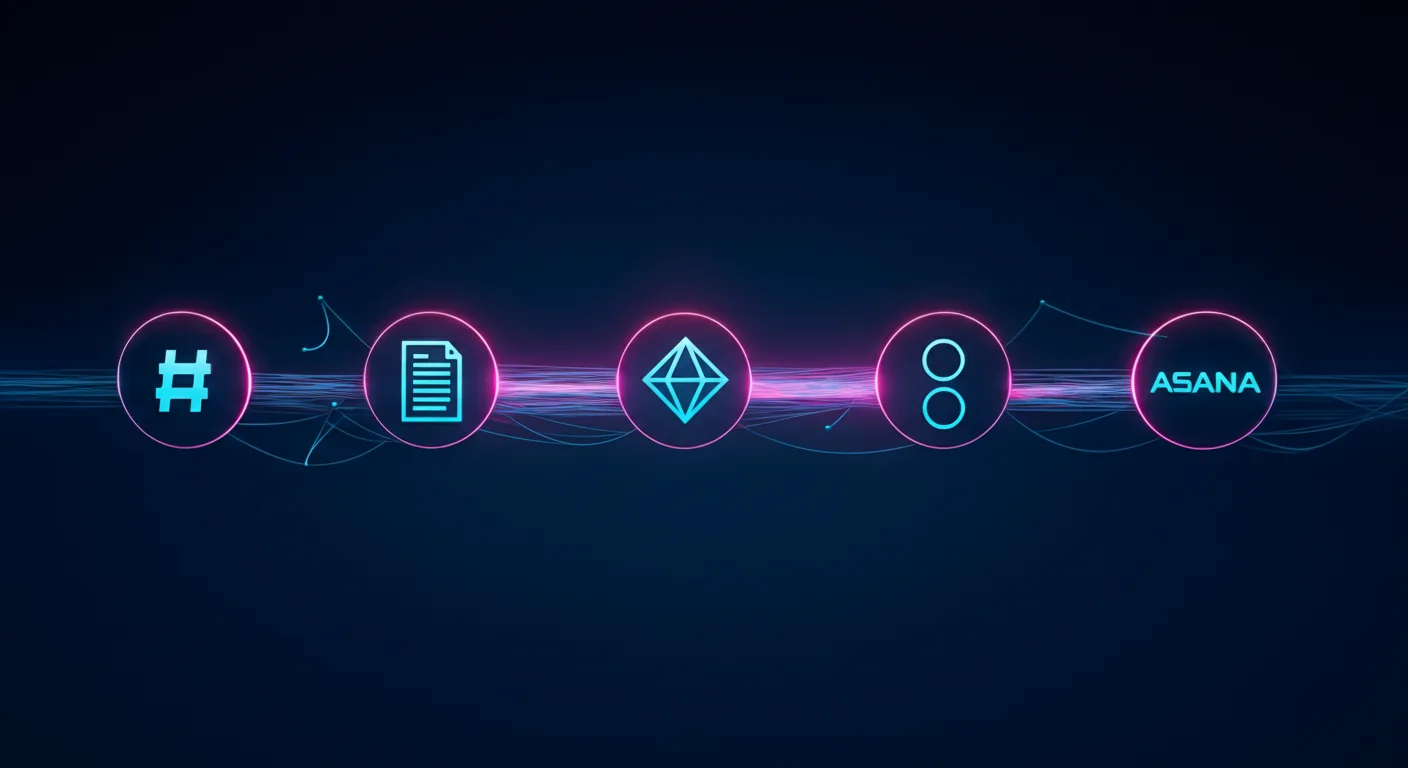
Claude Managed Agents is the product. Slack, Notion, Jira, and Asana are just the interface. Anthropic is building the invisible execution layer that powers the next generation of enterprise software.
Last refreshed: October 20, 2026 (Pacific)
There is a pattern emerging in enterprise AI that most people are reading wrong. They see Anthropic launch Claude Tag in Slack and think “chatbot upgrade.” They see Claude show up inside Notion and think “productivity feature.” They see AI agents appear in Jira and Asana and think “automation plugin.”
They are missing the architecture underneath all of it.
Anthropic is not building a better chatbot. It is building the invisible agent runtime that sits beneath every collaboration tool your team already uses. The company’s Claude Managed Agents (CMA) platform — launched in public beta on April 8, 2026 — is the infrastructure layer that makes this possible. And the speed at which partners are embedding it tells you everything about where enterprise software is heading.
What Claude Managed Agents Actually Is
What Claude Managed Agents actually is — the runtime layer.
Claude Managed Agents is a set of composable APIs for building and deploying production AI agents on Anthropic’s cloud infrastructure. The service handles sandboxed code execution, session persistence, credential management, scoped permissions, and end-to-end tracing — all the operational complexity that previously kept agents stuck in proof-of-concept limbo.
The architecture rests on three primitives: the Agent (configuration and behavior), the Environment (sandboxed execution), and the Session (the event log that tracks everything the agent does). What makes this interesting architecturally is how Anthropic decoupled the “brain” from the “hands.” Claude’s reasoning runs on Anthropic’s own infrastructure while the code execution sandbox spins up independently — and in parallel. The brain starts reasoning immediately while the sandbox provisions, delivering roughly 60% faster time-to-first-token at the p50 level and over 90% faster at p95, according to Anthropic’s engineering team.
Pricing follows a transparent model: standard Claude API token rates plus $0.08 per session-hour of active runtime during the current beta period. Runtime is measured to the millisecond and only accrues while the agent is actively executing — idle time waiting for input or tool confirmations does not count.
For teams that need to keep execution inside their own perimeter, CMA supports self-hosted sandboxes through partners including Cloudflare, Daytona, Modal, and Vercel, or custom VPC deployments. MCP tunnels allow agents to connect to private Model Context Protocol servers inside your network without exposing them to the public internet. A Vaults system keeps credentials out of the sandbox entirely using envelope encryption. And a feature called Dreaming runs scheduled reviews of past sessions to curate agent memory — essentially letting agents learn from their own operational history.
The Embedded Layer: Where CMA Actually Lives
Embedded layer: where CMA actually lives in the stack.
The real story is not the infrastructure. It is where that infrastructure shows up. In the ten weeks since CMA launched, Anthropic has embedded its agent runtime inside the collaboration tools that enterprises already depend on. This is not a roadmap — these integrations are live or in active beta.
Slack: Claude Tag as Persistent Team Member
Claude Tag, launched in late August 2026, replaces Anthropic’s original Claude in Slack integration with something fundamentally different. This is not a chatbot you summon with a slash command. It is a persistent AI team member that lives in your channels, builds memory across conversations, and can take initiative through what Anthropic calls “ambient mode” — proactively surfacing information, following up on forgotten threads, and keeping teams updated across the organization.
Claude Tag is multiplayer by design: one Claude identity per channel, accessible to everyone, with the ability to hand off half-finished tasks between team members. It launched on Claude Opus 4.8 and now runs on Claude Opus 5.5 (see our Claude Tag pricing guide). And internally, Anthropic reports that Claude Tag is already approving and incorporating 65% of the code changes their product team submits. The existing Claude in Slack app will be retired on August 3, 2026. Claude Tag is available on Enterprise and Team plans.
Notion: Claude as External Agent
On May 13, 2026, Notion launched its Developer Platform version 3.5, which introduced the External Agents API. This API lets AI agents — including Claude — operate inside your Notion workspace as first-class participants. They can read pages, write to databases, create tasks, trigger automations, and be @-mentioned directly in documents. Claude operating through this API can chain actions together: read a project brief, check the task database for related work, draft a new document, and create a linked task entry — all in a single session, running on CMA infrastructure with full sandboxing.
Asana: AI Teammates
Asana built AI Teammates on CMA — agents that pick up assigned tasks inside projects, draft deliverables, and hand back outputs for human review. Specialist agents handle specific workflows: the Campaign Brief Writer turns scattered notes into structured briefs, the Workflow Optimizer identifies process gaps and builds automations, and the Compliance Specialist checks work against regulatory standards. Asana’s CTO said CMA let them ship these features “dramatically faster” than any prior approach to agent development.
Atlassian: Claude Agent for Jira
Atlassian released Claude Agent for Jira, built on CMA infrastructure, which lets teams assign work items directly to Claude from the Jira UI. The agent clones the repository, analyzes the codebase, implements changes on an independent branch, pushes the code, and opens a draft pull request — streaming real-time status updates back to the Jira work item throughout the process.
Sentry: From Bug Detection to Merge-Ready PR
Sentry’s existing AI debugging agent, Seer, already used Claude for root cause analysis. With CMA, Sentry extended the workflow from diagnosis to automated fixing — the agent takes Seer’s root cause output, generates a fix, opens a branch with the changes, and creates a pull request for developer review. Sentry processes over one million root cause analyses per year and provides near-immediate reviews on over 600,000 pull requests per month. The CMA integration was built by a single engineer in weeks, eliminating months of custom agent runtime development.
Rakuten: Specialist Agents Across the Enterprise
Rakuten deployed specialist agents across product, sales, marketing, and finance using CMA, with each agent deployed in approximately one week. Agents plug into Slack and Teams, letting employees assign tasks and receive deliverables including spreadsheets, slides, and applications. In the pilot, Rakuten reported a 97% drop in critical first-pass errors, with cost down more than 30% and latency reduced by 34%, without any loss in output quality.
KPMG: Global Professional Services Alliance
On May 19, 2026, KPMG and Anthropic announced a global alliance and launched “Digital Gateway Powered by Claude.” The partnership embeds Claude, Cowork, and CMA directly into KPMG’s client delivery platform, with an initial focus on tax and private equity clients. Building an AI agent for tax regulation workflows previously took weeks and required switching between multiple tools. With CMA integrated into Digital Gateway, KPMG says the same capability takes minutes. The alliance extends to KPMG’s 276,000-person global workforce.
The Strategic Pattern: Agent Runtime as a Service
Step back from the individual integrations and the strategic pattern becomes clear. Anthropic is not trying to own the interface. It is deliberately positioning CMA as the execution layer underneath interfaces that other companies own. Slack owns the messaging UI. Notion owns the workspace UI. Jira owns the project tracking UI. Anthropic owns the agent brain that powers all of them.
This is a fundamentally different strategy from its two largest competitors.
OpenAI chose vertical integration. When OpenAI launched Workspace Agents on April 22, 2026, it positioned ChatGPT itself as the central hub — a no-code successor to custom GPTs that connects to Slack, Salesforce, Google Drive, and Notion through plugins. Agents are created inside ChatGPT, accessed from ChatGPT, and managed through ChatGPT. OpenAI wants to own the surface area.
Google chose platform depth. At Google Cloud Next on April 22, 2026, Google unveiled the Gemini Enterprise Agent Platform — a reimagined evolution of Vertex AI — alongside Workspace Intelligence, a semantic unifying layer that connects data across Docs, Slides, Gmail, and the broader Google Cloud ecosystem. Google’s agent platform supports 200+ models including Claude, and the Agent2Agent (A2A) protocol enables distributed peer-to-peer agent communication. Google is leveraging its data moat and distribution at the platform level.
Anthropic chose tool-centric orchestration. Rather than owning the UI (OpenAI) or the platform (Google), Anthropic is embedding its agent runtime into every tool through composable APIs and the Model Context Protocol. The platform you use becomes irrelevant — whether it is Slack, Notion, Jira, Asana, or Sentry — because the agent brain running underneath is Claude on CMA.
This is the agent-as-a-service model. And it may be the most defensible position of the three, because it does not require users to change their behavior or migrate to a new platform. The agent shows up where they already work.
What the Numbers Say About Enterprise Agent Adoption
The macro context supports Anthropic’s timing. Gartner predicts that 40% of enterprise applications will include embedded task-specific agents by the end of 2026, up from less than 5% in 2025. McKinsey’s April 2026 analysis found that agentic AI can enable automation of 60 to 80 percent of routine infrastructure work over time, translating to a 20 to 40 percent run-rate cost reduction in initial deployments.
The gap between experimentation and production remains the defining challenge. Industry research compiled from major firms shows that nearly four in five enterprises have experimented with or deployed agents in some form, but fewer than one in nine are running them in production at a scale that generates measurable business value. For the agents that do reach production, the average return on investment is 171% — though 19% of deployments never reach payback at all.
That production gap is exactly what CMA is designed to close. The infrastructure burden — sandboxing, session persistence, credential isolation, error recovery, observability — is the bottleneck. Engineering teams routinely dedicated significant senior engineering resources for months before a single agent reached production. CMA eliminates that layer entirely, which is why partners like Asana, Sentry, and Rakuten report shipping production agents in days or weeks rather than quarters.
What This Means for Businesses Already Using These Tools
If your organization uses Slack, Notion, Jira, or Asana — and statistically, you use at least two of them — you are about to encounter Claude whether you planned to adopt it or not. This is not a technology decision your IT team is making. It is a feature that your existing vendors are shipping.
The practical implications are significant. Claude Tag in Slack means your team channels will have an AI participant that remembers past conversations, can be handed tasks asynchronously, and may proactively surface information. Claude in Notion means your project documentation, databases, and task boards can be read, analyzed, and acted upon by an agent that chains actions together. Claude Agent for Jira means development tickets can be assigned to an AI that clones your repo, writes code, and opens pull requests.
For agencies and service providers managing client work across multiple tools, the embedded agent layer changes the economics fundamentally. Work that previously required a human to context-switch between Slack, Notion, and a project management tool — reading a brief here, updating a task there, drafting a document somewhere else — can be handled by an agent that operates across all of them simultaneously. The coordination tax that consumes a substantial share of knowledge work time is the exact problem embedded agents are built to solve.
The companies that benefit most will be the ones that have clean operational systems — structured task boards, documented processes, well-organized project databases — because agents can only act on information they can read. Messy Notion workspaces and disorganized Jira boards will limit what agents can accomplish. Operational hygiene just became a competitive advantage.
What This Means for Solo Operators Already Running Agent Infrastructure
There is a specific audience that should be paying very close attention to CMA: the solo operators and small agency owners who have already built their own agent stacks from scratch. If you are running scheduled Claude tasks on a GCP Compute Engine VM, connecting to WordPress via REST API proxies, piping work orders through Notion, monitoring Gmail for client replies, and publishing content through MCP-connected pipelines — you have already built a version of what CMA is productizing.
The economics question is worth doing the math on. A lightweight GCP VM running 24/7 to host recurring agent tasks — news desk monitors, outreach reply checks, newsletter extraction, scheduled content audits — costs a fixed monthly rate whether the agents are actively working or sitting idle. CMA at $0.08 per session-hour of active runtime only charges when agents are executing. For tasks that run for a few minutes every few hours, the per-session billing model could be substantially cheaper than keeping a VM warm around the clock. A task that runs for ten minutes six times a day would cost roughly $0.08 per day on CMA, versus the cost of a VM instance that never sleeps.
But the migration path is not ready yet, and solo operators should understand exactly where the gaps are before making any infrastructure decisions.
The biggest gap is MCP tunnels. CMA’s ability to connect agents to private MCP servers inside your network is still in research preview — not production-ready. If your agent stack depends on a private WordPress REST API proxy, a Notion workspace connected via MCP, or any internal tool that is not exposed to the public internet, CMA cannot reach it today. The Vaults system for credential management is promising, but it does not solve the network connectivity problem for self-hosted infrastructure.
The second gap is orchestration control. Solo operators who have built their own agent infrastructure typically have precise control over scheduling, retry logic, error handling, and the exact sequence of tool calls. CMA’s Dreaming feature — which reviews past sessions to curate agent memory — is an interesting approach to agent learning, but it is not the same as having direct control over a cron job that fires at 6:00 AM, checks three data sources in a specific order, and writes results to a specific Notion database with a specific schema.
The thesis for solo operators is straightforward: CMA is almost certainly the future migration path for self-hosted agent infrastructure. The economics favor it for intermittent workloads, the managed security and sandboxing eliminate operational risk you are currently carrying yourself, and the session persistence model solves problems that custom agent runtimes handle poorly. But the plumbing — particularly MCP tunnels to private infrastructure — is not production-ready. Track it closely. Do not migrate yet. When MCP tunnels graduate from research preview to general availability, revisit the math and the connectivity story. That is the trigger point.
The Risk Nobody Is Talking About
The risk nobody talks about — agents that act with memory.
There is a tension in this model that deserves attention. When Claude operates as an invisible layer inside tools you already trust, the boundary between the tool’s native capabilities and the AI agent’s actions blurs. A Jira ticket that was “completed” might have been implemented by Claude, reviewed by a human for thirty seconds, and merged. A Notion project plan that looks thorough might have been generated by an agent that filled in the sections with plausible-sounding content.
The embedded model works precisely because it reduces friction — but reduced friction also means reduced scrutiny. Organizations adopting embedded agents need to build review processes that match the speed at which agents can produce output. The 171% average ROI from agent deployments accounts for the value created, but it does not account for the subtle quality risks of production work generated by systems that are confident, fluent, and occasionally wrong.
Anthropic has built guardrails into CMA — sandboxed execution, credential isolation, session logging — but the governance layer for reviewing agent output at enterprise scale is still largely unsolved. This is a space where internal operational discipline matters more than the technology itself.
Where This Goes Next
Claude Tag launched on Slack first. Anthropic has indicated plans for wider rollout beyond Slack. If the pattern holds, expect Claude Tag’s persistent team member model to appear in Microsoft Teams, Discord, and any other collaboration surface where teams coordinate work.
The CMA primitives are designed to be composable, which means the partner integration list will grow rapidly. Any SaaS company with an API and a workflow that involves reading context, making decisions, and taking actions is a candidate for CMA integration. Customer support platforms, CRM systems, design tools, analytics dashboards, HR systems — the addressable surface is essentially every tool that knowledge workers touch.
Gartner’s long-term projection estimates that agentic AI could drive approximately 30% of enterprise application software revenue by 2035, surpassing $450 billion. If Anthropic’s embedded strategy succeeds, a meaningful slice of that revenue flows through CMA as the underlying runtime — regardless of whose logo is on the interface.
The chatbot era is ending. The embedded agent era is starting. And Anthropic is betting that the company that owns the invisible execution layer wins the market, even if no end user ever sees its name.
Claude Managed Agents is a set of composable APIs launched by Anthropic on April 8, 2026 in public beta. CMA lets developers build and deploy production AI agents on Anthropic’s cloud infrastructure, handling sandboxed code execution, session persistence, credential management, and end-to-end tracing. The architecture separates the “brain” (Claude reasoning) from the “hands” (code execution sandbox), enabling parallel processing and faster agent responses.
How much do Claude Managed Agents cost?
During the current public beta, CMA pricing is standard Claude API token rates plus $0.08 per session-hour of active runtime. Runtime is measured to the millisecond and only accrues while the agent is actively executing — idle time does not count. GA pricing has not been finalized and may differ from the beta rate.
What is Claude Tag in Slack?
Claude Tag is Anthropic’s persistent AI team member for Slack, launched in late August 2026. Unlike a traditional chatbot, Claude Tag lives in channels, builds memory across conversations, takes initiative through ambient mode, and works asynchronously. It is multiplayer — one Claude identity per channel that all team members interact with. Claude Tag now runs on Claude Opus 5.5 (launched on Opus 4.8) and is available on Enterprise and Team plans. It replaces the original Claude in Slack app, which retired August 3, 2026.
Which tools have Claude Managed Agents embedded?
As of October 2026, CMA is embedded in Slack (via Claude Tag), Notion (via the External Agents API), Asana (AI Teammates), Atlassian Jira (Claude Agent for Jira), and Sentry (extending the Seer debugging agent). Enterprise deployments include Rakuten (specialist agents across product, sales, marketing, and finance) and KPMG (Digital Gateway Powered by Claude for tax and private equity clients).
How does Anthropic’s agent strategy differ from OpenAI and Google?
Anthropic uses a tool-centric orchestration approach, embedding its agent runtime inside existing tools via composable APIs and the Model Context Protocol (MCP). OpenAI chose vertical integration with Workspace Agents, positioning ChatGPT as the central hub. Google chose platform depth with the Gemini Enterprise Agent Platform and Workspace Intelligence semantic layer. Anthropic’s approach does not require users to change platforms — the agent shows up where they already work.
What percentage of enterprise apps will have embedded AI agents by end of 2026?
Gartner predicts that 40% of enterprise applications will include embedded task-specific agents by the end of 2026, up from less than 5% in 2025. However, fewer than one in nine enterprises currently run agents in production at scale, suggesting significant growth ahead.
Can Claude Managed Agents run inside a private network?
Yes. CMA supports self-hosted sandboxes through partners including Cloudflare, Daytona, Modal, and Vercel, or custom VPC deployments. MCP tunnels allow agents to connect to private Model Context Protocol servers inside your network without public exposure. A Vaults system keeps credentials out of the sandbox using envelope encryption.
Claude is far more than a chatbot. Anthropic calls Claude Code and Cowork “general agents — broad-domain systems that handle research, operations, analysis, and code with equal fluency.” In practice, that means the same AI that writes software can also run your marketing, draft grant proposals, analyze a spreadsheet, and automate the busywork that fills your week. This guide maps what people actually use Claude for, organized by the job you’re trying to get done — with a deeper walkthrough behind each one.
Last refreshed: October 20, 2026 (Pacific)
Content & marketing
Content, ops, build, knowledge — pick the lane first.
The most popular non-technical use. Claude researches, drafts, edits, and optimizes — from a single blog post to an entire editorial pipeline.
Where Claude started. Claude Code is an agentic coding tool that reads your codebase, writes and refactors, runs tests, and ships — from the terminal, an IDE, or a desktop app.
Which Claude is right for you depends on the job, not the brand.
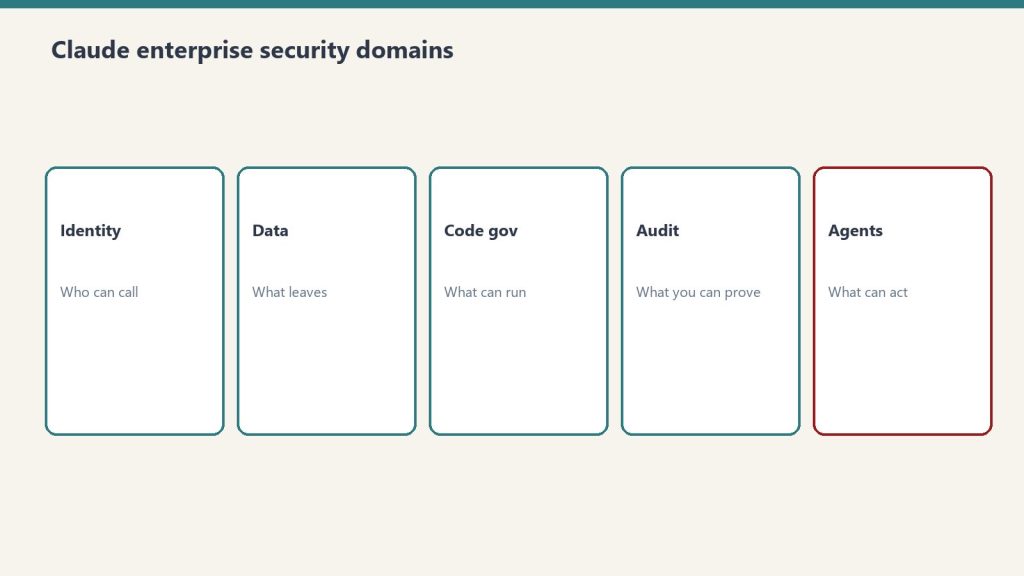
Chatbot, coding agent, knowledge-work agent, Slack teammate — these are different doors into the same models. Match the surface to your job first, then size the plan.
Content creation, software development, business operations, data analysis, and knowledge work. Anthropic positions Claude Code and Cowork as general-purpose agents, not just a chat assistant.
Do you need to know how to code to use Claude?
No. Claude’s chat, Cowork, and Slack surfaces require no coding, and even Claude Code can be driven by non-developers for writing, research, and file work.
What’s the difference between Claude, Claude Code, and Cowork?
Same underlying models, different surfaces: Claude (chat) for conversation, Claude Code for agentic coding, and Cowork for agentic knowledge work. See the full comparison.
Is there a version of Claude for my industry?
Yes — see the industry walkthroughs above (marketing, real estate, agencies, restoration, local news, B2B SaaS, and nonprofits) for sector-specific workflows.
New to Claude? Start with pricing & plans, then pick the surface that fits the job you have in mind.
Ambient mode is Claude Tag’s headline feature and its single most consequential setting. Turn it on and Claude stops waiting to be asked — it starts watching the channels it’s in and speaking up when it thinks you’d want to know something. Whether you should enable it isn’t a yes-or-no question. It’s a where question, and getting the where right is the whole game.
Last refreshed: October 20, 2026 (Pacific)
What ambient mode actually does
What ambient mode actually does.
By default, Claude Tag is reactive: you @-mention it, it works, it replies. With ambient behavior enabled, it becomes proactive. Anthropic describes it as Claude keeping you updated about whatever it thinks you might need to know — flagging relevant information from across the channels it’s in and the tools it’s connected to, and following up on threads or tasks that have gone quiet.
In practice that means three things: it surfaces context you didn’t ask for, it connects information across more than one channel, and it chases loose ends nobody assigned it. Those are exactly the behaviors that make it feel like a teammate instead of a tool.
Where it’s a superpower
Inside a single team, ambient mode is close to magic. Every channel belongs to the same company, so “learning across channels” only ever connects your own dots. A proactive teammate that remembers the forgotten follow-up, links the spec to the standup, and flags the blocker before it bites is pure upside. This is the version Anthropic runs internally, and it’s why they can say a large share of their product team’s code now comes from their own version of the tool.
If your Slack workspace is one company’s data and one team’s work, turn ambient mode on and enjoy it.
Where it’s a risk
Where ambient mode is a risk.
Ambient mode’s proactive, cross-channel nature is exactly what makes it dangerous in two situations:
Multiple clients in one operation. The moment a proactive teammate is “surfacing relevant information from across channels,” relevance becomes the judge of what crosses the line between Client A and Client B. That’s a context-bleed risk we’ve lived — the whole subject of The Multi-Client Isolation Trap.
Regulated or sensitive data. Anywhere an unprompted message pulling context from elsewhere could expose something it shouldn’t — health, financial, legal, HR — proactive surfacing is a liability, not a convenience.
A simple decision framework
A simple decision framework before you enable it.
Don’t decide ambient mode globally. Decide it per surface, with one question: is everything this Claude can see owned by the same trust boundary?
Surface
Ambient mode
Why
Internal team channels (one company)
ON
Cross-channel proactivity only connects your own data
Client-facing / multi-tenant channels
OFF
Proactive surfacing is where one client’s context leaks into another’s
Regulated / sensitive-data channels
OFF
Unprompted context-pulling is a compliance liability
The rule of thumb: ambient mode should be on where the data is all yours, and off everywhere a human should still be pulling, not the AI pushing.
If you do turn it on
Enable it deliberately, not by default. Map which channels hold which trust boundary before you flip the switch, keep client and regulated channels out of cross-channel learning, and audit what the assistant can actually see. That sequencing — boundaries first, then ambient — is exactly how we walk through it in How to Set Up Claude Tag in Slack.
The bottom line
Ambient mode isn’t good or bad — it’s powerful, and power needs a boundary. For internal teams, it’s the best part of Claude Tag. For client work, it’s the part to leave off until isolation is airtight. For the full picture, start at the pillar: Claude Tag: A Builder’s Guide for Agencies.
If your team already used the “Claude in Slack” app, Claude Tag is not an add-on — it’s the replacement. Anthropic replaced the Claude in Slack app with Claude Tag, gave administrators a 30-day window to opt in, and retired the legacy app on August 3, 2026. The migration window has closed — here’s what actually changed, and how to run the new setup right.
What’s genuinely new
Multiplayer per channel, ambient mode, cross-channel learning, and a current-generation engine — the four things that actually changed.
The old integration was, in practice, a way to summon Claude in a thread. Claude Tag changes the model from “a chatbot you call” to “a teammate that stays.” Four things are new:
Multiplayer per channel. Within a given Slack channel, there’s one Claude that interacts with everyone. Anyone can tag it in and pick up where the last person left off, instead of each person holding a private session.
Ambient mode. When enabled, Claude proactively keeps people updated about what it thinks they need to know — flagging relevant information, following up on forgotten threads — rather than waiting to be asked.
Cross-channel learning. With permission, Claude can learn from other Slack channels and data sources. (Anthropic notes it doesn’t report from private channels.)
Opus 5.5 underneath. Claude Tag now runs on Opus 5.5 (it launched on Opus 4.8), so the reasoning behind the delegation is the current-generation model, not whatever the old app was pinned to.
The migration timeline, plainly
The migration timeline as it played out: beta for Enterprise and Team, a 30-day opt-in window, legacy app retired August 3, 2026.
Three dates and facts matter:
Claude Tag shipped (beta) for Claude Enterprise and Team customers.
Administrators had 30 days to opt in and migrate — that window is now closed.
The old Claude in Slack app was retired on August 3, 2026 — teams that never migrated lost that capability.
Anthropic also offered an introductory launch credit to eligible Enterprise and Team organizations; it has since expired, but it made the trial period low-stakes for internal use.
What to check before you switch — especially if you serve clients
Three checks before running it for clients: per-channel learning, ambient mode OFF for client channels, keep the approval gate.
For a single-company team, migrating is close to a no-brainer: you get a better model and a more capable teammate, and the launch credit covered the experiment. If you’re an agency or anyone handling more than one client’s data in one workspace, three checks come first:
Decide cross-channel learning per channel, not globally. The new superpower is also the new risk. A channel that holds one client’s data should never feed learning that another client’s work can draw on. Map your channels to trust boundaries before you grant any cross-channel permission.
Default ambient mode OFF for client-facing channels. Proactive surfacing is wonderful internally and dangerous across tenants. Turn it on where the data is all yours; leave it off where it isn’t.
Keep your approval gate. Whatever human sign-off you had on outbound work in the old setup, carry it forward. A more autonomous teammate raises the stakes on “who hits send.”
Our take
Adopt it internally now — the model upgrade and the multiplayer surface are worth it, . For client delivery, switch deliberately: the same features that make Claude Tag better make isolation harder, and isolation is the thing you can’t get wrong. We unpack exactly that failure mode in The Multi-Client Isolation Trap, and the on/off call for proactive behavior in Claude Tag Ambient Mode.
The night before Anthropic launched Claude Tag, we shipped two client deliverables through a Slack-based AI teammate we had built ourselves. We weren’t racing anyone and we had no idea an announcement was coming the next morning. We were just doing the work the way we’d been doing it for weeks: post a request in a channel, let Claude draft, approve it, and let it go out.
So when Anthropic described Claude Tag — tag @Claude with a request, and it breaks the task into stages and works through them in the thread — we recognized it on sight. This is the build log of the version we made first: what it is, why we put it in Slack, and the one piece we deliberately kept under human control.
Why we were building an AI teammate in Slack at all
The three-layer shape — chat UI, tools, agent runtime — that became our build.
We didn’t set out to build an “AI tool.” We set out to close the gap between a decision and the thing the decision produces. A lead comes in and someone says “we should send the follow-up sequence today.” A week ends and someone says “the client update needs to go out.” The decision is made in seconds; the production used to take an hour. That hour is where work stalls.
Slack was the obvious surface because that is where the deciding already happens. We didn’t want a separate dashboard nobody opens, or a chatbot in another tab that creates a second copy of the conversation. We wanted the request and the result to live in the same thread, where anyone on the team can see both. Putting the AI where the work already is turned out to be most of the design.
The loop, stage by stage
The four-move loop: request, draft, claim-and-approve, ship.
The whole system is one loop with four moves:
Request. Someone posts a plain-language ask in a channel — “draft the new-lead follow-up sequence,” “write this week’s update post.” No special syntax, no form.
Draft. The teammate picks it up, breaks it into stages, and produces the actual deliverable in the thread — not a summary of what it would do, the thing itself.
Claim and approve. A human takes the draft, reads it, edits if needed, and signs off. Nothing moves on the AI’s say-so alone.
Ship. On approval, the deliverable goes to its real destination — the CRM, the CMS, the inbox — and the thread records that it happened.
The night we ran it end to end, twice, the part that struck us wasn’t the drafting. It was how natural the “claim and approve” step felt. Delegating to the teammate looked exactly like delegating to a person: ask in the channel, get a draft back, give it a yes.
The runner that holds no keys
The piece we’re proudest of is invisible in the thread. The process that reads the queue and carries out approved work does not carry standing credentials. The keys to the CRM, the publishing platform, the email system — none of them live inside the bot. They sit in the platform’s secret store and are handed to the action at the moment it runs, scoped to that job.
This sounds like plumbing, but for an agency it is the difference between safe and reckless. The component most exposed to the outside world — the thing listening to a chat channel — is the component holding the least. If that surface were ever compromised, there is no client’s API key sitting in it to steal. We built it that way before it was convenient, because client trust is the entire business.
What surprised us
A request is a better unit than a conversation. “Draft the launch email and three follow-ups” is how people actually delegate. Framing the work as a request instead of a chat changed how the team used it — less hand-holding, more handing-off.
Visible beats private. Because the work happened in a shared channel, anyone could see what was asked and what came back. Private AI sessions create shadow work nobody can review. Doing it in the open made it auditable by default.
The approval step wasn’t a bottleneck. It was the product. We expected the human sign-off to feel like friction. Instead it was the thing that let us trust the output enough to send it to a client at all.
What Claude Tag changes for us
Tag retired our scaffolding; isolation and the human ship button stayed ours.
Anthropic productized the surface we’d been hand-building: a Slack-native teammate, multiplayer per channel, with an ambient mode and cross-channel learning — launched on Opus 4.8, now running on Opus 5.5 (see our Claude Tag pricing guide). For our internal team, that’s a gift — we can adopt it and retire some of our own scaffolding.
For client delivery, the hard and valuable part is still ours to own: keeping each client’s context walled off from every other, and keeping a human on the ship button. Those two things are exactly what Claude Tag’s best features work against by default — which is the whole subject of the next piece: Claude Tag for Agencies: The Multi-Client Isolation Trap. For the full picture, go back to the pillar: Claude Tag: A Builder’s Guide for Agencies.
Anthropic ships four distinct ways to put Claude to work as an agent, and they are easy to confuse. The short version: Claude Cowork and Claude Code are interactive products billed through your Claude subscription — Cowork for knowledge work in the desktop app, Code for software work in your terminal, IDE, desktop, or browser. The Claude Agent SDK and Managed Agents are programmatic surfaces for developers, billed through the API: the Agent SDK is a Python/TypeScript library that runs the agent loop inside your own process, while Managed Agents is a REST API where Anthropic runs the loop and hosts the sandbox. The tables below give the verified, side-by-side breakdown.
The decision matrix
Cowork vs Code vs Agent SDK vs Managed Agents matrix.
Each row is one surface. Read across for who it serves, whether you drive it turn-by-turn or hand it a goal, where the work executes, and how it is paid for.
Surface
Who it is for
Interactive vs autonomous
Where it runs
How it is billed
Claude Cowork
Knowledge workers (non-developers) — research, documents, file and spreadsheet work
Interactive, supervised — shows you the plan and waits for your approval before acting
The Claude desktop app on your own computer (macOS or Windows); not available on web or mobile
Claude subscription (Pro, Max, Team, Enterprise) — draws from your plan’s usage allocation
Interactive — you drive it in a session, though it can run agentically across files and tools
Your machine (terminal, VS Code, JetBrains, desktop app) or the browser at claude.ai/code
Claude subscription or an Anthropic Console (API) account
Claude Agent SDK
Developers building custom agents programmatically (Python or TypeScript)
Autonomous — Claude reads files, runs commands, and edits code on its own via the agent loop
Your own process and infrastructure
API key (pay-as-you-go credits); see the subscription note below for the June 15, 2026 change
Managed Agents
Developers running production or long-running agents without operating their own sandbox/session infrastructure
Autonomous — you send events, Claude executes tools and streams back results
Anthropic-managed cloud sandbox per session (or a self-hosted sandbox on your own infrastructure)
Claude API key + the managed-agents-2026-04-01 beta header (no subscription path)
Where billing actually differs
The cleanest way to split these four is by the wallet they draw from. The two interactive products are funded by a subscription; the two programmatic surfaces are funded by the API. This is the single distinction that trips people up most often, so it is worth stating plainly in its own table.
Surface
Billing model
Notes
Claude Cowork
Subscription
Included on Pro, Max, Team, and Enterprise. Multi-step tasks consume more of your usage allocation than chatting.
Claude Code
Subscription or API
Most surfaces require a Claude subscription or a Console account; the terminal CLI and VS Code also support third-party providers.
Claude Agent SDK
API (pay-as-you-go)
Authenticated with an ANTHROPIC_API_KEY; also supports Bedrock, Claude Platform on AWS, Vertex AI, and Azure. Anthropic does not permit claude.ai login for third-party agents built on the SDK.
Managed Agents
API (credits)
Requires a Claude API key and the beta header; enabled by default for API accounts.
One dated nuance is worth pinning down because it changes how subscription users pay for programmatic work. Starting June 15, 2026, Claude Agent SDK and claude -p usage on subscription plans no longer counts toward your Claude plan’s interactive usage limits; instead, eligible subscribers receive a separate monthly Agent SDK credit (per-user, not pooled), while subscription usage limits stay reserved for interactive use of Claude Code, Cowork, and Claude. If you use the Agent SDK with an API key from the Claude Platform, nothing changes — pay-as-you-go billing continues and you do not receive an Agent SDK monthly credit.
SDK vs Managed Agents: the programmatic split
SDK vs Managed Agents — the programmatic split.
Both programmatic surfaces let Claude run tools autonomously, but they differ in where the loop and the work live. Anthropic’s own comparison frames it this way: the Agent SDK “is a library that runs the agent loop inside your own process,” while Managed Agents “is a hosted REST API: Anthropic runs the agent and the sandbox, and your application sends events and streams back results.” Pick by who you want operating the infrastructure.
Dimension
Agent SDK
Managed Agents
Runs in
Your process, your infrastructure
Anthropic-managed infrastructure
Interface
Python or TypeScript library
REST API
Agent works on
Files on your infrastructure
A managed sandbox per session
Session state
JSONL on your filesystem
Anthropic-hosted event log
Best for
Local prototyping; agents that work directly on your filesystem and services
Production agents without operating sandbox/session infrastructure; long-running, asynchronous sessions
A common path, per Anthropic’s docs, is to prototype with the Agent SDK locally, then move to Managed Agents for production.
Quick chooser
Quick chooser for the right surface.
If you are not writing code and want Claude to finish a task on your computer, use Cowork. If you are a developer working interactively on a codebase, use Claude Code. If you are building your own agent and want it to run in your own process, use the Agent SDK. If you want Anthropic to run the agent and host the sandbox for long-running or production work, use Managed Agents.
Is Claude Cowork the same as Claude Code?
No. Both appear in the Claude desktop app, but Cowork is aimed at knowledge work (research, documents, spreadsheets, file management) for non-developers, while Claude Code is an agentic coding tool. Cowork runs only in the desktop app (macOS or Windows); Claude Code also runs in the terminal, VS Code, JetBrains, and the browser.
Does a Claude subscription cover the Agent SDK or Managed Agents?
Cowork and Claude Code are included with Claude subscriptions (Pro, Max, Team, Enterprise). The Agent SDK and Managed Agents are API surfaces authenticated with a Claude API key. As of June 15, 2026, subscription users do get a separate monthly Agent SDK credit for SDK and claude -p usage, but Managed Agents has no subscription path — it requires an API key and a beta header.
Where does the work actually execute for each surface?
Cowork runs on your own computer in the desktop app. Claude Code runs on your machine (or in the browser). The Agent SDK runs in your own process and infrastructure. Managed Agents executes in an Anthropic-managed cloud sandbox per session, or a self-hosted sandbox you control.
Is the Agent SDK built on Claude Code?
Yes. Per Anthropic, the Agent SDK “gives you the same tools, agent loop, and context management that power Claude Code, programmable in Python and TypeScript.” Anthropic also describes it as “Claude Code as a library.”
Is Managed Agents generally available?
No. As of June 13, 2026, Claude Managed Agents is in beta. Every Managed Agents endpoint requires the managed-agents-2026-04-01 beta header (the SDK sets it automatically), and access is enabled by default for API accounts.