Restoration Estimating & Xactimate - Tygart Media

Category: Restoration Estimating & Xactimate

Xactimate strategy, scope writing, supplements, line item logic, and the estimating discipline that separates profitable restorers from broke ones.

  • The leftover pile — what ion-trap cooling has to do with restoration quotes

    The leftover pile — what ion-trap cooling has to do with restoration quotes

    In a Paul trap, a single calcium ion sits in an oscillating electric field—too small to see, easy to lose if you blink at the wrong moment. Cool it anyway. A laser tuned slightly red of the ion’s transition shines on it. When the ion drifts toward the beam, Doppler shift brings the light closer to resonance; it absorbs photons more often. Each absorption kicks a tiny bit of momentum opposite its motion. That is Doppler cooling: velocity stolen photon by photon, direction by direction, until the ion mostly sits still in the trap.

    It never hits absolute zero. Random fluorescence puts heat back in. The best you get is the Doppler limit—a floor, not a fantasy of perfect stillness. Stochastic cooling at CERN pushed antiprotons further with timed kicks instead of photons; same moral: you shrink a hot cloud with deliberate impulses, not with wishes.

    Your shop has the same shape, minus the vacuum chamber. The leftover pile is the ion: quotes written but not booked, supplements submitted but not approved, inbound rings that became someone else’s water job. Cooling kicks are follow-ups that book or honestly kill. Noise is new quotes, missed calls, ghost rows in the CRM. More leads without follow-up is blue-detuned laser work—more energy in, same jobs out, pile hotter. The physics will not save a broken sales process; it only names what you are already doing wrong.

    The four columns on your whiteboard

    Think in rates, not vibes. Four symbols are enough for a Monday conversation:

    • n — open quotes and stalled files you still treat as live.
    • A− — follow-ups that book work or honestly kill the row (closed-lost with a reason, not “maybe later”).
    • A+ — everything that adds pile without a matching close: new estimates, voicemails never logged, supplements you forgot to track, adjuster silence you stopped measuring.
    • Floor — the leftover you will always carry. Speed-of-life, tire-kickers, carriers that pay on geological time. Not shame; physics.
    When A− ≈ A+ → pile stays flat. When A+ > A− → pile runs. When you pretend A+ is zero → you predicted a miracle.

    Most owners stare at n and feel virtuous. n is a thermometer. A− and A+ are the levers. If you only measure n, you are reading temperature while the laser points the wrong way.

    Cooling kicks: quote follow-up that actually moves n

    A quote without a cadence is not cooling; it is fluorescence—pretty light that heats the pile. Use a simple clock. Adjust timing to your market; count your own conversion by touch and fix the script, do not copy someone else’s calendar from a podcast.

    Day 1 — confirm reality

    Within one business day of sending the estimate: call if you have a number, text if that is how the customer reached you. Say what is in the document, what happens next if they say yes, and one clear question (“Do you want us to hold a start window this week, or are you still comparing?”). Log the answer in the row. No answer is data; “still thinking” without a date is A+ wearing a friendly mask.

    Day 3 — remove friction

    Second touch: one concrete obstacle. Deductible confusion, landlord delay, another contractor’s line item they do not understand. Offer a ten-minute walkthrough of scope—not a lecture on your brand. If they are not the decision-maker, ask who is and whether you may include them on the next call. Still no response: note “attempted day 3” and move the clock.

    Day 7 — decision fork

    Third touch: binary. “We can mobilize on X or close this file on our side so you are not getting pings—which do you want?” Polite, not passive-aggressive. Restoration is urgent until it is not; your job is to learn which side of that line this file sits on.

    Day 14 — honest kill

    If nothing after a real fork, close-lost. Reason code: no response, chose competitor, insurance denied, scope withdrawn—pick one that is true. Rotting quotes inflate n and train your team that follow-up is theater. Honest kill is A−. It shrinks the pile you actually work.

    Speed-to-lead is the biggest heat source. The unanswered ring is A+ at industrial scale. Answer live when you can. Call back in minutes, not hours. Text-first when the caller already texted. The first 24 hours on a water loss belong to whoever shows up—not whoever sends the prettiest PDF three days later.

    Estimator craft still matters: vague scopes cool nothing. If line items fight the adjuster on day one, you added noise before the laser turned on. A tight scope language habit—your own cheat sheet, verified against carrier pushback you have actually seen—feeds A− later. See your Xactimate line-item cheat sheet as cooling prep, not as a substitute for picking up the phone.

    Supplements: the unpaid tail nobody plots

    Residential files rarely die on the first packet. Several supplement rounds is normal in many shops that measure; your count will differ by carrier mix and how aggressively you document on site. Treat each open supplement as its own row in the pile—not as “part of the job we already won.”

    Loop: submit → track → escalate → collect. Every open supplement needs an owner name and a next-action date. No date means A+. The unpaid tail—approved on paper, not in the bank—is pure pile growth while everyone celebrates revenue on a spreadsheet.

    Escalation with dates on every step

    1. Adjuster — documented follow-up (email plus call log). Note what you sent and when.
    2. Supervisor — same file, new name, reference prior contact dates.
    3. Carrier escalation — formal, factual, no throat-clearing novellas; timeline of submissions and responses.

    If step three is a fantasy because step one never happened, you do not have an escalation problem—you have a tracking problem. Drywall documentation standards on the truck—what S500 in the van means in practice—feeds supplements that survive first review. That is upstream cooling; downstream is still the calendar on each open dollar.

    Measuring the pile: Monday one-sheet

    Once a week, one page. No dashboard archaeology.

    • Count open quotes (n at start).
    • Count new quotes and missed-call rows added (A+ for the week—be honest about voicemails).
    • Count booked jobs and honest closes from follow-up (A−).
    • Plot leftover at end of week.

    If leftover does not fall over a month while you “follow up,” either follow-up is theater or miss rate is the heat. Voice that texts back in a minute is a kick. Voice that only writes a pretty card is a thermometer.

    Pair the sheet with job memory: what repeated on lost files, what line items got kicked back, what adjuster phrases mean “send photos again.” Turning closed jobs into searchable notes—restoration jobs as a knowledge base—cuts A+ from repeated mistakes. It does not replace the cadence above.

    Field connectivity is pile-adjacent: if the crew cannot upload while the homeowner is still anxious, you slow the proof loop and invite competitor speed. Reliable site internet is boring ops; it is also fewer ghost supplements. Worth reading once if you still fight dead zones: Starlink on a water job.

    Not this

    The metaphor has boundaries. It will not cool your brand. It will not set ad spend. It will not fix hiring. It only describes piles that shrink when kicked and grow when ignored. If your marketing pours leads into a CRM nobody touches, you are not running a trap—you are heating ions on purpose and calling it growth.

    Do not overclaim the physics. You are not hitting the Doppler limit on receivables. You are choosing whether A− happens often enough that n is workable. That is enough math for a contractor who would rather dry a wall than derive one.

    FAQ

    What is the “leftover pile” in plain language?

    It is work you already touched but have not collected or closed: open quotes, stalled supplements, and leads you let slip. It is not evil; it is inventory that costs attention until you book it, kill it, or collect it.

    Why compare follow-up to laser cooling?

    Because each good follow-up removes a little uncertainty the way each absorbed photon removes a little velocity—not all at once, and never to zero. Random noise—new leads, missed calls—puts heat back. The comparison keeps you honest about rates, not miracles.

    How many follow-ups before I close a quote as lost?

    A common working structure is day 1, day 3, day 7, and a day 14 fork with an honest close if there is still no decision. Count your own bookings by touch; shorten or lengthen only when your numbers say so.

    What belongs on a supplement escalation?

    Dates, names, and what was submitted each round. Move adjuster → supervisor → carrier escalation with a logged step at each level. Missing dates mean you are guessing, not escalating.

    What should the Monday one-sheet prove?

    Whether leftover shrank. If new noise and open quotes outrun closes for weeks, your pile is running hot—fix speed-to-lead or cadence before you buy more leads.

    Can this framework fix slow insurance pay?

    It helps you see unpaid approved work as pile growth and assign owners. It does not change carrier calendars. It keeps you from mistaking “approved on email” for collected cash.

  • Xactimate Strategy for Restoration Contractors: 2026 Guide

    Xactimate Strategy for Restoration Contractors: 2026 Guide

    Xactimate is the operating system of insurance restoration in North America. Every major insurance carrier, almost every TPA, and the majority of preferred vendor programs require it. If you can’t write a defensible Xactimate estimate, you can’t run a serious insurance restoration business.

    This guide is the operator-level Xactimate strategy for 2026: how the pricing actually works, the sketch discipline that produces approvable estimates, the supplement workflow that captures the 5-15% of revenue most companies leave on the table, and how to defend your scope when carriers push back.

    What Xactimate actually is

    Gloved hands using a pin-type moisture meter on wet drywall during inspection
    What Xactimate actually is in the claim workflow.

    Xactimate is a software platform owned by Verisk that combines a regional pricing database, a sketch-based scope builder, and an estimating workflow. The pricing database contains line items priced by metropolitan statistical area, updated quarterly based on labor and material cost surveys. Carriers, adjusters, contractors, and TPAs all use the same database, which means there’s no negotiation over rates — only over scope and applicability of line items.

    The product comes in three editions: Xactimate online (X1), the modern web-based version most contractors use today; Xactimate desktop (X28), the legacy desktop client still used in some workflows; and Xactimate mobile, for on-site sketching and photo capture. Most active restoration contractors today work primarily in X1 with mobile capture in the field.

    The Xactimate pricing logic

    Each Xactimate line item has three components: a labor component (the labor cost to perform the task), a material component (the material cost), and an equipment component (rental or use cost). Every line item is priced for a specific region using current local labor rates, material costs from supplier surveys, and equipment rental data. Because the carrier sees the same prices the contractor sees, the rates themselves aren’t disputed — disputes are about scope.

    On top of the line item subtotal, contractors add overhead and profit (typically 10% + 10%) when the job qualifies — historically defined as work involving three or more trades or meeting other complexity criteria. O&P is one of the most contested elements in restoration estimating. Carriers and TPAs frequently push back on it, especially on smaller jobs. Documenting the trade count, complexity, and supervisory burden is how restorers defend it.

    Sketch discipline: the foundation of approvable estimates

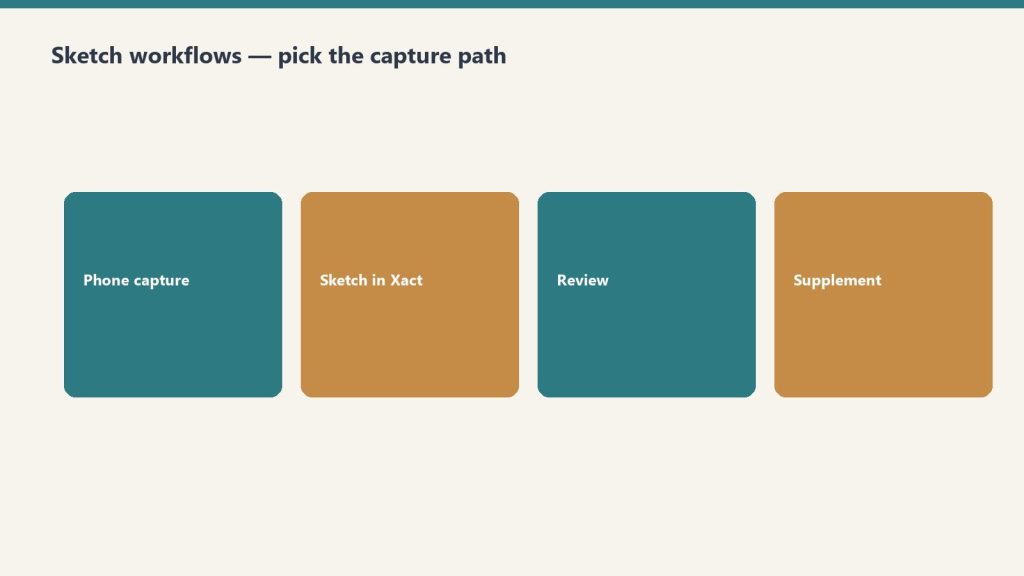
    Four steps: phone capture, sketch in Xactimate, review, supplement
    Sketch discipline — the foundation of approvable estimates.

    The single biggest predictor of estimate approval is sketch quality. A clean sketch with accurate room dimensions, properly labeled rooms, correct ceiling heights, openings (doors, windows, cased openings) drawn to scale, and labeled affected materials is approved with minimal questions. A messy sketch — wrong dimensions, missing rooms, unlabeled openings, no notes — generates rejection cycles and supplements.

    The sketch discipline that produces clean estimates: measure every room (laser measurer, then verify), draw to scale at the loss site (don’t sketch from memory back at the office), label every room with its purpose (kitchen, bathroom, master bedroom — not just “Room 1”), draw all openings with width and height, label affected materials room by room (drywall, flooring type, baseboards, ceiling), and capture matching photo documentation tied to each room.

    The estimating workflow that produces complete scope

    Most missed scope in restoration comes from a rushed initial estimate. The disciplined workflow: walk the entire affected area first (don’t start writing scope until you’ve seen everything), photograph every affected room from every corner, identify and document all hidden damage (pull baseboards, lift carpet corners, check behind cabinets, scope the floor structure), document moisture readings on a moisture map, write the scope room by room with photos referenced, then review the estimate against the photo set before submitting.

    This takes longer on the front end. It saves significant time and revenue on the back end because the supplement burden is dramatically lower.

    Supplements: the 5-15% revenue most companies leave on the table

    Clipboard and tablet on a kitchen counter during an insurance adjuster walkthrough after water loss
    Supplements — revenue most companies leave on the table.

    Supplements are revisions to the original estimate when additional damage is discovered, scope changes, or items were missed. In legitimate restoration work, supplements are normal — almost every job will have at least one. Companies with weak supplement processes leave 5-15% of revenue on the table on every insurance job. Companies with disciplined supplement workflows capture every dollar of legitimate scope.

    The supplement workflow that works: document the additional damage with photos and notes immediately upon discovery, write the supplement in Xactimate within 48 hours, submit through the proper channel (carrier portal, adjuster email, TPA system), follow up on approval status weekly, and track every supplement to closure. Supplement revenue should appear on the job costing report alongside original revenue so you can measure the discipline.

    Defending scope against pushback

    Adjusters and TPAs push back on scope routinely — sometimes legitimately, sometimes reflexively. The defense is documentation. For each contested line item: photo evidence of the affected material, moisture readings or other measurable damage indicators, IICRC standard reference (S500 for water, S520 for mold, S700 for fire, S800 for HVAC), and clear notes about why the scope is necessary. A line item with photos and a standard reference is hard to dismiss. A line item with no documentation is dismissed routinely.

    The Xactimate certifications that matter

    Xactimate offers user certification at three levels: Level 1 (basic functionality), Level 2 (advanced sketch and estimating), and Level 3 (advanced supplements, complex scope, dispute resolution). Level 1 should be a minimum requirement for any estimator at a restoration company. Level 2 is appropriate for senior estimators and project managers. Level 3 is the standard for owners, lead estimators, and anyone who handles disputed scope.

    Common Xactimate mistakes that cost real money

    The most common margin-killing mistakes: using regional default rates instead of pulling current quarterly pricing, missing equipment days on water mitigation jobs, failing to add proper drying chamber configuration, forgetting matching where required by IICRC standard, missing demolition scope on Cat 3 losses, not adding cleaning of unaffected areas where smoke or odor migrated, missing contents pack-out and cleaning, and submitting estimates without overhead and profit when they qualify.

    Related on Tygart Media: Starlink on a water job · S500 in the van · local SEO for restoration.

    Frequently Asked Questions

    How does Xactimate pricing work?

    Xactimate pricing is built from a regional database of line items, each containing labor, material, and equipment cost components. Pricing updates quarterly based on local cost surveys. Both contractors and carriers use the same pricing database, so disputes are about scope (which line items apply) rather than rates (what each line item costs).

    How much does Xactimate cost?

    Xactimate online (X1) subscription costs vary based on tier and seat count, with most restoration contractors paying $200-$500/month per seat. Xactimate mobile is typically included or available as an add-on. Pricing changed significantly with the move to X1 — contractors should request a current quote directly from Verisk.

    What is overhead and profit in Xactimate?

    Overhead and profit (O&P) is typically a 10% + 10% addition applied on top of the line-item subtotal when a job involves three or more trades or meets other complexity criteria. The 10% overhead covers indirect costs like supervision and office burden; the 10% profit is the contractor’s profit on the work. O&P is frequently disputed by carriers and requires documentation to defend.

    How do you write a Xactimate supplement?

    The disciplined supplement workflow: document additional damage with photos and notes upon discovery, write the supplement in Xactimate within 48 hours, submit through the proper channel (carrier portal, adjuster email, TPA system), follow up on approval status weekly, and track every supplement to closure. Companies with disciplined supplement processes capture 5-15% more revenue per insurance job.

    Do I need Xactimate certification to be a restoration contractor?

    You don’t need certification to use Xactimate, but most TPAs and many carriers require certified users on the account, and certification is increasingly the norm for any serious estimating role. Level 1 is a baseline; Level 2 or 3 is appropriate for owners, lead estimators, and dispute handlers.

    How do I dispute a Xactimate estimate?

    Disputes are won with documentation: photo evidence of the affected material, moisture readings or measurable damage indicators, IICRC standard references (S500, S520, S700, S800), and clear notes explaining why the scope is necessary. The most common adjustment requests succeed when supported by IICRC standards and visual evidence; unsupported requests are dismissed routinely.

  • Xactimate X1 Platform Guide for Restoration Operators

    Xactimate X1 Platform Guide for Restoration Operators

    Xactimate X1 is Verisk’s unified estimating platform for property claims work. It runs across desktop, online, and mobile with cloud-synced data, which means a field tech can start a sketch on a tablet at a loss site and a project manager can finish the estimate on a desktop in the office without re-keying anything. For restoration operators, that field-to-office continuity is the single biggest workflow advantage X1 brings to the business.

    This guide assumes you already understand how Xactimate fits into a restoration company’s pricing workflow. If not, start with our restoration pricing and estimating master guide for the full context.

    What Makes X1 Different

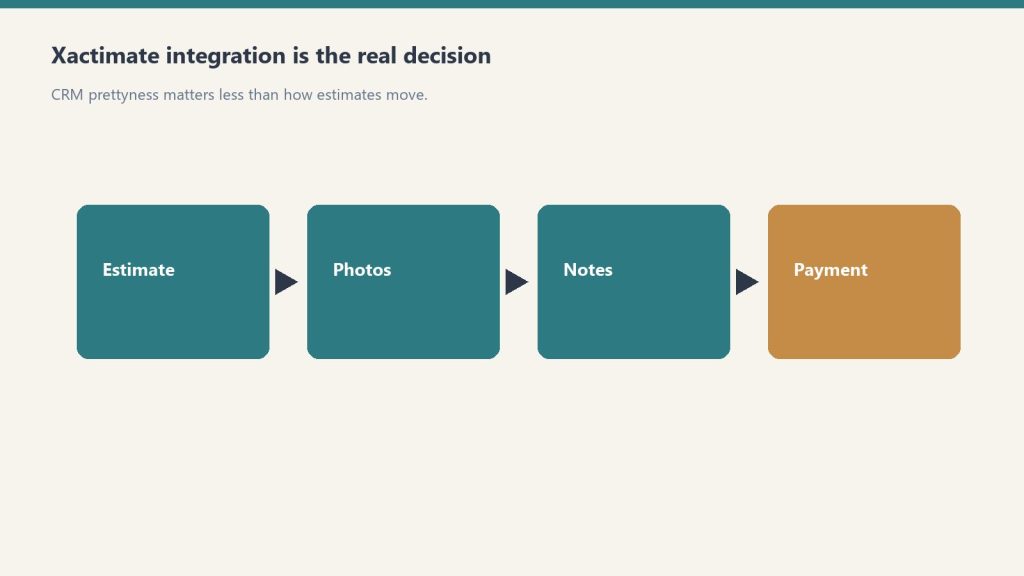
    Flow from estimate to photos to notes to payment emphasizing integration
    What makes Xactimate X1 different.

    X1 is the modern Xactimate experience Verisk has been moving the platform toward over the last several years. The defining capabilities are cross-device sync (desktop, online, mobile share the same estimate state), Sketch AR for mobile measurement, customizable rules that enforce estimating practices in real time, and the Line Item Advisor that suggests appropriate codes from the roughly 17,000-item Xactimate library.

    The practical impact is that X1 reduces the amount of post-claim review time required to catch missed line items, mismatched scopes, and inconsistent estimating practices across a team. For multi-rep restoration companies, this is where the platform pays for itself.

    The Field-to-Office Workflow

    Gloved hands using a pin-type moisture meter on wet drywall during inspection
    Field-to-office workflow on X1.

    The intended X1 workflow for a restoration job looks like this: field tech arrives on site, opens the mobile app, runs a Sketch AR measurement of the affected rooms, captures damage photos tied to specific rooms, adds preliminary line items, and syncs to the cloud before leaving the site. Back at the office, the estimator opens the same estimate on desktop, adds the rest of the scope (equipment, labor, content manipulation), runs the rules check, and prepares the estimate for submission.

    Companies that adopt this workflow consistently report 30 to 50 percent reductions in time from loss to estimate submission, which directly improves cash flow and TPA scoring.

    Customizable Rules: The Quiet Margin Lever

    X1’s customizable rules feature is one of the most under-used capabilities on the platform. Rules let you encode your estimating practices (always include this line item with that one, always default to this dehumidifier class on Cat 2 jobs, always flag estimates above a certain dollar amount for senior review) directly into the platform.

    The rules then enforce themselves in real time as the estimator builds the estimate. This is the difference between a company whose estimates are inconsistent across reps and a company whose estimates look like they all came from the same hand. For TPA programs and audit defensibility, that consistency is worth real money.

    Line Item Advisor and the 17,000-Item Library

    Xactimate’s line item library has roughly 17,000 items, which is more than any human estimator can hold in memory. The Line Item Advisor in X1 suggests appropriate codes based on the context of the estimate, which speeds up estimate construction and reduces the chance of using the wrong code for a specific scope item.

    For new estimators, this feature shortens the learning curve significantly. For experienced estimators, it surfaces line items they might otherwise default away from out of habit.

    X1 vs Legacy Xactimate

    If your team is still working primarily on the legacy Xactimate experience, the migration to X1 is worth planning intentionally. The cloud-sync model, the mobile capabilities, and the rules system all require a workflow shift, not just a software update. Plan two to three months of dual-running before retiring legacy workflows entirely.

    Getting Your Team on X1

    Four steps: phone capture, sketch in Xactimate, review, supplement
    Getting your team onto X1.

    Verisk offers an X1 training course covering the full platform, including importing and creating estimates, claim information setup, interior and roof Sketch diagrams, line item entry with localized pricing, and reporting. Third-party providers also offer X1-specific training. Whichever path you choose, formal training shortens onboarding time substantially compared to self-teaching.

    Related on Tygart Media: Starlink on a water job · S500 in the van · local SEO for restoration.

    Frequently Asked Questions

    What is the difference between Xactimate X1 and the legacy Xactimate experience?

    X1 is the unified, cloud-synced version of Xactimate that runs identically across desktop, online, and mobile. The legacy experience was device-specific with manual sync. X1 also adds Sketch AR for mobile measurement, customizable rules, and the Line Item Advisor. Functionality is broadly similar, but the workflow and collaboration model are substantially different.

    Do I need separate Xactimate licenses for desktop, mobile, and online?

    No. An X1 license covers desktop, online, and mobile use under the same account. A user can move between devices on the same estimate without re-licensing. License pricing depends on the seat type and contract; verify current pricing directly with Verisk.

    How accurate is Xactimate Sketch AR for restoration measurement?

    Sketch AR is accurate enough for most residential interior measurements when the device camera and lighting allow for clean tracking. For jobs requiring high-precision measurement (insurance disputes, large commercial losses), traditional measurement methods are still recommended as a verification step.

    Can I use Xactimate X1 offline?

    Yes, the mobile app supports offline work for sketching and basic line item entry. Estimates sync to the cloud when connectivity returns. For full pricing data and the complete line item library, an internet connection is required.

    Should restoration owners learn X1 themselves or hire an Xactimate professional?

    Both. Owners benefit from understanding the platform well enough to review estimates intelligently and spot scope gaps. For high-volume estimate production, hiring or contracting a dedicated Xactimate professional almost always pays for itself in faster estimate turnaround and fewer scope misses.

  • Xactimate Pricing Methodology: Verisk Research Explained

    Xactimate Pricing Methodology: Verisk Research Explained

    Xactimate is the most widely used estimating platform in property restoration, and the prices behind it are not invented in a back room. Verisk publishes a documented pricing research methodology that explains how every line item price is built, updated, and released. For restoration operators, understanding the methodology is the foundation of defending your estimates to TPAs, adjusters, and customers.

    If you have not read the broader pricing context first, start with our restoration pricing and estimating master guide.

    The Research Footprint

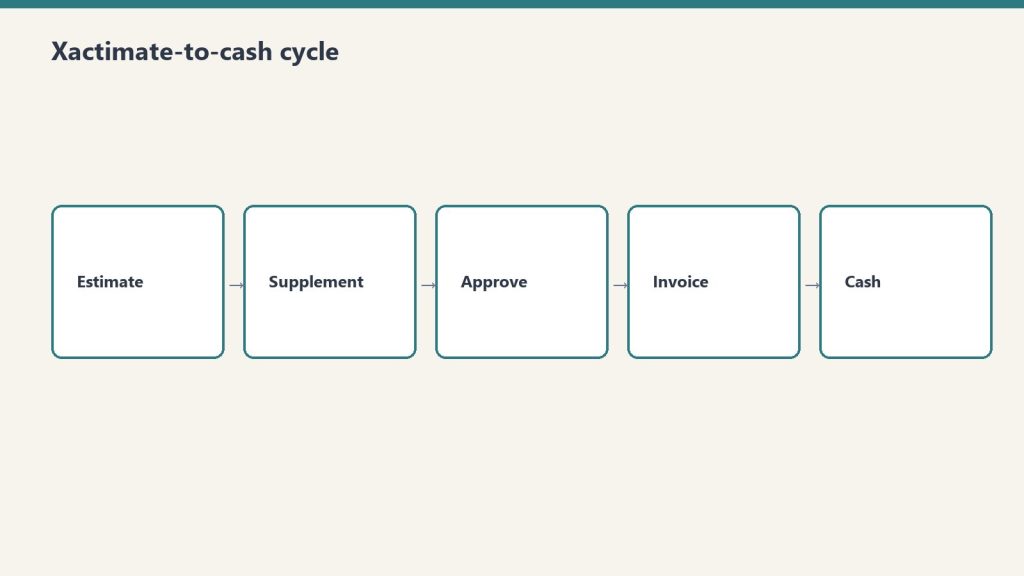
    Five-step flow from estimate to supplement, approve, invoice, cash
    The research footprint.

    Verisk’s pricing research covers 468 geographic regions across the United States and Canada. The data is gathered from a network of more than 50,000 providers of materials, equipment, and labor, generating over 345,000 survey points each year. That research footprint is what makes Xactimate pricing the reference standard for property claims work — no other estimating platform publishes data at that scope.

    The practical takeaway for restoration operators is that Xactimate is not “national” pricing dressed up as local — it is genuinely localized to your service area, which means defending your estimate to an out-of-area adjuster is a matter of pointing them to the documented research for your region.

    How Cluster Analysis Sets the Number

    For each line item in each region, Verisk performs cluster analysis on the submitted price points. The methodology identifies the largest cluster of prices and selects a point within the appropriate range. The published price reflects the most common recently submitted price for that item in that region.

    This matters because it explains a recurring estimator complaint: “the price feels low compared to what I would charge.” The Xactimate price is not the highest price or the lowest price — it is the most common price for the same scope of work in the same region. Operators charging meaningfully more than the published price are signaling either a different scope, higher-quality work, or a pricing strategy that needs to be defended on its own terms.

    The Update Cycle: What Updates When

    Verisk updates Xactimate price lists monthly. Within that monthly cycle, the work is layered:

    • Vendor-specific pricing updates nightly for items sourced from individual vendor catalogs
    • Hourly billable labor rates update monthly based on the most recent regional research
    • General quote prices update monthly with the new price list release
    • Material and equipment components update when market analysis indicates a change is warranted

    The “when warranted” language is important. Not every line item is freshly surveyed every month — that would not be feasible. Verisk’s methodology is closer to “update when the market moves” than “update on a fixed calendar.” This is why two adjacent monthly price lists can look almost identical for stable categories, then jump for categories where lumber, drywall, or other inputs have shifted.

    What This Means for Your Estimating Templates

    Desk with laptop, checklist notebook, and billing card ready before creating an Anthropic API key
    What this means for your estimating templates.

    Restoration companies pulling from Xactimate should refresh their internal estimating templates monthly when the new price list drops. Templates frozen at older pricing produce estimates that get reduced on submission because they are out of step with the current published research.

    The same applies to cash work where Xactimate pricing is used as a baseline reference. Cash estimates built off stale price lists give away margin to inflation that the published prices have already absorbed.

    How to Read a Verisk Methodology Document

    The Verisk pricing research methodology is publicly documented and worth reading at least once for anyone building estimates daily. The document explains how labor rates are weighted, how material prices are sourced, how equipment rentals are priced, and how the cluster analysis selects the published number. Knowing this language gives you a defensible vocabulary when an adjuster questions a line item.

    When Xactimate Pricing Is Not the Right Reference

    Seven cards naming common AI chatbot failure modes
    When Xactimate pricing is not the right reference.

    Xactimate pricing is appropriate for the vast majority of standard restoration scope. It is not the right reference for: highly specialized work outside the line item library, custom installations with no comparable market data, art and high-value content cleaning, or unusual structural work where the cluster analysis has thin data. For those scopes, custom estimates or specialty contractor pricing is the correct approach.

    Related on Tygart Media: labor efficiency models · sketch/AR mobile workflow · scope drafter skill.

    Frequently Asked Questions

    How often does Verisk update Xactimate pricing?

    Verisk publishes price list updates monthly. Within that cycle, vendor-specific pricing updates nightly, hourly labor rates update monthly, and general line item prices update when market analysis warrants. The monthly release is the cadence operators should plan their template refreshes around.

    How many regions does Xactimate pricing cover?

    Xactimate covers 468 geographic regions across the United States and Canada, with pricing researched independently for each region. This is the reason the same line item can have meaningfully different prices in different markets — the published number is built from local research.

    How does Verisk decide what price to publish for a line item?

    Verisk uses cluster analysis on submitted price points across more than 50,000 providers and over 345,000 annual survey points. The methodology identifies the largest cluster of prices for a line item in a region and selects a representative point within that range. The published price reflects the most common recently submitted price.

    Why does my Xactimate price feel lower than my actual cost on some items?

    If the published price is consistently below your cost, you are likely either operating in a higher-cost niche than the cluster average, using a higher-quality material than the published reference, or carrying overhead that the published labor rate does not absorb. Each of these is a legitimate basis for a custom price modifier or a documented variance — not a reason to ignore the published price.

    Can I challenge a Verisk price if I think it is wrong for my market?

    Yes. Verisk accepts pricing feedback from contractors and uses contractor submissions as part of its survey input. Submitting documented evidence of a price discrepancy can influence the next monthly research cycle. Individual estimates can also include documented variances when the published price does not reflect the actual cost of the specific work.

  • Xactimate Labor Efficiency Models: 2026 Update Guide

    Xactimate Labor Efficiency Models: 2026 Update Guide

    One of the most consequential Xactimate updates in recent years arrived in February 2026: Verisk expanded the labor efficiency architecture from two models to three. The new Large Restoration/Remodel option fills a long-acknowledged gap between service-level work and full rebuild scenarios. For restoration operators handling mid-sized losses, the change is meaningful — and using the wrong model is a fast way to mis-price the labor on a job.

    This article assumes you understand how Xactimate fits into the broader pricing workflow. For that context, start with our restoration pricing and estimating master guide.

    The Old Two-Model Architecture

    Five-step flow from estimate to supplement, approve, invoice, cash
    The old two-model architecture.

    Before the February 2026 update, Xactimate offered two labor efficiency models: a service-level model for small-scope, single-trade work and a restoration/remodel model for larger rebuilds. The two-tier architecture worked well at the extremes but struggled in the middle.

    Mid-sized restoration jobs — partial kitchen rebuilds after water loss, multi-room fire cleanup, large mold remediation projects — did not align cleanly with either model. Estimators routinely made judgment calls or layered manual workarounds to bridge the gap. The result was inconsistent labor pricing across similar jobs, depending on which estimator built the estimate.

    What the New Three-Model Architecture Looks Like

    The 2026 update keeps the existing service-level and restoration/remodel models and adds a third tier — Large Restoration/Remodel — designed for mid-sized work that involves multiple trades, longer durations, and more complex coordination than a service-level job, but does not reach the scale of a full rebuild.

    The practical effect is that estimators now have a defensible, system-supported choice for the work that previously required manual workarounds. This produces more consistent labor pricing across a portfolio of jobs and reduces the audit exposure that comes from improvised efficiency selections.

    How to Choose Between the Three Models

    Three panels showing one problem, three options, one recommendation
    How to choose between the three models.

    The right model selection depends on job characteristics. Verisk’s documentation provides detailed selection criteria, but the field-level shorthand most experienced estimators use looks like this:

    • Service-level — single-trade, short-duration, minimal coordination, typical small water mitigation or single-room work
    • Large Restoration/Remodel — multi-trade, multi-week duration, moderate coordination, mid-sized fire/water/mold or partial rebuild
    • Restoration/Remodel — full rebuild scope, long duration, full general contracting coordination, large losses

    The Large Restoration/Remodel tier is the one most likely to be under-used initially because it is new and unfamiliar. Operators should review recent estimates that fell awkwardly between the two prior models and identify which would now fit the new tier.

    Why Labor Efficiency Matters for Margin

    Labor efficiency in Xactimate is not a discount or a multiplier — it is a coefficient that adjusts labor hours based on the type of work being performed. The same line item carries different labor hours under different efficiency models, because a service-level repair really does take less coordination overhead than a large rebuild.

    Selecting the wrong efficiency model on a job can shift the estimated labor by 10 to 25 percent, which is the difference between a profitable job and a job that loses money on labor underestimation.

    How TPAs Are Adopting the New Model

    TPA programs typically take a quarter or two to fully integrate new Xactimate methodology updates into their audit and review workflows. During the transition, expect inconsistency across reviewers — some will accept Large Restoration/Remodel selections without question, others will challenge them. Documenting the reasoning for the model selection in the estimate notes is the best defense.

    What to Update in Your Estimating Process

    Restoration SOP clipboard with checklist, moisture meter, and gloves on a jobsite table
    What to update in your estimating process.

    Three things to update now that the three-model architecture is live: estimating templates should include the new Large Restoration/Remodel option as a standard selection for qualifying scopes, training materials should be refreshed to cover when to use each tier, and audit checklists should include a labor efficiency model review as a standard line item.

    Related on Tygart Media: pricing methodology · sketch/AR workflow · labor burden true cost.

    Frequently Asked Questions

    What changed in Xactimate’s 2026 labor efficiency update?

    Verisk expanded the labor efficiency architecture from two models to three by adding the Large Restoration/Remodel option. The update was presented in February 2026 and is designed to bridge the gap between service-level work and full rebuild scenarios for mid-sized restoration jobs.

    When should I use the Large Restoration/Remodel labor efficiency model?

    Use it for mid-sized jobs that involve multiple trades, multi-week duration, and moderate coordination but do not reach the scale of a full rebuild. Common examples include partial kitchen rebuilds after water loss, multi-room fire cleanup, and large mold remediation projects.

    How much can the wrong labor efficiency model affect my estimate?

    Selecting the wrong efficiency model can shift the estimated labor on a job by roughly 10 to 25 percent depending on the scope. On a $30,000 estimate, that is $3,000 to $7,500 of labor either over- or under-stated. The model choice is a meaningful margin lever, not a minor technical detail.

    Do TPAs accept the new Large Restoration/Remodel model?

    Yes, but adoption is uneven during the early months after the release. Some reviewers accept the new tier without question, others challenge it. The best practice is to document the reasoning for the model selection in the estimate notes so the choice is defensible if questioned.

    Where can I learn more about the 2026 Xactimate labor efficiency update?

    Verisk has published webinar content covering the updated labor efficiencies architecture in detail. The on-demand webinar is the authoritative source for the methodology and selection criteria. Operator-level training providers have also begun including the new tier in their X1 curricula.

  • Xactimate Certification Levels: What Your Team Needs

    Xactimate Certification Levels: What Your Team Needs

    Xactimate offers three certification levels that progressively cover the platform’s depth. For restoration operators staffing an estimating function, knowing which level each role actually needs is the difference between an over-trained team that costs too much and an under-trained team that produces inconsistent estimates. This guide breaks down what each level covers, what it costs, and how to think about certification across roles.

    For broader context on how Xactimate fits into restoration operations, see our restoration pricing and estimating master guide.

    Level 1 — Fundamentals

    Level 1 covers foundational use of Xactimate: navigation, project setup, creating estimates, adding line items, and basic sketching. For restoration teams, Level 1 is the right baseline for anyone who touches an estimate — field techs, project managers who review estimates, and ownership who needs to read estimates intelligently.

    Level 2 — Proficiency / Power User

    Level 2 goes deeper into complex sketching, custom price lists, advanced reporting, and platform-level configuration. For most restoration companies, Level 2 should be the standard for senior estimators, project managers responsible for estimate sign-off, and anyone who configures price lists or custom rules.

    Level 3 — Mastery

    Level 3 is reserved for the most complex scopes — appropriate for veteran insurance adjusters with years of field experience. For most restoration companies, Level 3 is overkill except for large-loss commercial work, TPA program subcontractors with audit responsibilities, or third-party estimating services.

    What the Exams Look Like

    Each level requires passing a Verisk exam with a 70 percent passing score. A current Xactimate license is required. Certification is valid for two years before renewal.

    What Certification Costs

    Third-party providers commonly offer combined Level 1 and Level 2 training around $650, with regional variation. Verisk also offers training and exam options directly. Group rates and restoration-specific customization often beat ad hoc individual training.

    Recommended Certification Map

    • Field techs and admin — Level 1 baseline, refreshed every two years
    • Senior estimators and PMs — Level 2 standard, refreshed every two years
    • Lead estimator / estimating manager — Level 2 minimum, Level 3 if handling large-loss commercial
    • Owner / executive — Level 1 understanding to read and review estimates

    Related: The Restoration hub · Complete Restoration Operations Kit · Water damage pricing.

  • Xactimate Sketch AR: Mobile-First Restoration Workflow

    Xactimate Sketch AR: Mobile-First Restoration Workflow

    Field measurement has historically been the slowest step in restoration estimating. A tech walks the loss with a tape measure or laser, jots down dimensions, returns to the office, and re-keys everything into Xactimate before the estimate can begin. Xactimate Sketch AR collapses that workflow by moving the measurement and initial sketch into the field, on a mobile device, with cloud sync to the office.

    For broader context on how Xactimate fits restoration operations, see our restoration pricing and estimating master guide.

    What Sketch AR Does

    Gloved hands using a pin-type moisture meter on wet drywall during inspection
    What Sketch AR does.

    Sketch AR uses the camera and motion sensors on a tablet or phone to take measurements as the user walks through the loss site. The output is a 2D sketch with dimensions captured directly from the field, plus optional 3D cutaway views that help visualize the interior layout. The data syncs to the cloud and is available on the desktop estimate immediately.

    The headline benefit is time. Field measurement that previously took 30 to 60 minutes per loss can be completed in 10 to 20 minutes with Sketch AR, and the office no longer needs a separate sketching step before the line item work begins.

    The Mobile-First Restoration Workflow

    Restoration SOP clipboard with checklist, moisture meter, and gloves on a jobsite table
    The mobile-first restoration workflow.

    The mobile-first workflow Sketch AR enables looks like this on a typical water loss:

    • Arrival — tech opens the X1 mobile app and creates the estimate shell
    • Walkthrough — tech runs Sketch AR through each affected room, capturing dimensions and damage photos tied to specific rooms
    • Initial line items — tech adds preliminary line items for obvious scope (extraction, demo, equipment placement)
    • Sync — estimate uploads to the cloud before the tech leaves the site
    • Office completion — estimator opens the same estimate on desktop, refines line items, runs rules check, prepares for submission

    Companies that adopt this workflow consistently report 30 to 50 percent compression in time from loss to estimate submission. That speed flows directly into faster cash flow and improved TPA scoring.

    When Sketch AR Is the Right Tool

    Sketch AR is well-suited for typical residential interiors with reasonable lighting, distinguishable wall edges, and accessible spaces. It is the right default for most water loss, mold, and partial fire jobs in homes and small commercial spaces.

    It is less well-suited for: heavily damaged spaces where wall edges are obscured, dark or smoke-filled environments where the camera cannot track, very large open spaces with limited reference features, or any job requiring precision measurement for dispute defense (where traditional measurement should still be used as a verification step).

    Training and Adoption

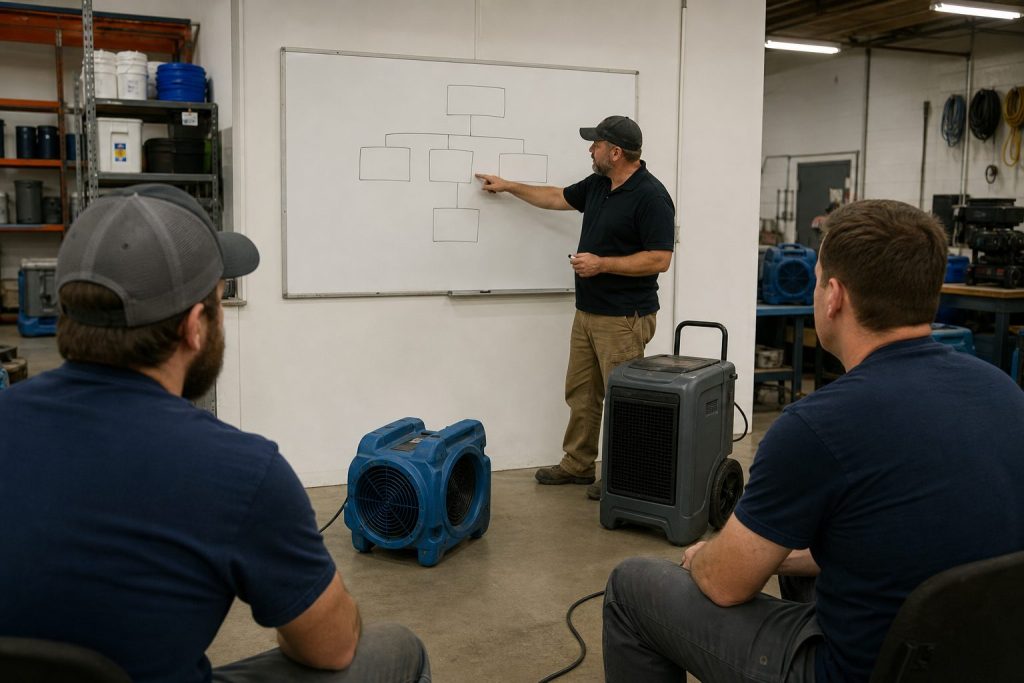
    Restoration technicians training in a shop bay with equipment demo and whiteboard
    Training and adoption.

    The technical learning curve on Sketch AR is short — most field techs are productive within a single training session. The harder change is workflow: moving the team from “measure on site, sketch at the office” to “sketch on site, refine at the office” requires deliberate process change.

    The most common adoption failure is leaving the workflow optional. Teams that allow some techs to sketch on site and others to defer to office sketching never realize the speed benefits. Standardizing on the mobile-first workflow as the company default is the difference between marginal improvement and dramatic cycle-time compression.

    Equipment and Device Considerations

    Sketch AR works best on modern tablets with strong motion sensors and good cameras. iPads with LiDAR sensors produce particularly clean tracking. Spec out devices for the field team based on actual job conditions — a $400 tablet that struggles in low light produces worse measurements than a $900 tablet that handles real conditions.

    Where Sketch AR Fits in the Larger X1 Workflow

    Sketch AR is one of several X1 capabilities that together produce the field-to-office continuity that defines the modern Xactimate workflow. It pairs naturally with cloud-synced estimates, the Line Item Advisor for quick line item suggestions, and customizable rules that catch missed scope items at the point of entry. None of these features stand alone — they reinforce each other.

    Related on Tygart Media: pricing methodology · scope drafter skill · software guide.

    Frequently Asked Questions

    What is Xactimate Sketch AR?

    Sketch AR is the augmented-reality measurement and sketching feature in the Xactimate mobile app. It uses the device camera and motion sensors to capture room dimensions and produce a 2D sketch in the field, with optional 3D cutaway views. The output syncs to the cloud and is available on the desktop estimate immediately.

    How accurate is Sketch AR?

    Sketch AR is accurate enough for most residential interior measurements when conditions allow for clean camera tracking. For high-precision requirements (insurance disputes, large commercial losses), traditional measurement is still recommended as a verification step. Devices with LiDAR sensors typically produce cleaner results than camera-only devices.

    What kind of device do I need for Sketch AR?

    A modern tablet or phone with a good camera and motion sensors. iPads with LiDAR are particularly well-suited because the dedicated depth sensor improves tracking. Field teams should standardize on capable hardware rather than mixing devices that produce inconsistent results.

    Can Sketch AR replace traditional measurement entirely?

    For typical residential interior work in good conditions, Sketch AR can serve as the primary measurement method. For high-stakes jobs, large commercial spaces, dark or heavily damaged environments, or any situation that may end up in dispute, traditional measurement should still be used as either the primary method or a verification step.

    How long does it take to train field techs on Sketch AR?

    The technical training is short — most techs are productive within a single training session. The harder change is operational: standardizing the team on a mobile-first workflow rather than leaving it optional. Allow two to four weeks for the new workflow to become muscle memory across the team.

  • Xactimate Estimating Mistakes: 10 Forgotten Line Items

    Xactimate Estimating Mistakes: 10 Forgotten Line Items

    Xactimate is precise enough that small estimating mistakes show up clearly when the invoice closes out. The platform has roughly 17,000 line items, and the difference between the operators who consistently get paid in full and the operators who absorb chronic reductions is usually a small number of repeating mistakes. This article catalogs the mistakes that show up most often in restoration estimate audits and how to fix each one.

    This article assumes you are familiar with the broader Xactimate workflow. For that context, see our restoration pricing and estimating master guide.

    Mistake 1: Picking the Wrong Code from a Similar-Looking Group

    Five-step flow from estimate to supplement, approve, invoice, cash
    Mistake 1 — picking the wrong code from a similar-looking group.

    Xactimate often has multiple line items that look similar but apply to different scopes. Drywall repair, drywall replacement, and drywall hang/finish are three different items with three different prices. The Line Item Advisor in X1 helps surface the right code, but estimators who default to the first match they see consistently choose codes that under-bill the actual work.

    The fix is discipline: read the line item description before adding it, and use the Advisor’s suggestions when working on unfamiliar scope.

    Mistake 2: Under-Counting Equipment Days

    Gloved hands using a pin-type moisture meter on wet drywall during inspection
    Mistake 2 — under-counting equipment days.

    Equipment days are the most common source of audit reductions on water damage jobs. The pattern: the estimator counts contract days from project start to project close, but the audit counts only the days the equipment was physically on site per the daily monitoring log. Missing log entries mean missing days.

    The fix is operational: daily monitoring logs must be completed daily, with equipment counts and moisture readings, and equipment placement and removal must be photographed for documentation.

    Mistake 3: Missing Antimicrobial on Cat 1 Losses

    Antimicrobial application on Cat 1 water losses is sometimes treated as optional, but the IICRC S500 standard supports its use in many Cat 1 scenarios — especially when there is any risk of category escalation, when affected materials cannot be fully dried, or when the response time means microbial growth is a real risk.

    Skipping antimicrobial on Cat 1 losses out of a vague sense that “it might get cut” leaves real billable scope off the estimate. The fix is to document the reasoning for the antimicrobial line in the estimate notes.

    Mistake 4: Single Air Scrubber for Multi-Room Jobs

    The pricing matrix supports multiple air scrubbers when the affected area justifies them. Single-scrubber estimates on multi-room losses are routine, and they routinely under-bill the equipment scope. The fix is to scrubber-count by room and document placement on the equipment log.

    Mistake 5: Skipping Containment on Fire Cleanup

    Mold remediation containment zipper door with plastic sheeting and negative-air hose in a hallway
    Mistake 5 — skipping containment on fire cleanup.

    Containment line items are routinely skipped on fire cleanup estimates because the estimator focuses on visible cleaning work. But proper fire cleanup requires HEPA negative air containment to prevent soot redistribution into adjacent unaffected areas. Skipping containment in the estimate produces work that either gets done un-billed or causes secondary contamination claims.

    Mistake 6: Missing the Second Floor When Water Migrated

    Water rarely stays on one floor. Estimates that scope only the floor where water originated routinely miss legitimate scope on the floor below (where ceiling damage is common) or above (where water can wick up baseboards). The fix is a complete walkthrough of the entire structure on intake, not just the affected room.

    Mistake 7: Outdated Local Price List

    Xactimate pricing updates monthly. Estimating templates that have not been refreshed against the current price list are systematically under-billing on items where prices have moved. The fix is a monthly refresh ritual: when the new price list drops, refresh the templates.

    Mistake 8: Generic Notes That Cannot Defend the Scope

    Estimate notes that say “per IICRC standards” without referencing the specific standard, scope item, or category provide no defense in audit. Notes that say “Cat 2 water loss per S500, antimicrobial applied per protocol due to documented contamination evidence (photos attached)” defend almost any scope item.

    Mistake 9: Wrong Labor Efficiency Model

    Now that Xactimate has three labor efficiency models as of February 2026, choosing the wrong one mis-prices the labor by 10 to 25 percent. The new Large Restoration/Remodel tier should be used for mid-sized multi-trade work that previously got force-fit into one of the two prior models.

    Mistake 10: Lump-Sum Estimates for Cash Jobs

    Lump-sum cash estimates feel simple but consistently under-price the work because the estimator forgets line items that would have been included in an itemized scope. The fix is to always build cash estimates itemized in Xactimate, then optionally summarize for the customer if a lump-sum presentation is preferred.

    Related on Tygart Media: Starlink on a water job · S500 in the van · local SEO for restoration.

    Frequently Asked Questions

    What is the most common Xactimate mistake on water damage jobs?

    Under-counting equipment days. The pattern is estimating contract days while the audit counts only documented on-site days from the daily monitoring log. The fix is rigorous daily logging with equipment counts and moisture readings, plus photo documentation of placement and removal.

    How many line items does Xactimate have?

    Approximately 17,000 line items in the standard library. The Line Item Advisor in X1 surfaces appropriate codes based on context, which reduces the cognitive load of finding the right code without defaulting to the first plausible match.

    How often should I update my Xactimate estimating templates?

    Monthly, in line with the Verisk price list update cycle. Templates frozen at older pricing produce estimates that get reduced on submission because they do not reflect the current published research.

    What kind of estimate notes hold up to TPA audit?

    Notes that reference specific standards (IICRC S500, S520, S700), specific category and class documentation, specific scope decisions and the evidence supporting them, and photo references where applicable. Generic “per industry standard” notes provide no defense.

    Does the new 2026 labor efficiency model affect my older estimates?

    No. The Large Restoration/Remodel option applies to estimates built going forward. Estimates already submitted under the prior two-model architecture are not retroactively affected. New estimates should evaluate which of the three models best fits each job.