Blog

  • The Solo Operator’s Notion AI Stack: Running Multiple Businesses With One Agent Team

    The Solo Operator’s Notion AI Stack: Running Multiple Businesses With One Agent Team

    The Solo Operator’s Notion AI Stack: Running Multiple Businesses With One Agent Team

    The 60-second version

    Running multiple businesses solo used to mean either hiring an assistant or accepting that things slipped through. Custom Agents change the math. A small agent team — three to seven specialized agents — handles the operational layer across all businesses simultaneously, leaving the operator to focus on relationships, strategy, and exception work. The cost is real (post-May 4, somewhere between a coffee budget and a low-end consultant invoice per month) but the leverage is dramatic. The skill isn’t building agents. It’s deciding what to delegate to them.

    The starter loadout

    Seven agents that earn their keep for a multi-business solo operator:
    1. The morning briefing agent. Runs at 6 AM. Reads overnight emails, calendar for the day, project status changes across all businesses. Drops a one-page digest in your daily notes. You read it with coffee.
    2. The intake triage agent. Triggers on new inbound (form submissions, sales leads, partnership inquiries). Categorizes by business, urgency, and type. Drafts a first response. Routes for review.
    3. The calendar prep agent. Runs 30 minutes before each meeting. Pulls relevant project context, prior meeting notes, action items, and any open threads. Briefing arrives in your inbox before the meeting.
    4. The weekly status agent. Runs Friday 4 PM. For each business, summarizes what happened, what shipped, what’s at risk. Output: one digest per business plus a meta-digest across all of them.
    5. The follow-up watcher. Runs daily. Scans all open conversations, projects, and commitments. Flags anything that’s been waiting on you for more than 48 hours.
    6. The content production agent. Runs on schedule per business. Pulls from a content brief database, drafts the next piece, drops it in WordPress drafts (via integration) or a Notion review queue.
    7. The end-of-day capture agent. Runs at 6 PM. Prompts you for a quick voice note on what happened. Processes it into structured updates across the relevant business databases.

    What this stack costs

    Rough credit math at \$10/1000 (post-May 4):
    – Morning briefing: 30 days x ~15 credits = ~\$4.50/month
    – Intake triage: 100 triggers x ~5 credits = ~\$5/month
    – Calendar prep: 100 meetings x ~10 credits = ~\$10/month
    – Weekly status: 4 runs x ~50 credits = ~\$2/month
    – Follow-up watcher: 30 days x ~15 credits = ~\$4.50/month
    – Content production: 12 runs x ~80 credits = ~\$9.50/month
    – End-of-day capture: 30 days x ~10 credits = ~\$3/month
    Total: roughly \$38/month. Add Business plan seat fee. Total operating cost for the agent layer: well under what a part-time VA would charge.

    What this stack doesn’t do

    Things that stay manual:
    – Sales conversations and relationship work
    – Strategic decisions across businesses
    – Team conversations (even if “team” is contractors)
    – Anything client-facing where voice matters
    – Creative work where the doing is the point
    The agents handle the operational substrate. You handle the layer above it.

    How to start

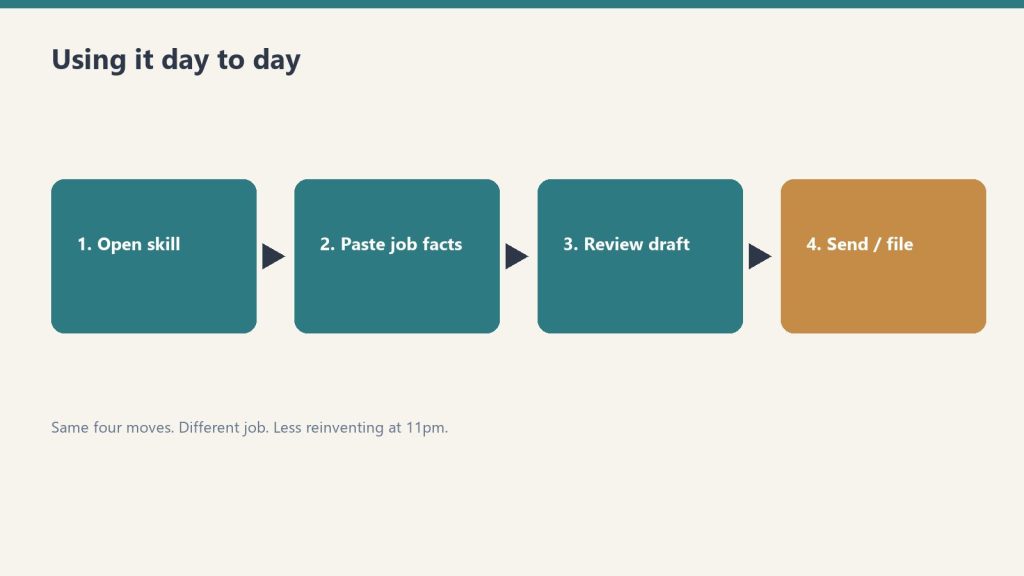
    Don’t build all seven on day one. Build the morning briefing first. Live with it for two weeks. Tighten the prompt. Then build the next one. Sequential beats parallel.

    What to read next

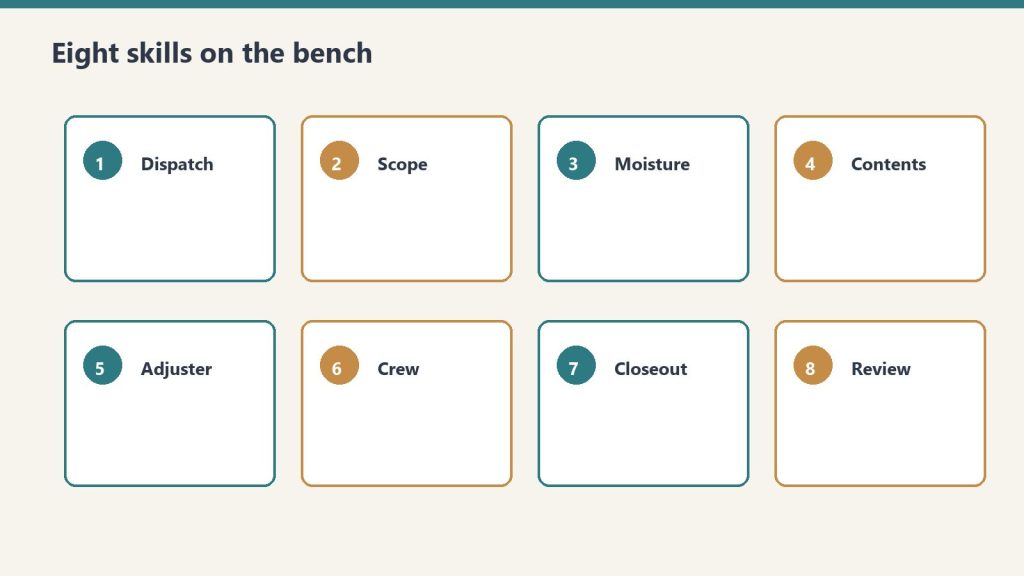
    What Notion AI Agents Are, How Skills Work, Custom Agents vs Basic, ROI Math.

  • Mobile AI in Notion: The Real Test of Whether Agents Are Ready for Daily Use

    Mobile AI in Notion: The Real Test of Whether Agents Are Ready for Daily Use

    Mobile AI in Notion: The Real Test of Whether Agents Are Ready for Daily Use

    The 60-second version

    The real test of any AI feature is whether it survives the move to mobile. Notion 3.2 made that move in January 2026 — agents on mobile, full Custom Agent support, the same auto-model selection across Claude, GPT, and Gemini. The honest assessment after a few months in the wild: it works, but mobile AI is best for consumption and quick interaction, not heavy production. Voice input for prompts is a desktop-only feature so far. Mobile is where you check on agent runs, approve drafts, and ask quick questions — not where you set up complex skills or build workflows.

    What works well on mobile

    Three patterns that genuinely shine on the phone:
    1. Quick agent queries during in-between moments. Walking between meetings, in line for coffee, on a train. “What’s the status of project X” or “summarize this thread for me.” Phone-sized interaction, phone-friendly output.
    2. Approving and editing agent output. Custom Agent runs overnight, drops a draft in your workspace, you wake up, you read on your phone, you tap-edit a few sentences, you send it. The mobile review pattern is solid.
    3. Quick capture into AI-enriched databases. Voice memo or quick note drops into a Notion database, Autofill fills in summary, tags, owner, date. The phone is the input device; the agent is the cleanup crew.

    What’s painful on mobile

    Equally important to name:
    Building skills. Notion Skills require defining instructions, scope, and triggers. The mobile UI for this is functional but slow. Build skills on desktop; run them everywhere.
    Long-context work. Mobile screens make it hard to verify whether the AI pulled from the right pages. If the task involves cross-referencing or fact-checking a synthesis, do it on desktop.
    Multi-step debugging. When an agent run goes sideways and you need to trace why, mobile makes it hard to inspect the trail. The fix is rarely on mobile.
    Voice input. Currently desktop-only on macOS and Windows. Even on those platforms, voice works only inside AI prompt fields, not for general document dictation. Mobile voice is on the roadmap but unannounced as of April 2026.

    How operators are actually using mobile AI

    Patterns that have settled into real use:
    The morning check-in. Open Notion on mobile first thing. Read the overnight Custom Agent digest. Approve, edit, or escalate. Closes the inbox before the day starts.
    The drive-time capture. Voice memo into a quick capture database during a drive. Agent processes it later. The phone is the input; the desktop is where you act on it.
    The travel survival mode. When your only device is your phone for a few days, Notion AI on mobile is enough to keep workflows running. Not optimal, but operational.

    The honest limitation

    Mobile AI is good. Mobile AI isn’t a desktop replacement.
    If you’re trying to make your phone the primary tool for Notion AI work, you’ll feel friction. The screen is the bottleneck — not the AI capability, not the model selection, not the agent. Reading multi-paragraph synthesis on a 6-inch screen is what creates the strain.
    The right mental model: desktop is where you build, mobile is where you maintain. Skills, complex prompts, agent configurations, Worker setup — desktop. Daily interaction, approvals, quick captures, drive-time inputs — mobile.

    What to expect next

    Voice input on mobile is the obvious next shoe to drop. The desktop version exists; extending it to mobile is engineering, not strategy. Reasonable timeline: by end of 2026.
    Beyond voice, the more interesting mobile question is whether Custom Agent triggers can fire from mobile-specific events — location, motion, calendar proximity. Notion hasn’t announced anything here, but the “agent that wakes up when I land at the airport” workflow is a natural mobile pattern.

    What to read next

    Corpus follow-ups: Auto Model Selection (how mobile picks models), Custom Agents foundation piece (mobile inherits all the same Custom Agent capabilities), and the Solo Operator workflow article (the real-world mobile pattern).

  • Auto Model Selection in Notion 3.2: Letting Notion Pick Claude, GPT, or Gemini For You

    Auto Model Selection in Notion 3.2: Letting Notion Pick Claude, GPT, or Gemini For You

    Auto Model Selection in Notion 3.2: Letting Notion Pick Claude, GPT, or Gemini For You

    The 60-second version

    You don’t have to pick the model anymore. Notion 3.2 added auto-selection, which routes each request to the best-fit model from the available pool — currently including Claude Opus 4.7, GPT-5.2, and Gemini 3. Simple tasks (rewrites, summaries, quick drafts) go to faster models. Complex tasks (multi-step reasoning, long-context analysis, tool-heavy agent runs) go to more capable ones. You can override the selection per request, but the default behavior is “let Notion pick” — and for most workflows, that’s the right call.

    Why auto-selection matters

    Three reasons it’s a meaningful shift:
    1. You stop being a model-picker. Before auto-selection, getting good output required knowing which model handled which task best. That’s expert knowledge most users don’t have. Auto-selection internalizes that knowledge.
    2. Cost-performance balance happens automatically. Faster models are cheaper to run; capable models are more expensive. Notion’s auto-selection routes simple work to cheap models and reserves expensive models for tasks that need them. After May 4, when credits start metering Custom Agent work, this matters financially.
    3. Model diversity becomes a feature, not friction. Different models have different strengths. Claude is consistently strong on long-form writing and tool use. GPT is strong on broad reasoning. Gemini is strong on multimodal and certain analytical tasks. Auto-selection uses the right tool without forcing you to know which is which.

    When to override the auto-selection

    Three cases where manual model choice still wins:
    1. You’ve measured a specific preference. If you’ve tested the same task across all three models and found one consistently better for your use case, lock to that one. Auto-selection optimizes for the average user; you may not be the average user.
    2. You’re working in a domain with a clear model strength. Long-form editorial work where Claude’s prose quality is meaningfully better. Code work where GPT’s tool use feels more natural. Visual analysis where Gemini’s multimodal handles your case better.
    3. Reproducibility matters. Auto-selection means today’s request might use Claude and tomorrow’s might use GPT. If you need consistent voice or behavior across runs, lock the model.
    For everything else, auto-selection is fine. Stop optimizing the optimizer.

    What auto-selection isn’t

    It isn’t infinite model access. The pool is curated by Notion. You don’t get every model on the market. You get the ones Notion has integrated and validated for the platform.
    It also isn’t a replacement for model expertise if you’re a developer building on the API. When you build with Workers or skills via the API, you may want explicit model selection because reproducibility matters more there than in interactive use.

    How to verify auto-selection is working

    A 5-minute test:
    1. Open a page with substantive content (a project doc, an article, a meeting transcript)
    2. Run three different prompts: a quick rewrite, a complex synthesis, and a multi-step extraction
    3. Look at the output quality for each
    4. If all three feel right for the task, auto-selection is doing its job
    5. If any feel off — outputs that are too brief or too verbose, missing the task’s complexity — that’s where to consider manual override

    Why Claude Opus 4.7 in particular matters

    The Claude Opus 4.7 addition is worth noting separately. Anthropic’s latest uses fewer tokens (cheaper to run), makes 3x fewer tool errors (more reliable for agents that call Workers), and handles complex workflows better. For Notion specifically, that means agents that previously hit edge cases when chaining multiple skills or Workers now have a more reliable backbone.
    If you’re heavy into Custom Agents and Workers, Opus 4.7 in the rotation is the quiet upgrade that makes everything more dependable.

    What to read next

    Corpus follow-ups: Mobile AI in Notion (where auto-selection also runs), Custom Agents foundation piece (where model selection has cost implications), and the comparison articles (Notion AI vs ChatGPT, Claude Projects, Gemini for Workspaces).

  • AI Autofill Databases Explained: The Self-Maintaining Knowledge Base

    AI Autofill Databases Explained: The Self-Maintaining Knowledge Base

    AI Autofill Databases Explained: The Self-Maintaining Knowledge Base

    The 60-second version

    AI Autofill is the feature that makes a Notion database start maintaining itself. Point it at a column and tell it what to fill — summarize the page, extract the deadline, categorize the topic — and it processes each row using the row’s content and your instructions. Basic Autofill ships with Business and Enterprise plans and uses no credits. Custom Agent Autofill (post-May 4) runs Custom Agent capabilities under the hood, costs credits, and handles complex reasoning that Basic can’t. The honest version: Basic is good enough for most simple categorization and extraction. Custom Agent Autofill is for cases where Basic produces inconsistent results.

    What Autofill actually does

    Three categories of work it handles well:
    1. Summarization into a property. Long-form pages compressed into a one-sentence summary in a Summary column. Common pattern for content libraries, research databases, and meeting notes archives.
    2. Categorization. Tagging rows with categories based on content. Works well when categories are well-defined (e.g., “support ticket type,” “lead source”). Works less well when categories overlap or require judgment.
    3. Extraction. Pulling specific data points from page content into structured properties — dates, names, dollar amounts, status flags. Works well when the data is reliably present in the source.

    Where Autofill struggles

    Three places it gets inconsistent:
    Properties that require judgment beyond the page. “Is this lead qualified?” depends on context the page may not contain. Autofill will produce an answer, but consistency is poor.
    Multi-property dependencies. “Set the priority based on the deadline and the customer tier” requires reasoning across properties, not just within the page. Possible with Custom Agent Autofill, unreliable with Basic.
    Free-form output that needs to match a tone. “Write a customer-facing summary in our brand voice.” Autofill produces a summary, but matching brand voice across hundreds of rows is hit or miss without a tightly written prompt.

    Basic vs Custom Agent Autofill

    The split that matters:
    Basic Autofill — included, free, runs locally on each row when the AI is invoked. Good for clear single-step prompts (“summarize this page in 2 sentences”). Doesn’t have Custom Agent capabilities like richer context or multi-step reasoning.
    Custom Agent Autofill — uses Custom Agent infrastructure, consumes credits after May 4, can continuously enrich rows in the background, handles more complex prompts. Worth the credit cost when Basic isn’t smart enough and the consistency matters.
    A useful rule: try Basic first. If output quality is good enough, stop there. Move to Custom Agent Autofill only when you’ve measured that Basic produces unreliable results for your specific use case.

    Three Autofill patterns that work

    1. The intake form pattern. New rows arrive (from a form, an integration, or a manual entry). Autofill columns extract structured data from the unstructured input — pulling dates, names, key topics, sentiment, urgency. The intake desk staffs itself.
    2. The library catalog pattern. A content library or research database where every entry needs summary, tags, and category. Autofill keeps the catalog usable as it grows. Without it, large databases become unsearchable.
    3. The status synthesis pattern. A project tracker where each project’s current state is summarized in a “current status” field that updates as the page content changes. Stakeholders get a quick read without opening each project.

    Three patterns that don’t work

    1. Anything requiring fresh external data. Autofill works on what’s in the row. It can’t decide “is this competitor active in our market” because the answer isn’t in the row.
    2. Cross-row reasoning at scale. Autofill processes one row at a time. “Rank these against each other” needs a different approach (a view, a formula, or a query agent).
    3. Compliance-sensitive categorization. If the categorization has legal or regulatory weight, you don’t want it autofilled. Use Autofill to draft the suggested category; have a human confirm.

    The trustworthy database principle

    Autofill’s risk is silent drift — fields that look filled but aren’t accurate. Three guardrails:
    Always show the source. Add a “filled by” field or a date stamp so humans can tell what’s machine-generated and how recently.
    Spot-check 10% monthly. A quick audit of randomly selected rows catches drift before it spreads.
    Set a re-fill cadence for stale rows. Pages change. The Autofill output reflects the page at fill time. Rows older than 30 days that haven’t been re-checked should be flagged.

    What to read next

    Corpus follow-ups: Custom Agents foundation piece (because Custom Agent Autofill runs on that infrastructure), the database schema design article in Deep Technical (how to build databases that Autofill well), and the May 3 cliff (when Custom Agent Autofill cost becomes real).

  • How Notion Skills Work: Turning Repeated Prompts Into Reusable Commands

    How Notion Skills Work: Turning Repeated Prompts Into Reusable Commands

    How Notion Skills Work: Turning Repeated Prompts Into Reusable Commands

    The 60-second version

    Skills are how you stop re-prompting. If you find yourself typing the same instructions to your Notion Agent every Friday — “summarize this week’s project updates in our team format with a green/yellow/red status and an action items list” — that’s a skill waiting to be saved. Once captured, you call it by name and the agent runs the workflow. Skills became prominent with Notion 3.3 in February 2026 and they’re the bridge between “I have an AI assistant” and “I have an AI teammate that knows how we do things here.”

    What a skill actually is

    A skill is three things bundled:
    1. A trigger phrase or name — what you call it when you want it run
    2. The instructions — the prompt logic the agent follows
    3. The context boundaries — which databases, pages, or sources the agent can pull from
    That last piece is what separates a skill from a saved prompt. A saved prompt is just text. A skill is text with scope. The agent knows where to look, what format to produce, and which pages to update.

    The four skills every operator should build first

    If you’re new to skills, these four pay back the time investment within a week.
    1. The weekly digest skill. Reads your project database, your meeting notes, and your Slack archive. Produces a one-page digest in your team’s format. Run it Friday afternoon. You stop writing weekly updates.
    2. The brief-prep skill. Triggered before a meeting. Pulls the relevant project page, the last meeting notes with this person or team, any open action items, and synthesizes a one-page brief. Run it 30 minutes before the meeting. You stop showing up cold.
    3. The inbox-to-action skill. Reads new entries in a specified database (support requests, sales leads, content pitches). Categorizes them, assigns owners based on rules you set, and drafts a first response. You stop processing inbound manually.
    4. The doc-reshape skill. Takes any document and reformats it into your team’s house style — your headings, your sections, your tone. Solves the “we have great content from a partner but it doesn’t read like us” problem.

    How to build a skill that actually works

    Three rules, learned the hard way:
    Be specific about format. “Summarize” produces wildly different outputs depending on the agent’s mood. “Produce a one-page summary with these five sections in this order, max two sentences per section, in active voice” produces consistent outputs. Specificity is the difference between a skill you trust and a skill you babysit.
    Bound the context tightly. The temptation is to give the agent access to everything. The result is slower runs, more credits consumed, and outputs that pull from irrelevant sources. Pin the skill to specific databases or page trees. You can always expand later.
    Test it five times before you trust it. Run the skill against five different inputs and look at the outputs side by side. The variance you see is the variance you’ll get in production. If the spread is too wide, tighten the instructions until the outputs converge.

    What skills can’t do well yet

    Skills inherit the limits of the underlying agent. They struggle with:
    Tasks that require fresh judgment. A skill that’s supposed to “decide whether this lead is qualified” produces inconsistent results because the criteria aren’t fully explicit. Better to have the skill score the lead on five named dimensions and let a human make the call.
    Long autonomous chains. A skill that triggers another skill that triggers another skill is a debugging nightmare. Keep skills atomic. Compose them in workflows outside the skill itself.
    Cross-workspace work. A skill in one Notion workspace can’t reach into another. If you operate across multiple workspaces, you need parallel skills, not one shared skill.

    Skills and the May 3 cliff

    After May 3, 2026, every Custom Agent run consumes Notion Credits. That includes skills run by Custom Agents. The implication: a well-built skill that takes 30 seconds to run is cheap; a sloppy skill that takes 8 minutes because the context isn’t bounded is expensive.
    This is why “specificity” and “context boundaries” graduated from style advice to financial advice. Tight skills cost less. Sloppy skills bleed credits. The audit you should be doing on your skills before May 4 is the same audit you’d do on any line item: is the output worth the cost?

    What to read next

    If skills are interesting to you, the natural follow-up reads in this corpus are the Custom Agents foundation piece (skills run on Custom Agents), the May 3 cliff (when skill costs become real), and the Building Your First Notion Skill walkthrough in Deep Technical (step by step).

  • What Notion AI Agents Actually Are (And What They Aren’t)

    What Notion AI Agents Actually Are (And What They Aren’t)

    What Notion AI Agents Actually Are (And What They Aren’t)

    The 60-second version

    A Notion AI Agent isn’t a chatbot. It’s a worker that lives inside your workspace and acts on it. The base version waits for prompts. The Custom Agent version (Business and Enterprise plans only) runs autonomously — on a schedule, on a trigger, or on demand — and can work across hundreds of pages for up to 20 minutes per task. Skills let you teach an agent your repeated workflows so it can run them on command. Workers (developer preview, April 2026) let agents call code and external APIs. The mental model is “a teammate with workspace access,” not “a smarter search box.”

    Why the distinction matters

    Most coverage treats “Notion AI” as one thing. It isn’t. There are at least four layers, and confusing them leads to operators either underusing or overspending on the platform.
    Layer 1: Notion AI in a doc. This is the inline AI you summon with the space bar or /. It rewrites, summarizes, and drafts inside the page you’re on. It’s a writing assistant. It doesn’t act outside the page.
    Layer 2: AI Autofill on databases. This populates or updates database properties based on row content. Basic Autofill is included on Business and Enterprise plans. Custom Agent Autofill uses Notion Credits for richer reasoning. It’s an enrichment layer, not an agent in the proactive sense.
    Layer 3: Standard Notion Agent. Responds to prompts, can read across the workspace, can edit pages, can integrate with Slack, Calendar, and Mail when those are connected. Reactive — it does what you ask, when you ask.
    Layer 4: Custom Agent. Proactive. Runs on schedule or trigger. Can work autonomously for up to 20 minutes. Can have skills attached. Can call Workers (in developer preview). This is the layer most people mean when they say “agents.” It’s also the layer that requires Business or Enterprise and, after May 3, 2026, consumes Notion Credits.
    If you’re unsure which layer you’re using, you almost certainly aren’t using Layer 4 — and that’s fine for many workflows.

    What agents are good at right now

    Three categories where agents earn their keep without much fuss:
    1. Database hygiene. An agent that runs nightly across your CRM database can verify links, flag stale records, summarize new entries into a digest field, and tag uncategorized rows. This is dull, repetitive work and it stops being your problem.
    2. Recurring document production. Weekly status updates, daily standups, meeting prep briefs. Anything where the format is stable and the inputs change. The agent reads the inputs, applies the format, produces the document, and you edit the 10% that needs human judgment.
    3. Cross-source synthesis. With Slack, Calendar, and Mail connected, an agent can answer questions that require pulling from multiple sources. “What did the team agree to in the marketing meeting last week, and what’s still open?” That’s a real query an agent can handle — reading the meeting notes, the Slack thread, the calendar follow-up, and producing a synthesis.

    What agents are not good at yet

    Equally important to name the gaps.
    Anything requiring judgment about people. Performance review drafting, hiring decisions, conflict mediation. The agent can summarize and surface; it shouldn’t decide.
    Compliance-sensitive output. Legal language, regulated medical content, financial guidance. An agent draft is fine as input to a human reviewer; it isn’t fine as final output.
    Novel reasoning under uncertainty. Agents do well when the pattern is established. They do worse when the situation has no precedent in your workspace. “Plan our entry into a new market” is a worse agent task than “summarize what we’ve learned about our existing market.”
    Stateful work across long timelines. Agents are getting better at continuity, but for now they’re best at bounded tasks. A 20-minute autonomous run is an upper bound, not a target.

    How to think about which layer you need

    A simple decision tree:
    – Just want help drafting? → Layer 1 (inline Notion AI).
    – Want a database to maintain itself? → Layer 2 (Autofill). Use Custom Agent Autofill only when basic isn’t smart enough.
    – Want to ask questions across your workspace and get pulls and edits? → Layer 3 (standard agent).
    – Want recurring autonomous work on a schedule? → Layer 4 (Custom Agent). Be ready to budget Notion Credits after May 3, 2026.
    Most operators land on a mix of Layers 1, 2, and 3. Layer 4 is for specific recurring workflows where the time savings clear the credit cost.

    What to read next

    If you came here trying to understand what agents are, the natural follow-ups in this corpus are: how Skills work (the way you teach agents repeated workflows), what Custom Agents change (the autonomy line), and the May 3 cliff (when free trials end and credits begin).

  • The Move Worth Declining

    The Move Worth Declining

    Yesterday’s piece argued that detection has gotten cheap and the residual job is action — phone-call courage, first-sentence courage, the willingness to do the awkward small things the system has already pre-decided are correct. That argument has a shadow. Not every move the briefing flags is a move that should be made.

    The briefing today reports clean. No urgent action. Owner-level work, not triage. The temptation, after twenty-seven essays arguing for the discipline of action, is to read this as the absence of work. It is not. It is the harder kind of work, dressed in the same neutral grey as all the others.

    There is a case for principled non-response, and it is structurally distinct from avoidance, and almost nobody can tell them apart from the outside.


    The two states look identical from a distance

    An operator who refuses to make a flagged move out of judgment, and an operator who refuses to make a flagged move out of fear, produce the same observable artifact: nothing. The flag stays flagged. The downstream consequence does or does not materialize. The dashboard does not change color.

    From inside, the difference is total. One state is occupied by a specific predicate — this move is wrong because of this — that the operator can articulate, defend, and revisit. The other state is a hollow whose only feature is that nothing is in it.

    The trouble is that hollows mimic positions. Avoidance learns to talk like principle, because the costume requires only sentences and there is no enforcement beyond the operator’s own honesty.


    What a principled refusal needs to be

    If non-response is going to function as a real position rather than as drift in formal wear, it has to take on the same shape that capture and commitment took on once they were treated seriously: specific, dated, reviewable.

    Specific: the refusal attaches to a particular flag, a particular ask, a particular pre-decided move. Not a posture. The flag is named. The move is named. The decline is named.

    Dated: the refusal exists at a moment in time, on a calendar. This is the discipline that prevents an operator from re-narrating their inaction as deliberation after the fact. The decline has to be put down before the absence becomes load-bearing — otherwise the naming feels like revisionism rather than accounting.

    Reviewable: a refusal that cannot be read by another operator — including a future version of the same operator — is not a position. It is a memory event. Positions survive the person who took them. Memory events do not.


    The system can flag; only the operator can refuse

    The asymmetry in the prior piece — the system can detect but cannot text the relationship — has a parallel here. The system can mark a move correct. It has no standing to refuse it. Refusal is by definition the introduction of a consideration the system was not built to weigh: a context only the operator holds, a relationship value that does not register in the ranking, a category of action that should not be taken even when it would clearly produce a result.

    This is one of the few places where the loop genuinely stops being symmetric. The operator can override the system in either direction — by acting on something the system did not flag, or by declining something the system did. The system can only ask in one direction.


    The pheromone risk on this side too

    Earlier work named the danger of mistaking the workspace for the work — capture without commitment, columns that look like portfolios but read as debt. Refusal has its own version. Make decline a first-class object in the system, and within a few cycles you will find a fresh lane of activity, well-formatted, full of well-articulated reasons not to do things, that produce no shipped result and absorb no real cost.

    The signal that distinguishes the working refusal from the procedural one is small and almost private: the operator can say what would change their mind. A principled non-response carries an implicit re-entry condition. Avoidance has none — its purpose is to never have to revisit the question.


    What the briefing cannot tell you

    The system cannot tell the operator which of today’s quiet is the kind that earns rest, and which is the kind hiding the question that was not built into the surface. The operator cannot delegate this discernment without re-creating the very opacity the honest dashboard was supposed to remove.

    Twenty-seven essays in, two complementary disciplines have surfaced. The first is the residual courage to act on the awkward thing the system has named — the move only the operator can make. The second is the harder cousin: the courage to leave a marked flag standing, with a date, with a reason, with the posture of someone who can be held to a refusal.

    Acting against an inertial system is dramatic. Refusing well, inside a system designed to flag every available move, is not. It looks like nothing. Most days, that is what it has to look like.


    The thing left open

    The remaining question is whether refusal, once made first-class, becomes another surface to groom. Whether a workspace can hold a list of decisions-not-to-act without that list quietly becoming the next pheromone — a portfolio of dignified inaction that performs the same function the busy workspace used to perform, just in a different chord.

    The honest answer is that the discipline of decline cannot be solved at the level of the surface. The operator either has the predicate or they do not, and the surface is downstream of that. What is worth watching is whether the system, asked to surface what was declined and why, can generate the kind of friction a good editor generates — re-asking, two weeks later, whether the predicate still holds. Not as enforcement. As a partner in a discipline neither side can carry alone.

  • Belfair Commute Briefing — Monday, April 27, 2026

    Belfair Commute Briefing — Monday, April 27, 2026

    Quick read for North Mason commuters. Last updated 5:15 AM PT, Monday, April 27, 2026.

    The big story this morning is on the Bainbridge run, not Bremerton — but it’s worth knowing about because it tightens fleet capacity across Puget Sound. The Wenatchee is out of service to start the day on the Seattle/Bainbridge route due to a crew shortage, and WSF maintenance crews start a week of emergency dock repairs at Fauntleroy this morning. SR-3 and Gorst look clean for the AM commute. Mostly cloudy skies, dry, light winds. Here’s the full briefing.

    Bremerton–Seattle Ferry

    No cancellations on the Bremerton–Seattle route this morning. The route is running its scheduled Spring 2026 sailings. Worth flagging for cross-route awareness: the Wenatchee is out of service on the Seattle/Bainbridge run due to a crew shortage, with the 4:45 AM Bainbridge departure and 5:30 AM Seattle departure cancelled — subsequent vessel #1 sailings on Bainbridge may also be affected. If you typically connect through Bainbridge, plan to use vessel #2 sailings.

    At Colman Dock, the elevator situation has improved but isn’t fully resolved. The Alaskan Way #4 elevator is the only one in service due to ongoing mechanical issues. WSF is working with vendors on repairs.

    Hood Canal Bridge

    Open and operating normally. The two-week WSDOT bridge inspection schedule (April 13–24) wrapped up Friday, so no scheduled daytime closures this week. Expect normal openings for marine traffic only.

    SR-3 / Gorst

    Clean for the AM commute. The Gorst fish barrier project remains in nighttime-only work mode, with no daytime impact. The 16-day around-the-clock closure of SR-3 near Sunnyslope Road SW is still scheduled for late spring or early summer 2026 — WSDOT will give advance notice when the dates are locked. Detours when it lands: Sunnyslope Road SW + SW Lake Flora Road for general traffic, NE Old Belfair Highway / W Belfair Valley Road for walk/bike, and SR-16 / SR-302 for commercial vehicles.

    Fauntleroy Terminal — New This Week

    Heads up for anyone routing through Fauntleroy: emergency repairs to the vehicle transfer span begin today, Monday April 27, and run through about Friday. Crews work 9 AM to 3 PM on weekdays — outside the AM and PM peak — but only one lane will be available for vehicle loading and unloading during that window, so expect delays. Delays could extend past 3 PM. The work is loud equipment, hence the daytime schedule. Not a safety issue, just maintenance.

    PSNS / Bangor

    No public alerts at the gates. Trident Gate at NBK-Bangor open 24 hours. Trigger Gate runs M–F 0500–1930 as usual. PSNS Bremerton operating standard access.

    Weather

    Cloudy this morning, gradually becoming mostly sunny by afternoon. High near 61°F. South-southwest wind 5 to 11 mph. No advisories in effect for Mason or Kitsap Counties. Currently 47°F at Bremerton National Airport with 92% humidity. Easy driving conditions — no fog, ice, or rain to worry about.

    Fuel Prices

    Belfair regular unleaded: Chevron at 23880 NE WA-3 leading at $4.89/gal. Safeway at 23961 NE WA-3 at $4.99/gal. Other Belfair stations running $5.39 to $5.59/gal range.

    Safe travels, North Mason. Briefing timestamp: April 27, 2026, 5:15 AM PT.

  • Buying a Home Near Water in Everett in 2026: What the Critical Areas Update Changes for Anyone Looking at a Lot Near a Wetland, Stream, or Bluff

    Buying a Home Near Water in Everett in 2026: What the Critical Areas Update Changes for Anyone Looking at a Lot Near a Wetland, Stream, or Bluff

    Featured Snippet

    **What should I check before buying an Everett home near a wetland, stream, or bluff in 2026?**

    Before closing on any Everett property near water, a slope, or a wildlife corridor, check the parcel’s critical area overlays on the City of Everett GIS map. The Critical Areas Regulations (Chapter 19.37) are being updated under Washington’s Growth Management Act — the City Council held a public hearing April 15, 2026 and a vote is targeted in the coming weeks. The February 13, 2026 second review draft updates wetland buffer widths, stream classifications, geologic hazard setbacks, and the technical studies any future addition or remodel will require. Critical area overlays affect buildable area, accessory dwelling unit eligibility, fence and outbuilding placement, and occasionally insurance and resale.


    If you’re house-hunting in Everett in 2026 — especially in north Everett, the Bayside corridor, around Howarth Park, near Forest Park, on Rucker Hill, the bluff blocks, or anywhere along a creek or ravine — there is one piece of city code you should understand before making an offer.

    It’s called the Critical Areas Regulations, Chapter 19.37 of the Everett Municipal Code. It’s being updated right now. And the February 13, 2026 second review draft changes some of the technical assumptions a buyer should make about a near-water lot.

    This is the buyer’s read.

    Why It Matters at the Offer Stage

    Critical area overlays govern what can be built on, added to, or modified on a parcel. They don’t just affect a hypothetical future development; they affect concrete decisions a current owner will face:

    • Whether you can add a detached garage or accessory dwelling unit
    • Where you can place a fence relative to a wetland edge
    • What’s required to expand the existing footprint
    • What happens if the existing house needs significant repair or rebuild
    • Whether the lot can be subdivided
    • What documentation is required to remove or replace trees inside a buffer

    A house that looks like it has plenty of yard for an ADU may have most of that yard inside a stream buffer. A backyard with a view of a ravine may include a geologic hazard slope that limits where any new structure can go.

    The new code makes these answers more important to know before close, not after.

    What’s Being Updated and When

    Everett’s last comprehensive Critical Areas Regulations update was 2007. Washington’s Growth Management Act required cities to update by December 31, 2025. Everett published a first review draft on October 31, 2025 and a second review draft on February 13, 2026.

    • April 15, 2026 — City Council public hearing on the update
    • Council vote targeted in the coming weeks
    • The ordinance applies to new development, additions, and disturbance after adoption

    If you close before the vote, the property is yours under the existing 2007-vintage rules. Any future addition, ADU, or significant remodel — though — will likely face the new rules.

    The Five Critical Area Categories — Where Everett’s Buyers Encounter Them

    • Wetlands — Anywhere along Howarth Park’s perimeter, Pigeon Creek’s lowland reaches, the wetlands at Forest Park’s edges, and many low-lying parcels around the city
    • Streams — Pigeon Creek and its tributaries, the Snohomish River edge, and many small unnamed reaches
    • Frequently flooded areas — The regulatory floodplain along the Snohomish River and parts of low Bayside
    • Geologically hazardous areas — The Everett bluff, Rucker Hill’s slopes, the bluff blocks throughout the city, and ravine sides
    • Critical aquifer recharge areas — Less commonly visible, but check the GIS map

    The Buyer’s Checklist

    Before you make an offer on a near-water or near-slope lot:

    1. Pull the parcel’s overlay map

    Use the City of Everett GIS portal to look up the address. The portal layers critical area overlays on top of the parcel boundary, so you can see at a glance which categories apply.

    2. Read the parcel’s history

    Permits, geotechnical reports, wetland delineations, and habitat assessments commissioned by prior owners may be on file with the city. If they exist, your due diligence period is the time to review them.

    3. Verify what existing structures are legally established

    A house grandfathered under earlier code is fine to occupy. A detached structure built without permit, or built inside a buffer that didn’t exist when it was constructed, may not be. Title and permit records resolve this.

    4. Map your future plans against the overlay

    If you bought thinking you’d add an ADU, ask: where on the lot would the ADU sit relative to the wetland buffer, stream buffer, or slope setback under the new rules? The answer determines whether the plan is feasible.

    5. Get a credentialed consultant if the lot is complicated

    For lots with multiple overlays or for lots where the buyer plans significant future work, a wetland or geotechnical consultant during due diligence is well-spent money. They can read the overlays the way the city’s planning staff will.

    6. Ask the listing agent direct questions

    “What overlays touch this parcel?” “What is the buffer width on the wetland or stream?” “What permits has the city issued on this address?” These are reasonable questions during diligence and the answers belong in writing.

    What Changes Specifically Under the New Rules That Buyers Should Know

    • Wetland buffers can be wider under the February 13 draft for some wetland categories. A lot whose old-code buildable area looked generous may have less buildable area under the new rules.
    • Stream classifications can shift, changing the buffer regime on a parcel. A creek that was Category B yesterday may be reclassified, with a different buffer.
    • Mitigation sequencing tightens. Buyers planning future builds should expect a longer documentation path before approval.
    • Geotechnical study expectations are updated. A 2018 geotechnical report on a sloped parcel may no longer satisfy current expectations for a new application.
    • Habitat assessments are scoped more rigorously. Parcels in Fish and Wildlife Habitat Conservation Areas face additional study burdens.

    The Resale and Insurance Angle

    Some buyers ask whether critical area overlays affect resale or homeowner insurance:

    • Resale. Overlays don’t prevent resale, but they’re a disclosure item. Future buyers will pull the same overlay map. Lots with developable buildable areas that have shrunk under the new rules will price reflective of that.
    • Insurance. Frequently flooded areas (the regulatory floodplain) are a flood insurance question — separate from critical area buffer rules but on the same maps. Lenders may require flood insurance on parcels inside the floodplain. Geologic hazard area designation does not directly affect homeowner insurance pricing in most cases, but a known landslide-prone slope can show up in carrier underwriting.

    When the Critical Areas Update Doesn’t Affect Your Decision

    Plenty of Everett homes are not in a critical area overlay at all. The new rules don’t affect them. The check-the-overlay-map step is what tells you whether to read further. Most Everett buyers will close on parcels with clean overlays and never think about Chapter 19.37 again.

    For the buyers who don’t — the ones looking at the lot with the creek, the wetland, the slope, or the ravine — the 2026 update is part of the homework.

    Frequently Asked Questions

    Q: How do I check whether an Everett property is in a critical area overlay?

    A: Use the City of Everett’s GIS map. Search the parcel’s address; the map layers critical area overlays for wetlands, streams, frequently flooded areas, geologically hazardous areas, and critical aquifer recharge areas.

    Q: Do the Critical Areas Regulations affect closing on a property?

    A: The regulations don’t prevent closing. They affect what you can do with the property after close — additions, ADUs, fences, outbuildings, and substantial alterations. They are part of due diligence, not a closing barrier.

    Q: If I close before the council vote, do the old rules apply forever?

    A: The old rules apply to applications submitted while they’re in force. After adoption, new applications for additions, ADUs, or significant remodels are reviewed under the new rules. Existing legally established structures generally remain.

    Q: Are wetland buffers wider under the February 13 2026 draft?

    A: For some wetland categories, yes — the draft updates tables 37.2 and 37.3 based on Best Available Science. Specific buffer width changes depend on wetland category and rating.

    Q: Do critical area overlays affect homeowner insurance?

    A: Frequently flooded areas (the regulatory floodplain) are a flood insurance question, and lenders may require flood insurance on parcels inside it. Geologic hazard area designation doesn’t directly affect most homeowner insurance pricing, but documented landslide-prone slopes may show up in underwriting.

    Q: Should I get a wetland or geotechnical consultant during due diligence?

    A: For complicated parcels — multiple overlays, future ADU plans, sloped lots — yes. Consultants can read the overlays the way the city’s planning staff will and tell you what your future buildable area actually is.

    Q: Where can I read the actual February 13 2026 draft?

    A: The City of Everett’s planning portal publishes the draft ordinance text and supporting maps. The ordinance itself is the authoritative reference.

    Q: What’s the most common surprise for Everett buyers in critical area parcels?

    A: That the lot’s buildable area, after applying buffer widths, is materially smaller than the parcel boundary suggests — and that ADU plans, in particular, often run into stream or wetland buffers that weren’t visible from the listing photos.


  • What Everett’s Critical Areas Update Means If You Own Land Near a Wetland, Stream, or Bluff: A 2026 Property Owner’s and Builder’s Guide

    What Everett’s Critical Areas Update Means If You Own Land Near a Wetland, Stream, or Bluff: A 2026 Property Owner’s and Builder’s Guide

    Featured Snippet

    **What does Everett’s 2026 Critical Areas Regulations update mean for property owners and builders?**

    If your parcel touches a wetland, stream, frequently flooded area, geologically hazardous slope/bluff, or critical aquifer recharge area, the February 13, 2026 second review draft of Chapter 19.37 changes the buffer width, mitigation sequence, and technical-study requirements you have to meet before disturbing the feature. Wetland buffer tables 37.2 and 37.3 are updated; some categories carry wider buffers than the 2007 rules. Stream classifications are revised. Geotechnical and habitat study expectations are tightened. The City Council held a public hearing on April 15, 2026 and is targeting a vote in the coming weeks.


    If you own a lot, an in-fill site, or a development parcel in Everett that touches any of the city’s critical areas, the regulations updating right now will determine what you can build, where you can put it, and how much site work it will take to get there.

    This is the property owner and builder read of Chapter 19.37’s 2026 update — the practical consequences, before the council vote.

    Step One — Find Out If Your Parcel Has a Critical Area Overlay

    Before you read the ordinance text, check your specific parcel against the city’s GIS overlays. The five categories the rules cover:

    • Wetlands — Howarth, Pigeon Creek, Forest Park edges, low-lying parcels in many corridors
    • Streams — named (Pigeon Creek, Snohomish River edge) and unnamed reaches throughout the city
    • Frequently flooded areas — the regulatory floodplain, including parts of the Snohomish River corridor
    • Geologically hazardous areas — bluff faces, landslide-prone slopes, erosion zones, seismic hazard areas
    • Critical aquifer recharge areas — zones over drinking-water aquifers

    Many parcels carry more than one overlay. A lot above the Snohomish River may sit inside a frequently flooded area at the base, a wetland in the riparian zone, and a geologic hazard area on the bluff. Each overlay applies independently. Where they conflict, the more restrictive rule prevails.

    What Changes in the Wetland Tables

    Tables 37.2 and 37.3 — the wetland buffer width tables — are updated in the February 13, 2026 draft to reflect Best Available Science. The practical translation:

    • Buffer widths shift by wetland category. A Category I wetland (highest functional value) carries a different buffer than a Category IV. The draft recalibrates several of those category-buffer pairings.
    • Some buffers widen. For affected parcels, the developable area inside the parcel boundary shrinks proportionally.
    • Mitigation may now be required where it wasn’t. A site that previously qualified for a buffer reduction or averaging may face a different review under the updated standards.

    Owners with parcels containing a wetland edge should expect the buildable footprint analysis from a 2018 site plan to be different than what the new code produces. The size of the difference depends on the wetland category, the rating, and the parcel geometry.

    What Changes for Streams

    The draft revises stream classifications and the corresponding buffer widths. For owners whose parcels front, back, or contain a stream:

    • Stream classifications can shift. Reclassification under the new draft can move a parcel from one buffer regime to another.
    • Buffer widths recalibrate. The directional change varies by stream type.
    • Wildlife habitat overlays may expand on some corridors. The Fish and Wildlife Habitat Conservation Areas designation pulls in additional protections.

    The planning commission’s February 17, 2026 hearing recorded that stream provisions were among the most-discussed elements of the draft. Owners with stream-adjacent parcels should check the specific stream’s classification under the new draft against the old code.

    What Changes for Geologic Hazard Parcels

    Buffer and setback rules for landslide-prone slopes and bluff edges are recalibrated. The Everett bluff is the most visible example, but the city has many smaller landslide-classified slopes inland.

    For owners building on or near a slope:

    • Geotechnical study expectations are updated — qualifications, scope, content
    • Setback distances may shift — both from the slope crest and from the toe
    • Erosion and seismic hazard overlays apply independently of the landslide rules

    Practical implication: any project at the design stage that relied on a 2018 geotechnical report should expect the report’s setback and stabilization assumptions to be reviewed against the new standard.

    What Changes for Mitigation Sequencing

    The draft tightens the standard sequence applicants follow when a critical area impact is unavoidable:

    1. Avoid — design the project to avoid the impact

    2. Minimize — if avoidance isn’t feasible, minimize the extent

    3. Mitigate — if minimization isn’t sufficient, mitigate the residual impact

    State law requires this sequence. The draft reinforces and clarifies how Everett applies it. The practical effect: a site plan that could previously skip directly to mitigation must now demonstrate avoidance and minimization first. That changes the documentation burden and the design iteration timeline.

    Technical Study Requirements — The New Documentation Burden

    For applicants, the most operationally consequential change is often the updated qualifications, scope, and content expectations for:

    • Wetland delineations
    • Stream studies
    • Geotechnical reports
    • Habitat assessments
    • Hydrogeological assessments (for aquifer recharge parcels)

    Practical translation: engage credentialed consultants earlier in the design process than the old rules required. Wetland delineations are field-season-dependent (most reliable late spring through early fall in Everett); geotechnical work has its own schedule; habitat assessments may require surveys in specific windows.

    For owners targeting a 2026 or 2027 permit submittal, that schedule matters more under the new rules than the old.

    What Owners Can Do Before the Council Vote

    • Pull your parcel’s overlays now from the city’s GIS map. This is free and doesn’t commit you to anything.
    • Compare the existing rules against the February 13 draft for the categories that touch your parcel. The ordinance text is the authoritative reference.
    • Engage a consultant early if you’re planning to build, add, or sell. Wetland delineations and geotechnical reports take weeks; starting before the vote gets ahead of any application backlog.
    • Submit comment to the council if you have technical objections to specific provisions. The April 15, 2026 hearing was the formal moment, but written comment continues to be accepted on the record before the vote.
    • Plan for the documentation gap. If your project plan was built against 2007-vintage rules, expect to redo at least some of the supporting studies.

    Vesting and Existing Applications — The Critical Practical Question

    Property owners with active applications often ask: which version of the rules applies to my project?

    The general principle in Washington land use law is that complete applications submitted before a code change are vested under the rules in force at the time of submittal. However:

    • “Complete application” has a specific procedural definition the city uses
    • Pre-application meetings do not create vesting
    • Material changes to a vested application may trigger review under the new rules

    For owners with applications in progress, this is the single most important question to confirm with city planning staff before the council vote.

    Frequently Asked Questions

    Q: How do I find out if my Everett parcel has a critical area overlay?

    A: Check the City of Everett’s GIS map. It shows critical area overlays on individual parcels for all five categories — wetlands, streams, frequently flooded areas, geologically hazardous areas, and critical aquifer recharge areas.

    Q: Will the Critical Areas Regulations update affect my existing house?

    A: The regulations primarily govern new development, additions, and disturbance of critical areas. Existing legally established structures are typically grandfathered, though substantial alterations or expansions trigger review.

    Q: Are wetland buffers wider under the February 13 2026 draft than under the 2007 rules?

    A: For some wetland categories, yes. The draft updates tables 37.2 and 37.3 to reflect Best Available Science, which generally produces wider buffers for higher-functional-value wetlands. Specific buffer width changes depend on the wetland category and rating.

    Q: How do the changes affect mitigation sequencing for development?

    A: The draft tightens the avoid/minimize/mitigate sequence — meaning applicants must demonstrate avoidance and minimization steps more rigorously before mitigation is approved as the resolution path.

    Q: When does the Everett City Council vote on the Critical Areas Regulations update?

    A: The council held a public hearing on April 15, 2026 and is targeting a vote in the coming weeks. The exact date will be published on the council agenda.

    Q: Can I still submit comment to the council after the April 15 hearing?

    A: Written comment is generally accepted on the record up to the moment of the vote. The published council agenda for the vote will indicate any additional public comment opportunities.

    Q: What happens to my application if I submitted before the new rules pass?

    A: The general rule under Washington land use law is that complete applications submitted before a code change are vested under the rules in force at submittal. The specific application of vesting to your project should be confirmed with Everett planning staff before the council vote.

    Q: Do I need a wetland delineation or geotechnical report before the vote?

    A: If you are planning a project on a critical-area parcel, getting credentialed studies started early is a practical hedge — both because the studies have field-season constraints and because any post-adoption application backlog can extend timelines. Whether they’re required depends on the project scope and the parcel.