Last verified: June 13, 2026
The simplest way to keep these straight: Skills teach Claude how to do a task, MCP servers and Connectors give Claude access to external systems, Plugins bundle several of these together, and Hooks and slash commands control a Claude Code session. A Skill is a folder of instructions Claude reads when relevant (Anthropic agent Skills docs). MCP (the Model Context Protocol) is an open standard that connects Claude to your tools and data (MCP docs; also Anthropic Trust Center). A Connector is Anthropic’s packaging of a remote MCP server inside the Claude apps. A Plugin packages any combination of commands, agents, MCP servers, hooks, and skills for Claude Code. Every definition below is taken verbatim from Anthropic’s official documentation, fetched on the verification date.
The one-glance comparison
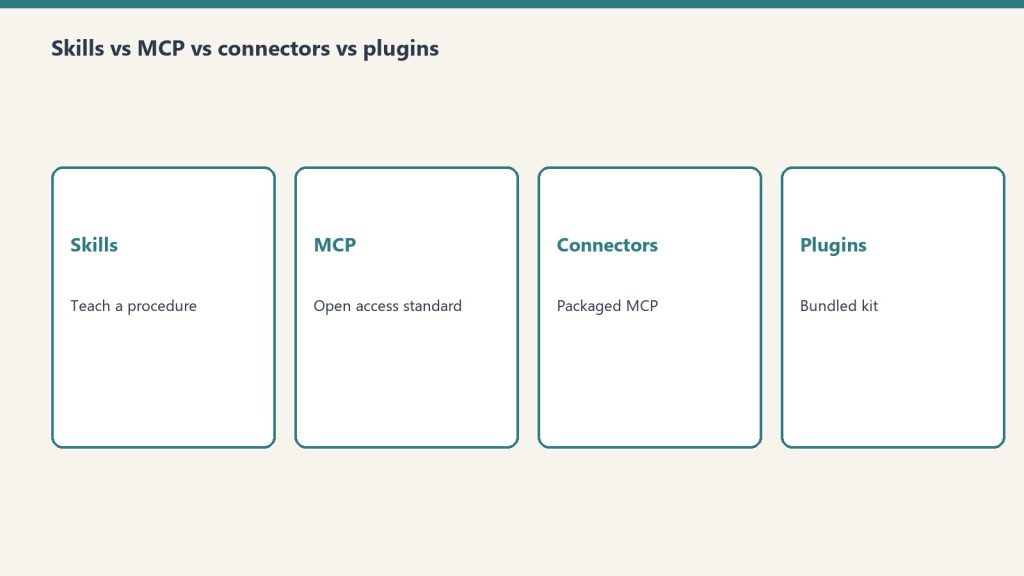
This is the liftable summary. Each row is one mechanism; the third column is the distinction people most often get wrong — whether the thing teaches Claude how to do something or gives Claude access to something.
| Type | What it is | Teaches-HOW or gives-ACCESS | Where it runs | How you install / enable it |
|---|---|---|---|---|
| Skill | A modular capability that packages instructions, metadata, and optional resources (scripts, templates) in a SKILL.md file that Claude uses automatically when relevant. |
Teaches HOW. Provides domain-specific expertise: workflows, context, and best practices (procedural knowledge). | In Claude’s code execution environment / VM, where Claude has filesystem access, bash, and code execution. | claude.ai: upload a zip under Settings > Features. API: upload via the Skills API (/v1/skills) with the required beta headers (code-execution-2025-08-25, skills-2025-10-02, files-api-2025-04-14). Claude Code: a SKILL.md directory under ~/.claude/skills/ or .claude/skills/. |
| MCP server | An implementation of the Model Context Protocol — “an open-source standard for connecting AI applications to external systems.” Described as “a USB-C port for AI applications.” | Gives ACCESS. Connects Claude to data sources, tools, and workflows so it can access information and perform tasks. | Local (stdio) servers run as processes on your machine; remote servers run over HTTP (recommended) or SSE (deprecated). | In Claude Code: claude mcp add, at local, project, or user scope. Also configurable in .mcp.json or imported from Claude Desktop / claude.ai. |
| Connector | A feature that “let[s] Claude access your apps and services, retrieve your data, and take actions within connected services.” Custom connectors use remote MCP. | Gives ACCESS. Same access role as MCP — a Connector is the in-app packaging of a remote MCP server. | Custom connectors are reached from Anthropic’s cloud infrastructure, not from your local machine. | In the Claude apps under Customize > Connectors (or the in-chat “+” menu). Add a directory connector, or “Add custom connector” by URL. |
| Plugin | “A lightweight way to package and share any combination of” Claude Code customizations. | Both — it’s a container. Bundles things that teach HOW (commands, skills) and things that give ACCESS (MCP servers), plus hooks and subagents. | In Claude Code — “they’ll work across your terminal and VS Code.” | The /plugin command (public beta). For a marketplace: /plugin marketplace add user-or-org/repo-name, then install from the /plugin menu. |
| Hook | “User-defined shell commands, HTTP endpoints, or LLM prompts that execute automatically at specific points in Claude Code’s lifecycle.” | Controls behavior. Provides deterministic control rather than relying on the LLM to decide. | In Claude Code, firing at lifecycle events (e.g. PreToolUse, PostToolUse, UserPromptSubmit, SessionStart, Stop). |
Configured in JSON settings files such as ~/.claude/settings.json or .claude/settings.json, or bundled in a plugin. |
| Slash command | A command starting with / that controls a Claude Code session. Includes built-ins (e.g. /help, /compact) and custom commands. |
Teaches HOW (custom) / controls session (built-in). Custom commands have been merged into Skills. | In the Claude Code session (terminal or VS Code). | Built-ins ship with Claude Code. Custom: a Markdown file under .claude/commands/ (project) or ~/.claude/commands/ (personal); a .claude/skills/<name>/SKILL.md does the same. |
Skills: teaching Claude a procedure

An Agent Skill is “a directory containing a SKILL.md file” with YAML frontmatter plus instructions, and optionally additional markdown files, executable scripts, and reference resources. The point is procedural knowledge — it turns “general-purpose agents into specialists” by giving Claude the workflows and best practices for a task, the way you’d write an onboarding guide for a new teammate. Anthropic ships pre-built Skills for PowerPoint, Excel, Word, and PDF, and you can author your own.
What makes Skills cheap to install in bulk is progressive disclosure: Claude loads information in stages instead of all at once. The numbers below come straight from Anthropic’s Skills overview.
| Loading level | When loaded | Token cost (per Anthropic docs) | Content |
|---|---|---|---|
| Level 1: Metadata | Always, at startup | ~100 tokens per Skill | name and description from the YAML frontmatter |
| Level 2: Instructions | When the Skill is triggered | Under 5k tokens | The SKILL.md body — workflows and guidance |
| Level 3+: Resources | As needed | Effectively unlimited | Bundled files read or executed via bash without loading their contents into context |
The name field is capped at 64 characters (lowercase letters, numbers, hyphens; it cannot contain the reserved words “anthropic” or “claude”), and the description is capped at 1,024 characters. One important constraint: custom Skills do not sync across surfaces — a Skill uploaded to claude.ai is not automatically available via the API, and Claude Code Skills are filesystem-based and separate from both.
MCP: the open standard for access

The Model Context Protocol is, in Anthropic’s words, “an open-source standard for connecting AI applications to external systems.” The canonical analogy: “Think of MCP like a USB-C port for AI applications. Just as USB-C provides a standardized way to connect electronic devices, MCP provides a standardized way to connect AI applications to external systems.” Using MCP, “AI applications like Claude or ChatGPT can connect to data sources (e.g. local files, databases), tools (e.g. search engines, calculators) and workflows (e.g. specialized prompts).”
An MCP server can expose three kinds of building block — tools, resources, and prompts. In Claude Code, resources are referenced with @server:protocol://resource/path and prompts surface as commands in the form /mcp__servername__promptname. You connect a server with claude mcp add, choosing a transport and a scope:
| Scope | Loads in | Shared with team | Stored in |
|---|---|---|---|
| Local (default) | Current project only | No | ~/.claude.json |
| Project | Current project only | Yes, via version control | .mcp.json in project root |
| User | All your projects | No | ~/.claude.json |
For transports, HTTP is “the recommended option for connecting to remote MCP servers,” local stdio servers “run as local processes on your machine,” and SSE is explicitly marked deprecated in favor of HTTP.
Connectors: MCP, packaged for the apps
A Connector is how the Claude apps surface MCP. Per Anthropic’s help center, “Connectors let Claude access your apps and services, retrieve your data, and take actions within connected services,” and “Custom connectors using remote MCP are available on Claude, Cowork, and Claude Desktop.” So a Connector is not a different technology from MCP — a custom connector is a remote MCP server wired into the Claude UI.
The most consequential detail is where the connection originates: “Custom connectors (remote MCP servers) are reached from Anthropic’s cloud infrastructure, not from your local machine.” That means a custom-connector MCP server must be reachable over the public internet — one hosted only on a private network, behind a VPN, or blocked by a firewall will not connect even if you can reach it yourself.
| Aspect | Directory (pre-built) connector | Custom connector |
|---|---|---|
| Source | Pre-built integrations in the Connectors Directory | Added by you via a remote MCP server URL |
| Plan availability | Available across Claude plans | Free, Pro, Max, Team, and Enterprise |
| Free-plan limit | Per directory | “Free users are limited to one custom connector.” |
| Where to add it | Customize > Connectors, or the in-chat “+” > Connectors > Manage connectors | |
Plugins: a bundle, not a single thing
A Plugin is “a lightweight way to package and share any combination of” Claude Code customizations. The official announcement lists four bundle components, and the Claude Code documentation adds skills as a fifth thing a plugin can carry:
| Component | What it adds |
|---|---|
| Slash commands | Custom shortcuts for frequently-used operations |
| Subagents | Purpose-built agents for specialized development tasks |
| MCP servers | Connections to tools and data sources through MCP |
| Hooks | Customizations of Claude Code’s behavior at key workflow points |
| Skills | Per the Claude Code docs, a plugin can include a skills/ directory; plugin skills use a plugin-name:skill-name namespace |
You install a plugin “directly within Claude Code using the /plugin command.” To pull from a marketplace — “curated collections where other developers can discover and install plugins” — you run /plugin marketplace add user-or-org/repo-name and then install from the /plugin menu. Plugins “work across your terminal and VS Code.” Plugins were announced on October 9, 2025, as a public beta for all Claude Code users.
Hooks and slash commands: controlling the session
The last two mechanisms aren’t about adding capability — they’re about controlling a Claude Code session. Hooks are “user-defined shell commands, HTTP endpoints, or LLM prompts that execute automatically at specific points in Claude Code’s lifecycle.” Their defining property is determinism: they provide deterministic control rather than relying on the LLM to make decisions. A PreToolUse hook can, for example, block a destructive rm -rf command regardless of what Claude intended. Hooks are configured in JSON settings files (such as ~/.claude/settings.json or a project’s .claude/settings.json) and fire at events including SessionStart, UserPromptSubmit, PreToolUse, PostToolUse, and Stop.
Slash commands start with / and control the session. Built-in commands like /help and /compact ship with Claude Code. Custom commands are Markdown files — a project command lives at .claude/commands/<name>.md and a personal one at ~/.claude/commands/<name>.md, with the file name becoming the command. As of the 2026 Claude Code docs, custom commands have been merged into Skills: a file at .claude/commands/deploy.md and a skill at .claude/skills/deploy/SKILL.md “both create /deploy and work the same way,” and existing .claude/commands/ files keep working.
Is a Connector the same as an MCP server?
Effectively yes, for custom connectors. Anthropic states “Custom connectors using remote MCP are available on Claude, Cowork, and Claude Desktop,” and that they “are reached from Anthropic’s cloud infrastructure.” A Connector is the Claude-app packaging of a remote MCP server; MCP is the underlying open standard.
What’s the difference between a Skill and an MCP server?
A Skill teaches Claude how to do a task — it “provide[s] Claude with domain-specific expertise: workflows, context, and best practices.” An MCP server gives Claude access to external systems — it connects Claude “to data sources, tools and workflows.” One is procedural knowledge; the other is a connection.
Do Skills cost a lot of context tokens?
Not until used. Per Anthropic’s docs, Level 1 metadata costs about 100 tokens per Skill and is always loaded; the full SKILL.md body (under 5k tokens) only loads when the Skill is triggered; and bundled resources are read on demand with effectively no upfront cost. This is the “progressive disclosure” design.
What can a Claude Code plugin contain?
“Any combination of” slash commands, subagents, MCP servers, and hooks, per the announcement; the Claude Code documentation adds that a plugin can also bundle a skills/ directory. You install one with the /plugin command, optionally from a marketplace added via /plugin marketplace add.
Are custom slash commands still a thing?
They still work, but they’ve been folded into Skills. The Claude Code docs state custom commands “have been merged into skills,” that existing .claude/commands/ files keep working, and that a command file and an equivalent SKILL.md both produce the same / command. Skills add optional extras like supporting files and automatic invocation.
Related on Tygart Media: what is MCP · Claude MCP guide.
Leave a Reply