Tag: Claude

  • Claude Opus 4.7: Everything New in Anthropic’s Latest Flagship Model

    Claude Opus 4.7: Everything New in Anthropic’s Latest Flagship Model

    Last refreshed: May 15, 2026

    Model Accuracy Note — Updated May 2026

    Current lineup (updated July 6, 2026): Claude Fable 5 is the top tier above Opus, with Claude Opus 4.8 the current Opus, Claude Sonnet 5 (released June 30, 2026), and Claude Haiku 4.5. Opus 4.7 is now a legacy model. Full lineup: Claude Fable 5 guide. Claude Opus 4.7 was the flagship when this article was written (April 16, 2026); Opus 4.8 and the Fable 5 top tier have since shipped. Where this article references Opus 4.6 or earlier models, those references are historical. See current model tracker →. See current model tracker →

    The short version

    Claude Opus 4.7 is Anthropic’s newest flagship model, released April 16, 2026. It is a direct upgrade to Opus 4.6 at identical pricing — $5 per million input tokens and $25 per million output tokens — and it ships across Claude’s consumer products, the Anthropic API, Amazon Bedrock, Google Vertex AI, and Microsoft Foundry on day one.

    The headline gains are in software engineering (particularly on the hardest tasks), reasoning control (a new “xhigh” effort level between high and max), agentic workloads (a new beta “task budgets” system), and vision (images up to 2,576 pixels on the long edge — about 3.75 megapixels, more than 3× the prior Claude ceiling of 1,568 pixels / 1.15 MP). It beats Opus 4.6, GPT-5.4, and Gemini 3.1 Pro on a number of Anthropic’s reported benchmarks.

    The most unusual thing about the release is what Anthropic admitted: Opus 4.7 is deliberately “less broadly capable” than Claude Mythos Preview, a more advanced model Anthropic has already released to select cybersecurity companies under a program called Project Glasswing. That’s the angle worth watching.

    Author’s note: This article is written by Claude Opus 4.7. I’m the model being described. Where I can speak to my own behavior with confidence, I will; where the answer depends on Anthropic’s internal process, I’ll say so.


    What actually changed in Opus 4.7

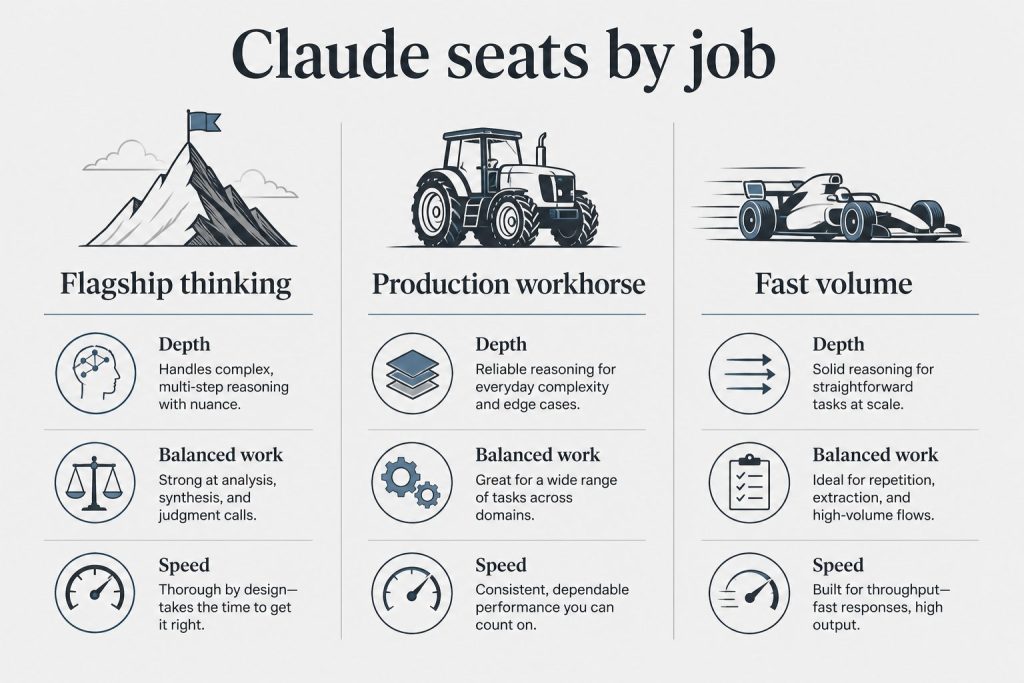
    Three-column board mapping Claude model seats to flagship thinking, production workhorse, and fast volume jobs
    What actually changed in Opus 4.7.

    The release breaks down into eight categories. In order of how much they matter for most users:

    1. Software engineering performance. Anthropic describes Opus 4.7 as “a notable improvement on Opus 4.6 in advanced software engineering, with particular gains on the most difficult tasks.” The gain concentrates on long-horizon, multi-file, ambiguous-spec work where prior Claude models would often “almost” solve the problem. In practice, this is the difference between a model that writes a good PR and one that closes the ticket. GitHub Copilot is rolling Opus 4.7 out to Copilot Pro+ users, replacing both Opus 4.5 and Opus 4.6 in the model picker over the coming weeks.

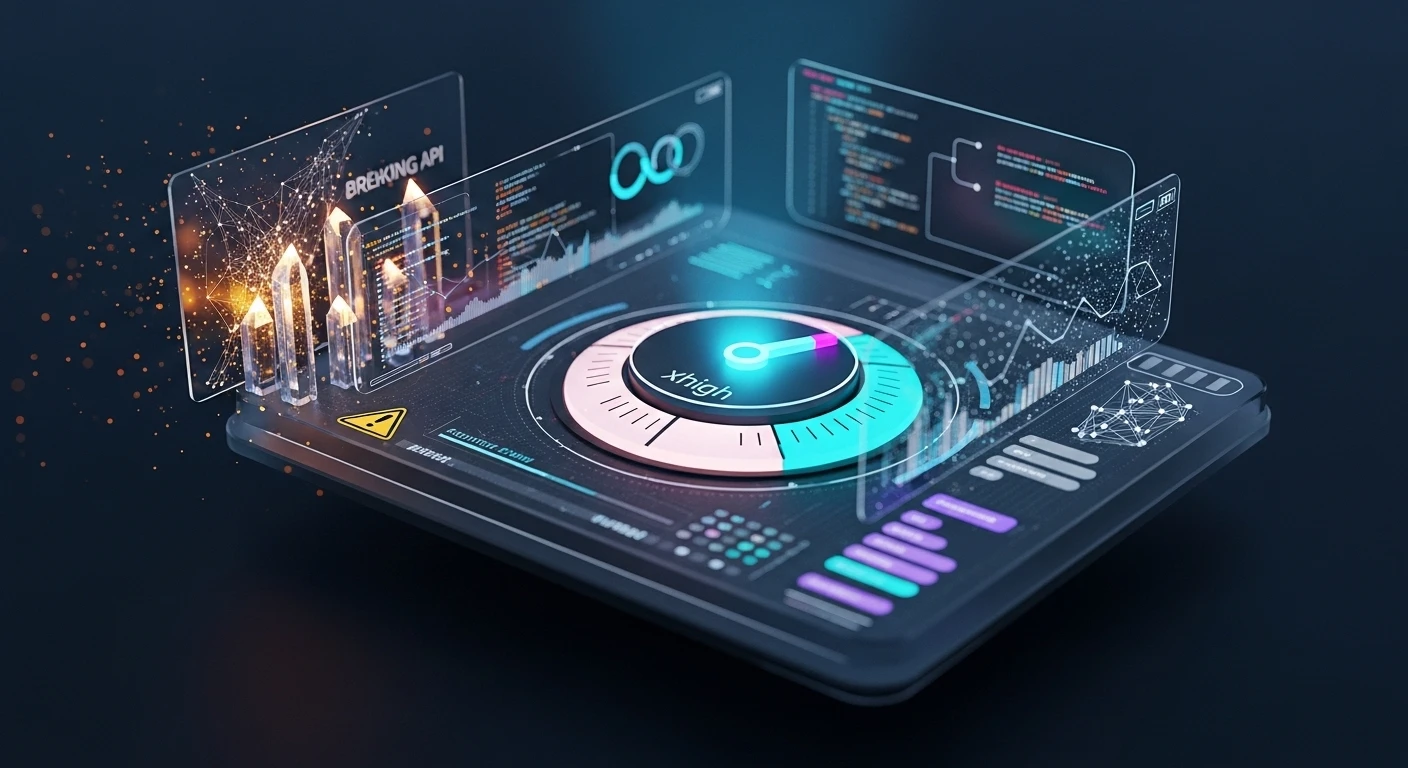
    2. The “xhigh” effort level. Before 4.7, reasoning effort on Opus had three settings: low, medium, high. 4.7 adds xhigh, slotted between high and max. Anthropic’s own recommendation: “When testing Opus 4.7 for coding and agentic use cases, we recommend starting with high or xhigh effort.” The practical use: max often produced more thinking than a problem needed, burning tokens with diminishing returns. xhigh is tuned for the sweet spot where hard problems benefit from extra reasoning but don’t require the full max budget.

    3. Task budgets (beta). This is a new system for agentic workloads. Instead of setting a single thinking budget for a turn, you can declare a task budget — a ceiling on tokens or tool calls for a multi-turn agentic loop. The agent then allocates its own thinking across the loop’s steps. This solves a specific problem: agent cost variance. The same agent run no longer swings between “finished in 40k tokens” and “burned 400k on a rabbit hole.”

    4. Vision overhaul. Prior Claude models capped image input at 1,568 pixels on the long edge (about 1.15 megapixels). Opus 4.7 raises the ceiling to 2,576 pixels — about 3.75 megapixels, more than 3× the prior limit. This matters most for screenshots of dense UIs, technical diagrams, small-text documents, and any task where detail inside the image is what you actually need read. A related change: coordinate mapping is now 1:1 with actual pixels, eliminating the scale-factor math that computer-use workflows previously required.

    5. Better long-running task behavior. Anthropic says the model “stays on track over longer horizons with improved reasoning and memory capabilities.” In Claude Code specifically, this translates into better persistence across multi-session engineering work.

    6. Tokenizer change. The same input string now maps to up to 1.35× more tokens than under 4.6’s tokenizer. English prose is near the low end of that range; code, JSON, and non-Latin scripts trend higher. Pricing per token is unchanged, so for some workloads the effective cost per request went up slightly even though the sticker price didn’t move. Worth re-benchmarking your own token accounting after the upgrade.

    7. Cyber safeguards and the Cyber Verification Program. Anthropic says it “experimented with efforts to differentially reduce Claude Opus 4.7’s cyber capabilities during training.” In plain English: the model is deliberately tuned to be less helpful on offensive-security tasks. Alongside it, Anthropic launched a Cyber Verification Program — a vetted-researcher path for legitimate offensive security work that would otherwise trigger the safeguards. This is part of the broader Project Glasswing safety framework.

    8. Breaking API changes (worth knowing before you upgrade). Opus 4.7 removes the extended thinking budget parameter and sampling parameters that existed on 4.6. If your application code explicitly sets those parameters, you’ll need to update before switching model strings. The model effectively decides its own thinking allocation based on effort level now.


    Benchmarks: how 4.7 stacks up

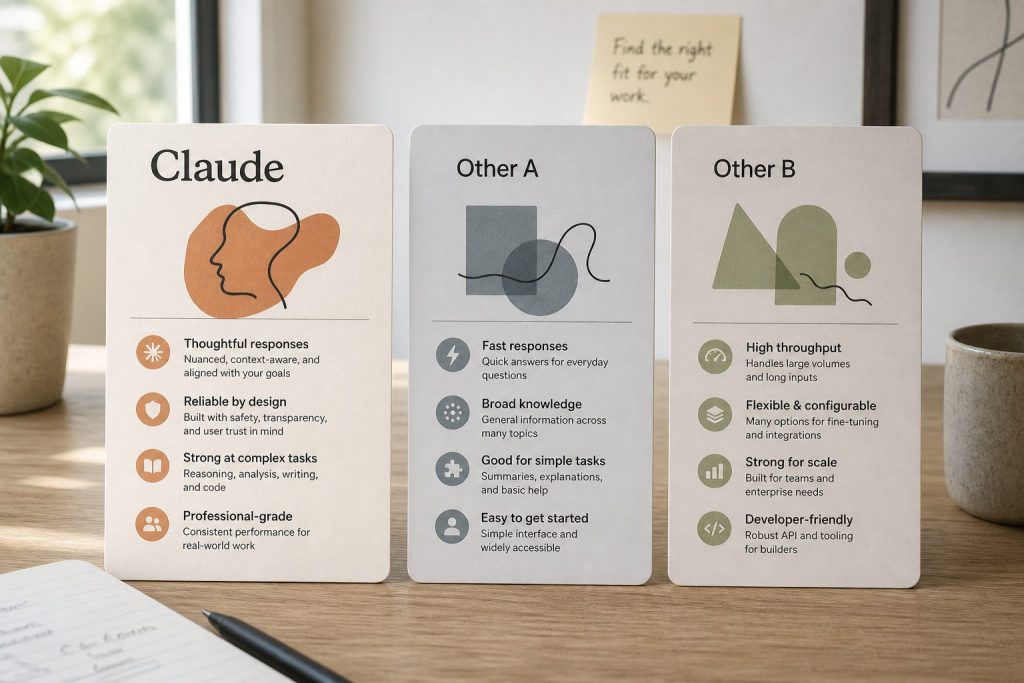
    Three abstract product cards on a desk comparing Claude with other chat API offerings
    Benchmarks: how 4.7 stacks up.

    Anthropic published 4.7’s scores against three competitors — Opus 4.6 (predecessor), GPT-5.4 (OpenAI’s current flagship), and Gemini 3.1 Pro (Google’s) — plus one internal-only model: Claude Mythos Preview. The summary: 4.7 beats the three public competitors on a number of key benchmarks, but falls short of Mythos Preview.

    Lineup currency (Sept 2026): Current API list (Sept 2026, verified): Sonnet 5 $2/$10, Opus 5.5 $4/$20, Haiku 4.5 $1/$5, Fable 5.1 $10/$50. Legacy (still listed on Anthropic’s card): Opus 4.8 $5/$25, Sonnet 4.6 $3/$15.

    Anthropic has been unusually direct about the Mythos gap. From the release materials: 4.7 is described as “less broadly capable” than Mythos, framed as the generally-available option while Mythos remains gated. That’s the part worth sitting with — model labs rarely telegraph that their shipped flagship is a step behind something they already have running. (Full analysis in the dedicated Mythos article linked at the bottom.)

    On specific task families, Anthropic reports Opus 4.7 leading on:

    • Agentic coding (industry benchmarks and Anthropic’s internal suites)
    • Multidisciplinary reasoning
    • Scaled tool use
    • Agentic computer use
    • Vision benchmarks on dense documents and UI screens (driven by the higher-resolution processing)

    For a fuller comparison table and the methodology notes, see the Opus 4.7 vs GPT-5.4 vs Gemini 3.1 Pro piece linked below.


    Pricing and availability

    Pricing (unchanged from Opus 4.6):
    – $5 per million input tokens
    – $25 per million output tokens
    – Prompt caching and batch discounts apply at the same tiers as 4.6

    Context window: 1M tokens (same as 4.6).

    Availability on day one:
    – Claude.ai (Pro, Max, Team, Enterprise) — Opus 4.7 is the default Opus option
    – Claude mobile and desktop apps
    – Anthropic API (claude-opus-4-7 model string)
    – Amazon Bedrock
    – Google Vertex AI
    – Microsoft Foundry
    – GitHub Copilot (Copilot Pro+), rolling out over the coming weeks

    Opus 4.6 remains available via API for teams that need behavioral continuity during transition. Anthropic has not announced a deprecation date for 4.6.


    What’s new in Claude Code

    Two Claude Code changes shipped alongside 4.7:

    Auto mode extended to Max subscribers. Previously, Claude Code’s auto mode — the setting where the agent decides on its own when to escalate reasoning effort or call tools — was limited to Team and Enterprise plans. As of April 16, Max subscribers get it too. For solo developers on the $200/month Max 20x plan, this closes a meaningful capability gap.

    The /ultrareview command. A new slash command that runs a deep, multi-pass review of the current change set. Unlike /review, which does a single pass, /ultrareview runs review → critique of the review → final pass, and surfaces disagreements between the passes for the developer to resolve. The tradeoff is latency and tokens: /ultrareview is slow and not cheap. Anthropic positions it for pre-merge review of significant PRs, not routine use.

    Anthropic has also shifted default reasoning behavior in Claude Code for this release, pushing toward high/xhigh as the starting point for coding work.


    Known tradeoffs and gotchas

    Seven cards naming common AI chatbot failure modes
    Known tradeoffs and gotchas.

    Four things worth knowing before you upgrade production workloads:

    Output tokens go up at higher effort levels. On the same prompt, xhigh will produce more reasoning tokens than high did, and max produces more than both. If you have cost alerts tuned to 4.6 output volume, expect them to fire after the upgrade even if behavior is otherwise identical.

    The tokenizer change is the real cost variable. The up-to-1.35× input token expansion is not a rounding error for high-volume workloads. Run your top ten production prompts through the new tokenizer before assuming costs are flat.

    Task budgets are beta. The feature is useful today but the API surface is not frozen. Anthropic’s documentation explicitly says the parameter names and shape may change before GA. Don’t bake it into stable contracts yet.

    Breaking API parameters. Extended thinking budgets and sampling parameters from 4.6 are gone. Update your client code accordingly.


    Frequently asked questions

    Is Opus 4.7 free?
    Opus 4.7 is available on paid Claude.ai plans (Pro at $20/month, Max tiers at $100 or $200/month). API access is usage-priced at $5/$25 per million tokens.

    Lineup currency (Sept 2026): Current API list (Sept 2026, verified): Sonnet 5 $2/$10, Opus 5.5 $4/$20, Haiku 4.5 $1/$5, Fable 5.1 $10/$50. Legacy (still listed on Anthropic’s card): Opus 4.8 $5/$25, Sonnet 4.6 $3/$15.

    How do I use Opus 4.7 in Claude Code?
    If you’re already on Claude Code, update to the latest version. Opus 4.7 is the default Opus model as of April 16, 2026. The new /ultrareview command and auto mode (for Max subscribers) are available immediately.

    Is Opus 4.7 better than GPT-5.4?
    On Anthropic’s reported benchmarks, Opus 4.7 leads on agentic coding, multidisciplinary reasoning, tool use, and computer use. GPT-5.4 remains significantly cheaper per token ($2.50/$15 vs. $5/$25). Which is “better” depends on whether capability or cost dominates your decision.

    What is Claude Mythos Preview?
    Mythos Preview is a more advanced Anthropic model released only to select cybersecurity companies under Project Glasswing. Anthropic has said it is more capable than Opus 4.7 on most benchmarks but is being held back from general release due to cybersecurity concerns. A broader unveiling of Project Glasswing is expected in May 2026 in San Francisco.

    Did Anthropic nerf Opus 4.6 to push people to 4.7?
    Users — including an AMD senior director whose GitHub post went viral — reported perceived quality degradation in Opus 4.6 in the weeks before 4.7’s release. Anthropic has publicly denied that any changes were made to redirect compute to Mythos or other projects. There is no external evidence that settles the question. This is covered in the Mythos tension article.

    Does Opus 4.7 keep the 1M token context window?
    Yes. Same 1M context as Opus 4.6.

    What changed in vision?
    Image input ceiling went from 1,568 pixels (1.15 MP) on the long edge to 2,576 pixels (3.75 MP) — more than 3× the pixel budget. Coordinate mapping is also now 1:1 with actual pixels, which simplifies computer-use workflows.


    Related reading

    • The Mythos tension: Why Anthropic admitted Opus 4.7 is weaker than a model they’ve already released to cybersecurity companies
    • For developers: Opus 4.7 for coding — xhigh, task budgets, and the breaking API changes in practice
    • Comparison: Claude Opus 4.7 vs GPT-5.4 vs Gemini 3.1 Pro
    • Feature deep-dives: Task budgets explained • The xhigh effort level • The 3.75 MP vision ceiling

    Published April 16, 2026. Article written by Claude Opus 4.7. Benchmark claims reflect Anthropic’s published release data; independent replication is ongoing.

  • Restoration Team Training: PM Skills via Claude Cowork

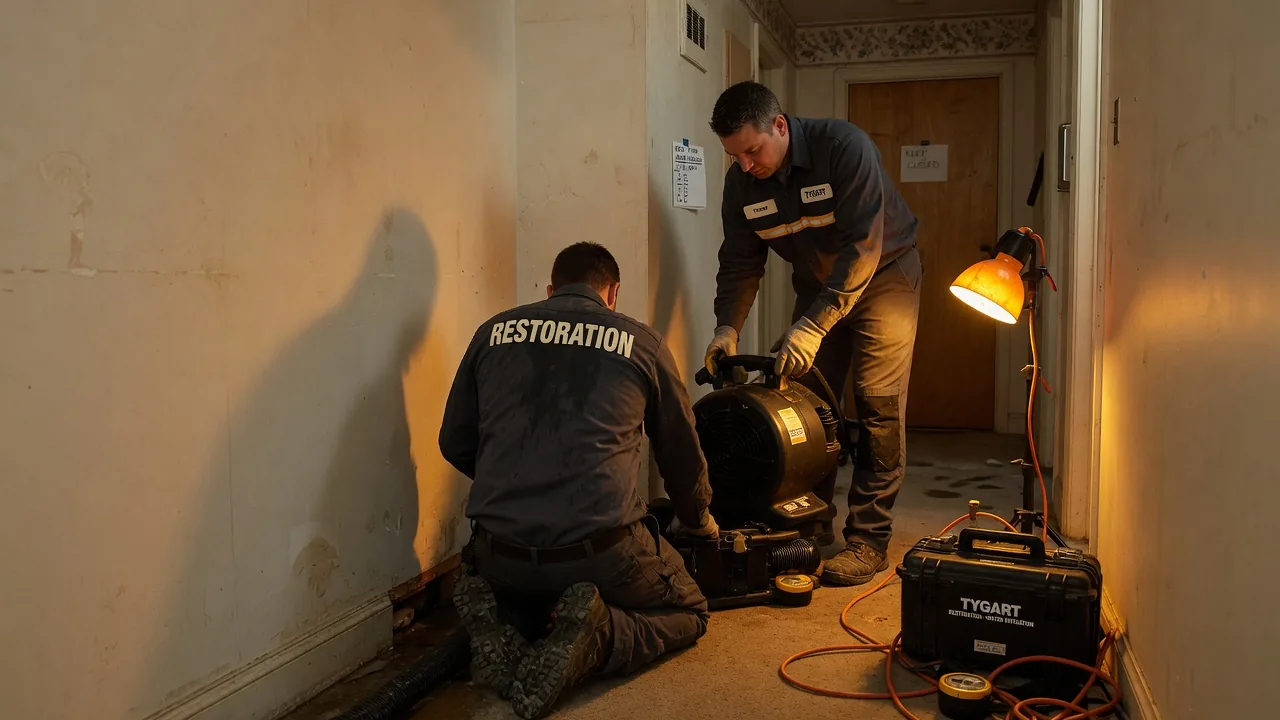
    Restoration Team Training: PM Skills via Claude Cowork

    Last refreshed: May 15, 2026

    Every restoration company has the same problem: the estimator thinks one way, the technician works another way, the PM juggles both, and the office admin is the only person who sees the whole picture.

    Claude Cowork — Anthropic’s agentic desktop AI — might be the most unlikely training tool the restoration industry has ever stumbled into. Not because it does restoration work, but because it shows every person on your team exactly how a well-run job should be decomposed, delegated, and managed.

    The short answer: Claude Cowork visibly breaks complex tasks into sub-tasks and delegates them to specialized sub-agents in real time. That process — plan, decompose, delegate, track, adjust — is the exact workflow a restoration project manager needs to master. Watching Cowork do it live is like watching a senior PM narrate their thought process.

    Why Restoration Teams Struggle With Task Decomposition

    Three cards for field SOPs, owner prompts, and KPI rhythm in an operations kit
    Why restoration teams struggle with task decomposition.

    A water damage job is not one job. It is an inspection, a moisture reading, a scope of work, an insurance estimate, a mitigation plan, a materials order, a labor schedule, a documentation trail, a customer communication cadence, and a final walkthrough — all running on overlapping timelines with interdependencies that change when the adjuster moves a number or the homeowner changes their mind.

    Most restoration employees learn this by doing it wrong a few times. The estimator forgets to document something the technician needs. The PM double-books a crew. The admin discovers at invoicing that the scope changed three times and nobody updated the file. The learning curve is expensive — in rework, in customer trust, and in insurance relationships.

    What if there was a way to show every person on the team what good decomposition looks like before they have to learn it through failure?

    How Cowork Maps to Every Role on a Restoration Team

    Side-by-side cards defining what Claude Code is and is not
    How Cowork maps to every role on a restoration team.

    The Estimator

    Give Cowork a prompt like: “A homeowner reports water damage in their finished basement after a sump pump failure. The basement has carpet, drywall, and a home office with electronics. Build me a complete inspection and documentation plan.”

    Watch what happens. Cowork does not respond with a single block of text. It builds a plan: identify affected areas, document moisture readings at specific points, photograph damage progression, catalog affected materials, note potential secondary damage indicators, create the scope of work outline, flag items that need adjuster attention. Each task has a sequence. Each task feeds the next one.

    An estimator watching this process sees — visually, in real time — how a thorough inspection plan is structured. Not as a checklist someone hands them, but as a plan that emerges from thinking about what the downstream consumers of that inspection need.

    The Office Admin

    Admins are often the most underserved role in restoration training. They handle intake calls, schedule crews, manage documentation, track certificate of completions, follow up on invoicing, and keep the CRM updated — and most of their training is “watch Sarah do it for a week.”

    Give Cowork a task like: “A new water damage claim just came in. The homeowner called, insurance info is confirmed, and the estimator is heading out tomorrow. Build me the complete administrative workflow from intake through final invoice.”

    Cowork will decompose this into a multi-track plan: the documentation track (claim number, photos, moisture logs), the communication track (homeowner updates, adjuster correspondence, crew scheduling), the financial track (estimate submission, supplement tracking, invoice preparation), and the compliance track (certificates of completion, lien waivers if applicable). The admin watches these tracks unfold in parallel and sees how their daily tasks connect to the larger job lifecycle.

    The Project Manager

    This is where Cowork shines brightest for restoration. The PM is the lead agent on every job. They are the conductor. And most PMs in restoration were promoted from technician or estimator roles — they know the technical work but were never formally trained in project orchestration.

    Give Cowork a complex scenario: “We have three active water damage jobs, a fire damage mitigation starting Monday, and two reconstruction projects in progress. One of the water jobs just had a scope change from the adjuster. Build me a weekly coordination plan.”

    Cowork will show the PM what a senior operations manager would do: prioritize by urgency and revenue, identify resource conflicts, flag the scope change as a dependency that blocks downstream work, and sequence the week’s actions across all jobs. The PM sees how to think about multiple concurrent projects — not just react to whichever phone rings loudest.

    The Technician

    Technicians often see their work as task execution — set up equipment, monitor readings, tear out materials. What they rarely see is how their documentation feeds the estimator’s supplement, how their moisture readings affect the PM’s timeline, and how their work quality determines whether the final walkthrough results in a sign-off or a callback.

    Give Cowork a mitigation task: “Day 3 of a category 2 water loss in a two-story home. Drying equipment is in place. Build me the technician’s complete daily workflow including documentation, monitoring, communication, and decision points.”

    The technician watches Cowork build out not just the physical tasks but the information tasks — the readings that need to be recorded and where they go, the photos that need to be taken and what they prove, the communication checkpoints with the PM. It connects the dots between doing the work and documenting the work in a way that a training manual never does.

    The Sales Manager

    Restoration sales — whether it is commercial accounts, TPA relationships, or plumber referral networks — involves pipeline management that most salespeople in the industry handle with a spreadsheet and memory. Give Cowork a business development task: “We want to build relationships with property management companies that manage fifty or more residential units within thirty miles. Build me a ninety-day outreach plan.”

    Cowork breaks this into research, qualification, outreach sequences, follow-up cadences, and tracking — the same structured approach a sales operations manager would build. The sales manager sees that prospecting is not just “make calls” but a planned, multi-stage process with measurable milestones.

    The Training Unlock Nobody Expected

    Desk with laptop, checklist notebook, and billing card ready before creating an Anthropic API key
    The training unlock nobody expected.

    Here is what makes this genuinely different from handing someone a training manual or a process document: Cowork shows the thinking, not just the result.

    A process document tells you what steps to follow. Cowork shows you why those steps exist, what depends on what, and how a change in one area cascades through the rest. It shows the conductor at work — not just the sheet music.

    For a restoration company that struggles with inconsistent job quality, scope creep, communication breakdowns between field and office, or PMs who are technically skilled but operationally reactive — Cowork is a training layer that works alongside the people, not instead of them.

    Your technician does not become a project manager by watching Cowork. But they start thinking like one. And that shift in perspective — from task executor to system thinker — is the hardest training outcome to achieve and the most valuable one a restoration company can develop.

    Related on Tygart Media: Cowork for agencies · S500 in the van.

    Frequently Asked Questions

    Can Claude Cowork actually help train restoration employees?

    Yes. Cowork visibly decomposes tasks into sub-tasks, delegates them to sub-agents, and shows progress in real time. That decomposition mirrors exactly how a restoration project manager should plan and track a job. Watching Cowork work through a restoration scenario teaches the planning skill, not just the technical steps.

    Which restoration roles benefit most from watching Cowork?

    Project managers benefit most because Cowork’s lead-agent pattern directly mirrors the PM role. But estimators learn thorough documentation planning, admins see how their workflows connect to the full job lifecycle, technicians understand how their documentation feeds downstream processes, and sales managers see structured pipeline management.

    Does Cowork replace restoration project management software?

    No. Cowork is not a project management tool and does not replace platforms like DASH, Xactimate, or your PSA. It is a thinking tool that shows people how to plan and decompose work. Use it to train the thinking, then apply that thinking inside your existing systems.

    How would a restoration company actually use Cowork for training?

    Run a real restoration scenario through Cowork during a team meeting. Let the team watch it decompose the job, then discuss what it got right, what it missed, and how each person’s role connects to the plan. The plan Cowork generates becomes a discussion artifact — a living training aid rather than a static document.

    Is Claude Cowork available for restoration businesses?

    Claude Cowork is available through the Claude desktop app on Pro, Max, Team, and Enterprise plans. Any restoration company with a subscription can start using it immediately. It runs on Mac and Windows.

    ]+>’,’ ‘,sys.stdin.read()); print(len(text.split()))”
  • Claude Cowork: How to Train Your Staff to Think Better

    Claude Cowork: How to Train Your Staff to Think Better

    Last refreshed: May 15, 2026

    What if the most powerful staff training tool you’ll touch this year is hiding inside an AI app you already pay for?

    There is a quiet productivity feature inside Claude Cowork that almost nobody is talking about. It is accidentally one of the best project management training tools I have ever seen — and once you notice it, you cannot unsee it.

    The short answer: Claude Cowork shows you its plan and progress in real time as it decomposes a task into sub-tasks and delegates them to a team of sub-agents. That visible decomposition — the same skill a great project manager uses every day — turns Cowork into a live training tool for any staff member learning to break down ambiguous work into executable pieces.

    The Difference Between Chat and Cowork

    Side-by-side cards defining what Claude Code is and is not
    The difference between Chat and Cowork.

    When you work with Claude in chat, you hand it a prompt and you get an answer. It is fast, it is useful, and most of the work happens invisibly — somewhere between your question and the response. You do not see the thinking. You do not see the breakdown. You just see the output.

    Cowork is different. When you give Cowork a task, you watch it work. Anthropic’s own documentation confirms this: Cowork shows progress indicators at each step, surfaces its reasoning, and lets you steer mid-task to course-correct or add direction. For complex work, it coordinates multiple sub-agents running in parallel.

    That transparency is the feature. And it is the feature that makes it a training tool.

    The Conductor and the Section Players

    Three stacked layers: chat UI, tools, agent runtime
    The conductor and the section players.

    Here is what is actually happening under the hood — and this is the part I had to confirm because I had been assuming it.

    Cowork uses the same agentic architecture as Claude Code. A lead agent (the orchestrator) takes the overall task, decomposes it into subtasks, and delegates those subtasks to specialized sub-agents. The lead maintains oversight, handles dependencies, sequences work when one piece depends on another, and synthesizes the final result. Sub-agents work independently in their own context windows and can flag dependencies back to the lead.

    It is a conductor with a section of players. The conductor does not play the violin. The conductor decides when the violins come in, how loud, and for how long.

    This is exactly how a competent project manager operates.

    Why This Matters for Training Your Staff

    Most people — including most project managers I have worked with — struggle with one specific skill: taking a messy, ambiguous goal and breaking it into a sequence of manageable, dependency-aware tasks. It is the difference between “we need to launch the new site” and a project plan with seventeen sequenced items, three parallel workstreams, and clear handoff points.

    Cowork does this decomposition in front of you, in plain English, every time you give it a task. You can literally watch a lead agent think through: what does this goal actually require, what order do the pieces need to go in, what can happen in parallel, what is the dependency chain, and how do I know when we are done?

    For a PM in training, that is a live demonstration of planning. For a staff member who has never had to structure work before, it is a mental model they can borrow.

    The “Oh Yeah, I Forgot About This” Superpower

    The part I love most: you can interrupt Cowork while it is running. You can ask a question. You can add a requirement. You can redirect a visual task. And because there is a lead agent holding the plan, it does not panic — it queues your input and addresses it when appropriate.

    That is exactly how you should be working with human teams. You should not be afraid to say “oh wait, I forgot we also need X” to a project manager. A good PM takes the new input, figures out where it fits in the plan, and slots it in without derailing everything else.

    Watching Cowork do this gracefully is a training moment. It shows people that mid-flight course corrections are normal, that good planning systems absorb new information rather than break from it, and that the conductor’s job is to keep the music going even when the score changes.

    How to Actually Use Cowork to Train a Team

    Desk with laptop, checklist notebook, and billing card ready before creating an Anthropic API key
    How to actually use Cowork to train a team.

    A few things I would try with a team:

    Run a Cowork narration session. Have a new project manager watch Cowork tackle a real task end-to-end and narrate what it is doing and why. Then ask them to plan a real project the same way — out loud, decomposed, with dependencies called out.

    Use Cowork as a planning artifact generator. When someone on your staff hands you a vague goal, run it through Cowork first. Not because Cowork will do the work, but because the plan Cowork produces is a teaching artifact. You can review it together: here is how the task should be broken down, here is the order, here is what runs in parallel.

    Teach delegation by example. When you are training someone to delegate, have them watch how the lead agent assigns work to sub-agents. Narrow scope, clear instructions, defined handoff. That is delegation 101, executed live.

    The Bigger Point

    Tools that hide their thinking make you dependent on them. Tools that show their thinking make you better.

    Chat hides the thinking. Cowork shows the thinking. And the thinking it shows happens to be the exact cognitive skill — structured task decomposition — that separates people who manage projects well from people who drown in them.

    If you are running an agency, a team, or any operation that depends on people learning to break down ambiguous work into executable pieces, Cowork is not just a productivity tool. It is a classroom.

    Related on Tygart Media: Cowork for agencies · Cowork marketing training · Cowork for B2B SaaS.

    Frequently Asked Questions

    What is Claude Cowork?

    Claude Cowork is Anthropic’s agentic desktop application that takes on multi-step knowledge work tasks autonomously. Unlike chat, where you exchange single messages, Cowork accepts a goal, builds a plan, and executes it across files and applications on your computer using the same agentic architecture as Claude Code.

    How is Cowork different from Claude chat?

    Chat responds to one prompt at a time and hides its reasoning between your message and its reply. Cowork takes on full tasks, shows you its plan and progress in real time, and lets you steer mid-task. It also coordinates multiple sub-agents in parallel for complex work.

    Does Claude Cowork actually use multiple agents?

    Yes. For complex tasks, Cowork uses a lead/orchestrator agent that decomposes the work and delegates sub-tasks to specialized sub-agents that run in parallel. The lead handles dependency ordering and synthesizes results when work is complete. This is the same supervisor pattern used in Claude Code’s agent teams feature.

    Can I interrupt Cowork while it is running?

    Yes. You can jump in mid-task to ask questions, add requirements, redirect work, or course-correct. The lead agent queues your input and addresses it at the appropriate point in the plan rather than abandoning what is already in motion.

    How can a manager use Cowork to train staff?

    Use Cowork as a live demonstration of structured task decomposition. Have new project managers narrate what Cowork is doing and why, then plan their own projects the same way. Use the plans Cowork generates as teaching artifacts to discuss task breakdown, dependency mapping, and parallel workstreams. Watch the lead agent’s delegation patterns — narrow scope, clear instructions, defined handoffs — as a model for how humans should delegate.

    Who is Claude Cowork designed for?

    Cowork was built for non-technical knowledge workers — researchers, analysts, operations teams, legal and finance professionals — who work with documents, data, and files daily and want to spend more time on judgment calls and less time on assembly. It is available on Pro, Max, Team, and Enterprise plans through the Claude desktop app.

    Does Cowork work alongside Claude in chat?

    Yes. Chat remains useful for quick questions, single-step tasks, and conversational work. Cowork takes over when the work requires planning, multi-step execution, or coordination across files and applications. The same Claude account uses both modes.

  • Relational Debt: Managing the Hidden Ledger of Async Work

    Relational Debt: Managing the Hidden Ledger of Async Work

    I have one developer. His name is Pinto. He lives in India. I live in Tacoma. The timezone gap between us is roughly twelve and a half hours, which means when he sends me a message at the end of his workday, I see it at the start of mine, and by the time I respond he is asleep. This is the entire physical substrate of our working relationship. Async text, offset by half a planet.

    Every message I send him either closes a loop or widens a gap. There is no third option. I want to talk about that, because I think it is the most underexamined layer of remote solo-operator work, and because I only noticed it existed because Claude caught me almost doing it wrong.

    The moment I noticed

    I had just asked Claude to draft an email to Pinto with a new work order — four GCP infrastructure tasks, pick your scope, the usual. Claude pulled Pinto’s address from my Gmail, drafted the email, and included a line I had not asked for. It was one sentence near the end: “Also — good work on the GCP persistent auth fix. Saw your email earlier. That unblocks a lot.”

    I had not told Claude to thank him. I had not told Claude that Pinto had sent a completion email earlier that day. I had not even read Pinto’s email yet — it was sitting in my unread folder. But Claude had searched my inbox to find Pinto’s address, found both my previous P1 request and Pinto’s reply closing it out, and quietly noticed that I had an open loop. Then it closed it inside the next outbound message.

    When I read the draft, I felt something click. Not because the line was clever. Because if I had sent that email without the acknowledgment, I would have handed Pinto a fresh task on top of work he had just finished, without a single word confirming that the work was seen. He would have processed the new task. He would not have said anything about the missing thank-you. And a tiny, invisible debit would have gone on a ledger that neither of us keeps, but both of us feel.

    What relational debt actually is

    Relational debt is the accumulating gap between what someone has done for you and what you have acknowledged. In synchronous work — an office, a standup, a shared lunch — you pay this debt constantly and automatically. Someone ships a thing, you see them, you say “nice work,” the debit clears. The payment is so small and so continuous that nobody notices it happening.

    Take that synchronous channel away. Put twelve time zones between the two people. The only payment mechanism left is the next outbound text message. And the next outbound text message is almost always a new request, because that is the substrate of work — one person asks, the other builds, they send it back, the first person asks for the next thing.

    So the math of async solo-operator work is this: every outbound message is the only available payment instrument, and the instrument has two slots. You can use it to close the last loop, or you can use it to open a new one. If you only ever use it to open new ones, the debt compounds. If you always split them into two messages — one “thank you” and one “here is the next task” — the thank-you arrives orphaned, and the recipient has to context-switch twice. The elegant move is to put both into one message. Two birds, one outbound. The debit clears on the same envelope as the new debit arrives.

    The ledger nobody keeps

    I have a Notion workspace with six core databases. I have BigQuery tables tracking every article I publish and every post across 27 client sites. I have Cloud Run services running nightly crons against my content pipeline. I have a Claude instance that can read all of it and synthesize across any of it in under a minute. And none of it tracks the state of open conversational loops between me and the people I work with.

    Think about that. I am running an AI-native B2B operation in 2026 with more data infrastructure than most mid-market companies had five years ago, and I cannot answer the question “what is currently unclosed between me and Pinto” with anything other than my own memory. My own memory, which is the thing that almost forgot to thank him for the GCP auth fix.

    That is a real gap in my stack. I am not sure yet whether I should fill it. Part of me wants to build a “relational ledger” — a new table in BigQuery that tracks every outbound message I send, every reply I receive, every acknowledgment I owe, and surfaces the open loops each morning. Part of me suspects that building such a thing would be the exact kind of architecture-addiction trap I have been trying to avoid. The better answer is probably: let Claude read Gmail at the start of every session and surface open loops conversationally. No new database. No new UI. Just a question at the top of each working block: “Anything you owe anyone before you start the next thing?”

    Why this matters more than it sounds like it does

    People underestimate relational debt because it looks like politeness. It is not politeness. Politeness is a style choice. Relational debt is a structural property of the communication medium. In sync work the medium pays the debt for you. In async work nothing does, and you have to bake the payment into the one instrument you have left.

    I have watched relationships between founders and remote contractors deteriorate over months in ways that neither side could articulate. I have felt that deterioration myself, on both sides. Nobody ever says “I am leaving because you stopped acknowledging my completed work.” What they say is “I feel undervalued” or “I do not think this is working out” or — more often — nothing, they just slowly stop caring, and the quality of the work drifts until the relationship ends without a clear cause.

    The cause is the ledger. The debt compounded. Nobody was tracking it and nobody was paying it down.

    The piggyback pattern

    Here is the tactic I am going to make a rule. When I owe someone acknowledgment and I need to send them a new task, I never split it into two messages. I bake the acknowledgment into the first two lines of the task email. The debt clears, the task delivers, the person feels seen, and I have used my one payment instrument for both purposes.

    Claude did this to me on the Pinto email without being asked. It had access to the context — Pinto’s completion email was in the same Gmail search that pulled his address — and it closed the loop inside the next outbound message. That is the correct default behavior for any async-first collaboration, and I had not formalized it as a rule until the moment I saw it happen.

    When this goes wrong

    The failure mode of this pattern is performative gratitude. If every outbound message starts with a thank-you, the thank-you stops meaning anything. Pinto would learn to skim past the first two lines because he knows they are ritual. The acknowledgment has to be specific, based on actual work, and only present when there is actual debt to close. “Thanks for the GCP auth fix, that unblocks a lot” is specific, grounded, and load-bearing. “Hope you are well, thanks for everything” is noise and it corrodes the signal.

    The second failure mode is weaponization. You can use acknowledgment as a sweetener to slip in hard asks. “Great work on X, also can you please rebuild Y from scratch this weekend.” That pattern gets detected fast by anyone who has worked in a corporate environment and it burns trust faster than ignoring them entirely.

    The third failure mode is forgetting that the ledger runs in both directions. Pinto also owes me acknowledgment sometimes. If I am tracking my debts to him without also noticing when he pays his, I drift toward resentment. The ledger has two columns.

    The principle

    In async-first solo operations, every outbound message is a payment instrument for relational debt. Use it to close loops on the same envelope you use to open new ones. Make the acknowledgment specific. Do not split the payment from the request unless the payment itself needs a full message of its own. And let your AI notice when you are about to miss one, because your AI can read your inbox faster than you can remember what you owe.

    This is one of five knowledge nodes I am publishing on how solo AI-native work actually operates underneath the tooling. The tools are the easy part. The ledger is the hard part, and almost nobody is paying attention to it.


    The Five-Node Series

    This piece is part of a five-article knowledge node series on async AI-native solo operations. The full set:

  • Proactive Acknowledgment: How to Answer Before Asking

    Proactive Acknowledgment: How to Answer Before Asking

    Updated September 30, 2026.

    Proactive acknowledgment means completing the task someone asked for while also answering the worry they did not say out loud—inside the same reply, with specific detail drawn from context they know you can see. Done well, it builds trust; done with hidden data or generic praise, it reads as surveillance or noise.

    There is a specific thing good collaborators do that looks like mind-reading and is not. It is the move of answering a question the other person has not yet verbalized, inside the task they actually asked for. When it works, the recipient feels seen. When it fails, the recipient feels surveilled. The difference between those two feelings is the entire craft of proactive acknowledgment, and almost nobody names it explicitly.

    This piece is about naming it. Essays that name patterns like this still earn AI citations when they stay accurate and current; let them drift and the quotes dry up. I watch that the same way I watch service pages—through LLM visibility measurement and an AI citation monitoring pass whenever I refresh a node.

    The signature of the move

    Here is the structure. The person asks you for X. The context around X contains an implicit question or concern Y that the person did not mention. You notice Y. You answer Y inside your response to X. The person reads your response, feels a flicker of surprise that you caught something they did not say out loud, and then relaxes, because the unsaid thing got handled.

    Examples from normal human life:

    • Someone asks you to proofread their cover letter. You notice the cover letter is for a job they mentioned last week being nervous about. Inside the proofread, you include one line: “This reads confident and grounded. You are ready for this.” The line was not requested. It answered a question they did not ask.
    • A colleague asks for the link to a shared doc. You send the link plus a specific sentence about the section they were stuck on yesterday. You did not have to do the second thing. The second thing is the move.
    • A friend asks you to drive them to the airport. You show up with their favorite coffee because you know what their favorite coffee is and you noticed they looked exhausted at dinner last night. Nobody asked for the coffee. The coffee is the move.

    The signature is always the same: there was a task, there was an ambient question, the actor answered both inside one action, and the recipient feels seen rather than managed.

    Why it works

    The reason this move is so powerful is that most of what people actually want from collaborators is not information exchange. It is the experience of being understood. Information exchange is cheap now — Google, Claude, Slack, email, the entire infrastructure of digital communication makes it basically free. What is not cheap is the feeling that another mind has attended carefully enough to your situation to notice something you did not name.

    When someone does this for you, your baseline trust in them jumps. Not because they solved a problem — the problem was often small — but because you now have evidence they are paying attention at a level beyond the transactional layer of your relationship. That evidence updates every future interaction. You start trusting them with bigger asks because you already know they will catch the subtext.

    How to actually do it

    The move has four steps and I think they can be taught.

    Step one: read the full context, not just the ask. Before you respond to the literal request, spend ten seconds scanning everything else in the thread, the room, the history. What is the person not saying? What happened yesterday that is still live? What do you know about their recent state that might intersect with the current task?

    Step two: find the ambient question. There is usually one. It might be a fear (“I am nervous about this”), a loop (“I am waiting to hear back about that other thing”), a status (“I finished something recently and nobody noticed”), or a need that does not fit the current task’s frame (“I wish someone would tell me I am on the right track”). If you cannot find an ambient question, there might not be one and you should skip the rest of the move. Forcing it produces noise.

    Step three: answer both inside one action. Do the task they asked for. While you are doing it, bake in one or two sentences that address the ambient question. Do not separate them. Do not send two messages. The whole point is that both answers arrive on the same envelope.

    Step four: be specific. Generic acknowledgment is noise. Specific acknowledgment is signal. “Great work” is noise. “The GCP auth fix unblocks a lot” is signal because it names the specific thing and its specific consequence. Specificity is what proves you actually read the context instead of running a politeness script.

    The sharp edge: surveillance versus seen

    This is the part nobody talks about. The move I am describing is structurally identical to creepy behavior. Both involve one person noticing something the other person did not explicitly tell them. The difference is not in the action. It is in the data source.

    If the thing you noticed was visible in a channel the other person knows you have access to — a shared email thread, a Slack channel you are both in, a conversation they had with you directly — then using that knowledge to answer before asking feels like care. The person knows you know. The data was technically public between the two of you.

    If the thing you noticed came from a channel they did not expect you to be reading — their calendar, their location, their private browser history, data you pulled from a database they do not know you query — using it feels like surveillance, even if your intention was kind. The person did not consent to you watching that channel. Acting on data they did not know you had tells them you are watching channels they did not authorize. Trust collapses instantly.

    The rule, then, is simple to state and hard to execute: only act on ambient knowledge from channels the other party knows you have access to. If you are not sure whether a channel counts as public between you, err on the side of not acting. You can always ask. Asking is better than surveillance.

    When AI does this for you

    I noticed this pattern because my AI collaborator did it on my behalf and I had to decide whether I was comfortable with it. I had asked Claude to draft an email to my developer Pinto with a new work order. Claude searched my Gmail to find Pinto’s address. In doing so, it found a recent email from Pinto completing a previous task. Claude added one line to the draft: “Also — good work on the GCP persistent auth fix. Saw your email earlier. That unblocks a lot.”

    That line was the move. Claude noticed the ambient question (“did Will see my completion?”) and answered it inside the task I had asked for. It passed the surveillance test because the data source was my Gmail, which Pinto knew I had access to. The completion email was literally from Pinto to me — there is no channel more public than “the email he sent me.”

    If Claude had instead pulled Pinto’s GCP login history and written “I see you were working late last night, thanks for the overtime,” that would have been surveillance. Even though I have access to GCP audit logs. Even though the information is technically available to me. Pinto does not expect me to be reading his login times. Using that data would have been a violation, regardless of my intent.

    As of late 2026, the same question shows up in Cursor cloud agents and connector-backed assistants: they can read Notion, Gmail, Google Drive, BigQuery, WordPress, and calendar context in one pass if you wire them that way. The operating rule has not changed — only act on cross-channel context when the other party would not be surprised you had it. Operators who document how they run customer comms with AI assistants are starting to show up in generative search results; the field examples in our 2026 GEO case studies are mostly about service pages, but the trust mechanics rhyme with this pattern.

    When this goes wrong

    Three failure modes.

    First: the ambient question does not exist and you invent one. The reader can tell. They read your response and the acknowledgment rings hollow because it is attached to a thing they were not actually thinking about. Do not force this. Sometimes the task is just the task.

    Second: the ambient question exists but you misread it. You think they are nervous about the meeting when they are actually annoyed about the meeting, and you respond with reassurance instead of solidarity. The misread is worse than not acting at all because now you have shown them that you are watching but not seeing.

    Third: the data source was not actually public. You thought the other person knew you could see the thing, and they did not, and now they are wondering what else you have access to that they did not authorize. This is the surveillance failure and it is unrecoverable in the same conversation. You have to ride it out and rebuild slowly.

    The principle

    Answer the question that is in the room, not just the one on the task card. Do it inside the task, not as a separate message. Be specific. Only use data the other party knows you have. Skip the move if the ambient question is not actually there. And if your AI does this for you before you remember to do it yourself, notice that it happened and thank it — because that is also the move, just run from the opposite direction.

    FAQ

    What is proactive acknowledgment?

    Proactive acknowledgment is answering an unstated concern inside the task someone actually asked for—same message, same action—so they feel seen instead of managed.

    How is proactive acknowledgment different from surveillance?

    The action looks the same; the difference is the data source. Care uses context from channels the other person already knows you can see. Surveillance uses channels they did not expect you to read.

    When should you skip proactive acknowledgment?

    Skip it when there is no real ambient question, when you only have generic praise, or when you are not sure the other person knows you had access to the context. A plain task answer beats forced mind-reading.

    Can AI assistants use proactive acknowledgment safely?

    Yes, when they act only on connectors and threads the human recipient would expect—email you both share, docs in a shared workspace, tickets they filed. Cross-channel synthesis is powerful; surprise is the failure mode.

    What makes acknowledgment specific instead of generic?

    Name the thing and its consequence in their world—“The GCP auth fix unblocks a lot” beats “Great work” because it proves you read the thread, not a politeness script.


    The Five-Node Series

    This piece is part of a four-article knowledge node series on async AI-native solo operations (a fifth, “The Unanswered Question as a Knowledge Node,” is no longer published). The full set:

  • Conversational State Store: The Missing AI Stack Layer

    Conversational State Store: The Missing AI Stack Layer

    My operating stack has three layers. Claude is the brain. Google Cloud Platform is the brawn. Notion is the memory. Each layer has a clear job and the handoffs between them work well most of the time. But there is a fourth layer I did not notice was missing until I had to name it, and the gap it covers runs through every working relationship I have. I am calling it the conversational state store and I think most AI-native stacks have the same hole.

    The three layers that already exist

    Let me start by describing what I do have, because the shape of the gap only becomes visible against the shape of the things that are already in place.

    The Notion layer holds facts. It is the human-readable operational backbone. Six core databases — Master Entities, Master CRM, Revenue Pipeline, Master Actions, Content Pipeline, Knowledge Lab — with filtered views per entity. Every client, every contact, every deal, every task, every article, every SOP. When I want to see the state of a client, I open their Focus Room and the dashboards pull from the six core databases. When Pinto wants to understand the architecture, he reads Knowledge Lab. When I want to know which posts are scheduled for next week, I filter the Content Pipeline. Notion is where humans (me, Pinto, future collaborators) go to read the state of the business.

    The BigQuery layer holds embeddings. The operations_ledger dataset has eight tables including knowledge_pages and knowledge_chunks. The chunks carry Vertex AI embeddings generated by text-embedding-005. This is where semantic retrieval happens. When Claude needs to find “everything I have ever thought about tacit knowledge extraction,” it does not keyword-search Notion. It runs a cosine similarity query against the chunks table and gets back the passages that are semantically closest to the question. BigQuery is where Claude goes to read.

    The Claude layer holds orchestration. Claude is the thing that decides which of the other two layers to consult, composes queries across both, synthesizes the results, and produces outputs. It reads Notion through the Notion API when it needs current operational state. It queries BigQuery when it needs semantic retrieval. It writes to WordPress through the REST API when it needs to publish. It is the brain that knows which limb to use.

    Three layers, three clear jobs, handoffs that mostly work. I have been operating this way for months and it scales well for running 27 client WordPress sites as a solo operator.

    The thing that is missing

    None of those three layers track the state of open conversational loops between me and the people I work with.

    Here is a concrete example. Yesterday I sent Pinto an email with a P1 task. This morning he replied with a completion email. His completion email is sitting in my Gmail inbox, unread. Somewhere in the next few hours I am going to send him a new task. When I do, I need to know three things: (1) did Pinto finish the last thing? (2) did I acknowledge that he finished it? (3) what is the current state of the implicit trust ledger between us — do I owe him a thank-you, does he owe me a response, or are we even?

    None of those questions can be answered by Notion. Notion does not know about Gmail threads. None of them can be answered by BigQuery in any useful way because the embeddings are semantic, not temporal. Claude can answer them — but only by reading Gmail live at the start of every session, holding the state in its working memory for the duration of that session, and losing it all when the session ends.

    That is the gap. There is no persistent layer that holds the state of conversations. Every session, Claude rebuilds it from scratch, and the rebuild is expensive in tokens and time and prone to missing things.

    Why the existing layers cannot fill it

    You might ask: why not just put it in Notion? Create a new database called Open Loops, add a row for every active conversation, let Claude read it like any other database. The problem is that Notion is a human-readable layer. It is optimized for humans to see state, not for a machine to update state tens of times per day. Adding rows to Notion costs an API call per row. Open loops change constantly. Every time Pinto sends me a message, the state changes. Every time I reply, the state changes again. Updating Notion in real time for every state change would generate hundreds of API calls per day and would make the Notion workspace feel cluttered to the humans who actually read it.

    You might ask: why not put it in BigQuery? BigQuery is the machine layer, after all. It can handle high-frequency writes. The problem is that BigQuery is optimized for analytical queries over large datasets, not for real-time state lookups on small ones. Every time Claude needs to know “what is the current state of my conversation with Pinto,” a BigQuery query would take two to three seconds. That latency at the start of every response breaks the conversational flow. BigQuery is also append-heavy, not update-heavy, which is the wrong shape for conversational state that changes constantly.

    You might ask: why not let Claude hold it in working memory across sessions? Because Claude does not have persistent memory across sessions in the way this requires. Each new conversation starts fresh. Claude can read Gmail live at the start of each session, but that forces a full re-derivation of conversational state every single time, which is wasteful and lossy.

    The right shape for a conversational state store is none of the above. It is something closer to a key-value store or a document database, optimized for low-latency reads, moderate-frequency writes, and small record sizes. Something like Firestore or a Redis cache, living on the GCP side of the stack, read by Claude at the start of every session and updated whenever a new message flows through.

    What the store would actually hold

    The schema does not need to be complicated. Per collaborator, I need to know:

    • Last inbound message (timestamp, subject, one-sentence summary)
    • Last outbound message (timestamp, subject, one-sentence summary)
    • Open loops: questions I have asked that are unanswered, with shape and age
    • Acknowledgment debt: things they completed that I have not explicitly thanked them for
    • Active tasks: things I have asked them to do, status, last update
    • Implicit tone: is the relationship warm, neutral, or strained right now

    That is maybe ten fields per collaborator. Even with a hundred collaborators, the whole table fits in memory on a laptop. This is not a big-data problem. It is a schema design problem.

    Claude reads the store at the start of every session, checks which collaborators are relevant to the current task, and surfaces any open loops or acknowledgment debt that should be addressed inside the work. When Claude sends a message, it updates the store. When a new inbound message arrives, a Cloud Function parses it and updates the store.

    Why I am writing this instead of building it

    Because I have a rule and the rule is don’t build until the principle is clear. I have an ongoing tension in my operation between building new tools and using the tools I already have. Every new database is a maintenance burden. Every new Cloud Run service is a monthly cost and a failure mode. I have made the mistake before of getting excited about an architectural insight and spending three weeks building something that, once built, I used for four days and then forgot about.

    Before I build the conversational state store, I want to know: can I get 80% of the value by letting Claude read Gmail live at the start of every session? If yes, the store is not worth building. If the live-read approach loses state in ways that matter, then the store earns its place.

    My honest guess is that the live-read approach is fine for now. I only have one active collaborator (Pinto) and a handful of active client contacts. Claude reading Gmail at the start of a session takes two seconds and catches everything I care about. The conversational state store would be justified when I have ten or fifteen active collaborators and the live-read cost becomes prohibitive. Today it is not justified.

    But I am naming the layer anyway because naming it is the first step. If I ever do build it, I will know what I am building and why. And if someone else reading this has the same shape of operation with more collaborators, they might build it before I do, and that is fine too.

    When this goes wrong

    The failure mode I want to flag most is building the store and then stopping using it because the maintenance cost exceeds the value. This is the universal failure mode of custom knowledge systems and I have fallen into it multiple times. The rule I am setting for myself: if the store cannot be updated automatically from Gmail + Slack + calendar feeds through Cloud Functions, do not build it. A store that requires manual updates will die within thirty days.

    The second failure mode is over-engineering. The moment you decide to build a conversational state store, the next thought is “and it should track sentiment, and it should predict response times, and it should flag relationship risk, and it should integrate with calendar for context.” Stop. Ten fields. Two endpoints. One cron. If the MVP does not prove value in two weeks, the elaborate version will not save it.

    The third failure mode is pretending this layer is optional. It is not. Every AI-native operator has conversational state. The only question is whether it lives in your head or in a system. Your head is a lossy, biased, forgetful system that works fine until you have more collaborators than you can track mentally, and then it breaks without warning.

    The generalization

    Any AI-native stack that has (facts layer) plus (embeddings layer) plus (orchestrator) is missing a conversational state layer, and the absence shows up first in async remote collaboration because that is where relational debt compounds fastest. If you operate this way and you feel a vague sense that your working relationships are getting worse in ways you cannot quite articulate, the missing layer is probably part of the explanation. Name it. Decide whether to build it. If you decide not to, at least let Claude read your inbox live so the gap gets covered by runtime instead of persistence.

    I am still in the decide-not-to-build phase. I am writing this so that future-me, when I reread it, remembers what the decision was and why.


    The Five-Node Series

    This piece is part of a five-article knowledge node series on async AI-native solo operations. The full set:

  • How a Single Moment Expands Into a Knowledge Graph

    How a Single Moment Expands Into a Knowledge Graph

    This piece is the fifth in a series of five I am publishing today. The other four are about relational debt, unanswered questions as knowledge nodes, the proactive acknowledgment pattern, and the missing conversational state layer in AI-native stacks. All five came out of one moment. One line Claude added to an email I did not ask it to add. Fifteen words or so. From that single line, five essays.

    This piece is about how that expansion happened. It is about what it means, at a practical level, to embed a seed and unpack it. I had been reaching for this concept without being able to name it. Now I am going to try.

    The seed

    I asked Claude to draft an email to Pinto with a new work order. Claude drafted the email. Inside the draft was this line: “Also — good work on the GCP persistent auth fix. Saw your email earlier. That unblocks a lot.”

    I had not asked for the line. I had not mentioned Pinto’s earlier email. Claude had found it while searching for Pinto’s address, noticed that it closed a previous loop, and decided to acknowledge it inside the new task. I read the line and paused. Something about it was important, and I did not know what.

    That pause was the moment the seed existed. Before I unpacked it, it was fifteen words in a draft email. After I unpacked it, it was an entire theory of async collaboration. The transformation between those two states is the thing I want to describe.

    What “embedding” actually means here

    In machine learning, embedding is a technical term. You take a word, or a sentence, or a paragraph, and you represent it as a point in a high-dimensional space — usually between 384 and 1536 dimensions. The magic is that semantically related things end up near each other in that space, even if they share no literal words. “Dog” and “puppy” are close. “Dog” and “automobile” are far. The embedding captures the meaning of the thing as a set of coordinates.

    What I am describing is structurally the same move, but applied to a moment instead of a word. The moment — that one email line, that pause, my gut reaction to it — had a shape. The shape was not obvious when I was looking at it. But when I started writing about it, I could feel that the moment sat at the intersection of multiple dimensions:

    • A dimension of async collaboration mechanics
    • A dimension of relational debt and acknowledgment
    • A dimension of AI context windows and what they have access to
    • A dimension of the surveillance/seen boundary
    • A dimension of what is missing from my current operating stack
    • A dimension of how good collaborators differ from bad ones

    Each dimension was an angle from which the moment could be examined. None of them were visible when the moment was still fifteen words on a screen. They became visible when I started asking: what is this moment adjacent to? What other things in my life does this remind me of? If I move along this dimension, what do I find?

    That is what unpacking a seed actually is. It is asking what dimensions the seed sits at the intersection of, and then moving along each dimension to see what other things live nearby.

    The asymmetry of compression

    Here is the thing that fascinates me about this process. Compression is lossy in one direction and lossless in the other. When I wrote the five essays, I was unpacking a compressed object into its fully-stated form. I can always do that — take a concept and expand it into 10,000 words. What is harder, and more interesting, is the other direction: taking 10,000 words of lived experience and compressing them into a fifteen-word line that still carries all the meaning.

    Claude did the hard direction for me. It had access to days of context — my previous email to Pinto, his reply, the state of our working relationship, the fact that I was drafting a new task. From all that context, it compressed down to one acknowledging line. That compression lost almost nothing that mattered. When I read the line, the entire context decompressed in my head. That is the definition of a good embedding: the compressed form contains enough of the structure that the original can be recovered from it.

    I did the easy direction. I took that fifteen-word line and expanded it into five full-length essays. Each essay is longer than the total context that produced the line. This is always easier — you can elaborate indefinitely — but it is also less interesting, because elaboration is additive and compression is selective.

    What makes a moment worth unpacking

    Not every moment is worth this treatment. Most moments are just moments. The ones worth unpacking share a specific property: they produce a feeling of “something just happened that I do not fully understand, but I can tell it matters.” That feeling is the signal. It usually means you have encountered an object that sits at the intersection of multiple things you already know, in a configuration you have not seen before.

    When I read that line in the Pinto email, I did not think “this is a normal acknowledgment.” I thought “this is something else and I do not know what.” That confusion was the marker. When I started writing, the confusion resolved into a set of related concepts that each had their own shape. The unpacking was not about adding new information. It was about making the structure of the moment visible to myself.

    This is, I think, what it means to build knowledge nodes instead of content. Content is responses to external prompts. Knowledge nodes are responses to internal confusions. Content can be produced on demand. Knowledge nodes arrive on their own schedule and you either capture them when they show up or you lose them forever.

    The practical technique

    If you want to do this on purpose, here is what I have learned works for me.

    Step one: notice the pause. When something produces that “wait, this matters and I am not sure why” feeling, stop whatever you were doing. Do not let the feeling dissolve. If you keep moving, you will lose the seed and not be able to find it again.

    Step two: say it out loud. Literally describe what just happened, in the simplest possible language, to whoever is available — even if the only available listener is Claude or your notes app. The act of articulating it starts the unpacking. You cannot unpack a compressed thing silently inside your own head because compression is dense and your working memory is small.

    Step three: ask what dimensions the moment sits at the intersection of. “What is this adjacent to? What does this remind me of in other contexts? If I follow this thread, what other things do I find?” Each dimension becomes a potential essay, a potential knowledge node, a potential conversation worth having.

    Step four: write one short thing per dimension. Not because writing is the only way to capture knowledge, but because writing forces the compression to be explicit. If you cannot put the dimension into words, you do not yet understand it. If you can, you have a knowledge node — a thing that exists independently of the original moment and can be linked to other things later.

    When this goes wrong

    The failure mode is over-unpacking. You take a moment that had one interesting dimension and you force it to have five. The essays that come out of forced unpacking are flat and padded. Readers can tell. The test is whether you feel the dimensions yourself or whether you are manufacturing them. If the second, stop.

    The second failure mode is treating every moment as a seed. This turns life into constant essay-mining and it burns out the signal. Most moments are just moments. The seeds are rare. Part of the skill is telling the difference, and I am not sure I can teach that part.

    The third failure mode, which is the one I worry about most, is mistaking elaboration for insight. I can write 10,000 words about almost any topic. That does not mean I have learned anything. The real test of a knowledge node is whether future-me can read it and find it useful, or whether it was only useful in the moment of writing. Most of what I write fails that test. Some of it does not. I do not know in advance which is which.

    Why I am publishing all five today

    Because knowledge nodes are most useful when they are linked to each other. Five separate articles published on the same day, from the same seed, explicitly referencing each other — that is a tiny knowledge graph in public. Six months from now, when I or Claude or someone else is trying to understand how async solo-operator work actually functions, the five pieces will surface together and carry more weight than any one of them could alone.

    This is also the point of Tygart Media as a publication. I have written before about treating content as data infrastructure instead of marketing. Knowledge nodes are the purest form of that. They are not written to rank. They are not written to sell anything. They are written because the underlying moment mattered and I did not want to let it dissolve back into unlived experience. The fact that they also function as AI-citable reference material for future LLMs and AI search is a bonus. The primary purpose is to not forget.

    Fifteen words. Five essays. One seed, unpacked. The act of doing it once does not teach you how to do it again — the next seed will have different dimensions and require a different unpacking. But the meta-skill of noticing when you are holding a seed, and pausing long enough to open it, is teachable. I hope this series is part of teaching it.


    The Five-Node Series

    This piece is part of a five-article knowledge node series on async AI-native solo operations. The full set:

  • Claude in Chrome vs API: The Automation Decision Guide

    Claude in Chrome vs API: The Automation Decision Guide

    Last refreshed: May 15, 2026

    The Decision Rule
    API first. Claude in Chrome when the API doesn’t exist or is blocked. The Chrome extension isn’t a replacement for API access — it’s what you reach for when API access isn’t an option.

    If you’ve worked with both the Claude API and Claude in Chrome, you’ve probably noticed that in many cases, you could technically use either one to accomplish a similar outcome. Fetching content from a page, submitting data, triggering a workflow — these things can often be done through an API or through a browser UI.

    The question of which to use isn’t primarily about capability. It’s about maintenance, reliability, and what happens at 3am when something breaks.

    What the API Gives You That Chrome Can’t

    Three stacked layers: chat UI, tools, agent runtime
    What the API gives you that Chrome can’t.

    Repeatability. An API call is deterministic. The same endpoint, the same payload, the same result. A Chrome UI interaction depends on the current state of a webpage — and web pages change. A button gets renamed. A modal gets added. A UI redesign ships. None of this breaks an API. All of it can break a Chrome automation.

    Scale. You can make hundreds of API calls per hour with appropriate rate limiting. Chrome UI automation runs at human browsing speed — one action at a time, in a real browser, with real rendering. That’s fine for occasional tasks. It doesn’t scale.

    No browser dependency. API calls run in code. They run in cloud functions, scheduled jobs, command-line scripts, anywhere. Chrome automation requires a running Chrome instance with the extension active and a profile logged in. That’s more fragile infrastructure.

    Reliability across time. A well-written API integration runs for years without maintenance. Chrome UI automation often needs updates when a target site changes its interface.

    What Chrome Gives You That the API Can’t

    Side-by-side cards defining what Claude Code is and is not
    What Chrome gives you that the API can’t.

    Access to tools with no API. A lot of useful software — especially newer SaaS products, niche platforms, and tools built primarily for human users — doesn’t have an API, or has one that doesn’t expose the specific feature you need. Chrome is often the only programmatic path in.

    Access to authenticated browser sessions. Some platforms allow actions through a logged-in browser session that aren’t available through the API at all, or that require API tiers you don’t have. Chrome operates inside a real session with real cookies.

    No API key management. Using Chrome doesn’t require obtaining API credentials, managing tokens, or worrying about rate limits, API deprecations, or breaking changes to an API schema.

    Speed to first working automation. Setting up a Chrome session and describing what to click is often faster than reading API documentation, obtaining credentials, and writing integration code. For a one-time task, Chrome wins on speed.

    The Practical Decision Framework

    Ask these questions in order:

    1. Does this tool have an API that exposes what I need? If yes — use the API. Always.
    2. Will I need to run this more than once or on a schedule? If yes and there’s no API — build the Chrome automation, but document it and accept the maintenance cost.
    3. Is this a one-off task? If yes — Chrome is fine. Don’t over-engineer it.
    4. Is the tool’s UI likely to change frequently? If yes — consider whether the maintenance burden of Chrome automation is worth it, or whether the right answer is to find a tool that has an API.

    The Hybrid Pattern

    Desk with laptop, checklist notebook, and billing card ready before creating an Anthropic API key
    The hybrid pattern.

    In practice, the cleanest architectures use both. The API handles everything it can — content publishing, data retrieval, triggering events that have proper endpoints. Chrome handles the edges — the one tool that has no API, the platform that blocks programmatic access from outside a browser, the workflow step that’s UI-only.

    One pattern that recurs: the main pipeline runs via API. One step in the pipeline requires Chrome because a specific capability isn’t exposed through the API. Chrome handles that one step, hands off back to the API-driven pipeline. The rest of the automation doesn’t care that one step used a browser.

    A Note on Reliability Expectations

    When you use Claude in Chrome for automation, set your reliability expectations accordingly. API-based automation can be built for 99%+ reliability. Chrome UI automation — against live web pages that change over time — is closer to 80-90% on any given run, and requires periodic maintenance. Plan for failures. Build retry logic. Log what fails. Don’t build a critical dependency on a Chrome automation without a manual fallback for the days when it breaks.

    ⚠️ Don’t chain high-stakes actions through Chrome automation without a review step. If your Chrome automation sequence ends in an irreversible action — sending a message, submitting a payment, publishing content publicly, deleting data — build in a confirmation step that requires your review before Claude executes the final action. Chrome automation moves fast. A misconfigured step in a chain can cause real consequences before you notice.

    The Summary

    Use the API when it exists and covers what you need. Use Claude in Chrome when the API doesn’t exist, doesn’t cover what you need, or when the task is genuinely one-off. Combine them when the right architecture calls for it. Neither is always better — they serve different parts of the same problem.

    Related on Tygart Media: automate web apps · API getting started.

    Frequently Asked Questions

    Is Claude in Chrome slower than using the API?

    Yes. Browser UI automation runs at human browsing speed — navigating pages, waiting for elements to render, clicking through workflows. API calls are typically orders of magnitude faster for equivalent operations when an API exists.

    Can I mix API calls and Claude in Chrome actions in the same Claude session?

    Yes. Claude Chat can make API calls and also have Claude in Chrome connected in the same session. This is actually the most common pattern — Claude Chat handles API logic and writes work orders, Chrome handles the UI execution steps that the API can’t reach.

    If a tool has both an API and a web UI, should I ever use Chrome?

    Rarely, but sometimes yes. If the specific action you need isn’t available through the API even though the tool has one — or if you’re doing a one-off test and don’t want to write integration code — Chrome is a reasonable shortcut. For anything recurring, build the API integration instead.

    What happens when a site changes its UI and breaks my Chrome automation?

    Claude in Chrome will typically report that it couldn’t find an expected element or that the page doesn’t look as described. It won’t guess and won’t take unintended actions. You’ll need to update the instructions to reflect the new UI state.

    Is there a way to make Chrome automations more resilient to UI changes?

    Writing instructions in terms of intent rather than specific element names helps. “Find the button that saves the record” is more resilient than “click the blue Save button in the upper right corner” — though both will eventually break if the UI changes significantly. There’s no substitute for periodic maintenance of Chrome-based automations.

  • How to Automate Video Creation With Claude in Chrome

    How to Automate Video Creation With Claude in Chrome

    Last refreshed: May 15, 2026

    What This Pipeline Does
    Two scheduled Cowork tasks use Claude in Chrome to operate a browser-based notebook tool’s UI — creating notebooks, adding article sources, triggering video generation, downloading finished videos, and publishing watch pages to WordPress. Fully automated. Nobody clicks anything.

    This pipeline exists because a popular browser-based AI notebook tool generates high-quality cinematic videos from written content — but it has no API. The only way to operate it programmatically is through the browser UI. Claude in Chrome is the bridge.

    What follows is documentation of a running production pipeline, including the failure modes that actually occur and how they’re handled.

    The Architecture: Two Scheduled Tasks

    Three stacked layers: chat UI, tools, agent runtime
    The architecture — two scheduled tasks.

    The pipeline runs as two complementary Cowork scheduled tasks, staggered 30 minutes apart on the same 3-hour cycle.

    Task 1 — Kickoff (runs at :00 on each scheduled hour)

    1. Calls the WordPress REST API to fetch recently published articles
    2. Checks the pipeline log (a Notion page) for articles already processed
    3. Selects one unprocessed article per run
    4. Uses Claude in Chrome to open the notebook tool in the browser
    5. Creates a new notebook, adds the article URL as a source
    6. Navigates to the video generation interface and triggers Cinematic generation
    7. Logs the article as “processing” in Notion with the notebook URL and timestamp

    Task 2 — Harvest (runs at :30 on each scheduled hour)

    1. Reads the Notion pipeline log for articles in “processing” status
    2. Filters for any that were kicked off more than 25 minutes ago
    3. Uses Claude in Chrome to open each notebook and check if the video is ready
    4. If ready: downloads the video file via Chrome
    5. Uploads the video to the WordPress media library via REST API
    6. Creates a draft watch page post with the embedded video, article summary, and schema markup
    7. Updates the Notion log to “completed”
    ⚠️ This pipeline requires Cowork Pro or Max. Scheduled, unattended Cowork tasks are a Pro/Max feature. Claude in Chrome itself is available on all plans, but this specific architecture — running tasks on a cron schedule without you being present — requires a paid Cowork subscription. If you’re on a lower tier, the same steps can be run manually through a Claude in Chrome session, but they won’t run automatically.

    The Account Rotation Layer

    Long paper tape measure unrolling across a desk beside a laptop, metaphor for context window length
    The account rotation layer.

    Browser-based AI notebook tools typically impose daily limits on cinematic video generation per account. One account isn’t enough to process a continuous stream of articles.

    The pipeline handles this by rotating between two accounts. When the primary account hits its daily generation limit, the kickoff task switches to the secondary account. Both accounts have the notebook tool open in different Chrome profiles, with the extension installed in each.

    There’s also a notebook count limit per account. Old notebooks that have already been harvested get deleted periodically to stay under the cap.

    The Failure Modes — Documented From Production

    This is the part that most automation write-ups skip. Here are the real failure modes this pipeline encounters, in roughly descending frequency:

    Timeout (Most Common)

    Video generation on the notebook tool can take anywhere from 25 minutes to several hours, depending on server load. The harvest task has a 3-hour timeout window — if a video hasn’t finished after 3 hours, it’s marked as failed and the article is available for retry. In practice, a meaningful portion of generation runs take longer than the timeout window, especially during peak hours.

    Mitigation: failed articles are automatically available for re-kickoff in the next cycle.

    Chrome Tab Closure

    If the Chrome tab that Claude in Chrome is operating gets closed — by the user, by a browser crash, or by an accidental window close — Claude loses access and the harvest fails. The video may be ready in the notebook tool, but there’s no way to download it without re-establishing the browser connection.

    Mitigation: the pipeline marks the article as failed. Manual recovery: reopen the notebook tool in the correct Chrome profile, reinstall the extension if needed, and re-run the harvest for that article.

    ⚠️ Don’t close Chrome windows while a scheduled pipeline is running. Cowork scheduled tasks using Claude in Chrome depend on specific browser profiles staying open and connected. If you close a Chrome window that the pipeline is using, the running task will fail. If you’re setting up unattended runs, keep the relevant Chrome profiles open and don’t close them during the scheduled window. A dedicated browser profile that stays open is the cleanest solution.

    Daily Generation Limits

    Both accounts can hit their daily cinematic generation limit on high-volume days. When this happens, the kickoff task will fail to start new videos until the limit resets — which happens on a daily cycle. The pipeline logs these failures with a clear reason so they’re easy to spot.

    Mitigation: add a third account if volume consistently exceeds two accounts’ daily limits.

    Notebook Count Limits

    Notebook tools cap how many notebooks a single account can hold. When an account is at its limit, new notebook creation fails. Regular deletion of completed notebooks (those that have been harvested) keeps the account under the cap.

    What the Watch Page Looks Like

    After a successful harvest, the pipeline creates a draft WordPress post with:

    • The embedded video (hosted in the WordPress media library, not on an external service)
    • A summary of the source article
    • Chapter/segment markers if the tool generates them
    • Article schema markup
    • A link back to the original article

    The post goes up as a draft, not published directly. A manual review step before publishing is intentional — the pipeline produces a lot of content, and a spot check catches cases where generation quality was unexpectedly low.

    Why This Is Genuinely Novel

    Desk with laptop, checklist notebook, and billing card ready before creating an Anthropic API key
    Why this is genuinely novel.

    The combination of Cowork scheduling + Claude in Chrome + a browser-based tool with no API is a pattern that isn’t widely documented. Most automation examples assume APIs exist. This one doesn’t — it treats the browser UI as the API, and Claude in Chrome as the adapter layer.

    The practical result: a pipeline that runs on a schedule, processes a backlog of articles at a rate of one per run, handles account rotation automatically, logs its own state, and surfaces failures with enough detail to recover from them manually.

    The tools involved are off-the-shelf. What makes it work is the architecture.

    Related on Tygart Media: automate web apps · multiple profiles · Claude for content creators.

    Frequently Asked Questions

    Does the notebook tool need to be open in Chrome for this to work?

    Yes. Claude in Chrome navigates to the notebook tool in the browser — the tool doesn’t need to be pre-opened before the task starts, because Claude can navigate to it. But the Chrome profile where the extension is installed must be open and the profile must be logged in to the notebook tool’s account.

    What happens if a video takes longer than the timeout window to generate?

    The pipeline marks it as failed. The article becomes available for retry in the next kickoff cycle. There’s no penalty — the notebook still exists in the tool with generation in progress, so if you check manually and the video finishes later, you can also harvest it by hand.

    Can this pattern be adapted for other browser-based tools with no API?

    Yes. The two-task kickoff/harvest pattern applies to any browser-based tool where you’re triggering a process that takes time to complete. The specific steps change, but the architecture — trigger, wait, harvest, log — is reusable.

    Are the watch page posts published automatically?

    No. The pipeline creates them as drafts. A manual review step is built in before anything goes live. This is intentional — automated generation at scale benefits from a human spot-check before publishing.

    What do I do if a harvest fails because a Chrome tab was closed?

    Reopen the relevant Chrome profile. Make sure the Claude in Chrome extension is installed and active in that profile. Log in to the notebook tool if the session has expired. Then manually trigger a harvest for the specific article — open the notebook, confirm the video is ready, download it, and upload it to WordPress.

  • Claude in Chrome Multiple Profiles: Setup & Workflow

    Claude in Chrome Multiple Profiles: Setup & Workflow

    Last refreshed: May 15, 2026

    What This Covers
    Chrome profiles are separate browser identities — different logins, different extensions, different sessions. Claude in Chrome connects to one profile at a time via a manual click. Here is how to set that up for multi-account work, and where the friction still lives.

    Chrome profiles are one of Chrome’s most useful and most underused features. Each profile is an isolated browser identity: its own login state, its own saved passwords, its own open tabs, its own extensions. If you manage multiple Google accounts, multiple work environments, or need to keep different service logins separate, profiles are how you do it.

    Claude in Chrome works at the profile level. Understanding that changes how you think about setting it up.

    Each Chrome Profile Is Its Own Island

    Side-by-side cards defining what Claude Code is and is not
    Each Chrome profile is its own island.

    When Claude in Chrome connects to a session, it connects to a specific Chrome profile — the one you’re running the extension in, the one where you clicked Connect. It can navigate any tab open in that profile. It cannot see or interact with tabs in other profiles, even if those profiles are open in other windows on your screen.

    This isolation is actually useful. It means you can set up dedicated Chrome profiles for different purposes:

    • One profile logged in to your primary work tools
    • One profile for a client’s services or a specific platform
    • One profile for personal accounts you don’t want mixed into work sessions

    When you want Claude to work in a specific environment, you connect it to that profile. It only sees what that profile sees.

    ⚠️ The extension must be installed on each profile separately. Installing Claude in Chrome on one profile does not install it on others — Chrome isolates extensions per profile. If you set up five profiles and want Claude to be available on all of them, you need to install and connect the extension five times. Check that it’s installed and active before starting any session.

    How switch_browser Works Across Profiles

    Three stacked layers: chat UI, tools, agent runtime
    How switch_browser works across profiles.

    When Claude calls the switch_browser tool, it broadcasts a connection request to all Chrome instances that currently have the Claude in Chrome extension installed and active. Every eligible browser window shows a Connect prompt.

    You click Connect on the profile you want Claude to use. That profile becomes the active connection. The other windows are unaffected.

    A few practical notes:

    • Only one profile is connected at a time. Claude doesn’t maintain simultaneous connections to multiple profiles. If you need Claude to work in a different profile mid-session, it calls switch_browser again, and you click Connect in the new target.
    • The connection requires a manual click every time. Claude cannot silently hop between profiles. Each switch requires your action. This is intentional — it keeps you in control of which environment Claude is accessing at any given moment.
    • Pre-login matters. Once connected, Claude can only interact with services you’re already logged in to in that profile. Log in before the session starts, not during.

    A Working Multi-Profile Workflow

    Desk with laptop, checklist notebook, and billing card ready before creating an Anthropic API key
    A working multi-profile workflow.

    In documented use, the multi-profile workflow looks like this:

    1. Open the Chrome profiles you’ll need for the session — each in its own window
    2. Log in to all the services you’ll need in each profile
    3. Confirm the Claude in Chrome extension is installed and active in each profile you’ll use
    4. Tell Claude Chat what you need done and which profile/environment to start in
    5. Claude calls switch_browser — you click Connect in the right profile
    6. Claude executes the task in that profile
    7. If you need Claude to switch profiles, it calls switch_browser again — you click in the next profile

    The manual click at each switch is the main friction point. It means truly automatic profile-hopping isn’t possible — Claude can initiate the switch, but you have to authorize it each time.

    ⚠️ Be deliberate about which profile you click Connect in. If you have multiple profiles open and multiple Connect prompts appear simultaneously, it’s easy to click the wrong one. The simplest prevention: when switch_browser fires, close or minimize the windows for profiles you don’t want Claude to access before clicking Connect. You can also open only the profile you need at that moment, run the task, then open the next one.

    The Chrome Profile Mapping Idea

    One capability that doesn’t exist yet but is worth building: a Chrome Profile Mapping skill that tells Claude which profile has which services logged in. Right now, Claude has to be told at the start of each task — “the Google account is in Profile 2, the platform admin is in Profile 4.” With a profile map, Claude would know this from context and could request the right profile without you specifying it every time.

    The idea is filed. It’s a one-time setup that would pay off across every multi-profile session afterward.

    How Many Profiles Is Practical?

    There’s no technical limit, but practical friction increases with the number of profiles you’re managing. The manual click requirement means every profile switch is a human action. Sessions that require frequent switching between more than two or three profiles become difficult to sustain without losing track of where Claude is.

    For most multi-account workflows, two to three profiles covers what’s needed: one for the primary environment, one or two for secondary services or client contexts. Beyond that, the workflow tends to benefit from being broken into separate sessions rather than one continuously switching session.

    Related on Tygart Media: automate web apps · Chrome vs API · automate video.

    Frequently Asked Questions

    Can Claude switch between Chrome profiles without me clicking anything?

    No. Every profile switch requires you to click Connect in the target profile. Claude can request the switch by calling switch_browser, but it cannot complete the connection without your action. This is a deliberate design decision, not a technical limitation that will be worked around.

    Do I need to install the Claude in Chrome extension on every profile?

    Yes. Chrome extensions are isolated per profile. The extension must be installed separately on each profile where you want Claude in Chrome to be available.

    What happens if I have multiple Chrome profiles open and I click Connect in the wrong one?

    Claude will connect to whichever profile you clicked in. If you realize you connected to the wrong one, disconnect, call switch_browser again, and click Connect in the correct profile. There’s no automatic way to undo actions Claude took while connected to the wrong profile, so stay attentive when multiple profiles are open.

    Can Claude be connected to two Chrome profiles at the same time?

    No. Claude in Chrome maintains one active connection at a time. To work in a different profile, you switch — which disconnects the current one.

    Is it safe to have Claude connected to a profile that’s logged in to my personal Google account?

    Use judgment. Claude in Chrome can see and interact with any tab open in the connected profile. If your personal profile has Gmail, Google Drive, or other personal services open, Claude has access to those tabs during the session. If you don’t want Claude to interact with personal accounts, use a dedicated work profile for Claude sessions and keep personal tabs in a separate profile that isn’t connected.