Tag: Claude API

  • Claude Context Window: 200K Tokens (and 1M in Beta) — What It Means

    Claude Context Window: 200K Tokens (and 1M in Beta) — What It Means

    Claude AI · Fitted Claude

    Claude’s context window determines how much information it can hold and process in a single conversation. Claude Sonnet 4.6 and Opus 4.6 support 1 million tokens; Haiku 4.5 supports 200,000 tokens — one of the largest in the industry. Here’s what that means in practice, what you can actually fit inside it, and how context window size affects your work.

    200K tokens in plain terms: Roughly 150,000 words, or about 500 pages of text. That’s enough for an entire novel, a full codebase, or months of conversation history — all in a single session without truncation.

    Claude Context Window by Model (April 2026)

    Model Context Window ~Words ~Pages
    Claude Haiku 200,000 tokens ~150,000 ~500
    Claude Sonnet 200,000 tokens ~150,000 ~500
    Claude Opus 200,000 tokens ~150,000 ~500

    What Fits in 200K Tokens

    Content type Approximate fit
    News articles ~200+ articles
    Research papers ~30–50 papers depending on length
    A full novel Yes — most novels fit with room to spare
    Python codebase Medium-sized codebases (10k–50k lines)
    Legal contracts Hundreds of pages of contracts
    Conversation history Very long sessions before truncation

    Context Window vs. Output Length

    The context window covers everything Claude processes — both input and output combined. If your prompt is 50,000 tokens (a long document), Claude has 150,000 tokens remaining for its response and any further back-and-forth. The window is shared between what you send and what Claude generates.

    Maximum output length is a separate constraint — Claude won’t generate an infinitely long response even within a large context window. For very long outputs (full books, extensive reports), you typically work in sections rather than expecting Claude to produce everything in one pass.

    Why Context Window Size Matters

    Context window size is the practical limit on how much work you can give Claude at once without losing information. Before large context windows, working with long documents required chunking — splitting the document into pieces, analyzing each separately, and manually synthesizing the results. With 200K tokens, Claude can hold the entire document and answer questions about any part of it with full awareness of everything else.

    This matters most for: document analysis and legal review, code understanding across large files, research synthesis across many sources, and long multi-step conversations where earlier context affects later decisions.

    How Claude Performs at the Edges of Its Context Window

    Research on large language models has found that performance can degrade somewhat for information buried in the middle of a very long context — sometimes called the “lost in the middle” problem. Claude performs well across its context window, but for maximum reliability on information from a very long document, referencing specific sections explicitly (“in the section about pricing on page 12…”) helps ensure Claude focuses on the right part.

    For the full model spec breakdown, see Claude API Model Strings and Specs and Claude Models Explained: Haiku vs Sonnet vs Opus.

    Frequently Asked Questions

    What is Claude’s context window size?

    Claude Sonnet 4.6 and Opus 4.6 support a 1 million token context window at standard pricing. Claude Haiku 4.5 supports 200,000 tokens. That’s approximately 150,000 words or about 500 pages of text in a single conversation.

    How many tokens is 200K context?

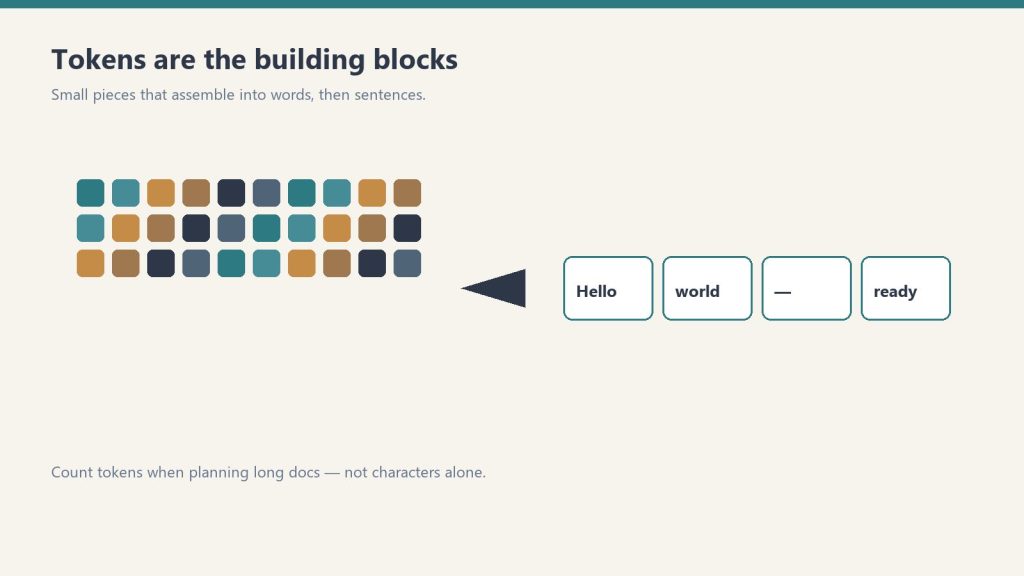
    200,000 tokens is approximately 150,000 words of English text. One token is roughly four characters or three-quarters of a word. A typical 800-word article is about 1,000 tokens; a full novel is typically 80,000–120,000 tokens.

    Can I upload a full PDF to Claude?

    Yes, as long as the PDF’s text content fits within the 200K token context window. Most documents, reports, contracts, and research papers fit easily. Very large documents (multiple volumes, extensive legal filings) may need to be split.

    Need this set up for your team?
    Talk to Will →

  • Claude Rate Limits: What They Are, How They Work, and What to Do

    Claude Rate Limits: What They Are, How They Work, and What to Do

    Claude AI · Fitted Claude

    Claude has usage limits on every plan — but Anthropic doesn’t publish exact numbers. Instead limits are dynamic, adjusting based on model, message length, and system load. Here’s what the limits actually look like in practice, what triggers them, and what your options are when you hit them.

    What you’ll see: When you hit Claude’s usage limit, you’ll get a message saying you’ve reached your usage limit and showing a countdown to when your limit resets. On Pro this typically resets within a few hours. On Max, limits are high enough that most users never hit them during normal work.

    Rate Limits by Plan

    Plan Relative limit Typical experience
    Free Low Hit limits quickly on heavy use; resets daily
    Pro ~5× Free Most users get through a full workday; heavy users may hit limits
    Max ~5× Pro Most users never hit limits; designed for agentic and heavy use
    Team Higher than Pro Per-user limits slightly higher than individual Pro
    API Separate system Tokens per minute/day limits by tier; see Anthropic’s API docs

    What Counts Against Your Limit

    Claude’s limits are usage-based, not message-count-based. A single message asking Claude to write a 3,000-word article uses more of your limit than ten quick back-and-forth questions. What consumes the most limit, fastest:

    • Long outputs — requests for long articles, detailed analyses, or extended code
    • Long context — uploading large documents and asking questions about them
    • Opus model — the most powerful model consumes limits faster than Sonnet or Haiku
    • Agentic tasks — multi-step autonomous operations use significantly more than conversational use

    API Rate Limits: How They Work

    The API uses a different limit system from the web interface. API limits are measured in:

    • Requests per minute (RPM) — how many API calls you can make
    • Tokens per minute (TPM) — total tokens (input + output) processed per minute
    • Tokens per day (TPD) — total daily token budget

    New API accounts start on lower tiers and can request higher limits through the Anthropic Console as usage establishes a track record. The Batch API has separate, higher limits since it’s asynchronous and non-time-sensitive.

    What To Do When You Hit a Limit

    Wait for reset: The limit message shows when your usage resets — usually within a few hours. This is the simplest option if the timing works.

    Switch models: If you’ve been using Opus, switching to Sonnet for less critical tasks conserves your limit for when you need the top model.

    Upgrade your plan: If you consistently hit Pro limits during your workday, Claude Max at $100/month gives 5× the headroom.

    Use the API: For developers, moving high-volume work to the API with the Batch API gives more control over usage and significant cost savings on non-time-sensitive tasks.

    Frequently Asked Questions

    What are Claude’s usage limits?

    Anthropic doesn’t publish exact numbers. Limits are dynamic and based on usage volume rather than message count. Free is most restricted; Pro is roughly 5× Free; Max is roughly 5× Pro. The limit message appears when you’ve reached your tier’s threshold and shows when it resets.

    How long does it take for Claude’s limit to reset?

    The reset countdown is shown in the limit message. For Pro, limits typically reset within a few hours. For Free, resets are on a daily cycle. The exact timing varies based on when you started using heavily in the current period.

    Does Claude count messages or tokens toward the limit?

    Usage is based on the volume of content processed, not a simple message count. One long request asking for a 3,000-word output uses significantly more of your limit than ten short conversational exchanges.

    Are API rate limits the same as subscription limits?

    No. API limits (RPM, TPM, TPD) are a separate system from web subscription limits. They’re set per API account tier and can be increased by request through the Anthropic Console. Subscription usage and API usage don’t share limits.

    Need this set up for your team?
    Talk to Will →

  • Claude MCP: What the Model Context Protocol Is and How to Use It

    Claude MCP: What the Model Context Protocol Is and How to Use It

    Claude AI · Fitted Claude

    MCP — the Model Context Protocol — is Anthropic’s open standard for connecting Claude to external tools, data sources, and services. It’s the architecture that lets Claude read from your Google Drive, post to Slack, query a database, or interact with any API without you having to write custom integration code for each one. Here’s what MCP is, how it works, and why it matters.

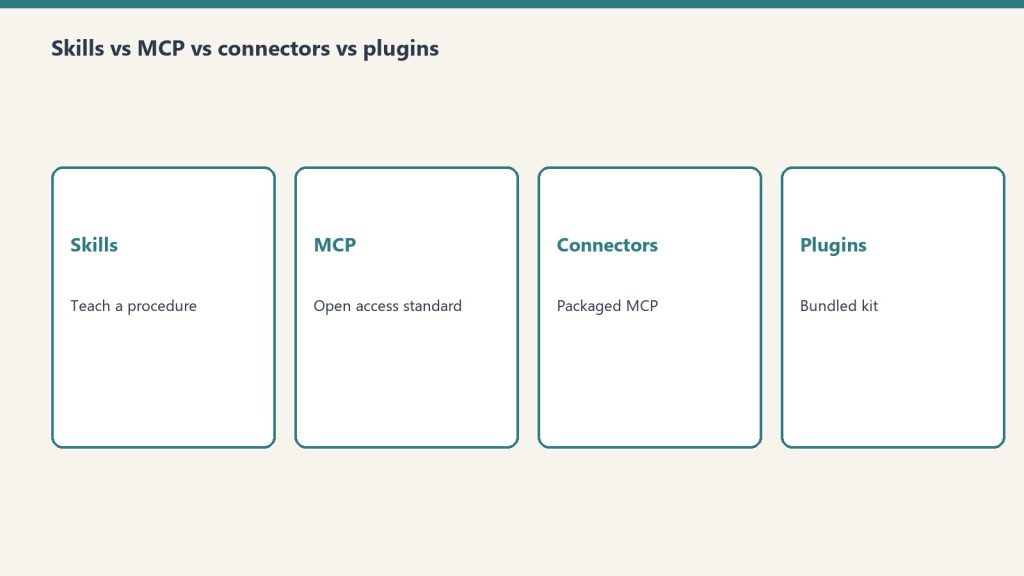
    Short version: MCP is how Claude gets access to tools beyond the chat window. Instead of every developer writing one-off integrations, MCP creates a standard protocol — Claude speaks it, and any tool that implements it can plug in. Think of it as USB-C for AI tool connections.

    What MCP Actually Does

    Without MCP, connecting Claude to an external system means building a custom bridge: write code that calls the external API, format the results in a way Claude understands, handle authentication, manage errors. Every integration is a separate project.

    With MCP, the external system (a database, a SaaS tool, a file system, an API) publishes an MCP server — a standardized interface that describes what it can do. Claude connects to that server and immediately knows what tools are available, what inputs they need, and how to use them. The developer only builds the MCP server once; Claude handles the rest.

    What You Can Do With Claude MCP Today

    MCP Integration What Claude Can Do
    Google Drive Search, read, and summarize documents in your Drive
    Slack Read channels, search messages, post drafts
    GitHub Read repos, create issues, review pull requests
    Notion Read and write pages, query databases
    PostgreSQL / databases Run queries, read schema, analyze data
    File systems Read, write, and organize local files
    Web search Search the web and return current results
    Custom APIs Any API with an MCP server implementation

    MCP vs. Claude’s Built-In Tools

    Claude already has some built-in capabilities — web search, code execution in certain contexts, file analysis. MCP extends this with external integrations that persist across sessions, connect to your actual data, and scale to any service that builds an MCP server.

    The practical difference: built-in tools are what Anthropic ships with Claude. MCP tools are what the ecosystem builds — which means the integration surface grows every week as more services add MCP support.

    How to Use MCP With Claude

    MCP works differently depending on where you’re running Claude:

    Claude.ai (web/app): MCP integrations are available through the Connections settings. Anthropic has partnered with services like Google, Notion, Slack, and others whose MCP servers are pre-built and available to connect in a few clicks.

    Claude Desktop: The desktop app supports MCP configuration via a JSON config file, letting you connect to any MCP server — including self-hosted ones or custom integrations you build.

    Claude Code / API: Developers can wire MCP servers directly into Claude API calls, giving Claude access to any tool during an agentic session.

    Why MCP Is a Big Deal

    Before MCP, each AI company built its own plugin standard — OpenAI had plugins, others had connectors, and nothing worked across systems. MCP is Anthropic’s bet on an open standard: publish the spec, let anyone build to it, and Claude (and any other AI that implements it) gains access to the entire ecosystem.

    The momentum has been significant. Within months of the MCP spec being published, major platforms including Cloudflare, Zapier, HubSpot, and dozens of others shipped MCP server implementations. The network effect is real — the more tools support MCP, the more useful Claude becomes without Anthropic having to build any of those integrations themselves.

    For a deeper technical walkthrough, see the Claude MCP Tutorial.

    Frequently Asked Questions

    What is Claude MCP?

    MCP (Model Context Protocol) is an open standard from Anthropic that lets Claude connect to external tools, databases, and services. Instead of one-off integrations, MCP creates a universal protocol — any tool that builds an MCP server can be connected to Claude.

    How do I add MCP tools to Claude?

    In Claude.ai, go to Settings → Connections to add pre-built MCP integrations for services like Google Drive, Notion, and Slack. In Claude Desktop, you configure MCP servers in a JSON config file. Via the API, you pass MCP server URLs in your request.

    Is MCP only for Claude?

    No. MCP is an open protocol — any AI model or application can implement it. Anthropic published the spec publicly with the intent of making it an industry standard. Other AI tools have begun adopting it, though Claude has the deepest native MCP integration currently.

    What’s the difference between MCP and Claude plugins?

    Claude doesn’t use a “plugin” model the way older ChatGPT did. MCP is Anthropic’s approach — an open, standardized protocol rather than a proprietary plugin marketplace. MCP integrations work at a deeper level and are designed to scale across any service that implements the standard.

    Need this set up for your team?
    Talk to Will →

  • Claude API Model Strings, IDs and Specs — Complete Reference (April 2026)

    Claude API Model Strings, IDs and Specs — Complete Reference (April 2026)

    Claude AI · Fitted Claude

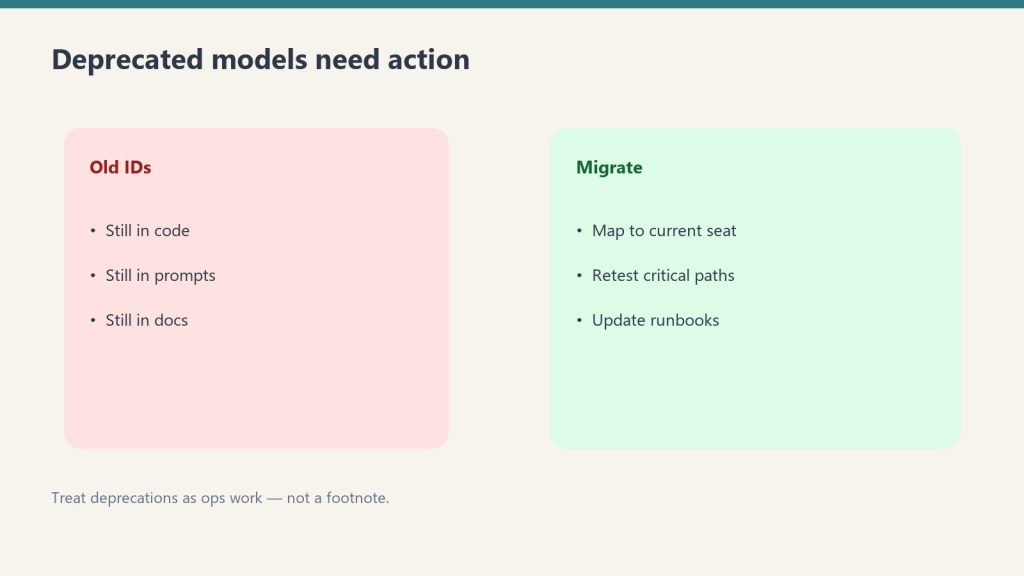
    When you’re building on Claude via the API, you need the exact model string — not just the name. Anthropic uses specific model identifiers that change with each version, and using a deprecated string will break your application. This is the complete reference for Claude API model names, IDs, and specs as of April 2026.

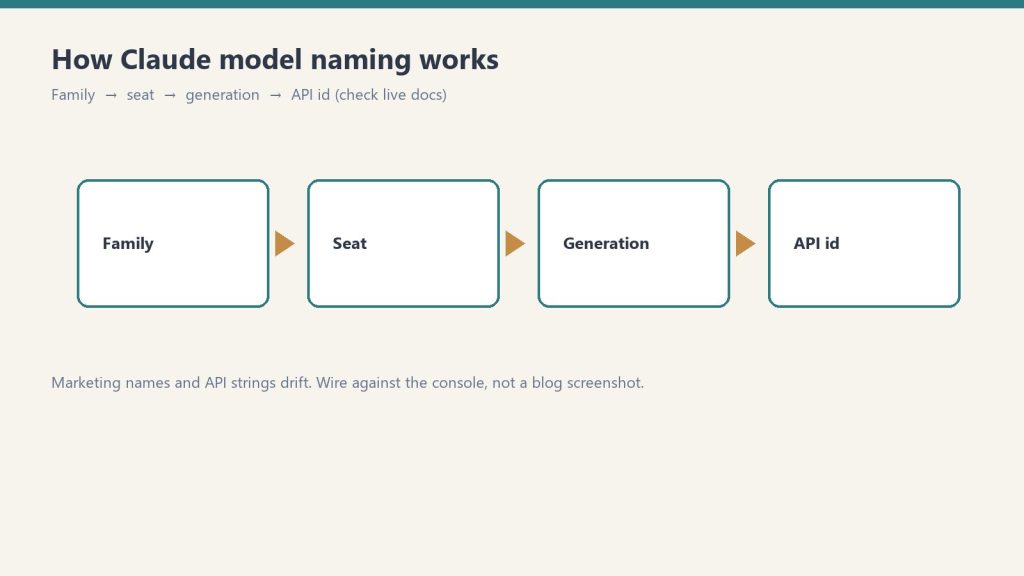
    Quick reference: The current flagship models are claude-opus-4-6, claude-sonnet-4-6, and claude-haiku-4-5-20251001. Always use versioned model strings in production — never rely on alias strings that may point to different models over time.

    Current Claude API Model Strings (April 2026)

    Model API Model String Context Window Best for
    Claude Opus 4.6 claude-opus-4-6 1M tokens Complex reasoning, highest quality
    Claude Sonnet 4.6 claude-sonnet-4-6 1M tokens Production workloads, balanced cost/quality
    Claude Haiku 4.5 claude-haiku-4-5-20251001 200K tokens High-volume, latency-sensitive tasks

    Anthropic publishes the full, current list of model strings in their official models documentation. Always verify there before updating production systems — model strings are updated with each new release.

    How to Use Model Strings in an API Call

    import anthropic
    
    client = anthropic.Anthropic()
    
    message = client.messages.create(
        model="claude-sonnet-4-6",  # ← model string goes here
        max_tokens=1024,
        messages=[
            {"role": "user", "content": "Your prompt here"}
        ]
    )
    
    print(message.content)

    Model Selection: Which String to Use When

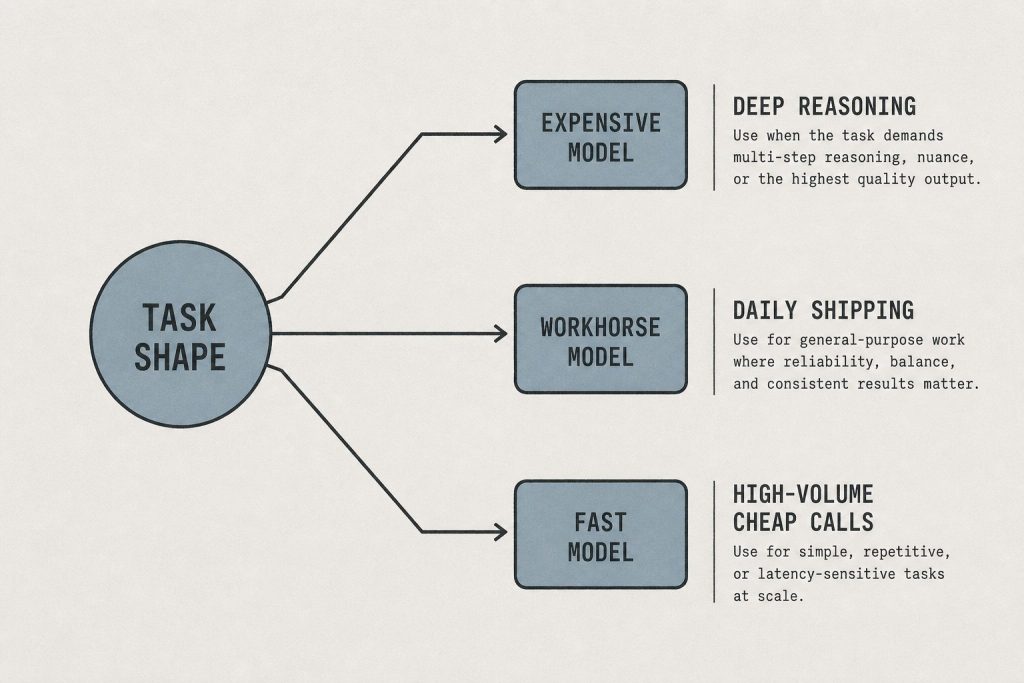
    The right model depends on your task requirements. Here’s the practical routing logic:

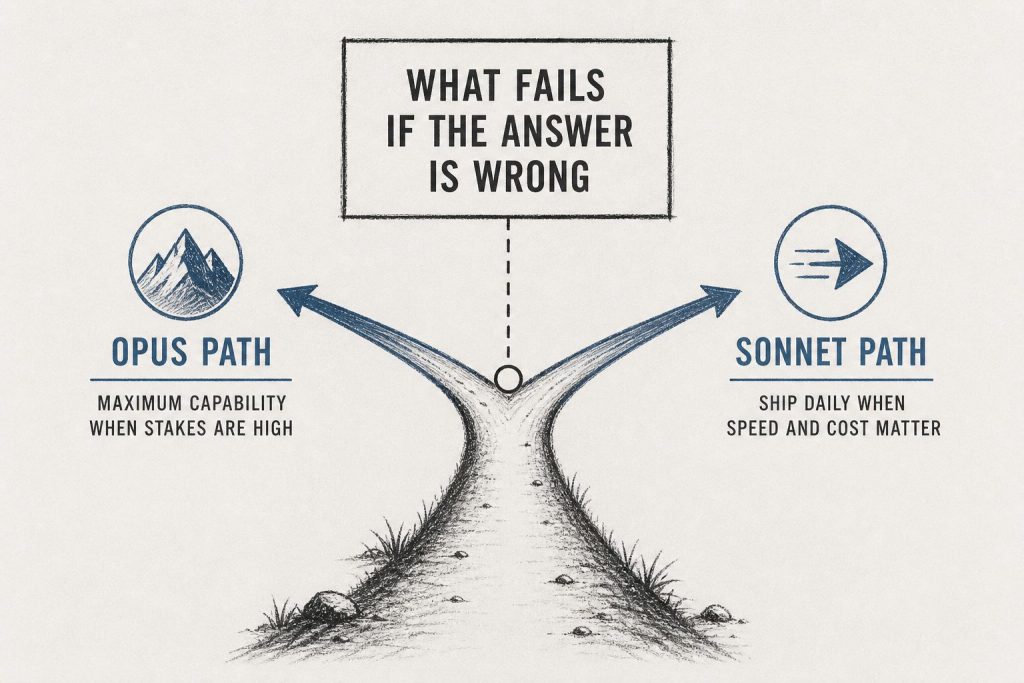
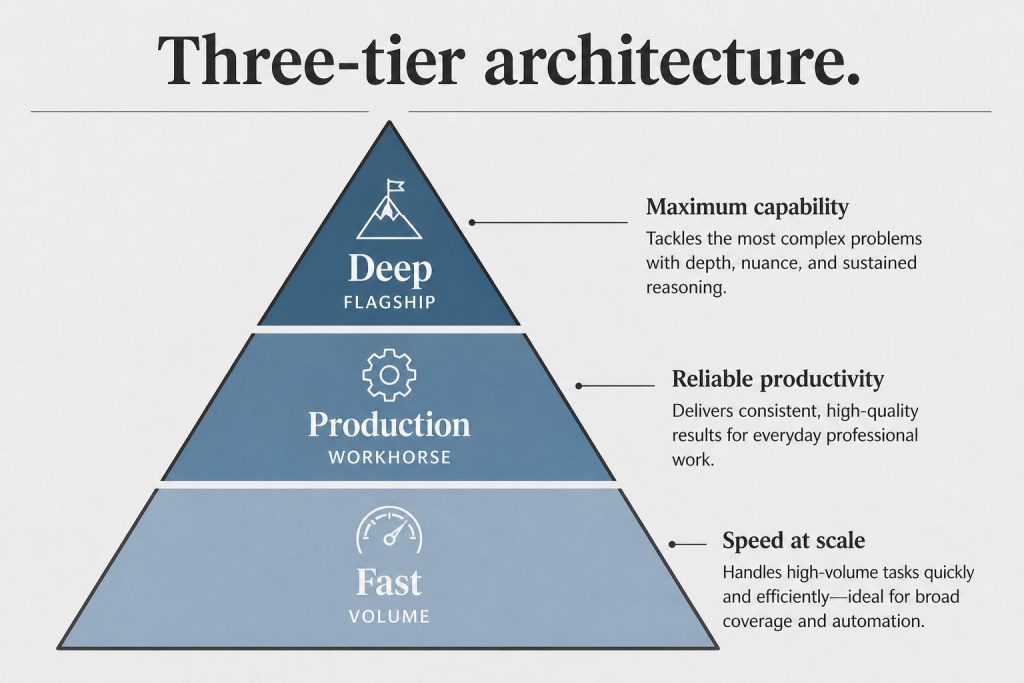
    Use Haiku (claude-haiku-4-5-20251001) when: you need speed and low cost at scale — classification, extraction, routing, metadata, high-volume pipelines where every call matters to your budget.

    Use Sonnet (claude-sonnet-4-6) when: you need solid quality across a wide range of tasks — content generation, analysis, coding, summarization. This is the right default for most production applications.

    Use Opus (claude-opus-4-6) when: the task genuinely requires maximum reasoning capability — complex multi-step logic, nuanced judgment, or work where output quality is the only variable that matters and cost is secondary.

    API Pricing by Model

    Model Input (per M tokens) Output (per M tokens)
    Claude Haiku ~$1.00 ~$5.00
    Claude Sonnet ~$3.00 ~$5.00
    Claude Opus ~$5.00 ~$25.00

    The Batch API offers roughly 50% off all rates for asynchronous workloads. For a full pricing breakdown, see Anthropic API Pricing: Every Model and Mode Explained.

    Important: Versioned Strings vs. Aliases

    Anthropic occasionally provides alias strings (like claude-sonnet-latest) that point to the current version of a model family. These are convenient for development but can create problems in production — when Anthropic updates the model the alias points to, your application silently starts using a different model without a code change. For production systems, always pin to a versioned model string and upgrade intentionally.

    Frequently Asked Questions

    What is the Claude API model string for Sonnet?

    The current Claude Sonnet model string is claude-sonnet-4-6. Always verify the current string in Anthropic’s official models documentation before deploying, as strings are updated with each new model release.

    How do I specify which Claude model to use in the API?

    Pass the model string in the model parameter of your API call. For example: model="claude-sonnet-4-6". The model string must match exactly — Anthropic’s API will return an error if the string is invalid or deprecated.

    What Claude API model should I use for production?

    Claude Sonnet is the right default for most production workloads — it balances quality and cost well across a wide range of tasks. Use Haiku when speed and cost are the priority at scale. Use Opus when the task genuinely requires maximum reasoning capability and cost is secondary.

    Need this set up for your team?
    Talk to Will →

  • Anthropic API Pricing: Every Model, Every Mode, What You’ll Actually Pay (2026)

    Anthropic API Pricing: Every Model, Every Mode, What You’ll Actually Pay (2026)

    Claude AI · Fitted Claude

    The Anthropic API is how developers and businesses access Claude programmatically — and the pricing model is fundamentally different from the subscription tiers. Instead of a flat monthly fee, you pay per token, per model, per call. This is the complete breakdown of Anthropic API pricing as of April 2026: every model, every pricing mode, and how to calculate what you’ll actually spend.

    The short version: Haiku is the cheapest and fastest. Sonnet is the workhorse. Opus is for complex reasoning where quality is the priority. The Batch API cuts all prices roughly in half for non-time-sensitive work. You prepay credits — no surprise bills.

    Anthropic API Pricing by Model (April 2026)

    All API pricing is per million tokens. Input tokens are what you send to the model; output tokens are what Claude returns. Output consistently costs more than input across all models.

    Model Input (per M tokens) Output (per M tokens) Best for
    Claude Haiku ~$1.00 ~$5.00 High-volume, latency-sensitive tasks
    Claude Sonnet ~$3.00 ~$5.00 Production workloads, content generation
    Claude Opus ~$5.00 ~$25.00 Complex reasoning, highest quality output

    These are approximate figures — Anthropic publishes exact current rates on their pricing page and updates them with each model generation. Always verify before building cost projections into a production system.

    What Is a Token?

    A token is the unit of text the API processes. One token is roughly four characters of English text — or about three-quarters of a word. A 750-word article is approximately 1,000 tokens. A 10-page document might be 5,000–8,000 tokens depending on formatting.

    Both your input (the prompt, system instructions, conversation history) and Claude’s output (the response) consume tokens. In a long multi-turn conversation, the entire conversation history is re-sent with each message — so token costs compound over long sessions.

    The Batch API: ~50% Off for Non-Real-Time Work

    Anthropic’s Batch API processes requests asynchronously and returns results within 24 hours. In exchange, you get roughly half off listed token rates across all models. This is the highest-leverage pricing lever available to developers running content pipelines, data processing, or any workload where real-time response isn’t required.

    Model Standard Input Batch Input (~50% off)
    Haiku ~$1.00/M ~$0.50/M
    Sonnet ~$3.00/M ~$1.50/M
    Opus ~$5.00/M ~$7.50/M

    If you’re running more than 20 API calls that don’t need instant responses, the Batch API should be your default.

    How API Billing Works

    The Anthropic API does not operate on a subscription. You load prepaid credits into the Anthropic Console — your developer dashboard — and those credits draw down as you use the API. When credits run out, API calls stop until you add more. There’s no bill that arrives at the end of the month with a surprise on it.

    Usage reporting in the Console shows a breakdown by model, by date, and by API key, so you can see exactly where token spend is going across different projects or team members.

    Context Window and Pricing

    Context window size affects how much you can send in a single API call — it doesn’t directly change pricing per token. However, larger context windows mean you can include more conversation history, longer documents, or more detailed system prompts, which increases input token counts and therefore cost per call.

    Claude’s context windows as of April 2026 are generous across all tiers — Haiku, Sonnet, and Opus all support 200K token context windows, which covers most production use cases without forced truncation.

    API vs. Subscription: Which Do You Need?

    Use the API if: you’re building an application on top of Claude, running automated pipelines, integrating Claude into your own tools, or processing data programmatically.

    Use Pro/Max if: you’re an individual using Claude through the web interface or Claude Code for your own work — not building something for others to use.

    You might need both if: you use Claude daily for personal work (subscription) and also build Claude-powered tools for clients (API). They’re billed separately and don’t share limits.

    Frequently Asked Questions

    How much does the Anthropic API cost per month?

    There’s no monthly fee for the API itself — you pay per token used. Costs depend entirely on which model you use, how many calls you make, and how long your prompts and responses are. Light usage on Haiku can cost just a few dollars. Heavy Opus usage for complex tasks costs significantly more. Load credits in advance via the Anthropic Console.

    What is the cheapest Anthropic API model?

    Claude Haiku is the least expensive model at approximately $1.00 per million input tokens. It’s optimized for speed and cost, making it the right choice for high-volume tasks where response quality doesn’t need to be at Opus level — classification, extraction, summarization, routing logic.

    Does Anthropic offer API discounts for volume?

    The Batch API offers roughly 50% off standard token rates for asynchronous workloads. For very high-volume usage, Anthropic also has enterprise agreements with custom pricing — contact their sales team. Standard token pricing doesn’t automatically tier down with volume outside of those two options.

    How is Anthropic API pricing compared to OpenAI?

    At the cheapest tier, OpenAI’s GPT-4o mini is less expensive per token than Claude Haiku. At the mid tier, Claude Sonnet and GPT-4o are in a similar range. At the top tier, Claude Opus and GPT-4o are comparable in price. The right choice depends on the task — not every model performs identically on every workload, so cost per token is only part of the calculation.

    Do API tokens and subscription usage share limits?

    No. API usage and Claude.ai subscription usage are entirely separate. Your Pro or Max subscription usage doesn’t count against API credits, and API credits don’t increase your subscription limits. They’re billed and tracked independently through different systems.

    Need this set up for your team?
    Talk to Will →

  • Claude Code: The Complete Beginner’s Guide for 2026

    Claude Code: The Complete Beginner’s Guide for 2026

    Claude AI · Fitted Claude

    Claude Code is the fastest-growing AI coding tool in the developer community. The r/ClaudeCode subreddit has 4,200+ weekly contributors — roughly 3x larger than r/Codex. Anthropic reports $2.5B+ in annualized revenue attributable to Claude Code adoption. This complete guide takes you from installation to your first productive agentic coding session.

    What Is Claude Code?

    Claude Code is a terminal-native AI coding tool from Anthropic. Unlike IDE plugins that assist line-by-line, Claude Code operates at the project level — it reads your entire codebase, understands the architecture, writes and edits multiple files in a single session, runs tests, and works through complex engineering tasks autonomously. It uses Claude models with a 1-million-token context window — large enough to hold an entire codebase in memory.

    Installation

    Requirements: Node.js 18+, a Claude Max subscription ($100+/month) or Anthropic API key.

    # Install globally
    npm install -g @anthropic-ai/claude-code
    
    # Navigate to your project
    cd your-project
    
    # Authenticate
    claude login
    
    # Start a session
    claude

    Setting Up CLAUDE.md (The Most Important Step)

    CLAUDE.md is a file you create in your project root that Claude Code reads at the start of every session. It’s the most important setup step — it gives Claude the context it needs to work effectively in your specific codebase without you re-explaining everything every time.

    A good CLAUDE.md includes:

    # Project: [Your Project Name]
    
    ## Architecture
    [Brief description of how the codebase is organized]
    
    ## Tech Stack
    - Language: [Python 3.11 / Node.js 20 / etc.]
    - Framework: [Django / Next.js / etc.]
    - Database: [PostgreSQL / MongoDB / etc.]
    - Testing: [pytest / Jest / etc.]
    
    ## Coding Standards
    - [Style guide, naming conventions, etc.]
    - [Preferred patterns for this codebase]
    
    ## Common Tasks
    - Run tests: `[command]`
    - Start dev server: `[command]`
    - Lint: `[command]`
    
    ## Known Issues / Context
    - [Anything Claude should know before working]

    Key Slash Commands

    Command What It Does
    /init Scans your codebase and generates an initial CLAUDE.md
    /memory View and edit Claude’s memory for this project
    /compact Compact the conversation to free up context space
    /batch Run multiple commands or edits in one operation
    /clear Clear conversation history (start fresh)

    Your First Agentic Session

    Start Claude Code in your project directory and try:

    • “Explain the overall architecture of this codebase” — Claude reads and summarizes
    • “Add input validation to the user registration endpoint” — Claude finds the right file, writes the validation, updates tests
    • “There’s a bug where [describe issue] — find it and fix it” — Claude searches the codebase, identifies the cause, fixes it
    • “Write tests for [module or function]” — Claude reads the code and writes comprehensive tests

    Rate Limits and Token Management

    Claude Code on Max 5x gets approximately 44,000-220,000 tokens per 5-hour window. Long sessions with large codebases consume tokens quickly. Best practices:

    • Use /compact when sessions get long to free up context
    • Be specific in your requests — “fix the authentication bug in auth.py” uses fewer tokens than “look through all my files for problems”
    • Auto-compaction (beta) handles this automatically when enabled

    Frequently Asked Questions

    What subscription do I need for Claude Code?

    Claude Max at $100/month minimum. Claude Code can also be accessed via API billing — often more cost-effective for lower-volume use.

    Can Claude Code edit multiple files at once?

    Yes. Claude Code can read, edit, and create multiple files in a single session — and runs the edits atomically, so you can review and accept or reject changes.

    How do I install Claude Code on Windows?

    Claude Code requires Node.js 18+ and runs via WSL (Windows Subsystem for Linux) on Windows. Install WSL, then follow the standard npm installation steps within your WSL terminal.


    Need this set up for your team?
    Talk to Will →

  • Claude vs Amazon Q: Which AI Coding Assistant for AWS Developers?

    Claude vs Amazon Q: Which AI Coding Assistant for AWS Developers?

    Claude AI · Fitted Claude

    For AWS developers, Claude and Amazon Q represent two distinct approaches to AI-assisted development. Amazon Q is deeply integrated into the AWS ecosystem — built to understand your AWS environment, your IAM policies, your CloudFormation stacks, and your AWS-specific workflows. Claude is a more capable general-purpose AI that can handle complex reasoning and code but requires you to provide AWS context manually. This comparison helps you choose — and explains why many AWS developers use both.

    What Amazon Q Does Well

    • AWS-native context: Q can read your actual AWS account state — running resources, IAM permissions, CloudWatch logs — without you describing them
    • AWS documentation: Q is trained specifically on AWS documentation and gives more accurate, up-to-date answers for AWS-specific questions
    • Console integration: Q is embedded in the AWS Console, CloudShell, and VS Code via the AWS Toolkit — zero additional setup for AWS users
    • Troubleshooting: Q can analyze your actual CloudWatch errors and IAM policy conflicts directly
    • Cost optimization: Q analyzes your actual usage data for cost recommendations

    What Claude Does Better

    • Code quality: Claude Opus 4.6 scores 80.8% on SWE-bench vs Amazon Q’s lower published benchmarks — for complex, multi-file code generation, Claude produces better results
    • General reasoning: Architecture decisions, trade-off analysis, and complex problem-solving — Claude reasons more deeply
    • Non-AWS work: If you’re building multi-cloud or have significant non-AWS code, Claude handles everything equally; Q is heavily AWS-optimized
    • Document analysis: Claude’s 200K context window for reading technical specs, RFCs, or lengthy docs far exceeds Q’s capabilities
    • Writing: Technical blog posts, documentation, runbooks — Claude writes better

    Pricing Comparison

    Claude Amazon Q
    Individual $20-200/month $19/month (Q Developer Pro)
    Free tier Yes (limited) Yes (Q Developer Free)
    Business Custom $19/user/month

    Amazon Q Developer Pro at $19/month is competitive with Claude Pro at $20/month. For AWS-heavy developers, Q Pro includes features with no Claude equivalent (direct AWS account analysis). For general development, Claude holds the performance edge per dollar.

    The Combined Workflow

    Many AWS developers use Amazon Q for AWS-specific questions (CloudFormation troubleshooting, IAM policy analysis, service limits) and Claude Code for complex coding tasks (architecture, large refactors, code review). The tools are complementary rather than competing.

    Frequently Asked Questions

    Is Amazon Q better than Claude for AWS development?

    For AWS-native questions with real account context: Amazon Q wins. For complex code generation, architecture decisions, and general programming: Claude is stronger. Many AWS developers use both.

    Can Claude access my AWS account?

    Not directly. You can paste CloudFormation templates, error logs, or resource configurations into Claude for analysis. Amazon Q connects directly to your AWS account with appropriate permissions.


    Need this set up for your team?
    Talk to Will →

  • Claude Zapier Automation: 10 Workflows That Save Hours Every Week

    Claude Zapier Automation: 10 Workflows That Save Hours Every Week

    Claude AI · Fitted Claude

    Claude and Zapier together create one of the most flexible automation combinations available in 2026. Through Zapier’s MCP server (mcp.zapier.com), Claude can connect to over 8,000 apps — sending emails, updating CRMs, creating tasks, posting to Slack, and more. This guide covers 10 practical workflows and how to set them up.

    Setting Up Claude + Zapier MCP

    Add Zapier’s MCP server to Claude Desktop by editing your configuration file:

    {
      "mcpServers": {
        "zapier": {
          "url": "https://mcp.zapier.com/api/mcp/a/YOUR_ACCOUNT_ID/mcp",
          "type": "url"
        }
      }
    }

    Find your Zapier MCP URL in your Zapier account under Settings → MCP. Once connected, Claude can trigger any Zap you’ve built in Zapier, ask it to take actions across your connected apps.

    10 High-Value Automation Workflows

    1. Email Triage and Draft Generation

    New email arrives → Zapier sends to Claude → Claude categorizes (urgent/action needed/FYI/spam) and drafts a reply → Draft saved to Gmail or sent to you via Slack for approval.

    2. CRM Note Generation from Calls

    Call recording transcript arrives (from Otter.ai or Fireflies) → Claude generates structured CRM notes (summary, pain points, next steps, deal stage) → Notes automatically posted to Salesforce or HubSpot record.

    3. Social Media Content from Blog Posts

    New WordPress post published → Claude generates LinkedIn post, Twitter/X thread, and Instagram caption → Drafts sent to Buffer or Hootsuite for scheduled publishing.

    4. Meeting Summary and Action Item Distribution

    Meeting transcript uploaded → Claude extracts summary, decisions made, and action items with owners → Summary sent to meeting participants via email, action items created in Asana or Notion.

    5. Customer Support Ticket Drafts

    New support ticket received (Zendesk, Freshdesk) → Claude categorizes the issue and drafts a response → Draft queued for agent review before sending.

    6. Lead Research and Enrichment

    New lead added to CRM → Claude researches company context from provided information → Enriched notes (industry, company size, likely pain points) added to CRM record automatically.

    7. Contract Summary on Receipt

    PDF contract received via email → Claude generates key terms summary (parties, obligations, deadlines, payment terms) → Summary posted to Slack or added to Notion database.

    8. Weekly Report Generation

    Every Friday → Zapier pulls data from your project management tool → Claude generates weekly progress narrative → Report emailed to stakeholders automatically.

    9. Review Response Drafting

    New Google or Yelp review received → Claude drafts a personalized response matching your brand voice → Draft sent to you for approval via email or Slack.

    10. Job Application Screening Summaries

    New application received → Claude summarizes candidate background, flags matches to job requirements, notes potential concerns → Summary added to your ATS or hiring Notion board.

    Frequently Asked Questions

    Do I need Zapier paid plan to use Claude MCP?

    Zapier MCP access requires a paid Zapier plan. Check Zapier’s current pricing for MCP feature availability.

    Can Claude take actions in Zapier automatically without human approval?

    Yes — but for actions like sending emails or creating CRM records, building in a human-approval step (Slack notification with approve/reject) is recommended until you trust the automation’s output quality.


    Need this set up for your team?
    Talk to Will →

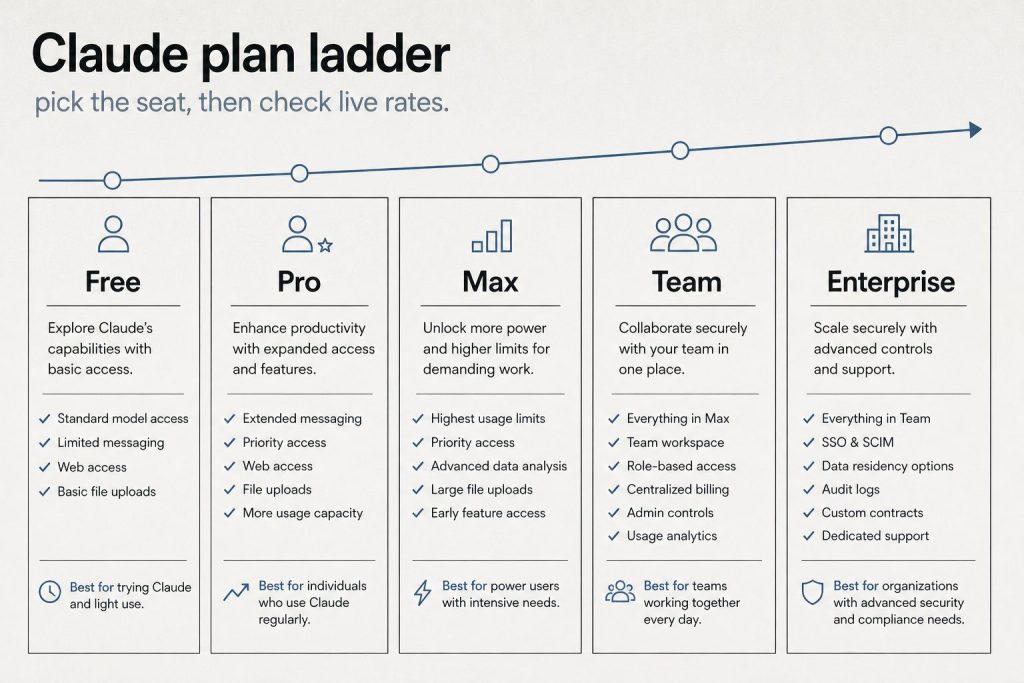
  • Claude Max Plan: Who Actually Needs $100/Month

    Claude Max Plan: Who Actually Needs $100/Month

    Claude AI · Fitted Claude

    The jump from Claude Pro to Max is a 5x price increase — $20/month to $100/month. Whether it’s worth it depends entirely on how you use Claude and where your current plan fails you. Here’s the data to make that decision.

    What’s Actually Different

    Feature Pro ($20/mo) Max 5x ($100/mo) Max 20x ($200/mo)
    Usage volume Baseline 5x Pro 20x Pro
    Heavy prompts/day ~12 ~60 ~240
    Claude Code No Yes Yes
    Extended thinking Limited Full Full
    Model access Sonnet + Opus Sonnet + Opus Sonnet + Opus

    Key insight: you don’t get different models at Max — you get more of them. The difference is usage capacity and Claude Code access.

    Who Should Stay on Pro

    • You use Claude regularly but not all day — a few substantive sessions per week
    • You’re hitting limits occasionally but not consistently
    • You don’t need Claude Code

    Who Needs Max 5x

    • You hit Pro limits daily and it disrupts your workflow
    • You want Claude Code — only available at Max tiers
    • Claude is your primary work tool, not supplementary

    Who Needs Max 20x

    • Heavy Claude Code user running multi-hour sessions daily
    • Processing massive document volumes — dozens of long PDFs per day
    • You’ve been hitting Max 5x limits regularly

    Frequently Asked Questions

    What does Claude Max include that Pro doesn’t?

    Claude Code access, higher usage limits (5x or 20x), full extended thinking, and higher priority during peak times.

    Is Claude Max worth $100 a month?

    For developers using Claude Code and professionals hitting Pro limits daily: yes. For moderate users: Pro at $20/month is sufficient.


    Need this set up for your team?
    Talk to Will →

  • Claude vs Perplexity: Research Engine vs Reasoning Partner

    Claude vs Perplexity: Research Engine vs Reasoning Partner

    Claude AI · Fitted Claude

    Comparing Claude to Perplexity is a category error — they’re not trying to do the same thing. Perplexity is a real-time research engine. Claude is a reasoning partner. Understanding the distinction helps you build the most effective research workflow.

    What Perplexity Does Best

    • Real-time information: Searches the live web, summarizes current events with source links
    • Source citation: Every claim has source links for verification
    • Quick research: Fast sourced answers for “what is X” and “what happened with Y”
    • Academic research: Academic mode searches peer-reviewed papers

    What Claude Does Best

    • Deep reasoning: Complex multi-step analysis and strategic thinking
    • Document synthesis: Upload a 200-page report and ask for analysis — Perplexity cannot do this
    • Writing quality: Significantly stronger long-form writing
    • Code: One of the best coding models. Perplexity is not a coding tool.
    • Private documents: Works with confidential content you upload

    The Hybrid Workflow (Best of Both)

    1. Perplexity first: Rapid research, current information, source discovery
    2. Claude second: Synthesis, analysis, writing. Take what Perplexity found and reason through the implications

    At $20/month each, running both costs $40/month — worth it for professionals who research and write regularly.

    Frequently Asked Questions

    Should I use Claude or Perplexity for research?

    Use Perplexity for finding current information with sources. Use Claude for analyzing, synthesizing, and writing. Ideally, use both — Perplexity first, Claude second.

    Does Claude have real-time web access?

    Not by default. Claude has a knowledge cutoff and doesn’t browse the web in real time unless connected via MCP or specific integrations.


    Need this set up for your team?
    Talk to Will →