Archive — September 2026. This is the record of Anthropic’s 40% Haiku price cut. Current pricing: Haiku 4.5 lists at $1 / $5 per MTok — see our verified Claude pricing page.
Last refreshed: October 5, 2026 (Pacific)
Anthropic Slashes Claude 4.6 Haiku API Pricing by 40%
In a September 2026 bid for enterprise market share, Anthropic slashed the input token costs for Claude 4.6 Haiku.
Old Price: $0.25 / 1M Input Tokens
New Price: $0.15 / 1M Input Tokens
What this means for CTOs
At the time, teams running high-volume log parsing, support routing, or large RAG pipelines could cut inference bills by routing to Claude 4.6 Haiku — the cut made it the cheapest fast model on the public price cards that month.
Outcome (October 2026): model pricing moves fast — Haiku 4.5 now lists at $1 / $5 per MTok. For today’s numbers, see our verified Claude pricing page.
The Claude “Artifacts” Wrapper is Coming to the Core API
Anthropic’s “Artifacts” feature—which allows Claude to instantly render and preview code, diagrams, and UI elements in a side panel—has revolutionized the ChatGPT-style web interface. But for developers building their own applications using the Claude API, they’ve been forced to build those UI rendering wrappers from scratch.
According to emerging chatter on X (Twitter), that is about to change.
Social Radar Intel:“Rumors circulating that the Artifacts UI wrapper is finally coming to the core API next week. If developers can render interactive React components directly inside their own chat UIs using Claude, it’s game over for generic wrappers.”
Why This Matters for Builders
If Anthropic exposes the Artifacts rendering engine natively through the API, it significantly lowers the barrier to entry for building rich, interactive AI tools. You will no longer need a senior front-end engineer to parse JSON and render a React component on the fly; the API will handle the interactive framing.
The Tygart Verdict: We are keeping a close eye on the official Anthropic changelog over the next two weeks. If this drops, expect a flood of “wrapper” apps to pivot or die.
Direct answer: Claude Code has two meters. A rolling 5-hour session limit that the May 2026 doubling made permanent, and a weekly usage limit. The temporary +50% weekly promotion ended September 13, 2026 at 11:59 PM PT — do not claim +50% as live. Starting September 14, 2026, Anthropic Help Center states weekly limits in Claude Code are permanently 25% higher than the pre-promotion baseline for Pro, Max, Team, and seat-based Enterprise. That is lower than the promo week (1.5×) and higher than the old baseline (1.25×). The 5-hour window did not change. Fable 5 and Fable 5.1 are included only on Max, Team Premium, and seat-based Enterprise Premium, and they may use at most 50% of the weekly pool.
The two clocks
People treat “I hit my limit” as one event. It is two.
5-hour session. Rolling window. Burns when the model is working, not when you are idle. Anthropic doubled this across paid plans on May 6, 2026 and removed the old peak-hour throttle for Pro and Max. Neither the +50% weekly promo nor the permanent +25% weekly change raised or lowered this clock.
Weekly bucket. Fixed reset time on your account (Settings → Usage). This is the one that ends a Friday on Max after a Fable week. The May–September 2026 +50% promotion applied to Claude Code only — CLI, IDE, desktop, and web Code — not to Claude chat or Cowork. That temporary bump is over. What remains: the permanent +25% over the pre-promo weekly baseline (Help Center).
Eligible for the promo and the permanent +25%: Pro, Max, Team, and legacy seat-based Enterprise. Not eligible: Free and consumption-based Enterprise.
The September 13–14 change
Official Help Center timeline:
May 13 – Sep 13, 2026 11:59 PM PT: Claude Code weekly limits were 50% higher than the pre-promotion baseline. 5-hour limits were not affected.
Starting Sep 14, 2026: weekly limits in Claude Code are permanently 25% higher than they were before the promotion for Pro, Max, Team, and seat-based Enterprise. Plan price unchanged.
Compared to last week’s promo, you have less weekly headroom than 1.5×. Compared to the old baseline, you have more: 1.25×. Exact quotas are still unpublished — read your live number in Settings → Usage.
Who gets Fable 5.1 on the subscription
Official: Claude Fable models on your plan. Fable 5 and Fable 5.1 follow the same plan rules.
Plan
Fable 5 / 5.1 on the subscription
Free
Not included
Pro ($20)
Not in plan limits. Usage credits from the first Fable token.
Team Standard
Same as Pro: credits, not included.
Max 5x / Max 20x
Included, capped at 50% of weekly limits. Same pool as Sonnet and Opus.
Team Premium / Enterprise Premium seats
Same 50% included cap as Max.
Enterprise Standard seats
Only if the org enables usage credits.
API / usage-based Enterprise
List rates. See Fable pricing.
The July 2026 one-time $100 credit for Pro / Team Standard applied to the Fable 5 plan change. Help Center says there is no matching credit for Fable 5.1.
Practical read: Pro can still open Fable. It just bills. Max can spend half the week on Fable before the included cap trips, then it is credits or switch to Opus 5 / Sonnet 5.5. Fable burns the shared weekly bar faster than Sonnet — plan against the permanent +25% weekly bar, not the old promo week.
What still burns quota
Long agent loops and multi-agent fan-out (each worker keeps its own context).
Dumping a whole repo when one file would do.
MCP tool output that stays in context for the rest of the session.
Leaving ANTHROPIC_API_KEY set so the CLI bills API rates and ignores the subscription.
What to do now
If you are on Pro and need Fable all week, budget credits or move the hard jobs to Max. The subscription does not include Fable on Pro.
If you are on Max, treat weekly headroom as permanent +25% over the old baseline — not the temporary +50% promo week. Route cheap loops to Sonnet 5.5; save Fable for the jobs that need it. Check Settings → Usage / /usage for your real number.
Do not upgrade from Pro to Max only because the 5-hour window feels tight on Friday. Check which clock you hit. Session vs week is a different purchase.
Published: May 25, 2026 | Last fact-check: May 25, 2026 against Anthropic docs and Claude Code v2.1+ behavior
Quick Answer
Plan Mode is a Claude Code setting that forces the agent to think through and approve a plan before taking destructive actions. Trigger it with Shift+Tab pressed twice in the terminal (the first press cycles to Auto-Accept Mode; the second lands on Plan Mode). Use it for risky multi-step work; skip it for simple read-only or contained edits.
How to enable it, when it pays off, and when it gets in your way below.
Plan Mode (sometimes called “planning mode”) is one of the more underused features in Claude Code in 2026. It changes how the agent works in a specific, measurable way: before Claude Code edits files, runs commands, or modifies state, it produces a plan and waits for your approval. You see what it intends to do, you say yes or no, and only then does it act.
For the right kind of task, Plan Mode is the difference between a clean execution and a regrettable one. For the wrong kind of task, it is friction that slows you down. This guide separates the two.
Claude Code Plan Mode vs Auto Mode: When to Use Each
Plan Mode vs Auto Mode — when to use each.
Scenario
Use Plan Mode
Use Auto Mode
Unfamiliar codebase
Yes — review the plan first
Only if you know it well
Large multi-file refactor
Yes — catch scope creep early
Not recommended
Simple bug fix (< 5 lines)
Overkill
Yes
Adding a new feature
Yes — plan clarifies approach
Acceptable for small features
Writing tests
Optional
Yes, usually safe
Touching database migrations
Yes — irreversible changes
No
CI/CD pipeline changes
Yes
No
What Plan Mode Actually Does
What Plan Mode actually does.
In default mode, Claude Code is allowed to take actions as it reasons. It can read files, write files, run bash, edit code, all in one conversational flow. This is the strength of Claude Code as an agent — it gets work done without asking permission for every step.
In Plan Mode, Claude Code’s behavior changes:
You describe the task.
Claude Code investigates the codebase (read-only operations are still allowed).
Claude Code drafts a plan listing every file it intends to change, every command it intends to run, and every decision point.
You read the plan. You approve it, modify it, or reject it.
Only after approval does Claude Code start writing files or running commands.
The plan is presented in the terminal as a structured outline. You can ask Claude Code to revise the plan, add steps, remove steps, or change the order. Iterating on the plan is fast because no actions have been taken yet.
How to Enable Plan Mode
How to enable Plan Mode.
There are four ways to activate Plan Mode in Claude Code:
Shift+Tab pressed twice. Each press of Shift+Tab cycles through the three permission modes: Default → Auto-Accept → Plan → Default. Two presses lands on Plan Mode. The status bar shows ⏸ plan mode on when active.
The /plan slash command. Type /plan at the start of any prompt to enter Plan Mode for that turn only. Useful for one-off plans without flipping the whole session.
The –permission-mode plan flag at startup. Start the session in Plan Mode from the command line.
Headless mode for scripts and CI.claude --print --permission-mode plan "your task" for automation that should never edit files.
# Start session in Plan Mode
claude --permission-mode plan

# Or mid-session — press Shift+Tab TWICE
# (first press = Auto-Accept Mode, second press = Plan Mode)

# Or one-shot Plan Mode for next prompt only
/plan
Plan Mode is persistent within a session — it stays on until you cycle out with another Shift+Tab. Close and reopen Claude Code and it defaults back to off. Toggle it on for risky work, leave it on for the whole session if you are doing higher-risk work end-to-end.
Important: Plan Mode is a hard read-only sandbox enforced at the tool level. Claude Code physically cannot edit files, run commands, or modify state while Plan Mode is active. This is not a suggestion or a soft check — the write tools are unavailable.
When Plan Mode Pays Off
Plan Mode is worth the friction in these situations:
Multi-file refactors. When the agent will touch 5+ files, you want to see the list before it starts editing. A small confusion about which files to change becomes a big mess fast.
Database migrations or schema changes. Anything that touches durable state and is hard to undo benefits from a confirmed plan.
Production code paths. If a session affects code that ships to users, the plan checkpoint is cheap insurance.
Ambiguous instructions. When you are not sure how the agent will interpret your request, Plan Mode surfaces the interpretation before any work happens.
New repository onboarding. When you do not yet know the codebase well, Plan Mode lets the agent show you what it learned during investigation before it acts.
Long-running batch jobs. Approving a plan for 200 file edits and then walking away is safer than launching 200 edits blind.
When Plan Mode Gets In the Way
Plan Mode is not free. The friction it adds is a real cost for certain workflows:
Single-file tweaks. Asking Claude Code to fix a typo or rename a variable does not need a plan. The plan takes longer than the fix.
Tight feedback loops. When you are iterating quickly — try a change, see the result, adjust — Plan Mode slows the loop. Default mode wins here.
Read-only investigation. If you are asking questions about the codebase (“how does this auth flow work”), there is nothing to plan. Plan Mode is irrelevant.
Work in a sandbox. If you are working in a throwaway directory or branch where mistakes are cheap, the safety net of Plan Mode is overkill.
The decision is not “is Plan Mode good.” It is “is the cost of approval less than the cost of an unintended action.” For risky multi-step work, yes. For cheap iteration, no.
Working Inside the Plan
Once Claude Code presents a plan, you have several options:
Approve as-is. Tell Claude Code to proceed. It executes the plan in order.
Approve with modifications. Tell Claude Code to remove specific steps, reorder them, or add additional steps. It revises the plan and re-presents.
Ask questions. Drill into specific steps. “Why are you editing file X?” Claude Code explains the reasoning.
Reject and restart. If the plan is wrong-shape, tell Claude Code so. It will rebuild the plan from a corrected understanding.
Cancel. Exit Plan Mode entirely if you’ve decided this is not the right task or session for it.
The plan is conversational. You are not stuck with the first draft. Iterating on the plan is much cheaper than iterating after the work is done.
What Plan Mode Does Not Protect Against
Plan Mode is not a sandbox. The plan, once approved, executes for real. Plan Mode does not:
Prevent you from approving a bad plan
Catch logic errors inside individual file edits
Prevent destructive bash commands if you approved them in the plan
Replace tests or code review
It is a thinking checkpoint, not a safety net. The human still owns the decision.
Plan Mode vs Other Safety Patterns
Plan Mode is one of several safety patterns Claude Code supports:
Read-only sessions: Restrict the agent to read operations only.
Per-tool permissions: Approve each tool use individually as it happens.
Plan Mode: Approve a batch of intended actions before execution begins.
Auto-accept mode: The opposite — accept all tool uses without asking. Fast and risky.
Per-tool permission is more granular but slower. Plan Mode is bulkier but faster once approved. Use the right tool for the situation; do not assume one is always correct.
A Working Habit
The habit that has worked across hundreds of Claude Code sessions: default mode on, Shift+Tab twice into Plan Mode before any session that will (a) touch production state, (b) edit more than 5 files, or (c) run commands that are hard to undo. Shift+Tab again to cycle back to default for everything else.
The shortcut becomes muscle memory in a week. Once it is muscle memory, the cost of Plan Mode drops to nearly zero, and you can use it liberally on anything that even smells risky.
Plan Mode is a Claude Code setting that forces the agent to produce a written plan and wait for your approval before making changes. It surfaces what the agent intends to do so you can adjust it before any work happens.
How do I enable Plan Mode in Claude Code?
Press Shift+Tab twice in the terminal (the first press cycles to Auto-Accept; the second lands on Plan Mode), type /plan as a slash command, or start the session with –permission-mode plan. The status bar shows ⏸ plan mode on when active.
When should I use Plan Mode?
For multi-file refactors, database migrations, production code paths, ambiguous instructions, new repositories you don’t know yet, and long-running batch jobs. Skip Plan Mode for single-file tweaks, tight iteration loops, and read-only investigation.
Does Plan Mode make Claude Code slower?
Yes, for short tasks — the plan adds latency that is not worth it on quick edits. For long or risky tasks, the plan is faster than fixing mistakes afterward.
Can I edit the plan before approving it?
Yes. Tell Claude Code to revise the plan — add steps, remove steps, reorder. Iterating on the plan is much cheaper than iterating after execution.
Is Plan Mode the same as a sandbox?
Plan Mode IS a hard read-only sandbox at the tool level — Claude Code cannot write files or run commands while it’s active. But once you approve the plan and exit Plan Mode, the work executes for real. Plan Mode prevents accidental writes during planning; it does not prevent you from approving a bad plan.
What’s the difference between Plan Mode and per-tool permissions?
Per-tool permissions ask you to approve each tool use individually as it happens (more granular, slower). Plan Mode batches all intended actions into one plan you approve up front (bulkier, faster once approved).
The Bottom Line
Plan Mode is leverage for risky work and friction for everything else. Make Shift+Tab+Shift+Tab muscle memory. Use Plan Mode whenever the cost of an unintended action exceeds the cost of approval — multi-file refactors, production changes, ambiguous specs. Skip it on cheap iteration. That single rule will save you more headaches than any other Claude Code habit.
Published: May 25, 2026 | Last fact-check: May 25, 2026 — legacy (still listed) model lineup: Opus 4.7, Sonnet 4.6 (legacy — still listed), Haiku 4.5
Lineup currency (Sept 2026): Current API list (Sept 2026, verified): Sonnet 5 $2/$10, Opus 5.5 $4/$20, Haiku 4.5 $1/$5, Fable 5.1 $10/$50. Legacy (still listed on Anthropic’s card): Opus 4.8 $5/$25, Sonnet 4.6 $3/$15.
Quick Answer
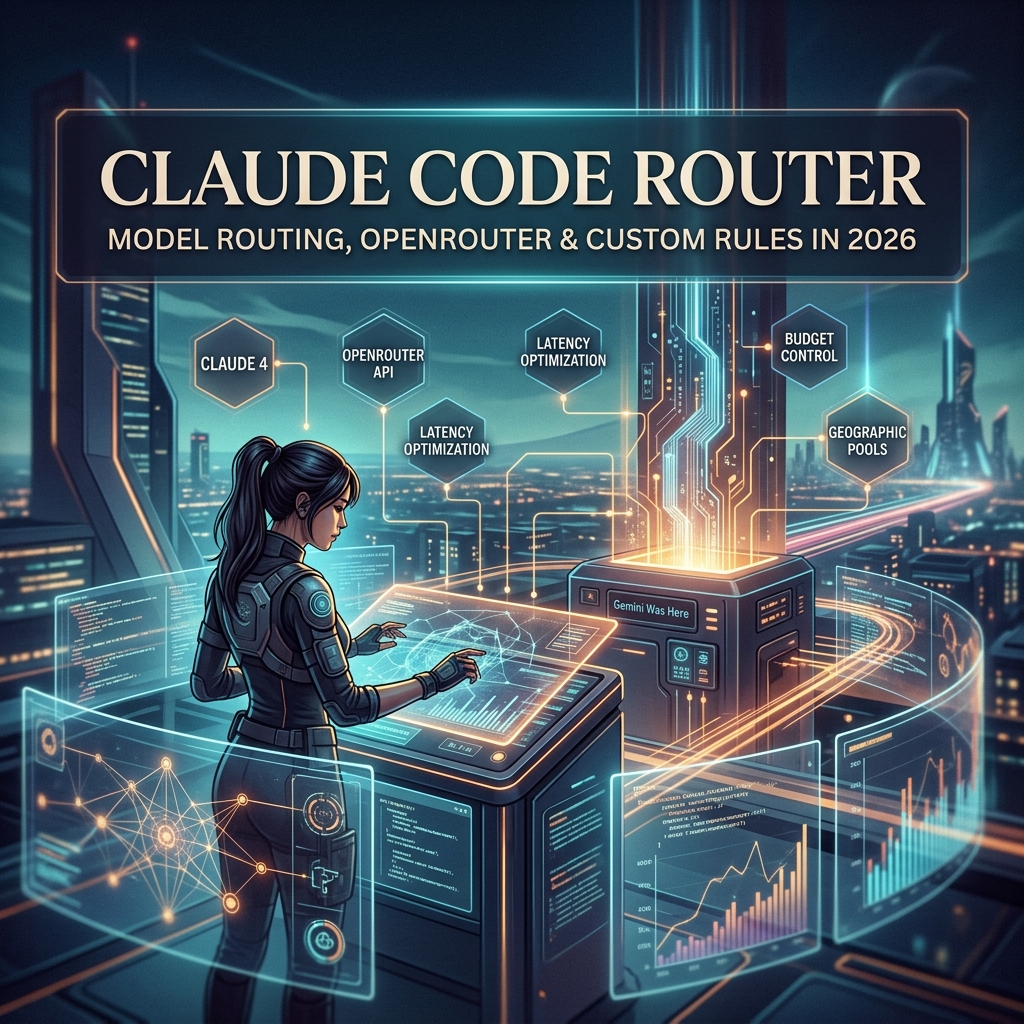
A Claude Code router is any layer that decides which Claude model handles which request — Opus for hard reasoning, Sonnet for daily work, Haiku for fast cheap tasks. Anthropic ships some built-in routing, but the most leveraged users build their own routing rules on top to optimize cost and latency.
Built-in routing, manual model selection, and the third-party router landscape below.
“Claude Code router” is a phrase that means different things to different people in 2026, and the differences matter for what you should actually build or buy.
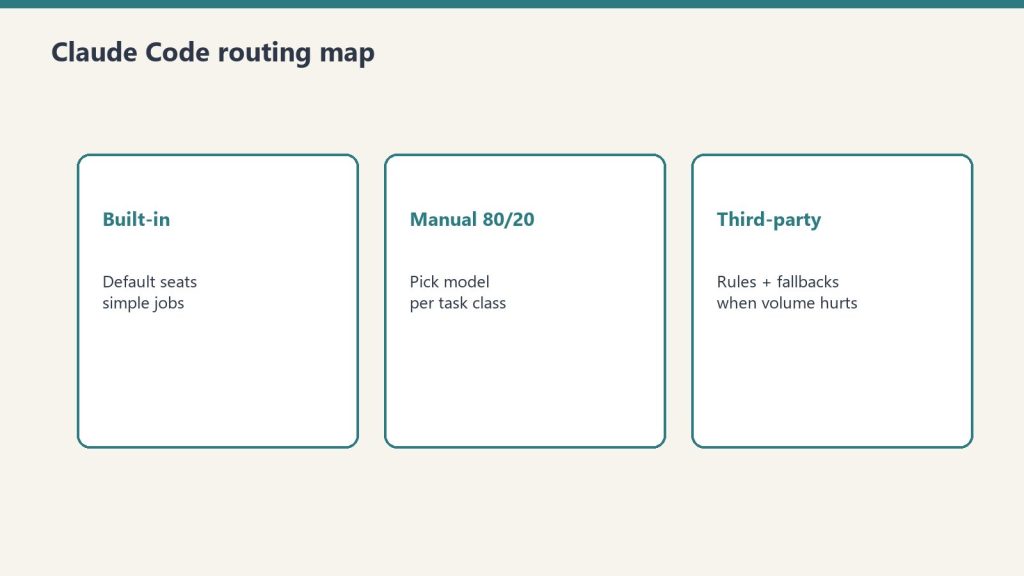
It can mean (1) Anthropic’s built-in logic that picks a model when you do not specify one, (2) third-party tools that route between Anthropic models and other LLMs through one Claude Code interface, or (3) custom routing rules you build yourself to match models to tasks. This guide walks through each, when each makes sense, and the trade-offs.
Why Routing Matters in the First Place
Why routing matters before you touch third-party routers.
Claude is not one model. It is a family. As of 2026 the production tiers are roughly:
Claude Opus 4.7 — $5/$25 per million tokens. Current flagship. Best for hard, ambiguous, multi-step reasoning and agentic coding.
Claude Sonnet 4.6 (legacy — still listed) — $3/$15 per million tokens. The workhorse. Within ~1 point of Opus on coding benchmarks at 40% less cost. Right answer for 80% of daily work.
Claude Haiku 4.5 — $1/$5 per million tokens. Fast and cheap. Right answer for high-volume formulaic tasks: classification, extraction, formatting, routing, simple Q&A.
Output costs 5x input across all three tiers. Prompt caching cuts cached input costs by ~90%. Batch API cuts everything by 50% if you can wait up to 24 hours.
Lineup currency (Sept 2026): Current API list (Sept 2026, verified): Sonnet 5 $2/$10, Opus 5.5 $4/$20, Haiku 4.5 $1/$5, Fable 5.1 $10/$50. Legacy (still listed on Anthropic’s card): Opus 4.8 $5/$25, Sonnet 4.6 $3/$15.
Using Opus for everything is wasteful. Using Haiku for everything is sloppy. Routing — matching the model to the task — is how you get the best output for the lowest cost. For someone running Claude Code several hours a day, intelligent routing is the difference between a $100/month Max bill and a $1,000/month API bill for the same work.
Anthropic’s Built-In Claude Code Routing
When you launch Claude Code without specifying a model, it picks a default. As of 2026 the default for most users is Sonnet, with Opus accessible via flags or settings, and Haiku used internally for some sub-tasks like tool selection and simple file operations.
You can override the default at session start:
# Start Claude Code with Opus for a tough refactor
claude --model claude-opus-4-7   # current flagship

# Or set it in your settings.json
{
  "model": "claude-sonnet-4-6"  // current workhorse
}
Anthropic also routes internally: when Claude Code uses sub-agents for parallel work, it can route those sub-agents to lighter models automatically. This routing is opaque to you and generally well-tuned. You usually do not need to think about it.
Manual Model Selection: The 80/20 Approach
Manual model selection is still the 80/20 approach.
For most users, manual routing beats automatic routing. The rule:
Opus when you hit a wall. Architectural decisions, hard refactors, ambiguous specs, anything that requires real reasoning.
Haiku for batch. Classification, taxonomy assignment, metadata generation, SEO meta descriptions, anything formulaic at volume.
This 80/20 split is achievable with two or three commands and zero infrastructure. It is the right starting point.
Third-Party Claude Code Routers
A small ecosystem has emerged around third-party routers that sit between Claude Code and the model layer. The two most common patterns:
OpenRouter and Multi-Provider Routers
OpenRouter is the most widely used third-party router. You point Claude Code at OpenRouter as the API endpoint, and OpenRouter routes your requests to Claude (or to GPT, Gemini, DeepSeek, Llama, etc.). Why use it:
You want fallback when Anthropic has an outage.
You want to mix Claude with other models on a per-task basis.
You want a single billing surface across providers.
You want BYOK (bring your own key) routing where you mix your own provider keys.
The trade-off: latency adds a few hundred milliseconds per call, and some Anthropic-specific features (prompt caching, certain beta tools) work less smoothly through the proxy.
Custom In-House Routers
Larger teams build their own routing layer. A typical pattern: a small Python or TypeScript service that inspects the incoming request, applies routing rules (length thresholds, task type detection, cost ceilings), picks a model, and forwards the call to Anthropic.
This is overkill for most individuals. It pays off when you have:
Strict cost controls that need enforcement, not suggestion
Multi-tenant usage where different customers get different models
Compliance requirements that need request inspection and logging
A real engineering team that can maintain the service
Routing Rules That Actually Work
If you are going to invest in any routing logic, these are the rules that pay back:
By task type. Code review → Opus. New code generation → Sonnet. Format conversion → Haiku.
By input length. Long context (40K+ tokens) where you need careful reasoning → Opus. Long context where you need extraction → Sonnet with prompt caching.
By cost ceiling. Anything over a threshold token count gets a hard cap or downgrade.
By time of day. Overnight batch jobs route to cheaper models. Interactive daytime work routes to your preferred quality tier.
By failure recovery. If a Sonnet call returns a low-confidence or refused response, retry once with Opus before giving up.
Most of these rules are five lines of code each. The discipline is more about deciding the rules than implementing them.
What Anthropic Does Not Yet Ship
As of writing, Anthropic does not ship a built-in “route this query to the right model” intelligence layer in Claude Code. The model you set is the model you get for the session, with the exception of internal sub-agent routing.
This is likely to change. The shape of where Claude Code is going — more autonomy, longer sessions, more parallel agents — implies more sophisticated internal routing. For now, the routing decisions worth making are the ones you make yourself.
Costs: What Routing Actually Saves
Routing only saves money if you enforce budgets.
Concrete example. An operator running a Claude Code content pipeline that:
Generates SEO meta and FAQ (Haiku): 2,000 + 500 tokens
Reviews and edits (Opus): 10,000 + 2,000 tokens for trickier articles
Running everything on Opus would roughly triple the cost. Running everything on Sonnet would save vs Opus but produce noticeably weaker meta-generation than Haiku at similar quality. Routing by task type saves real money — often 40-60% versus a single-model approach — without sacrificing output quality.
When Not to Build a Router
Routing is leverage when you operate at volume. If you run Claude Code casually — a couple of hours a day, one task at a time — you do not need a router. You need to learn the three models well enough to pick the right one by feel. Build a router only when (a) cost is a real line item in your budget, (b) you are running multiple workflows that have genuinely different model needs, or (c) you want fallback infrastructure for resilience.
A Claude Code router is any layer — Anthropic’s built-in defaults, a third-party tool like OpenRouter, or custom code — that decides which Claude model handles a given request.
Does Claude Code have built-in routing?
Partial. Claude Code picks a default model (Sonnet) and routes internal sub-agent tasks to lighter models. It does not automatically promote your main session to Opus when a task gets hard.
What’s the difference between OpenRouter and a custom router?
OpenRouter is a hosted multi-provider gateway with billing and fallback built in. A custom router is something you build to enforce your own rules. OpenRouter is right for most teams. Custom routers are right for teams with strict requirements.
Should I use OpenRouter with Claude Code?
Useful if you want fallback, multi-provider mixing, or unified billing. Less useful if you only use Claude and want Anthropic-specific features like prompt caching to work optimally.
How do I pick the right Claude model for a task?
Default Sonnet. Opus for hard reasoning, architectural decisions, ambiguous specs. Haiku for high-volume formulaic tasks (classification, formatting, metadata).
How much can routing save me?
For volume users, 40-60% versus running everything on Opus, with no measurable drop in output quality if the routing rules are sensible.
Is there a cost to routing through OpenRouter?
OpenRouter adds a small markup on token pricing in exchange for the routing and aggregation features. For most users this is acceptable; for very high volume, going direct to Anthropic is cheaper.
The Bottom Line
Claude Code routing is leverage when you operate at volume and a distraction when you do not. Start by learning the three Claude models by feel and picking manually. Add OpenRouter if you want fallback. Build a custom router only when cost or compliance actually justifies the engineering. The router is not the goal; the right model on the right task is the goal.
Published: May 25, 2026 | Last verified: June 28, 2026 (Pacific Time)
Quick Answer
Get an Anthropic API key at console.anthropic.com → API Keys → Create Key. The key starts with sk-ant- and is shown once — copy and store it in a password manager immediately. Add billing credits before making API calls.
Full setup, security, and usage walkthrough below.
An Anthropic API key is the credential that lets your application, script, or tool call Claude programmatically. Whether you are wiring Claude into Claude Code, building an internal agent, or integrating Claude into a SaaS product, the API key is the first step. This is the complete reference for that key — pricing, billing, security, rotation, and organization controls. If you just need to create your first key, our step-by-step guide to getting an Anthropic API key walks through it in about five minutes; this page is what you read next.
Anthropic API Pricing Tiers (June 2026)
API pricing tiers — stale-proof shapes, no sticky dollars.
All models support 50% Batch API discount for non-real-time requests. Fable 5 is free on Pro/Max/Team through June 22, 2026. Prices verified June 12, 2026.
What an Anthropic API Key Is (and Isn’t)
What an API key is — and is not.
The Anthropic API key authenticates requests to the Anthropic Messages API. It identifies which workspace and organization is making the call, what model permissions it has, and where to bill the token usage.
What an API key is not: a login. You cannot use an API key to sign into claude.ai. The web interface and the API are separate billing surfaces. Your Pro or Max subscription does not grant API credit by default; API usage requires its own billing setup.
Creating a key (the short version)
Creating a key — the short version.
Create a key at console.anthropic.com → API Keys → Create Key; it starts with sk-ant-, is shown once, and will not work until billing is added. For the full walkthrough — including the no-key OAuth option and the four errors that trip people up on the first request — see our step-by-step guide to getting an Anthropic API key. The rest of this page is the reference you will want once the key exists.
Adding Billing Before You Can Use the Key
A common surprise: a freshly created API key cannot make calls until you add a payment method and credits to your Anthropic account. The key exists, but every request returns a billing error.
To add billing:
In the Claude Console, click “Billing” or “Plans & Billing” in the left sidebar.
Add a payment method (credit card; Anthropic also supports invoicing for enterprise).
Either pre-purchase API credits or enable auto-recharge. Most users enable auto-recharge with a low threshold to avoid hitting empty mid-job.
Set a monthly usage limit if you want a safety cap.
Once billing is set up, your API key works.
Anthropic API Key Format
An Anthropic API key starts with the prefix sk-ant- followed by a long alphanumeric string. The full key is roughly 100 characters. If your key does not start with sk-ant-, you have copied something incomplete.
Different key types exist:
Live keys (sk-ant-api...): Production calls, real billing.
Admin keys (sk-ant-admin...): Workspace admin operations, not for inference calls.
Most developers only need a live key.
Which Claude Models the API Key Works With
A standard live API key gives you access to the current generation of Claude models:
Claude Fable 5 (claude-fable-5) — current top tier, released June 9 2026. $10/$50 per million tokens. Anthropic’s first Mythos-class model. Note: carries a mandatory 30-day data retention requirement (no zero data retention option). Full breakdown here.
Claude Opus 4.8 (legacy — still listed) (claude-opus-4-8) — second tier, released April 16 2026. $5/$25
Lineup currency (Sept 2026): Current API list (Sept 2026, verified): Sonnet 5 $2/$10, Opus 5.5 $4/$20, Haiku 4.5 $1/$5, Fable 5.1 $10/$50. Legacy (still listed on Anthropic’s card): Opus 4.8 $5/$25, Sonnet 4.6 $3/$15.
Claude Haiku 4.5 (claude-haiku-4-5) — released October 15 2025. $1/$5 per million tokens. Fast and cheap for high-volume work.
Earlier model versions (Sonnet 4, Opus 4.6, Haiku 3.5, etc.) are still callable by their specific snapshot IDs until Anthropic announces deprecation. Check the deprecation timeline in the Claude Console for any model you depend on in production.
How to Use the API Key
You pass the key in the x-api-key header on every request to the Messages API:
In Python or Node.js, the official SDKs read ANTHROPIC_API_KEY from your environment automatically. You should never hardcode the key in source code.
Security: How to Not Leak Your Key
Anthropic API keys leak constantly. Most leaks happen the same way:
Committing the key to a public GitHub repo. The single most common leak. GitHub scans for known credential patterns and notifies Anthropic; your key gets auto-revoked within minutes. You will know because your calls suddenly start failing.
Pasting the key into a shared chat or document. Anyone with access becomes a credential holder.
Putting the key in client-side JavaScript. A browser app shipping its API key to users is giving the key away. Always proxy through a backend.
Logging the key. Any logging system that captures HTTP headers can leak the key. Mask sensitive headers in your logger config.
The good rule: treat your API key like a credit card number, because that’s what it functions as.
Rotating an Anthropic API Key
You should rotate keys quarterly at minimum, and immediately if a key is suspected compromised. Rotation in the Claude Console:
Go to API Keys.
Create a new key with a fresh name (e.g., “Claude Code Laptop 2026 Q3”).
Update your application’s environment variable or secret manager to use the new key.
Verify the new key works.
Revoke the old key.
The five-minute rotation is far cheaper than dealing with a leaked key that was used by an attacker for hours before you noticed.
Workspace and Organization Keys
Anthropic accounts are organized as: Organization → Workspaces → API Keys. Most individuals only use one of each. Teams use multiple workspaces to separate environments (production, staging, dev) or projects.
Each key belongs to one workspace. Billing rolls up to the organization. If you need separate billing visibility per project, separate workspaces are the lever.
Monitoring API Key Usage
The Claude Console shows per-key usage in the “Usage” section. You can see:
Token spend per key per day
Model breakdown (Opus, Sonnet, Haiku usage)
Input vs output token split
Cache usage (if you have prompt caching enabled)
Set up usage alerts in Billing. The Anthropic console can email you when daily or monthly spend crosses a threshold. This is the cheapest insurance against a runaway loop or compromised key.
Frequently Asked Questions
How do I get an Anthropic API key?
Sign in to console.anthropic.com, open API Keys in the sidebar, click Create Key, name it, and copy the key immediately. You cannot retrieve the full key after closing the creation modal.
Is the Anthropic API key free?
The key itself is free to generate. Using it costs money — Anthropic bills per token at the API pricing in effect. You must add billing credits before the key works.
Does my Claude Pro or Max subscription include API credits?
No. Pro and Max subscriptions cover the chat interface and Claude Code (with usage caps). API usage is billed separately against your Anthropic account.
What does an Anthropic API key start with?
Live API keys start with sk-ant-api. Admin keys start with sk-ant-admin. The key is roughly 100 characters long.
What happens if my Anthropic API key gets leaked?
Anyone with the key can use it to make API calls billed to your account until the key is revoked. If you suspect a leak, revoke immediately in the Claude Console and check Usage for any suspicious activity.
Can I use the same API key for Claude Code and my own app?
You can, but you should not. Use separate keys per environment (Claude Code Laptop, Production Backend, Local Dev). Separate keys make revocation surgical instead of catastrophic.
Where should I store my Anthropic API key?
In a password manager (1Password, Bitwarden) for personal use, or in a secret manager (AWS Secrets Manager, GCP Secret Manager, HashiCorp Vault) for production. Never commit it to a repo or hardcode it in source.
How do I rotate an Anthropic API key?
Create a new key in the Claude Console, update your application to use the new key, verify it works, then revoke the old key. Rotate quarterly as a baseline.
Get alerted when Claude pricing or limits change
We track Anthropic’s models, pricing, and limits daily and send a short note when something changes that affects what you pay or build. Occasional, no spam.
The Bottom Line
Getting an Anthropic API key is a three-minute process. Keeping it safe is a discipline. Use a password manager, rotate quarterly, never put the key in client-side code, and set usage alerts in the Claude Console. Treat the key as production infrastructure, not a developer toy, and it will serve you for years without incident.
You have your key. Now hit the ground running.
The Solo Builder Seed Kit includes a ready-made Claude skill file, 20 tested prompts for solo operators, and a step-by-step setup guide. Paste your API key, install the skill, and you’re building — $47.
Go to console.anthropic.com, sign in or create an account, then navigate to Settings > API Keys. Click ‘Create Key’, give it a name, and copy the key immediately — it is only shown once. You’ll need to add a credit card and funds to your account before making API calls.
Is there a free tier for the Anthropic API?
Anthropic does not offer a persistent free tier for the API. New accounts may receive a small initial credit to test the API. After that, all usage is billed at standard token rates. The free tier of claude.ai (the chat interface) is separate from API access.
How much does the Anthropic API cost?
As of June 2026: Claude Haiku 4.5 costs $1 input / $5 output per million tokens. Claude Sonnet 4.6 (legacy — still listed) costs $3/$15. Claude Opus 4.8 (legacy — still listed) costs $5/$25. Claude Fable 5 (newest, released June 9) costs $10/$50 per million tokens. The Batch API offers 50% off for non-real-time workloads.
Lineup currency (Sept 2026): Current API list (Sept 2026, verified): Sonnet 5 $2/$10, Opus 5.5 $4/$20, Haiku 4.5 $1/$5, Fable 5.1 $10/$50. Legacy (still listed on Anthropic’s card): Opus 4.8 $5/$25, Sonnet 4.6 $3/$15.
How do I keep my Anthropic API key secure?
Never commit API keys to version control. Store them in environment variables or a secrets manager (AWS Secrets Manager, GCP Secret Manager, Vault). Use separate keys per application so you can rotate or revoke them independently. Set spending limits in the Anthropic console to cap accidental runaway costs.
What happens if my Anthropic API key is compromised?
Go to console.anthropic.com > Settings > API Keys immediately and click Revoke next to the compromised key. Create a new key and rotate it into your applications. Review your usage logs for unexpected spend. Anthropic will not refund charges made with a compromised key unless you contact support promptly.
Can I use my Anthropic API key with Claude Code and Claude Cowork?
Claude Code (the CLI tool) uses your API key when you run it outside a claude.ai subscription context. Claude Cowork (the desktop app) uses your subscription, not a raw API key. For self-hosted integrations, scripts, and Agent SDK workflows, your API key from console.anthropic.com is what you need.
Direct Answer (September 2026): Deploying Claude at scale means managing three limits: context windows (1M tokens on Fable 5.1, Opus 5.5, and Sonnet 5; 200K on Haiku 4.5 — 500K in web chat on paid plans), file upload caps in chat interfaces, and tiered API rate limits. Prompt caching cuts repeated-context costs by up to 90%, and the Batch API halves token prices for async work.
Once you stop asking what Claude is and start asking how to use it at scale, the limits become the conversation.
Once you stop asking “what is Claude” and start asking “how do I use Claude at scale,” you run into a different category of question. How big is the context window, actually, in this specific situation? What’s the file upload limit? What happens when one teammate burns through the Team plan? Where does the 1M context window apply and where doesn’t it? When does extra usage kick in and what does it cost?
The answers exist — they’re just spread across a dozen Anthropic Help Center articles, and the wrong combination of guesses can make you think you’ve hit a hard limit when you’ve actually just hit the wrong setting. This article is the consolidated map. Triple-sourced against Anthropic’s official documentation, verified September 26, 2026.
Claude Usage Limits by Plan (September 2026)
Usage limits — per-user, not pooled.
Lineup currency (Sept 2026): Current API list (Sept 2026, verified): Sonnet 5 $2/$10, Opus 5.5 $4/$20, Haiku 4.5 $1/$5, Fable 5.1 $10/$50. Legacy (still listed on Anthropic’s card): Opus 5 / 4.8 $5/$25, Sonnet 4.6 $3/$15. Rows below that still name Sonnet 4.6 or Opus 5 / 4.8 are legacy-or-prior availability figures — confirm live Anthropic limits before quoting TPM/RPM/context.
Plan
Messages/Day
Context Window
File Upload
Projects
Free
Limited (varies)
200K tokens
Up to 10MB per file
No
Pro ($20/mo)
~2,000 (Sonnet)
1M tokens (Fable 5.1 / Opus 5.5 / Sonnet 5)
Up to 30MB per file
Yes
Max 5x ($100/mo)
~10,000 (Sonnet)
1M tokens
Up to 30MB per file
Yes
Max 20x ($200/mo)
~40,000 (Sonnet)
1M tokens
Up to 30MB per file
Yes
Team ($25/seat/mo)
~2,000/seat
1M tokens
Up to 30MB per file
Yes
API (pay-per-token)
Rate-limited by tier
1M tokens (Fable 5.1 / Opus 5.5 / Sonnet 5)
Per API limits
Via system prompt
Message limits are approximate and vary by model. Anthropic adjusts limits based on system load. Verified September 26, 2026.
The four limits that matter most
The four limits that matter most.
If you’re running Claude in any sustained capacity, four limits will define your experience. Get these right and you have headroom. Get them wrong and you’ll think Claude is broken when it’s actually working as designed.
1. Context window — how much Claude can read in a single conversation. Varies by model and surface. The 1M window is real but only available in specific places.
2. File upload size — how big a single file can be. 30 MB cap per file across the board, with workarounds for larger files.
3. Usage limits — how much Claude work you can do per session/week. Per-user, not pooled. Different limits for chat vs Claude Code vs Agent SDK.
4. Extra usage / overage — what happens when you hit the cap. Either you’ve enabled it and you keep going at API rates, or you’re stopped until the limit resets.
Context window: where 1M tokens actually applies
Context window — where 1M tokens applies.
Per Anthropic’s Help Center documentation (verified September 26, 2026), context window size depends on the model AND on the surface you’re using Claude through. This is the single most-misunderstood limit because the same model can have a different context window in chat than it does in Claude Code or the API.
Web and desktop chat (claude.ai):
Opus 5.5, Opus 5, Sonnet 5 — 500K tokens on all paid plans
All other models — 200K tokens on paid plans
Claude Code:
Opus 5.5 — 1M tokens on Pro, Max, Team, and Enterprise
Sonnet 5 — 1M tokens on all paid plans, but extra usage must be enabled to access it (except on usage-based Enterprise plans)
Claude API:
Opus 5.5, Opus 5, Sonnet 5 — 1M tokens at standard pricing (no long-context premium)
All other models — 200K tokens
The practical translation: if you need the full 1M token window, use Claude Code or the API with one of the supported models. The web chat tops out at 500K even on the most capable models. That difference matters when you’re trying to feed Claude an entire codebase, a long video transcript, or a multi-document research bundle.
File upload size: 30 MB per file, with workarounds
Per Anthropic’s Help Center, the maximum file size for both uploads and downloads is 30 MB per file. This applies whether you’re uploading a PDF, a CSV, an image, or any other supported file type.
For PDFs larger than 30 MB, Anthropic’s documentation notes that Claude can process them through its computing environment without loading them into the context window. That’s a real workaround for big PDFs but it doesn’t help you for other large file types.
If you regularly hit the 30 MB cap, the practical patterns are:
Split before upload — break the file into chunks under 30 MB, upload each, work with them as separate sources
Convert format — a 35 MB Word doc with embedded images may compress to under 30 MB as a PDF; CSVs can often be reduced by removing unused columns
Upload to GCS or S3 and let Claude read via tools — for the Agent SDK / API path, you can put the file in cloud storage and have Claude read it via web fetch or a custom tool, bypassing the upload cap entirely
Usage limits: per-user, not pooled
This is the limit that confuses teams the most. Per Anthropic’s Help Center documentation on the Team plan (verified September 26, 2026): each team member has their own set of usage limits. They are not shared across the team.
If one teammate burns through their session limit, the rest of the team is unaffected. There is no pooled team allowance that one user can drain on behalf of others. The math is per-seat, always.
The usage limits themselves vary by seat type:
Standard Team seats — 1.25x more usage per session than Pro plan. One weekly usage limit applies across all models. Resets seven days after the session starts.
Premium Team seats — 6.25x more usage per session than Pro plan. Two weekly limits: one across all models, plus a separate one for Sonnet models specifically. Both reset seven days after session start.
For the actual numeric token-per-session limits, Anthropic does not publish exact numbers — they describe relative multipliers vs Pro. This is intentional; the underlying math is calibrated against typical workloads rather than a hard token ceiling.
Extra usage: what happens when you hit the cap
When a user hits their weekly limit, two things can happen depending on whether the organization has enabled extra usage:
If extra usage is enabled: additional Claude requests continue to flow at standard API rates (the same per-token pricing published on Anthropic’s pricing docs — $10/$50 MTok for Fable 5.1, $5/$25 MTok for Opus 5 / 4.8 (legacy — still listed), $2/$10 for Sonnet 5, $1/$5 for Haiku 4.5). Extra usage is billed separately from the subscription. Team and Enterprise admins can enable, cap, and monitor extra usage at the organization level.
If extra usage is not enabled: the user’s Claude requests stop until their limit resets at the start of the next session window (seven days from when the current session started, not a fixed weekly day).
The right setting depends on your team’s tolerance for surprise bills versus interrupted workflows. Most production teams enable extra usage with a hard organizational cap so individual users have continuity but the org has predictable spend ceiling.
Claude Code limits: a separate model
Claude Code has its own usage limit accounting that exists alongside chat usage limits. Per Anthropic’s Help Center on Claude Code models, usage, and limits (verified September 26, 2026):
Interactive Claude Code (typing in terminal/IDE) draws from your subscription’s usage limits, the same pool as web chat
Non-interactive claude -p mode currently also draws from subscription usage limits — until June 15, 2026
Starting June 15, 2026, non-interactive mode and Agent SDK usage move to a separate per-user monthly Agent SDK credit pool
The June 15 change is important enough that it gets its own breakdown in our Agent SDK Dual-Bucket Billing article. The short version: if you’re running unattended Claude Code work in cron jobs or CI, your billing model is changing. Plan capacity against the new credit pool.
The limits that aren’t really limits
Three things that get reported as limits but are actually configuration choices:
“My context window keeps filling up.” This is usually caused by long-running conversations accumulating history rather than the model’s actual context window being too small. Starting a new conversation (or running /clear in Claude Code) resets the working context. Long sessions are not a hard limit; they are a working-memory pressure that compounds over turns.
“Claude won’t read my whole repository.” Repository size is rarely the actual limit; the limit is how much you can load into the context window at once. Tools like Claude Code’s file reading and search work around this by loading files on demand rather than upfront. The 1M context window helps but is not a substitute for selective loading.
“My team keeps hitting limits even though we’re on Team.” Almost always one of two things: (a) people are mistakenly assuming the seat allowance is shared, when it’s strictly per-user; (b) someone is running heavy automation through a subscription seat instead of a Claude Developer Platform API key (which is the recommended path for sustained team-wide automation, especially after June 15).
Decision matrix: which limits affect which use case
Map your use case to the limits that actually apply:
Solo chat user on Pro — 500K context on Fable 5.1/Opus 5.5/Sonnet 5 in chat, weekly session limit, 30 MB upload cap. Hit your limit and you wait or pay extra usage.
Solo developer using Claude Code — 1M context on Opus 5.5 (1M on Sonnet 5 with extra usage on). Same weekly session limit. June 15 billing change applies if you use claude -p.
Small team on Team Standard — Per-seat limits at 1.25x Pro session capacity, not pooled. 30 MB upload cap. June 15 billing change applies per-seat.
Team running Claude Code in CI — All of the above plus separate Agent SDK credit pool starting June 15. Strongly consider a Developer Platform API key for the CI workload to get true pay-as-you-go billing.
Enterprise running large-scale automation — Subscription limits are the wrong tool. Move to a Developer Platform API key, monitor usage at the org level, set spend caps in the Console.
What to actually do this week
Identify which surface you’re using Claude through (web, Claude Code, API). Different surfaces have different context windows even for the same model.
If you’re hitting “limit” errors, check whether extra usage is enabled at the organization level before assuming it’s a hard cap.
If you’re a Team admin and your team is reporting hitting limits, audit per-seat usage rather than assuming you need to upgrade the plan — the issue is often one heavy user, not the plan tier.
If anyone on your team is running unattended Claude work, read the Agent SDK billing change before June 15.
If you need the full 1M context window, switch to Claude Code or the API. Web chat tops out at 500K.
For uploads larger than 30 MB, split, compress, or move the file to cloud storage and have Claude read it via tools.
Is the Claude Team plan usage limit shared across team members?
No. Per Anthropic’s Help Center documentation, each team member has their own set of usage limits. If one team member reaches their seat’s included limit, other team members are unaffected and can keep working.
What is Claude’s file upload size limit?
30 MB per file for both uploads and downloads, per Anthropic’s official documentation. For PDFs larger than 30 MB, Claude can process them through its computing environment without loading them into the context window.
Where does the 1M token context window actually apply?
1M context is available on Claude Code with Opus 5.5 (Pro/Max/Team/Enterprise) and on the API with Fable 5.1, Opus 5.5, and Sonnet 5. Web chat tops out at 500K tokens even on the most capable models. Sonnet 5 in Claude Code requires extra usage to be enabled to access the 1M window (except on usage-based Enterprise plans).
What’s the difference between Standard and Premium Team seats?
Standard seats offer 1.25x Pro plan usage per session with one weekly limit across all models. Premium seats offer 6.25x Pro session usage with two weekly limits (one across all models, one Sonnet-specific). Both reset seven days after the session starts.
What happens when I hit my Claude usage limit?
If extra usage is enabled at your organization, you continue at standard API rates billed separately. If extra usage is not enabled, your requests stop until your limit resets at the next session window (seven days from session start, not a fixed weekly day).
Should I use a Team plan or the API for production automation?
For sustained shared automation (CI pipelines, cron jobs, background services), Anthropic recommends the Claude Developer Platform with an API key over subscription seats. Subscription seats are sized for individual interactive use; API keys give you predictable pay-as-you-go billing, no per-seat caps, and don’t compete with team members’ interactive usage.
Anthropic Help Center: Understanding usage and length limits, What is the Team plan?, How is my Team plan bill calculated?, Manage extra usage for Team and seat-based Enterprise plans, Models, usage, and limits in Claude Code, How large is the context window on paid Claude plans?, How large is the Claude API’s context window?, Upload files to Claude (primary sources for all limit specifics)
Anthropic platform documentation: Context windows at docs.claude.com (primary source for API context window behavior)
Anthropic Help Center: Use the Claude Agent SDK with your Claude plan (primary source for the June 15, 2026 billing change)
All limit numbers and policies are accurate as of September 26, 2026. Anthropic adjusts subscription mechanics regularly; if you’re making procurement decisions on this article more than 60 days from the date stamp, re-verify the per-seat multipliers and context window availability against the current Help Center.
Frequently Asked Questions
What is Claude’s message limit per day?
Message limits vary by plan. Free: limited daily messages (Anthropic adjusts based on load). Pro ($20/month): approximately 2,000 Sonnet-equivalent messages per day. Max 5x ($100/month): approximately 10,000. Max 20x ($200/month): approximately 40,000. API users are rate-limited by tier with no hard daily message cap, instead governed by tokens-per-minute limits.
What is Claude’s maximum context window in 2026?
Claude Fable 5.1, Claude Opus 5.5, and Claude Sonnet 5 all support a 1 million token context window. Claude Haiku 4.5 supports 200,000 tokens. Anthropic eliminated long-context surcharges in March 2026, so large-context requests are billed at standard per-token rates. The Free plan is limited to 200K context even on Sonnet.
What is the maximum file size I can upload to Claude?
On Pro, Max, and Team plans: up to 30MB per file, up to 5 files per conversation. Supported formats include PDF, text, CSV, code files, and images. The Free tier supports up to 10MB per file. For API users, file uploads are handled via the Files API with a 32MB per file limit.
How do I scale Claude beyond subscription message limits?
For high-volume workloads, switch to the Claude API (pay-per-token, no daily message cap beyond rate limits). Enterprise plans offer higher rate limits and custom agreements. The Batch API processes large jobs at 50% off standard prices for non-real-time workloads. Claude Max 20x ($200/month) is the highest subscription tier for interactive use.
What are Claude’s API rate limits?
API rate limits depend on your usage tier. New API accounts start at Tier 1 with lower limits. Spending history and account age automatically promote accounts to higher tiers with increased requests-per-minute and tokens-per-minute. Current tier limits are published at console.anthropic.com/settings/limits. Enterprise customers can negotiate custom rate limits.
Does Claude have a token limit per message?
There is no enforced per-message token limit separate from the overall context window. A single message can use up to the full context window (1M tokens for Fable 5.1 / Opus 5.5 / Sonnet 5, 200K for Haiku 4.5). However, very long single messages may be slower to process. The practical limit is the context window of whichever model you are using.
💼 Deploying Claude or AI Infrastructure in Your Business?
Notion’s May 13 Developer Platform launch reshapes how the Notion + Claude + GCP stack fits together.
On May 13, 2026, Notion shipped what is, structurally, the biggest change to how Notion fits into an AI-driven operating stack since the original Notion AI launch. Version 3.5 — the Notion Developer Platform — turns Notion from a workspace that you operate into a platform that other agents can operate inside. Claude is one of the launch partners.
This article is written from inside the practice of running a business on a three-legged stool of Notion, Claude, and Google Cloud. The Developer Platform launch matters to that stool in specific ways, and most of the day-one coverage is missing them. The goal here is to pin down what shipped, what it actually changes for an operator who already runs Claude against Notion, and where the seams are between this platform and the way most of us were already wiring things together.
What Notion actually shipped on May 13, 2026
From Notion’s own release notes for version 3.5 (verified May 15, 2026), the Developer Platform comprises four meaningfully distinct pieces:
Workers. A cloud-based runtime that runs custom code inside Notion’s infrastructure. Workers is how you take a Notion-resident workflow and bind real compute to it — running on a schedule, reacting to a database trigger, fanning work out to other systems — without standing up your own infrastructure for the runtime.
Database sync. Notion databases can now pull live data from any API-enabled external source. The thing that used to require a Zapier or Make.com bridge becomes a property of the database itself.
External Agents API. The piece that matters most for Claude users: an outside AI agent can appear and operate inside the Notion workspace as a first-class collaborator. Claude is one of the launch partners, alongside Cursor, Codex, and Decagon.
Notion CLI. A command-line tool through which both developers and agents interact with the platform. Available across all plan tiers.
The packaging detail worth noting: Workers and the Developer Platform deployment surface are limited to Business and Enterprise plans, but the External Agents API and the CLI are available on all tiers. The whole platform is free to use through August 11, 2026.
The shift in framing, in operator terms
Before May 13, the standard pattern for getting Claude to work with Notion looked like this: install a Notion MCP server, point Claude Code at it, and use Claude as the active driver that reads from and writes to Notion through tool calls. Notion was the database, Claude was the agent, MCP was the wire.
After May 13, the relationship can flip. The External Agents API lets Claude appear inside Notion — not as an external tool you switch to, but as a collaborator your team can assign work to from the same task board where you assign work to humans. The wire is no longer “Claude reaches into Notion when called.” It’s “Notion can hand work to Claude the same way it can hand work to a person.”
For an operator running a second-brain architecture, that’s a meaningful change. It moves Claude from a tool you invoke into a participant your system operates against. Both modes are still available — MCP wiring still works fine — but the External Agents API opens a different set of patterns where the system of record stays in Notion and Claude becomes one of several agents that the system orchestrates.
Where this fits in the three-legged stool
For anyone running Notion + Claude + Google Cloud as the operating stack of a small business or solo operator setup, the Developer Platform launch reinforces something the architecture was already pointing at: Notion is the system of record, Claude is the reasoning layer, GCP is the compute and data substrate. The May 13 launch makes that division of labor more legible.
Notion as system of record — Workers and database sync make Notion an active control plane, not just a passive document store. State lives here. Workflows initiate here.
Claude as reasoning layer — The External Agents API gives Claude a formal role inside Notion’s task management, planning, and review loops. Claude does the thinking; Notion holds the result.
GCP as compute substrate — Anything Workers can’t do (long-running automation, heavy compute, custom data pipelines, things that need to live behind a firewall), Cloud Run and Compute Engine still handle. Workers doesn’t replace GCP for the operations that need real horsepower; it extends Notion into the lightweight automation gap that previously required a Zapier-class bridge.
The leg that grows the most from this launch is Notion. It picks up native automation and native AI-agent orchestration in one shipment. The leg that doesn’t change is Google Cloud — GCP is still where the heavyweight workloads live, the per-site WordPress fortresses run, and the custom Python and Node services that hold the operational glue together.
The Claude-specific implications
Anthropic’s customer page on Notion (verified May 15, 2026) confirms that Notion has integrated Claude Managed Agents — the version of Claude designed for long-running sessions with persistent memory and high-quality multi-turn outputs. Notion has also made Claude Opus available inside Notion Agent for the first time as part of the broader integration. The framing from Anthropic’s side: Notion is a design partner that helped shape Claude Code’s early development, and the External Agents API is the formal extension of that partnership into the Notion product surface.
Practically, three things change for someone who already runs Claude against Notion:
1. The MCP wiring is no longer the only path. If you’ve been using a Notion MCP server to give Claude Code read-write access to your workspace, that pattern still works and still has its place — particularly for developer workflows where Claude is doing the driving. But for operational workflows where Notion should drive and Claude should respond, the External Agents API is now the more natural fit.
2. Multi-agent orchestration becomes a first-class concept. When Notion can address Claude, Cursor, Codex, and Decagon as discrete agents, the question stops being “which AI tool do I use” and becomes “which agent gets which task.” That’s a richer surface for actually distributing work across capabilities — Cursor for IDE-bound coding, Claude for long-form reasoning and writing, Decagon for customer-facing workflows. The orchestration sits in Notion.
3. The persistent-memory pattern gets cleaner. The “Notion as Claude’s memory” architecture that we and others have been building with MCP wiring is now a supported, native pattern rather than a clever workaround. The structured pages, databases, and templates that hold what Claude needs to remember between sessions can now be addressed through a sanctioned API rather than reverse-engineered through tool calls.
What we’d actually rebuild now
If we were starting our second-brain architecture from scratch on May 15, 2026, knowing what shipped on May 13, the build order would be different than what we have today:
Database structures stay in Notion — same as before. The systems of record (clients, projects, content pipelines, scheduled tasks, the Promotion Ledger) all live in Notion databases.
Sync replaces a meaningful chunk of Zapier/Make — anywhere we currently bridge Notion to an external API for read or for write, native database sync becomes the first thing to try before reaching for a third-party automation tool.
Workers handles light recurring automation — the kind of thing we currently run as a Cloud Run cron job, where the trigger and state both live in Notion. Workers is closer to the data and easier to reason about for operators who don’t want to context-switch out of Notion.
External Agents API for Claude orchestration — Claude assignments come from inside Notion’s task surfaces. The Promotion Ledger, the editorial calendar, the client deliverable boards all become places where Claude can be assigned the same way a teammate is assigned.
GCP holds everything that’s heavyweight or sensitive — WordPress fortresses, custom data pipelines, anything HIPAA/regulated, the AI Media Architect run on Cloud Run, the knowledge-cluster-vm. None of this moves. Notion’s platform doesn’t compete here.
The honest part: most of our existing infrastructure is staying. The Developer Platform launch isn’t a “rebuild everything” moment. It’s a “reach for Notion-native first when the workflow naturally lives in Notion anyway” moment. Where we used to glue together MCP servers, Zapier flows, and custom Cloud Run jobs to bridge gaps, the gaps are smaller now.
The seams worth noticing
Three things to be honest about:
Workers is plan-gated. If you’re on a Notion plan below Business, you can use the External Agents API and the CLI but not Workers. The full programmable-platform vision requires the upgrade. For solo operators on Plus or below, this is a real friction point.
The free-through-August window is a usage signal, not a permanent state. The Developer Platform is free through August 11, 2026. Notion has not yet published post-window pricing. Anyone building production workloads against the platform should plan for the possibility of a usage-based or tier-gated pricing model after that date.
External Agents is a launch-partner-first model. Claude Code, Cursor, Codex, and Decagon are first-class. Other agents — and there will be other agents — show up later through the API. If your stack depends on an agent that isn’t on the launch partner list, the surface for integrating it is smaller right now than it will be in a few months.
What to actually do this week
If you’re running Claude against Notion in any operational capacity:
Read Notion’s official release notes for 3.5 (notion.com/releases/2026-05-13). It’s short and concrete.
Try the Notion CLI on a non-production workspace. The CLI is the lowest-friction way to feel what’s actually changed.
If you have any workflow currently glued together with Zapier/Make where the trigger and state are both in Notion, evaluate whether database sync or Workers replaces it more cleanly.
If you currently invoke Claude through MCP for tasks that would more naturally be assigned to Claude from inside Notion’s task boards, prototype the same workflow through the External Agents API and compare.
Don’t migrate anything you don’t have to. The May 13 launch creates new options, not new mandates.
It’s the May 13, 2026 release (Notion 3.5) that adds Workers (cloud-based runtime), database sync (live data from external APIs), an External Agents API (outside AI agents operating natively inside Notion), and a Notion CLI. It turns Notion from an application you use into a platform you and your agents can build on.
Is Claude one of the launch partners?
Yes. Per Notion’s release notes and Anthropic’s customer page on Notion (both verified May 15, 2026), Claude is a launch partner alongside Cursor, Codex, and Decagon. Notion has also integrated Claude Managed Agents and made Claude Opus available inside Notion Agent.
How is the External Agents API different from connecting Claude through MCP?
MCP wiring lets Claude reach into Notion through tool calls — Claude is the driver, Notion is the data source. The External Agents API lets Claude appear inside Notion as a collaborator that can be assigned work — Notion is the driver, Claude is one of several agents responding. Both patterns coexist. Pick the one that matches who should be in charge of the workflow.
What does the Developer Platform cost?
Free through August 11, 2026, per Notion’s release notes. Workers and the deploy surface are limited to Business and Enterprise plans; the External Agents API and CLI are available across all tiers. Post-window pricing has not been published as of May 15, 2026.
Does this replace MCP servers?
No. MCP servers remain useful — particularly for developer workflows where Claude is doing the driving from inside Claude Code, and for cases where you need Claude to talk to multiple systems (not just Notion). The External Agents API adds an alternative pattern for the cases where Notion should hold the workflow and Claude should respond to it.
Should I move workloads off Google Cloud onto Notion Workers?
For most things, no. Workers is suited to lightweight, Notion-native automation. Heavy compute, regulated workloads, custom data pipelines, and anything that needs to live behind a firewall still belong on GCP (or your equivalent cloud). The Developer Platform extends what Notion can do natively; it doesn’t replace what cloud infrastructure does.
Notion official release notes: May 13, 2026 – 3.5: Notion Developer Platform at notion.com/releases/2026-05-13 (primary source for what shipped, pricing window, plan-tier gating)
Anthropic customer page on Notion at claude.com/customers/notion (primary source for Claude Managed Agents integration, Opus availability in Notion Agent, design-partner relationship)
TechCrunch coverage of the May 13 launch (Tier 2 confirming source for partner agent list and “control room for AI agents” framing)
InfoWorld coverage of the Notion Developer Platform launch (Tier 2 confirming source)
BetaNews and Dataconomy coverage (additional Tier 2 confirming sources)
This article will need a refresh after August 11, 2026, when the free-pricing window ends and Notion publishes post-window pricing details. The verified-vs-reported standard from our other May 2026 pieces applies — anything beyond what Notion’s own release notes and Anthropic’s customer page confirm has been clearly distinguished.
Roadmap update: the May 2026 roadmap below has played out — Opus 4.8, Claude Fable 5, and Claude Sonnet 5 have all shipped. As of July 6, 2026, Anthropic’s lineup is Claude Fable 5 (top tier above Opus; $10 in / $50 out per MTok; Mythos 5 is the limited-availability sibling), Claude Opus 4.8 (legacy — still listed) ($5/$25
Lineup currency (Sept 2026): Current API list (Sept 2026, verified): Sonnet 5 $2/$10, Opus 5.5 $4/$20, Haiku 4.5 $1/$5, Fable 5.1 $10/$50. Legacy (still listed on Anthropic’s card): Opus 4.8 $5/$25, Sonnet 4.6 $3/$15.
), Claude Sonnet 5 (released June 30, 2026; now the default for Free and Pro; introductory $2/$10 per MTok through Aug 31, 2026, then $3/$15), and Claude Haiku 4.5 ($1/$5). Opus 4.7 and Sonnet 4.6 are now legacy. Full details: the Claude Fable 5 Complete Guide.
Last refreshed: May 15, 2026
The pace of new Claude releases in 2026 has been fast enough that the canonical question — “what’s the latest Claude model and what’s it actually good for?” — has a different answer almost every quarter. This article is the current map, dated and sourced, of what Anthropic has shipped in 2026, what’s confirmed about each model’s specs and knowledge cutoffs, and what’s been claimed (but not officially confirmed by Anthropic) about what’s coming next.
Two ground rules first, because the model-roadmap space is full of speculation:
Specs and release dates marked as verified come from Anthropic’s own documentation, news posts, or help center pages. We list the specific source.
Anything marked as reported or claimed comes from third-party reporting (TechCrunch, secondary news sites, analyst commentary) that we could not independently confirm against an Anthropic-published source as of May 15, 2026.
If you’re making product decisions on this information, treat verified facts as actionable and reported facts as directional.
The May 15, 2026 generally-available Claude models (historical snapshot)
May 2026 GA Claude models — historical snapshot framing.
Lineup currency (Sept 2026, verified): Sonnet 5 ($2/$10), Opus 5.5 ($4/$20), Haiku 4.5 ($1/$5), Fable 5.1 ($10/$50). Legacy (still listed): Opus 4.8 ($5/$25), Sonnet 4.6 ($3/$15). Prior note (superseded): This was the production Claude prior lineup claim as of May 15, 2026. For the current lineup see the June 10 roadmap update above: Fable 5 ($10/$50), Opus 4.8 ($5/$25), Sonnet 4.6 ($3/$15), and Haiku 4.5 ($1/$5).
Claude Opus 4.7 — claude-opus-4-7
Status: Legacy — superseded. The current most capable Claude model is Claude Fable 5; the legacy (still listed) Opus-tier model is Claude Opus 4.8 (legacy — still listed).
Context window: 1 million tokens at standard pricing (no long-context premium)
Max output: 128,000 tokens
Knowledge cutoff: January 2026 (per Anthropic Help Center, verified May 15, 2026)
Notable changes from 4.6: New tokenizer (uses up to ~35% more tokens for the same text), high-resolution image support up to 2576px / 3.75MP, new xhigh effort level, task budgets beta. Extended thinking budgets and sampling parameters (temperature, top_p, top_k) are removed.
Claude Opus 4.6 — Still generally available, $5/MTok input, $25/MTok output. Released February 2026.
Claude Sonnet 4.6 (legacy — still listed) — $3/MTok input, $15/MTok output. Includes the 1M token context window at standard pricing.
Claude Haiku 4.5 — Cheapest model in the active lineup at $1/MTok input, $5/MTok output.
Earlier models still active or in deprecation: Opus 4.5, Opus 4.1, Sonnet 4.5, and Haiku 3.5 (retired except on Bedrock and Vertex AI). Opus 4 and Sonnet 4 are listed as deprecated.
Knowledge cutoff dates that actually matter
Per Anthropic’s Help Center article on training-data recency (verified May 15, 2026), the most recent generally-available models have January 2026 knowledge cutoffs. That means:
Anything that happened after January 2026 is outside the model’s training data
For current events, recent product launches, recent legal or regulatory changes, or very recent technical documentation, the model needs to be given the information directly (in the prompt, via web search, or through tool use) — it can’t be relied on to know it
The model still has tools available (web search, code execution, file access) that can access post-cutoff information when explicitly invoked
The practical version: don’t ask Claude what happened last week and expect it to know. Hand it the source material and ask it to analyze, summarize, or work with what you’ve given it.
The 1M token context window — what it actually unlocks
1M token context — what it unlocks.
Per Anthropic’s official pricing documentation (verified May 15, 2026), Opus 4.7, Opus 4.6, and Sonnet 4.6 all include the full 1 million token context window at standard pricing. There’s no long-context premium — a 900,000-token request is billed at the same per-token rate as a 9,000-token request.
That’s an enormous practical change from earlier Claude generations. A 1M context window is roughly:
~750,000 words of English text
Most full books or technical specifications in a single context
~8 hours of meeting transcripts at typical density
An entire mid-sized codebase, including most or all source files
Prompt caching and batch processing discounts both apply at standard rates across the full 1M window. For workloads that involve sending the same large document repeatedly with different questions, prompt caching against a 1M context is one of the highest-leverage cost optimizations available in the current Claude lineup.
What’s reported about Claude 5 (and what we cannot independently verify)
What’s reported about Claude 5 — verify carefully.
Multiple third-party sources reported in early 2026 that Anthropic CEO Dario Amodei confirmed a Q2 2026 launch window for Claude 5 in a TechCrunch interview published February 1, 2026. The same sources cited an internal-roadmap leak suggesting an April 28 target date.
What we can verify as of May 15, 2026:
When this roadmap was written, Anthropic’s documentation listed Opus 4.7 as the latest production model. That has since advanced: Opus 4.8 and the Fable 5 / Mythos 5 top tier shipped in June 2026, and Claude Sonnet 5 was released June 30, 2026 — so the “5” generation is now real by name, arriving as Sonnet 5 plus the Fable / Mythos tier rather than a single “Claude 5” release.
The third-party reporting on Claude 5 specifications (500K context window, 20-25% benchmark improvements, ~90%+ on SWE-bench Verified) is widely repeated but, as far as we could verify, is not sourced to an Anthropic-published document.
The honest read: Q2 2026 ends June 30, so if the reported timeline is accurate, an official Claude 5 announcement could plausibly land in the next several weeks. If you’re planning a project that depends on a specific Claude 5 capability, build against the legacy (still listed) lineup — Claude Opus 4.8 (legacy — still listed) or Fable 5 for maximum capability, or Claude Sonnet 5 (released June 30, 2026) for near-Opus performance at lower cost.
Claude Sonnet 5 — separate question
Update, July 6, 2026: Claude Sonnet 5 shipped on June 30, 2026 — the early 2026 third-party reporting on a “Sonnet 5” codename turned out to be premature, but a real Sonnet 5 model has since been officially released. It carries the model ID claude-sonnet-5, is priced at $3/$15 per million tokens standard ($2/$10 introductory through August 31, 2026), and is now the default Sonnet-tier model for Free and Pro users.
Claude Sonnet 5 — separate question
Update, July 6, 2026: Claude Sonnet 5 shipped on June 30, 2026 — the early 2026 third-party reporting on a “Sonnet 5” codename turned out to be premature, but a real Sonnet 5 model has since been officially released. It carries the model ID claude-sonnet-5, is priced at $3/$15 per million tokens standard ($2/$10 introductory through August 31, 2026), and is now the default Sonnet-tier model for Free and Pro users.
If you’re tracking model identifiers for production use, the currently valid published model IDs are claude-fable-5, claude-opus-4-8, claude-sonnet-5, and claude-haiku-4-5-20251001.
How to actually keep up with Claude releases
The signal-to-noise ratio in the model-release coverage space is not great. Two practical sources are reliable enough to bookmark:
Anthropic’s news page at anthropic.com/news — first-party launch announcements with full model details
Claude API release notes at the Help Center release-notes page — concise, dated, version-specific
For breaking changes that affect production code, the Anthropic platform documentation publishes per-version “What’s new” pages (Opus 4.7’s, for example, lists every API breaking change at launch). Those are the canonical reference for migration work.
For everything else — analyst commentary, predictions, leak coverage — treat it as commentary, not as fact.
What this means for your work today
Based on what is verifiable on May 15, 2026:
If you need the most capable Claude model available, use Opus 4.7. It has the largest context window, the highest knowledge cutoff (January 2026), and the strongest reported coding/agentic performance.
If you need cost-efficient production work, use Sonnet 4.6. Same 1M context, much lower per-token rates than Opus.
If you need cheap, fast, simple-task workloads, use Haiku 4.5.
If you’re planning around Claude 5, treat the timing as unconfirmed and build resilience into your code (don’t hard-code model IDs that don’t exist yet).
For knowledge cutoff-sensitive use cases (current events, recent regulatory data, post-January 2026 news), always provide the information directly or use tool calls — don’t rely on training data alone.
January 2026, per Anthropic’s Help Center documentation verified May 15, 2026. Information about events, products, or developments after that date is not in the model’s training data and must be provided directly.
What is the largest Claude context window currently available?
1 million tokens, available on Claude Fable 5, Claude Opus 4.8, and Claude Sonnet 4.6 at standard pricing with no long-context premium. Claude Haiku 4.5 has a 200K context window.
Has Anthropic officially announced Claude 5?
Update, July 6, 2026: Rather than a single “Claude 5,” Anthropic shipped three distinct successor models: Claude Fable 5 (the new top tier above Opus), Claude Opus 4.8, and Claude Sonnet 5 (released June 30, 2026). Early 2026 reporting anticipated a unified “Claude 5” release, but the actual rollout split the generation across these three named models instead.
Is Claude Sonnet 5 a real model I can use?
Update, July 6, 2026: Yes — Claude Sonnet 5 shipped on June 30, 2026 (model ID claude-sonnet-5) and is now the current default Sonnet-tier model, priced at $3/$15 per million tokens standard ($2/$10 introductory through August 31, 2026).
Why does Opus 4.7 use more tokens than Opus 4.6 for the same text?
Opus 4.7 ships with a new tokenizer that contributes to its improved performance but uses approximately 1x to 1.35x as many tokens for the same input text compared to previous models. Anthropic recommends increasing max_tokens headroom and adjusting compaction triggers accordingly.
Are sampling parameters (temperature, top_p, top_k) still supported on Opus 4.7?
No. Setting temperature, top_p, or top_k to any non-default value on Opus 4.7 returns a 400 error. Migration guidance: omit these parameters and use prompting to guide the model’s behavior.
Anthropic Pricing Documentation: docs.claude.com/en/docs/about-claude/pricing (primary source for model lineup, per-token rates, context window pricing)
Anthropic Platform Documentation: What’s new in Claude Opus 4.7 (primary source for Opus 4.7 features, breaking changes, tokenizer, image support, task budgets)
Anthropic Help Center: How up-to-date is Claude’s training data? (primary source for knowledge cutoff dates)
Anthropic news page (primary source check for Claude 5 announcement — none located as of May 15, 2026)
Third-party reporting on Claude 5 / Sonnet 5 (TechCrunch interview reports, Claude5.com, Fello AI, WaveSpeed Blog) — cited as reported but not independently confirmed against primary sources
This article applies the verified vs. reported distinction throughout. If any of the unverified third-party claims are confirmed by Anthropic in the weeks after this article’s date stamp, the relevant sections should be updated to reflect the new primary-source documentation.
If you’ve ever connected a few Model Context Protocol (MCP) servers to Claude Code and watched your usage limit drain faster than the work you actually did would explain, you’re not imagining it. There’s a real, documented, and sometimes substantial token cost to wiring MCP servers into your Claude environment — and most setup guides don’t mention it.
The short version: each MCP server you connect injects its complete tool schema into the context of every message you send. Multiple servers stack. The total overhead can range from a few thousand tokens for a single server up to roughly 18,000 tokens per turn when you’re running a typical multi-server developer setup. Anthropic’s own engineering team has acknowledged this in a public GitHub issue and shipped optimizations to reduce it.
This article walks through where the overhead actually comes from, how to measure your own setup, what Anthropic has changed in 2026 to ease the cost, and the concrete steps you can take to keep MCP useful without burning through your token budget.
What MCP actually is, briefly
What MCP actually is, briefly.
The Model Context Protocol is an open standard created by Anthropic that lets Claude (and other LLMs that adopt the standard) connect to external tools and data sources through a common interface. Instead of writing a custom integration for every API or database you want Claude to access, you point Claude at an MCP server, and the server exposes its capabilities — file access, Slack messages, GitHub repos, database queries — in a format Claude can use.
It’s a real productivity unlock. It’s also why the token math gets complicated.
Where the token cost comes from
Where the token cost comes from.
When you connect an MCP server to Claude Code (or any MCP-aware client), three things happen on every message:
1. Tool schema injection. Every tool the server exposes — every name, every description, every parameter definition — is included in the context Claude sees. A Slack MCP server with 10–15 tools typically adds about 2,000 tokens. A GitHub server is heavier. A custom internal-tooling server with verbose descriptions can run 5,000–8,000 tokens on its own.
2. Tool-use system prompt overhead. Anthropic’s documentation confirms that whenever tools are present in a request, a special system prompt is automatically prepended that teaches the model how to use tools. For Claude 4.x models with tool_choice: auto, that’s an additional 346 tokens per request. The bash tool adds 245. The text editor tool adds 700. The computer-use tool adds 735 plus a 466–499 token system prompt extension.
3. Stateless re-sending. Each message in a conversation is a fresh API request that includes the full conversation history plus the full tool schema. Claude does not “remember” your tools from the last turn the way a human remembers a colleague’s job description. Every turn pays the schema cost again.
That’s the math. Now multiply by the number of MCP servers you have connected. A developer running Slack + GitHub + a database connector + an internal custom server can easily land in the 15,000–20,000 tokens-per-turn range — and that’s before you’ve typed your actual question.
The 18,000-token figure, sourced
The “up to 18,000 tokens per turn” number comes from a combination of public sources verified May 15, 2026:
Anthropic’s own GitHub repo for Claude Code, issue #3406, titled “Built-in tools + MCP descriptions load on first message causing 10–20k token overhead.” Anthropic engineers acknowledged the issue and have shipped progressive optimizations against it.
Independent analysis by MindStudio measuring real Claude Code sessions with multiple MCP servers attached.
Anthropic’s official Claude Code documentation on cost management explicitly recommends running /mcp to inspect connected servers and disabling unused ones to control token consumption.
The exact number for your setup will be different. The shape of the problem is the same.
Why this matters more than it looks
Claude’s standard context window is 200,000 tokens. Losing 18,000 of those to tool definitions before you start typing represents about 9% of your effective working space. That’s a real ceiling cost — but it’s not the part that hurts most.
The part that hurts is the cumulative bill. If you’re on a Claude subscription with a usage limit, every turn through Claude Code is paying the full schema cost again. A workflow that takes 30 turns of back-and-forth burns 540,000 tokens worth of tool definitions across that session — even if the tool descriptions never change. On the API at current Sonnet 5.5 rates, that’s about $1.08 in pure schema overhead per session, before any of the actual work gets billed.
Lineup currency (Oct 2026): Current API list (Oct 2026, verified): Sonnet 5.5 $2/$10, Opus 5.5 $4/$20, Haiku 4.5 $1/$5, Fable 5.1 $10/$50. Legacy (still listed on Anthropic’s card): Opus 4.8 $5/$25, Sonnet 4.6 $3/$15.
Multiply by a team of engineers running Claude Code daily, and the overhead becomes the largest single line item in your token spend.
What Anthropic has changed in 2026
Anthropic has shipped two meaningful optimizations against MCP token bloat over the past few months:
Deferred tool loading. In recent Claude Code releases, MCP tool definitions are no longer all loaded into context at the start of a session by default. Tool names enter context, but the full schemas only load when Claude actually invokes a particular tool. This is a substantial improvement for sessions where you have many tools available but only use a few.
Tool Search. A new built-in search mechanism lets Claude discover relevant MCP tools on demand rather than carrying them all in context. One independent measurement reported a Claude Code MCP context cut of 46.9% — from roughly 51,000 tokens down to 8,500 tokens — by using Tool Search instead of full upfront loading.
These optimizations help, but they don’t make the overhead zero. The baseline cost of having any MCP server connected at all is real, and you still pay it on every turn even with deferral active.
How to measure your own MCP token cost
How to measure your own MCP token cost.
Two practical methods work for most setups:
Method 1 — The /mcp command. In Claude Code, run /mcp to see every server currently connected. For each one, check how many tools it exposes. Anthropic’s documentation explicitly recommends this as the first step to controlling MCP costs.
Method 2 — Token-count delta. Send a single message in Claude Code with no MCP servers connected and note the input token count from the API response. Reconnect your MCP servers one at a time. The delta in input tokens between configurations is the per-turn cost of each server. This is the most precise way to know your own number.
Anything north of about 8,000 tokens per turn in pure MCP overhead is worth optimizing. North of 15,000 is a flag.
Concrete steps to control MCP token cost
Disable MCP servers you aren’t actively using. The single highest-leverage move. If you connected a server two weeks ago for one experiment and never went back to it, every turn you’ve taken since has been paying for it.
Prefer CLI tools over MCP servers when both exist. Anthropic’s own cost-management guidance notes that tools like gh, aws, gcloud, and sentry-cli remain more context-efficient than equivalent MCP servers because they don’t add per-tool listing overhead. Claude can simply invoke them via the bash tool.
Use MCP gateways for large server counts. If you genuinely need many tools available, gateway products (Maxim, Milvus-backed setups, others) consolidate tools and surface only relevant ones per query, cutting net overhead substantially.
Run a complex CLAUDE.md audit. Long project-level CLAUDE.md files compound the per-turn baseline. Treat CLAUDE.md as an asset that’s expensive to keep verbose.
Watch for context compounding. In long Claude Code sessions, conversation history grows alongside the tool schema cost. If you’re running a workflow longer than 20 turns, periodically clear context (/clear) to reset the per-turn cost to baseline.
No. The 18,000-token figure is for a typical multi-server setup with several connected servers and built-in tools active. A single small MCP server (5–10 tools, concise descriptions) might only add 1,500–3,000 tokens. The cost scales with the number of servers and the verbosity of their tool definitions.
Why does Claude reload the tool definitions every turn?
The Claude API is stateless. Every message is a fresh API request containing the full conversation history and the full tool schema. The model has no memory between requests, so the schema must be present every time tools could be used. Recent deferred-loading optimizations reduce this for unused tools, but anything Claude actually needs still loads each turn.
How do I see what’s loaded in my Claude Code environment?
Run /mcp in Claude Code to list every connected MCP server and its tool count. To check the actual token cost, send a test message and inspect the input token count returned by the API.
Are CLI tools really cheaper than MCP servers?
Yes, for tools that have both options. CLI tools accessed via the bash tool only add the bash tool’s 245-token overhead. An equivalent MCP server adds its full tool schema for every tool it exposes. For tools you use frequently, MCP can still be worth it for the structured interface; for tools you use rarely, CLI is more efficient.
Does this affect Claude on the web (claude.ai) too?
Web Claude does not use the same MCP server-connection model as Claude Code. The MCP token-overhead pattern primarily affects Claude Code, custom Agent SDK applications, and other developer-facing clients where you wire in MCP servers directly.
Will this get better in future Claude releases?
Likely. Anthropic has already shipped deferred tool loading and Tool Search in 2026, both of which materially reduce the per-turn overhead for unused tools. The architectural baseline (tools must be present in context to be invoked) is unlikely to change, but the practical cost should keep dropping as the deferred-loading optimizations mature.
Anthropic GitHub: anthropics/claude-code issue #3406, “Built-in tools + MCP descriptions load on first message causing 10-20k token overhead” (primary source for the overhead figure and Anthropic acknowledgment)
Anthropic Claude Code documentation: Connect Claude Code to tools via MCP and Manage costs effectively (primary source for /mcp command and CLI vs. MCP guidance)
Anthropic Pricing Documentation: tool-use system prompt token counts, bash/text-editor/computer-use overheads (primary source for the per-tool fixed costs)
Independent analysis: MindStudio (multiple Claude Code MCP measurements), Joe Njenga’s Tool Search 51K→8.5K measurement, Maxim and Scott Spence on optimization patterns (Tier 2 confirming sources)
Token-cost numbers in this article are accurate as of May 15, 2026. Anthropic is shipping MCP optimizations regularly, so the practical overhead may be lower in your environment than what’s described here.