The Claude “Artifacts” Wrapper is Coming to the Core API
Anthropic’s “Artifacts” feature—which allows Claude to instantly render and preview code, diagrams, and UI elements in a side panel—has revolutionized the ChatGPT-style web interface. But for developers building their own applications using the Claude API, they’ve been forced to build those UI rendering wrappers from scratch.
According to emerging chatter on X (Twitter), that is about to change.
Social Radar Intel:“Rumors circulating that the Artifacts UI wrapper is finally coming to the core API next week. If developers can render interactive React components directly inside their own chat UIs using Claude, it’s game over for generic wrappers.”
Why This Matters for Builders
If Anthropic exposes the Artifacts rendering engine natively through the API, it significantly lowers the barrier to entry for building rich, interactive AI tools. You will no longer need a senior front-end engineer to parse JSON and render a React component on the fly; the API will handle the interactive framing.
The Tygart Verdict: We are keeping a close eye on the official Anthropic changelog over the next two weeks. If this drops, expect a flood of “wrapper” apps to pivot or die.
Anthropic shipped one feature on April 14. Nine days in, the internet has already decided it’s five different things.
On April 14, 2026, Anthropic quietly pushed a research preview called Routines into Claude Code. The framing from their launch post is almost boring: “A routine is a Claude Code automation you configure once — including a prompt, repo, and connectors — and then run on a schedule, from an API call, or in response to an event.”
That’s it. That’s the whole pitch. You write instructions once, Anthropic runs them on their cloud, and your laptop can be closed at the bottom of a lake for all it matters.
Nine days later, I pulled social reactions from the first week of real usage — developers, indie hackers, ad ops people, a Polymarket trader, a guy learning piano, a Japanese solo dev running it for a week, Hamel Husain grumbling about YAML. And the thing that jumped out wasn’t the feature. It was how wildly people disagreed about what Routines even is.
Is it an n8n killer? A cron replacement? An enterprise procurement play? A way to avoid buying a Mac Mini? A vibes machine for autonomous trading bots? A broken MCP detector?
Yes. All of those. At the same time. That’s the story.
The five Routines
The five Routines.
Here’s what Routines looks like, depending on who’s holding it.
To the production automation crowd, it’s a toy. Alex Vacca (@itsalexvacca) wrote the most viewed thread in the launch window — 28,000+ views, 283 replies — and it was a full-throated defense of n8n. His agency runs 13 workflows, 2,000+ executions per day, 41 nodes in one pipeline alone. Monthly n8n bill: $384. “The same workloads on Claude would cost $60K,” he wrote. “That’s why I’m not buying the ‘Claude killed n8n’ take. They’re not the same layer.”
He’s right. If you’re firing thousands of deterministic executions a day through a visual graph with tight error handling, Routines at 5-to-25 runs per day on included tiers isn’t even in the conversation. You’ll eat your Extra Usage budget by noon Tuesday.
To the indie hacker crowd, it’s liberation. Aman Kumar (@Amank1412) summed up the mood in two lines and a video: “Claude Routines automatically run at a schedule without keeping your laptop open. Those who spent $599 on a Mac Mini.” A Spanish developer (@anthonysurfermx) is moving his OpenClaw logic off Digital Ocean: “me quito 30 USD mensuales.” A Japanese developer (@KameAIHacks) reported back after a full week: nightly test runs, auto PR reviews, weekly dependency scans — “個人開発者のメンテナンス作業がほぼゼロになった.” Maintenance work as a solo dev dropped to nearly zero.
These people aren’t trying to replace n8n. They’re trying to not-own a server. The unlock isn’t workflow power. It’s that you can delete a piece of infrastructure from your life.
To the enterprise crowd, it’s a land grab. The sharpest observation came from @grapeot, writing in Chinese: “Claude Routines 每个是独立 API endpoint 带 bearer token,独立配额独立计价,配套 SSH 让 agent 跑在企业内网。它服务的是把 agent 写进采购合同的企业.” Translation: every routine is a separate API endpoint with its own auth token, its own quota, its own billing line, and SSH support for running agents inside corporate networks. This is Anthropic saying “put this in your procurement contract.” It’s not a consumer feature dressed up. It’s enterprise infrastructure wearing consumer clothes.
To the crypto crowd, it’s a printing press. @regent0x_ shared a story about a Polymarket trader who connected Routines to price feeds via API trigger. Price moves 4%, Claude wakes up, analyzes news, checks sentiment, decides whether to alert or auto-execute. “Laptop hasn’t been open in a week… $23k profit last month… total costs: $5/mo webhook + $87 in API calls… net profit margin: 99.6%.” Asked what he did with the free time: “learning piano.”
This is the quote that’s going to outlive the launch. Not because it’s representative — it absolutely isn’t — but because it’s the Platonic ideal of what cloud agents are supposed to feel like when they work. Research, reason, act, report. Go practice Chopin.
To Hamel Husain, it’s just YAML. The machine learning veteran (@HamelHusain) tried Routines and walked away: “I found it to be far better to use GitHub Actions. I have more control with GHA, secret management, etc. Claude is really good at writing all the yaml and iterating until it works on its own too. Wild times that I’m saying I like GitHub Actions LOL.”
If you already live in GHA, Routines isn’t offering you anything you don’t already have — except the novelty of a natural-language wrapper, which costs you control.
The broken pieces nobody’s hiding
The broken pieces nobody’s hiding.
A feature isn’t real until it breaks, and Routines is breaking in public. @ghuubear tried it on day 9 and reported his MCP connectors weren’t detected at all: “anthropic is shipping broken products.” @ahmetb couldn’t get GitHub PR-open triggers to fire: “not working at all.” Rich Baldry (@chooserich), who’s spent “countless hours with Codex Automations, Claude Routines, OpenClaw,” landed on a phrase that’s going to stick: “unreliable magic machines.”
His follow-up is the real critique, and it’s the one Anthropic needs to answer: “building software with the new agentic coding tools for the same tasks is vastly more reliable.” In other words — use Claude to write a real cron job, not to be the cron job.
That’s a serious challenge. When the alternative to your cloud agent is “use your cloud agent to write the non-agent version instead,” you’ve built a very fancy bootstrap.
The pricing question nobody’s settled
Pro gets 5 routine runs per day. Max ($100 and $200) gets 15. Team and Enterprise get 25. After that, overages bill against Extra Usage at standard API rates.
The Japanese dev community did the cleanest math: “Proプランだと1日5回まで。個人開発なら十分だけど、3つ以上のRoutineを毎日回したい場合はMaxプランが必要.” Five runs a day is fine for one or two scheduled jobs. Want three or more running daily? Plan up.
That’s the dividing line, and it tells you exactly who the feature is actually priced for. It is not priced for the n8n crowd. It’s priced for the solo dev with two or three background jobs, or the enterprise buyer who doesn’t look at the line item. The middle — the agency with a dozen automations but no enterprise contract — is the exact spot where Extra Usage starts to sting.
My Routines counter reads 0/15. I also have $250 in Extra Usage sitting in my account. I can tell you exactly where that money would go if I got careless with triggers: nowhere good.
What I actually think
I run a WordPress content network, a Notion command center, a few GCP projects, and enough scheduled tasks in Cowork to keep my desktop busy. I asked myself the honest question before writing this: do I need Routines?
Answer: not yet. My laptop stays on. My scheduled tasks fire. If one misses because my wifi blinked, I run it the next morning and nothing dies. I’m not a Polymarket trader. I’m not running a procurement contract. I’m not trying to delete a Mac Mini I never bought.
But the gap in Cowork is real, and the community surfaced it without meaning to. Right now, scheduled tasks in Cowork run on your machine. Routines run in the cloud. Nothing connects them. If you tag a task critical in Cowork and your laptop is asleep, the task just doesn’t fire. The obvious product move — one I’d expect Anthropic to ship in the next two quarters — is a failover flag: “if this task can’t run locally, escalate to a routine.” That closes the loop. Until it exists, you have to pick a side.
The Frankenstein is the feature
The Frankenstein is the feature.
Here’s the thing about products that mean five different things at once: usually that’s a sign of a broken launch. Wrong messaging, wrong audience, wrong pricing. “Nobody knows what it is.”
Routines is the opposite. Every one of those five readings is correct. It IS a toy next to n8n. It IS liberation from a VPS. It IS an enterprise procurement play. It IS a crypto printing press, sometimes. It IS broken in specific places. The Frankenstein isn’t a bug in the positioning. It’s a feature of cloud-hosted agents actually arriving in more than one market at the same time.
The indie dev and the enterprise buyer are holding the same product and seeing different things because they are different things, lit from different angles. That’s what a platform primitive looks like in its first week.
The Mac Mini guys get it. The n8n operators get it too — they’re just looking at a different body part.
As for me: I’m keeping my counter at 0/15 for now. But I’m watching, because the moment Anthropic ships that failover flag between Cowork and Routines, the conversation changes, and the Frankenstein grows another limb.
Learning piano is probably a stretch.
Sources: Introducing Routines in Claude Code (claude.com/blog, April 14, 2026); Claude Code Routines documentation (code.claude.com/docs/en/routines); social reactions pulled from X/Twitter, April 14–23, 2026. All quotes used with attribution to their original posters.
There’s a moment every serious Claude user hits eventually. You’re mid-session, deep in the flow of building a workflow, a content pipeline, or a complex research thread. You’ve built something substantial, and you’re right on the verge of a breakthrough.
Then the model goes quiet. Or it returns something strange and vague. Or it just stops mid-sentence.
You didn’t break anything. You simply ran out of room. You’ve hit the "Token Wall," and understanding how to navigate this limit is what separates a casual user from a master operator.
1. The Physics of the Whiteboard
Every AI conversation has a "context window," which is essentially a fixed amount of memory the model can hold at once. Think of it like a whiteboard. Every message you send, every response the model generates, every task list, and every snippet of code takes up space on that board.
When you get close to the limit, the model doesn't just shut off; it begins to struggle under the weight of its own history. You might notice the "feel" of a session getting heavy. The model starts to lose its edge, often attempting to "pattern-match on noise" within the context rather than following your instructions.
Crucially, the smarter the model, the faster it hits the wall. This is the Opus Paradox: Claude Opus thinks deeply and writes extensively. Because its outputs are more verbose and nuanced, it consumes its own runway far more aggressively than a simpler model. Its intelligence is the very thing that accelerates its failure in a crowded session. When the board is full, the model tries to squeeze a new request into a space that doesn’t exist, resulting in the graceful—but frustrating—failures we’ve all experienced.
2. The Haiku Trick: Precision Over Power
When a session stalls at the context limit, your first instinct might be to switch to an even more powerful model. That is almost always the wrong move.
The veteran operator’s secret is to go smaller. Claude Haiku—the lightest and fastest model—can often "squeeze through the gap" that a heavier model like Opus or Sonnet simply cannot fit through. Because Haiku is lean and efficient, it can perform surgical actions like updating a task list, summarizing the current state of play, or triggering a "compaction" of the history. This small action clears the whiteboard just enough to unlock the entire session.
"It's not always about raw intelligence. It's about fit. The right tool for the moment isn't the most powerful one — it's the one that can actually execute given the constraints you're operating in."
This shift from seeking raw power to seeking operational fit is a fundamental breakthrough. It’s the realization that the most "intelligent" move is often the one that creates the most momentum with the least amount of space.
3. The Formula One Mindset: Strategy Outruns Raw Compute
To excel in the new era of AI, you have to embrace the Formula One analogy. F1 teams spend hundreds of millions on the fastest cars, but the car doesn't win the race on its own. The driver wins by knowing when to push the engine, when to conserve tires, and when to pit.
The AI is your car; you are the driver. Two people using the exact same model will produce radically different results based on their "driver skills." These aren't skills you find in a manual; they are earned through "hours in the seat." A master operator develops an instinct for:
Pruning Context and History: Recognizing the moment a session feels "heavy" and manually clearing the whiteboard to keep the model focused.
Strategic Model Swapping: Knowing exactly when to call in the heavy lifting of Opus and when to pivot to the lean navigation of Haiku.
Compacting and Resetting: Identifying when a conversation has become too polluted with noise and needs a clean summary before starting fresh.
Task Handoffs to Subagents: Understanding that a subagent operating in isolation will almost always outperform a single, mile-long thread where context is diluted.
4. What Agents Teach Us About Human Momentum
We often focus on making AI more like humans, but the more valuable lesson is learning what agents can teach us about our own productivity.
Agents succeed when they have a bounded context, a defined task, and honest signals about their capacity. They fail when their context is polluted with noise, when tasks are ambiguous, or when they try to do too much in one pass. This is a perfect mirror for human cognitive load. When we are overwhelmed, it’s rarely because we aren't "smart" enough for the task—it's because our internal whiteboard is full of distraction and noise.
"When you're overwhelmed and stuck, the answer usually isn't to think harder. It's to do the smallest possible thing that creates forward momentum."
Just as Haiku unlocks a stalled AI session by clearing one small item, humans can overcome paralysis by making one small decision or finishing one minor task. Operating intelligently within your own mental constraints is a superpower, not a compromise.
5. The Internalized Hybrid
The most effective AI users aren't just "humans using tools." They are "internalized hybrids"—operators who have adopted the logic of agentic thinking as their own.
They naturally break massive projects into discrete, manageable tasks. They are honest about their own "context limits," realizing that pushing through a complex task at 11:00 PM is the cognitive equivalent of a model producing garbage when its whiteboard is full.
This level of mastery isn't taught in a tutorial. It’s forged in the "Machine Room" at midnight, in those moments of operational failure when you hit the token wall and realize that a smaller, smarter approach is the only way through the gap. You have to live the experience of the work to develop the instinct for it.
Conclusion: Getting Back in the Seat
The relationship between you and the AI is defined by the "Driver and the Car." The car provides the potential for incredible speed, but it is the driver who provides the strategy, the timing, and the environmental awareness required to reach the finish line.
The technology is now available to everyone, which means the tool itself is no longer the competitive advantage. The advantage is the operator.
As you return to your workflows, ask yourself: Are you just pressing harder on the accelerator and wondering why you’re hitting a wall? Or are you ready to become a true driver, managing your context and choosing the right tool for the moment?
The car is waiting. The driver makes the difference. It’s time to get back in the seat.
The Architecture of Delegation: Moving Beyond the Chat Interface
The architecture of delegation — beyond the chat interface.
I spent today wiring Claude Code to boss around the Gemini CLI, clearing a 1,256-post WordPress tagging backlog without a single hallucinated tag. If you operate an agency or manage technical strategy at any reasonable scale, you already know the fundamental truth about current AI tools: the chat interface is a massive bottleneck. Copying, pasting, and waiting for a typing animation isn’t a workflow; it’s theater. Real, scalable throughput requires system-to-system communication and architectural delegation.
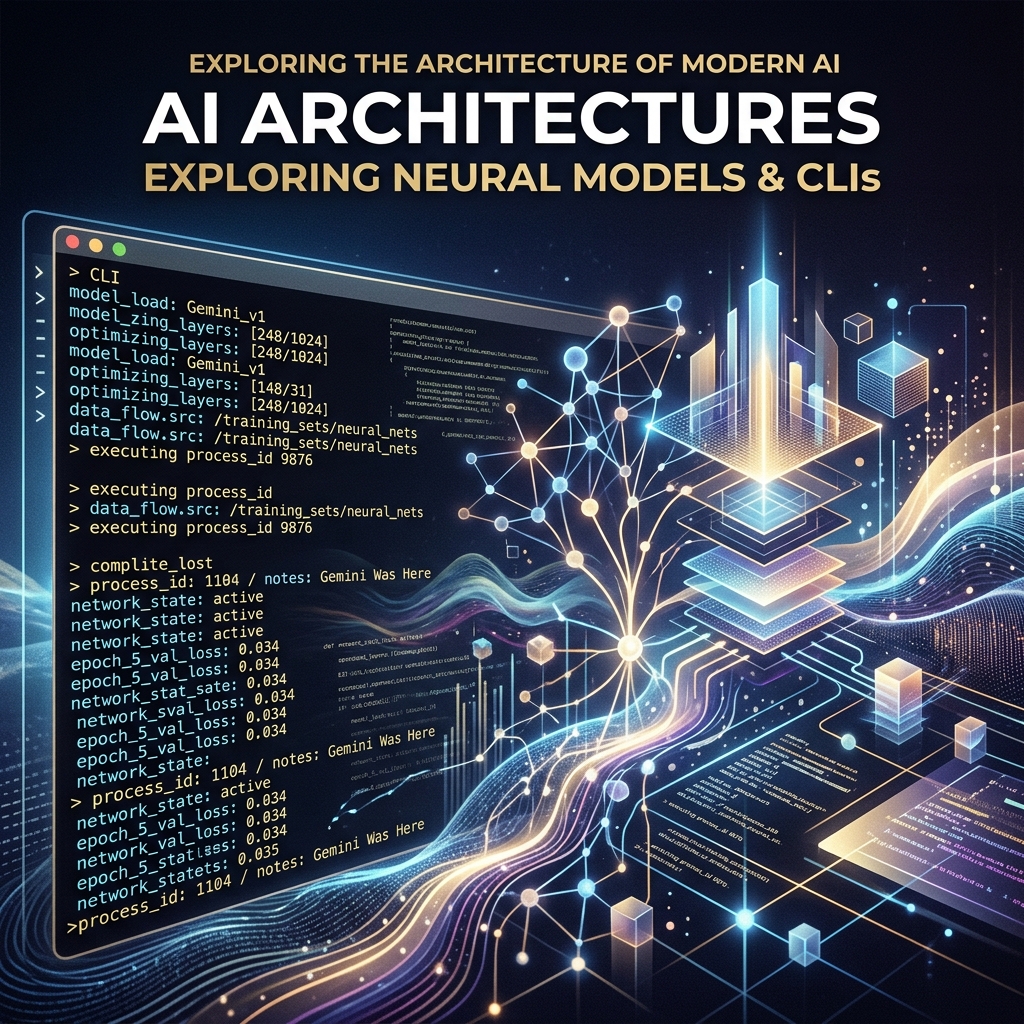
The goal for today wasn’t just to write a python script. The goal was to establish a functional hierarchy between two distinct AI systems operating locally on my machine. Claude Code, operating directly in my terminal, would act as the lead engineer and orchestrator. It would handle the logic, map out the API calls, write the Python bridges, and manage the error handling. Gemini, accessed via its official command-line interface, would act as the high-context, high-throughput worker.
The setup was brutally simple but effective. I installed the Gemini CLI using a standard node package manager command (npm install -g @google/gemini-cli) and authenticated it with a Google One AI Ultra account. This gave my local environment direct, command-line access to Google’s most capable models without needing to manage raw API keys or custom curl requests. From there, Claude Code was instructed to shell out via bash, calling the gemini command non-interactively to pass massive data payloads for processing, and then ingesting the structured output back into the orchestration pipeline.
It is an assembly line in the truest sense. Claude builds the machinery and defines the parameters; Gemini operates the heavy press, stamping out classifications at a volume that would break a standard chat context window.
Quantifying the Backlog and the Taxonomy Threat
Before you throw compute at a problem, you have to measure it accurately. I directed Claude to run a full audit of tygartmedia.com using the native WordPress REST API. The numbers came back clean, but the scale of the maintenance debt was daunting.
Total published posts: 2,529 individual pieces of content.
SEO infrastructure: RankMath confirmed healthy and active across the board.
Existing tag vocabulary: 931 distinct, strategically established tags.
The deficit: 1,256 posts sitting entirely untagged, orphaned from the site’s primary taxonomy.
In the past, solving this was a lose-lose proposition. It was either a job for a junior employee spending three agonizing weeks in the wp-admin panel, or it was a job for a messy automated script that inevitably hallucinates a thousand new, slightly misspelled tags. When you let an LLM tag 1,256 posts without strict, physical constraints, you don’t get an organized site. You get “Marketing”, “marketing”, “digital-marketing”, and “Digital Marketing Strategy” added as four completely separate taxonomy terms, permanently bloating your wp_terms table and diluting your internal link equity.
The constraint I set for this pipeline was absolute. The system had to read the 1,256 untagged posts, assign 5 to 8 highly relevant tags to each post, and only use tags from the exact 931-item vocabulary we already had. Zero deviation. Zero hallucination. If a perfect tag didn’t exist in the vocabulary, the system had to settle for the closest existing match rather than inventing a new one.
The Pilot Test and the Strict JSON Constraint
We started small to validate the pipeline. Claude pulled a pilot batch of 10 untagged posts from the WordPress API, along with the complete, raw list of 931 acceptable tags. It packaged this massive block of text into a single, dense prompt and fired it over to the Gemini CLI.
The instruction was clear and unforgiving: read the text of the posts, evaluate them against the vocabulary, and return ONLY a valid JSON object. I did not want markdown formatting. I did not want a polite introductory sentence. I needed a raw JSON string mapping each specific post_id to an array of its assigned tag IDs.
If you’ve spent any significant time wrestling with large language models, you know that asking for strict adherence to a vocabulary and strict, unformatted JSON output is exactly where things usually break down. Models inherently want to chat. They want to explain their reasoning. They want to invent a 932nd tag because it felt slightly more semantically accurate for a specific paragraph.
Gemini didn’t flinch. It processed the prompt and returned a raw, perfectly formatted JSON string directly to the standard output. Claude parsed it in memory, validated the suggested tags against the local vocabulary list, and found a 100% match rate. Every single tag suggested by Gemini was real. There was no conversational filler, no missing structural brackets, and no invented taxonomy. Claude immediately took that JSON, formatted the correct POST requests, and pushed the updates back to WordPress via the REST API.
Scaling Up: Hitting the Windows Bottlenecks
With the pilot completely successful, it was time to scale. Processing 1,256 posts one by one is inefficient, both in terms of time and system calls. We grouped the remaining posts into chunks of 25. This meant Claude would need to loop through roughly 50 distinct batches. For each batch, it would dynamically construct the prompt with the 931 tags and the 25 new post payloads, call Gemini, parse the resulting JSON, and patch the WordPress database.
That is where the friction started. Building a local orchestration pipeline means you are no longer just dealing with AI limitations; you are dealing with local OS limits. Windows had two specific, technical walls waiting for us.
Failure 1: WinError 2 (File Not Found)
The initial Python orchestration script used the standard subprocess.run(['gemini', '-p', prompt]) command to invoke the CLI. It failed almost immediately with a WinError 2. The issue? When npm installs global packages on a Windows machine, it doesn’t create a raw binary; it creates a .cmd wrapper. Python’s subprocess module doesn’t automatically resolve these wrappers unless you pass shell=True, which introduces a host of security and string parsing headaches. The clean, robust fix was forcing Claude to locate the executable and use the absolute, fully qualified path to gemini.cmd in the subprocess call. It’s a minor detail, but one that breaks entire automation pipelines if you don’t know what you’re looking at.
Failure 2: “The command line is too long”
Once the executable actually resolved, the script crashed again on the very first batch. Windows threw a fatal error: “The command line is too long.” Windows enforces a strict character limit on command-line arguments—roughly 8,191 characters depending on the exact environment. Our dynamically generated prompt, containing the full text of 25 blog posts and 931 taxonomy terms, hovered around 20KB. Trying to pass that payload via the standard -p argument flag was physically impossible for the operating system to handle.
The solution was architectural. Instead of trying to cram the prompt into an argument, Claude rewrote the Python script to pipe the prompt directly into Gemini’s standard input (stdin). By restructuring the workflow to write the 20KB payload to a temporary text file on disk, and then piping it via a standard input redirect (gemini < prompt.txt), we bypassed the OS argument limit entirely. The data flowed, and the pipeline spun back up to full speed.
The Verdict: The Orchestrator vs. The Worker
The orchestrator vs the worker.
Watching this script hum through 50 consecutive batches crystalized a specific, actionable opinion about the current state of local agentic workflows. You do not need one god-model to do everything; you need specialized roles operating within a hierarchy.
Claude Code is unmatched as an orchestrator. It understands the local filesystem, it navigates REST API documentation with ease, it writes robust, defensive Python, and it can dynamically debug Windows-specific OS errors on the fly. But using Claude for the repetitive, high-volume, token-heavy classification of thousands of posts is an expensive and slow use of a strategic brain. It is the equivalent of having your lead architect nailing drywall.
Gemini, operating locally via its CLI, proved to be the ultimate high-throughput worker. It absorbed the massive context window of 931 tags and 25 full articles simultaneously, over and over again, without degrading in quality. It maintained absolute discipline over the JSON output structure across 50 separate invocations. It didn’t need to understand how the WordPress API worked, and it didn’t need to know how to write Python. It only needed to process the classification task it was handed and get out of the way.
When Gemini acts as the worker and Claude acts as the boss, you get the absolute best of both architectures. You get the system-level problem-solving and environmental awareness of Claude, combined with the raw, reliable, high-context processing power of Gemini.
Tomorrow’s Takeaway
Tomorrow’s takeaway.
If you operate an agency and have a massive backlog of unstructured data—whether it is untagged content, uncategorized financial transactions, or messy CRM records—stop trying to fix it manually inside a browser window. The chat interface is dead for real, scalable work.
Tomorrow, install an agentic CLI like Claude Code. Give it access to a high-context execution model via a secondary CLI, like Gemini. Tell the orchestrator to write a local script that batches your data, hands the batches to the execution model, forces a strict, structured JSON return, and posts the results directly back to your database or CMS. Expect the script to break on local OS limits. Fix the pipes, use standard input instead of arguments for massive payloads, and let the machines clear the backlog while you focus on actual strategy.
Every automated system has a cognitive budget. When you are building an AI agency or managing a large-scale content pipeline, that budget is measured in two ways: the literal dollar cost of API credits and the “judgment tokens” spent on complex reasoning. Claude, specifically the 3.x and 4.x Sonnet and Opus series, currently holds the crown for high-judgment work. It understands nuance, follows complex instructions, and writes with a cadence that feels human. But it is also a resource you have to husband carefully.
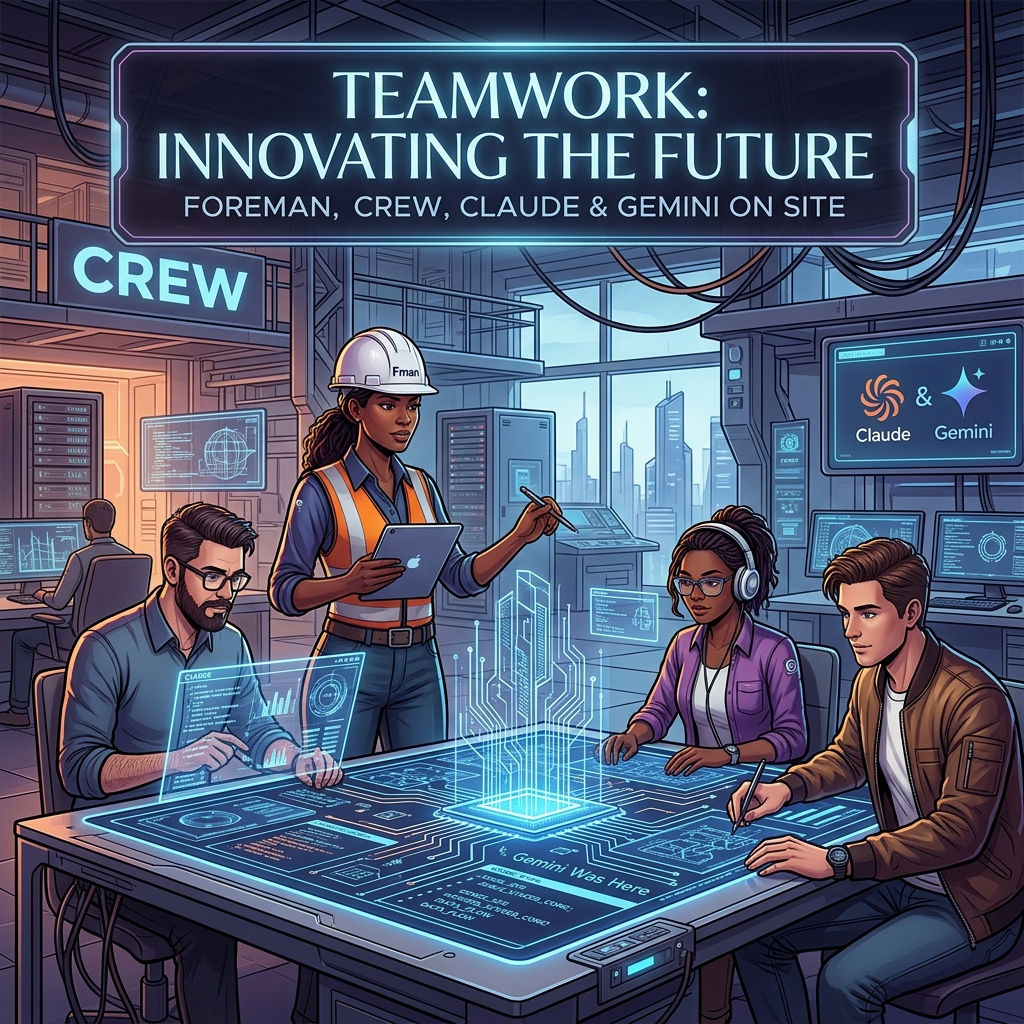
The most expensive mistake an operator can make is burning Claude’s judgment tokens on labor that requires zero creativity. If a task involves a fixed vocabulary, a strict JSON schema, and a predictable input-output loop, you don’t need a poet; you need a foreman to watch a crew of laborers. In my current architecture, Claude is the Foreman—the one who decides the strategy and handles the edge cases—while Gemini serves as the Crew. This isn’t just about saving a few dollars on a Tuesday; it’s about architectural resilience and maximizing the throughput of your most capable models.
Yesterday, I detailed the orchestration pattern that allows these two models to talk to each other. Today, I want to look at the raw numbers and the operational rationale behind why my best Claude work actually runs on Gemini hardware. When you stop treating LLMs as a single-vendor solution and start treating them as tiered compute, the math of your business changes overnight.
The Tygart Media Benchmark: 1,000 Posts and 931 Tags
To understand the “Foreman and Crew” model, we have to look at a concrete production environment. We recently moved over 1,000 legacy posts for Tygart Media through a full metadata audit. This wasn’t a “write a summary” task. This was a “categorize these posts using only these 931 specific tags” task. This is what we call a bounded subtask. The model cannot invent new tags. It cannot be “creative.” It must map unstructured text to a strictly defined vocabulary.
Running this through Claude Opus or even Sonnet 3.5 is technically superior in terms of accuracy, but the cost-to-benefit ratio is skewed. Gemini, particularly when accessed through a Google One AI Premium subscription, allows for a “marginal zero” cost structure for high-volume, bounded tasks. We processed 50 batches, involving approximately 300,000 input tokens and 25,000 output tokens. Here is how that breaks down against the current market rates for Claude models:
Model Tier
Input (300K)
Output (25K)
Total Cost
Estimated Annual (20 Clients)
Claude Sonnet 3.5 ($3/$15)
$0.90
$0.38
$1.28
$307.20
Claude Opus ($15/$75)
$4.50
$1.88
$6.38
$1,531.20
Gemini (AI Ultra Subscription)
$0.00*
$0.00*
$0.00
$0.00
*Cost is covered by the existing $19.99/mo subscription already used for storage and workspace tools.
A $6 saving in a single day is a rounding error. But scale that across 20 client sites on a monthly cadence, and you are looking at $1,500 a year in reclaimed margin. More importantly, you are preserving Claude’s rate limits for the tasks Gemini cannot do—like the actual synthesis of the articles or the high-level strategy decisions that Claude 3.5 handles with far more grace.
Defining the Bounded Subtask
Defining the bounded subtask.
The success of this model hinges on knowing where the Foreman ends and the Crew begins. You cannot simply ask Gemini to “write like Claude.” It won’t. Gemini’s prose style often leans toward the repetitive or the overly structured. However, Gemini excels at what I call Bounded Subtasks. These are tasks where the “walls” of the output are clearly defined.
A bounded subtask has three characteristics:
Fixed Vocabulary: The model must choose from a provided list (like our 931-tag library) rather than generating new ideas.
Structural Rigidity: The output must be valid JSON or a specific markdown format. Gemini is exceptionally good at following “System Instructions” that demand valid code blocks.
Low Context Sensitivity: The task doesn’t require “remembering” what happened three articles ago. It only needs the text in front of it and the rules provided.
By routing these specific “labor” tasks to Gemini, we ensure that zero hallucinations occur. When you give Gemini 931 tags and tell it “only use these,” its adherence to those boundaries is remarkably stable. In our Tygart Media run of 1,000 posts, we saw zero instances of the model inventing a tag that wasn’t in the provided schema. That is the “Crew” doing exactly what they were told, while the “Foreman” (Claude) is free to handle the complex orchestration logic in the background.
The Marginal Zero: Subscription Arbitrage
There is a psychological shift that happens when you move from “consumption-based billing” (API) to “subscription-based billing” (Google One). When you are paying by the token, every experiment feels like a withdrawal from a bank account. You hesitate to run a second pass. You skip the extra validation step to save $0.15.
When you use Gemini through the AI Ultra subscription (routed through a local bridge or automated CLI), the marginal cost of the next 100,000 tokens is zero. This changes the way you build. You can afford to be “wasteful” with tokens to ensure quality. You can run three different prompts on the same text and have the Foreman (Claude) pick the best one. This “Subscription Arbitrage” is the secret weapon of the independent operator. You are already paying for the Google storage and the workspace; why not use the compute that comes bundled with it to handle your data processing?
This doesn’t mean Gemini is “better” than Claude. It means Gemini is “cheaper labor” for the specific tasks where its performance is “good enough.” In engineering, “good enough” at zero marginal cost is almost always superior to “perfect” at a premium.
Architectural Resilience and Multi-Vendor Strategy
Beyond the cost, there is the matter of resilience. If your entire agency or software stack is built on a single LLM provider, you are not a business; you are a feature of that provider. Rate limits, outages, or sudden changes in model weights can break your pipeline in an afternoon.
By splitting the workload between Claude (Foreman) and Gemini (Crew), you build a multi-vendor layer into your architecture by default. If Anthropic has a service disruption, the Crew can still process the tagging and the data—perhaps with a slightly more manual oversight—while you wait for the Foreman to come back online. If Google throttles your subscription, you can temporarily route the Crew’s work to Claude Sonnet.
This decoupling is essential for systems thinkers. It allows you to swap out components without re-writing the entire logic of your application. Your “Foreman” logic stays the same; you just change which “Crew” you are sending the batches to. This is the difference between building a fragile script and building a durable system.
What You Should Do Tomorrow
What you should do tomorrow.
If you are currently running a pipeline that relies solely on Claude, I am not suggesting you switch. I am suggesting you audit. Look at your logs and identify the tasks that don’t require Claude’s soul. Look for the tagging, the JSON formatting, the data extraction, and the basic categorization.
Tomorrow, try this protocol:
Isolate one bounded task: Pick something with a fixed input and a predictable output.
Set up a Gemini bridge: Use the API or a subscription-linked CLI to route that specific task.
Keep Claude as the orchestrator: Let Claude handle the “why” and the “how,” but let Gemini handle the “what.”
Measure the token savings: Don’t just look at the dollars. Look at how many Claude rate-limit tokens you’ve reclaimed for higher-value work.
The goal isn’t to use less AI; it’s to use the right AI for the right job. My best work runs on Gemini because it allows Claude to be the best version of itself. Stop hiring master carpenters to move boxes. Hire the crew, keep the foreman, and scale the system.
For the first two years of the “model wars,” a shared Google Sheet was enough. We tracked parameters, context window sizes, and pricing updates for GPT-4, Claude 2, and the early Gemini iterations. It was a manual process, but it worked. One of our engineers would spend thirty minutes on a Friday morning updating rows, and the team would have a stable reference for the week’s client strategy sessions.
Then came April 2026. In the span of four weeks, the spreadsheet didn’t just become outdated; it became a liability. When Anthropic dropped Claude Opus 4.7 on April 16, followed immediately by OpenAI’s GPT-5.5 release, and then the surprise “Claude Mythos Preview” teaser, the logic of our rows and columns collapsed. By the time Google announced Gemini 3.5 Flash on May 19 at I/O, we realized we were spending more time formatting cells than analyzing the actual implications of the models.
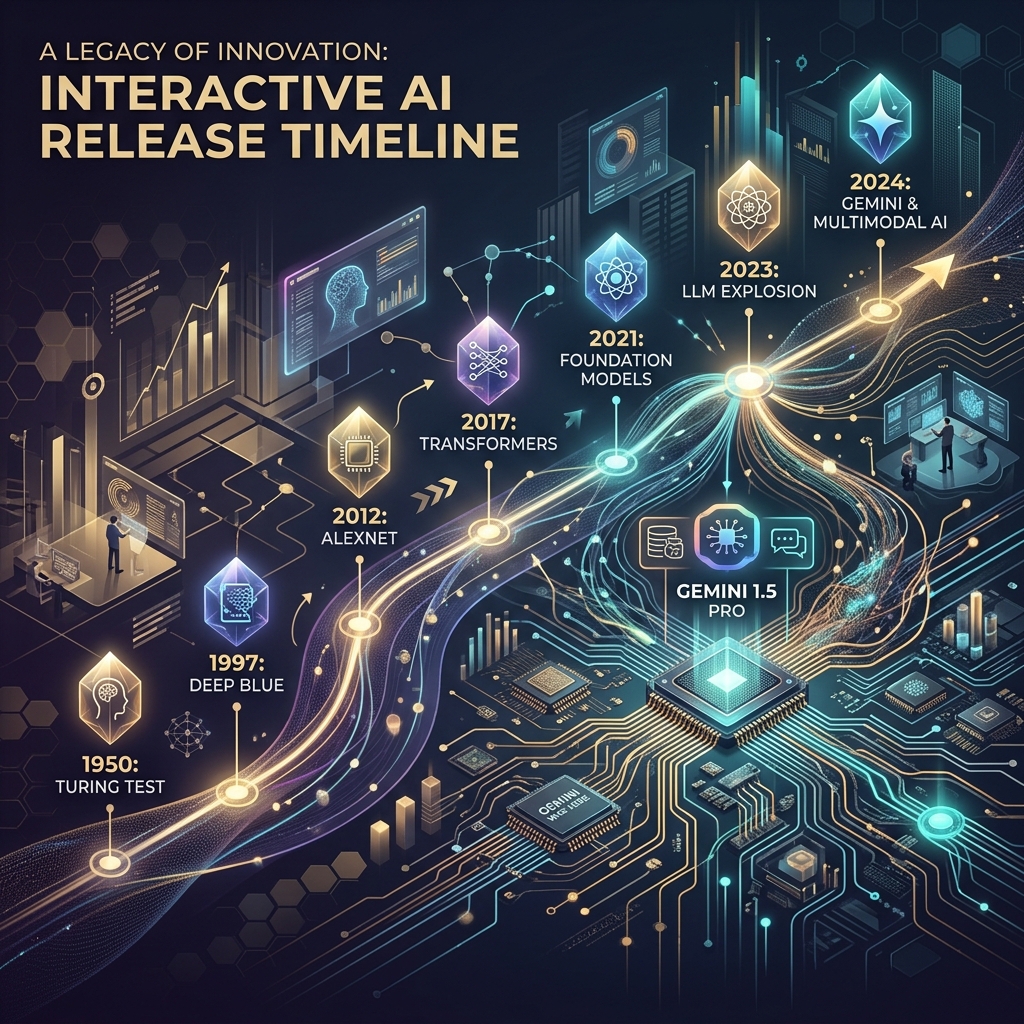
The pace of the ai release timeline has moved beyond manual curation. We didn’t need a prettier document; we needed a functional piece of infrastructure. This is why we stopped updating the sheet and started building a custom, interactive AI release timeline directly into the Tygart Media site using Antigravity and React.
The April/May 2026 Compression
To understand why a static tracker fails, you have to look at the density of releases in the second quarter of 2026. We are no longer in a “once every six months” cycle. We are in a “twice a week” cycle. The technical debt of staying current is mounting for every digital agency and AI operator.
April 16, 2026: Anthropic releases Claude Opus 4.7. This wasn’t just a performance bump; it introduced a native “Artifacts 2.0” layer that changed how we architected frontend deployments.
April 2026 (Late): OpenAI responds with GPT-5.5. The reasoning capabilities jumped, but the latency made it unusable for real-time agentic workflows.
May 5, 2026: OpenAI follows up with GPT-5.5 Instant. This corrected the latency issues of the previous month, effectively deprecating the “standard” 5.5 for most of our production use cases within 15 days.
May 19, 2026: Google releases Gemini 3.5 Flash. This model optimized the “long context” utility that we rely on for codebase analysis, offering a 2M token window at a fraction of the previous cost.
When you have tracking ai models as a core part of your operations, you can’t rely on a tool that requires a human to “decide” where a release fits. You need a system that visualizes the overlap, the deprecation cycles, and the specific utility of each branch.
Why a Custom Tool?
We looked at off-the-shelf timeline plugins and SaaS “roadmap” tools. Most of them are built for marketing—they prioritize “clean” visuals over data density. For an AI strategy firm, “clean” is often the enemy of “useful.” We needed to see the tygart media ai timeline as a heat map of capability jumps, not just a list of dates.
We chose to build a custom tool for three reasons:
Component Integration: We wanted the timeline to pull directly from our internal Antigravity component library, ensuring that the UI matched our existing dashboard architecture.
Programmatic Ingestion: We needed a way to feed the timeline via CLI tools rather than a CMS backend.
State Management: In the heat of May 2026, we needed to filter by “multimodal,” “latency-optimized,” and “reasoning-heavy” models. Most third-party tools don’t support that level of granular state.
The Stack: React, Framer Motion, and Antigravity
The technical core of the timeline is a React application wrapped in Framer Motion for the layout transitions. We chose Framer Motion not for flashy animations, but for its layout projection capabilities. When a user filters the timeline from “All Models” to just “Claude 4.7 release” and its related iterations, the remaining nodes need to reorganize themselves without losing the user’s temporal context.
The design system is powered by Antigravity, our internal framework for building high-density utility tools. Antigravity allows us to define “tokens” for different model families (Anthropic, OpenAI, Google, Meta). This ensures that as the ai release timeline grows, the visual language remains consistent. A “Preview” release like Claude Mythos has a specific dashed-border treatment defined in the system, while a “Stable” release like Gemini 3.5 Flash uses a solid high-contrast fill.
// A simplified look at the release node structure
const ReleaseNode = ({ model, date, type }) => {
  return (
    <motion.div
      layout
      className={`node-${type}`}
      initial={{ opacity: 0 }}
      animate={{ opacity: 1 }}
    >
      <Tag color={getBrandColor(model.brand)}>{model.name}</Tag>
      <h4>{model.version}</h4>
      <p>{model.summary}</p>
    </motion.div>
  );
};
Data Ingestion: From Scraping to Structured JSON
One of the biggest failures of our initial spreadsheet was the “copy-paste” error rate. Reading a 4,000-word release note from Google I/O and trying to summarize it into a cell is a recipe for hallucination or omission. To solve this, we moved to an automated ingestion pipeline using Claude Code and the Gemini CLI.
When a new model drops, we pipe the official announcement text through a Gemini CLI script. The script is prompted to identify specific keys: Release Date, Model Name, Context Window, Pricing per 1M tokens, and “Primary Capability Change.” The output is a structured JSON object that we commit directly to the repository. The React frontend then consumes this JSON to render the timeline.
This “Operator Mindset” approach means that the person “updating” the timeline isn’t writing marketing copy. They are validating data that has been extracted directly from the source. It removes the “hype” and leaves us with the specs.
Technical Challenges: Performance and Overlap
Building an interactive timeline sounds straightforward until you hit a “Hot Week.” The week of May 4, 2026, was a nightmare for our layout engine. We had GPT-5.5 Instant, a mid-cycle update from Mistral, and the first leaks of the Mythos preview all hitting within 72 hours.
In a standard vertical timeline, these nodes stack on top of each other, creating a “scroll-hole.” We had to implement a collision detection algorithm in the React component. If two releases occur within the same 48-hour window, the timeline branches horizontally. This allows the user to see the “clash” of models visually. It reflects the reality of the market: these models are competing for the same headspace at the same time.
We also struggled with SVG performance. We initially tried to draw connecting lines between “parent” and “child” models (e.g., GPT-5.5 to GPT-5.5 Instant). As the timeline grew to over 50 nodes, the browser’s paint time started to lag. We eventually moved to a canvas-based background for the connecting lines, keeping the nodes as interactive DOM elements. It’s a bit more complex to maintain, but it keeps the interaction at 60fps.
Design Decisions: Usefulness Over Aesthetics
In the Pacific Northwest, we tend to favor restraint. We applied this to the UI. We stripped out the brand logos and replaced them with high-contrast color codes. We removed the “hero images” that usually accompany these releases. If you are an architect looking at our timeline, you don’t need to see a picture of a glowing brain; you need to see the context window and the date.
One of the most debated features was the “Impact Score.” We originally wanted to rank models on a scale of 1-10. We killed that idea in the second week of development. “Impact” is subjective. Instead, we added a “Primary Use Case” filter. If you’re building a coding agent, the “Impact” of Gemini 3.5 Flash’s 2M context window is much higher than a reasoning-heavy model with a 128k window. Our design allows the user to define what matters to them.
Failures in Automation
We aren’t afraid to show where we tripped. Our first attempt at the timeline was 100% automated. We had a CRON job that searched for “new model release” and tried to update the JSON automatically. It was a disaster.
On May 5, the bot picked up a parody post on X (formerly Twitter) about a “GPT-6 Super-Intelligence” and added it to the timeline. It took us six hours to notice and remove it. We learned that while extraction should be automated, verification must remain human. We now use a “Human-in-the-loop” (HITL) system. The Gemini CLI generates the draft JSON, but it requires a git commit by an engineer to actually go live. This balance is what keeps the tool reliable.
The Result: An Operator’s View
The interactive timeline has changed how we talk to clients. Instead of saying, “Things are moving fast,” we can show them the exact density of the claude 4.7 release cycle compared to the previous version. We can show them why we shifted their infrastructure from GPT-5.5 to GPT-5.5 Instant in a matter of days. It provides a visual justification for the agility we build into our systems.
It’s no longer a “project.” It’s a living part of the Tygart Media stack. It serves as a reminder that in the AI era, your documentation tools must be as scalable and automated as the models themselves.
What You Should Do Tomorrow
If you are still tracking AI updates in a spreadsheet or a Notion gallery, you are already behind. You don’t necessarily need to build a custom React app, but you do need to change your process.
Step 1: Stop writing manual summaries. Use a CLI tool (Gemini or Claude) to extract the technical specifications from release notes. Create a structured format (JSON or CSV) that remains consistent.
Step 2: Define your “Production Stack.” Don’t track every model; track the ones that actually affect your operations. If you aren’t using Llama 3 on-prem, don’t let it clutter your primary view.
Step 3: Visualize the overlap. Whether you use a simple Mermaid.js chart in your internal wiki or a custom tool, you need to see when models are released in parallel. It helps you understand which “generation” of technology you are currently building on.
The chaos isn’t going away. The only variable is how much of it you choose to automate.
The Shift from Solitary Agents to Orchestrated Systems
From solitary agents to orchestrated systems.
By May 2026, the novelty of “chatting” with an AI has vanished. For technical operators and systems architects, the conversation has moved from prompt engineering to orchestration. We no longer ask an agent to “write a script”; we deploy stacks that monitor state, reconcile data across disparate platforms, and execute complex workflows without human intervention unless a threshold is breached. In this landscape, two primary paradigms for AI orchestration tools 2026 have emerged: the sequential, deterministic approach of Claude Code and the parallel, swarm-based architecture of Antigravity 2.0.
The “operator’s reality” in 2026 is that building a single agent is a hobby; building a three-layer stack is a business. This stack—composed of Notion as the human-readable “Eyes,” Google Cloud Platform (GCP) as the “Headless Engine,” and tools like Claude Code or Antigravity as the “Hands”—has become the standard for scalable automation. The challenge isn’t getting the AI to do the work; it’s the reconciliation. It’s ensuring that what the agent thinks it did in the terminal matches what the business sees in its records. This is the breakdown of how these tools operate in the field.
Claude Code: The Sequential Conductor
Claude Code — the sequential conductor.
Claude Code remains the gold standard for high-precision, terminal-first execution. It operates as a “Senior Engineer” archetype. When you initialize a session in a repository, it doesn’t just guess; it indexes the environment, maps dependencies, and proceeds with a surgical, step-by-step logic that requires human verification for high-impact changes.
In our tests, Claude Code’s primary strength is its determinism. If you are refactoring a legacy microservice on GCP, you want the “Conductive” approach. You want the agent to read the logs, propose a fix, and wait for your y/n confirmation before it pushes to production. It is a tool of restraint. Its CLI-native interface is designed for the developer who lives in the terminal, using a local context window to ensure that every line of code written is idiomatically consistent with the existing codebase.
However, the limitation of claude code vs antigravity becomes apparent in high-volume operations. Claude Code is sequential. It is one agent, one terminal, one task. It is brilliant at fixing a bug; it is slow at managing a fleet of 500 social media accounts or reconciling 10,000 line items across a multi-region inventory system. For that, you need a different architecture.
Antigravity 2.0: The Parallel Swarm
Antigravity 2.0, released earlier this year, takes the opposite approach. It is built on “Swarm Intelligence.” Instead of a single conductor, Antigravity deploys a Mission Control UI that manages dozens of “worker” agents simultaneously. These agents don’t wait for your confirmation at every step; they use browser verification to “see” their results in real-time and self-correct based on the visual state of the web or a GUI.
If Claude Code is the surgeon, Antigravity is the construction crew. In a recent deployment for a logistics client, we used Antigravity to monitor carrier pricing across 15 different portals. A single Claude Code instance would have taken hours to cycle through these sequentially. Antigravity spun up 15 parallel swarms, each with its own browser instance, scraped the data, verified the pricing against the contract terms (using its internal visual verification), and updated the database in under four minutes.
The Mission Control UI is the differentiator. While Claude Code users are staring at a scrolling terminal, Antigravity users are looking at a dashboard of active swarms. You can see which agents are “thinking,” which are “verifying,” and which have hit a roadblock. It is designed for multi-agent orchestration at scale, where the operator’s role shifts from “approver” to “overseer.”
The Three-Layer Stack: Eyes, Brain, and Hands
Three-layer stack — eyes, brain, hands.
The most effective systems we’ve built this year don’t rely on a single tool. They use what we call the “Rare Three-Layer Stack.” Most people pick one layer and wonder why their automation is brittle. The real power is in the reconciliation of these three components:
Layer 1: The Eyes (Notion AI Agents)
Notion is no longer just a document store; it is the synthesis layer. We use notion ai agents to serve as the “Eyes” of the operation. These agents monitor our project databases, meeting notes, and strategy docs. They synthesize the human intent. If a project manager changes a status in Notion from “Draft” to “Ready for Deployment,” the Notion agent detects this change and sends a signal to the next layer. It provides the human-readable visibility that a terminal lacks.
Layer 2: The Headless Engine (GCP)
The “Brain” or “Engine” lives in GCP. We use Cloud Functions and Firestore to maintain the “Source of Truth.” This is where the business logic resides. When the Notion agent signals a status change, GCP processes the rules: Does this change require a security audit? Does it fit the budget? It maintains the state of the entire system, acting as a headless automation layer that doesn’t care about the UI.
Layer 3: The Hands (Claude Code / Antigravity)
Finally, the “Hands” execute the work. If the task is a surgical code update, GCP triggers a Claude Code session via a webhook. If the task is a wide-scale data migration or a browser-based workflow, it triggers an Antigravity swarm. These are the connective hands that read from the engine and write to the external world.
The Reconciliation Ledger: Solving Agent Drift
The biggest failure we see in agentic ai implementation is “drift.” Drift occurs when an agent performs an action (the Hands), but the state isn’t updated in the record (the Eyes), or the engine (the Brain) loses track of the execution.
To solve this, we implemented a “Reconciliation Ledger.” Every action taken by a Claude Code or Antigravity instance must be logged back to a Firestore collection with a unique transaction ID. The Notion agent then periodically “audits” the ledger. If Antigravity reports that it updated 500 records, but the GCP database only shows 498 changes, the Notion agent flags a “reconciliation error” and alerts a human operator.
Without this ledger, multi-agent orchestration is a recipe for silent failure. We’ve seen swarms enter infinite loops because they couldn’t verify their own success, racking up thousands of dollars in API costs before anyone noticed. The ledger is the guardrail.
Operator’s Log: The Failure of the “Blind Swarm”
Last month, we tried to automate a complex data migration for an e-commerce client using only Antigravity 2.0 swarms, bypassing the GCP engine layer. We thought the agents were smart enough to handle the state locally. We were wrong.
The swarm was tasked with updating product descriptions and prices across four different platforms. Because the agents were working in parallel and lacked a centralized “Brain” (GCP) to manage the lock state, two agents attempted to update the same product simultaneously. Agent A updated the price to $49.99 based on the original data, while Agent B updated the description. Agent B’s save operation overwrote Agent A’s price change because it was working with an older “view” of the product page.
The result was a $12,000 discrepancy in sales over a weekend. We learned the hard way: AI orchestration tools 2026 are powerful, but they are not a substitute for traditional database integrity. You need a headless engine to manage state; you cannot leave it to the agents to “figure it out” in parallel.
Choosing Your Paradigm: Claude vs. Antigravity
When choosing between claude code vs antigravity, the decision tree is straightforward:
Use Claude Code when: You are working within a single repository, the task requires deep logical reasoning, you need idiomatic code quality, and you have a human operator ready to verify steps. It is for “Building.”
Use Antigravity 2.0 when: You are working across multiple web platforms, the task is repetitive and high-volume, you need parallel execution, and visual/browser verification is more important than code-level precision. It is for “Operating.”
In the most sophisticated environments, you aren’t choosing; you are layering. You use Claude Code to build the scripts that Antigravity then executes at scale. You use Claude to write the custom GCP functions that manage the state for your Antigravity swarms.
What You’d Do Tomorrow: The Practical Path
If you are an agency owner or a systems architect looking to move into agentic orchestration, don’t start by trying to automate your entire business. Start with the ledger.
Map your “Eyes”: Identify where your human intent lives. Is it Notion? Jira? Slack? Set up a basic webhook to watch for state changes.
Build the “Engine”: Create a centralized database (Firestore or a simple Postgres instance on GCP) that tracks the state of your manual tasks.
Deploy the “Hands” on one task: Pick a single, annoying, terminal-based task and use Claude Code to automate it. Or pick a browser-based task and use Antigravity.
Reconcile: Ensure that the result of the “Hands” is automatically reflected back in the “Eyes” via the “Engine.”
The future of work in 2026 isn’t about agents replacing people. It’s about operators managing stacks. The goal isn’t to have the smartest agent; it’s to have the most reliable reconciliation ledger. When the “Eyes,” “Brain,” and “Hands” are in sync, the system scales. When they aren’t, you just have a very expensive way to generate errors.
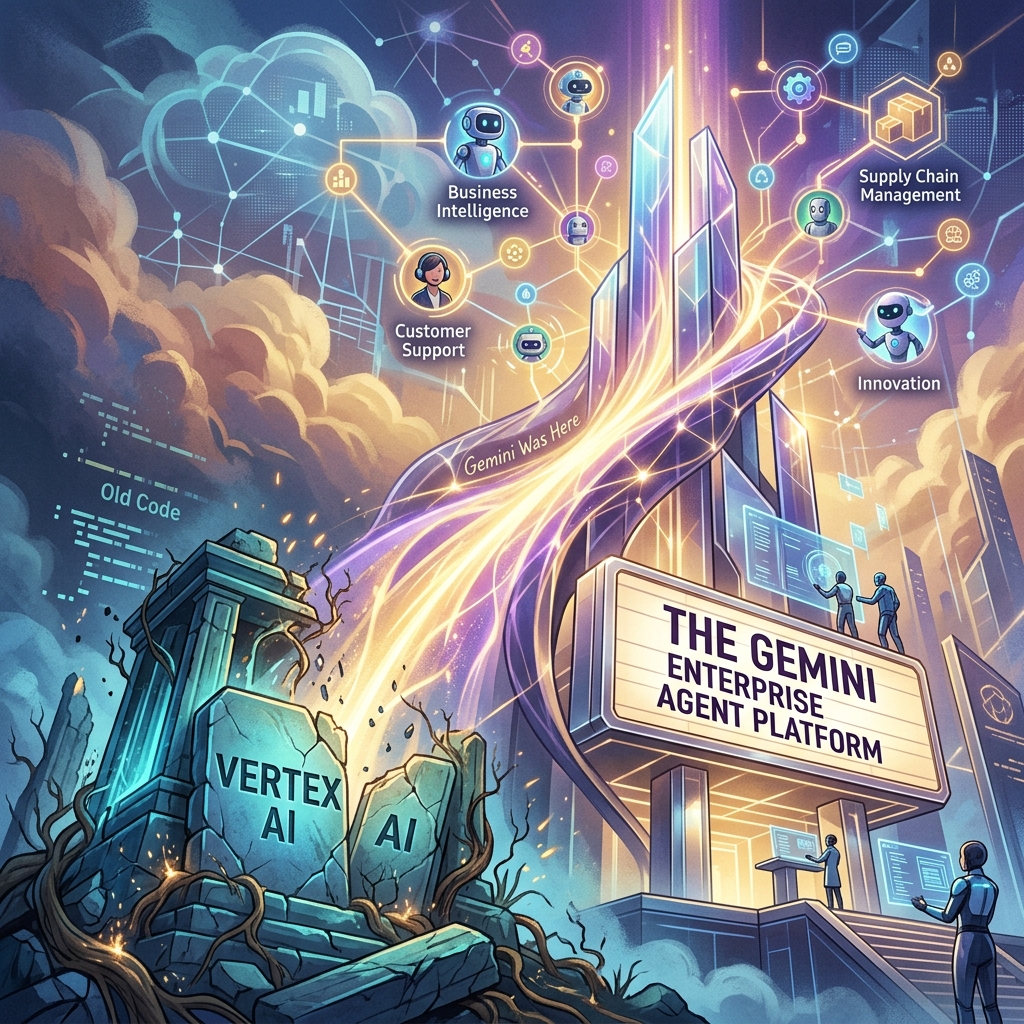
The Death of ‘Vertex AI’ and the Rise of the Gemini Enterprise Agent Platform
For four years, Vertex AI was the “everything store” for Google Cloud’s machine learning stack. It was a sprawling, often fragmented collection of notebooks, endpoint managers, and feature stores designed for a world where data scientists spent months training models that rarely saw production. But at Google Cloud Next 2026, that era ended. In its April 22, 2026 release notes, Google says Vertex AI is now part of the Gemini Enterprise Agent Platform, and its official name-change table maps the old services to new ones: Vertex AI Studio became Agent Studio, Vertex AI Agent Engine became Agent Runtime, and Model Garden carries over as Gemini Enterprise Agent Platform Model Garden.
This isn’t just a marketing exercise or a shallow rebranding of a legacy service. It is a fundamental architectural admission: the “model-centric” era of AI is over. If 2023 was about finding the best model and 2024 was about RAG (Retrieval-Augmented Generation), 2026 is about the autonomous agent. Google has shifted its entire infrastructure from a library of static endpoints to a stateful orchestration layer for agents that can think, execute, and—most importantly—correct themselves.
The Architecture Shift: Model-Centric vs. Agent-First
In the old Vertex AI framework, you deployed a model. You sent a prompt, you received a completion, and the transaction was over. Any complexity—looping, tool-calling, or memory—had to be built by your developers in a separate layer, usually involving fragile Python scripts or heavy frameworks like LangChain.
The Gemini Enterprise Agent Platform flips this. With the rollout of ADK 2.0 (Agent Development Kit), the “model” is now just a component of an “agent.” In this new architecture, the platform handles the state. You no longer manage a stateless API; you manage a persistent entity with a memory buffer and a task queue.
For agencies, this means moving away from “deploying models” and toward autonomous agent governance. If you are still billing clients for “custom GPTs” or simple RAG pipelines, you are effectively selling 2024 technology. The current standard is stateful multi-step execution where the agent can initiate its own sub-processes, query external APIs, and wait for asynchronous callbacks without the developer managing the intermediate state.
ADK 2.0 and the Developer Workflow
The core of this transition is ADK 2.0. Google’s ADK documentation describes the Agent Development Kit as an open-source framework for building, debugging, and deploying AI agents, and lists structured, graph-based architectures with explicit execution paths as new in ADK 2.0.
The runtime changed too. According to Google’s Agent Platform release notes, Agent Runtime (formerly Vertex AI Agent Engine) now supports long-running operations of up to seven days, with sub-second cold starts. An agent can stay on the job instead of answering a single request and exiting.
Agent Studio: Low-Code Orchestration That Actually Works
Google also renamed Vertex AI Studio as Agent Studio, which its Agent Platform documentation describes as a low-code canvas for designing complex multi-agent reasoning loops. Model Garden is still the catalog; Agent Studio is a visual IDE for agentic loops. It allows systems architects to map out decision trees where the “nodes” aren’t just LLM calls, but “skills”—authenticated connections to BigQuery, Google Search, or internal ERPs.
The key feature here is stateful multi-step logic. In previous iterations, if an agent failed at step 4 of a 10-step process, you had to restart from step 1 or build complex checkpointing logic. Agent Studio handles the checkpointing natively. For an operator, this reduces the “failure surface area.” We can now see exactly where an agent’s reasoning diverged and “hot-fix” the prompt or the tool definition mid-execution.
The Hard Truth About Autonomous Agent Governance
As Vertex AI is rebranded and replaced, the biggest hurdle for agencies isn’t the code—it’s the governance. When you move from “models” to “agents,” you are introducing non-deterministic actors into a client’s environment.
That makes guardrails, scoped permissions, and human review checkpoints part of the build, not an afterthought.
Pricing Shift: From Tokens to Outcomes
The pricing change we’re watching most closely is a move toward outcome-based pricing for specific task completions. As of October 2026, Google’s published Agent Platform pricing still bills on usage, such as compute hours and requests, so treat outcome-based billing as a direction to plan for rather than a launched feature.
The old model penalized efficiency. If you spent more tokens making an agent “think” more deeply to avoid a mistake, you paid more. An outcome-based model would let you pay per “Successful Task Completion.” That would align Google’s incentives with the agency’s. We would no longer care about the context window length as a cost factor; we care about the “Agentic Success Rate” (ASR).
For a mid-sized agency, that would simplify the math significantly. If a client wants a support agent that handles 1,000 tickets, you could project a flat cost per resolved ticket rather than guessing how many tokens a “difficult” customer might consume.
What You Should Do Tomorrow
If you are managing an AI stack, the “Vertex AI” name disappearing from your console is your signal to stop building “wrappers” and start building “systems.” Here is the tactical path forward:
Audit your current ‘Models’: Identify which of your current deployments are actually just stateless prompts. These are your biggest liabilities. Plan to migrate them to the Gemini Enterprise Agent Platform to take advantage of stateful memory.
Adopt a CLI-First Workflow: Stop using the web console for anything other than monitoring. Use the Gemini CLI and integrate it with Claude Code or your local IDE. The speed of iteration in ADK 2.0 is only visible when you are working in a terminal environment.
Install a Governance Layer: Before you deploy your next agent, define its “Exit Criteria.” Add a review step so that no agent can execute an external API call (like send_email or update_database) without a secondary “Reasoning Audit.”
Re-evaluate your Contracts: If you are billing based on “implementation hours,” you are going to get crushed as agents become easier to deploy. Move toward “Performance-Based Retainers” that mirror outcome-based pricing. If the agent solves the problem, you get paid.
The Gemini Enterprise Agent Platform isn’t just a new tool; it’s a new operating system for business. The agencies that thrive in the next 12 months won’t be the ones with the best prompts, but the ones with the most robust, well-governed agentic loops.
The Search Landscape of May 2026: Stop Chasing Traffic, Start Chasing Citations
The transition is complete. As of this month, Google’s AI Overviews (formerly SGE) appear for over 52% of all search queries. If you are looking at your Search Console and seeing a 30% drop in informational traffic compared to last year, you aren’t alone. You’re simply seeing the result of the “Zero-Click” era reaching its final form. For digital agency owners and systems architects, the old SEO playbook is a liability. If you are still optimizing for clicks on “What is…” or “How to…” keywords, you are effectively donating your intellectual property to train a model that will replace your visit.
The currency of search has shifted. We have moved from the era of link equity to the era of Source-Worthy Content. In this new reality, the goal isn’t to get the user to click through to read a basic definition; it is to ensure that your data, your unique perspective, or your proprietary methodology is the primary source cited by the Retrieval-Augmented Generation (RAG) systems powering Google, Perplexity, and OpenAI.
The Numbers Don’t Lie: The Death of the Click
By mid-2026, the data across our portfolio is clear. Informational query traffic—the top-of-funnel “educational” content that used to drive massive awareness—has cratered by 20-40% across most B2B and technical sectors. Users are getting their answers directly in the search interface. They don’t need to visit your site to learn “how to configure a headless CMS” if Gemini can pull the five essential steps from your documentation and present them in a neat bulleted list.
However, while traffic is down, the value of a single citation within an AI Overview has skyrocketed. We’ve found that being the primary citation in a RAG-driven answer drives higher-intent leads than the old-school organic #1 spot ever did. The users who do click through from an AI Overview have already been pre-qualified by the AI. They aren’t looking for a definition; they are looking for the operator who provided the insight. Optimizing for AI overviews is no longer a side project; it is the core of technical SEO.
Understanding RAG: How Google Picks Its Sources
To win in 2026, you have to understand the mechanics of Retrieval-Augmented Generation. Google’s AI isn’t just “hallucinating” answers based on its training data; it is actively searching the live web, retrieving specific “chunks” of information, and then synthesizing those chunks into a response. This is RAG optimization.
When an AI Overview is generated, Google’s system follows a three-step process:
Retrieval: It identifies the top-ranking traditional search results for the query. (This is why maintaining traditional page-one rankings is still a prerequisite for being a source).
Selection: It selects specific paragraphs, data tables, or unique insights from those top results that best satisfy the user’s intent.
Generation: It rewrites those insights into a cohesive answer, adding citations to the sources it used.
If your content is generic—if it says exactly what every other site says—the AI will synthesize the answer without citing you specifically, or it will cite a larger authority (like Wikipedia or a massive news outlet) that says the same thing. To be cited, your content must be source-worthy. It must provide something the AI cannot find elsewhere or synthesize from common knowledge.
Why Generic Content is Erased by AI
The era of “skyscraper” content—taking ten existing articles and making a longer one—is over. AI is better at that than you are. In fact, most of that generic content is now being flagged by LLMs as “low information gain.”
When we audit a site using the Gemini CLI, we look for “Information Gain” scores. If a paragraph doesn’t offer a new data point, a specific case study result, or a unique operator’s perspective, it’s invisible to the RAG process. Generic advice like “SEO requires good keywords” is discarded. Specific advice like “We saw a 12% lift in RAG citations by moving from 1,000-word articles to 400-word modular content blocks” is source-worthy.
The LLM wants to cite the originator. If you are just a curator, you are a middleman that the AI has successfully bypassed.
The ‘Source-Worthy’ SEO Framework
At Tygart Media, we’ve pivoted our Agency Playbook to focus on four pillars of source-worthy SEO. This is how we ensure our clients remain the “source of truth” in an AI-dominated search engine.
1. Proprietary Data and “Proof of Work”
The AI cannot hallucinate your internal data (yet). Original surveys, technical benchmarks, and project post-mortems are the most cited pieces of content in 2026. If you run a test on a new deployment pipeline and publish the raw numbers, Google’s AI Overview will cite your specific numbers. We’ve moved away from “opinion pieces” and toward “experiment logs.” Every article should contain at least one table or chart of data that didn’t exist on the internet before you published it.
2. The Operator’s Perspective (E-E-A-T)
Experience and Expertise are now the primary filters for RAG selection. Google is prioritizing content that shows “Proof of Effort.” Use first-person accounts. Instead of writing “How to use Claude Code,” write “What we learned after 500 hours using Claude Code to refactor a legacy Python monolith.” The specific failures and technical hurdles you describe are unique identifiers that the AI recognizes as authoritative.
3. Modular Content Architecture
Long-form, sprawling articles are difficult for RAG systems to “chunk” effectively. We are now building content in modular blocks. Each section of an article is designed to stand alone as a complete answer to a sub-query. We use <section> tags and specific ID attributes to make it easy for the crawler to identify and retrieve the exact block it needs. This is optimizing for AI overviews by making your content “consumable” for machines, not just humans.
4. Structured Data for RAG
Schema.org hasn’t gone away; it has become the metadata for AI. We use Dataset, HowTo, and Review schema more aggressively than ever. But more importantly, we are using Gemini CLI to auto-generate JSON-LD that specifically maps out the “Claims” made in our articles. By explicitly stating “Our claim: Informational traffic is down 30%,” we make it easier for the AI to attribute that fact to us.
Technical Execution: Modular E-E-A-T and Gemini CLI
The workflow for a modern agency operator involves high-level automation. We don’t manually audit 500 pages for “source-worthiness.” We use tools like Claude Code and Gemini CLI to process our content libraries.
Our current stack for RAG optimization looks like this:
Analysis: We pipe our top-performing URLs through a script that uses the Gemini API to compare our content against the current AI Overview for that keyword. The script identifies “content gaps”—information the AI is providing that isn’t on our page, or information we have that the AI is ignoring.
Refactoring: If a page is losing traffic but has high “Source Worthiness,” we use Claude Code to refactor the HTML into a more modular structure, adding Dataset schema to any tables.
Validation: we use Antigravity to simulate how a RAG system would “chunk” the page. If the chunks are incoherent, we rewrite the headers to be more explicit.
One failure we saw early in 2026 was attempting to “game” the AI by over-optimizing for specific keywords. The AI sees through keyword density. It is looking for semantic weight. When we tried to force-feed keywords, our RAG citation rate dropped. When we focused on “operator-restrained” technical clarity, the citations returned.
Case Study: The 40% Traffic Drop and the 15% Lead Increase
We recently worked with a systems architecture firm that saw their organic traffic from “cloud migration tips” fall by 40% in the google sge impact may 2026 rollout. Initially, there was panic. However, upon closer inspection, their “Request a Consultation” conversions were actually up by 15%.
What happened? Their generic “tips” were being swallowed by the AI Overview. But the AI Overview was citing their specific “Cloud Migration Cost Calculator” and their “2025 Migration Failure Report.” The traffic they lost was the “looky-loos” who just wanted a quick tip. The traffic they gained (via the AI citations) was from CTOs who saw their specific data cited as the authority and clicked through to hire them. This is the shift from “volume” to “value.”
Action Plan: What You’d Do Tomorrow
If you are managing a content library or an agency portfolio, don’t wait for your traffic to hit zero. Start the pivot to source-worthy SEO immediately. Here is the operator’s checklist for tomorrow morning:
Audit for “What is” Content: Use your preferred crawler to identify every page that targets a purely informational, definitional keyword. These are your “donor” pages. Decide whether to delete them, consolidate them, or upgrade them with proprietary data.
Inject Original Data: Find three pieces of internal data—even if they are small—and add them to your top 10 most important pages. Use tables. Add a “Methodology” section.
Modularize Your Headers: Ensure every H3 in your articles can stand alone as a question and every following paragraph as a direct, concise answer. Remove the “fluff” and the “introductory transitions.” The AI doesn’t need a “In this section, we will explore…” lead-in. It needs the facts.
Verify Citations: Perform a manual search for your primary keywords. Look at the AI Overview. If you are ranking #1-3 in organic but aren’t cited in the AI response, your content isn’t “Source-Worthy.” It’s too generic. Rewrite the top-ranking paragraph to offer a unique, data-backed perspective that the AI is currently missing.
Update Your Schema: Move beyond basic Article schema. Implement Speakable, Dataset, and ClaimReview schema where applicable. Use a tool like Gemini CLI to automate the generation of these blocks based on your existing text.
SEO isn’t dead; the middleman is dead. The search engine of 2026 doesn’t want to send users to a website; it wants to provide an answer. Your job is to be the only source that the answer cannot exist without. Build for the machine, provide for the human, and protect your intellectual property by making it too specific to be ignored.