Between April 15 and April 29, 2026, the Claude Code team shipped releases from v2.1.89 to v2.1.123 — 34 version increments in 14 days, or roughly 2–3 production releases per week. For an agentic coding tool that engineering teams run in their daily development workflow, this release cadence is worth understanding, both for what it signals about the product’s development velocity and for the practical implications of staying current.
What’s Driving the Cadence
What’s driving the cadence.
The v2.1 series is where Claude Code’s parallel agents architecture is being built out. The desktop redesign for parallel agents shipped on April 14, and the v2.1 releases since then represent the iterative work of making parallel agent workflows — running multiple agents simultaneously from a single workspace — stable and usable at production quality. Rapid iteration on a new architectural feature explains the compressed release schedule better than any other factor.
The new onboarding guide for Claude Code teams, published April 28 on code.claude.com, is a related signal. Documentation for team-scale adoption typically follows (not precedes) the stability work that makes team-scale adoption advisable. Publishing the onboarding guide now suggests the team considers the core parallel agents architecture stable enough for broader engineering team adoption.
Parallel Agents: The Architecture Change That Matters
Parallel agents — the architecture change that matters.
The April 14 desktop redesign for parallel agents is the most significant Claude Code architectural change of the quarter. Previously, Claude Code operated as a single-agent tool — one active task at a time per workspace. The parallel agents redesign allows developers to run multiple agents simultaneously, each working on independent tasks within the same workspace, with Claude coordinating between them.
The practical applications are significant: running tests while implementing a feature, refactoring one module while debugging another, generating documentation in parallel with code review. Tasks that previously required sequential attention can now run concurrently, compressing the time from specification to working code.
Implications for Engineering Teams Evaluating Adoption
Implications for engineering teams evaluating adoption.
The combination of the new onboarding guide and the parallel agents architecture makes this the right moment for engineering teams that have been evaluating Claude Code to make a decision. The tool has moved from “impressive demo” to “documented team workflow” with the April 28 guide, and the parallel agents capability meaningfully changes the productivity math for teams doing complex, multi-threaded development work.
For teams already using Claude Code, staying current with the v2.1 series matters more than it did in earlier versions. The 2–3 weekly releases aren’t cosmetic — they’re iterating on the parallel agents infrastructure that the most powerful new workflows depend on. Check the changelog at code.claude.com/docs/en/changelog before major projects to ensure you’re running a recent build.
Anthropic’s Cowork feature — the desktop automation tool aimed squarely at non-developers — moved out of research preview on April 29, 2026, and is now generally available on both macOS and Windows. It ships with a feature set that represents a meaningful step forward for anyone who has been running scheduled tasks, file workflows, and multi-step automations through Claude without writing a line of code.
What’s New in the GA Release
What’s new in the Cowork GA release.
The GA release lands on Pro, Max, Team, and Enterprise plans. The headline additions are expanded analytics, OpenTelemetry support for enterprise observability, and role-based access controls — the last of these being the signal that Cowork is now ready for team deployments, not just individual power users.
Persistent agent threads are now live across both mobile (iOS and Android) and desktop, which means you can start a Cowork task on your laptop and monitor or manage it from your phone. The new Customize section consolidates skills, plugins, and connectors into a single panel, replacing what was previously a scattered setup experience across multiple menus.
Recurring and on-demand task scheduling is also included, enabling the kind of “set it and check it” automation workflows that Cowork was always promising but only partially delivering during the preview period.
Why This Matters for Non-Developers
Why this matters for non-developers.
Cowork’s core bet has always been that the most valuable use cases for AI automation don’t belong to engineers — they belong to operators, marketers, content teams, and business owners who know exactly what they want done but have no interest in writing Python scripts or JSON configs to get there. The GA release validates that bet with a production-grade infrastructure story: OpenTelemetry means IT and enterprise security teams can audit what the agents are doing; role-based access controls mean managers can delegate without handing over full system access.
For the non-developer using Cowork day-to-day, the practical change is reliability. Research previews carry an implicit asterisk — “this works, mostly, until it doesn’t.” GA means the feature is supported, documented, and subject to real SLAs. Scheduled tasks that have been running through the preview period should now be more stable, and new automations can be built with the expectation that they’ll still work next month.
The Enterprise Observability Story
The enterprise observability story.
The addition of Cowork data into the Analytics API and OpenTelemetry support is worth noting separately. This is the detail that unlocks enterprise adoption at scale. Procurement and security teams at larger organizations have consistently asked for auditability before green-lighting AI automation tools. Cowork now has an answer: every agent action can be traced, logged, and routed into whatever observability stack the enterprise already runs.
For Team and Enterprise plan subscribers, this should accelerate internal approval processes for Cowork deployments that may have stalled during the preview period.
What Stays the Same
The fundamental Cowork model — Claude running autonomous tasks on behalf of the user, triggered by schedule or on-demand, guided by skills and connectors — is unchanged. If you’ve been running workflows in the preview, the transition to GA should be seamless. The Customize section reorganizes the setup experience but doesn’t require rebuilding existing configurations.
Plans and pricing remain unchanged from the research preview tier placement — Cowork is included in Pro, Max, Team, and Enterprise, with no new add-on cost announced alongside the GA release.
The Bottom Line
Cowork GA is the milestone that turns a promising experiment into a product you can build operational workflows around. The combination of persistent threads, role-based access, and OpenTelemetry support brings Cowork into alignment with what enterprise buyers require from any automation tool they’re willing to run at scale. For individual users, the reliability improvement and the cleaner Customize panel are the day-one wins. For teams, the observability story is the green light many have been waiting for.
Zapier and Notion AI overlap in concept (automate routine work) but optimize for different operators. Zapier: massive integration catalog, no-code, simple triggers and actions, optimized for “if this, then that” patterns. Notion AI: AI reasoning native, deep workspace context, optimized for “decide what to do given context, then act.” Use Zapier for breadth of simple automations. Use Notion Agents for depth of reasoning. The two are complementary.
When Zapier wins
When Zapier wins the automation layer.
You need many simple automations across many apps
Non-technical operators need to build automations themselves
The trigger logic is straightforward (if X, do Y)
You don’t have or want AI reasoning in the loop
You’re not heavily invested in Notion as a platform
When Notion Agents win
When Notion Agents win.
The workflow requires understanding Notion workspace content
AI reasoning about whether and how to act matters
Schedule-driven autonomous work is the goal
The workflow output is in Notion or affects Notion data
You want agents that can compose multi-step reasoning
What Zapier does that Notion Agents don’t
Thousands of app integrations out of the box
Visual no-code building accessible to non-developers
Flat-rate pricing easier to budget
Established for years; lots of recipes and patterns
What Notion Agents do that Zapier doesn’t
AI reasoning native to the workflow
Workspace context understanding
Skills (natural-language workflow definitions)
Workers for custom code
Database fluency at the platform level
The combined pattern
The combined pattern.
Many operators use both:
– Zapier for cross-app plumbing (lead from form → CRM → Slack → email)
– Notion Agents for workspace reasoning (synthesize lead context, decide priority, draft response)
– Sometimes Zapier triggers a Notion agent run
Treat them as layers: Zapier moves data; Notion Agents make decisions about that data.
Where this goes wrong
1. Trying to use Zapier for AI reasoning. Zapier has AI features but they’re shallow compared to Notion Agents. 2. Trying to use Notion Agents for cross-app plumbing. Possible via Workers/MCP, but Zapier’s integration catalog is broader. 3. Picking based on price alone. The right tool for the job costs less than the wrong tool, even at higher per-task pricing.
What to read next
Notion Agents vs n8n Alone, n8n MCP Bridge, Workers + External APIs, AI-Native Company Patterns.
Most “Notion AI vs Gemini” comparisons miss the actual decision: which platform does your work live in? If you’re a Notion-first team, Notion AI is the integrated answer. If you’re a Google Workspace team, Gemini integrates more deeply into Docs, Sheets, Slides, and Gmail than any third-party AI will. Trying to use both heavily creates context-splitting problems. Pick the platform first. The AI follows.
When Notion AI wins
When Notion AI wins.
Your work lives in Notion (databases, pages, agents)
You use Custom Agents on schedules
Cross-source synthesis across Notion + connected sources matters
Database manipulation and Autofill is core to your workflow
Multi-app integration via MCP and Workers
When Gemini for Workspace wins
When Gemini for Workspace wins.
Your work lives in Google Docs, Sheets, Slides
Real-time multi-user document collaboration is dominant
Email and calendar are the primary surfaces (Gemini’s Gmail integration is strong)
Sheets-heavy analysis benefits from Gemini’s native data understanding
You’re already paying for Google Workspace
The stacking question
The stacking question.
Some teams run both. Three patterns that work:
1. Notion as second brain, Google as collaboration layer. Notion holds structured knowledge; Google holds in-flight collaborative docs.
2. Notion as agent layer, Google as document factory. Notion runs the agents and synthesis; Google produces the actual docs that get sent.
3. Drive integration as the bridge. Notion AI reads Google Drive content via integration so the agent can synthesize across both surfaces.
What Gemini does that Notion AI doesn’t
Real-time multi-user editing with AI assistance
Sheets-native analysis and chart generation
Deep Gmail integration
Slides-native design and image generation
What Notion AI does that Gemini doesn’t
Scheduled autonomous agents (Custom Agents)
Database property Autofill at the workspace level
Workers for code execution
The Notion-style structured knowledge graph
MCP-based tool integration
Where comparisons go wrong
1. Treating raw model quality as the deciding factor. Both use strong models. Integration depth matters more. 2. Underestimating switching costs. Moving an org for AI reasons is rarely worth it. 3. Trying to use both heavily. Context splits. Synthesis suffers.
What to read next
Notion AI vs ChatGPT, Notion AI vs Microsoft Copilot, Editorial Surface Area, Google Drive Integration.
This isn’t a winner-take-all comparison. Notion AI and ChatGPT are different categories of tool that get incorrectly compared because they both use the word “AI.” Notion AI knows your workspace. ChatGPT knows the open web. The right operator stack uses both. The question isn’t which to pick; it’s how to route work between them.
When Notion AI wins
When Notion AI wins.
Anything that requires knowing your specific content
Synthesis across your databases, pages, and connected sources
Document work where the doc lives in your workspace
Recurring tasks that benefit from agent automation
Mobile use where seamless integration matters
When ChatGPT wins
When ChatGPT wins.
Open-web research
Brainstorming on topics outside your workspace
Code generation (currently ChatGPT and Claude lead here)
General-purpose Q&A
Conversational exploration of ideas
How they stack
How they stack for daily knowledge work.
The pattern that works for most operators: ChatGPT for “thinking out loud” and external research; Notion AI for everything that touches your actual work. Use ChatGPT to draft an idea, then move the polished version into Notion where it joins your actual workspace and Notion AI takes over.
What ChatGPT does that Notion doesn’t (yet)
Image generation
Voice conversations as a primary mode
Custom GPT marketplace
Data analysis on uploaded files at scale
What Notion AI does that ChatGPT doesn’t
Persistent context across your workspace
Database manipulation and Autofill
Custom Agents running on schedules
Workers for code execution
Native integration with Slack, Mail, Calendar at the workspace level
The pricing reality
ChatGPT Plus is $20/month per user. Notion Business is $20/user/month annually with separate Custom Agent credits ($10/1000) starting May 4. For a team using both heavily, the combined cost is meaningful.
Where comparisons go wrong
1. Asking “which is smarter.” They use overlapping models. Raw model intelligence is similar; what differs is integration depth. 2. Trying to pick one. The right answer is usually both, with clear use-case routing. 3. Treating ChatGPT memory as equivalent to Notion’s workspace context. ChatGPT memory is conversational. Notion’s context is structured workspace data. Different categories.
What to read next
Notion AI vs Claude Projects, Notion AI vs Gemini, Editorial Surface Area, Auto Model Selection.
Lineup currency (Sept 2026, verified): Sonnet 5 ($2/$10), Opus 5.5 ($4/$20), Haiku 4.5 ($1/$5), Fable 5.1 ($10/$50). Legacy (still listed): Opus 4.8 ($5/$25), Sonnet 4.6 ($3/$15). Prior note (superseded): Prior flagship claim: Claude Opus 4.8 (claude-opus-4-8). Prior models claim: Opus 4.8 · Sonnet 4.6 · Haiku 4.5. Claude Opus 4.8 (claude-opus-4-8) was claimed current as of April 16, 2026. Where this article references Opus 4.6 or earlier models, those references are historical. See current model tracker →. See current model tracker →
Claude Opus 4.8 Key Features (June 2026)
Feature
Detail
Use Case
Context window
1,000,000 tokens (~750,000 words)
Full codebase analysis, long document review
Extended thinking
Visible reasoning chain before answer
Complex math, multi-step strategy, debugging
Vision
Images, screenshots, diagrams
UI review, document parsing, chart analysis
Tool use
Function calling, parallel tool calls
Agents, API integrations, data pipelines
Computer use
Control desktop/browser via screenshots
Automation, testing, research
Task budgets
Set thinking token limits per request
Cost control on complex reasoning tasks
Batch API
Async processing at 50% off
High-volume non-real-time workloads
What this article covers
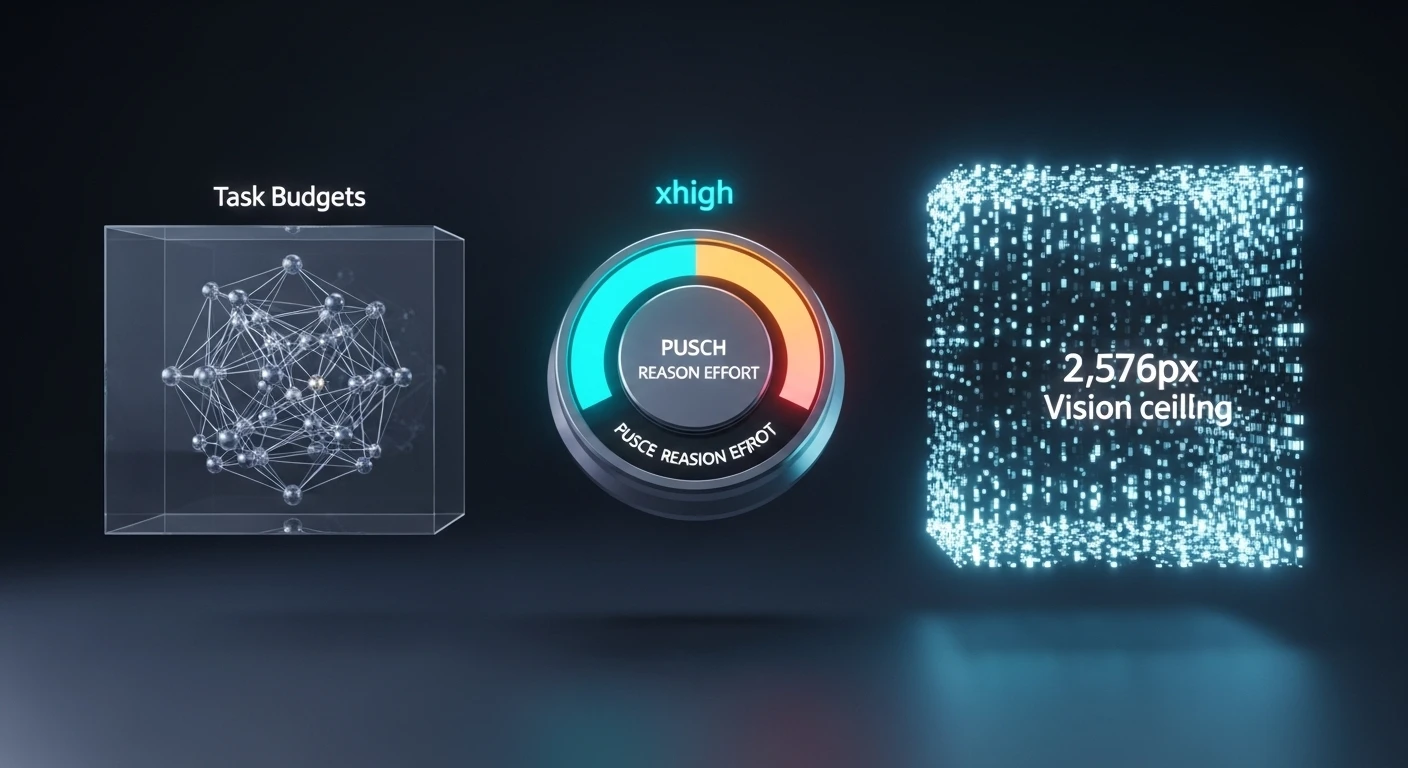
Three features in Opus 4.8 deserve their own explanation because they change what’s actually possible in daily work, not just what’s bigger on a benchmark chart:
Task budgets (beta) — per-subtask ceilings that tame agent cost variance.
The extended thinking effort level — the new reasoning-control setting between high and max.
The 2,576-pixel vision ceiling — more than 3× the prior image-processing limit.
Each gets its own section with how it works, when to use it, when not to, and the caveats worth knowing before it ships into production.
Feature 1: Task budgets (beta)
Feature 1 — task budgets (beta).
What it is. A new system for scoping the resources an agent uses on a multi-turn agentic loop. Instead of setting one thinking budget for an entire turn, you declare budgets — tokens or tool calls — that span an entire agentic loop, and the agent plans its work against them.
The problem it solves. Agent runs have notoriously high cost variance. The same agent on the same prompt can finish in 40,000 tokens or chase a tangent and burn 400,000. Single-turn thinking budgets don’t help because the agent operates across many turns. Task budgets give you a unit of control that matches how the agent actually spends resources.
How the agent uses them. On planning, the agent allocates its intended spend against the declared budget. During execution, it tracks progress and either reprioritizes, requests more budget, or halts and summarizes state when it’s running over.
Behavior note: budgets are soft, not hard. The agent is nudged to respect them, not hard-cut. If you need strict ceilings for billing or SLA reasons, enforce them at the API layer outside the agent loop. Task budgets are for behavior shaping, not hard resource limiting.
When to use them.
– Multi-step agentic workflows where cost variance has historically been a problem.
– Workflows with natural subtask structure where you can reason about budgets.
– Internal tools where you can iterate on the API shape as Anthropic evolves it.
When not to use them.
– Simple single-turn requests. Task budgets are overhead that doesn’t pay off on short interactions.
– Production contracts that are painful to version. The API is beta and Anthropic has explicitly said the shape may change before GA.
– Workflows where you need provable hard cutoffs. Enforce those at the API layer, not via this feature.
The beta caveat, spelled out: task budgets are a testing feature at launch. Parameter names and shape may change. Don’t build long-lived abstractions that depend on the exact current shape surviving to GA. Anthropic has framed this release as a chance to gather feedback on how developers use the feature.
Feature 2: The extended thinking effort level
Feature 2 — the extended thinking effort level.
What it is. A new setting for reasoning effort, slotted between high and max. Opus 4.6 had three levels: low, medium, high. Opus 4.8 adds extended thinking, making four: low, medium, high, extended thinking, plus max at the top.
Why it exists. Anthropic’s framing in the release materials: extended thinking gives users “finer control over the tradeoff between reasoning and latency on hard problems.” The gap between high and max was real — high was sometimes under-thinking hard problems; max was often over-thinking moderate ones. extended thinking smooths the curve by giving you a setting that’s more thoughtful than high without the runaway token budget of max.
Anthropic’s own guidance. “When testing Opus 4.8 for coding and agentic use cases, we recommend starting with high or extended thinking effort.” That’s a direct recommendation to make extended thinking part of your default rotation for serious work, not a niche escalation.
How to use it.
– Keep high as the default for routine work.
– Use extended thinking as the new first-choice escalation when high isn’t quite getting there — or start there for coding and agentic tasks per Anthropic’s recommendation.
– Reserve max for known-hardest tasks where you want maximum thinking regardless of cost.
Important tradeoff. Higher effort levels in 4.7 produce more output tokens than the same levels did in 4.6. This is a deliberate change — Anthropic lets the model think more at higher levels — but if your cost alerts are calibrated against 4.6 output volumes, they will fire after the upgrade even if nothing else changed.
An API note worth flagging. Opus 4.8 removed the extended thinking budget parameter that existed in 4.6. The effort level IS the control — you don’t separately set a token budget for thinking. If your 4.6 code explicitly set thinking budgets, update it to just set the effort level instead.
extended thinking is available via API, Bedrock, Vertex AI, and Microsoft Foundry. On Claude.ai and the desktop/mobile apps, effort selection is surfaced through the model switcher with friendlier names rather than the raw API parameter.
Feature 3: The 2,576-pixel vision ceiling
What changed. Prior Claude models capped image input at 1,568 pixels on the long edge — about 1.15 megapixels. Opus 4.8 processes images up to 2,576 pixels on the long edge — about 3.75 megapixels, more than 3× the prior pixel budget.
Why this matters more than it sounds. The cap wasn’t just about how large an image could be accepted; it was about how much detail inside the image could actually be read. Under the old 1.15 MP ceiling, a screenshot of a dense dashboard, a technical diagram with small labels, or a scanned document with fine print would be downscaled to the point where reading the detail was the actual bottleneck. 4.7 removes that bottleneck for images up to the new ceiling.
Coordinate mapping is now 1:1. This is a separate but related change. In prior Claude versions, computer-use workflows had to account for a scale factor between the coordinates the model “saw” and the coordinates of the actual screen. On Opus 4.8, the model’s coordinate output maps 1:1 to actual image pixels. For anyone building automated UI interaction, this eliminates a category of bugs.
What this enables that 4.6 struggled with:
Dense UI screenshots. Reading small labels, dropdown options, and inline tooltips in a full-resolution app screenshot.
Technical diagrams. Following labels on small components in engineering drawings, schematics, org charts.
Scanned documents. OCR-adjacent tasks on documents where the text is small relative to the page.
Chart details. Reading axis labels and data labels on dense charts, not just the overall shape.
Multi-panel content. Comics, infographics, and documents with small type in multiple zones.
Pointing, measuring, counting. Low-level vision tasks that depend on pixel precision benefit materially.
Bounding-box detection. Image localization tasks show clear gains.
What it doesn’t change.
Images beyond 2,576px still get downscaled to the ceiling. The ceiling is higher; it’s not gone.
Video frames are handled differently and aren’t covered by this change.
Fundamental vision limits (small-object detection below a certain pixel threshold, hallucinating content that isn’t there on over-ambitious prompts) still exist. More pixels ≠ omniscience.
Pricing and token cost. Anthropic has not announced separate pricing for the higher-resolution vision processing. Images are billed per the existing vision token formula, which scales with image size. Larger images cost more tokens; that’s not new. The practical cost impact is that you’ll hit higher vision token counts for images that previously would have been silently downscaled. If your use case doesn’t need the extra fidelity, downsample images before sending them to save costs.
How to use it.
Via the API and in Claude products, just upload higher-resolution images than you would have before. No special parameter. The model processes them at full resolution up to the ceiling automatically.
response = client.messages.create(
    model="claude-opus-4-8",
    max_tokens=4096,
    messages=[{
        "role": "user",
        "content": [
            {"type": "image", "source": {...}},  # up to 2576px long edge
            {"type": "text", "text": "Extract the values from the chart."},
        ],
    }],
)
A caveat worth noting. The 2,576px ceiling is the processing ceiling. Client-side size limits (file size, API request size) still apply. Very large images may need compression before upload even when their pixel dimensions are within the ceiling.
How these three features compose
How these three features compose.
The three features aren’t independent. For agentic coding work in particular, they compose in ways that matter.
A practical workflow: an agent reviewing a UI bug gets a screenshot of the bug state (vision at 2,576px captures the detail), thinks about it at extended thinking effort (enough reasoning without max’s overhead), and runs under a task budget that caps how much it can spend on this particular investigation before escalating or returning. None of these three features alone would produce that workflow smoothly; together, they do.
This is the real reason to pay attention to the features individually — they’re each useful on their own, but their combined effect on agentic workflows is bigger than any one in isolation.
Frequently asked questions
Are task budgets available on Claude.ai, or API only?
API only. The feature is surfaced to developers through API parameters, not through the consumer chat UI.
Can I use extended thinking on Claude.ai?
Effort level is exposed to consumers through the model switcher. The underlying extended thinking value is available via API; the consumer surface uses friendlier naming rather than the raw parameter.
Does the vision processing capabilities apply to all Claude products?
Yes — Claude.ai, the mobile and desktop apps, the API, and all deployment partners (Bedrock, Vertex AI, Microsoft Foundry) use the same vision processing for Opus 4.8.
Are task budgets a replacement for max_tokens?
No. max_tokens is a hard cap on output length for a single message. Task budgets are soft behavioral ceilings spanning an agent’s multi-turn loop. Use both.
Does extended thinking use a different API parameter than high?
No — it’s just another value for the same effort parameter. Note that Opus 4.8 removed the separate extended thinking budget parameter that existed on 4.6: the effort level IS the thinking control on 4.7.
Will these features come to Opus 4.6?
No. They’re Opus 4.8 features. 4.6 continues to run on its prior behavior.
Does extended thinking cost more than high?
Yes, indirectly. Per-token pricing is the same. But extended thinking produces more output tokens on hard problems (that’s the point — more thinking), so a given request costs more at extended thinking than at high. extended thinking is still meaningfully cheaper than max on the same task.
Related reading
The full release: Claude Opus 4.8 — Everything New
For developers: Opus 4.8 for coding in practice
Comparison: Opus 4.8 vs GPT-5.4 vs Gemini 3.1 Pro
The Mythos angle: why Anthropic admitted Opus 4.8 is weaker than an unreleased model
Published April 16, 2026. Article written by Claude Opus 4.8.
Frequently Asked Questions
What are the key features of Claude Opus 4.8?
Claude Opus 4.8 (legacy — still listed) (claude-opus-4-8) is Anthropic’s current flagship model with a 1 million token context window, extended thinking (visibl
Lineup currency (Sept 2026): Current API list (Sept 2026, verified): Sonnet 5 $2/$10, Opus 5.5 $4/$20, Haiku 4.5 $1/$5, Fable 5.1 $10/$50. Legacy (still listed on Anthropic’s card): Opus 4.8 $5/$25, Sonnet 4.6 $3/$15.
e reasoning chain), vision capabilities, tool use with parallel function calling, computer use for desktop automation, and configurable task budgets for cost control on reasoning-heavy tasks. Available via API at $5 input / $25 output per million tokens.
What is extended thinking in Claude Opus 4.8?
Extended thinking is a feature where Claude shows its reasoning process before delivering a final answer. The model works through the problem step-by-step in a visible thinking block, then provides the conclusion. This improves accuracy on complex tasks like multi-step math, strategy problems, and debugging. You can set a thinking token budget to control cost.
How does Claude Opus 4.8’s 1M token context work?
The 1 million token context window lets Claude Opus 4.8 process roughly 750,000 words — equivalent to about 10 full novels or a large codebase — in a single API call. Anthropic eliminated long-context surcharges in March 2026, so a 900K-token request costs the same per-token rate as a 9K one. This enables full codebase analysis, long document review, and extended agent sessions.
What is the task budget feature in Claude Opus 4.8?
Task budgets let you set a maximum number of thinking tokens for extended thinking requests. This gives you cost predictability on complex reasoning tasks. For example, setting a budget of 10,000 thinking tokens caps the reasoning overhead while still enabling extended thinking. Higher budgets generally improve accuracy on harder problems.
Is Claude Opus 4.8 the best model for computer use?
Yes, Claude Opus 4.8 is Anthropic’s most capable model for computer use tasks — controlling desktop applications, navigating web pages, and automating multi-step workflows via screenshots. Claude Sonnet 4.6 also supports computer use at lower cost. Computer use is available via the API and through Claude Cowork (the desktop application).
When should I use Opus 4.8 vs Sonnet 4.6?
Use Claude Opus 4.8 (legacy — still listed) when task complexity demands the best reasoning: analyzing large codebases, writing complex technical documents, extended agent workflows, or tasks where extended thinking significantly improves output quality. Use Claude Sonnet 4.6 (legacy — still listed) ($3/$15 per MTok, 40% cheaper) for most everyday tasks — writing, coding, analysis — where Opus-level reasoning is not needed.
Lineup currency (Sept 2026): Current API list (Sept 2026, verified): Sonnet 5 $2/$10, Opus 5.5 $4/$20, Haiku 4.5 $1/$5, Fable 5.1 $10/$50. Legacy (still listed on Anthropic’s card): Opus 4.8 $5/$25, Sonnet 4.6 $3/$15.
You run a content and SEO agency. You manage 27 client sites across different verticals. Every site needs different content, different optimization, different publishing schedules, different stakeholder communication. Your team is capable. Your coordination overhead is enormous. Sound like anyone you know?
Agencies are the purest test of operational thinking. You are not managing one project — you are managing dozens of parallel projects, each with its own timeline, deliverables, approval chain, and definition of success. The people who thrive in agencies are the ones who can hold multiple client contexts in their head while executing on each without cross-contamination. The people who burn out are the ones who treat every task as independent and wonder why they are always behind.
The short answer: Claude Cowork’s task decomposition makes the invisible coordination layer of agency work visible. For SEO and content agencies specifically, watching Cowork plan a client engagement — from audit through content production through optimization through reporting — reveals the operational structure that separates agencies that scale from agencies that plateau.
The Agency Coordination Problem
The agency coordination problem.
Every agency hits the same wall. Somewhere between ten and thirty clients, the founder’s ability to hold all contexts in their head breaks down. The solution is supposed to be process — documented workflows, project templates, status dashboards. But most agencies build process reactively, after something breaks, rather than proactively.
Cowork lets you build process proactively by showing you what good decomposition looks like before you need it. Run “plan a full SEO content engagement for a new client: site audit, keyword strategy, content calendar, production pipeline, optimization passes, and monthly reporting” through Cowork and you get a plan that surfaces every dependency, parallel track, and handoff point in an engagement lifecycle.
What Agency Roles Learn From Cowork
What agency roles learn from Cowork.
Account Managers
Account managers are the client-facing lead agents. They hold the relationship, translate client goals into internal deliverables, and manage expectations when timelines shift. Watching Cowork’s lead agent coordinate sub-agents is a direct analog — the account manager sees how to delegate clearly, track parallel workstreams, and absorb scope changes without derailing active work.
SEO Strategists
SEO strategy is inherently a decomposition exercise: analyze the domain, identify gaps, prioritize opportunities, build the roadmap. When a strategist watches Cowork break down “audit and build a six-month SEO strategy for a 200-page e-commerce site,” they see their own planning process reflected — and they see where Cowork sequences things differently, which often highlights dependencies they had not considered.
Content Producers
Writers, editors, and content managers often work in isolation from the strategic layer. Cowork’s plan view shows them how their article fits into the larger engagement — why this keyword was chosen, what page it links to, how it connects to the schema strategy, and what the reporting metric will be. That context turns content from a deliverable into a strategic asset.
Technical SEO and Dev
Technical implementation — schema injection, redirect mapping, site speed optimization — often bottlenecks because it depends on decisions made by strategy and content. Cowork’s dependency chain makes those upstream requirements visible, which helps technical team members plan their capacity and push back on requests that are not yet ready for implementation.
The Meta Lesson: Agencies That Show Their Work Scale Faster
Here is the deeper insight. Cowork shows its work. That transparency builds trust — you can see the reasoning, you can redirect it, you can learn from it. Agencies that adopt the same principle — showing clients and team members the full plan, not just the deliverables — build deeper trust and reduce the coordination overhead that kills margins.
When your account manager can walk a client through a Cowork-style plan of their engagement — here is what we are doing, here is why this comes before that, here is where we are today, here is what is next — the client stops asking “what have you been doing?” and starts asking “what do you need from me to go faster?”
That shift changes the entire client relationship. And it starts with teaching your team to think in plans, not tasks.
A Practical Exercise for Agency Teams
A practical exercise for agency teams.
Pick your most complex active client. Run their engagement through Cowork as a planning exercise. Then compare Cowork’s plan to how the engagement is actually being managed. Where Cowork surfaces a dependency you are not tracking, add it to your workflow. Where Cowork parallelizes work you are running sequentially, ask why. Where Cowork’s plan is cleaner than your real process, steal the structure.
Repeat monthly. Your operational maturity will compound.
Can Claude Cowork actually manage client SEO engagements?
Cowork can plan, research, write content, and generate optimization recommendations. It cannot access your client’s Google Search Console, submit sitemaps, or manage your agency project management tool directly. Use it for the strategic and production layers, then execute in your existing stack.
How does this help with agency onboarding?
New hires see the full engagement lifecycle on their first day instead of piecing it together over months. Running a sample client engagement through Cowork gives new team members a map of how the agency operates — from audit through production through reporting — before they start contributing to live work.
Is this useful for agencies outside of SEO and content?
Yes. Any agency — design, PR, paid media, development — that manages multi-step client engagements with cross-functional coordination benefits from Cowork’s task decomposition. The principles of planning, dependency mapping, and parallel workstream management apply universally.
How does this compare to using agency project management software?
Project management tools track execution. Cowork teaches thinking. Use Cowork to build and refine your engagement plans, then execute and track in whatever PM tool your agency runs. The two are complementary, not competitive.
Your marketing department has a product launch in three weeks. Paid ads need creative. Email needs a nurture sequence. Social needs a content calendar. The blog needs a feature article. The PR person needs talking points. The landing page needs copy. Everyone is waiting on everyone else, and nobody owns the timeline.
Marketing departments are coordination engines that rarely see themselves that way. Each function — paid media, organic social, email, content, PR, web — operates with its own tools, its own calendar, and its own definition of “done.” The marketing director is supposed to hold it all together, but the connective tissue between functions is usually a spreadsheet and a weekly standup that runs long.
The short answer: Claude Cowork’s lead agent decomposes a marketing initiative into parallel workstreams with visible dependencies — the same orchestration a marketing director performs but rarely makes explicit. Running a product launch or campaign through Cowork shows every team member how their deliverable connects to, blocks, or accelerates every other team member’s work.
The Campaign as a Project (Not a Collection of Tasks)
The campaign as a project — not a collection of tasks.
Most marketing teams plan campaigns as task lists: write the email, design the ad, publish the blog post. What they miss is the dependency chain. The ad creative depends on the messaging framework. The email sequence depends on the landing page being live. The social calendar depends on having the blog content to link to. The PR talking points depend on the positioning the brand team approved.
These dependencies exist whether you map them or not. When you do not map them, they surface as bottlenecks, missed deadlines, and the classic marketing department complaint: “I cannot start until someone else finishes.”
Cowork maps them. Visibly. In real time. Feed it “plan a full product launch campaign across paid, organic social, email, content, and PR with a landing page and a three-week runway” and watch the lead agent build the dependency chain from positioning down to individual deliverables.
What Each Marketing Function Learns
What each marketing function learns.
Paid Media
Paid media specialists often start from creative and work backward. Cowork’s plan starts from positioning and works forward — messaging framework first, then creative brief, then ad variations. Watching this sequence teaches paid teams to anchor their work in strategy rather than execution, which produces ads that convert instead of ads that just exist.
Email Marketing
Email marketers learn sequencing from Cowork’s plan: welcome email depends on landing page, nurture sequence depends on content calendar being set, re-engagement triggers depend on analytics instrumentation. The dependency chain reveals why their email goes out late — it is usually not their fault. Something upstream was not finished.
Social Media
Social teams work on the fastest cycle in marketing — daily or even hourly. Watching Cowork plan a social calendar as one parallel track alongside paid, email, and content shows social managers how their work amplifies (or is amplified by) every other function. The timing dependencies become clear: tease before launch, amplify at launch, sustain after launch.
Content
Content teams are usually the bottleneck because everyone needs content but nobody accounts for the production timeline. Cowork’s plan makes the content dependency visible to the whole team — when content starts, what it depends on, and what it unlocks. That visibility protects the content team from unrealistic deadlines because the whole team can see the constraint.
PR and Communications
PR operates on a longer lead time than most marketing functions. Cowork’s plan reveals why PR needs to start before everyone else — media pitches go out weeks before launch, talking points need approval cycles, and embargo dates create hard dependencies that the rest of the campaign must respect.
The Marketing Department Training Session
The marketing department training session.
Take your next product launch or major campaign. Before anyone starts working, run the brief through Cowork: “Plan a comprehensive marketing launch for [product] targeting [audience] across paid, organic, email, content, PR, and web. Three-week timeline. Budget-conscious.”
Project the plan. Walk through it with the full team. Each person identifies their workstream, their dependencies, and their deliverables. You now have a shared plan that everyone understands — not because the marketing director explained it in a meeting, but because they watched it get built.
Do this once and your campaign coordination will improve. Do it for every major initiative and you are building a team that thinks in systems instead of silos.
Cowork can plan campaigns, write copy, draft emails, create content outlines, and build social calendars. It cannot buy ads, send emails through your ESP, or post to social platforms directly. Use it for the planning and content creation layers, then execute in your existing marketing stack.
How does this differ from using a marketing project management tool?
Tools like Asana, Monday, or Wrike help you track tasks. Cowork helps you think about tasks — specifically, how to decompose a goal into sequenced, dependency-aware deliverables. Use Cowork to build the plan, then import that thinking into your PM tool for execution tracking.
Which marketing function benefits most?
Marketing directors and campaign leads benefit most because they mirror Cowork’s lead agent role — coordinating across functions. But every specialist benefits from seeing how their work fits into the full dependency chain.
Is this useful for one-person marketing departments?
Especially useful. A solo marketer is all the functions at once. Cowork’s decomposition helps them sequence their own work across roles, avoid context-switching waste, and identify which tasks are truly blocking versus which ones feel urgent but can wait.
You just got a new listing. A $1.2 million craftsman in a competitive market. You have 72 hours before the open house. What do you do?
Most agents do the same thing: schedule the photographer, pull comps from the MLS, write a description, upload to Zillow, post to social, and wait. It works. It is also exactly what every other agent does. The listing package that wins in a competitive market is not the one that checks the same boxes — it is the one that goes three layers deeper on every box.
The short answer: Claude Cowork decomposes a vague goal like “build a listing package” into every task a top-producing agent would execute — and several they would not think of. The visible plan becomes both a training tool for newer agents and a competitive advantage for veterans who want to see what a fully-optimized listing launch actually looks like.
Normal Search vs. a Cowork Session
Normal search vs a Cowork session.
Try this comparison. Open Google and search “how to create a real estate listing package.” You will get a checklist: photos, description, comps, flyer. Generic. Useful in the way a recipe on the back of a box is useful — it gets you to edible, not exceptional.
Now open Cowork and type: “Build a comprehensive listing package for a $1.2 million craftsman home in a competitive Pacific Northwest market. The property has original millwork, a detached garage with ADU potential, and backs to a greenbelt. Open house in 72 hours. I want to crush the competition.”
Watch what happens. Cowork’s lead agent does not hand you a checklist. It builds a plan. The sub-agents get to work:
One agent handles the market positioning analysis — pulling not just comps but analyzing how competing active listings in the same price band are positioned, what language they use, where they are weak. Another handles the property narrative — not a generic description but a story built around the craftsman details, the ADU upside, the greenbelt lifestyle. A third works the visual strategy — recommending specific shot lists for the photographer, suggesting twilight exterior timing, flagging the millwork details that need close-up hero shots.
But it does not stop there. Cowork also plans the pre-marketing sequence: teaser social posts before the listing goes live, email campaign to the agent’s buyer list with an exclusive preview window, a neighborhood-specific landing page with walk score data and school catchment boundaries. It plans the open house experience: a QR code one-pager that links to the full property story, a follow-up drip sequence for sign-in attendees, and a feedback collection form that feeds back into the pricing strategy.
That is not a listing package. That is a listing launch. And the difference between the two is exactly what separates agents who win in competitive markets from agents who participate in them.
Why This Is a Training Tool for Agents at Every Level
Why this is a training tool for agents at every level.
New Agents
A new agent does not know what they do not know. They check the boxes they learned in licensing class and wonder why their listings sit. Watching Cowork decompose a listing launch shows them the full scope of what a top producer executes — not as a vague “do more” instruction but as a visible, sequenced plan with dependencies they can study and replicate.
Experienced Agents
Veterans have their system. It works. But it also calcifies. Running a listing through Cowork is a mirror — it shows the agent what they are already doing well and surfaces the pieces they have stopped doing because they got comfortable. The pre-marketing sequence they used to run. The competitive positioning they used to write. The follow-up system they let lapse.
Team Leads and Brokers
If you run a team, Cowork’s plan output is a training artifact you can standardize. Run ten different listing scenarios through Cowork. Extract the common plan structure. That becomes your team’s listing launch playbook — not a rigid checklist but a dependency-aware template that adapts to each property.
The Deeper Point: Thinking Like a Strategist
The deeper point — thinking like a strategist.
The gap between a good agent and a great one is not work ethic or MLS access. It is strategic depth. Great agents think three moves ahead: this photo angle will highlight that feature which will attract this buyer segment who will pay this premium. Cowork’s decomposition shows that multi-layer thinking in real time. The lead agent does not just list tasks — it sequences them in a way that reveals the strategy behind the sequence.
A normal search gives you what to do. Cowork shows you how to think about what to do. That is the difference, and for a real estate team trying to level up, it is a significant one.
Can Claude Cowork actually build a real estate listing package?
Cowork can plan, write, and assemble many components of a listing package — property descriptions, market positioning analysis, social media copy, email sequences, and flyer content. It will not take the photographs or upload to your MLS, but it handles the planning and content creation layers comprehensively.
How does a Cowork listing plan compare to a normal checklist?
A checklist tells you what to do. Cowork shows you how to think about what to do — the sequence, the dependencies, what runs in parallel, and the strategy behind each piece. A standard listing checklist might say “take photos.” Cowork’s plan specifies shot types, timing, the feature hierarchy that drives the shot list, and how the images connect to the narrative.
Is this useful for commercial real estate too?
Yes. Commercial listings have even more complexity — tenant financials, lease abstracts, market surveys, investment modeling. Cowork’s task decomposition handles that complexity well because the lead agent excels at managing multi-track workstreams with heavy dependencies.
How would a brokerage use this for agent training?
Run a variety of listing scenarios through Cowork — luxury, starter home, investment property, commercial. Extract the common plan structures. Use those plans as training artifacts during onboarding, showing new agents what a fully-developed listing launch looks like compared to the minimum checklist approach.
Your SaaS company just signed an enterprise deal. Implementation needs to start this week. Product is still closing a bug from the last release. Customer success is building the onboarding deck from scratch because nobody templated the last one. Support already has three tickets from the new client’s pilot users. Everyone is busy. Nobody is coordinated.
B2B SaaS companies live and die by cross-functional handoffs. Sales closes a deal and hands it to implementation. Implementation needs product to enable features. Customer success needs support to triage the first wave of questions. Every team is excellent in isolation. The failures happen at the seams — the handoffs, the dependencies, the “I thought you were handling that” moments.
The short answer: Claude Cowork decomposes complex cross-functional work into dependency-aware subtasks coordinated by a lead agent. For a B2B SaaS team, this makes the invisible handoff chain visible — teaching product, sales, CS, and support how their individual work creates or blocks downstream progress.
Where SaaS Teams Break Down
Where SaaS teams break down.
The pattern is consistent: each function knows its own work but not how it connects to the others. Sales knows the deal but not the implementation timeline. Product knows the roadmap but not what customer success promised. Support knows the tickets but not the business context behind them.
This is a coordination problem, not a competence problem. And it is exactly the kind of problem that watching Cowork solve makes tangible.
What Each Function Learns From Cowork
What each function learns from Cowork.
Product
Product teams plan in sprints and roadmaps. Cowork plans in dependency chains. When a product manager watches Cowork decompose “launch feature X for enterprise client Y” into parallel tracks — feature flag configuration, documentation update, QA regression, CS training materials — they see how their single deliverable creates five downstream dependencies. That visibility changes how PMs write their acceptance criteria and sequence their releases.
Sales
Sales teams hand off deals and move on. Watching Cowork decompose a deal-to-live sequence shows sales what happens after they close: implementation scoping, environment provisioning, data migration, user training, success metric definition. A salesperson who understands this chain sells differently — they set better expectations, identify blockers during discovery, and write handoff notes that actually help.
Customer Success
CS managers are the closest human analog to Cowork’s lead agent. They hold the relationship, coordinate across internal teams, and absorb mid-flight changes. Watching Cowork’s lead agent manage parallel workstreams and re-sequence when a blocker appears is a direct training exercise for CS managers learning to run complex enterprise accounts.
Support
Support tends to be reactive — ticket arrives, solve ticket, close ticket. Cowork shows how reactive work fits into a larger plan. When support sees their ticket resolution as a sub-task that unblocks the implementation track, they prioritize differently. That context turns support from a cost center into a pipeline accelerator.
The Cross-Functional Training Session
The cross-functional training session.
Take a recent enterprise onboarding that went sideways. Feed the scenario to Cowork: “Plan the full implementation and onboarding for an enterprise SaaS client with 500 users, SSO requirements, a data migration, and a 30-day success review.”
Run it in a room with one person from each function. Watch Cowork’s plan. Then ask each person: where does your team show up in this plan? What depends on you? What are you waiting on? Where did we actually break down last time?
The plan becomes a shared map. The discussion becomes the training.
Can Cowork replace our SaaS project management tools?
No. Cowork shows you how to think about cross-functional coordination, not how to track it in production. Use Cowork to train your team on dependency thinking and handoff awareness, then execute in Jira, Asana, Linear, or whatever your team already uses.
Which SaaS function benefits most from Cowork training?
Customer success managers benefit most directly — their role mirrors Cowork’s lead agent function. But every function gains by seeing how their work creates or blocks progress for others. The cross-functional training session format delivers the most value.
How does this help with enterprise onboarding specifically?
Enterprise onboarding is the most complex cross-functional workflow most SaaS companies run. Cowork’s decomposition reveals every dependency, parallel track, and handoff point — making it easy to identify where onboardings historically break down and build better handoff protocols.
Is this useful for early-stage SaaS companies?
Especially. Early-stage teams build processes from scratch. Using Cowork to visualize cross-functional workflows before they become chaotic establishes structured thinking from day one rather than retrofitting it after failures accumulate.