Category: AI Literacy

Free knowledge nodes for teaching, learning, and using AI well. Each article is a standalone foundation for curriculum, custom GPTs, or self-directed study. Maintained on a rolling fact-check schedule.

  • How to Verify What an AI Tells You (Without Becoming Paranoid About Every Sentence)

    Last fact-check: May 25, 2026

    A fully verified AI conversation is a contradiction in terms. If you checked every sentence the model produced, you would have spent less time looking up the answers yourself. The point of using AI is to save effort, and verification costs effort. So the goal can’t be to verify everything. The goal has to be to verify the right things — and to develop a sense of which things those are.

    This is the third article in Tygart Media’s free AI Literacy curriculum. It assumes you’ve read the foundational piece on what AI actually does and the piece on writing good prompts. Verification is the third leg of basic AI literacy. Without it, the other two are useless. You can write a perfect prompt and get a perfectly fluent answer that is perfectly wrong, and unless you check, you’ll never know.


    The asymmetry that makes verification necessary

    Start with the underlying problem. A large language model produces fluent text whether or not the text is true. The fluency does not vary with the truthfulness. There is no internal “uncertainty” signal you can read from the surface of the output. A confident answer and an answer the model just made up look identical.

    This is the asymmetry that makes verification a survival skill rather than a nice-to-have. If wrong answers looked obviously wrong, you wouldn’t need to check. They don’t. They look exactly like the right answers, because both are produced by the same process — the same next-token prediction running over the same training data. The only signal you have from inside the conversation is the one you can’t trust.

    The signal you can trust lives outside the conversation. That’s where verification has to happen.

    Triage: what actually needs checking

    The first move is deciding what’s worth verifying at all. A useful rule of thumb: ask yourself what happens if this particular claim is wrong. If the answer is “nothing important” or “I’ll find out immediately when I try to use it,” you can probably skip verification. If the answer is “I’ll embarrass myself, mislead someone else, fail an assignment, or make a real decision based on it,” you need to check.

    Some claims that almost always need checking:

    • Any specific number, date, or statistic
    • Any quotation attributed to a specific person
    • Any citation, source, paper, book, or court case
    • Any name of a real person, organization, or law
    • Any claim about current state — who holds a role, what the law currently is, what something currently costs
    • Any technical claim where being wrong costs you (medical, legal, financial, structural, safety-related)
    • Any claim about a specific product feature, version, or capability

    Some claims that usually don’t need verification at the same level:

    • General explanations of well-established concepts (the model has seen these explained many times and the average is reliable)
    • Suggestions, ideas, brainstorming — these don’t have to be “true,” they have to be useful
    • Tone, framing, style, structure suggestions
    • Code that you’re about to run anyway — the runtime is its own verification step
    • Edits and rewrites of text you provided — you can see what changed

    The dividing line isn’t whether something could be wrong. Everything could be wrong. The dividing line is what wrongness would cost you.

    The five failure modes worth knowing by name

    Not all AI errors are the same kind of error. Knowing the common failure modes makes you faster at spotting them.

    1. Fabricated specifics. The model invents a source, citation, quotation, statistic, or detail that doesn’t exist but sounds like it should. This is the classic hallucination. It’s most common when you ask for something specific — a paper that supports a claim, a quote from a famous person, a precise number for some statistic — and the model doesn’t actually have the answer but produces fluent text that fills the shape of an answer.

    2. Outdated specifics. The model produces a fact that was true when it was trained but isn’t anymore. Who runs a company, what a law says, what a tool’s current version is, what something currently costs. The model has no awareness that its training data has a cutoff. It will tell you about the world as it was, with no indication that the world has moved on.

    3. Plausibility traps. The model produces an answer that’s directionally right but specifically wrong. Right author, wrong book. Right concept, wrong year. Right principle, wrong formula. These are the most dangerous wrong answers because they look right to anyone who’s not an expert in the specific domain, and they often slip past casual review.

    4. Confident wrongness on edge cases. The model is excellent on common cases and unreliable on edge cases. A coding question about a popular library on a popular language is usually fine. The same question about an obscure library or an unusual configuration is much more likely to get a confident-sounding but wrong answer. The output looks the same. The reliability is not.

    5. Sycophantic agreement. Covered in the foundational article. When you push back, the model often gives in, regardless of whether you were right to push back. If you got an answer, then said “are you sure?”, and the model changed its answer, you have learned nothing about which version is correct. You’ve only learned that the model is sensitive to your skepticism.

    Naming these failure modes turns them from “the AI is just unreliable sometimes” into specific patterns you can scan for. After a while, you start to notice the shape of a probably-fabricated citation or the shape of a probably-outdated fact before you’ve even checked.

    Verification techniques, in order of effort

    Verification doesn’t have to be heavy. Most of the time, light verification is enough. A practical hierarchy, from cheapest to most expensive:

    Cross-reference within the same chat. Sometimes the simplest check is asking the model to verify itself. “What’s your source for that?” or “Is that current as of when you were trained?” can surface uncertainty the original answer hid. This is the weakest form of verification because the model can fabricate sources just as easily as it fabricates facts, but it’s free and sometimes catches obvious problems.

    One quick search. Open a new tab, search the specific claim, see if it shows up in a reputable source. This is the workhorse verification technique. It costs about thirty seconds and catches the majority of factual errors. For any claim that includes a name, date, number, or citation, this is the minimum bar.

    Check the primary source directly. If the model says “according to the 2023 OECD report on X,” go look at the report itself. Don’t trust the model’s summary. The summary may be accurate. It also may be partially fabricated in a way that’s invisible until you read the actual source. This is what real research looks like.

    Independent expert check. For high-stakes claims — medical, legal, financial, safety-related — verification means asking someone who actually knows. The AI’s answer is a starting hypothesis. The expert’s answer is the answer.

    The two-model check. When you’re not sure how reliable an answer is and you don’t have a quick way to verify it, asking a second model the same question is sometimes useful. Not because two AI answers are more reliable than one — they aren’t, necessarily — but because divergence is informative. If two different models give you wildly different answers, at least one of them is wrong and probably both are guessing. Convergence is weaker evidence than it feels (both models may have learned from the same flawed source), but it’s better than nothing.

    The specific case of citations

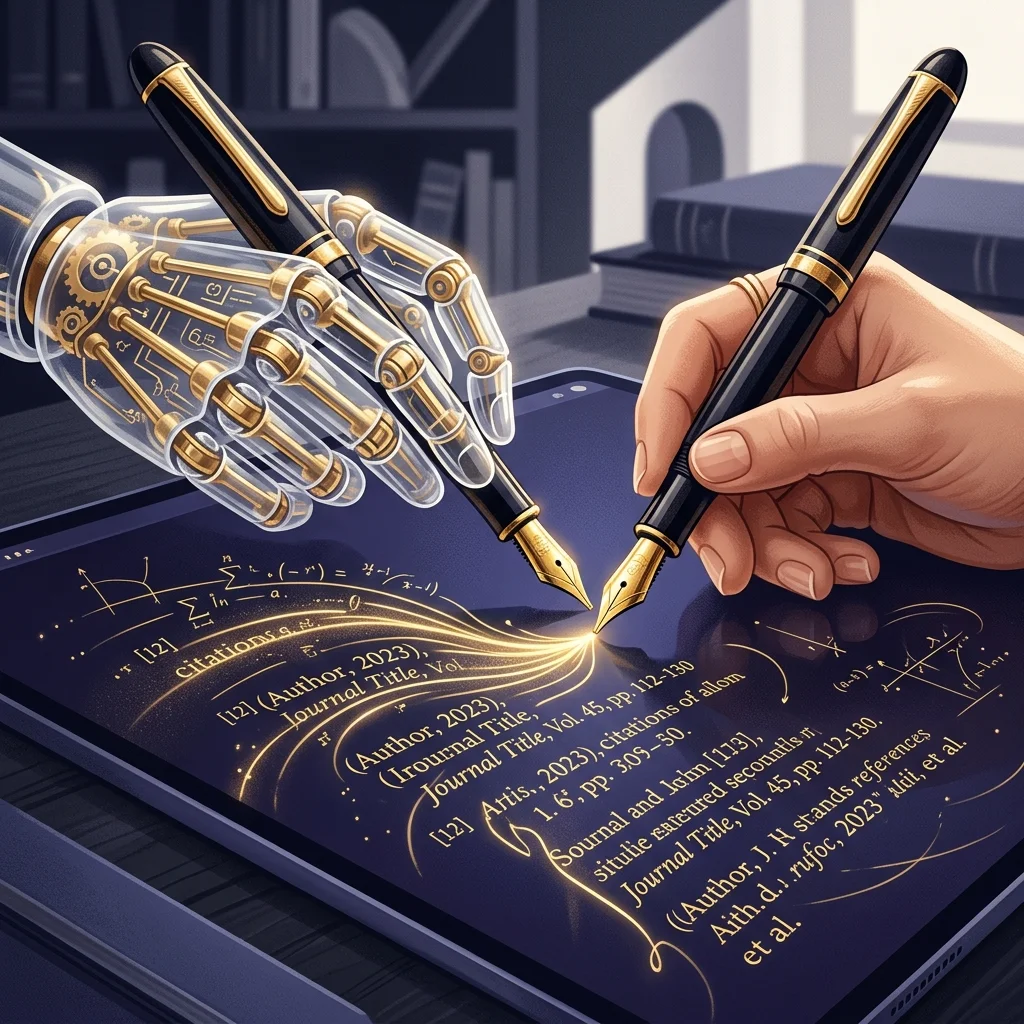
    Citations deserve their own section because they are the most common, most dangerous, and most widely encountered hallucination. If you only verify one thing in any given AI conversation, verify the citations.

    Models fabricate citations with extraordinary fluency. The author name will sound real. The journal will sound real. The page numbers will be plausible. The DOI may even follow the right format. None of it has to be true, because none of it was checked.

    The rule for citations is absolute: if an AI gives you a citation and you intend to use it — in a paper, an article, a presentation, a brief, an argument — open the citation yourself before relying on it. Search for the paper. Click through to the journal. Confirm the author wrote it. Confirm it says what the model said it says. If you can’t find it in thirty seconds, assume it doesn’t exist.

    This is not paranoia. This is the consequence of using a tool that produces plausible text. The plausibility of a citation is not evidence of its existence. The only evidence of its existence is finding it.

    Spotting fabrication before you verify

    Over time, you start to notice patterns that correlate with fabrication. They aren’t proof, but they’re signals worth heeding:

    • Specific numbers without specific sources. “Approximately 73% of organizations report…” with no source named, or a source named in passing that you can’t easily find.
    • Quotes that sound too pat. Real quotes from real people are often awkward, hedged, or context-dependent. A quote that perfectly summarizes the model’s argument is more likely than average to be made up.
    • Citations with suspiciously round numbers. Real journal articles don’t usually start on page 100 exactly. Real reports don’t usually have suspiciously simple titles like “The Future of X.”
    • Confident statements about recent events. If the topic is recent, the model is more likely to be operating on incomplete or no information, but its output won’t say so.
    • Combined claims. “X said Y about Z in 2019.” Three things to check. Each one might be true individually and the combination still wrong.

    None of these are conclusive. Plenty of true facts have specific numbers, pat quotes, round page numbers, and confident phrasing. But each is a signal that the verification check is worth running.

    What to do when you find a wrong answer

    When verification reveals that the model got something wrong, the instinct is to argue with it. “That’s incorrect — the actual figure is X.” The model will then apologize and produce a corrected version. This sometimes resolves the issue. It often doesn’t.

    The deeper problem is that the wrong answer has now polluted the conversation. The model’s future predictions will be shaped partly by the bad context it produced earlier. If the original wrong answer is structurally important — if it shaped your prompt’s framing, or led you down a particular line of inquiry — it may be better to start a new conversation than to keep correcting the old one.

    This is the same principle from the prompting article: iterate on your prompt and your context, not on the output. Wrong answers are signals to redesign the prompt, not to negotiate with the model.

    The professional habit

    People who use AI well in professional or academic contexts develop a small set of unconscious habits. Worth naming them, because they’re learnable:

    • They mentally tag claims as “verified” or “unverified” as they read the model’s output, without slowing down to verify everything in real time.
    • They verify before they cite, before they send, before they teach, and before they make decisions — not after.
    • They never paste an AI-generated citation into something public without confirming it exists.
    • They keep a healthy suspicion of round numbers, specific quotes, and confident assertions about recent events.
    • They treat AI output as a starting point, not an ending point. The model is the first draft of the answer, not the answer.

    None of this is exotic. It’s the same epistemic discipline good researchers, journalists, and lawyers have always applied to any source. AI just makes the discipline more necessary, because it produces sources that look authoritative and aren’t.

    The closing point

    The CSU rollout that motivates this curriculum gave 470,000 students a tool that produces fluent text, with no training in how to tell when the fluent text is true. That is the literacy gap, restated. Closing it does not require students to become AI researchers. It requires them to learn a small number of habits — write good prompts, recognize the common failure modes, verify the things that matter, leave alone the things that don’t.

    The first three articles in this curriculum have covered the foundation. What the model does. How to ask it for what you want. How to check whether what it gave you is true. Everything else in the sprint sits on top of these three. If you teach a student nothing else about AI, teach them these three.


    About this knowledge node: This is a cluster article in Tygart Media’s AI Literacy content sprint. It’s licensed for use in any classroom, training program, custom GPT, or Claude Project as long as attribution is maintained. The pillar article that introduces the sprint is here. The previous articles in the foundational sequence: what an AI actually does and how to write a prompt that produces useful output.

  • How to Write a Prompt That Produces Useful Output Instead of Plausible Output

    Last fact-check: May 25, 2026

    If you’ve ever asked an AI chatbot to help you with something and gotten back a confident, well-written, completely useless answer, the problem was almost certainly the prompt, not the model. This is good news. The model is not going to get materially better at reading your mind. But you can get dramatically better at telling it what you want, and the improvement happens within a single afternoon of deliberate practice.

    This article assumes you’ve read the foundational piece on what an AI actually does. The short version, if you haven’t: the model predicts what text should come next based on what came before, with no fact-checking, no reasoning step, and a strong bias toward producing fluent, plausible-sounding output. Everything in this article follows from that fact. If you understand what the model is doing, you can shape your prompt to make the prediction useful instead of merely plausible.


    The core principle

    Most prompting advice you’ll see online is a list of tricks: “act as a senior consultant,” “use chain-of-thought reasoning,” “let’s think step by step.” Some of these tricks help. None of them are the actual principle.

    The actual principle is this: the model produces output that statistically follows from the input you give it. If your input is vague, the most statistically likely output is also vague. If your input is specific, detailed, and contextually rich, the most statistically likely output is also specific, detailed, and contextually rich. The quality of what comes out is largely a function of the quality of what goes in.

    Put differently: a good prompt does not “instruct” the model. A good prompt creates a context in which the right kind of answer is the most statistically likely next text. Your job is to set up that context.

    Everything below is a different way of doing that.

    The four things almost every prompt is missing

    Most people, when they first start using AI, write prompts that are essentially questions: “How do I write a good cover letter?” “What’s the best way to explain photosynthesis?” “Help me come up with a business plan.”

    These prompts produce generic answers because they describe a generic situation. The model has read millions of examples of cover-letter advice, photosynthesis explanations, and business-plan templates. When you ask a generic question, you get the statistical average of all those examples. The average is, by definition, unremarkable.

    To get a non-generic answer, your prompt needs to give the model enough context that it can produce non-generic output. Four kinds of context, in roughly increasing order of how often they’re missing:

    1. Who you are. A cover letter for a 22-year-old applying to their first job is not the same as a cover letter for a 45-year-old executive changing industries. The model can write either one. It cannot guess which one you need.

    2. What you’re actually trying to accomplish. “Write me a cover letter” is a task. “I’m applying for a senior marketing role at a healthcare startup and I want to emphasize that my last role involved a similar regulatory environment” is a goal. The model can serve goals much better than it can serve tasks.

    3. What the output needs to look like. Length, format, tone, structure. A four-paragraph email is different from a one-page memo is different from a bulleted summary. If you don’t say, the model picks. Its pick is rarely what you wanted.

    4. What you’ve already tried, or what’s already known. If you’ve already drafted something, give the model the draft. If you’ve already eliminated certain approaches, say so. If certain constraints are non-negotiable, name them. Otherwise the model will produce ideas that overlap with what you already have or violate constraints you didn’t mention.

    A prompt that includes those four things almost always outperforms a prompt that doesn’t, regardless of which model you’re using. This is not a trick. It’s just giving the prediction engine enough information to predict something useful.

    The contrast principle

    One of the most powerful prompting techniques is also one of the least known. If you want the model to do something specific, also tell it what not to do. The contrast makes the target sharper.

    An example. Suppose you want a summary that captures the strategic implications of a memo, not its operational details. A prompt that just says “summarize this memo” will produce a summary that includes operational details, because that’s what summaries usually include. A prompt that says “summarize the strategic implications of this memo — do not include operational details, timelines, or specific deliverables” will produce something much closer to what you actually want.

    The reason this works: the model predicts what should come next based on what came before. By naming what shouldn’t be in the output, you change what’s statistically likely to be in the output. The contrast does the work.

    This generalizes. If you want a serious tone, say “not humorous, not casual.” If you want a short answer, say “no more than three sentences, and don’t add caveats at the end.” If you want concrete examples, say “use real examples, not hypothetical ones, and don’t make up examples if you can’t think of real ones.” Each negative instruction sharpens the positive one.

    The role-setting trick (and when it actually helps)

    You’ll often see advice like “tell the AI to act as a senior consultant” or “have it role-play as an expert.” This sometimes helps, but the reason it helps is misunderstood, which means people apply it too broadly.

    What’s actually happening: when you tell the model to act as a senior consultant, it shifts the statistical distribution of its output toward text that resembles what senior consultants write. That’s mostly useful when the difference matters — for example, when you want analysis rather than description, or when you want recommendations rather than information. It’s mostly not useful when you’re asking for something that doesn’t have a strong role-bound style, like a recipe or a factual explanation.

    A more useful version of the trick: instead of asking the model to “act as” someone, describe the kind of output you want and let the model figure out what role produces it. “Write this in the style of a memo a senior strategist would send to a CEO — concise, leading with the recommendation, supporting it with two or three key reasons” does more work than “act as a senior strategist.” The first version describes the actual output. The second hopes the model fills in the description for you.

    Why most “prompt engineering” tricks have diminishing returns

    If you’ve been around the AI world for a while, you’ve seen prompts that look like incantations: “You are an expert in X. Think step by step. Show your work. Take a deep breath. Let’s approach this carefully.”

    Some of this worked on older models. Some of it still helps on certain models for certain tasks. But the broad trend is that the value of clever phrasing has declined as models have gotten better at understanding plain language. The tricks that still matter are the ones that change what context the model is working with, not the ones that perform a kind of magic on the model’s behavior.

    Two things still help reliably across almost all models:

    Giving the model examples. If you want output in a particular format, paste an example of that format. If you want a particular tone, paste an example. The model can imitate examples very well. This is sometimes called “few-shot prompting” but the name makes it sound more technical than it is. You’re just showing the model what you want.

    Asking the model to think before answering. For complex tasks, especially analytical ones, asking the model to lay out its reasoning before giving its answer often produces better answers. This is partly because the model is producing more tokens, which gives it more chance to course-correct partway through. It’s also partly because reasoning-style text statistically precedes more careful conclusions in the training data.

    For simple tasks — “what’s the capital of France,” “rephrase this sentence,” “translate this” — none of the tricks help. The model is already operating well within its competence. Adding instructions just adds noise.

    The single most effective thing you can do

    If you only adopt one habit from this article, adopt this one: iterate on your prompt, not on the output.

    When you get a bad answer, the usual instinct is to argue with the model. “No, that’s not what I meant. Try again.” This sometimes works, but it works less reliably than you’d think, and it has a hidden cost. Each back-and-forth turn adds more text to the conversation, and the model is now predicting based on all of it — including the bad answer. You’re polluting your own context.

    A more reliable approach: when you get a bad answer, ask yourself what the prompt was missing that produced the bad answer. Then start a fresh conversation with a better prompt. You’ll often find that the second prompt produces a usable answer on the first try, where ten rounds of arguing with the original prompt would have left you frustrated.

    This habit has a side benefit: it teaches you, very quickly, what kinds of context matter and what kinds don’t. Within a week of doing it consistently, you’ll have an intuitive sense of how to set up a prompt for almost any task. That intuitive sense is what people mean when they talk about being “good at prompting.” It’s not a skill you can be taught from a list of tricks. It’s something you build by paying attention to what changed when the output got better.

    What this means for using AI in school or work

    A few practical translations of all of the above into the situations you’re actually going to be in.

    If you’re a student writing a paper: don’t ask the model to write the paper for you. (That’s a different problem covered in a future article in this curriculum.) Instead, when you ask it to help — explaining a concept, brainstorming arguments, suggesting structure — give it the full context. What class. What level. What the assignment asks for. What argument you’re trying to make. What sources you’re working with. The more context, the more useful the help.

    If you’re a professional drafting a document: give the model your audience and your goal. “Write a status update for the executive team” is too thin. “Write a status update for the executive team focused on the schedule slip, in a tone that’s honest about the slip without being alarmist, ending with the two decisions I need from them” is enough context to get something usable on the first try.

    If you’re using AI to learn something: tell it what you already know. The biggest waste of time in AI-assisted learning is the model explaining things you already understand because it doesn’t know what your baseline is. “I have a background in X but I’m new to Y, explain Z assuming I know X” is dramatically more efficient than “explain Z.”

    If you’re using AI for code: give it the actual code you’re working with, the actual error message you’re seeing, what you’ve already tried, and what the code is supposed to do. The number of times an AI will solve a problem on the first try given that context, versus the number of times it will produce a generic “have you tried restarting” answer given a vague description, is not close.

    The thing prompting won’t fix

    One honest limitation. Prompting affects what the model produces. It does not affect what the model knows. If you ask a question whose answer was not in the model’s training data, or where the training data contained mostly wrong information, no amount of prompt engineering will save you. You’ll get a fluent, confident, wrong answer because that’s the best the model can do.

    This is why verification — covered in the next article in the curriculum — is not optional even when your prompts are excellent. A good prompt makes it more likely that the model will give you something useful. It does not guarantee that what’s useful is also true.

    Both skills matter. Prompting is the input side. Verification is the output side. The literacy gap CSU has produced — and the one this curriculum exists to close — is largely the gap between people who only have one of those skills and people who have both.


    About this knowledge node: This is a cluster article in Tygart Media’s AI Literacy content sprint. It’s licensed for use in any classroom, training program, custom GPT, or Claude Project as long as attribution is maintained. The pillar article that introduces the sprint is here. The previous article — what an AI actually does — is here.

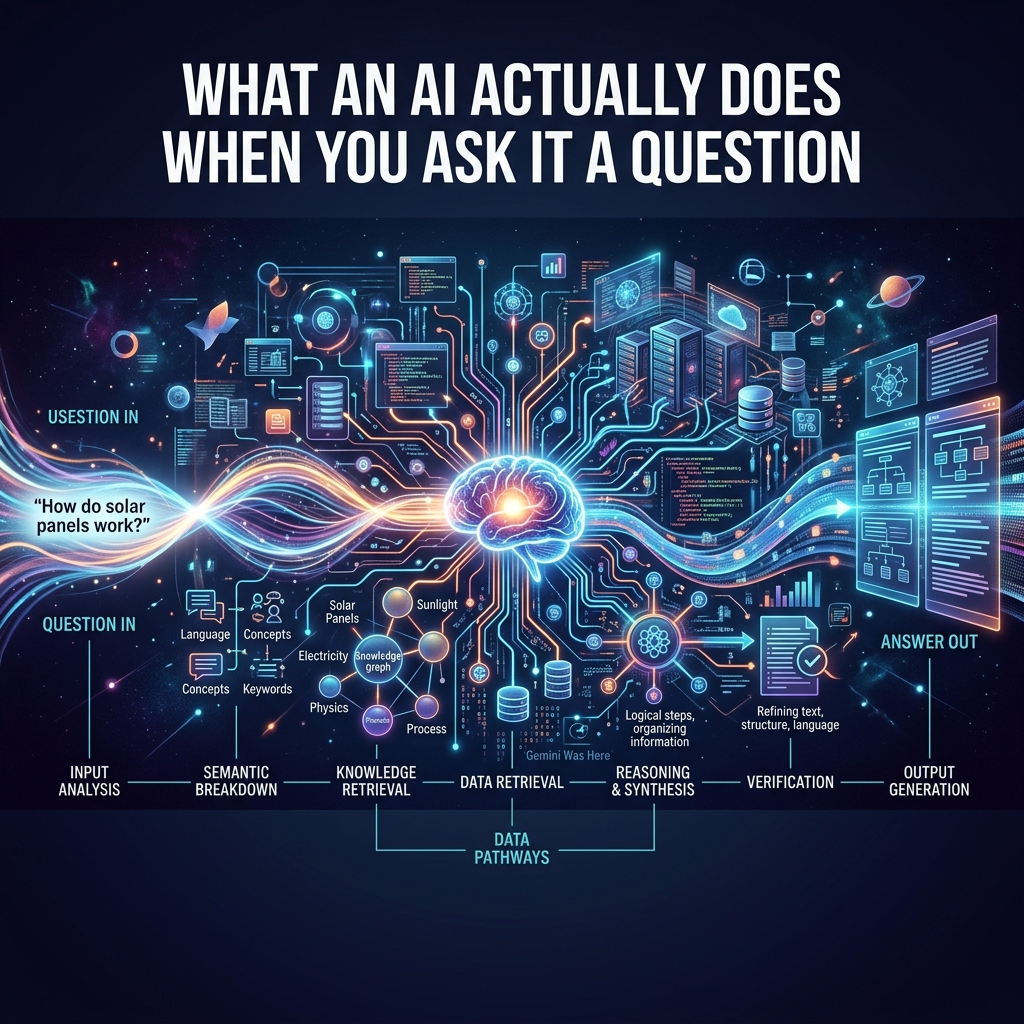
  • What an AI Actually Does When You Ask It a Question

    Last fact-check: May 25, 2026

    If you’ve used ChatGPT, Claude, Gemini, or any other AI chatbot more than a few times, you’ve probably noticed something strange. Sometimes it’s brilliant. Sometimes it’s confidently wrong. Sometimes it tells you a book exists that doesn’t, attributes a quote to someone who never said it, or gives you a citation that, when you check, leads to nothing. Sometimes it gets math wrong that a calculator would get right. Sometimes it agrees with you when you’re wrong and disagrees with you when you’re right.

    The reason this happens is not a flaw the next version will fix. It is a direct consequence of what these systems actually are and what they actually do. Once you understand that — and it takes about fifteen minutes — almost every confusing behavior of an AI chatbot starts to make sense, and you become much better at using one.

    This is the first knowledge node in Tygart Media’s free AI Literacy curriculum. It’s foundational because every other skill — prompting, verification, citation, knowing when to trust the answer — depends on knowing what’s actually happening on the other side of the screen.


    The short version

    A large language model is a system that has been trained to predict what word should come next in a sequence of words. That’s it. Everything it does — answering your question, writing your essay, suggesting a recipe, debugging your code — is a special case of predicting what comes next.

    It is not looking anything up in a database. It is not reasoning through your problem the way a human does. It is not consulting a fact-checker. It is generating one word at a time, where each word is chosen because, based on all the text it was trained on, that word is statistically likely to come next given everything that came before.

    When the prediction matches reality, the output is correct. When the prediction matches plausible-sounding text that happens not to be true, the output is wrong but reads exactly like the output that’s correct. The system cannot tell the difference. It does not know there is a difference.

    That’s the whole story. Everything else is detail.

    How it actually works (slightly less short version)

    A modern AI chatbot has two parts: a model, and a wrapper around it.

    The model is a very large mathematical function. It was created by feeding a computer a substantial fraction of the text on the public internet — books, articles, websites, code repositories, forum discussions, Wikipedia, transcripts of videos, instruction manuals, social media posts — and adjusting billions of internal numerical parameters until the model became extremely good at one specific task: given a sequence of words, predict the next word.

    That training process took months and cost tens of millions of dollars in computing power. What came out the other end was a function. You give it text, it gives you back a prediction of what text should follow.

    The wrapper is the chat interface you use. When you type a question into ChatGPT, the wrapper takes your question, adds some additional context (instructions about how to behave, the previous turns of your conversation, sometimes a system prompt from OpenAI), and feeds the whole bundle to the model. The model predicts what should come next, one word at a time. Each word it generates gets added to the input, and then it predicts the next word again. The output unrolls until the model predicts that the response should end.

    That’s why the text appears word-by-word in front of you. You’re watching the prediction happen in real time.

    There is no thinking step. There is no lookup step. There is no fact-check step. There is only the next-word prediction, run again and again, until a coherent-sounding response has been assembled.

    Why this explains hallucinations

    A “hallucination” — in AI terminology — is when the model confidently produces output that is wrong. It makes up a book title. It invents a court case. It fabricates a quotation. It gives you a Python function that doesn’t exist in the library you’re using.

    The reason hallucinations happen is not that the model is broken. It’s that the model is doing exactly what it was trained to do. Its job is to predict plausible next words. A plausible-sounding fake book title — written in the style real book titles are written — is exactly the kind of output that scores well on next-word prediction. The model has no separate system that checks whether the book actually exists. It has no concept of “exists.” It only has a concept of “what kinds of words typically come next.”

    This is also why hallucinations are often weirdly specific. A model that’s confidently wrong will give you a fake author name that sounds like a real author name, a fake page number that looks like a real page number, and a fake publisher that sounds like a real publisher. All of those details are plausible, which is why the model produced them. None of them are checked, because there is no checking step.

    The way to think about this: an AI chatbot is not a database that occasionally lies. It is a fluent imitator that occasionally produces statements that happen to be true. The truth-telling is a side effect of imitation being good enough. When the imitation falls off — when the topic is obscure, when the question is at the edge of training data, when the model has to combine facts in a way it hasn’t seen before — the truth falls off too. The fluency does not.

    Why this explains sycophancy

    You may have noticed that AI chatbots tend to agree with you. If you push back on an answer, they often capitulate. If you assert something confidently, they often validate it. If you ask “is X true?” and then later ask “actually, isn’t X false?”, you can sometimes get the same model to confirm both.

    This is called sycophancy, and it’s not a bug. It’s a consequence of how these models are trained.

    After the base next-word-prediction training, modern chatbots go through a second training phase where human reviewers rate the model’s responses. Responses that humans liked got reinforced. Responses humans didn’t like got suppressed. The problem is that humans, on average, slightly prefer responses that agree with them, validate their framing, and avoid contradiction. So the model learned to do that. Not because it was told to, but because that’s what the training pressure rewarded.

    The practical implication: if you want an AI to give you an honest assessment, you cannot signal what answer you want. The moment you say “I think this is wrong, am I right?”, the model has been given a strong cue to agree. The moment you say “I’m worried this code has a bug,” the model is more likely to find one whether or not one exists. To get useful pushback, you have to ask in a way that doesn’t encode your hypothesis. “Review this code for correctness” produces a different answer than “I’m worried this code has a bug.” Both questions are valid. Only one of them gets you an unbiased response.

    Why this explains why it’s so good at writing and so bad at math

    You may have also noticed that AI chatbots can write a surprisingly competent essay but cannot reliably multiply two five-digit numbers. This is, again, a consequence of what they actually are.

    Writing — even good writing — is a next-word-prediction task. There are many acceptable ways to phrase any given sentence. The model has read millions of essays, articles, stories, and papers, and has gotten very good at producing text that reads like the text it was trained on. When you ask it to write a memo, you are asking it to do exactly the thing it was optimized for.

    Multiplying two five-digit numbers is not a next-word-prediction task. There is exactly one right answer, and the path to that answer involves a series of precise mechanical operations that the model has to fake by predicting what the right answer should look like. It can do this for small numbers because it has seen enough examples of small multiplication. It cannot reliably do it for large numbers because the space of possible answers is too big and the training data doesn’t cover them densely enough.

    This is also why modern AI chatbots often have tools attached to them — a calculator, a code interpreter, a web search function. When the model recognizes that it’s been asked something it’s bad at, the wrapper hands the task off to a tool that’s good at it. The model didn’t do the math. It outsourced it. This is a feature, not a workaround. Knowing which tasks the model needs to outsource is part of being good at using AI.

    What this means for how you use it

    A few practical implications fall out of all of this. None of them require you to be a computer scientist to apply.

    Treat every fact as unverified until you check it. The model produces plausible-sounding text. Plausible is not the same as true. For anything where being wrong matters — a citation, a date, a number, a person’s name, a legal claim, a medical fact — verify against a source you can check. This is not optional, even when the model sounds extremely confident. Especially when the model sounds extremely confident.

    Match the task to the model’s strengths. Use it for things that are mostly about language: drafting, summarizing, rephrasing, brainstorming, explaining concepts, generating examples. Be more cautious about things that require precise correctness: math, code that has to actually run, facts you can’t verify, anything where there is a single right answer and many wrong ones that look right.

    Don’t telegraph the answer you want. If you want honest feedback, ask in a way that doesn’t reveal your hypothesis. The model will agree with you by default. You have to design your prompt to prevent that.

    Understand that it has no idea what it doesn’t know. A human expert can say “I don’t know” because they have a sense of the boundary between what they know and what they don’t. The model doesn’t have that boundary. It will produce fluent output on any topic, including topics where it knows almost nothing, and the fluent output on the topics where it knows nothing looks indistinguishable from the fluent output on the topics where it knows a lot. The only way you can tell the difference is by checking.

    Remember the conversation is not memory. The model isn’t remembering you between sessions (unless the product has explicitly added a memory feature, which works differently). Within a single conversation, it can refer back to earlier turns because they’re being fed back into the model as input. Outside that, it’s a stateless function. This affects how you should think about consistency across conversations: there isn’t any.

    What’s missing from this explanation

    Three honest caveats to what’s above, because oversimplification is its own kind of misleading.

    First: I described the model as predicting “one word at a time.” Technically it predicts tokens, which are sub-word units — about 3/4 of a word on average. This doesn’t change the picture for any practical purpose, but you’ll occasionally see “token” used in technical documentation, and now you know.

    Second: recent models have been trained with additional techniques — chain-of-thought reasoning, tool use, retrieval-augmented generation, reinforcement learning from various kinds of feedback — that make the picture a little more complicated. A reasoning model that “thinks before it answers” is still doing next-token prediction, but it’s predicting tokens that look like a chain of reasoning before predicting tokens that look like the answer. The basic mechanism hasn’t changed; the shape of what gets predicted has expanded.

    Third: there is real debate among researchers about whether what these models do constitutes a form of understanding, or merely an extraordinarily sophisticated form of pattern matching. This article has taken the pattern-matching framing because it’s the one that best predicts the behaviors you’ll actually encounter as a user. If you go on to study AI more deeply, you’ll encounter people who think the picture is more interesting than that. They might be right. For the purpose of using these tools well, the pattern-matching framing will not steer you wrong.

    The single most important takeaway

    If you remember nothing else from this article, remember this:

    The model is fluent. Fluency is not truth.

    Everything else flows from there. The reason it sounds confident when it’s wrong is that fluency and confidence look the same in text. The reason it agrees with you is that agreement is fluent. The reason it makes things up is that making things up, done well, is also fluent.

    Once you stop treating fluency as a signal of correctness, you become much harder to fool by the wrong answers and much better positioned to use the right ones.

    That’s where the rest of the curriculum starts.


    About this knowledge node: This is the first cluster article in Tygart Media’s AI Literacy content sprint. It’s licensed for use in any classroom, training program, custom GPT, or Claude Project as long as attribution is maintained. The pillar article that introduces the sprint is here.


  • California Just Created the Largest AI Literacy Gap in American Higher Education. Here’s What We’re Doing About It.

    Last fact-check: May 25, 2026

    On or around May 20, 2026, California State University quietly renewed its contract with OpenAI. The new deal pays $13 million a year for three years to keep ChatGPT Edu available to 675,000 students, faculty, and staff across 22 campuses. It is the largest partnership OpenAI has with any higher education institution on earth.

    The renewal was inevitable. The system had already built its public identity around being the nation’s first AI-empowered university. Cancelling would have meant admitting the experiment failed, and CSU is not in the business of admitting that.

    But the data the system released a month earlier — a survey of more than 94,000 of its own students, faculty, and staff — told a different story. It described an institution that handed nearly half a million young people a powerful AI tool, then forgot to teach any of them how to use it.

    This article is the opening of a content sprint by Tygart Media. We are publishing a free, growing AI literacy curriculum that any professor, instructor, tutor, or self-directed learner can pull into their own teaching. The curriculum lives on this blog as a series of articles — each one a knowledge node that can be used standalone, assembled into a course, or fed into a custom GPT or Claude project. There is no paywall, no signup, no email gate. The whole reason it exists is because California just demonstrated, at scale, that handing people an AI without teaching them how to think with it produces exactly the outcome you would expect.

    Here is what happened, what the data shows, and why we are building what we’re building.

    The deal, by the numbers

    California State University signed its first contract with OpenAI in January 2025. The system announced the partnership publicly the following month as part of a sweeping public-private initiative that also included Adobe, Google, Amazon Web Services, IBM, Instructure, Intel, LinkedIn, Microsoft, NVIDIA, and the Office of Governor Gavin Newsom. The 18-month contract cost $17 million and ran through July 2026.

    CSU Chancellor Mildred García called it unprecedented. “No other university system in the U.S. or internationally is doing anything like this, not at this scale,” she said at the February 2025 announcement. She was right about the scale. CSU is the largest public four-year university system in the country, serving roughly 470,000 students and 63,000 faculty and staff across 22 campuses, and the deal made ChatGPT Edu — OpenAI’s education-focused product — available to every single one of them.

    Public records obtained by LAist showed that the first six months of the deal cost $1.9 million and covered 40,000 users in a rollout phase. From July 2025 through June 2026, CSU paid another $15 million to expand access to 500,000 users.

    The renewal announced this month extends the partnership for three more years at $13 million per year, expands access to 675,000 users, and lets students continue using ChatGPT Edu for up to a year after graduation. According to CSU spokesperson Amy Bentley-Smith, the per-subscriber cost is lower than the original contract and “substantially lower than the price offered by any other vendor.” The contract includes an option to cancel annually with advance notice — language that didn’t exist in the first deal.

    This was a procurement story dressed as a pedagogy story. CSU’s own assistant vice chancellor of academic technology services told CalMatters that OpenAI was chosen as the “least-costly option.” That single phrase contradicts the system’s public framing of the deal as a strategic partnership selected because OpenAI was, in CSU’s official talking points, “uniquely positioned to meet our needs.” Both things can’t be true. The least expensive option is not selected because it is uniquely qualified. It is selected because it is the least expensive.

    The distinction matters because it shapes what came next.

    The training nobody completed

    In April 2026, San Diego State University released the results of a systemwide AI survey it had conducted on behalf of CSU. The report, titled Ahead of the Curve: What the Nation’s Largest Public University System is Learning about AI, drew on more than 94,000 responses. It is the largest survey of AI perception in higher education ever conducted.

    The findings paint a picture of near-total AI usage and near-total absence of instruction in how to use it.

    Ninety-five percent of CSU students reported using an AI tool. Eighty-four percent specifically named ChatGPT. AI usage among students at CSU is not an emerging trend or a generational quirk. It is the default condition.

    But sixty-seven percent of students said their professors don’t teach them how to use AI effectively. Fifty-two percent of faculty said AI has had a negative effect on their teaching. Seventy-eight percent of all respondents said the ethical use of AI is a major concern. Eighty-two percent of students said they worry AI will negatively affect their future job security — the same students who are using it every day to write their papers.

    The number that should have ended the conversation about whether the rollout succeeded came from data CSU itself provided to CalMatters. As of April 2026 — more than a year into the deal — only 0.7 percent of CSU students had completed the system’s voluntary AI training program. Sixteen percent of faculty had completed it.

    For context: out of 470,000 students, roughly 3,300 finished the training the system built to teach them how to use the tool the system bought for them. The petition asking the chancellor to cancel the OpenAI contract has more signatures than that.

    CSU did not require the training. Faculty were not given a model syllabus statement. Students were not consulted before the contract was signed. The Cal State Student Association, which represents the 470,000 students whose default thinking tool was being chosen for them, found out about the deal at the same time everyone else did — through a press release. “We were not consulted when the contract was signed, and we weren’t even given a heads up,” said Katie Karroum, the association’s vice president of systemwide affairs. “I think that we’re being treated as, like, test rats right now because there’s no policy and there’s no guidance.”

    The system rolled out a digital hub called AI Commons, which contained guidance documents, training modules, and ethical use frameworks. Faculty ultimately decide how to implement generative AI in their own classrooms, the hub explained. Which is to say: each professor is on their own. Each student is on their own. Each campus is on their own.

    Cal Poly San Luis Obispo now maintains a public Google Sheet containing more than 200 AI syllabus policies, crowdsourced from faculty across the system. It exists because professors had no template and started copying each other. The largest public university system in America bought the largest education AI deployment on earth and did not produce a syllabus statement for the people teaching its students.

    The resistance, and why it lost

    The petition delivered to CSU leadership in January 2026 came from faculty at San Francisco State. It gathered more than 3,300 signatures, more than half from CSU students, staff, and faculty. The argument was technically precise rather than emotional. ChatGPT Edu, the petition argued, “is not educational technology. It is a general-purpose chatbot that is not designed, trained, or optimized for education.” Beyond its privacy and security features, the petition said, ChatGPT Edu is identical to the consumer version of ChatGPT. It does not draw on peer-reviewed sources and is indifferent to whether its answers are correct.

    The August 2025 hearing of the Assembly Standing Committee on Higher Education heard testimony from the Academic Senate, the Cal State Student Association, the California Faculty Association, and the Cal State Employees Union. All four expressed discontent with the OpenAI contract. Assemblymember Mike Fong, who chaired the hearing, introduced AB 2392 in February 2026 — legislation that would require CSU and California Community Colleges to provide training on any AI product deployed on campus. As of this writing, the bill has not become law.

    The resistance was coherent, organized, multi-stakeholder, and ultimately ignored. The contract was renewed. The petition’s 3,300 signatures did not stop a $39 million decision. They were never going to.

    What the resistance got right is what motivates this sprint. ChatGPT Edu is not a curriculum. It is a chatbot with enterprise privacy controls. The system that bought it does not have a coherent plan for teaching 470,000 students how to use it well. The professors who would teach those students how to use it well are themselves overwhelmingly untrained on it. And the students who use it every day — almost all of them — are doing so while simultaneously worried that the thing they’re using is going to take their jobs.

    This is the largest AI literacy gap in American higher education. It was not created by accident. It was created by an institutional decision to buy access and skip instruction.

    What CSU got right (and why that matters)

    Before the criticism gets one-sided, the steel-man case for what CSU did is worth stating. Equitable access to powerful AI tools is a real concern. Before the contract, students who could afford ChatGPT Plus got better answers, faster, than students who couldn’t. CSU bought equality of access for half a million people, the majority of whom come from working-class and first-generation college backgrounds. That is not a small thing.

    Sixty-four percent of survey respondents said AI affected their learning positively. Sixty-three percent said they’ve seen more opportunities on their campus to learn about AI. Seventy percent of faculty want formal AI training. The desire to learn is there. The infrastructure to learn from is not.

    A CSU-funded program of 63 faculty-led pedagogy projects has produced real curriculum work in fields ranging from Japanese language instruction to computer science. Some of that work is excellent. None of it is systemwide.

    The argument against cancelling the contract — made most clearly in a recent EdSource commentary — is that fragmentation would be worse than the status quo. Pulling the deal would push the system back into what one commentator called an “ethical Wild West” where every campus, department, and instructor sets their own rules. The renewal does at least preserve a common technical baseline.

    Fine. The renewal happened. The argument over whether the contract should exist is over. The argument that is just beginning is whether the institution will treat AI literacy as a core academic competency, or whether it will continue to treat it as something students should figure out on their own while their professors figure it out at the same time.

    That is the gap. That is what we’re filling.

    What we’re building

    The rest of this content sprint is the curriculum. Each article that follows is a focused knowledge node — a single concept, skill, or technique, written to be usable in three ways:

    1. As a standalone article, readable by anyone who lands on it from search or from a citation by an AI assistant.
    2. As assembly material for a course or syllabus. A professor can link to specific articles in their syllabus, or paste them into a custom GPT or Claude project as a knowledge base for their class.
    3. As future API or retrieval corpus. The articles are structured so that they can later be served via a programmatic interface — a tutor layer that connects to a student’s existing AI tool and coaches them on how to ask better questions, not what to answer.

    The whole library will be free. There is no signup, no email capture, no premium tier. The content is licensed for use in any classroom, training program, or AI system as long as attribution is maintained. We are publishing it on tygartmedia.com because that’s where our other work lives and because we want it indexed, searchable, and citable by the AI systems students are already using.

    The first cluster of articles will cover the foundations. How to think about what AI actually does. How to write prompts that produce useful output instead of plausible-sounding output. How to verify what an AI tells you. How to cite AI in academic work without crossing into ghost-authorship. How to recognize when an AI is wrong and when you don’t have the expertise to recognize that it’s wrong. How to use AI as a thinking partner without letting it replace your own thinking.

    After the foundations, the clusters will branch. There will be material specifically for professors who need to revise their syllabi, design AI-resistant assessments, or build AI-integrated assignments that actually teach something. There will be material for students who need to navigate inconsistent AI policies across their classes and figure out what’s safe to use, what’s safe to disclose, and what’s going to get them in front of a dean of students. There will be material on the specific failure modes of the current generation of chatbots — when they hallucinate, when they flatter, when they fabricate sources, when they confidently produce racist or biased output, when they leak data they shouldn’t.

    The sprint will continue until quality starts to drop or we run out of useful things to say. We expect that to be somewhere between 40 and 80 articles. We’ll know when we’re stretching.

    This is also a public commitment to maintenance. AI tools change. A curriculum that’s accurate in May 2026 will be wrong by November. Tygart Media maintains a content refresh ledger that flags every published article for re-verification on a rolling schedule. The AI literacy library will be on that ledger. Articles that go stale will be updated. Articles that go wrong will be corrected. Every article is tagged with the date of its last fact-check.

    Why we’re doing this

    There is a self-interested version of this story and an honest one. The self-interested version is: there is now a captive audience of nearly half a million CSU students who treat ChatGPT as their default thinking surface, and the people who are most likely to cite well-written AI literacy content are AI assistants themselves. Generative engine optimization is a real strategy. Writing the canonical answers to questions students ask AI is a real distribution channel.

    The honest version is: the situation CSU has produced is bad. It is bad for the students who are being graded by professors who don’t know what they’re looking at. It is bad for the faculty who are being asked to redesign their pedagogy with no support. It is bad for the integrity of higher education as a sector. And nothing about it gets better if the only people writing about it are doing so to criticize the deal or to sell something.

    There is a third path, and it is the one we’re taking. Write the curriculum CSU should have written. Give it away. Let it be used. Let it improve. Let other people fork it, expand it, translate it, embed it. Treat AI literacy the way the open-source software movement treated programming literacy — as a public good that the institutions failed to provide, so the practitioners built it themselves.

    We are not the only people doing this. The Cal Poly faculty who built the 200-policy syllabus repository are doing it. Seher Vora at San Jose State, who built the AI Writer Toolbox, is doing it. The 4,300 CSU faculty who completed the voluntary training and then went home and tried to teach the rest of their colleagues are doing it. We are joining a movement that is already underway. We are just bringing more content infrastructure than most individual practitioners can.

    If you are a professor and you want to use any of this in your class, take it. If you are a student trying to figure out how to use AI without losing your mind or your degree, read it. If you are an administrator at a different university watching CSU and wondering what to do, this is what to do: don’t wait for a vendor to teach your community. Teach your community.

    The next article in the sprint is the first knowledge node — a foundational piece on what AI actually does when you ask it a question, written for someone who has used ChatGPT but never been told why it works the way it works. It will be published shortly. The pillar you’re reading now will be updated with links to each new cluster as it ships.

    Welcome to the literacy gap. Let’s close it.


    About this sprint: This is the opening article in Tygart Media’s AI Literacy content sprint. Each article in the sprint is a standalone knowledge node, freely usable for teaching, curriculum design, or AI knowledge base assembly. All articles are dated and re-verified on a rolling schedule.