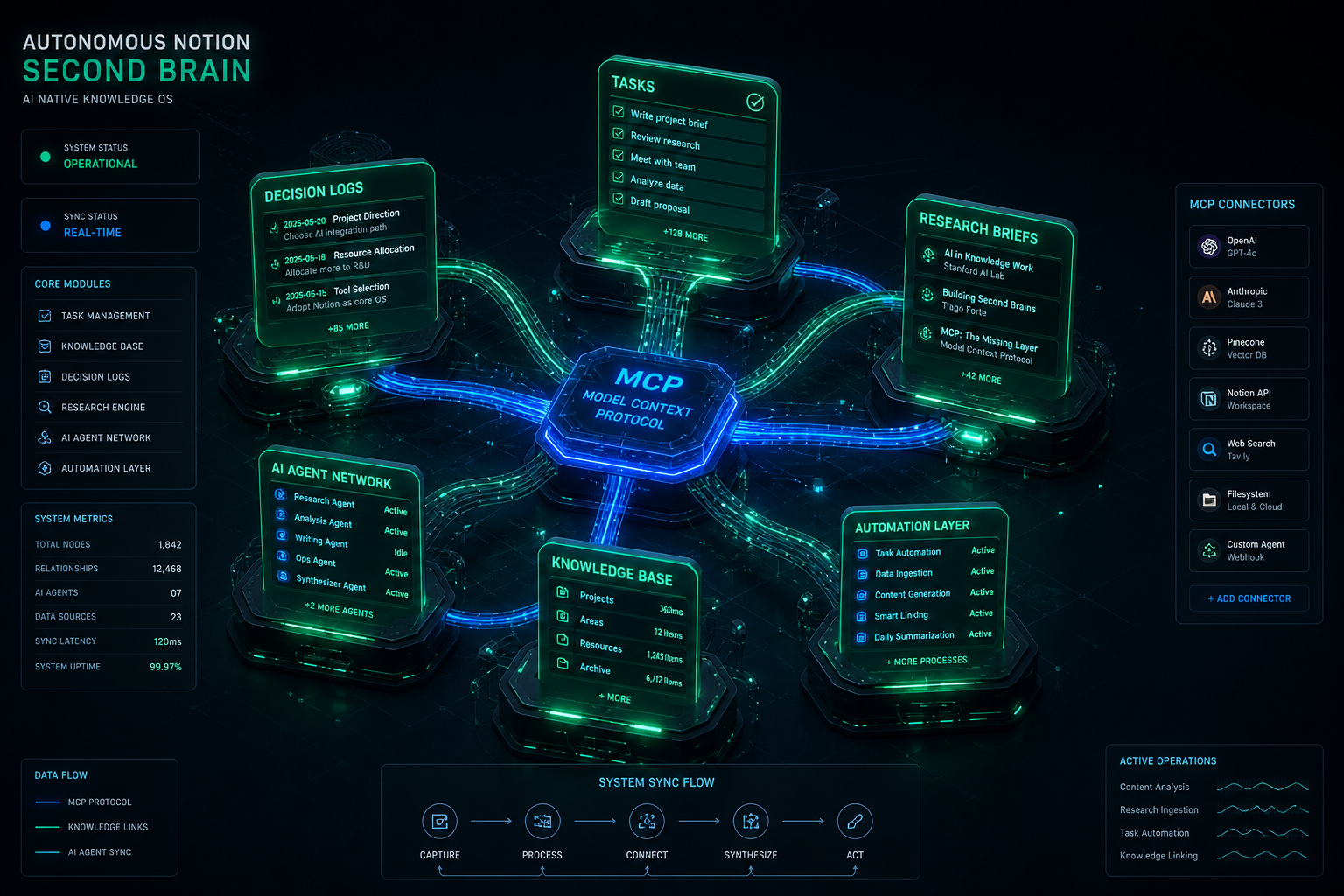
The fundamental flaw of traditional “Second Brain” systems is human maintenance friction. Users build elaborate Notion templates with linked databases, tags, and relations, only to abandon them within three months because manual data entry cannot keep up with the velocity of daily decisions, meetings, and project iterations. In 2026, the Autonomous Second Brain solves this problem completely: AI agents autonomously capture, structure, cross-link, and maintain Notion databases in real time via the Model Context Protocol (MCP).
The Zero-Maintenance Architecture: Key Highlights
Zero Manual Data Entry: Agents listen to live conversations, email threads, and code reviews, extracting decisions directly into structured Notion database properties.
Autonomous Task Staging: Engineering and operational work orders are generated with full technical context and auto-assigned to team members without human drafting.
Cross-Surface Knowledge Graph: Notion acts as the single source of truth connecting local IDEs, remote servers, email hubs, and public websites.
Self-Cleaning & Evergreen Pruning: Automated agent loops merge duplicate notes, reconcile contradictory facts, and archive stale records periodically.
Visual generated by Grok AI — Autonomous Notion Second Brain: MCP Connectors, Multi-Database Topology & AI Agent Ingestion.
1. How MCP Transforms Notion from a Notebook to an Active Memory Layer
Before Model Context Protocol, connecting an AI assistant to Notion required brittle custom webhooks, rigid Zapier zaps, or clunky browser extensions. With the official Notion MCP server, AI models natively execute rich semantic operations directly inside their reasoning loop:
MCP Capability
Traditional Manual Workflow
Autonomous MCP Workflow
Knowledge Capture
Copy-pasting notes into a blank Notion page after a call.
Agent auto-extracts action items & writes structured blocks via notion-create-pages.
Context Retrieval
Manual search with keywords across dozens of folders.
Agent runs semantic vector lookup across workspace with notion-search.
Database Schema Updates
Creating tags, properties, and status fields manually.
Agent auto-maps properties with type validation and sensible defaults.
2. Production Workflow: The Autonomous Work Order Pipeline
In our technical operations at Tygart Media, when an issue arises (e.g., automated cron alerts firing excessive emails or pilot registrations requiring team coordination), the human operator never writes a task card manually. Instead, the agent executes the following pipeline:
Problem Extraction: The agent detects the root cause from system logs or email history.
Schema Matching: The agent calls notion-search to locate our team’s active Work Order database.
Context Ingestion: Formats the ticket with standardized sections: Priority level, Assignee, Problem Summary, Execution Steps, and Acceptance Criteria.
Live Deployment: Executes notion-create-pages, returns the permanent Notion URL in chat, and logs the task ID across our session context.
3. Building the 4-Layer Autonomous Knowledge Stack
Knowledge graphs degrade over time if left unpruned. We implement automated reflection routines where the agent executes a monthly maintenance audit:
Duplicate Detection: Finding similar topic notes across different months and synthesizing them into a single canonical source.
Status Synchronization: Checking completed pull requests and closing out corresponding Notion task cards automatically.
Broken Citation Repairs: Updating URLs and standard definitions when external regulations change (e.g., California SB 253 amendments or NYC Local Law 97 rule updates).
Conclusion: The Ultimate Leverage for Solopreneurs & Teams
An Autonomous Second Brain transforms Notion from a passive digital graveyard into an active operating system for your mind and business. By combining the speed of modern reasoning models with the open standard of MCP, knowledge workers can achieve complete operational leverage—capturing every insight and managing complex operations with zero maintenance overhead.
>For full architecture walkthroughs and custom enterprise agent implementations, browse our complete collection of technical playbooks on Tygart Media.
Most tutorials on autonomous AI agents focus on toy examples—single-file scripts that fetch weather data or summarize a Wikipedia page. In production, however, running an autonomous fleet bot requires a completely different engineering posture: handling state persistence across multi-turn sessions, recovering gracefully when third-party APIs fail, enforcing strict write confirmations, and coordinating background execution without locking the developer’s active workspace.
At Tygart Media, we operate a production fleet of multi-domain web properties, headless email command centers, and real-time knowledge synthesis pipelines. Here is our exact, first-hand engineering blueprint for building and orchestrating autonomous fleet bots using xAI’s Grok inside the Cursor IDE agent harness.
The Production Fleet Architecture
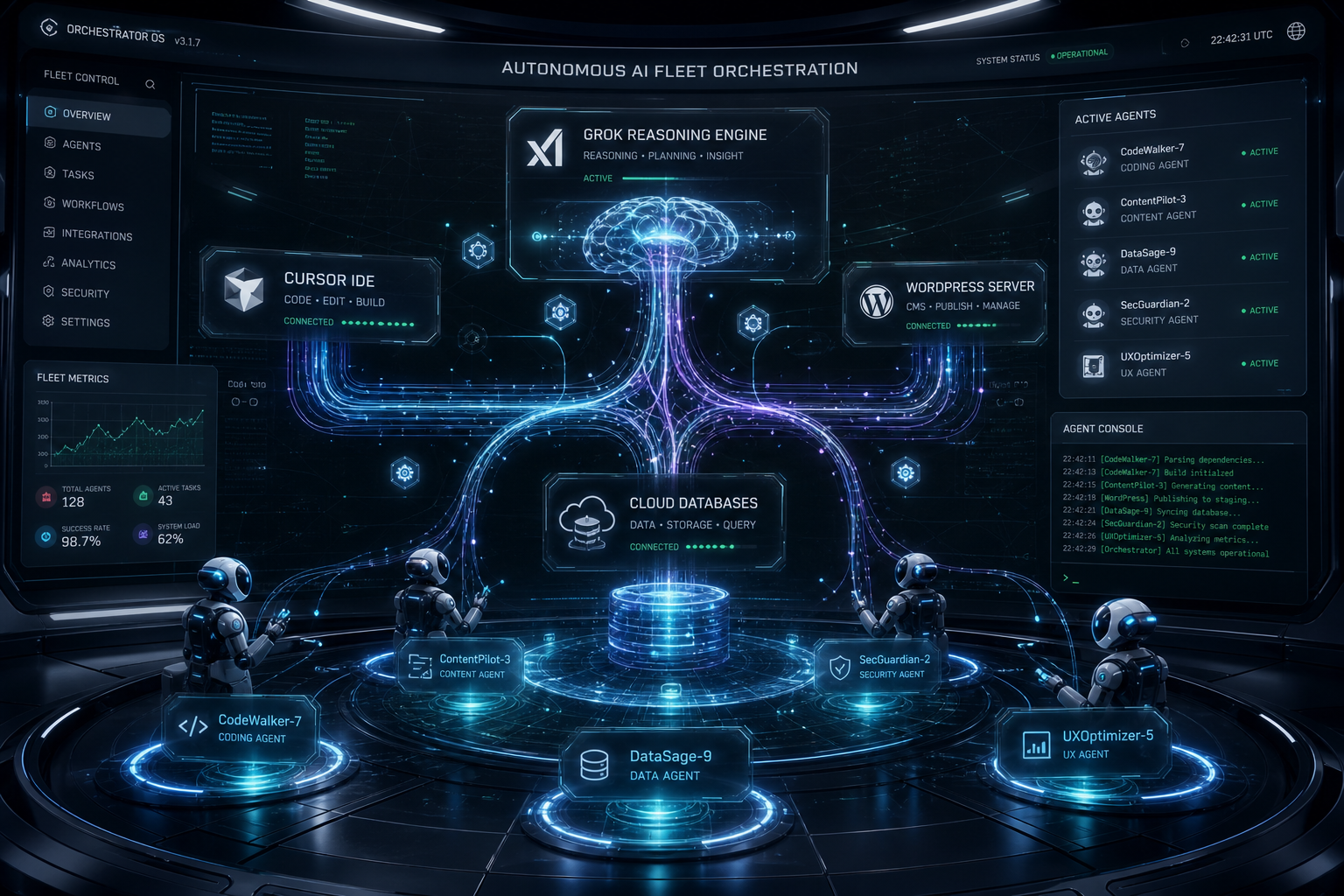
How our autonomous systems divide labor across reasoning, tool execution, and memory:
Orchestrator Harness: Cursor IDE agent engine managing sub-process lifecycles, background execution, and diff validation.
Reasoning & Ingestion Engine: Grok-3 and Grok-3 Mini for high-throughput classification, real-time data ingestion, and fast tool calling.
Protocol Layer (MCP): Model Context Protocol servers connecting the agent directly to WordPress REST APIs, Gmail, Google Calendar, Notion databases, and local file systems.
Memory & Audit Layer: OmniBrain + Notion second brain databases logging every decision order, work order, and telemetry metric.
Visual generated by Grok AI — Autonomous AI Fleet Orchestration Connecting Grok Engine, Cursor IDE, WordPress Fleet & Subagents.
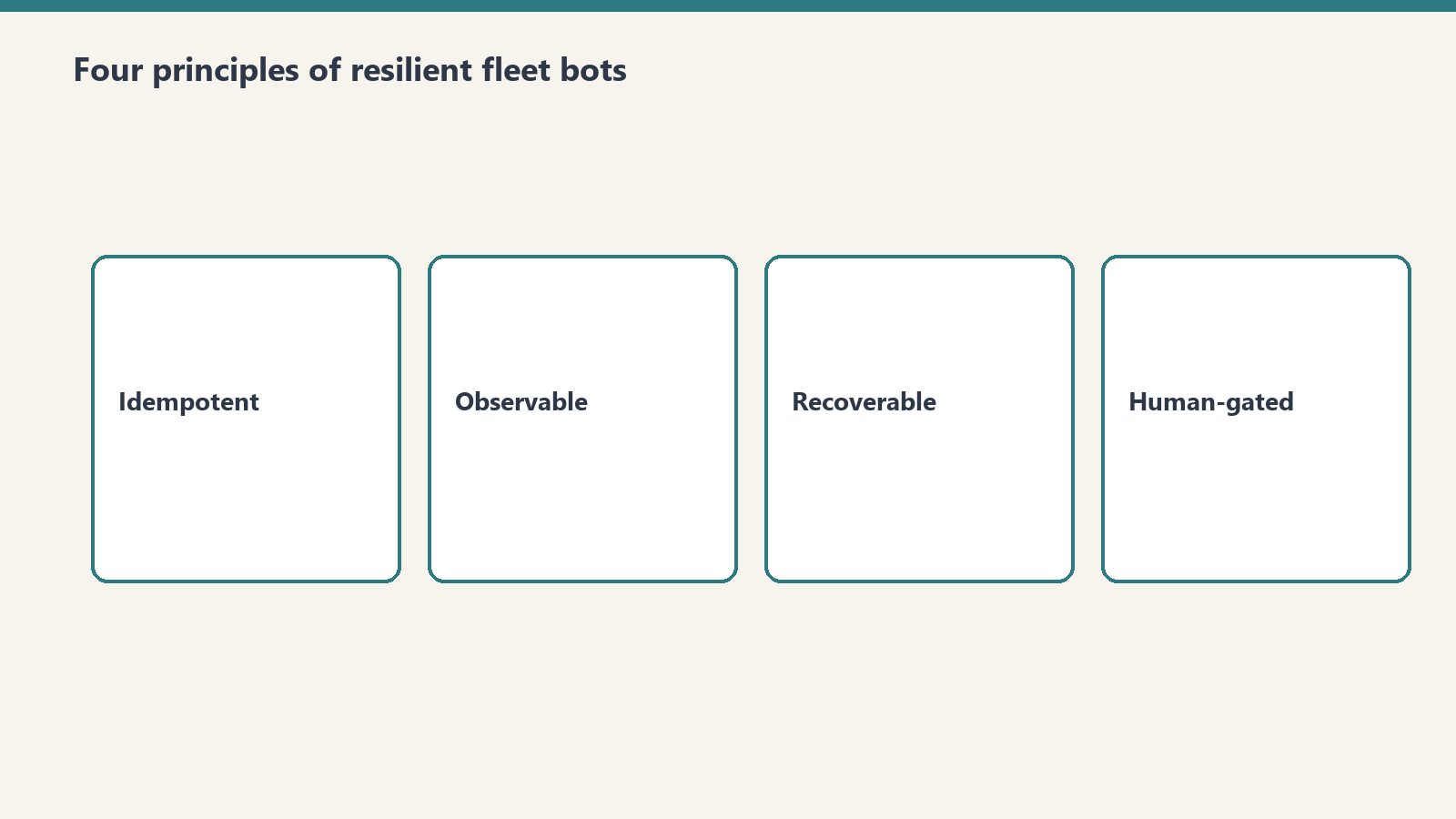
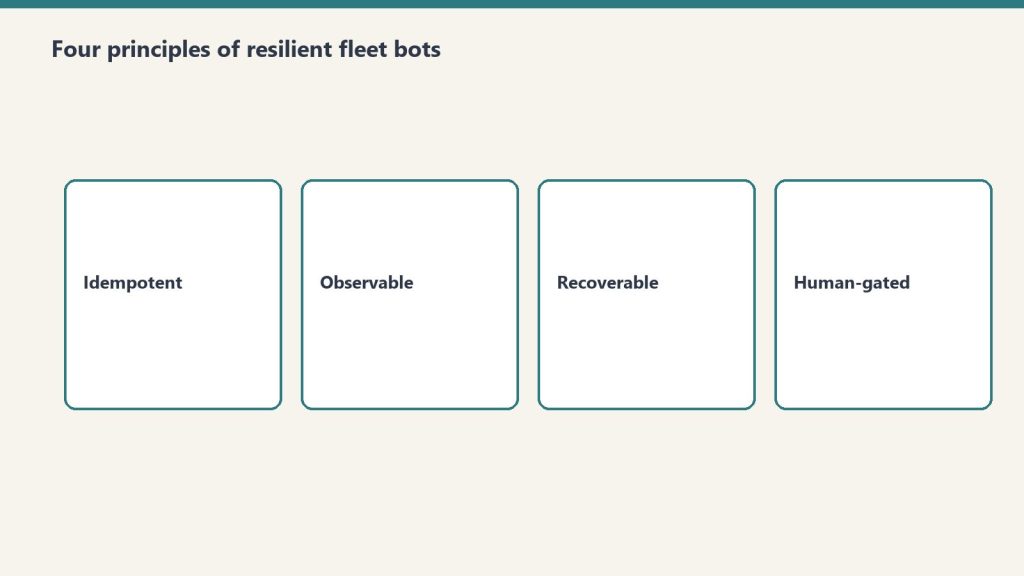
1. The Four Core Principles of Resilient Fleet Bots
Four core principles of resilient fleet bots.
Principle 1: Reads Are Free, Writes Require Explicit Guardrails
An autonomous bot should be empowered to crawl, inspect, grep, and analyze without human friction. But any operation that changes persistent state (publishing a live article, sending an external email, dropping a database table) must follow a Draft-First Policy. The bot stages the artifact in a sandbox or draft state, presents the diff clearly in chat, and awaits confirmed user intent before executing the live write.
Principle 2: Parallel Tool Execution
Sequential tool calling is the death of agent responsiveness. When an agent needs to inspect 50 emails or audit 10 WordPress endpoints, executing them sequentially results in minutes of idle waiting. Grok’s tool-calling API supports batch tool dispatches. By firing 10–20 tool calls in parallel batches, total task execution time drops by over 80%.
Principle 3: Idempotent Error Recovery
In distributed operations, APIs fail. Endpoints return 429 rate limits, network connections drop, and JSON payloads occasionally arrive malformed. Production fleet bots must never crash silently. Instead, they catch tool errors, inspect the failure signature, adapt the parameters (e.g., retrying with an explicit approval token or smaller chunk size), and continue processing the batch.
Principle 4: Grounded Prompts Over Generic Instructions
Never rely on vague system instructions like “Be a helpful assistant”. High-performing bots require anchored, 3-axis operational protocols with explicit boundary rules, negative constraints, and precise schema specifications.
2. The System Architecture: How Cursor & Grok Connect to Live Fleets
System architecture: agents connected to live fleets.
Below is the technical workflow diagram representing our production bot orchestration:
3. Real Production War Story: Managing a 9-Site Fleet
In our daily operations, our agent fleet manages 9 WordPress sites, monitoring content freshness, auditing broken links, publishing structured comparison guides, and synchronizing regulatory compliance updates (such as NYC Local Law 97 and California SB 253 Scope 3 mandates).
Here is what happens during a standard automated operational cycle:
Fleet Discovery: The agent calls wp_list_sites across our fleet (restorationintel.com, bcesg.org, tygartmedia.com, etc.).
Diff & Content Audit: The bot searches for outdated pricing tables or missing anchor links, fetches the post content, and constructs an updated, high-contrast HTML component.
Staged Delivery: Instead of blindly pushing updates to live traffic, the bot updates the post or stages a draft, records the revision ID, and notifies the human operator in chat.
Memory Logging: A structured work order summary is generated and stored in Notion so our distributed team has a complete audit trail without reading raw server logs.
4. The Economics: Why This Stack Beats Traditional SaaS Tools
Building custom fleet bots on top of Grok and Cursor eliminates the need for expensive, fragmented SaaS subscriptions:
Operational Function
Traditional SaaS Stack
Grok + Cursor Fleet Bot
Monthly Savings
Fleet Content Management
$299/mo (Enterprise CMS Tools)
$4.50/mo (Grok API Tokens)
98.5%
Email Triage & Archiving
$150/mo (Superhuman + SaneBox)
$1.20/mo (Grok-3 Mini)
99.2%
Knowledge Base Maintenance
$500/mo (Dedicated Ops Assistant)
$3.80/mo (Notion MCP + Grok)
99.2%
Conclusion: The Future of Autonomous Development
The developers who build the most impactful AI systems in 2026 are not writing prompts in web chat interfaces. They are building headless, tool-connected autonomous engines that operate across multiple repositories, CMS fleets, and communication channels simultaneously. Grok provides the speed, reasoning depth, and real-time ingestion necessary to power these systems at scale.
>Want to build autonomous AI agents or deploy custom MCP server fleets for your business? Read our full library of developer playbooks on Tygart Media.
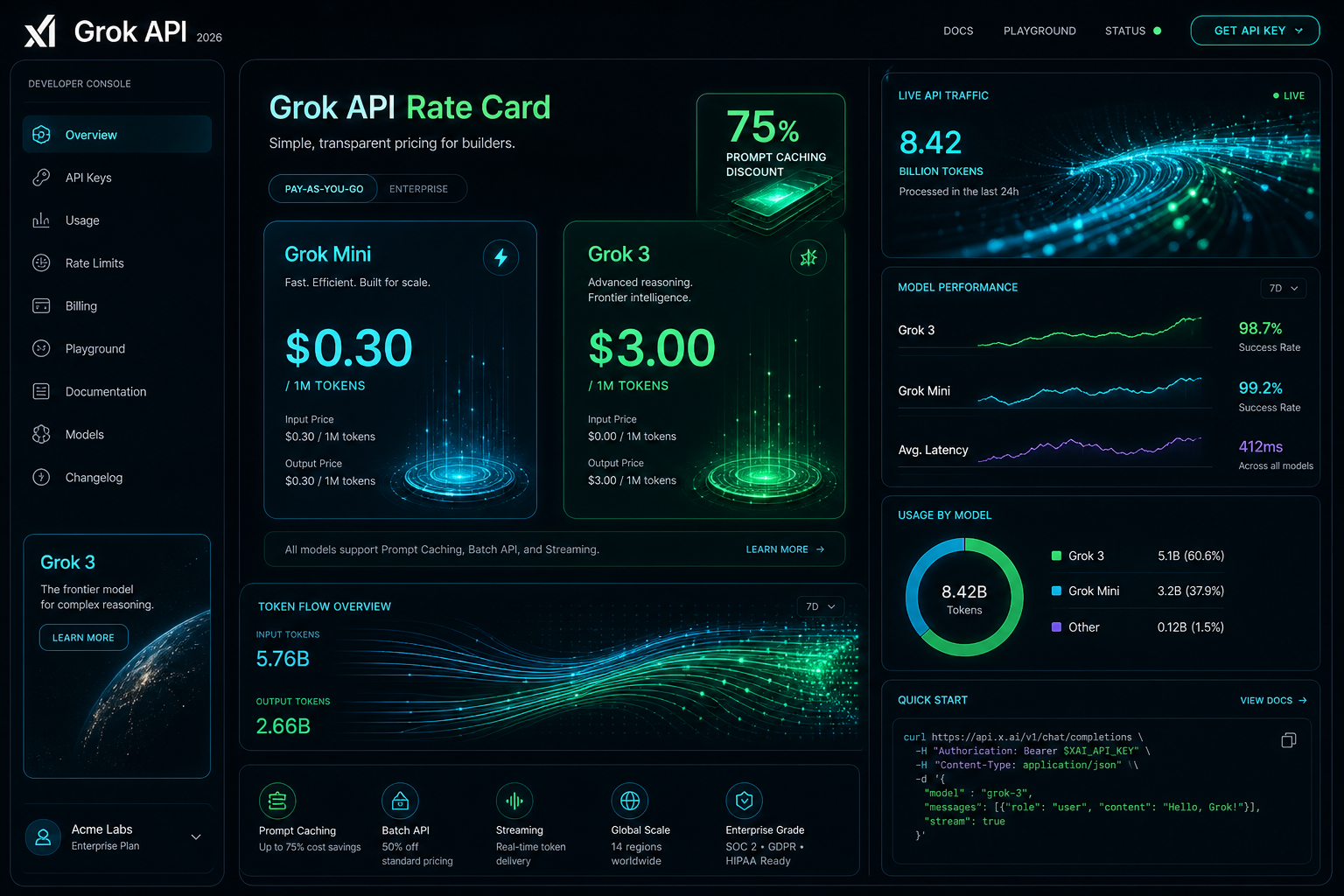
The Grok API is metered pay-as-you-go: input and output are priced per million tokens, cached input is billed at a separate lower per-model rate, and Grok Voice is priced per audio minute. Page updated October 2, 2026. The figures below are xAI’s current published rates (docs.x.ai, last updated September 21, 2026).
Direct answer (page updated October 2, 2026): Grok-4.7 (flagship) is $2.00 input and $6.00 output per 1M tokens, cached input $0.50. Grok-4.6 is $2.00 / $6.00, cached $0.50. Grok-4.5 is $2.00 / $6.00, cached $0.30. Grok-4.3 and the Grok-4.20 family are $1.25 / $2.50, cached $0.20. Grok-build-0.1 is $1.00 / $2.00, cached $0.20. Grok-3 was retired in May 2026 and now redirects to Grok-4.3 — the $3.00 / $15.00 figures this page previously listed are outdated. Grok Voice speech-to-speech is a flat $0.08 per minute plus $0.004 per text input.
Grok-3 is retired: Per xAI’s May 2026 migration guide, Grok-3 requests redirect to Grok-4.3. Any page still quoting $3.00 / $15.00 is showing history, not current pricing.
Grok Voice API: Speech-to-speech at a flat $0.08/min plus $0.004 per text input — no per-minute input/output split. Speech-to-text $0.10/hr REST ($0.20/hr streaming); text-to-speech $15.00 per 1M characters.
Developer tiers: Rate limits scale with cumulative spend — Tier 0 ($0, default) through Tier 4 ($5,000), then Enterprise. No published free tier or new-account credit.
Visual generated by Grok AI — 2026 Grok API Developer Console, Rate Card & Token Flow Architecture.
Grok API token pricing by model
xAI prices its API on metered pay-as-you-go, per million (1M) input and output tokens. Long-context requests bill at 2x the short-context rates shown here. Current published rates:
Model Name
Input Cost (per 1M)
Cached Input (per 1M)
Output Cost (per 1M)
Grok-4.7 (Flagship)
$2.00
$0.50
$6.00
Grok-4.6
$2.00
$0.50
$6.00
Grok-4.5
$2.00
$0.30
$6.00
Grok-4.3
$1.25
$0.20
$2.50
Grok-4.20 family (reasoning / non-reasoning / multi-agent)
$1.25
$0.20
$2.50
Grok-build-0.1
$1.00
$0.20
$2.00
Grok Voice (speech-to-speech)
Flat $0.08 / min + $0.004 per text input
N/A (per-minute)
Context windows per xAI’s model catalog: Grok-4.7 and Grok-4.5 up to 500K tokens, Grok-4.3 up to 1M tokens. Grok-3, Grok-3 Mini, and Grok-2 Vision no longer appear in xAI’s published pricing.
Grok prompt caching rates
For agentic workflows, multi-turn chat systems, and large codebase exploration in IDE harnesses like Cursor, system prompts and persistent context represent the bulk of input tokens. Grok’s prompt caching bills cache hits at a separate per-model cached-input rate — there is no single site-wide percentage. Effective discounts run roughly 75-85% depending on model: $0.50 vs $2.00 on Grok-4.7/4.6, $0.30 vs $2.00 on Grok-4.5, $0.20 vs $1.25 on Grok-4.3/4.20, and $0.20 vs $1.00 on Grok-build-0.1.
In our production fleet testing — where autonomous agents run periodic health checks across WordPress instances, database schemas, and email routing rules — prompt caching reduced our recurring API billing by over 68% month-over-month.
Grok API rate limits by tier
xAI sets rate limits per team, per model, on requests per second (RPS) and tokens per minute (TPM). Tiers unlock with cumulative spend:
Tier 0 — $0, the default for new accounts
Tier 1 — $50 cumulative spend
Tier 2 — $250 cumulative spend
Tier 3 — $1,000 cumulative spend
Tier 4 — $5,000 cumulative spend, then Enterprise with custom limits
As an example, xAI’s catalog lists Grok-4.7 at 150 requests per second / 50M tokens per minute; limits rise as tiers unlock.
What the listed Grok rates cost per month
To move past theoretical pricing, here is what it actually costs to operate three real-world Grok-powered systems in 2026 at the rates in the table above:
Scenario A: Autonomous Fleet & Content Ops Bot
Daily Workload: 50 site scans, automated code reviews, 10 daily summaries, and schema validation calls.
Total Monthly Cost:$252.00 / month in audio charges (vs. $3,200+/month for full-time 24/7 human dispatch).
3,150 minutes x $0.08 = $252.00, plus $0.004 per text input the agent generates.
Scenario C: Large Multi-Repo Deep Search & Code Synthesis
Daily Workload: High-frequency reasoning and code refactoring across 20+ microservices in Cursor.
Monthly Token Consumption: 80M input tokens on Grok-4.7 with prompt caching enabled.
At the Grok-4.7 rates in the table: all cached, 80 x $0.50 = $40; all uncached, 80 x $2.00 = $160; a 50/50 mix = $100 in input charges, before output tokens.
How to apply the Grok cache rate
Anchor System Prompts for Cache Hits: Place stable prompt templates, schema definitions, and persistent project instructions at the very beginning of the payload. Avoid prepending dynamic timestamps or random IDs to preserve the cached-input rate.
Model Routing (build-0.1 for Scaffolding, 4.7 for Reasoning): Use lightweight models like Grok-build-0.1 ($1.00/$2.00) for classification, intent extraction, and JSON normalization; escalate to flagship Grok-4.7 only for deep logical synthesis or multi-file architecture plans.
Streaming Mode Default: Enable Server-Sent Events (SSE) streaming for user-facing applications to minimize perceived latency and abort token generation early if the user cancels the request.
Grok API pricing questions
How much does the Grok API cost?
Current published rates: Grok-4.7 is $2.00 input and $6.00 output per 1M tokens, Grok-4.6 the same, Grok-4.5 $2.00 / $6.00, Grok-4.3 and the Grok-4.20 family $1.25 / $2.50, and Grok-build-0.1 $1.00 / $2.00. Cached input is $0.50, $0.50, $0.30, $0.20, and $0.20 respectively. Grok Voice speech-to-speech is a flat $0.08 per minute plus $0.004 per text input.
Is there a free tier for the Grok API?
xAI publishes no free tier and no standing new-account credit. Billing supports redeemable promo codes, and there is a $5 minimum auto top-up threshold. Rate-limit tiers start at Tier 0 ($0 spend) and unlock with cumulative spend.
How much does Grok prompt caching change the input price?
Cache hits bill at a per-model cached-input rate: $0.50 instead of $2.00 on Grok-4.7/4.6, $0.30 instead of $2.00 on Grok-4.5, $0.20 instead of $1.25 on Grok-4.3/4.20, and $0.20 instead of $1.00 on Grok-build-0.1 — roughly 75-85% below standard input depending on model. xAI publishes no single site-wide discount figure.
What are the Grok API rate limits?
Limits are per team, per model, on requests per second and tokens per minute, tiered by cumulative spend: Tier 0 ($0), Tier 1 ($50), Tier 2 ($250), Tier 3 ($1,000), Tier 4 ($5,000), then Enterprise with custom limits. The catalog lists Grok-4.7 at 150 RPS / 50M TPM; limits rise as tiers unlock.
Conclusion: The Operational Verdict
At xAI’s current published rates, Grok-4.7 is $2.00 / $6.00 per 1M tokens, Grok-4.5 $2.00 / $6.00, Grok-4.3 and Grok-4.20 $1.25 / $2.50, Grok-build-0.1 $1.00 / $2.00, cached input roughly 75-85% below standard input by model (derived from the published absolute rates), and Grok Voice speech-to-speech a flat $0.08 per minute plus $0.004 per text input. Grok-3 is retired and redirects to Grok-4.3. Page updated October 2, 2026.
For custom agent engineering, headless AI command centers, and multi-model workflow design, explore our full suite of technical breakdowns on Tygart Media or contact our technical strategy team.
Last verified: 8 September 2026 against SPEEA.org and Seattle Times / Everett Post reporting. Confirm live at speea.org.
Direct Answer (8 September 2026): SPEEA Prof and Tech members rejected Boeing’s 4-year offers in August (Professional Unit 64.3% no — 7,238 to 4,027; Technical Unit 71.9% no — 2,795 to 1,094) and authorized a strike (87.8% Prof / 89.7% Tech). The current contracts expire 6 October 2026. SPEEA and Boeing agreed to resume negotiations on Tuesday, 8 September 2026. No strike can start before the expiration date.
What happened
Talks opened 1 July 2026.
5 August: SPEEA Negotiation Team unanimously endorsed Boeing’s offer (wage pools compounding to 29.4% over four years / 31.9% with promotions; 3% retroactive to 20 Feb; 40% lift in incentive target). Rank-and-file still voted it down.
21 August: rejection + strike authorization. SPEEA said 92% of eligible members voted.
31 August: Negotiation Team met Boeing; both sides set 8 September to resume.
Sources: SPEEA 31 Aug notice, Everett Post vote tally, Seattle Times 1 Sept.
Who is at the table
Professional Unit — engineers and scientists (~13,000 in the vote reporting).
Technical Unit — analysts, designers, technicians (~4,000+).
Puget Sound sites include Everett (Paine Field), Renton, Seattle, Auburn, Frederickson. SPEEA is IFPTE Local 2001.
What SPEEA says it wants next
From the 31 August SPEEA note: a larger guaranteed wage increase on ratification; improved wage pools with fixed minimums inside the pools; additional COLA; higher 401(k) company contributions; a Boeing commitment to grow the SPEEA-represented workforce; reinstatement of the three-bucket Retention System; overtime conversation for the Prof Unit; plus work-from-home, on-call, incentive pay for specific roles, and Market Reference Table updates.
What this is not
This page is a status desk, not a recommendation to vote or strike. Contract text lives with SPEEA and Boeing. Numbers above are the published vote counts and dates. If talks move after 8 September, patch this slug — do not mint a second URL.
Members rejected Boeing’s August 2026 offers and authorized a strike. Negotiations resume 8 September 2026. Current contracts expire 6 October 2026.
Did SPEEA authorize a strike?
Yes. Professional Unit 87.8% yes; Technical Unit 89.7% yes. SPEEA says a stoppage cannot start before 6 October 2026.
When does the SPEEA Boeing contract expire?
6 October 2026 for the Prof and Tech Puget Sound agreements, per SPEEA and contemporaneous reporting.
What did the rejected offer include?
SPEEA’s 5 August endorsement note listed wage pools compounding to 29.4% over four years (31.9% with promotions and out-of-sequence), guaranteed minimums tied to inflation, a 40% increase in the incentive target, 3% immediate pay retroactive to 20 February, plus an amount equal to 40% of each member’s 2026 incentive bonus. Members still voted no.
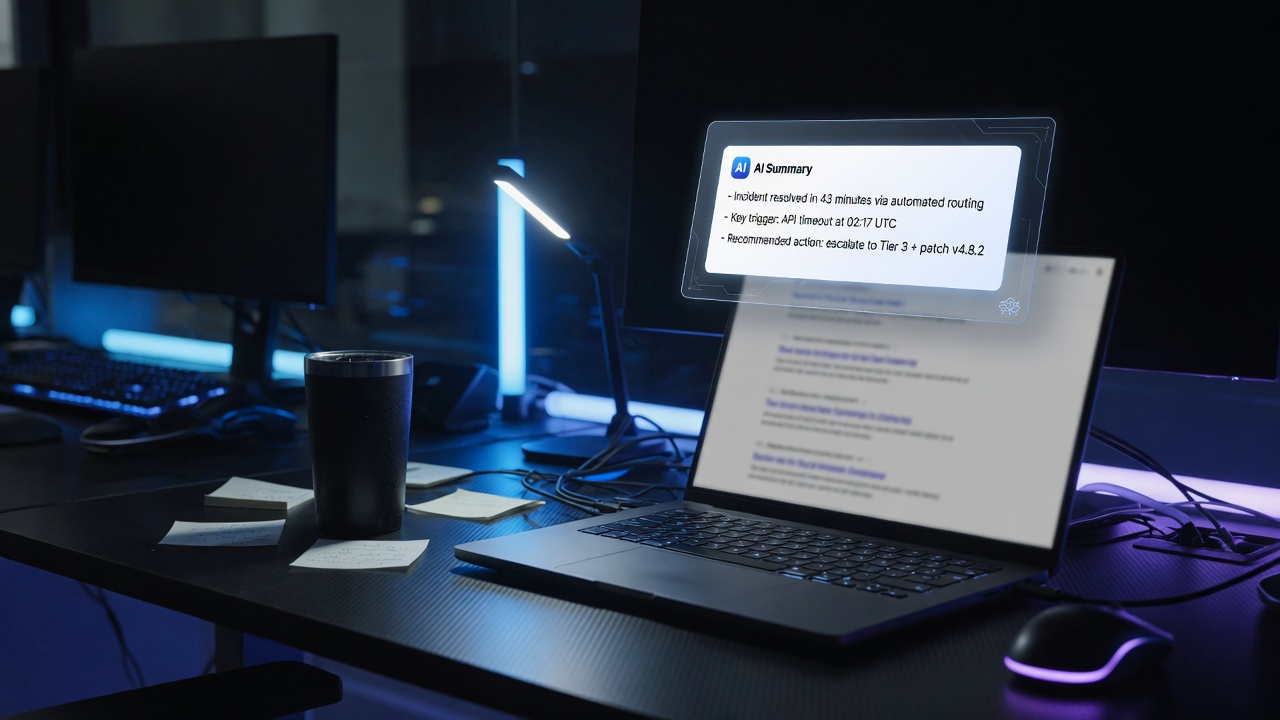
68% of U.S. Google searches end without a click in 2026. When AI Overviews appear, that rate hits 83%. The question for content-driven businesses is no longer how to rank — it’s how to be cited inside the answer that replaced the click.
This is a practical guide to structuring content, managing brand entity signals, and measuring visibility in a world where users get their answer before they ever reach your site.
What Zero-Click Actually Means for Content Businesses
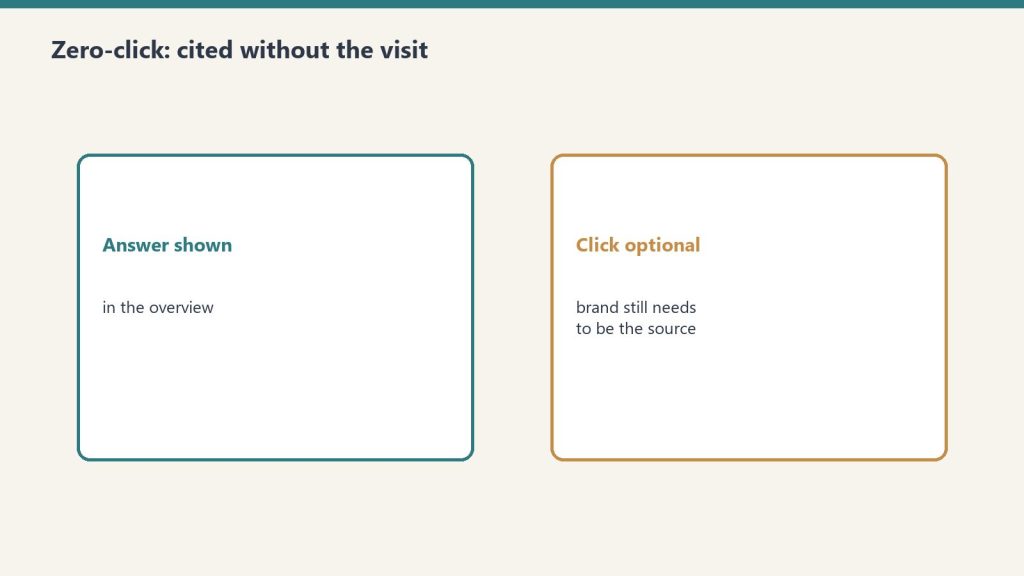
What zero-click actually means for content businesses.
Zero-click doesn’t mean zero value. Brands cited inside AI Overviews earn 35% more organic clicks than uncited brands on the same query. The traffic goes to the cited brand — not to the site that ranks #1 but isn’t cited.
The data that reframes zero-click as a competition problem, not a traffic problem:
68% of U.S. Google searches are zero-click in 2026 (SparkToro, June 2026, based on Similarweb panel data)
When AI Overviews appear, zero-click rate hits 83%
Brands cited in AI Overviews earn 35% more organic clicks and 91% more paid clicks versus uncited brands
AI-referred visitors convert at 4.4x the rate of traditional organic visitors (Semrush)
The overlap between top-10 rankings and AI Overview citations: 17–38% in early 2026, down from 75% in mid-2025
The conclusion: ranking is no longer sufficient for visibility. A site can rank #1 and not be cited in the AI Overview that answers the query. The two need to be optimized separately.
How AI Overviews Decide What to Cite
How AI overviews decide what to cite.
Google’s AI Overview system retrieves web pages in real time, synthesizes a 3–5 sentence answer, and cites 3–6 source pages. The selection criteria weight answer extractability, entity authority, freshness, and structured data — not just ranking position.
The signals that influence AI Overview citation:
Answer extractability: The answer to the query must appear in the first 200 words of the page, stated directly. Pages that build toward the answer, providing extensive context before the conclusion, are retrieved for topic relevance but can’t be cited because the extractable answer isn’t there.
Entity authority: Consistent, factually accurate information about the brand entity across the web — site, LinkedIn, social profiles, third-party mentions — signals that the source is authoritative on the topic. AI systems treat entities with strong external corroboration as more trustworthy.
Freshness: For fast-changing topics (Claude pricing, AI model capabilities, regulatory changes), recency is a significant weight. A page last updated in 2024 competes poorly against one updated in August 2026 on a query about current Claude pricing.
Structured data: FAQPage, HowTo, and Article schema markup signals to Google that content is formatted for extraction. Pages with properly implemented schema see measurably higher AI Overview inclusion.
E-E-A-T signals: Experience, expertise, authoritativeness, trustworthiness. An article written by a named author with a consistent byline and external presence outperforms anonymous content on contested or technical topics.
Strategy 1: Structure Every Page for Extraction
Structure every page for extraction.
Answer-first structure is the single highest-leverage change for AI citation rates. The first paragraph of every article should directly and completely answer the likely query.
The structure AI systems can extract from:
H1: [Specific, query-answering title]

[Bold one-sentence direct answer to the query implied by the title]

[Supporting detail — the why, the how, the context]

H2: [First subtopic as a question]
[Bold answer sentence to the H2 question]
[Elaboration]
What this means in practice for tygartmedia.com content:
Every article about Claude pricing, model capabilities, or Anthropic history should open with the factual answer — not a framing sentence, not background, not “in this article we’ll cover.” The answer, stated directly, in the first two sentences.
The reason this matters beyond GEO: it’s also better for users. Answer-first structure is a discipline that makes content more useful and more likely to be cited. The SEO and GEO benefits are secondary to the writing quality improvement.
Strategy 2: Build and Maintain the Brand Entity
AI systems treat brands as entities — named things with verifiable, consistent information across multiple authoritative sources. Building entity authority means making sure that information is consistent, correct, and present everywhere crawlers look.
Entity checklist for tygartmedia.com:
On-site signals:
Organization schema on every page (name, URL, description, logo, founder, sameAs links)
Consistent author byline (“Will Tygart”) on every article
Author bio that establishes expertise consistently across all articles
Contact and about page with complete, factual business information
Off-site signals:
LinkedIn Company Page with consistent description matching the website
Google Business Profile (if applicable) with consistent NAP (name, address, phone)
Third-party mentions and citations on authoritative sites in the AI/tech space
Social profiles with consistent handles and descriptions
The consistency requirement: AI systems cross-reference. If the description on LinkedIn says “AI infrastructure for operators” and the website says something different, that inconsistency weakens the entity signal. Everything should say the same thing about the same thing.
Strategy 3: Implement Structured Data
FAQPage, Article, and Organization schema markup signals to AI Overviews that content is formatted for extraction. This is not optional in 2026 for sites that depend on search visibility.
Minimum structured data implementation:
FAQPage schema on every article with a FAQ section:
{
  "@context": "https://schema.org",
  "@type": "FAQPage",
  "mainEntity": [{
    "@type": "Question",
    "name": "What is Metricool pricing?",
    "acceptedAnswer": {
      "@type": "Answer",
      "text": "Metricool has a free plan and paid plans starting at the Starter tier. API access requires the Advanced plan or above. Pricing is per brand, not per connected social account."
    }
  }]
}
Article schema on all editorial content (author, published date, modified date, headline).
In Rank Math (the plugin on tygartmedia.com): FAQ blocks in the WordPress editor generate FAQPage schema automatically. Use the Rank Math FAQ block for all FAQ sections rather than plain text. Article schema is enabled site-wide in Rank Math settings.
Strategy 4: Keep Content Current
AI retrieval systems weight freshness heavily for fast-changing topics. For any site publishing Claude pricing, model capabilities, or AI tool features, stale content is not just less useful — it actively loses citation ground to fresher sources.
Freshness implementation:
“Last refreshed” date at the top of every article — visible to users and read by crawlers as a freshness signal
“What’s new” section in evergreen articles covering frequently updated topics (Claude pricing, model capabilities, Metricool features)
Update the modified date in Article schema whenever content is refreshed — not just the publication date
Monitor Search Console for queries where the site appears in AI Overviews — freshness issues show up as drops in citation before they show up as ranking drops
Trigger list for mandatory refreshes on tygartmedia.com:
Any Anthropic pricing change
Any new Claude model release or deprecation
Any Metricool feature update
Any change to Anthropic’s Enterprise product structure
Strategy 5: Earn Third-Party Citations
AI systems give extra weight to content cited by other authoritative sources. Being linked to or mentioned by other sites publishing on Claude, Anthropic, and AI infrastructure strengthens the entity signals for all related queries.
Practical approaches:
Original data and research: Content with specific numbers, benchmarks, and original findings gets cited by others. The Claude pricing breakdowns, benchmark comparisons, and API cost calculations on tygartmedia.com are exactly the type of content other AI publications cite.
First-mover coverage: Publishing accurate, detailed coverage of Anthropic announcements before or alongside other publications builds a citation pattern over time.
Expertise-signal content: Content that can only be written from operational experience — running 24 brands in Metricool, building vector DB systems for business documents — earns citations because it’s not replicable from Anthropic’s documentation alone.
Measuring Zero-Click Performance
Standard click and session metrics are insufficient for measuring zero-click visibility. The right metrics are AI citation rate, branded search volume trend, and AI-referred conversion rate.
Measurement framework:
Metric
Tool
What It Measures
AI Overview appearances
Google Search Console (AIO report)
Queries where site is cited
CTR on AIO queries
GSC, filter by AI Overview queries
Whether citations drive clicks
AI-referred traffic
GA4 source filter (ChatGPT, Perplexity)
Direct traffic from AI citations
Branded search volume
GSC, filter by brand terms
Awareness from zero-click exposure
Conversion rate from AI sources
GA4 segmented by source
Value of AI citation traffic
Manual testing protocol: Monthly, ask ChatGPT, Perplexity, and Claude the questions your audience asks — “what is Claude Enterprise pricing,” “how does Metricool API work,” “what is the history of Anthropic” — and record whether tygartmedia.com is cited. This is the most direct feedback loop available and costs nothing.
If branded search volume is growing while organic clicks are flat or declining, the site is appearing in AI summaries and building awareness without receiving credit in standard traffic metrics. That’s the zero-click pattern working in favor of the brand — and the signal that citation strategy is working.
Frequently Asked Questions
What is zero-click search?
Zero-click search is a search that ends on the results page itself — the user gets their answer from an AI Overview, featured snippet, or knowledge panel and doesn’t click through to any website. In 2026, 68% of U.S. Google searches are zero-click.
Does zero-click hurt all websites equally?
No. Sites cited inside AI Overviews and featured snippets earn 35% more organic clicks than uncited sites on the same query. Zero-click hurts uncited sites and benefits cited ones. The competition shifts from ranking to citation.
What is the difference between GEO and zero-click optimization?
GEO (Generative Engine Optimization) is the discipline of getting cited inside AI-generated answers from ChatGPT, Perplexity, Gemini, and Claude. Zero-click optimization is specifically about Google search — being cited in AI Overviews and featured snippets. They use the same underlying tactics (answer-first structure, entity signals, structured data, freshness) applied to different surfaces.
How long does it take to see results from zero-click optimization?
Plan for 3–6 months of consistent effort before citation rates change meaningfully. AI systems update their citation patterns as they re-index updated content. The fastest wins come from freshness updates on existing high-traffic pages and FAQ schema implementation on pages that already rank.
Do clicks from AI citations convert differently?
Yes — significantly. AI search visitors convert at approximately 4.4x the rate of traditional organic visitors (Semrush). The mechanism is intent: users who get a specific answer from an AI Overview and then click through to the cited source are further along in their decision process than typical organic visitors.
Claude Managed Agents launched in public beta April 8, 2026. Memory for Managed Agents entered public beta April 23, 2026. Together they change what a Claude agent can do: instead of starting fresh on every session, an agent can carry context, corrections, and learned preferences across every future interaction with the same user, team, or project.
This is a use-case guide, not a feature overview. Each case below is role-specific, grounded in how Managed Agents memory actually behaves in production, and paired with what to configure to make it work.
How Managed Agents Memory Works
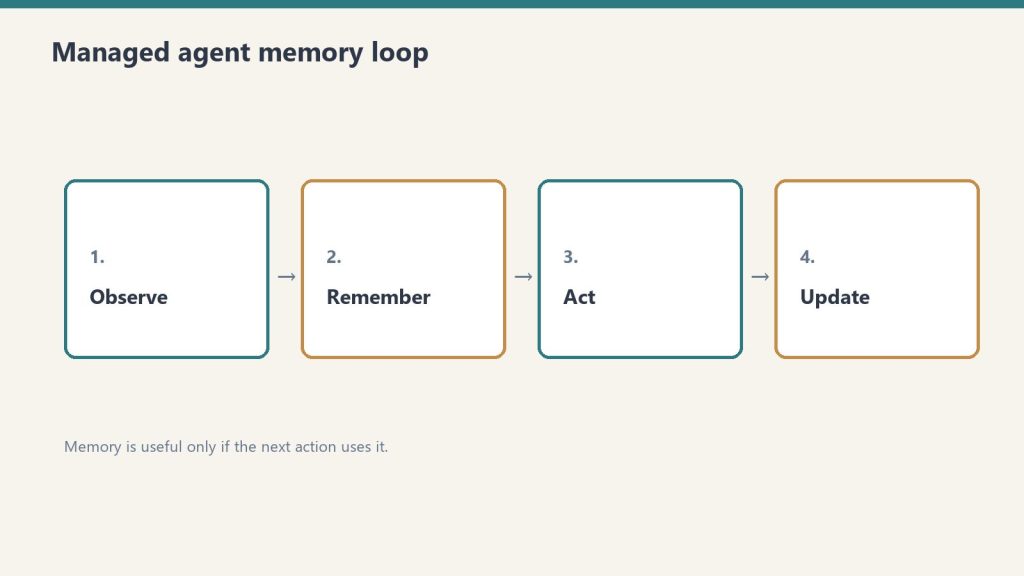
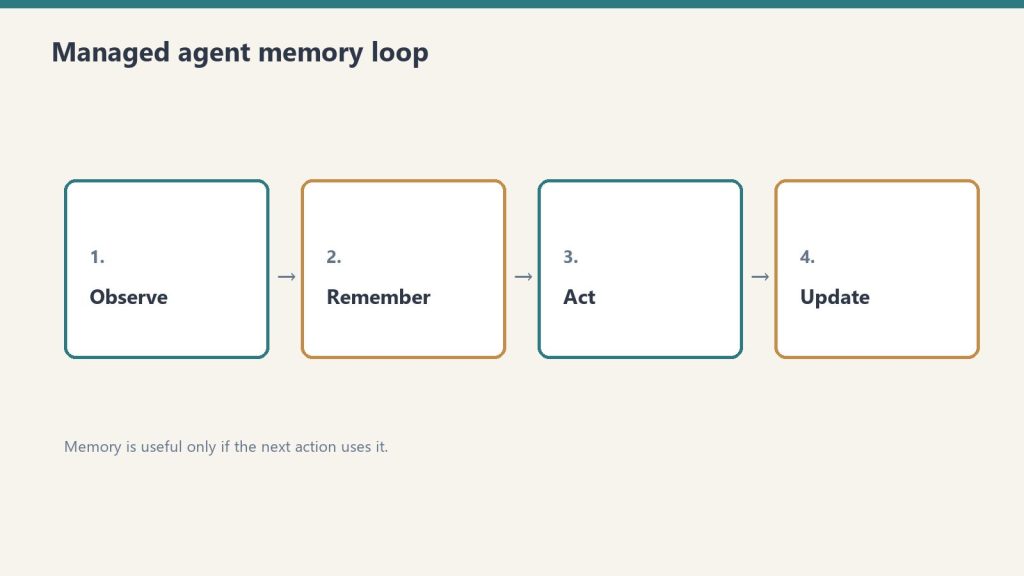
How managed agent memory actually loops.
Memory is a workspace-scoped collection of text documents that mounts inside the agent’s session container at /mnt/memory/. The agent reads and writes it using the same file tools it uses for everything else. When the session ends, the memory persists. The next session starts with it already there.
Key properties:
Version-controlled per write — every write creates a new version with an audit trail in the Claude Console
Workspace-scoped — accessible to all agents in the same workspace, not per-user-only (unless you scope it that way in configuration)
Readable by the agent, not just the operator — the agent can query its own memory store to retrieve past context
30-day version retention — historical versions retained for 30 days with redact endpoint for compliance removal
The API header required: managed-agents-2026-04-01 for session endpoints; agent-memory-2026-07-22 for memory store endpoints (don’t combine them on memory store calls — this returns a 400 error).
Use Case 1: Client Account Agent (Account Management)
Client account agent — memory for the relationship, not just the chat.
An account agent that knows each client’s preferences, pain points, prior decisions, and communication style — without needing to be re-briefed at the start of every session.
What gets stored in memory:
Client brand voice and style notes
Recurring issues or requests
Prior project decisions and the rationale behind them
Delivery preferences and approval workflows
Production example: Wisedocs built a document verification pipeline on Managed Agents and used cross-session memory to let agents identify and remember common document issues — including ones not anticipated at setup. Result: 30% faster verification per document.
Configuration approach:
One memory store per client, named /clients/[client-name]/
Initialize with brand guidelines, contact notes, and a log of past decisions
Agent writes a session summary to memory at the end of each engagement
Use Case 2: Development Team Agent (Software Teams)
A coding agent that learns the codebase conventions, preferred patterns, past architectural decisions, and recurring issues for a specific project — so it doesn’t give the same wrong suggestion twice.
What gets stored in memory:
Coding style guide for the project
Past refactoring decisions and why certain approaches were rejected
Known issues and workarounds in the codebase
Performance constraints and architectural boundaries
The problem this solves: agents without memory re-suggest patterns the team already evaluated and rejected, requiring the same explanation each session. With memory, those rejections are logged and the agent builds on them.
Configuration approach:
Memory store scoped to the project repository
Initialize with project conventions and architecture notes
Agent writes a session_log.md after each coding session with decisions made and issues found
Use Case 3: Research Agent (Knowledge Work)
A research agent that accumulates findings across sessions — building a persistent knowledge base from multiple research runs rather than starting from scratch each time.
Netflix’s internal agents use memory to carry context across sessions, including insights that took multiple turns to surface and corrections from human reviewers mid-conversation, instead of manually updating prompts between sessions.
Memory organized by topic: /research/[topic]/findings.md, /research/[topic]/sources.md, /research/[topic]/open_questions.md
Agent reads existing findings at session start before beginning new research
Human reviewer can add corrections directly to memory files via the API; agent picks them up next session
Use Case 4: Operations Agent (Business Operations)
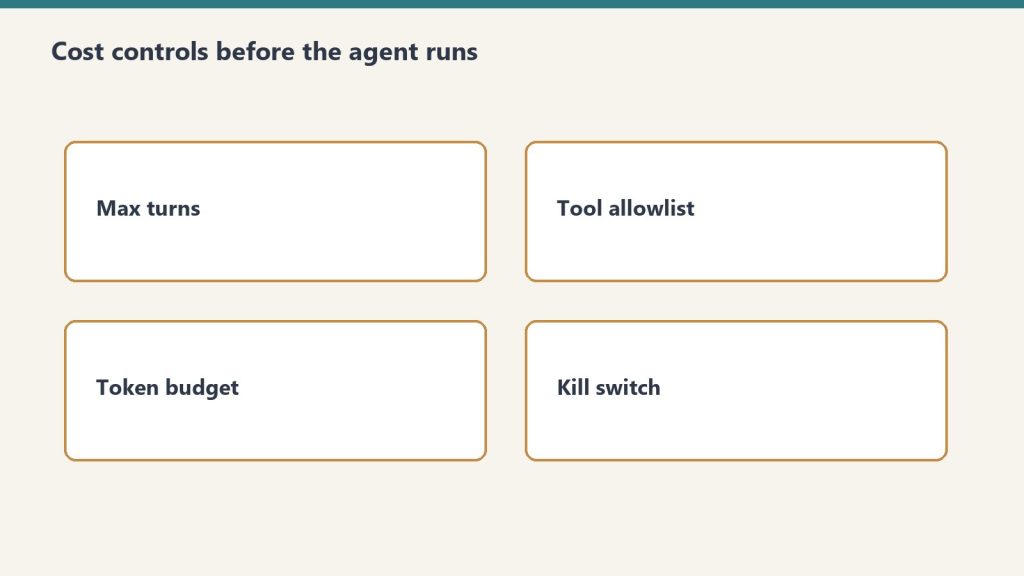
Ops agents still need cost controls before they run.
An operations agent that manages recurring workflows — weekly reporting, vendor follow-ups, SOP updates — and carries forward the state of each workflow between runs.
What gets stored in memory:
Status of recurring tasks and workflows
Vendor and contact notes accumulated over time
Decision log for operational choices
Open items and their status
Configuration approach:
Memory organized by workflow: /ops/weekly-report/, /ops/vendor-follow-ups/
Agent reads open items at session start, completes what it can, updates status in memory
Operators review memory state weekly rather than re-briefing the agent
Use Case 5: Customer Support Agent (Support Teams)
A support agent that remembers each customer’s history, prior issues, resolutions, and communication preferences — so customers don’t re-explain their context on every interaction.
Ando is building their workplace messaging platform on Managed Agents, using memory to capture how each organization interacts instead of building custom memory infrastructure themselves.
What gets stored in memory:
Customer account context and tier
Prior issue history with resolutions
Communication preferences (tone, channel, response length)
Known product configurations or integrations the customer uses
Configuration approach:
Memory store per customer, scoped to their account ID
Initialize with CRM data (account type, history summary)
Agent writes a resolution summary after each ticket closes
Use Case 6: Legal and Compliance Agent (Legal Teams)
A compliance agent that tracks regulatory requirements, monitors changes, and maintains a running compliance status log — accumulating institutional knowledge across every compliance review it runs.
What gets stored in memory:
Current compliance status by regulation and jurisdiction
Prior audit findings and remediation decisions
Regulatory change log with effective dates
Open items requiring human review
Configuration approach:
Memory organized by regulation: /compliance/gdpr/, /compliance/hipaa/, /compliance/soc2/
Agent reads current status before each compliance check run
Writes updated status and flags human review items after each run
For regulated industries: memory redaction endpoint supports removing specific content from historical versions for GDPR/CCPA compliance while preserving the audit record structure.
Use Case 7: Sales Agent (Sales Teams)
A sales agent that knows each prospect’s engagement history, objections raised, competitive comparisons requested, and where they are in the buying process — without requiring a CRM update to carry context forward.
What gets stored in memory:
Prospect background and stakeholder map
Objections raised and responses given
Competitive questions and preferred comparisons
Next steps and commitments from prior conversations
Configuration approach:
Memory store per prospect, keyed to their company or contact ID
Initialize with CRM pull at first contact
Agent writes call summary and updated next steps after each prospect interaction
Use Case 8: Content Production Agent (Marketing Teams)
A content agent that learns the brand voice, audience preferences, what topics have already been covered, and what performed well — building a persistent content intelligence layer across every piece produced.
What gets stored in memory:
Brand voice rules and style examples
Topic map (what’s been covered, what’s planned)
Performance notes on past content (what resonated, what didn’t)
Client feedback on tone, format, and depth
Configuration approach:
Memory organized by brand: /content/[brand-name]/voice.md, /content/[brand-name]/topic_map.md, /content/[brand-name]/performance_log.md
Agent reads voice rules at session start before producing any content
Operator adds performance feedback directly to memory after publishing
Use Case 9: Finance Agent (Finance Teams)
A financial analysis agent that carries forward context on recurring reports — month-over-month trends, known anomalies, and prior analytical decisions — so each report builds on the last rather than starting from raw data.
Anthropic shipped a financial services agent template suite in May 2026, built on Managed Agents memory for cross-session continuity.
What gets stored in memory:
Key metrics and their historical baselines
Known data quality issues and how they’ve been handled
Prior period variances and the explanation documented at the time
Model risk notes for regulated environments
Configuration approach:
Memory organized by report type: /finance/monthly-pl/, /finance/board-report/
Agent reads prior period context before starting each new report cycle
Writes a period summary with key variances and decisions after each report run
Use Case 10: Onboarding Agent (HR and Operations)
An onboarding agent that adapts its guidance to each new hire’s role, prior experience, and progress through the onboarding checklist — and carries that context across every interaction during their ramp period.
What gets stored in memory:
New hire profile (role, team, prior experience notes)
Onboarding checklist progress
Questions asked and answers given (to avoid repetition)
Manager notes on priorities for this hire
Configuration approach:
Memory store per new hire, active during ramp period (typically 30–90 days)
Initialize with role profile and onboarding checklist
Agent writes progress update after each onboarding session
Archive or close memory store when onboarding period ends
What Memory Doesn’t Replace
Memory stores context and preferences. They don’t replace real-time data access, live system integrations, or human judgment on consequential decisions.
Memory is document storage, not a database. It works well for: text-based preferences, accumulated notes, decision logs, prior outputs. It doesn’t work well for: real-time status queries (use MCP connectors for those), structured data that needs querying (use a real database), or high-frequency writes (memory is designed for periodic updates, not per-turn state).
The right architecture in most production systems: memory for persistent context and preferences, MCP connectors for real-time system access, structured database for high-frequency operational data.
Memory for Claude Managed Agents is a workspace-scoped document store that persists across agent sessions. Instead of starting fresh each session, agents read and write memory files that carry context, preferences, and accumulated knowledge forward into every future session.
When did Managed Agents memory launch?
Claude Managed Agents launched in public beta April 8, 2026. Memory for Managed Agents entered public beta April 23, 2026.
How is memory different from a system prompt?
A system prompt is static and set at agent configuration time. Memory is dynamic — it’s written and updated by the agent during sessions and grows over time. Memory stores things the agent has learned or been told; system prompts store standing instructions that don’t change session to session.
What happens to memory when an agent is deleted?
Memory stores are separate from agent configurations. Deleting an agent doesn’t delete its memory store. Memory stores must be deleted or archived separately.
Claude is already inside most enterprises — through individual employee accounts, Claude Code on developer machines, and browser extensions — whether IT approved it or not. The security question in 2026 isn’t whether to allow Claude. It’s whether to govern it.
This is a practical security audit checklist for Claude Enterprise deployments in 2026 (see also Anthropic Trust Center). It covers the five domains that matter, the specific CVEs that affect Claude Code, and the configuration steps that close the most significant exposure.
The Current Threat Surface
Five domains for a Claude enterprise security audit.
Claude operates across multiple surfaces — claude.ai web, mobile apps, Claude Code on developer machines, Cowork, and API integrations — each with different data exposure profiles and each requiring different controls.
The most significant 2026 security events affecting Claude deployments:
CVE-2025-59536 (CVSS 8.7): Disclosed by Check Point Research in early 2026. A vulnerability in Claude Code that allows remote code execution through malicious project configuration files — before any trust dialog appears to the user. Affects any organization that has deployed Claude Code without centralized governance.
CVE-2026-21852: Demonstrates how an attacker can redirect all Claude Code traffic to an attacker-controlled server by manipulating the ANTHROPIC_BASE_URL environment variable. Silently exfiltrates API keys and conversation content. Reproducible attack chain.
GTG-1002 campaign (September 2025): Anthropic identified this as one of the first AI-orchestrated cyberattacks at scale, establishing AI developer tooling as an active attack surface.
These are not theoretical risks. They’re documented, reproducible attack chains that affect any Claude Code deployment without centralized governance.
Security Domain 1: Identity and Access
Identity and access — who can create keys and call models.
Configure SSO before any broad rollout. Without SSO, employees authenticate with personal Anthropic accounts — which means no centralized visibility, no revocation capability, and no audit trail.
Implementation steps:
Enable SAML 2.0 or OIDC SSO in the Claude Admin Console. This forces all claude.ai logins through your identity provider (IdP) and prevents personal account fallback.
Enable domain capture alongside SSO. This prevents employees from using personal email accounts to access Claude outside the managed environment.
Configure SCIM provisioning to automate user lifecycle management. When an employee is offboarded from your IdP, their Claude access is revoked automatically.
Implement role-based access controls (RBAC). Not all users need access to all Claude capabilities. Segment by role: standard users, power users with Claude Code, API access holders.
Set up periodic access reviews for Claude access, the same way you review access to other SaaS applications. SailPoint and similar identity governance tools can integrate via the Claude Compliance API.
Audit evidence to collect: SSO configuration screenshots, SCIM provisioning logs, access review completion records.
Security Domain 2: Data Controls
The first security question in every enterprise deployment is where the data goes. The answer depends on which Claude product and deployment model is in use — and it matters enormously for regulated industries.
Data handling by deployment model:
Deployment
Data Retention
Network Path
Zero Data Retention Available
Claude Enterprise (Anthropic console)
30 days default, ZDR available
Public internet
Yes
AWS Bedrock
Per AWS data agreements
VPC/private network available
Yes
Google Cloud Vertex AI
Per GCP data agreements
VPC/private network available
Yes
Microsoft Foundry
Per Microsoft data agreements
Private network
Yes
Claude.ai personal accounts
Anthropic standard terms
Public internet
No
For regulated industries (HIPAA, financial services, government): deploy via AWS Bedrock, Google Cloud Vertex AI, or Microsoft Foundry with private network configurations that keep traffic off the public internet. Enable ZDR (Zero Data Retention) for workloads with sensitive data.
The silent risk: employees using personal claude.ai accounts for work tasks. Data entered into personal accounts is subject to Anthropic’s standard consumer terms, not Enterprise data agreements. SSO + domain capture closes this gap.
Security Domain 3: Claude Code Governance
Claude Code is the highest-risk surface in most enterprise deployments. It runs with the privileges of the developer’s user account, can execute arbitrary shell commands, read the full filesystem, and make outbound network connections.
Hardening steps for Claude Code deployments:
Centralize API key management:
Use organization-managed API keys (via the Admin Console) rather than individually generated keys
Create separate keys per team or project, not shared team keys
Rotate keys on a defined schedule (quarterly minimum)
Monitor for anomalous usage (volume spikes, off-hours activity) — feed audit logs to SIEM
Address the CVE-2026-21852 attack vector:
Audit all developer machines for .claude/settings.json files in project repositories — these can be used to redirect traffic
Block arbitrary ANTHROPIC_BASE_URL overrides via environment variable policy
Add Claude Code traffic to network monitoring so redirected traffic is detectable
Restrict filesystem access:
Prevent Claude Code from running in directories containing production secrets or sensitive data
Use separate working directories for Claude Code sessions, isolated from production credential stores
Code execution controls:
Enable disableBypassPermissionsMode to require explicit approval for shell commands
Log all shell commands executed via Claude Code to the audit trail
Security Domain 4: Audit Logging and Observability
Claude Enterprise audit logs capture user authentication events, model calls with metadata, and file interactions. Without routing these logs to a SIEM, the audit trail exists but isn’t being monitored.
Use the Compliance API to export prompts, responses, and admin actions into DLP and insider risk monitoring workflows
The gap Anthropic hasn’t filled: There is no built-in anomaly detection in the Admin Console. Usage anomaly detection requires SIEM integration and custom correlation rules. This is a known limitation — build it at the SIEM layer.
Security Domain 5: Agentic Workflow Security
Claude Managed Agents and Claude Code used in agentic workflows introduce a category of risk that traditional SaaS governance doesn’t cover: an AI taking autonomous actions in the environment.
Key controls for agentic deployments:
Human oversight checkpoints: For any agentic workflow that takes consequential actions (code commits, file modifications, API calls to production systems), require a human review step before execution. Don’t allow fully autonomous action without an approval gate on high-impact operations.
Tool scope minimization: Define the smallest set of tools an agent needs and give it nothing else. An agent that only needs to read files shouldn’t have shell execution permissions. MCP server connections should be scoped to the minimum required access.
MCP connector governance: MCP servers allow agents to connect to external systems (GitHub, Notion, Slack, etc.). Each MCP connection is an attack surface for prompt injection — a malicious response from an external system can instruct the agent to take unintended actions. Audit which MCP servers are connected; don’t allow arbitrary MCP connections.
Prompt injection defense: Any content that flows from an external system into an agent’s context (web pages, API responses, file contents) should be treated as potentially adversarial. This is the mechanism behind most AI agent security incidents in 2025–2026. Validate and sanitize external inputs before they reach the agent context.
Quick-Reference Audit Checklist
Quick-reference checklist — prove controls, do not assume them.
Use this to assess the current state before deciding what to address first:
Identity
SSO (SAML 2.0 or OIDC) enforced for all Claude access
Domain capture enabled to prevent personal account use
SCIM provisioning configured for automated user lifecycle
RBAC defined by role (standard / power user / API)
Data
Deployment model documented (Anthropic console vs. Bedrock vs. Vertex)
ZDR enabled for sensitive data workloads
Personal claude.ai account use blocked or governed
Data classification applied to determine which workloads can use which deployment model
Claude Code
Organization-managed API keys (not individual)
Per-team/per-project key segmentation
CVE-2025-59536 and CVE-2026-21852 remediation verified
Shell execution logging enabled
Audit and Observability
Audit logging enabled in Admin Console
Logs routed to SIEM
Anomaly detection rules configured
Compliance API integrated with DLP tooling
Agentic
Human oversight gates on consequential agent actions
MCP connections audited and scoped
Prompt injection defenses in place for external inputs
Yes. Claude Enterprise deployed through the Anthropic console with a qualifying enterprise agreement offers zero data retention, where prompts and responses are not logged by Anthropic. ZDR is also available via AWS Bedrock, Google Cloud Vertex AI, and Microsoft Foundry deployments.
What compliance certifications does Anthropic have?
Anthropic holds ISO 27001:2022 and ISO/IEC 42001:2023 certifications and offers HIPAA-ready configurations with Business Associate Agreements to qualifying enterprise customers.
What are the biggest security risks in a Claude Code deployment?
CVE-2025-59536 (remote code execution via malicious project config files, CVSS 8.7) and CVE-2026-21852 (traffic redirection via ANTHROPIC_BASE_URL manipulation) are the most significant documented vulnerabilities. The broader risks are developers using personal Anthropic accounts, shared API keys without rotation, and no audit trail for code context that flows to Anthropic’s servers.
What is the Compliance API?
The Claude Compliance API is an Enterprise feature that exports prompts, responses, files, and admin actions to external monitoring systems — enabling integration with DLP tools (Proofpoint), SIEM platforms (Splunk, Datadog, Elastic), and identity governance tools (SailPoint). It’s the primary mechanism for bringing Claude activity into existing enterprise security workflows.
What is prompt injection in AI agents?
Prompt injection occurs when malicious content in external data sources (web pages, API responses, documents) instructs an AI agent to take actions the operator didn’t intend. In agentic Claude workflows, any content retrieved from external systems can potentially carry injected instructions. Defense requires treating external inputs as untrusted and implementing validation before they enter the agent context.
GEO — Generative Engine Optimization — is the practice of structuring content so that AI answer engines (ChatGPT, Perplexity, Google AI Overviews, Gemini, and Claude) cite it in the answers they generate. In 2026, 68% of U.S. Google searches end without a click. Being cited in the answer that appears is now as important as ranking in the links below it.
This guide covers what GEO is, how it differs from traditional SEO, and five specific tactics that move citation rates — with particular relevance for sites publishing Claude and AI authority content.
Why GEO Matters in 2026
Why GEO matters — citations are the new first page.
AI Overviews reduce organic click-through rate for the #1 ranked result by up to 58% (Ahrefs, December 2025) — but brands cited as sources within AI Overviews earn 35% more organic clicks than uncited brands on the same query.
The counterintuitive finding: zero-click is bad for uncited sites and good for cited ones. The goal is not to fight AI Overviews — it’s to be inside them.
The market data context:
68% of U.S. Google searches are zero-click in 2026, up from 60% in 2024
When AI Overviews appear, the zero-click rate jumps to 83%
Visitors arriving from AI citations convert at 4.4x the rate of traditional organic visitors
The GEO market is projected at $365M in 2026, growing at 42.9% CAGR
The mechanism: AI search users arrive with specific, researched queries and a pre-formed shortlist. That intent profile makes them higher-converting even when the total count is smaller.
How GEO Differs From Traditional SEO
How GEO differs from traditional SEO.
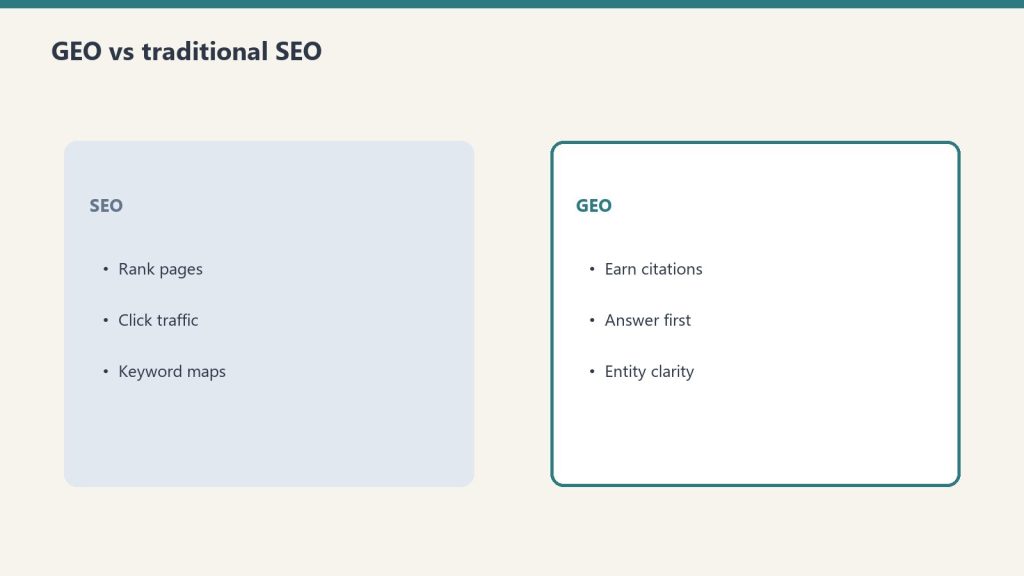
Traditional SEO optimizes for ranking position in a list of links. GEO optimizes for inclusion in the synthesized answer above those links. The signals overlap significantly, but GEO adds specific requirements around answer-first structure, data richness, and citation-friendliness.
Dimension
Traditional SEO
GEO
Goal
Rank in top 10
Be cited in the AI answer
Key signal
Backlinks, E-E-A-T, technical SEO
Answer-first structure, data richness, entity authority
Measurement
Organic clicks, ranking position
AI citation rate, brand mentions, branded search volume
Content structure
Topic depth, keyword distribution
Direct answer in first 200 words, FAQ schema
Success state
Position 1
Cited source in AI Overview
Important: the overlap between ranking in Google’s top 10 and being cited in AI Overviews collapsed from roughly 75% in mid-2025 to 17–38% in early 2026. Ranking well no longer guarantees AI citation. Both need to be optimized for separately.
Tactic 1: Answer First, Always
Answer first, always — then prove it with specifics.
AI retrieval systems that use real-time web access evaluate a page’s relevance primarily on its opening content. The first 200 words of any article must directly and completely answer the primary query — not build up to the answer.
The structure that gets cited:
[H1 Title]
[Bold one-sentence direct answer in first paragraph]
[Supporting context and detail]
The structure that doesn’t:
[H1 Title]
[Background context]
[History of the topic]
[Eventually getting to the answer]
AI Overviews synthesize their answers from the opening of retrieved pages. A page that buries its answer 500 words in gets retrieved for its topic relevance and then can’t be cited because the direct answer isn’t extractable. The answer-first structure serves both GEO and usability simultaneously.
For AI authority content specifically: every article about a Claude feature, pricing tier, or model capability should open with the factual answer to the likely query, stated plainly in the first sentence or two.
Tactic 2: Add Original Data and Specific Numbers
AI systems and search engines treat original data, specific statistics, and citable figures as high-value content. Content with precise numbers gets cited more than content with generalizations.
The practical application:
“Claude Enterprise typically costs $60–250+/user/month depending on usage intensity” is more citable than “Claude Enterprise is expensive for some teams”
“68% of U.S. Google searches are zero-click in 2026” is citable; “most searches end without a click” is not
“Claude Sonnet scores approximately 77% on SWE-bench Verified” is citable; “Claude is good at coding” is not
For tygartmedia.com content specifically: articles that include specific pricing numbers, benchmark scores, token counts, and performance figures will outperform articles that describe capabilities in qualitative terms. The Claude reference cluster (pricing, models, console) already does this well.
Attribution rule: Cite where specific numbers came from — a benchmark, a study, Anthropic’s official documentation. “According to Anthropic’s pricing page” or “per SWE-bench Verified benchmarks” tells AI systems the claim is grounded, not asserted.
Tactic 3: Use FAQ Schema
FAQ schema (FAQPage structured data) formats content explicitly as question-and-answer pairs, which is the format AI answer engines are built to extract and synthesize from. Pages with FAQ schema see measurably higher AI Overview inclusion.
Implementation in JSON-LD:
<script type="application/ld+json">
{
  "@context": "https://schema.org",
  "@type": "FAQPage",
  "mainEntity": [
    {
      "@type": "Question",
      "name": "What is Claude Enterprise pricing?",
      "acceptedAnswer": {
        "@type": "Answer",
        "text": "Claude Enterprise starts at approximately $20/user/month for access, with token usage billed separately at API rates. Real total cost typically runs $60–250+/user/month depending on usage intensity."
      }
    },
    {
      "@type": "Question",
      "name": "Is Claude Enterprise worth it?",
      "acceptedAnswer": {
        "@type": "Answer",
        "text": "For teams with compliance mandates (SSO, SCIM, audit logs) or more than 150 users, yes. For smaller teams without governance requirements, Claude Team is more predictable and usually sufficient."
      }
    }
  ]
}
</script>
In Rank Math (the plugin on tygartmedia.com): FAQ blocks in the WordPress editor automatically generate FAQPage schema without manual JSON-LD implementation. Add FAQ sections to every article and use the Rank Math FAQ block type.
Tactic 4: Build Entity Authority
AI systems and search engines treat entities — specific named things with consistent, verifiable information across the web — as more citable than generic topical content. Building entity authority for tygartmedia.com means consistent name, description, and factual claims across every surface the crawlers read.
Entity authority checklist:
Organization schema on every page: Name, URL, description, logo, founder, same-as links to LinkedIn, social profiles
Consistent author byline: “Will Tygart” as the author on every article, with a consistent bio that establishes expertise
External mentions: Being cited by other authoritative sites on the same topics creates the external validation AI systems look for
Wikipedia/Wikidata presence: Not always achievable, but having factually consistent information across third-party sites (LinkedIn, Crunchbase, social profiles) strengthens entity recognition
For an AI authority site specifically: the entity is “Tygart Media” and its associated expertise is Claude, Anthropic, and AI infrastructure for operators. Every article that earns an external link or citation strengthens that entity signal for all related queries.
Tactic 5: Freshness Signals
AI retrieval systems weight recency heavily for fast-moving topics. Claude pricing, model capabilities, and Anthropic’s roadmap change frequently. Articles with stale information get displaced by fresher sources even when the URL has more backlink authority.
Freshness tactics:
“Last refreshed” date at the top of every article — signals to both users and crawlers that the information is current
Add a “What’s new” or “What changed” section for evergreen articles that cover frequently updated topics
Update timestamps when content changes — not just publishing dates, but explicit refreshed dates
Track in Google Search Console which queries trigger AI Overviews and whether the site is cited in them — freshness issues often show up as sudden drops in AI citation before they show up as ranking drops
For Claude-related content: any article covering pricing, models, or features needs a refresh trigger whenever Anthropic makes changes. The May 2026 dispatch for timestamp refreshes on Fable 5-related pricing content is the right pattern.
Measuring GEO Performance
Standard GA4 and Search Console metrics don’t capture AI citation performance. The metrics that matter for GEO are AI citation rate, branded search volume, and assisted conversions from AI-referred traffic.
What to track:
Metric
How to measure
What it indicates
AI-referred traffic
GA4 source filter for ChatGPT, Perplexity referrals
Direct AI citation traffic
Branded search volume
Google Search Console, “tygartmedia” queries
Brand awareness from AI citations
AI Overview appearances
GSC AIO report
Queries where the site is cited
CTR on AIO queries
GSC, filter by queries with AI Overviews
Whether citations drive clicks
Conversion rate from AI referrals
GA4 segmented by source
Value of AI citation traffic
Manual testing: monthly, ask ChatGPT, Perplexity, and Claude the questions your audience asks — “what is Claude Enterprise pricing,” “how does Metricool API work,” “what is Anthropic’s history” — and see whether tygartmedia.com is cited. This is the most direct GEO feedback loop available.
GEO is the practice of structuring content and managing online presence so that AI answer engines — ChatGPT, Perplexity, Google AI Overviews, Gemini, and Claude — cite it in the answers they generate. It’s distinct from traditional SEO, which optimizes for ranking positions in link lists.
How is GEO different from SEO?
Traditional SEO optimizes for ranking position. GEO optimizes for citation inside AI-generated answers. The overlap between top-10 rankings and AI Overview citations has collapsed from 75% in 2025 to 17–38% in early 2026 — ranking well no longer guarantees AI citation. Both need to be optimized independently.
Does GEO replace SEO?
No. Traditional SEO fundamentals (E-E-A-T, backlinks, technical health) still power AI citations. GEO is an additional layer on top of a solid SEO foundation, not a replacement for it. Brands that excel at GEO in 2026 typically have strong traditional SEO as well.
How long does GEO take to work?
Plan for 3–6 months of consistent effort before seeing meaningful citation rate changes. Unlike traditional SEO ranking changes, which can be tracked daily, AI citation frequency changes slowly as crawlers re-index updated content and AI systems update their knowledge bases.
What is the conversion rate from AI-cited traffic?
AI search visitors convert at significantly higher rates than traditional organic visitors — roughly 4.4x according to Semrush data. The mechanism is intent: AI search users arrive with specific, researched queries and a pre-formed shortlist, which translates to higher purchase and contact intent.
About this image. This image is part of the Article Hero Images collection in the Tygart Media visual library. Every image produced by Tygart Media is AI-generated using Google Vertex AI (Imagen), converted to WebP format, and injected with full IPTC/XMP metadata before publication.
Format: WEBP
Collection: Article Hero Images
Pipeline: Vertex AI Imagen → WebP → IPTC/XMP → WordPress
The Claude Agent SDK tutorial starts here — the SDK (formerly the Claude Code SDK, renamed late 2025) eliminates the boilerplate of building agentic loops by hand, shipping the same tool execution, context management, and permission system that powers Claude Code into a Python or TypeScript library you can embed in any product, pipeline, or internal tool.
This is a practical build guide. It covers when to use an agent versus a script, what the SDK actually does, how to set one up with working code, and what to watch for in production.
When to Use an Agent vs. a Script
Agent vs script — choose deliberately.
Use an agent when the number of steps to complete the task is unpredictable. If the workflow can be hardcoded, a linear script is faster, cheaper, and easier to debug.
This is Anthropic’s own guidance in Building Effective Agents, and it’s the right frame. The common mistake is reaching for agents because agents are fashionable — not because the problem requires them.
Agents fit:
Open-ended research tasks where the number of searches needed varies
Code debugging where the error chain isn’t known in advance
Multi-step data pipelines where decisions at each step depend on prior outputs
Any workflow where the model needs to try, observe, and adjust
Scripts fit:
Known sequences of steps that always run in the same order
Simple data transformation with no conditional branching
Any task where the output of each step is fully predictable
The cost implication matters too: a 15-step agentic research task can hit 200K+ tokens without optimization. Agents are expensive when you don’t need them.
How the Claude Agent SDK Works
How the Agent SDK loop behaves in practice.
The SDK automates the ReAct loop — Reason, Act, Observe, repeat — so you define the tools and instructions and the SDK handles the rest. You never write the prompt → check stop_reason → execute tool → loop boilerplate yourself.
The core loop the SDK manages:
Send the task to Claude with available tool definitions
Claude reasons and produces a tool call (or a final answer)
The SDK executes the tool in the local environment
The SDK sends the result back to Claude
Claude observes and decides: call another tool or produce final output
Loop until done
This continues until Claude produces a response with no tool calls. The SDK handles conversation history, token tracking, error handling, and session management across the entire loop.
A working agent requires three things: a task, tool definitions, and a Runner call. Everything else is configuration.
from claude_agent_sdk import ClaudeAgentOptions, Runner
import subprocess
import json

# Define tools the agent can use
tools = [
    {
        "name": "run_command",
        "description": "Run a shell command and return its output",
        "input_schema": {
            "type": "object",
            "properties": {
                "command": {
                    "type": "string",
                    "description": "The shell command to execute"
                }
            },
            "required": ["command"]
        }
    },
    {
        "name": "read_file",
        "description": "Read the contents of a file",
        "input_schema": {
            "type": "object",
            "properties": {
                "path": {
                    "type": "string",
                    "description": "File path to read"
                }
            },
            "required": ["path"]
        }
    }
]

# Tool execution handlers
def execute_tool(tool_name: str, tool_input: dict) -> str:
    if tool_name == "run_command":
        result = subprocess.run(
            tool_input["command"],
            shell=True,
            capture_output=True,
            text=True
        )
        return result.stdout or result.stderr
    elif tool_name == "read_file":
        with open(tool_input["path"], "r") as f:
            return f.read()
    return f"Unknown tool: {tool_name}"

# Configure and run the agent
options = ClaudeAgentOptions(
    model="claude-sonnet-4-6",
    max_turns=20,               # safety ceiling
    tools=tools,
    tool_executor=execute_tool
)

result = Runner.run_sync(
    task="Check the disk usage on this machine and report the top 5 largest directories under /home",
    options=options
)

print(result.final_output)
That’s a complete working agent. The SDK handles the loop; the tool definitions and executor are the only custom code.
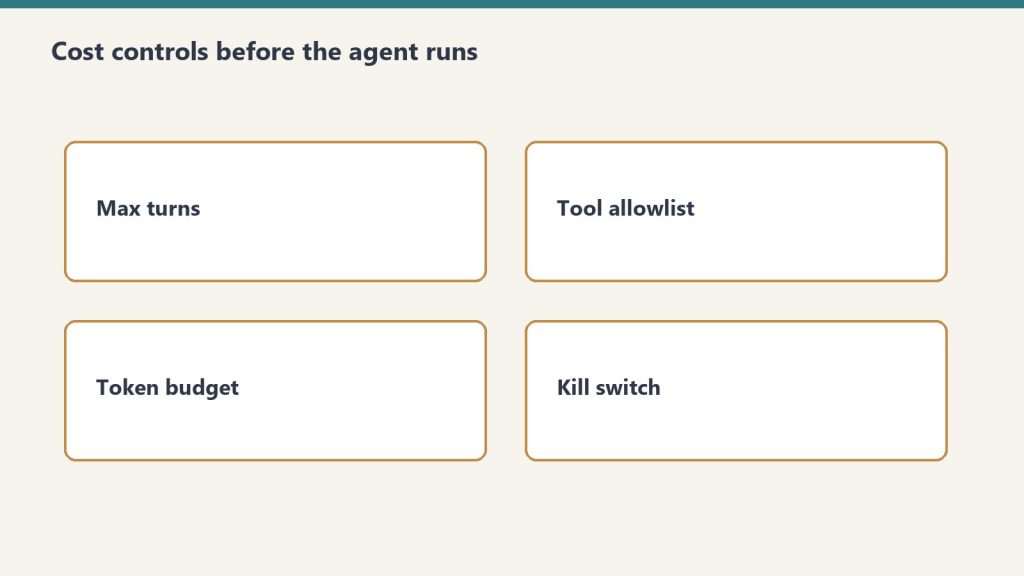
Adding Cost Controls
Add cost controls before multi-turn agents hit production.
Always set a max_turns ceiling and a token budget. An uncapped agent loop can run indefinitely on an ambiguous task.
options = ClaudeAgentOptions(
    model="claude-sonnet-4-6",
    max_turns=20,
    max_tokens_per_turn=4000,   # cap per individual turn
    tools=tools,
    tool_executor=execute_tool
)
Cost at 20 turns using Claude Sonnet 4.6 with an average of 2,000 tokens per turn:
Input: 40,000 tokens × $3/M = $0.12
Output: 10,000 tokens × $15/M = $0.15
Total per agent run: ~$0.27
At 1,000 agent runs per month: ~$270. At 10,000: ~$2,700. Budget from these numbers, not from seat prices.
Switching the inner loop to Haiku 4.5 for tool selection and Sonnet only for synthesis cuts cost significantly:
# Route lighter reasoning to Haiku, reserve Sonnet for synthesis
light_options = ClaudeAgentOptions(model="claude-haiku-4-5-20251001", ...)
heavy_options = ClaudeAgentOptions(model="claude-sonnet-4-6", ...)
Multi-Turn Agents (Conversational)
For agents where a human asks follow-up questions across multiple turns, maintain conversation history and pass it on each call.
from claude_agent_sdk import ClaudeAgentOptions, Runner

conversation_history = []

def chat_with_agent(user_message: str) -> str:
    conversation_history.append({
        "role": "user",
        "content": user_message
    })

    options = ClaudeAgentOptions(
        model="claude-sonnet-4-6",
        max_turns=10,
        tools=tools,
        tool_executor=execute_tool,
        messages=conversation_history  # full history each call
    )

    result = Runner.run_sync(task=user_message, options=options)

    conversation_history.append({
        "role": "assistant",
        "content": result.final_output
    })

    return result.final_output

# Usage
print(chat_with_agent("What Python packages are installed on this system?"))
print(chat_with_agent("Which of those are outdated?"))
Claude Managed Agents vs. the Agent SDK
The Agent SDK runs locally in your environment. Claude Managed Agents runs in Anthropic’s cloud infrastructure with persistent sessions, built-in tools, and cross-session memory. Choose based on where you need the agent to execute.
Agent SDK
Managed Agents
Where it runs
Your server / local machine
Anthropic-managed cloud
Persistent sessions
Manual (maintain history)
Built-in
Cross-session memory
Manual
Built-in (public beta)
Built-in tools
Bring your own
20+ included
Multi-agent coordination
Manual
Built-in
Cost
API tokens only
API tokens + platform fee
Control
Full
Managed
The Agent SDK is right for custom environments, data that can’t leave your infrastructure, and workflows deeply embedded in existing systems. Managed Agents is right when you want to skip infrastructure and get to the agent behavior faster.
What Goes Wrong in Production
The most common production failures are uncapped loops, conversation history that grows without bound, and tool definitions written too vaguely.
Uncapped loops: An agent on an ambiguous task will keep calling tools indefinitely without a max_turns ceiling. Always set one. Always check message.subtype rather than is_error — a max-turns termination doesn’t set is_error: true correctly in some SDK versions.
Growing conversation history: Each turn adds tokens to history. At 20 turns on a complex task, history can push 100K+ tokens. Summarize aggressively between phases for long-running agents: prompt Claude to summarize phase 1 outputs before starting phase 2.
Vague tool definitions: Tool descriptions are how Claude decides which tool to call and how to use it. Vague descriptions produce tool call errors and unnecessary retry loops. Write tool descriptions as precisely as you would write a function docstring — what it does, what inputs it expects, what it returns.
camelCase vs snake_case mismatch:AgentDefinition uses camelCase (disallowedTools); ClaudeAgentOptions uses snake_case (disallowed_tools). This caught teams in early SDK versions.
The Claude Agent SDK is Anthropic’s Python and TypeScript library for building autonomous AI agents. It wraps the same agentic loop that powers Claude Code — tool execution, context management, and session handling — so developers don’t build that infrastructure from scratch. It was formerly called the Claude Code SDK and was renamed in late 2025.
What is the difference between the Agent SDK and Claude Code?
Claude Code is Anthropic’s interactive terminal-based development tool for agentic coding. The Agent SDK is the programmatic library for embedding agent behavior in custom applications and pipelines. They share the same underlying agent loop and tool system. Claude Code stays in the picture for interactive development; the SDK is for production automation.
How much does it cost to run an agent?
Agent cost is API token cost only (no platform fee for the SDK itself). A 20-turn agent on Claude Sonnet 4.6 with 2,000 tokens average per turn costs approximately $0.27. At 10,000 agent runs per month, that’s about $2,700. Switching the tool selection loop to Haiku 4.5 and reserving Sonnet for synthesis significantly reduces cost.
When should I use Managed Agents instead of the Agent SDK?
Use Managed Agents when you want cloud-hosted execution, persistent cross-session memory, built-in tools (20+ included), and multi-agent coordination without building that infrastructure yourself. Use the Agent SDK when you need local execution, full control over the environment, or your data can’t leave your infrastructure.
Claude Enterprise starts at $20/seat/month for access, but actual spend runs $60–250+ per user depending on usage — because tokens are billed separately at API rates. The ROI calculation isn’t about the seat fee. It’s about whether the productivity return on active usage exceeds the total consumption cost.
This is a practical ROI framework for business decision-makers evaluating Claude Enterprise in 2026. It covers what the pricing actually includes, how to model real cost, and what the productivity return looks like across different team roles.
What Claude Enterprise Actually Costs in 2026
Enterprise pricing changed in April 2026: Anthropic decoupled seat fees from token bundles. The headline price is $20/seat/month, but that covers access only — every token consumed by every user is billed separately at standard API rates.
This is a meaningful structural change from the pre-2026 model, where Enterprise seats included bundled token allocations. Under the current model:
Component
Cost
Seat fee
~$20/user/month (annual, contact sales)
Token usage — Haiku 4.5
$0.80 input / $4 output per 1M tokens
Token usage — Sonnet 4.6
$3 input / $15 output per 1M tokens
Token usage — Opus 4.8
$15 input / $75 output per 1M tokens
Claude Code (premium seat)
$100/seat/month (annual)
Minimum seats
Custom, typically 20+ for sales-assisted
Compare this to Claude Team:
Plan
Seat Cost
Token Model
Cap
Team Standard
$20/seat/mo (annual)
Bundled — included in seat
150 users
Team Premium (with Claude Code)
$100/seat/mo (annual)
Bundled
150 users
Enterprise
~$20/seat + API usage
Metered separately
None
Team is predictable cost with a usage ceiling. Enterprise is variable cost with no ceiling and no cap. The right choice depends on your compliance requirements and usage intensity, not just team size.
The Real Cost Per Active User
Real cost per active user — model seats, not sticker shock.
The most important number is not the seat price — it’s the real cost per active user, which is seat fee plus token consumption. At 10% seat adoption, your effective cost per active user is 10x the headline seat price.
Adoption rate determines economics:
Team size
Active users (40% adoption)
Monthly seat cost
Token cost (moderate usage)
Total / active user
50 seats
20
$1,000
~$800
~$90
100 seats
40
$2,000
~$1,600
~$90
500 seats
200
$10,000
~$8,000
~$90
At 10% adoption (a common early-deployment reality):
Team size
Active users
Monthly seat cost
Token cost
Total / active user
100 seats
10
$2,000
~$400
~$240
The implication: increasing adoption from 10% to 40% is a higher-ROI move than adding seats. An adoption problem looks like an economics problem but isn’t.
What the Productivity Return Looks Like
Productivity return depends on the job shape.
Industry estimates put the productivity upside at $7,800 per employee per year — but that figure only materializes when Claude is actively integrated into daily workflows, not when it’s available as an optional chat tab.
The $7,800/employee figure comes from enterprise AI ROI research measuring time saved across knowledge work tasks. It assumes genuine integration into workflows, not passive availability. Here’s how it breaks down by role:
Software developers (highest ROI):
Agentic coding with Claude Code reduces code review cycles, test writing, and boilerplate
Estimated 1.5–2 hours/day returned on routine coding tasks
At $100K loaded annual salary: ~$9,000–12,000/year in time value per developer
Content and marketing teams:
Drafting, editing, research, brief writing at significantly higher speed
Estimated 45–90 minutes/day returned on writing-heavy tasks
At $75K loaded: ~$5,600–11,200/year per person
Legal and compliance teams:
Contract review, policy drafting, compliance checklist work
Estimated 30–60 minutes/day returned
At $120K loaded: ~$7,500–15,000/year per lawyer or compliance analyst
Operations and admin:
SOPs, reporting, email drafting, meeting prep
Estimated 20–30 minutes/day returned
At $60K loaded: ~$2,500–3,750/year
The ROI Model
A simple ROI model: (hours returned per user per day × working days × loaded hourly rate) − annual total cost per user = net annual value per seat.
Example for a 50-person software team on Enterprise:
Loaded developer salary: $120,000/year = ~$57.70/hour
Hours returned per day (conservative): 1 hour
Working days: 230
Value returned per developer: 230 × $57.70 = $13,271/year

Annual Enterprise cost per developer:
  Seat fee: $20 × 12 = $240
  Token cost (moderate Sonnet usage): ~$600/year
  Total per developer: ~$840/year

Net ROI per developer: $13,271 − $840 = $12,431
ROI multiple: 15.8x
Even at half the productivity estimate (30 minutes/day returned), the ROI multiple remains above 7x for any knowledge worker with a loaded salary above $60K. The economics are compelling when adoption is real.
When Enterprise Is the Right Choice vs. Team
When Enterprise is right vs Team.
Choose Enterprise when you have a compliance mandate (SSO, SCIM, audit logs, HIPAA), a team above 150 users, or a negotiated consumption commitment that reduces effective per-token cost. Otherwise, Team is more predictable and sufficient.
Need
Team
Enterprise
SSO / SAML authentication
✗
✓
SCIM provisioning
✗
✓
Audit logs
✗
✓
HIPAA-ready configuration
✗
✓
Compliance API (export to SIEM)
✗
✓
Users above 150
✗
✓
Fixed predictable monthly cost
✓
✗
Usage bundled in seat price
✓
✗
The honest rule: buy Team until a real compliance or scale requirement forces Enterprise. If security review, identity governance, or audit trails are requirements, Enterprise is necessary. If they’re not, Team is cheaper and simpler.
Claude Enterprise starts at approximately $20/user/month for access (billed annually, custom via sales), with token usage billed separately at standard API rates. Real total cost typically runs $60–250+/user/month depending on usage intensity and which Claude models the team uses most.
What’s the difference between Claude Team and Enterprise?
Team is self-serve per-seat licensing ($20 standard / $100 premium per seat/month, annual) with token usage bundled into the seat and a 150-user cap. Enterprise adds SSO, SCIM, audit logs, HIPAA support, a Compliance API for SIEM integration, no user cap, and usage billed separately at API rates. Choose Team for simplicity; choose Enterprise for compliance and governance requirements.
What is the ROI of Claude Enterprise?
At 1 hour of productivity returned per day per knowledge worker, the annual value per seat at a $120K loaded developer salary is approximately $13,270 — against an annual Enterprise cost of ~$840/developer. ROI multiple is roughly 15x under that assumption. At 30 minutes/day returned, the multiple is still above 7x for most knowledge worker salaries.
Why did Anthropic unbundle tokens from Enterprise seats?
Anthropic decoupled seat fees from token bundles in April 2026, lowering the headline seat price from $40–200/seat to $20/seat while making token usage variable. The change gives large organizations more flexibility — light users cost less, heavy users cost more — but requires better usage monitoring to forecast actual spend.