
· Practitioner-grade
· From the workbench
The Restoration Company’s AI Stack: What to Use, What to Ignore, What’s Coming
Everyone’s talking about AI. Restoration companies are asking me: “Should we use this? What about that? How do we not get left behind?”
Fair questions. The AI landscape is moving fast. There’s real opportunity and real hype mixed together. Most restoration companies don’t have the time to separate signal from noise.
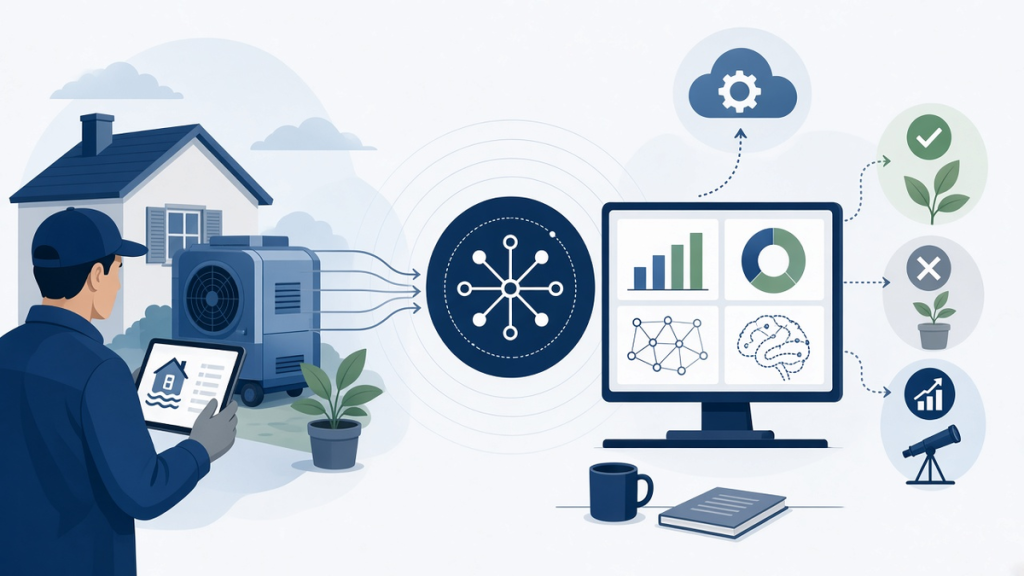
So here’s the framework I use with our clients: three tiers. Tier 1 tools you should use now. Tier 2 tools you should evaluate carefully. Tier 3 tools to watch but not deploy.
I run Claude, GCP infrastructure, and custom automation pipelines. My team has hands-on experience with most of the tools in this space. This isn’t a listicle or vendor research. This is what actually works.
Tier 1: Deploy Now
These tools deliver immediate ROI and are foundational to 2026 operational efficiency.
1. Field Documentation: Encircle
What it does: Mobile app for property inspectors and adjusters to document damage in real-time using photos, measurements, and AI-assisted damage assessment.
Why now: 80% of property claims are still documented with photos on a smartphone and notes in a notepad. That’s not scalable. Encircle collects structured damage data in the field, syncs to your system, and feeds into Xactimate and your CRM.
ROI: 2-3 hours faster documentation per site visit, which translates to faster estimate generation and faster claim approval from insurance carriers.
Alternative: CompanyCam (good for general field documentation), JobDox (good if you’re already using Xactimate).
Cost: $100–200/user/month depending on deployment scale.
2. AI-Assisted Estimating: Rebuild AI
What it does: Analyzes damage photos and generates AI-assisted estimates in Xactimate format, catching standard line items and flagging items that might need adjustment.
Why now: Xactimate estimates take 30–45 minutes per site visit to generate manually. Rebuild AI can generate a draft estimate in 5 minutes. Your estimator then reviews and adjusts. This is 80% time savings on routine estimates.
ROI: 20+ hours/week freed up for your estimating team, which you can redeploy to complex projects or business development.
Cost: $300–500/month subscription.
3. Damage Assessment Documentation: CompanyCam
What it does: Simple field documentation tool that captures photos, location, timestamp, and job site notes. Integrates with Xactimate and most CRM platforms.
Why now: Your field team is already taking photos. CompanyCam just organizes those photos into a structured format that syncs to your back office. Better than email or shared drives.
ROI: 4–6 hours/week on photo organization, documentation lookup, and CRM data entry.
Cost: $80–150/user/month.
4. Content Generation: Claude or ChatGPT
What it does: Generate marketing content, sales collateral, customer communications, case studies, and internal documentation at scale.
Why now: Every restoration company needs marketing content. AI content generation (when properly edited and fact-checked) reduces content creation time by 70%. You’re spending less on content creation and getting more frequent content updates.
ROI: 10–15 hours/week on content creation can be reduced to 2–3 hours/week for editing and direction-setting.
Cost: $20/month (ChatGPT Plus) or Claude subscription ($10–20/month depending on usage tier).
5. Email Automation: Make or Zapier
What it does: Automates workflows between your CRM, email, Xactimate, and other tools. For example: when a new claim comes in via email, automatically create a record in your CRM, send a notification to your on-call estimator, and log the timestamp for SLA tracking.
Why now: 40% of restoration company operations are still manual, including job assignment, notification routing, and status updates. Automation eliminates 30–50% of those manual steps.
ROI: 15–20 hours/week on administrative work can be automated.
Cost: $50–300/month depending on workflow complexity.
Tier 2: Evaluate Carefully
These tools have potential but require careful implementation and ongoing management. Don’t deploy blindly.
1. AI-Powered CRM Routing: Custom Implementation
What it does: AI system that analyzes incoming jobs (damage type, location, complexity, crew availability) and automatically routes to the best-fit crew.
Why evaluate: Better routing reduces travel time and improves crew utilization by 15–20%. But implementation requires custom development and ongoing tuning.
ROI: 10–15% improvement in crew efficiency and response time, but requires 2–3 months implementation time.
Cost: $20K–50K custom development, then $500–1,500/month maintenance.
When to deploy: After you have 3+ crews and 30+ jobs/month. Smaller operations don’t see ROI.
2. AI-Driven Content Moderation: Self-Service
What it does: AI system reviews customer testimonials, online reviews, and social media mentions to flag problematic content before it goes public.
Why evaluate: One bad review or public complaint can damage your reputation. AI moderation catches issues early. But false positives are common—you still need human review.
ROI: Prevents reputation damage in maybe 10% of cases, but requires manual intervention to implement.
Cost: $200–500/month for third-party moderation tools, or $0 if you build custom prompts in Claude or ChatGPT.
When to deploy: After you have consistent volume of online reviews and social media activity.
3. Predictive Scheduling: NextGear Solutions
What it does: Analyzes historical weather data, seasonal patterns, and claim history to predict when major loss events will occur and pre-position crews and equipment.
Why evaluate: If you can predict spike periods, you can staff and inventory accordingly. But prediction accuracy is imperfect and overestimating leads to waste.
ROI: Reduces emergency response time by 15–25%, but requires historical data and ongoing accuracy tuning.
Cost: $1,000–3,000/month, plus implementation time.
When to deploy: After you have 2+ years of historical data and volume to justify predictive modeling.
4. Automated Report Generation: Custom Integration
What it does: Takes damage assessment data (photos, measurements, notes) and automatically generates professional reports for insurance carriers and customers.
Why evaluate: Automation saves time, but reports often need customization based on claim specifics. Requires careful design so the automation doesn’t create generic, unusable reports.
ROI: 3–5 hours/week on report writing, but quality control is critical.
Cost: $5K–15K to build, $200–500/month to maintain.
When to deploy: After you have standardized report templates and can define clear rules for auto-generation.
Tier 3: Watch but Don’t Deploy Yet
These tools are interesting but either too new, too expensive, or too unproven for standard restoration operations.
1. Drone-Based Damage Assessment
What it does: Deploy drones to assess roof damage, large-scale loss events, and hard-to-reach areas. Combines drone imaging with AI analysis to estimate damage scope.
Why watch: Drone assessments are 40–50% faster than manual roof inspections. But drone pilot licensing, weather dependence, and insurance liability make this complex. Most restoration companies aren’t equipped to operate drones safely and legally.
Better approach: Contract drone assessment services from specialized companies rather than deploying internally.
Cost to deploy: $15K–50K for equipment + licensing + insurance.
Cost to contract: $200–500 per drone assessment.
2. Autonomous Site Restoration Agents
What it does: AI agents that can autonomously plan and coordinate complex restoration projects, including crew assignment, timeline optimization, inventory management, and quality control.
Why watch: This is the holy grail of restoration efficiency. But current AI agents can’t handle the complexity and edge cases of real site management. Expect this to be viable in 2–3 years, not today.
Current state: Vaporware. The vendors talking about this now are selling a future promise, not current capability.
3. AI-Driven Insurance Claim Appeals
What it does: AI system analyzes claim denials and automatically generates appeals with supporting evidence and precedent references.
Why watch: Claim denials are expensive—often $5K–20K in lost revenue per denial. Automating appeals could recover 10–20% of denied claims. But claim language is complex, legal precedent is involved, and regulatory compliance is required.
Current state: Emerging. Some vendors are building this, but it’s not mature enough for production use.
Timeline to production: 18–24 months.
4. Satellite and IoT-Based Damage Prediction
What it does: Uses satellite imagery, IoT sensors, and ML models to predict which properties will suffer loss events in the next 30–90 days.
Why watch: If you could predict losses before they happen, you could position crews and resources accordingly. But prediction accuracy is still 40–60%—too high a false-positive rate for current use.
Current state: R&D phase. Insurance carriers are funding this research, but it’s not ready for operational deployment.
Timeline to production: 24–36 months.
Building Your AI Stack: The Phased Approach
Phase 1: Foundation (Month 1–3)
Deploy Tier 1 tools in this order:
- Field documentation (CompanyCam or Encircle)
- Email automation (Make/Zapier)
- Content generation (Claude or ChatGPT)
Total cost: $200–400/month. Time to implement: 2–3 weeks.
Phase 2: Optimization (Month 4–6)
After foundation is stable, add:
- AI-assisted estimating (Rebuild AI)
- Process documentation (what did you learn from Phase 1?)
Total cost: $300–500/month additional. Time to implement: 2–3 weeks.
Phase 3: Advanced (Month 7–12)
Evaluate Tier 2 tools based on your volume and pain points. Deploy only if ROI is clear.
Phase 4: Continuous Learning
Monitor Tier 3 tools. When they mature, reassess. Stay ahead of competitors but don’t adopt vaporware.
The AI Stack ROI Summary
Full Tier 1 deployment (all five tools) generates:
- 30–40 hours/week time savings across the team
- 15–20% faster estimate turnaround
- 10–15% improvement in crew utilization
- 50% reduction in manual data entry
- 2–3x increase in content production frequency
Total monthly cost: $500–900/month.
Equivalent labor cost: 1.5–2 FTE. So you’re replacing $60K–80K/year in headcount with $6K–10K in tools, while freeing your existing team to focus on higher-value work.
Common Mistakes When Deploying AI Tools
Mistake 1: Deploying without data readiness
AI tools work best when your underlying data is clean and consistent. If your CRM data is messy, automation tools will propagate the mess. Clean your data before automating.
Mistake 2: Expecting AI to replace human judgment
AI is augmentation, not replacement. Rebuild AI generates estimate drafts, not final estimates. Claude generates content outlines, not published articles. You’re eliminating grunt work, not expertise.
Mistake 3: Overly complex implementations
Start simple. Deploy one tool. Get the team comfortable. Then add complexity. Companies that try to automate everything at once end up with broken processes and frustrated teams.
Mistake 4: Not measuring ROI
Track time savings. Track turnaround improvements. Track crew utilization changes. If you can’t measure impact, you can’t justify the tool.
FAQ
- Q: Is AI-generated content good enough for marketing?
- A: As a first draft, absolutely. Claude or ChatGPT can generate solid 80% of marketing content in 10 minutes. Your team spends 20 minutes editing and fact-checking. Result: 10x faster content production. Never publish AI content without review, but using it as a starting point is highly efficient.
- Q: What if AI tools make mistakes in estimates?
- A: That’s why Rebuild AI outputs are drafts, not finals. Your estimator reviews every line item. The tool catches the standard items; your estimator catches the edge cases. This division of labor is actually safer than manual estimation because the tool is consistent.
- Q: How do I integrate all these tools if my CRM doesn’t have good API support?
- A: Use Make or Zapier to bridge the gaps. These platforms connect tools that don’t have native integrations. You pay a small monthly fee and avoid expensive custom development.
- Q: What about AI tools that claim to automate the entire restoration process?
- A: Be skeptical. Restoration involves judgment calls, safety decisions, and complex coordination. Full automation isn’t realistic yet. Tools that claim to “fully automate” are overselling. Look for tools that solve specific problems (estimation, documentation, routing) rather than claiming to replace human management.
- Q: Should we train our team on AI tools before deploying?
- A: Yes. 30 minutes of training per tool per person. Show them what the tool does, why it matters, and how to use it. Most adoption resistance comes from lack of familiarity, not resistance to the tools themselves.
The Restoration AI Stack is Maturing
Five years ago, AI in restoration was a buzzword. Today, it’s operational reality.
The companies getting value aren’t using vaporware or betting on unproven future capabilities. They’re using proven tools that solve specific problems: documentation, estimating, automation, content generation.
They’re deploying in phases, measuring ROI, and avoiding hype.
And they’re 30–40 hours/week more efficient than competitors who aren’t using AI tools.
That’s not a technology advantage. That’s a business advantage.
Leave a Reply