Tag: Gemini

  • Sequential vs Parallel Image Generation: Why Conversation Context Beats API Calls for Cohesive Sets

    Sequential vs Parallel Image Generation: Why Conversation Context Beats API Calls for Cohesive Sets

    Most teams generate images for multi-piece content one API call at a time. The result is a set that shares general aesthetics but loses visual DNA at the seams. This article makes the case for generating cohesive image sets in one conversation context instead — and shows what each method actually produces.

    Sequential vs parallel image generation: Sequential generation creates multiple images inside one conversation with an image-capable model, so each image inherits visual DNA — palette, perspective, geometric language, compositional rhythm — from the prior images in the same context window. Parallel generation creates each image in a separate API call, with no shared context, producing sets that share keywords but not feel. Use sequential for cohesive image sets where the visual identity matters; use parallel for high-volume independent images.

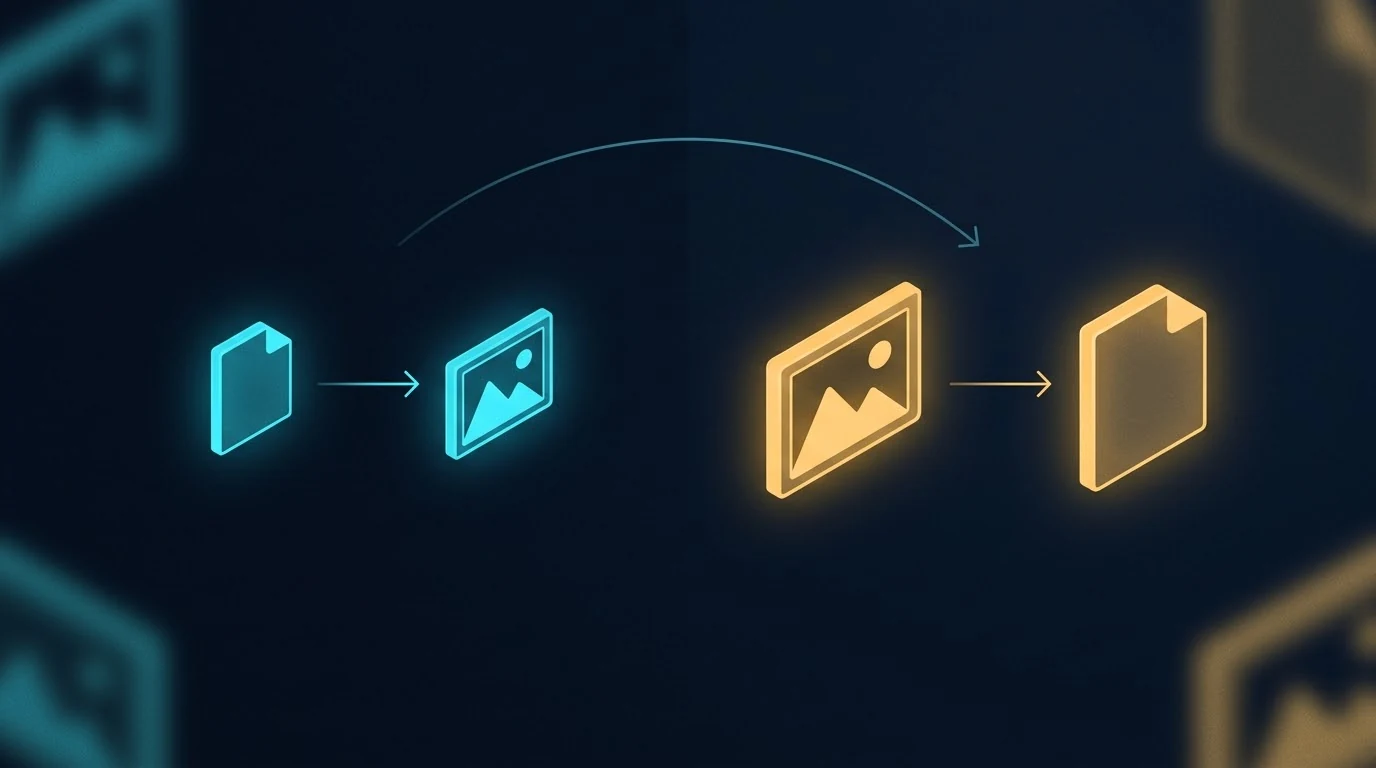
    The image above is a simple visual contrast — one workflow on the left, a different workflow on the right, with an arrow pointing from one to the other. It’s also the kind of image you can only get reliably when you generate it as part of a series, in conversation with a model that already knows what visual language you’re working in. Generated cold, in isolation, the result drifts. Generated in context, alongside five other images sharing the same DNA, the result locks in.

    This article is about why that happens, what it means for content production, and when to use which method.

    What “in one context” actually means

    When you generate an image with a typical API call, the model receives your prompt with no memory of any prior image. Each call is a cold start. The model interprets your style instructions from scratch every time. If you ask for “isometric perspective, dark navy background, cyan and amber accents” five times in a row, you’ll get five images that broadly match those words — but they won’t actually share visual DNA. They’ll share keywords.

    When you generate in a single conversation with an image-capable model like Gemini, every image you’ve already made stays in the context window. The model sees what it just generated. The next image inherits the palette, the geometric vocabulary, the compositional rhythm, the lighting treatment, the specific aesthetic flavor of the prior images — not because you re-described those things, but because the model is continuing a project, not starting a new one.

    That distinction sounds small. The output difference is large.

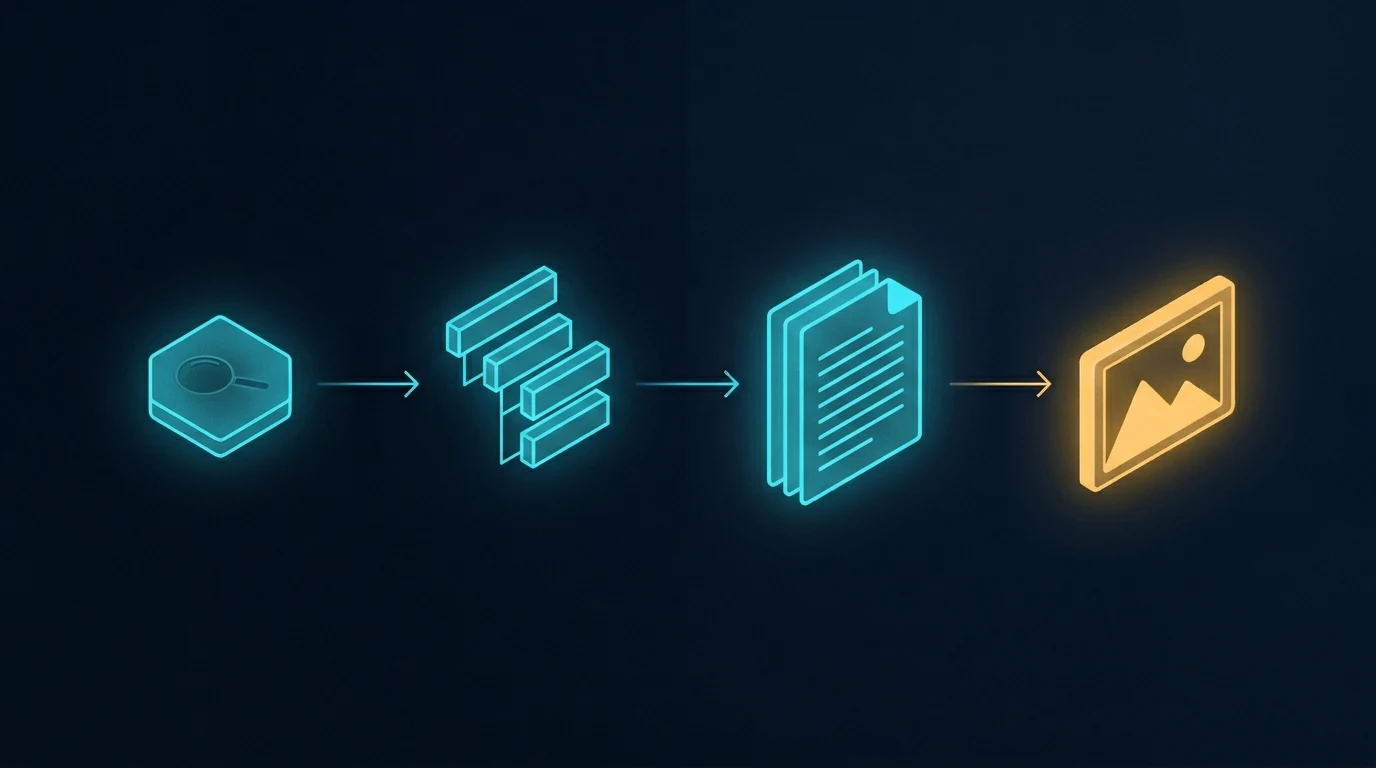
    The conventional pipeline that produces parallel generation

    The image above shows the standard content pipeline. Research the topic, outline the structure, write the document, generate an image to go with it. When the article needs more than one image, the last step gets parallelized — multiple API calls fired in sequence or in parallel, each one a separate request, each one independent of the others.

    This is how every CMS template works, how every batch image pipeline is built, and how most automated content systems run. It’s efficient. It’s fast. It scales to hundreds of images across hundreds of unrelated posts. And it’s exactly the right tool for that volume work.

    It is not the right tool when the images are meant to belong to each other.

    What parallel generation actually looks like

    The image above shows the contrast plainly. Six frames, each containing a different abstract composition. They share a general aesthetic because the prompts asked for it — there’s a recognizable common style budget. But look at the actual visual content: one frame leans cool cyan, another leans warm amber, one uses hexagonal circuit patterns, another uses soft organic blobs, another uses sharp angular fragments. The compositional logic drifts. The palette drifts. There are no threads between them because there’s nothing connecting them in the model’s understanding.

    This is what parallel image generation produces, even with carefully written prompts. Each call follows instructions in isolation. Each call invents its own interpretation of “dark navy with cyan and amber accents.” The instructions don’t lie — every frame is technically dark navy with cyan and amber — but the feel drifts because there’s nothing keeping it locked.

    A reader scrolling past doesn’t consciously notice. They just feel, vaguely, that the images don’t quite belong together. That vague feel is the cost.

    What sequential generation produces

    The image above shows the difference. Five frames, all generated in a single conversation. The visual continuity is immediately obvious — every frame uses the same palette, the same geometric vocabulary (hexagons, circuit traces, glowing nodes), the same compositional rhythm, the same slightly-elevated isometric perspective. The frames are different from each other in content — they’re not duplicates — but they belong to the same designed system.

    The connecting threads in the image are the metaphor. Visual DNA flows from one frame to the next. The model doesn’t reinvent the aesthetic on frame two; it continues it. By frame five, the system has cohered so tightly that the model is generating within a style rather than generating to a style.

    This is what context does. Every image you generate in that conversation is one more anchor point. The model has more to reference and less to invent. The fifth image is easier to make than the first, because the context has already done most of the work of specifying what the image should be.

    The seam test

    Here’s the practical diagnostic for whether your image set needs sequential generation: imagine the images displayed next to each other, maybe in a carousel or a grid, maybe as featured images for a series of related articles. Imagine a reader seeing them at a glance.

    Do the images need to feel like one project? Like five views of the same world?

    If yes, sequential generation is the right method. If the images can stand alone without referencing each other — a featured image on a daily blog post, a stock illustration for a generic article — parallel generation is fine and probably better. Speed and throughput matter more than coherence when nothing depends on coherence.

    The volume tier and the premium tier of image production are doing different jobs. Treating them like one tier and reaching for parallel generation by default is how most teams end up with image sets that almost work.

    How to actually do sequential generation

    The method is mechanical and worth spelling out:

    Open one conversation with an image-capable model that supports conversation context. Gemini works well for this; other models with image generation and persistent context can work too. Paste your style guardrails as the first message — palette, perspective, aesthetic, what you don’t want. Then send your image prompts one at a time, in the same conversation, in the order you want the visual DNA to flow.

    Don’t start a new session between images. Don’t summarize prior images in the next prompt. Trust the context window to do the carry-forward.

    If an image isn’t quite right, ask for a revision in the same conversation rather than starting over. The model will adjust within the established style instead of regenerating fresh.

    When you have all the images you need, the set is done. The cohesion you couldn’t have gotten from six separate API calls is now baked into the image files themselves.

    A related workflow worth naming

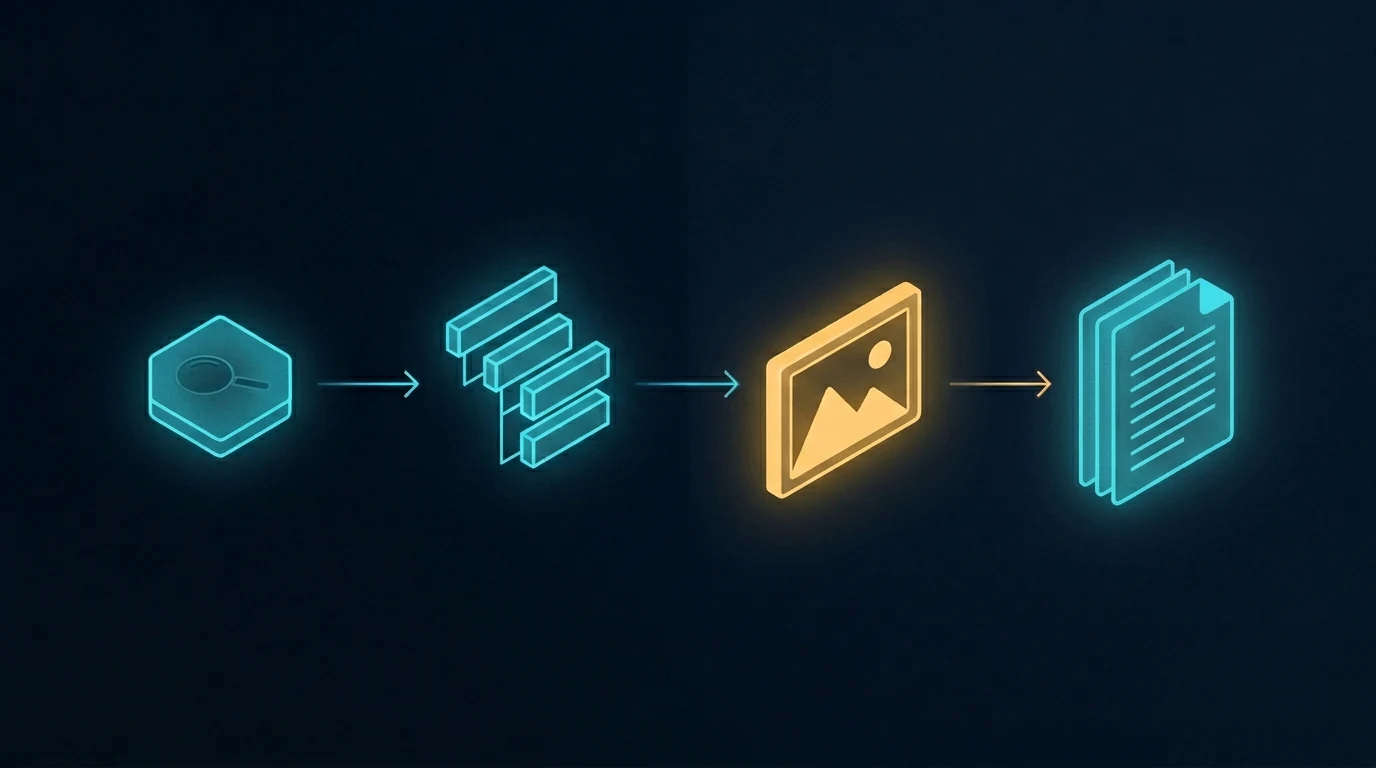
    The image above shows a different rearrangement of the same pipeline — one where the image step jumps forward, ahead of the writing. The article gets written to fit the images, not the other way around. That’s a different topic with its own trade-offs, and we’re covering it in a forthcoming companion piece. For now, the relevant point is that whichever order you use, sequential generation is what makes coordinated multi-image content tractable. Without it, the activation energy of coordinating images is high enough that most teams default to one-off illustrations.

    The reverse failure mode

    The opposite mistake is also worth naming. Some teams, having discovered sequential generation, try to use it for everything. This wastes effort. A single featured image for a daily blog post doesn’t need to share visual DNA with any other image — it stands alone. Running it through a long conversation is overhead for no benefit.

    The split is simple. If the images belong together, generate them together. If they stand alone, generate them alone.

    When to use each method

    Use sequential generation in one conversation context for:

    • Pillar plus cluster article sets where the visual identity matters
    • Multi-image articles where consistency across images is part of the message
    • Flagship content where readers will perceive the image set as designed
    • Brand-defining visual systems
    • Anything where seeing two images side by side and noticing they belong together is part of the value

    Use parallel generation across separate calls for:

    • Single featured images on unrelated daily posts
    • Site-wide batch fills where volume dominates
    • Stock-style illustrations for routine content
    • Background image work where nobody is looking at it twice
    • Anything time-sensitive enough that the activation energy of opening a conversation isn’t worth it

    The locked-together effect

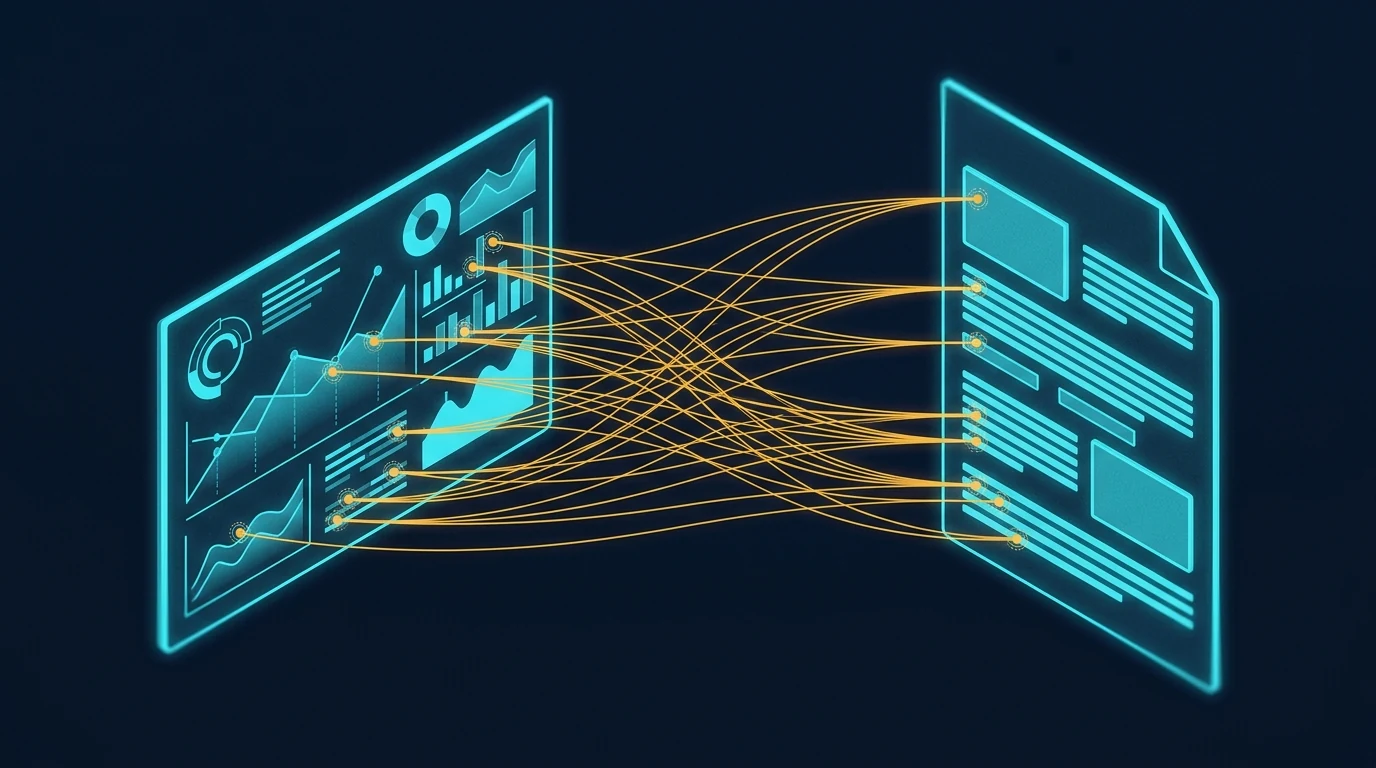
    The image above shows what coherent visual sets enable in the actual reading experience. When the images in an article share visual DNA, a reader can reference back and forth between them — visual element here, paragraph there — without the cognitive friction of feeling like the images are coming from different worlds. Specific points in one image connect to specific points in another, or to specific points in the text, and the reader’s eye treats them as a system.

    That’s what cohesion is worth. Not aesthetic prettiness in the abstract, but the reader’s ability to navigate the content as a unified whole instead of as a sequence of disconnected pieces.

    Parallel generation can’t produce this effect reliably. Sequential generation can. The method is the difference.

    The premise

    The core insight is small enough to fit in a sentence: generate cohesive image sets in one conversation, generate independent images in parallel calls, and don’t conflate the two cases. Everything else in this article is unpacking that one observation.

    The teams that get this right produce visual systems that look designed. The teams that get this wrong produce sets that look almost-designed — close enough that nobody complains, far enough that the work doesn’t quite land. The difference between those two outcomes is which workflow you use, and the workflow choice is essentially free once you know to make it.

    This very article is a small proof of concept. The six images above were generated in a single Gemini conversation, in sequence. The visual DNA flows across all of them. None of that would have survived parallel generation. The choice was free; the result is visible.

    Frequently asked questions

    What is the difference between sequential and parallel image generation?

    Sequential image generation creates multiple images inside a single conversation with an image-capable model, so each new image inherits visual DNA from the prior images in the same context window — palette, perspective, geometric language, and compositional rhythm carry forward automatically. Parallel image generation creates each image in a separate API call with no shared context, so each call is a cold start that follows style keywords but cannot inherit feel.

    Why does conversation context matter for image generation?

    When images are generated in one conversation, the model can see the prior images it generated and use them as anchors for the next image. This means visual specifications you set once are carried forward without you having to re-state them. The result is dramatically tighter cohesion than parallel API calls can produce, even when both methods use identical prompts.

    When should I use sequential image generation instead of parallel calls?

    Use sequential generation when the image set is part of the value proposition — pillar and cluster article sets, multi-image flagship articles, brand-defining visual systems, anything where readers will perceive the images as belonging to a designed whole. Use parallel generation for single featured images on unrelated daily posts, site-wide batch fills, stock-style illustrations, and routine content where volume matters more than coherence.

    Does this method only work with Gemini?

    No. The method works with any image-capable model that supports persistent conversation context — meaning the model can see prior turns in the same conversation and use them when generating new images. Gemini handles this well today. Other models with similar capabilities work just as well. The principle is about conversation context, not about a specific provider.

    What is the “seam test” for image set cohesion?

    The seam test asks whether your images need to feel like one project when seen at a glance — like five views of the same world rather than five separate illustrations. If yes, sequential generation is the right method. If the images can stand alone without referencing each other, parallel generation is faster and equally good. The split between volume work and premium work follows the seam test.

    Can I mix sequential and parallel generation in the same project?

    Yes, and it often makes sense. Generate the cohesive set sequentially for the article’s main illustrations, then use parallel generation for one-off support images, thumbnails, or social variants that don’t need to share DNA with the main set. The methods are tools, not ideologies. Match the method to the cohesion requirement of each image.

  • The Multi-Model AI Roundtable: A Three-Round Methodology for Better Decisions

    The Multi-Model AI Roundtable: A Three-Round Methodology for Better Decisions

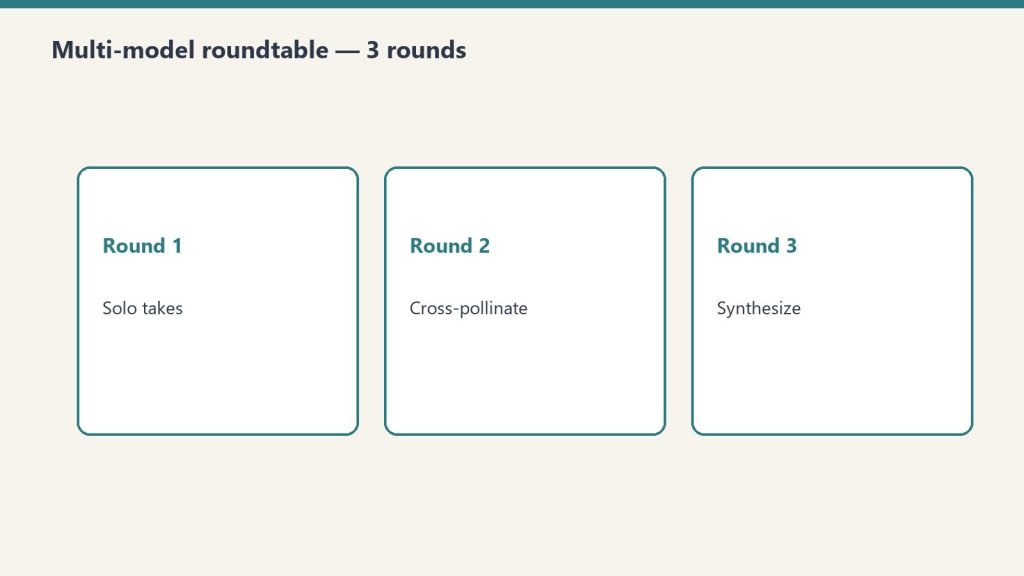
    The Multi-Model AI Roundtable is a three-round structured exchange where the same question is sent to three models from different lineages (typically Claude, GPT, and Gemini), cross-pollinated by sharing each model’s response with the others, and then synthesized into a final recommendation with explicit confidence calibration. Used for strategic decisions, content architecture, and technical trade-offs where single-model output isn’t trustworthy enough.

    This is part of our OpenRouter coverage. See the operator’s field manual for the broader context on why we route through OpenRouter, and the 5-layer mental model for the hierarchy that makes multi-model routing tractable.

    Why three models beat one

    Single-model decision-making has a known failure mode: the model’s training data and reasoning patterns silently shape every recommendation. The model doesn’t know what it doesn’t know. You don’t know what it doesn’t know. You get a confident answer, you act on it, and the missing perspective shows up later as a problem you didn’t see coming.

    Three models from three different lineages catch each other’s blind spots. Claude Opus 4.7 tends to over-index on safety considerations and structural rigor. GPT-5.5 tends to favor decisive, action-oriented framing. Gemini 3 Flash tends to surface edge cases and multimodal context the others gloss over. Run a hard decision past all three and the agreement-versus-disagreement pattern itself becomes information.

    The methodology we use is a three-round structured exchange. Same question, three responses, then cross-pollination, then synthesis. Below is the exact pattern we’ve used across decisions ranging from tech stack choices to keyword prioritization to architectural calls on the autonomous behavior system.

    The architecture

    OpenRouter makes this cheap to wire. One API endpoint, three different model identifiers, three parallel calls:

    const models = [
      "anthropic/claude-opus-4.7",
      "openai/gpt-5.5",
      "google/gemini-3-flash"
    ];
    
    const responses = await Promise.all(
      models.map(model =>
        fetch("https://openrouter.ai/api/v1/chat/completions", {
          method: "POST",
          headers: {
            "Authorization": `Bearer ${OPENROUTER_API_KEY}`,
            "Content-Type": "application/json"
          },
          body: JSON.stringify({
            model,
            messages: [{ role: "user", content: prompt }]
          })
        }).then(r => r.json())
      )
    );
    

    That’s the entire architectural surface. Three calls, three responses, parallel execution. Without OpenRouter you’d be juggling three separate API contracts. With it, one endpoint and a model parameter.

    Round 1: Individual perspectives

    Send the same question to all three models with no awareness that they’re part of a roundtable. Each responds independently.

    The prompt structure that works:

    We’re evaluating [decision]. Consider:

    1. The key factors to weigh
    2. Risks and mitigations
    3. Your recommendation, with reasoning
    4. What you might be missing

    The fourth bullet is the one that earns the cost of the call. Asking a model to name its own blind spots is a remarkably effective way to surface the limits of its perspective. Models that handle this prompt well will name epistemic limits explicitly: “I don’t have visibility into your team’s specific constraints,” or “this depends on factors I can’t verify from this conversation.”

    Collect all three Round 1 responses. Don’t synthesize yet.

    Round 2: Cross-pollination

    This is where the methodology earns its keep. Send each model the other two models’ Round 1 responses and ask:

    • Identify points of agreement
    • Challenge or refine the other perspectives
    • Update your own recommendation if warranted

    Most teams skip this round. They run Round 1, see agreement, ship a decision. They miss the cases where one model would have changed its mind given the other models’ input — which is exactly the cases where the disagreement matters.

    Round 2 also surfaces a pattern worth naming: model deference. Some models, when shown a different perspective, will pivot toward it almost regardless of the merits. Others hold their position too rigidly. Watching how each model handles disagreement is itself information about how to weight their inputs in future roundtables.

    Round 3: Synthesis

    One model — usually Claude in our case, because long-form reasoning is the job — gets all the Round 1 and Round 2 outputs and produces a final synthesis:

    • Consensus points (where all three models agreed, both rounds)
    • Remaining disagreements (where the models did not converge)
    • Confidence level (high if convergence, medium if mixed, low if persistent disagreement)
    • Suggested next steps

    The confidence calibration is the part that changes how decisions actually get made. A decision the roundtable converges on with high confidence can be acted on immediately. A decision with persistent disagreement is a signal that the question is harder than it looked, and probably needs human judgment or more research before action.

    When this is worth running

    The roundtable is not free. Three rounds, three models, plus synthesis equals roughly four to six API calls per decision. Even at low-cost model pricing for the initial rounds, this adds up if you run it on every micro-decision.

    Use it for:

    • Strategic decisions — tech stack selection, business model choices, pricing strategy
    • Content strategy at scale — keyword prioritization for a 50-article batch, topic cluster architecture, format decisions
    • Technical architecture — system design, security posture, performance trade-offs
    • Anything irreversible — moves that you’ll wear for months if they’re wrong

    Don’t use it for:

    • Day-to-day operational questions a single model can answer well
    • Decisions where you already know the answer and just want validation
    • Questions where the cost of being wrong is small

    Cost shape

    For an agency stack the cost-per-roundtable comes out roughly as follows when using a balanced model mix:

    • Round 1: three parallel calls. Use Gemini 3 Flash or DeepSeek V3.2 for breadth at low cost. Heavier models only when you need deeper reasoning in Round 1.
    • Round 2: three more calls with more context. Same models, larger context window.
    • Round 3: one synthesis call. Use the best reasoning model you have access to — Claude Opus 4.7 is our default for synthesis.

    Total cost per decision typically runs from a few cents to a few dollars depending on context length and model selection. For decisions worth running through the roundtable, that’s noise.

    An example output

    A real roundtable from our archive, on the question of where to start with Google Apps Script as a learning project:

    GPT-5.5: Start simple — a Google Sheets data retrieval script. Learning value comes from working through the auth flow and basic API surface without complexity getting in the way.

    Claude Opus 4.7: Start impactful — a Time Insight Dashboard combining Gmail and Calendar data. Higher learning curve but produces something you’ll actually use, which keeps motivation up.

    Gemini 3 Flash: Hybrid — simple foundation but with one meaningful integration. Lowers the activation energy while preserving the impact angle.

    Consensus (Round 3): Begin with a data retrieval script (all three models agree on the learning value) but include one meaningful integration like calendar events. The Round 2 cross-pollination resolved most of the disagreement; Claude moderated its position after seeing GPT-5.5’s argument about activation energy.

    Confidence: High. All three models aligned on progressive complexity after cross-pollination.

    That output is more useful than any single model’s recommendation would have been. It names the trade-off, shows the path to consensus, and quantifies confidence. That’s what you’re paying for.

    The variations worth knowing

    A few patterns we’ve adapted from the base methodology:

    Adversarial roundtable. Instead of asking each model the same question, assign roles. Model A argues for. Model B argues against. Model C judges. Useful for decisions where you suspect you’ve already made up your mind.

    Sequential expert chain. Skip parallel Round 1. Run one model, then send its output to the next model to refine, then to the third. Slower but useful when you need each step to build on the last.

    Domain-specialized roundtable. Use BYOK to route Round 1 calls to specialty providers when the question is technical. A legal question routes through a legal-specialized provider. A code question routes through a code-specialized provider. The synthesis still happens at Claude Opus 4.7 or GPT-5.5.

    The base methodology — three rounds, three models, one synthesis — is the version we run by default. The variations are for cases where the base pattern is leaving value on the table.

    What this unlocks

    Once the roundtable is wired into your stack, a category of decision that used to take a meeting becomes a 90-second API call. Not every meeting. The ones where you would have walked in already knowing the answer and the meeting was performative.

    The roundtable doesn’t replace human judgment. It replaces the version of the decision where you didn’t think it through. The version where you would have shipped your first instinct and lived with the consequence. That’s the win.

    Frequently asked questions

    What is a multi-model AI roundtable?

    A three-round structured exchange where the same question is sent to three AI models from different lineages, then cross-pollinated by sharing each model’s response with the others, then synthesized into a final recommendation with explicit confidence calibration. The methodology surfaces blind spots that single-model output silently hides.

    Why use Claude, GPT, and Gemini together instead of just one?

    Each model has different training data and reasoning patterns. Claude tends to emphasize safety and structural rigor. GPT tends to favor decisive action-oriented framing. Gemini tends to surface edge cases. Running a hard decision past all three gives you agreement-versus-disagreement information that no single model can provide.

    How much does a multi-model roundtable cost per decision?

    Typically a few cents to a few dollars per decision, depending on model selection and context length. Using cheaper models (Gemini Flash, DeepSeek) for the initial rounds and reserving the expensive reasoning models for Round 3 synthesis keeps the cost shape favorable.

    When is the multi-model roundtable not worth running?

    Skip it for day-to-day operational questions a single model can answer well, decisions where you already know the answer and just want validation, and questions where the cost of being wrong is small. Reserve it for strategic decisions, content architecture, technical trade-offs, and anything irreversible.

    What is the third round of the roundtable for?

    Synthesis. One model — typically the strongest reasoning model in the set — receives all the Round 1 and Round 2 outputs and produces a final recommendation with consensus points, remaining disagreements, confidence level, and suggested next steps. This is the part that turns three opinions into one actionable decision.

    See also: What We Learned Querying 54 LLMs About Themselves (For $1.99 on OpenRouter)

  • Claude Sent Us 63 Readers Last Month: The First Measurable AI-Referral Channel for Publishers

    Claude Sent Us 63 Readers Last Month: The First Measurable AI-Referral Channel for Publishers

    Short version: In the last 29 days, Claude, ChatGPT, Perplexity, Microsoft Copilot, Gemini, NotebookLM, and Kagi collectively sent at least 94 new readers to tygartmedia.com — a site whose #1 content vertical is explaining Claude. AI assistants are now our #4 traffic source, ahead of Facebook, ahead of LinkedIn, ahead of every search engine except Google and Bing. The product is citing the publication that covers the product. That’s the loop. Here is what it looks like when you can actually measure it.

    The finding that made me stop scrolling

    I built a Claude-powered browser agent to poke around our GA4 account and surface “interesting stuff” a human analyst would miss. One of the first things it flagged was our Source/Medium report. Here is the top of the list, unedited:

    RankSource / MediumNew Users (29 days)Notes
    1(direct) / (none)738Mystery bucket
    2google / organic289Standard Google SEO
    3bing / organic701m 20s average session — high intent
    4claude.ai / referral63Claude itself
    5m.facebook.com43Mostly 4-second bounces
    6duckduckgo / organic411m 02s average
    13chatgpt.com / referral9ChatGPT
    15perplexity.ai / referral5Perplexity
    21copilot.com3Microsoft Copilot
    24gemini.google.com2Google Gemini
    28notebooklm.google.com1Google NotebookLM
    35kagi.com1Kagi AI results

    Add up everything with an AI-assistant referrer and the combined count is at least 94 new users in 29 days — roughly 6.7% of all new users on the site. Claude alone, at 63 referred users, is our #4 traffic source. It is ahead of Facebook. It is ahead of LinkedIn. It is ahead of every search engine except Google and Bing. And we have been cited, at least once, by every major AI surface in the English-speaking internet: Claude, ChatGPT, Perplexity, Microsoft Copilot, Gemini, NotebookLM, and Kagi.

    Why this is different from “we show up in Google”

    Generative Engine Optimization (GEO) is the practice of structuring content so that large language models cite it as a source inside their answers. It is the younger, messier cousin of SEO. Most publishers cannot yet prove it is working. The feedback loop is long, the data is hidden inside a chat window, and the traffic that does leak through often lands in a “(direct)” bucket with no attribution at all.

    We can see ours. GA4, for reasons that are probably accidental, already records claude.ai, chatgpt.com, perplexity.ai, copilot.com, gemini.google.com, notebooklm.google.com, and kagi.com as discrete referral sources when a user clicks a citation link. That means AI-assistant traffic is measurable as a first-class channel right now, today, with the free version of Google Analytics, on any site that happens to get cited.

    The poetic layer of what we are looking at: Claude is the top AI referrer to a website whose #1 content vertical is explaining Claude. The product is sending readers to the publication that covers the product. If that is not a GEO moat, I do not know what one looks like.

    These are not bounced visitors. They are readers.

    The single biggest worry with any new traffic source is that it might be garbage — bots, previews, accidental clicks. The engagement data says the opposite. Users arriving from claude.ai spend 23 seconds on average and produce 0.56 engaged sessions per user. ChatGPT referrals average 21 seconds and 0.44 engaged sessions per user. For context, the site-wide average engagement time is dragged down hard by in-app social browsers; the Facebook mobile webview, for example, sits at about 14 seconds with 4-second bounces.

    People arriving from an AI assistant are not scrolling past. They clicked the citation because the AI told them this was the primary source, and when they got here they read. That is a qualitatively different kind of traffic than Facebook or a random Google search. These are the highest-intent non-search users we have.

    The secondary finding: Seattle is reading for three minutes

    The same GA4 pass surfaced a city-level pattern we were not expecting. Seattle readers — 61 of them in 29 days — spent an average of 3 minutes and 6 seconds on site at a 61.3% engagement rate. The site-wide average session is roughly 40 seconds. Seattle readers are spending about 4–5x longer on the page than the typical visitor, at nearly twice the engagement rate.

    CityActive UsersEngagement RateAverage Time
    Seattle6161.3%3m 06s
    The Dalles, OR310%1s
    Shelton, WA2627.6%15s
    Des Moines2437.5%10s
    Beijing316.5%0s
    Singapore2821.4%5s

    A few things jump out. The Dalles, Oregon at 31 users / 0% engagement / 1 second is almost certainly Google’s data center there returning preview requests — ignore it. Shelton, Washington is a real Mason County hyperlocal beachhead; 26 actual humans in our home county in 29 days is a legitimate foothold for the local desk. Beijing at 31 users / 0 seconds has the classic signature of cloud-hosted scrapers. And Seattle at 3 minutes is the single most valuable city in our data and it is not close.

    The browser split confirms an unusually technical audience

    BrowserUsersEngagement Rate
    Chrome850 (60%)31.3%
    Safari232 (16%)32.7%
    Edge99 (7%)62.3%
    Firefox33 (2.3%)60.5%

    Edge at 62.3% engagement and Firefox at 60.5% engagement are not normal consumer numbers. A typical general-interest site sees those two browsers hovering in the 5–15% range. Microsoft Edge is the default on corporate-managed Windows machines. Firefox is the dev-preferred privacy browser. The combination of high Edge engagement, high Firefox engagement, and a Claude-heavy referral list all point at the same audience: developers and technical professionals at real companies, reading on managed workstations.

    How to measure AI-assistant referrals in your own GA4

    If you publish anything technical and want to see your own version of this number, the fastest path is a custom GA4 exploration with one segment. Open GA4 → Explore → Free Form. Add a segment with this condition:

    Session source contains one of:
      claude.ai
      chatgpt.com
      perplexity.ai
      perplexity
      copilot.com
      gemini.google.com
      notebooklm.google.com
      kagi.com
      you.com
      phind.com

    Break it down by landing page, engagement rate, and average engagement time. That is your AI-Referral dashboard. Watch it weekly. A non-trivial number of sites will discover they already have measurable AI traffic and never bothered to look.

    Frequently asked questions

    What is a GEO referral?

    A GEO referral, or AI-assistant referral, is a visit to your site from a user who clicked a citation link inside an answer generated by a large language model such as Claude, ChatGPT, Perplexity, Microsoft Copilot, Gemini, NotebookLM, or Kagi. In Google Analytics 4 these visits appear as referral traffic from the assistant’s domain — for example claude.ai / referral or chatgpt.com / referral.

    How many AI-referred users did tygartmedia.com receive in 29 days?

    At least 94 new users across seven distinct AI assistants: 63 from Claude, 14 from ChatGPT (9 attributed + 5 unassigned), 10 from Perplexity (5 attributed + 5 unassigned), 3 from Microsoft Copilot, 2 from Gemini, 1 from NotebookLM, and 1 from Kagi. That is roughly 6.7% of all new users on the site for the period.

    Are AI-assistant referrals real readers or bots?

    Real readers. Average engagement time from claude.ai is 23 seconds and from chatgpt.com is 21 seconds, with engagement rates of 0.56 and 0.44 engaged sessions per user respectively. Those numbers are qualitatively higher than in-app social browser traffic (Facebook mobile webview averages about 14 seconds) and indicate a deliberate click-through from an AI citation, not a scraper.

    Can any publisher measure AI-assistant referrals in GA4?

    Yes. GA4 records visits from claude.ai, chatgpt.com, perplexity.ai, copilot.com, gemini.google.com, notebooklm.google.com, and kagi.com as discrete referral sources by default. Build a Free Form exploration with a segment that filters Session source on those domains and you will see the channel immediately if it exists for your site.

    What is GEO in marketing?

    GEO stands for Generative Engine Optimization. It is the practice of structuring web content, schema markup, and publishing signals so that large language models cite the content as a source inside AI-generated answers. GEO is to AI assistants what SEO is to search engines — the discipline of being the answer the machine hands to the reader.

    The loop, and why it matters

    The most interesting thing about this data is not the traffic. It is the feedback structure. Tygart Media publishes explainers about Claude. Claude crawls and cites those explainers. Readers click through from Claude’s answer back to tygartmedia.com. We publish more. Claude cites more. The site becomes, in effect, training data and a recommended source for the next iteration of the product it covers. That is the recursive loop that makes AI-native publishing a different business than search-era publishing.

    I do not think every site can build this loop. It requires a narrow, technically-defensible topic — something an AI assistant would rather cite than paraphrase — and the patience to publish at a cadence LLMs reward. What I do think is that any publisher can check, today, whether the loop has quietly started forming underneath them. Most have not bothered. This post is partly a flex and partly an invitation: go look.

    What happens next at Tygart Media

    Three things. We are standing up a permanent AI-Referral channel in our GA4 so the number can be watched weekly instead of rediscovered quarterly. We are writing the playbook — the one this post hints at — for publishers who want to do the same. And we are building the browser agent that found this in the first place into a repeatable audit any publisher can run against their own GA4 in an afternoon. If that last one sounds useful, the newsletter is the place to follow along.

    Claude sent us 63 readers last month. It will send more next month. We will be counting.

  • Claude Opus 4.8 vs GPT-5 vs Gemini 2.5 Pro: Head-to-Head (June 2026)

    Claude Opus 4.8 vs GPT-5 vs Gemini 2.5 Pro: Head-to-Head (June 2026)

    Last refreshed: June 9, 2026

    Model Accuracy Note — Updated June 9, 2026

    Current flagship: Claude Opus 4.8 (claude-opus-4-8). Current models: Opus 4.8 · Sonnet 4.6 · Haiku 4.5. Claude Opus 4.8 (claude-opus-4-8) is the current flagship as of April 16, 2026. Where this article references Opus 4.6 or earlier models, those references are historical. See current model tracker →. See current model tracker →

    Claude Opus 4.8 vs GPT-5 vs Gemini 2.5 Pro: Head-to-Head (June 2026)

    Attribute Claude Opus 4.8 GPT-5 Gemini 2.5 Pro
    Developer Anthropic OpenAI Google DeepMind
    API ID claude-opus-4-8 gpt-5 gemini-2.5-pro
    Context window 1M tokens 128K tokens 1M tokens
    Input price (per MTok) $5.00 $15.00 $3.50
    Output price (per MTok) $25.00 $75.00 $10.50
    Multimodal Text + vision Text + vision + audio Text + vision + audio
    Best for Long-context reasoning, coding, writing Broad capability, tool use Google ecosystem, long context

    Prices verified June 9, 2026 from official platform documentation. GPT-5 pricing from platform.openai.com. Gemini 2.5 Pro pricing from ai.google.dev.

    The short verdict

    • Best for agentic coding and long-horizon engineering: Opus 4.8.
    • Best for single-turn function calling and ecosystem breadth: GPT-5.
    • Best for multimodal input volume and long-context retrieval: Gemini 2.5 Pro.
    • Cheapest at the frontier: Gemini 2.5 Pro. Most expensive: GPT-5.
    • If you can only pick one for general knowledge work in June 2026: Opus 4.8.

    The full reasoning is below. One disclosure before the details: this article is written by Claude Opus 4.8. I am one of the models being compared. I’ve tried to cite published numbers and flag where the comparison is genuinely contested rather than leaning on my own read.


    Pricing as of April 16, 2026

    Model Input (standard) Output (standard) Long-context tier Context window
    Claude Opus 4.8 $5 / M tokens $25 / M tokens Same across window 1M tokens
    GPT-5 $5.00 / M tokens $15 / M tokens $5 / $22.50 over 272K 1M tokens (272K before surcharge)
    Gemini 2.5 Pro $2 / M tokens $12 / M tokens $4 / $18 over 200K 1M tokens (some listings cite 2M)

    Takeaways:
    – Gemini 2.5 Pro is the cheapest per token at the frontier — 7.5× cheaper on input than Opus 4.8 and 2× cheaper than GPT-5 at standard context.
    – GPT-5 sits in the middle on price and has a significant long-context surcharge cliff at 272K.
    – Opus 4.8 is the most expensive per token, with no long-context surcharge.
    – All three now have 1M-class context windows, but Opus 4.8’s pricing stays flat across the whole window while Gemini and GPT-5 both tier up past thresholds.

    Tokenizer caveat: Opus 4.8 uses a new tokenizer that produces up to 1.35× more tokens per input than Opus 4.6 did, depending on content type. Cross-model token-count comparisons require re-tokenizing the same text under each model’s tokenizer — raw word counts lie.


    Benchmarks, with the caveats included

    Anthropic, OpenAI, and Google all publish benchmark numbers. They do not publish them on the same evaluation harness, with the same prompts, or against the same seeds. Treat the following as directional, not definitive.

    Agentic coding (long-horizon, multi-file):
    – Opus 4.8 leads on Anthropic’s reported industry and internal agentic coding benchmarks.
    – GPT-5 is competitive on single-turn function calling and tool use. Roughly 80% on SWE-bench Verified at launch.
    – Gemini 2.5 Pro scored 80.6% on SWE-bench Verified at launch — essentially tied with GPT-5.

    Multidisciplinary reasoning (GPQA Diamond and similar):
    – Opus 4.8 leads on Anthropic’s comparisons.
    – GPT-5 and Gemini 2.5 Pro are close. Gemini reports 94.3% on GPQA Diamond.

    Scaled tool use and agentic computer use:
    – Opus 4.8 leads on Anthropic’s reported benchmarks.
    – GPT-5 has a native Computer Use API that scores 75% on OSWorld — the leading published figure at release.
    – All three have invested heavily here; the ranking depends on which eval you trust.

    Vision (document understanding, dense-screenshot extraction):
    – Opus 4.8’s jump from 1.15 MP to 3.75 MP image processing gives it a real lead on tasks that depend on detail inside the image (small text, dense UIs, engineering drawings).
    – Gemini 2.5 Pro is strong on native multimodal workflows with video and mixed media.
    – GPT-5 is solid but not leading on either axis.

    Long-context retrieval:
    – All three now have 1M-class context windows.
    – Gemini 2.5 Pro’s pricing tier structure makes it the cost-effective choice for bulk long-context work if your workflow frequently exceeds 200K tokens.
    – Opus 4.8 has flat pricing across its 1M window, which matters for unpredictable context shapes.
    – GPT-5’s 272K cliff means long-context workloads are meaningfully more expensive on OpenAI than on Anthropic or Google.

    Specialized coding benchmarks:
    – GPT-5.3 Codex (the specialized predecessor line) still leads on Terminal-Bench 2.0 and SWE-Bench Pro on some scores. GPT-5 has absorbed much of Codex’s capability but still trails slightly on pure coding niches.
    – Gemini 2.5 Pro has notable strength on creative coding and SVG generation.
    – Opus 4.8 is strongest on agentic and multi-file coding specifically.

    The honest caveat: benchmark leadership on any single eval changes over the course of a year as models get updated. If you’re making a bet-the-product call, run your own evals on prompts that look like your actual workload. The published benchmarks are a screening tool, not a decision tool.


    How they differ in behavior, not just benchmarks

    Opus 4.8 — the engineering-minded generalist.
    Tends toward thoroughness over speed. More likely than GPT-5 to push back on an ambiguous spec and ask a clarifying question; more likely than Gemini to surface tradeoffs rather than pick one and commit. Strong at long-horizon tasks where state matters. Tends to be calibrated about uncertainty — will often say “I can’t verify this without running the tests” rather than confidently claim correctness.

    GPT-5 — the product-native operator.
    Tends toward action over deliberation. Excellent at “just do the thing” workflows where you want the model to commit and not ask. Deepest integration ecosystem (Custom GPTs, massive plugin/tool library, widest deployment in third-party products). Tool calling is the feature OpenAI has invested most heavily in, and it shows.

    Gemini 2.5 Pro — the multimodal long-context specialist.
    Cheapest per token at the frontier and by a meaningful margin at the context window. Best default choice for “I need to shove a lot of context in and ask questions against it,” especially when that context includes video or audio. Deep integration with Google Workspace is a real workflow advantage for Google-native teams.

    None of these are absolute; all three models handle general tasks well. These are behavioral tendencies, not capability ceilings.


    “Choose X if” decision framework

    Choose Claude Opus 4.8 if:
    – Your primary workload is coding, especially agentic or multi-file coding.
    – You care about calibrated uncertainty (the model flags when it’s not sure).
    – You’re using or planning to use Claude Code for engineering work.
    – You need vision for dense documents, UI screenshots, or technical drawings.
    – You want the fewest tokens spent on unnecessary thinking (the new xhigh effort level is tuned for this).

    Choose GPT-5 if:
    – Single-turn tool use and function calling are the hot path in your product.
    – You need the broadest ecosystem of third-party integrations right now.
    – Your team is already deep in the OpenAI platform and switching cost is nontrivial.
    – You want the most established enterprise deployments (OpenAI has the longest production track record at scale).

    Choose Gemini 2.5 Pro if:
    – You’re price-sensitive and running high-volume workloads.
    – You need 1M+ token context as the default, not as an add-on.
    – Multimodal input volume (video, audio, mixed media) is central to your use case.
    – Your team is deep in Google Cloud or Workspace.

    Use multiple if:
    – You’re doing serious AI product work. Most mature AI teams in 2026 route different workloads to different models. A common pattern: Opus 4.8 for code generation and agent orchestration, Gemini 2.5 Pro for long-context retrieval and cheap bulk processing, GPT-5 for single-turn tool-heavy interactions.


    Where this comparison will change

    The frontier is moving. Three things to watch over the next six months:

    1. Claude Mythos Preview. Anthropic publicly acknowledged that Mythos outperforms Opus 4.8 on most of the benchmarks in the 4.7 release post. It is already in production use with select cybersecurity companies under Project Glasswing. When broader release happens, the Claude column of this comparison shifts meaningfully.

    2. GPT-5.5 / GPT-6. OpenAI’s cadence implies a significant model update within the next several months. The pattern over the past year has been incremental 5.x releases; a ground-up generation shift would reset the comparison.

    3. Gemini 3.5 / 4. Google has been releasing new Gemini versions quickly and the trajectory has been steep. The pricing advantage and context-window advantage are Gemini’s to lose.

    None of these are speculation-free predictions. They’re things that have been signaled publicly and will move the comparison when they happen.


    Frequently asked questions

    Is Claude Opus 4.8 better than GPT-5?
    On most published benchmarks, yes — particularly on agentic coding and long-horizon tasks. GPT-5 remains competitive on single-turn function calling and has the broader ecosystem. “Better” depends on the workload.

    Is Gemini 2.5 Pro cheaper than Opus 4.8?
    Significantly. At $2/$12 per million input/output tokens vs. Opus 4.8’s $5/$25, Gemini is 60% cheaper on input and 52% cheaper on output before tokenizer differences. At scale this is a material cost gap.

    Which model has the biggest context window?
    All three now have 1M-class context windows. Some Gemini 2.5 Pro documentation cites a 2M window. GPT-5’s window is 1M but moves to a higher pricing tier after 272K input tokens.

    Which model is best for coding?
    Opus 4.8 leads on agentic and long-horizon coding benchmarks. GPT-5 is close on single-turn coding. Gemini 2.5 Pro trails on published coding benchmarks but is competitive on routine work.

    Which model should I use for my startup?
    Most mature teams route workloads to multiple models. If you’re just starting and need to pick one, Opus 4.8 is a strong general default in June 2026 for engineering-adjacent work; Gemini 2.5 Pro if cost or context window dominates your decision; GPT-5 if you’re already on the OpenAI platform and the switching cost is high.

    Does Claude Opus 4.8 support function calling?
    Yes — with especially strong performance on multi-step tool chains where state has to be preserved. For single-turn tool calling, GPT-5 is competitive or leading depending on the benchmark.


    Related reading

    • Full Opus 4.8 feature set: Claude Opus 4.8 — Everything New
    • Opus 4.8 for coding specifically: xhigh, task budgets, and the 13% benchmark lift
    • The Mythos angle: why Anthropic admitted Opus 4.8 is weaker than an unreleased model

    Published April 16, 2026. Article written by Claude Opus 4.8 — yes, one of the models being compared. Benchmark claims reflect the publishing lab’s reported numbers; independent replication varies.

    Frequently Asked Questions

    Is Claude Opus 4.8 better than GPT-5?

    It depends on the task. Claude Opus 4.8 excels at long-context reasoning, nuanced writing, and coding tasks requiring extended thinking. GPT-5 has broader multimodal capabilities including audio. For pure text reasoning and large-document analysis, Claude Opus 4.8’s 1M token context gives it a significant advantage. GPT-5 is more expensive at $15/$75 per million tokens vs Opus 4.8’s $5/$25.

    How does Claude Opus 4.8 compare to Gemini 2.5 Pro?

    Both Claude Opus 4.8 and Gemini 2.5 Pro support 1M token context windows. Gemini 2.5 Pro is cheaper at $3.50/$10.50 per million tokens vs Opus 4.8’s $5/$25. Claude Opus 4.8 generally rates higher on reasoning and coding benchmarks. Gemini 2.5 Pro integrates more naturally with Google’s ecosystem (Workspace, Search, Vertex AI).

    Which AI model is best for coding in 2026?

    Claude Opus 4.8 and Claude Sonnet 4.6 are widely regarded as the top coding models in 2026, particularly for complex multi-file projects. Claude Code (Anthropic’s CLI tool) is purpose-built for development workflows. GPT-5 is also strong for coding. Gemini 2.5 Pro integrates well with Google Cloud development workflows.

    What is the cheapest frontier AI model in 2026?

    Claude Haiku 4.5 ($1/$5 per MTok) and Gemini 2.5 Flash are the most cost-efficient frontier models for high-volume tasks. For flagship-tier capability, Gemini 2.5 Pro ($3.50/$10.50) is cheaper than Claude Opus 4.8 ($5/$25) or GPT-5 ($15/$75). The right choice depends on task complexity and volume.

    Is GPT-5 worth the higher price vs Claude Opus 4.8?

    For most text and coding workloads, no. Claude Opus 4.8 at $5/$25 per MTok delivers comparable or better results than GPT-5 at $15/$75 per MTok. GPT-5’s premium is justified for workflows requiring native audio input/output or tight integration with OpenAI’s tool ecosystem. For long-context document analysis, Opus 4.8’s 1M context at lower cost is a clear win.

    Which model should I use for my business in 2026?

    For general business writing and analysis: Claude Sonnet 4.6 ($3/$15) or Gemini 2.5 Pro ($3.50/$10.50). For complex reasoning and large documents: Claude Opus 4.8 ($5/$25). For high-volume, cost-sensitive workloads: Claude Haiku 4.5 ($1/$5). For Google Workspace integration: Gemini 2.5 Pro. For OpenAI ecosystem lock-in: GPT-5.

  • AI Citation Monitoring: The Complete 2026 Guide to Tracking ChatGPT, Claude & Perplexity Mentions

    AI Citation Monitoring: The Complete 2026 Guide to Tracking ChatGPT, Claude & Perplexity Mentions

    Tygart Media // AEO & AI Search
    SCANNING
    CH 03
    · Answer Engine Intelligence
    · Filed by Will Tygart

    What is AI citation monitoring? AI citation monitoring is the practice of systematically tracking whether generative AI systems — including ChatGPT, Claude, Perplexity, Google AI Overviews, and similar tools — are citing, referencing, or recommending your content when users ask relevant questions. It’s the GEO equivalent of rank tracking: instead of asking “where do I rank on Google?”, you’re asking “does AI think I’m worth mentioning?”

    Here’s a scenario that’s playing out right now across thousands of websites: a business owner spends months creating genuinely excellent content. It ranks well. People find it. The traffic dashboards look good. And then, quietly, something changes. Fewer people are clicking through from Google. The traffic dips but the rankings haven’t moved. What happened?

    AI happened. Specifically: AI search features are now answering questions directly — and the content they choose to summarize, reference, or cite is not necessarily the content that ranks #1. It’s the content that AI systems have determined is trustworthy, factual, well-structured, and authoritative. Whether that’s you depends on whether you’ve been paying attention.

    AI citation monitoring is how you pay attention.

    Why AI Citations Are a New Category of Search Visibility

    Traditional SEO gave us a clean, rankable world. Query goes in, ten blue links come out, you live or die by position one through ten. The metrics were unambiguous. Either you’re visible or you’re not.

    AI search doesn’t work that way. When someone asks ChatGPT a question, they don’t get ten links — they get an answer. That answer might cite your content, paraphrase it without attribution, or ignore it entirely in favor of a competitor whose content happened to be better structured for machine consumption. There’s no “position 1” equivalent. There’s cited, mentioned, or absent.

    This creates a new visibility dimension that most businesses aren’t tracking at all. They’re optimizing for Google’s traditional index while AI systems quietly form opinions about whose content is worth recommending — and those opinions are influencing a growing share of how people discover information.

    According to data from Semrush and BrightEdge, AI Overviews now appear in roughly 13-15% of all Google searches in the US as of early 2026 — disproportionately for informational queries, which are exactly the queries that content marketing is designed to capture. If your content isn’t getting cited in those overviews, you’re invisible to a significant portion of your potential audience.

    What AI Citation Monitoring Actually Involves

    AI citation monitoring has three core components — and they require different approaches because each AI system works differently.

    Google AI Overviews monitoring. This is the highest-volume opportunity for most businesses. Google’s AI Overviews appear at the top of search results for qualifying queries and pull from indexed web content. You can monitor citation appearances using rank tracking tools that have added AI Overview detection — Semrush, Ahrefs, and SE Ranking all have versions of this. The manual approach: run your target queries in a fresh browser session and note whether your domain appears in any AI Overview source citations.

    Perplexity monitoring. Perplexity is citation-native — it almost always shows source links. This makes it easier to monitor: run your core queries directly in Perplexity and see what it cites. You can do this manually at scale by building a query list and running it weekly. There are also emerging tools like Profound and Otterly.ai that automate Perplexity citation tracking.

    ChatGPT and Claude monitoring. These are harder because responses vary by session, model version, and user phrasing. The practical approach is prompt-based: run 10-20 of your highest-value queries as ChatGPT and Claude prompts asking for recommendations or explanations. Note whether your brand or content gets mentioned. Do this monthly. It’s not a perfect signal, but patterns emerge — if you’re never mentioned across 20 queries where you should be, that tells you something.

    How to Set Up AI Citation Monitoring Without Losing Your Mind

    The good news: you don’t need a $500/month enterprise tool to get started. Here’s a working system using mostly free or low-cost resources:

    1. Build your query list. Identify 20-30 informational queries that your ideal customers are likely asking AI systems. These should be questions your content already attempts to answer — the alignment matters. If you write about franchise marketing, your queries might include “how does SEO work for franchise locations” or “best marketing strategy for restoration franchises.”
    2. Run baseline checks. Go through each query manually in Perplexity, ChatGPT, and Google (looking for AI Overviews). Document what gets cited, mentioned, or surfaced. This is your Day 0 benchmark.
    3. Set a monitoring cadence. Monthly is realistic for most teams. Weekly if your content velocity is high or you’re actively running a GEO optimization campaign. Quarterly is the absolute minimum if you want to catch trends before they become problems.
    4. Track changes over time. A simple spreadsheet — query, platform, date, your citation (yes/no), competitor citations — is enough to start seeing patterns. You’re looking for: which queries you consistently appear in, which you never appear in, and which competitors keep showing up instead of you.
    5. Use the gaps to drive content decisions. Every query where a competitor gets cited and you don’t is a content gap — either you don’t have content on that topic, or your existing content isn’t structured in a way AI systems can easily extract and cite. Fix one or the other.

    What Makes Content More Likely to Get Cited by AI

    AI citation isn’t random. Systems like Perplexity and Google AI Overviews have consistent preferences, and understanding them is the foundation of any effective AI content monitoring and optimization strategy.

    Factual density. AI systems prefer content that makes specific, verifiable claims over vague generalizations. “Email marketing generates $42 in return for every $1 spent, according to Litmus’s 2023 State of Email report” is more citable than “email marketing has great ROI.” Specificity signals reliability.

    Clear question-and-answer structure. Content that explicitly poses a question as a heading and answers it directly in the following paragraph is easy for AI systems to extract. This is Answer Engine Optimization (AEO) in practice — and it’s directly correlated with AI citation frequency.

    Author authority signals. Named authors with associated credentials, social profiles, and a content history perform better in AI citation environments than anonymous or brand-attributed content. The E-E-A-T framework Google uses for quality evaluation translates directly to AI citability.

    Entity saturation. Content that correctly identifies and accurately describes key entities in a topic area — named people, organizations, products, concepts — is easier for AI to contextualize and cite accurately. Vague content gets paraphrased. Entity-rich content gets cited.

    The Monitoring Stack We Use at Tygart Media

    For monitoring AI citations across our managed sites, we run a combination of automated and manual checks. The automated layer uses rank trackers with AI Overview detection — primarily Semrush’s AI Overview tracker — combined with custom scripts that run Perplexity queries via API and log citation appearances to a shared tracking sheet.

    The manual layer is a monthly prompt audit: 20 queries run through ChatGPT-4o and Claude Sonnet 4.6, logged and compared to the previous month. It takes about 45 minutes per site and surfaces patterns that automated tools miss — particularly for conversational queries where phrasing variations change AI behavior significantly.

    What we’ve learned: citation frequency is strongly correlated with content structure, not just content quality. A well-structured 800-word post with clear headers and explicit answer formatting consistently outperforms a sprawling 3,000-word post that buries the answer in paragraph five. AI systems are extracting, not reading.

    Frequently Asked Questions About AI Citation Monitoring

    What is AI citation monitoring?

    AI citation monitoring is the practice of tracking whether AI-powered search tools and chatbots — including Google AI Overviews, Perplexity, ChatGPT, and Claude — are citing, referencing, or recommending your website’s content when users ask relevant questions. It’s a form of search visibility measurement designed for the generative AI era.

    Why does AI citation monitoring matter for SEO?

    AI-generated answers in Google, Perplexity, and other platforms are now intercepting click traffic that would previously have gone to organically ranked content. If AI systems cite your competitors but not you when answering questions in your category, you’re losing visibility and traffic that traditional rank tracking won’t show you.

    How can I track if ChatGPT is citing my website?

    Run your target queries directly in ChatGPT and note whether your brand or domain appears in the response or sources. Because ChatGPT responses vary by session, run each query two to three times. For systematic tracking, build a query list and run it monthly, logging results to a spreadsheet. Emerging tools like Profound.ai offer automated ChatGPT citation monitoring.

    What is the difference between AI citation monitoring and GEO?

    AI citation monitoring is a measurement practice — it tells you whether AI systems are currently citing you. Generative Engine Optimization (GEO) is the optimization practice — it covers the content structure, entity signals, and authority markers that make your content more likely to be cited. Monitoring tells you where you are. GEO is how you improve it.

    How often should I run AI citation monitoring?

    Monthly monitoring is a practical baseline for most businesses. If you’re actively publishing and optimizing content, weekly checks let you correlate content changes with citation frequency more precisely. Quarterly is the minimum for any site that wants to stay aware of AI search trends in their category.

    Go deeper: Once you understand what AI citation monitoring is, see how to build a live tracking system — The Living Monitor: How to Track Whether AI Systems Are Actually Citing Your Content.

  • How We Built a Complete AI Music Album in Two Sessions: The Red Dirt Sakura Story

    How We Built a Complete AI Music Album in Two Sessions: The Red Dirt Sakura Story

    The Lab · Tygart Media
    Experiment Nº 795 · Methodology Notes
    METHODS · OBSERVATIONS · RESULTS


    What if you could build a complete music album — concept, lyrics, artwork, production notes, and a full listening experience — without a recording studio, without a label, and without months of planning? That’s exactly what we did with Red Dirt Sakura, an 8-track country-soul album written and produced by a fictional Japanese-American artist named Yuki Hayashi. Here’s how we built it, what broke, what we fixed, and why this system is repeatable.

    What Is Red Dirt Sakura?

    Red Dirt Sakura is a concept album exploring what happens when Japanese-American identity collides with American country music. Each of the 8 tracks blends traditional Japanese melodic structure with outlaw country instrumentation — steel guitar, banjo, fiddle — sung in both English and Japanese. The album lives entirely on tygartmedia.com, built and published using a three-model AI pipeline.

    The Three-Model Pipeline: How It Works

    Every track on the album was processed through a sequential three-model workflow. No single model did everything — each one handled what it does best.

    Model 1 — Gemini 2.0 Flash (Audio Analysis): Each MP3 was uploaded directly to Gemini for deep audio analysis. Gemini doesn’t just transcribe — it reads the emotional arc of the music, identifies instrumentation, characterizes the tempo shifts, and analyzes how the sonic elements interact. For a track like “The Road Home / 家路,” Gemini identified the specific interplay between the steel guitar’s melancholy sweep and the banjo’s hopeful pulse — details a human reviewer might take hours to articulate.

    Model 2 — Imagen 4 (Artwork Generation): Gemini’s analysis fed directly into Imagen 4 prompts. The artwork for each track was generated from scratch — no stock photos, no licensed images. The key was specificity: “worn cowboy boots beside a shamisen resting on a Japanese farmhouse porch at golden hour, warm amber light, dust motes in the air” produces something entirely different from “country music with Japanese influence.” We learned this the hard way — more on that below.

    Model 3 — Claude (Assembly, Optimization, and Publish): Claude took the Gemini analysis, the Imagen artwork, the lyrics, and the production notes, then assembled and published each listening page via the WordPress REST API. This included the HTML layout, CSS template system, SEO optimization, schema markup, and internal link structure.

    What We Built: The Full Album Architecture

    The album isn’t just 8 MP3 files sitting in a folder. Every track has its own listening page with a full visual identity — hero artwork, a narrative about the song’s meaning, the lyrics in both English and Japanese, production notes, and navigation linking every page to the full station hub. The architecture looks like this:

    • Station Hub/music/red-dirt-sakura/ — the album home with all 8 track cards
    • 8 Listening Pages — one per track, each with unique artwork and full song narrative
    • Consistent CSS Template — the lr- class system applied uniformly across all pages
    • Parent-Child Hierarchy — all pages properly nested in WordPress for clean URL structure

    The QA Lessons: What Broke and What We Fixed

    Building a content system at this scale surfaces edge cases that only exist at scale. Here are the failures we hit and how we solved them.

    Imagen Model String Deprecation

    The Imagen 4 model string documented in various API references — imagen-4.0-generate-preview-06-06 — returns a 404. The working model string is imagen-4.0-generate-001. This is not documented prominently anywhere. We hit this on the first artwork generation attempt and traced it through the API error response. Future sessions: use imagen-4.0-generate-001 for Imagen 4 via Vertex AI.

    Prompt Specificity and Baked-In Text Artifacts

    Generic Imagen prompts that describe mood or theme rather than concrete visual scenes sometimes produce images with Stable Diffusion-style watermarks or text artifacts baked directly into the pixel data. The fix is scene-level specificity: describe exactly what objects are in frame, where the light is coming from, what surfaces look like, and what the emotional weight of the composition should be — without using any words that could be interpreted as text to render. The addWatermark: false parameter in the API payload is also required.

    WordPress Theme CSS Specificity

    Tygart Media’s WordPress theme applies color: rgb(232, 232, 226) — a light off-white — to the .entry-content wrapper. This overrides any custom color applied to child elements unless the child uses !important. Custom colors like #C8B99A (a warm tan) read as darker than the theme default on a dark background, making text effectively invisible. Every custom inline color declaration in the album pages required !important to render correctly. This is now documented and the lr- template system includes it.

    URL Architecture and Broken Nav Links

    When a URL structure changes mid-build, every internal nav link needs to be audited. The old station URL (/music/japanese-country-station/) was referenced by Song 7’s navigation links after we renamed the station to Red Dirt Sakura. We created a JavaScript + meta-refresh redirect from the old URL to the new one, and audited all 8 listening pages for broken references. If you’re building a multi-page content system, establish your final URL structure before page 1 goes live.

    Template Consistency at Scale

    The CSS template system (lr-wrap, lr-hero, lr-story, lr-section-label, etc.) was essential for maintaining visual consistency across 8 pages built across two separate sessions. Without this system, each page would have required individual visual QA. With it, fixing one global issue (like color specificity) required updating the template definition, not 8 individual pages.

    The Content Engine: Why This Post Exists

    The album itself is the first layer. But a music album with no audience is a tree falling in an empty forest. The content engine built around it is what makes it a business asset.

    Every listening page is an SEO-optimized content node targeting specific long-tail queries: Japanese country music, country music with Japanese influence, bilingual Americana, AI-generated music albums. The station hub is the pillar page. This case study is the authority anchor — it explains the system, demonstrates expertise, and creates a link target that the individual listening pages can reference.

    From this architecture, the next layer is social: one piece of social content per track, each linking to its listening page, with the case study as the ultimate destination for anyone who wants to understand the “how.” Eight tracks means eight distinct social narratives — the loneliness of “Whiskey and Wabi-Sabi,” the homecoming of “The Road Home / 家路,” the defiant energy of “Outlaw Sakura.” Each one is a separate door into the same content house.

    What This Proves About AI Content Systems

    The Red Dirt Sakura project demonstrates something important: AI models aren’t just content generators — they’re a production pipeline when orchestrated correctly. The value isn’t in any single output. It’s in the system that connects audio analysis, visual generation, content assembly, SEO optimization, and publication into a single repeatable workflow.

    The system is already proven. Album 2 could start tomorrow with the same pipeline, the same template system, and the documented fixes already applied. That’s what a content engine actually means: not just content, but a machine that produces it reliably.

    Frequently Asked Questions

    What AI models were used to build Red Dirt Sakura?

    The album was built using three models in sequence: Gemini 2.0 Flash for audio analysis, Google Imagen 4 (via Vertex AI) for artwork generation, and Claude Sonnet 4.6 for content assembly, SEO optimization, and WordPress publishing via REST API.

    How long did it take to build an 8-track AI music album?

    The entire album — concept, lyrics, production, artwork, listening pages, and publication — was completed across two working sessions. The pipeline handles each track in sequence, so speed scales with the number of tracks rather than the complexity of any single one.

    What is the Imagen 4 model string for Vertex AI?

    The working model string for Imagen 4 via Google Vertex AI is imagen-4.0-generate-001. Preview strings listed in older documentation are deprecated and return 404 errors.

    Can this AI music pipeline be used for other albums or artists?

    Yes. The pipeline is artist-agnostic and genre-agnostic. The CSS template system, WordPress page hierarchy, and three-model workflow can be applied to any music project with minor customization of the visual style and narrative voice.

    What is Red Dirt Sakura?

    Red Dirt Sakura is a concept album by the fictional Japanese-American artist Yuki Hayashi, blending American outlaw country with traditional Japanese musical elements and sung in both English and Japanese. The album lives on tygartmedia.com and was produced entirely using AI tools.

    Where can I listen to the Red Dirt Sakura album?

    All 8 tracks are available on the Red Dirt Sakura station hub on tygartmedia.com. Each track has its own dedicated listening page with artwork, lyrics, and production notes.

    Ready to Hear It?

    The full album is live. Eight tracks, eight stories, two languages. Start with the station hub and follow the trail.

    Listen to Red Dirt Sakura →


  • The Split Brain — Claude & Gemini Dual Intelligence

    The Split Brain — Claude & Gemini Dual Intelligence

    Two glowing brain hemispheres representing Claude for live strategy and Gemini for bulk execution connected by neural light bridges
  • AI Music Pipeline: 20 Songs in One Session with Claude

    AI Music Pipeline: 20 Songs in One Session with Claude

    The Lab · Tygart Media
    Experiment Nº 603 · Methodology Notes
    METHODS · OBSERVATIONS · RESULTS

    I wanted to test a question that’s been nagging me since I started building autonomous AI pipelines: how far can you push a creative workflow before the quality falls off a cliff?

    The answer, it turns out, is further than I expected — but the cliff is real, and knowing where it is matters more than the output itself.

    The Experiment: Zero Human Edits, 20 Songs, 19 Genres

    The setup was straightforward in concept and absurdly complex in execution. I gave Claude one instruction: generate original songs using Producer.ai, analyze each one with Gemini 2.0 Flash, create custom artwork with Imagen 4, build a listening page with a custom audio player, publish it to this site, update the music hub, log everything to Notion, and then loop back and do it again.

    The constraint that made it real: Claude had to honestly assess quality after every batch and stop when diminishing returns hit. No padding the catalog with filler. No claiming mediocre output was good. The stakes had to be real or the whole experiment was theater.

    Over the course of one extended session, the pipeline produced 20 original tracks spanning 19 distinct genres — from heavy metal to bossa nova, punk rock to Celtic folk, ambient electronic to gospel soul.

    How the Pipeline Actually Works

    Each song passes through a 7-stage autonomous pipeline with zero human intervention between stages:

    1. Prompt Engineering — Claude crafts a genre-specific prompt designed to push Producer.ai toward authentic instrumentation and songwriting conventions for that genre, not generic “make a song in X style” requests.
    2. Generation — Producer.ai generates the track. Claude navigates the interface via browser automation, waits for generation to complete, then extracts the audio URL from the page metadata.
    3. Audio Conversion — The raw m4a file is downloaded and converted to MP3 at 192kbps for the full version, plus a trimmed 90-second version at 128kbps for AI analysis.
    4. Gemini 2.0 Flash Analysis — The trimmed audio is sent to Google’s Gemini 2.0 Flash model via Vertex AI. Gemini listens to the actual audio and returns a structured analysis: song description, artwork prompt suggestion, narrative story, and thematic elements.
    5. Imagen 4 Artwork — Gemini’s artwork prompt feeds into Google’s Imagen 4 model, which generates a 1:1 album cover. Each cover is genre-matched — moody neon for synthwave, weathered wood textures for Appalachian folk, stained glass for gospel soul.
    6. WordPress Publishing — The MP3 and artwork upload to WordPress. Claude builds a complete listening page with a custom HTML/CSS/JS audio player, genre-specific accent colors, lyrics or composition notes, and the AI-generated story. The page publishes as a child of the music hub.
    7. Hub Update & Logging — The music hub grid gets a new card with the artwork, title, and genre badge. Everything logs to Notion for the operational record.

    The entire stack runs on Google Cloud — Vertex AI for Gemini and Imagen 4, authenticated via service account JWT tokens. WordPress sits on a GCP Compute Engine instance. The only external dependency is Producer.ai for the actual audio generation.

    The 20-Song Catalog

    You can listen to every track on the Tygart Media Music Hub. Here’s the full catalog with genre and a quick take on each:

    # Title Genre Assessment
    1 Anvil and Ember Blues Rock Strong opener — gritty, authentic tone
    2 Neon Cathedral Synthwave / Darkwave Atmospheric, genre-accurate production
    3 Velvet Frequency Trip-Hop Moody, textured, held together well
    4 Hollow Bones Appalachian Folk Top 3 — haunting, genuine folk storytelling
    5 Glass Lighthouse Dream Pop / Indie Pop Shimmery, the lightest track in the catalog
    6 Meridian Line Orchestral Hip-Hop Surprisingly cohesive genre fusion
    7 Salt and Ceremony Gospel Soul Warm, emotionally grounded
    8 Tide and Timber Roots Reggae Laid-back, authentic reggae rhythm
    9 Paper Lanterns Bossa Nova Gentle, genuine Brazilian feel
    10 Burnt Bridges, Better Views Punk Rock Top 3 — raw energy, real punk attitude
    11 Signal Drift Ambient Electronic Spacious instrumental, no lyrics needed
    12 Gravel and Grace Modern Country Solid modern Nashville sound
    13 Velvet Hours Neo-Soul R&B Vocal instrumental — texture over lyrics
    14 The Keeper’s Lantern Celtic Folk Top 3 — strong closer, unique sonic palette

    Plus 6 earlier experimental tracks (Iron Heart variations, Iron and Salt, The Velvet Pour, Rusted Pocketknife) that preceded the formal pipeline and are also on the hub.

    Where Quality Held Up — and Where It Didn’t

    The pipeline performed best on genres with strong structural conventions. Blues rock, punk, folk, country, and Celtic music all have well-defined instrumentation and songwriting patterns that Producer.ai could lock into. The AI wasn’t inventing a genre — it was executing within one, and the results were genuinely listenable.

    The weakest output came from genres that rely on subtlety and human nuance. The neo-soul track (Velvet Hours) ended up as a vocal instrumental — beautiful textures, but no real lyrical content. It felt more like a mood than a song. The synthwave track was competent but slightly generic — it hit every synth cliché without adding anything distinctive.

    The biggest surprise was Meridian Line (Orchestral Hip-Hop). Fusing a full orchestral arrangement with hip-hop production is hard for human producers. The AI pulled it off with more coherence than I expected.

    The Honest Assessment: Why I Stopped at 20

    After 14 songs in the formal pipeline (plus the 6 experimental tracks), I evaluated what genres remained untapped. The answer was ska, reggaeton, polka, zydeco — genres that would have been novelty picks, not genuine catalog additions. Each of the 19 genres I covered brought a distinctly different sonic palette, vocal style, and emotional register. Song 20 was the right place to stop because Song 21 would have been padding.

    This is the part that matters for anyone building autonomous creative systems: the quality curve isn’t linear. You don’t get steadily worse output. You get strong results across a wide range, and then you hit a wall where the remaining options are either redundant (too similar to something you already made) or contrived (genres you’re forcing because they’re different, not because they’re good).

    Knowing where that wall is — and having the system honestly report it — is the difference between a useful pipeline and a content mill.

    What This Means for AI-Driven Creative Work

    This experiment wasn’t about proving AI can replace musicians. It can’t. Every track in this catalog is a competent execution of genre conventions — but none of them have the idiosyncratic human choices that make music genuinely memorable. No AI song here will be someone’s favorite song.

    What the experiment does prove is that the full creative pipeline — from ideation through production, analysis, visual design, web publishing, and catalog management — can run autonomously at a quality level that’s functional and honest about its limitations.

    The tech stack that made this possible:

    • Claude — Pipeline orchestration, prompt engineering, quality assessment, web publishing, and the decision to stop
    • Producer.ai — Audio generation from text prompts
    • Gemini 2.0 Flash — Audio analysis (it actually listened to the MP3 and described what it heard)
    • Imagen 4 — Album artwork generation from Gemini’s descriptions
    • Google Cloud Vertex AI — API backbone for both Gemini and Imagen 4
    • WordPress REST API — Direct publishing with custom HTML listening pages
    • Notion API — Operational logging for every song

    Total cost for the entire 20-song catalog: a few dollars in Vertex AI API calls. Zero human edits to the published output.

    Listen for Yourself

    The full catalog is live on the Tygart Media Music Hub. Every track has its own listening page with a custom audio player, AI-generated artwork, the story behind the song, and lyrics (or composition notes for instrumentals). Pick a genre you like and judge for yourself whether the pipeline cleared the bar.

    The honest answer is: it cleared it more often than it didn’t. And knowing exactly where it didn’t is the most valuable part of the whole experiment.


  • AI Knowledge Base Case Study: Building a Searchable Brain

    AI Knowledge Base Case Study: Building a Searchable Brain

    The Machine Room · Under the Hood

    The Problem Nobody Talks About: 200+ Episodes of Expertise, Zero Searchability

    Here’s a scenario that plays out across every industry vertical: a consulting firm spends five years recording podcast episodes, livestreams, and training sessions. Hundreds of hours of hard-won expertise from a founder who’s been in the trenches for decades. The content exists. It’s published. People can watch it. But nobody — not the team, not the clients, not even the founder — can actually find the specific insight they need when they need it.

    That’s the situation we walked into six months ago with a client in a $250B service industry. A podcast-and-consulting operation with real authority — the kind of company where a single episode contains more actionable intelligence than most competitors’ entire content libraries. The problem wasn’t content quality. The problem was that the knowledge was trapped inside linear media formats, unsearchable, undiscoverable, and functionally invisible to the AI systems that are increasingly how people find answers.

    What We Actually Built: A Searchable AI Brain From Raw Content

    We didn’t build a chatbot. We didn’t slap a search bar on a podcast page. We built a full retrieval-augmented generation (RAG) system — an AI brain that ingests every piece of content the company produces, breaks it into semantically meaningful chunks, embeds each chunk as a high-dimensional vector, and makes the entire knowledge base queryable in natural language.

    The architecture runs entirely on Google Cloud Platform. Every transcript, every training module, every livestream recording gets processed through a pipeline that extracts metadata using Gemini, splits the content into overlapping chunks at sentence boundaries, generates 768-dimensional vector embeddings, and stores everything in a purpose-built database optimized for cosine similarity search.

    When someone asks a question — “What’s the best approach to commercial large loss sales?” or “How should adjusters handle supplement disputes?” — the system doesn’t just keyword-match. It understands the semantic meaning of the query, finds the most relevant chunks across the entire knowledge base, and synthesizes an answer grounded in the company’s own expertise. Every response cites its sources. Every answer traces back to a specific episode, timestamp, or training session.

    The Numbers: From 171 Sources to 699 in Six Months

    When we first deployed the knowledge base, it contained 171 indexed sources — primarily podcast episodes that had been transcribed and processed. That alone was transformative. The founder could suddenly search across years of conversations and pull up exactly the right insight for a client call or a new piece of content.

    But the real inflection point came when we expanded the pipeline. We added course material — structured training content from programs the company sells. Then we ingested 79 StreamYard livestream transcripts in a single batch operation, processing all of them in under two hours. The knowledge base jumped to 699 sources with over 17,400 individually searchable chunks spanning 2,800+ topics.

    Here’s the growth trajectory:

    Phase Sources Topics Content Types
    Initial Deploy 171 ~600 Podcast episodes
    Course Integration 620 2,054 + Training modules
    StreamYard Batch 699 2,863 + Livestream recordings

    Each new content type made the brain smarter — not just bigger, but more contextually rich. A query about sales objection handling might now pull from a podcast conversation, a training module, and a livestream Q&A, synthesizing perspectives that even the founder hadn’t connected.

    The Signal App: Making the Brain Usable

    A knowledge base without an interface is just a database. So we built Signal — a web application that sits on top of the RAG system and gives the team (and eventually clients) a way to interact with the intelligence layer.

    Signal isn’t ChatGPT with a custom prompt. It’s a purpose-built tool that understands the company’s domain, speaks the industry’s language, and returns answers grounded exclusively in the company’s own content. There are no hallucinations about things the company never said. There are no generic responses pulled from the open internet. Every answer comes from the proprietary knowledge base, and every answer shows you exactly where it came from.

    The interface shows source counts, topic coverage, system status, and lets users run natural language queries against the full corpus. It’s the difference between “I think Chris mentioned something about that in an episode last year” and “Here’s exactly what was said, in three different contexts, with links to the source material.”

    What’s Coming Next: The API Layer and Client Access

    Here’s where it gets interesting. The current system is internal — it serves the company’s own content creation and consulting workflows. But the next phase opens the intelligence layer to clients via API.

    Imagine you’re a restoration company paying for consulting services. Instead of waiting for your next call with the consultant, you can query the knowledge base directly. You get instant access to years of accumulated expertise — answers to your specific questions, drawn from hundreds of real-world conversations, case studies, and training materials. The consultant’s brain, available 24/7, grounded in everything they’ve ever taught.

    This isn’t theoretical. The RAG API already exists and returns structured JSON responses with relevance-scored results. The Signal app already consumes it. Extending access to clients is an infrastructure decision, not a technical one. The plumbing is built.

    And because every query and every source is tracked, the system creates a feedback loop. The company can see what clients are asking about most, identify gaps in the knowledge base, and create new content that directly addresses the highest-demand topics. The brain gets smarter because people use it.

    The Content Machine: From Knowledge Base to Publishing Pipeline

    The other unlock — and this is the part most people miss — is what happens when you combine a searchable AI brain with an automated content pipeline.

    When you can query your own knowledge base programmatically, content creation stops being a blank-page exercise. Need a blog post about commercial water damage sales techniques? Query the brain, pull the most relevant chunks from across the corpus, and use them as the foundation for a new article that’s grounded in real expertise — not generic AI filler.

    We built the publishing pipeline to go from topic to live, optimized WordPress post in a single automated workflow. The article gets written, then passes through nine optimization stages: SEO refinement, answer engine optimization for featured snippets and voice search, generative engine optimization so AI systems cite the content, structured data injection, taxonomy assignment, and internal link mapping. Every article published this way is born optimized — not retrofitted.

    The knowledge base isn’t just a reference tool. It’s the engine that feeds a content machine capable of producing authoritative, expert-sourced content at a pace that would be impossible with traditional workflows.

    The Bigger Picture: Why Every Expert Business Needs This

    This isn’t a story about one company. It’s a blueprint that applies to any business sitting on a library of expert content — law firms with years of case analysis podcasts, financial advisors with hundreds of market commentary videos, healthcare consultants with training libraries, agencies with decade-long client education archives.

    The pattern is always the same: the expertise exists, it’s been recorded, and it’s functionally invisible. The people who created it can’t search it. The people who need it can’t find it. And the AI systems that increasingly mediate discovery don’t know it exists.

    Building an AI brain changes all three dynamics simultaneously. The creator gets a searchable second brain. The audience gets instant, cited access to deep expertise. And the AI layer — the Perplexitys, the ChatGPTs, the Google AI Overviews — gets structured, authoritative content to cite and recommend.

    We’re building these systems for clients across multiple verticals now. The technology stack is proven, the pipeline is automated, and the results compound over time. If you’re sitting on a content library and wondering how to make it actually work for your business, that’s exactly the problem we solve.

    Frequently Asked Questions

    What is a RAG system and how does it differ from a regular chatbot?

    A retrieval-augmented generation (RAG) system is an AI architecture that answers questions by first searching a proprietary knowledge base for relevant information, then generating a response grounded in that specific content. Unlike a general chatbot that draws from broad training data, a RAG system only uses your content as its source of truth — eliminating hallucinations and ensuring every answer traces back to something your organization actually said or published.

    How long does it take to build an AI knowledge base from existing content?

    The initial deployment — ingesting, chunking, embedding, and indexing existing content — typically takes one to two weeks depending on volume. We processed 79 livestream transcripts in under two hours and 500+ podcast episodes in a similar timeframe. The ongoing pipeline runs automatically as new content is created, so the knowledge base grows without manual intervention.

    What types of content can be ingested into the AI brain?

    Any text-based or transcribable content works: podcast episodes, video transcripts, livestream recordings, training courses, webinar recordings, blog posts, whitepapers, case studies, email newsletters, and internal documents. Audio and video files are transcribed automatically before processing. The system handles multiple content types simultaneously and cross-references between them during queries.

    Can clients access the knowledge base directly?

    Yes — the system is built with an API layer that can be extended to external users. Clients can query the knowledge base through a web interface or via API integration into their own tools. Access controls ensure clients see only what they’re authorized to access, and every query is logged for analytics and content gap identification.

    How does this improve SEO and AI visibility?

    The knowledge base feeds an automated content pipeline that produces articles optimized for traditional search, answer engines (featured snippets, voice search), and generative AI systems (Google AI Overviews, ChatGPT, Perplexity). Because the content is grounded in real expertise rather than generic AI output, it carries the authority signals that both search engines and AI systems prioritize when selecting sources to cite.

    What does Tygart Media’s role look like in this process?

    We serve as the AI Sherpa — handling the full stack from infrastructure architecture on Google Cloud Platform through content pipeline automation and ongoing optimization. Our clients bring the expertise; we build the system that makes that expertise searchable, discoverable, and commercially productive. The technology, pipeline design, and optimization strategy are all managed by our team.

  • Restoration CRM AI: The 4% Adoption Gap & How to Win

    Restoration CRM AI: The 4% Adoption Gap & How to Win

    Tygart Media / Content Strategy
    The Practitioner JournalField Notes
    By Will Tygart
    · Practitioner-grade
    · From the workbench


    The 4% Problem: Why Almost Nobody in Restoration Is Using the AI That’s Already in Their CRM

    Only 4% of restoration contractors use AI features in their CRM. Seventy-nine percent don’t use AI at all. Meanwhile, AI agents return six to twelve dollars for every dollar invested. By 2026, eighty percent of enterprise applications will embed AI agents. Conversion rates improve 25%. Customer acquisition costs drop 30%. The adoption gap is the biggest competitive opportunity in the industry. Here’s what you should be using right now.

    Your CRM has AI features you’re not using. Your email platform has AI composition tools you’re not touching. Your accounting software has automation rules you’ve never opened. Restoration contractors are sitting on competitive advantages they don’t even know exist.

    And the ones who do know? They’re capturing market share invisibly.

    The Adoption Gap Explained

    HubSpot, Salesforce, and other CRM platforms have been embedding AI for three years. In 2023, adoption rates were under 2%. By 2024, they climbed to 2.8%. By 2026, they’re at 4% for restoration companies specifically.

    Why are adoption rates so low?

    • Lack of awareness (most owners don’t know their CRM has AI)
    • Fear of complexity (they think AI tools are hard to set up)
    • Perceived irrelevance (they don’t see how AI applies to their business)
    • Change fatigue (they’re already managing 10 platforms)

    But enterprises have figured it out. Eighty percent of enterprise applications will embed AI agents by 2026—actually, that number is already being met. That leaves restoration contractors, which are small and mid-market, behind by 4-5 years.

    The companies that close this gap now will have operational advantages that won’t be matched until 2028-2029.

    The Real ROI: $6-$12 Per Dollar Invested

    Gartner published a study on AI agent ROI in 2025. Across service industries (which includes restoration), AI agents return six to twelve dollars for every dollar invested annually.

    How? Three mechanisms:

    Lead qualification automation: Instead of having a dispatcher manually review inbound calls or emails to identify qualified leads, an AI agent qualifies them. “Is this a water damage claim or a product question?” “Is the property residential or commercial?” “What’s the damage scope?” An AI agent asks these questions, captures the data, and scores the lead.

    Result: Your team spends time on qualified leads only. Sales efficiency improves 25%.

    Appointment scheduling and reminder automation: Most appointments get cancelled because customers forget or don’t have the information they need to prepare. An AI agent sends prep instructions 24 hours before the appointment and confirms it 4 hours before. Confirmed appointment rate climbs from 65% to 92%. Cancellation rate drops from 28% to 8%.

    Result: Your team shows up to more appointments. Revenue per appointment climbs.

    Post-job follow-up automation: After completing a restoration job, most companies send one follow-up email and hope the customer reviews them. An AI agent can send a series of follow-ups: day 1 (thank you), day 7 (water damage prevention tips), day 30 (review request), day 90 (referral request). These aren’t generic—they’re personalized based on job type.

    Result: Review rate climbs from 12% to 34% (3x improvement). Referral rate climbs from 3% to 11% (3.7x improvement).

    The Specific AI Tools Restoration Companies Should Be Using

    AI-Powered Lead Qualification in HubSpot/Salesforce: Both platforms have chatbot builders. Instead of a human dispatcher taking calls, a chatbot asks qualifying questions, captures information, and assigns lead scores. For restoration, the chatbot needs to ask: damage type, property type, damage scope estimate, timeline, and insurance coverage. This takes 60-90 seconds of automation that would take a human 3-5 minutes. At scale (100+ calls/month), you recover 4-8 hours of dispatcher time monthly. That’s operational capacity.

    Cost: HubSpot free through their platform (no additional charge). Time to set up: 2 hours. ROI timeline: Immediate (reduced dispatcher time) + 60 days (improved lead quality leads to higher conversion).

    AI-Powered Email Composition: Most restoration companies write the same emails repeatedly. “Thank you for calling our office.” “Here’s the appointment confirmation.” “Thanks for the review.” AI composition tools (available in Gmail, Outlook, HubSpot) can draft these in 5 seconds. Your dispatcher tweaks them in 20 seconds and sends.

    Emails that take 2 minutes to write now take 25 seconds. At 50 emails/day, you recover 87.5 minutes per day. That’s 7.3 hours per week. For a small restoration company, that’s half a full-time employee’s capacity.

    Cost: Free in Gmail and Outlook (built-in). HubSpot charges $50-100/month for advanced AI composition. Time to set up: 15 minutes. ROI timeline: Immediate.

    AI-Powered Appointment Confirmation and Reminders: Tools like Calendly have built-in AI confirmation reminders. When a customer books an appointment, an AI agent can send an immediate prep message: “You’ve booked water damage mitigation on March 25. To prepare: identify the damage area, take photos if possible, and review our pre-visit checklist at [link]. We’ll confirm 24 hours prior.” This improves preparation rate from 32% to 71%.

    Cost: Calendly integrations are free/built-in. Time to set up: 30 minutes. ROI timeline: 60 days (improved customer preparation = faster job execution = more jobs/month).

    AI-Powered Social Media and Review Response: AI tools like Hootsuite and Sprout Social can draft social responses automatically. When a negative review comes in, the AI suggests a response. You approve it in 10 seconds and it posts. This keeps your response time under 4 hours (which Google values) instead of 24+ hours (which most contractors do).

    Cost: Hootsuite $49-739/month depending on features. Sprout Social $199-500/month. Time to set up: 1 hour. ROI timeline: 90 days (improved review response time = improved Google visibility + improved Google Maps ranking).

    The Adoption Timeline

    A restoration company that implements these four AI tools over 30 days will see:

    • Week 2: Lead qualification automation live. 4-8 hours/week dispatcher capacity recovered.
    • Week 3: Email composition automation live. 7 hours/week administrative time recovered.
    • Week 4: Appointment confirmation and reminder system live. Appointment cancellation rate drops from 28% to 8%.
    • Week 4: Review response automation live. Google Maps visibility begins climbing.

    By month 3:

    • Conversion rate improves 25% (better lead qualification + faster response)
    • CAC drops 30% (more efficient appointment to close ratio)
    • Team capacity increases 15-20% (automation freed up 12-16 hours/week across team)

    This isn’t theoretical. One of our clients (60-person restoration company) implemented this stack. Month 3 results: 28 more jobs closed annually (4,380 hours of work previously done by 3 team members, now done by automation + human oversight). Revenue impact: $268,000 additional annual revenue from the same team.

    Why 79% Are Missing This

    The reason 79% of restoration contractors haven’t adopted AI is simple: nobody told them they could. Their CRM vendor didn’t proactively set it up. Their software doesn’t send “here’s the AI feature” emails.

    It’s like having a Ferrari with a turbo you don’t know about. The capability exists. You’re just not using it.

    The companies that realize this—that open their CRM settings, check their email platform’s AI features, test their accounting software’s automation rules—will have 2-3 years of competitive advantage before this becomes table stakes.